




-
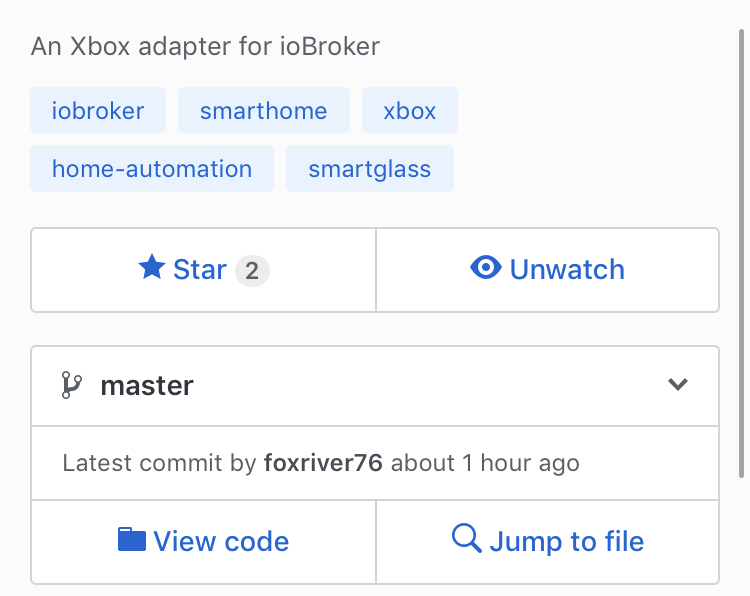
Ne Git "latest Commit an hour ago" die ganzen Badges beziehen sich auf npm, das sind die Versionen, die dann auch im ioBroker erscheinen.
-
Ne Git "latest Commit an hour ago" die ganzen Badges beziehen sich auf npm, das sind die Versionen, die dann auch im ioBroker erscheinen. `
auf Git sehe ich das.
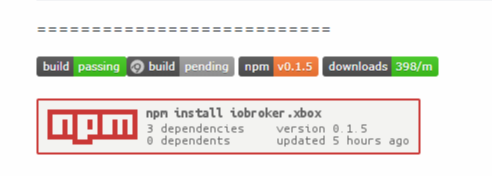
und diese Version ist auf meinem IOB

-
Installier trotzdem von GitHub. Das ist ausschlaggebend:
-
Ich hab nun auch mal etwas in einer VM rumprobiert und versucht da was zu reproduzieren. Ich bin dazu so vorgegangen, wie ich vor meiner Erklärung geschrieben habe - dann Adapter deinstalliert (ging ja nicht) und neu installiert. Dabei ist mir aufgefallen, dass im Ordner node-modules verschiedene Ordner mit xbox enthalten waren. Einmal nur "xbox", dann mal "iobroker.xbox". Versuche die zu löschen sind fehlgeschlagen (stand glaub ich auch immer im LOG), weil angeblich der ioBroker noch lief. Da ich den per Service nutze, habe ich normal "net stop iobroker" genutzt und seltsamer Weise, lief der Dienst gar nicht. "iobroker Status" sagte mir, dass der Broker aber lief. "iobroker stop" sagte mir, dass der Daemon nicht läuft. Ich war ehrlich gesagt… verwirrt, dachte ich doch, dass ich mich einigemaßen mit Windows auskenne.
Im Task Manager war übrigens kein ioBroker am Start, also hab ich nach den Auslastungen gefiltert. Dort stellte ich fest, dass 2 Programme extrem hohe Auslastungen hatten:
1. Node.js Server-side(…)
2. Python
Ich habe beides dann beendet und damit war auch der ioBroker tot. Also schnell dir Ordner gelöscht, was nicht mehr da ist, kann ja auch nicht kaputt sein. Danach den Dienst per "net start iobroker" neugestartet und mal einen vorsichtigen Blick ins Admininterface geworfen. Dort war natürlich noch die Instanz, aber kein Adapter mehr. Lustigerweise konnte man die Instanz nicht über die Konsole löschen, da es keine gab.... aber über das Admin Interface ging es dann, sogar ohne Fehler.
Daraufhin habe ich folgendes gemacht:
1. Konsole -> "npm i iobroker.xbox --unsafe-perm"
2. prüfen ob im Admininterface der Adapter vorhanden ist, war er aber nicht
3. Backup erstellt (iobroker backup)
4. In der Konsole -> "npm install https://github.com/foxriver76/ioBroker. ... all/master --production --save --prefix" ausgeführt (macht er ja im Interface eigentlich auch, aber ich hat der Teufel geritten und ich hab es dann halt so gemacht)
5. prüfen ob im Admininterface der Adapter vorhanden ist, war er aber nicht
6. Konsole -> iobroker upload all (machte aber wohl keinen Sinn, da upload nur für die Instanzen ist, glaub ich)
7. Konsole -> iobroker install xbox
8. Konsole -> iobroker upload xbox
9. Ins Admininterface geschaut.... der Adapter war da (vielleicht wurde der auch nur Zeitverzögert angezeigt), aber auch eine Instanz war da.
Dort habe ich dann meine Daten eingegeben und die Instanz gestartet. Es kam die Meldung, dass der Server gestartet wird.... und keine Fehler
Ok, ich war einen Schritt weiter - aber es kam keine Verbindung zu stande.... Ich hab mir dann mal die genutzte API (nennt man das so) für Smartglass angeschaut. Ich geb zu, ich hab nur 10.... ok 5% verstanden, aber was ich verstanden habe, ist das wohl was ausgetauscht wird.... Austauschen kann man nur, wenn beide Seiten da sind.... Also... XBox von Hand gestartet..... gewartet bis das Startbild da war und zur Sicherheit mal Rocket League gestartet, nur um zu sehen, dass auch alles betriebsbereit ist (gibt da sonst so ne Microsoft-codierte-Fehlermeldung, dass der Start ungewöhnlich lange gedauert hat). Dann habe ich die Instanz neugestartet - und sofort hatte ich die Verbindung. Seitdem läuft alles einwandfrei - ich hab noch Version x.15.
P.S. Leider funktioniert meine GTA Online Idee nicht, da Smartglass nicht als eigenständiger Controller erkannt wird.
P.S.S. Ist es möglich die Authentifizierung später mit in den Adapter einzubauen?
P.S.S.S. Wenn die XBox einige Zeit ausgeschaltet ist, wird die Instanz gelb markiert, da die Verbindung ja weg ist - Sie lässt sich dennoch über Power einschalten.
xbox.0 2018-11-13 21:43:37.323 info [CONNECT] <=== Successfully connected to FD004D17E91765CB ("192.168.178.15")
xbox.0 2018-11-13 21:43:31.925 warn [CONNECT] <=== Connection to your Xbox failed: Channel ID not found for ServiceChannel: ServiceChannel.SystemInputTVRemote
xbox.0 2018-11-13 20:10:44.420 info [CONNECT] Lost connection to your Xbox (192.168.178.15)

-
@DKM:Dort habe ich dann meine Daten eingegeben und die Instanz gestartet. Es kam die Meldung, dass der Server gestartet wird…. und keine Fehler
Ok, ich war einen Schritt weiter - aber es kam keine Verbindung zu stande.... Ich hab mir dann mal die genutzte API (nennt man das so) für Smartglass angeschaut. Ich geb zu, ich hab nur 10.... ok 5% verstanden, aber was ich verstanden habe, ist das wohl was ausgetauscht wird.... Austauschen kann man nur, wenn beide Seiten da sind.... Also... XBox von Hand gestartet..... gewartet bis das Startbild da war und zur Sicherheit mal Rocket League gestartet, nur um zu sehen, dass auch alles betriebsbereit ist (gibt da sonst so ne Microsoft-codierte-Fehlermeldung, dass der Start ungewöhnlich lange gedauert hat). Dann habe ich die Instanz neugestartet - und sofort hatte ich die Verbindung. Seitdem läuft alles einwandfrei - ich hab noch Version x.15. `
Bei dir funktioniert die 0.1.5 da bei dir nopy an dem Ort liegt, an dem ich es ursprünglich erwartet habe. Jedoch kann es auch an einer anderen Stelle liegen, wie bei Negalein.
@DKM:P.S. Leider funktioniert meine GTA Online Idee nicht, da Smartglass nicht als eigenständiger Controller erkannt wird.
P.S.S. Ist es möglich die Authentifizierung später mit in den Adapter einzubauen? `
Genau und zwar geht das nur über das Gamestreaming "nano" Protokoll, kann da im aktuellen Stand nichts Versprechen, versuche allerdings bis zur Version 1.0.0 noch ein bisschen was hin zu bekommen. Die Authentifizierung kann grundsätzlich eingebaut werden, insofern der Host eine Internetverbindung hat - entsprechend wäre eine Idee das irgendwie optional zu bauen. Habe da allerdings gerade ein kleines Problem (https://github.com/OpenXbox/xbox-smartg … /issues/26) bin jedoch dran. Bin dann auch erst mal froh, wenn das auf Windows rund läuft. ;)
@DKM:P.S.S.S. Wenn die XBox einige Zeit ausgeschaltet ist, wird die Instanz gelb markiert, da die Verbindung ja weg ist - Sie lässt sich dennoch über Power einschalten. `
ja das ist Absicht, da du nicht mehr mit der Box verbunden bist, entsprechend steht Verbunden mit xbox dann auf false und der Adapter ist währenddessen gelb.
-
@DKM:1. Konsole -> "npm i iobroker.xbox –unsafe-perm"
4. In der Konsole -> "npm install https://github.com/foxriver76/ioBroker. ... all/master --production --save --prefix" ausgeführt (macht er ja `
bei mir mag es einfach nicht mehr funktionieren.
PC neu gestartet
IOB neu gestartet (Dienst, usw.)
bringt alles nichts.
Bei 1. bekomm ich diese Fehler:
C:\ioBroker>npm i iobroker.xbox --unsafe-perm
npm WARN enoent ENOENT: no such file or directory, open 'C:\ioBroker\node_modules\iobroker.radar\package.json'

npm ERR! path C:\ioBroker\node_modules\.iobroker.xbox.DELETE\python_modules\Python36\site-packages\_cffi_backend.cp36-win_amd64.pyd
npm ERR! code EPERM
npm ERR! errno -4048
npm ERR! syscall unlink
npm ERR! Error: EPERM: operation not permitted, unlink 'C:\ioBroker\node_modules\.iobroker.xbox.DELETE\python_modules\Python36\site-packages\_cffi_backend.cp36-win_amd64.pyd'
npm ERR!  { [Error: EPERM: operation not permitted, unlink 'C:\ioBroker\node_modules\.iobroker.xbox.DELETE\python_modules\Python36\site-packages\_cffi_backend.cp36-win_amd64.pyd']
npm ERR!   cause:
npm ERR!    { Error: EPERM: operation not permitted, unlink 'C:\ioBroker\node_modules\.iobroker.xbox.DELETE\python_modules\Python36\site-packages\_cffi_backend.cp36-win_amd64.pyd'
npm ERR!      errno: -4048,
npm ERR!      code: 'EPERM',
npm ERR!      syscall: 'unlink',
npm ERR!      path:
npm ERR!       'C:\\ioBroker\\node_modules\\.iobroker.xbox.DELETE\\python_modules\\Python36\\site-packages\\_cffi_backend.cp36-win_amd64.pyd' },
npm ERR!   stack:
npm ERR!    "Error: EPERM: operation not permitted, unlink 'C:\\ioBroker\\node_modules\\.iobroker.xbox.DELETE\\python_modules\\Python36\\site-packages\\_cffi_backend.cp36-win_amd64.pyd'",
npm ERR!   errno: -4048,
npm ERR!   code: 'EPERM',
npm ERR!   syscall: 'unlink',
npm ERR!   path:
npm ERR!    'C:\\ioBroker\\node_modules\\.iobroker.xbox.DELETE\\python_modules\\Python36\\site-packages\\_cffi_backend.cp36-win_amd64.pyd',
npm ERR!   parent: 'iobroker.inst' }
npm ERR!
npm ERR! The operation was rejected by your operating system.
npm ERR! It's possible that the file was already in use (by a text editor or antivirus),
npm ERR! or that you lack permissions to access it.
npm ERR!
npm ERR! If you believe this might be a permissions issue, please double-check the
npm ERR! permissions of the file and its containing directories, or try running
npm ERR! the command again as root/Administrator (though this is not recommended).
Und bei 4. diese Fehler:
C:\ioBroker>npm install https://github.com/foxriver76/ioBroker.xbox/tarball/master --production --save --prefix
npm WARN invalid config prefix=true
npm WARN invalid config Must be a valid filesystem path
npm WARN enoent ENOENT: no such file or directory, open 'C:\ioBroker\node_modules\iobroker.radar\package.json'

npm ERR! path C:\ioBroker\node_modules\.iobroker.xbox.DELETE\python_modules\Python36\site-packages\_cffi_backend.cp36-win_amd64.pyd
npm ERR! code EPERM
npm ERR! errno -4048
npm ERR! syscall unlink
npm ERR! Error: EPERM: operation not permitted, unlink 'C:\ioBroker\node_modules\.iobroker.xbox.DELETE\python_modules\Python36\site-packages\_cffi_backend.cp36-win_amd64.pyd'
npm ERR!  { [Error: EPERM: operation not permitted, unlink 'C:\ioBroker\node_modules\.iobroker.xbox.DELETE\python_modules\Python36\site-packages\_cffi_backend.cp36-win_amd64.pyd']
npm ERR!   cause:
npm ERR!    { Error: EPERM: operation not permitted, unlink 'C:\ioBroker\node_modules\.iobroker.xbox.DELETE\python_modules\Python36\site-packages\_cffi_backend.cp36-win_amd64.pyd'
npm ERR!      errno: -4048,
npm ERR!      code: 'EPERM',
npm ERR!      syscall: 'unlink',
npm ERR!      path:
npm ERR!       'C:\\ioBroker\\node_modules\\.iobroker.xbox.DELETE\\python_modules\\Python36\\site-packages\\_cffi_backend.cp36-win_amd64.pyd' },
npm ERR!   stack:
npm ERR!    "Error: EPERM: operation not permitted, unlink 'C:\\ioBroker\\node_modules\\.iobroker.xbox.DELETE\\python_modules\\Python36\\site-packages\\_cffi_backend.cp36-win_amd64.pyd'",
npm ERR!   errno: -4048,
npm ERR!   code: 'EPERM',
npm ERR!   syscall: 'unlink',
npm ERR!   path:
npm ERR!    'C:\\ioBroker\\node_modules\\.iobroker.xbox.DELETE\\python_modules\\Python36\\site-packages\\_cffi_backend.cp36-win_amd64.pyd',
npm ERR!   parent: 'iobroker.inst' }
npm ERR!
npm ERR! The operation was rejected by your operating system.
npm ERR! It's possible that the file was already in use (by a text editor or antivirus),
npm ERR! or that you lack permissions to access it.
npm ERR!
npm ERR! If you believe this might be a permissions issue, please double-check the
npm ERR! permissions of the file and its containing directories, or try running
npm ERR! the command again as root/Administrator (though this is not recommended).
7. und 8. geht dann deshalb auch nicht
C:\ioBroker>iobroker install xbox C:\ioBroker>node node_modules/iobroker.js-controller/iobroker.js install xbox host.Nega-PC Unknown packetName xbox -
Probier mal bitte
npm i iobroker.xbox --unsafe-perm --prefix C:\ioBrokerirgendwie stöbert er da bei dir in den falschen Verzeichnissen rum und prefix ist genau dafür da, nämlich das Verzeichnis zu setzen in dem installiert werden soll, wenn hinter prefix nix steht, kann er damit nix anfangen.
-
npm ERR! path C:\ioBroker\node_modules.iobroker.xbox.DELETE\python_modules\Python36\site-packages_cffi_backend.cp36-win_amd64.py
Will er da bei der Installation nicht löschen? Evtl. sind auch bei Dir Ordner vorhanden, die das Installationsskript nicht löschen kann.
Gesendet von meinem SM-G960F mit Tapatalk
-
Probier mal bitte
npm i iobroker.xbox --unsafe-perm --prefix C:\ioBrokerirgendwie stöbert er da bei dir in den falschen Verzeichnissen rum und prefix ist genau dafür da, nämlich das Verzeichnis zu setzen in dem installiert werden soll, wenn hinter prefix nix steht, kann er damit nix anfangen. `
Geht leider auch nicht! :(
C:\ioBroker>npm i iobroker.xbox --unsafe-perm --prefix C:\ioBroker
npm ERR! path C:\ioBroker\node_modules\.iobroker.xbox.DELETE\python_modules\Python36\site-packages\_cffi_backend.cp36-win_amd64.pyd
npm ERR! code EPERM
npm ERR! errno -4048
npm ERR! syscall unlink
npm ERR! Error: EPERM: operation not permitted, unlink 'C:\ioBroker\node_modules\.iobroker.xbox.DELETE\python_modules\Python36\site-packages\_cffi_backend.cp36-win_amd64.pyd'
npm ERR!  { [Error: EPERM: operation not permitted, unlink 'C:\ioBroker\node_modules\.iobroker.xbox.DELETE\python_modules\Python36\site-packages\_cffi_backend.cp36-win_amd64.pyd']
npm ERR!   cause:
npm ERR!    { Error: EPERM: operation not permitted, unlink 'C:\ioBroker\node_modules\.iobroker.xbox.DELETE\python_modules\Python36\site-packages\_cffi_backend.cp36-win_amd64.pyd'
npm ERR!      errno: -4048,
npm ERR!      code: 'EPERM',
npm ERR!      syscall: 'unlink',
npm ERR!      path:
npm ERR!       'C:\\ioBroker\\node_modules\\.iobroker.xbox.DELETE\\python_modules\\Python36\\site-packages\\_cffi_backend.cp36-win_amd64.pyd' },
npm ERR!   stack:
npm ERR!    "Error: EPERM: operation not permitted, unlink 'C:\\ioBroker\\node_modules\\.iobroker.xbox.DELETE\\python_modules\\Python36\\site-packages\\_cffi_backend.cp36-win_amd64.pyd'",
npm ERR!   errno: -4048,
npm ERR!   code: 'EPERM',
npm ERR!   syscall: 'unlink',
npm ERR!   path:
npm ERR!    'C:\\ioBroker\\node_modules\\.iobroker.xbox.DELETE\\python_modules\\Python36\\site-packages\\_cffi_backend.cp36-win_amd64.pyd',
npm ERR!   parent: 'iobroker.inst' }
npm ERR!
npm ERR! The operation was rejected by your operating system.
npm ERR! It's possible that the file was already in use (by a text editor or antivirus),
npm ERR! or that you lack permissions to access it.
npm ERR!
npm ERR! If you believe this might be a permissions issue, please double-check the
npm ERR! permissions of the file and its containing directories, or try running
npm ERR! the command again as root/Administrator (though this is not recommended).

npm ERR! A complete log of this run can be found in:
npm ERR!     C:\Users\chris\AppData\Roaming\npm-cache\_logs\2018-11-13T22_06_00_570Z-debug.log
C:\ioBroker>npm install https://github.com/foxriver76/ioBroker.xbox/tarball/master --production --save --prefix C:\ioBroker npm ERR! path C:\ioBroker\node_modules\.iobroker.xbox.DELETE\python_modules\Python36\site-packages\_cffi_backend.cp36-win_amd64.pyd npm ERR! code EPERM npm ERR! errno -4048 npm ERR! syscall unlink npm ERR! Error: EPERM: operation not permitted, unlink 'C:\ioBroker\node_modules\.iobroker.xbox.DELETE\python_modules\Python36\site-packages\_cffi_backend.cp36-win_amd64.pyd' npm ERR! { [Error: EPERM: operation not permitted, unlink 'C:\ioBroker\node_modules\.iobroker.xbox.DELETE\python_modules\Python36\site-packages\_cffi_backend.cp36-win_amd64.pyd'] npm ERR! cause: npm ERR! { Error: EPERM: operation not permitted, unlink 'C:\ioBroker\node_modules\.iobroker.xbox.DELETE\python_modules\Python36\site-packages\_cffi_backend.cp36-win_amd64.pyd' npm ERR! errno: -4048, npm ERR! code: 'EPERM', npm ERR! syscall: 'unlink', npm ERR! path: npm ERR! 'C:\\ioBroker\\node_modules\\.iobroker.xbox.DELETE\\python_modules\\Python36\\site-packages\\_cffi_backend.cp36-win_amd64.pyd' }, npm ERR! stack: npm ERR! "Error: EPERM: operation not permitted, unlink 'C:\\ioBroker\\node_modules\\.iobroker.xbox.DELETE\\python_modules\\Python36\\site-packages\\_cffi_backend.cp36-win_amd64.pyd'", npm ERR! errno: -4048, npm ERR! code: 'EPERM', npm ERR! syscall: 'unlink', npm ERR! path: npm ERR! 'C:\\ioBroker\\node_modules\\.iobroker.xbox.DELETE\\python_modules\\Python36\\site-packages\\_cffi_backend.cp36-win_amd64.pyd', npm ERR! parent: 'iobroker.inst' } npm ERR! npm ERR! The operation was rejected by your operating system. npm ERR! It's possible that the file was already in use (by a text editor or antivirus), npm ERR! or that you lack permissions to access it. npm ERR! npm ERR! If you believe this might be a permissions issue, please double-check the npm ERR! permissions of the file and its containing directories, or try running npm ERR! the command again as root/Administrator (though this is not recommended). npm ERR! A complete log of this run can be found in: npm ERR! C:\Users\chris\AppData\Roaming\npm-cache\_logs\2018-11-13T22_13_07_912Z-debug.log -
@DKM:npm ERR! path C:\ioBroker\node_modules.iobroker.xbox.DELETE\python_modules\Python36\site-packages_cffi_backend.cp36-win_amd64.py
Will er da bei der Installation nicht löschen? Evtl. sind auch bei Dir Ordner vorhanden, die das Installationsskript nicht löschen kann. `
Welche Ordner wären das?
Kann ich die händisch löschen?
-
-
@DKM:Schau mal im Ordner C:\iobroker\node-modules nach Ordnern die Xbox enthalten.
Ich vermute, dass durch unsere Installierei Ordnerreste überbleiben. Warte aber sicherheitshalber noch auf die Antwort von foxriver. `
Ja, da gibt es 1 Ordner!
.iobroker.xbox.DELETE
-
@DKM:npm ERR! path C:\ioBroker\node_modules.iobroker.xbox.DELETE\python_modules\Python36\site-packages_cffi_backend.cp36-win_amd64.py
Will er da bei der Installation nicht löschen? Evtl. sind auch bei Dir Ordner vorhanden, die das Installationsskript nicht löschen kann. `
Welche Ordner wären das?
Kann ich die händisch löschen? `
Was gibt denn````
npm -v -
-
Führst du die cmd als Admin aus?
-
-
Hm dann möchte man fast meinen, dass da irgendwas die Datei in C:\ioBroker\node_modules.iobroker.xbox.DELETE schon nutzt und es deshalb einen Permission error gibt. Wenn du ioB stoppst und es probierst geht es dann? Bzw ist der Ordner existent: C:\ioBroker\node_modules.iobroker.xbox.DELETE weiß nicht ob Windows standardmäßig Ordner mit . Vorne dran anzeigt.
-
Hm dann möchte man fast meinen, dass da irgendwas die Datei in C:\ioBroker\node_modules.iobroker.xbox.DELETE schon nutzt und es deshalb einen Permission error gibt. Wenn du ioB stoppst und es probierst geht es dann? Bzw ist der Ordner existent: C:\ioBroker\node_modules.iobroker.xbox.DELETE weiß nicht ob Windows standardmäßig Ordner mit . Vorne dran anzeigt. ` Nein eigentlich ist das eine reine Unix Sache mit dem Punkt. Mir sind nur Sicherungen bekannt, die das auch nutzen
Gesendet von meinem SM-G960F mit Tapatalk
-
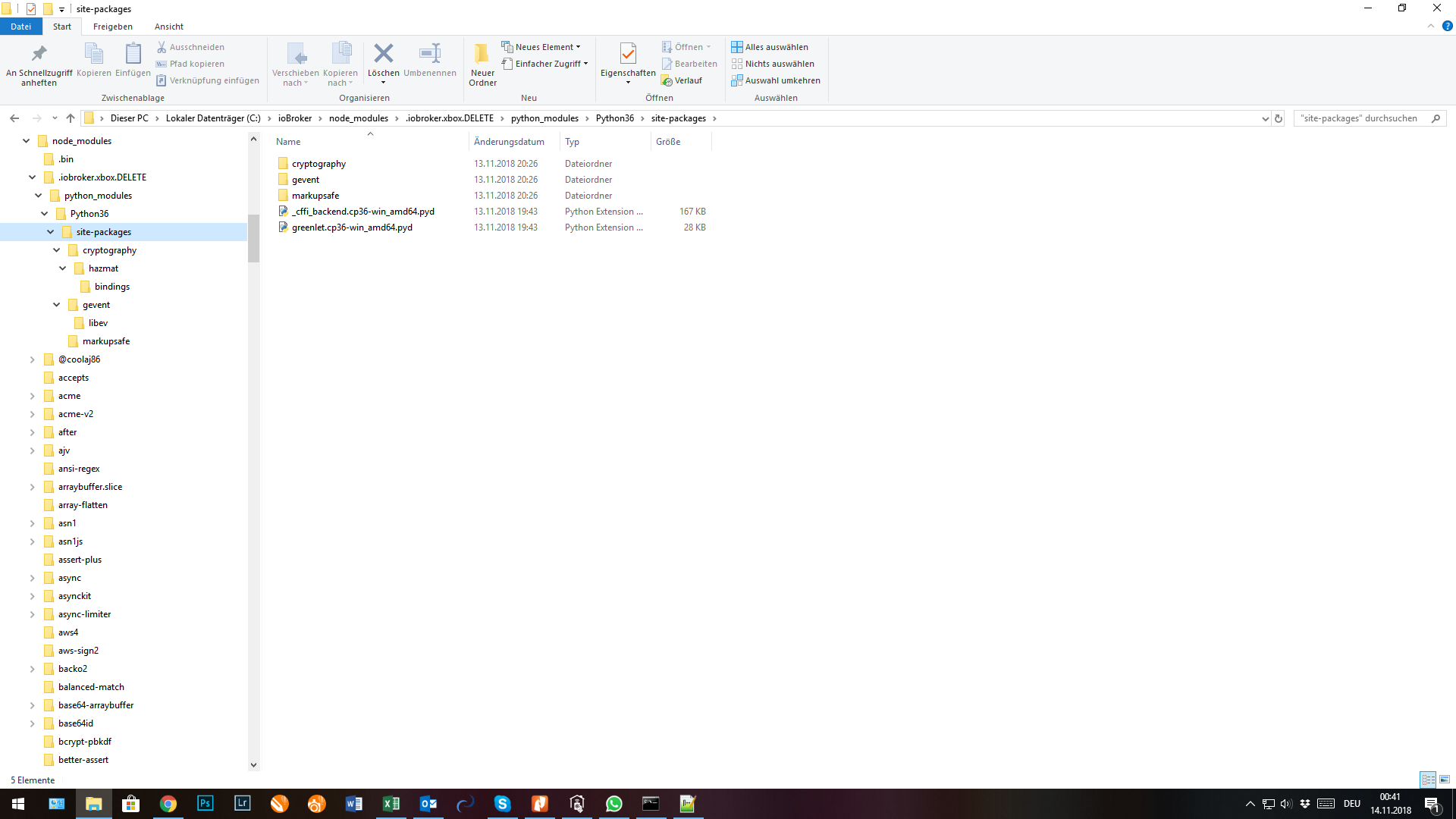
Ja, der Ordner ".iobroker.xbox.DELETE" scheint genau so auf!
Im Ordner sind dann noch:
-
Dann lösch den Ordner mal bitte, dann wird er dir sagen, falls da was in Nutzung ist.


Hello! It looks like you're interested in this conversation, but you don't have an account yet.
Getting fed up of having to scroll through the same posts each visit? When you register for an account, you'll always come back to exactly where you were before, and choose to be notified of new replies (either via email, or push notification). You'll also be able to save bookmarks and upvote posts to show your appreciation to other community members.
With your input, this post could be even better 💗
Register LoginSupport us
369
Online32.7k
Users82.6k
Topics1.3m
Posts