
NEWS




-
Es lag bei mir scheinbar an der npm Version. Ich bin wieder auf 4.6.1 und es läuft wieder!
Die ganze Wahrheit: ich hatte nicht nur jscontroller von 1.4.2 -> 1.5 geupdatet, sondern gleichzeitig ein "apt update & upgrade" durchgeführt. Dadurch kam es zu npm 4.6.1 -> 6.4.1 und nodejs wurde auf 8.12.0 geupdatet. `
Welche Node.js-Version hattest Du vor dem Upgrade auf Ubuntu?
Ist das richtig so, dass Du nach apt update & apt upgrade direkt iobroker stop, iobroker update, iobroker upgrade, iobroker start gemacht hast? Dann den Fehler festgestellt?
Und dann ohne was zu ändern, ein npm install -g npm@4.6.1
Und dann lief es gleich wieder? Oder hast du zwischendurch noch etwas anderes gemacht? `
Vor dem Update hatte ich node: v8.11.4.Meine Reihenfolge:
-
iobroker stop
-
apt update
-
apt upgrade
-
iobroker update, iobroker upgrade self, iobroker start
das hatte soweit alles funktioniert auf dem slave.
- iobroker stop, iobroker reboot (vielleicht unnötig, aber irgendwie bilde ich mir ein, dass ein fresh reboot gut tut)
Auf dem host mit ubuntu startete nach 4) nicht mehr der admin-Adapter und der web-Adapter (beide mit https), restliche Adapter ohne Probleme.
Ein Reboot brachte auch nichts. Ein downgrade auf npm 4.6.1. hat das Problem wieder beseitigt. Hier der Fehler-log mit npm 6.4.1:
!
`2018-09-12 18:55:16.418 - [32minfo[39m: host.iobroker-ubuntu instance system.adapter.admin.0 started with pid 1354 2018-09-12 18:55:18.006 - [32minfo[39m: host.iobroker-ubuntu instance scheduled system.adapter.daswetter.0 */15 * * * * 2018-09-12 18:55:18.508 - [32minfo[39m: admin.0 starting. Version 3.5.8 in /opt/iobroker/node_modules/iobroker.admin, node: v8.12.0 2018-09-12 18:55:18.644 - [32minfo[39m: admin.0 Request actual repository... 2018-09-12 18:55:18.653 - [32minfo[39m: admin.0 requesting all states 2018-09-12 18:55:18.657 - [32minfo[39m: admin.0 requesting all objects 2018-09-12 18:55:19.653 - [32minfo[39m: host.iobroker-ubuntu Update repository "latest" under "http://download.iobroker.net/sources-dist-latest.json" 2018-09-12 18:55:21.333 - [32minfo[39m: admin.0 Repository received successfully. 2018-09-12 18:55:21.731 - [32minfo[39m: admin.0 received all states 2018-09-12 18:55:22.028 - [32minfo[39m: host.iobroker-ubuntu instance system.adapter.javascript.1 started with pid 1371 2018-09-12 18:55:24.053 - [32minfo[39m: admin.0 received all objects 2018-09-12 18:55:24.603 - [32minfo[39m: javascript.1 starting. Version 3.6.4 in /opt/iobroker/node_modules/iobroker.javascript, node: v8.12.0 2018-09-12 18:55:24.660 - [32minfo[39m: javascript.1 requesting all states 2018-09-12 18:55:24.664 - [32minfo[39m: javascript.1 requesting all objects 2018-09-12 18:55:24.104 - [33mwarn[39m: admin.0 No repository source configured 2018-09-12 18:55:24.908 - [32minfo[39m: admin.0 created middleware 2018-09-12 18:55:24.956 - [31merror[39m: admin.0 uncaught exception: listen EACCES 0.0.0.0:80 2018-09-12 18:55:24.956 - [31merror[39m: admin.0 Error: listen EACCES 0.0.0.0:80 at Server.setupListenHandle [as _listen2] (net.js:1343:19) at listenInCluster (net.js:1401:12) at Server.listen (net.js:1485:7) at Object.createServer (/opt/iobroker/node_modules/iobroker.js-controller/lib/letsencrypt.js:74:21) at __construct (/opt/iobroker/node_modules/iobroker.admin/lib/web.js:426:32) at new Web (/opt/iobroker/node_modules/iobroker.admin/lib/web.js:457:7) at /opt/iobroker/node_modules/iobroker.admin/main.js:292:29 at Socket. <anonymous>(/opt/iobroker/node_modules/iobroker.admin/main.js:351:35) at Socket.onack (/opt/iobroker/node_modules/socket.io-client/lib/socket.js:312:9) at Socket.onpacket (/opt/iobroker/node_modules/socket.io-client/lib/socket.js:236:12) at Manager. <anonymous>(/opt/iobroker/node_modules/component-bind/index.js:21:15) at Manager.Emitter.emit (/opt/iobroker/node_modules/component-emitter/index.js:133:20) at Manager.ondecoded (/opt/iobroker/node_modules/socket.io-client/lib/manager.js:332:8) at Decoder. <anonymous>(/opt/iobroker/node_modules/component-bind/index.js:21:15) at Decoder.Emitter.emit (/opt/iobroker/node_modules/socket.io-parser/node_modules/component-emitter/index.js:134:20) at Decoder.add (/opt/iobroker/node_modules/socket.io-parser/index.js:246:12) 2018-09-12 18:55:24.957 - [32minfo[39m: admin.0 terminating https server on port 8081 2018-09-12 18:55:24.963 - [32minfo[39m: admin.0 https server listening on port 8081 2018-09-12 18:55:24.964 - [32minfo[39m: admin.0 Use link "https://localhost:8081" to configure. 2018-09-12 18:55:25.961 - [32minfo[39m: admin.0 terminating https server on port 8081 2018-09-12 18:55:26.143 - [32minfo[39m: host.iobroker-ubuntu instance system.adapter.telegram.1 started with pid 1391 2018-09-12 18:55:26.437 - [31merror[39m: Caught by controller[0]: ========================================================== 2018-09-12 18:55:26.440 - [31merror[39m: Caught by controller[0]: == greenlock.js (v2.2.0+) == 2018-09-12 18:55:26.441 - [31merror[39m: Caught by controller[0]: ========================================================== 2018-09-12 18:55:26.441 - [31merror[39m: Caught by controller[0]: Please specify 'version' option: 2018-09-12 18:55:26.441 - [31merror[39m: Caught by controller[0]: 'draft-12' for Let's Encrypt v2 and ACME draft 12 2018-09-12 18:55:26.441 - [31merror[39m: Caught by controller[0]: ('v02' is an alias of 'draft-12' 2018-09-12 18:55:26.441 - [31merror[39m: Caught by controller[0]: or 2018-09-12 18:55:26.441 - [31merror[39m: Caught by controller[0]: 'v01' for Let's Encrypt v1 (deprecated) 2018-09-12 18:55:26.442 - [31merror[39m: Caught by controller[0]: (also 'npm install --save le-acme-core' as this legacy dependency will soon be removed) 2018-09-12 18:55:26.442 - [31merror[39m: Caught by controller[0]: This will be required in versions v2.3+ 2018-09-12 18:55:26.442 - [31merror[39m: Caught by controller[0]: Detected Let's Encrypt v02 URL. Changing version to draft-12. 2018-09-12 18:55:26.442 - [31merror[39m: Caught by controller[1]: { Error: listen EACCES 0.0.0.0:80 2018-09-12 18:55:26.442 - [31merror[39m: Caught by controller[1]: at Server.setupListenHandle [as _listen2] (net.js:1343:19) 2018-09-12 18:55:26.442 - [31merror[39m: Caught by controller[1]: at listenInCluster (net.js:1401:12) 2018-09-12 18:55:26.442 - [31merror[39m: Caught by controller[1]: at Server.listen (net.js:1485:7) 2018-09-12 18:55:26.443 - [31merror[39m: Caught by controller[1]: at Object.createServer (/opt/iobroker/node_modules/iobroker.js-controller/lib/letsencrypt.js:74:21) 2018-09-12 18:55:26.443 - [31merror[39m: Caught by controller[1]: at __construct (/opt/iobroker/node_modules/iobroker.admin/lib/web.js:426:32) 2018-09-12 18:55:26.443 - [31merror[39m: Caught by controller[1]: at new Web (/opt/iobroker/node_modules/iobroker.admin/lib/web.js:457:7) 2018-09-12 18:55:26.443 - [31merror[39m: Caught by controller[1]: at /opt/iobroker/node_modules/iobroker.admin/main.js:292:29 2018-09-12 18:55:26.443 - [31merror[39m: Caught by controller[1]: at Socket. <anonymous>(/opt/iobroker/node_modules/iobroker.admin/main.js:351:35) 2018-09-12 18:55:26.443 - [31merror[39m: Caught by controller[1]: at Socket.onack (/opt/iobroker/node_modules/socket.io-client/lib/socket.js:312:9) 2018-09-12 18:55:26.443 - [31merror[39m: Caught by controller[1]: at Socket.onpacket (/opt/iobroker/node_modules/socket.io-client/lib/socket.js:236:12) 2018-09-12 18:55:26.444 - [31merror[39m: Caught by controller[1]: at Manager. <anonymous>(/opt/iobroker/node_modules/component-bind/index.js:21:15) 2018-09-12 18:55:26.444 - [31merror[39m: Caught by controller[1]: at Manager.Emitter.emit (/opt/iobroker/node_modules/component-emitter/index.js:133:20) 2018-09-12 18:55:26.444 - [31merror[39m: Caught by controller[1]: at Manager.ondecoded (/opt/iobroker/node_modules/socket.io-client/lib/manager.js:332:8) 2018-09-12 18:55:26.444 - [31merror[39m: Caught by controller[1]: at Decoder. <anonymous>(/opt/iobroker/node_modules/component-bind/index.js:21:15) 2018-09-12 18:55:26.444 - [31merror[39m: Caught by controller[1]: at Decoder.Emitter.emit (/opt/iobroker/node_modules/socket.io-parser/node_modules/component-emitter/index.js:134:20) 2018-09-12 18:55:26.444 - [31merror[39m: Caught by controller[1]: at Decoder.add (/opt/iobroker/node_modules/socket.io-parser/index.js:246:12) 2018-09-12 18:55:26.444 - [31merror[39m: Caught by controller[1]: errno: 'EACCES', 2018-09-12 18:55:26.445 - [31merror[39m: Caught by controller[1]: code: 'EACCES', 2018-09-12 18:55:26.445 - [31merror[39m: Caught by controller[1]: syscall: 'listen', 2018-09-12 18:55:26.445 - [31merror[39m: Caught by controller[1]: address: '0.0.0.0', 2018-09-12 18:55:26.445 - [31merror[39m: Caught by controller[1]: port: 80 } 2018-09-12 18:55:26.445 - [31merror[39m: host.iobroker-ubuntu instance system.adapter.admin.0 terminated with code 6 (uncaught exception) 2018-09-12 18:55:26.445 - [32minfo[39m: host.iobroker-ubuntu Restart adapter system.adapter.admin.0 because enabled[/code]</anonymous></anonymous></anonymous></anonymous></anonymous></anonymous>` ! Das hier sollte helfen: ` ~~[quote]~~npm install --save le-acme-core ` ` in /opt/iobroker ! Und bei dir ist port 80 belegt.` -
-
Habe auf 1.5.1 update gemacht.
Seit dem meckert mein S7 Adapter:
host.rock64 2018-09-14 10:27:35.409 error instance system.adapter.s7.0 terminated with code 0 (OK)
host.rock64 2018-09-14 10:27:35.409 error Caught by controller[0]: at process._tickCallback (internal/process/next_tick.js:181:9)
host.rock64 2018-09-14 10:27:35.408 error Caught by controller[0]: at _combinedTickCallback (internal/process/next_tick.js:136:11)
host.rock64 2018-09-14 10:27:35.408 error Caught by controller[0]: at listOnTimeoutNT (timers.js:369:26)
host.rock64 2018-09-14 10:27:35.407 error Caught by controller[0]: at Timer.listOnTimeout (timers.js:290:5)
host.rock64 2018-09-14 10:27:35.407 error Caught by controller[0]: at tryOnTimeout (timers.js:323:5)
host.rock64 2018-09-14 10:27:35.407 error Caught by controller[0]: at ontimeout (timers.js:498:11)
host.rock64 2018-09-14 10:27:35.406 error Caught by controller[0]: at Timeout._onTimeout (/opt/iobroker/node_modules/iobroker.s7/main.js:206:89)
host.rock64 2018-09-14 10:27:35.406 error Caught by controller[0]: TypeError: Cannot read property 'val' of undefined
host.rock64 2018-09-14 10:27:35.406 error Caught by controller[0]: at Timer.listOnTimeout (timers.js:290:5)
host.rock64 2018-09-14 10:27:35.405 error Caught by controller[0]: at tryOnTimeout (timers.js:323:5)
host.rock64 2018-09-14 10:27:35.405 error Caught by controller[0]: at ontimeout (timers.js:498:11)
host.rock64 2018-09-14 10:27:35.404 error Caught by controller[0]: at Timeout._onTimeout (/opt/iobroker/node_modules/iobroker.s7/main.js:206:89)
host.rock64 2018-09-14 10:27:35.404 error Caught by controller[0]: TypeError: Cannot read property 'val' of undefined
Wo kann ich nach dem Fehler suchen, bzw. wie kann ich wieder zurück auf den alten js? `
Kann es sein das es hier States gibt die einen * oder ein anderes der oben genannten nun verbotenen zeichen als ID haben? Dann änder das mal wenn Du kannst. Ich glaube s7 definierst Du die Namen selbst korrekt? Da solltest DU aber ggf noch was anderes als Warnung im Log haben. Starte mal adapter und schau dann das Log an.
Bitte trotzdem mit dem Fehler beim s7 Adapter ein GitHub Issue anlegen das der Adapter den Fall abfängt.
-
Hallo,
gab es da nicht mal ein Skript das nach verbotenen Zeichen sucht?
-
Ja das war zur "Vorbereitung". An sich sollte mit 1.5.x jetzt auch alles wieder akzeptiert werden nur im zweifel mit nem Underscore ersetzt werden. Wernn die Adapter aber das nicht berücksichtigen kann es zu problemen kommen.
Von daher wäre erstmal die Frage ob das überhaupt hier die Ursache ist
-
Danke für's voranbringen. Soweit ging bei mir die Installation glatt. Mit 1.5.1 spinnt bei mir nur der Xiaomi Home Adapter, mit 1.5.0 ging's noch.
Fehlermeldung ist folgende:
host.iobroker	2018-09-14 17:35:34.104	error	instance system.adapter.mihome-vacuum.0 terminated with code 0 (OK)
host.iobroker	2018-09-14 17:35:34.104	error	Caught by controller[0]: at processImmediate [as _immediateCallback] (timers.js:617:5)
host.iobroker	2018-09-14 17:35:34.103	error	Caught by controller[0]: at tryOnImmediate (timers.js:645:5)
host.iobroker	2018-09-14 17:35:34.103	error	Caught by controller[0]: at runCallback (timers.js:672:20)
host.iobroker	2018-09-14 17:35:34.103	error	Caught by controller[0]: at Immediate. <anonymous>(/opt/iobroker/node_modules/iobroker.js-controller/lib/adapter.js:3725:38)
host.iobroker	2018-09-14 17:35:34.103	error	Caught by controller[0]: at Adapter.emit (events.js:191:7)
host.iobroker	2018-09-14 17:35:34.103	error	Caught by controller[0]: at emitTwo (events.js:106:13)
host.iobroker	2018-09-14 17:35:34.103	error	Caught by controller[0]: at Adapter. <anonymous>(/opt/iobroker/node_modules/iobroker.mihome-vacuum/main.js:131:13)
host.iobroker	2018-09-14 17:35:34.103	error	Caught by controller[0]: at parseGoTo (/opt/iobroker/node_modules/iobroker.mihome-vacuum/main.js:204:31)
host.iobroker	2018-09-14 17:35:34.103	error	Caught by controller[0]: TypeError: Cannot read property 'split' of null</anonymous></anonymous>
Kann ich das irgendwie selbst beheben bzw. was müsste ich dem Adapterentwickler in die Hand geben um den Fehler zu fixen?
-
Das hier sollte helfen:
> npm install –save le-acme-core
in /opt/iobrokerUnd bei dir ist port 80 belegt. `
Den Befehl habe ich ausgeführt ohne Besserung.Eigentlich war das Problem gestern behoben (zuhause im lokalen Netz).
Heute gingen die Probleme wieder los, dass https nicht ging (von außerhalb über dyndns). Update auf 1.5.1 brachte keine Besserung.
Mit snapshot zurück auf 1.4.2. alles wieder gut. Habe wieder versucht upzudaten, dies Mal ohne apt update. Der Vorgang lief ohne Probleme. Aber jetzt komme ich nicht mehr drauf wegen https, also es funktioniert nicht admin über https://IP:8081 und web.0 über https://IP:8082. Funktionieren tut web.1 über http://IP:8083.
Ansonsten weiterhin die Blockierung auf IP:80, ist Let`s Encrypt vielleicht das Problem?:
! ````
2018-09-14 17:36:47.346 - [32minfo[39m: admin.0 terminating https server on port 8081
2018-09-14 17:36:47.350 - [32minfo[39m: admin.0 https server listening on port 8081
2018-09-14 17:36:47.350 - [32minfo[39m: admin.0 Use link "https://localhost:8081" to configure.
2018-09-14 17:36:47.507 - [32minfo[39m: admin.0 Repository received successfully.
2018-09-14 17:36:47.584 - [31merror[39m: Caught by controller[1]: ==========================================================
2018-09-14 17:36:47.584 - [31merror[39m: Caught by controller[1]: == greenlock.js (v2.2.0+) ==
2018-09-14 17:36:47.585 - [31merror[39m: Caught by controller[1]: ==========================================================
2018-09-14 17:36:47.585 - [31merror[39m: Caught by controller[1]: Please specify 'version' option:
2018-09-14 17:36:47.585 - [31merror[39m: Caught by controller[2]: 'draft-12' for Let's Encrypt v2 and ACME draft 12
2018-09-14 17:36:47.585 - [31merror[39m: Caught by controller[2]: ('v02' is an alias of 'draft-12'
2018-09-14 17:36:47.585 - [31merror[39m: Caught by controller[3]: or
2018-09-14 17:36:47.585 - [31merror[39m: Caught by controller[4]: 'v01' for Let's Encrypt v1 (deprecated)
2018-09-14 17:36:47.586 - [31merror[39m: Caught by controller[5]: (also 'npm install --save le-acme-core' as this legacy dependency will soon be removed)
2018-09-14 17:36:47.586 - [31merror[39m: Caught by controller[6]: This will be required in versions v2.3+
2018-09-14 17:36:47.586 - [31merror[39m: Caught by controller[8]: Detected Let's Encrypt v02 URL. Changing version to draft-12.
2018-09-14 17:36:47.586 - [31merror[39m: Caught by controller[9]: { Error: listen EACCES 0.0.0.0:80
2018-09-14 17:36:47.586 - [31merror[39m: Caught by controller[9]: at Server.setupListenHandle [as _listen2] (net.js:1343:19)
2018-09-14 17:36:47.586 - [31merror[39m: Caught by controller[9]: at listenInCluster (net.js:1401:12)
2018-09-14 17:36:47.586 - [31merror[39m: Caught by controller[9]: at Server.listen (net.js:1485:7)
2018-09-14 17:36:47.586 - [31merror[39m: Caught by controller[9]: at Object.createServer (/opt/iobroker/node_modules/iobroker.js-controller/lib/letsencrypt.js:74:21)
2018-09-14 17:36:47.586 - [31merror[39m: Caught by controller[9]: at __construct (/opt/iobroker/node_modules/iobroker.admin/lib/web.js:426:32)
2018-09-14 17:36:47.586 - [31merror[39m: Caught by controller[9]: at new Web (/opt/iobroker/node_modules/iobroker.admin/lib/web.js:457:7)
2018-09-14 17:36:47.587 - [31merror[39m: Caught by controller[9]: at getData (/opt/iobroker/node_modules/iobroker.admin/main.js:283:39)
2018-09-14 17:36:47.587 - [31merror[39m: Caught by controller[9]: at adapter.getForeignStates (/opt/iobroker/node_modules/iobroker.admin/main.js:310:35)
2018-09-14 17:36:47.587 - [31merror[39m: Caught by controller[9]: at that.states.getStates (/opt/iobroker/node_modules/iobroker.js-controller/lib/adapter.js:4632:61)
2018-09-14 17:36:47.587 - [31merror[39m: Caught by controller[9]: at Socket. <anonymous>(/opt/iobroker/node_modules/iobroker.js-controller/lib/states/statesInMemClient.js:157:27)
2018-09-14 17:36:47.587 - [31merror[39m: Caught by controller[9]: at Socket.onack (/opt/iobroker/node_modules/socket.io-client/lib/socket.js:312:9)
2018-09-14 17:36:47.587 - [31merror[39m: Caught by controller[9]: at Socket.onpacket (/opt/iobroker/node_modules/socket.io-client/lib/socket.js:240:12)
2018-09-14 17:36:47.587 - [31merror[39m: Caught by controller[9]: at Manager. <anonymous>(/opt/iobroker/node_modules/component-bind/index.js:21:15)
2018-09-14 17:36:47.587 - [31merror[39m: Caught by controller[9]: at Manager.Emitter.emit (/opt/iobroker/node_modules/component-emitter/index.js:133:20)
2018-09-14 17:36:47.587 - [31merror[39m: Caught by controller[9]: at Manager.ondecoded (/opt/iobroker/node_modules/socket.io-client/lib/manager.js:332:8)
2018-09-14 17:36:47.587 - [31merror[39m: Caught by controller[9]: at Decoder. <anonymous>(/opt/iobroker/node_modules/component-bind/index.js:21:15)
2018-09-14 17:36:47.587 - [31merror[39m: Caught by controller[9]: errno: 'EACCES',
2018-09-14 17:36:47.588 - [31merror[39m: Caught by controller[9]: code: 'EACCES',
2018-09-14 17:36:47.588 - [31merror[39m: Caught by controller[9]: syscall: 'listen',
2018-09-14 17:36:47.588 - [31merror[39m: Caught by controller[9]: address: '0.0.0.0',
2018-09-14 17:36:47.588 - [31merror[39m: Caught by controller[9]: port: 80 }</anonymous></anonymous></anonymous>iobroker is running
iobroker@iobroker-ubuntu:~$ sudo npm install --save le-acme-core
npm WARN saveError ENOENT: no such file or directory, open '/home/iobroker/package.json'
npm WARN enoent ENOENT: no such file or directory, open '/home/iobroker/package.json'
npm WARN gextend@0.1.6 requires a peer of grunt-cli@~0.1.9 but none is installed. You must install peer dependencies yourself.
npm WARN iobroker No description
npm WARN iobroker No repository field.
npm WARN iobroker No README data
npm WARN iobroker No license field.- le-acme-core@2.1.3
updated 1 package and audited 270 packages in 5.177s
found 0 vulnerabilities
- le-acme-core@2.1.3
-
Hatte deine Frage im Stress überlesen.
An den Objektbezeichnungen kann es nicht gelegen haben, da ich diese 1:1 von der S7 übernommen hatte.Außer undeline keine Sonderzeichen.
Im Log keine weiteren Fehler gefunden.
-
Danke für's voranbringen. Soweit ging bei mir die Installation glatt. Mit 1.5.1 spinnt bei mir nur der Xiaomi Home Adapter, mit 1.5.0 ging's noch.
Fehlermeldung ist folgende:
host.iobroker	2018-09-14 17:35:34.104	error	instance system.adapter.mihome-vacuum.0 terminated with code 0 (OK)
host.iobroker	2018-09-14 17:35:34.104	error	Caught by controller[0]: at processImmediate [as _immediateCallback] (timers.js:617:5)
host.iobroker	2018-09-14 17:35:34.103	error	Caught by controller[0]: at tryOnImmediate (timers.js:645:5)
host.iobroker	2018-09-14 17:35:34.103	error	Caught by controller[0]: at runCallback (timers.js:672:20)
host.iobroker	2018-09-14 17:35:34.103	error	Caught by controller[0]: at Immediate. <anonymous>(/opt/iobroker/node_modules/iobroker.js-controller/lib/adapter.js:3725:38)
host.iobroker	2018-09-14 17:35:34.103	error	Caught by controller[0]: at Adapter.emit (events.js:191:7)
host.iobroker	2018-09-14 17:35:34.103	error	Caught by controller[0]: at emitTwo (events.js:106:13)
host.iobroker	2018-09-14 17:35:34.103	error	Caught by controller[0]: at Adapter. <anonymous>(/opt/iobroker/node_modules/iobroker.mihome-vacuum/main.js:131:13)
host.iobroker	2018-09-14 17:35:34.103	error	Caught by controller[0]: at parseGoTo (/opt/iobroker/node_modules/iobroker.mihome-vacuum/main.js:204:31)
host.iobroker	2018-09-14 17:35:34.103	error	Caught by controller[0]: TypeError: Cannot read property 'split' of null</anonymous></anonymous>
Kann ich das irgendwie selbst beheben bzw. was müsste ich dem Adapterentwickler in die Hand geben um den Fehler zu fixen? `
Grund ist glaube ich gefunden und wird in nächstem Update mit drin sein
-
Habe auf 1.5.1 update gemacht.
Seit dem meckert mein S7 Adapter:
host.rock64 2018-09-14 10:27:35.409 error instance system.adapter.s7.0 terminated with code 0 (OK)
host.rock64 2018-09-14 10:27:35.409 error Caught by controller[0]: at process._tickCallback (internal/process/next_tick.js:181:9)
host.rock64 2018-09-14 10:27:35.408 error Caught by controller[0]: at _combinedTickCallback (internal/process/next_tick.js:136:11)
host.rock64 2018-09-14 10:27:35.408 error Caught by controller[0]: at listOnTimeoutNT (timers.js:369:26)
host.rock64 2018-09-14 10:27:35.407 error Caught by controller[0]: at Timer.listOnTimeout (timers.js:290:5)
host.rock64 2018-09-14 10:27:35.407 error Caught by controller[0]: at tryOnTimeout (timers.js:323:5)
host.rock64 2018-09-14 10:27:35.407 error Caught by controller[0]: at ontimeout (timers.js:498:11)
host.rock64 2018-09-14 10:27:35.406 error Caught by controller[0]: at Timeout._onTimeout (/opt/iobroker/node_modules/iobroker.s7/main.js:206:89)
host.rock64 2018-09-14 10:27:35.406 error Caught by controller[0]: TypeError: Cannot read property 'val' of undefined
host.rock64 2018-09-14 10:27:35.406 error Caught by controller[0]: at Timer.listOnTimeout (timers.js:290:5)
host.rock64 2018-09-14 10:27:35.405 error Caught by controller[0]: at tryOnTimeout (timers.js:323:5)
host.rock64 2018-09-14 10:27:35.405 error Caught by controller[0]: at ontimeout (timers.js:498:11)
host.rock64 2018-09-14 10:27:35.404 error Caught by controller[0]: at Timeout._onTimeout (/opt/iobroker/node_modules/iobroker.s7/main.js:206:89)
host.rock64 2018-09-14 10:27:35.404 error Caught by controller[0]: TypeError: Cannot read property 'val' of undefined
Wo kann ich nach dem Fehler suchen, bzw. wie kann ich wieder zurück auf den alten js? `
Ich denke der grund ist gefunden … Bitte mit nächster version von js-controller neu testen
-
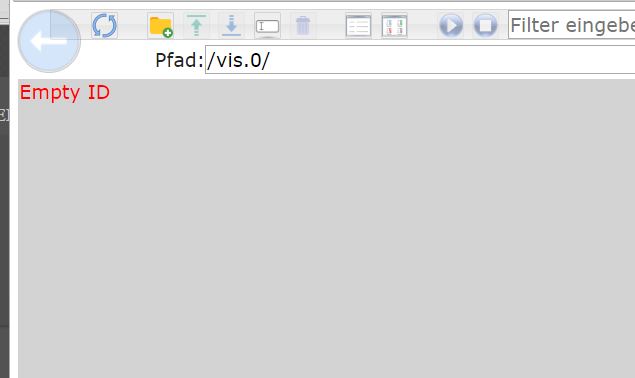
Nach update auf Version 1.5.2 selber Fehler! EMPTY ID
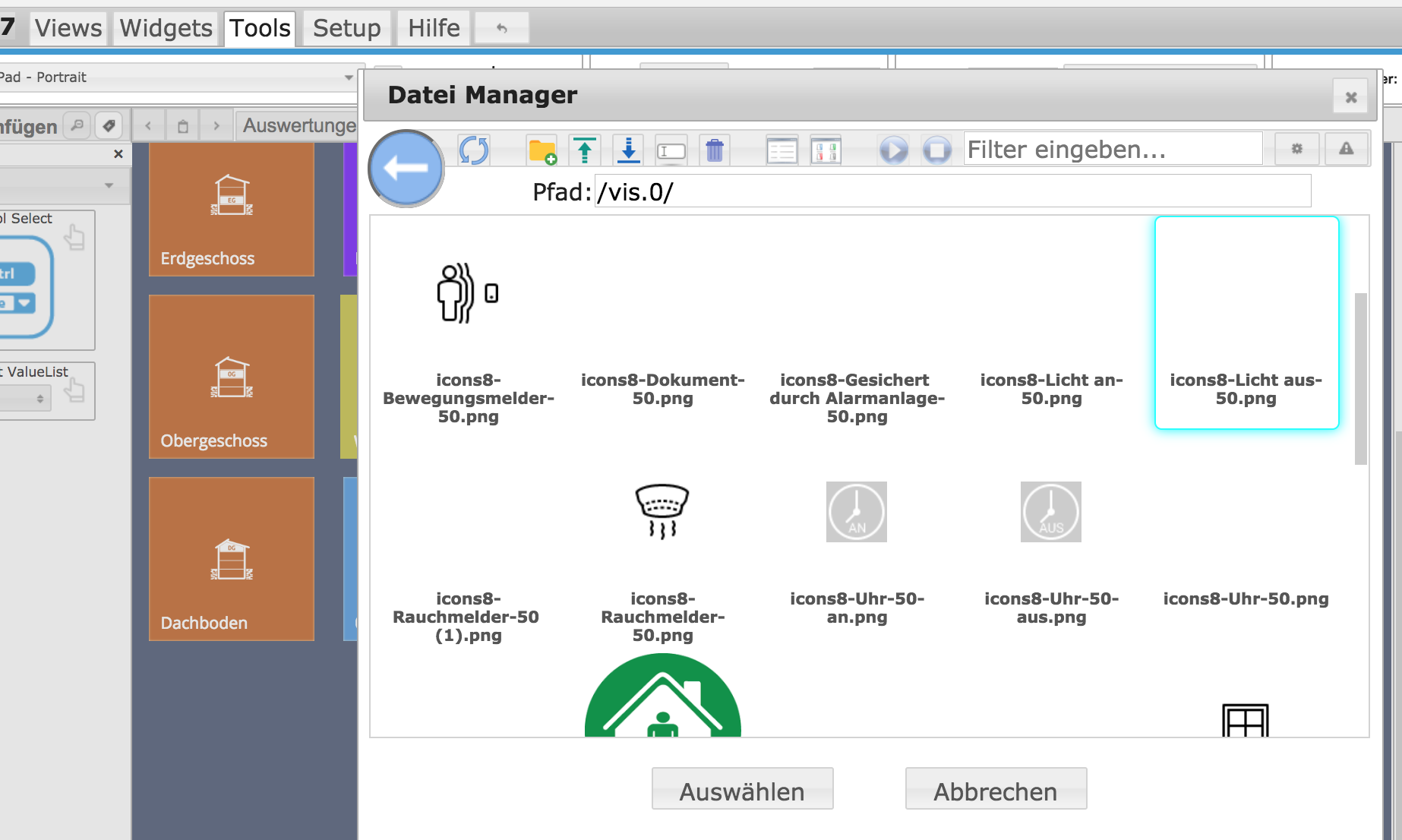
Er findet zwar die Icons, aber ich komme nicht in den Vis Hauptordner.
FEHLER:
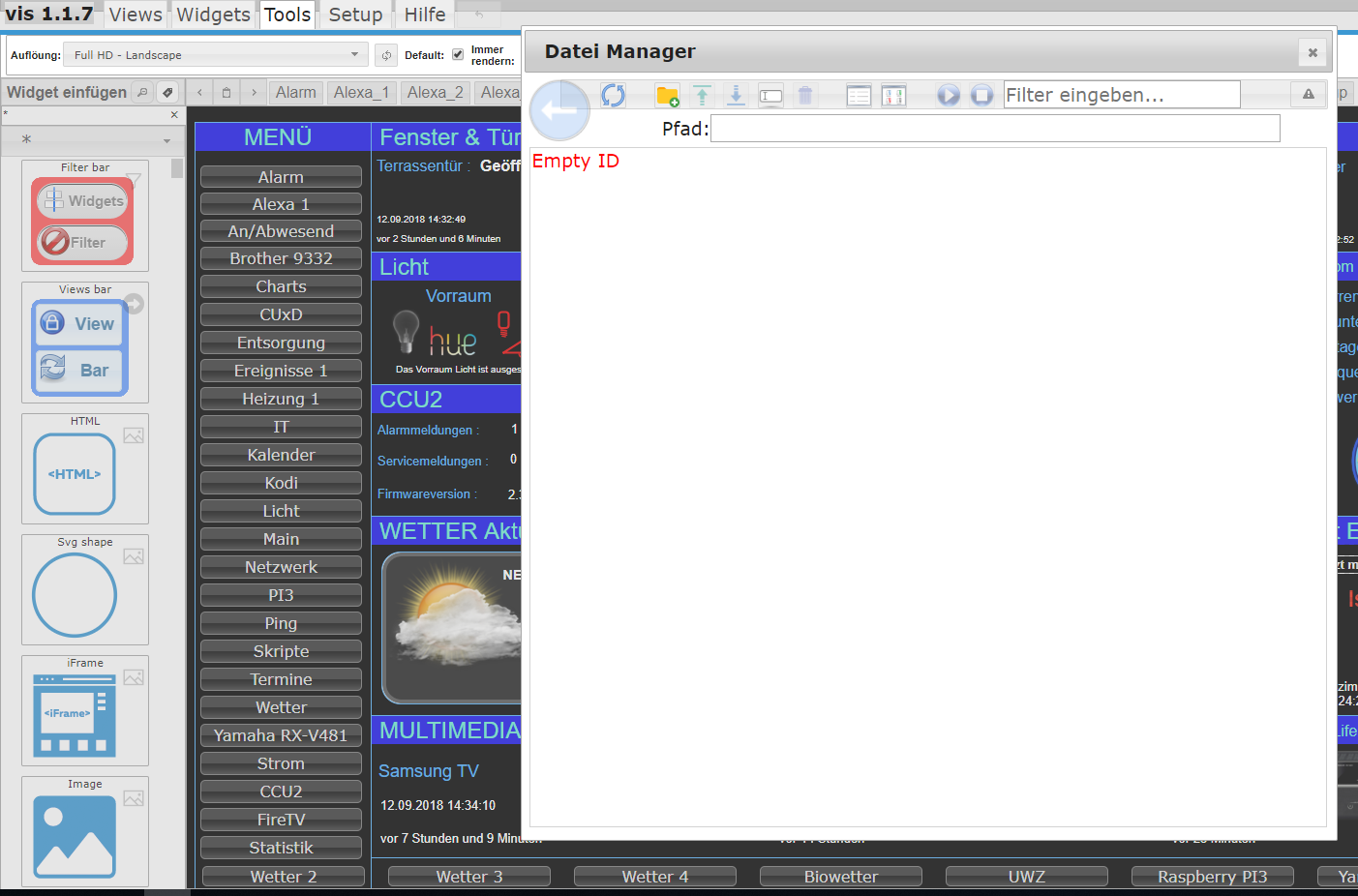
Bin wieder auf 1.4.2. da geht wieder Alles einwandfrei.
NORMAL:
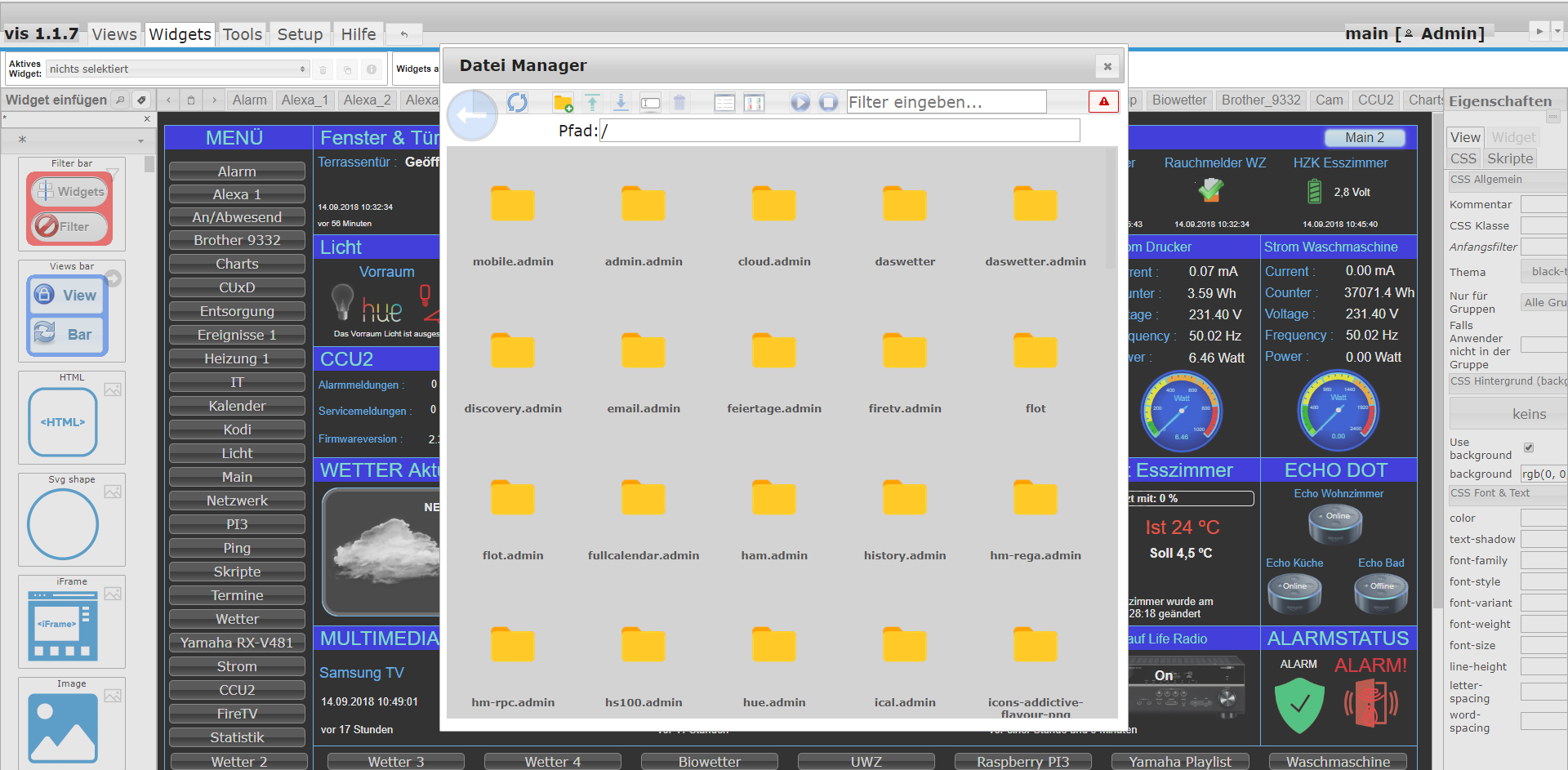
-
Grund ist glaube ich gefunden und wird in nächstem Update mit drin sein `
Mit 1.5.2 läuft der Xiaomi Home Adapter wieder. Bin immer wieder begeistert über den Support von euch Entwicklern. Super!
-
Moin,
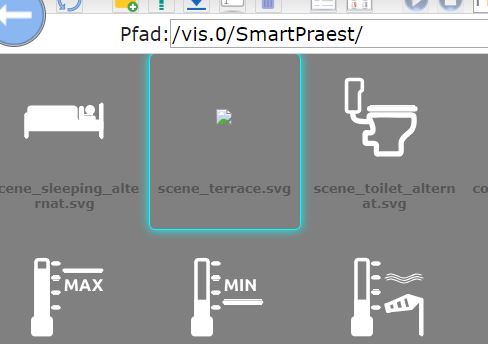
muss mich Sigi anschließen. Auch bei 1.5.2 funktioniert der upload der Bilder nicht richtig. neue hochgeladen Bilder (bei mir .svg) werden nicht angezeigt.
Dazu komme ich wie siggi nicht weiter als zum /vis.0/ Bereich–-danach kommt Empty ID
Was mir aufgefallen ist, dass die icons, die ich mit 1.5.2 hochlade nur eine Berechtigung von 666 haben und nicht wie die anderen von 777.
kann es daran liegen, dass die Bilder nicht richtig angezeigt werden?
Mit 1.4.2 komme ich wenigstens wieder in die Pfad / unter vis.0
-
Ich habe auch seltsame Fehler mit 1.5.x. So werden z.B. alle meine Tür- und Fensterkontakte sowie Bewegungsmelder zu einem zufälligen Zeitpunkt gleichzeitig "aktiviert" die über rflink (433 MHz) angebunden sind. Und bei einem Neustart von ioBroker meint dieser, dass über MQTT ein Befehl rausgeschickt werden muss an unterschiedliche ESP (was früher nicht passiert ist). Finde ich nicht so toll. :(
Ich habe jetzt wieder 1.4.2 installiert - jetzt läuft wieder alles.
Node.js: v8.11.3
NPM: 4.6.1





Support us
608
Online32.7k
Users82.4k
Topics1.3m
Posts