Skip to content
  • Home
  • Aktuell
  • Tags
  • 0 Ungelesen 0
  • Kategorien
  • Unreplied
  • Beliebt
  • GitHub
  • Docu
  • Hilfe
Skins
  • Light
  • Brite
  • Cerulean
  • Cosmo
  • Flatly
  • Journal
  • Litera
  • Lumen
  • Lux
  • Materia
  • Minty
  • Morph
  • Pulse
  • Sandstone
  • Simplex
  • Sketchy
  • Spacelab
  • United
  • Yeti
  • Zephyr
  • Dark
  • Cyborg
  • Darkly
  • Quartz
  • Slate
  • Solar
  • Superhero
  • Vapor

  • Standard: (Kein Skin)
  • Kein Skin
Einklappen
ioBroker Logo

Community Forum

donate donate
  1. ioBroker Community Home
  2. Nederlands
  3. Visualisatie
  4. jarvis

NEWS

  • UPDATE 31.10.: Amazon Alexa - ioBroker Skill läuft aus ?
    apollon77A
    apollon77
    48
    3
    8.8k

  • Monatsrückblick – September 2025
    BluefoxB
    Bluefox
    13
    1
    2.2k

  • Neues Video "KI im Smart Home" - ioBroker plus n8n
    BluefoxB
    Bluefox
    16
    1
    3.2k

jarvis

Geplant Angeheftet Gesperrt Verschoben Visualisatie
15 Beiträge 2 Kommentatoren 2.4k Aufrufe 2 Watching
  • Älteste zuerst
  • Neuste zuerst
  • Meiste Stimmen
Antworten
  • In einem neuen Thema antworten
Anmelden zum Antworten
Dieses Thema wurde gelöscht. Nur Nutzer mit entsprechenden Rechten können es sehen.
  • M MCU

    @chris-nij You have to create a datapoint in ioBroker -> exp.: 0_userdata.0.jarvis.camera1.image
    And then you fill this DP with the data from your camera. (script)
    Ronny did this like he shown in the script:
    So every second it will generate a new data for the DP.

    // create DP
    createStateAsync('0_userdata.0.jarvis.camera1.image', {read: true, write: true, name: "Camera1 Image", type: "string", role: "text", def: "" });
    //Instar Kamera 9008
    let cameraLiveStream = 'http://192.168.178.49:8085/tmpfs/auto.jpg?usr=xxx&pwd=xxx';
    
    let cameraInterval = setInterval(function() {
        setState('0_userdata.0.jarvis.camera1.image', cameraLiveStream + '&_=' + Math.floor(Math.random() * 10000), true);
    }, 1000);
    

    Add device for this new DP (0_userdata.0.jarvis.camera1.image)

    Then you change in jarvis the parameter in displayImage from directly by http to DP.
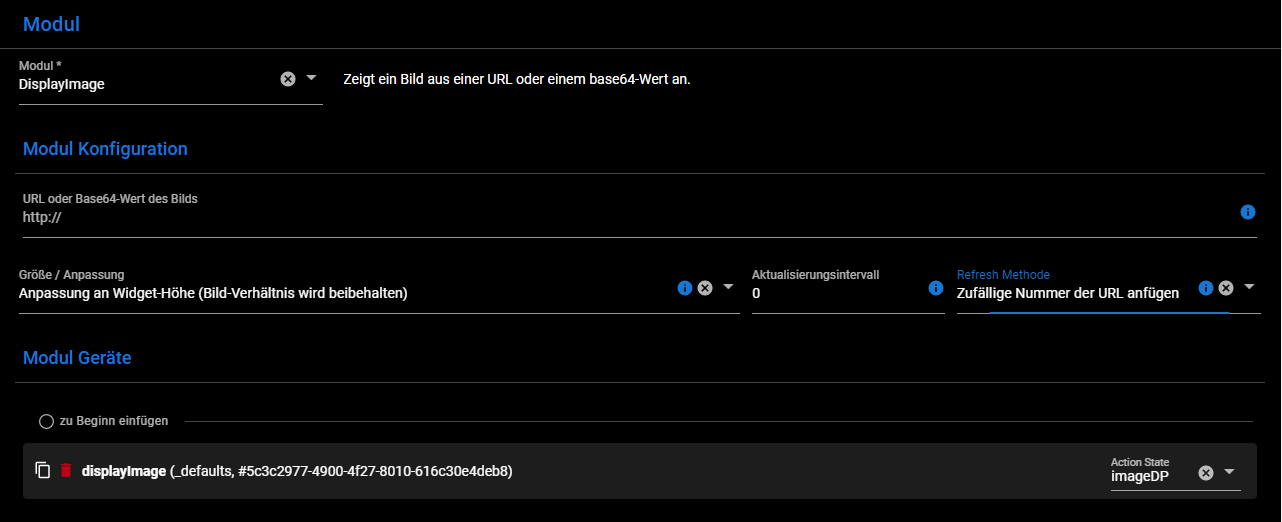
    f03b8176-2b1e-499c-84e5-1d4f8c7c9f80-image.png

    I hope this are enough information for you, otherwise ask again.
    Have a nice day.

    C Offline
    C Offline
    chris nij
    schrieb am zuletzt editiert von
    #5

    @mcu Hello,

    I've been working on it, I've found out how I make a data point in user data. But when I open it, I don't know what to do. there is already something in, but what next. when I put something in it, I can't save it.
    I am not familiar with scripting.
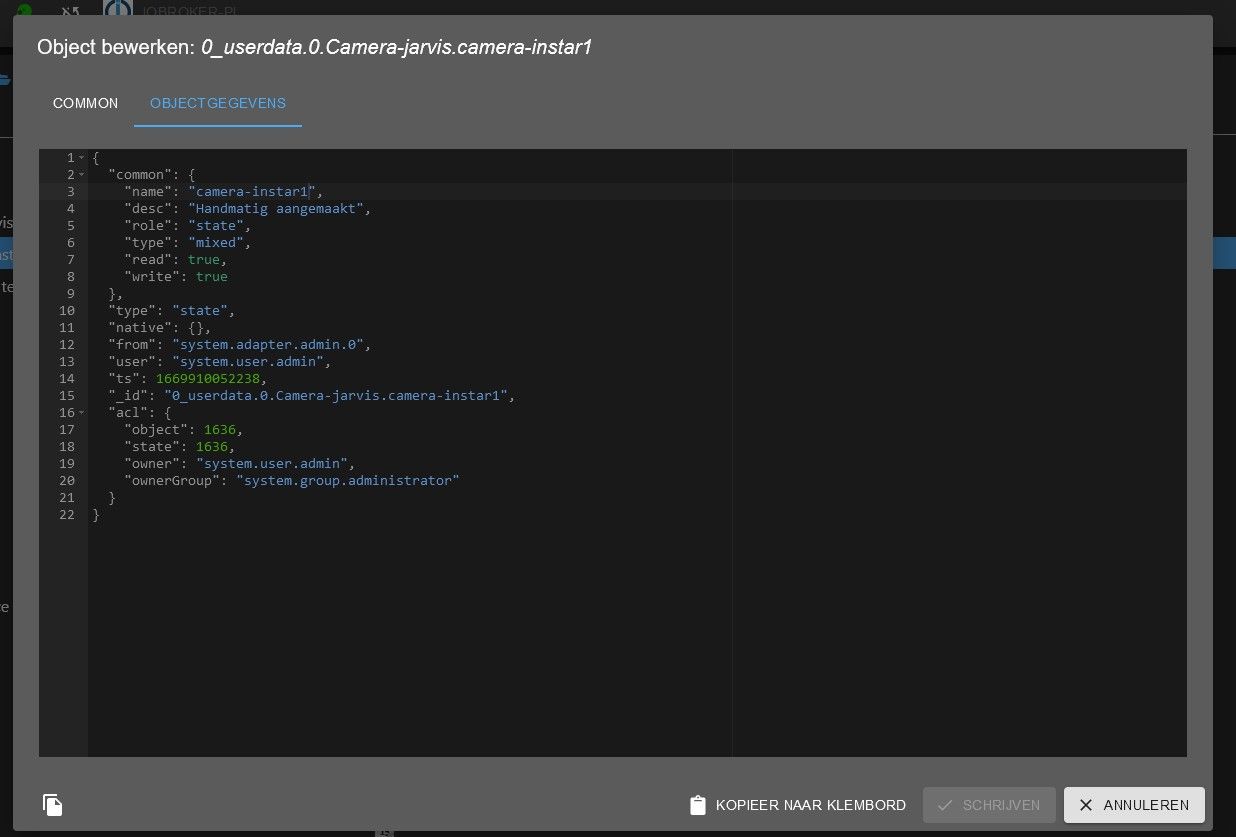
    jarvis.jpg

    Greetings,
    chris

    M 1 Antwort Letzte Antwort
    0
    • C chris nij

      @mcu Hello,

      I've been working on it, I've found out how I make a data point in user data. But when I open it, I don't know what to do. there is already something in, but what next. when I put something in it, I can't save it.
      I am not familiar with scripting.

      jarvis.jpg

      Greetings,
      chris

      M Online
      M Online
      MCU
      schrieb am zuletzt editiert von MCU
      #6

      @chris-nij You don't have to it, it would automatically done by script.
      I show how to initialize the script.
      Do you have installed "javascript"? Do you see this in your speech? scripts?

      1ba74374-dcd1-48ca-89e1-34d5fd1552f8-image.png

      If not, you must install javascript.
      Then you go to "adapter" on left side. Click on it and then search javascript.
      792b7987-2a75-40bd-a73d-1f826b5eb500-image.png
      Click on "+" to install the javascript-adapter.

      Do you have it or not?

      NUC i7 64GB mit Proxmox ---- Jarvis Infos Aktualisierungen der Doku auf Instagram verfolgen -> mcuiobroker Instagram
      Wenn Euch mein Vorschlag geholfen hat, bitte rechts "^" klicken.

      C 1 Antwort Letzte Antwort
      0
      • M MCU

        @chris-nij You don't have to it, it would automatically done by script.
        I show how to initialize the script.
        Do you have installed "javascript"? Do you see this in your speech? scripts?

        1ba74374-dcd1-48ca-89e1-34d5fd1552f8-image.png

        If not, you must install javascript.
        Then you go to "adapter" on left side. Click on it and then search javascript.
        792b7987-2a75-40bd-a73d-1f826b5eb500-image.png
        Click on "+" to install the javascript-adapter.

        Do you have it or not?

        C Offline
        C Offline
        chris nij
        schrieb am zuletzt editiert von
        #7

        @mcu Hello,

        I installed scripts, and added the script. adjusted the stream to my instar camera. but it doesn't work in jarvis unfortunately. what am i doing wrong.
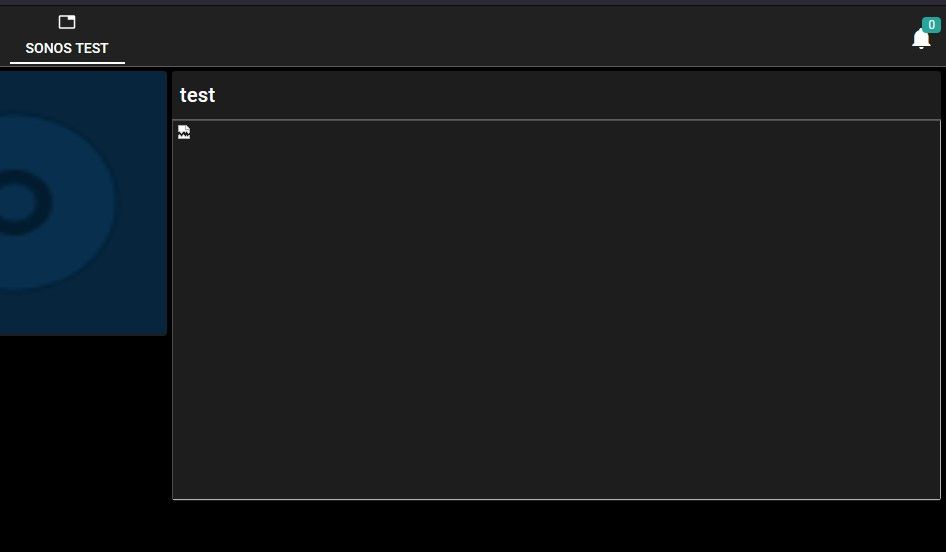
        jarvis.jpg
        jarvis2.jpg jarvis3.jpg

        Greetings
        chris

        M 1 Antwort Letzte Antwort
        0
        • C chris nij

          @mcu Hello,

          I installed scripts, and added the script. adjusted the stream to my instar camera. but it doesn't work in jarvis unfortunately. what am i doing wrong.
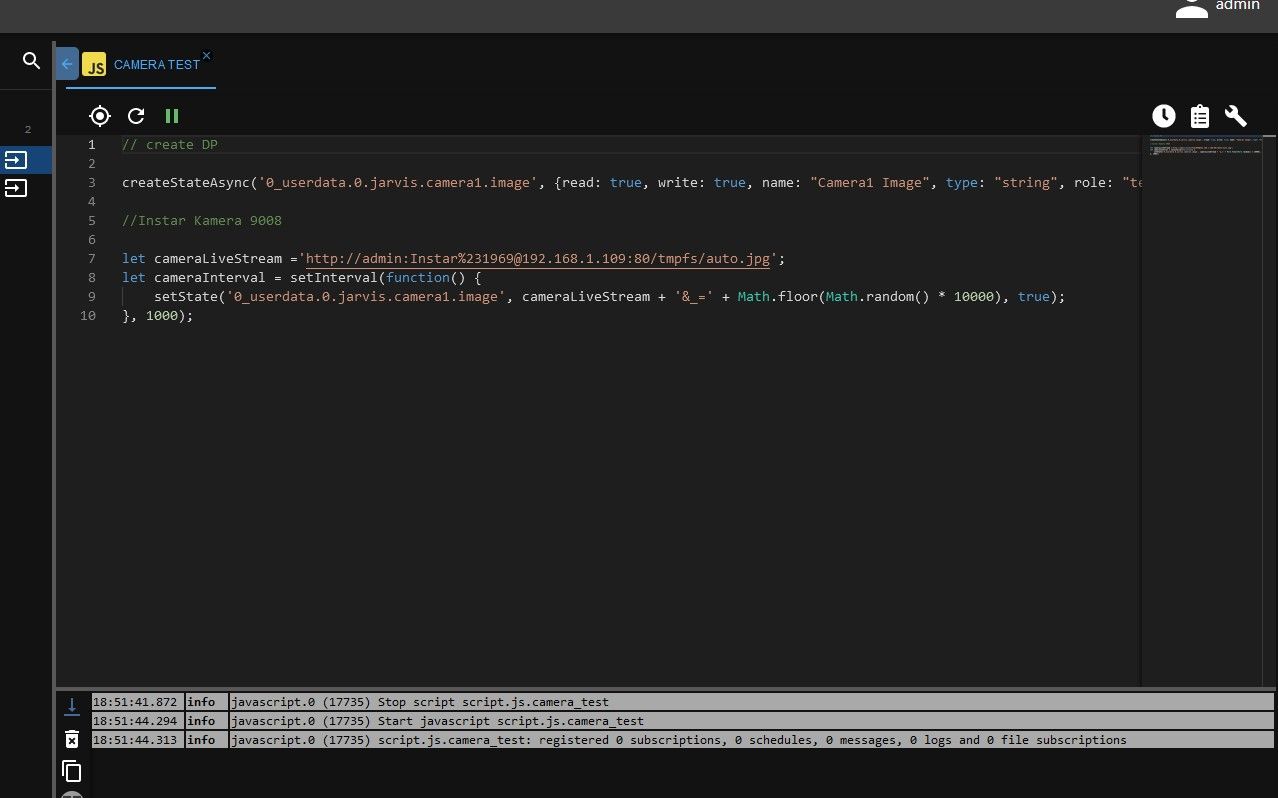
          jarvis.jpg
          jarvis2.jpg jarvis3.jpg

          Greetings
          chris

          M Online
          M Online
          MCU
          schrieb am zuletzt editiert von MCU
          #8

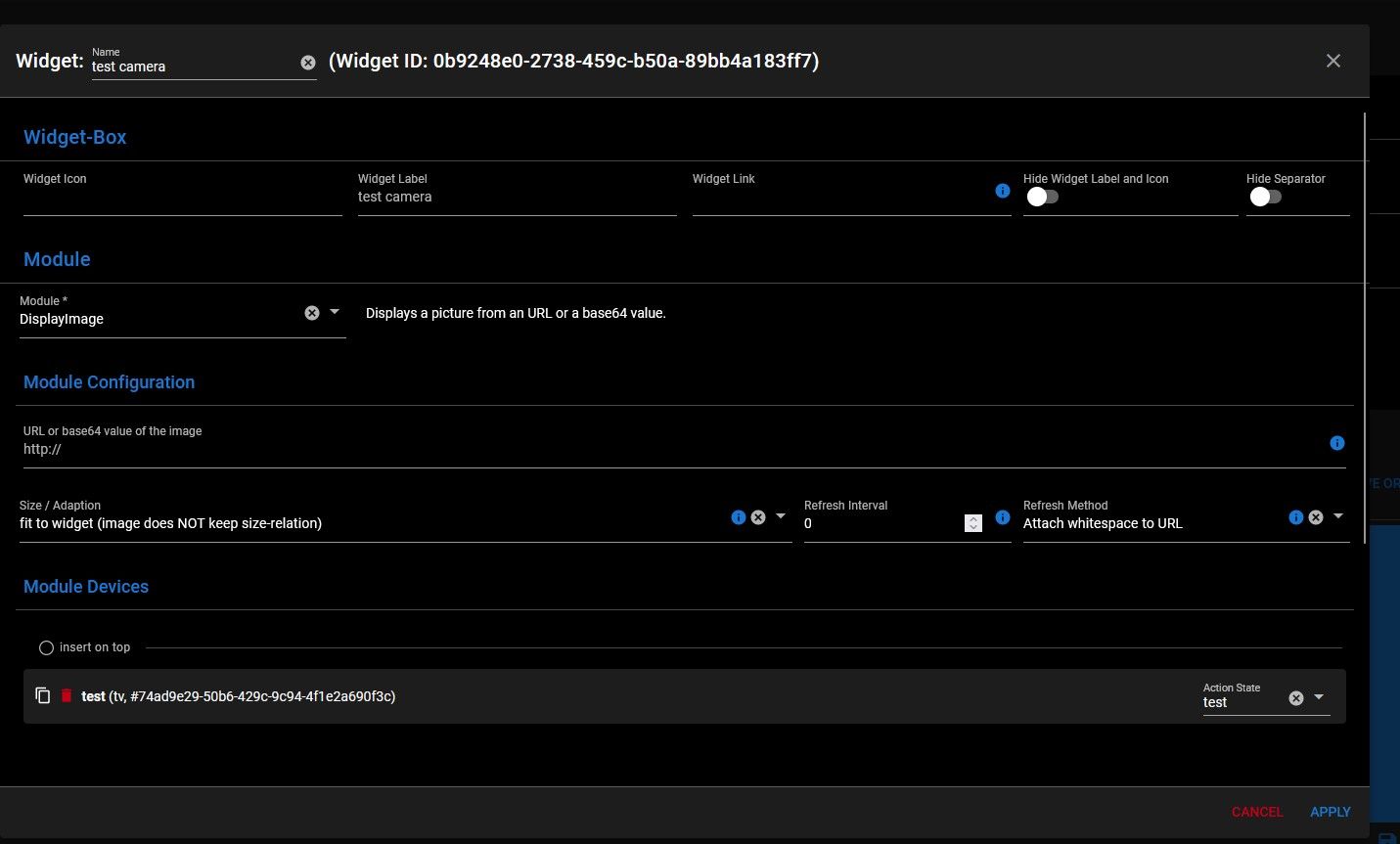
          @chris-nij Show me the configuration of the displayImage-modul in layout.
          Use this configuration

          75c4d46f-0c0c-40ef-8c4d-0ba5459565b7-image.png
          Not the user at first.

          NUC i7 64GB mit Proxmox ---- Jarvis Infos Aktualisierungen der Doku auf Instagram verfolgen -> mcuiobroker Instagram
          Wenn Euch mein Vorschlag geholfen hat, bitte rechts "^" klicken.

          C 1 Antwort Letzte Antwort
          0
          • M MCU

            @chris-nij Show me the configuration of the displayImage-modul in layout.
            Use this configuration
            75c4d46f-0c0c-40ef-8c4d-0ba5459565b7-image.png
            Not the user at first.

            C Offline
            C Offline
            chris nij
            schrieb am zuletzt editiert von
            #9

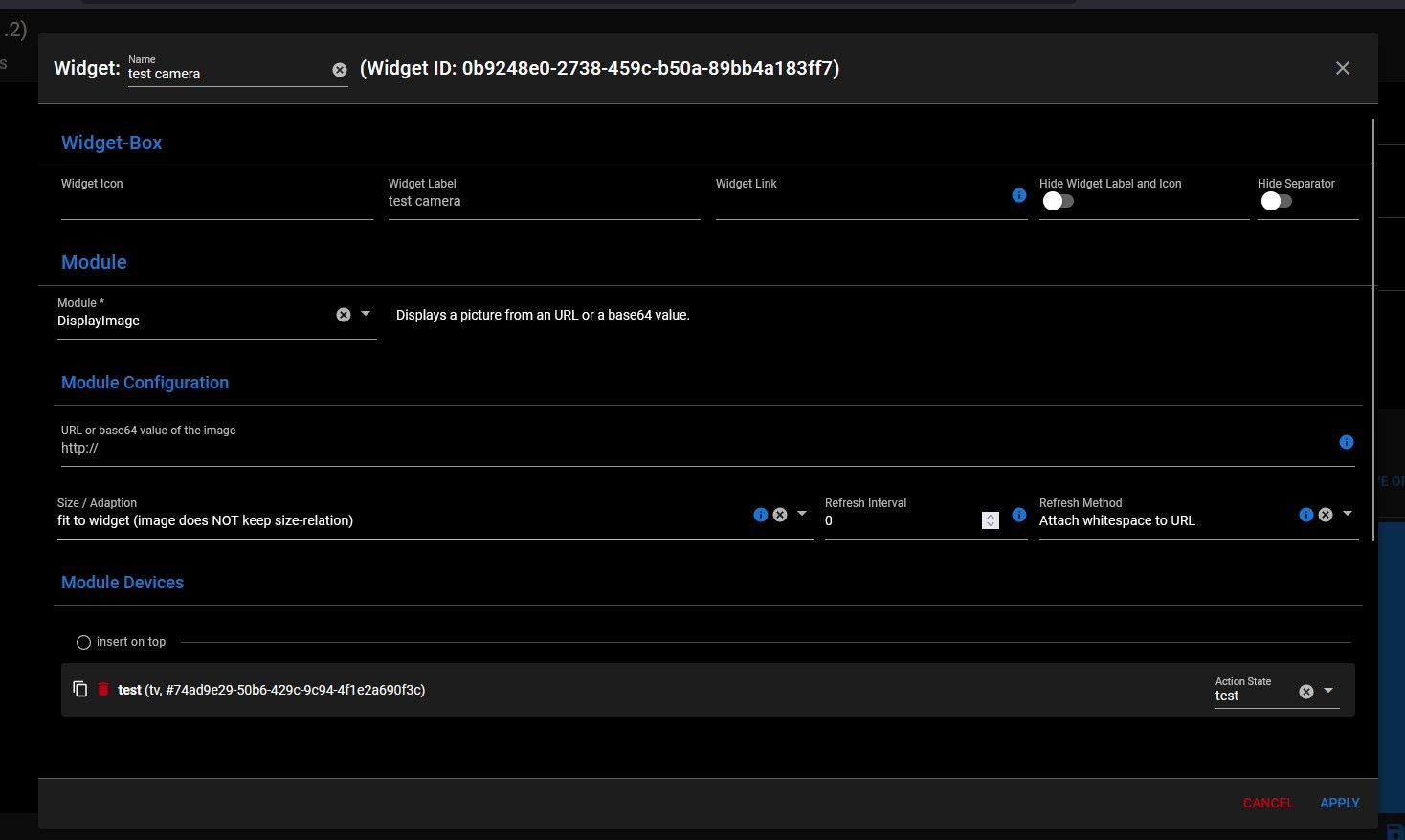
            @mcu jarvis4.jpg jarvis5.jpg jarvis6.jpg jarvis7.jpg

            I don't know exactly what you mean by configuration of the displayimage module. but I think one of the pictures is the right one.

            chris

            M 1 Antwort Letzte Antwort
            0
            • C chris nij

              @mcu jarvis4.jpg jarvis5.jpg jarvis6.jpg jarvis7.jpg

              I don't know exactly what you mean by configuration of the displayimage module. but I think one of the pictures is the right one.

              chris

              M Online
              M Online
              MCU
              schrieb am zuletzt editiert von MCU
              #10

              @chris-nij You could change the Refresh Method?

              df375b14-ba07-40e7-be09-c8e8809d2054-image.png
              Do you get a Picture with cameraLiveStream-Link in a normal Browser Window?

              And its works

              Which Link did you used at this time before?

              NUC i7 64GB mit Proxmox ---- Jarvis Infos Aktualisierungen der Doku auf Instagram verfolgen -> mcuiobroker Instagram
              Wenn Euch mein Vorschlag geholfen hat, bitte rechts "^" klicken.

              C 1 Antwort Letzte Antwort
              0
              • M MCU

                @chris-nij You could change the Refresh Method?
                df375b14-ba07-40e7-be09-c8e8809d2054-image.png
                Do you get a Picture with cameraLiveStream-Link in a normal Browser Window?

                And its works

                Which Link did you used at this time before?

                C Offline
                C Offline
                chris nij
                schrieb am zuletzt editiert von
                #11

                @mcu

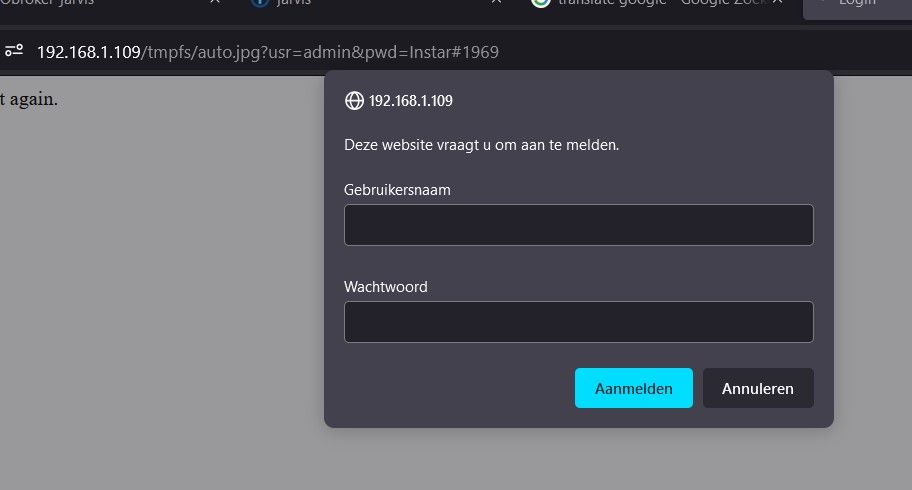
                with my link in the browser, works.

                with the link you gave me. I get a logon, but when I enter users and password it says that this is not correct. but i know that this is good.

                C M 2 Antworten Letzte Antwort
                0
                • C chris nij

                  @mcu

                  with my link in the browser, works.

                  with the link you gave me. I get a logon, but when I enter users and password it says that this is not correct. but i know that this is good.

                  C Offline
                  C Offline
                  chris nij
                  schrieb am zuletzt editiert von
                  #12

                  @chris-nij said in jarvis:

                  @mcu

                  with my link in the browser, works.

                  with the link you gave me. I get a logon, but when I enter users and password it says that this is not correct. but i know that this is good.
                  jarvis.jpg

                  1 Antwort Letzte Antwort
                  0
                  • C chris nij

                    @mcu

                    with my link in the browser, works.

                    with the link you gave me. I get a logon, but when I enter users and password it says that this is not correct. but i know that this is good.

                    M Online
                    M Online
                    MCU
                    schrieb am zuletzt editiert von MCU
                    #13

                    @chris-nij I don't have a Camera. So I only can say what I read in the forum.
                    Perhaps @lines or @Ronny-Gerndt can help you in a better way?
                    So use your Link (And it works) and change the refresh Method to add numbers.

                    NUC i7 64GB mit Proxmox ---- Jarvis Infos Aktualisierungen der Doku auf Instagram verfolgen -> mcuiobroker Instagram
                    Wenn Euch mein Vorschlag geholfen hat, bitte rechts "^" klicken.

                    C 1 Antwort Letzte Antwort
                    0
                    • M MCU

                      @chris-nij I don't have a Camera. So I only can say what I read in the forum.
                      Perhaps @lines or @Ronny-Gerndt can help you in a better way?
                      So use your Link (And it works) and change the refresh Method to add numbers.

                      C Offline
                      C Offline
                      chris nij
                      schrieb am zuletzt editiert von
                      #14

                      @mcu

                      Okay,

                      thank you for helping. I learned something in iobroker (scripts).

                      Greetings,
                      chris

                      C 1 Antwort Letzte Antwort
                      0
                      • C chris nij

                        @mcu

                        Okay,

                        thank you for helping. I learned something in iobroker (scripts).

                        Greetings,
                        chris

                        C Offline
                        C Offline
                        chris nij
                        schrieb am zuletzt editiert von
                        #15

                        @chris-nij

                        Yes its works.:grinning:

                        I used the administration account. apparently the instar camera doesn't like this. I have now created a user account in the camera and added it in jarvis. now everything works great.

                        chris
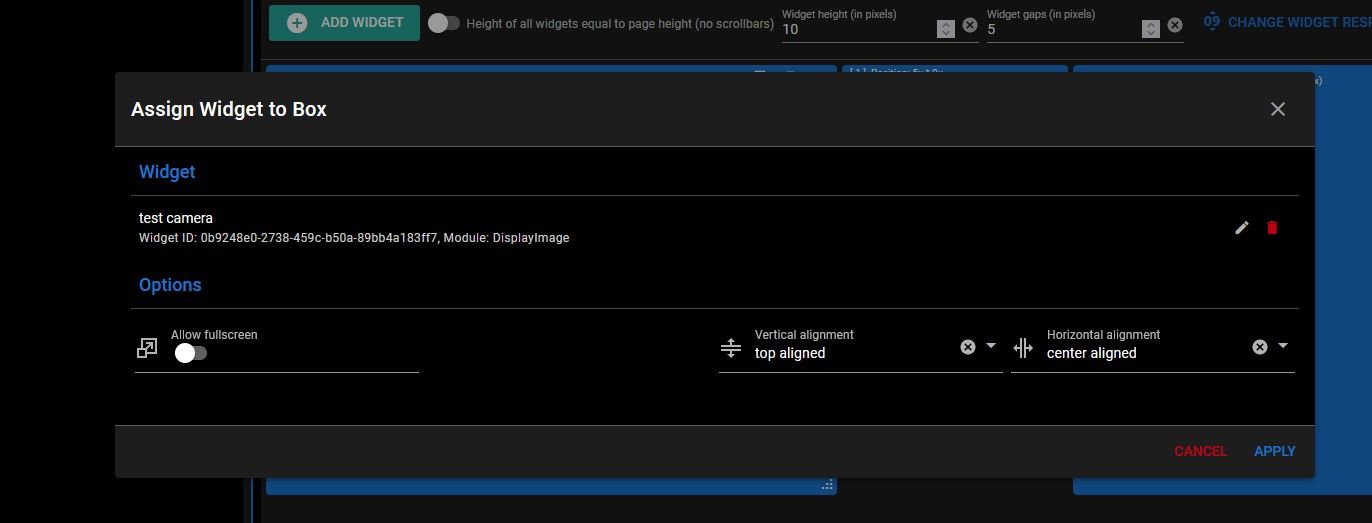
                        1 Antwort Letzte Antwort
                        1
                        Antworten
                        • In einem neuen Thema antworten
                        Anmelden zum Antworten
                        • Älteste zuerst
                        • Neuste zuerst
                        • Meiste Stimmen


                        Support us

                        ioBroker
                        Community Adapters
                        Donate

                        882

                        Online

                        32.4k

                        Benutzer

                        81.5k

                        Themen

                        1.3m

                        Beiträge
                        Community
                        Impressum | Datenschutz-Bestimmungen | Nutzungsbedingungen | Einwilligungseinstellungen
                        ioBroker Community 2014-2025
                        logo
                        • Anmelden

                        • Du hast noch kein Konto? Registrieren

                        • Anmelden oder registrieren, um zu suchen
                        • Erster Beitrag
                          Letzter Beitrag
                        0
                        • Home
                        • Aktuell
                        • Tags
                        • Ungelesen 0
                        • Kategorien
                        • Unreplied
                        • Beliebt
                        • GitHub
                        • Docu
                        • Hilfe