




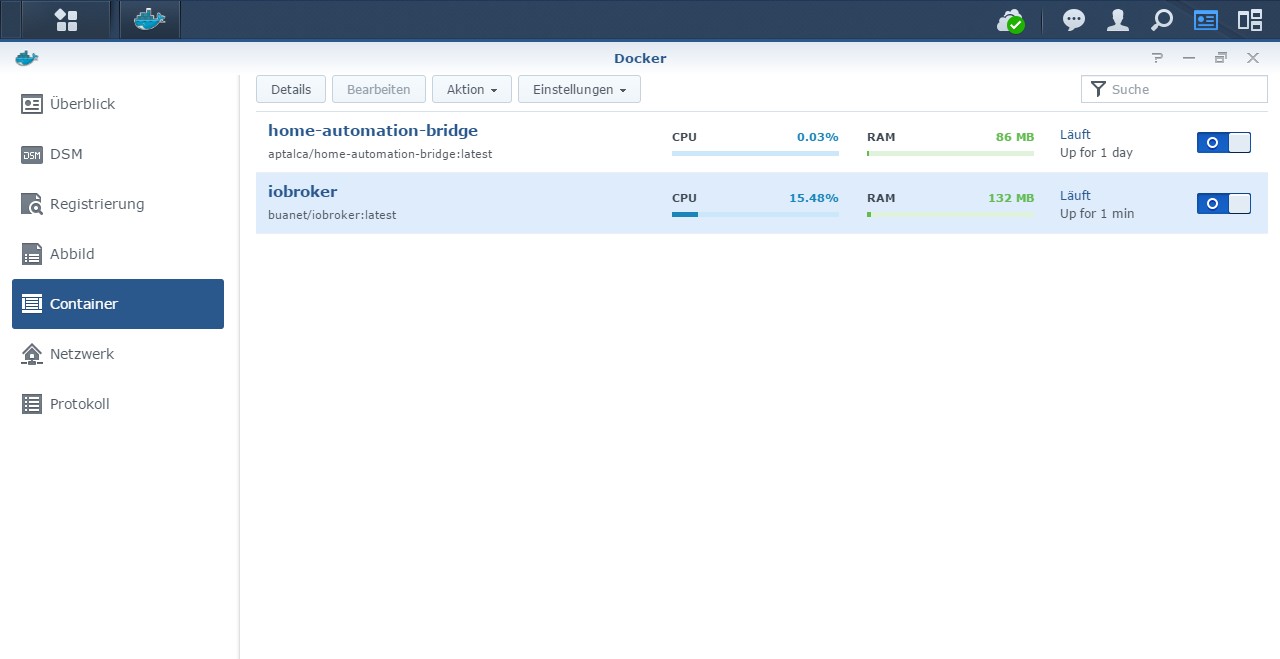
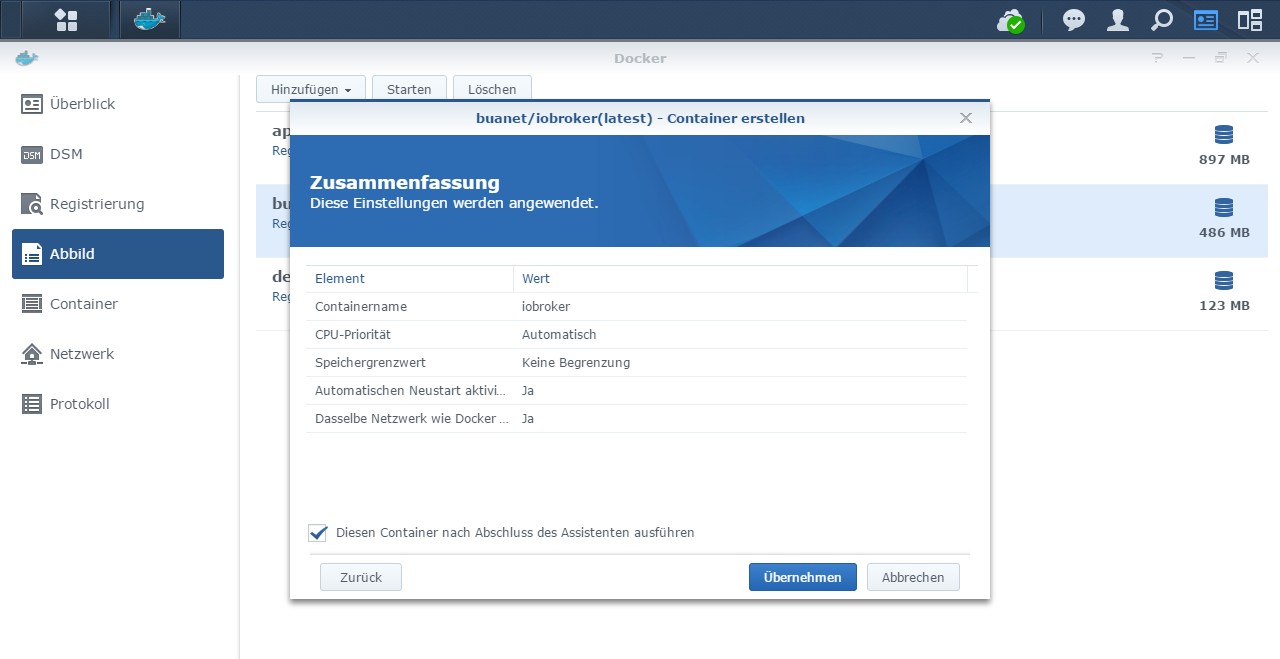
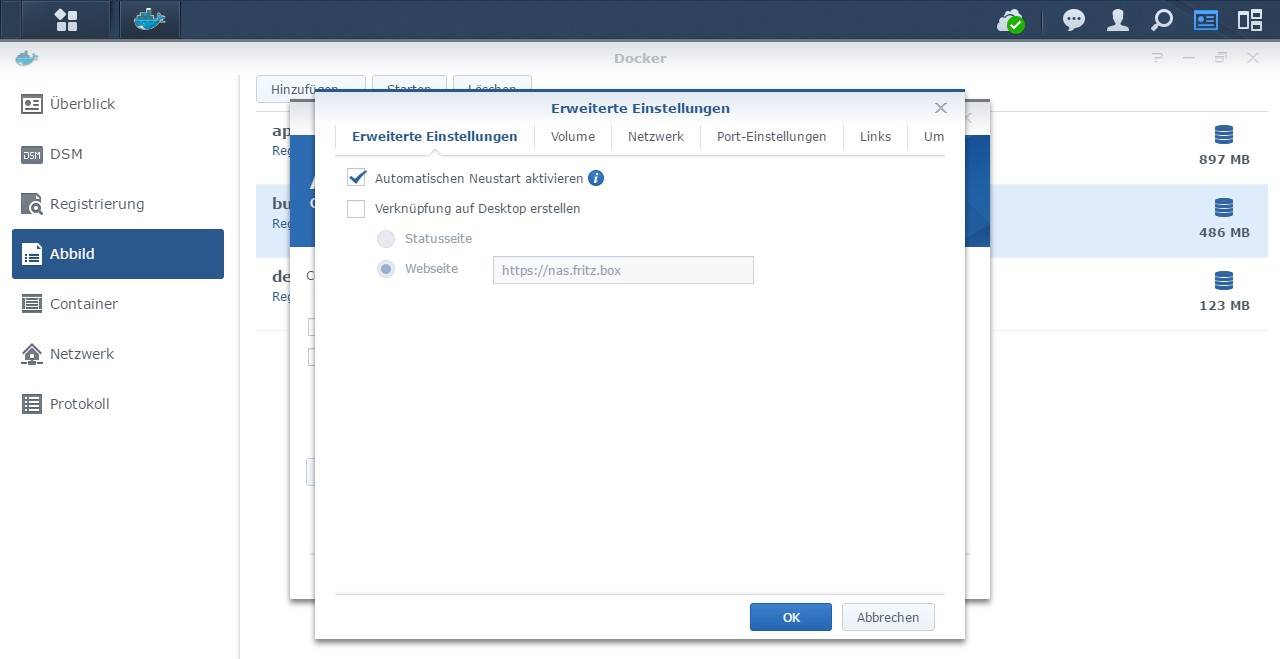
[HowTo] ioBroker unter Docker auf Synology DiskStation

-
Ich wechsel aktuell mein iobroker System von einem OrangePi auf denen neuen Helios64 und dort soll dann auch iobroker nur noch im Docker laufen.
Ich versuche verzweifelt meinen Bluetooth Stick in den Container zu integrieren um ihn mit dem BLE Adapter verwenden zu können.
Laut der Doku vom BLE Adapter soll man ja folgende Packages zusätzlich installieren...This adapter needs additional libraries to compile. See https://github.com/sandeepmistry/noble#prerequisites for detailed instructions. On Raspberry Pi and similar, this should do it: sudo apt-get install bluetooth bluez libbluetooth-dev libudev-dev libcap2-bindas habe ich in meinem Stack (docker-compose) auch so implementiert...
version: '2'
services:
  iobroker:
    image: buanet/iobroker:latest
    container_name: iobroker
    hostname: iobroker
    network_mode: bridge
    ports:
      - "8081:8081"
    environment:
      - PACKAGES=bluetooth bluez libbluetooth-dev libudev-dev libcap2-bin
    volumes:
      - /opt/docker/iobroker:/opt/iobroker
    restart: unless-stopped
und es wird auch in der Container console als installiert angezeigt...
root@iobroker:/opt/iobroker# apt list | grep bluez

WARNING: apt does not have a stable CLI interface. Use with caution in scripts.

bluez/now 5.50-1.2~deb10u1 arm64 [installed,local]
root@iobroker:/opt/iobroker#
nur leider ist die Ausgabe auf hciconfig keine positive...
root@iobroker:/opt/iobroker# hciconfig
Can't open HCI socket.: Address family not supported by protocol
root@iobroker:/opt/iobroker#
auf meinem alten nativen iobroker System (OrangePi) sieht die Ausgabe wie folgt aus...
[root@OrangePi:~]$ hciconfig
hci0:	Type: Primary  Bus: USB
	BD Address: 00:1A:7D:DA:71:13  ACL MTU: 310:10  SCO MTU: 64:8
	UP RUNNING
	RX bytes:640 acl:0 sco:0 events:41 errors:0
	TX bytes:2169 acl:0 sco:0 commands:41 errors:0

[root@OrangePi:~]$
und lsusb gibt mir folgendes dazu...
[root@OrangePi:~]$ lsusb
Bus 008 Device 002: ID 0451:16a8 Texas Instruments, Inc.
Bus 008 Device 001: ID 1d6b:0001 Linux Foundation 1.1 root hub
Bus 005 Device 001: ID 1d6b:0002 Linux Foundation 2.0 root hub
Bus 007 Device 001: ID 1d6b:0001 Linux Foundation 1.1 root hub
Bus 004 Device 001: ID 1d6b:0002 Linux Foundation 2.0 root hub
Bus 006 Device 004: ID 0a12:0001 Cambridge Silicon Radio, Ltd Bluetooth Dongle (HCI mode)
Bus 006 Device 001: ID 1d6b:0001 Linux Foundation 1.1 root hub
Bus 003 Device 001: ID 1d6b:0002 Linux Foundation 2.0 root hub
Bus 002 Device 001: ID 1d6b:0001 Linux Foundation 1.1 root hub
Bus 001 Device 001: ID 1d6b:0002 Linux Foundation 2.0 root hub
Bus 009 Device 001: ID 1d6b:0002 Linux Foundation 2.0 root hub
[root@OrangePi:~]$
wie kann ich denn den Bluetooth Stick an meinen Container weiter reichen?
Über einen Tipp dazu wäre ich sehr dankbar!edit:
ok, mit der Option devices konnte ich schon einmal meinen ZigBee Stick einbinden und der zigbee Adapter wird grün...devices: - "/dev/ttyACM0:/dev/ttyACM0"der Stick wird auf ttyACM0 gelinkt...
root@helios64:/opt/docker# ll /dev/serial/by-id
total 0
lrwxrwxrwx 1 root root 13 Oct 16 20:09 usb-Texas_Instruments_CC2538_USB_CDC-if00 -> ../../ttyACM0
root@helios64:/opt/docker#
jetzt fehlt lediglich nur noch der Bluetooth Stick, damit dieser im Container ankommt und der BLE Adapter ihn verwenden kann.
edit2:
und auch für den Bluetooth Stick habe ich eine Lösung, auch wenn sie mir eigentlich nicht so gut bekommt.
Wenn man den network_mode auf host setzt funktioniert es auch mit dem Bluetooth Stick...version: '2' services: iobroker: image: buanet/iobroker:latest container_name: iobroker hostname: iobroker #network_mode: bridge #ports: # - "8081:8081" network_mode: host environment: - AVAHI="true" - PACKAGES=bluetooth bluez libbluetooth-dev libudev-dev libcap2-bin volumes: - /opt/docker/iobroker:/opt/iobroker devices: - "/dev/ttyACM0:/dev/ttyACM0" restart: unless-stoppedauch in der Container console ist es jetzt über hciconfig zu finden...
root@iobroker:/opt/iobroker# hciconfig
hci0:   Type: Primary  Bus: USB
        BD Address: 00:1A:7D:DA:71:13  ACL MTU: 310:10  SCO MTU: 64:8
        DOWN
        RX bytes:588 acl:0 sco:0 events:31 errors:0
        TX bytes:371 acl:0 sco:0 commands:31 errors:0

root@iobroker:/opt/iobroker#
Bluetooth Stick Lösung gefunden hier...
https://github.com/moby/moby/issues/16208@TDCroPower Soweit ich das ergründen konnte ist Bluetooth kein USB Device sondern gilt als Netzwerk Device. Demzufolge lässt es sich nicht wie ein USB Device einfach in den Container durchreichen. Ich konnte bezüglich Docker da keine Möglichkeit finden. Mag sein, dass man aus dem Container Zugriff bekommt wenn man den Container mit erweiterten Rechten und im Netzwerkmodus Host laufen lässt... Das ist aber nur Theorie...
Wenn du eine Lösung finden solltest, lass es mich wissen... :)
MfG,
André -
@TDCroPower Soweit ich das ergründen konnte ist Bluetooth kein USB Device sondern gilt als Netzwerk Device. Demzufolge lässt es sich nicht wie ein USB Device einfach in den Container durchreichen. Ich konnte bezüglich Docker da keine Möglichkeit finden. Mag sein, dass man aus dem Container Zugriff bekommt wenn man den Container mit erweiterten Rechten und im Netzwerkmodus Host laufen lässt... Das ist aber nur Theorie...
Wenn du eine Lösung finden solltest, lass es mich wissen... :)
MfG,
André@andre die Lösung habe ich im Edit oben eingefügt.
Wie du schon erwähnt hast ist der Bluetooth Stick kein typisches USB Gerät und somit nicht mit den üblichen Einbindmöglichkeiten nutzbar.
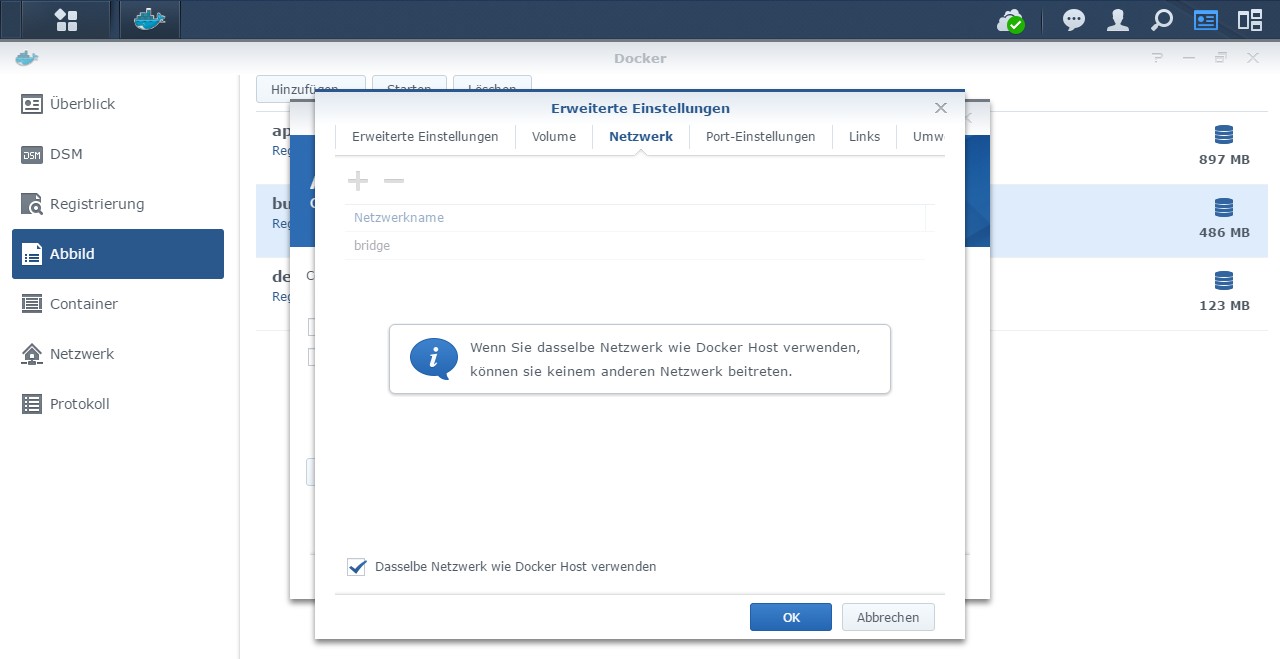
Kurz und knapp funktioniert es mit dem network_mode -> host anstatt bridge.
Mein Problem dabei ist halt nur das ich somit die Ports nicht direkt im Griff habe ausser ich setze in diesem Docker Beispiel die env Variablen.ByTheWay:
Wie verhält es sich denn mit den Ports im Vergleich zwischen host bzw. bridge mode?Im Bridge mode sehe ich auf dem host direkt welcher Port aus einem docker kommt...
root@helios64:/opt/docker# netstat -nltup | grep docker-proxy
tcp6       0      0 :::5514                 :::*                    LISTEN      3287/docker-proxy
tcp6       0      0 :::9099                 :::*                    LISTEN      16683/docker-proxy
tcp6       0      0 :::8843                 :::*                    LISTEN      3139/docker-proxy
tcp6       0      0 :::8080                 :::*                    LISTEN      3231/docker-proxy
tcp6       0      0 :::8880                 :::*                    LISTEN      3092/docker-proxy
tcp6       0      0 :::80                   :::*                    LISTEN      3066/docker-proxy
tcp6       0      0 :::53                   :::*                    LISTEN      3159/docker-proxy
tcp6       0      0 :::8088                 :::*                    LISTEN      16697/docker-proxy
tcp6       0      0 :::8920                 :::*                    LISTEN      19041/docker-proxy
tcp6       0      0 :::8443                 :::*                    LISTEN      3180/docker-proxy
tcp6       0      0 :::443                  :::*                    LISTEN      3014/docker-proxy
tcp6       0      0 :::8096                 :::*                    LISTEN      19055/docker-proxy
tcp6       0      0 :::6789                 :::*                    LISTEN      3254/docker-proxy
udp6       0      0 :::3478                 :::*                                3314/docker-proxy
udp6       0      0 :::10001                :::*                                3043/docker-proxy
udp6       0      0 :::1900                 :::*                                3340/docker-proxy
udp6       0      0 :::53                   :::*                                3199/docker-proxy
udp6       0      0 :::67                   :::*                                3114/docker-proxy
root@helios64:/opt/docker#
im host mode sehe ich halt lediglich den Dienst...
root@helios64:/opt/docker# netstat -nltup | grep admin
tcp6       0      0 :::8081                 :::*                    LISTEN      29997/io.admin.0
root@helios64:/opt/docker#
auch im Portainer ist es ein Unterschied zwischen host/bridge optisch zu sehen, denn nur im bridge Mode sieht man im Container Tab die genutzten Ports und bei host steht dort nur ein "-".
-
Hallo @andre
ich habe das Problem, dass ich kein Telegram-Adapter im Docker (buanet-Image im macvlan-Modus) zum laufen bekomme. Adapter lässt sich ohne Probleme installieren, jedoch bekomme ich den Adapter nicht gestartet -> mit folgender Fehlermeldung:
host.iobroker-docker	2020-10-19 20:33:16.326	error	instance system.adapter.telegram.1 terminated with code 1 (JS_CONTROLLER_STOPPED)
host.iobroker-docker	2020-10-19 20:33:16.326	error	Caught by controller[1]: }
host.iobroker-docker	2020-10-19 20:33:16.326	error	Caught by controller[1]: ]
host.iobroker-docker	2020-10-19 20:33:16.326	error	Caught by controller[1]: '/opt/iobroker/node_modules/iobroker.telegram/main.js'
host.iobroker-docker	2020-10-19 20:33:16.326	error	Caught by controller[1]: '/opt/iobroker/node_modules/iobroker.telegram/node_modules/socksv5/index.js',
host.iobroker-docker	2020-10-19 20:33:16.326	error	Caught by controller[1]: requireStack: [
host.iobroker-docker	2020-10-19 20:33:16.326	error	Caught by controller[1]: code: 'MODULE_NOT_FOUND',
host.iobroker-docker	2020-10-19 20:33:16.326	error	Caught by controller[1]: at internal/main/run_main_module.js:17:47 {
host.iobroker-docker	2020-10-19 20:33:16.326	error	Caught by controller[1]: at Function.executeUserEntryPoint [as runMain] (internal/modules/run_main.js:71:12)
host.iobroker-docker	2020-10-19 20:33:16.326	error	Caught by controller[1]: at Function.Module._load (internal/modules/cjs/loader.js:878:14)
host.iobroker-docker	2020-10-19 20:33:16.326	error	Caught by controller[1]: at Module.load (internal/modules/cjs/loader.js:985:32)
host.iobroker-docker	2020-10-19 20:33:16.326	error	Caught by controller[1]: at Object.Module._extensions..js (internal/modules/cjs/loader.js:1157:10)
host.iobroker-docker	2020-10-19 20:33:16.326	error	Caught by controller[1]: at Module._compile (internal/modules/cjs/loader.js:1137:30)
host.iobroker-docker	2020-10-19 20:33:16.326	error	Caught by controller[1]: at Object.<anonymous> (/opt/iobroker/node_modules/iobroker.telegram/main.js:23:15)
host.iobroker-docker	2020-10-19 20:33:16.325	error	Caught by controller[1]: at require (internal/modules/cjs/helpers.js:72:18)
host.iobroker-docker	2020-10-19 20:33:16.325	error	Caught by controller[1]: at Module.require (internal/modules/cjs/loader.js:1025:19)
host.iobroker-docker	2020-10-19 20:33:16.325	error	Caught by controller[1]: at Function.Module._load (internal/modules/cjs/loader.js:878:14)
host.iobroker-docker	2020-10-19 20:33:16.325	error	Caught by controller[1]: at Module.load (internal/modules/cjs/loader.js:985:32)
host.iobroker-docker	2020-10-19 20:33:16.325	error	Caught by controller[1]: at Object.Module._extensions..js (internal/modules/cjs/loader.js:1157:10)
host.iobroker-docker	2020-10-19 20:33:16.325	error	Caught by controller[1]: at Module._compile (internal/modules/cjs/loader.js:1137:30)
host.iobroker-docker	2020-10-19 20:33:16.325	error	Caught by controller[1]: at Object.<anonymous> (/opt/iobroker/node_modules/iobroker.telegram/node_modules/socksv5/index.js:13:41)
host.iobroker-docker	2020-10-19 20:33:16.325	error	Caught by controller[1]: at Array.forEach (<anonymous>)
host.iobroker-docker	2020-10-19 20:33:16.325	error	Caught by controller[1]: at /opt/iobroker/node_modules/iobroker.telegram/node_modules/socksv5/index.js:14:43
host.iobroker-docker	2020-10-19 20:33:16.325	error	Caught by controller[1]: at require (internal/modules/cjs/helpers.js:72:18)
host.iobroker-docker	2020-10-19 20:33:16.325	error	Caught by controller[1]: at Module.require (internal/modules/cjs/loader.js:1025:19)
host.iobroker-docker	2020-10-19 20:33:16.325	error	Caught by controller[1]: at Function.Module._load (internal/modules/cjs/loader.js:841:27)
host.iobroker-docker	2020-10-19 20:33:16.325	error	Caught by controller[1]: at Function.Module._resolveFilename (internal/modules/cjs/loader.js:965:15)
host.iobroker-docker	2020-10-19 20:33:16.325	error	Caught by controller[1]: - /opt/iobroker/node_modules/iobroker.telegram/main.js
host.iobroker-docker	2020-10-19 20:33:16.325	error	Caught by controller[1]: - /opt/iobroker/node_modules/iobroker.telegram/node_modules/socksv5/index.js
host.iobroker-docker	2020-10-19 20:33:16.325	error	Caught by controller[1]: Require stack:
host.iobroker-docker	2020-10-19 20:33:16.325	error	Caught by controller[1]: Error: Cannot find module '/opt/iobroker/node_modules/iobroker.telegram/node_modules/socksv5/lib/auth/@eaDir'
host.iobroker-docker	2020-10-19 20:33:16.325	error	Caught by controller[1]: ^
host.iobroker-docker	2020-10-19 20:33:16.325	error	Caught by controller[1]: throw err;
host.iobroker-docker	2020-10-19 20:33:16.325	error	Caught by controller[1]: internal/modules/cjs/loader.js:968
host.iobroker-docker	2020-10-19 20:33:16.325	error	Caught by controller[0]: See https://github.com/yagop/node-telegram-bot-api/issues/319. at internal/modules/cjs/loader.js:1137:30
host.iobroker-docker	2020-10-19 20:33:16.324	error	Caught by controller[0]: In the future, you will have to enable it yourself.
host.iobroker-docker	2020-10-19 20:33:16.324	error	Caught by controller[0]: Mon, 19 Oct 2020 18:33:16 GMT node-telegram-bot-api deprecated Automatic enabling of cancellation of promises is deprecated.
Eine Idee dazu?
Danke im voraus!
-
Hallo @andre
ich habe das Problem, dass ich kein Telegram-Adapter im Docker (buanet-Image im macvlan-Modus) zum laufen bekomme. Adapter lässt sich ohne Probleme installieren, jedoch bekomme ich den Adapter nicht gestartet -> mit folgender Fehlermeldung:
host.iobroker-docker	2020-10-19 20:33:16.326	error	instance system.adapter.telegram.1 terminated with code 1 (JS_CONTROLLER_STOPPED)
host.iobroker-docker	2020-10-19 20:33:16.326	error	Caught by controller[1]: }
host.iobroker-docker	2020-10-19 20:33:16.326	error	Caught by controller[1]: ]
host.iobroker-docker	2020-10-19 20:33:16.326	error	Caught by controller[1]: '/opt/iobroker/node_modules/iobroker.telegram/main.js'
host.iobroker-docker	2020-10-19 20:33:16.326	error	Caught by controller[1]: '/opt/iobroker/node_modules/iobroker.telegram/node_modules/socksv5/index.js',
host.iobroker-docker	2020-10-19 20:33:16.326	error	Caught by controller[1]: requireStack: [
host.iobroker-docker	2020-10-19 20:33:16.326	error	Caught by controller[1]: code: 'MODULE_NOT_FOUND',
host.iobroker-docker	2020-10-19 20:33:16.326	error	Caught by controller[1]: at internal/main/run_main_module.js:17:47 {
host.iobroker-docker	2020-10-19 20:33:16.326	error	Caught by controller[1]: at Function.executeUserEntryPoint [as runMain] (internal/modules/run_main.js:71:12)
host.iobroker-docker	2020-10-19 20:33:16.326	error	Caught by controller[1]: at Function.Module._load (internal/modules/cjs/loader.js:878:14)
host.iobroker-docker	2020-10-19 20:33:16.326	error	Caught by controller[1]: at Module.load (internal/modules/cjs/loader.js:985:32)
host.iobroker-docker	2020-10-19 20:33:16.326	error	Caught by controller[1]: at Object.Module._extensions..js (internal/modules/cjs/loader.js:1157:10)
host.iobroker-docker	2020-10-19 20:33:16.326	error	Caught by controller[1]: at Module._compile (internal/modules/cjs/loader.js:1137:30)
host.iobroker-docker	2020-10-19 20:33:16.326	error	Caught by controller[1]: at Object.<anonymous> (/opt/iobroker/node_modules/iobroker.telegram/main.js:23:15)
host.iobroker-docker	2020-10-19 20:33:16.325	error	Caught by controller[1]: at require (internal/modules/cjs/helpers.js:72:18)
host.iobroker-docker	2020-10-19 20:33:16.325	error	Caught by controller[1]: at Module.require (internal/modules/cjs/loader.js:1025:19)
host.iobroker-docker	2020-10-19 20:33:16.325	error	Caught by controller[1]: at Function.Module._load (internal/modules/cjs/loader.js:878:14)
host.iobroker-docker	2020-10-19 20:33:16.325	error	Caught by controller[1]: at Module.load (internal/modules/cjs/loader.js:985:32)
host.iobroker-docker	2020-10-19 20:33:16.325	error	Caught by controller[1]: at Object.Module._extensions..js (internal/modules/cjs/loader.js:1157:10)
host.iobroker-docker	2020-10-19 20:33:16.325	error	Caught by controller[1]: at Module._compile (internal/modules/cjs/loader.js:1137:30)
host.iobroker-docker	2020-10-19 20:33:16.325	error	Caught by controller[1]: at Object.<anonymous> (/opt/iobroker/node_modules/iobroker.telegram/node_modules/socksv5/index.js:13:41)
host.iobroker-docker	2020-10-19 20:33:16.325	error	Caught by controller[1]: at Array.forEach (<anonymous>)
host.iobroker-docker	2020-10-19 20:33:16.325	error	Caught by controller[1]: at /opt/iobroker/node_modules/iobroker.telegram/node_modules/socksv5/index.js:14:43
host.iobroker-docker	2020-10-19 20:33:16.325	error	Caught by controller[1]: at require (internal/modules/cjs/helpers.js:72:18)
host.iobroker-docker	2020-10-19 20:33:16.325	error	Caught by controller[1]: at Module.require (internal/modules/cjs/loader.js:1025:19)
host.iobroker-docker	2020-10-19 20:33:16.325	error	Caught by controller[1]: at Function.Module._load (internal/modules/cjs/loader.js:841:27)
host.iobroker-docker	2020-10-19 20:33:16.325	error	Caught by controller[1]: at Function.Module._resolveFilename (internal/modules/cjs/loader.js:965:15)
host.iobroker-docker	2020-10-19 20:33:16.325	error	Caught by controller[1]: - /opt/iobroker/node_modules/iobroker.telegram/main.js
host.iobroker-docker	2020-10-19 20:33:16.325	error	Caught by controller[1]: - /opt/iobroker/node_modules/iobroker.telegram/node_modules/socksv5/index.js
host.iobroker-docker	2020-10-19 20:33:16.325	error	Caught by controller[1]: Require stack:
host.iobroker-docker	2020-10-19 20:33:16.325	error	Caught by controller[1]: Error: Cannot find module '/opt/iobroker/node_modules/iobroker.telegram/node_modules/socksv5/lib/auth/@eaDir'
host.iobroker-docker	2020-10-19 20:33:16.325	error	Caught by controller[1]: ^
host.iobroker-docker	2020-10-19 20:33:16.325	error	Caught by controller[1]: throw err;
host.iobroker-docker	2020-10-19 20:33:16.325	error	Caught by controller[1]: internal/modules/cjs/loader.js:968
host.iobroker-docker	2020-10-19 20:33:16.325	error	Caught by controller[0]: See https://github.com/yagop/node-telegram-bot-api/issues/319. at internal/modules/cjs/loader.js:1137:30
host.iobroker-docker	2020-10-19 20:33:16.324	error	Caught by controller[0]: In the future, you will have to enable it yourself.
host.iobroker-docker	2020-10-19 20:33:16.324	error	Caught by controller[0]: Mon, 19 Oct 2020 18:33:16 GMT node-telegram-bot-api deprecated Automatic enabling of cancellation of promises is deprecated.
Eine Idee dazu?
Danke im voraus!
@mumurik sagte in [HowTo] ioBroker unter Docker auf Synology DiskStation:
Eine Idee dazu?
Hat aber nichts mit ..... Docker ...... zu tun !
im Docker (buanet-Image im macvlan-Modus)
Da stimmt etwas mit dem Adapter nicht .
Deinstalliere ihn und über die Katze (git) neu . -
Hallo @andre
ich habe das Problem, dass ich kein Telegram-Adapter im Docker (buanet-Image im macvlan-Modus) zum laufen bekomme. Adapter lässt sich ohne Probleme installieren, jedoch bekomme ich den Adapter nicht gestartet -> mit folgender Fehlermeldung:
host.iobroker-docker	2020-10-19 20:33:16.326	error	instance system.adapter.telegram.1 terminated with code 1 (JS_CONTROLLER_STOPPED)
host.iobroker-docker	2020-10-19 20:33:16.326	error	Caught by controller[1]: }
host.iobroker-docker	2020-10-19 20:33:16.326	error	Caught by controller[1]: ]
host.iobroker-docker	2020-10-19 20:33:16.326	error	Caught by controller[1]: '/opt/iobroker/node_modules/iobroker.telegram/main.js'
host.iobroker-docker	2020-10-19 20:33:16.326	error	Caught by controller[1]: '/opt/iobroker/node_modules/iobroker.telegram/node_modules/socksv5/index.js',
host.iobroker-docker	2020-10-19 20:33:16.326	error	Caught by controller[1]: requireStack: [
host.iobroker-docker	2020-10-19 20:33:16.326	error	Caught by controller[1]: code: 'MODULE_NOT_FOUND',
host.iobroker-docker	2020-10-19 20:33:16.326	error	Caught by controller[1]: at internal/main/run_main_module.js:17:47 {
host.iobroker-docker	2020-10-19 20:33:16.326	error	Caught by controller[1]: at Function.executeUserEntryPoint [as runMain] (internal/modules/run_main.js:71:12)
host.iobroker-docker	2020-10-19 20:33:16.326	error	Caught by controller[1]: at Function.Module._load (internal/modules/cjs/loader.js:878:14)
host.iobroker-docker	2020-10-19 20:33:16.326	error	Caught by controller[1]: at Module.load (internal/modules/cjs/loader.js:985:32)
host.iobroker-docker	2020-10-19 20:33:16.326	error	Caught by controller[1]: at Object.Module._extensions..js (internal/modules/cjs/loader.js:1157:10)
host.iobroker-docker	2020-10-19 20:33:16.326	error	Caught by controller[1]: at Module._compile (internal/modules/cjs/loader.js:1137:30)
host.iobroker-docker	2020-10-19 20:33:16.326	error	Caught by controller[1]: at Object.<anonymous> (/opt/iobroker/node_modules/iobroker.telegram/main.js:23:15)
host.iobroker-docker	2020-10-19 20:33:16.325	error	Caught by controller[1]: at require (internal/modules/cjs/helpers.js:72:18)
host.iobroker-docker	2020-10-19 20:33:16.325	error	Caught by controller[1]: at Module.require (internal/modules/cjs/loader.js:1025:19)
host.iobroker-docker	2020-10-19 20:33:16.325	error	Caught by controller[1]: at Function.Module._load (internal/modules/cjs/loader.js:878:14)
host.iobroker-docker	2020-10-19 20:33:16.325	error	Caught by controller[1]: at Module.load (internal/modules/cjs/loader.js:985:32)
host.iobroker-docker	2020-10-19 20:33:16.325	error	Caught by controller[1]: at Object.Module._extensions..js (internal/modules/cjs/loader.js:1157:10)
host.iobroker-docker	2020-10-19 20:33:16.325	error	Caught by controller[1]: at Module._compile (internal/modules/cjs/loader.js:1137:30)
host.iobroker-docker	2020-10-19 20:33:16.325	error	Caught by controller[1]: at Object.<anonymous> (/opt/iobroker/node_modules/iobroker.telegram/node_modules/socksv5/index.js:13:41)
host.iobroker-docker	2020-10-19 20:33:16.325	error	Caught by controller[1]: at Array.forEach (<anonymous>)
host.iobroker-docker	2020-10-19 20:33:16.325	error	Caught by controller[1]: at /opt/iobroker/node_modules/iobroker.telegram/node_modules/socksv5/index.js:14:43
host.iobroker-docker	2020-10-19 20:33:16.325	error	Caught by controller[1]: at require (internal/modules/cjs/helpers.js:72:18)
host.iobroker-docker	2020-10-19 20:33:16.325	error	Caught by controller[1]: at Module.require (internal/modules/cjs/loader.js:1025:19)
host.iobroker-docker	2020-10-19 20:33:16.325	error	Caught by controller[1]: at Function.Module._load (internal/modules/cjs/loader.js:841:27)
host.iobroker-docker	2020-10-19 20:33:16.325	error	Caught by controller[1]: at Function.Module._resolveFilename (internal/modules/cjs/loader.js:965:15)
host.iobroker-docker	2020-10-19 20:33:16.325	error	Caught by controller[1]: - /opt/iobroker/node_modules/iobroker.telegram/main.js
host.iobroker-docker	2020-10-19 20:33:16.325	error	Caught by controller[1]: - /opt/iobroker/node_modules/iobroker.telegram/node_modules/socksv5/index.js
host.iobroker-docker	2020-10-19 20:33:16.325	error	Caught by controller[1]: Require stack:
host.iobroker-docker	2020-10-19 20:33:16.325	error	Caught by controller[1]: Error: Cannot find module '/opt/iobroker/node_modules/iobroker.telegram/node_modules/socksv5/lib/auth/@eaDir'
host.iobroker-docker	2020-10-19 20:33:16.325	error	Caught by controller[1]: ^
host.iobroker-docker	2020-10-19 20:33:16.325	error	Caught by controller[1]: throw err;
host.iobroker-docker	2020-10-19 20:33:16.325	error	Caught by controller[1]: internal/modules/cjs/loader.js:968
host.iobroker-docker	2020-10-19 20:33:16.325	error	Caught by controller[0]: See https://github.com/yagop/node-telegram-bot-api/issues/319. at internal/modules/cjs/loader.js:1137:30
host.iobroker-docker	2020-10-19 20:33:16.324	error	Caught by controller[0]: In the future, you will have to enable it yourself.
host.iobroker-docker	2020-10-19 20:33:16.324	error	Caught by controller[0]: Mon, 19 Oct 2020 18:33:16 GMT node-telegram-bot-api deprecated Automatic enabling of cancellation of promises is deprecated.
Eine Idee dazu?
Danke im voraus!
@mumurik Versionsnummern? Das verlinkte Issue
https://github.com/yagop/node-telegram-bot-api/issues/319
sollte in aktuellen Versionen ja längstens erledigt sein. -
@mumurik Versionsnummern? Das verlinkte Issue
https://github.com/yagop/node-telegram-bot-api/issues/319
sollte in aktuellen Versionen ja längstens erledigt sein.@Thomas-Braun
Die Version is aktuell 1.5.9 -
@mumurik sagte in [HowTo] ioBroker unter Docker auf Synology DiskStation:
Eine Idee dazu?
Hat aber nichts mit ..... Docker ...... zu tun !
im Docker (buanet-Image im macvlan-Modus)
Da stimmt etwas mit dem Adapter nicht .
Deinstalliere ihn und über die Katze (git) neu . -
@Glasfaser
auf dem Raspberry läuft's seit Jahren ohne Probleme...@mumurik sagte in [HowTo] ioBroker unter Docker auf Synology DiskStation:
auf dem Raspberry läuft's seit Jahren ohne Probleme...
und was möchtest du mir damit sagen ... !???
Du hast es doch jetzt im Docker , das sind doch zwei verschiedene Systeme !
-
@mumurik sagte in [HowTo] ioBroker unter Docker auf Synology DiskStation:
auf dem Raspberry läuft's seit Jahren ohne Probleme...
und was möchtest du mir damit sagen ... !???
Du hast es doch jetzt im Docker , das sind doch zwei verschiedene Systeme !
@Glasfaser
nicht falsch verstehen, ich wollte nur damit sagen, dass die gleiche Adapter-Version auf dem Pi bereits erfolgreich läuft und im Docker auch ohne Probleme sich installiert hat. Deswegen ging meine Vermutung in Richtung Docker und nicht in Richtung des Adapters selbst -
@Glasfaser
nicht falsch verstehen, ich wollte nur damit sagen, dass die gleiche Adapter-Version auf dem Pi bereits erfolgreich läuft und im Docker auch ohne Probleme sich installiert hat. Deswegen ging meine Vermutung in Richtung Docker und nicht in Richtung des Adapters selbst@mumurik
ich habe Telegram im ioBroker Docker (auch mac vlan) gefühlt schon ewig laufen. Daran liegt es nicht. Es muß also eine andere Ursache bei Deinem System sein.
Und die Fehlermeldung in Deinem log verweist, wie oben schon erwähnt, auf ein Uraltes Issue.. -
@Glasfaser
nicht falsch verstehen, ich wollte nur damit sagen, dass die gleiche Adapter-Version auf dem Pi bereits erfolgreich läuft und im Docker auch ohne Probleme sich installiert hat. Deswegen ging meine Vermutung in Richtung Docker und nicht in Richtung des Adapters selbst@mumurik Irgendwie wird da wohl das Modul socksv5 nicht gefunden. Keine Ahnung ob das von telegram abhängig mit installiert werden müsste.
Auf meinem System ist es jedenfalls nicht drauf (Habe aber auch telegram nicht drauf):pi@raspberrypi:~ $ cd /opt/iobroker/ pi@raspberrypi:/opt/iobroker $ npm list socksv5 iobroker.inst@2.0.3 /opt/iobroker └── (empty)Linux-Werkzeugkasten:
https://forum.iobroker.net/topic/42952/der-kleine-iobroker-linux-werkzeugkasten
NodeJS Fixer Skript:
https://forum.iobroker.net/topic/68035/iob-node-fix-skript
iob_diag: curl -sLf -o diag.sh https://iobroker.net/diag.sh && bash diag.sh -
@mumurik Irgendwie wird da wohl das Modul socksv5 nicht gefunden. Keine Ahnung ob das von telegram abhängig mit installiert werden müsste.
Auf meinem System ist es jedenfalls nicht drauf (Habe aber auch telegram nicht drauf):pi@raspberrypi:~ $ cd /opt/iobroker/ pi@raspberrypi:/opt/iobroker $ npm list socksv5 iobroker.inst@2.0.3 /opt/iobroker └── (empty) -
@Glasfaser
nicht falsch verstehen, ich wollte nur damit sagen, dass die gleiche Adapter-Version auf dem Pi bereits erfolgreich läuft und im Docker auch ohne Probleme sich installiert hat. Deswegen ging meine Vermutung in Richtung Docker und nicht in Richtung des Adapters selbst@mumurik Ich würde wohl telegram nochmal drüberbügeln. Schau in's log.
-
@mumurik Ich würde wohl telegram nochmal drüberbügeln. Schau in's log.
@Thomas-Braun
habe eben mal downgegraded auf die Version 1.4.3 und dann wieder hoch auf die 1.5.9. Bekomme bei der Installation des Adapters nun folgende Fehlermeldung:$ ./iobroker upgrade telegram Update telegram from @1.4.3 to @1.5.9 NPM version: 6.14.6 npm install iobroker.telegram@1.5.9 --loglevel error --prefix "/opt/iobroker" (System call) npm ERR! code EINVALIDPACKAGENAME npm ERR! Invalid package name "@eaDir/.bin@SynoResource": name can only contain URL-friendly characters npm ERR! A complete log of this run can be found in:npm ERR! -
@Thomas-Braun
habe eben mal downgegraded auf die Version 1.4.3 und dann wieder hoch auf die 1.5.9. Bekomme bei der Installation des Adapters nun folgende Fehlermeldung:$ ./iobroker upgrade telegram Update telegram from @1.4.3 to @1.5.9 NPM version: 6.14.6 npm install iobroker.telegram@1.5.9 --loglevel error --prefix "/opt/iobroker" (System call) npm ERR! code EINVALIDPACKAGENAME npm ERR! Invalid package name "@eaDir/.bin@SynoResource": name can only contain URL-friendly characters npm ERR! A complete log of this run can be found in:npm ERR!@mumurik sagte in [HowTo] ioBroker unter Docker auf Synology DiskStation:
Invalid package name "@eaDir/.bin@SynoResource":
Gehört nicht zu ioBroker ... da ist aber ganz schön was schief.
cd /opt/iobroker
pkill -u iobroker
npm cache clean --force
iobroker del telegram
iobroker start
poste mal die Ausgabe von :
which nodejs && nodejs -v && which node && node -v && which npm && npm -v && apt policy nodejs -
@mumurik sagte in [HowTo] ioBroker unter Docker auf Synology DiskStation:
Invalid package name "@eaDir/.bin@SynoResource":
Gehört nicht zu ioBroker ... da ist aber ganz schön was schief.
cd /opt/iobroker
pkill -u iobroker
npm cache clean --force
iobroker del telegram
iobroker start
poste mal die Ausgabe von :
which nodejs && nodejs -v && which node && node -v && which npm && npm -v && apt policy nodejs@Glasfaser sagte in [HowTo] ioBroker unter Docker auf Synology DiskStation:
which nodejs && nodejs -v && which node && node -v && which npm && npm -v && apt policy nodejs
#which nodejs && nodejs -v && which node && node -v && which npm && npm -v && apt policy nodejs /usr/bin/nodejs v12.18.3 /usr/bin/node v12.18.3 /usr/bin/npm 6.14.6 nodejs: Installiert: 12.18.3-1nodesource1 Installationskandidat: 12.18.3-1nodesource1 Versionstabelle: *** 12.18.3-1nodesource1 500 500 https://deb.nodesource.com/node_12.x buster/main amd64 Packages 100 /var/lib/dpkg/status 10.21.0~dfsg-1~deb10u1 500 500 http://deb.debian.org/debian buster/main amd64 Packages 500 http://security.debian.org/debian-security buster/updates/main amd64 Packages -
@Glasfaser sagte in [HowTo] ioBroker unter Docker auf Synology DiskStation:
which nodejs && nodejs -v && which node && node -v && which npm && npm -v && apt policy nodejs
#which nodejs && nodejs -v && which node && node -v && which npm && npm -v && apt policy nodejs /usr/bin/nodejs v12.18.3 /usr/bin/node v12.18.3 /usr/bin/npm 6.14.6 nodejs: Installiert: 12.18.3-1nodesource1 Installationskandidat: 12.18.3-1nodesource1 Versionstabelle: *** 12.18.3-1nodesource1 500 500 https://deb.nodesource.com/node_12.x buster/main amd64 Packages 100 /var/lib/dpkg/status 10.21.0~dfsg-1~deb10u1 500 500 http://deb.debian.org/debian buster/main amd64 Packages 500 http://security.debian.org/debian-security buster/updates/main amd64 Packages@mumurik
Das könntest du schon mal aktualisieren.sudo apt update sudo apt upgrade -
@mumurik
Das könntest du schon mal aktualisieren.sudo apt update sudo apt upgrade@Thomas-Braun sagte in [HowTo] ioBroker unter Docker auf Synology DiskStation:
sudo apt upgrade
apt upgrade durchgeführt
which nodejs && nodejs -v && which node && node -v && which npm && npm -v && apt policy nod
ejs
/usr/bin/nodejs
v12.19.0
/usr/bin/node
v12.19.0
/usr/bin/npm
6.14.8
nodejs:
  Installiert:           12.19.0-1nodesource1
  Installationskandidat: 12.19.0-1nodesource1
  Versionstabelle:
 *** 12.19.0-1nodesource1 500
        500 https://deb.nodesource.com/node_12.x buster/main amd64 Packages
        100 /var/lib/dpkg/status
     10.21.0~dfsg-1~deb10u1 500
        500 http://deb.debian.org/debian buster/main amd64 Packages
        500 http://security.debian.org/debian-security buster/updates/main amd64 Packages
jedoch weiterhin Fehlermeldungen beim Starten des Adapters:
host.iobroker-docker 2020-10-20 15:07:58.918 error Caught by controller[1]: } host.iobroker-docker 2020-10-20 15:07:58.918 error Caught by controller[1]: ] host.iobroker-docker 2020-10-20 15:07:58.918 error Caught by controller[1]: '/opt/iobroker/node_modules/iobroker.telegram/main.js' host.iobroker-docker 2020-10-20 15:07:58.918 error Caught by controller[1]: '/opt/iobroker/node_modules/iobroker.telegram/node_modules/socksv5/index.js', host.iobroker-docker 2020-10-20 15:07:58.918 error Caught by controller[1]: requireStack: [ host.iobroker-docker 2020-10-20 15:07:58.918 error Caught by controller[1]: code: 'MODULE_NOT_FOUND', host.iobroker-docker 2020-10-20 15:07:58.917 error Caught by controller[1]: at internal/main/run_main_module.js:17:47 { host.iobroker-docker 2020-10-20 15:07:58.917 error Caught by controller[1]: at Function.executeUserEntryPoint [as runMain] (internal/modules/run_main.js:60:12) host.iobroker-docker 2020-10-20 15:07:58.917 error Caught by controller[1]: at Function.Module._load (internal/modules/cjs/loader.js:724:14) host.iobroker-docker 2020-10-20 15:07:58.917 error Caught by controller[1]: at Module.load (internal/modules/cjs/loader.js:879:32) host.iobroker-docker 2020-10-20 15:07:58.917 error Caught by controller[1]: at Object.Module._extensions..js (internal/modules/cjs/loader.js:1035:10) host.iobroker-docker 2020-10-20 15:07:58.917 error Caught by controller[1]: at Module._compile (internal/modules/cjs/loader.js:1015:30) host.iobroker-docker 2020-10-20 15:07:58.917 error Caught by controller[1]: at Object.<anonymous> (/opt/iobroker/node_modules/iobroker.telegram/main.js:23:15) host.iobroker-docker 2020-10-20 15:07:58.917 error Caught by controller[1]: at require (internal/modules/cjs/helpers.js:74:18) host.iobroker-docker 2020-10-20 15:07:58.917 error Caught by controller[1]: at Module.require (internal/modules/cjs/loader.js:903:19) host.iobroker-docker 2020-10-20 15:07:58.917 error Caught by controller[1]: at Function.Module._load (internal/modules/cjs/loader.js:724:14) host.iobroker-docker 2020-10-20 15:07:58.916 error Caught by controller[1]: at Module.load (internal/modules/cjs/loader.js:879:32) host.iobroker-docker 2020-10-20 15:07:58.916 error Caught by controller[1]: at Object.Module._extensions..js (internal/modules/cjs/loader.js:1035:10) host.iobroker-docker 2020-10-20 15:07:58.916 error Caught by controller[1]: at Module._compile (internal/modules/cjs/loader.js:1015:30) host.iobroker-docker 2020-10-20 15:07:58.916 error Caught by controller[1]: at Object.<anonymous> (/opt/iobroker/node_modules/iobroker.telegram/node_modules/socksv5/index.js:13:41) host.iobroker-docker 2020-10-20 15:07:58.916 error Caught by controller[1]: at Array.forEach (<anonymous>) host.iobroker-docker 2020-10-20 15:07:58.916 error Caught by controller[1]: at /opt/iobroker/node_modules/iobroker.telegram/node_modules/socksv5/index.js:14:43 host.iobroker-docker 2020-10-20 15:07:58.916 error Caught by controller[1]: at require (internal/modules/cjs/helpers.js:74:18) host.iobroker-docker 2020-10-20 15:07:58.916 error Caught by controller[1]: at Module.require (internal/modules/cjs/loader.js:903:19) host.iobroker-docker 2020-10-20 15:07:58.916 error Caught by controller[1]: at Function.Module._load (internal/modules/cjs/loader.js:687:27) host.iobroker-docker 2020-10-20 15:07:58.916 error Caught by controller[1]: at Function.Module._resolveFilename (internal/modules/cjs/loader.js:831:15) host.iobroker-docker 2020-10-20 15:07:58.916 error Caught by controller[1]: - /opt/iobroker/node_modules/iobroker.telegram/main.js host.iobroker-docker 2020-10-20 15:07:58.915 error Caught by controller[1]: - /opt/iobroker/node_modules/iobroker.telegram/node_modules/socksv5/index.js host.iobroker-docker 2020-10-20 15:07:58.915 error Caught by controller[1]: Require stack: host.iobroker-docker 2020-10-20 15:07:58.915 error Caught by controller[1]: Error: Cannot find module '/opt/iobroker/node_modules/iobroker.telegram/node_modules/socksv5/lib/auth/@eaDir' host.iobroker-docker 2020-10-20 15:07:58.915 error Caught by controller[1]: ^ host.iobroker-docker 2020-10-20 15:07:58.915 error Caught by controller[1]: throw err; host.iobroker-docker 2020-10-20 15:07:58.915 error Caught by controller[1]: internal/modules/cjs/loader.js:834 host.iobroker-docker 2020-10-20 15:07:58.915 error Caught by controller[0]: See https://github.com/yagop/node-telegram-bot-api/issues/319. at internal/modules/cjs/loader.js:1015:30 host.iobroker-docker 2020-10-20 15:07:58.915 error Caught by controller[0]: In the future, you will have to enable it yourself. host.iobroker-docker 2020-10-20 15:07:58.914 error Caught by controller[0]: Tue, 20 Oct 2020 13:07:58 GMT node-telegram-bot-api deprecated Automatic enabling of cancellation of promises is deprecated. -
@Glasfaser sagte in [HowTo] ioBroker unter Docker auf Synology DiskStation:
which nodejs && nodejs -v && which node && node -v && which npm && npm -v && apt policy nodejs
#which nodejs && nodejs -v && which node && node -v && which npm && npm -v && apt policy nodejs /usr/bin/nodejs v12.18.3 /usr/bin/node v12.18.3 /usr/bin/npm 6.14.6 nodejs: Installiert: 12.18.3-1nodesource1 Installationskandidat: 12.18.3-1nodesource1 Versionstabelle: *** 12.18.3-1nodesource1 500 500 https://deb.nodesource.com/node_12.x buster/main amd64 Packages 100 /var/lib/dpkg/status 10.21.0~dfsg-1~deb10u1 500 500 http://deb.debian.org/debian buster/main amd64 Packages 500 http://security.debian.org/debian-security buster/updates/main amd64 PackagesHast du die Befehle die ich dir oben genannt habe einmal gemacht !!!!
Synology 918+ 16GB - ioBroker in Docker v9 , VISO auf Trekstor Primebook C13 13,3" , Hikvision Domkameras mit Surveillance Station .. CCU RaspberryMatic in Synology VM .. Zigbee CC2538+CC2592 .. Sonoff .. KNX .. Modbus ..
-
@Glasfaser @mumurik
Vielleicht auch mal ein rebuild?iobroker rebuild telegrammüsste der Befehl sein.
Linux-Werkzeugkasten:
https://forum.iobroker.net/topic/42952/der-kleine-iobroker-linux-werkzeugkasten
NodeJS Fixer Skript:
https://forum.iobroker.net/topic/68035/iob-node-fix-skript
iob_diag: curl -sLf -o diag.sh https://iobroker.net/diag.sh && bash diag.sh




Hey! Du scheinst an dieser Unterhaltung interessiert zu sein, hast aber noch kein Konto.
Hast du es satt, bei jedem Besuch durch die gleichen Beiträge zu scrollen? Wenn du dich für ein Konto anmeldest, kommst du immer genau dorthin zurück, wo du zuvor warst, und kannst dich über neue Antworten benachrichtigen lassen (entweder per E-Mail oder Push-Benachrichtigung). Du kannst auch Lesezeichen speichern und Beiträge positiv bewerten, um anderen Community-Mitgliedern deine Wertschätzung zu zeigen.
Mit deinem Input könnte dieser Beitrag noch besser werden 💗
Registrieren Anmelden542
Online33.1k
Benutzende83.9k
Themen1.4m
Beiträge