



Skip to content
  • Home
  • Aktuell
  • Tags
  • 0 Ungelesen 0
  • Kategorien
  • Unreplied
  • Beliebt
  • GitHub
  • Docu
  • Hilfe
Skins
  • Light
  • Brite
  • Cerulean
  • Cosmo
  • Flatly
  • Journal
  • Litera
  • Lumen
  • Lux
  • Materia
  • Minty
  • Morph
  • Pulse
  • Sandstone
  • Simplex
  • Sketchy
  • Spacelab
  • United
  • Yeti
  • Zephyr
  • Dark
  • Cyborg
  • Darkly
  • Quartz
  • Slate
  • Solar
  • Superhero
  • Vapor

  • Standard: (Kein Skin)
  • Kein Skin
Einklappen
ioBroker Logo

Community Forum

donate donate
  1. ioBroker Community Home
  2. Deutsch
  3. Visualisierung
  4. externes Bild in VIS

NEWS

  • UPDATE 31.10.: Amazon Alexa - ioBroker Skill läuft aus ?
    apollon77A
    apollon77
    48
    3
    8.8k

  • Monatsrückblick – September 2025
    BluefoxB
    Bluefox
    13
    1
    2.2k

  • Neues Video "KI im Smart Home" - ioBroker plus n8n
    BluefoxB
    Bluefox
    16
    1
    3.4k

externes Bild in VIS

Geplant Angeheftet Gesperrt Verschoben Visualisierung
viscamera
23 Beiträge 4 Kommentatoren 2.4k Aufrufe 4 Watching
  • Älteste zuerst
  • Neuste zuerst
  • Meiste Stimmen
Antworten
  • In einem neuen Thema antworten
Anmelden zum Antworten
Dieses Thema wurde gelöscht. Nur Nutzer mit entsprechenden Rechten können es sehen.
  • NegaleinN Offline
    NegaleinN Offline
    Negalein
    Global Moderator
    schrieb am zuletzt editiert von
    #1

    Hallo

    Ein Script speichert mir Bilder der Videosprechanlage in /opt/iobroker/iobroker-data/files/vis.0/Bewegungsmelder/.
    Wenn ich im VIS-Editor das Bild auswählen möchte, sehe ich keines der Bilder. Als wäre der Ordner leer.

    Ich habe auch schon versucht, die Bilder in /opt/iobroker/iobroker-data/files/_tempabzuspeichern.
    Leider selbes Ergebniss.

    Funktioniert das in VIS nicht?

    ° Node.js: 20.17.0 NPM: 10.8.2
    ° Proxmox, Ubuntu 22.04.3 LTS
    ° Fixer ---> iob fix

    GlasfaserG 1 Antwort Letzte Antwort
    0
    • NegaleinN Negalein

      Hallo

      Ein Script speichert mir Bilder der Videosprechanlage in /opt/iobroker/iobroker-data/files/vis.0/Bewegungsmelder/.
      Wenn ich im VIS-Editor das Bild auswählen möchte, sehe ich keines der Bilder. Als wäre der Ordner leer.

      Ich habe auch schon versucht, die Bilder in /opt/iobroker/iobroker-data/files/_tempabzuspeichern.
      Leider selbes Ergebniss.

      Funktioniert das in VIS nicht?

      GlasfaserG Offline
      GlasfaserG Offline
      Glasfaser
      schrieb am zuletzt editiert von
      #2

      @Negalein sagte in externes Bild in VIS:

      Ein Script speichert mir Bilder der Videosprechanlage in /opt/iobroker/iobroker-data/files/vis.0/Bewegungsmelder/.

      Hast du auch den fs.readFileSync und writeFile in deinem Script .

      Link Text

      Synology 918+ 16GB - ioBroker in Docker v9 , VISO auf Trekstor Primebook C13 13,3" , Hikvision Domkameras mit Surveillance Station .. CCU RaspberryMatic in Synology VM .. Zigbee CC2538+CC2592 .. Sonoff .. KNX .. Modbus ..

      NegaleinN 1 Antwort Letzte Antwort
      0
      • GlasfaserG Glasfaser

        @Negalein sagte in externes Bild in VIS:

        Ein Script speichert mir Bilder der Videosprechanlage in /opt/iobroker/iobroker-data/files/vis.0/Bewegungsmelder/.

        Hast du auch den fs.readFileSync und writeFile in deinem Script .

        Link Text

        NegaleinN Offline
        NegaleinN Offline
        Negalein
        Global Moderator
        schrieb am zuletzt editiert von Negalein
        #3

        @Glasfaser sagte in externes Bild in VIS:

        Hast du auch den fs.readFileSync und writeFile in deinem Script .

        schaut nicht so aus. :(

        Puhhh, weißt du, wie ich das Script abändern muss?

        // -------------------------------------------------------------------------
        // Dieses Script überwaht den Zustand eines Bewegungsmelders und speichert bei
        // Aktivierung ein Bild einer Überwachnungskamera in einem Vereichnis und sendet
        // dieses via Telegram.0-Adapter. Nach 10 Sek wird ein weiteres Bild erstellt und
        // gesendet.
        // Die Speicherung der Bilder erfolgt als "Stack", d.h. das aktuellste Bild bekommt
        // immer den Suffix "0" und es werden n Bilder mit den Suffixen 1..n-1 vorgehalten
        // Uhula 2017.11
        // -------------------------------------------------------------------------
        // -------------------------------------------------------------------------
        // Konfiguration
        // -------------------------------------------------------------------------
           // Objekt-ID des Bewegungsmelders
        const oidLichtBewmelderTuer = "doorbird.0.Motion.trigger";
           // URL zur Kamera umn ein Image (jpg) zu erhalten
        const cam_url = "http://XXXXXX:XXXXXX@10.0.1.84/bha-api/image.cgi";
           // Pfadangabe für die Speicherung der Bilder, der Pfad muss existieren
        const dest_path = '/opt/iobroker/iobroker-data/files/vis.0/Bewegungsmelder/';
           // Anzahl der Bilder, die vorgehalten werden sollen
        const imageCountMax = 8;                
           // Prefix für die Bildnamen
        const imageNamePre = "Bewegungsmelder_"; 
        // -------------------------------------------------------------------------
        // Scriptteil
        // -------------------------------------------------------------------------
        var request = require('request');
        var fs      = require('fs');
        // Bild an telegram schicken 
        //function sendImage (path) { 
            //try {
                //var stats = fs.statSync(path);
                //var msg = formatDate(stats.birthtime,"DD.MM.YYYY hh:mm:ss") + " " + path.substring(path.lastIndexOf('/')+1);
                //sendTo('telegram.0', {
                    //text:                   path,
                    //caption:                msg, 
                    //disable_notification:   true
                //});
            //}
            //catch(err) { if (err.code != "ENOENT") log(err); }     
        //}
        // löscht eine Datei synchron (wartet auf das Ergebnis)
        function fsUnlinkSync(path) {
            try {
                var stats = fs.statSync(path);
                try { fs.unlinkSync(path); }
                catch(err) { if (err.code != "ENOENT") log(err); }     
            }
            catch(err) { if (err.code != "ENOENT") log(err); }
        }
        // benennt eine Datei synchron um (wartet auf das Ergebnis)
        function fsRenameSync(oldPath, newPath) {
            try {
                var stats = fs.statSync(oldPath);
                try { fs.renameSync(oldPath, newPath); }
                catch(err) { if (err.code != "ENOENT") log(err); }     
            }
            catch(err) { if (err.code != "ENOENT") log(err); }
        }
        // Bild speichern und senden
        function saveImage() {
            // Bild imageCountMax-1 löschen
            fsUnlinkSync( dest_path + imageNamePre + (imageCountMax-1) + ".jpg" );
            // Bilder 0..imageCountMax-2 umbenennen
            for (var i=imageCountMax-2; i >= 0; i-- ) { 
                fsRenameSync(dest_path + imageNamePre + i + ".jpg", dest_path + imageNamePre + (i+1) + ".jpg"); 
            }
            // Bild 0 löschen
            var fname = imageNamePre + "0.jpg";
            fsUnlinkSync( fname );
            // Bild holen und speichern
            request.get({url: cam_url, encoding: 'binary'}, function (err, response, body) {
                fs.writeFile(dest_path + fname, body, 'binary', function(err) {
                    if (err) {
                        log('Fehler beim Bild speichern: ' + err, 'warn');
                    } else {
                        // dem Filesystem 2 Sek Zeit zum Speichern lassen
                        //setTimeout(function() { sendImage(dest_path + fname); }, 2000); 
                    }
                }); 
            });
        }
        // sofort ein Bild senden und nach 8 Sek erneut
        function onEvent() {
            saveImage();
            setTimeout(function() { saveImage(); }, 8 * 1000); 
        }
        // Ereignisroutine
        on({id: oidLichtBewmelderTuer, val: true}, function (obj) {
            onEvent( obj );
        });
        // manuelle Ausführung (Test)
        onEvent();
        

        ° Node.js: 20.17.0 NPM: 10.8.2
        ° Proxmox, Ubuntu 22.04.3 LTS
        ° Fixer ---> iob fix

        GlasfaserG 2 Antworten Letzte Antwort
        0
        • NegaleinN Negalein

          @Glasfaser sagte in externes Bild in VIS:

          Hast du auch den fs.readFileSync und writeFile in deinem Script .

          schaut nicht so aus. :(

          Puhhh, weißt du, wie ich das Script abändern muss?

          // -------------------------------------------------------------------------
          // Dieses Script überwaht den Zustand eines Bewegungsmelders und speichert bei
          // Aktivierung ein Bild einer Überwachnungskamera in einem Vereichnis und sendet
          // dieses via Telegram.0-Adapter. Nach 10 Sek wird ein weiteres Bild erstellt und
          // gesendet.
          // Die Speicherung der Bilder erfolgt als "Stack", d.h. das aktuellste Bild bekommt
          // immer den Suffix "0" und es werden n Bilder mit den Suffixen 1..n-1 vorgehalten
          // Uhula 2017.11
          // -------------------------------------------------------------------------
          // -------------------------------------------------------------------------
          // Konfiguration
          // -------------------------------------------------------------------------
             // Objekt-ID des Bewegungsmelders
          const oidLichtBewmelderTuer = "doorbird.0.Motion.trigger";
             // URL zur Kamera umn ein Image (jpg) zu erhalten
          const cam_url = "http://XXXXXX:XXXXXX@10.0.1.84/bha-api/image.cgi";
             // Pfadangabe für die Speicherung der Bilder, der Pfad muss existieren
          const dest_path = '/opt/iobroker/iobroker-data/files/vis.0/Bewegungsmelder/';
             // Anzahl der Bilder, die vorgehalten werden sollen
          const imageCountMax = 8;                
             // Prefix für die Bildnamen
          const imageNamePre = "Bewegungsmelder_"; 
          // -------------------------------------------------------------------------
          // Scriptteil
          // -------------------------------------------------------------------------
          var request = require('request');
          var fs      = require('fs');
          // Bild an telegram schicken 
          //function sendImage (path) { 
              //try {
                  //var stats = fs.statSync(path);
                  //var msg = formatDate(stats.birthtime,"DD.MM.YYYY hh:mm:ss") + " " + path.substring(path.lastIndexOf('/')+1);
                  //sendTo('telegram.0', {
                      //text:                   path,
                      //caption:                msg, 
                      //disable_notification:   true
                  //});
              //}
              //catch(err) { if (err.code != "ENOENT") log(err); }     
          //}
          // löscht eine Datei synchron (wartet auf das Ergebnis)
          function fsUnlinkSync(path) {
              try {
                  var stats = fs.statSync(path);
                  try { fs.unlinkSync(path); }
                  catch(err) { if (err.code != "ENOENT") log(err); }     
              }
              catch(err) { if (err.code != "ENOENT") log(err); }
          }
          // benennt eine Datei synchron um (wartet auf das Ergebnis)
          function fsRenameSync(oldPath, newPath) {
              try {
                  var stats = fs.statSync(oldPath);
                  try { fs.renameSync(oldPath, newPath); }
                  catch(err) { if (err.code != "ENOENT") log(err); }     
              }
              catch(err) { if (err.code != "ENOENT") log(err); }
          }
          // Bild speichern und senden
          function saveImage() {
              // Bild imageCountMax-1 löschen
              fsUnlinkSync( dest_path + imageNamePre + (imageCountMax-1) + ".jpg" );
              // Bilder 0..imageCountMax-2 umbenennen
              for (var i=imageCountMax-2; i >= 0; i-- ) { 
                  fsRenameSync(dest_path + imageNamePre + i + ".jpg", dest_path + imageNamePre + (i+1) + ".jpg"); 
              }
              // Bild 0 löschen
              var fname = imageNamePre + "0.jpg";
              fsUnlinkSync( fname );
              // Bild holen und speichern
              request.get({url: cam_url, encoding: 'binary'}, function (err, response, body) {
                  fs.writeFile(dest_path + fname, body, 'binary', function(err) {
                      if (err) {
                          log('Fehler beim Bild speichern: ' + err, 'warn');
                      } else {
                          // dem Filesystem 2 Sek Zeit zum Speichern lassen
                          //setTimeout(function() { sendImage(dest_path + fname); }, 2000); 
                      }
                  }); 
              });
          }
          // sofort ein Bild senden und nach 8 Sek erneut
          function onEvent() {
              saveImage();
              setTimeout(function() { saveImage(); }, 8 * 1000); 
          }
          // Ereignisroutine
          on({id: oidLichtBewmelderTuer, val: true}, function (obj) {
              onEvent( obj );
          });
          // manuelle Ausführung (Test)
          onEvent();
          

          GlasfaserG Offline
          GlasfaserG Offline
          Glasfaser
          schrieb am zuletzt editiert von
          #4

          @Negalein

          Ich kann dir höchstens meins anbieten :

          const idklingel = ["hm-rpc.2.00145709AED72D.8.PRESS_SHORT", "hm-rpc.2.00145709AED72D.8.PRESS_LONG", "ID3", "ID4"];
          
          var sperre = false;  //verhindert das doppeltes Drücken das Script stoppt
          
          var timeout1, timeout2, timeout3, timeout4, timeout5, timeout6, timeout7, timeout8, timeout9, timeout10, timeout11;
          
          var fs = require('fs');


          on({id: idklingel, change: "any"}, function (obj) {
          
           if(!sperre) {
          
             sperre = true;


              // Speichert das erste Bild bei Klingeln
          
             exec('wget --output-document /tmp/carport1.jpg \'http://xxxxxxx:xxxxxxxxxx@192.168.178.51/streaming/channels/101/picture\'');
          
             
              // Nach dem ersten Bild wird nach 2000ms das nächste Bild gespeichert
             timeout1 = setTimeout(function () {
          
               exec('wget --output-document /tmp/carport2.jpg \'http://xxxxxxx:xxxxxxxxxx@192.168.178.51/streaming/channels/101/picture\''); 
          
             }, 2000);
          
             
              // Nach dem zweiten Bild wird nach 2000ms das nächste Bild gespeichert
             timeout2 = setTimeout(function () {
          
               exec('wget --output-document /tmp/carport3.jpg \'http://xxxxxxx:xxxxxxxxxx@192.168.178.51/streaming/channels/101/picture\'');
          
             }, 4000);
          
            
              // Nach dem dritten Bild wird nach 2000ms das nächste Bild gespeichert
             timeout3 = setTimeout(function () {
          
               exec('wget --output-document /tmp/carport4.jpg \'http://xxxxxxx:xxxxxxxxxx@192.168.178.51/streaming/channels/101/picture\'');
          
             }, 6000);
          
          
              // Telegram versenden
             timeout4 = setTimeout(function(){
          
                 sendTo('telegram.0', {text: '/tmp/carport1.jpg', caption: 'Jemand klingelt an der Haustür !!!'});
          
                         //log ('__ Klingel-Bild wurde versendet __');
          
             }, 10000); 
             timeout5 = setTimeout(function(){
          
                 sendTo('telegram.0', {text: '/tmp/carport2.jpg', caption: 'Jemand klingelt an der Haustür !!!'});
          
                         //log ('__ Klingel-Bild wurde versendet __');
          
             }, 11000); 
          
          
             }
                    
          
             timeout6 = setTimeout(function() {
          
                sperre = false;
          
             }, 5000); //Zeit für Klingelsperre 1.Zeile
          
          
              // Bilder werden nach vis gespeichert
             timeout7 = setTimeout(function () {
          
                  const bild1 = fs.readFileSync('/tmp/carport1.jpg');
          
                  writeFile('vis.0','/klingelbild/carport1.jpg', bild1);
          
                  const bild2 = fs.readFileSync('/tmp/carport2.jpg');
          
                  writeFile('vis.0','/klingelbild/carport2.jpg', bild2);
          
                  const bild3 = fs.readFileSync('/tmp/carport3.jpg');
          
                  writeFile('vis.0','/klingelbild/carport3.jpg', bild3);
          
                  const bild4 = fs.readFileSync('/tmp/carport4.jpg');
          
                  writeFile('vis.0','/klingelbild/carport4.jpg', bild4);
          
             }, 20000); 
          
          });


          Synology 918+ 16GB - ioBroker in Docker v9 , VISO auf Trekstor Primebook C13 13,3" , Hikvision Domkameras mit Surveillance Station .. CCU RaspberryMatic in Synology VM .. Zigbee CC2538+CC2592 .. Sonoff .. KNX .. Modbus ..

          NegaleinN 1 Antwort Letzte Antwort
          0
          • NegaleinN Negalein

            @Glasfaser sagte in externes Bild in VIS:

            Hast du auch den fs.readFileSync und writeFile in deinem Script .

            schaut nicht so aus. :(

            Puhhh, weißt du, wie ich das Script abändern muss?

            // -------------------------------------------------------------------------
            // Dieses Script überwaht den Zustand eines Bewegungsmelders und speichert bei
            // Aktivierung ein Bild einer Überwachnungskamera in einem Vereichnis und sendet
            // dieses via Telegram.0-Adapter. Nach 10 Sek wird ein weiteres Bild erstellt und
            // gesendet.
            // Die Speicherung der Bilder erfolgt als "Stack", d.h. das aktuellste Bild bekommt
            // immer den Suffix "0" und es werden n Bilder mit den Suffixen 1..n-1 vorgehalten
            // Uhula 2017.11
            // -------------------------------------------------------------------------
            // -------------------------------------------------------------------------
            // Konfiguration
            // -------------------------------------------------------------------------
               // Objekt-ID des Bewegungsmelders
            const oidLichtBewmelderTuer = "doorbird.0.Motion.trigger";
               // URL zur Kamera umn ein Image (jpg) zu erhalten
            const cam_url = "http://XXXXXX:XXXXXX@10.0.1.84/bha-api/image.cgi";
               // Pfadangabe für die Speicherung der Bilder, der Pfad muss existieren
            const dest_path = '/opt/iobroker/iobroker-data/files/vis.0/Bewegungsmelder/';
               // Anzahl der Bilder, die vorgehalten werden sollen
            const imageCountMax = 8;                
               // Prefix für die Bildnamen
            const imageNamePre = "Bewegungsmelder_"; 
            // -------------------------------------------------------------------------
            // Scriptteil
            // -------------------------------------------------------------------------
            var request = require('request');
            var fs      = require('fs');
            // Bild an telegram schicken 
            //function sendImage (path) { 
                //try {
                    //var stats = fs.statSync(path);
                    //var msg = formatDate(stats.birthtime,"DD.MM.YYYY hh:mm:ss") + " " + path.substring(path.lastIndexOf('/')+1);
                    //sendTo('telegram.0', {
                        //text:                   path,
                        //caption:                msg, 
                        //disable_notification:   true
                    //});
                //}
                //catch(err) { if (err.code != "ENOENT") log(err); }     
            //}
            // löscht eine Datei synchron (wartet auf das Ergebnis)
            function fsUnlinkSync(path) {
                try {
                    var stats = fs.statSync(path);
                    try { fs.unlinkSync(path); }
                    catch(err) { if (err.code != "ENOENT") log(err); }     
                }
                catch(err) { if (err.code != "ENOENT") log(err); }
            }
            // benennt eine Datei synchron um (wartet auf das Ergebnis)
            function fsRenameSync(oldPath, newPath) {
                try {
                    var stats = fs.statSync(oldPath);
                    try { fs.renameSync(oldPath, newPath); }
                    catch(err) { if (err.code != "ENOENT") log(err); }     
                }
                catch(err) { if (err.code != "ENOENT") log(err); }
            }
            // Bild speichern und senden
            function saveImage() {
                // Bild imageCountMax-1 löschen
                fsUnlinkSync( dest_path + imageNamePre + (imageCountMax-1) + ".jpg" );
                // Bilder 0..imageCountMax-2 umbenennen
                for (var i=imageCountMax-2; i >= 0; i-- ) { 
                    fsRenameSync(dest_path + imageNamePre + i + ".jpg", dest_path + imageNamePre + (i+1) + ".jpg"); 
                }
                // Bild 0 löschen
                var fname = imageNamePre + "0.jpg";
                fsUnlinkSync( fname );
                // Bild holen und speichern
                request.get({url: cam_url, encoding: 'binary'}, function (err, response, body) {
                    fs.writeFile(dest_path + fname, body, 'binary', function(err) {
                        if (err) {
                            log('Fehler beim Bild speichern: ' + err, 'warn');
                        } else {
                            // dem Filesystem 2 Sek Zeit zum Speichern lassen
                            //setTimeout(function() { sendImage(dest_path + fname); }, 2000); 
                        }
                    }); 
                });
            }
            // sofort ein Bild senden und nach 8 Sek erneut
            function onEvent() {
                saveImage();
                setTimeout(function() { saveImage(); }, 8 * 1000); 
            }
            // Ereignisroutine
            on({id: oidLichtBewmelderTuer, val: true}, function (obj) {
                onEvent( obj );
            });
            // manuelle Ausführung (Test)
            onEvent();
            

            GlasfaserG Offline
            GlasfaserG Offline
            Glasfaser
            schrieb am zuletzt editiert von
            #5

            @Negalein

            oder das hier ... du bist doch so ein Alexa Freak .

            Klingelscript von Chaot

            Synology 918+ 16GB - ioBroker in Docker v9 , VISO auf Trekstor Primebook C13 13,3" , Hikvision Domkameras mit Surveillance Station .. CCU RaspberryMatic in Synology VM .. Zigbee CC2538+CC2592 .. Sonoff .. KNX .. Modbus ..

            NegaleinN 1 Antwort Letzte Antwort
            0
            • GlasfaserG Glasfaser

              @Negalein

              oder das hier ... du bist doch so ein Alexa Freak .

              Klingelscript von Chaot

              NegaleinN Offline
              NegaleinN Offline
              Negalein
              Global Moderator
              schrieb am zuletzt editiert von
              #6

              @Glasfaser sagte in externes Bild in VIS:

              du bist doch so ein Alexa Freak

              Ich schon, aber meine Hoheit würde mich dann zur Guillotine bringen. :smiling_imp:

              ° Node.js: 20.17.0 NPM: 10.8.2
              ° Proxmox, Ubuntu 22.04.3 LTS
              ° Fixer ---> iob fix

              1 Antwort Letzte Antwort
              0
              • GlasfaserG Glasfaser

                @Negalein

                Ich kann dir höchstens meins anbieten :

                const idklingel = ["hm-rpc.2.00145709AED72D.8.PRESS_SHORT", "hm-rpc.2.00145709AED72D.8.PRESS_LONG", "ID3", "ID4"];
                
                var sperre = false;  //verhindert das doppeltes Drücken das Script stoppt
                
                var timeout1, timeout2, timeout3, timeout4, timeout5, timeout6, timeout7, timeout8, timeout9, timeout10, timeout11;
                
                var fs = require('fs');


                on({id: idklingel, change: "any"}, function (obj) {
                
                 if(!sperre) {
                
                   sperre = true;


                    // Speichert das erste Bild bei Klingeln
                
                   exec('wget --output-document /tmp/carport1.jpg \'http://xxxxxxx:xxxxxxxxxx@192.168.178.51/streaming/channels/101/picture\'');
                
                   
                    // Nach dem ersten Bild wird nach 2000ms das nächste Bild gespeichert
                   timeout1 = setTimeout(function () {
                
                     exec('wget --output-document /tmp/carport2.jpg \'http://xxxxxxx:xxxxxxxxxx@192.168.178.51/streaming/channels/101/picture\''); 
                
                   }, 2000);
                
                   
                    // Nach dem zweiten Bild wird nach 2000ms das nächste Bild gespeichert
                   timeout2 = setTimeout(function () {
                
                     exec('wget --output-document /tmp/carport3.jpg \'http://xxxxxxx:xxxxxxxxxx@192.168.178.51/streaming/channels/101/picture\'');
                
                   }, 4000);
                
                  
                    // Nach dem dritten Bild wird nach 2000ms das nächste Bild gespeichert
                   timeout3 = setTimeout(function () {
                
                     exec('wget --output-document /tmp/carport4.jpg \'http://xxxxxxx:xxxxxxxxxx@192.168.178.51/streaming/channels/101/picture\'');
                
                   }, 6000);
                
                
                    // Telegram versenden
                   timeout4 = setTimeout(function(){
                
                       sendTo('telegram.0', {text: '/tmp/carport1.jpg', caption: 'Jemand klingelt an der Haustür !!!'});
                
                               //log ('__ Klingel-Bild wurde versendet __');
                
                   }, 10000); 
                   timeout5 = setTimeout(function(){
                
                       sendTo('telegram.0', {text: '/tmp/carport2.jpg', caption: 'Jemand klingelt an der Haustür !!!'});
                
                               //log ('__ Klingel-Bild wurde versendet __');
                
                   }, 11000); 
                
                
                   }
                          
                
                   timeout6 = setTimeout(function() {
                
                      sperre = false;
                
                   }, 5000); //Zeit für Klingelsperre 1.Zeile
                
                
                    // Bilder werden nach vis gespeichert
                   timeout7 = setTimeout(function () {
                
                        const bild1 = fs.readFileSync('/tmp/carport1.jpg');
                
                        writeFile('vis.0','/klingelbild/carport1.jpg', bild1);
                
                        const bild2 = fs.readFileSync('/tmp/carport2.jpg');
                
                        writeFile('vis.0','/klingelbild/carport2.jpg', bild2);
                
                        const bild3 = fs.readFileSync('/tmp/carport3.jpg');
                
                        writeFile('vis.0','/klingelbild/carport3.jpg', bild3);
                
                        const bild4 = fs.readFileSync('/tmp/carport4.jpg');
                
                        writeFile('vis.0','/klingelbild/carport4.jpg', bild4);
                
                   }, 20000); 
                
                });


                NegaleinN Offline
                NegaleinN Offline
                Negalein
                Global Moderator
                schrieb am zuletzt editiert von
                #7

                @Glasfaser sagte in externes Bild in VIS:

                Ich kann dir höchstens meins anbieten :

                Servus

                Jetzt bin ich endlich dazu gekommen es zu testen.

                Leider haut er mir für Zeile 22 einen Fehler raus.

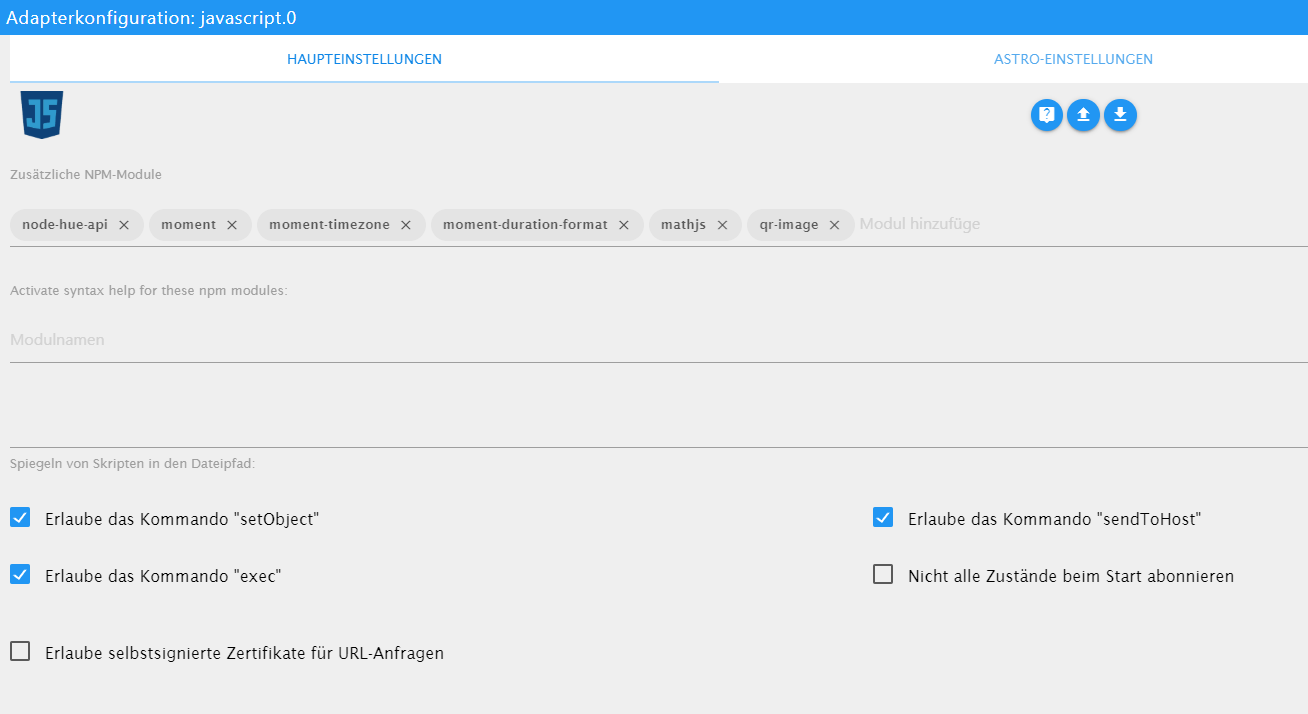
                Exec ist im JS-Adapter erlaubt.
                javascript.0	2020-04-29 15:13:58.239	error	(594) at process._tickCallback (internal/process/next_tick.js:68:7)
                javascript.0	2020-04-29 15:13:58.239	error	(594) at promise.then (/opt/iobroker/node_modules/standard-as-callback/built/index.js:19:49)
                javascript.0	2020-04-29 15:13:58.239	error	(594) at tryCatcher (/opt/iobroker/node_modules/standard-as-callback/built/utils.js:11:23)
                javascript.0	2020-04-29 15:13:58.238	error	(594) at client.get (/opt/iobroker/node_modules/iobroker.js-controller/lib/states/statesInRedis.js:572:33)
                javascript.0	2020-04-29 15:13:58.238	error	(594) at adapter.getForeignState (/opt/iobroker/node_modules/iobroker.javascript/main.js:1055:17)
                javascript.0	2020-04-29 15:13:58.238	error	(594) at createProblemObject (/opt/iobroker/node_modules/iobroker.javascript/main.js:1464:17)
                javascript.0	2020-04-29 15:13:58.238	error	(594) at prepareScript (/opt/iobroker/node_modules/iobroker.javascript/main.js:1411:37)
                javascript.0	2020-04-29 15:13:58.238	error	(594) at compile (/opt/iobroker/node_modules/iobroker.javascript/main.js:1188:28)
                javascript.0	2020-04-29 15:13:58.238	error	(594) at Object.createScript (vm.js:277:10)
                javascript.0	2020-04-29 15:13:58.238	error	(594) at new Script (vm.js:83:7)
                javascript.0	2020-04-29 15:13:58.238	error	(594) SyntaxError: Invalid or unexpected token
                javascript.0	2020-04-29 15:13:58.237	error	(594) ^^^
                javascript.0	2020-04-29 15:13:58.237	error	(594) exec('wget --output-document /_temp/Max/Max.jpg \'http://xxxxxx:xxxxxx@10.0.1.84/bha-api/image.cgi'');
                javascript.0	2020-04-29 15:13:58.237	error	at script.js.Doorbird.Doorbird_Bilder_Max:22
                javascript.0	2020-04-29 15:13:58.237	error	(594) script.js.Doorbird.Doorbird_Bilder_Max compile failed:
                

                const idklingel = ["doorbird.0.Doorbell.101.trigger"];
                 
                var sperre = false;  //verhindert das doppeltes Drücken das Script stoppt
                 
                var timeout1, timeout2, timeout3, timeout4, timeout5, timeout6, timeout7, timeout8, timeout9, timeout10, timeout11;
                 
                var fs = require('fs');


                on({id: idklingel, change: "any"}, function (obj) {
                 
                 if(!sperre) {
                 
                   sperre = true;


                    // Speichert das erste Bild bei Klingeln
                 
                   exec('wget --output-document /_temp/Max/Max.jpg \'http://xxxxxx:xxxxxx@10.0.1.84/bha-api/image.cgi'');
                 
                   
                    // Nach dem ersten Bild wird nach 2000ms das nächste Bild gespeichert
                   timeout1 = setTimeout(function () {
                 
                     exec('wget --output-document /_temp/Max/Max2.jpg \'http://xxxxxx:xxxxxx@10.0.1.84/bha-api/image.cgi''); 
                 
                   }, 2000);
                 
                   
                    // Nach dem zweiten Bild wird nach 2000ms das nächste Bild gespeichert
                   timeout2 = setTimeout(function () {
                 
                     exec('wget --output-document /_temp/Max/Max3.jpg \'http://xxxxxx:xxxxxx@10.0.1.84/bha-api/image.cgi'');
                 
                   }, 4000);
                 
                  
                    // Nach dem dritten Bild wird nach 2000ms das nächste Bild gespeichert
                   timeout3 = setTimeout(function () {
                 
                     exec('wget --output-document /_temp/Max/Max4.jpg \'http://xxxxxx:xxxxxx@10.0.1.84/bha-api/image.cgi'');
                 
                   }, 6000);
                 
                 
                // Telegram versenden
                    timeout4 = setTimeout(function(){
                  
                        sendTo('telegram.0', {text: '/_temp/Max/Max1.jpg', caption: 'Jemand klingelt an der Haustür !!!'});
                  
                                //log ('__ Klingel-Bild wurde versendet __');
                  
                    }, 10000); 
                    timeout5 = setTimeout(function(){
                  
                        sendTo('telegram.0', {text: '/_temp/Max/Max2.jpg', caption: 'Jemand klingelt an der Haustür !!!'});
                  
                                //log ('__ Klingel-Bild wurde versendet __');
                  
                    }, 11000); 
                  
                  
                    }
                           
                  
                    timeout6 = setTimeout(function() {
                  
                       sperre = false;
                  
                    }, 5000); //Zeit für Klingelsperre 1.Zeile
                 
                 
                    // Bilder werden nach vis gespeichert
                   timeout7 = setTimeout(function () {
                 
                        const bild1 = fs.readFileSync('/_temp/Max/Max1.jpg');
                 
                        writeFile('vis.0','/_temp/Max/Max1.jpg', bild1);
                 
                        const bild2 = fs.readFileSync('/_temp/Max/Max2.jpg');
                 
                        writeFile('vis.0','/_temp/Max/Max2.jpg', bild2);
                 
                        const bild3 = fs.readFileSync('/_temp/Max/Max3.jpg');
                 
                        writeFile('vis.0','/_temp/Max/Max3.jpg', bild3);
                 
                        const bild4 = fs.readFileSync('/_temp/Max/Max4.jpg');
                 
                        writeFile('vis.0','/_temp/Max/Max4.jpg', bild4);
                 
                   }, 20000); 
                 
                });


                instances - ioBroker (15).png

                Hast du einen Tipp für mich?

                Und um Telegram nicht zu verwenden, reicht es Zeile 50-66 auszukommentieren, oder bis Zeile 69?

                Danke

                ° Node.js: 20.17.0 NPM: 10.8.2
                ° Proxmox, Ubuntu 22.04.3 LTS
                ° Fixer ---> iob fix

                GlasfaserG 1 Antwort Letzte Antwort
                0
                • NegaleinN Negalein

                  @Glasfaser sagte in externes Bild in VIS:

                  Ich kann dir höchstens meins anbieten :

                  Servus

                  Jetzt bin ich endlich dazu gekommen es zu testen.

                  Leider haut er mir für Zeile 22 einen Fehler raus.

                  Exec ist im JS-Adapter erlaubt.

                  javascript.0	2020-04-29 15:13:58.239	error	(594) at process._tickCallback (internal/process/next_tick.js:68:7)
                  javascript.0	2020-04-29 15:13:58.239	error	(594) at promise.then (/opt/iobroker/node_modules/standard-as-callback/built/index.js:19:49)
                  javascript.0	2020-04-29 15:13:58.239	error	(594) at tryCatcher (/opt/iobroker/node_modules/standard-as-callback/built/utils.js:11:23)
                  javascript.0	2020-04-29 15:13:58.238	error	(594) at client.get (/opt/iobroker/node_modules/iobroker.js-controller/lib/states/statesInRedis.js:572:33)
                  javascript.0	2020-04-29 15:13:58.238	error	(594) at adapter.getForeignState (/opt/iobroker/node_modules/iobroker.javascript/main.js:1055:17)
                  javascript.0	2020-04-29 15:13:58.238	error	(594) at createProblemObject (/opt/iobroker/node_modules/iobroker.javascript/main.js:1464:17)
                  javascript.0	2020-04-29 15:13:58.238	error	(594) at prepareScript (/opt/iobroker/node_modules/iobroker.javascript/main.js:1411:37)
                  javascript.0	2020-04-29 15:13:58.238	error	(594) at compile (/opt/iobroker/node_modules/iobroker.javascript/main.js:1188:28)
                  javascript.0	2020-04-29 15:13:58.238	error	(594) at Object.createScript (vm.js:277:10)
                  javascript.0	2020-04-29 15:13:58.238	error	(594) at new Script (vm.js:83:7)
                  javascript.0	2020-04-29 15:13:58.238	error	(594) SyntaxError: Invalid or unexpected token
                  javascript.0	2020-04-29 15:13:58.237	error	(594) ^^^
                  javascript.0	2020-04-29 15:13:58.237	error	(594) exec('wget --output-document /_temp/Max/Max.jpg \'http://xxxxxx:xxxxxx@10.0.1.84/bha-api/image.cgi'');
                  javascript.0	2020-04-29 15:13:58.237	error	at script.js.Doorbird.Doorbird_Bilder_Max:22
                  javascript.0	2020-04-29 15:13:58.237	error	(594) script.js.Doorbird.Doorbird_Bilder_Max compile failed:
                  

                  const idklingel = ["doorbird.0.Doorbell.101.trigger"];
                   
                  var sperre = false;  //verhindert das doppeltes Drücken das Script stoppt
                   
                  var timeout1, timeout2, timeout3, timeout4, timeout5, timeout6, timeout7, timeout8, timeout9, timeout10, timeout11;
                   
                  var fs = require('fs');


                  on({id: idklingel, change: "any"}, function (obj) {
                   
                   if(!sperre) {
                   
                     sperre = true;


                      // Speichert das erste Bild bei Klingeln
                   
                     exec('wget --output-document /_temp/Max/Max.jpg \'http://xxxxxx:xxxxxx@10.0.1.84/bha-api/image.cgi'');
                   
                     
                      // Nach dem ersten Bild wird nach 2000ms das nächste Bild gespeichert
                     timeout1 = setTimeout(function () {
                   
                       exec('wget --output-document /_temp/Max/Max2.jpg \'http://xxxxxx:xxxxxx@10.0.1.84/bha-api/image.cgi''); 
                   
                     }, 2000);
                   
                     
                      // Nach dem zweiten Bild wird nach 2000ms das nächste Bild gespeichert
                     timeout2 = setTimeout(function () {
                   
                       exec('wget --output-document /_temp/Max/Max3.jpg \'http://xxxxxx:xxxxxx@10.0.1.84/bha-api/image.cgi'');
                   
                     }, 4000);
                   
                    
                      // Nach dem dritten Bild wird nach 2000ms das nächste Bild gespeichert
                     timeout3 = setTimeout(function () {
                   
                       exec('wget --output-document /_temp/Max/Max4.jpg \'http://xxxxxx:xxxxxx@10.0.1.84/bha-api/image.cgi'');
                   
                     }, 6000);
                   
                   
                  // Telegram versenden
                      timeout4 = setTimeout(function(){
                    
                          sendTo('telegram.0', {text: '/_temp/Max/Max1.jpg', caption: 'Jemand klingelt an der Haustür !!!'});
                    
                                  //log ('__ Klingel-Bild wurde versendet __');
                    
                      }, 10000); 
                      timeout5 = setTimeout(function(){
                    
                          sendTo('telegram.0', {text: '/_temp/Max/Max2.jpg', caption: 'Jemand klingelt an der Haustür !!!'});
                    
                                  //log ('__ Klingel-Bild wurde versendet __');
                    
                      }, 11000); 
                    
                    
                      }
                             
                    
                      timeout6 = setTimeout(function() {
                    
                         sperre = false;
                    
                      }, 5000); //Zeit für Klingelsperre 1.Zeile
                   
                   
                      // Bilder werden nach vis gespeichert
                     timeout7 = setTimeout(function () {
                   
                          const bild1 = fs.readFileSync('/_temp/Max/Max1.jpg');
                   
                          writeFile('vis.0','/_temp/Max/Max1.jpg', bild1);
                   
                          const bild2 = fs.readFileSync('/_temp/Max/Max2.jpg');
                   
                          writeFile('vis.0','/_temp/Max/Max2.jpg', bild2);
                   
                          const bild3 = fs.readFileSync('/_temp/Max/Max3.jpg');
                   
                          writeFile('vis.0','/_temp/Max/Max3.jpg', bild3);
                   
                          const bild4 = fs.readFileSync('/_temp/Max/Max4.jpg');
                   
                          writeFile('vis.0','/_temp/Max/Max4.jpg', bild4);
                   
                     }, 20000); 
                   
                  });


                  instances - ioBroker (15).png

                  Hast du einen Tipp für mich?

                  Und um Telegram nicht zu verwenden, reicht es Zeile 50-66 auszukommentieren, oder bis Zeile 69?

                  Danke

                  GlasfaserG Offline
                  GlasfaserG Offline
                  Glasfaser
                  schrieb am zuletzt editiert von
                  #8

                  @Negalein

                  Teste mal :

                  nur User / Pass ändern

                  const idklingel = ["doorbird.0.Doorbell.101.trigger"];
                  
                  var sperre = false;  //verhindert das doppeltes Drücken das Script stoppt
                  
                  var timeout1, timeout2, timeout3, timeout4, timeout5, timeout6, timeout7, timeout8, timeout9, timeout10, timeout11;
                  
                  var fs = require('fs');


                  on({id: idklingel, change: "any"}, function (obj) {
                  
                   if(!sperre) {
                  
                     sperre = true;


                      // Speichert das erste Bild bei Klingeln
                  
                     exec('wget --output-document /tmp/max1.jpg \'http://xxxxxx:xxxxxx@10.0.1.84/bha-api/image.cgi\'');
                  
                     
                      // Nach dem ersten Bild wird nach 2000ms das nächste Bild gespeichert
                     timeout1 = setTimeout(function () {
                  
                       exec('wget --output-document /tmp/max2.jpg \'http://xxxxxx:xxxxxx@10.0.1.84/bha-api/image.cgi\''); 
                  
                     }, 2000);
                  
                     
                      // Nach dem zweiten Bild wird nach 2000ms das nächste Bild gespeichert
                     timeout2 = setTimeout(function () {
                  
                       exec('wget --output-document /tmp/max3.jpg \'http://xxxxxx:xxxxxx@10.0.1.84/bha-api/image.cgi\'');
                  
                     }, 4000);
                  
                    
                      // Nach dem dritten Bild wird nach 2000ms das nächste Bild gespeichert
                     timeout3 = setTimeout(function () {
                  
                       exec('wget --output-document /tmp/max4.jpg \'http://xxxxxx:xxxxxx@10.0.1.84/bha-api/image.cgi\'');
                  
                     }, 6000);
                  
                  
                      // Telegram versenden
                     timeout4 = setTimeout(function(){
                  
                         sendTo('telegram.0', {text: '/tmp/max1.jpg', caption: 'Jemand klingelt an der Haustür !!!'});
                  
                                 //log ('__ Klingel-Bild wurde versendet __');
                  
                     }, 10000); 
                     timeout5 = setTimeout(function(){
                  
                         sendTo('telegram.0', {text: '/tmp/max2.jpg', caption: 'Jemand klingelt an der Haustür !!!'});
                  
                                 //log ('__ Klingel-Bild wurde versendet __');
                  
                     }, 11000); 
                  
                  
                     }
                            
                  
                     timeout6 = setTimeout(function() {
                  
                        sperre = false;
                  
                     }, 5000); //Zeit für Klingelsperre 1.Zeile
                  
                  
                      // Bilder werden nach vis gespeichert
                     timeout7 = setTimeout(function () {
                  
                          const bild1 = fs.readFileSync('/tmp/max1.jpg');
                  
                          writeFile('vis.0','/_temp/Max/Max1.jpg', bild1);
                  
                          const bild2 = fs.readFileSync('/tmp/max2.jpg');
                  
                          writeFile('vis.0','/_temp/Max/Max2.jpg', bild2);
                  
                          const bild3 = fs.readFileSync('/tmp/maxt3.jpg');
                  
                          writeFile('vis.0','/_temp/Max/Max3.jpg', bild3);
                  
                          const bild4 = fs.readFileSync('/tmp/max4.jpg');
                  
                          writeFile('vis.0','/_temp/Max/Max4.jpg', bild4);
                  
                     }, 20000); 
                  
                  });


                  Synology 918+ 16GB - ioBroker in Docker v9 , VISO auf Trekstor Primebook C13 13,3" , Hikvision Domkameras mit Surveillance Station .. CCU RaspberryMatic in Synology VM .. Zigbee CC2538+CC2592 .. Sonoff .. KNX .. Modbus ..

                  NegaleinN 1 Antwort Letzte Antwort
                  1
                  • GlasfaserG Glasfaser

                    @Negalein

                    Teste mal :

                    nur User / Pass ändern

                    const idklingel = ["doorbird.0.Doorbell.101.trigger"];
                    
                    var sperre = false;  //verhindert das doppeltes Drücken das Script stoppt
                    
                    var timeout1, timeout2, timeout3, timeout4, timeout5, timeout6, timeout7, timeout8, timeout9, timeout10, timeout11;
                    
                    var fs = require('fs');


                    on({id: idklingel, change: "any"}, function (obj) {
                    
                     if(!sperre) {
                    
                       sperre = true;


                        // Speichert das erste Bild bei Klingeln
                    
                       exec('wget --output-document /tmp/max1.jpg \'http://xxxxxx:xxxxxx@10.0.1.84/bha-api/image.cgi\'');
                    
                       
                        // Nach dem ersten Bild wird nach 2000ms das nächste Bild gespeichert
                       timeout1 = setTimeout(function () {
                    
                         exec('wget --output-document /tmp/max2.jpg \'http://xxxxxx:xxxxxx@10.0.1.84/bha-api/image.cgi\''); 
                    
                       }, 2000);
                    
                       
                        // Nach dem zweiten Bild wird nach 2000ms das nächste Bild gespeichert
                       timeout2 = setTimeout(function () {
                    
                         exec('wget --output-document /tmp/max3.jpg \'http://xxxxxx:xxxxxx@10.0.1.84/bha-api/image.cgi\'');
                    
                       }, 4000);
                    
                      
                        // Nach dem dritten Bild wird nach 2000ms das nächste Bild gespeichert
                       timeout3 = setTimeout(function () {
                    
                         exec('wget --output-document /tmp/max4.jpg \'http://xxxxxx:xxxxxx@10.0.1.84/bha-api/image.cgi\'');
                    
                       }, 6000);
                    
                    
                        // Telegram versenden
                       timeout4 = setTimeout(function(){
                    
                           sendTo('telegram.0', {text: '/tmp/max1.jpg', caption: 'Jemand klingelt an der Haustür !!!'});
                    
                                   //log ('__ Klingel-Bild wurde versendet __');
                    
                       }, 10000); 
                       timeout5 = setTimeout(function(){
                    
                           sendTo('telegram.0', {text: '/tmp/max2.jpg', caption: 'Jemand klingelt an der Haustür !!!'});
                    
                                   //log ('__ Klingel-Bild wurde versendet __');
                    
                       }, 11000); 
                    
                    
                       }
                              
                    
                       timeout6 = setTimeout(function() {
                    
                          sperre = false;
                    
                       }, 5000); //Zeit für Klingelsperre 1.Zeile
                    
                    
                        // Bilder werden nach vis gespeichert
                       timeout7 = setTimeout(function () {
                    
                            const bild1 = fs.readFileSync('/tmp/max1.jpg');
                    
                            writeFile('vis.0','/_temp/Max/Max1.jpg', bild1);
                    
                            const bild2 = fs.readFileSync('/tmp/max2.jpg');
                    
                            writeFile('vis.0','/_temp/Max/Max2.jpg', bild2);
                    
                            const bild3 = fs.readFileSync('/tmp/maxt3.jpg');
                    
                            writeFile('vis.0','/_temp/Max/Max3.jpg', bild3);
                    
                            const bild4 = fs.readFileSync('/tmp/max4.jpg');
                    
                            writeFile('vis.0','/_temp/Max/Max4.jpg', bild4);
                    
                       }, 20000); 
                    
                    });


                    NegaleinN Offline
                    NegaleinN Offline
                    Negalein
                    Global Moderator
                    schrieb am zuletzt editiert von
                    #9

                    @Glasfaser sagte in externes Bild in VIS:

                    Teste mal :

                    Danke, kommen keine Fehler mehr. :)

                    beim Klingeln speichert er die Bilder in /tmp/max1.jpg und kopiert sie dann in vis.0/_temp/Max/Max1.jpg ?
                    Muss der Ordner _temp/Max/ händisch angelegt werden?

                    Weißt du auch noch das wegen Telegram?

                    ° Node.js: 20.17.0 NPM: 10.8.2
                    ° Proxmox, Ubuntu 22.04.3 LTS
                    ° Fixer ---> iob fix

                    GlasfaserG 1 Antwort Letzte Antwort
                    0
                    • NegaleinN Negalein

                      @Glasfaser sagte in externes Bild in VIS:

                      Teste mal :

                      Danke, kommen keine Fehler mehr. :)

                      beim Klingeln speichert er die Bilder in /tmp/max1.jpg und kopiert sie dann in vis.0/_temp/Max/Max1.jpg ?
                      Muss der Ordner _temp/Max/ händisch angelegt werden?

                      Weißt du auch noch das wegen Telegram?

                      GlasfaserG Offline
                      GlasfaserG Offline
                      Glasfaser
                      schrieb am zuletzt editiert von
                      #10

                      @Negalein sagte in externes Bild in VIS:

                      Muss der Ordner _temp/Max/ händisch angelegt werden?

                      Ja ... mit dem Dateimanager ;)

                      Telegram kannst du auch löschen , wenn nicht benötigt

                      Synology 918+ 16GB - ioBroker in Docker v9 , VISO auf Trekstor Primebook C13 13,3" , Hikvision Domkameras mit Surveillance Station .. CCU RaspberryMatic in Synology VM .. Zigbee CC2538+CC2592 .. Sonoff .. KNX .. Modbus ..

                      NegaleinN 1 Antwort Letzte Antwort
                      1
                      • GlasfaserG Glasfaser

                        @Negalein sagte in externes Bild in VIS:

                        Muss der Ordner _temp/Max/ händisch angelegt werden?

                        Ja ... mit dem Dateimanager ;)

                        Telegram kannst du auch löschen , wenn nicht benötigt

                        NegaleinN Offline
                        NegaleinN Offline
                        Negalein
                        Global Moderator
                        schrieb am zuletzt editiert von
                        #11

                        @Glasfaser sagte in externes Bild in VIS:

                        Telegram kannst du auch löschen , wenn nicht benötigt

                        reicht es Zeile 50-66 auszukommentieren, oder bis Zeile 69?

                        ° Node.js: 20.17.0 NPM: 10.8.2
                        ° Proxmox, Ubuntu 22.04.3 LTS
                        ° Fixer ---> iob fix

                        GlasfaserG 2 Antworten Letzte Antwort
                        0
                        • NegaleinN Negalein

                          @Glasfaser sagte in externes Bild in VIS:

                          Telegram kannst du auch löschen , wenn nicht benötigt

                          reicht es Zeile 50-66 auszukommentieren, oder bis Zeile 69?

                          GlasfaserG Offline
                          GlasfaserG Offline
                          Glasfaser
                          schrieb am zuletzt editiert von
                          #12

                          @Negalein

                          Eingentlich ja ... kann gerade nicht testen ... mußt du machen :)

                          Synology 918+ 16GB - ioBroker in Docker v9 , VISO auf Trekstor Primebook C13 13,3" , Hikvision Domkameras mit Surveillance Station .. CCU RaspberryMatic in Synology VM .. Zigbee CC2538+CC2592 .. Sonoff .. KNX .. Modbus ..

                          1 Antwort Letzte Antwort
                          0
                          • NegaleinN Negalein

                            @Glasfaser sagte in externes Bild in VIS:

                            Telegram kannst du auch löschen , wenn nicht benötigt

                            reicht es Zeile 50-66 auszukommentieren, oder bis Zeile 69?

                            GlasfaserG Offline
                            GlasfaserG Offline
                            Glasfaser
                            schrieb am zuletzt editiert von Glasfaser
                            #13

                            @Negalein
                            Habe auch noch ein Fehler beseitigt ..

                            const idklingel = ["doorbird.0.Doorbell.101.trigger"];
                            
                            var sperre = false;  //verhindert das doppeltes Drücken das Script stoppt
                            
                            var timeout1, timeout2, timeout3, timeout4, timeout5, timeout6, timeout7, timeout8, timeout9, timeout10, timeout11;
                            
                            var fs = require('fs');


                            on({id: idklingel, change: "any"}, function (obj) {
                            
                             if(!sperre) {
                            
                               sperre = true;


                                // Speichert das erste Bild bei Klingeln
                            
                               exec('wget --output-document /tmp/max1.jpg \'http://xxxxxx:xxxxxx@10.0.1.84/bha-api/image.cgi\'');
                            
                               
                                // Nach dem ersten Bild wird nach 2000ms das nächste Bild gespeichert
                               timeout1 = setTimeout(function () {
                            
                                 exec('wget --output-document /tmp/max2.jpg \'http://xxxxxx:xxxxxx@10.0.1.84/bha-api/image.cgi\''); 
                            
                               }, 2000);
                            
                               
                                // Nach dem zweiten Bild wird nach 2000ms das nächste Bild gespeichert
                               timeout2 = setTimeout(function () {
                            
                                 exec('wget --output-document /tmp/max3.jpg \'http://xxxxxx:xxxxxx@10.0.1.84/bha-api/image.cgi\'');
                            
                               }, 4000);
                            
                              
                                // Nach dem dritten Bild wird nach 2000ms das nächste Bild gespeichert
                               timeout3 = setTimeout(function () {
                            
                                 exec('wget --output-document /tmp/max4.jpg \'http://xxxxxx:xxxxxx@10.0.1.84/bha-api/image.cgi\'');
                            
                               }, 6000);
                            
                                /*
                                // Telegram versenden
                               timeout4 = setTimeout(function(){
                            
                                   sendTo('telegram.0', {text: '/tmp/max1.jpg', caption: 'Jemand klingelt an der Haustür !!!'});
                            
                                           //log ('__ Klingel-Bild wurde versendet __');
                            
                               }, 10000); 
                               timeout5 = setTimeout(function(){
                            
                                   sendTo('telegram.0', {text: '/tmp/max2.jpg', caption: 'Jemand klingelt an der Haustür !!!'});
                            
                                           //log ('__ Klingel-Bild wurde versendet __');
                            
                               }, 11000); 
                            
                               */
                               }
                                      
                            
                               timeout6 = setTimeout(function() {
                            
                                  sperre = false;
                            
                               }, 5000); //Zeit für Klingelsperre 1.Zeile
                            
                            
                                // Bilder werden nach vis gespeichert
                               timeout7 = setTimeout(function () {
                            
                                    const bild1 = fs.readFileSync('/tmp/max1.jpg');
                            
                                    writeFile('vis.0','/_temp/Max/Max1.jpg', bild1);
                            
                                    const bild2 = fs.readFileSync('/tmp/max2.jpg');
                            
                                    writeFile('vis.0','/_temp/Max/Max2.jpg', bild2);
                            
                                    const bild3 = fs.readFileSync('/tmp/max3.jpg');
                            
                                    writeFile('vis.0','/_temp/Max/Max3.jpg', bild3);
                            
                                    const bild4 = fs.readFileSync('/tmp/max4.jpg');
                            
                                    writeFile('vis.0','/_temp/Max/Max4.jpg', bild4);
                            
                               }, 20000); 
                            
                            });


                            Edit :
                            das {1} kommt durch das Importieren in den Forum Editor

                            Synology 918+ 16GB - ioBroker in Docker v9 , VISO auf Trekstor Primebook C13 13,3" , Hikvision Domkameras mit Surveillance Station .. CCU RaspberryMatic in Synology VM .. Zigbee CC2538+CC2592 .. Sonoff .. KNX .. Modbus ..

                            NegaleinN 2 Antworten Letzte Antwort
                            1
                            • GlasfaserG Glasfaser

                              @Negalein
                              Habe auch noch ein Fehler beseitigt ..

                              const idklingel = ["doorbird.0.Doorbell.101.trigger"];
                              
                              var sperre = false;  //verhindert das doppeltes Drücken das Script stoppt
                              
                              var timeout1, timeout2, timeout3, timeout4, timeout5, timeout6, timeout7, timeout8, timeout9, timeout10, timeout11;
                              
                              var fs = require('fs');


                              on({id: idklingel, change: "any"}, function (obj) {
                              
                               if(!sperre) {
                              
                                 sperre = true;


                                  // Speichert das erste Bild bei Klingeln
                              
                                 exec('wget --output-document /tmp/max1.jpg \'http://xxxxxx:xxxxxx@10.0.1.84/bha-api/image.cgi\'');
                              
                                 
                                  // Nach dem ersten Bild wird nach 2000ms das nächste Bild gespeichert
                                 timeout1 = setTimeout(function () {
                              
                                   exec('wget --output-document /tmp/max2.jpg \'http://xxxxxx:xxxxxx@10.0.1.84/bha-api/image.cgi\''); 
                              
                                 }, 2000);
                              
                                 
                                  // Nach dem zweiten Bild wird nach 2000ms das nächste Bild gespeichert
                                 timeout2 = setTimeout(function () {
                              
                                   exec('wget --output-document /tmp/max3.jpg \'http://xxxxxx:xxxxxx@10.0.1.84/bha-api/image.cgi\'');
                              
                                 }, 4000);
                              
                                
                                  // Nach dem dritten Bild wird nach 2000ms das nächste Bild gespeichert
                                 timeout3 = setTimeout(function () {
                              
                                   exec('wget --output-document /tmp/max4.jpg \'http://xxxxxx:xxxxxx@10.0.1.84/bha-api/image.cgi\'');
                              
                                 }, 6000);
                              
                                  /*
                                  // Telegram versenden
                                 timeout4 = setTimeout(function(){
                              
                                     sendTo('telegram.0', {text: '/tmp/max1.jpg', caption: 'Jemand klingelt an der Haustür !!!'});
                              
                                             //log ('__ Klingel-Bild wurde versendet __');
                              
                                 }, 10000); 
                                 timeout5 = setTimeout(function(){
                              
                                     sendTo('telegram.0', {text: '/tmp/max2.jpg', caption: 'Jemand klingelt an der Haustür !!!'});
                              
                                             //log ('__ Klingel-Bild wurde versendet __');
                              
                                 }, 11000); 
                              
                                 */
                                 }
                                        
                              
                                 timeout6 = setTimeout(function() {
                              
                                    sperre = false;
                              
                                 }, 5000); //Zeit für Klingelsperre 1.Zeile
                              
                              
                                  // Bilder werden nach vis gespeichert
                                 timeout7 = setTimeout(function () {
                              
                                      const bild1 = fs.readFileSync('/tmp/max1.jpg');
                              
                                      writeFile('vis.0','/_temp/Max/Max1.jpg', bild1);
                              
                                      const bild2 = fs.readFileSync('/tmp/max2.jpg');
                              
                                      writeFile('vis.0','/_temp/Max/Max2.jpg', bild2);
                              
                                      const bild3 = fs.readFileSync('/tmp/max3.jpg');
                              
                                      writeFile('vis.0','/_temp/Max/Max3.jpg', bild3);
                              
                                      const bild4 = fs.readFileSync('/tmp/max4.jpg');
                              
                                      writeFile('vis.0','/_temp/Max/Max4.jpg', bild4);
                              
                                 }, 20000); 
                              
                              });


                              Edit :
                              das {1} kommt durch das Importieren in den Forum Editor

                              NegaleinN Offline
                              NegaleinN Offline
                              Negalein
                              Global Moderator
                              schrieb am zuletzt editiert von
                              #14

                              @Glasfaser sagte in externes Bild in VIS:

                              Habe auch noch ein Fehler beseitigt ..

                              Danke, habs gleich neu angelegt.

                              ° Node.js: 20.17.0 NPM: 10.8.2
                              ° Proxmox, Ubuntu 22.04.3 LTS
                              ° Fixer ---> iob fix

                              1 Antwort Letzte Antwort
                              0
                              • GlasfaserG Glasfaser

                                @Negalein
                                Habe auch noch ein Fehler beseitigt ..

                                const idklingel = ["doorbird.0.Doorbell.101.trigger"];
                                
                                var sperre = false;  //verhindert das doppeltes Drücken das Script stoppt
                                
                                var timeout1, timeout2, timeout3, timeout4, timeout5, timeout6, timeout7, timeout8, timeout9, timeout10, timeout11;
                                
                                var fs = require('fs');


                                on({id: idklingel, change: "any"}, function (obj) {
                                
                                 if(!sperre) {
                                
                                   sperre = true;


                                    // Speichert das erste Bild bei Klingeln
                                
                                   exec('wget --output-document /tmp/max1.jpg \'http://xxxxxx:xxxxxx@10.0.1.84/bha-api/image.cgi\'');
                                
                                   
                                    // Nach dem ersten Bild wird nach 2000ms das nächste Bild gespeichert
                                   timeout1 = setTimeout(function () {
                                
                                     exec('wget --output-document /tmp/max2.jpg \'http://xxxxxx:xxxxxx@10.0.1.84/bha-api/image.cgi\''); 
                                
                                   }, 2000);
                                
                                   
                                    // Nach dem zweiten Bild wird nach 2000ms das nächste Bild gespeichert
                                   timeout2 = setTimeout(function () {
                                
                                     exec('wget --output-document /tmp/max3.jpg \'http://xxxxxx:xxxxxx@10.0.1.84/bha-api/image.cgi\'');
                                
                                   }, 4000);
                                
                                  
                                    // Nach dem dritten Bild wird nach 2000ms das nächste Bild gespeichert
                                   timeout3 = setTimeout(function () {
                                
                                     exec('wget --output-document /tmp/max4.jpg \'http://xxxxxx:xxxxxx@10.0.1.84/bha-api/image.cgi\'');
                                
                                   }, 6000);
                                
                                    /*
                                    // Telegram versenden
                                   timeout4 = setTimeout(function(){
                                
                                       sendTo('telegram.0', {text: '/tmp/max1.jpg', caption: 'Jemand klingelt an der Haustür !!!'});
                                
                                               //log ('__ Klingel-Bild wurde versendet __');
                                
                                   }, 10000); 
                                   timeout5 = setTimeout(function(){
                                
                                       sendTo('telegram.0', {text: '/tmp/max2.jpg', caption: 'Jemand klingelt an der Haustür !!!'});
                                
                                               //log ('__ Klingel-Bild wurde versendet __');
                                
                                   }, 11000); 
                                
                                   */
                                   }
                                          
                                
                                   timeout6 = setTimeout(function() {
                                
                                      sperre = false;
                                
                                   }, 5000); //Zeit für Klingelsperre 1.Zeile
                                
                                
                                    // Bilder werden nach vis gespeichert
                                   timeout7 = setTimeout(function () {
                                
                                        const bild1 = fs.readFileSync('/tmp/max1.jpg');
                                
                                        writeFile('vis.0','/_temp/Max/Max1.jpg', bild1);
                                
                                        const bild2 = fs.readFileSync('/tmp/max2.jpg');
                                
                                        writeFile('vis.0','/_temp/Max/Max2.jpg', bild2);
                                
                                        const bild3 = fs.readFileSync('/tmp/max3.jpg');
                                
                                        writeFile('vis.0','/_temp/Max/Max3.jpg', bild3);
                                
                                        const bild4 = fs.readFileSync('/tmp/max4.jpg');
                                
                                        writeFile('vis.0','/_temp/Max/Max4.jpg', bild4);
                                
                                   }, 20000); 
                                
                                });


                                Edit :
                                das {1} kommt durch das Importieren in den Forum Editor

                                NegaleinN Offline
                                NegaleinN Offline
                                Negalein
                                Global Moderator
                                schrieb am zuletzt editiert von
                                #15

                                @Glasfaser sagte in externes Bild in VIS:

                                const bild4 = fs.readFileSync('/tmp/max4.jpg');
                                

                                dieser Ordner muss unter files angelegt werden?

                                ° Node.js: 20.17.0 NPM: 10.8.2
                                ° Proxmox, Ubuntu 22.04.3 LTS
                                ° Fixer ---> iob fix

                                GlasfaserG 2 Antworten Letzte Antwort
                                0
                                • NegaleinN Negalein

                                  @Glasfaser sagte in externes Bild in VIS:

                                  const bild4 = fs.readFileSync('/tmp/max4.jpg');
                                  

                                  dieser Ordner muss unter files angelegt werden?

                                  GlasfaserG Offline
                                  GlasfaserG Offline
                                  Glasfaser
                                  schrieb am zuletzt editiert von
                                  #16

                                  @Negalein

                                  Nö ... wird alles automatisch angelegt

                                  Synology 918+ 16GB - ioBroker in Docker v9 , VISO auf Trekstor Primebook C13 13,3" , Hikvision Domkameras mit Surveillance Station .. CCU RaspberryMatic in Synology VM .. Zigbee CC2538+CC2592 .. Sonoff .. KNX .. Modbus ..

                                  1 Antwort Letzte Antwort
                                  0
                                  • NegaleinN Negalein

                                    @Glasfaser sagte in externes Bild in VIS:

                                    const bild4 = fs.readFileSync('/tmp/max4.jpg');
                                    

                                    dieser Ordner muss unter files angelegt werden?

                                    GlasfaserG Offline
                                    GlasfaserG Offline
                                    Glasfaser
                                    schrieb am zuletzt editiert von
                                    #17

                                    @Negalein

                                    .... hier nur mit einem Klingelbild

                                    const idklingel = ["doorbird.0.Doorbell.101.trigger"];
                                    
                                    var sperre = false;  //verhindert das doppeltes Drücken das Script stoppt
                                    
                                    var timeout1, timeout2, timeout3, timeout4, timeout5, timeout6, timeout7, timeout8, timeout9, timeout10, timeout11;
                                    
                                    var fs = require('fs');
                                    
                                    
                                    on({id: idklingel, change: "any"}, function (obj) {


                                    if(!sperre) {


                                      sperre = true;
                                    
                                    
                                       // Speichert das erste Bild bei Klingeln


                                      exec('wget --output-document /tmp/max1.jpg \'http://xxxxxx:xxxxxx@10.0.1.84/bha-api/image.cgi\'');
                                    
                                    
                                       /*
                                      
                                    
                                       // Nach dem ersten Bild wird nach 2000ms das nächste Bild gespeichert
                                    
                                      timeout1 = setTimeout(function () {


                                        exec('wget --output-document /tmp/max2.jpg \'http://xxxxxx:xxxxxx@10.0.1.84/bha-api/image.cgi\''); 


                                      }, 2000);


                                       // Nach dem zweiten Bild wird nach 2000ms das nächste Bild gespeichert
                                    
                                      timeout2 = setTimeout(function () {


                                        exec('wget --output-document /tmp/max3.jpg \'http://xxxxxx:xxxxxx@10.0.1.84/bha-api/image.cgi\'');


                                      }, 4000);


                                       // Nach dem dritten Bild wird nach 2000ms das nächste Bild gespeichert
                                    
                                      timeout3 = setTimeout(function () {


                                        exec('wget --output-document /tmp/max4.jpg \'http://xxxxxx:xxxxxx@10.0.1.84/bha-api/image.cgi\'');


                                      }, 6000);


                                       // Telegram versenden
                                    
                                      timeout4 = setTimeout(function(){
                                    
                                    
                                          sendTo('telegram.0', {text: '/tmp/max1.jpg', caption: 'Jemand klingelt an der Haustür !!!'});


                                                  //log ('__ Klingel-Bild wurde versendet __');


                                      }, 10000); 
                                    
                                      timeout5 = setTimeout(function(){


                                          sendTo('telegram.0', {text: '/tmp/max2.jpg', caption: 'Jemand klingelt an der Haustür !!!'});


                                                  //log ('__ Klingel-Bild wurde versendet __');


                                      }, 11000); 


                                      */
                                    
                                      }


                                      timeout6 = setTimeout(function() {


                                         sperre = false;


                                      }, 5000); //Zeit für Klingelsperre 1.Zeile


                                       // Bilder werden nach vis gespeichert
                                    
                                      timeout7 = setTimeout(function () {


                                           const bild1 = fs.readFileSync('/tmp/max1.jpg');
                                    
                                    
                                           writeFile('vis.0','/_temp/Max/Max1.jpg', bild1);
                                    
                                        /*
                                           const bild2 = fs.readFileSync('/tmp/max2.jpg');
                                    
                                       
                                           writeFile('vis.0','/_temp/Max/Max2.jpg', bild2);
                                    
                                    
                                           const bild3 = fs.readFileSync('/tmp/max3.jpg');
                                    
                                    
                                           writeFile('vis.0','/_temp/Max/Max3.jpg', bild3);
                                    
                                    
                                           const bild4 = fs.readFileSync('/tmp/max4.jpg');
                                    
                                    
                                           writeFile('vis.0','/_temp/Max/Max4.jpg', bild4);
                                    
                                       */
                                    
                                      }, 20000); 


                                    });
                                    

                                    Synology 918+ 16GB - ioBroker in Docker v9 , VISO auf Trekstor Primebook C13 13,3" , Hikvision Domkameras mit Surveillance Station .. CCU RaspberryMatic in Synology VM .. Zigbee CC2538+CC2592 .. Sonoff .. KNX .. Modbus ..

                                    NegaleinN 1 Antwort Letzte Antwort
                                    0
                                    • GlasfaserG Glasfaser

                                      @Negalein

                                      .... hier nur mit einem Klingelbild

                                      const idklingel = ["doorbird.0.Doorbell.101.trigger"];
                                      
                                      var sperre = false;  //verhindert das doppeltes Drücken das Script stoppt
                                      
                                      var timeout1, timeout2, timeout3, timeout4, timeout5, timeout6, timeout7, timeout8, timeout9, timeout10, timeout11;
                                      
                                      var fs = require('fs');
                                      
                                      
                                      on({id: idklingel, change: "any"}, function (obj) {


                                      if(!sperre) {


                                        sperre = true;
                                      
                                      
                                         // Speichert das erste Bild bei Klingeln


                                        exec('wget --output-document /tmp/max1.jpg \'http://xxxxxx:xxxxxx@10.0.1.84/bha-api/image.cgi\'');
                                      
                                      
                                         /*
                                        
                                      
                                         // Nach dem ersten Bild wird nach 2000ms das nächste Bild gespeichert
                                      
                                        timeout1 = setTimeout(function () {


                                          exec('wget --output-document /tmp/max2.jpg \'http://xxxxxx:xxxxxx@10.0.1.84/bha-api/image.cgi\''); 


                                        }, 2000);


                                         // Nach dem zweiten Bild wird nach 2000ms das nächste Bild gespeichert
                                      
                                        timeout2 = setTimeout(function () {


                                          exec('wget --output-document /tmp/max3.jpg \'http://xxxxxx:xxxxxx@10.0.1.84/bha-api/image.cgi\'');


                                        }, 4000);


                                         // Nach dem dritten Bild wird nach 2000ms das nächste Bild gespeichert
                                      
                                        timeout3 = setTimeout(function () {


                                          exec('wget --output-document /tmp/max4.jpg \'http://xxxxxx:xxxxxx@10.0.1.84/bha-api/image.cgi\'');


                                        }, 6000);


                                         // Telegram versenden
                                      
                                        timeout4 = setTimeout(function(){
                                      
                                      
                                            sendTo('telegram.0', {text: '/tmp/max1.jpg', caption: 'Jemand klingelt an der Haustür !!!'});


                                                    //log ('__ Klingel-Bild wurde versendet __');


                                        }, 10000); 
                                      
                                        timeout5 = setTimeout(function(){


                                            sendTo('telegram.0', {text: '/tmp/max2.jpg', caption: 'Jemand klingelt an der Haustür !!!'});


                                                    //log ('__ Klingel-Bild wurde versendet __');


                                        }, 11000); 


                                        */
                                      
                                        }


                                        timeout6 = setTimeout(function() {


                                           sperre = false;


                                        }, 5000); //Zeit für Klingelsperre 1.Zeile


                                         // Bilder werden nach vis gespeichert
                                      
                                        timeout7 = setTimeout(function () {


                                             const bild1 = fs.readFileSync('/tmp/max1.jpg');
                                      
                                      
                                             writeFile('vis.0','/_temp/Max/Max1.jpg', bild1);
                                      
                                          /*
                                             const bild2 = fs.readFileSync('/tmp/max2.jpg');
                                      
                                         
                                             writeFile('vis.0','/_temp/Max/Max2.jpg', bild2);
                                      
                                      
                                             const bild3 = fs.readFileSync('/tmp/max3.jpg');
                                      
                                      
                                             writeFile('vis.0','/_temp/Max/Max3.jpg', bild3);
                                      
                                      
                                             const bild4 = fs.readFileSync('/tmp/max4.jpg');
                                      
                                      
                                             writeFile('vis.0','/_temp/Max/Max4.jpg', bild4);
                                      
                                         */
                                      
                                        }, 20000); 


                                      });
                                      

                                      NegaleinN Offline
                                      NegaleinN Offline
                                      Negalein
                                      Global Moderator
                                      schrieb am zuletzt editiert von
                                      #18

                                      @Glasfaser sagte in externes Bild in VIS:

                                      hier nur mit einem Klingelbild

                                      Danke

                                      Muss im anderen Thread nochmal schauen.
                                      Ideal wäre es, wenn auch die letzten 3 oder 4 gespeichert bleiben um sie in VIS anzuzeigen.

                                      ° Node.js: 20.17.0 NPM: 10.8.2
                                      ° Proxmox, Ubuntu 22.04.3 LTS
                                      ° Fixer ---> iob fix

                                      GlasfaserG 1 Antwort Letzte Antwort
                                      0
                                      • NegaleinN Negalein

                                        @Glasfaser sagte in externes Bild in VIS:

                                        hier nur mit einem Klingelbild

                                        Danke

                                        Muss im anderen Thread nochmal schauen.
                                        Ideal wäre es, wenn auch die letzten 3 oder 4 gespeichert bleiben um sie in VIS anzuzeigen.

                                        GlasfaserG Offline
                                        GlasfaserG Offline
                                        Glasfaser
                                        schrieb am zuletzt editiert von
                                        #19

                                        @Negalein sagte in externes Bild in VIS:

                                        Ideal wäre es, wenn auch die letzten 3 oder 4 gespeichert

                                        Das geht mit dem Script so nicht ,
                                        da der Speichername vom Bild nicht Variabel/Zeitstempel gespeichert wird.

                                        Synology 918+ 16GB - ioBroker in Docker v9 , VISO auf Trekstor Primebook C13 13,3" , Hikvision Domkameras mit Surveillance Station .. CCU RaspberryMatic in Synology VM .. Zigbee CC2538+CC2592 .. Sonoff .. KNX .. Modbus ..

                                        NegaleinN 1 Antwort Letzte Antwort
                                        0
                                        • GlasfaserG Glasfaser

                                          @Negalein sagte in externes Bild in VIS:

                                          Ideal wäre es, wenn auch die letzten 3 oder 4 gespeichert

                                          Das geht mit dem Script so nicht ,
                                          da der Speichername vom Bild nicht Variabel/Zeitstempel gespeichert wird.

                                          NegaleinN Offline
                                          NegaleinN Offline
                                          Negalein
                                          Global Moderator
                                          schrieb am zuletzt editiert von
                                          #20

                                          @Glasfaser sagte in externes Bild in VIS:

                                          Das geht mit dem Script so nicht ,
                                          da der Speichername vom Bild nicht Variabel/Zeitstempel gespeichert wird.

                                          Ja, leider.

                                          Vielleicht finde ich im anderen Thread noch eine Lösung.

                                          ° Node.js: 20.17.0 NPM: 10.8.2
                                          ° Proxmox, Ubuntu 22.04.3 LTS
                                          ° Fixer ---> iob fix

                                          1 Antwort Letzte Antwort
                                          0
                                          Antworten
                                          • In einem neuen Thema antworten
                                          Anmelden zum Antworten
                                          • Älteste zuerst
                                          • Neuste zuerst
                                          • Meiste Stimmen


                                          Support us

                                          ioBroker
                                          Community Adapters
                                          Donate

                                          670

                                          Online

                                          32.4k

                                          Benutzer

                                          81.5k

                                          Themen

                                          1.3m

                                          Beiträge
                                          Community
                                          Impressum | Datenschutz-Bestimmungen | Nutzungsbedingungen | Einwilligungseinstellungen
                                          ioBroker Community 2014-2025
                                          logo
                                          • Anmelden

                                          • Du hast noch kein Konto? Registrieren

                                          • Anmelden oder registrieren, um zu suchen
                                          • Erster Beitrag
                                            Letzter Beitrag
                                          0
                                          • Home
                                          • Aktuell
                                          • Tags
                                          • Ungelesen 0
                                          • Kategorien
                                          • Unreplied
                                          • Beliebt
                                          • GitHub
                                          • Docu
                                          • Hilfe
