



Weiter zum Inhalt
  • Home
  • Aktuell
  • Tags
  • 0 Ungelesen 0
  • Kategorien
  • Unreplied
  • Beliebt
  • GitHub
  • Docu
  • Hilfe
Skins
  • Hell
  • Brite
  • Cerulean
  • Cosmo
  • Flatly
  • Journal
  • Litera
  • Lumen
  • Lux
  • Materia
  • Minty
  • Morph
  • Pulse
  • Sandstone
  • Simplex
  • Sketchy
  • Spacelab
  • United
  • Yeti
  • Zephyr
  • Dunkel
  • Cyborg
  • Darkly
  • Quartz
  • Slate
  • Solar
  • Superhero
  • Vapor

  • Standard: (Kein Skin)
  • Kein Skin
Einklappen
ioBroker Logo

Community Forum

donate donate
  1. ioBroker Community Home
  2. Deutsch
  3. Visualisierung
  4. externes Bild in VIS

NEWS

  • Monatsrückblick Januar/Februar 2026 ist online!
    BluefoxB
    Bluefox
    18
    1
    641

  • Jahresrückblick 2025 – unser neuer Blogbeitrag ist online! ✨
    BluefoxB
    Bluefox
    18
    1
    5.6k

  • Neuer Blogbeitrag: Monatsrückblick - Dezember 2025 🎄
    BluefoxB
    Bluefox
    13
    1
    1.5k

externes Bild in VIS

Geplant Angeheftet Gesperrt Verschoben Visualisierung
viscamera
23 Beiträge 4 Kommentatoren 2.7k Aufrufe 4 Beobachtet
  • Älteste zuerst
  • Neuste zuerst
  • Meiste Stimmen
Antworten
  • In einem neuen Thema antworten
Anmelden zum Antworten
Dieses Thema wurde gelöscht. Nur Nutzer mit entsprechenden Rechten können es sehen.
  • NegaleinN Offline
    NegaleinN Offline
    Negalein
    Global Moderator
    schrieb am zuletzt editiert von
    #1

    Hallo

    Ein Script speichert mir Bilder der Videosprechanlage in /opt/iobroker/iobroker-data/files/vis.0/Bewegungsmelder/.
    Wenn ich im VIS-Editor das Bild auswählen möchte, sehe ich keines der Bilder. Als wäre der Ordner leer.

    Ich habe auch schon versucht, die Bilder in /opt/iobroker/iobroker-data/files/_tempabzuspeichern.
    Leider selbes Ergebniss.

    Funktioniert das in VIS nicht?

    ° Node.js & System Update ---> sudo apt update, iob stop, sudo apt full-upgrade
    ° Node.js Fixer ---> iob nodejs-update
    ° Fixer ---> iob fix

    GlasfaserG 1 Antwort Letzte Antwort
    0
    • NegaleinN Negalein

      Hallo

      Ein Script speichert mir Bilder der Videosprechanlage in /opt/iobroker/iobroker-data/files/vis.0/Bewegungsmelder/.
      Wenn ich im VIS-Editor das Bild auswählen möchte, sehe ich keines der Bilder. Als wäre der Ordner leer.

      Ich habe auch schon versucht, die Bilder in /opt/iobroker/iobroker-data/files/_tempabzuspeichern.
      Leider selbes Ergebniss.

      Funktioniert das in VIS nicht?

      GlasfaserG Online
      GlasfaserG Online
      Glasfaser
      schrieb am zuletzt editiert von
      #2

      @Negalein sagte in externes Bild in VIS:

      Ein Script speichert mir Bilder der Videosprechanlage in /opt/iobroker/iobroker-data/files/vis.0/Bewegungsmelder/.

      Hast du auch den fs.readFileSync und writeFile in deinem Script .

      Link Text

      Synology 918+ 16GB - ioBroker in Docker v9 , VISO auf Trekstor Primebook C13 13,3" , Hikvision Domkameras mit Surveillance Station .. CCU RaspberryMatic in Synology VM .. Zigbee CC2538+CC2592 .. Sonoff .. KNX .. Modbus ..

      NegaleinN 1 Antwort Letzte Antwort
      0
      • GlasfaserG Glasfaser

        @Negalein sagte in externes Bild in VIS:

        Ein Script speichert mir Bilder der Videosprechanlage in /opt/iobroker/iobroker-data/files/vis.0/Bewegungsmelder/.

        Hast du auch den fs.readFileSync und writeFile in deinem Script .

        Link Text

        NegaleinN Offline
        NegaleinN Offline
        Negalein
        Global Moderator
        schrieb am zuletzt editiert von Negalein
        #3

        @Glasfaser sagte in externes Bild in VIS:

        Hast du auch den fs.readFileSync und writeFile in deinem Script .

        schaut nicht so aus. :(

        Puhhh, weißt du, wie ich das Script abändern muss?

        // -------------------------------------------------------------------------
        // Dieses Script überwaht den Zustand eines Bewegungsmelders und speichert bei
        // Aktivierung ein Bild einer Überwachnungskamera in einem Vereichnis und sendet
        // dieses via Telegram.0-Adapter. Nach 10 Sek wird ein weiteres Bild erstellt und
        // gesendet.
        // Die Speicherung der Bilder erfolgt als "Stack", d.h. das aktuellste Bild bekommt
        // immer den Suffix "0" und es werden n Bilder mit den Suffixen 1..n-1 vorgehalten
        // Uhula 2017.11
        // -------------------------------------------------------------------------
        // -------------------------------------------------------------------------
        // Konfiguration
        // -------------------------------------------------------------------------
           // Objekt-ID des Bewegungsmelders
        const oidLichtBewmelderTuer = "doorbird.0.Motion.trigger";
           // URL zur Kamera umn ein Image (jpg) zu erhalten
        const cam_url = "http://XXXXXX:XXXXXX@10.0.1.84/bha-api/image.cgi";
           // Pfadangabe für die Speicherung der Bilder, der Pfad muss existieren
        const dest_path = '/opt/iobroker/iobroker-data/files/vis.0/Bewegungsmelder/';
           // Anzahl der Bilder, die vorgehalten werden sollen
        const imageCountMax = 8;                
           // Prefix für die Bildnamen
        const imageNamePre = "Bewegungsmelder_"; 
        // -------------------------------------------------------------------------
        // Scriptteil
        // -------------------------------------------------------------------------
        var request = require('request');
        var fs      = require('fs');
        // Bild an telegram schicken 
        //function sendImage (path) { 
            //try {
                //var stats = fs.statSync(path);
                //var msg = formatDate(stats.birthtime,"DD.MM.YYYY hh:mm:ss") + " " + path.substring(path.lastIndexOf('/')+1);
                //sendTo('telegram.0', {
                    //text:                   path,
                    //caption:                msg, 
                    //disable_notification:   true
                //});
            //}
            //catch(err) { if (err.code != "ENOENT") log(err); }     
        //}
        // löscht eine Datei synchron (wartet auf das Ergebnis)
        function fsUnlinkSync(path) {
            try {
                var stats = fs.statSync(path);
                try { fs.unlinkSync(path); }
                catch(err) { if (err.code != "ENOENT") log(err); }     
            }
            catch(err) { if (err.code != "ENOENT") log(err); }
        }
        // benennt eine Datei synchron um (wartet auf das Ergebnis)
        function fsRenameSync(oldPath, newPath) {
            try {
                var stats = fs.statSync(oldPath);
                try { fs.renameSync(oldPath, newPath); }
                catch(err) { if (err.code != "ENOENT") log(err); }     
            }
            catch(err) { if (err.code != "ENOENT") log(err); }
        }
        // Bild speichern und senden
        function saveImage() {
            // Bild imageCountMax-1 löschen
            fsUnlinkSync( dest_path + imageNamePre + (imageCountMax-1) + ".jpg" );
            // Bilder 0..imageCountMax-2 umbenennen
            for (var i=imageCountMax-2; i >= 0; i-- ) { 
                fsRenameSync(dest_path + imageNamePre + i + ".jpg", dest_path + imageNamePre + (i+1) + ".jpg"); 
            }
            // Bild 0 löschen
            var fname = imageNamePre + "0.jpg";
            fsUnlinkSync( fname );
            // Bild holen und speichern
            request.get({url: cam_url, encoding: 'binary'}, function (err, response, body) {
                fs.writeFile(dest_path + fname, body, 'binary', function(err) {
                    if (err) {
                        log('Fehler beim Bild speichern: ' + err, 'warn');
                    } else {
                        // dem Filesystem 2 Sek Zeit zum Speichern lassen
                        //setTimeout(function() { sendImage(dest_path + fname); }, 2000); 
                    }
                }); 
            });
        }
        // sofort ein Bild senden und nach 8 Sek erneut
        function onEvent() {
            saveImage();
            setTimeout(function() { saveImage(); }, 8 * 1000); 
        }
        // Ereignisroutine
        on({id: oidLichtBewmelderTuer, val: true}, function (obj) {
            onEvent( obj );
        });
        // manuelle Ausführung (Test)
        onEvent();
        

        ° Node.js & System Update ---> sudo apt update, iob stop, sudo apt full-upgrade
        ° Node.js Fixer ---> iob nodejs-update
        ° Fixer ---> iob fix

        GlasfaserG 2 Antworten Letzte Antwort
        0
        • NegaleinN Negalein

          @Glasfaser sagte in externes Bild in VIS:

          Hast du auch den fs.readFileSync und writeFile in deinem Script .

          schaut nicht so aus. :(

          Puhhh, weißt du, wie ich das Script abändern muss?

          // -------------------------------------------------------------------------
          // Dieses Script überwaht den Zustand eines Bewegungsmelders und speichert bei
          // Aktivierung ein Bild einer Überwachnungskamera in einem Vereichnis und sendet
          // dieses via Telegram.0-Adapter. Nach 10 Sek wird ein weiteres Bild erstellt und
          // gesendet.
          // Die Speicherung der Bilder erfolgt als "Stack", d.h. das aktuellste Bild bekommt
          // immer den Suffix "0" und es werden n Bilder mit den Suffixen 1..n-1 vorgehalten
          // Uhula 2017.11
          // -------------------------------------------------------------------------
          // -------------------------------------------------------------------------
          // Konfiguration
          // -------------------------------------------------------------------------
             // Objekt-ID des Bewegungsmelders
          const oidLichtBewmelderTuer = "doorbird.0.Motion.trigger";
             // URL zur Kamera umn ein Image (jpg) zu erhalten
          const cam_url = "http://XXXXXX:XXXXXX@10.0.1.84/bha-api/image.cgi";
             // Pfadangabe für die Speicherung der Bilder, der Pfad muss existieren
          const dest_path = '/opt/iobroker/iobroker-data/files/vis.0/Bewegungsmelder/';
             // Anzahl der Bilder, die vorgehalten werden sollen
          const imageCountMax = 8;                
             // Prefix für die Bildnamen
          const imageNamePre = "Bewegungsmelder_"; 
          // -------------------------------------------------------------------------
          // Scriptteil
          // -------------------------------------------------------------------------
          var request = require('request');
          var fs      = require('fs');
          // Bild an telegram schicken 
          //function sendImage (path) { 
              //try {
                  //var stats = fs.statSync(path);
                  //var msg = formatDate(stats.birthtime,"DD.MM.YYYY hh:mm:ss") + " " + path.substring(path.lastIndexOf('/')+1);
                  //sendTo('telegram.0', {
                      //text:                   path,
                      //caption:                msg, 
                      //disable_notification:   true
                  //});
              //}
              //catch(err) { if (err.code != "ENOENT") log(err); }     
          //}
          // löscht eine Datei synchron (wartet auf das Ergebnis)
          function fsUnlinkSync(path) {
              try {
                  var stats = fs.statSync(path);
                  try { fs.unlinkSync(path); }
                  catch(err) { if (err.code != "ENOENT") log(err); }     
              }
              catch(err) { if (err.code != "ENOENT") log(err); }
          }
          // benennt eine Datei synchron um (wartet auf das Ergebnis)
          function fsRenameSync(oldPath, newPath) {
              try {
                  var stats = fs.statSync(oldPath);
                  try { fs.renameSync(oldPath, newPath); }
                  catch(err) { if (err.code != "ENOENT") log(err); }     
              }
              catch(err) { if (err.code != "ENOENT") log(err); }
          }
          // Bild speichern und senden
          function saveImage() {
              // Bild imageCountMax-1 löschen
              fsUnlinkSync( dest_path + imageNamePre + (imageCountMax-1) + ".jpg" );
              // Bilder 0..imageCountMax-2 umbenennen
              for (var i=imageCountMax-2; i >= 0; i-- ) { 
                  fsRenameSync(dest_path + imageNamePre + i + ".jpg", dest_path + imageNamePre + (i+1) + ".jpg"); 
              }
              // Bild 0 löschen
              var fname = imageNamePre + "0.jpg";
              fsUnlinkSync( fname );
              // Bild holen und speichern
              request.get({url: cam_url, encoding: 'binary'}, function (err, response, body) {
                  fs.writeFile(dest_path + fname, body, 'binary', function(err) {
                      if (err) {
                          log('Fehler beim Bild speichern: ' + err, 'warn');
                      } else {
                          // dem Filesystem 2 Sek Zeit zum Speichern lassen
                          //setTimeout(function() { sendImage(dest_path + fname); }, 2000); 
                      }
                  }); 
              });
          }
          // sofort ein Bild senden und nach 8 Sek erneut
          function onEvent() {
              saveImage();
              setTimeout(function() { saveImage(); }, 8 * 1000); 
          }
          // Ereignisroutine
          on({id: oidLichtBewmelderTuer, val: true}, function (obj) {
              onEvent( obj );
          });
          // manuelle Ausführung (Test)
          onEvent();
          

          GlasfaserG Online
          GlasfaserG Online
          Glasfaser
          schrieb am zuletzt editiert von
          #4

          @Negalein

          Ich kann dir höchstens meins anbieten :

          const idklingel = ["hm-rpc.2.00145709AED72D.8.PRESS_SHORT", "hm-rpc.2.00145709AED72D.8.PRESS_LONG", "ID3", "ID4"];
          
          var sperre = false;  //verhindert das doppeltes Drücken das Script stoppt
          
          var timeout1, timeout2, timeout3, timeout4, timeout5, timeout6, timeout7, timeout8, timeout9, timeout10, timeout11;
          
          var fs = require('fs');


          on({id: idklingel, change: "any"}, function (obj) {
          
           if(!sperre) {
          
             sperre = true;


              // Speichert das erste Bild bei Klingeln
          
             exec('wget --output-document /tmp/carport1.jpg \'http://xxxxxxx:xxxxxxxxxx@192.168.178.51/streaming/channels/101/picture\'');
          
             
              // Nach dem ersten Bild wird nach 2000ms das nächste Bild gespeichert
             timeout1 = setTimeout(function () {
          
               exec('wget --output-document /tmp/carport2.jpg \'http://xxxxxxx:xxxxxxxxxx@192.168.178.51/streaming/channels/101/picture\''); 
          
             }, 2000);
          
             
              // Nach dem zweiten Bild wird nach 2000ms das nächste Bild gespeichert
             timeout2 = setTimeout(function () {
          
               exec('wget --output-document /tmp/carport3.jpg \'http://xxxxxxx:xxxxxxxxxx@192.168.178.51/streaming/channels/101/picture\'');
          
             }, 4000);
          
            
              // Nach dem dritten Bild wird nach 2000ms das nächste Bild gespeichert
             timeout3 = setTimeout(function () {
          
               exec('wget --output-document /tmp/carport4.jpg \'http://xxxxxxx:xxxxxxxxxx@192.168.178.51/streaming/channels/101/picture\'');
          
             }, 6000);
          
          
              // Telegram versenden
             timeout4 = setTimeout(function(){
          
                 sendTo('telegram.0', {text: '/tmp/carport1.jpg', caption: 'Jemand klingelt an der Haustür !!!'});
          
                         //log ('__ Klingel-Bild wurde versendet __');
          
             }, 10000); 
             timeout5 = setTimeout(function(){
          
                 sendTo('telegram.0', {text: '/tmp/carport2.jpg', caption: 'Jemand klingelt an der Haustür !!!'});
          
                         //log ('__ Klingel-Bild wurde versendet __');
          
             }, 11000); 
          
          
             }
                    
          
             timeout6 = setTimeout(function() {
          
                sperre = false;
          
             }, 5000); //Zeit für Klingelsperre 1.Zeile
          
          
              // Bilder werden nach vis gespeichert
             timeout7 = setTimeout(function () {
          
                  const bild1 = fs.readFileSync('/tmp/carport1.jpg');
          
                  writeFile('vis.0','/klingelbild/carport1.jpg', bild1);
          
                  const bild2 = fs.readFileSync('/tmp/carport2.jpg');
          
                  writeFile('vis.0','/klingelbild/carport2.jpg', bild2);
          
                  const bild3 = fs.readFileSync('/tmp/carport3.jpg');
          
                  writeFile('vis.0','/klingelbild/carport3.jpg', bild3);
          
                  const bild4 = fs.readFileSync('/tmp/carport4.jpg');
          
                  writeFile('vis.0','/klingelbild/carport4.jpg', bild4);
          
             }, 20000); 
          
          });


          Synology 918+ 16GB - ioBroker in Docker v9 , VISO auf Trekstor Primebook C13 13,3" , Hikvision Domkameras mit Surveillance Station .. CCU RaspberryMatic in Synology VM .. Zigbee CC2538+CC2592 .. Sonoff .. KNX .. Modbus ..

          NegaleinN 1 Antwort Letzte Antwort
          0
          • NegaleinN Negalein

            @Glasfaser sagte in externes Bild in VIS:

            Hast du auch den fs.readFileSync und writeFile in deinem Script .

            schaut nicht so aus. :(

            Puhhh, weißt du, wie ich das Script abändern muss?

            // -------------------------------------------------------------------------
            // Dieses Script überwaht den Zustand eines Bewegungsmelders und speichert bei
            // Aktivierung ein Bild einer Überwachnungskamera in einem Vereichnis und sendet
            // dieses via Telegram.0-Adapter. Nach 10 Sek wird ein weiteres Bild erstellt und
            // gesendet.
            // Die Speicherung der Bilder erfolgt als "Stack", d.h. das aktuellste Bild bekommt
            // immer den Suffix "0" und es werden n Bilder mit den Suffixen 1..n-1 vorgehalten
            // Uhula 2017.11
            // -------------------------------------------------------------------------
            // -------------------------------------------------------------------------
            // Konfiguration
            // -------------------------------------------------------------------------
               // Objekt-ID des Bewegungsmelders
            const oidLichtBewmelderTuer = "doorbird.0.Motion.trigger";
               // URL zur Kamera umn ein Image (jpg) zu erhalten
            const cam_url = "http://XXXXXX:XXXXXX@10.0.1.84/bha-api/image.cgi";
               // Pfadangabe für die Speicherung der Bilder, der Pfad muss existieren
            const dest_path = '/opt/iobroker/iobroker-data/files/vis.0/Bewegungsmelder/';
               // Anzahl der Bilder, die vorgehalten werden sollen
            const imageCountMax = 8;                
               // Prefix für die Bildnamen
            const imageNamePre = "Bewegungsmelder_"; 
            // -------------------------------------------------------------------------
            // Scriptteil
            // -------------------------------------------------------------------------
            var request = require('request');
            var fs      = require('fs');
            // Bild an telegram schicken 
            //function sendImage (path) { 
                //try {
                    //var stats = fs.statSync(path);
                    //var msg = formatDate(stats.birthtime,"DD.MM.YYYY hh:mm:ss") + " " + path.substring(path.lastIndexOf('/')+1);
                    //sendTo('telegram.0', {
                        //text:                   path,
                        //caption:                msg, 
                        //disable_notification:   true
                    //});
                //}
                //catch(err) { if (err.code != "ENOENT") log(err); }     
            //}
            // löscht eine Datei synchron (wartet auf das Ergebnis)
            function fsUnlinkSync(path) {
                try {
                    var stats = fs.statSync(path);
                    try { fs.unlinkSync(path); }
                    catch(err) { if (err.code != "ENOENT") log(err); }     
                }
                catch(err) { if (err.code != "ENOENT") log(err); }
            }
            // benennt eine Datei synchron um (wartet auf das Ergebnis)
            function fsRenameSync(oldPath, newPath) {
                try {
                    var stats = fs.statSync(oldPath);
                    try { fs.renameSync(oldPath, newPath); }
                    catch(err) { if (err.code != "ENOENT") log(err); }     
                }
                catch(err) { if (err.code != "ENOENT") log(err); }
            }
            // Bild speichern und senden
            function saveImage() {
                // Bild imageCountMax-1 löschen
                fsUnlinkSync( dest_path + imageNamePre + (imageCountMax-1) + ".jpg" );
                // Bilder 0..imageCountMax-2 umbenennen
                for (var i=imageCountMax-2; i >= 0; i-- ) { 
                    fsRenameSync(dest_path + imageNamePre + i + ".jpg", dest_path + imageNamePre + (i+1) + ".jpg"); 
                }
                // Bild 0 löschen
                var fname = imageNamePre + "0.jpg";
                fsUnlinkSync( fname );
                // Bild holen und speichern
                request.get({url: cam_url, encoding: 'binary'}, function (err, response, body) {
                    fs.writeFile(dest_path + fname, body, 'binary', function(err) {
                        if (err) {
                            log('Fehler beim Bild speichern: ' + err, 'warn');
                        } else {
                            // dem Filesystem 2 Sek Zeit zum Speichern lassen
                            //setTimeout(function() { sendImage(dest_path + fname); }, 2000); 
                        }
                    }); 
                });
            }
            // sofort ein Bild senden und nach 8 Sek erneut
            function onEvent() {
                saveImage();
                setTimeout(function() { saveImage(); }, 8 * 1000); 
            }
            // Ereignisroutine
            on({id: oidLichtBewmelderTuer, val: true}, function (obj) {
                onEvent( obj );
            });
            // manuelle Ausführung (Test)
            onEvent();
            

            GlasfaserG Online
            GlasfaserG Online
            Glasfaser
            schrieb am zuletzt editiert von
            #5

            @Negalein

            oder das hier ... du bist doch so ein Alexa Freak .

            Klingelscript von Chaot

            Synology 918+ 16GB - ioBroker in Docker v9 , VISO auf Trekstor Primebook C13 13,3" , Hikvision Domkameras mit Surveillance Station .. CCU RaspberryMatic in Synology VM .. Zigbee CC2538+CC2592 .. Sonoff .. KNX .. Modbus ..

            NegaleinN 1 Antwort Letzte Antwort
            0
            • GlasfaserG Glasfaser

              @Negalein

              oder das hier ... du bist doch so ein Alexa Freak .

              Klingelscript von Chaot

              NegaleinN Offline
              NegaleinN Offline
              Negalein
              Global Moderator
              schrieb am zuletzt editiert von
              #6

              @Glasfaser sagte in externes Bild in VIS:

              du bist doch so ein Alexa Freak

              Ich schon, aber meine Hoheit würde mich dann zur Guillotine bringen. :smiling_imp:

              ° Node.js & System Update ---> sudo apt update, iob stop, sudo apt full-upgrade
              ° Node.js Fixer ---> iob nodejs-update
              ° Fixer ---> iob fix

              1 Antwort Letzte Antwort
              0
              • GlasfaserG Glasfaser

                @Negalein

                Ich kann dir höchstens meins anbieten :

                const idklingel = ["hm-rpc.2.00145709AED72D.8.PRESS_SHORT", "hm-rpc.2.00145709AED72D.8.PRESS_LONG", "ID3", "ID4"];
                
                var sperre = false;  //verhindert das doppeltes Drücken das Script stoppt
                
                var timeout1, timeout2, timeout3, timeout4, timeout5, timeout6, timeout7, timeout8, timeout9, timeout10, timeout11;
                
                var fs = require('fs');


                on({id: idklingel, change: "any"}, function (obj) {
                
                 if(!sperre) {
                
                   sperre = true;


                    // Speichert das erste Bild bei Klingeln
                
                   exec('wget --output-document /tmp/carport1.jpg \'http://xxxxxxx:xxxxxxxxxx@192.168.178.51/streaming/channels/101/picture\'');
                
                   
                    // Nach dem ersten Bild wird nach 2000ms das nächste Bild gespeichert
                   timeout1 = setTimeout(function () {
                
                     exec('wget --output-document /tmp/carport2.jpg \'http://xxxxxxx:xxxxxxxxxx@192.168.178.51/streaming/channels/101/picture\''); 
                
                   }, 2000);
                
                   
                    // Nach dem zweiten Bild wird nach 2000ms das nächste Bild gespeichert
                   timeout2 = setTimeout(function () {
                
                     exec('wget --output-document /tmp/carport3.jpg \'http://xxxxxxx:xxxxxxxxxx@192.168.178.51/streaming/channels/101/picture\'');
                
                   }, 4000);
                
                  
                    // Nach dem dritten Bild wird nach 2000ms das nächste Bild gespeichert
                   timeout3 = setTimeout(function () {
                
                     exec('wget --output-document /tmp/carport4.jpg \'http://xxxxxxx:xxxxxxxxxx@192.168.178.51/streaming/channels/101/picture\'');
                
                   }, 6000);
                
                
                    // Telegram versenden
                   timeout4 = setTimeout(function(){
                
                       sendTo('telegram.0', {text: '/tmp/carport1.jpg', caption: 'Jemand klingelt an der Haustür !!!'});
                
                               //log ('__ Klingel-Bild wurde versendet __');
                
                   }, 10000); 
                   timeout5 = setTimeout(function(){
                
                       sendTo('telegram.0', {text: '/tmp/carport2.jpg', caption: 'Jemand klingelt an der Haustür !!!'});
                
                               //log ('__ Klingel-Bild wurde versendet __');
                
                   }, 11000); 
                
                
                   }
                          
                
                   timeout6 = setTimeout(function() {
                
                      sperre = false;
                
                   }, 5000); //Zeit für Klingelsperre 1.Zeile
                
                
                    // Bilder werden nach vis gespeichert
                   timeout7 = setTimeout(function () {
                
                        const bild1 = fs.readFileSync('/tmp/carport1.jpg');
                
                        writeFile('vis.0','/klingelbild/carport1.jpg', bild1);
                
                        const bild2 = fs.readFileSync('/tmp/carport2.jpg');
                
                        writeFile('vis.0','/klingelbild/carport2.jpg', bild2);
                
                        const bild3 = fs.readFileSync('/tmp/carport3.jpg');
                
                        writeFile('vis.0','/klingelbild/carport3.jpg', bild3);
                
                        const bild4 = fs.readFileSync('/tmp/carport4.jpg');
                
                        writeFile('vis.0','/klingelbild/carport4.jpg', bild4);
                
                   }, 20000); 
                
                });


                NegaleinN Offline
                NegaleinN Offline
                Negalein
                Global Moderator
                schrieb am zuletzt editiert von
                #7

                @Glasfaser sagte in externes Bild in VIS:

                Ich kann dir höchstens meins anbieten :

                Servus

                Jetzt bin ich endlich dazu gekommen es zu testen.

                Leider haut er mir für Zeile 22 einen Fehler raus.

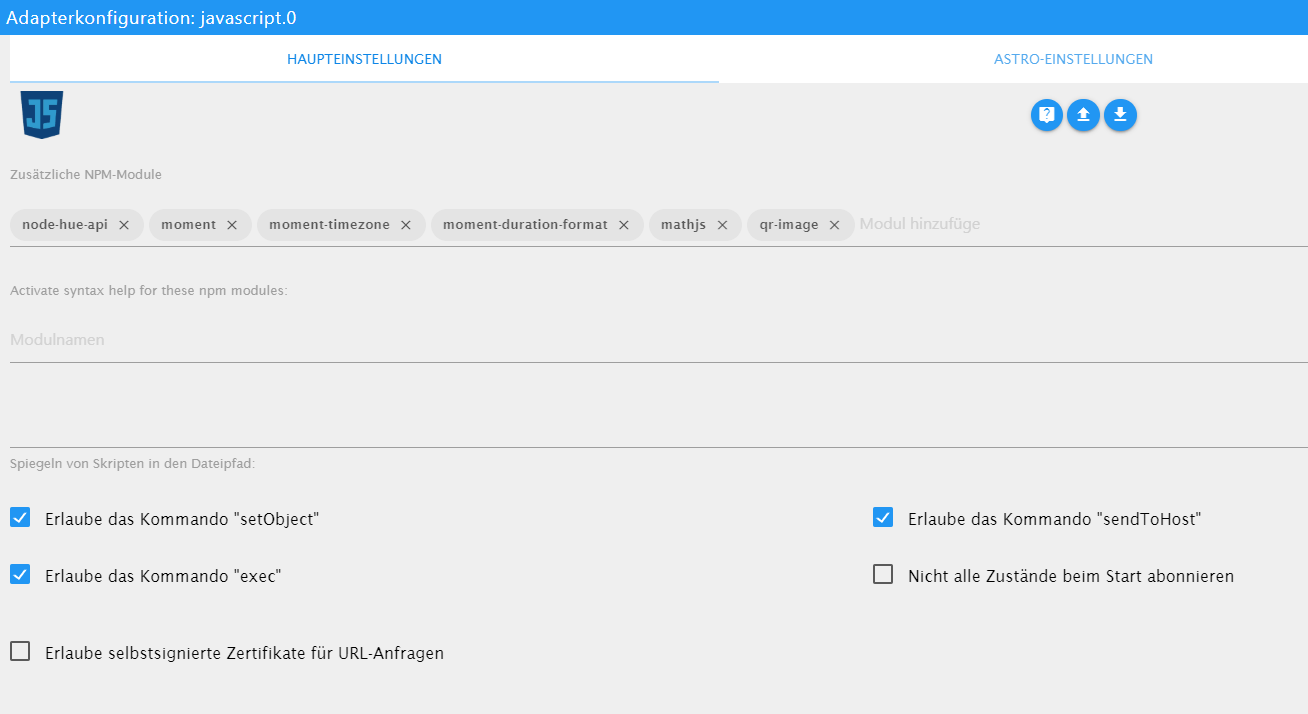
                Exec ist im JS-Adapter erlaubt.
                javascript.0	2020-04-29 15:13:58.239	error	(594) at process._tickCallback (internal/process/next_tick.js:68:7)
                javascript.0	2020-04-29 15:13:58.239	error	(594) at promise.then (/opt/iobroker/node_modules/standard-as-callback/built/index.js:19:49)
                javascript.0	2020-04-29 15:13:58.239	error	(594) at tryCatcher (/opt/iobroker/node_modules/standard-as-callback/built/utils.js:11:23)
                javascript.0	2020-04-29 15:13:58.238	error	(594) at client.get (/opt/iobroker/node_modules/iobroker.js-controller/lib/states/statesInRedis.js:572:33)
                javascript.0	2020-04-29 15:13:58.238	error	(594) at adapter.getForeignState (/opt/iobroker/node_modules/iobroker.javascript/main.js:1055:17)
                javascript.0	2020-04-29 15:13:58.238	error	(594) at createProblemObject (/opt/iobroker/node_modules/iobroker.javascript/main.js:1464:17)
                javascript.0	2020-04-29 15:13:58.238	error	(594) at prepareScript (/opt/iobroker/node_modules/iobroker.javascript/main.js:1411:37)
                javascript.0	2020-04-29 15:13:58.238	error	(594) at compile (/opt/iobroker/node_modules/iobroker.javascript/main.js:1188:28)
                javascript.0	2020-04-29 15:13:58.238	error	(594) at Object.createScript (vm.js:277:10)
                javascript.0	2020-04-29 15:13:58.238	error	(594) at new Script (vm.js:83:7)
                javascript.0	2020-04-29 15:13:58.238	error	(594) SyntaxError: Invalid or unexpected token
                javascript.0	2020-04-29 15:13:58.237	error	(594) ^^^
                javascript.0	2020-04-29 15:13:58.237	error	(594) exec('wget --output-document /_temp/Max/Max.jpg \'http://xxxxxx:xxxxxx@10.0.1.84/bha-api/image.cgi'');
                javascript.0	2020-04-29 15:13:58.237	error	at script.js.Doorbird.Doorbird_Bilder_Max:22
                javascript.0	2020-04-29 15:13:58.237	error	(594) script.js.Doorbird.Doorbird_Bilder_Max compile failed:
                

                const idklingel = ["doorbird.0.Doorbell.101.trigger"];
                 
                var sperre = false;  //verhindert das doppeltes Drücken das Script stoppt
                 
                var timeout1, timeout2, timeout3, timeout4, timeout5, timeout6, timeout7, timeout8, timeout9, timeout10, timeout11;
                 
                var fs = require('fs');


                on({id: idklingel, change: "any"}, function (obj) {
                 
                 if(!sperre) {
                 
                   sperre = true;


                    // Speichert das erste Bild bei Klingeln
                 
                   exec('wget --output-document /_temp/Max/Max.jpg \'http://xxxxxx:xxxxxx@10.0.1.84/bha-api/image.cgi'');
                 
                   
                    // Nach dem ersten Bild wird nach 2000ms das nächste Bild gespeichert
                   timeout1 = setTimeout(function () {
                 
                     exec('wget --output-document /_temp/Max/Max2.jpg \'http://xxxxxx:xxxxxx@10.0.1.84/bha-api/image.cgi''); 
                 
                   }, 2000);
                 
                   
                    // Nach dem zweiten Bild wird nach 2000ms das nächste Bild gespeichert
                   timeout2 = setTimeout(function () {
                 
                     exec('wget --output-document /_temp/Max/Max3.jpg \'http://xxxxxx:xxxxxx@10.0.1.84/bha-api/image.cgi'');
                 
                   }, 4000);
                 
                  
                    // Nach dem dritten Bild wird nach 2000ms das nächste Bild gespeichert
                   timeout3 = setTimeout(function () {
                 
                     exec('wget --output-document /_temp/Max/Max4.jpg \'http://xxxxxx:xxxxxx@10.0.1.84/bha-api/image.cgi'');
                 
                   }, 6000);
                 
                 
                // Telegram versenden
                    timeout4 = setTimeout(function(){
                  
                        sendTo('telegram.0', {text: '/_temp/Max/Max1.jpg', caption: 'Jemand klingelt an der Haustür !!!'});
                  
                                //log ('__ Klingel-Bild wurde versendet __');
                  
                    }, 10000); 
                    timeout5 = setTimeout(function(){
                  
                        sendTo('telegram.0', {text: '/_temp/Max/Max2.jpg', caption: 'Jemand klingelt an der Haustür !!!'});
                  
                                //log ('__ Klingel-Bild wurde versendet __');
                  
                    }, 11000); 
                  
                  
                    }
                           
                  
                    timeout6 = setTimeout(function() {
                  
                       sperre = false;
                  
                    }, 5000); //Zeit für Klingelsperre 1.Zeile
                 
                 
                    // Bilder werden nach vis gespeichert
                   timeout7 = setTimeout(function () {
                 
                        const bild1 = fs.readFileSync('/_temp/Max/Max1.jpg');
                 
                        writeFile('vis.0','/_temp/Max/Max1.jpg', bild1);
                 
                        const bild2 = fs.readFileSync('/_temp/Max/Max2.jpg');
                 
                        writeFile('vis.0','/_temp/Max/Max2.jpg', bild2);
                 
                        const bild3 = fs.readFileSync('/_temp/Max/Max3.jpg');
                 
                        writeFile('vis.0','/_temp/Max/Max3.jpg', bild3);
                 
                        const bild4 = fs.readFileSync('/_temp/Max/Max4.jpg');
                 
                        writeFile('vis.0','/_temp/Max/Max4.jpg', bild4);
                 
                   }, 20000); 
                 
                });


                instances - ioBroker (15).png

                Hast du einen Tipp für mich?

                Und um Telegram nicht zu verwenden, reicht es Zeile 50-66 auszukommentieren, oder bis Zeile 69?

                Danke

                ° Node.js & System Update ---> sudo apt update, iob stop, sudo apt full-upgrade
                ° Node.js Fixer ---> iob nodejs-update
                ° Fixer ---> iob fix

                GlasfaserG 1 Antwort Letzte Antwort
                0
                • NegaleinN Negalein

                  @Glasfaser sagte in externes Bild in VIS:

                  Ich kann dir höchstens meins anbieten :

                  Servus

                  Jetzt bin ich endlich dazu gekommen es zu testen.

                  Leider haut er mir für Zeile 22 einen Fehler raus.

                  Exec ist im JS-Adapter erlaubt.

                  javascript.0	2020-04-29 15:13:58.239	error	(594) at process._tickCallback (internal/process/next_tick.js:68:7)
                  javascript.0	2020-04-29 15:13:58.239	error	(594) at promise.then (/opt/iobroker/node_modules/standard-as-callback/built/index.js:19:49)
                  javascript.0	2020-04-29 15:13:58.239	error	(594) at tryCatcher (/opt/iobroker/node_modules/standard-as-callback/built/utils.js:11:23)
                  javascript.0	2020-04-29 15:13:58.238	error	(594) at client.get (/opt/iobroker/node_modules/iobroker.js-controller/lib/states/statesInRedis.js:572:33)
                  javascript.0	2020-04-29 15:13:58.238	error	(594) at adapter.getForeignState (/opt/iobroker/node_modules/iobroker.javascript/main.js:1055:17)
                  javascript.0	2020-04-29 15:13:58.238	error	(594) at createProblemObject (/opt/iobroker/node_modules/iobroker.javascript/main.js:1464:17)
                  javascript.0	2020-04-29 15:13:58.238	error	(594) at prepareScript (/opt/iobroker/node_modules/iobroker.javascript/main.js:1411:37)
                  javascript.0	2020-04-29 15:13:58.238	error	(594) at compile (/opt/iobroker/node_modules/iobroker.javascript/main.js:1188:28)
                  javascript.0	2020-04-29 15:13:58.238	error	(594) at Object.createScript (vm.js:277:10)
                  javascript.0	2020-04-29 15:13:58.238	error	(594) at new Script (vm.js:83:7)
                  javascript.0	2020-04-29 15:13:58.238	error	(594) SyntaxError: Invalid or unexpected token
                  javascript.0	2020-04-29 15:13:58.237	error	(594) ^^^
                  javascript.0	2020-04-29 15:13:58.237	error	(594) exec('wget --output-document /_temp/Max/Max.jpg \'http://xxxxxx:xxxxxx@10.0.1.84/bha-api/image.cgi'');
                  javascript.0	2020-04-29 15:13:58.237	error	at script.js.Doorbird.Doorbird_Bilder_Max:22
                  javascript.0	2020-04-29 15:13:58.237	error	(594) script.js.Doorbird.Doorbird_Bilder_Max compile failed:
                  

                  const idklingel = ["doorbird.0.Doorbell.101.trigger"];
                   
                  var sperre = false;  //verhindert das doppeltes Drücken das Script stoppt
                   
                  var timeout1, timeout2, timeout3, timeout4, timeout5, timeout6, timeout7, timeout8, timeout9, timeout10, timeout11;
                   
                  var fs = require('fs');


                  on({id: idklingel, change: "any"}, function (obj) {
                   
                   if(!sperre) {
                   
                     sperre = true;


                      // Speichert das erste Bild bei Klingeln
                   
                     exec('wget --output-document /_temp/Max/Max.jpg \'http://xxxxxx:xxxxxx@10.0.1.84/bha-api/image.cgi'');
                   
                     
                      // Nach dem ersten Bild wird nach 2000ms das nächste Bild gespeichert
                     timeout1 = setTimeout(function () {
                   
                       exec('wget --output-document /_temp/Max/Max2.jpg \'http://xxxxxx:xxxxxx@10.0.1.84/bha-api/image.cgi''); 
                   
                     }, 2000);
                   
                     
                      // Nach dem zweiten Bild wird nach 2000ms das nächste Bild gespeichert
                     timeout2 = setTimeout(function () {
                   
                       exec('wget --output-document /_temp/Max/Max3.jpg \'http://xxxxxx:xxxxxx@10.0.1.84/bha-api/image.cgi'');
                   
                     }, 4000);
                   
                    
                      // Nach dem dritten Bild wird nach 2000ms das nächste Bild gespeichert
                     timeout3 = setTimeout(function () {
                   
                       exec('wget --output-document /_temp/Max/Max4.jpg \'http://xxxxxx:xxxxxx@10.0.1.84/bha-api/image.cgi'');
                   
                     }, 6000);
                   
                   
                  // Telegram versenden
                      timeout4 = setTimeout(function(){
                    
                          sendTo('telegram.0', {text: '/_temp/Max/Max1.jpg', caption: 'Jemand klingelt an der Haustür !!!'});
                    
                                  //log ('__ Klingel-Bild wurde versendet __');
                    
                      }, 10000); 
                      timeout5 = setTimeout(function(){
                    
                          sendTo('telegram.0', {text: '/_temp/Max/Max2.jpg', caption: 'Jemand klingelt an der Haustür !!!'});
                    
                                  //log ('__ Klingel-Bild wurde versendet __');
                    
                      }, 11000); 
                    
                    
                      }
                             
                    
                      timeout6 = setTimeout(function() {
                    
                         sperre = false;
                    
                      }, 5000); //Zeit für Klingelsperre 1.Zeile
                   
                   
                      // Bilder werden nach vis gespeichert
                     timeout7 = setTimeout(function () {
                   
                          const bild1 = fs.readFileSync('/_temp/Max/Max1.jpg');
                   
                          writeFile('vis.0','/_temp/Max/Max1.jpg', bild1);
                   
                          const bild2 = fs.readFileSync('/_temp/Max/Max2.jpg');
                   
                          writeFile('vis.0','/_temp/Max/Max2.jpg', bild2);
                   
                          const bild3 = fs.readFileSync('/_temp/Max/Max3.jpg');
                   
                          writeFile('vis.0','/_temp/Max/Max3.jpg', bild3);
                   
                          const bild4 = fs.readFileSync('/_temp/Max/Max4.jpg');
                   
                          writeFile('vis.0','/_temp/Max/Max4.jpg', bild4);
                   
                     }, 20000); 
                   
                  });


                  instances - ioBroker (15).png

                  Hast du einen Tipp für mich?

                  Und um Telegram nicht zu verwenden, reicht es Zeile 50-66 auszukommentieren, oder bis Zeile 69?

                  Danke

                  GlasfaserG Online
                  GlasfaserG Online
                  Glasfaser
                  schrieb am zuletzt editiert von
                  #8

                  @Negalein

                  Teste mal :

                  nur User / Pass ändern

                  const idklingel = ["doorbird.0.Doorbell.101.trigger"];
                  
                  var sperre = false;  //verhindert das doppeltes Drücken das Script stoppt
                  
                  var timeout1, timeout2, timeout3, timeout4, timeout5, timeout6, timeout7, timeout8, timeout9, timeout10, timeout11;
                  
                  var fs = require('fs');


                  on({id: idklingel, change: "any"}, function (obj) {
                  
                   if(!sperre) {
                  
                     sperre = true;


                      // Speichert das erste Bild bei Klingeln
                  
                     exec('wget --output-document /tmp/max1.jpg \'http://xxxxxx:xxxxxx@10.0.1.84/bha-api/image.cgi\'');
                  
                     
                      // Nach dem ersten Bild wird nach 2000ms das nächste Bild gespeichert
                     timeout1 = setTimeout(function () {
                  
                       exec('wget --output-document /tmp/max2.jpg \'http://xxxxxx:xxxxxx@10.0.1.84/bha-api/image.cgi\''); 
                  
                     }, 2000);
                  
                     
                      // Nach dem zweiten Bild wird nach 2000ms das nächste Bild gespeichert
                     timeout2 = setTimeout(function () {
                  
                       exec('wget --output-document /tmp/max3.jpg \'http://xxxxxx:xxxxxx@10.0.1.84/bha-api/image.cgi\'');
                  
                     }, 4000);
                  
                    
                      // Nach dem dritten Bild wird nach 2000ms das nächste Bild gespeichert
                     timeout3 = setTimeout(function () {
                  
                       exec('wget --output-document /tmp/max4.jpg \'http://xxxxxx:xxxxxx@10.0.1.84/bha-api/image.cgi\'');
                  
                     }, 6000);
                  
                  
                      // Telegram versenden
                     timeout4 = setTimeout(function(){
                  
                         sendTo('telegram.0', {text: '/tmp/max1.jpg', caption: 'Jemand klingelt an der Haustür !!!'});
                  
                                 //log ('__ Klingel-Bild wurde versendet __');
                  
                     }, 10000); 
                     timeout5 = setTimeout(function(){
                  
                         sendTo('telegram.0', {text: '/tmp/max2.jpg', caption: 'Jemand klingelt an der Haustür !!!'});
                  
                                 //log ('__ Klingel-Bild wurde versendet __');
                  
                     }, 11000); 
                  
                  
                     }
                            
                  
                     timeout6 = setTimeout(function() {
                  
                        sperre = false;
                  
                     }, 5000); //Zeit für Klingelsperre 1.Zeile
                  
                  
                      // Bilder werden nach vis gespeichert
                     timeout7 = setTimeout(function () {
                  
                          const bild1 = fs.readFileSync('/tmp/max1.jpg');
                  
                          writeFile('vis.0','/_temp/Max/Max1.jpg', bild1);
                  
                          const bild2 = fs.readFileSync('/tmp/max2.jpg');
                  
                          writeFile('vis.0','/_temp/Max/Max2.jpg', bild2);
                  
                          const bild3 = fs.readFileSync('/tmp/maxt3.jpg');
                  
                          writeFile('vis.0','/_temp/Max/Max3.jpg', bild3);
                  
                          const bild4 = fs.readFileSync('/tmp/max4.jpg');
                  
                          writeFile('vis.0','/_temp/Max/Max4.jpg', bild4);
                  
                     }, 20000); 
                  
                  });


                  Synology 918+ 16GB - ioBroker in Docker v9 , VISO auf Trekstor Primebook C13 13,3" , Hikvision Domkameras mit Surveillance Station .. CCU RaspberryMatic in Synology VM .. Zigbee CC2538+CC2592 .. Sonoff .. KNX .. Modbus ..

                  NegaleinN 1 Antwort Letzte Antwort
                  1
                  • GlasfaserG Glasfaser

                    @Negalein

                    Teste mal :

                    nur User / Pass ändern

                    const idklingel = ["doorbird.0.Doorbell.101.trigger"];
                    
                    var sperre = false;  //verhindert das doppeltes Drücken das Script stoppt
                    
                    var timeout1, timeout2, timeout3, timeout4, timeout5, timeout6, timeout7, timeout8, timeout9, timeout10, timeout11;
                    
                    var fs = require('fs');


                    on({id: idklingel, change: "any"}, function (obj) {
                    
                     if(!sperre) {
                    
                       sperre = true;


                        // Speichert das erste Bild bei Klingeln
                    
                       exec('wget --output-document /tmp/max1.jpg \'http://xxxxxx:xxxxxx@10.0.1.84/bha-api/image.cgi\'');
                    
                       
                        // Nach dem ersten Bild wird nach 2000ms das nächste Bild gespeichert
                       timeout1 = setTimeout(function () {
                    
                         exec('wget --output-document /tmp/max2.jpg \'http://xxxxxx:xxxxxx@10.0.1.84/bha-api/image.cgi\''); 
                    
                       }, 2000);
                    
                       
                        // Nach dem zweiten Bild wird nach 2000ms das nächste Bild gespeichert
                       timeout2 = setTimeout(function () {
                    
                         exec('wget --output-document /tmp/max3.jpg \'http://xxxxxx:xxxxxx@10.0.1.84/bha-api/image.cgi\'');
                    
                       }, 4000);
                    
                      
                        // Nach dem dritten Bild wird nach 2000ms das nächste Bild gespeichert
                       timeout3 = setTimeout(function () {
                    
                         exec('wget --output-document /tmp/max4.jpg \'http://xxxxxx:xxxxxx@10.0.1.84/bha-api/image.cgi\'');
                    
                       }, 6000);
                    
                    
                        // Telegram versenden
                       timeout4 = setTimeout(function(){
                    
                           sendTo('telegram.0', {text: '/tmp/max1.jpg', caption: 'Jemand klingelt an der Haustür !!!'});
                    
                                   //log ('__ Klingel-Bild wurde versendet __');
                    
                       }, 10000); 
                       timeout5 = setTimeout(function(){
                    
                           sendTo('telegram.0', {text: '/tmp/max2.jpg', caption: 'Jemand klingelt an der Haustür !!!'});
                    
                                   //log ('__ Klingel-Bild wurde versendet __');
                    
                       }, 11000); 
                    
                    
                       }
                              
                    
                       timeout6 = setTimeout(function() {
                    
                          sperre = false;
                    
                       }, 5000); //Zeit für Klingelsperre 1.Zeile
                    
                    
                        // Bilder werden nach vis gespeichert
                       timeout7 = setTimeout(function () {
                    
                            const bild1 = fs.readFileSync('/tmp/max1.jpg');
                    
                            writeFile('vis.0','/_temp/Max/Max1.jpg', bild1);
                    
                            const bild2 = fs.readFileSync('/tmp/max2.jpg');
                    
                            writeFile('vis.0','/_temp/Max/Max2.jpg', bild2);
                    
                            const bild3 = fs.readFileSync('/tmp/maxt3.jpg');
                    
                            writeFile('vis.0','/_temp/Max/Max3.jpg', bild3);
                    
                            const bild4 = fs.readFileSync('/tmp/max4.jpg');
                    
                            writeFile('vis.0','/_temp/Max/Max4.jpg', bild4);
                    
                       }, 20000); 
                    
                    });


                    NegaleinN Offline
                    NegaleinN Offline
                    Negalein
                    Global Moderator
                    schrieb am zuletzt editiert von
                    #9

                    @Glasfaser sagte in externes Bild in VIS:

                    Teste mal :

                    Danke, kommen keine Fehler mehr. :)

                    beim Klingeln speichert er die Bilder in /tmp/max1.jpg und kopiert sie dann in vis.0/_temp/Max/Max1.jpg ?
                    Muss der Ordner _temp/Max/ händisch angelegt werden?

                    Weißt du auch noch das wegen Telegram?

                    ° Node.js & System Update ---> sudo apt update, iob stop, sudo apt full-upgrade
                    ° Node.js Fixer ---> iob nodejs-update
                    ° Fixer ---> iob fix

                    GlasfaserG 1 Antwort Letzte Antwort
                    0
                    • NegaleinN Negalein

                      @Glasfaser sagte in externes Bild in VIS:

                      Teste mal :

                      Danke, kommen keine Fehler mehr. :)

                      beim Klingeln speichert er die Bilder in /tmp/max1.jpg und kopiert sie dann in vis.0/_temp/Max/Max1.jpg ?
                      Muss der Ordner _temp/Max/ händisch angelegt werden?

                      Weißt du auch noch das wegen Telegram?

                      GlasfaserG Online
                      GlasfaserG Online
                      Glasfaser
                      schrieb am zuletzt editiert von
                      #10

                      @Negalein sagte in externes Bild in VIS:

                      Muss der Ordner _temp/Max/ händisch angelegt werden?

                      Ja ... mit dem Dateimanager ;)

                      Telegram kannst du auch löschen , wenn nicht benötigt

                      Synology 918+ 16GB - ioBroker in Docker v9 , VISO auf Trekstor Primebook C13 13,3" , Hikvision Domkameras mit Surveillance Station .. CCU RaspberryMatic in Synology VM .. Zigbee CC2538+CC2592 .. Sonoff .. KNX .. Modbus ..

                      NegaleinN 1 Antwort Letzte Antwort
                      1
                      • GlasfaserG Glasfaser

                        @Negalein sagte in externes Bild in VIS:

                        Muss der Ordner _temp/Max/ händisch angelegt werden?

                        Ja ... mit dem Dateimanager ;)

                        Telegram kannst du auch löschen , wenn nicht benötigt

                        NegaleinN Offline
                        NegaleinN Offline
                        Negalein
                        Global Moderator
                        schrieb am zuletzt editiert von
                        #11

                        @Glasfaser sagte in externes Bild in VIS:

                        Telegram kannst du auch löschen , wenn nicht benötigt

                        reicht es Zeile 50-66 auszukommentieren, oder bis Zeile 69?

                        ° Node.js & System Update ---> sudo apt update, iob stop, sudo apt full-upgrade
                        ° Node.js Fixer ---> iob nodejs-update
                        ° Fixer ---> iob fix

                        GlasfaserG 2 Antworten Letzte Antwort
                        0
                        • NegaleinN Negalein

                          @Glasfaser sagte in externes Bild in VIS:

                          Telegram kannst du auch löschen , wenn nicht benötigt

                          reicht es Zeile 50-66 auszukommentieren, oder bis Zeile 69?

                          GlasfaserG Online
                          GlasfaserG Online
                          Glasfaser
                          schrieb am zuletzt editiert von
                          #12

                          @Negalein

                          Eingentlich ja ... kann gerade nicht testen ... mußt du machen :)

                          Synology 918+ 16GB - ioBroker in Docker v9 , VISO auf Trekstor Primebook C13 13,3" , Hikvision Domkameras mit Surveillance Station .. CCU RaspberryMatic in Synology VM .. Zigbee CC2538+CC2592 .. Sonoff .. KNX .. Modbus ..

                          1 Antwort Letzte Antwort
                          0
                          • NegaleinN Negalein

                            @Glasfaser sagte in externes Bild in VIS:

                            Telegram kannst du auch löschen , wenn nicht benötigt

                            reicht es Zeile 50-66 auszukommentieren, oder bis Zeile 69?

                            GlasfaserG Online
                            GlasfaserG Online
                            Glasfaser
                            schrieb am zuletzt editiert von Glasfaser
                            #13

                            @Negalein
                            Habe auch noch ein Fehler beseitigt ..

                            const idklingel = ["doorbird.0.Doorbell.101.trigger"];
                            
                            var sperre = false;  //verhindert das doppeltes Drücken das Script stoppt
                            
                            var timeout1, timeout2, timeout3, timeout4, timeout5, timeout6, timeout7, timeout8, timeout9, timeout10, timeout11;
                            
                            var fs = require('fs');


                            on({id: idklingel, change: "any"}, function (obj) {
                            
                             if(!sperre) {
                            
                               sperre = true;


                                // Speichert das erste Bild bei Klingeln
                            
                               exec('wget --output-document /tmp/max1.jpg \'http://xxxxxx:xxxxxx@10.0.1.84/bha-api/image.cgi\'');
                            
                               
                                // Nach dem ersten Bild wird nach 2000ms das nächste Bild gespeichert
                               timeout1 = setTimeout(function () {
                            
                                 exec('wget --output-document /tmp/max2.jpg \'http://xxxxxx:xxxxxx@10.0.1.84/bha-api/image.cgi\''); 
                            
                               }, 2000);
                            
                               
                                // Nach dem zweiten Bild wird nach 2000ms das nächste Bild gespeichert
                               timeout2 = setTimeout(function () {
                            
                                 exec('wget --output-document /tmp/max3.jpg \'http://xxxxxx:xxxxxx@10.0.1.84/bha-api/image.cgi\'');
                            
                               }, 4000);
                            
                              
                                // Nach dem dritten Bild wird nach 2000ms das nächste Bild gespeichert
                               timeout3 = setTimeout(function () {
                            
                                 exec('wget --output-document /tmp/max4.jpg \'http://xxxxxx:xxxxxx@10.0.1.84/bha-api/image.cgi\'');
                            
                               }, 6000);
                            
                                /*
                                // Telegram versenden
                               timeout4 = setTimeout(function(){
                            
                                   sendTo('telegram.0', {text: '/tmp/max1.jpg', caption: 'Jemand klingelt an der Haustür !!!'});
                            
                                           //log ('__ Klingel-Bild wurde versendet __');
                            
                               }, 10000); 
                               timeout5 = setTimeout(function(){
                            
                                   sendTo('telegram.0', {text: '/tmp/max2.jpg', caption: 'Jemand klingelt an der Haustür !!!'});
                            
                                           //log ('__ Klingel-Bild wurde versendet __');
                            
                               }, 11000); 
                            
                               */
                               }
                                      
                            
                               timeout6 = setTimeout(function() {
                            
                                  sperre = false;
                            
                               }, 5000); //Zeit für Klingelsperre 1.Zeile
                            
                            
                                // Bilder werden nach vis gespeichert
                               timeout7 = setTimeout(function () {
                            
                                    const bild1 = fs.readFileSync('/tmp/max1.jpg');
                            
                                    writeFile('vis.0','/_temp/Max/Max1.jpg', bild1);
                            
                                    const bild2 = fs.readFileSync('/tmp/max2.jpg');
                            
                                    writeFile('vis.0','/_temp/Max/Max2.jpg', bild2);
                            
                                    const bild3 = fs.readFileSync('/tmp/max3.jpg');
                            
                                    writeFile('vis.0','/_temp/Max/Max3.jpg', bild3);
                            
                                    const bild4 = fs.readFileSync('/tmp/max4.jpg');
                            
                                    writeFile('vis.0','/_temp/Max/Max4.jpg', bild4);
                            
                               }, 20000); 
                            
                            });


                            Edit :
                            das {1} kommt durch das Importieren in den Forum Editor

                            Synology 918+ 16GB - ioBroker in Docker v9 , VISO auf Trekstor Primebook C13 13,3" , Hikvision Domkameras mit Surveillance Station .. CCU RaspberryMatic in Synology VM .. Zigbee CC2538+CC2592 .. Sonoff .. KNX .. Modbus ..

                            NegaleinN 2 Antworten Letzte Antwort
                            1
                            • GlasfaserG Glasfaser

                              @Negalein
                              Habe auch noch ein Fehler beseitigt ..

                              const idklingel = ["doorbird.0.Doorbell.101.trigger"];
                              
                              var sperre = false;  //verhindert das doppeltes Drücken das Script stoppt
                              
                              var timeout1, timeout2, timeout3, timeout4, timeout5, timeout6, timeout7, timeout8, timeout9, timeout10, timeout11;
                              
                              var fs = require('fs');


                              on({id: idklingel, change: "any"}, function (obj) {
                              
                               if(!sperre) {
                              
                                 sperre = true;


                                  // Speichert das erste Bild bei Klingeln
                              
                                 exec('wget --output-document /tmp/max1.jpg \'http://xxxxxx:xxxxxx@10.0.1.84/bha-api/image.cgi\'');
                              
                                 
                                  // Nach dem ersten Bild wird nach 2000ms das nächste Bild gespeichert
                                 timeout1 = setTimeout(function () {
                              
                                   exec('wget --output-document /tmp/max2.jpg \'http://xxxxxx:xxxxxx@10.0.1.84/bha-api/image.cgi\''); 
                              
                                 }, 2000);
                              
                                 
                                  // Nach dem zweiten Bild wird nach 2000ms das nächste Bild gespeichert
                                 timeout2 = setTimeout(function () {
                              
                                   exec('wget --output-document /tmp/max3.jpg \'http://xxxxxx:xxxxxx@10.0.1.84/bha-api/image.cgi\'');
                              
                                 }, 4000);
                              
                                
                                  // Nach dem dritten Bild wird nach 2000ms das nächste Bild gespeichert
                                 timeout3 = setTimeout(function () {
                              
                                   exec('wget --output-document /tmp/max4.jpg \'http://xxxxxx:xxxxxx@10.0.1.84/bha-api/image.cgi\'');
                              
                                 }, 6000);
                              
                                  /*
                                  // Telegram versenden
                                 timeout4 = setTimeout(function(){
                              
                                     sendTo('telegram.0', {text: '/tmp/max1.jpg', caption: 'Jemand klingelt an der Haustür !!!'});
                              
                                             //log ('__ Klingel-Bild wurde versendet __');
                              
                                 }, 10000); 
                                 timeout5 = setTimeout(function(){
                              
                                     sendTo('telegram.0', {text: '/tmp/max2.jpg', caption: 'Jemand klingelt an der Haustür !!!'});
                              
                                             //log ('__ Klingel-Bild wurde versendet __');
                              
                                 }, 11000); 
                              
                                 */
                                 }
                                        
                              
                                 timeout6 = setTimeout(function() {
                              
                                    sperre = false;
                              
                                 }, 5000); //Zeit für Klingelsperre 1.Zeile
                              
                              
                                  // Bilder werden nach vis gespeichert
                                 timeout7 = setTimeout(function () {
                              
                                      const bild1 = fs.readFileSync('/tmp/max1.jpg');
                              
                                      writeFile('vis.0','/_temp/Max/Max1.jpg', bild1);
                              
                                      const bild2 = fs.readFileSync('/tmp/max2.jpg');
                              
                                      writeFile('vis.0','/_temp/Max/Max2.jpg', bild2);
                              
                                      const bild3 = fs.readFileSync('/tmp/max3.jpg');
                              
                                      writeFile('vis.0','/_temp/Max/Max3.jpg', bild3);
                              
                                      const bild4 = fs.readFileSync('/tmp/max4.jpg');
                              
                                      writeFile('vis.0','/_temp/Max/Max4.jpg', bild4);
                              
                                 }, 20000); 
                              
                              });


                              Edit :
                              das {1} kommt durch das Importieren in den Forum Editor

                              NegaleinN Offline
                              NegaleinN Offline
                              Negalein
                              Global Moderator
                              schrieb am zuletzt editiert von
                              #14

                              @Glasfaser sagte in externes Bild in VIS:

                              Habe auch noch ein Fehler beseitigt ..

                              Danke, habs gleich neu angelegt.

                              ° Node.js & System Update ---> sudo apt update, iob stop, sudo apt full-upgrade
                              ° Node.js Fixer ---> iob nodejs-update
                              ° Fixer ---> iob fix

                              1 Antwort Letzte Antwort
                              0
                              • GlasfaserG Glasfaser

                                @Negalein
                                Habe auch noch ein Fehler beseitigt ..

                                const idklingel = ["doorbird.0.Doorbell.101.trigger"];
                                
                                var sperre = false;  //verhindert das doppeltes Drücken das Script stoppt
                                
                                var timeout1, timeout2, timeout3, timeout4, timeout5, timeout6, timeout7, timeout8, timeout9, timeout10, timeout11;
                                
                                var fs = require('fs');


                                on({id: idklingel, change: "any"}, function (obj) {
                                
                                 if(!sperre) {
                                
                                   sperre = true;


                                    // Speichert das erste Bild bei Klingeln
                                
                                   exec('wget --output-document /tmp/max1.jpg \'http://xxxxxx:xxxxxx@10.0.1.84/bha-api/image.cgi\'');
                                
                                   
                                    // Nach dem ersten Bild wird nach 2000ms das nächste Bild gespeichert
                                   timeout1 = setTimeout(function () {
                                
                                     exec('wget --output-document /tmp/max2.jpg \'http://xxxxxx:xxxxxx@10.0.1.84/bha-api/image.cgi\''); 
                                
                                   }, 2000);
                                
                                   
                                    // Nach dem zweiten Bild wird nach 2000ms das nächste Bild gespeichert
                                   timeout2 = setTimeout(function () {
                                
                                     exec('wget --output-document /tmp/max3.jpg \'http://xxxxxx:xxxxxx@10.0.1.84/bha-api/image.cgi\'');
                                
                                   }, 4000);
                                
                                  
                                    // Nach dem dritten Bild wird nach 2000ms das nächste Bild gespeichert
                                   timeout3 = setTimeout(function () {
                                
                                     exec('wget --output-document /tmp/max4.jpg \'http://xxxxxx:xxxxxx@10.0.1.84/bha-api/image.cgi\'');
                                
                                   }, 6000);
                                
                                    /*
                                    // Telegram versenden
                                   timeout4 = setTimeout(function(){
                                
                                       sendTo('telegram.0', {text: '/tmp/max1.jpg', caption: 'Jemand klingelt an der Haustür !!!'});
                                
                                               //log ('__ Klingel-Bild wurde versendet __');
                                
                                   }, 10000); 
                                   timeout5 = setTimeout(function(){
                                
                                       sendTo('telegram.0', {text: '/tmp/max2.jpg', caption: 'Jemand klingelt an der Haustür !!!'});
                                
                                               //log ('__ Klingel-Bild wurde versendet __');
                                
                                   }, 11000); 
                                
                                   */
                                   }
                                          
                                
                                   timeout6 = setTimeout(function() {
                                
                                      sperre = false;
                                
                                   }, 5000); //Zeit für Klingelsperre 1.Zeile
                                
                                
                                    // Bilder werden nach vis gespeichert
                                   timeout7 = setTimeout(function () {
                                
                                        const bild1 = fs.readFileSync('/tmp/max1.jpg');
                                
                                        writeFile('vis.0','/_temp/Max/Max1.jpg', bild1);
                                
                                        const bild2 = fs.readFileSync('/tmp/max2.jpg');
                                
                                        writeFile('vis.0','/_temp/Max/Max2.jpg', bild2);
                                
                                        const bild3 = fs.readFileSync('/tmp/max3.jpg');
                                
                                        writeFile('vis.0','/_temp/Max/Max3.jpg', bild3);
                                
                                        const bild4 = fs.readFileSync('/tmp/max4.jpg');
                                
                                        writeFile('vis.0','/_temp/Max/Max4.jpg', bild4);
                                
                                   }, 20000); 
                                
                                });


                                Edit :
                                das {1} kommt durch das Importieren in den Forum Editor

                                NegaleinN Offline
                                NegaleinN Offline
                                Negalein
                                Global Moderator
                                schrieb am zuletzt editiert von
                                #15

                                @Glasfaser sagte in externes Bild in VIS:

                                const bild4 = fs.readFileSync('/tmp/max4.jpg');
                                

                                dieser Ordner muss unter files angelegt werden?

                                ° Node.js & System Update ---> sudo apt update, iob stop, sudo apt full-upgrade
                                ° Node.js Fixer ---> iob nodejs-update
                                ° Fixer ---> iob fix

                                GlasfaserG 2 Antworten Letzte Antwort
                                0
                                • NegaleinN Negalein

                                  @Glasfaser sagte in externes Bild in VIS:

                                  const bild4 = fs.readFileSync('/tmp/max4.jpg');
                                  

                                  dieser Ordner muss unter files angelegt werden?

                                  GlasfaserG Online
                                  GlasfaserG Online
                                  Glasfaser
                                  schrieb am zuletzt editiert von
                                  #16

                                  @Negalein

                                  Nö ... wird alles automatisch angelegt

                                  Synology 918+ 16GB - ioBroker in Docker v9 , VISO auf Trekstor Primebook C13 13,3" , Hikvision Domkameras mit Surveillance Station .. CCU RaspberryMatic in Synology VM .. Zigbee CC2538+CC2592 .. Sonoff .. KNX .. Modbus ..

                                  1 Antwort Letzte Antwort
                                  0
                                  • NegaleinN Negalein

                                    @Glasfaser sagte in externes Bild in VIS:

                                    const bild4 = fs.readFileSync('/tmp/max4.jpg');
                                    

                                    dieser Ordner muss unter files angelegt werden?

                                    GlasfaserG Online
                                    GlasfaserG Online
                                    Glasfaser
                                    schrieb am zuletzt editiert von
                                    #17

                                    @Negalein

                                    .... hier nur mit einem Klingelbild

                                    const idklingel = ["doorbird.0.Doorbell.101.trigger"];
                                    
                                    var sperre = false;  //verhindert das doppeltes Drücken das Script stoppt
                                    
                                    var timeout1, timeout2, timeout3, timeout4, timeout5, timeout6, timeout7, timeout8, timeout9, timeout10, timeout11;
                                    
                                    var fs = require('fs');
                                    
                                    
                                    on({id: idklingel, change: "any"}, function (obj) {


                                    if(!sperre) {


                                      sperre = true;
                                    
                                    
                                       // Speichert das erste Bild bei Klingeln


                                      exec('wget --output-document /tmp/max1.jpg \'http://xxxxxx:xxxxxx@10.0.1.84/bha-api/image.cgi\'');
                                    
                                    
                                       /*
                                      
                                    
                                       // Nach dem ersten Bild wird nach 2000ms das nächste Bild gespeichert
                                    
                                      timeout1 = setTimeout(function () {


                                        exec('wget --output-document /tmp/max2.jpg \'http://xxxxxx:xxxxxx@10.0.1.84/bha-api/image.cgi\''); 


                                      }, 2000);


                                       // Nach dem zweiten Bild wird nach 2000ms das nächste Bild gespeichert
                                    
                                      timeout2 = setTimeout(function () {


                                        exec('wget --output-document /tmp/max3.jpg \'http://xxxxxx:xxxxxx@10.0.1.84/bha-api/image.cgi\'');


                                      }, 4000);


                                       // Nach dem dritten Bild wird nach 2000ms das nächste Bild gespeichert
                                    
                                      timeout3 = setTimeout(function () {


                                        exec('wget --output-document /tmp/max4.jpg \'http://xxxxxx:xxxxxx@10.0.1.84/bha-api/image.cgi\'');


                                      }, 6000);


                                       // Telegram versenden
                                    
                                      timeout4 = setTimeout(function(){
                                    
                                    
                                          sendTo('telegram.0', {text: '/tmp/max1.jpg', caption: 'Jemand klingelt an der Haustür !!!'});


                                                  //log ('__ Klingel-Bild wurde versendet __');


                                      }, 10000); 
                                    
                                      timeout5 = setTimeout(function(){


                                          sendTo('telegram.0', {text: '/tmp/max2.jpg', caption: 'Jemand klingelt an der Haustür !!!'});


                                                  //log ('__ Klingel-Bild wurde versendet __');


                                      }, 11000); 


                                      */
                                    
                                      }


                                      timeout6 = setTimeout(function() {


                                         sperre = false;


                                      }, 5000); //Zeit für Klingelsperre 1.Zeile


                                       // Bilder werden nach vis gespeichert
                                    
                                      timeout7 = setTimeout(function () {


                                           const bild1 = fs.readFileSync('/tmp/max1.jpg');
                                    
                                    
                                           writeFile('vis.0','/_temp/Max/Max1.jpg', bild1);
                                    
                                        /*
                                           const bild2 = fs.readFileSync('/tmp/max2.jpg');
                                    
                                       
                                           writeFile('vis.0','/_temp/Max/Max2.jpg', bild2);
                                    
                                    
                                           const bild3 = fs.readFileSync('/tmp/max3.jpg');
                                    
                                    
                                           writeFile('vis.0','/_temp/Max/Max3.jpg', bild3);
                                    
                                    
                                           const bild4 = fs.readFileSync('/tmp/max4.jpg');
                                    
                                    
                                           writeFile('vis.0','/_temp/Max/Max4.jpg', bild4);
                                    
                                       */
                                    
                                      }, 20000); 


                                    });
                                    

                                    Synology 918+ 16GB - ioBroker in Docker v9 , VISO auf Trekstor Primebook C13 13,3" , Hikvision Domkameras mit Surveillance Station .. CCU RaspberryMatic in Synology VM .. Zigbee CC2538+CC2592 .. Sonoff .. KNX .. Modbus ..

                                    NegaleinN 1 Antwort Letzte Antwort
                                    0
                                    • GlasfaserG Glasfaser

                                      @Negalein

                                      .... hier nur mit einem Klingelbild

                                      const idklingel = ["doorbird.0.Doorbell.101.trigger"];
                                      
                                      var sperre = false;  //verhindert das doppeltes Drücken das Script stoppt
                                      
                                      var timeout1, timeout2, timeout3, timeout4, timeout5, timeout6, timeout7, timeout8, timeout9, timeout10, timeout11;
                                      
                                      var fs = require('fs');
                                      
                                      
                                      on({id: idklingel, change: "any"}, function (obj) {


                                      if(!sperre) {


                                        sperre = true;
                                      
                                      
                                         // Speichert das erste Bild bei Klingeln


                                        exec('wget --output-document /tmp/max1.jpg \'http://xxxxxx:xxxxxx@10.0.1.84/bha-api/image.cgi\'');
                                      
                                      
                                         /*
                                        
                                      
                                         // Nach dem ersten Bild wird nach 2000ms das nächste Bild gespeichert
                                      
                                        timeout1 = setTimeout(function () {


                                          exec('wget --output-document /tmp/max2.jpg \'http://xxxxxx:xxxxxx@10.0.1.84/bha-api/image.cgi\''); 


                                        }, 2000);


                                         // Nach dem zweiten Bild wird nach 2000ms das nächste Bild gespeichert
                                      
                                        timeout2 = setTimeout(function () {


                                          exec('wget --output-document /tmp/max3.jpg \'http://xxxxxx:xxxxxx@10.0.1.84/bha-api/image.cgi\'');


                                        }, 4000);


                                         // Nach dem dritten Bild wird nach 2000ms das nächste Bild gespeichert
                                      
                                        timeout3 = setTimeout(function () {


                                          exec('wget --output-document /tmp/max4.jpg \'http://xxxxxx:xxxxxx@10.0.1.84/bha-api/image.cgi\'');


                                        }, 6000);


                                         // Telegram versenden
                                      
                                        timeout4 = setTimeout(function(){
                                      
                                      
                                            sendTo('telegram.0', {text: '/tmp/max1.jpg', caption: 'Jemand klingelt an der Haustür !!!'});


                                                    //log ('__ Klingel-Bild wurde versendet __');


                                        }, 10000); 
                                      
                                        timeout5 = setTimeout(function(){


                                            sendTo('telegram.0', {text: '/tmp/max2.jpg', caption: 'Jemand klingelt an der Haustür !!!'});


                                                    //log ('__ Klingel-Bild wurde versendet __');


                                        }, 11000); 


                                        */
                                      
                                        }


                                        timeout6 = setTimeout(function() {


                                           sperre = false;


                                        }, 5000); //Zeit für Klingelsperre 1.Zeile


                                         // Bilder werden nach vis gespeichert
                                      
                                        timeout7 = setTimeout(function () {


                                             const bild1 = fs.readFileSync('/tmp/max1.jpg');
                                      
                                      
                                             writeFile('vis.0','/_temp/Max/Max1.jpg', bild1);
                                      
                                          /*
                                             const bild2 = fs.readFileSync('/tmp/max2.jpg');
                                      
                                         
                                             writeFile('vis.0','/_temp/Max/Max2.jpg', bild2);
                                      
                                      
                                             const bild3 = fs.readFileSync('/tmp/max3.jpg');
                                      
                                      
                                             writeFile('vis.0','/_temp/Max/Max3.jpg', bild3);
                                      
                                      
                                             const bild4 = fs.readFileSync('/tmp/max4.jpg');
                                      
                                      
                                             writeFile('vis.0','/_temp/Max/Max4.jpg', bild4);
                                      
                                         */
                                      
                                        }, 20000); 


                                      });
                                      

                                      NegaleinN Offline
                                      NegaleinN Offline
                                      Negalein
                                      Global Moderator
                                      schrieb am zuletzt editiert von
                                      #18

                                      @Glasfaser sagte in externes Bild in VIS:

                                      hier nur mit einem Klingelbild

                                      Danke

                                      Muss im anderen Thread nochmal schauen.
                                      Ideal wäre es, wenn auch die letzten 3 oder 4 gespeichert bleiben um sie in VIS anzuzeigen.

                                      ° Node.js & System Update ---> sudo apt update, iob stop, sudo apt full-upgrade
                                      ° Node.js Fixer ---> iob nodejs-update
                                      ° Fixer ---> iob fix

                                      GlasfaserG 1 Antwort Letzte Antwort
                                      0
                                      • NegaleinN Negalein

                                        @Glasfaser sagte in externes Bild in VIS:

                                        hier nur mit einem Klingelbild

                                        Danke

                                        Muss im anderen Thread nochmal schauen.
                                        Ideal wäre es, wenn auch die letzten 3 oder 4 gespeichert bleiben um sie in VIS anzuzeigen.

                                        GlasfaserG Online
                                        GlasfaserG Online
                                        Glasfaser
                                        schrieb am zuletzt editiert von
                                        #19

                                        @Negalein sagte in externes Bild in VIS:

                                        Ideal wäre es, wenn auch die letzten 3 oder 4 gespeichert

                                        Das geht mit dem Script so nicht ,
                                        da der Speichername vom Bild nicht Variabel/Zeitstempel gespeichert wird.

                                        Synology 918+ 16GB - ioBroker in Docker v9 , VISO auf Trekstor Primebook C13 13,3" , Hikvision Domkameras mit Surveillance Station .. CCU RaspberryMatic in Synology VM .. Zigbee CC2538+CC2592 .. Sonoff .. KNX .. Modbus ..

                                        NegaleinN 1 Antwort Letzte Antwort
                                        0
                                        • GlasfaserG Glasfaser

                                          @Negalein sagte in externes Bild in VIS:

                                          Ideal wäre es, wenn auch die letzten 3 oder 4 gespeichert

                                          Das geht mit dem Script so nicht ,
                                          da der Speichername vom Bild nicht Variabel/Zeitstempel gespeichert wird.

                                          NegaleinN Offline
                                          NegaleinN Offline
                                          Negalein
                                          Global Moderator
                                          schrieb am zuletzt editiert von
                                          #20

                                          @Glasfaser sagte in externes Bild in VIS:

                                          Das geht mit dem Script so nicht ,
                                          da der Speichername vom Bild nicht Variabel/Zeitstempel gespeichert wird.

                                          Ja, leider.

                                          Vielleicht finde ich im anderen Thread noch eine Lösung.

                                          ° Node.js & System Update ---> sudo apt update, iob stop, sudo apt full-upgrade
                                          ° Node.js Fixer ---> iob nodejs-update
                                          ° Fixer ---> iob fix

                                          1 Antwort Letzte Antwort
                                          0

                                          Hey! Du scheinst an dieser Unterhaltung interessiert zu sein, hast aber noch kein Konto.

                                          Hast du es satt, bei jedem Besuch durch die gleichen Beiträge zu scrollen? Wenn du dich für ein Konto anmeldest, kommst du immer genau dorthin zurück, wo du zuvor warst, und kannst dich über neue Antworten benachrichtigen lassen (entweder per E-Mail oder Push-Benachrichtigung). Du kannst auch Lesezeichen speichern und Beiträge positiv bewerten, um anderen Community-Mitgliedern deine Wertschätzung zu zeigen.

                                          Mit deinem Input könnte dieser Beitrag noch besser werden 💗

                                          Registrieren Anmelden
                                          Antworten
                                          • In einem neuen Thema antworten
                                          Anmelden zum Antworten
                                          • Älteste zuerst
                                          • Neuste zuerst
                                          • Meiste Stimmen


                                          Support us

                                          ioBroker
                                          Community Adapters
                                          Donate

                                          355

                                          Online

                                          32.7k

                                          Benutzer

                                          82.6k

                                          Themen

                                          1.3m

                                          Beiträge
                                          Community
                                          Impressum | Datenschutz-Bestimmungen | Nutzungsbedingungen | Einwilligungseinstellungen
                                          ioBroker Community 2014-2025
                                          logo
                                          • Anmelden

                                          • Du hast noch kein Konto? Registrieren

                                          • Anmelden oder registrieren, um zu suchen
                                          • Erster Beitrag
                                            Letzter Beitrag
                                          0
                                          • Home
                                          • Aktuell
                                          • Tags
                                          • Ungelesen 0
                                          • Kategorien
                                          • Unreplied
                                          • Beliebt
                                          • GitHub
                                          • Docu
                                          • Hilfe
