Skip to content
  • Home
  • Aktuell
  • Tags
  • 0 Ungelesen 0
  • Kategorien
  • Unreplied
  • Beliebt
  • GitHub
  • Docu
  • Hilfe
Skins
  • Light
  • Brite
  • Cerulean
  • Cosmo
  • Flatly
  • Journal
  • Litera
  • Lumen
  • Lux
  • Materia
  • Minty
  • Morph
  • Pulse
  • Sandstone
  • Simplex
  • Sketchy
  • Spacelab
  • United
  • Yeti
  • Zephyr
  • Dark
  • Cyborg
  • Darkly
  • Quartz
  • Slate
  • Solar
  • Superhero
  • Vapor

  • Standard: (Kein Skin)
  • Kein Skin
Einklappen
ioBroker Logo

Community Forum

donate donate
  1. ioBroker Community Home
  2. Deutsch
  3. Hardware
  4. Kamera + Bewegungsmelder kombinieren für Gartenüberwachung

NEWS

  • Neuer Blogbeitrag: Monatsrückblick - Dezember 2025 🎄
    BluefoxB
    Bluefox
    11
    1
    328

  • Weihnachtsangebot 2025! 🎄
    BluefoxB
    Bluefox
    24
    1
    1.5k

  • UPDATE 31.10.: Amazon Alexa - ioBroker Skill läuft aus ?
    apollon77A
    apollon77
    48
    3
    9.5k

Kamera + Bewegungsmelder kombinieren für Gartenüberwachung

Geplant Angeheftet Gesperrt Verschoben Hardware
überwachungbewegungsmelderkamera
197 Beiträge 11 Kommentatoren 19.5k Aufrufe 13 Watching
  • Älteste zuerst
  • Neuste zuerst
  • Meiste Stimmen
Antworten
  • In einem neuen Thema antworten
Anmelden zum Antworten
Dieses Thema wurde gelöscht. Nur Nutzer mit entsprechenden Rechten können es sehen.
  • S smarthome2020

    @el_malto

    Konfigurationen kann ich unter Port 8765 vornehmen., Also Kamera hinzufügen, Speicherort.....

    Den Stream sehen in "Vollbild" kann ich unter Port 8091

    Versuche im Browser:

    1. IP:8765/1/action/eventstart --> {"error": "not found"}
    2. IP:8081/1/action/eventstart --> Cannot GET /1/action/eventstart
    3. IP:8091/1/action/eventstart -->Diese Seite funktioniert im Moment nicht. ...keine Daten gesendet.
    E Offline
    E Offline
    el_malto
    schrieb am zuletzt editiert von
    #58

    @smarthome2020

    # Port number used for the webcontrol.
    webcontrol_port 8080
    

    Du musst Port 8080 nehmen.

    S E 2 Antworten Letzte Antwort
    0
    • E el_malto

      @smarthome2020

      # Port number used for the webcontrol.
      webcontrol_port 8080
      

      Du musst Port 8080 nehmen.

      S Offline
      S Offline
      smarthome2020
      schrieb am zuletzt editiert von
      #59

      @el_malto
      IP:8080/1/action/eventstart --> Hmmm...diese Seite ist leider nicht erreichbar. IP hat eine Verbindung verweigert.

      E 1 Antwort Letzte Antwort
      0
      • S smarthome2020

        @el_malto
        IP:8080/1/action/eventstart --> Hmmm...diese Seite ist leider nicht erreichbar. IP hat eine Verbindung verweigert.

        E Offline
        E Offline
        el_malto
        schrieb am zuletzt editiert von el_malto
        #60

        @smarthome2020 hast du denn nachdem du

        webcontrol_localhost off
        

        gemacht hast auch einen reboot gemacht?
        Und ist deine camid wirklich richtig?

        S 1 Antwort Letzte Antwort
        0
        • E el_malto

          @smarthome2020 hast du denn nachdem du

          webcontrol_localhost off
          

          gemacht hast auch einen reboot gemacht?
          Und ist deine camid wirklich richtig?

          S Offline
          S Offline
          smarthome2020
          schrieb am zuletzt editiert von smarthome2020
          #61

          @el_malto Bild.png

          So stehts in der Einstellungsmaske. Bearbeiten kann ich das auch nicht wirklich.

          E 1 Antwort Letzte Antwort
          0
          • S smarthome2020

            @el_malto Bild.png

            So stehts in der Einstellungsmaske. Bearbeiten kann ich das auch nicht wirklich.

            E Offline
            E Offline
            el_malto
            schrieb am zuletzt editiert von el_malto
            #62

            @smarthome2020 hast du denn mal geguckt ob du unter

            /data/etc/motion.conf
            

            auch die configs hast?

            Ansonsten mach mal Screenshots vom Browser wenn du die Links da eingibst und die Rückmeldung bekommst.
            Könnte sonst auch mal per TeamViewer drauf gucken. Hab gerade Zeit.

            1 Antwort Letzte Antwort
            0
            • E el_malto

              @smarthome2020

              # Port number used for the webcontrol.
              webcontrol_port 8080
              

              Du musst Port 8080 nehmen.

              E Offline
              E Offline
              el_malto
              schrieb am zuletzt editiert von
              #63

              @smarthome2020

              # Port number used for the webcontrol.
              webcontrol_port 8080
              

              Du musst Port 8080 nehmen.

              Oder probier mal Port 7999 aus. Der steht ja in der anderen config.

              S 1 Antwort Letzte Antwort
              0
              • E el_malto

                @smarthome2020

                # Port number used for the webcontrol.
                webcontrol_port 8080
                

                Du musst Port 8080 nehmen.

                Oder probier mal Port 7999 aus. Der steht ja in der anderen config.

                S Offline
                S Offline
                smarthome2020
                schrieb am zuletzt editiert von
                #64

                @el_malto ich mache gleich Screenshots. Musste nur eben einkaufen.

                E 1 Antwort Letzte Antwort
                0
                • S smarthome2020

                  @el_malto ich mache gleich Screenshots. Musste nur eben einkaufen.

                  E Offline
                  E Offline
                  el_malto
                  schrieb am zuletzt editiert von
                  #65

                  @smarthome2020 jo ich bin den Abend am PC und bin hier on.

                  S 1 Antwort Letzte Antwort
                  0
                  • E el_malto

                    @smarthome2020 jo ich bin den Abend am PC und bin hier on.

                    S Offline
                    S Offline
                    smarthome2020
                    schrieb am zuletzt editiert von
                    #66

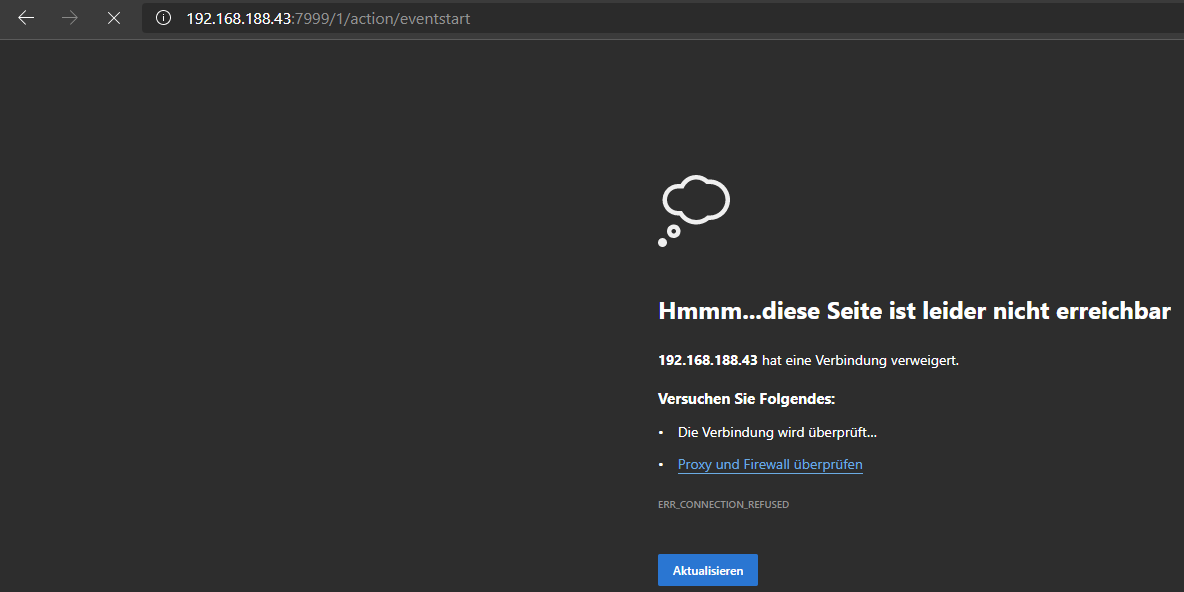
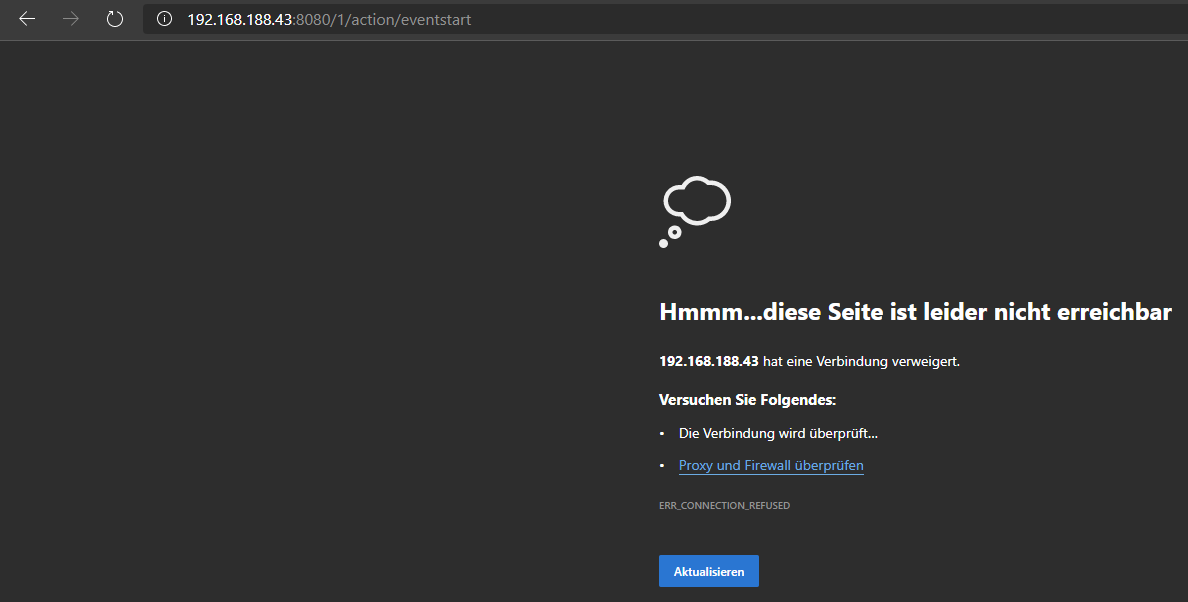
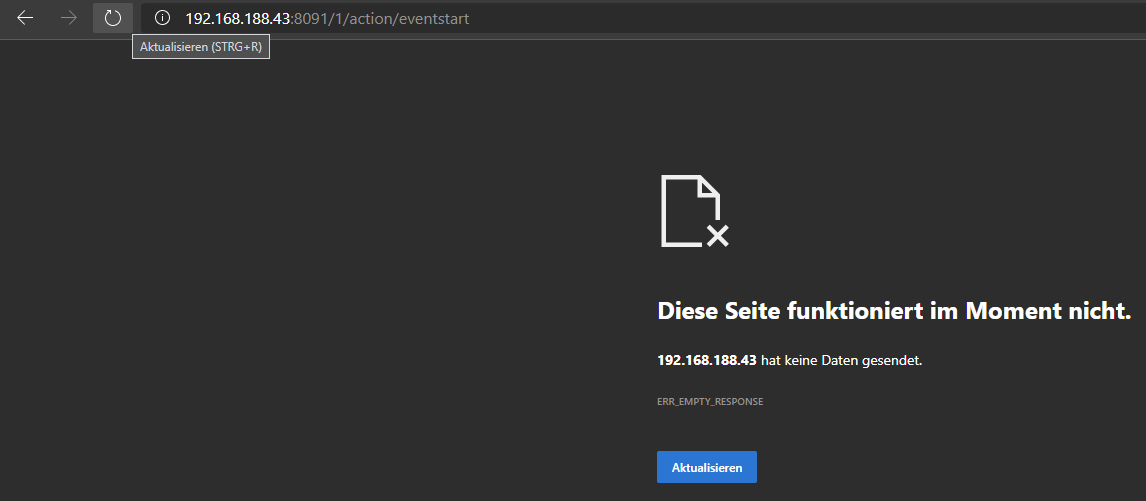
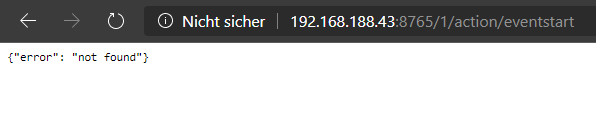
                    @el_malto

                    Hier die Screenshots:
                    7999.png

                    8080.png

                    8091.png

                    8765.png

                    E 1 Antwort Letzte Antwort
                    0
                    • S smarthome2020

                      @el_malto

                      Hier die Screenshots:
                      7999.png

                      8080.png

                      8091.png

                      8765.png

                      E Offline
                      E Offline
                      el_malto
                      schrieb am zuletzt editiert von
                      #67

                      @smarthome2020 das ist komisch. Also dann nochmal von ganz vorne.
                      Nach welcher Anleitung und auf welchem Gerät mit welcher IP hast du MotionEye installiert?

                      S 1 Antwort Letzte Antwort
                      0
                      • E el_malto

                        @smarthome2020 das ist komisch. Also dann nochmal von ganz vorne.
                        Nach welcher Anleitung und auf welchem Gerät mit welcher IP hast du MotionEye installiert?

                        S Offline
                        S Offline
                        smarthome2020
                        schrieb am zuletzt editiert von smarthome2020
                        #68

                        @el_malto

                        System: RPi 4 4GB Ram
                        Software: Raspbian Buster
                        IP des RPis ist halt die von oben aus den Bildern.

                        Installiert ist nur der ioBroker sowie motionEye

                        Installationsanleitung:

                        1. https://wiki.instar.de/Erweitert/IOBroker_auf_Raspberry_Pi/motionEye/
                        2. https://github.com/ccrisan/motioneye/wiki/Install-On-Raspbian
                          --> motionEye geht ja auch. Stream wird angezeigt etc.
                        E 1 Antwort Letzte Antwort
                        0
                        • S smarthome2020

                          @el_malto

                          System: RPi 4 4GB Ram
                          Software: Raspbian Buster
                          IP des RPis ist halt die von oben aus den Bildern.

                          Installiert ist nur der ioBroker sowie motionEye

                          Installationsanleitung:

                          1. https://wiki.instar.de/Erweitert/IOBroker_auf_Raspberry_Pi/motionEye/
                          2. https://github.com/ccrisan/motioneye/wiki/Install-On-Raspbian
                            --> motionEye geht ja auch. Stream wird angezeigt etc.
                          E Offline
                          E Offline
                          el_malto
                          schrieb am zuletzt editiert von
                          #69

                          @smarthome2020 ok laut Anleitung ist da

                          /etc/motioneye/motioneye.conf
                          

                          deine Config Datei. Guck dir die mal an. Da müsstest du dann

                          webcontrol_localhost off


                          einstellen. Da sind dann ja auch die Ports drin.
                          Poste am besten mal den Inhalt der Datei.

                          S 1 Antwort Letzte Antwort
                          0
                          • E el_malto

                            @smarthome2020 ok laut Anleitung ist da

                            /etc/motioneye/motioneye.conf
                            

                            deine Config Datei. Guck dir die mal an. Da müsstest du dann

                            webcontrol_localhost off


                            einstellen. Da sind dann ja auch die Ports drin.
                            Poste am besten mal den Inhalt der Datei.

                            S Offline
                            S Offline
                            smarthome2020
                            schrieb am zuletzt editiert von
                            #70

                            @el_malto
                            geht.png

                            Woran lag es? "http://" musste davor.
                            Nun steht das wenigstens im Browser. Nur wird kein Video aufgenommen. Der Zielordner bleibt ohne neues Video.

                            E 1 Antwort Letzte Antwort
                            0
                            • S smarthome2020

                              @el_malto
                              geht.png

                              Woran lag es? "http://" musste davor.
                              Nun steht das wenigstens im Browser. Nur wird kein Video aufgenommen. Der Zielordner bleibt ohne neues Video.

                              E Offline
                              E Offline
                              el_malto
                              schrieb am zuletzt editiert von
                              #71

                              @smarthome2020 haha ok, dachte das wäre klar:sweat_smile:
                              Egal, probier mal aus ob du ein Video aus den Webinterface starten kannst. Oder wenn die Kamera motion erkennt.
                              Wo speicherst du die Videos? Du hattest ja was von Fritz-NAS gesagt? Ist die richtig gemountet?

                              S 1 Antwort Letzte Antwort
                              0
                              • E el_malto

                                @smarthome2020 haha ok, dachte das wäre klar:sweat_smile:
                                Egal, probier mal aus ob du ein Video aus den Webinterface starten kannst. Oder wenn die Kamera motion erkennt.
                                Wo speicherst du die Videos? Du hattest ja was von Fritz-NAS gesagt? Ist die richtig gemountet?

                                S Offline
                                S Offline
                                smarthome2020
                                schrieb am zuletzt editiert von smarthome2020
                                #72

                                @el_malto sagte in Kamera + Bewegungsmelder kombinieren für Gartenüberwachung:

                                @smarthome2020 haha ok, dachte das wäre klar:sweat_smile:

                                Sowas ist mal gar nicht klar ^^ Steht ja auch nicht bei den Beispielen dabei :/
                                Videos werden auf dem Pi aktuell noch gespeichert. Ich mach das alles Schritt für Schritt. Erst die Mauern und dann das Dach :P

                                Und nun verstehe ich die Welt nicht mehr. Hab nichts geändert... Wenn ich nun den Befehl gebe zum Eventstart, dann kommt wieder, dass die Verbindung verweigert wird

                                E 1 Antwort Letzte Antwort
                                0
                                • S smarthome2020

                                  @el_malto sagte in Kamera + Bewegungsmelder kombinieren für Gartenüberwachung:

                                  @smarthome2020 haha ok, dachte das wäre klar:sweat_smile:

                                  Sowas ist mal gar nicht klar ^^ Steht ja auch nicht bei den Beispielen dabei :/
                                  Videos werden auf dem Pi aktuell noch gespeichert. Ich mach das alles Schritt für Schritt. Erst die Mauern und dann das Dach :P

                                  Und nun verstehe ich die Welt nicht mehr. Hab nichts geändert... Wenn ich nun den Befehl gebe zum Eventstart, dann kommt wieder, dass die Verbindung verweigert wird

                                  E Offline
                                  E Offline
                                  el_malto
                                  schrieb am zuletzt editiert von
                                  #73

                                  @smarthome2020 guck mal die Datei an

                                  /etc/motioneye/motioneye.conf
                                  
                                  S 2 Antworten Letzte Antwort
                                  0
                                  • E el_malto

                                    @smarthome2020 guck mal die Datei an

                                    /etc/motioneye/motioneye.conf
                                    
                                    S Offline
                                    S Offline
                                    smarthome2020
                                    schrieb am zuletzt editiert von
                                    #74

                                    @el_malto

                                    
                                    # path to the configuration directory (must be writable by motionEye)
                                    conf_path /etc/motioneye
                                    
                                    # path to the directory where pid files go (must be writable by motionEye)
                                    run_path /var/run
                                    
                                    # path to the directory where log files go (must be writable by motionEye)
                                    log_path /var/log
                                    
                                    # default output path for media files (must be writable by motionEye)
                                    media_path /var/lib/motioneye
                                    
                                    # the log level (use quiet, error, warning, info or debug)
                                    log_level info
                                    
                                    # the IP address to listen on
                                    # (0.0.0.0 for all interfaces, 127.0.0.1 for localhost)
                                    listen 0.0.0.0
                                    
                                    # the TCP port to listen on
                                    port 8765
                                    
                                    # path to the motion binary to use (automatically detected if commented)
                                    #motion_binary /usr/bin/motion
                                    
                                    # whether motion HTTP control interface listens on
                                    # localhost or on all interfaces
                                    motion_control_localhost true
                                    
                                    # the TCP port that motion HTTP control interface listens on
                                    motion_control_port 7999
                                    
                                    # interval in seconds at which motionEye checks if motion is running
                                    motion_check_interval 10
                                    
                                    # whether to restart the motion daemon when an error occurs while communicating with it
                                    motion_restart_on_errors false
                                    
                                    # interval in seconds at which motionEye checks the SMB mounts
                                    mount_check_interval 300
                                    
                                    # interval in seconds at which the janitor is called
                                    # to remove old pictures and movies
                                    cleanup_interval 43200
                                    
                                    # timeout in seconds to wait for response from a remote motionEye server
                                    remote_request_timeout 10
                                    
                                    # timeout in seconds to wait for mjpg data from the motion daemon
                                    mjpg_client_timeout 10
                                    
                                    # timeout in seconds after which an idle mjpg client is removed
                                    # (set to 0 to disable)
                                    mjpg_client_idle_timeout 10
                                    
                                    # enable SMB shares (requires motionEye to run as root) 
                                    smb_shares false
                                    
                                    # the directory where the SMB mount points will be created
                                    smb_mount_root /media
                                    
                                    # path to the wpa_supplicant.conf file
                                    # (enable this to configure wifi settings from the UI)
                                    #wpa_supplicant_conf /etc/wpa_supplicant.conf
                                    
                                    # path to the localtime file
                                    # (enable this to configure the system time zone from the UI)
                                    #local_time_file /etc/localtime
                                    
                                    # enables shutdown and rebooting after changing system settings
                                    # (such as wifi settings or time zone)
                                    enable_reboot false
                                    
                                    # timeout in seconds to use when talking to the SMTP server
                                    smtp_timeout 60
                                    
                                    # timeout in seconds to wait for media files list
                                    list_media_timeout 120
                                    
                                    # timeout in seconds to wait for media files list, when sending emails
                                    list_media_timeout_email 10
                                    
                                    # timeout in seconds to wait for zip file creation
                                    zip_timeout 500
                                    
                                    # timeout in seconds to wait for timelapse creation
                                    timelapse_timeout 500
                                    
                                    # enable adding and removing cameras from UI
                                    add_remove_cameras true
                                    
                                    # enables HTTP basic authentication scheme (in addition to, not instead of the signature mechanism)
                                    http_basic_auth false
                                    
                                    # overrides the hostname (useful if motionEye runs behind a reverse proxy)
                                    # server_name motionEye
                                    
                                    
                                    1 Antwort Letzte Antwort
                                    0
                                    • E el_malto

                                      @smarthome2020 guck mal die Datei an

                                      /etc/motioneye/motioneye.conf
                                      
                                      S Offline
                                      S Offline
                                      smarthome2020
                                      schrieb am zuletzt editiert von smarthome2020
                                      #75

                                      @el_malto Dann geht es auf einmal wieder. Ich änder nichts an der Konfiguration und plötzlich geht der HTTP-Befehl wieder.
                                      Konstant ist das ja nicht gerade :D
                                      Er nimmt nun auch auf. Der Stream ist nur sehr bescheiden. Also die Framerate ist mies.

                                      E 1 Antwort Letzte Antwort
                                      0
                                      • S smarthome2020

                                        @el_malto Dann geht es auf einmal wieder. Ich änder nichts an der Konfiguration und plötzlich geht der HTTP-Befehl wieder.
                                        Konstant ist das ja nicht gerade :D
                                        Er nimmt nun auch auf. Der Stream ist nur sehr bescheiden. Also die Framerate ist mies.

                                        E Offline
                                        E Offline
                                        el_malto
                                        schrieb am zuletzt editiert von
                                        #76

                                        @smarthome2020

                                        # whether motion HTTP control interface listens on
                                        # localhost or on all interfaces
                                        motion_control_localhost true
                                        

                                        zu

                                        # whether motion HTTP control interface listens on
                                        # localhost or on all interfaces
                                        motion_control_localhost false
                                        

                                        ändern.

                                        S 1 Antwort Letzte Antwort
                                        0
                                        • E el_malto

                                          @smarthome2020

                                          # whether motion HTTP control interface listens on
                                          # localhost or on all interfaces
                                          motion_control_localhost true
                                          

                                          zu

                                          # whether motion HTTP control interface listens on
                                          # localhost or on all interfaces
                                          motion_control_localhost false
                                          

                                          ändern.

                                          S Offline
                                          S Offline
                                          smarthome2020
                                          schrieb am zuletzt editiert von smarthome2020
                                          #77

                                          @el_malto
                                          Hab ich geändert.
                                          Verzögerung vom Video ist ja ok. Nur die fps sind schon sehr schlecht. Auch ein hochstellen bringt nix.
                                          Oder muss die Kamera an sich auch konfiguriert werden (da gibts auch ne App für vom Hersteller)
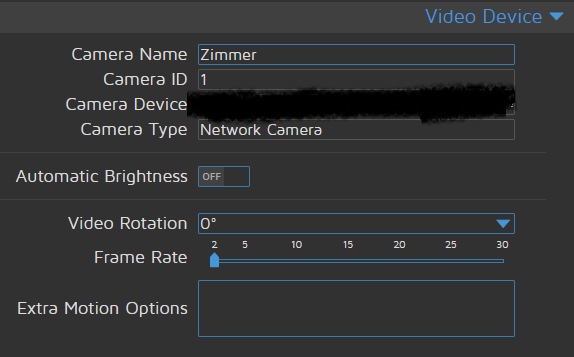
                                          E 1 Antwort Letzte Antwort
                                          0
                                          Antworten
                                          • In einem neuen Thema antworten
                                          Anmelden zum Antworten
                                          • Älteste zuerst
                                          • Neuste zuerst
                                          • Meiste Stimmen


                                          Support us

                                          ioBroker
                                          Community Adapters
                                          Donate

                                          485

                                          Online

                                          32.5k

                                          Benutzer

                                          81.7k

                                          Themen

                                          1.3m

                                          Beiträge
                                          Community
                                          Impressum | Datenschutz-Bestimmungen | Nutzungsbedingungen | Einwilligungseinstellungen
                                          ioBroker Community 2014-2025
                                          logo
                                          • Anmelden

                                          • Du hast noch kein Konto? Registrieren

                                          • Anmelden oder registrieren, um zu suchen
                                          • Erster Beitrag
                                            Letzter Beitrag
                                          0
                                          • Home
                                          • Aktuell
                                          • Tags
                                          • Ungelesen 0
                                          • Kategorien
                                          • Unreplied
                                          • Beliebt
                                          • GitHub
                                          • Docu
                                          • Hilfe