




Test Adapter smartfriends v2.0.x Latest
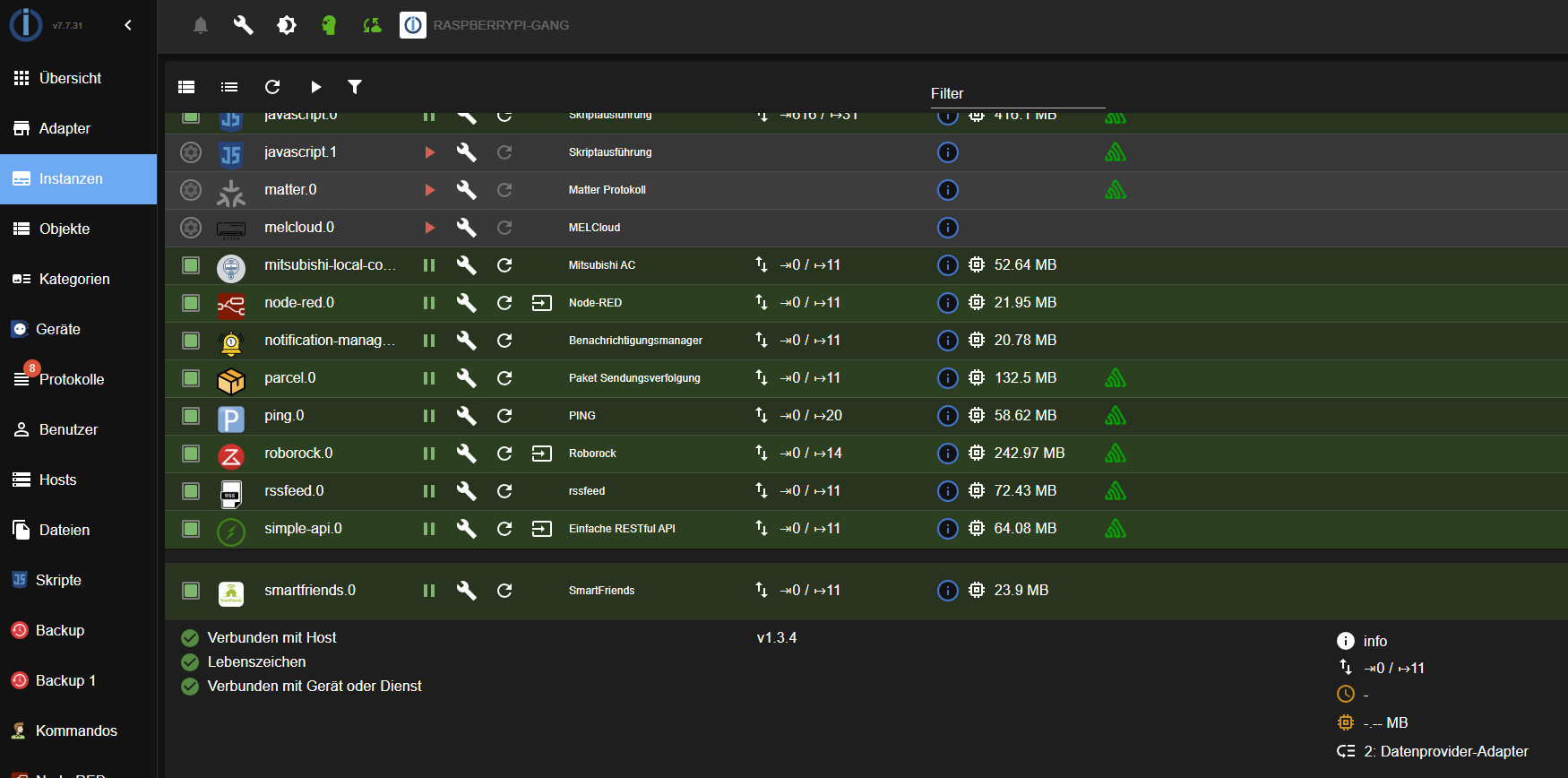
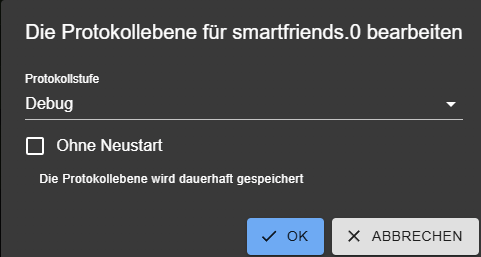
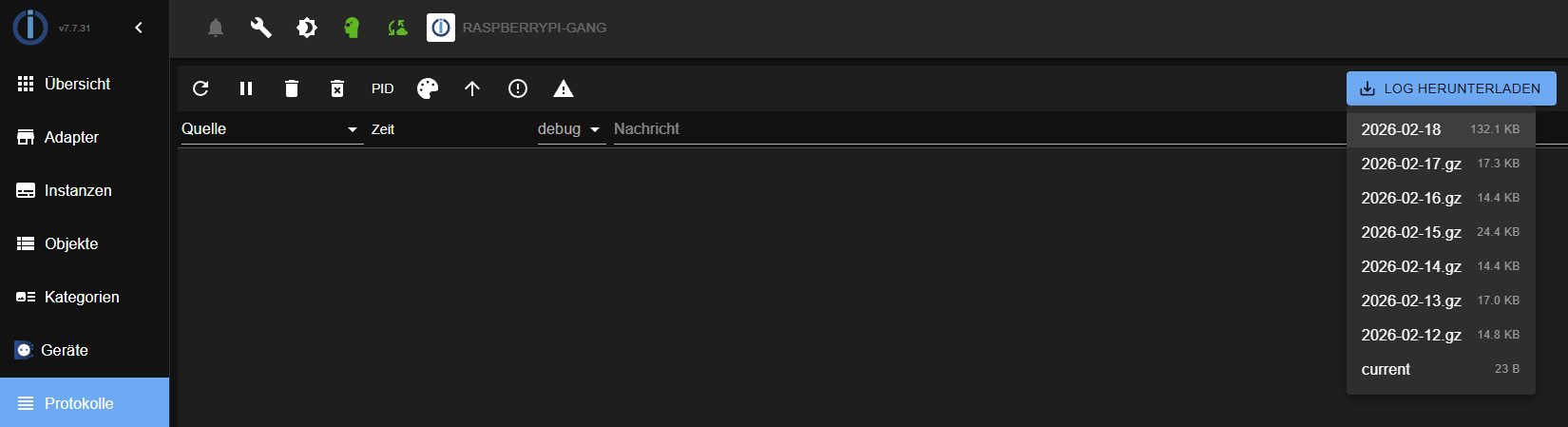
-
@Black-Thunder
Die Daten fließen auf jeden Fall nur in eine Richtung, von der Box zum Thermostat.
Eine Ist-Abfrage findet augenscheinlich statt, denn wenn ich die Temp. manuell am Thermostat ändere, erfolgt in der App keinerlei Änderung der angezeigten Werte...zu 1.
2026-02-07 20:05:08.556 - debug: smartfriends.0 (36596) Sending command with method: keepalive
2026-02-07 20:05:08.557 - debug: smartfriends.0 (36596) Send JSON: {"command":"keepalive","timeout":5000}
2026-02-07 20:05:13.557 - debug: smartfriends.0 (36596) Sending command with method: keepalive
2026-02-07 20:05:13.558 - debug: smartfriends.0 (36596) Send JSON: {"command":"keepalive","timeout":5000}
2026-02-07 20:05:18.558 - debug: smartfriends.0 (36596) Sending command with method: keepalive
2026-02-07 20:05:18.560 - debug: smartfriends.0 (36596) Send JSON: {"command":"keepalive","timeout":5000}
2026-02-07 20:05:23.560 - debug: smartfriends.0 (36596) Sending command with method: keepalive
2026-02-07 20:05:23.561 - debug: smartfriends.0 (36596) Send JSON: {"command":"keepalive","timeout":5000}
2026-02-07 20:05:28.568 - debug: smartfriends.0 (36596) Sending command with method: keepalive
2026-02-07 20:05:28.569 - debug: smartfriends.0 (36596) Send JSON: {"command":"keepalive","timeout":5000}
2026-02-07 20:05:28.623 - debug: smartfriends.0 (36596) Control triggered: device=5238, command=24 (state=smartfriends.0.devices.7833.5238.control.targetTemperature)
2026-02-07 20:05:28.624 - debug: smartfriends.0 (36596) Sending value '24' to device 5238...
2026-02-07 20:05:28.624 - debug: smartfriends.0 (36596) Send and receive JSON (timeout: 5000ms): {"command":"setDeviceValue","timeout":5000,"deviceID":"5238","value":24,"sessionID":"MMvOCnz4BoCVKLW03YeD"}
2026-02-07 20:05:28.640 - debug: smartfriends.0 (36596) Received data: { "response" : { }, "responseCode" : 1, "responseMessage" : "success" }
2026-02-07 20:05:28.640 - debug: smartfriends.0 (36596) Message received: success (code: 1)
2026-02-07 20:05:28.653 - info: smartfriends.0 (36596) State value to set for "smartfriends.0.devices.7833.5238.control.targetTemperature" has to be type "number" but received type "boolean"
2026-02-07 20:05:31.492 - debug: smartfriends.0 (36596) Received data: { "currentTimestamp" : 20260207200531, "response" : { "counter" : 5201, "debugName" : "Funk-Thermostat Doppelfenster:${SchellenbergHeatingThermostat}", "deviceID" : 5238, "masterDeviceID" : 7833, "value" : 24.000, "valueTarget" : 24.000, "valueTimestamp" : 20260207200531 }, "responseCode" : 2, "responseMessage" : "newDeviceValue" }
2026-02-07 20:05:31.492 - debug: smartfriends.0 (36596) Message received: newDeviceValue (code: 2)
2026-02-07 20:05:31.493 - debug: smartfriends.0 (36596) Updated timestamp to Sat Mar 07 2026 20:05:31 GMT+0100 (Mitteleuropäische Normalzeit)
2026-02-07 20:05:31.493 - debug: smartfriends.0 (36596) Device value update: deviceID=5238, value=24
2026-02-07 20:05:31.503 - debug: smartfriends.0 (36596) Device 5238: Updated targetTemperature = 24
2026-02-07 20:05:33.570 - debug: smartfriends.0 (36596) Sending command with method: keepalive
2026-02-07 20:05:33.571 - debug: smartfriends.0 (36596) Send JSON: {"command":"keepalive","timeout":5000}
2026-02-07 20:05:38.572 - debug: smartfriends.0 (36596) Sending command with method: keepalive
2026-02-07 20:05:38.572 - debug: smartfriends.0 (36596) Send JSON: {"command":"keepalive","timeout":5000}
2026-02-07 20:05:43.573 - debug: smartfriends.0 (36596) Sending command with method: keepalive
2026-02-07 20:05:43.573 - debug: smartfriends.0 (36596) Send JSON: {"command":"keepalive","timeout":5000}
2026-02-07 20:05:48.574 - debug: smartfriends.0 (36596) Sending command with method: keepalive
2026-02-07 20:05:48.575 - debug: smartfriends.0 (36596) Send JSON: {"command":"keepalive","timeout":5000}
2026-02-07 20:05:53.574 - debug: smartfriends.0 (36596) Sending command with method: keepalive
2026-02-07 20:05:53.575 - debug: smartfriends.0 (36596) Send JSON: {"command":"keepalive","timeout":5000}
2026-02-07 20:05:58.576 - debug: smartfriends.0 (36596) Sending command with method: keepalive
2026-02-07 20:05:58.576 - debug: smartfriends.0 (36596) Send JSON: {"command":"keepalive","timeout":5000}
2026-02-07 20:06:03.577 - debug: smartfriends.0 (36596) Sending command with method: keepalive
2026-02-07 20:06:03.577 - debug: smartfriends.0 (36596) Send JSON: {"command":"keepalive","timeout":5000}
2026-02-07 20:06:08.578 - debug: smartfriends.0 (36596) Sending command with method: keepalive
2026-02-07 20:06:08.579 - debug: smartfriends.0 (36596) Send JSON: {"command":"keepalive","timeout":5000}
2026-02-07 20:06:13.579 - debug: smartfriends.0 (36596) Sending command with method: keepalive
2026-02-07 20:06:13.579 - debug: smartfriends.0 (36596) Send JSON: {"command":"keepalive","timeout":5000}
2026-02-07 20:06:18.580 - debug: smartfriends.0 (36596) Sending command with method: keepalive
2026-02-07 20:06:18.581 - debug: smartfriends.0 (36596) Send JSON: {"command":"keepalive","timeout":5000}
2026-02-07 20:06:23.580 - debug: smartfriends.0 (36596) Sending command with method: keepalive
2026-02-07 20:06:23.581 - debug: smartfriends.0 (36596) Send JSON: {"command":"keepalive","timeout":5000}
2026-02-07 20:06:26.480 - debug: smartfriends.0 (36596) Received data: { "currentTimestamp" : 20260207200626, "response" : { "counter" : 5202, "debugName" : "Funk-Thermostat Doppelfenster:${SchellenbergHeatingThermostat}", "deviceID" : 5238, "masterDeviceID" : 7833, "value" : 22.000, "valueTarget" : 22.000, "valueTimestamp" : 20260207200626 }, "responseCode" : 2, "responseMessage" : "newDeviceValue" }
2026-02-07 20:06:26.480 - debug: smartfriends.0 (36596) Message received: newDeviceValue (code: 2)
2026-02-07 20:06:26.480 - debug: smartfriends.0 (36596) Updated timestamp to Sat Mar 07 2026 20:06:26 GMT+0100 (Mitteleuropäische Normalzeit)
2026-02-07 20:06:26.481 - debug: smartfriends.0 (36596) Device value update: deviceID=5238, value=22
2026-02-07 20:06:26.494 - debug: smartfriends.0 (36596) Device 5238: Updated targetTemperature = 22
2026-02-07 20:06:28.581 - debug: smartfriends.0 (36596) Sending command with method: keepalive
2026-02-07 20:06:28.581 - debug: smartfriends.0 (36596) Send JSON: {"command":"keepalive","timeout":5000}
2026-02-07 20:06:30.576 - debug: smartfriends.0 (36596) Received data: { "currentTimestamp" : 20260207200630, "response" : { "counter" : 270942, "debugName" : "Multisensor SHBW10000:${Temperature}", "deviceID" : 8082, "masterDeviceID" : 12827, "normValue" : 18.400, "value" : 18.400, "valueTimestamp" : 20260207200630 }, "responseCode" : 2, "responseMessage" : "newDeviceValue" }
2026-02-07 20:06:30.577 - debug: smartfriends.0 (36596) Message received: newDeviceValue (code: 2)
2026-02-07 20:06:30.577 - debug: smartfriends.0 (36596) Updated timestamp to Sat Mar 07 2026 20:06:30 GMT+0100 (Mitteleuropäische Normalzeit)
2026-02-07 20:06:30.577 - debug: smartfriends.0 (36596) Device value update: deviceID=8082, value=18.4
2026-02-07 20:06:30.589 - debug: smartfriends.0 (36596) Device 8082: Updated thermometer = 18.4
2026-02-07 20:06:33.581 - debug: smartfriends.0 (36596) Sending command with method: keepalive
2026-02-07 20:06:33.582 - debug: smartfriends.0 (36596) Send JSON: {"command":"keepalive","timeout":5000}
2026-02-07 20:06:38.582 - debug: smartfriends.0 (36596) Sending command with method: keepalive
2026-02-07 20:06:38.583 - debug: smartfriends.0 (36596) Send JSON: {"command":"keepalive","timeout":5000}
2026-02-07 20:06:43.583 - debug: smartfriends.0 (36596) Sending command with method: keepalive
2026-02-07 20:06:43.584 - debug: smartfriends.0 (36596) Send JSON: {"command":"keepalive","timeout":5000}
zu 2.
2026-02-07 20:05:08.556 - debug: smartfriends.0 (36596) Sending command with method: keepalive 2026-02-07 20:05:08.557 - debug: smartfriends.0 (36596) Send JSON: {"command":"keepalive","timeout":5000} 2026-02-07 20:05:13.557 - debug: smartfriends.0 (36596) Sending command with method: keepalive 2026-02-07 20:05:13.558 - debug: smartfriends.0 (36596) Send JSON: {"command":"keepalive","timeout":5000} 2026-02-07 20:05:18.558 - debug: smartfriends.0 (36596) Sending command with method: keepalive 2026-02-07 20:05:18.560 - debug: smartfriends.0 (36596) Send JSON: {"command":"keepalive","timeout":5000} 2026-02-07 20:05:23.560 - debug: smartfriends.0 (36596) Sending command with method: keepalive 2026-02-07 20:05:23.561 - debug: smartfriends.0 (36596) Send JSON: {"command":"keepalive","timeout":5000} 2026-02-07 20:05:28.568 - debug: smartfriends.0 (36596) Sending command with method: keepalive 2026-02-07 20:05:28.569 - debug: smartfriends.0 (36596) Send JSON: {"command":"keepalive","timeout":5000} 2026-02-07 20:05:28.623 - debug: smartfriends.0 (36596) Control triggered: device=5238, command=24 (state=smartfriends.0.devices.7833.5238.control.targetTemperature) 2026-02-07 20:05:28.624 - debug: smartfriends.0 (36596) Sending value '24' to device 5238... 2026-02-07 20:05:28.624 - debug: smartfriends.0 (36596) Send and receive JSON (timeout: 5000ms): {"command":"setDeviceValue","timeout":5000,"deviceID":"5238","value":24,"sessionID":"MMvOCnz4BoCVKLW03YeD"} 2026-02-07 20:05:28.640 - debug: smartfriends.0 (36596) Received data: { "response" : { }, "responseCode" : 1, "responseMessage" : "success" } 2026-02-07 20:05:28.640 - debug: smartfriends.0 (36596) Message received: success (code: 1) 2026-02-07 20:05:28.653 - info: smartfriends.0 (36596) State value to set for "smartfriends.0.devices.7833.5238.control.targetTemperature" has to be type "number" but received type "boolean" 2026-02-07 20:05:31.492 - debug: smartfriends.0 (36596) Received data: { "currentTimestamp" : 20260207200531, "response" : { "counter" : 5201, "debugName" : "Funk-Thermostat Doppelfenster:${SchellenbergHeatingThermostat}", "deviceID" : 5238, "masterDeviceID" : 7833, "value" : 24.000, "valueTarget" : 24.000, "valueTimestamp" : 20260207200531 }, "responseCode" : 2, "responseMessage" : "newDeviceValue" } 2026-02-07 20:05:31.492 - debug: smartfriends.0 (36596) Message received: newDeviceValue (code: 2) 2026-02-07 20:05:31.493 - debug: smartfriends.0 (36596) Updated timestamp to Sat Mar 07 2026 20:05:31 GMT+0100 (Mitteleuropäische Normalzeit) 2026-02-07 20:05:31.493 - debug: smartfriends.0 (36596) Device value update: deviceID=5238, value=24 2026-02-07 20:05:31.503 - debug: smartfriends.0 (36596) Device 5238: Updated targetTemperature = 24 2026-02-07 20:05:33.570 - debug: smartfriends.0 (36596) Sending command with method: keepalive 2026-02-07 20:05:33.571 - debug: smartfriends.0 (36596) Send JSON: {"command":"keepalive","timeout":5000} 2026-02-07 20:05:38.572 - debug: smartfriends.0 (36596) Sending command with method: keepalive 2026-02-07 20:05:38.572 - debug: smartfriends.0 (36596) Send JSON: {"command":"keepalive","timeout":5000} 2026-02-07 20:05:43.573 - debug: smartfriends.0 (36596) Sending command with method: keepalive 2026-02-07 20:05:43.573 - debug: smartfriends.0 (36596) Send JSON: {"command":"keepalive","timeout":5000} 2026-02-07 20:05:48.574 - debug: smartfriends.0 (36596) Sending command with method: keepalive 2026-02-07 20:05:48.575 - debug: smartfriends.0 (36596) Send JSON: {"command":"keepalive","timeout":5000} 2026-02-07 20:05:53.574 - debug: smartfriends.0 (36596) Sending command with method: keepalive 2026-02-07 20:05:53.575 - debug: smartfriends.0 (36596) Send JSON: {"command":"keepalive","timeout":5000} 2026-02-07 20:05:58.576 - debug: smartfriends.0 (36596) Sending command with method: keepalive 2026-02-07 20:05:58.576 - debug: smartfriends.0 (36596) Send JSON: {"command":"keepalive","timeout":5000} 2026-02-07 20:06:03.577 - debug: smartfriends.0 (36596) Sending command with method: keepalive 2026-02-07 20:06:03.577 - debug: smartfriends.0 (36596) Send JSON: {"command":"keepalive","timeout":5000} 2026-02-07 20:06:08.578 - debug: smartfriends.0 (36596) Sending command with method: keepalive 2026-02-07 20:06:08.579 - debug: smartfriends.0 (36596) Send JSON: {"command":"keepalive","timeout":5000} 2026-02-07 20:06:13.579 - debug: smartfriends.0 (36596) Sending command with method: keepalive 2026-02-07 20:06:13.579 - debug: smartfriends.0 (36596) Send JSON: {"command":"keepalive","timeout":5000} 2026-02-07 20:06:18.580 - debug: smartfriends.0 (36596) Sending command with method: keepalive 2026-02-07 20:06:18.581 - debug: smartfriends.0 (36596) Send JSON: {"command":"keepalive","timeout":5000} 2026-02-07 20:06:23.580 - debug: smartfriends.0 (36596) Sending command with method: keepalive 2026-02-07 20:06:23.581 - debug: smartfriends.0 (36596) Send JSON: {"command":"keepalive","timeout":5000} 2026-02-07 20:06:26.480 - debug: smartfriends.0 (36596) Received data: { "currentTimestamp" : 20260207200626, "response" : { "counter" : 5202, "debugName" : "Funk-Thermostat Doppelfenster:${SchellenbergHeatingThermostat}", "deviceID" : 5238, "masterDeviceID" : 7833, "value" : 22.000, "valueTarget" : 22.000, "valueTimestamp" : 20260207200626 }, "responseCode" : 2, "responseMessage" : "newDeviceValue" } 2026-02-07 20:06:26.480 - debug: smartfriends.0 (36596) Message received: newDeviceValue (code: 2) 2026-02-07 20:06:26.480 - debug: smartfriends.0 (36596) Updated timestamp to Sat Mar 07 2026 20:06:26 GMT+0100 (Mitteleuropäische Normalzeit) 2026-02-07 20:06:26.481 - debug: smartfriends.0 (36596) Device value update: deviceID=5238, value=22 2026-02-07 20:06:26.494 - debug: smartfriends.0 (36596) Device 5238: Updated targetTemperature = 22 2026-02-07 20:06:28.581 - debug: smartfriends.0 (36596) Sending command with method: keepalive 2026-02-07 20:06:28.581 - debug: smartfriends.0 (36596) Send JSON: {"command":"keepalive","timeout":5000} 2026-02-07 20:06:30.576 - debug: smartfriends.0 (36596) Received data: { "currentTimestamp" : 20260207200630, "response" : { "counter" : 270942, "debugName" : "Multisensor SHBW10000:${Temperature}", "deviceID" : 8082, "masterDeviceID" : 12827, "normValue" : 18.400, "value" : 18.400, "valueTimestamp" : 20260207200630 }, "responseCode" : 2, "responseMessage" : "newDeviceValue" } 2026-02-07 20:06:30.577 - debug: smartfriends.0 (36596) Message received: newDeviceValue (code: 2) 2026-02-07 20:06:30.577 - debug: smartfriends.0 (36596) Updated timestamp to Sat Mar 07 2026 20:06:30 GMT+0100 (Mitteleuropäische Normalzeit) 2026-02-07 20:06:30.577 - debug: smartfriends.0 (36596) Device value update: deviceID=8082, value=18.4 2026-02-07 20:06:30.589 - debug: smartfriends.0 (36596) Device 8082: Updated thermometer = 18.4 2026-02-07 20:06:33.581 - debug: smartfriends.0 (36596) Sending command with method: keepalive 2026-02-07 20:06:33.582 - debug: smartfriends.0 (36596) Send JSON: {"command":"keepalive","timeout":5000} 2026-02-07 20:06:38.582 - debug: smartfriends.0 (36596) Sending command with method: keepalive 2026-02-07 20:06:38.583 - debug: smartfriends.0 (36596) Send JSON: {"command":"keepalive","timeout":5000} 2026-02-07 20:06:43.583 - debug: smartfriends.0 (36596) Sending command with method: keepalive 2026-02-07 20:06:43.584 - debug: smartfriends.0 (36596) Send JSON: {"command":"keepalive","timeout":5000} 2026-02-07 20:06:48.584 - debug: smartfriends.0 (36596) Sending command with method: keepalive 2026-02-07 20:06:48.585 - debug: smartfriends.0 (36596) Send JSON: {"command":"keepalive","timeout":5000} 2026-02-07 20:06:53.584 - debug: smartfriends.0 (36596) Sending command with method: keepalive 2026-02-07 20:06:53.585 - debug: smartfriends.0 (36596) Send JSON: {"command":"keepalive","timeout":5000} 2026-02-07 20:06:58.585 - debug: smartfriends.0 (36596) Sending command with method: keepalive 2026-02-07 20:06:58.585 - debug: smartfriends.0 (36596) Send JSON: {"command":"keepalive","timeout":5000} 2026-02-07 20:07:03.585 - debug: smartfriends.0 (36596) Sending command with method: keepalive 2026-02-07 20:07:03.585 - debug: smartfriends.0 (36596) Send JSON: {"command":"keepalive","timeout":5000} 2026-02-07 20:07:08.586 - debug: smartfriends.0 (36596) Sending command with method: keepalive 2026-02-07 20:07:08.586 - debug: smartfriends.0 (36596) Send JSON: {"command":"keepalive","timeout":5000} 2026-02-07 20:07:13.591 - debug: smartfriends.0 (36596) Sending command with method: keepalive 2026-02-07 20:07:13.592 - debug: smartfriends.0 (36596) Send JSON: {"command":"keepalive","timeout":5000} 2026-02-07 20:07:18.593 - debug: smartfriends.0 (36596) Sending command with method: keepalive 2026-02-07 20:07:18.594 - debug: smartfriends.0 (36596) Send JSON: {"command":"keepalive","timeout":5000} 2026-02-07 20:07:23.594 - debug: smartfriends.0 (36596) Sending command with method: keepalive 2026-02-07 20:07:23.595 - debug: smartfriends.0 (36596) Send JSON: {"command":"keepalive","timeout":5000} 2026-02-07 20:07:28.595 - debug: smartfriends.0 (36596) Sending command with method: keepalive 2026-02-07 20:07:28.596 - debug: smartfriends.0 (36596) Send JSON: {"command":"keepalive","timeout":5000} 2026-02-07 20:07:30.584 - debug: smartfriends.0 (36596) Received data: { "currentTimestamp" : 20260207200730, "response" : { "counter" : 270943, "debugName" : "Multisensor SHBW10000:${Temperature}", "deviceID" : 8082, "masterDeviceID" : 12827, "normValue" : 18.300, "value" : 18.300, "valueTimestamp" : 20260207200730 }, "responseCode" : 2, "responseMessage" : "newDeviceValue" } 2026-02-07 20:07:30.586 - debug: smartfriends.0 (36596) Message received: newDeviceValue (code: 2) 2026-02-07 20:07:30.587 - debug: smartfriends.0 (36596) Updated timestamp to Sat Mar 07 2026 20:07:30 GMT+0100 (Mitteleuropäische Normalzeit) 2026-02-07 20:07:30.587 - debug: smartfriends.0 (36596) Device value update: deviceID=8082, value=18.3 2026-02-07 20:07:30.628 - debug: smartfriends.0 (36596) Device 8082: Updated thermometer = 18.3 2026-02-07 20:07:33.601 - debug: smartfriends.0 (36596) Sending command with method: keepalive 2026-02-07 20:07:33.601 - debug: smartfriends.0 (36596) Send JSON: {"command":"keepalive","timeout":5000} 2026-02-07 20:07:38.602 - debug: smartfriends.0 (36596) Sending command with method: keepalive 2026-02-07 20:07:38.602 - debug: smartfriends.0 (36596) Send JSON: {"command":"keepalive","timeout":5000} 2026-02-07 20:07:43.604 - debug: smartfriends.0 (36596) Sending command with method: keepalive 2026-02-07 20:07:43.604 - debug: smartfriends.0 (36596) Send JSON: {"command":"keepalive","timeout":5000} 2026-02-07 20:07:48.604 - debug: smartfriends.0 (36596) Sending command with method: keepalive 2026-02-07 20:07:48.604 - debug: smartfriends.0 (36596) Send JSON: {"command":"keepalive","timeout":5000} 2026-02-07 20:07:53.606 - debug: smartfriends.0 (36596) Sending command with method: keepalive 2026-02-07 20:07:53.606 - debug: smartfriends.0 (36596) Send JSON: {"command":"keepalive","timeout":5000} 2026-02-07 20:07:55.773 - debug: smartfriends.0 (36596) Received data: { "error" : { "message" : "Connection timed out", "responseCode" : 87 } } 2026-02-07 20:07:55.773 - debug: smartfriends.0 (36596) Message received: Connection timed out (code: 87) 2026-02-07 20:07:55.776 - debug: smartfriends.0 (36596) Received data: { "currentTimestamp" : 20260207200755, "response" : { "remoteHomeActivated" : true, "remoteHomeStatus" : "notConnected" }, "responseCode" : 1, "responseMessage" : "success" } 2026-02-07 20:07:55.777 - debug: smartfriends.0 (36596) Message received: success (code: 1) 2026-02-07 20:07:55.777 - debug: smartfriends.0 (36596) Updated timestamp to Sat Mar 07 2026 20:07:55 GMT+0100 (Mitteleuropäische Normalzeit) 2026-02-07 20:07:55.778 - debug: smartfriends.0 (36596) Received data: { "response" : { "type" : "error" }, "responseCode" : 15, "responseMessage" : "Die Smart Friends Box kann sich mit dem RemoteHome Server nicht verbinden.\n\n\u00dcberpr\u00fcfen Sie bitte, ob die Smart Friends Box mit dem Internet verbunden ist." } 2026-02-07 20:07:55.779 - debug: smartfriends.0 (36596) Message received: Die Smart Friends Box kann sich mit dem RemoteHome Server nicht verbinden. Überprüfen Sie bitte, ob die Smart Friends Box mit dem Internet verbunden ist. (code: 15) 2026-02-07 20:07:58.608 - debug: smartfriends.0 (36596) Sending command with method: keepalive 2026-02-07 20:07:58.609 - debug: smartfriends.0 (36596) Send JSON: {"command":"keepalive","timeout":5000} 2026-02-07 20:08:03.609 - debug: smartfriends.0 (36596) Sending command with method: keepalive 2026-02-07 20:08:03.609 - debug: smartfriends.0 (36596) Send JSON: {"command":"keepalive","timeout":5000} 2026-02-07 20:08:08.611 - debug: smartfriends.0 (36596) Sending command with method: keepalive 2026-02-07 20:08:08.612 - debug: smartfriends.0 (36596) Send JSON: {"command":"keepalive","timeout":5000} 2026-02-07 20:08:13.611 - debug: smartfriends.0 (36596) Sending command with method: keepalive 2026-02-07 20:08:13.612 - debug: smartfriends.0 (36596) Send JSON: {"command":"keepalive","timeout":5000} 2026-02-07 20:08:18.224 - debug: smartfriends.0 (36596) Received data: { "currentTimestamp" : 20260207200818, "response" : { "id" : 23860, "roomID" : 23860, "temperatureControl" : { "setTemperature" : 24.000 } }, "responseCode" : 2, "responseMessage" : "newRoomInfo" } 2026-02-07 20:08:18.225 - debug: smartfriends.0 (36596) Message received: newRoomInfo (code: 2) 2026-02-07 20:08:18.612 - debug: smartfriends.0 (36596) Sending command with method: keepalive 2026-02-07 20:08:18.612 - debug: smartfriends.0 (36596) Send JSON: {"command":"keepalive","timeout":5000} 2026-02-07 20:08:20.962 - debug: smartfriends.0 (36596) Received data: { "currentTimestamp" : 20260207200821, "response" : { "counter" : 5203, "debugName" : "Funk-Thermostat Doppelfenster:${SchellenbergHeatingThermostat}", "deviceID" : 5238, "masterDeviceID" : 7833, "value" : 24.000, "valueTarget" : 24.000, "valueTimestamp" : 20260207200821 }, "responseCode" : 2, "responseMessage" : "newDeviceValue" } 2026-02-07 20:08:20.963 - debug: smartfriends.0 (36596) Message received: newDeviceValue (code: 2) 2026-02-07 20:08:20.963 - debug: smartfriends.0 (36596) Updated timestamp to Sat Mar 07 2026 20:08:21 GMT+0100 (Mitteleuropäische Normalzeit) 2026-02-07 20:08:20.963 - debug: smartfriends.0 (36596) Device value update: deviceID=5238, value=24 2026-02-07 20:08:20.975 - debug: smartfriends.0 (36596) Device 5238: Updated targetTemperature = 24 2026-02-07 20:08:23.614 - debug: smartfriends.0 (36596) Sending command with method: keepalive 2026-02-07 20:08:23.614 - debug: smartfriends.0 (36596) Send JSON: {"command":"keepalive","timeout":5000} 2026-02-07 20:08:24.238 - debug: smartfriends.0 (36596) Received data: { "currentTimestamp" : 20260207200824, "response" : { "counter" : 5009, "debugName" : "Funk-Thermostat Terrassent\u00fcr:${RssiDevice}", "deviceID" : 3814, "masterDeviceID" : 3067, "value" : 3, "valueTimestamp" : 20260207200824 }, "responseCode" : 2, "responseMessage" : "newDeviceValue" } 2026-02-07 20:08:24.239 - debug: smartfriends.0 (36596) Message received: newDeviceValue (code: 2) 2026-02-07 20:08:24.240 - debug: smartfriends.0 (36596) Updated timestamp to Sat Mar 07 2026 20:08:24 GMT+0100 (Mitteleuropäische Normalzeit) 2026-02-07 20:08:24.241 - debug: smartfriends.0 (36596) Device value update: deviceID=3814, value=3 2026-02-07 20:08:24.246 - debug: smartfriends.0 (36596) Received data: { "currentTimestamp" : 20260207200824, "response" : { "counter" : 5099, "debugName" : "Funk-Thermostat Terrassent\u00fcr:${SchellenbergHeatingThermostat}", "deviceID" : 17939, "masterDeviceID" : 3067, "value" : 24.000, "valueTarget" : 24.000, "valueTimestamp" : 20260207200824 }, "responseCode" : 2, "responseMessage" : "newDeviceValue" } 2026-02-07 20:08:24.246 - debug: smartfriends.0 (36596) Message received: newDeviceValue (code: 2) 2026-02-07 20:08:24.246 - debug: smartfriends.0 (36596) Updated timestamp to Sat Mar 07 2026 20:08:24 GMT+0100 (Mitteleuropäische Normalzeit) 2026-02-07 20:08:24.246 - debug: smartfriends.0 (36596) Device value update: deviceID=17939, value=24 2026-02-07 20:08:24.263 - debug: smartfriends.0 (36596) Device 3814: Updated rssi = 3 2026-02-07 20:08:24.302 - debug: smartfriends.0 (36596) Device 17939: Updated targetTemperature = 24 2026-02-07 20:08:28.615 - debug: smartfriends.0 (36596) Sending command with method: keepalive 2026-02-07 20:08:28.616 - debug: smartfriends.0 (36596) Send JSON: {"command":"keepalive","timeout":5000} 2026-02-07 20:08:33.617 - debug: smartfriends.0 (36596) Sending command with method: keepalive 2026-02-07 20:08:33.618 - debug: smartfriends.0 (36596) Send JSON: {"command":"keepalive","timeout":5000} 2026-02-07 20:08:34.478 - debug: smartfriends.0 (36596) Received data: { "currentTimestamp" : 20260207200834, "response" : { "id" : 23860, "roomID" : 23860, "temperatureControl" : { "setTemperature" : 22.000 } }, "responseCode" : 2, "responseMessage" : "newRoomInfo" } 2026-02-07 20:08:34.479 - debug: smartfriends.0 (36596) Message received: newRoomInfo (code: 2) 2026-02-07 20:08:37.244 - debug: smartfriends.0 (36596) Received data: { "currentTimestamp" : 20260207200837, "response" : { "counter" : 4696, "debugName" : "Funk-Thermostat Doppelfenster:${RssiDevice}", "deviceID" : 12255, "masterDeviceID" : 7833, "value" : 3, "valueTimestamp" : 20260207200837 }, "responseCode" : 2, "responseMessage" : "newDeviceValue" } 2026-02-07 20:08:37.244 - debug: smartfriends.0 (36596) Message received: newDeviceValue (code: 2) 2026-02-07 20:08:37.244 - debug: smartfriends.0 (36596) Updated timestamp to Sat Mar 07 2026 20:08:37 GMT+0100 (Mitteleuropäische Normalzeit) 2026-02-07 20:08:37.244 - debug: smartfriends.0 (36596) Device value update: deviceID=12255, value=3 2026-02-07 20:08:37.252 - debug: smartfriends.0 (36596) Received data: { "currentTimestamp" : 20260207200837, "response" : { "counter" : 5204, "debugName" : "Funk-Thermostat Doppelfenster:${SchellenbergHeatingThermostat}", "deviceID" : 5238, "masterDeviceID" : 7833, "value" : 22.000, "valueTarget" : 22.000, "valueTimestamp" : 20260207200837 }, "responseCode" : 2, "responseMessage" : "newDeviceValue" } 2026-02-07 20:08:37.252 - debug: smartfriends.0 (36596) Message received: newDeviceValue (code: 2) 2026-02-07 20:08:37.253 - debug: smartfriends.0 (36596) Updated timestamp to Sat Mar 07 2026 20:08:37 GMT+0100 (Mitteleuropäische Normalzeit) 2026-02-07 20:08:37.253 - debug: smartfriends.0 (36596) Device value update: deviceID=5238, value=22 2026-02-07 20:08:37.300 - debug: smartfriends.0 (36596) Device 12255: Updated rssi = 3 2026-02-07 20:08:37.343 - debug: smartfriends.0 (36596) Device 5238: Updated targetTemperature = 22 2026-02-07 20:08:38.618 - debug: smartfriends.0 (36596) Sending command with method: keepalive 2026-02-07 20:08:38.619 - debug: smartfriends.0 (36596) Send JSON: {"command":"keepalive","timeout":5000} 2026-02-07 20:08:40.520 - debug: smartfriends.0 (36596) Received data: { "currentTimestamp" : 20260207200840, "response" : { "counter" : 5100, "debugName" : "Funk-Thermostat Terrassent\u00fcr:${SchellenbergHeatingThermostat}", "deviceID" : 17939, "masterDeviceID" : 3067, "value" : 22.000, "valueTarget" : 22.000, "valueTimestamp" : 20260207200840 }, "responseCode" : 2, "responseMessage" : "newDeviceValue" } 2026-02-07 20:08:40.520 - debug: smartfriends.0 (36596) Message received: newDeviceValue (code: 2) 2026-02-07 20:08:40.520 - debug: smartfriends.0 (36596) Updated timestamp to Sat Mar 07 2026 20:08:40 GMT+0100 (Mitteleuropäische Normalzeit) 2026-02-07 20:08:40.520 - debug: smartfriends.0 (36596) Device value update: deviceID=17939, value=22 2026-02-07 20:08:40.545 - debug: smartfriends.0 (36596) Device 17939: Updated targetTemperature = 22 2026-02-07 20:08:43.621 - debug: smartfriends.0 (36596) Sending command with method: keepalive 2026-02-07 20:08:43.621 - debug: smartfriends.0 (36596) Send JSON: {"command":"keepalive","timeout":5000}@wak Danke für die Logs, die sind sehr aufschlussreich 👍
Man sieht darin recht eindeutig die Ursache:
Die führende Regelgröße ist die Raum-Solltemperatur, die von der Box über
newRoomInfo → temperatureControl.setTemperature verteilt wird, z. B.:2026-02-07 20:08:34.478 - debug: smartfriends.0 (36596) Received data: { "response": { "roomID": 23860, "temperatureControl": { "setTemperature": 22.000 } }, "responseMessage": "newRoomInfo" }Wird ein Thermostat direkt angesteuert, akzeptiert die Box den Wert zwar kurzzeitig, setzt ihn aber kurze Zeit später wieder auf den aktuellen Raumwert zurück. Genau das sieht man im Log.
Der Adapter unterstützt aktuell nur eine Steuerung auf Geräteebene, nicht auf Raumebene ("newRoomInfo" wird bisher ignoriert). Deshalb lässt sich dieses Verhalten im Moment leider nicht umgehen.
Ob und wie sich eine saubere Raum-Solltemperatur-Steuerung im Adapter nachrüsten lässt, muss ich mir erst noch genauer anschauen – dazu kann ich aktuell noch nichts versprechen.
-
@wak Danke für die Logs, die sind sehr aufschlussreich 👍
Man sieht darin recht eindeutig die Ursache:
Die führende Regelgröße ist die Raum-Solltemperatur, die von der Box über
newRoomInfo → temperatureControl.setTemperature verteilt wird, z. B.:2026-02-07 20:08:34.478 - debug: smartfriends.0 (36596) Received data: { "response": { "roomID": 23860, "temperatureControl": { "setTemperature": 22.000 } }, "responseMessage": "newRoomInfo" }Wird ein Thermostat direkt angesteuert, akzeptiert die Box den Wert zwar kurzzeitig, setzt ihn aber kurze Zeit später wieder auf den aktuellen Raumwert zurück. Genau das sieht man im Log.
Der Adapter unterstützt aktuell nur eine Steuerung auf Geräteebene, nicht auf Raumebene ("newRoomInfo" wird bisher ignoriert). Deshalb lässt sich dieses Verhalten im Moment leider nicht umgehen.
Ob und wie sich eine saubere Raum-Solltemperatur-Steuerung im Adapter nachrüsten lässt, muss ich mir erst noch genauer anschauen – dazu kann ich aktuell noch nichts versprechen.
@Black-Thunder
Trotzdem danke für die Mühe und ich unterstütze auch gerne bei "Feldversuchen". 👍 -
Hallo Black Thunder,
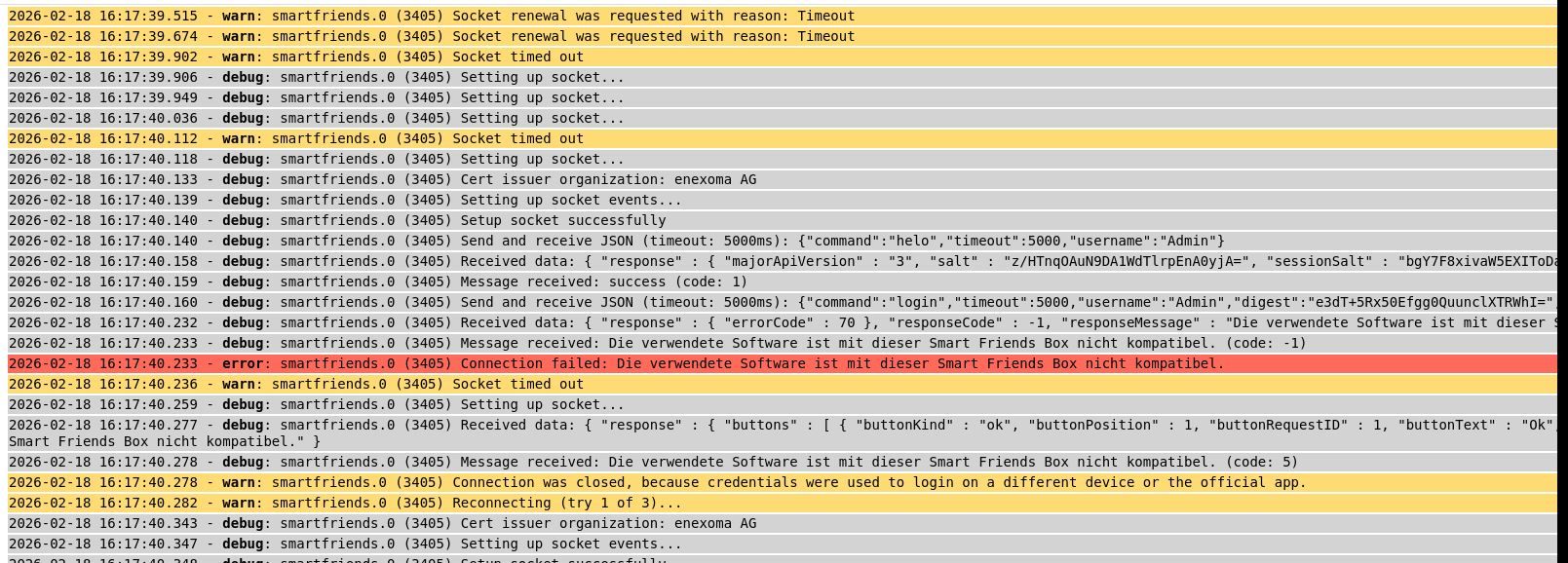
ich habe versucht diesen Adapter auch für mich zu nutzen. Habe alles wie in der Anleitung umgesetzt, aber Leider bekomme ich immer die Meldung, dass der Adapter nicht mit der Box kompatibel ist.
Da ich ein Neueinsteiger in diesem Bereich bin, denke ich mir das da eventuell nur eine Kleinigkeit fehlt.
Version der Box entspricht der in der Anleitung, Passwort und Benutzer passen auch. Verbunden mit Host grün, Lebenszeichen grün. Nur Gerät oder Dienst ist rot. Version des Adapter ist 1.3.4.
Vielleicht könnten Sie mich bei der Lösung unterstützen. -
Hallo Black Thunder,
ich habe versucht diesen Adapter auch für mich zu nutzen. Habe alles wie in der Anleitung umgesetzt, aber Leider bekomme ich immer die Meldung, dass der Adapter nicht mit der Box kompatibel ist.
Da ich ein Neueinsteiger in diesem Bereich bin, denke ich mir das da eventuell nur eine Kleinigkeit fehlt.
Version der Box entspricht der in der Anleitung, Passwort und Benutzer passen auch. Verbunden mit Host grün, Lebenszeichen grün. Nur Gerät oder Dienst ist rot. Version des Adapter ist 1.3.4.
Vielleicht könnten Sie mich bei der Lösung unterstützen. -
@monster Bitte Logs nicht als Bild hier posten, da fehlen etliche Informationen.
Ich brauche das gesamte Log ab Adapterstart (die Zeilen ab "smartfriends.0 starting. Version 1.3.4....") mit vollständigem Inhalt, also gern als einfache Textdatei hier anhängen.Und welche Box/Hardware verwendest du denn genau? Handelt es sich um die alte Smart Friends Box oder die neuere Smart Friends Box 2.0? Mit der Letzteren wird es sowieso nicht funktionieren.
-
-
@monster
Jaein. Ein Log bettet man als Text in Code-Tags </> (oben im Menü) im Text ein und hängt es nicht als Textdatei an. -
@monster Danke fürs Log, jetzt passt es.
Bist du dir sicher, dass die IP der Box korrekt ist (192.168.2.145)? Kannst du dich mit der offiziellen App verbinden oder scheitert das auch?
Ansonsten ist mir diese Meldung so auch noch nicht untergekommen. Es scheint so, als ob die Firmware auf deiner Box relativ alt ist und mit der "neuen" Version des Protokolls seitens des Adapters nicht harmoniert. Mir würden da spontan zwei Lösungsansätze einfallen:
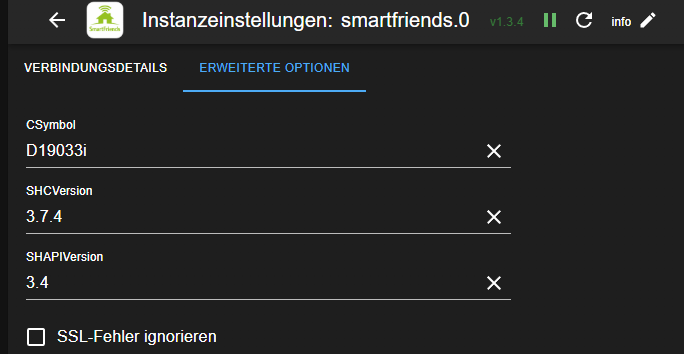
1 . Versuch einfach mal in den Adaptereinstellungen unter Erweiterte Optionen die Versionsnummern für SHCVersion und SHAPIVersion runter zu setzen. Speziell für SHAPIVersion einfach kleinere Werte ausprobieren (z.B. 3.3 oder 2.13).
- Wenn das nicht hilft, könnte ich dir eine Version des Adapters bereitstellen, die versucht diese Meldungen zu ignorieren. Eventuell geht es ja trotzdem, aber das halte ich eher für unwahrscheinlich.
-
Mit der offiziellen App gibt es keine Probleme. Verbindet sich und Steuert auch. Die IP 192.168.2.145 ist vom Master. Die IP 192.168.2.179 ist vom Client. Wofür auch immer die gebraucht wird. Wenn ich in der App unter Informationen die SHCVersion nachschaue ist die 3.7.4 und die SHAPIVersion 3.4. Die Firmware ist V 1.4x
-
Mit der offiziellen App gibt es keine Probleme. Verbindet sich und Steuert auch. Die IP 192.168.2.145 ist vom Master. Die IP 192.168.2.179 ist vom Client. Wofür auch immer die gebraucht wird. Wenn ich in der App unter Informationen die SHCVersion nachschaue ist die 3.7.4 und die SHAPIVersion 3.4. Die Firmware ist V 1.4x
@monster Ok, wenn die App funktioniert und dort auch dieselben Versionen angezeigt werden wie im Adapter, dann wundert es mich umso mehr, warum es nicht funktionieren sollte.
Aber was mir gerade beim nochmaligen Anschauen deines Logs auffällt, ist das hier:
2026-02-18 16:12:20.653 - debug: smartfriends.0 (3297) IP: 192.168.2.145 - Port: 4300 - CSymbol: D19033 - SHCVersion: 3.74 - SHAPIVersion: 3.4Prüfe bitte mal in den Adaptereinstellungen, ob für SHCVersion "3.74" oder "3.7.4" eingetragen ist. Man beachte den fehlenden Punkt, es muss "3.7.4" sein. 😉
-
ich habe den Fehler in der Versionsnummer korrigiert und auch mit anderen versionsnummen probiert. Leider kein erfolg. immer das selbe Problem. Trotzdem Danke fuer deine Unterstuetzung.
Vielleicht gibt es ja noch jemandem mit dem selben Problem und hat eine Loesung gefunden. -
ich habe den Fehler in der Versionsnummer korrigiert und auch mit anderen versionsnummen probiert. Leider kein erfolg. immer das selbe Problem. Trotzdem Danke fuer deine Unterstuetzung.
Vielleicht gibt es ja noch jemandem mit dem selben Problem und hat eine Loesung gefunden.@monster Das Einzige, was mir jetzt noch zusätzlich auffällt, ist dein konfiguriertes "CSymbol". Standardmäßig lautet das "D19033i", also mit angehängtem "i".
Hast du das schon einmal versucht bzw. warum hast du das abgeändert? -
ich habe den Fehler in der Versionsnummer korrigiert und auch mit anderen versionsnummen probiert. Leider kein erfolg. immer das selbe Problem. Trotzdem Danke fuer deine Unterstuetzung.
Vielleicht gibt es ja noch jemandem mit dem selben Problem und hat eine Loesung gefunden.@monster Ich konnte deine Fehlersituation wirklich nachstellen, indem ich bei mir auch das "i" am Ende des CSymbol entfernt habe. Es sollte also bei dir auch funktionieren, wenn du das "i" wieder anhängst und die SHCVersion und die SHAPIVersion ebenfalls auf den Standardwerten belässt.
In der kommenden Version des Adapters wird es zusätzlich eine Prüfung auf diese Konstellation samt einem entsprechenden Eintrag im Log geben.
EDIT: Jetzt als v1.3.5 im latest mit zusätzlichen Validierungen an der Oberfläche verfügbar.
-
Hallo BlackThunder,
ich habe folgendes Problem. Dein Adapter funktioniert soweit ganz hervorragend, aber irgendwann kommt folgender Fehler:
"smartmeter.0 (815774) ERROR ON HTTP REQUEST: : Error: Parse Error: Invalid character in Content-Length" (s. auch Log-Datei)
Smartfriend-Box ist die alte, und ich habe die Version 1.3.4 installiert.Nach einem Restart des Adapters läuft wieder alles, bis zur nächsten Fehlermeldung.
-
Hallo BlackThunder;
leider habe ich mich beim Kopieren versehen! Die Fehlermeldung lautet:
2026-02-23 10:15:01.907 - warn: smartfriends.0 (3103449) Socket ended
2026-02-23 10:15:01.914 - error: smartfriends.0 (3103449) Error in sendDeviceCommand: undefined
Sorry nochmal.


Hey! Du scheinst an dieser Unterhaltung interessiert zu sein, hast aber noch kein Konto.
Hast du es satt, bei jedem Besuch durch die gleichen Beiträge zu scrollen? Wenn du dich für ein Konto anmeldest, kommst du immer genau dorthin zurück, wo du zuvor warst, und kannst dich über neue Antworten benachrichtigen lassen (entweder per E-Mail oder Push-Benachrichtigung). Du kannst auch Lesezeichen speichern und Beiträge positiv bewerten, um anderen Community-Mitgliedern deine Wertschätzung zu zeigen.
Mit deinem Input könnte dieser Beitrag noch besser werden 💗
Registrieren AnmeldenSupport us
421
Online33.0k
Benutzer83.6k
Themen1.3m
Beiträge