




SONOFF NSPanel mit Lovelace UI (TypeScript Version)
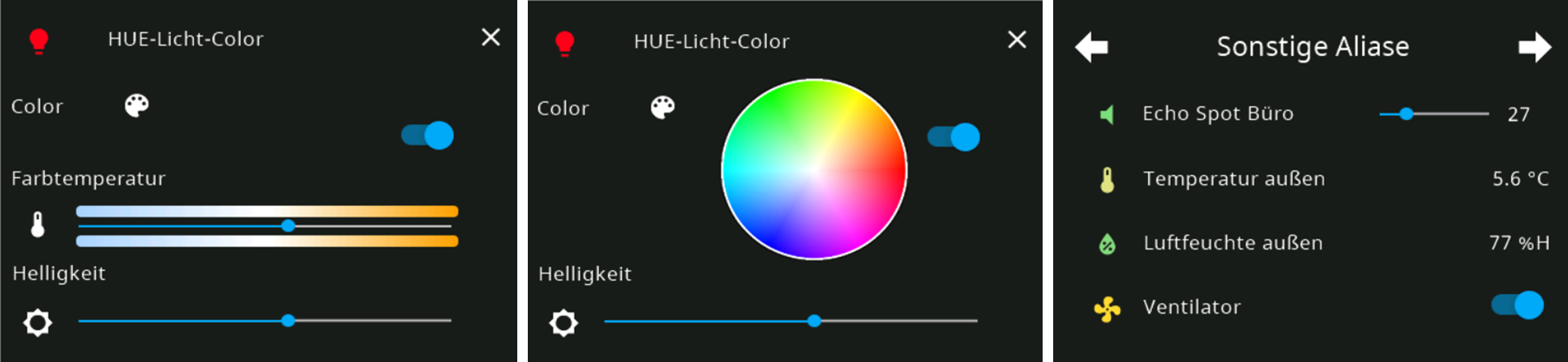
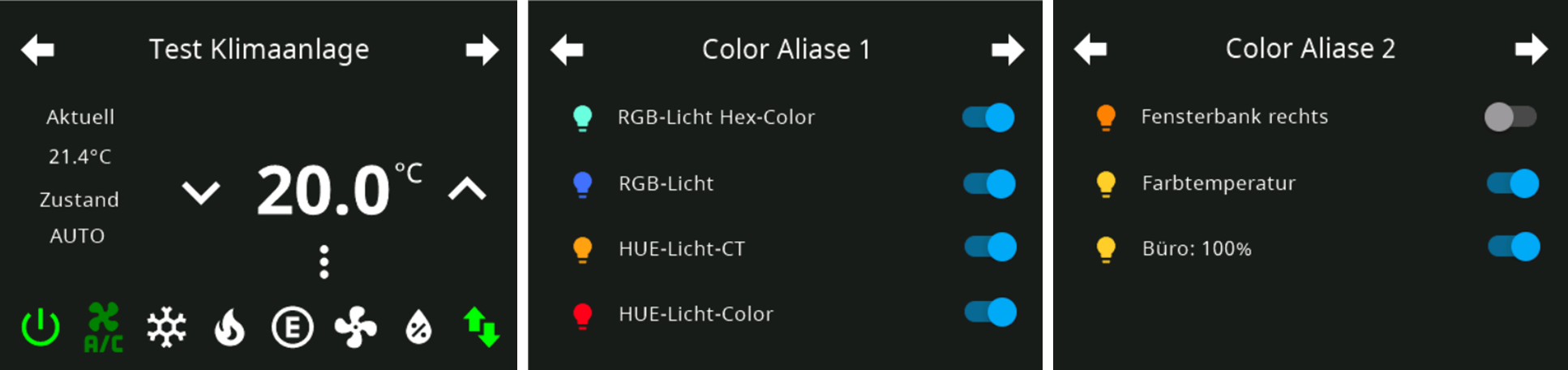
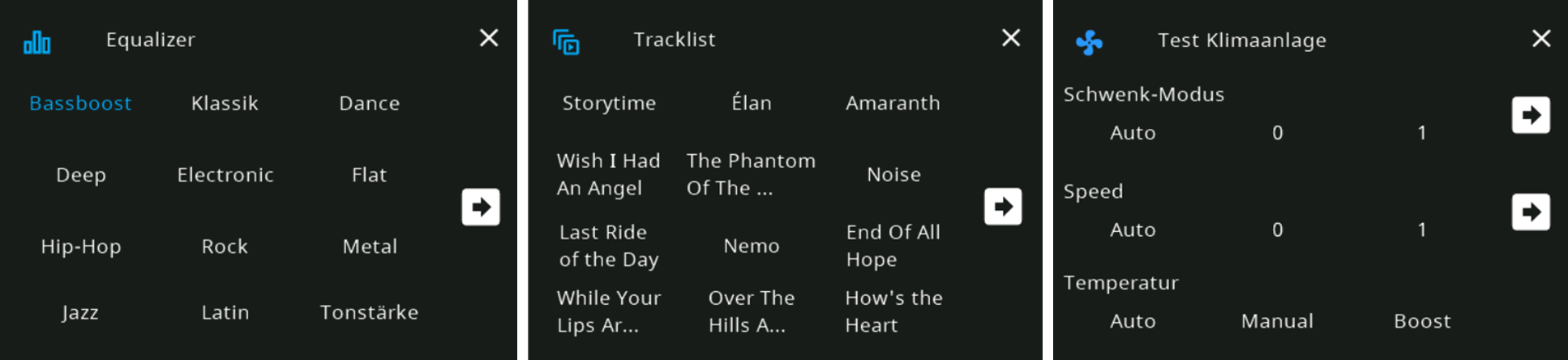
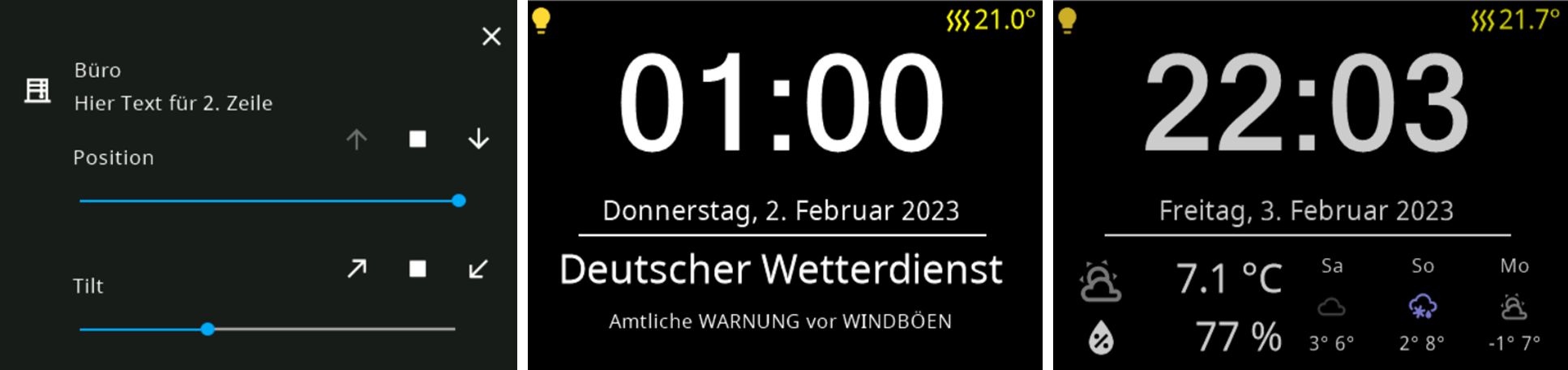
-
Seit dem 30.07.2025 gibt es keine Probleme mehr... Wir haben darauf das NSPanel-Skript an die neuesten Restriktionen von nodeJS, TypeScript und JavaScript-Adapter angepasst.
Wenn du also das aktuelle NSPanelTs.ts installierst, dann wird es laufen.
Bin im Moment bei:
nodeJS: v22.21.0
JS-Controller: v7.1.0
JS-Adapter: v9.0.13Damit funktioniert ebenfalls alles...
-
@TT-Tom sagte in SONOFF NSPanel mit Lovelace UI:
Läuft bei mir unter der selben Konfiguration.
Vielen Dank an euch beiden. Update des ts scripts von nspanel und es geht wieder.
Übrigens ist mit Tasmota 15.2.0 auch wieder ein FlashNextion möglich...
-
Hallo zusammen, da ich gerade eine ziemliche Odyssee hinter mir habe, möchte ich meine Erfahrungen beim Upgrade kurz teilen. Ich kam von einer recht alten Skript Version (v4.3.3.43) und unterschiedlichen Tasmota Ständen (15.0.1, 15.1.0, 15.2.0) und insgesamt 5 Panels. Eins habe ich neu aufgesetzt, weshalb ich auf die aktuelste TS Script Version gewechselt bin und alle anderen nachziehen wollte. Daher musste das neuste TFT Update drauf.
Beim Flashen hatte ich das Problem, dass der TFT Flashvorgang bei 85 % gestartet ist und dann nicht die richtige Version aufgespielt war. Am Ende bin ich zu folgendem Workaround gekommen:1. http://ota.tasmota.com/tasmota32/release-15.0.1/tasmota32-nspanel.bin 2. Backlog UrlFetch https://raw.githubusercontent.com/joBr99/nspanel-lovelace-ui/main/tasmota/autoexec.be; Restart 1 3. FlashNextion http://nspanel.pky.eu/lui-us-p-release.tft 4. Dateien Löschen (autoexec.be und persistant.json 5. Backlog UrlFetch https://raw.githubusercontent.com/joBr99/nspanel-lovelace-ui/main/tasmota/autoexec.be; Restart 1 6. FlashNextion http://nspanel.pky.eu/lui-release.tftEventuell hilft es dem ein oder anderen.
-
Hallo zusammen, da ich gerade eine ziemliche Odyssee hinter mir habe, möchte ich meine Erfahrungen beim Upgrade kurz teilen. Ich kam von einer recht alten Skript Version (v4.3.3.43) und unterschiedlichen Tasmota Ständen (15.0.1, 15.1.0, 15.2.0) und insgesamt 5 Panels. Eins habe ich neu aufgesetzt, weshalb ich auf die aktuelste TS Script Version gewechselt bin und alle anderen nachziehen wollte. Daher musste das neuste TFT Update drauf.
Beim Flashen hatte ich das Problem, dass der TFT Flashvorgang bei 85 % gestartet ist und dann nicht die richtige Version aufgespielt war. Am Ende bin ich zu folgendem Workaround gekommen:1. http://ota.tasmota.com/tasmota32/release-15.0.1/tasmota32-nspanel.bin 2. Backlog UrlFetch https://raw.githubusercontent.com/joBr99/nspanel-lovelace-ui/main/tasmota/autoexec.be; Restart 1 3. FlashNextion http://nspanel.pky.eu/lui-us-p-release.tft 4. Dateien Löschen (autoexec.be und persistant.json 5. Backlog UrlFetch https://raw.githubusercontent.com/joBr99/nspanel-lovelace-ui/main/tasmota/autoexec.be; Restart 1 6. FlashNextion http://nspanel.pky.eu/lui-release.tftEventuell hilft es dem ein oder anderen.
ist nicht unser Repo, sondern für Home Assistant (HA) bei Version 4.7.4 / 39 stehengeblieben. Das die Tasmota 15.1.0 einen Bug hatte war ja soweit bekannt.
FlashNextion http://nspanel.pky.eu/lui-us-p-release.tftUnser Repo ( 5.1.1 / 61 auch für die us-p) findest du wie aktuell auch im Skript-Header angegeben unter:
FlashNextion http://nspanel.de/nspanel-us-p-v5.1.1.tftDa stehen auch die restlichen Infos wie der neueste Berry-Driver:
Backlog UrlFetch https://raw.githubusercontent.com/ticaki/ioBroker.nspanel-lovelace-ui/refs/heads/main/tasmota/berry/10/autoexec.be; Restart 1oder die weiteren Versionen:
Install/Upgrades in Konsole:

    Tasmota BerryDriver Install: Backlog UrlFetch https://raw.githubusercontent.com/ticaki/ioBroker.nspanel-lovelace-ui/refs/heads/main/tasmota/berry/10/autoexec.be; Restart 1
    Tasmota BerryDriver Update:  Backlog UpdateDriverVersion https://raw.githubusercontent.com/ticaki/ioBroker.nspanel-lovelace-ui/refs/heads/main/tasmota/berry/10/autoexec.be; Restart 1

	TFT EU STABLE Version:       FlashNextionAdv0 http://nspanel.de/nspanel-v5.1.1.tft

    TFT US-L STABLE Version:     FlashNextionAdv0 http://nspanel.de/nspanel-us-l-v5.1.1.tft
    TFT US-P STABLE Version:     FlashNextionAdv0 http://nspanel.de/nspanel-us-p-v5.1.1.tft
wahrscheilich liegt es daran... Also wenn du das von oben installiert hast, dann ist wohl lediglich die NSPanelTs.ts aktuell...
LG
-
Wie kann ich nochmal per Script/Datenpunkt auf eine gewisse Seite schalten? Finde den Punkt auch nach Suche nicht per Google oder auf der Github Seite. Danke
-
Wie kann ich nochmal per Script/Datenpunkt auf eine gewisse Seite schalten? Finde den Punkt auch nach Suche nicht per Google oder auf der Github Seite. Danke
Du kannst diesen Datenpunkt nutzen
0_userdata.0.NSPanel.PageNavi
Du musst Typ und id angeben -
Du kannst diesen Datenpunkt nutzen
0_userdata.0.NSPanel.PageNavi
Du musst Typ und id angeben@TT-Tom sagte in SONOFF NSPanel mit Lovelace UI:
Du kannst diesen Datenpunkt nutzen
0_userdata.0.NSPanel.PageNavi
Du musst Typ und id angebenDanke - das war es. :-)
-
Frohe Weihnachten,
ich habe seit dem 24 ein Massives Problem mit meinem NS Panel. Ich wollte eigenlich nur die IPAdresse des Panels wechsels, da ich mein Netzwerk etwas umstruckturiert habe. Seit dem funktioniert mein Panel nicht mehr und ich habe keine Ahnung wieso. Es zeigt immer an "Waitig for Content". Egal was ich auch mache. Ich nutze den IOBroker. Der MQTT Adapter ist verbunden und läuft. Tasmota ist die aktuelle Version 15.2.0 . Skript version TypeScript v5.0.2.1 . Berry Driver 10 . TFT 59. Hat jemand ne Idee was das Problem sein könnte. Ich bekomme keine Fehlermeldung vom Script oder Mqtt Adapter was auf einen Fehler hindeutet. -
Frohe Weihnachten,
ich habe seit dem 24 ein Massives Problem mit meinem NS Panel. Ich wollte eigenlich nur die IPAdresse des Panels wechsels, da ich mein Netzwerk etwas umstruckturiert habe. Seit dem funktioniert mein Panel nicht mehr und ich habe keine Ahnung wieso. Es zeigt immer an "Waitig for Content". Egal was ich auch mache. Ich nutze den IOBroker. Der MQTT Adapter ist verbunden und läuft. Tasmota ist die aktuelle Version 15.2.0 . Skript version TypeScript v5.0.2.1 . Berry Driver 10 . TFT 59. Hat jemand ne Idee was das Problem sein könnte. Ich bekomme keine Fehlermeldung vom Script oder Mqtt Adapter was auf einen Fehler hindeutet.sagte in SONOFF NSPanel mit Lovelace UI:
Frohe Weihnachten,
ich habe seit dem 24 ein Massives Problem mit meinem NS Panel. Ich wollte eigenlich nur die IPAdresse des Panels wechsels, da ich mein Netzwerk etwas umstruckturiert habe. Seit dem funktioniert mein Panel nicht mehr und ich habe keine Ahnung wieso. Es zeigt immer an "Waitig for Content". Egal was ich auch mache. Ich nutze den IOBroker. Der MQTT Adapter ist verbunden und läuft. Tasmota ist die aktuelle Version 15.2.0 . Skript version TypeScript v5.0.2.1 . Berry Driver 10 . TFT 59. HAt jemand ne Idee was das Problem sein könnte.00:00:00.003 HDW: ESP32-D0WD-V3 v3.0 (PSRAM)
00:00:00.052 UFS: FlashFS mounted with 288 kB free
00:00:00.065 CFG: Loaded from File, Count 1101
00:00:00.072 QPC: Count 1
00:00:00.140 BRY: Berry initialized, RAM used 3766 bytes
00:00:00.162 Project tasmota - Tasmota Version 15.2.0(release-nspanel)-3.3.4(2025-12-12T11:01:02)
00:00:00.394 NXP: Initializing Driver
00:00:00.401 BRY: Successfully loaded 'autoexec.be'
00:00:01.296 WIF: Connecting to AP1 Dreamnet Channel 1 BSSId 9C:C7:A6:5C:51:11 in mode HT40 as NSPanel-2488...
00:00:03.955 WIF: Connected
00:00:04.219 HTP: Web server active on NSPanel-2488 with IP address 192.168.2.22
11:12:26.169 MQT: Attempting connection...
11:12:26.214 MQT: TLS connection error: 0
11:12:26.215 MQT: Connect failed to 192.168.0.12:1887, rc -2. Retry in 10 sec
11:12:28.986 QPC: Reset
11:12:38.426 MQT: Attempting connection...
11:12:38.463 MQT: TLS connection error: 0
11:12:38.464 MQT: Connect failed to 192.168.0.12:1887, rc -2. Retry in 20 sec
11:12:59.427 MQT: Attempting connection...
11:12:59.462 MQT: TLS connection error: 0
11:12:59.462 MQT: Connect failed to 192.168.0.12:1887, rc -2. Retry in 30 sec
11:13:21.121 RSL: RESULT = {"POWER2":"ON"}
11:13:21.122 RSL: POWER2 = ON
11:13:21.321 RSL: RESULT = {"POWER2":"OFF"}
11:13:21.322 RSL: POWER2 = OFF
11:13:21.571 RSL: RESULT = {"POWER1":"ON"}
11:13:21.572 RSL: POWER1 = ON
11:13:22.242 RSL: RESULT = {"POWER1":"OFF"}
11:13:22.243 RSL: POWER1 = OFF
11:13:22.774 RSL: RESULT = {"POWER1":"ON"}
11:13:22.775 RSL: POWER1 = ON
11:13:22.824 RSL: RESULT = {"POWER1":"OFF"}
11:13:22.824 RSL: POWER1 = OFF
11:13:23.360 RSL: RESULT = {"POWER1":"ON"}
11:13:23.361 RSL: POWER1 = ON
11:13:23.411 RSL: RESULT = {"POWER1":"OFF"}
11:13:23.412 RSL: POWER1 = OFF
11:13:24.063 RSL: RESULT = {"POWER2":"ON"}
11:13:24.064 RSL: POWER2 = ON
11:13:24.165 RSL: RESULT = {"POWER2":"OFF"}
11:13:24.166 RSL: POWER2 = OFF
11:13:24.263 RSL: RESULT = {"POWER2":"ON"}
11:13:24.264 RSL: POWER2 = ON
11:13:24.312 RSL: RESULT = {"POWER2":"OFF"}
11:13:24.313 RSL: POWER2 = OFF
11:13:24.413 RSL: RESULT = {"POWER2":"ON"}
11:13:24.414 RSL: POWER2 = ON
11:13:24.513 RSL: RESULT = {"POWER2":"OFF"}
11:13:24.514 RSL: POWER2 = OFF
11:13:24.613 RSL: RESULT = {"POWER2":"ON"}
11:13:24.614 RSL: POWER2 = ON
11:13:24.662 RSL: RESULT = {"POWER2":"OFF"}
11:13:24.663 RSL: POWER2 = OFF
11:13:24.712 RSL: RESULT = {"POWER2":"ON"}
11:13:24.713 RSL: POWER2 = ON
11:13:25.186 RSL: RESULT = {"POWER2":"OFF"}
11:13:25.187 RSL: POWER2 = OFF
11:13:25.307 RSL: RESULT = {"POWER1":"ON"}
11:13:25.308 RSL: POWER1 = ON
11:13:25.358 RSL: RESULT = {"POWER1":"OFF"}
11:13:25.359 RSL: POWER1 = OFF
11:13:25.457 RSL: RESULT = {"POWER1":"ON"}
11:13:25.458 RSL: POWER1 = ON
11:13:25.558 RSL: RESULT = {"POWER1":"OFF"}
11:13:25.559 RSL: POWER1 = OFF
11:13:25.607 RSL: RESULT = {"POWER1":"ON"}
11:13:25.608 RSL: POWER1 = ON
11:13:25.707 RSL: RESULT = {"POWER1":"OFF"}
11:13:25.708 RSL: POWER1 = OFF
11:13:25.758 RSL: RESULT = {"POWER1":"ON"}
11:13:25.758 RSL: POWER1 = ON
11:13:26.229 RSL: RESULT = {"POWER1":"OFF"}
11:13:26.230 RSL: POWER1 = OFF
11:13:30.400 MQT: Attempting connection...
11:13:30.432 MQT: TLS connection error: 0
11:13:30.433 MQT: Connect failed to 192.168.0.12:1887, rc -2. Retry in 40 sec
11:14:11.402 MQT: Attempting connection...
11:14:11.431 MQT: TLS connection error: 0
11:14:11.432 MQT: Connect failed to 192.168.0.12:1887, rc -2. Retry in 50 sec
11:15:02.401 MQT: Attempting connection...
11:15:02.439 MQT: TLS connection error: 0
11:15:02.439 MQT: Connect failed to 192.168.0.12:1887, rc -2. Retry in 60 sec
11:16:03.428 MQT: Attempting connection...
11:16:03.459 MQT: TLS connection error: 0
11:16:03.460 MQT: Connect failed to 192.168.0.12:1887, rc -2. Retry in 70 secOk Jetzt sehe ich was los ist. Das Panel hat wohl Probleme auf den IOBroker zuzugreifen. Komischerweise ist der Mqtt Adapter Grün und es kommen auch werte an. Zur info Ich habe eine Subnetzmaske von 255.255.252.0 (Cidr: 22)
-
Ok. MeinFehler. Hatte es versuchsweise in Tasmota aktiviert. Die Ausgabe sieht jetzt anders aus.
-
00:00:00.003 HDW: ESP32-D0WD-V3 v3.0 (PSRAM)
00:00:00.035 UFS: FlashFS mounted with 288 kB free
00:00:00.045 CFG: Loaded from File, Count 1108
00:00:00.052 QPC: Count 1
00:00:00.112 BRY: Berry initialized, RAM used 3766 bytes
00:00:00.132 Project tasmota - Tasmota Version 15.2.0(release-nspanel)-3.3.4(2025-12-12T11:01:02)
00:00:00.330 NXP: Initializing Driver
00:00:00.337 BRY: Successfully loaded 'autoexec.be'
00:00:01.199 WIF: Connecting to AP1 Dreamnet Channel 1 BSSId 9C:C7:A6:5C:51:11 in mode HT40 as NSPanel-2488...
00:00:03.858 WIF: Connected
11:25:40.073 HTP: Web server active on NSPanel-2488 with IP address 192.168.2.22
11:25:41.068 MQT: Attempting connection...
11:25:41.101 MQT: Connected
11:25:41.105 MQT: SmartHome/NSPanel/tele/LWT = Online (retained)
11:25:41.107 MQT: SmartHome/NSPanel/cmnd/POWER =
11:25:41.112 MQT: SmartHome/NSPanel/tele/INFO1 = {"Info1":{"Module":"NSPanel","Version":"15.2.0(release-nspanel)","FallbackTopic":"cmnd/NSPanel_fb/","GroupTopic":"SmartHome/tasmotas/cmnd/"}}
11:25:41.127 MQT: SmartHome/NSPanel/tele/INFO2 = {"Info2":{"WebServerMode":"Admin","Hostname":"NSPanel-2488","IPAddress":"192.168.2.22","IP6Global":"","IP6Local":"fe80::3ee9:eff:fe85:e9b8%st1"}}
11:25:41.156 MQT: SmartHome/NSPanel/tele/INFO3 = {"Info3":{"RestartReason":"Software reset CPU","BootCount":145}}
11:25:41.160 MQT: SmartHome/NSPanel/stat/RESULT = {"POWER1":"OFF"}
11:25:41.172 MQT: SmartHome/NSPanel/stat/POWER1 = OFF
11:25:41.173 MQT: SmartHome/NSPanel/stat/RESULT = {"POWER2":"OFF"}
11:25:41.175 MQT: SmartHome/NSPanel/stat/POWER2 = OFF
11:25:41.458 MQT: SmartHome/NSPanel/stat/RESULT = {"POWER1":"OFF"}
11:25:41.463 MQT: SmartHome/NSPanel/stat/POWER1 = OFF
11:25:41.537 MQT: SmartHome/NSPanel/stat/RESULT = {"CustomSend":"Done"}
11:25:41.559 MQT: SmartHome/NSPanel/stat/RESULT = {"POWER1":"OFF"}
11:25:41.564 MQT: SmartHome/NSPanel/stat/POWER1 = OFF
11:25:41.626 MQT: SmartHome/NSPanel/stat/RESULT = {"CustomSend":"Done"}
11:25:41.658 MQT: SmartHome/NSPanel/stat/RESULT = {"POWER1":"OFF"}
11:25:41.660 MQT: SmartHome/NSPanel/stat/POWER1 = OFF
11:25:41.731 MQT: SmartHome/NSPanel/stat/RESULT = {"CustomSend":"Done"}
11:25:43.285 MQT: SmartHome/NSPanel/stat/RESULT = {"POWER1":"OFF"}
11:25:43.289 MQT: SmartHome/NSPanel/stat/POWER1 = OFF
11:25:43.380 MQT: SmartHome/NSPanel/stat/RESULT = {"CustomSend":"Done"}
11:25:43.953 QPC: Reset
11:25:46.064 MQT: SmartHome/NSPanel/tele/STATE = {"Time":"2025-12-26T11:25:46","Uptime":"0T00:00:10","UptimeSec":10,"Heap":128,"SleepMode":"Dynamic","Sleep":50,"LoadAvg":37,"MqttCount":1,"Berry":{"HeapUsed":16,"Objects":220},"POWER1":"OFF","POWER2":"OFF","Wifi":{"AP":1,"SSId":"Dreamnet","BSSId":"9C:C7:A6:5C:51:11","Channel":1,"Mode":"HT40","RSSI":84,"Signal":-58,"LinkCount":1,"Downtime":"0T00:00:03"},"Hostname":"NSPanel-2488","IPAddress":"192.168.2.22"}
11:25:46.115 MQT: SmartHome/NSPanel/tele/SENSOR = {"Time":"2025-12-26T11:25:46","Switch1":"OFF","Switch2":"OFF","ANALOG":{"Temperature1":-0.2},"TempUnit":"C"}
11:25:59.690 MQT: SmartHome/NSPanel/stat/RESULT = {"CustomSend":"Done"}
11:26:59.695 MQT: SmartHome/NSPanel/stat/RESULT = {"CustomSend":"Done"}
11:27:59.484 MQT: SmartHome/NSPanel/stat/RESULT = {"CustomSend":"Done"}
11:28:59.474 MQT: SmartHome/NSPanel/stat/RESULT = {"CustomSend":"Done"} -
Das letzte Log sieht aus als wenn es jetzt gehen würde.
-
00:00:00.003 HDW: ESP32-D0WD-V3 v3.0 (PSRAM)
00:00:00.035 UFS: FlashFS mounted with 288 kB free
00:00:00.045 CFG: Loaded from File, Count 1108
00:00:00.052 QPC: Count 1
00:00:00.112 BRY: Berry initialized, RAM used 3766 bytes
00:00:00.132 Project tasmota - Tasmota Version 15.2.0(release-nspanel)-3.3.4(2025-12-12T11:01:02)
00:00:00.330 NXP: Initializing Driver
00:00:00.337 BRY: Successfully loaded 'autoexec.be'
00:00:01.199 WIF: Connecting to AP1 Dreamnet Channel 1 BSSId 9C:C7:A6:5C:51:11 in mode HT40 as NSPanel-2488...
00:00:03.858 WIF: Connected
11:25:40.073 HTP: Web server active on NSPanel-2488 with IP address 192.168.2.22
11:25:41.068 MQT: Attempting connection...
11:25:41.101 MQT: Connected
11:25:41.105 MQT: SmartHome/NSPanel/tele/LWT = Online (retained)
11:25:41.107 MQT: SmartHome/NSPanel/cmnd/POWER =
11:25:41.112 MQT: SmartHome/NSPanel/tele/INFO1 = {"Info1":{"Module":"NSPanel","Version":"15.2.0(release-nspanel)","FallbackTopic":"cmnd/NSPanel_fb/","GroupTopic":"SmartHome/tasmotas/cmnd/"}}
11:25:41.127 MQT: SmartHome/NSPanel/tele/INFO2 = {"Info2":{"WebServerMode":"Admin","Hostname":"NSPanel-2488","IPAddress":"192.168.2.22","IP6Global":"","IP6Local":"fe80::3ee9:eff:fe85:e9b8%st1"}}
11:25:41.156 MQT: SmartHome/NSPanel/tele/INFO3 = {"Info3":{"RestartReason":"Software reset CPU","BootCount":145}}
11:25:41.160 MQT: SmartHome/NSPanel/stat/RESULT = {"POWER1":"OFF"}
11:25:41.172 MQT: SmartHome/NSPanel/stat/POWER1 = OFF
11:25:41.173 MQT: SmartHome/NSPanel/stat/RESULT = {"POWER2":"OFF"}
11:25:41.175 MQT: SmartHome/NSPanel/stat/POWER2 = OFF
11:25:41.458 MQT: SmartHome/NSPanel/stat/RESULT = {"POWER1":"OFF"}
11:25:41.463 MQT: SmartHome/NSPanel/stat/POWER1 = OFF
11:25:41.537 MQT: SmartHome/NSPanel/stat/RESULT = {"CustomSend":"Done"}
11:25:41.559 MQT: SmartHome/NSPanel/stat/RESULT = {"POWER1":"OFF"}
11:25:41.564 MQT: SmartHome/NSPanel/stat/POWER1 = OFF
11:25:41.626 MQT: SmartHome/NSPanel/stat/RESULT = {"CustomSend":"Done"}
11:25:41.658 MQT: SmartHome/NSPanel/stat/RESULT = {"POWER1":"OFF"}
11:25:41.660 MQT: SmartHome/NSPanel/stat/POWER1 = OFF
11:25:41.731 MQT: SmartHome/NSPanel/stat/RESULT = {"CustomSend":"Done"}
11:25:43.285 MQT: SmartHome/NSPanel/stat/RESULT = {"POWER1":"OFF"}
11:25:43.289 MQT: SmartHome/NSPanel/stat/POWER1 = OFF
11:25:43.380 MQT: SmartHome/NSPanel/stat/RESULT = {"CustomSend":"Done"}
11:25:43.953 QPC: Reset
11:25:46.064 MQT: SmartHome/NSPanel/tele/STATE = {"Time":"2025-12-26T11:25:46","Uptime":"0T00:00:10","UptimeSec":10,"Heap":128,"SleepMode":"Dynamic","Sleep":50,"LoadAvg":37,"MqttCount":1,"Berry":{"HeapUsed":16,"Objects":220},"POWER1":"OFF","POWER2":"OFF","Wifi":{"AP":1,"SSId":"Dreamnet","BSSId":"9C:C7:A6:5C:51:11","Channel":1,"Mode":"HT40","RSSI":84,"Signal":-58,"LinkCount":1,"Downtime":"0T00:00:03"},"Hostname":"NSPanel-2488","IPAddress":"192.168.2.22"}
11:25:46.115 MQT: SmartHome/NSPanel/tele/SENSOR = {"Time":"2025-12-26T11:25:46","Switch1":"OFF","Switch2":"OFF","ANALOG":{"Temperature1":-0.2},"TempUnit":"C"}
11:25:59.690 MQT: SmartHome/NSPanel/stat/RESULT = {"CustomSend":"Done"}
11:26:59.695 MQT: SmartHome/NSPanel/stat/RESULT = {"CustomSend":"Done"}
11:27:59.484 MQT: SmartHome/NSPanel/stat/RESULT = {"CustomSend":"Done"}
11:28:59.474 MQT: SmartHome/NSPanel/stat/RESULT = {"CustomSend":"Done"}@timredlich sagte in SONOFF NSPanel mit Lovelace UI:
11:25:41.068 MQT: Attempting connection...
11:25:41.101 MQT: Connected
11:25:41.105 MQT: SmartHome/NSPanel/tele/LWT = Online (retained)Genau, so soll es aussehen, MQTT connected und LWT online - damit ist die Verbindung da, und das Panel sollte wieder funktionieren..zumindest steht die Kommunikation zum Server jetzt :)
-
JA , aber leider steht immer noch im Display " Waiting for Content" . Strom weg, Tasmota neustart, IoBroker Neustart. Script neustart. Nix funktioniert.
-
JA , aber leider steht immer noch im Display " Waiting for Content" . Strom weg, Tasmota neustart, IoBroker Neustart. Script neustart. Nix funktioniert.
Pack deine Log Meldungen bitte in die Code Tags. das liest sich besser.
so sieht der richtige Start aus.
00:00:00.002 HDW: ESP32-D0WD-V3 v3.0
00:00:00.042 UFS: FlashFS mounted with 272 kB free
00:00:00.055 CFG: Loaded from File, Anzahl 627
00:00:00.064 QPC: Count 1
00:00:00.113 BRY: Berry initialized, RAM used 3493 bytes
00:00:00.134 Projekt tasmota - NSPanelFlur Version 15.0.1(release-tasmota32)-3_1_3(2025.06.14 10:39:16)
00:00:00.164 TAP: Loaded Tasmota App '/Partition_Wizard.tapp'
00:00:00.749 NXP: Initializing Driver
00:00:00.753 BRY: Successfully loaded 'autoexec.be'
00:00:01.667 WIF: verbinden mit AP1 TomTom24 Channel 1 BSSId B0:F2:08:43:C1:5B in Modus HT40 als NSPanelFlur...
00:00:04.304 WIF: verbunden
00:00:04.510 HTP: Web server active on NSPanelFlur with IP address 192.168.178.102
12:46:44.126 RSL: RESULT = {"CustomRecv":"event,startup,61,eu,5.1.0"}
12:46:44.665 MQT: Verbindungsversuch…
12:46:44.687 MQT: verbunden
12:46:44.690 MQT: SmartHome/NSPanelFlur/tele/LWT = Online (beibehalten)
12:46:44.692 MQT: SmartHome/NSPanelFlur/cmnd/POWER =
12:46:44.695 MQT: SmartHome/NSPanelFlur/tele/INFO1 = {"Info1":{"Module":"NSPanelFlur","Version":"15.0.1(release-tasmota32)","FallbackTopic":"cmnd/NSPanelFlur_fb/","GroupTopic":"SmartHome/NSPanelFlur/cmnd/"}}
12:46:44.723 MQT: SmartHome/NSPanelFlur/tele/INFO2 = {"Info2":{"WebServerMode":"Admin","Hostname":"NSPanelFlur","IPAddress":"192.168.178.102","IP6Global":"","IP6Local":"fe80::c249:efff:fed3:b06c%st1"}}
12:46:44.742 MQT: SmartHome/NSPanelFlur/tele/INFO3 = {"Info3":{"RestartReason":"Software reset CPU","BootCount":187}}
12:46:44.749 MQT: SmartHome/NSPanelFlur/stat/RESULT = {"POWER1":"OFF"}
12:46:44.750 MQT: SmartHome/NSPanelFlur/stat/POWER1 = OFF
12:46:44.761 MQT: SmartHome/NSPanelFlur/stat/RESULT = {"POWER2":"OFF"}
12:46:44.763 MQT: SmartHome/NSPanelFlur/stat/POWER2 = OFF
12:46:44.016 MQT: SmartHome/NSPanelFlur/stat/RESULT = {"CustomSend":"Done"}
12:46:44.024 RUL: CUSTOMSEND performs 'RuleTimer3 120'
12:46:44.029 MQT: SmartHome/NSPanelFlur/stat/RESULT = {"T1":0,"T2":0,"T3":120,"T4":0,"T5":0,"T6":0,"T7":0,"T8":0}
12:46:44.416 MQT: SmartHome/NSPanelFlur/tele/RESULT = {"CustomRecv":"event,startup,61,eu,5.1.0"}
12:46:45.974 QPC: Reset
12:46:47.951 MQT: SmartHome/NSPanelFlur/tele/STATE = {"Time":"2025-12-26T12:46:47","Uptime":"0T00:00:08","UptimeSec":8,"Heap":118,"SleepMode":"Dynamic","Sleep":50,"LoadAvg":27,"MqttCount":1,"Berry":{"HeapUsed":33,"Objects":448},"POWER1":"OFF","POWER2":"OFF","Wifi":{"AP":1,"SSId":"TomTom24","BSSId":"B0:F2:08:43:C1:5B","Channel":1,"Mode":"HT40","RSSI":92,"Signal":-54,"LinkCount":1,"Downtime":"0T00:00:04"}}
12:46:47.994 MQT: SmartHome/NSPanelFlur/tele/SENSOR = {"Time":"2025-12-26T12:46:47","ANALOG":{"Temperature1":20.7},"ESP32":{"Temperature":42.2},"TempUnit":"C"}
12:46:50.381 MQT: SmartHome/NSPanelFlur/tele/RESULT = {"CustomRecv":"event,startup,61,eu,5.1.0"}
12:46:56.369 MQT: SmartHome/NSPanelFlur/tele/RESULT = {"CustomRecv":"event,startup,61,eu,5.1.0"}
12:47:02.528 MQT: SmartHome/NSPanelFlur/tele/RESULT = {"CustomRecv":"event,startup,61,eu,5.1.0"}
es diese Sequnce
12:48:27.168 MQT: SmartHome/NSPanelFlur/tele/RESULT = {"CustomRecv":"event,startup,61,eu,5.1.0"}darauf warte das Script zum Start.
Stopp das Script nochmal und lass das Panel neu starten.
zeig mal nochmal den Start. -
00:00:00.003 HDW: ESP32-D0WD-V3 v3.0 (PSRAM)
00:00:00.061 UFS: FlashFS mounted with 288 kB free
00:00:00.077 CFG: Loaded from File, Count 1112
00:00:00.084 QPC: Count 1
00:00:00.159 BRY: Berry initialized, RAM used 3766 bytes
00:00:00.182 Project tasmota - Tasmota Version 15.2.0(release-nspanel)-3.3.4(2025-12-12T11:01:02)
00:00:00.446 NXP: Initializing Driver
00:00:00.452 BRY: Successfully loaded 'autoexec.be'
00:00:01.177 WIF: Connecting to AP1 Dreamnet Channel 1 BSSId 9C:C7:A6:5C:51:11 in mode HT40 as NSPanel-2488...
00:00:03.829 WIF: Connected
13:12:54.049 HTP: Web server active on NSPanel-2488 with IP address 192.168.2.22
13:12:55.049 MQT: Attempting connection...
13:12:55.079 MQT: Connected
13:12:55.084 MQT: SmartHome/NSPanel/tele/LWT = Online (retained)
13:12:55.086 MQT: SmartHome/NSPanel/cmnd/POWER =
13:12:55.093 MQT: SmartHome/NSPanel/tele/INFO1 = {"Info1":{"Module":"NSPanel","Version":"15.2.0(release-nspanel)","FallbackTopic":"cmnd/NSPanel_fb/","GroupTopic":"SmartHome/tasmotas/cmnd/"}}
13:12:55.108 MQT: SmartHome/NSPanel/tele/INFO2 = {"Info2":{"WebServerMode":"Admin","Hostname":"NSPanel-2488","IPAddress":"192.168.2.22","IP6Global":"","IP6Local":"fe80::3ee9:eff:fe85:e9b8%st1"}}
13:12:55.122 MQT: SmartHome/NSPanel/tele/INFO3 = {"Info3":{"RestartReason":"Vbat power on reset","BootCount":149}}
13:12:55.137 MQT: SmartHome/NSPanel/stat/RESULT = {"POWER1":"OFF"}
13:12:55.144 MQT: SmartHome/NSPanel/stat/POWER1 = OFF
13:12:55.147 MQT: SmartHome/NSPanel/stat/RESULT = {"POWER2":"OFF"}
13:12:55.148 MQT: SmartHome/NSPanel/stat/POWER2 = OFF
13:12:55.432 MQT: SmartHome/NSPanel/stat/RESULT = {"POWER1":"OFF"}
13:12:55.437 MQT: SmartHome/NSPanel/stat/POWER1 = OFF
13:12:55.508 MQT: SmartHome/NSPanel/stat/RESULT = {"CustomSend":"Done"}
13:12:55.534 MQT: SmartHome/NSPanel/stat/RESULT = {"POWER1":"OFF"}
13:12:55.538 MQT: SmartHome/NSPanel/stat/POWER1 = OFF
13:12:55.597 MQT: SmartHome/NSPanel/stat/RESULT = {"CustomSend":"Done"}
13:12:55.632 MQT: SmartHome/NSPanel/stat/RESULT = {"POWER1":"OFF"}
13:12:55.634 MQT: SmartHome/NSPanel/stat/POWER1 = OFF
13:12:55.700 MQT: SmartHome/NSPanel/stat/RESULT = {"CustomSend":"Done"}
13:12:57.288 MQT: SmartHome/NSPanel/stat/RESULT = {"POWER1":"OFF"}
13:12:57.291 MQT: SmartHome/NSPanel/stat/POWER1 = OFF
13:12:57.357 MQT: SmartHome/NSPanel/stat/RESULT = {"CustomSend":"Done"}
13:12:57.939 QPC: Reset
13:12:59.961 MQT: SmartHome/NSPanel/tele/STATE = {"Time":"2025-12-26T13:12:59","Uptime":"0T00:00:09","UptimeSec":9,"Heap":130,"SleepMode":"Dynamic","Sleep":50,"LoadAvg":19,"MqttCount":1,"Berry":{"HeapUsed":16,"Objects":220},"POWER1":"OFF","POWER2":"OFF","Wifi":{"AP":1,"SSId":"Dreamnet","BSSId":"9C:C7:A6:5C:51:11","Channel":1,"Mode":"HT40","RSSI":84,"Signal":-58,"LinkCount":1,"Downtime":"0T00:00:03"},"Hostname":"NSPanel-2488","IPAddress":"192.168.2.22"}
13:13:00.012 MQT: SmartHome/NSPanel/tele/SENSOR = {"Time":"2025-12-26T13:12:59","Switch1":"OFF","Switch2":"OFF","ANALOG":{"Temperature1":-0.0},"TempUnit":"C"}
13:13:49.734 MQT: SmartHome/NSPanel/stat/RESULT = {"DeviceName":"Tasmota"}
13:13:49.837 MQT: SmartHome/NSPanel/stat/STATUS0 = {"Status":{"Module":0,"DeviceName":"Tasmota","FriendlyName":["Tasmota",""],"Topic":"NSPanel","ButtonTopic":"0","Power":"00","PowerLock":"00","PowerOnState":3,"LedState":1,"LedMask":"FFFF","SaveData":1,"SaveState":1,"SwitchTopic":"0","SwitchMode":[2,2,1,0,0,0,0,0,0,0,0,0,0,0,0,0,0,0,0,0,0,0,0,0,0,0,0,0,0,0,0,0],"ButtonRetain":0,"SwitchRetain":0,"SensorRetain":0,"PowerRetain":0,"InfoRetain":0,"StateRetain":0,"StatusRetain":0},"StatusPRM":{"Baudrate":115200,"SerialConfig":"8N1","GroupTopic":"tasmotas","OtaUrl":"http://ota.tasmota.com/tasmota32/release/tasmota32-nspanel.bin","RestartReason":"Vbat power on reset","Uptime":"0T00:00:59","StartupUTC":"2025-12-26T12:12:50","Sleep":50,"CfgHolder":4617,"BootCount":149,"BCResetTime":"2023-09-19T11:22:59","SaveCount":1113},"StatusFWR":{"Version":"15.2.0(release-nspanel)","BuildDateTime":"2025-12-12T11:01:02","Core":"3.3.4","SDK":"5.3.4.251205","CpuFrequency":160,"Hardware":"ESP32-D0WD-V3 v3.0","CR":"431/699"},"StatusLOG":{"SerialLog":2,"WebLog":2,"MqttLog":0,"FileLog":0,"SysLog":0,"LogHost":"","LogPort":514,"SSId":["Dreamnet",""],"TelePeriod":300,"Resolution":"558180C0","SetOption":["00008009","2805C80001000600003C5A0A192800000000","00000080","00006000","00004000","00000000"]},"StatusMEM":{"ProgramSize":2082,"Free":797,"Heap":121,"StackLowMark":3,"PsrMax":2048,"PsrFree":2025,"ProgramFlashSize":4096,"FlashSize":4096,"FlashChipId":"16405E","FlashFrequency":40,"FlashMode":"DIO","Features":["0809","9F9AD7DF","0015A001","B7F7BFCF","05DA9BC4","E0360DC7","480840D2","20200000","D4BC482D","810A80F1","00000814"],"Drivers":"1,2,!3,!4,!5,7,!8,9,10,11,12,!14,!16,!17,!20,!21,24,26,!27,29,!34,!35,38,50,52,!59,!60,62,!63,!66,!67,!68,!73,!75,82,!86,!87,!88,!91,!121","Sensors":"1,2,3,5,6,7,8,9,10,11,12,13,14,15,17,18,19,20,21,22,26,31,34,37,39,40,42,43,45,51,52,55,56,58,59,64,66,67,74,85,92,95,98,103,105,109,127","I2CDriver":"7,8,9,10,11,12,13,14,15,17,18,20,24,29,31,36,41,42,44,46,48,58,62,65,69,76,77,82,89"},"StatusNET":{"Hostname":"NSPanel-2488","IPAddress":"192.168.2.22","Gateway":"192.168.0.1","Subnetmask":"255.255.252.0","DNSServer1":"192.168.0.1","DNSServer2":"fd10:b295:164b:0:3e37:12ff:fe21:7ba6","Mac":"3C:E9:0E:85:E9:B8","IP6Global":"fdcc:f120:56a7:0:3ee9:eff:fe85:e9b8","IP6Local":"fe80::3ee9:eff:fe85:e9b8%st1","Ethernet":{"Hostname":"","IPAddress":"0.0.0.0","Gateway":"0.0.0.0","Subnetmask":"0.0.0.0","DNSServer1":"192.168.0.1","DNSServer2":"fd10:b295:164b:0:3e37:12ff:fe21:7ba6","Mac":"00:00:00:00:00:00","IP6Global":"","IP6Local":""},"Webserver":2,"HTTP_API":1,"WifiConfig":4,"WifiPower":16.0},"StatusMQT":{"MqttHost":"192.168.0.12","MqttPort":1887,"MqttClientMask":"NSPanel","MqttClient":"NSPanel","MqttUser":"mqttredlich","MqttCount":1,"MqttTLS":0,"MAX_PACKET_SIZE":1200,"KEEPALIVE":30,"SOCKET_TIMEOUT":4},"StatusTIM":{"UTC":"2025-12-26T12:13:49Z","Local":"2025-12-26T13:13:49","StartDST":"2025-03-30T02:00:00","EndDST":"2025-10-26T03:00:00","Timezone":"+01:00","Sunrise":"08:43","Sunset":"16:58"},"StatusSNS":{"Time":"2025-12-26T13:13:49","Switch1":"OFF","Switch2":"OFF","ANALOG":{"Temperature1":0.0},"TempUnit":"C"},"StatusSTS":{"Time":"2025-12-26T13:13:49","Uptime":"0T00:00:59","UptimeSec":59,"Heap":119,"SleepMode":"Dynamic","Sleep":50,"LoadAvg":24,"MqttCount":1,"Berry":{"HeapUsed":16,"Objects":220},"POWER1":"OFF","POWER2":"OFF","Wifi":{"AP":1,"SSId":"Dreamnet","BSSId":"9C:C7:A6:5C:51:11","Channel":1,"Mode":"HT40","RSSI":86,"Signal":-57,"LinkCount":1,"Downtime":"0T00:00:03"},"Hostname":"NSPanel-2488","IPAddress":"192.168.2.22"}}
13:13:50.258 MQT: SmartHome/NSPanel/stat/RESULT = {"CustomSend":"Done"}
13:13:50.394 MQT: SmartHome/NSPanel/stat/RESULT = {"CustomSend":"Done"}
13:13:50.439 MQT: SmartHome/NSPanel/tele/RESULT = {"nlui_driver_version":"10"}
13:13:50.518 MQT: SmartHome/NSPanel/stat/RESULT = {"CustomSend":"Done"}
13:13:50.568 MQT: SmartHome/NSPanel/stat/RESULT = {"CustomSend":"Done"}
13:13:50.614 MQT: SmartHome/NSPanel/stat/RESULT = {"CustomSend":"Done"}
13:13:50.676 MQT: SmartHome/NSPanel/stat/RESULT = {"CustomSend":"Done"}
13:13:59.378 MQT: SmartHome/NSPanel/stat/RESULT = {"CustomSend":"Done"}


Hey! Du scheinst an dieser Unterhaltung interessiert zu sein, hast aber noch kein Konto.
Hast du es satt, bei jedem Besuch durch die gleichen Beiträge zu scrollen? Wenn du dich für ein Konto anmeldest, kommst du immer genau dorthin zurück, wo du zuvor warst, und kannst dich über neue Antworten benachrichtigen lassen (entweder per E-Mail oder Push-Benachrichtigung). Du kannst auch Lesezeichen speichern und Beiträge positiv bewerten, um anderen Community-Mitgliedern deine Wertschätzung zu zeigen.
Mit deinem Input könnte dieser Beitrag noch besser werden 💗
Registrieren AnmeldenSupport us
498
Online33.0k
Benutzer83.6k
Themen1.3m
Beiträge