




Installation von iobroker Abbruch bei 3/4 mit Meldung ab..
-
@arteck gemäss der Anleitung auf iobroker für Raspberry ¨
https://www.iobroker.net/#de/documentation/install/linux.md -
@wikato Bitte mehr Informationen zu deinem System!
Hardware und Programme.@wikato sagte in iobroker installation fehler bei 3/4 mit meldung....:
Could not connect to states database at 127.0.0.1:9000
läuft da noch was?
@wikato sagte in iobroker installation fehler bei 3/4 mit meldung....:
A complete log of this run can be found in: /home/admin/.npm/_logs/2024-05-17T07_42_17_690Z-debug-0.log
Was steht da drin.
-
======== Start marking the full check here =========
Skript v.2024-04-21 *** BASE SYSTEM *** Static hostname: raspberrypi Icon name: computer Operating System: Debian GNU/Linux 12 (bookworm) Kernel: Linux 6.6.28+rpt-rpi-2712 Architecture: arm64 Model : Raspberry Pi 5 Model B Rev 1.0 Docker : false Virtualization : none Kernel : aarch64 Userland : 64 bit Systemuptime and Load: 14:55:59 up 1:04, 3 users, load average: 0.08, 0.06, 0.05 CPU threads: 4 *** RASPBERRY THROTTLING *** Current issues: No throttling issues detected. Previously detected issues: No throttling issues detected. *** Time and Time Zones *** Local time: Fri 2024-05-17 14:55:59 CEST Universal time: Fri 2024-05-17 12:55:59 UTC RTC time: Fri 2024-05-17 12:55:59 Time zone: Europe/Zurich (CEST, +0200) System clock synchronized: yes NTP service: active RTC in local TZ: no *** Users and Groups *** User that called 'iob diag': admin HOME=/home/admin GROUPS=admin adm dialout cdrom sudo audio video plugdev games users input render netdev lpadmin gpio i2c spi iobroker User that is running 'js-controller': js-controller is not running *** Display-Server-Setup *** Display-Server: true Desktop: LXDE-pi-wayfire Terminal: wayland Boot Target: graphical.target *** MEMORY *** total used free shared buff/cache available Mem: 8.4G 1.3G 5.8G 227M 1.6G 7.1G Swap: 104M 0B 104M Total: 8.5G 1.3G 5.9G Active iob-Instances: 0 8048 M total memory 1241 M used memory 1575 M active memory 534 M inactive memory 5569 M free memory 67 M buffer memory 1479 M swap cache 99 M total swap 0 M used swap 99 M free swap *** top - Table Of Processes *** top - 14:55:59 up 1:04, 3 users, load average: 0.08, 0.06, 0.05 Tasks: 243 total, 1 running, 242 sleeping, 0 stopped, 0 zombie %Cpu(s): 20.0 us, 30.0 sy, 0.0 ni, 40.0 id, 10.0 wa, 0.0 hi, 0.0 si, 0.0 st MiB Mem : 8048.5 total, 5569.7 free, 1241.1 used, 1546.8 buff/cache MiB Swap: 100.0 total, 100.0 free, 0.0 used. 6807.4 avail Mem *** FAILED SERVICES *** UNIT LOAD ACTIVE SUB DESCRIPTION 0 loaded units listed. *** FILESYSTEM *** Filesystem Type Size Used Avail Use% Mounted on udev devtmpfs 3.8G 0 3.8G 0% /dev tmpfs tmpfs 805M 6.2M 799M 1% /run /dev/mmcblk0p2 ext4 29G 7.0G 21G 26% / tmpfs tmpfs 4.0G 14M 4.0G 1% /dev/shm tmpfs tmpfs 5.0M 48K 5.0M 1% /run/lock /dev/mmcblk0p1 vfat 510M 75M 436M 15% /boot/firmware //192.168.100.50/Multimedia cifs 1.8T 428G 1.4T 24% /home/admin/Multimedia tmpfs tmpfs 805M 176K 805M 1% /run/user/1000 Messages concerning ext4 filesystem in dmesg: [Fri May 17 13:51:33 2024] Kernel command line: reboot=w coherent_pool=1M 8250.nr_uarts=1 pci=pcie_bus_safe snd_bcm2835.enable_compat_alsa=0 snd_bcm2835.enable_hdmi=1 smsc95xx.macaddr=2C:CF:67:1E:CE:64 vc_mem.mem_base=0x3fc00000 vc_mem.mem_size=0x40000000 console=ttyAMA10,115200 console=tty1 root=PARTUUID=7551c7d7-02 rootfstype=ext4 fsck.repair=yes rootwait quiet splash plymouth.ignore-serial-consoles cfg80211.ieee80211_regdom=CH [Fri May 17 13:51:34 2024] EXT4-fs (mmcblk0p2): mounted filesystem cb6f0e18-5add-4177-ab98-e9f0235e06b3 ro with ordered data mode. Quota mode: none. [Fri May 17 13:51:35 2024] EXT4-fs (mmcblk0p2): re-mounted cb6f0e18-5add-4177-ab98-e9f0235e06b3 r/w. Quota mode: none. Show mounted filesystems: TARGET SOURCE FSTYPE OPTIONS / /dev/mmcblk0p2 ext4 rw,noatime |-/sys sysfs sysfs rw,nosuid,nodev,noexec,relatime | |-/sys/kernel/security securityfs securityfs rw,nosuid,nodev,noexec,relatime | |-/sys/fs/cgroup cgroup2 cgroup2 rw,nosuid,nodev,noexec,relatime,nsdelegate,memory_recursiveprot | |-/sys/fs/pstore pstore pstore rw,nosuid,nodev,noexec,relatime | |-/sys/fs/bpf bpf bpf rw,nosuid,nodev,noexec,relatime,mode=700 | |-/sys/kernel/tracing tracefs tracefs rw,nosuid,nodev,noexec,relatime | |-/sys/kernel/debug debugfs debugfs rw,nosuid,nodev,noexec,relatime | |-/sys/kernel/config configfs configfs rw,nosuid,nodev,noexec,relatime | `-/sys/fs/fuse/connections fusectl fusectl rw,nosuid,nodev,noexec,relatime |-/proc proc proc rw,relatime | |-/proc/sys/fs/binfmt_misc systemd-1 autofs rw,relatime,fd=29,pgrp=1,timeout=0,minproto=5,maxproto=5,direct,pipe_ino=5307 | | `-/proc/sys/fs/binfmt_misc binfmt_misc binfmt_misc rw,nosuid,nodev,noexec,relatime | `-/proc/fs/nfsd nfsd nfsd rw,relatime |-/dev udev devtmpfs rw,nosuid,relatime,size=3945856k,nr_inodes=246616,mode=755 | |-/dev/pts devpts devpts rw,nosuid,noexec,relatime,gid=5,mode=620,ptmxmode=000 | |-/dev/shm tmpfs tmpfs rw,nosuid,nodev | `-/dev/mqueue mqueue mqueue rw,nosuid,nodev,noexec,relatime |-/run tmpfs tmpfs rw,nosuid,nodev,noexec,relatime,size=824176k,mode=755 | |-/run/lock tmpfs tmpfs rw,nosuid,nodev,noexec,relatime,size=5120k | |-/run/credentials/systemd-sysusers.service ramfs ramfs ro,nosuid,nodev,noexec,relatime,mode=700 | |-/run/credentials/systemd-sysctl.service ramfs ramfs ro,nosuid,nodev,noexec,relatime,mode=700 | |-/run/credentials/systemd-tmpfiles-setup-dev.service ramfs ramfs ro,nosuid,nodev,noexec,relatime,mode=700 | |-/run/rpc_pipefs sunrpc rpc_pipefs rw,relatime | |-/run/credentials/systemd-tmpfiles-setup.service ramfs ramfs ro,nosuid,nodev,noexec,relatime,mode=700 | `-/run/user/1000 tmpfs tmpfs rw,nosuid,nodev,relatime,size=824160k,nr_inodes=206040,mode=700,uid=1000,gid=1000 | |-/run/user/1000/gvfs gvfsd-fuse fuse.gvfsd-fuse rw,nosuid,nodev,relatime,user_id=1000,group_id=1000 | `-/run/user/1000/doc portal fuse.portal rw,nosuid,nodev,relatime,user_id=1000,group_id=1000 |-/boot/firmware /dev/mmcblk0p1 vfat rw,relatime,fmask=0022,dmask=0022,codepage=437,iocharset=ascii,shortname=mixed,errors=remount-ro |-/home/admin/Multimedia //192.168.100.50/Multimedia cifs rw,relatime,vers=2.1,cache=strict,username=admin,uid=1000,noforceuid,gid=1000,noforcegid,addr=192.168.100.50,file_mode=0755,dir_mode=0755,soft,nounix,serverino,mapposix,rsize=1048576,wsize=1048576,bsize=1048576,echo_interval=60,actimeo=1,closetimeo=1 `-/home/Multimedia /etc/auto.nfs autofs rw,relatime,fd=6,pgrp=1102,timeout=300,minproto=5,maxproto=5,indirect,pipe_ino=8011 Files in neuralgic directories: /var: 1.3G /var/ 684M /var/cache 671M /var/cache/apt 556M /var/cache/apt/archives 294M /var/lib Archived and active journals take up 161.5M in the file system. /opt/iobroker/backups: du: cannot access '/opt/iobroker/backups/': No such file or directory /opt/iobroker/iobroker-data: 20K /opt/iobroker/iobroker-data/ 4.0K /opt/iobroker/iobroker-data/backup-objects The five largest files in iobroker-data are: 8.0K /opt/iobroker/iobroker-data/iobroker.json 4.0K /opt/iobroker/iobroker-data/objects.jsonl 0 /opt/iobroker/iobroker-data/states.jsonl USB-Devices by-id: USB-Sticks - Avoid direct links to /dev/tty* in your adapter setups, please always prefer the links 'by-id': No Devices found 'by-id' *** NodeJS-Installation *** /usr/bin/nodejs v20.13.1 /usr/bin/node v20.13.1 /usr/bin/npm 10.8.0 /usr/bin/npx 10.8.0 /usr/bin/corepack 0.28.0 nodejs: Installed: 20.13.1-1nodesource1 Candidate: 20.13.1-1nodesource1 Version table: *** 20.13.1-1nodesource1 600 500 https://deb.nodesource.com/node_20.x nodistro/main arm64 Packages 100 /var/lib/dpkg/status 20.13.0-1nodesource1 600 500 https://deb.nodesource.com/node_20.x nodistro/main arm64 Packages 20.12.2-1nodesource1 600 500 https://deb.nodesource.com/node_20.x nodistro/main arm64 Packages 20.12.1-1nodesource1 600 500 https://deb.nodesource.com/node_20.x nodistro/main arm64 Packages 20.12.0-1nodesource1 600 500 https://deb.nodesource.com/node_20.x nodistro/main arm64 Packages 20.11.1-1nodesource1 600 500 https://deb.nodesource.com/node_20.x nodistro/main arm64 Packages 20.11.0-1nodesource1 600 500 https://deb.nodesource.com/node_20.x nodistro/main arm64 Packages 20.10.0-1nodesource1 600 500 https://deb.nodesource.com/node_20.x nodistro/main arm64 Packages 20.9.0-1nodesource1 600 500 https://deb.nodesource.com/node_20.x nodistro/main arm64 Packages 20.8.1-1nodesource1 600 500 https://deb.nodesource.com/node_20.x nodistro/main arm64 Packages 20.8.0-1nodesource1 600 500 https://deb.nodesource.com/node_20.x nodistro/main arm64 Packages 20.7.0-1nodesource1 600 500 https://deb.nodesource.com/node_20.x nodistro/main arm64 Packages 20.6.1-1nodesource1 600 500 https://deb.nodesource.com/node_20.x nodistro/main arm64 Packages 20.6.0-1nodesource1 600 500 https://deb.nodesource.com/node_20.x nodistro/main arm64 Packages 20.5.1-1nodesource1 600 500 https://deb.nodesource.com/node_20.x nodistro/main arm64 Packages 20.5.0-1nodesource1 600 500 https://deb.nodesource.com/node_20.x nodistro/main arm64 Packages 20.4.0-1nodesource1 600 500 https://deb.nodesource.com/node_20.x nodistro/main arm64 Packages 20.3.1-1nodesource1 600 500 https://deb.nodesource.com/node_20.x nodistro/main arm64 Packages 20.3.0-1nodesource1 600 500 https://deb.nodesource.com/node_20.x nodistro/main arm64 Packages 20.2.0-1nodesource1 600 500 https://deb.nodesource.com/node_20.x nodistro/main arm64 Packages 20.1.0-1nodesource1 600 500 https://deb.nodesource.com/node_20.x nodistro/main arm64 Packages 20.0.0-1nodesource1 600 500 https://deb.nodesource.com/node_20.x nodistro/main arm64 Packages 18.19.0+dfsg-6~deb12u1 500 500 http://deb.debian.org/debian-security bookworm-security/main arm64 Packages 18.13.0+dfsg1-1 500 500 http://deb.debian.org/debian bookworm/main arm64 Packages find: '/opt/iobroker/node_modules': No such file or directory Temp directories causing npm8 problem: 0 No problems detected Errors in npm tree: *** ioBroker-Installation *** ioBroker Status node:internal/modules/cjs/loader:1148 throw err; ^ Error: Cannot find module '/opt/iobroker/node_modules/iobroker.js-controller/iobroker.js' at Module._resolveFilename (node:internal/modules/cjs/loader:1145:15) at Module._load (node:internal/modules/cjs/loader:986:27) at Function.executeUserEntryPoint [as runMain] (node:internal/modules/run_main:174:12) at node:internal/main/run_main_module:28:49 { code: 'MODULE_NOT_FOUND', requireStack: [] } Node.js v20.13.1 Core adapters versions node:internal/modules/cjs/loader:1148 throw err; ^ Error: Cannot find module '/opt/iobroker/node_modules/iobroker.js-controller/iobroker.js' at Module._resolveFilename (node:internal/modules/cjs/loader:1145:15) at Module._load (node:internal/modules/cjs/loader:986:27) at Function.executeUserEntryPoint [as runMain] (node:internal/modules/run_main:174:12) at node:internal/main/run_main_module:28:49 { code: 'MODULE_NOT_FOUND', requireStack: [] } Node.js v20.13.1 js-controller: node:internal/modules/cjs/loader:1148 throw err; ^ Error: Cannot find module '/opt/iobroker/node_modules/iobroker.js-controller/iobroker.js' at Module._resolveFilename (node:internal/modules/cjs/loader:1145:15) at Module._load (node:internal/modules/cjs/loader:986:27) at Function.executeUserEntryPoint [as runMain] (node:internal/modules/run_main:174:12) at node:internal/main/run_main_module:28:49 { code: 'MODULE_NOT_FOUND', requireStack: [] } Node.js v20.13.1 admin: node:internal/modules/cjs/loader:1148 throw err; ^ Error: Cannot find module '/opt/iobroker/node_modules/iobroker.js-controller/iobroker.js' at Module._resolveFilename (node:internal/modules/cjs/loader:1145:15) at Module._load (node:internal/modules/cjs/loader:986:27) at Function.executeUserEntryPoint [as runMain] (node:internal/modules/run_main:174:12) at node:internal/main/run_main_module:28:49 { code: 'MODULE_NOT_FOUND', requireStack: [] } Node.js v20.13.1 javascript: nodejs modules from github: 0 Adapter State Enabled adapters with bindings ioBroker-Repositories node:internal/modules/cjs/loader:1148 throw err; ^ Error: Cannot find module '/opt/iobroker/node_modules/iobroker.js-controller/iobroker.js' at Module._resolveFilename (node:internal/modules/cjs/loader:1145:15) at Module._load (node:internal/modules/cjs/loader:986:27) at Function.executeUserEntryPoint [as runMain] (node:internal/modules/run_main:174:12) at node:internal/main/run_main_module:28:49 { code: 'MODULE_NOT_FOUND', requireStack: [] } Node.js v20.13.1 Installed ioBroker-Instances node:internal/modules/cjs/loader:1148 throw err; ^ Error: Cannot find module '/opt/iobroker/node_modules/iobroker.js-controller/iobroker.js' at Module._resolveFilename (node:internal/modules/cjs/loader:1145:15) at Module._load (node:internal/modules/cjs/loader:986:27) at Function.executeUserEntryPoint [as runMain] (node:internal/modules/run_main:174:12) at node:internal/main/run_main_module:28:49 { code: 'MODULE_NOT_FOUND', requireStack: [] } Node.js v20.13.1 Objects and States Please stand by - This may take a while Objects: 0 States: 0 *** OS-Repositories and Updates *** W: Target Packages (main/binary-arm64/Packages) is configured multiple times in /etc/apt/sources.list.d/grafana.list:1 and /etc/apt/sources.list.d/grafana.list:2 W: Target Packages (main/binary-armhf/Packages) is configured multiple times in /etc/apt/sources.list.d/grafana.list:1 and /etc/apt/sources.list.d/grafana.list:2 W: Target Packages (main/binary-all/Packages) is configured multiple times in /etc/apt/sources.list.d/grafana.list:1 and /etc/apt/sources.list.d/grafana.list:2 W: Target Translations (main/i18n/Translation-en) is configured multiple times in /etc/apt/sources.list.d/grafana.list:1 and /etc/apt/sources.list.d/grafana.list:2 W: Target Translations (main/i18n/Translation-de) is configured multiple times in /etc/apt/sources.list.d/grafana.list:1 and /etc/apt/sources.list.d/grafana.list:2 W: Target Packages (main/binary-arm64/Packages) is configured multiple times in /etc/apt/sources.list.d/grafana.list:1 and /etc/apt/sources.list.d/grafana.list:2 W: Target Packages (main/binary-armhf/Packages) is configured multiple times in /etc/apt/sources.list.d/grafana.list:1 and /etc/apt/sources.list.d/grafana.list:2 W: Target Packages (main/binary-all/Packages) is configured multiple times in /etc/apt/sources.list.d/grafana.list:1 and /etc/apt/sources.list.d/grafana.list:2 W: Target Translations (main/i18n/Translation-en) is configured multiple times in /etc/apt/sources.list.d/grafana.list:1 and /etc/apt/sources.list.d/grafana.list:2 W: Target Translations (main/i18n/Translation-de) is configured multiple times in /etc/apt/sources.list.d/grafana.list:1 and /etc/apt/sources.list.d/grafana.list:2 Hit:1 http://deb.debian.org/debian bookworm InRelease Hit:2 http://deb.debian.org/debian-security bookworm-security InRelease Hit:3 http://deb.debian.org/debian bookworm-updates InRelease Hit:4 https://repos.influxdata.com/debian stable InRelease Hit:5 http://archive.raspberrypi.com/debian bookworm InRelease Hit:6 https://apt.grafana.com stable InRelease Hit:7 https://deb.nodesource.com/node_20.x nodistro InRelease Reading package lists... W: Target Packages (main/binary-arm64/Packages) is configured multiple times in /etc/apt/sources.list.d/grafana.list:1 and /etc/apt/sources.list.d/grafana.list:2 W: Target Packages (main/binary-armhf/Packages) is configured multiple times in /etc/apt/sources.list.d/grafana.list:1 and /etc/apt/sources.list.d/grafana.list:2 W: Target Packages (main/binary-all/Packages) is configured multiple times in /etc/apt/sources.list.d/grafana.list:1 and /etc/apt/sources.list.d/grafana.list:2 W: Target Translations (main/i18n/Translation-en) is configured multiple times in /etc/apt/sources.list.d/grafana.list:1 and /etc/apt/sources.list.d/grafana.list:2 W: Target Translations (main/i18n/Translation-de) is configured multiple times in /etc/apt/sources.list.d/grafana.list:1 and /etc/apt/sources.list.d/grafana.list:2 W: Target Packages (main/binary-arm64/Packages) is configured multiple times in /etc/apt/sources.list.d/grafana.list:1 and /etc/apt/sources.list.d/grafana.list:2 W: Target Packages (main/binary-armhf/Packages) is configured multiple times in /etc/apt/sources.list.d/grafana.list:1 and /etc/apt/sources.list.d/grafana.list:2 W: Target Packages (main/binary-all/Packages) is configured multiple times in /etc/apt/sources.list.d/grafana.list:1 and /etc/apt/sources.list.d/grafana.list:2 W: Target Translations (main/i18n/Translation-en) is configured multiple times in /etc/apt/sources.list.d/grafana.list:1 and /etc/apt/sources.list.d/grafana.list:2 W: Target Translations (main/i18n/Translation-de) is configured multiple times in /etc/apt/sources.list.d/grafana.list:1 and /etc/apt/sources.list.d/grafana.list:2 Pending Updates: 0 *** Listening Ports *** Active Internet connections (only servers) Proto Recv-Q Send-Q Local Address Foreign Address State User Inode PID/Program name tcp 0 0 0.0.0.0:44347 0.0.0.0:* LISTEN 0 7962 - tcp 0 0 0.0.0.0:3483 0.0.0.0:* LISTEN 112 8573 981/perl tcp 0 0 0.0.0.0:2049 0.0.0.0:* LISTEN 0 7953 - tcp 0 0 127.0.0.1:631 0.0.0.0:* LISTEN 0 7090 895/cupsd tcp 0 0 0.0.0.0:52215 0.0.0.0:* LISTEN 103 6107 1017/rpc.statd tcp 0 0 0.0.0.0:46757 0.0.0.0:* LISTEN 0 7920 1021/rpc.mountd tcp 0 0 0.0.0.0:55171 0.0.0.0:* LISTEN 0 7912 1021/rpc.mountd tcp 0 0 0.0.0.0:22 0.0.0.0:* LISTEN 0 7857 911/sshd: /usr/sbin tcp 0 0 0.0.0.0:111 0.0.0.0:* LISTEN 0 3446 1/init tcp 0 0 0.0.0.0:32943 0.0.0.0:* LISTEN 0 7928 1021/rpc.mountd tcp 0 0 0.0.0.0:9000 0.0.0.0:* LISTEN 112 8584 981/perl tcp 0 0 0.0.0.0:9090 0.0.0.0:* LISTEN 112 8576 981/perl tcp6 0 0 :::8086 :::* LISTEN 113 9255 985/influxd tcp6 0 0 :::2049 :::* LISTEN 0 7956 - tcp6 0 0 :::43339 :::* LISTEN 103 6113 1017/rpc.statd tcp6 0 0 :::35707 :::* LISTEN 0 7964 - tcp6 0 0 :::3000 :::* LISTEN 114 11323 1326/grafana tcp6 0 0 ::1:631 :::* LISTEN 0 7089 895/cupsd tcp6 0 0 :::22 :::* LISTEN 0 7859 911/sshd: /usr/sbin tcp6 0 0 :::111 :::* LISTEN 0 4180 1/init tcp6 0 0 :::45779 :::* LISTEN 0 7932 1021/rpc.mountd tcp6 0 0 :::41721 :::* LISTEN 0 7924 1021/rpc.mountd tcp6 0 0 :::54261 :::* LISTEN 0 7916 1021/rpc.mountd udp 0 0 0.0.0.0:59354 0.0.0.0:* 112 8574 981/perl udp 0 0 0.0.0.0:35215 0.0.0.0:* 104 4620 724/avahi-daemon: r udp 0 0 0.0.0.0:3483 0.0.0.0:* 112 8572 981/perl udp 0 0 0.0.0.0:52918 0.0.0.0:* 0 7910 1021/rpc.mountd udp 0 0 0.0.0.0:111 0.0.0.0:* 0 3447 1/init udp 0 0 0.0.0.0:49338 0.0.0.0:* 0 7926 1021/rpc.mountd udp 0 0 0.0.0.0:631 0.0.0.0:* 0 8289 971/cups-browsed udp 0 0 0.0.0.0:53888 0.0.0.0:* 103 6104 1017/rpc.statd udp 0 0 127.0.0.1:769 0.0.0.0:* 0 6091 1017/rpc.statd udp 0 0 224.0.0.251:5353 0.0.0.0:* 1000 49412 10205/chromium-brow udp 0 0 0.0.0.0:5353 0.0.0.0:* 104 4618 724/avahi-daemon: r udp 0 0 0.0.0.0:46664 0.0.0.0:* 0 7918 1021/rpc.mountd udp 0 0 0.0.0.0:42815 0.0.0.0:* 0 7961 - udp6 0 0 :::34874 :::* 0 7914 1021/rpc.mountd udp6 0 0 :::55421 :::* 0 7922 1021/rpc.mountd udp6 0 0 :::111 :::* 0 6298 1/init udp6 0 0 :::5353 :::* 104 4619 724/avahi-daemon: r udp6 0 0 :::38193 :::* 0 7963 - udp6 0 0 :::54609 :::* 104 4621 724/avahi-daemon: r udp6 0 0 :::50555 :::* 103 6110 1017/rpc.statd udp6 0 0 :::38707 :::* 0 7930 1021/rpc.mountd *** Log File - Last 25 Lines *** }" to "system.host.raspberrypi": DB closed 2024-05-17 09:43:21.009 - info: host.raspberrypi iobroker.js-controller version 5.0.19 js-controller starting 2024-05-17 09:43:21.012 - info: host.raspberrypi Copyright (c) 2014-2023 bluefox, 2014 hobbyquaker 2024-05-17 09:43:21.013 - info: host.raspberrypi hostname: raspberrypi, node: v20.13.1 2024-05-17 09:43:21.013 - info: host.raspberrypi ip addresses: 192.168.100.134 fe80::432d:fefe:8e79:9c2d 2024-05-17 09:43:21.132 - error: host.raspberrypi Cannot read system.config: null (OK when migrating or restoring) 2024-05-17 09:43:21.186 - error: host.raspberrypi Cannot find view "system" for search "host" 2024-05-17 09:43:21.192 - info: host.raspberrypi-Server Error inMem-objects listening on port 9000: Error: listen EADDRINUSE: address already in use 127.0.0.1:9000 2024-05-17 09:43:51.019 - error: host.raspberrypi No connection to databases possible, restart 2024-05-17 09:43:51.023 - info: host.raspberrypi iobroker _restart 2024-05-17 09:43:51.065 - error: host.raspberrypi iobroker node:internal/modules/cjs/loader:1148 throw err; ^Error: Cannot find module '/opt/iobroker/node_modules/iobroker.js-controller/iobroker.js' at Module._resolveFilename (node:internal/modules/cjs/loader:1145:15) at Module._load (node:internal/modules/cjs/loader:986:27) at Function.executeUserEntryPoint [as runMain] (node:internal/modules/run_main:174:12) at node:internal/main/run_main_module:28:49 { code: 'MODULE_NOT_FOUND', requireStack: []}Node.js v20.13.1 2024-05-17 09:43:51.069 - error: host.raspberrypi [sendTo] Could not push message "{ command: 'cmdStderr', message: { id: undefined, data: "node:internal/modules/cjs/loader:1148 throw err; ^Error: Cannot find module '/opt/iobroker/node_modules/iobroker.js-controller/iobroker.js' at Module._resolveFilename (node:internal/modules/cjs/loader:1145:15) at Module._load (node:internal/modules/cjs/loader:986:27) at Function.executeUserEntryPoint [as runMain] (node:internal/modules/run_main:174:12) at node:internal/main/run_main_module:28:49 { code: 'MODULE_NOT_FOUND', requireStack: []}Node.js v20.13.1" }, from: 'system.host.raspberrypi' }" to "system.host.raspberrypi": DB closed 2024-05-17 09:43:51.071 - info: host.raspberrypi iobroker exit 1 2024-05-17 09:43:51.072 - error: host.raspberrypi [sendTo] Could not push message "{ command: 'cmdExit', message: { id: undefined, data: 1 }, from: 'system.host.raspberrypi' }" to "system.host.raspberrypi": DB closed============ Mark until here for C&P =============
iob diag has finished.
Press any key for a summary
-
@wikato Bitte mehr Informationen zu deinem System!
Hardware und Programme.@wikato sagte in iobroker installation fehler bei 3/4 mit meldung....:
Could not connect to states database at 127.0.0.1:9000
läuft da noch was?
@wikato sagte in iobroker installation fehler bei 3/4 mit meldung....:
A complete log of this run can be found in: /home/admin/.npm/_logs/2024-05-17T07_42_17_690Z-debug-0.log
Was steht da drin.
@homoran sagte in Installation von iobroker Abbruch bei 3/4 mit Meldung ab..:
@wikato Bitte mehr Informationen zu deinem System!
Hardware und Programme.@wikato sagte in iobroker installation fehler bei 3/4 mit meldung....:
Could not connect to states database at 127.0.0.1:9000
läuft da noch was?
@wikato sagte in iobroker installation fehler bei 3/4 mit meldung....:
A complete log of this run can be found in: /home/admin/.npm/_logs/2024-05-17T07_42_17_690Z-debug-0.log
Was steht da drin.
ich beantworte das mal selber:
anscheinend eine ganze Menge!u.a.
@wikato sagte in Installation von iobroker Abbruch bei 3/4 mit Meldung ab..:
tcp 0 0 0.0.0.0:9000 0.0.0.0:* LISTEN 112 8584 981/perl
Frei nach Highlander: Es kann nur einen geben!
der Port für die interne iobroker Datenbank ist vergeben! -
@homoran sagte in Installation von iobroker Abbruch bei 3/4 mit Meldung ab..:
@wikato Bitte mehr Informationen zu deinem System!
Hardware und Programme.@wikato sagte in iobroker installation fehler bei 3/4 mit meldung....:
Could not connect to states database at 127.0.0.1:9000
läuft da noch was?
@wikato sagte in iobroker installation fehler bei 3/4 mit meldung....:
A complete log of this run can be found in: /home/admin/.npm/_logs/2024-05-17T07_42_17_690Z-debug-0.log
Was steht da drin.
ich beantworte das mal selber:
anscheinend eine ganze Menge!u.a.
@wikato sagte in Installation von iobroker Abbruch bei 3/4 mit Meldung ab..:
tcp 0 0 0.0.0.0:9000 0.0.0.0:* LISTEN 112 8584 981/perl
Frei nach Highlander: Es kann nur einen geben!
der Port für die interne iobroker Datenbank ist vergeben! -
======== Start marking the full check here =========
Skript v.2024-04-21 *** BASE SYSTEM *** Static hostname: raspberrypi Icon name: computer Operating System: Debian GNU/Linux 12 (bookworm) Kernel: Linux 6.6.28+rpt-rpi-2712 Architecture: arm64 Model : Raspberry Pi 5 Model B Rev 1.0 Docker : false Virtualization : none Kernel : aarch64 Userland : 64 bit Systemuptime and Load: 14:55:59 up 1:04, 3 users, load average: 0.08, 0.06, 0.05 CPU threads: 4 *** RASPBERRY THROTTLING *** Current issues: No throttling issues detected. Previously detected issues: No throttling issues detected. *** Time and Time Zones *** Local time: Fri 2024-05-17 14:55:59 CEST Universal time: Fri 2024-05-17 12:55:59 UTC RTC time: Fri 2024-05-17 12:55:59 Time zone: Europe/Zurich (CEST, +0200) System clock synchronized: yes NTP service: active RTC in local TZ: no *** Users and Groups *** User that called 'iob diag': admin HOME=/home/admin GROUPS=admin adm dialout cdrom sudo audio video plugdev games users input render netdev lpadmin gpio i2c spi iobroker User that is running 'js-controller': js-controller is not running *** Display-Server-Setup *** Display-Server: true Desktop: LXDE-pi-wayfire Terminal: wayland Boot Target: graphical.target *** MEMORY *** total used free shared buff/cache available Mem: 8.4G 1.3G 5.8G 227M 1.6G 7.1G Swap: 104M 0B 104M Total: 8.5G 1.3G 5.9G Active iob-Instances: 0 8048 M total memory 1241 M used memory 1575 M active memory 534 M inactive memory 5569 M free memory 67 M buffer memory 1479 M swap cache 99 M total swap 0 M used swap 99 M free swap *** top - Table Of Processes *** top - 14:55:59 up 1:04, 3 users, load average: 0.08, 0.06, 0.05 Tasks: 243 total, 1 running, 242 sleeping, 0 stopped, 0 zombie %Cpu(s): 20.0 us, 30.0 sy, 0.0 ni, 40.0 id, 10.0 wa, 0.0 hi, 0.0 si, 0.0 st MiB Mem : 8048.5 total, 5569.7 free, 1241.1 used, 1546.8 buff/cache MiB Swap: 100.0 total, 100.0 free, 0.0 used. 6807.4 avail Mem *** FAILED SERVICES *** UNIT LOAD ACTIVE SUB DESCRIPTION 0 loaded units listed. *** FILESYSTEM *** Filesystem Type Size Used Avail Use% Mounted on udev devtmpfs 3.8G 0 3.8G 0% /dev tmpfs tmpfs 805M 6.2M 799M 1% /run /dev/mmcblk0p2 ext4 29G 7.0G 21G 26% / tmpfs tmpfs 4.0G 14M 4.0G 1% /dev/shm tmpfs tmpfs 5.0M 48K 5.0M 1% /run/lock /dev/mmcblk0p1 vfat 510M 75M 436M 15% /boot/firmware //192.168.100.50/Multimedia cifs 1.8T 428G 1.4T 24% /home/admin/Multimedia tmpfs tmpfs 805M 176K 805M 1% /run/user/1000 Messages concerning ext4 filesystem in dmesg: [Fri May 17 13:51:33 2024] Kernel command line: reboot=w coherent_pool=1M 8250.nr_uarts=1 pci=pcie_bus_safe snd_bcm2835.enable_compat_alsa=0 snd_bcm2835.enable_hdmi=1 smsc95xx.macaddr=2C:CF:67:1E:CE:64 vc_mem.mem_base=0x3fc00000 vc_mem.mem_size=0x40000000 console=ttyAMA10,115200 console=tty1 root=PARTUUID=7551c7d7-02 rootfstype=ext4 fsck.repair=yes rootwait quiet splash plymouth.ignore-serial-consoles cfg80211.ieee80211_regdom=CH [Fri May 17 13:51:34 2024] EXT4-fs (mmcblk0p2): mounted filesystem cb6f0e18-5add-4177-ab98-e9f0235e06b3 ro with ordered data mode. Quota mode: none. [Fri May 17 13:51:35 2024] EXT4-fs (mmcblk0p2): re-mounted cb6f0e18-5add-4177-ab98-e9f0235e06b3 r/w. Quota mode: none. Show mounted filesystems: TARGET SOURCE FSTYPE OPTIONS / /dev/mmcblk0p2 ext4 rw,noatime |-/sys sysfs sysfs rw,nosuid,nodev,noexec,relatime | |-/sys/kernel/security securityfs securityfs rw,nosuid,nodev,noexec,relatime | |-/sys/fs/cgroup cgroup2 cgroup2 rw,nosuid,nodev,noexec,relatime,nsdelegate,memory_recursiveprot | |-/sys/fs/pstore pstore pstore rw,nosuid,nodev,noexec,relatime | |-/sys/fs/bpf bpf bpf rw,nosuid,nodev,noexec,relatime,mode=700 | |-/sys/kernel/tracing tracefs tracefs rw,nosuid,nodev,noexec,relatime | |-/sys/kernel/debug debugfs debugfs rw,nosuid,nodev,noexec,relatime | |-/sys/kernel/config configfs configfs rw,nosuid,nodev,noexec,relatime | `-/sys/fs/fuse/connections fusectl fusectl rw,nosuid,nodev,noexec,relatime |-/proc proc proc rw,relatime | |-/proc/sys/fs/binfmt_misc systemd-1 autofs rw,relatime,fd=29,pgrp=1,timeout=0,minproto=5,maxproto=5,direct,pipe_ino=5307 | | `-/proc/sys/fs/binfmt_misc binfmt_misc binfmt_misc rw,nosuid,nodev,noexec,relatime | `-/proc/fs/nfsd nfsd nfsd rw,relatime |-/dev udev devtmpfs rw,nosuid,relatime,size=3945856k,nr_inodes=246616,mode=755 | |-/dev/pts devpts devpts rw,nosuid,noexec,relatime,gid=5,mode=620,ptmxmode=000 | |-/dev/shm tmpfs tmpfs rw,nosuid,nodev | `-/dev/mqueue mqueue mqueue rw,nosuid,nodev,noexec,relatime |-/run tmpfs tmpfs rw,nosuid,nodev,noexec,relatime,size=824176k,mode=755 | |-/run/lock tmpfs tmpfs rw,nosuid,nodev,noexec,relatime,size=5120k | |-/run/credentials/systemd-sysusers.service ramfs ramfs ro,nosuid,nodev,noexec,relatime,mode=700 | |-/run/credentials/systemd-sysctl.service ramfs ramfs ro,nosuid,nodev,noexec,relatime,mode=700 | |-/run/credentials/systemd-tmpfiles-setup-dev.service ramfs ramfs ro,nosuid,nodev,noexec,relatime,mode=700 | |-/run/rpc_pipefs sunrpc rpc_pipefs rw,relatime | |-/run/credentials/systemd-tmpfiles-setup.service ramfs ramfs ro,nosuid,nodev,noexec,relatime,mode=700 | `-/run/user/1000 tmpfs tmpfs rw,nosuid,nodev,relatime,size=824160k,nr_inodes=206040,mode=700,uid=1000,gid=1000 | |-/run/user/1000/gvfs gvfsd-fuse fuse.gvfsd-fuse rw,nosuid,nodev,relatime,user_id=1000,group_id=1000 | `-/run/user/1000/doc portal fuse.portal rw,nosuid,nodev,relatime,user_id=1000,group_id=1000 |-/boot/firmware /dev/mmcblk0p1 vfat rw,relatime,fmask=0022,dmask=0022,codepage=437,iocharset=ascii,shortname=mixed,errors=remount-ro |-/home/admin/Multimedia //192.168.100.50/Multimedia cifs rw,relatime,vers=2.1,cache=strict,username=admin,uid=1000,noforceuid,gid=1000,noforcegid,addr=192.168.100.50,file_mode=0755,dir_mode=0755,soft,nounix,serverino,mapposix,rsize=1048576,wsize=1048576,bsize=1048576,echo_interval=60,actimeo=1,closetimeo=1 `-/home/Multimedia /etc/auto.nfs autofs rw,relatime,fd=6,pgrp=1102,timeout=300,minproto=5,maxproto=5,indirect,pipe_ino=8011 Files in neuralgic directories: /var: 1.3G /var/ 684M /var/cache 671M /var/cache/apt 556M /var/cache/apt/archives 294M /var/lib Archived and active journals take up 161.5M in the file system. /opt/iobroker/backups: du: cannot access '/opt/iobroker/backups/': No such file or directory /opt/iobroker/iobroker-data: 20K /opt/iobroker/iobroker-data/ 4.0K /opt/iobroker/iobroker-data/backup-objects The five largest files in iobroker-data are: 8.0K /opt/iobroker/iobroker-data/iobroker.json 4.0K /opt/iobroker/iobroker-data/objects.jsonl 0 /opt/iobroker/iobroker-data/states.jsonl USB-Devices by-id: USB-Sticks - Avoid direct links to /dev/tty* in your adapter setups, please always prefer the links 'by-id': No Devices found 'by-id' *** NodeJS-Installation *** /usr/bin/nodejs v20.13.1 /usr/bin/node v20.13.1 /usr/bin/npm 10.8.0 /usr/bin/npx 10.8.0 /usr/bin/corepack 0.28.0 nodejs: Installed: 20.13.1-1nodesource1 Candidate: 20.13.1-1nodesource1 Version table: *** 20.13.1-1nodesource1 600 500 https://deb.nodesource.com/node_20.x nodistro/main arm64 Packages 100 /var/lib/dpkg/status 20.13.0-1nodesource1 600 500 https://deb.nodesource.com/node_20.x nodistro/main arm64 Packages 20.12.2-1nodesource1 600 500 https://deb.nodesource.com/node_20.x nodistro/main arm64 Packages 20.12.1-1nodesource1 600 500 https://deb.nodesource.com/node_20.x nodistro/main arm64 Packages 20.12.0-1nodesource1 600 500 https://deb.nodesource.com/node_20.x nodistro/main arm64 Packages 20.11.1-1nodesource1 600 500 https://deb.nodesource.com/node_20.x nodistro/main arm64 Packages 20.11.0-1nodesource1 600 500 https://deb.nodesource.com/node_20.x nodistro/main arm64 Packages 20.10.0-1nodesource1 600 500 https://deb.nodesource.com/node_20.x nodistro/main arm64 Packages 20.9.0-1nodesource1 600 500 https://deb.nodesource.com/node_20.x nodistro/main arm64 Packages 20.8.1-1nodesource1 600 500 https://deb.nodesource.com/node_20.x nodistro/main arm64 Packages 20.8.0-1nodesource1 600 500 https://deb.nodesource.com/node_20.x nodistro/main arm64 Packages 20.7.0-1nodesource1 600 500 https://deb.nodesource.com/node_20.x nodistro/main arm64 Packages 20.6.1-1nodesource1 600 500 https://deb.nodesource.com/node_20.x nodistro/main arm64 Packages 20.6.0-1nodesource1 600 500 https://deb.nodesource.com/node_20.x nodistro/main arm64 Packages 20.5.1-1nodesource1 600 500 https://deb.nodesource.com/node_20.x nodistro/main arm64 Packages 20.5.0-1nodesource1 600 500 https://deb.nodesource.com/node_20.x nodistro/main arm64 Packages 20.4.0-1nodesource1 600 500 https://deb.nodesource.com/node_20.x nodistro/main arm64 Packages 20.3.1-1nodesource1 600 500 https://deb.nodesource.com/node_20.x nodistro/main arm64 Packages 20.3.0-1nodesource1 600 500 https://deb.nodesource.com/node_20.x nodistro/main arm64 Packages 20.2.0-1nodesource1 600 500 https://deb.nodesource.com/node_20.x nodistro/main arm64 Packages 20.1.0-1nodesource1 600 500 https://deb.nodesource.com/node_20.x nodistro/main arm64 Packages 20.0.0-1nodesource1 600 500 https://deb.nodesource.com/node_20.x nodistro/main arm64 Packages 18.19.0+dfsg-6~deb12u1 500 500 http://deb.debian.org/debian-security bookworm-security/main arm64 Packages 18.13.0+dfsg1-1 500 500 http://deb.debian.org/debian bookworm/main arm64 Packages find: '/opt/iobroker/node_modules': No such file or directory Temp directories causing npm8 problem: 0 No problems detected Errors in npm tree: *** ioBroker-Installation *** ioBroker Status node:internal/modules/cjs/loader:1148 throw err; ^ Error: Cannot find module '/opt/iobroker/node_modules/iobroker.js-controller/iobroker.js' at Module._resolveFilename (node:internal/modules/cjs/loader:1145:15) at Module._load (node:internal/modules/cjs/loader:986:27) at Function.executeUserEntryPoint [as runMain] (node:internal/modules/run_main:174:12) at node:internal/main/run_main_module:28:49 { code: 'MODULE_NOT_FOUND', requireStack: [] } Node.js v20.13.1 Core adapters versions node:internal/modules/cjs/loader:1148 throw err; ^ Error: Cannot find module '/opt/iobroker/node_modules/iobroker.js-controller/iobroker.js' at Module._resolveFilename (node:internal/modules/cjs/loader:1145:15) at Module._load (node:internal/modules/cjs/loader:986:27) at Function.executeUserEntryPoint [as runMain] (node:internal/modules/run_main:174:12) at node:internal/main/run_main_module:28:49 { code: 'MODULE_NOT_FOUND', requireStack: [] } Node.js v20.13.1 js-controller: node:internal/modules/cjs/loader:1148 throw err; ^ Error: Cannot find module '/opt/iobroker/node_modules/iobroker.js-controller/iobroker.js' at Module._resolveFilename (node:internal/modules/cjs/loader:1145:15) at Module._load (node:internal/modules/cjs/loader:986:27) at Function.executeUserEntryPoint [as runMain] (node:internal/modules/run_main:174:12) at node:internal/main/run_main_module:28:49 { code: 'MODULE_NOT_FOUND', requireStack: [] } Node.js v20.13.1 admin: node:internal/modules/cjs/loader:1148 throw err; ^ Error: Cannot find module '/opt/iobroker/node_modules/iobroker.js-controller/iobroker.js' at Module._resolveFilename (node:internal/modules/cjs/loader:1145:15) at Module._load (node:internal/modules/cjs/loader:986:27) at Function.executeUserEntryPoint [as runMain] (node:internal/modules/run_main:174:12) at node:internal/main/run_main_module:28:49 { code: 'MODULE_NOT_FOUND', requireStack: [] } Node.js v20.13.1 javascript: nodejs modules from github: 0 Adapter State Enabled adapters with bindings ioBroker-Repositories node:internal/modules/cjs/loader:1148 throw err; ^ Error: Cannot find module '/opt/iobroker/node_modules/iobroker.js-controller/iobroker.js' at Module._resolveFilename (node:internal/modules/cjs/loader:1145:15) at Module._load (node:internal/modules/cjs/loader:986:27) at Function.executeUserEntryPoint [as runMain] (node:internal/modules/run_main:174:12) at node:internal/main/run_main_module:28:49 { code: 'MODULE_NOT_FOUND', requireStack: [] } Node.js v20.13.1 Installed ioBroker-Instances node:internal/modules/cjs/loader:1148 throw err; ^ Error: Cannot find module '/opt/iobroker/node_modules/iobroker.js-controller/iobroker.js' at Module._resolveFilename (node:internal/modules/cjs/loader:1145:15) at Module._load (node:internal/modules/cjs/loader:986:27) at Function.executeUserEntryPoint [as runMain] (node:internal/modules/run_main:174:12) at node:internal/main/run_main_module:28:49 { code: 'MODULE_NOT_FOUND', requireStack: [] } Node.js v20.13.1 Objects and States Please stand by - This may take a while Objects: 0 States: 0 *** OS-Repositories and Updates *** W: Target Packages (main/binary-arm64/Packages) is configured multiple times in /etc/apt/sources.list.d/grafana.list:1 and /etc/apt/sources.list.d/grafana.list:2 W: Target Packages (main/binary-armhf/Packages) is configured multiple times in /etc/apt/sources.list.d/grafana.list:1 and /etc/apt/sources.list.d/grafana.list:2 W: Target Packages (main/binary-all/Packages) is configured multiple times in /etc/apt/sources.list.d/grafana.list:1 and /etc/apt/sources.list.d/grafana.list:2 W: Target Translations (main/i18n/Translation-en) is configured multiple times in /etc/apt/sources.list.d/grafana.list:1 and /etc/apt/sources.list.d/grafana.list:2 W: Target Translations (main/i18n/Translation-de) is configured multiple times in /etc/apt/sources.list.d/grafana.list:1 and /etc/apt/sources.list.d/grafana.list:2 W: Target Packages (main/binary-arm64/Packages) is configured multiple times in /etc/apt/sources.list.d/grafana.list:1 and /etc/apt/sources.list.d/grafana.list:2 W: Target Packages (main/binary-armhf/Packages) is configured multiple times in /etc/apt/sources.list.d/grafana.list:1 and /etc/apt/sources.list.d/grafana.list:2 W: Target Packages (main/binary-all/Packages) is configured multiple times in /etc/apt/sources.list.d/grafana.list:1 and /etc/apt/sources.list.d/grafana.list:2 W: Target Translations (main/i18n/Translation-en) is configured multiple times in /etc/apt/sources.list.d/grafana.list:1 and /etc/apt/sources.list.d/grafana.list:2 W: Target Translations (main/i18n/Translation-de) is configured multiple times in /etc/apt/sources.list.d/grafana.list:1 and /etc/apt/sources.list.d/grafana.list:2 Hit:1 http://deb.debian.org/debian bookworm InRelease Hit:2 http://deb.debian.org/debian-security bookworm-security InRelease Hit:3 http://deb.debian.org/debian bookworm-updates InRelease Hit:4 https://repos.influxdata.com/debian stable InRelease Hit:5 http://archive.raspberrypi.com/debian bookworm InRelease Hit:6 https://apt.grafana.com stable InRelease Hit:7 https://deb.nodesource.com/node_20.x nodistro InRelease Reading package lists... W: Target Packages (main/binary-arm64/Packages) is configured multiple times in /etc/apt/sources.list.d/grafana.list:1 and /etc/apt/sources.list.d/grafana.list:2 W: Target Packages (main/binary-armhf/Packages) is configured multiple times in /etc/apt/sources.list.d/grafana.list:1 and /etc/apt/sources.list.d/grafana.list:2 W: Target Packages (main/binary-all/Packages) is configured multiple times in /etc/apt/sources.list.d/grafana.list:1 and /etc/apt/sources.list.d/grafana.list:2 W: Target Translations (main/i18n/Translation-en) is configured multiple times in /etc/apt/sources.list.d/grafana.list:1 and /etc/apt/sources.list.d/grafana.list:2 W: Target Translations (main/i18n/Translation-de) is configured multiple times in /etc/apt/sources.list.d/grafana.list:1 and /etc/apt/sources.list.d/grafana.list:2 W: Target Packages (main/binary-arm64/Packages) is configured multiple times in /etc/apt/sources.list.d/grafana.list:1 and /etc/apt/sources.list.d/grafana.list:2 W: Target Packages (main/binary-armhf/Packages) is configured multiple times in /etc/apt/sources.list.d/grafana.list:1 and /etc/apt/sources.list.d/grafana.list:2 W: Target Packages (main/binary-all/Packages) is configured multiple times in /etc/apt/sources.list.d/grafana.list:1 and /etc/apt/sources.list.d/grafana.list:2 W: Target Translations (main/i18n/Translation-en) is configured multiple times in /etc/apt/sources.list.d/grafana.list:1 and /etc/apt/sources.list.d/grafana.list:2 W: Target Translations (main/i18n/Translation-de) is configured multiple times in /etc/apt/sources.list.d/grafana.list:1 and /etc/apt/sources.list.d/grafana.list:2 Pending Updates: 0 *** Listening Ports *** Active Internet connections (only servers) Proto Recv-Q Send-Q Local Address Foreign Address State User Inode PID/Program name tcp 0 0 0.0.0.0:44347 0.0.0.0:* LISTEN 0 7962 - tcp 0 0 0.0.0.0:3483 0.0.0.0:* LISTEN 112 8573 981/perl tcp 0 0 0.0.0.0:2049 0.0.0.0:* LISTEN 0 7953 - tcp 0 0 127.0.0.1:631 0.0.0.0:* LISTEN 0 7090 895/cupsd tcp 0 0 0.0.0.0:52215 0.0.0.0:* LISTEN 103 6107 1017/rpc.statd tcp 0 0 0.0.0.0:46757 0.0.0.0:* LISTEN 0 7920 1021/rpc.mountd tcp 0 0 0.0.0.0:55171 0.0.0.0:* LISTEN 0 7912 1021/rpc.mountd tcp 0 0 0.0.0.0:22 0.0.0.0:* LISTEN 0 7857 911/sshd: /usr/sbin tcp 0 0 0.0.0.0:111 0.0.0.0:* LISTEN 0 3446 1/init tcp 0 0 0.0.0.0:32943 0.0.0.0:* LISTEN 0 7928 1021/rpc.mountd tcp 0 0 0.0.0.0:9000 0.0.0.0:* LISTEN 112 8584 981/perl tcp 0 0 0.0.0.0:9090 0.0.0.0:* LISTEN 112 8576 981/perl tcp6 0 0 :::8086 :::* LISTEN 113 9255 985/influxd tcp6 0 0 :::2049 :::* LISTEN 0 7956 - tcp6 0 0 :::43339 :::* LISTEN 103 6113 1017/rpc.statd tcp6 0 0 :::35707 :::* LISTEN 0 7964 - tcp6 0 0 :::3000 :::* LISTEN 114 11323 1326/grafana tcp6 0 0 ::1:631 :::* LISTEN 0 7089 895/cupsd tcp6 0 0 :::22 :::* LISTEN 0 7859 911/sshd: /usr/sbin tcp6 0 0 :::111 :::* LISTEN 0 4180 1/init tcp6 0 0 :::45779 :::* LISTEN 0 7932 1021/rpc.mountd tcp6 0 0 :::41721 :::* LISTEN 0 7924 1021/rpc.mountd tcp6 0 0 :::54261 :::* LISTEN 0 7916 1021/rpc.mountd udp 0 0 0.0.0.0:59354 0.0.0.0:* 112 8574 981/perl udp 0 0 0.0.0.0:35215 0.0.0.0:* 104 4620 724/avahi-daemon: r udp 0 0 0.0.0.0:3483 0.0.0.0:* 112 8572 981/perl udp 0 0 0.0.0.0:52918 0.0.0.0:* 0 7910 1021/rpc.mountd udp 0 0 0.0.0.0:111 0.0.0.0:* 0 3447 1/init udp 0 0 0.0.0.0:49338 0.0.0.0:* 0 7926 1021/rpc.mountd udp 0 0 0.0.0.0:631 0.0.0.0:* 0 8289 971/cups-browsed udp 0 0 0.0.0.0:53888 0.0.0.0:* 103 6104 1017/rpc.statd udp 0 0 127.0.0.1:769 0.0.0.0:* 0 6091 1017/rpc.statd udp 0 0 224.0.0.251:5353 0.0.0.0:* 1000 49412 10205/chromium-brow udp 0 0 0.0.0.0:5353 0.0.0.0:* 104 4618 724/avahi-daemon: r udp 0 0 0.0.0.0:46664 0.0.0.0:* 0 7918 1021/rpc.mountd udp 0 0 0.0.0.0:42815 0.0.0.0:* 0 7961 - udp6 0 0 :::34874 :::* 0 7914 1021/rpc.mountd udp6 0 0 :::55421 :::* 0 7922 1021/rpc.mountd udp6 0 0 :::111 :::* 0 6298 1/init udp6 0 0 :::5353 :::* 104 4619 724/avahi-daemon: r udp6 0 0 :::38193 :::* 0 7963 - udp6 0 0 :::54609 :::* 104 4621 724/avahi-daemon: r udp6 0 0 :::50555 :::* 103 6110 1017/rpc.statd udp6 0 0 :::38707 :::* 0 7930 1021/rpc.mountd *** Log File - Last 25 Lines *** }" to "system.host.raspberrypi": DB closed 2024-05-17 09:43:21.009 - info: host.raspberrypi iobroker.js-controller version 5.0.19 js-controller starting 2024-05-17 09:43:21.012 - info: host.raspberrypi Copyright (c) 2014-2023 bluefox, 2014 hobbyquaker 2024-05-17 09:43:21.013 - info: host.raspberrypi hostname: raspberrypi, node: v20.13.1 2024-05-17 09:43:21.013 - info: host.raspberrypi ip addresses: 192.168.100.134 fe80::432d:fefe:8e79:9c2d 2024-05-17 09:43:21.132 - error: host.raspberrypi Cannot read system.config: null (OK when migrating or restoring) 2024-05-17 09:43:21.186 - error: host.raspberrypi Cannot find view "system" for search "host" 2024-05-17 09:43:21.192 - info: host.raspberrypi-Server Error inMem-objects listening on port 9000: Error: listen EADDRINUSE: address already in use 127.0.0.1:9000 2024-05-17 09:43:51.019 - error: host.raspberrypi No connection to databases possible, restart 2024-05-17 09:43:51.023 - info: host.raspberrypi iobroker _restart 2024-05-17 09:43:51.065 - error: host.raspberrypi iobroker node:internal/modules/cjs/loader:1148 throw err; ^Error: Cannot find module '/opt/iobroker/node_modules/iobroker.js-controller/iobroker.js' at Module._resolveFilename (node:internal/modules/cjs/loader:1145:15) at Module._load (node:internal/modules/cjs/loader:986:27) at Function.executeUserEntryPoint [as runMain] (node:internal/modules/run_main:174:12) at node:internal/main/run_main_module:28:49 { code: 'MODULE_NOT_FOUND', requireStack: []}Node.js v20.13.1 2024-05-17 09:43:51.069 - error: host.raspberrypi [sendTo] Could not push message "{ command: 'cmdStderr', message: { id: undefined, data: "node:internal/modules/cjs/loader:1148 throw err; ^Error: Cannot find module '/opt/iobroker/node_modules/iobroker.js-controller/iobroker.js' at Module._resolveFilename (node:internal/modules/cjs/loader:1145:15) at Module._load (node:internal/modules/cjs/loader:986:27) at Function.executeUserEntryPoint [as runMain] (node:internal/modules/run_main:174:12) at node:internal/main/run_main_module:28:49 { code: 'MODULE_NOT_FOUND', requireStack: []}Node.js v20.13.1" }, from: 'system.host.raspberrypi' }" to "system.host.raspberrypi": DB closed 2024-05-17 09:43:51.071 - info: host.raspberrypi iobroker exit 1 2024-05-17 09:43:51.072 - error: host.raspberrypi [sendTo] Could not push message "{ command: 'cmdExit', message: { id: undefined, data: 1 }, from: 'system.host.raspberrypi' }" to "system.host.raspberrypi": DB closed============ Mark until here for C&P =============
iob diag has finished.
Press any key for a summary
@wikato sagte in Installation von iobroker Abbruch bei 3/4 mit Meldung ab..:
usr/bin/nodejs v20.13.1 /usr/bin/node v20.13.1 /usr/bin/npm 10.8.0 /usr/bin/npx 10.8.0
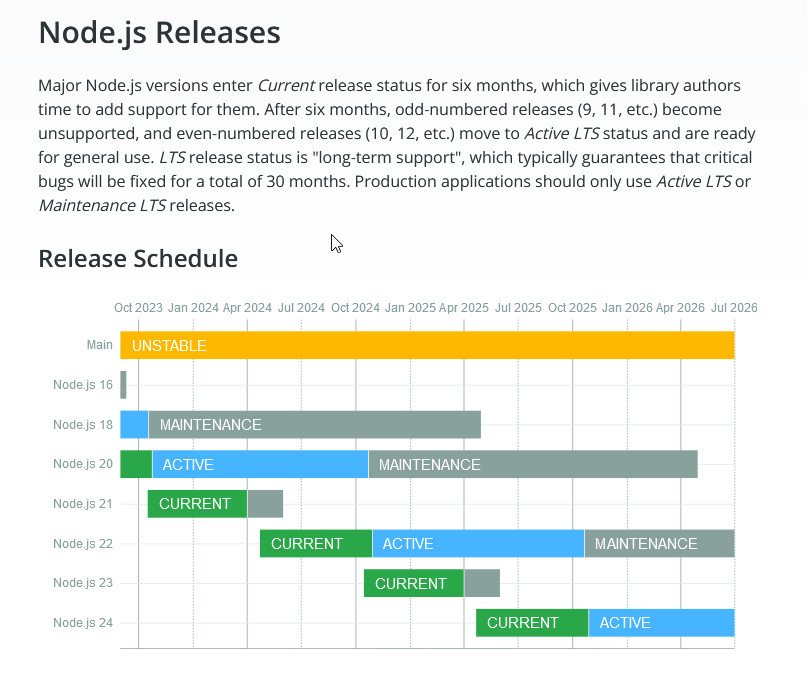
und node 20 ist nicht stable !
Wenn ich helfen konnte, dann Daumen hoch (Pfeil nach oben)!
Danke.
gute Forenbeiträge: https://forum.iobroker.net/topic/51555/hinweise-f%C3%BCr-gute-forenbeitr%C3%A4ge
ScreenToGif :https://www.screentogif.com/downloads.html -
@wikato sagte in Installation von iobroker Abbruch bei 3/4 mit Meldung ab..:
usr/bin/nodejs v20.13.1 /usr/bin/node v20.13.1 /usr/bin/npm 10.8.0 /usr/bin/npx 10.8.0
und node 20 ist nicht stable !
-
@homoran sagte in Installation von iobroker Abbruch bei 3/4 mit Meldung ab..:
@wikato Bitte mehr Informationen zu deinem System!
Hardware und Programme.@wikato sagte in iobroker installation fehler bei 3/4 mit meldung....:
Could not connect to states database at 127.0.0.1:9000
läuft da noch was?
@wikato sagte in iobroker installation fehler bei 3/4 mit meldung....:
A complete log of this run can be found in: /home/admin/.npm/_logs/2024-05-17T07_42_17_690Z-debug-0.log
Was steht da drin.
ich beantworte das mal selber:
anscheinend eine ganze Menge!u.a.
@wikato sagte in Installation von iobroker Abbruch bei 3/4 mit Meldung ab..:
tcp 0 0 0.0.0.0:9000 0.0.0.0:* LISTEN 112 8584 981/perl
Frei nach Highlander: Es kann nur einen geben!
der Port für die interne iobroker Datenbank ist vergeben! -
@homoran said in Installation von iobroker Abbruch bei 3/4 mit Meldung ab..:
iobroker
Habe nun den LMS auf einen anderen Port gewechselt...und siehe da, jetzt funktionierts.
Vielen Dank allen die hier geholfen haben!Schalt den Desktop aus...
*** Display-Server-Setup ***
Display-Server: true
Desktop: 	LXDE-pi-wayfire
Terminal: 	wayland
Boot Target: 	graphical.target
Räum die grafana.list auf. Da sind Doubletten drin.
W: Target Packages (main/binary-arm64/Packages) is configured multiple times in /etc/apt/sources.list.d/grafana.list:1 and /etc/apt/sources.list.d/grafana.list:2 -
Schalt den Desktop aus...
*** Display-Server-Setup ***
Display-Server: true
Desktop: 	LXDE-pi-wayfire
Terminal: 	wayland
Boot Target: 	graphical.target
Räum die grafana.list auf. Da sind Doubletten drin.
W: Target Packages (main/binary-arm64/Packages) is configured multiple times in /etc/apt/sources.list.d/grafana.list:1 and /etc/apt/sources.list.d/grafana.list:2@thomas-braun Hallo Thomas, uhhh...da bin ich schon wieder überfragt wie das geht...
Nun ich denke den Desktop sollte ich wegen den Ressourcen ausschalten.
Das andere ist wohl einfach aufräumen...
Kannst Du mir da mitgeben wie das zu tun ist? -
@thomas-braun Hallo Thomas, uhhh...da bin ich schon wieder überfragt wie das geht...
Nun ich denke den Desktop sollte ich wegen den Ressourcen ausschalten.
Das andere ist wohl einfach aufräumen...
Kannst Du mir da mitgeben wie das zu tun ist?@wikato sagte in Installation von iobroker Abbruch bei 3/4 mit Meldung ab..:
@thomas-braun Hallo Thomas, uhhh...da bin ich schon wieder überfragt wie das geht...
Nun ich denke den Desktop sollte ich wegen den Ressourcen ausschalten.Nicht nur. Auch aus Sicherheits und Komplexitätsgründen...
Auf einem Serversystem läuft nur das notwendigste. Desktop = absolut unnötig.sudo systemctl set-default multi-user.target sudo rebootknipst den Kram aus.
Das andere ist wohl einfach aufräumen...
Kannst Du mir da mitgeben wie das zu tun ist?Lösch den doppelten Eintrag/die doppelte Zeile aus der Datei
/etc/apt/sources.list.d/grafana.listheraus.



Hey! Du scheinst an dieser Unterhaltung interessiert zu sein, hast aber noch kein Konto.
Hast du es satt, bei jedem Besuch durch die gleichen Beiträge zu scrollen? Wenn du dich für ein Konto anmeldest, kommst du immer genau dorthin zurück, wo du zuvor warst, und kannst dich über neue Antworten benachrichtigen lassen (entweder per E-Mail oder Push-Benachrichtigung). Du kannst auch Lesezeichen speichern und Beiträge positiv bewerten, um anderen Community-Mitgliedern deine Wertschätzung zu zeigen.
Mit deinem Input könnte dieser Beitrag noch besser werden 💗
Registrieren AnmeldenSupport us
314
Online33.0k
Benutzer83.6k
Themen1.3m
Beiträge