Skip to content
  • Home
  • Aktuell
  • Tags
  • 0 Ungelesen 0
  • Kategorien
  • Unreplied
  • Beliebt
  • GitHub
  • Docu
  • Hilfe
Skins
  • Light
  • Brite
  • Cerulean
  • Cosmo
  • Flatly
  • Journal
  • Litera
  • Lumen
  • Lux
  • Materia
  • Minty
  • Morph
  • Pulse
  • Sandstone
  • Simplex
  • Sketchy
  • Spacelab
  • United
  • Yeti
  • Zephyr
  • Dark
  • Cyborg
  • Darkly
  • Quartz
  • Slate
  • Solar
  • Superhero
  • Vapor

  • Standard: (Kein Skin)
  • Kein Skin
Einklappen
ioBroker Logo

Community Forum

donate donate
  1. ioBroker Community Home
  2. Deutsch
  3. Tester
  4. Adapter Paketverfolgung DHL, Briefe, Amazon, DPD,GLS,UPS,17T

NEWS

  • Neuer Blogbeitrag: Monatsrückblick - Dezember 2025 🎄
    BluefoxB
    Bluefox
    11
    1
    482

  • Weihnachtsangebot 2025! 🎄
    BluefoxB
    Bluefox
    24
    1
    1.6k

  • UPDATE 31.10.: Amazon Alexa - ioBroker Skill läuft aus ?
    apollon77A
    apollon77
    48
    3
    9.6k

Adapter Paketverfolgung DHL, Briefe, Amazon, DPD,GLS,UPS,17T

Geplant Angeheftet Gesperrt Verschoben Tester
17trackamazonbriefedhldpdglsups
1.5k Beiträge 126 Kommentatoren 561.4k Aufrufe 119 Watching
  • Älteste zuerst
  • Neuste zuerst
  • Meiste Stimmen
Antworten
  • In einem neuen Thema antworten
Anmelden zum Antworten
Dieses Thema wurde gelöscht. Nur Nutzer mit entsprechenden Rechten können es sehen.
  • T tombox

    @diginix brauch ich wohl konkret den account

    Rene55R Offline
    Rene55R Offline
    Rene55
    schrieb am zuletzt editiert von
    #1280

    @tombox Ich habe gerade nochmal auf einem "frischen" Testsystem den Adapter in Version 0.2.6 installiert. Ich habe DPD drin (ohne weiterers zutun successful), AMZ (brachte mir einen neues OTP, logi und relogin successful) und bei DHL die gleichen Fehlermeldungen wie @Diginix .

    Host: Fujitsu Intel(R) Pentium(R) CPU G4560T, 32 GB RAM, Proxmox 8.x + lxc Ubuntu 22.04
    ioBroker (8 GB RAM) Node.js: 20.19.1, NPM: 10.8.2, js-Controller: 7.0.6, Admin: 7.6.3
    Wetterstation: Froggit WH3000SE V1.6.6

    DiginixD 1 Antwort Letzte Antwort
    0
    • Rene55R Rene55

      @tombox Ich habe gerade nochmal auf einem "frischen" Testsystem den Adapter in Version 0.2.6 installiert. Ich habe DPD drin (ohne weiterers zutun successful), AMZ (brachte mir einen neues OTP, logi und relogin successful) und bei DHL die gleichen Fehlermeldungen wie @Diginix .

      DiginixD Offline
      DiginixD Offline
      Diginix
      schrieb am zuletzt editiert von
      #1281

      @rene55 Der Fehler liegt ja auch am DHL Konto. Ob nun "frischer" Adapter oder älter spielt keine Rolle.

      @tombox Im Debuglog tauchte ja diese Zeile auf:

      2024-01-12 08:29:24.848 - debug: parcel.0 (128223) Please close this window to continue.
      

      Ist der Text "close this window" von DHL?
      DHL funktionierte mehrere Tage problemlos und ich hatte auch nichts am Konto verändert bis es nicht mehr ging. Es ist aktuell auch egal ob 2FA an oder aus ist. Könntest du dich mit einer Debug Adapterversion annähern? Also eine Version, die noch mehr Infos ausgibt um die Ursache zu finden.

      ..:: So long! Tom ::..

      NUC7i3 (Ubuntu Proxmox VM) | Echo Dots 2+3. Gen | Xiaomi Sensoren | Mi Robot 1S | Yeelight | Sonoff | Shelly | H801 RGB | Gosund SP1 | NodeMCU+ESP32 | Kostal Plenticore PV+BYD | openWB

      Rene55R 1 Antwort Letzte Antwort
      0
      • DiginixD Diginix

        @rene55 Der Fehler liegt ja auch am DHL Konto. Ob nun "frischer" Adapter oder älter spielt keine Rolle.

        @tombox Im Debuglog tauchte ja diese Zeile auf:

        2024-01-12 08:29:24.848 - debug: parcel.0 (128223) Please close this window to continue.
        

        Ist der Text "close this window" von DHL?
        DHL funktionierte mehrere Tage problemlos und ich hatte auch nichts am Konto verändert bis es nicht mehr ging. Es ist aktuell auch egal ob 2FA an oder aus ist. Könntest du dich mit einer Debug Adapterversion annähern? Also eine Version, die noch mehr Infos ausgibt um die Ursache zu finden.

        Rene55R Offline
        Rene55R Offline
        Rene55
        schrieb am zuletzt editiert von
        #1282

        @diginix Ja, irgendetwas ist da faul. Ich hab den Adapter jetzt (leider) nur noch im Testbetrieb mit dem Account von DHL laufen. Ich habe gerade nochmal alles gelöscht und neu (Email&Passwort) eingegeben. Es kam keine SMS/Mail Pin nach erstem Start.


        2024-01-17 10:06:28.517 - info: host.CT113 instance system.adapter.parcel.0 started with pid 302094
        2024-01-17 10:06:30.740 - debug: parcel.0 (302094) Redis Objects: Use Redis connection: 127.0.0.1:9001
        2024-01-17 10:06:30.762 - debug: parcel.0 (302094) Objects client ready ... initialize now
        2024-01-17 10:06:30.763 - debug: parcel.0 (302094) Objects create System PubSub Client
        2024-01-17 10:06:30.764 - debug: parcel.0 (302094) Objects create User PubSub Client
        2024-01-17 10:06:30.814 - debug: parcel.0 (302094) Objects client initialize lua scripts
        2024-01-17 10:06:30.819 - debug: parcel.0 (302094) Objects connected to redis: 127.0.0.1:9001
        2024-01-17 10:06:30.841 - debug: parcel.0 (302094) Redis States: Use Redis connection: 127.0.0.1:9000
        2024-01-17 10:06:30.848 - debug: parcel.0 (302094) States create System PubSub Client
        2024-01-17 10:06:30.849 - debug: parcel.0 (302094) States create User PubSub Client
        2024-01-17 10:06:30.860 - debug: parcel.0 (302094) States connected to redis: 127.0.0.1:9000
        2024-01-17 10:06:30.891 - debug: parcel.0 (302094) Plugin sentry Initialize Plugin (enabled=true)
        2024-01-17 10:06:31.228 - info: parcel.0 (302094) starting. Version 0.0.27 in /opt/iobroker/node_modules/iobroker.parcel, node: v18.16.0, js-controller: 5.0.17
        2024-01-17 10:06:31.305 - info: parcel.0 (302094) Login to DHL
        2024-01-17 10:06:31.893 - debug: parcel.0 (302094) [object Object]
        2024-01-17 10:06:32.605 - debug: parcel.0 (302094) Please close this window to continue.
        2024-01-17 10:06:32.716 - debug: parcel.0 (302094) (janrain.capture.ui.handleCaptureResponse)({"stat":"ok","result":{"transactionId":"3LenxxxxxxxxxfxWO","status":"success","statusMessage":"signedIn",...usw.}});
        2024-01-17 10:06:33.786 - debug: parcel.0 (302094) {"access_token":"aFyAWxxxxxxxxHOLUag","refresh_token":"F_SUdK4xxxxxxxlxkOpj9c-","expires_in":1800,"token_type":"Bearer","scope":"openid offline_access",...usw.}
        2024-01-17 10:06:33.787 - info: parcel.0 (302094) Login to DHL successful

        2024-01-17 10:07:44.755 - error: parcel.0 (302094) Error: read ETIMEDOUT
        2024-01-17 10:07:44.756 - debug: parcel.0 (302094) https://www.dhl.de/int-verfolgen/data/search?piececode=&noRedirect=true&language=de&cid=app
        2024-01-17 10:07:49.578 - debug: parcel.0 (302094) {"sendungen":[{"id":"0034xxxxxxxxxxxxx98","hasCompleteDetails":true,"sendungsinfo":{"gesuchteSendungsnummer":"0034xxxxxxxxxxxxx98","sendungsname":...usw}
        2024-01-17 10:07:49.584 - debug: parcel.0 (302094) Search can't be optimized because wildcard not at the end, fallback to keys!: function(doc) { if (doc.type === 'state') emit(doc._id, doc) }
        2024-01-17 10:07:49.591 - debug: parcel.0 (302094) dhl merge provider json
        2024-01-17 10:07:49.592 - debug: parcel.0 (302094) https://www.dhl.de/int-aviseanzeigen/advices?width=414
        2024-01-17 10:07:50.032 - debug: parcel.0 (302094) {"currentAdvice":null,"oldAdvices":[{"date":"11.01.2024","advices":[{"image_url":"https://briefankuendigung.dhl.de/pdapp-web/image/v1.0/16db1785-::: usw.,"basicAuth":"","serviceState":{"contractState":"ACTIVE","recognitionDegree":3}}
        2024-01-17 10:07:50.238 - debug: parcel.0 (302094) ""
        2024-01-17 10:07:51.254 - debug: parcel.0 (302094) dhl merge provider json
        2024-01-17 10:07:51.255 - debug: parcel.0 (302094) Write states


        Es wurden die alten Daten abgerufen und bringt weiterhin 'Error: read ETIMEDOUT'. Evtl. bringt die Auflösung von [object Object] auch noch eine Erhellung.

        Host: Fujitsu Intel(R) Pentium(R) CPU G4560T, 32 GB RAM, Proxmox 8.x + lxc Ubuntu 22.04
        ioBroker (8 GB RAM) Node.js: 20.19.1, NPM: 10.8.2, js-Controller: 7.0.6, Admin: 7.6.3
        Wetterstation: Froggit WH3000SE V1.6.6

        DiginixD 1 Antwort Letzte Antwort
        0
        • Rene55R Rene55

          @diginix Ja, irgendetwas ist da faul. Ich hab den Adapter jetzt (leider) nur noch im Testbetrieb mit dem Account von DHL laufen. Ich habe gerade nochmal alles gelöscht und neu (Email&Passwort) eingegeben. Es kam keine SMS/Mail Pin nach erstem Start.


          2024-01-17 10:06:28.517 - info: host.CT113 instance system.adapter.parcel.0 started with pid 302094
          2024-01-17 10:06:30.740 - debug: parcel.0 (302094) Redis Objects: Use Redis connection: 127.0.0.1:9001
          2024-01-17 10:06:30.762 - debug: parcel.0 (302094) Objects client ready ... initialize now
          2024-01-17 10:06:30.763 - debug: parcel.0 (302094) Objects create System PubSub Client
          2024-01-17 10:06:30.764 - debug: parcel.0 (302094) Objects create User PubSub Client
          2024-01-17 10:06:30.814 - debug: parcel.0 (302094) Objects client initialize lua scripts
          2024-01-17 10:06:30.819 - debug: parcel.0 (302094) Objects connected to redis: 127.0.0.1:9001
          2024-01-17 10:06:30.841 - debug: parcel.0 (302094) Redis States: Use Redis connection: 127.0.0.1:9000
          2024-01-17 10:06:30.848 - debug: parcel.0 (302094) States create System PubSub Client
          2024-01-17 10:06:30.849 - debug: parcel.0 (302094) States create User PubSub Client
          2024-01-17 10:06:30.860 - debug: parcel.0 (302094) States connected to redis: 127.0.0.1:9000
          2024-01-17 10:06:30.891 - debug: parcel.0 (302094) Plugin sentry Initialize Plugin (enabled=true)
          2024-01-17 10:06:31.228 - info: parcel.0 (302094) starting. Version 0.0.27 in /opt/iobroker/node_modules/iobroker.parcel, node: v18.16.0, js-controller: 5.0.17
          2024-01-17 10:06:31.305 - info: parcel.0 (302094) Login to DHL
          2024-01-17 10:06:31.893 - debug: parcel.0 (302094) [object Object]
          2024-01-17 10:06:32.605 - debug: parcel.0 (302094) Please close this window to continue.
          2024-01-17 10:06:32.716 - debug: parcel.0 (302094) (janrain.capture.ui.handleCaptureResponse)({"stat":"ok","result":{"transactionId":"3LenxxxxxxxxxfxWO","status":"success","statusMessage":"signedIn",...usw.}});
          2024-01-17 10:06:33.786 - debug: parcel.0 (302094) {"access_token":"aFyAWxxxxxxxxHOLUag","refresh_token":"F_SUdK4xxxxxxxlxkOpj9c-","expires_in":1800,"token_type":"Bearer","scope":"openid offline_access",...usw.}
          2024-01-17 10:06:33.787 - info: parcel.0 (302094) Login to DHL successful

          2024-01-17 10:07:44.755 - error: parcel.0 (302094) Error: read ETIMEDOUT
          2024-01-17 10:07:44.756 - debug: parcel.0 (302094) https://www.dhl.de/int-verfolgen/data/search?piececode=&noRedirect=true&language=de&cid=app
          2024-01-17 10:07:49.578 - debug: parcel.0 (302094) {"sendungen":[{"id":"0034xxxxxxxxxxxxx98","hasCompleteDetails":true,"sendungsinfo":{"gesuchteSendungsnummer":"0034xxxxxxxxxxxxx98","sendungsname":...usw}
          2024-01-17 10:07:49.584 - debug: parcel.0 (302094) Search can't be optimized because wildcard not at the end, fallback to keys!: function(doc) { if (doc.type === 'state') emit(doc._id, doc) }
          2024-01-17 10:07:49.591 - debug: parcel.0 (302094) dhl merge provider json
          2024-01-17 10:07:49.592 - debug: parcel.0 (302094) https://www.dhl.de/int-aviseanzeigen/advices?width=414
          2024-01-17 10:07:50.032 - debug: parcel.0 (302094) {"currentAdvice":null,"oldAdvices":[{"date":"11.01.2024","advices":[{"image_url":"https://briefankuendigung.dhl.de/pdapp-web/image/v1.0/16db1785-::: usw.,"basicAuth":"","serviceState":{"contractState":"ACTIVE","recognitionDegree":3}}
          2024-01-17 10:07:50.238 - debug: parcel.0 (302094) ""
          2024-01-17 10:07:51.254 - debug: parcel.0 (302094) dhl merge provider json
          2024-01-17 10:07:51.255 - debug: parcel.0 (302094) Write states


          Es wurden die alten Daten abgerufen und bringt weiterhin 'Error: read ETIMEDOUT'. Evtl. bringt die Auflösung von [object Object] auch noch eine Erhellung.

          DiginixD Offline
          DiginixD Offline
          Diginix
          schrieb am zuletzt editiert von
          #1283

          @rene55 sagte in Adapter Paketverfolgung DHL, Briefe, Amazon, DPD,GLS,UPS,17T:

          starting. Version 0.0.27 in /opt/iobroker/node_modules/iobroker.parcel, node: v18.16.0, js-controller: 5.0.17

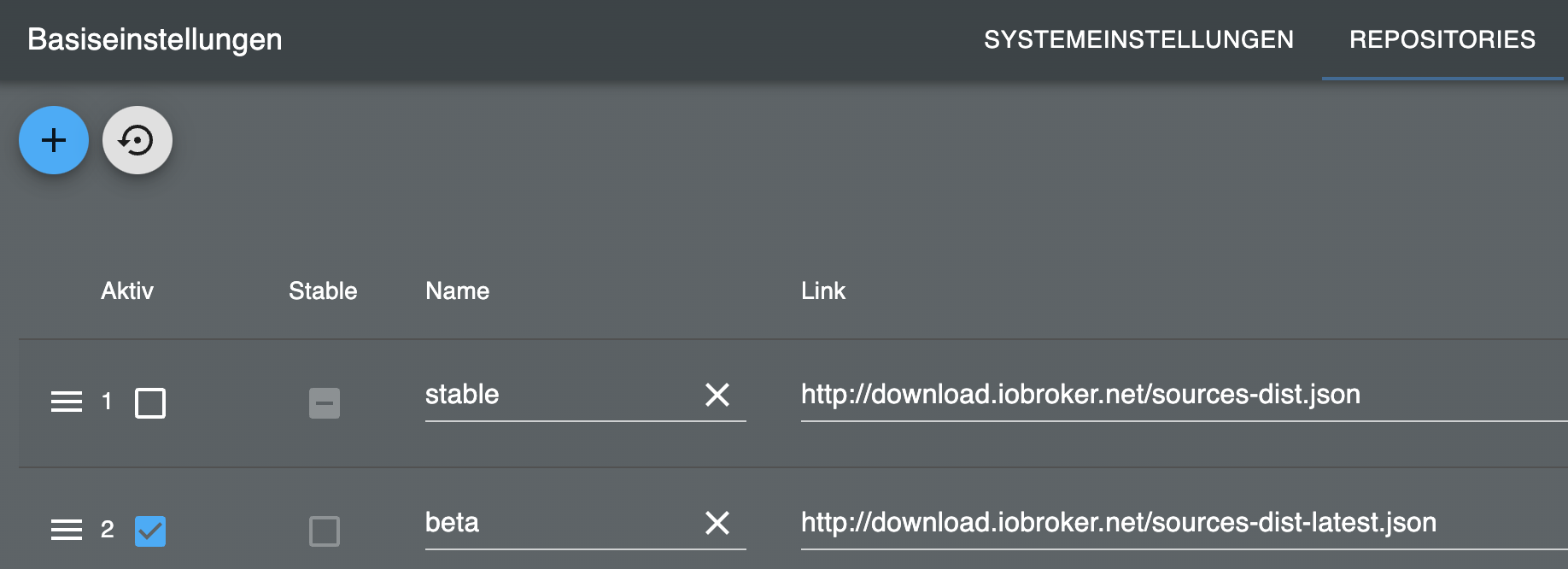
          Du nutzt ja die stable 0.0.27. Ich bin von Anfang an auf latest, also 0.2.6 und aktuell auf der git Version damit ich parcel.0.notDelivered habe. Ich teste mal ob mit der 0.0.27 bei DHL mehr geht.

          ..:: So long! Tom ::..

          NUC7i3 (Ubuntu Proxmox VM) | Echo Dots 2+3. Gen | Xiaomi Sensoren | Mi Robot 1S | Yeelight | Sonoff | Shelly | H801 RGB | Gosund SP1 | NodeMCU+ESP32 | Kostal Plenticore PV+BYD | openWB

          Rene55R 1 Antwort Letzte Antwort
          0
          • DiginixD Diginix

            @rene55 sagte in Adapter Paketverfolgung DHL, Briefe, Amazon, DPD,GLS,UPS,17T:

            starting. Version 0.0.27 in /opt/iobroker/node_modules/iobroker.parcel, node: v18.16.0, js-controller: 5.0.17

            Du nutzt ja die stable 0.0.27. Ich bin von Anfang an auf latest, also 0.2.6 und aktuell auf der git Version damit ich parcel.0.notDelivered habe. Ich teste mal ob mit der 0.0.27 bei DHL mehr geht.

            Rene55R Offline
            Rene55R Offline
            Rene55
            schrieb am zuletzt editiert von
            #1284

            @diginix Oha, dass kann ja einiges erklären. In beta wird mir gerade nur die 0.2.2 angeboten, obwohl es ja schon eine 0.2.6 geben soll. Ich machs mal schrittweise.

            Host: Fujitsu Intel(R) Pentium(R) CPU G4560T, 32 GB RAM, Proxmox 8.x + lxc Ubuntu 22.04
            ioBroker (8 GB RAM) Node.js: 20.19.1, NPM: 10.8.2, js-Controller: 7.0.6, Admin: 7.6.3
            Wetterstation: Froggit WH3000SE V1.6.6

            DiginixD 1 Antwort Letzte Antwort
            0
            • Rene55R Rene55

              @diginix Oha, dass kann ja einiges erklären. In beta wird mir gerade nur die 0.2.2 angeboten, obwohl es ja schon eine 0.2.6 geben soll. Ich machs mal schrittweise.

              DiginixD Offline
              DiginixD Offline
              Diginix
              schrieb am zuletzt editiert von
              #1285

              @rene55 Und mit wird der Adapter im stable Repo gar nicht angeboten ;-)
              Komme im latest nur maximal auf 0.1.1 zurück.

              ..:: So long! Tom ::..

              NUC7i3 (Ubuntu Proxmox VM) | Echo Dots 2+3. Gen | Xiaomi Sensoren | Mi Robot 1S | Yeelight | Sonoff | Shelly | H801 RGB | Gosund SP1 | NodeMCU+ESP32 | Kostal Plenticore PV+BYD | openWB

              1 Antwort Letzte Antwort
              0
              • DiginixD Offline
                DiginixD Offline
                Diginix
                schrieb am zuletzt editiert von Diginix
                #1286

                Es ist echt verhext. Nun erhalte ich:

                2024-01-17 10:44:07.317 - info: parcel.0 (1104269) starting. Version 0.2.6 in /opt/iobroker/node_modules/iobroker.parcel, node: v18.17.1, js-controller: 5.0.17
                2024-01-17 10:44:07.386 - info: parcel.0 (1104269) Login to DHL
                2024-01-17 10:45:08.526 - error: parcel.0 (1104269) AxiosError: Request failed with status code 504
                2024-01-17 10:45:08.530 - error: parcel.0 (1104269) "\r\n\r\n\r\n
                504 Gateway Time-out
                \r\n
                nginx
                \r\n\r\n\r\n"
                2024-01-17 10:45:08.530 - error: parcel.0 (1104269) DHL Signin failed
                2024-01-17 10:45:08.533 - warn: parcel.0 (1104269) No login session found
                

                Beim zweiten Versuch kam wieder de alt bekannte Fehler:

                2024-01-17 10:47:08.336 - debug: parcel.0 (1104833) Redis Objects: Use Redis connection: 127.0.0.1:9001
                2024-01-17 10:47:08.376 - debug: parcel.0 (1104833) Objects client ready ... initialize now
                2024-01-17 10:47:08.441 - debug: parcel.0 (1104833) Objects create System PubSub Client
                2024-01-17 10:47:08.442 - debug: parcel.0 (1104833) Objects create User PubSub Client
                2024-01-17 10:47:08.523 - debug: parcel.0 (1104833) Objects client initialize lua scripts
                2024-01-17 10:47:08.529 - debug: parcel.0 (1104833) Objects connected to redis: 127.0.0.1:9001
                2024-01-17 10:47:08.587 - debug: parcel.0 (1104833) Redis States: Use Redis connection: 127.0.0.1:9000
                2024-01-17 10:47:08.619 - debug: parcel.0 (1104833) States create System PubSub Client
                2024-01-17 10:47:08.621 - debug: parcel.0 (1104833) States create User PubSub Client
                2024-01-17 10:47:08.735 - debug: parcel.0 (1104833) States connected to redis: 127.0.0.1:9000
                2024-01-17 10:47:08.797 - debug: parcel.0 (1104833) Plugin sentry Initialize Plugin (enabled=true)
                2024-01-17 10:47:09.265 - info: parcel.0 (1104833) starting. Version 0.2.6 in /opt/iobroker/node_modules/iobroker.parcel, node: v18.17.1, js-controller: 5.0.17
                2024-01-17 10:47:09.334 - info: parcel.0 (1104833) Login to DHL
                2024-01-17 10:47:10.404 - debug: parcel.0 (1104833) Please close this window to continue.
                2024-01-17 10:47:10.636 - debug: parcel.0 (1104833) (janrain.capture.ui.handleCaptureResponse)({"stat":"ok","result":{"transactionId":"RrOP4lGjA0bA4EGwmdekC45uCeBddyN4rVtq2xmA","status":"success","statusMessage":"signedIn","action":"traditionalSignin","flow":"ciam_flow_001","version":"20230309140056615616","screen":"signIn","form":"signInForm","fields":["emailOrPostNumber","currentPassword"],"oneTime":false,"userData":{"uuid":"574cc929-033f-4ad4-a29a-a8d55657c4a0","email":"***","displayName":"***"},"keepMeLoggedIn":false,"accessToken":"asdcmq6mz985ban2","ssoImplicitLogin":false,"renders":false}});
                2024-01-17 10:47:12.027 - error: parcel.0 (1104833) AxiosError: Request failed with status code 400
                2024-01-17 10:47:12.027 - error: parcel.0 (1104833) {"error":"invalid_request","error_description":"code is missing"}
                2024-01-17 10:47:12.028 - warn: parcel.0 (1104833) No login session found
                

                ..:: So long! Tom ::..

                NUC7i3 (Ubuntu Proxmox VM) | Echo Dots 2+3. Gen | Xiaomi Sensoren | Mi Robot 1S | Yeelight | Sonoff | Shelly | H801 RGB | Gosund SP1 | NodeMCU+ESP32 | Kostal Plenticore PV+BYD | openWB

                Thomas BraunT 1 Antwort Letzte Antwort
                0
                • DiginixD Diginix

                  Es ist echt verhext. Nun erhalte ich:

                  2024-01-17 10:44:07.317 - info: parcel.0 (1104269) starting. Version 0.2.6 in /opt/iobroker/node_modules/iobroker.parcel, node: v18.17.1, js-controller: 5.0.17
                  2024-01-17 10:44:07.386 - info: parcel.0 (1104269) Login to DHL
                  2024-01-17 10:45:08.526 - error: parcel.0 (1104269) AxiosError: Request failed with status code 504
                  2024-01-17 10:45:08.530 - error: parcel.0 (1104269) "\r\n\r\n\r\n
                  504 Gateway Time-out
                  \r\n
                  nginx
                  \r\n\r\n\r\n"
                  2024-01-17 10:45:08.530 - error: parcel.0 (1104269) DHL Signin failed
                  2024-01-17 10:45:08.533 - warn: parcel.0 (1104269) No login session found
                  

                  Beim zweiten Versuch kam wieder de alt bekannte Fehler:

                  2024-01-17 10:47:08.336 - debug: parcel.0 (1104833) Redis Objects: Use Redis connection: 127.0.0.1:9001
                  2024-01-17 10:47:08.376 - debug: parcel.0 (1104833) Objects client ready ... initialize now
                  2024-01-17 10:47:08.441 - debug: parcel.0 (1104833) Objects create System PubSub Client
                  2024-01-17 10:47:08.442 - debug: parcel.0 (1104833) Objects create User PubSub Client
                  2024-01-17 10:47:08.523 - debug: parcel.0 (1104833) Objects client initialize lua scripts
                  2024-01-17 10:47:08.529 - debug: parcel.0 (1104833) Objects connected to redis: 127.0.0.1:9001
                  2024-01-17 10:47:08.587 - debug: parcel.0 (1104833) Redis States: Use Redis connection: 127.0.0.1:9000
                  2024-01-17 10:47:08.619 - debug: parcel.0 (1104833) States create System PubSub Client
                  2024-01-17 10:47:08.621 - debug: parcel.0 (1104833) States create User PubSub Client
                  2024-01-17 10:47:08.735 - debug: parcel.0 (1104833) States connected to redis: 127.0.0.1:9000
                  2024-01-17 10:47:08.797 - debug: parcel.0 (1104833) Plugin sentry Initialize Plugin (enabled=true)
                  2024-01-17 10:47:09.265 - info: parcel.0 (1104833) starting. Version 0.2.6 in /opt/iobroker/node_modules/iobroker.parcel, node: v18.17.1, js-controller: 5.0.17
                  2024-01-17 10:47:09.334 - info: parcel.0 (1104833) Login to DHL
                  2024-01-17 10:47:10.404 - debug: parcel.0 (1104833) Please close this window to continue.
                  2024-01-17 10:47:10.636 - debug: parcel.0 (1104833) (janrain.capture.ui.handleCaptureResponse)({"stat":"ok","result":{"transactionId":"RrOP4lGjA0bA4EGwmdekC45uCeBddyN4rVtq2xmA","status":"success","statusMessage":"signedIn","action":"traditionalSignin","flow":"ciam_flow_001","version":"20230309140056615616","screen":"signIn","form":"signInForm","fields":["emailOrPostNumber","currentPassword"],"oneTime":false,"userData":{"uuid":"574cc929-033f-4ad4-a29a-a8d55657c4a0","email":"***","displayName":"***"},"keepMeLoggedIn":false,"accessToken":"asdcmq6mz985ban2","ssoImplicitLogin":false,"renders":false}});
                  2024-01-17 10:47:12.027 - error: parcel.0 (1104833) AxiosError: Request failed with status code 400
                  2024-01-17 10:47:12.027 - error: parcel.0 (1104833) {"error":"invalid_request","error_description":"code is missing"}
                  2024-01-17 10:47:12.028 - warn: parcel.0 (1104833) No login session found
                  
                  Thomas BraunT Online
                  Thomas BraunT Online
                  Thomas Braun
                  Most Active
                  schrieb am zuletzt editiert von
                  #1287

                  @diginix @Rene55

                  2024-01-17 10:55:52.346  - info: parcel.0 (405471) starting. Version 0.2.6 in /opt/iobroker/node_modules/iobroker.parcel, node: v18.19.0, js-controller: 5.0.17
                  2024-01-17 10:55:52.427  - info: parcel.0 (405471) Login to DHL
                  2024-01-17 10:55:54.848  - info: parcel.0 (405471) Login to DHL successful
                  

                  Funktioniert hier...
                  Allerdings mit aktuellem nodejs. Bitte auf Stand bringen.

                  Linux-Werkzeugkasten:
                  https://forum.iobroker.net/topic/42952/der-kleine-iobroker-linux-werkzeugkasten
                  NodeJS Fixer Skript:
                  https://forum.iobroker.net/topic/68035/iob-node-fix-skript
                  iob_diag: curl -sLf -o diag.sh https://iobroker.net/diag.sh && bash diag.sh

                  DiginixD 1 Antwort Letzte Antwort
                  0
                  • Thomas BraunT Thomas Braun

                    @diginix @Rene55

                    2024-01-17 10:55:52.346  - info: parcel.0 (405471) starting. Version 0.2.6 in /opt/iobroker/node_modules/iobroker.parcel, node: v18.19.0, js-controller: 5.0.17
                    2024-01-17 10:55:52.427  - info: parcel.0 (405471) Login to DHL
                    2024-01-17 10:55:54.848  - info: parcel.0 (405471) Login to DHL successful
                    

                    Funktioniert hier...
                    Allerdings mit aktuellem nodejs. Bitte auf Stand bringen.

                    DiginixD Offline
                    DiginixD Offline
                    Diginix
                    schrieb am zuletzt editiert von Diginix
                    #1288

                    @thomas-braun Für mein Ubuntu 22.04.3 LTS ist das die aktuelle Ver. und daran wird es wohl nicht liegen. Und es hilft auch nicht wenn sich jetzt alle melden, bei denen es geht. Ich bin nicht allein mit dem Problem und ohne Unterstützung eines Entwicklers wird es bei meinem DHL Konto wohl nicht besser.

                    ..:: So long! Tom ::..

                    NUC7i3 (Ubuntu Proxmox VM) | Echo Dots 2+3. Gen | Xiaomi Sensoren | Mi Robot 1S | Yeelight | Sonoff | Shelly | H801 RGB | Gosund SP1 | NodeMCU+ESP32 | Kostal Plenticore PV+BYD | openWB

                    T Thomas BraunT 2 Antworten Letzte Antwort
                    0
                    • DiginixD Diginix

                      @thomas-braun Für mein Ubuntu 22.04.3 LTS ist das die aktuelle Ver. und daran wird es wohl nicht liegen. Und es hilft auch nicht wenn sich jetzt alle melden, bei denen es geht. Ich bin nicht allein mit dem Problem und ohne Unterstützung eines Entwicklers wird es bei meinem DHL Konto wohl nicht besser.

                      T Offline
                      T Offline
                      tombox
                      schrieb am zuletzt editiert von
                      #1289

                      @diginix Hast du mittlerweile ein dummy account der auch nicht geht?

                      DiginixD 1 Antwort Letzte Antwort
                      0
                      • T tombox

                        @diginix Hast du mittlerweile ein dummy account der auch nicht geht?

                        DiginixD Offline
                        DiginixD Offline
                        Diginix
                        schrieb am zuletzt editiert von
                        #1290

                        @tombox Nein, den Schritt bin ich noch nich gegangen.

                        ..:: So long! Tom ::..

                        NUC7i3 (Ubuntu Proxmox VM) | Echo Dots 2+3. Gen | Xiaomi Sensoren | Mi Robot 1S | Yeelight | Sonoff | Shelly | H801 RGB | Gosund SP1 | NodeMCU+ESP32 | Kostal Plenticore PV+BYD | openWB

                        1 Antwort Letzte Antwort
                        0
                        • DiginixD Diginix

                          @thomas-braun Für mein Ubuntu 22.04.3 LTS ist das die aktuelle Ver. und daran wird es wohl nicht liegen. Und es hilft auch nicht wenn sich jetzt alle melden, bei denen es geht. Ich bin nicht allein mit dem Problem und ohne Unterstützung eines Entwicklers wird es bei meinem DHL Konto wohl nicht besser.

                          Thomas BraunT Online
                          Thomas BraunT Online
                          Thomas Braun
                          Most Active
                          schrieb am zuletzt editiert von
                          #1291

                          @diginix sagte in Adapter Paketverfolgung DHL, Briefe, Amazon, DPD,GLS,UPS,17T:

                          Für mein Ubuntu 22.04.3 LTS ist das die aktuelle Ver

                          Nein, ist es nicht.
                          18.19.0 ist die aktuelle empfohlene Version. Auch für dein Ubuntu.

                          Linux-Werkzeugkasten:
                          https://forum.iobroker.net/topic/42952/der-kleine-iobroker-linux-werkzeugkasten
                          NodeJS Fixer Skript:
                          https://forum.iobroker.net/topic/68035/iob-node-fix-skript
                          iob_diag: curl -sLf -o diag.sh https://iobroker.net/diag.sh && bash diag.sh

                          DiginixD 1 Antwort Letzte Antwort
                          0
                          • Rene55R Offline
                            Rene55R Offline
                            Rene55
                            schrieb am zuletzt editiert von
                            #1292

                            @thomas-braun Ich hab den Rat befolgt und upgedatet. Aber gab es da nicht auch einen kurzen (neuen) Befehl zu?

                            Host: Fujitsu Intel(R) Pentium(R) CPU G4560T, 32 GB RAM, Proxmox 8.x + lxc Ubuntu 22.04
                            ioBroker (8 GB RAM) Node.js: 20.19.1, NPM: 10.8.2, js-Controller: 7.0.6, Admin: 7.6.3
                            Wetterstation: Froggit WH3000SE V1.6.6

                            Thomas BraunT 1 Antwort Letzte Antwort
                            0
                            • Rene55R Rene55

                              @thomas-braun Ich hab den Rat befolgt und upgedatet. Aber gab es da nicht auch einen kurzen (neuen) Befehl zu?

                              Thomas BraunT Online
                              Thomas BraunT Online
                              Thomas Braun
                              Most Active
                              schrieb am zuletzt editiert von
                              #1293

                              @rene55

                              iob nodejs-update
                              

                              setzt dich da wieder auf das richtige Gleis.

                              Linux-Werkzeugkasten:
                              https://forum.iobroker.net/topic/42952/der-kleine-iobroker-linux-werkzeugkasten
                              NodeJS Fixer Skript:
                              https://forum.iobroker.net/topic/68035/iob-node-fix-skript
                              iob_diag: curl -sLf -o diag.sh https://iobroker.net/diag.sh && bash diag.sh

                              1 Antwort Letzte Antwort
                              0
                              • Thomas BraunT Thomas Braun

                                @diginix sagte in Adapter Paketverfolgung DHL, Briefe, Amazon, DPD,GLS,UPS,17T:

                                Für mein Ubuntu 22.04.3 LTS ist das die aktuelle Ver

                                Nein, ist es nicht.
                                18.19.0 ist die aktuelle empfohlene Version. Auch für dein Ubuntu.

                                DiginixD Offline
                                DiginixD Offline
                                Diginix
                                schrieb am zuletzt editiert von Diginix
                                #1294

                                @thomas-braun Ich mache wöchentlich ein:

                                sudo apt update
                                sudo apt -y dist-upgrade
                                

                                Dann musst du mal bei Ubuntu anrufen und denen sagen, dass sie mir nicht das richtige liefern. :-D
                                /etc/apt/sources.list.d/nodesource.list

                                deb [signed-by=/usr/share/keyrings/nodesource.gpg] https://deb.nodesource.com/node_18.x jammy main
                                deb-src [signed-by=/usr/share/keyrings/nodesource.gpg] https://deb.nodesource.com/node_18.x jammy main
                                

                                Edit:
                                Hab nun in /etc/apt/sources.list.d/nodesource.list:

                                deb [arch=amd64 signed-by=/usr/share/keyrings/nodesource.gpg] https://deb.nodesource.com/node_18.x nodistro main
                                

                                Und damit die 18.19.0 bekommen.

                                Und noch viel erstaunlicher ist, dass damit tatsächlich DHL wieder funktioniert!
                                Bist mein Held! Vielen Dank!

                                PS: Du wirst mir nicht sagen können wieso in der nodesource.list erst "jammy" und nun "nodistro" steht und dadurch das Update klappte?
                                Hatte nur noch mal gemacht und das hat die Quelle geändert

                                curl -sL https://deb.nodesource.com/setup_18.x | sudo -E bash -
                                sudo apt install -y nodejs
                                

                                ..:: So long! Tom ::..

                                NUC7i3 (Ubuntu Proxmox VM) | Echo Dots 2+3. Gen | Xiaomi Sensoren | Mi Robot 1S | Yeelight | Sonoff | Shelly | H801 RGB | Gosund SP1 | NodeMCU+ESP32 | Kostal Plenticore PV+BYD | openWB

                                Thomas BraunT ThisoftT 4 Antworten Letzte Antwort
                                0
                                • DiginixD Diginix

                                  @thomas-braun Ich mache wöchentlich ein:

                                  sudo apt update
                                  sudo apt -y dist-upgrade
                                  

                                  Dann musst du mal bei Ubuntu anrufen und denen sagen, dass sie mir nicht das richtige liefern. :-D
                                  /etc/apt/sources.list.d/nodesource.list

                                  deb [signed-by=/usr/share/keyrings/nodesource.gpg] https://deb.nodesource.com/node_18.x jammy main
                                  deb-src [signed-by=/usr/share/keyrings/nodesource.gpg] https://deb.nodesource.com/node_18.x jammy main
                                  

                                  Edit:
                                  Hab nun in /etc/apt/sources.list.d/nodesource.list:

                                  deb [arch=amd64 signed-by=/usr/share/keyrings/nodesource.gpg] https://deb.nodesource.com/node_18.x nodistro main
                                  

                                  Und damit die 18.19.0 bekommen.

                                  Und noch viel erstaunlicher ist, dass damit tatsächlich DHL wieder funktioniert!
                                  Bist mein Held! Vielen Dank!

                                  PS: Du wirst mir nicht sagen können wieso in der nodesource.list erst "jammy" und nun "nodistro" steht und dadurch das Update klappte?
                                  Hatte nur noch mal gemacht und das hat die Quelle geändert

                                  curl -sL https://deb.nodesource.com/setup_18.x | sudo -E bash -
                                  sudo apt install -y nodejs
                                  
                                  Thomas BraunT Online
                                  Thomas BraunT Online
                                  Thomas Braun
                                  Most Active
                                  schrieb am zuletzt editiert von
                                  #1295

                                  @diginix

                                  Dein Repo ist/war halt nicht aktuell. Da muss ich nicht anrufen, jedenfalls nicht bei Ubuntu sondern wenn überhaupt beim Admin von der Kiste...

                                  Linux-Werkzeugkasten:
                                  https://forum.iobroker.net/topic/42952/der-kleine-iobroker-linux-werkzeugkasten
                                  NodeJS Fixer Skript:
                                  https://forum.iobroker.net/topic/68035/iob-node-fix-skript
                                  iob_diag: curl -sLf -o diag.sh https://iobroker.net/diag.sh && bash diag.sh

                                  1 Antwort Letzte Antwort
                                  0
                                  • DiginixD Offline
                                    DiginixD Offline
                                    Diginix
                                    schrieb am zuletzt editiert von
                                    #1296

                                    Hab gerade schon kommentiert dass ich immer das mache wenn eine neue Major Node Ver. kommt

                                    curl -sL https://deb.nodesource.com/setup_18.x | sudo -E bash -
                                    sudo apt install -y nodejs
                                    

                                    Aber bis zu nächsten musste ich das noch nie nochmal machen damit die Quelle stimmt.
                                    Dennoch hat es nun "jammy" zu "nodistro" geändert und dadurch kam das Update.

                                    ..:: So long! Tom ::..

                                    NUC7i3 (Ubuntu Proxmox VM) | Echo Dots 2+3. Gen | Xiaomi Sensoren | Mi Robot 1S | Yeelight | Sonoff | Shelly | H801 RGB | Gosund SP1 | NodeMCU+ESP32 | Kostal Plenticore PV+BYD | openWB

                                    Thomas BraunT 1 Antwort Letzte Antwort
                                    0
                                    • DiginixD Diginix

                                      @thomas-braun Ich mache wöchentlich ein:

                                      sudo apt update
                                      sudo apt -y dist-upgrade
                                      

                                      Dann musst du mal bei Ubuntu anrufen und denen sagen, dass sie mir nicht das richtige liefern. :-D
                                      /etc/apt/sources.list.d/nodesource.list

                                      deb [signed-by=/usr/share/keyrings/nodesource.gpg] https://deb.nodesource.com/node_18.x jammy main
                                      deb-src [signed-by=/usr/share/keyrings/nodesource.gpg] https://deb.nodesource.com/node_18.x jammy main
                                      

                                      Edit:
                                      Hab nun in /etc/apt/sources.list.d/nodesource.list:

                                      deb [arch=amd64 signed-by=/usr/share/keyrings/nodesource.gpg] https://deb.nodesource.com/node_18.x nodistro main
                                      

                                      Und damit die 18.19.0 bekommen.

                                      Und noch viel erstaunlicher ist, dass damit tatsächlich DHL wieder funktioniert!
                                      Bist mein Held! Vielen Dank!

                                      PS: Du wirst mir nicht sagen können wieso in der nodesource.list erst "jammy" und nun "nodistro" steht und dadurch das Update klappte?
                                      Hatte nur noch mal gemacht und das hat die Quelle geändert

                                      curl -sL https://deb.nodesource.com/setup_18.x | sudo -E bash -
                                      sudo apt install -y nodejs
                                      
                                      Thomas BraunT Online
                                      Thomas BraunT Online
                                      Thomas Braun
                                      Most Active
                                      schrieb am zuletzt editiert von
                                      #1297

                                      @diginix sagte in Adapter Paketverfolgung DHL, Briefe, Amazon, DPD,GLS,UPS,17T:

                                      PS: Du wirst mir nicht sagen können wieso in der nodesource.list erst "jammy" und nun "nodistro" steht und dadurch das Update klappte?

                                      Doch, kann ich. Ist aber nicht der richtige Thread dafür, davon ab stand das schon im passenden Thread seinerzeit dabei.

                                      Linux-Werkzeugkasten:
                                      https://forum.iobroker.net/topic/42952/der-kleine-iobroker-linux-werkzeugkasten
                                      NodeJS Fixer Skript:
                                      https://forum.iobroker.net/topic/68035/iob-node-fix-skript
                                      iob_diag: curl -sLf -o diag.sh https://iobroker.net/diag.sh && bash diag.sh

                                      1 Antwort Letzte Antwort
                                      0
                                      • DiginixD Diginix

                                        @thomas-braun Ich mache wöchentlich ein:

                                        sudo apt update
                                        sudo apt -y dist-upgrade
                                        

                                        Dann musst du mal bei Ubuntu anrufen und denen sagen, dass sie mir nicht das richtige liefern. :-D
                                        /etc/apt/sources.list.d/nodesource.list

                                        deb [signed-by=/usr/share/keyrings/nodesource.gpg] https://deb.nodesource.com/node_18.x jammy main
                                        deb-src [signed-by=/usr/share/keyrings/nodesource.gpg] https://deb.nodesource.com/node_18.x jammy main
                                        

                                        Edit:
                                        Hab nun in /etc/apt/sources.list.d/nodesource.list:

                                        deb [arch=amd64 signed-by=/usr/share/keyrings/nodesource.gpg] https://deb.nodesource.com/node_18.x nodistro main
                                        

                                        Und damit die 18.19.0 bekommen.

                                        Und noch viel erstaunlicher ist, dass damit tatsächlich DHL wieder funktioniert!
                                        Bist mein Held! Vielen Dank!

                                        PS: Du wirst mir nicht sagen können wieso in der nodesource.list erst "jammy" und nun "nodistro" steht und dadurch das Update klappte?
                                        Hatte nur noch mal gemacht und das hat die Quelle geändert

                                        curl -sL https://deb.nodesource.com/setup_18.x | sudo -E bash -
                                        sudo apt install -y nodejs
                                        
                                        Thomas BraunT Online
                                        Thomas BraunT Online
                                        Thomas Braun
                                        Most Active
                                        schrieb am zuletzt editiert von
                                        #1298

                                        @diginix sagte in Adapter Paketverfolgung DHL, Briefe, Amazon, DPD,GLS,UPS,17T:

                                        Hatte nur noch mal gemacht und das hat die Quelle geändert

                                        Mach es über

                                        iob nodejs-update
                                        

                                        Das stellt dir das Repo richtig ein. Auch die Priority z.B.

                                        Linux-Werkzeugkasten:
                                        https://forum.iobroker.net/topic/42952/der-kleine-iobroker-linux-werkzeugkasten
                                        NodeJS Fixer Skript:
                                        https://forum.iobroker.net/topic/68035/iob-node-fix-skript
                                        iob_diag: curl -sLf -o diag.sh https://iobroker.net/diag.sh && bash diag.sh

                                        1 Antwort Letzte Antwort
                                        1
                                        • DiginixD Diginix

                                          Hab gerade schon kommentiert dass ich immer das mache wenn eine neue Major Node Ver. kommt

                                          curl -sL https://deb.nodesource.com/setup_18.x | sudo -E bash -
                                          sudo apt install -y nodejs
                                          

                                          Aber bis zu nächsten musste ich das noch nie nochmal machen damit die Quelle stimmt.
                                          Dennoch hat es nun "jammy" zu "nodistro" geändert und dadurch kam das Update.

                                          Thomas BraunT Online
                                          Thomas BraunT Online
                                          Thomas Braun
                                          Most Active
                                          schrieb am zuletzt editiert von
                                          #1299

                                          @diginix sagte in Adapter Paketverfolgung DHL, Briefe, Amazon, DPD,GLS,UPS,17T:

                                          Aber bis zu nächsten musste ich das noch nie nochmal machen damit die Quelle stimmt.

                                          Die hat sich ja auch geändert und die alte Quelle wird nicht mehr mit neuen Versionen gefüttert, die kommen nur noch über das neue Repo.


                                          Linux-Werkzeugkasten:
                                          https://forum.iobroker.net/topic/42952/der-kleine-iobroker-linux-werkzeugkasten
                                          NodeJS Fixer Skript:
                                          https://forum.iobroker.net/topic/68035/iob-node-fix-skript
                                          iob_diag: curl -sLf -o diag.sh https://iobroker.net/diag.sh && bash diag.sh

                                          1 Antwort Letzte Antwort
                                          0
                                          Antworten
                                          • In einem neuen Thema antworten
                                          Anmelden zum Antworten
                                          • Älteste zuerst
                                          • Neuste zuerst
                                          • Meiste Stimmen


                                          Support us

                                          ioBroker
                                          Community Adapters
                                          Donate

                                          434

                                          Online

                                          32.5k

                                          Benutzer

                                          81.8k

                                          Themen

                                          1.3m

                                          Beiträge
                                          Community
                                          Impressum | Datenschutz-Bestimmungen | Nutzungsbedingungen | Einwilligungseinstellungen
                                          ioBroker Community 2014-2025
                                          logo
                                          • Anmelden

                                          • Du hast noch kein Konto? Registrieren

                                          • Anmelden oder registrieren, um zu suchen
                                          • Erster Beitrag
                                            Letzter Beitrag
                                          0
                                          • Home
                                          • Aktuell
                                          • Tags
                                          • Ungelesen 0
                                          • Kategorien
                                          • Unreplied
                                          • Beliebt
                                          • GitHub
                                          • Docu
                                          • Hilfe