




oft Timeout und langsame Verbindung erkannt
-
Hallo zusammen,
ich habe schon im Forum gesucht und etliche Treats gelesen.
IoBroker ist recht langsam und hat häufig "time out". Ich habe nur ewnige Scripte mt Timern. Die habe ich schon geprüft.Da ich nicht wusste, ob es vielleicht an der SD-Karte liegt, hab ich ioBroker auf einer frischen Karte neu installiert und das letzte Backup eingespielt. Keine Veränderung.
Jetzt weiss ich nicht mehr weiter.
Hier das Ergebnis der Diagnose:code_text ======================= SUMMARY ======================= v.2023-10-10 Static hostname: iobroker Icon name: computer Operating System: Raspbian GNU/Linux 11 (bullseye) Kernel: Linux 6.1.21-v8+ Architecture: arm64 Installation: native Kernel: aarch64 Userland: armhf Timezone: Europe/Berlin (CET, +0100) User-ID: 1000 X-Server: false Boot Target: multi-user.target Pending OS-Updates: 0 Pending iob updates: 0 Nodejs-Installation: /usr/bin/nodejs v18.18.2 /usr/bin/node v18.18.2 /usr/bin/npm 9.8.1 /usr/bin/npx 9.8.1 /usr/bin/corepack 0.19.0 Recommended versions are nodejs 18.18.2 and npm 9.8.1 Your nodejs installation is correct MEMORY: total used free shared buff/cache available Mem: 7.8G 1.9G 4.9G 1.0M 941M 5.8G Swap: 99M 0B 99M Total: 7.9G 1.9G 5.0G Active iob-Instances: 31 Active repo(s): stable ioBroker Core: js-controller 5.0.12 admin 6.12.0 ioBroker Status: iobroker is running on this host. Objects type: jsonl States type: jsonl Status admin and web instance: + system.adapter.admin.0 : admin : iobroker - enabled, port: 8081, bind: 0.0.0.0, run as: admin + system.adapter.web.0 : web : iobroker - enabled, port: 8082, bind: 0.0.0.0, run as: admin Objects: 57785 States: 51287 Size of iob-Database: 79M /opt/iobroker/iobroker-data/objects.jsonl 127M /opt/iobroker/iobroker-data/states.jsonl =================== END OF SUMMARY ====================```Wo kann/muß ich nach dem Fehler suchen?
Gruss
ThomasGruss
Thomas -
Hallo zusammen,
ich habe schon im Forum gesucht und etliche Treats gelesen.
IoBroker ist recht langsam und hat häufig "time out". Ich habe nur ewnige Scripte mt Timern. Die habe ich schon geprüft.Da ich nicht wusste, ob es vielleicht an der SD-Karte liegt, hab ich ioBroker auf einer frischen Karte neu installiert und das letzte Backup eingespielt. Keine Veränderung.
Jetzt weiss ich nicht mehr weiter.
Hier das Ergebnis der Diagnose:code_text ======================= SUMMARY ======================= v.2023-10-10 Static hostname: iobroker Icon name: computer Operating System: Raspbian GNU/Linux 11 (bullseye) Kernel: Linux 6.1.21-v8+ Architecture: arm64 Installation: native Kernel: aarch64 Userland: armhf Timezone: Europe/Berlin (CET, +0100) User-ID: 1000 X-Server: false Boot Target: multi-user.target Pending OS-Updates: 0 Pending iob updates: 0 Nodejs-Installation: /usr/bin/nodejs v18.18.2 /usr/bin/node v18.18.2 /usr/bin/npm 9.8.1 /usr/bin/npx 9.8.1 /usr/bin/corepack 0.19.0 Recommended versions are nodejs 18.18.2 and npm 9.8.1 Your nodejs installation is correct MEMORY: total used free shared buff/cache available Mem: 7.8G 1.9G 4.9G 1.0M 941M 5.8G Swap: 99M 0B 99M Total: 7.9G 1.9G 5.0G Active iob-Instances: 31 Active repo(s): stable ioBroker Core: js-controller 5.0.12 admin 6.12.0 ioBroker Status: iobroker is running on this host. Objects type: jsonl States type: jsonl Status admin and web instance: + system.adapter.admin.0 : admin : iobroker - enabled, port: 8081, bind: 0.0.0.0, run as: admin + system.adapter.web.0 : web : iobroker - enabled, port: 8082, bind: 0.0.0.0, run as: admin Objects: 57785 States: 51287 Size of iob-Database: 79M /opt/iobroker/iobroker-data/objects.jsonl 127M /opt/iobroker/iobroker-data/states.jsonl =================== END OF SUMMARY ====================```Wo kann/muß ich nach dem Fehler suchen?
Gruss
Thomas@thomas123-0 sagte in oft Timeout und langsame Verbindung erkannt:
hab ich ioBroker auf einer frischen Karte neu installiert
Warum hast du das System dann nicht gleich als reines 64Bit-System (Debian 12 'Bookworm') aufgesetzt?
Davon abgesehen schaut das im Summary ordentlich aus.
-
@thomas123-0 sagte in oft Timeout und langsame Verbindung erkannt:
hab ich ioBroker auf einer frischen Karte neu installiert
Warum hast du das System dann nicht gleich als reines 64Bit-System (Debian 12 'Bookworm') aufgesetzt?
Davon abgesehen schaut das im Summary ordentlich aus.
ich habe es nach einer gespeicherten Anleitung neu aufgesetzt. Und da hieß es "bullseye" reicht.
Würde eine Neu-Installation mit Bookworm das System beschleunigen?Ich muss dazu sagen, ich bin nicht wirklich fit, was den Umgang mit ioBroker angeht. Ich muss mir alles mühsam suchen, viel lesen und (hoffentlich) verstehen.
Gruss
Thomas -
ich habe es nach einer gespeicherten Anleitung neu aufgesetzt. Und da hieß es "bullseye" reicht.
Würde eine Neu-Installation mit Bookworm das System beschleunigen?Ich muss dazu sagen, ich bin nicht wirklich fit, was den Umgang mit ioBroker angeht. Ich muss mir alles mühsam suchen, viel lesen und (hoffentlich) verstehen.
@thomas123-0 sagte in oft Timeout und langsame Verbindung erkannt:
Und da hieß es "bullseye" reicht.
Immer diese alten Anleitungen...
Bullseye ist oldstable (d.h. im Auslauf was die Unterstützung angeht), die aktuelle Stable ist Debian 12 'Bookworm'.Ich muss mir alles mühsam suchen, viel lesen und (hoffentlich) verstehen.
Das muss jeder.
-
@thomas123-0 sagte in oft Timeout und langsame Verbindung erkannt:
Und da hieß es "bullseye" reicht.
Immer diese alten Anleitungen...
Bullseye ist oldstable (d.h. im Auslauf was die Unterstützung angeht), die aktuelle Stable ist Debian 12 'Bookworm'.Ich muss mir alles mühsam suchen, viel lesen und (hoffentlich) verstehen.
Das muss jeder.
@thomas-braun said in oft Timeout und langsame Verbindung erkannt:
Das muss jeder.
Das weiß ich :-) - aber mir fällt es vielleicht schwerer, als anderen.
Ich werde jetzt noch einmal den Raspy neu mit Bookworm aufsetzen und melde mich, ob das schon die Lösung war (ich wäre glücklich)
Gruss
Thomas -
@thomas-braun said in oft Timeout und langsame Verbindung erkannt:
Das muss jeder.
Das weiß ich :-) - aber mir fällt es vielleicht schwerer, als anderen.
Ich werde jetzt noch einmal den Raspy neu mit Bookworm aufsetzen und melde mich, ob das schon die Lösung war (ich wäre glücklich)
@thomas123-0 sagte in oft Timeout und langsame Verbindung erkannt:
ob das schon die Lösung war (ich wäre glücklich)
Wohl nicht. Aber die Basis ist dann die aktuelle.
Mach es danach:
https://forum.iobroker.net/topic/51869/installation-auf-raspi-einfacher-geht-s-nicht
-
@thomas123-0 sagte in oft Timeout und langsame Verbindung erkannt:
ob das schon die Lösung war (ich wäre glücklich)
Wohl nicht. Aber die Basis ist dann die aktuelle.
Mach es danach:
https://forum.iobroker.net/topic/51869/installation-auf-raspi-einfacher-geht-s-nicht
So, neu installiert und Backup eingespielt.
Im Moment läuft alles. Zwar auch langsamer als gewohnt, aber ohne Meldungen.
Als Letztes hatte ich den Adapter Wolf-Smartset installiert. Kann es sein, das der Adapter das System ausbremst? Mir ist auch in der App von Wolf aufgefallen, dass die Heizung häufig offline ist und sich später wieder mit online zurückmeldet.
Gruss
Thomas -
So, neu installiert und Backup eingespielt.
Im Moment läuft alles. Zwar auch langsamer als gewohnt, aber ohne Meldungen.
Als Letztes hatte ich den Adapter Wolf-Smartset installiert. Kann es sein, das der Adapter das System ausbremst? Mir ist auch in der App von Wolf aufgefallen, dass die Heizung häufig offline ist und sich später wieder mit online zurückmeldet.
@thomas123-0 sagte in oft Timeout und langsame Verbindung erkannt:
Als Letztes hatte ich den Adapter Wolf-Smartset installiert. Kann es sein, das der Adapter das System ausbremst?
Keine Ahnung, kenne den Adapter nicht.
-
So, neu installiert und Backup eingespielt.
Im Moment läuft alles. Zwar auch langsamer als gewohnt, aber ohne Meldungen.
Als Letztes hatte ich den Adapter Wolf-Smartset installiert. Kann es sein, das der Adapter das System ausbremst? Mir ist auch in der App von Wolf aufgefallen, dass die Heizung häufig offline ist und sich später wieder mit online zurückmeldet.
Die Langfassung vom
iob diagschaut nun wie aus? -
Die Langfassung vom
iob diagschaut nun wie aus?@thomas-braun said in oft Timeout und langsame Verbindung erkannt:
iob diag
erst einmal vielen Dank für Deine Geduld.
======== Start marking the full check here ========= Skript v.2023-10-10 *** BASE SYSTEM *** Static hostname: iobroker Icon name: computer Operating System: Debian GNU/Linux 12 (bookworm) Kernel: Linux 6.1.0-rpi4-rpi-v8 Architecture: arm64 Model : Raspberry Pi 4 Model B Rev 1.5 Docker : false Virtualization : none Kernel : aarch64 Userland : arm64 Systemuptime and Load: 22:08:35 up 2:04, 2 users, load average: 0.93, 0.95, 0.71 CPU threads: 4 *** RASPBERRY THROTTLING *** Current issues: No throttling issues detected. Previously detected issues: No throttling issues detected. *** Time and Time Zones *** Local time: Mon 2023-10-30 22:08:35 CET Universal time: Mon 2023-10-30 21:08:35 UTC RTC time: n/a Time zone: Europe/Berlin (CET, +0100) System clock synchronized: yes NTP service: active RTC in local TZ: no *** User and Groups *** Thomas /home/Thomas Thomas adm dialout cdrom sudo audio video plugdev games users input render netdev gpio i2c spi iobroker *** X-Server-Setup *** X-Server: false Desktop: Terminal: tty Boot Target: multi-user.target *** MEMORY *** total used free shared buff/cache available Mem: 8.2G 2.4G 3.1G 1.2M 2.8G 5.8G Swap: 104M 0B 104M Total: 8.3G 2.4G 3.2G 7811 M total memory 2257 M used memory 2180 M active memory 2320 M inactive memory 2975 M free memory 130 M buffer memory 2579 M swap cache 99 M total swap 0 M used swap 99 M free swap Raspberry only: oom events: 0 lifetime oom required: 0 Mbytes total time in oom handler: 0 ms max time spent in oom handler: 0 ms *** FAILED SERVICES *** UNIT LOAD ACTIVE SUB DESCRIPTION 0 loaded units listed. *** FILESYSTEM *** Filesystem Type Size Used Avail Use% Mounted on udev devtmpfs 3.6G 0 3.6G 0% /dev tmpfs tmpfs 782M 1.1M 781M 1% /run /dev/mmcblk0p2 ext4 29G 3.7G 24G 14% / tmpfs tmpfs 3.9G 0 3.9G 0% /dev/shm tmpfs tmpfs 5.0M 16K 5.0M 1% /run/lock /dev/mmcblk0p1 vfat 510M 61M 450M 12% /boot/firmware tmpfs tmpfs 782M 0 782M 0% /run/user/1000 Messages concerning ext4 filesystem in dmesg: [Mon Oct 30 20:04:25 2023] Kernel command line: coherent_pool=1M 8250.nr_uarts=0 snd_bcm2835.enable_headphones=0 snd_bcm2835.enable_headphones=1 snd_bcm2835.enable_hdmi=1 snd_bcm2835.enable_hdmi=0 smsc95xx.macaddr=E4:5F:01:F5:7F:DE vc_mem.mem_base=0x3ec00000 vc_mem.mem_size=0x40000000 console=ttyS0,115200 console=tty1 root=PARTUUID=dfee57ec-02 rootfstype=ext4 fsck.repair=yes rootwait cfg80211.ieee80211_regdom=DE [Mon Oct 30 20:04:28 2023] EXT4-fs (mmcblk0p2): mounted filesystem with ordered data mode. Quota mode: none. [Mon Oct 30 20:04:30 2023] EXT4-fs (mmcblk0p2): re-mounted. Quota mode: none. Show mounted filesystems \(real ones only\): TARGET SOURCE FSTYPE OPTIONS / /dev/mmcblk0p2 ext4 rw,noatime,commit=600 `-/boot/firmware /dev/mmcblk0p1 vfat rw,relatime,fmask=0022,dmask=0022,codepage=437,iocharset=ascii,shortname=mixed,errors=remount-ro Files in neuralgic directories: /var: 508M /var/ 200M /var/cache 195M /var/cache/apt 159M /var/lib 130M /var/lib/apt/lists Archived and active journals take up 48.0M in the file system. /opt/iobroker/backups: 13M /opt/iobroker/backups/ /opt/iobroker/iobroker-data: 256M /opt/iobroker/iobroker-data/ 176M /opt/iobroker/iobroker-data/files 52M /opt/iobroker/iobroker-data/files/javascript.admin 34M /opt/iobroker/iobroker-data/files/javascript.admin/static 33M /opt/iobroker/iobroker-data/files/javascript.admin/static/js The five largest files in iobroker-data are: 43M /opt/iobroker/iobroker-data/objects.jsonl 37M /opt/iobroker/iobroker-data/states.jsonl 21M /opt/iobroker/iobroker-data/files/web.admin/static/js/main.edf7552a.js.map 8.3M /opt/iobroker/iobroker-data/files/web.admin/static/js/main.edf7552a.js 7.1M /opt/iobroker/iobroker-data/files/javascript.admin/static/js/610.f22de4ab.chunk.js.map USB-Devices by-id: USB-Sticks - Avoid direct links to /dev/* in your adapter setups, please always prefer the links 'by-id': find: '/dev/serial/by-id/': No such file or directory *** NodeJS-Installation *** /usr/bin/nodejs v18.18.2 /usr/bin/node v18.18.2 /usr/bin/npm 9.8.1 /usr/bin/npx 9.8.1 /usr/bin/corepack 0.19.0 nodejs: Installed: 18.18.2-1nodesource1 Candidate: 18.18.2-1nodesource1 Version table: *** 18.18.2-1nodesource1 500 500 https://deb.nodesource.com/node_18.x nodistro/main arm64 Packages 100 /var/lib/dpkg/status 18.18.1-1nodesource1 500 500 https://deb.nodesource.com/node_18.x nodistro/main arm64 Packages 18.18.0-1nodesource1 500 500 https://deb.nodesource.com/node_18.x nodistro/main arm64 Packages 18.17.1-1nodesource1 500 500 https://deb.nodesource.com/node_18.x nodistro/main arm64 Packages 18.17.0-1nodesource1 500 500 https://deb.nodesource.com/node_18.x nodistro/main arm64 Packages 18.16.1-1nodesource1 500 500 https://deb.nodesource.com/node_18.x nodistro/main arm64 Packages 18.16.0-1nodesource1 500 500 https://deb.nodesource.com/node_18.x nodistro/main arm64 Packages 18.15.0-1nodesource1 500 500 https://deb.nodesource.com/node_18.x nodistro/main arm64 Packages 18.14.2-1nodesource1 500 500 https://deb.nodesource.com/node_18.x nodistro/main arm64 Packages 18.14.1-1nodesource1 500 500 https://deb.nodesource.com/node_18.x nodistro/main arm64 Packages 18.14.0-1nodesource1 500 500 https://deb.nodesource.com/node_18.x nodistro/main arm64 Packages 18.13.0+dfsg1-1 500 500 http://deb.debian.org/debian bookworm/main arm64 Packages 18.13.0-1nodesource1 500 500 https://deb.nodesource.com/node_18.x nodistro/main arm64 Packages 18.12.0-1nodesource1 500 500 https://deb.nodesource.com/node_18.x nodistro/main arm64 Packages 18.11.0-1nodesource1 500 500 https://deb.nodesource.com/node_18.x nodistro/main arm64 Packages 18.10.0-1nodesource1 500 500 https://deb.nodesource.com/node_18.x nodistro/main arm64 Packages 18.9.1-1nodesource1 500 500 https://deb.nodesource.com/node_18.x nodistro/main arm64 Packages 18.9.0-1nodesource1 500 500 https://deb.nodesource.com/node_18.x nodistro/main arm64 Packages 18.8.0-1nodesource1 500 500 https://deb.nodesource.com/node_18.x nodistro/main arm64 Packages 18.7.0-1nodesource1 500 500 https://deb.nodesource.com/node_18.x nodistro/main arm64 Packages 18.6.0-1nodesource1 500 500 https://deb.nodesource.com/node_18.x nodistro/main arm64 Packages 18.5.0-1nodesource1 500 500 https://deb.nodesource.com/node_18.x nodistro/main arm64 Packages 18.4.0-1nodesource1 500 500 https://deb.nodesource.com/node_18.x nodistro/main arm64 Packages 18.3.0-1nodesource1 500 500 https://deb.nodesource.com/node_18.x nodistro/main arm64 Packages 18.2.0-1nodesource1 500 500 https://deb.nodesource.com/node_18.x nodistro/main arm64 Packages 18.1.0-1nodesource1 500 500 https://deb.nodesource.com/node_18.x nodistro/main arm64 Packages 18.0.0-1nodesource1 500 500 https://deb.nodesource.com/node_18.x nodistro/main arm64 Packages Temp directories causing npm8 problem: 0 No problems detected Errors in npm tree: *** ioBroker-Installation *** ioBroker Status iobroker is running on this host. Objects type: jsonl States type: jsonl Core adapters versions js-controller: 5.0.12 admin: 6.12.0 javascript: 7.1.4 Adapters from github: 3 Adapter State + system.adapter.admin.0 : admin : iobroker - enabled, port: 8081, bind: 0.0.0.0, run as: admin + system.adapter.backitup.0 : backitup : iobroker - enabled system.adapter.birthdays.0 : birthdays : iobroker - enabled system.adapter.botslab360.0 : botslab360 : iobroker - disabled + system.adapter.bring.0 : bring : iobroker - enabled + system.adapter.chromecast.0 : chromecast : iobroker - enabled system.adapter.chromecast.1 : chromecast : iobroker - enabled + system.adapter.cloud.0 : cloud : iobroker - enabled + system.adapter.discovery.0 : discovery : iobroker - enabled system.adapter.dwd.0 : dwd : iobroker - enabled system.adapter.flot.0 : flot : iobroker - disabled + system.adapter.history.0 : history : iobroker - enabled + system.adapter.hm-rega.0 : hm-rega : iobroker - enabled + system.adapter.hm-rpc.1 : hm-rpc : iobroker - enabled, port: 0 + system.adapter.hm-rpc.2 : hm-rpc : iobroker - enabled, port: 0 system.adapter.ical.0 : ical : iobroker - enabled system.adapter.ical.1 : ical : iobroker - enabled system.adapter.icons-mfd-svg.0 : icons-mfd-svg : iobroker - disabled + system.adapter.info.0 : info : iobroker - enabled system.adapter.jarvis.0 : jarvis : iobroker - disabled + system.adapter.javascript.0 : javascript : iobroker - enabled system.adapter.modbus.0 : modbus : iobroker - disabled + system.adapter.modbus.1 : modbus : iobroker - enabled + system.adapter.net-tools.0 : net-tools : iobroker - enabled + system.adapter.netatmo.0 : netatmo : iobroker - enabled system.adapter.openweathermap.0 : openweathermap : iobroker - enabled system.adapter.ping.0 : ping : iobroker - enabled + system.adapter.simple-api.0 : simple-api : iobroker - enabled, port: 8087, bind: ::, run as: admin + system.adapter.smartgarden.0 : smartgarden : iobroker - enabled + system.adapter.sonos.0 : sonos : iobroker - enabled + system.adapter.switchbot-hub.0 : switchbot-hub : iobroker - enabled + system.adapter.tankerkoenig.0 : tankerkoenig : iobroker - enabled + system.adapter.trashschedule.0 : trashschedule : iobroker - enabled system.adapter.tvprogram.0 : tvprogram : iobroker - disabled system.adapter.tvspielfilm.0 : tvspielfilm : iobroker - enabled system.adapter.vis-canvas-gauges.0 : vis-canvas-gauges : iobroker - disabled system.adapter.vis-hqwidgets.0 : vis-hqwidgets : iobroker - disabled system.adapter.vis-inventwo.0 : vis-inventwo : iobroker - disabled system.adapter.vis-justgage.0 : vis-justgage : iobroker - disabled system.adapter.vis-map.0 : vis-map : iobroker - disabled system.adapter.vis-material-advanced.0 : vis-material-advanced : iobroker - disabled system.adapter.vis-metro.0 : vis-metro : iobroker - disabled system.adapter.vis-players.0 : vis-players : iobroker - disabled system.adapter.vis-timeandweather.0 : vis-timeandweather : iobroker - disabled system.adapter.vis-weather.0 : vis-weather : iobroker - disabled system.adapter.vis.0 : vis : iobroker - disabled + system.adapter.vw-connect.0 : vw-connect : iobroker - enabled + system.adapter.vw-connect.1 : vw-connect : iobroker - enabled + system.adapter.web.0 : web : iobroker - enabled, port: 8082, bind: 0.0.0.0, run as: admin + system.adapter.whatsapp-cmb.0 : whatsapp-cmb : iobroker - enabled system.adapter.wifilight.0 : wifilight : iobroker - disabled system.adapter.wolf-smartset.0 : wolf-smartset : iobroker - disabled + system.adapter.ws.0 : ws : iobroker - enabled, port: 8084, bind: 0.0.0.0, run as: admin + instance is alive Enabled adapters with bindings + system.adapter.admin.0 : admin : iobroker - enabled, port: 8081, bind: 0.0.0.0, run as: admin + system.adapter.hm-rpc.1 : hm-rpc : iobroker - enabled, port: 0 + system.adapter.hm-rpc.2 : hm-rpc : iobroker - enabled, port: 0 + system.adapter.simple-api.0 : simple-api : iobroker - enabled, port: 8087, bind: ::, run as: admin + system.adapter.web.0 : web : iobroker - enabled, port: 8082, bind: 0.0.0.0, run as: admin + system.adapter.ws.0 : ws : iobroker - enabled, port: 8084, bind: 0.0.0.0, run as: admin ioBroker-Repositories stable : http://download.iobroker.net/sources-dist.json beta : http://download.iobroker.net/sources-dist-latest.json Active repo(s): stable Installed ioBroker-Instances Used repository: stable Adapter "admin" : 6.12.0 , installed 6.12.0 Adapter "backitup" : 2.8.1 , installed 2.8.1 Adapter "birthdays" : 2.3.1 , installed 2.3.1 Adapter "botslab360" : 0.0.2 , installed 0.0.2 Adapter "bring" : 1.8.4 , installed 1.8.4 Adapter "chromecast" : 3.0.3 , installed 3.0.3 Adapter "cloud" : 4.4.1 , installed 4.4.1 Adapter "discovery" : 3.1.0 , installed 3.1.0 Adapter "dwd" : 2.8.5 , installed 2.8.5 Adapter "flot" : 1.12.0 , installed 1.12.0 Adapter "history" : 3.0.1 , installed 3.0.1 Adapter "hm-rega" : 3.0.47 , installed 3.0.47 Adapter "hm-rpc" : 1.15.19 , installed 1.15.19 Adapter "ical" : 1.13.3 , installed 1.13.3 Adapter "icons-mfd-svg": 1.1.0 , installed 1.1.0 Adapter "info" : 2.0.0 , installed 2.0.0 Adapter "jarvis" : 3.1.2 , installed 3.1.2 Adapter "javascript" : 7.1.4 , installed 7.1.4 Controller "js-controller": 5.0.12 , installed 5.0.12 Adapter "modbus" : 5.0.11 , installed 5.0.11 Adapter "net-tools" : 0.2.0 , installed 0.2.0 Adapter "netatmo" : 3.1.0 , installed 3.1.0 Adapter "openweathermap": 0.3.9 , installed 0.3.9 Adapter "ping" : 1.6.2 , installed 1.6.2 Adapter "simple-api" : 2.7.2 , installed 2.7.2 Adapter "smartgarden" : 2.0.0 , installed 2.0.0 Adapter "socketio" : 6.5.5 , installed 6.5.5 Adapter "sonos" : 2.3.1 , installed 2.3.1 Adapter "tankerkoenig" : 3.3.7 , installed 3.3.7 Adapter "trashschedule": 2.2.0 , installed 2.2.0 Adapter "tvprogram" : 1.1.2 , installed 1.1.2 Adapter "tvspielfilm" : 2.0.5 , installed 2.0.5 Adapter "vis" : 1.4.16 , installed 1.4.16 Adapter "vis-canvas-gauges": 1.0.1, installed 1.0.1 Adapter "vis-hqwidgets": 1.4.0 , installed 1.4.0 Adapter "vis-inventwo" : 3.3.3 , installed 3.3.3 Adapter "vis-justgage" : 1.0.2 , installed 1.0.2 Adapter "vis-map" : 1.0.4 , installed 1.0.4 Adapter "vis-material-advanced": 1.7.4, installed 1.7.4 Adapter "vis-metro" : 1.2.0 , installed 1.2.0 Adapter "vis-players" : 0.1.6 , installed 0.1.6 Adapter "vis-timeandweather": 1.2.2, installed 1.2.2 Adapter "vis-weather" : 2.5.6 , installed 2.5.6 Adapter "vw-connect" : 0.0.67 , installed 0.2.0 Adapter "web" : 6.1.2 , installed 6.1.2 Adapter "whatsapp-cmb" : 0.2.3 , installed 0.2.3 Adapter "wifilight" : 1.1.4 , installed 1.1.4 Adapter "wolf-smartset": 1.1.1 , installed 1.1.1 Adapter "ws" : 2.5.5 , installed 2.5.5 Objects and States Please stand by - This may take a while Objects: 57852 States: 51347 *** OS-Repositories and Updates *** Hit:1 http://deb.debian.org/debian bookworm InRelease Hit:2 http://archive.raspberrypi.com/debian bookworm InRelease Hit:3 http://deb.debian.org/debian-security bookworm-security InRelease Hit:4 http://deb.debian.org/debian bookworm-updates InRelease Hit:5 https://deb.nodesource.com/node_18.x nodistro InRelease Reading package lists... Pending Updates: 0 *** Listening Ports *** Active Internet connections (only servers) Proto Recv-Q Send-Q Local Address Foreign Address State User Inode PID/Program name tcp 0 0 192.168.2.176:2001 0.0.0.0:* LISTEN 1001 50151 12305/io.hm-rpc.2 tcp 0 0 192.168.2.176:2010 0.0.0.0:* LISTEN 1001 48599 11036/io.hm-rpc.1 tcp 0 0 127.0.0.1:9000 0.0.0.0:* LISTEN 1001 46123 9404/iobroker.js-co tcp 0 0 127.0.0.1:9001 0.0.0.0:* LISTEN 1001 44502 9404/iobroker.js-co tcp 0 0 0.0.0.0:22 0.0.0.0:* LISTEN 0 15501 681/sshd: /usr/sbin tcp6 0 0 :::8087 :::* LISTEN 1001 53278 12320/io.simple-api tcp6 0 0 :::8084 :::* LISTEN 1001 53531 12524/io.ws.0 tcp6 0 0 :::8082 :::* LISTEN 1001 55365 12426/io.web.0 tcp6 0 0 :::8081 :::* LISTEN 1001 43841 9429/io.admin.0 tcp6 0 0 :::3500 :::* LISTEN 1001 51913 12366/io.sonos.0 tcp6 0 0 :::22 :::* LISTEN 0 15503 681/sshd: /usr/sbin udp 0 0 0.0.0.0:33016 0.0.0.0:* 104 3943 535/avahi-daemon: r udp 0 0 0.0.0.0:5353 0.0.0.0:* 1001 46966 10850/io.chromecast udp 0 0 0.0.0.0:5353 0.0.0.0:* 104 3941 535/avahi-daemon: r udp6 0 0 fe80::8e9e:365c:6cc:546 :::* 0 4070 611/NetworkManager udp6 0 0 :::5353 :::* 104 3942 535/avahi-daemon: r udp6 0 0 :::51235 :::* 104 3944 535/avahi-daemon: r *** Log File - Last 25 Lines *** E10: 0 E5: 0 2023-10-30 22:10:00.163 - info: javascript.0 (9697) script.js.Tanken.Shell: Diesel: 1.739 E10: 1.819 E5: 1.809 2023-10-30 22:10:00.175 - info: javascript.0 (9697) script.js.Tanken.ShellGruiten: Diesel: 1.739 E10: 1.749 E5: 1.799 2023-10-30 22:10:00.180 - info: switchbot-hub.0 (14116) terminating 2023-10-30 22:10:00.184 - info: switchbot-hub.0 (14116) Terminated (START_IMMEDIATELY_AFTER_STOP): Without reason 2023-10-30 22:10:00.213 - info: javascript.0 (9697) script.js.Tanken.Status: closed 2023-10-30 22:10:00.213 - info: javascript.0 (9697) script.js.Tanken.Status: closed 2023-10-30 22:10:00.214 - info: javascript.0 (9697) script.js.Tanken.Status: open 2023-10-30 22:10:00.214 - info: javascript.0 (9697) script.js.Tanken.Status: open 2023-10-30 22:10:00.215 - info: javascript.0 (9697) script.js.Tanken.Status: open 2023-10-30 22:10:00.240 - info: javascript.0 (9697) script.js.Tanken.Total: Diesel: 0 E10: 0 E5: 0 2023-10-30 22:10:00.266 - info: javascript.0 (9697) script.js.Counter.Timer_umrechnen: 1459 2023-10-30 22:10:00.266 - info: javascript.0 (9697) script.js.Counter.Timer_umrechnen: 24:19 Minute(n) 2023-10-30 22:10:00.558 - info: switchbot-hub.0 (14116) terminating 2023-10-30 22:10:01.268 - info: host.iobroker instance system.adapter.switchbot-hub.0 scheduled normal terminated and will be restarted on schedule. 2023-10-30 22:10:01.269 - info: host.iobroker Restart adapter system.adapter.switchbot-hub.0 because enabled 2023-10-30 22:10:01.280 - info: javascript.0 (9697) script.js.Counter.Timer_umrechnen: 1458 2023-10-30 22:10:01.281 - info: javascript.0 (9697) script.js.Counter.Timer_umrechnen: 24:18 Minute(n)Gruss
Thomas -
@thomas-braun said in oft Timeout und langsame Verbindung erkannt:
iob diag
erst einmal vielen Dank für Deine Geduld.
======== Start marking the full check here ========= Skript v.2023-10-10 *** BASE SYSTEM *** Static hostname: iobroker Icon name: computer Operating System: Debian GNU/Linux 12 (bookworm) Kernel: Linux 6.1.0-rpi4-rpi-v8 Architecture: arm64 Model : Raspberry Pi 4 Model B Rev 1.5 Docker : false Virtualization : none Kernel : aarch64 Userland : arm64 Systemuptime and Load: 22:08:35 up 2:04, 2 users, load average: 0.93, 0.95, 0.71 CPU threads: 4 *** RASPBERRY THROTTLING *** Current issues: No throttling issues detected. Previously detected issues: No throttling issues detected. *** Time and Time Zones *** Local time: Mon 2023-10-30 22:08:35 CET Universal time: Mon 2023-10-30 21:08:35 UTC RTC time: n/a Time zone: Europe/Berlin (CET, +0100) System clock synchronized: yes NTP service: active RTC in local TZ: no *** User and Groups *** Thomas /home/Thomas Thomas adm dialout cdrom sudo audio video plugdev games users input render netdev gpio i2c spi iobroker *** X-Server-Setup *** X-Server: false Desktop: Terminal: tty Boot Target: multi-user.target *** MEMORY *** total used free shared buff/cache available Mem: 8.2G 2.4G 3.1G 1.2M 2.8G 5.8G Swap: 104M 0B 104M Total: 8.3G 2.4G 3.2G 7811 M total memory 2257 M used memory 2180 M active memory 2320 M inactive memory 2975 M free memory 130 M buffer memory 2579 M swap cache 99 M total swap 0 M used swap 99 M free swap Raspberry only: oom events: 0 lifetime oom required: 0 Mbytes total time in oom handler: 0 ms max time spent in oom handler: 0 ms *** FAILED SERVICES *** UNIT LOAD ACTIVE SUB DESCRIPTION 0 loaded units listed. *** FILESYSTEM *** Filesystem Type Size Used Avail Use% Mounted on udev devtmpfs 3.6G 0 3.6G 0% /dev tmpfs tmpfs 782M 1.1M 781M 1% /run /dev/mmcblk0p2 ext4 29G 3.7G 24G 14% / tmpfs tmpfs 3.9G 0 3.9G 0% /dev/shm tmpfs tmpfs 5.0M 16K 5.0M 1% /run/lock /dev/mmcblk0p1 vfat 510M 61M 450M 12% /boot/firmware tmpfs tmpfs 782M 0 782M 0% /run/user/1000 Messages concerning ext4 filesystem in dmesg: [Mon Oct 30 20:04:25 2023] Kernel command line: coherent_pool=1M 8250.nr_uarts=0 snd_bcm2835.enable_headphones=0 snd_bcm2835.enable_headphones=1 snd_bcm2835.enable_hdmi=1 snd_bcm2835.enable_hdmi=0 smsc95xx.macaddr=E4:5F:01:F5:7F:DE vc_mem.mem_base=0x3ec00000 vc_mem.mem_size=0x40000000 console=ttyS0,115200 console=tty1 root=PARTUUID=dfee57ec-02 rootfstype=ext4 fsck.repair=yes rootwait cfg80211.ieee80211_regdom=DE [Mon Oct 30 20:04:28 2023] EXT4-fs (mmcblk0p2): mounted filesystem with ordered data mode. Quota mode: none. [Mon Oct 30 20:04:30 2023] EXT4-fs (mmcblk0p2): re-mounted. Quota mode: none. Show mounted filesystems \(real ones only\): TARGET SOURCE FSTYPE OPTIONS / /dev/mmcblk0p2 ext4 rw,noatime,commit=600 `-/boot/firmware /dev/mmcblk0p1 vfat rw,relatime,fmask=0022,dmask=0022,codepage=437,iocharset=ascii,shortname=mixed,errors=remount-ro Files in neuralgic directories: /var: 508M /var/ 200M /var/cache 195M /var/cache/apt 159M /var/lib 130M /var/lib/apt/lists Archived and active journals take up 48.0M in the file system. /opt/iobroker/backups: 13M /opt/iobroker/backups/ /opt/iobroker/iobroker-data: 256M /opt/iobroker/iobroker-data/ 176M /opt/iobroker/iobroker-data/files 52M /opt/iobroker/iobroker-data/files/javascript.admin 34M /opt/iobroker/iobroker-data/files/javascript.admin/static 33M /opt/iobroker/iobroker-data/files/javascript.admin/static/js The five largest files in iobroker-data are: 43M /opt/iobroker/iobroker-data/objects.jsonl 37M /opt/iobroker/iobroker-data/states.jsonl 21M /opt/iobroker/iobroker-data/files/web.admin/static/js/main.edf7552a.js.map 8.3M /opt/iobroker/iobroker-data/files/web.admin/static/js/main.edf7552a.js 7.1M /opt/iobroker/iobroker-data/files/javascript.admin/static/js/610.f22de4ab.chunk.js.map USB-Devices by-id: USB-Sticks - Avoid direct links to /dev/* in your adapter setups, please always prefer the links 'by-id': find: '/dev/serial/by-id/': No such file or directory *** NodeJS-Installation *** /usr/bin/nodejs v18.18.2 /usr/bin/node v18.18.2 /usr/bin/npm 9.8.1 /usr/bin/npx 9.8.1 /usr/bin/corepack 0.19.0 nodejs: Installed: 18.18.2-1nodesource1 Candidate: 18.18.2-1nodesource1 Version table: *** 18.18.2-1nodesource1 500 500 https://deb.nodesource.com/node_18.x nodistro/main arm64 Packages 100 /var/lib/dpkg/status 18.18.1-1nodesource1 500 500 https://deb.nodesource.com/node_18.x nodistro/main arm64 Packages 18.18.0-1nodesource1 500 500 https://deb.nodesource.com/node_18.x nodistro/main arm64 Packages 18.17.1-1nodesource1 500 500 https://deb.nodesource.com/node_18.x nodistro/main arm64 Packages 18.17.0-1nodesource1 500 500 https://deb.nodesource.com/node_18.x nodistro/main arm64 Packages 18.16.1-1nodesource1 500 500 https://deb.nodesource.com/node_18.x nodistro/main arm64 Packages 18.16.0-1nodesource1 500 500 https://deb.nodesource.com/node_18.x nodistro/main arm64 Packages 18.15.0-1nodesource1 500 500 https://deb.nodesource.com/node_18.x nodistro/main arm64 Packages 18.14.2-1nodesource1 500 500 https://deb.nodesource.com/node_18.x nodistro/main arm64 Packages 18.14.1-1nodesource1 500 500 https://deb.nodesource.com/node_18.x nodistro/main arm64 Packages 18.14.0-1nodesource1 500 500 https://deb.nodesource.com/node_18.x nodistro/main arm64 Packages 18.13.0+dfsg1-1 500 500 http://deb.debian.org/debian bookworm/main arm64 Packages 18.13.0-1nodesource1 500 500 https://deb.nodesource.com/node_18.x nodistro/main arm64 Packages 18.12.0-1nodesource1 500 500 https://deb.nodesource.com/node_18.x nodistro/main arm64 Packages 18.11.0-1nodesource1 500 500 https://deb.nodesource.com/node_18.x nodistro/main arm64 Packages 18.10.0-1nodesource1 500 500 https://deb.nodesource.com/node_18.x nodistro/main arm64 Packages 18.9.1-1nodesource1 500 500 https://deb.nodesource.com/node_18.x nodistro/main arm64 Packages 18.9.0-1nodesource1 500 500 https://deb.nodesource.com/node_18.x nodistro/main arm64 Packages 18.8.0-1nodesource1 500 500 https://deb.nodesource.com/node_18.x nodistro/main arm64 Packages 18.7.0-1nodesource1 500 500 https://deb.nodesource.com/node_18.x nodistro/main arm64 Packages 18.6.0-1nodesource1 500 500 https://deb.nodesource.com/node_18.x nodistro/main arm64 Packages 18.5.0-1nodesource1 500 500 https://deb.nodesource.com/node_18.x nodistro/main arm64 Packages 18.4.0-1nodesource1 500 500 https://deb.nodesource.com/node_18.x nodistro/main arm64 Packages 18.3.0-1nodesource1 500 500 https://deb.nodesource.com/node_18.x nodistro/main arm64 Packages 18.2.0-1nodesource1 500 500 https://deb.nodesource.com/node_18.x nodistro/main arm64 Packages 18.1.0-1nodesource1 500 500 https://deb.nodesource.com/node_18.x nodistro/main arm64 Packages 18.0.0-1nodesource1 500 500 https://deb.nodesource.com/node_18.x nodistro/main arm64 Packages Temp directories causing npm8 problem: 0 No problems detected Errors in npm tree: *** ioBroker-Installation *** ioBroker Status iobroker is running on this host. Objects type: jsonl States type: jsonl Core adapters versions js-controller: 5.0.12 admin: 6.12.0 javascript: 7.1.4 Adapters from github: 3 Adapter State + system.adapter.admin.0 : admin : iobroker - enabled, port: 8081, bind: 0.0.0.0, run as: admin + system.adapter.backitup.0 : backitup : iobroker - enabled system.adapter.birthdays.0 : birthdays : iobroker - enabled system.adapter.botslab360.0 : botslab360 : iobroker - disabled + system.adapter.bring.0 : bring : iobroker - enabled + system.adapter.chromecast.0 : chromecast : iobroker - enabled system.adapter.chromecast.1 : chromecast : iobroker - enabled + system.adapter.cloud.0 : cloud : iobroker - enabled + system.adapter.discovery.0 : discovery : iobroker - enabled system.adapter.dwd.0 : dwd : iobroker - enabled system.adapter.flot.0 : flot : iobroker - disabled + system.adapter.history.0 : history : iobroker - enabled + system.adapter.hm-rega.0 : hm-rega : iobroker - enabled + system.adapter.hm-rpc.1 : hm-rpc : iobroker - enabled, port: 0 + system.adapter.hm-rpc.2 : hm-rpc : iobroker - enabled, port: 0 system.adapter.ical.0 : ical : iobroker - enabled system.adapter.ical.1 : ical : iobroker - enabled system.adapter.icons-mfd-svg.0 : icons-mfd-svg : iobroker - disabled + system.adapter.info.0 : info : iobroker - enabled system.adapter.jarvis.0 : jarvis : iobroker - disabled + system.adapter.javascript.0 : javascript : iobroker - enabled system.adapter.modbus.0 : modbus : iobroker - disabled + system.adapter.modbus.1 : modbus : iobroker - enabled + system.adapter.net-tools.0 : net-tools : iobroker - enabled + system.adapter.netatmo.0 : netatmo : iobroker - enabled system.adapter.openweathermap.0 : openweathermap : iobroker - enabled system.adapter.ping.0 : ping : iobroker - enabled + system.adapter.simple-api.0 : simple-api : iobroker - enabled, port: 8087, bind: ::, run as: admin + system.adapter.smartgarden.0 : smartgarden : iobroker - enabled + system.adapter.sonos.0 : sonos : iobroker - enabled + system.adapter.switchbot-hub.0 : switchbot-hub : iobroker - enabled + system.adapter.tankerkoenig.0 : tankerkoenig : iobroker - enabled + system.adapter.trashschedule.0 : trashschedule : iobroker - enabled system.adapter.tvprogram.0 : tvprogram : iobroker - disabled system.adapter.tvspielfilm.0 : tvspielfilm : iobroker - enabled system.adapter.vis-canvas-gauges.0 : vis-canvas-gauges : iobroker - disabled system.adapter.vis-hqwidgets.0 : vis-hqwidgets : iobroker - disabled system.adapter.vis-inventwo.0 : vis-inventwo : iobroker - disabled system.adapter.vis-justgage.0 : vis-justgage : iobroker - disabled system.adapter.vis-map.0 : vis-map : iobroker - disabled system.adapter.vis-material-advanced.0 : vis-material-advanced : iobroker - disabled system.adapter.vis-metro.0 : vis-metro : iobroker - disabled system.adapter.vis-players.0 : vis-players : iobroker - disabled system.adapter.vis-timeandweather.0 : vis-timeandweather : iobroker - disabled system.adapter.vis-weather.0 : vis-weather : iobroker - disabled system.adapter.vis.0 : vis : iobroker - disabled + system.adapter.vw-connect.0 : vw-connect : iobroker - enabled + system.adapter.vw-connect.1 : vw-connect : iobroker - enabled + system.adapter.web.0 : web : iobroker - enabled, port: 8082, bind: 0.0.0.0, run as: admin + system.adapter.whatsapp-cmb.0 : whatsapp-cmb : iobroker - enabled system.adapter.wifilight.0 : wifilight : iobroker - disabled system.adapter.wolf-smartset.0 : wolf-smartset : iobroker - disabled + system.adapter.ws.0 : ws : iobroker - enabled, port: 8084, bind: 0.0.0.0, run as: admin + instance is alive Enabled adapters with bindings + system.adapter.admin.0 : admin : iobroker - enabled, port: 8081, bind: 0.0.0.0, run as: admin + system.adapter.hm-rpc.1 : hm-rpc : iobroker - enabled, port: 0 + system.adapter.hm-rpc.2 : hm-rpc : iobroker - enabled, port: 0 + system.adapter.simple-api.0 : simple-api : iobroker - enabled, port: 8087, bind: ::, run as: admin + system.adapter.web.0 : web : iobroker - enabled, port: 8082, bind: 0.0.0.0, run as: admin + system.adapter.ws.0 : ws : iobroker - enabled, port: 8084, bind: 0.0.0.0, run as: admin ioBroker-Repositories stable : http://download.iobroker.net/sources-dist.json beta : http://download.iobroker.net/sources-dist-latest.json Active repo(s): stable Installed ioBroker-Instances Used repository: stable Adapter "admin" : 6.12.0 , installed 6.12.0 Adapter "backitup" : 2.8.1 , installed 2.8.1 Adapter "birthdays" : 2.3.1 , installed 2.3.1 Adapter "botslab360" : 0.0.2 , installed 0.0.2 Adapter "bring" : 1.8.4 , installed 1.8.4 Adapter "chromecast" : 3.0.3 , installed 3.0.3 Adapter "cloud" : 4.4.1 , installed 4.4.1 Adapter "discovery" : 3.1.0 , installed 3.1.0 Adapter "dwd" : 2.8.5 , installed 2.8.5 Adapter "flot" : 1.12.0 , installed 1.12.0 Adapter "history" : 3.0.1 , installed 3.0.1 Adapter "hm-rega" : 3.0.47 , installed 3.0.47 Adapter "hm-rpc" : 1.15.19 , installed 1.15.19 Adapter "ical" : 1.13.3 , installed 1.13.3 Adapter "icons-mfd-svg": 1.1.0 , installed 1.1.0 Adapter "info" : 2.0.0 , installed 2.0.0 Adapter "jarvis" : 3.1.2 , installed 3.1.2 Adapter "javascript" : 7.1.4 , installed 7.1.4 Controller "js-controller": 5.0.12 , installed 5.0.12 Adapter "modbus" : 5.0.11 , installed 5.0.11 Adapter "net-tools" : 0.2.0 , installed 0.2.0 Adapter "netatmo" : 3.1.0 , installed 3.1.0 Adapter "openweathermap": 0.3.9 , installed 0.3.9 Adapter "ping" : 1.6.2 , installed 1.6.2 Adapter "simple-api" : 2.7.2 , installed 2.7.2 Adapter "smartgarden" : 2.0.0 , installed 2.0.0 Adapter "socketio" : 6.5.5 , installed 6.5.5 Adapter "sonos" : 2.3.1 , installed 2.3.1 Adapter "tankerkoenig" : 3.3.7 , installed 3.3.7 Adapter "trashschedule": 2.2.0 , installed 2.2.0 Adapter "tvprogram" : 1.1.2 , installed 1.1.2 Adapter "tvspielfilm" : 2.0.5 , installed 2.0.5 Adapter "vis" : 1.4.16 , installed 1.4.16 Adapter "vis-canvas-gauges": 1.0.1, installed 1.0.1 Adapter "vis-hqwidgets": 1.4.0 , installed 1.4.0 Adapter "vis-inventwo" : 3.3.3 , installed 3.3.3 Adapter "vis-justgage" : 1.0.2 , installed 1.0.2 Adapter "vis-map" : 1.0.4 , installed 1.0.4 Adapter "vis-material-advanced": 1.7.4, installed 1.7.4 Adapter "vis-metro" : 1.2.0 , installed 1.2.0 Adapter "vis-players" : 0.1.6 , installed 0.1.6 Adapter "vis-timeandweather": 1.2.2, installed 1.2.2 Adapter "vis-weather" : 2.5.6 , installed 2.5.6 Adapter "vw-connect" : 0.0.67 , installed 0.2.0 Adapter "web" : 6.1.2 , installed 6.1.2 Adapter "whatsapp-cmb" : 0.2.3 , installed 0.2.3 Adapter "wifilight" : 1.1.4 , installed 1.1.4 Adapter "wolf-smartset": 1.1.1 , installed 1.1.1 Adapter "ws" : 2.5.5 , installed 2.5.5 Objects and States Please stand by - This may take a while Objects: 57852 States: 51347 *** OS-Repositories and Updates *** Hit:1 http://deb.debian.org/debian bookworm InRelease Hit:2 http://archive.raspberrypi.com/debian bookworm InRelease Hit:3 http://deb.debian.org/debian-security bookworm-security InRelease Hit:4 http://deb.debian.org/debian bookworm-updates InRelease Hit:5 https://deb.nodesource.com/node_18.x nodistro InRelease Reading package lists... Pending Updates: 0 *** Listening Ports *** Active Internet connections (only servers) Proto Recv-Q Send-Q Local Address Foreign Address State User Inode PID/Program name tcp 0 0 192.168.2.176:2001 0.0.0.0:* LISTEN 1001 50151 12305/io.hm-rpc.2 tcp 0 0 192.168.2.176:2010 0.0.0.0:* LISTEN 1001 48599 11036/io.hm-rpc.1 tcp 0 0 127.0.0.1:9000 0.0.0.0:* LISTEN 1001 46123 9404/iobroker.js-co tcp 0 0 127.0.0.1:9001 0.0.0.0:* LISTEN 1001 44502 9404/iobroker.js-co tcp 0 0 0.0.0.0:22 0.0.0.0:* LISTEN 0 15501 681/sshd: /usr/sbin tcp6 0 0 :::8087 :::* LISTEN 1001 53278 12320/io.simple-api tcp6 0 0 :::8084 :::* LISTEN 1001 53531 12524/io.ws.0 tcp6 0 0 :::8082 :::* LISTEN 1001 55365 12426/io.web.0 tcp6 0 0 :::8081 :::* LISTEN 1001 43841 9429/io.admin.0 tcp6 0 0 :::3500 :::* LISTEN 1001 51913 12366/io.sonos.0 tcp6 0 0 :::22 :::* LISTEN 0 15503 681/sshd: /usr/sbin udp 0 0 0.0.0.0:33016 0.0.0.0:* 104 3943 535/avahi-daemon: r udp 0 0 0.0.0.0:5353 0.0.0.0:* 1001 46966 10850/io.chromecast udp 0 0 0.0.0.0:5353 0.0.0.0:* 104 3941 535/avahi-daemon: r udp6 0 0 fe80::8e9e:365c:6cc:546 :::* 0 4070 611/NetworkManager udp6 0 0 :::5353 :::* 104 3942 535/avahi-daemon: r udp6 0 0 :::51235 :::* 104 3944 535/avahi-daemon: r *** Log File - Last 25 Lines *** E10: 0 E5: 0 2023-10-30 22:10:00.163 - info: javascript.0 (9697) script.js.Tanken.Shell: Diesel: 1.739 E10: 1.819 E5: 1.809 2023-10-30 22:10:00.175 - info: javascript.0 (9697) script.js.Tanken.ShellGruiten: Diesel: 1.739 E10: 1.749 E5: 1.799 2023-10-30 22:10:00.180 - info: switchbot-hub.0 (14116) terminating 2023-10-30 22:10:00.184 - info: switchbot-hub.0 (14116) Terminated (START_IMMEDIATELY_AFTER_STOP): Without reason 2023-10-30 22:10:00.213 - info: javascript.0 (9697) script.js.Tanken.Status: closed 2023-10-30 22:10:00.213 - info: javascript.0 (9697) script.js.Tanken.Status: closed 2023-10-30 22:10:00.214 - info: javascript.0 (9697) script.js.Tanken.Status: open 2023-10-30 22:10:00.214 - info: javascript.0 (9697) script.js.Tanken.Status: open 2023-10-30 22:10:00.215 - info: javascript.0 (9697) script.js.Tanken.Status: open 2023-10-30 22:10:00.240 - info: javascript.0 (9697) script.js.Tanken.Total: Diesel: 0 E10: 0 E5: 0 2023-10-30 22:10:00.266 - info: javascript.0 (9697) script.js.Counter.Timer_umrechnen: 1459 2023-10-30 22:10:00.266 - info: javascript.0 (9697) script.js.Counter.Timer_umrechnen: 24:19 Minute(n) 2023-10-30 22:10:00.558 - info: switchbot-hub.0 (14116) terminating 2023-10-30 22:10:01.268 - info: host.iobroker instance system.adapter.switchbot-hub.0 scheduled normal terminated and will be restarted on schedule. 2023-10-30 22:10:01.269 - info: host.iobroker Restart adapter system.adapter.switchbot-hub.0 because enabled 2023-10-30 22:10:01.280 - info: javascript.0 (9697) script.js.Counter.Timer_umrechnen: 1458 2023-10-30 22:10:01.281 - info: javascript.0 (9697) script.js.Counter.Timer_umrechnen: 24:18 Minute(n)Jau, passt.
-
Jau, passt.
Dankeschön.
Ich werde es jetzt beobachten und melde mich ggf. nochmal, falls die Probleme wieder auftreten.
-
@thomas-braun said in oft Timeout und langsame Verbindung erkannt:
iob diag
erst einmal vielen Dank für Deine Geduld.
======== Start marking the full check here ========= Skript v.2023-10-10 *** BASE SYSTEM *** Static hostname: iobroker Icon name: computer Operating System: Debian GNU/Linux 12 (bookworm) Kernel: Linux 6.1.0-rpi4-rpi-v8 Architecture: arm64 Model : Raspberry Pi 4 Model B Rev 1.5 Docker : false Virtualization : none Kernel : aarch64 Userland : arm64 Systemuptime and Load: 22:08:35 up 2:04, 2 users, load average: 0.93, 0.95, 0.71 CPU threads: 4 *** RASPBERRY THROTTLING *** Current issues: No throttling issues detected. Previously detected issues: No throttling issues detected. *** Time and Time Zones *** Local time: Mon 2023-10-30 22:08:35 CET Universal time: Mon 2023-10-30 21:08:35 UTC RTC time: n/a Time zone: Europe/Berlin (CET, +0100) System clock synchronized: yes NTP service: active RTC in local TZ: no *** User and Groups *** Thomas /home/Thomas Thomas adm dialout cdrom sudo audio video plugdev games users input render netdev gpio i2c spi iobroker *** X-Server-Setup *** X-Server: false Desktop: Terminal: tty Boot Target: multi-user.target *** MEMORY *** total used free shared buff/cache available Mem: 8.2G 2.4G 3.1G 1.2M 2.8G 5.8G Swap: 104M 0B 104M Total: 8.3G 2.4G 3.2G 7811 M total memory 2257 M used memory 2180 M active memory 2320 M inactive memory 2975 M free memory 130 M buffer memory 2579 M swap cache 99 M total swap 0 M used swap 99 M free swap Raspberry only: oom events: 0 lifetime oom required: 0 Mbytes total time in oom handler: 0 ms max time spent in oom handler: 0 ms *** FAILED SERVICES *** UNIT LOAD ACTIVE SUB DESCRIPTION 0 loaded units listed. *** FILESYSTEM *** Filesystem Type Size Used Avail Use% Mounted on udev devtmpfs 3.6G 0 3.6G 0% /dev tmpfs tmpfs 782M 1.1M 781M 1% /run /dev/mmcblk0p2 ext4 29G 3.7G 24G 14% / tmpfs tmpfs 3.9G 0 3.9G 0% /dev/shm tmpfs tmpfs 5.0M 16K 5.0M 1% /run/lock /dev/mmcblk0p1 vfat 510M 61M 450M 12% /boot/firmware tmpfs tmpfs 782M 0 782M 0% /run/user/1000 Messages concerning ext4 filesystem in dmesg: [Mon Oct 30 20:04:25 2023] Kernel command line: coherent_pool=1M 8250.nr_uarts=0 snd_bcm2835.enable_headphones=0 snd_bcm2835.enable_headphones=1 snd_bcm2835.enable_hdmi=1 snd_bcm2835.enable_hdmi=0 smsc95xx.macaddr=E4:5F:01:F5:7F:DE vc_mem.mem_base=0x3ec00000 vc_mem.mem_size=0x40000000 console=ttyS0,115200 console=tty1 root=PARTUUID=dfee57ec-02 rootfstype=ext4 fsck.repair=yes rootwait cfg80211.ieee80211_regdom=DE [Mon Oct 30 20:04:28 2023] EXT4-fs (mmcblk0p2): mounted filesystem with ordered data mode. Quota mode: none. [Mon Oct 30 20:04:30 2023] EXT4-fs (mmcblk0p2): re-mounted. Quota mode: none. Show mounted filesystems \(real ones only\): TARGET SOURCE FSTYPE OPTIONS / /dev/mmcblk0p2 ext4 rw,noatime,commit=600 `-/boot/firmware /dev/mmcblk0p1 vfat rw,relatime,fmask=0022,dmask=0022,codepage=437,iocharset=ascii,shortname=mixed,errors=remount-ro Files in neuralgic directories: /var: 508M /var/ 200M /var/cache 195M /var/cache/apt 159M /var/lib 130M /var/lib/apt/lists Archived and active journals take up 48.0M in the file system. /opt/iobroker/backups: 13M /opt/iobroker/backups/ /opt/iobroker/iobroker-data: 256M /opt/iobroker/iobroker-data/ 176M /opt/iobroker/iobroker-data/files 52M /opt/iobroker/iobroker-data/files/javascript.admin 34M /opt/iobroker/iobroker-data/files/javascript.admin/static 33M /opt/iobroker/iobroker-data/files/javascript.admin/static/js The five largest files in iobroker-data are: 43M /opt/iobroker/iobroker-data/objects.jsonl 37M /opt/iobroker/iobroker-data/states.jsonl 21M /opt/iobroker/iobroker-data/files/web.admin/static/js/main.edf7552a.js.map 8.3M /opt/iobroker/iobroker-data/files/web.admin/static/js/main.edf7552a.js 7.1M /opt/iobroker/iobroker-data/files/javascript.admin/static/js/610.f22de4ab.chunk.js.map USB-Devices by-id: USB-Sticks - Avoid direct links to /dev/* in your adapter setups, please always prefer the links 'by-id': find: '/dev/serial/by-id/': No such file or directory *** NodeJS-Installation *** /usr/bin/nodejs v18.18.2 /usr/bin/node v18.18.2 /usr/bin/npm 9.8.1 /usr/bin/npx 9.8.1 /usr/bin/corepack 0.19.0 nodejs: Installed: 18.18.2-1nodesource1 Candidate: 18.18.2-1nodesource1 Version table: *** 18.18.2-1nodesource1 500 500 https://deb.nodesource.com/node_18.x nodistro/main arm64 Packages 100 /var/lib/dpkg/status 18.18.1-1nodesource1 500 500 https://deb.nodesource.com/node_18.x nodistro/main arm64 Packages 18.18.0-1nodesource1 500 500 https://deb.nodesource.com/node_18.x nodistro/main arm64 Packages 18.17.1-1nodesource1 500 500 https://deb.nodesource.com/node_18.x nodistro/main arm64 Packages 18.17.0-1nodesource1 500 500 https://deb.nodesource.com/node_18.x nodistro/main arm64 Packages 18.16.1-1nodesource1 500 500 https://deb.nodesource.com/node_18.x nodistro/main arm64 Packages 18.16.0-1nodesource1 500 500 https://deb.nodesource.com/node_18.x nodistro/main arm64 Packages 18.15.0-1nodesource1 500 500 https://deb.nodesource.com/node_18.x nodistro/main arm64 Packages 18.14.2-1nodesource1 500 500 https://deb.nodesource.com/node_18.x nodistro/main arm64 Packages 18.14.1-1nodesource1 500 500 https://deb.nodesource.com/node_18.x nodistro/main arm64 Packages 18.14.0-1nodesource1 500 500 https://deb.nodesource.com/node_18.x nodistro/main arm64 Packages 18.13.0+dfsg1-1 500 500 http://deb.debian.org/debian bookworm/main arm64 Packages 18.13.0-1nodesource1 500 500 https://deb.nodesource.com/node_18.x nodistro/main arm64 Packages 18.12.0-1nodesource1 500 500 https://deb.nodesource.com/node_18.x nodistro/main arm64 Packages 18.11.0-1nodesource1 500 500 https://deb.nodesource.com/node_18.x nodistro/main arm64 Packages 18.10.0-1nodesource1 500 500 https://deb.nodesource.com/node_18.x nodistro/main arm64 Packages 18.9.1-1nodesource1 500 500 https://deb.nodesource.com/node_18.x nodistro/main arm64 Packages 18.9.0-1nodesource1 500 500 https://deb.nodesource.com/node_18.x nodistro/main arm64 Packages 18.8.0-1nodesource1 500 500 https://deb.nodesource.com/node_18.x nodistro/main arm64 Packages 18.7.0-1nodesource1 500 500 https://deb.nodesource.com/node_18.x nodistro/main arm64 Packages 18.6.0-1nodesource1 500 500 https://deb.nodesource.com/node_18.x nodistro/main arm64 Packages 18.5.0-1nodesource1 500 500 https://deb.nodesource.com/node_18.x nodistro/main arm64 Packages 18.4.0-1nodesource1 500 500 https://deb.nodesource.com/node_18.x nodistro/main arm64 Packages 18.3.0-1nodesource1 500 500 https://deb.nodesource.com/node_18.x nodistro/main arm64 Packages 18.2.0-1nodesource1 500 500 https://deb.nodesource.com/node_18.x nodistro/main arm64 Packages 18.1.0-1nodesource1 500 500 https://deb.nodesource.com/node_18.x nodistro/main arm64 Packages 18.0.0-1nodesource1 500 500 https://deb.nodesource.com/node_18.x nodistro/main arm64 Packages Temp directories causing npm8 problem: 0 No problems detected Errors in npm tree: *** ioBroker-Installation *** ioBroker Status iobroker is running on this host. Objects type: jsonl States type: jsonl Core adapters versions js-controller: 5.0.12 admin: 6.12.0 javascript: 7.1.4 Adapters from github: 3 Adapter State + system.adapter.admin.0 : admin : iobroker - enabled, port: 8081, bind: 0.0.0.0, run as: admin + system.adapter.backitup.0 : backitup : iobroker - enabled system.adapter.birthdays.0 : birthdays : iobroker - enabled system.adapter.botslab360.0 : botslab360 : iobroker - disabled + system.adapter.bring.0 : bring : iobroker - enabled + system.adapter.chromecast.0 : chromecast : iobroker - enabled system.adapter.chromecast.1 : chromecast : iobroker - enabled + system.adapter.cloud.0 : cloud : iobroker - enabled + system.adapter.discovery.0 : discovery : iobroker - enabled system.adapter.dwd.0 : dwd : iobroker - enabled system.adapter.flot.0 : flot : iobroker - disabled + system.adapter.history.0 : history : iobroker - enabled + system.adapter.hm-rega.0 : hm-rega : iobroker - enabled + system.adapter.hm-rpc.1 : hm-rpc : iobroker - enabled, port: 0 + system.adapter.hm-rpc.2 : hm-rpc : iobroker - enabled, port: 0 system.adapter.ical.0 : ical : iobroker - enabled system.adapter.ical.1 : ical : iobroker - enabled system.adapter.icons-mfd-svg.0 : icons-mfd-svg : iobroker - disabled + system.adapter.info.0 : info : iobroker - enabled system.adapter.jarvis.0 : jarvis : iobroker - disabled + system.adapter.javascript.0 : javascript : iobroker - enabled system.adapter.modbus.0 : modbus : iobroker - disabled + system.adapter.modbus.1 : modbus : iobroker - enabled + system.adapter.net-tools.0 : net-tools : iobroker - enabled + system.adapter.netatmo.0 : netatmo : iobroker - enabled system.adapter.openweathermap.0 : openweathermap : iobroker - enabled system.adapter.ping.0 : ping : iobroker - enabled + system.adapter.simple-api.0 : simple-api : iobroker - enabled, port: 8087, bind: ::, run as: admin + system.adapter.smartgarden.0 : smartgarden : iobroker - enabled + system.adapter.sonos.0 : sonos : iobroker - enabled + system.adapter.switchbot-hub.0 : switchbot-hub : iobroker - enabled + system.adapter.tankerkoenig.0 : tankerkoenig : iobroker - enabled + system.adapter.trashschedule.0 : trashschedule : iobroker - enabled system.adapter.tvprogram.0 : tvprogram : iobroker - disabled system.adapter.tvspielfilm.0 : tvspielfilm : iobroker - enabled system.adapter.vis-canvas-gauges.0 : vis-canvas-gauges : iobroker - disabled system.adapter.vis-hqwidgets.0 : vis-hqwidgets : iobroker - disabled system.adapter.vis-inventwo.0 : vis-inventwo : iobroker - disabled system.adapter.vis-justgage.0 : vis-justgage : iobroker - disabled system.adapter.vis-map.0 : vis-map : iobroker - disabled system.adapter.vis-material-advanced.0 : vis-material-advanced : iobroker - disabled system.adapter.vis-metro.0 : vis-metro : iobroker - disabled system.adapter.vis-players.0 : vis-players : iobroker - disabled system.adapter.vis-timeandweather.0 : vis-timeandweather : iobroker - disabled system.adapter.vis-weather.0 : vis-weather : iobroker - disabled system.adapter.vis.0 : vis : iobroker - disabled + system.adapter.vw-connect.0 : vw-connect : iobroker - enabled + system.adapter.vw-connect.1 : vw-connect : iobroker - enabled + system.adapter.web.0 : web : iobroker - enabled, port: 8082, bind: 0.0.0.0, run as: admin + system.adapter.whatsapp-cmb.0 : whatsapp-cmb : iobroker - enabled system.adapter.wifilight.0 : wifilight : iobroker - disabled system.adapter.wolf-smartset.0 : wolf-smartset : iobroker - disabled + system.adapter.ws.0 : ws : iobroker - enabled, port: 8084, bind: 0.0.0.0, run as: admin + instance is alive Enabled adapters with bindings + system.adapter.admin.0 : admin : iobroker - enabled, port: 8081, bind: 0.0.0.0, run as: admin + system.adapter.hm-rpc.1 : hm-rpc : iobroker - enabled, port: 0 + system.adapter.hm-rpc.2 : hm-rpc : iobroker - enabled, port: 0 + system.adapter.simple-api.0 : simple-api : iobroker - enabled, port: 8087, bind: ::, run as: admin + system.adapter.web.0 : web : iobroker - enabled, port: 8082, bind: 0.0.0.0, run as: admin + system.adapter.ws.0 : ws : iobroker - enabled, port: 8084, bind: 0.0.0.0, run as: admin ioBroker-Repositories stable : http://download.iobroker.net/sources-dist.json beta : http://download.iobroker.net/sources-dist-latest.json Active repo(s): stable Installed ioBroker-Instances Used repository: stable Adapter "admin" : 6.12.0 , installed 6.12.0 Adapter "backitup" : 2.8.1 , installed 2.8.1 Adapter "birthdays" : 2.3.1 , installed 2.3.1 Adapter "botslab360" : 0.0.2 , installed 0.0.2 Adapter "bring" : 1.8.4 , installed 1.8.4 Adapter "chromecast" : 3.0.3 , installed 3.0.3 Adapter "cloud" : 4.4.1 , installed 4.4.1 Adapter "discovery" : 3.1.0 , installed 3.1.0 Adapter "dwd" : 2.8.5 , installed 2.8.5 Adapter "flot" : 1.12.0 , installed 1.12.0 Adapter "history" : 3.0.1 , installed 3.0.1 Adapter "hm-rega" : 3.0.47 , installed 3.0.47 Adapter "hm-rpc" : 1.15.19 , installed 1.15.19 Adapter "ical" : 1.13.3 , installed 1.13.3 Adapter "icons-mfd-svg": 1.1.0 , installed 1.1.0 Adapter "info" : 2.0.0 , installed 2.0.0 Adapter "jarvis" : 3.1.2 , installed 3.1.2 Adapter "javascript" : 7.1.4 , installed 7.1.4 Controller "js-controller": 5.0.12 , installed 5.0.12 Adapter "modbus" : 5.0.11 , installed 5.0.11 Adapter "net-tools" : 0.2.0 , installed 0.2.0 Adapter "netatmo" : 3.1.0 , installed 3.1.0 Adapter "openweathermap": 0.3.9 , installed 0.3.9 Adapter "ping" : 1.6.2 , installed 1.6.2 Adapter "simple-api" : 2.7.2 , installed 2.7.2 Adapter "smartgarden" : 2.0.0 , installed 2.0.0 Adapter "socketio" : 6.5.5 , installed 6.5.5 Adapter "sonos" : 2.3.1 , installed 2.3.1 Adapter "tankerkoenig" : 3.3.7 , installed 3.3.7 Adapter "trashschedule": 2.2.0 , installed 2.2.0 Adapter "tvprogram" : 1.1.2 , installed 1.1.2 Adapter "tvspielfilm" : 2.0.5 , installed 2.0.5 Adapter "vis" : 1.4.16 , installed 1.4.16 Adapter "vis-canvas-gauges": 1.0.1, installed 1.0.1 Adapter "vis-hqwidgets": 1.4.0 , installed 1.4.0 Adapter "vis-inventwo" : 3.3.3 , installed 3.3.3 Adapter "vis-justgage" : 1.0.2 , installed 1.0.2 Adapter "vis-map" : 1.0.4 , installed 1.0.4 Adapter "vis-material-advanced": 1.7.4, installed 1.7.4 Adapter "vis-metro" : 1.2.0 , installed 1.2.0 Adapter "vis-players" : 0.1.6 , installed 0.1.6 Adapter "vis-timeandweather": 1.2.2, installed 1.2.2 Adapter "vis-weather" : 2.5.6 , installed 2.5.6 Adapter "vw-connect" : 0.0.67 , installed 0.2.0 Adapter "web" : 6.1.2 , installed 6.1.2 Adapter "whatsapp-cmb" : 0.2.3 , installed 0.2.3 Adapter "wifilight" : 1.1.4 , installed 1.1.4 Adapter "wolf-smartset": 1.1.1 , installed 1.1.1 Adapter "ws" : 2.5.5 , installed 2.5.5 Objects and States Please stand by - This may take a while Objects: 57852 States: 51347 *** OS-Repositories and Updates *** Hit:1 http://deb.debian.org/debian bookworm InRelease Hit:2 http://archive.raspberrypi.com/debian bookworm InRelease Hit:3 http://deb.debian.org/debian-security bookworm-security InRelease Hit:4 http://deb.debian.org/debian bookworm-updates InRelease Hit:5 https://deb.nodesource.com/node_18.x nodistro InRelease Reading package lists... Pending Updates: 0 *** Listening Ports *** Active Internet connections (only servers) Proto Recv-Q Send-Q Local Address Foreign Address State User Inode PID/Program name tcp 0 0 192.168.2.176:2001 0.0.0.0:* LISTEN 1001 50151 12305/io.hm-rpc.2 tcp 0 0 192.168.2.176:2010 0.0.0.0:* LISTEN 1001 48599 11036/io.hm-rpc.1 tcp 0 0 127.0.0.1:9000 0.0.0.0:* LISTEN 1001 46123 9404/iobroker.js-co tcp 0 0 127.0.0.1:9001 0.0.0.0:* LISTEN 1001 44502 9404/iobroker.js-co tcp 0 0 0.0.0.0:22 0.0.0.0:* LISTEN 0 15501 681/sshd: /usr/sbin tcp6 0 0 :::8087 :::* LISTEN 1001 53278 12320/io.simple-api tcp6 0 0 :::8084 :::* LISTEN 1001 53531 12524/io.ws.0 tcp6 0 0 :::8082 :::* LISTEN 1001 55365 12426/io.web.0 tcp6 0 0 :::8081 :::* LISTEN 1001 43841 9429/io.admin.0 tcp6 0 0 :::3500 :::* LISTEN 1001 51913 12366/io.sonos.0 tcp6 0 0 :::22 :::* LISTEN 0 15503 681/sshd: /usr/sbin udp 0 0 0.0.0.0:33016 0.0.0.0:* 104 3943 535/avahi-daemon: r udp 0 0 0.0.0.0:5353 0.0.0.0:* 1001 46966 10850/io.chromecast udp 0 0 0.0.0.0:5353 0.0.0.0:* 104 3941 535/avahi-daemon: r udp6 0 0 fe80::8e9e:365c:6cc:546 :::* 0 4070 611/NetworkManager udp6 0 0 :::5353 :::* 104 3942 535/avahi-daemon: r udp6 0 0 :::51235 :::* 104 3944 535/avahi-daemon: r *** Log File - Last 25 Lines *** E10: 0 E5: 0 2023-10-30 22:10:00.163 - info: javascript.0 (9697) script.js.Tanken.Shell: Diesel: 1.739 E10: 1.819 E5: 1.809 2023-10-30 22:10:00.175 - info: javascript.0 (9697) script.js.Tanken.ShellGruiten: Diesel: 1.739 E10: 1.749 E5: 1.799 2023-10-30 22:10:00.180 - info: switchbot-hub.0 (14116) terminating 2023-10-30 22:10:00.184 - info: switchbot-hub.0 (14116) Terminated (START_IMMEDIATELY_AFTER_STOP): Without reason 2023-10-30 22:10:00.213 - info: javascript.0 (9697) script.js.Tanken.Status: closed 2023-10-30 22:10:00.213 - info: javascript.0 (9697) script.js.Tanken.Status: closed 2023-10-30 22:10:00.214 - info: javascript.0 (9697) script.js.Tanken.Status: open 2023-10-30 22:10:00.214 - info: javascript.0 (9697) script.js.Tanken.Status: open 2023-10-30 22:10:00.215 - info: javascript.0 (9697) script.js.Tanken.Status: open 2023-10-30 22:10:00.240 - info: javascript.0 (9697) script.js.Tanken.Total: Diesel: 0 E10: 0 E5: 0 2023-10-30 22:10:00.266 - info: javascript.0 (9697) script.js.Counter.Timer_umrechnen: 1459 2023-10-30 22:10:00.266 - info: javascript.0 (9697) script.js.Counter.Timer_umrechnen: 24:19 Minute(n) 2023-10-30 22:10:00.558 - info: switchbot-hub.0 (14116) terminating 2023-10-30 22:10:01.268 - info: host.iobroker instance system.adapter.switchbot-hub.0 scheduled normal terminated and will be restarted on schedule. 2023-10-30 22:10:01.269 - info: host.iobroker Restart adapter system.adapter.switchbot-hub.0 because enabled 2023-10-30 22:10:01.280 - info: javascript.0 (9697) script.js.Counter.Timer_umrechnen: 1458 2023-10-30 22:10:01.281 - info: javascript.0 (9697) script.js.Counter.Timer_umrechnen: 24:18 Minute(n)@thomas123-0 sagte in oft Timeout und langsame Verbindung erkannt:
udp 0 0 0.0.0.0:5353 0.0.0.0:* 1001 46966 10850/io.chromecast
Moin,
wenn Du Probleme hast, dass sich das gesamte System langsam anfühlt, dann musst Du Dir mal über einen längeren Zeitraum anschauen, was Dir eins der Programme sagt, welcher Prozess besonders viel CPU Zeit verbraucht
# top
oder
# htop
oder
# btop
Wenn Du
htopnutzt, dann kann man das auch so einstellen, dass es Dir die IO Auslastung anzeigt, also ob es einen Prozess gibt, der viel/oft auf die SD-Karte zu greift/schreibt.
Auch mal sein Netzwerk zu betrachten, auf dasI/Oist vielleicht keine schlechte Idee.Dann, obwohl das bei
UDPnicht das Problem sein sollte, derAVAHIProzess undio.Chromecasthaben den gleichen Port5353VG
Bernd -
@thomas123-0 sagte in oft Timeout und langsame Verbindung erkannt:
udp 0 0 0.0.0.0:5353 0.0.0.0:* 1001 46966 10850/io.chromecast
Moin,
wenn Du Probleme hast, dass sich das gesamte System langsam anfühlt, dann musst Du Dir mal über einen längeren Zeitraum anschauen, was Dir eins der Programme sagt, welcher Prozess besonders viel CPU Zeit verbraucht
# top
oder
# htop
oder
# btop
Wenn Du
htopnutzt, dann kann man das auch so einstellen, dass es Dir die IO Auslastung anzeigt, also ob es einen Prozess gibt, der viel/oft auf die SD-Karte zu greift/schreibt.
Auch mal sein Netzwerk zu betrachten, auf dasI/Oist vielleicht keine schlechte Idee.Dann, obwohl das bei
UDPnicht das Problem sein sollte, derAVAHIProzess undio.Chromecasthaben den gleichen Port5353VG
Bernd@dp20eic
Ich bin ziemlich ahnungslos, was ich aus den Werten lesen kann
top:
top - 23:09:04 up 55 min, 3 users, load average: 1.68, 1.62, 1.58 Tasks: 176 total, 2 running, 174 sleeping, 0 stopped, 0 zombie %Cpu(s): 27.8 us, 2.2 sy, 0.0 ni, 70.0 id, 0.0 wa, 0.0 hi, 0.0 si, 0.0 st MiB Mem : 7811.2 total, 4532.3 free, 2940.9 used, 456.2 buff/cache MiB Swap: 100.0 total, 100.0 free, 0.0 used. 4870.2 avail Mem PID USER PR NI VIRT RES SHR S %CPU %MEM TIME+ COMMAND 3532 iobroker 20 0 6352628 1.3g 43932 R 110.9 16.8 15:18.98 iobroker.js-con 2862 Thomas 20 0 8744 4820 2808 S 3.6 0.1 0:53.71 htop 3791 iobroker 20 0 687448 81760 37564 S 1.3 1.0 0:16.80 io.hm-rpc.1 3854 iobroker 20 0 684792 80452 37124 S 1.0 1.0 0:09.17 io.modbus.1 81 root 0 -20 0 0 0 I 0.7 0.0 0:08.38 kworker/u9:0-brcmf_wq/mmc1:0001:1 15 root 20 0 0 0 0 I 0.3 0.0 0:06.90 rcu_preempt 531 avahi 20 0 7620 3508 2816 S 0.3 0.0 0:05.73 avahi-daemon 2066 Thomas 20 0 11844 4988 2832 R 0.3 0.1 0:12.85 top 4036 iobroker 20 0 5140052 80256 39220 S 0.3 1.0 0:07.11 io.wolf-smartse 5192 root 20 0 0 0 0 I 0.3 0.0 0:00.17 kworker/0:0-events 1 root 20 0 168644 11840 8584 S 0.0 0.1 0:02.73 systemd 2 root 20 0 0 0 0 S 0.0 0.0 0:00.03 kthreadd 3 root 0 -20 0 0 0 I 0.0 0.0 0:00.00 rcu_gp 4 root 0 -20 0 0 0 I 0.0 0.0 0:00.00 rcu_par_gp 5 root 0 -20 0 0 0 I 0.0 0.0 0:00.00 slub_flushwq 6 root 0 -20 0 0 0 I 0.0 0.0 0:00.00 netns 10 root 0 -20 0 0 0 I 0.0 0.0 0:00.00 mm_percpu_wq 11 root 20 0 0 0 0 I 0.0 0.0 0:00.00 rcu_tasks_kthread 12 root 20 0 0 0 0 I 0.0 0.0 0:00.00 rcu_tasks_rude_kthread 13 root 20 0 0 0 0 I 0.0 0.0 0:00.00 rcu_tasks_trace_kthread 14 root 20 0 0 0 0 S 0.0 0.0 0:00.60 ksoftirqd/0 16 root rt 0 0 0 0 S 0.0 0.0 0:00.00 migration/0 17 root 20 0 0 0 0 S 0.0 0.0 0:00.00 cpuhp/0 18 root 20 0 0 0 0 S 0.0 0.0 0:00.00 cpuhp/1 19 root rt 0 0 0 0 S 0.0 0.0 0:00.00 migration/1 20 root 20 0 0 0 0 S 0.0 0.0 0:00.47 ksoftirqd/1 23 root 20 0 0 0 0 S 0.0 0.0 0:00.00 cpuhp/2 24 root rt 0 0 0 0 S 0.0 0.0 0:00.00 migration/2 25 root 20 0 0 0 0 S 0.0 0.0 0:00.40 ksoftirqd/2 28 root 20 0 0 0 0 S 0.0 0.0 0:00.00 cpuhp/3 29 root rt 0 0 0 0 S 0.0 0.0 0:00.00 migration/3 30 root 20 0 0 0 0 S 0.0 0.0 0:00.47 ksoftirqd/3 33 root 20 0 0 0 0 S 0.0 0.0 0:00.01 kdevtmpfs 34 root 0 -20 0 0 0 I 0.0 0.0 0:00.00 inet_frag_wq 36 root 20 0 0 0 0 S 0.0 0.0 0:00.00 kauditd 38 root 20 0 0 0 0 S 0.0 0.0 0:00.00 khungtaskd 40 root 20 0 0 0 0 S 0.0 0.0 0:00.00 oom_reaper 41 root 0 -20 0 0 0 I 0.0 0.0 0:00.00 writeback 42 root 20 0 0 0 0 S 0.0 0.0 0:00.21 kcompactd0 43 root 0 -20 0 0 0 I 0.0 0.0 0:00.00 kintegrityd 44 root 0 -20 0 0 0 I 0.0 0.0 0:00.00 kblockd 45 root 0 -20 0 0 0 I 0.0 0.0 0:00.00 blkcg_punt_bio 46 root -51 0 0 0 0 S 0.0 0.0 0:00.00 watchdogd 50 root 0 -20 0 0 0 I 0.0 0.0 0:00.00 rpciod -
@dp20eic
Ich bin ziemlich ahnungslos, was ich aus den Werten lesen kann
top:
top - 23:09:04 up 55 min, 3 users, load average: 1.68, 1.62, 1.58 Tasks: 176 total, 2 running, 174 sleeping, 0 stopped, 0 zombie %Cpu(s): 27.8 us, 2.2 sy, 0.0 ni, 70.0 id, 0.0 wa, 0.0 hi, 0.0 si, 0.0 st MiB Mem : 7811.2 total, 4532.3 free, 2940.9 used, 456.2 buff/cache MiB Swap: 100.0 total, 100.0 free, 0.0 used. 4870.2 avail Mem PID USER PR NI VIRT RES SHR S %CPU %MEM TIME+ COMMAND 3532 iobroker 20 0 6352628 1.3g 43932 R 110.9 16.8 15:18.98 iobroker.js-con 2862 Thomas 20 0 8744 4820 2808 S 3.6 0.1 0:53.71 htop 3791 iobroker 20 0 687448 81760 37564 S 1.3 1.0 0:16.80 io.hm-rpc.1 3854 iobroker 20 0 684792 80452 37124 S 1.0 1.0 0:09.17 io.modbus.1 81 root 0 -20 0 0 0 I 0.7 0.0 0:08.38 kworker/u9:0-brcmf_wq/mmc1:0001:1 15 root 20 0 0 0 0 I 0.3 0.0 0:06.90 rcu_preempt 531 avahi 20 0 7620 3508 2816 S 0.3 0.0 0:05.73 avahi-daemon 2066 Thomas 20 0 11844 4988 2832 R 0.3 0.1 0:12.85 top 4036 iobroker 20 0 5140052 80256 39220 S 0.3 1.0 0:07.11 io.wolf-smartse 5192 root 20 0 0 0 0 I 0.3 0.0 0:00.17 kworker/0:0-events 1 root 20 0 168644 11840 8584 S 0.0 0.1 0:02.73 systemd 2 root 20 0 0 0 0 S 0.0 0.0 0:00.03 kthreadd 3 root 0 -20 0 0 0 I 0.0 0.0 0:00.00 rcu_gp 4 root 0 -20 0 0 0 I 0.0 0.0 0:00.00 rcu_par_gp 5 root 0 -20 0 0 0 I 0.0 0.0 0:00.00 slub_flushwq 6 root 0 -20 0 0 0 I 0.0 0.0 0:00.00 netns 10 root 0 -20 0 0 0 I 0.0 0.0 0:00.00 mm_percpu_wq 11 root 20 0 0 0 0 I 0.0 0.0 0:00.00 rcu_tasks_kthread 12 root 20 0 0 0 0 I 0.0 0.0 0:00.00 rcu_tasks_rude_kthread 13 root 20 0 0 0 0 I 0.0 0.0 0:00.00 rcu_tasks_trace_kthread 14 root 20 0 0 0 0 S 0.0 0.0 0:00.60 ksoftirqd/0 16 root rt 0 0 0 0 S 0.0 0.0 0:00.00 migration/0 17 root 20 0 0 0 0 S 0.0 0.0 0:00.00 cpuhp/0 18 root 20 0 0 0 0 S 0.0 0.0 0:00.00 cpuhp/1 19 root rt 0 0 0 0 S 0.0 0.0 0:00.00 migration/1 20 root 20 0 0 0 0 S 0.0 0.0 0:00.47 ksoftirqd/1 23 root 20 0 0 0 0 S 0.0 0.0 0:00.00 cpuhp/2 24 root rt 0 0 0 0 S 0.0 0.0 0:00.00 migration/2 25 root 20 0 0 0 0 S 0.0 0.0 0:00.40 ksoftirqd/2 28 root 20 0 0 0 0 S 0.0 0.0 0:00.00 cpuhp/3 29 root rt 0 0 0 0 S 0.0 0.0 0:00.00 migration/3 30 root 20 0 0 0 0 S 0.0 0.0 0:00.47 ksoftirqd/3 33 root 20 0 0 0 0 S 0.0 0.0 0:00.01 kdevtmpfs 34 root 0 -20 0 0 0 I 0.0 0.0 0:00.00 inet_frag_wq 36 root 20 0 0 0 0 S 0.0 0.0 0:00.00 kauditd 38 root 20 0 0 0 0 S 0.0 0.0 0:00.00 khungtaskd 40 root 20 0 0 0 0 S 0.0 0.0 0:00.00 oom_reaper 41 root 0 -20 0 0 0 I 0.0 0.0 0:00.00 writeback 42 root 20 0 0 0 0 S 0.0 0.0 0:00.21 kcompactd0 43 root 0 -20 0 0 0 I 0.0 0.0 0:00.00 kintegrityd 44 root 0 -20 0 0 0 I 0.0 0.0 0:00.00 kblockd 45 root 0 -20 0 0 0 I 0.0 0.0 0:00.00 blkcg_punt_bio 46 root -51 0 0 0 0 S 0.0 0.0 0:00.00 watchdogd 50 root 0 -20 0 0 0 I 0.0 0.0 0:00.00 rpciod@thomas123-0 sagte in oft Timeout und langsame Verbindung erkannt:
Ich bin ziemlich ahnungslos, was ich aus den Werten lesen kann
Moin,
ich werde es mir mal ersparen
topzu erklären, da gibt es sehr gute Erklärungen im WWW.Ich sehe hier aber auch erst einmal nichts so Kritisches, wobei Du in der Momentaufnahme, einen leichten Stau bei der Abarbeitung von Prozessen hast, das erkennt man am
load averageder bei Dir, bei ~ 1,6 liegt, drei Werte, weil es gemittelte Werte für 1, 3, 5 Minuten angezeigt.
Es ist jetzt nicht schlimm, da es ja nur eine Momentaufnahme ist, aber bei Dir verbraucht deriobroker.js-controllereinen ganzen Kern,
Das spiegelt sich dann auch in den Werten für dieCPUwider, Du hast ein RasPI, der hat eine CPU, aber darin befinden sich 4 Kerne, also 1 CPU = 4 Kerne -> 1 Kern = 25 %.Du kannst die Anzeige umschalten, einfach 1 drücken, dann sieht es so aus
top - 08:10:49 up 2 days, 13:42,  0 user,  load average: 1.12, 0.71, 0.67
Tasks:  43 total,   1 running,  42 sleeping,   0 stopped,   0 zombie
%Cpu0  : 12.0 us,  6.7 sy,  0.0 ni, 76.6 id,  4.0 wa,  0.0 hi,  0.7 si,  0.0 st
%Cpu1  :  8.9 us,  5.8 sy,  0.0 ni, 81.2 id,  3.4 wa,  0.0 hi,  0.7 si,  0.0 st
%Cpu2  : 11.6 us,  4.4 sy,  0.0 ni, 82.9 id,  0.3 wa,  0.0 hi,  0.7 si,  0.0 st
%Cpu3  : 12.8 us,  5.6 sy,  0.0 ni, 76.6 id,  4.3 wa,  0.0 hi,  0.7 si,  0.0 st
MiB Mem :   4096.0 total,   2213.9 free,   1825.6 used,     56.5 buff/cache
MiB Swap:   2048.0 total,   2048.0 free,      0.0 used.   2270.4 avail Mem

    PID USER      PR  NI    VIRT    RES    SHR S  %CPU  %MEM     TIME+ COMMAND
  23799 iobroker  20   0   11.1g 337932  29952 S   5.7   8.1   2:53.08 iobroker.js-con
  23917 iobroker  20   0  960404  76448  26880 S   1.0   1.8   0:18.97 io.influxdb.1
  24266 iobroker  20   0   10.8g  64880  29184 S   1.0   1.5   0:05.15 io.synochat.0
  24066 iobroker  20   0  960224  79164  28160 S   0.7   1.9   0:10.23 io.alexa2.0
  23854 iobroker  20   0  773524 164156  26368 S   0.3   3.9   0:28.52 io.javascript.0
  23868 iobroker  20   0  960140  77776  26752 S   0.3   1.9   0:18.48 io.influxdb.0
  23998 iobroker  20   0  659144  71296  26496 S   0.3   1.7   0:05.76 io.sonoff.0
  24049 iobroker  20   0   10.9g  92124  28416 S   0.3   2.2   0:32.33 io.synology.0
Wieso es zu diesem Stau kommt, kann ich nicht sagen, aber Du solltest da öfter mal einen Blick drauf werfen, gerade wenn Du der Meinung bist, dass sich das System langsam anfühlt.
Eine Ursache, kann sein, dass die Performance des SpeichermediumsSD-Karte? das System ausbremst, aber wie gesagt, kann man aus dieser einen Momentaufnahme nicht mit Sicherheit sagen und würde ein Langzeitmonitoring benötigen.VG
Bernd -
@thomas123-0 sagte in oft Timeout und langsame Verbindung erkannt:
Ich bin ziemlich ahnungslos, was ich aus den Werten lesen kann
Moin,
ich werde es mir mal ersparen
topzu erklären, da gibt es sehr gute Erklärungen im WWW.Ich sehe hier aber auch erst einmal nichts so Kritisches, wobei Du in der Momentaufnahme, einen leichten Stau bei der Abarbeitung von Prozessen hast, das erkennt man am
load averageder bei Dir, bei ~ 1,6 liegt, drei Werte, weil es gemittelte Werte für 1, 3, 5 Minuten angezeigt.
Es ist jetzt nicht schlimm, da es ja nur eine Momentaufnahme ist, aber bei Dir verbraucht deriobroker.js-controllereinen ganzen Kern,
Das spiegelt sich dann auch in den Werten für dieCPUwider, Du hast ein RasPI, der hat eine CPU, aber darin befinden sich 4 Kerne, also 1 CPU = 4 Kerne -> 1 Kern = 25 %.Du kannst die Anzeige umschalten, einfach 1 drücken, dann sieht es so aus
top - 08:10:49 up 2 days, 13:42,  0 user,  load average: 1.12, 0.71, 0.67
Tasks:  43 total,   1 running,  42 sleeping,   0 stopped,   0 zombie
%Cpu0  : 12.0 us,  6.7 sy,  0.0 ni, 76.6 id,  4.0 wa,  0.0 hi,  0.7 si,  0.0 st
%Cpu1  :  8.9 us,  5.8 sy,  0.0 ni, 81.2 id,  3.4 wa,  0.0 hi,  0.7 si,  0.0 st
%Cpu2  : 11.6 us,  4.4 sy,  0.0 ni, 82.9 id,  0.3 wa,  0.0 hi,  0.7 si,  0.0 st
%Cpu3  : 12.8 us,  5.6 sy,  0.0 ni, 76.6 id,  4.3 wa,  0.0 hi,  0.7 si,  0.0 st
MiB Mem :   4096.0 total,   2213.9 free,   1825.6 used,     56.5 buff/cache
MiB Swap:   2048.0 total,   2048.0 free,      0.0 used.   2270.4 avail Mem

    PID USER      PR  NI    VIRT    RES    SHR S  %CPU  %MEM     TIME+ COMMAND
  23799 iobroker  20   0   11.1g 337932  29952 S   5.7   8.1   2:53.08 iobroker.js-con
  23917 iobroker  20   0  960404  76448  26880 S   1.0   1.8   0:18.97 io.influxdb.1
  24266 iobroker  20   0   10.8g  64880  29184 S   1.0   1.5   0:05.15 io.synochat.0
  24066 iobroker  20   0  960224  79164  28160 S   0.7   1.9   0:10.23 io.alexa2.0
  23854 iobroker  20   0  773524 164156  26368 S   0.3   3.9   0:28.52 io.javascript.0
  23868 iobroker  20   0  960140  77776  26752 S   0.3   1.9   0:18.48 io.influxdb.0
  23998 iobroker  20   0  659144  71296  26496 S   0.3   1.7   0:05.76 io.sonoff.0
  24049 iobroker  20   0   10.9g  92124  28416 S   0.3   2.2   0:32.33 io.synology.0
Wieso es zu diesem Stau kommt, kann ich nicht sagen, aber Du solltest da öfter mal einen Blick drauf werfen, gerade wenn Du der Meinung bist, dass sich das System langsam anfühlt.
Eine Ursache, kann sein, dass die Performance des SpeichermediumsSD-Karte? das System ausbremst, aber wie gesagt, kann man aus dieser einen Momentaufnahme nicht mit Sicherheit sagen und würde ein Langzeitmonitoring benötigen.VG
Bernd@dp20eic
Ich glaube, ich habe ein Problem mit dem Javasript-Adapter.
Nachdem der ioBroker im Moment recht normal lief, wollte ich ein Blockly erstellen, dass einen Daten aus einem Datenpunkt (Adapter Switchbot) in einen anderen Datenpunkt (Adapter hm-rega) schreibt.
Irgendwie waren dann nach dem Speichern des Blockly die gemachten Änderungen trotz speichern verschwunden.
Im Protokoll hatte ich dann diese Einträge (ich weiss aber nicht, ob die mit dem Problem zusammenhängen):
hm-rega.0
2023-11-02 11:56:49.508	warn	Script "!# programs.fn 1.3 !# Dieses Script gibt eine Liste der Programme als JSON Strin" ignored, because still pending.

hm-rega.0
2023-11-02 11:56:49.507	warn	Script "!# pollingInv.fn 0.2 !# !# Dieses Script gibt die Systemvariablen (inklusive uns" ignored, because still pending.

hm-rega.0
2023-11-02 11:56:49.507	warn	Script "!# programs.fn 1.3 !# Dieses Script gibt eine Liste der Programme als JSON Strin" ignored, because still pending.

hm-rega.0
2023-11-02 11:56:49.507	warn	Script "!# pollingInv.fn 0.2 !# !# Dieses Script gibt die Systemvariablen (inklusive uns" ignored, because still pending.

hm-rega.0
2023-11-02 11:56:49.506	warn	Script "!# programs.fn 1.3 !# Dieses Script gibt eine Liste der Programme als JSON Strin" ignored, because still pending.

hm-rega.0
2023-11-02 11:56:49.506	warn	Script "!# pollingInv.fn 0.2 !# !# Dieses Script gibt die Systemvariablen (inklusive uns" ignored, because still pending.
Ich bin ziemlich hilflos, wie ich das Problem eingrenzen und schlussendlich beheben kann.
Gruss
Thomas -
@dp20eic
Ich glaube, ich habe ein Problem mit dem Javasript-Adapter.
Nachdem der ioBroker im Moment recht normal lief, wollte ich ein Blockly erstellen, dass einen Daten aus einem Datenpunkt (Adapter Switchbot) in einen anderen Datenpunkt (Adapter hm-rega) schreibt.
Irgendwie waren dann nach dem Speichern des Blockly die gemachten Änderungen trotz speichern verschwunden.
Im Protokoll hatte ich dann diese Einträge (ich weiss aber nicht, ob die mit dem Problem zusammenhängen):
hm-rega.0
2023-11-02 11:56:49.508	warn	Script "!# programs.fn 1.3 !# Dieses Script gibt eine Liste der Programme als JSON Strin" ignored, because still pending.

hm-rega.0
2023-11-02 11:56:49.507	warn	Script "!# pollingInv.fn 0.2 !# !# Dieses Script gibt die Systemvariablen (inklusive uns" ignored, because still pending.

hm-rega.0
2023-11-02 11:56:49.507	warn	Script "!# programs.fn 1.3 !# Dieses Script gibt eine Liste der Programme als JSON Strin" ignored, because still pending.

hm-rega.0
2023-11-02 11:56:49.507	warn	Script "!# pollingInv.fn 0.2 !# !# Dieses Script gibt die Systemvariablen (inklusive uns" ignored, because still pending.

hm-rega.0
2023-11-02 11:56:49.506	warn	Script "!# programs.fn 1.3 !# Dieses Script gibt eine Liste der Programme als JSON Strin" ignored, because still pending.

hm-rega.0
2023-11-02 11:56:49.506	warn	Script "!# pollingInv.fn 0.2 !# !# Dieses Script gibt die Systemvariablen (inklusive uns" ignored, because still pending.
Ich bin ziemlich hilflos, wie ich das Problem eingrenzen und schlussendlich beheben kann.
@thomas123-0 said in oft Timeout und langsame Verbindung erkannt:
@dp20eic
Ich glaube, ich habe ein Problem mit dem Javasript-Adapter.
Nachdem der ioBroker im Moment recht normal lief, wollte ich ein Blockly erstellen, dass Daten aus einem Datenpunkt (Adapter Switchbot) in einen anderen Datenpunkt (Adapter hm-rega) schreibt.
Irgendwie waren dann nach dem Speichern des Blockly die gemachten Änderungen trotz speichern verschwunden.
Im Protokoll hatte ich dann diese Einträge (ich weiss aber nicht, ob die mit dem Problem zusammenhängen):
hm-rega.0
2023-11-02 11:56:49.508	warn	Script "!# programs.fn 1.3 !# Dieses Script gibt eine Liste der Programme als JSON Strin" ignored, because still pending.

hm-rega.0
2023-11-02 11:56:49.507	warn	Script "!# pollingInv.fn 0.2 !# !# Dieses Script gibt die Systemvariablen (inklusive uns" ignored, because still pending.

hm-rega.0
2023-11-02 11:56:49.507	warn	Script "!# programs.fn 1.3 !# Dieses Script gibt eine Liste der Programme als JSON Strin" ignored, because still pending.

hm-rega.0
2023-11-02 11:56:49.507	warn	Script "!# pollingInv.fn 0.2 !# !# Dieses Script gibt die Systemvariablen (inklusive uns" ignored, because still pending.

hm-rega.0
2023-11-02 11:56:49.506	warn	Script "!# programs.fn 1.3 !# Dieses Script gibt eine Liste der Programme als JSON Strin" ignored, because still pending.

hm-rega.0
2023-11-02 11:56:49.506	warn	Script "!# pollingInv.fn 0.2 !# !# Dieses Script gibt die Systemvariablen (inklusive uns" ignored, because still pending.
Ich bin ziemlich hilflos, wie ich das Problem eingrenzen und schlussendlich beheben kann.
Gruss
Thomas -
@dp20eic
Ich glaube, ich habe ein Problem mit dem Javasript-Adapter.
Nachdem der ioBroker im Moment recht normal lief, wollte ich ein Blockly erstellen, dass einen Daten aus einem Datenpunkt (Adapter Switchbot) in einen anderen Datenpunkt (Adapter hm-rega) schreibt.
Irgendwie waren dann nach dem Speichern des Blockly die gemachten Änderungen trotz speichern verschwunden.
Im Protokoll hatte ich dann diese Einträge (ich weiss aber nicht, ob die mit dem Problem zusammenhängen):
hm-rega.0
2023-11-02 11:56:49.508	warn	Script "!# programs.fn 1.3 !# Dieses Script gibt eine Liste der Programme als JSON Strin" ignored, because still pending.

hm-rega.0
2023-11-02 11:56:49.507	warn	Script "!# pollingInv.fn 0.2 !# !# Dieses Script gibt die Systemvariablen (inklusive uns" ignored, because still pending.

hm-rega.0
2023-11-02 11:56:49.507	warn	Script "!# programs.fn 1.3 !# Dieses Script gibt eine Liste der Programme als JSON Strin" ignored, because still pending.

hm-rega.0
2023-11-02 11:56:49.507	warn	Script "!# pollingInv.fn 0.2 !# !# Dieses Script gibt die Systemvariablen (inklusive uns" ignored, because still pending.

hm-rega.0
2023-11-02 11:56:49.506	warn	Script "!# programs.fn 1.3 !# Dieses Script gibt eine Liste der Programme als JSON Strin" ignored, because still pending.

hm-rega.0
2023-11-02 11:56:49.506	warn	Script "!# pollingInv.fn 0.2 !# !# Dieses Script gibt die Systemvariablen (inklusive uns" ignored, because still pending.
Ich bin ziemlich hilflos, wie ich das Problem eingrenzen und schlussendlich beheben kann.
@thomas123-0 sagte in oft Timeout und langsame Verbindung erkannt:
Ich bin ziemlich hilflos, wie ich das Problem eingrenzen und schlussendlich beheben kann.
Moin,
ich auch, aber lass uns das doch mal logisch angehen.
- das sind Warnungen, keine Fehler
- das kommt nicht vom
java-script, sondern von Deinemhm-rega⇐ zuhmkann ich gar nichts sagen, da bin ich völlig blank! - was da als Skript
!# program.fn (1.3 / 0.2)gemeint ist, ist pending = ausstehend, da wartet irgendwas auf jemanden.
- was tut dieses
hm-rega? - den betreffenden Adapter schon mal neu gestartet?
- was, wie sind die Einstellungen des Adapters?
- sind irgendwelche Geräte ausgeschaltet?
VG
Bernd -
@thomas123-0 said in oft Timeout und langsame Verbindung erkannt:
@dp20eic
Ich glaube, ich habe ein Problem mit dem Javasript-Adapter.
Nachdem der ioBroker im Moment recht normal lief, wollte ich ein Blockly erstellen, dass Daten aus einem Datenpunkt (Adapter Switchbot) in einen anderen Datenpunkt (Adapter hm-rega) schreibt.
Irgendwie waren dann nach dem Speichern des Blockly die gemachten Änderungen trotz speichern verschwunden.
Im Protokoll hatte ich dann diese Einträge (ich weiss aber nicht, ob die mit dem Problem zusammenhängen):
hm-rega.0
2023-11-02 11:56:49.508	warn	Script "!# programs.fn 1.3 !# Dieses Script gibt eine Liste der Programme als JSON Strin" ignored, because still pending.

hm-rega.0
2023-11-02 11:56:49.507	warn	Script "!# pollingInv.fn 0.2 !# !# Dieses Script gibt die Systemvariablen (inklusive uns" ignored, because still pending.

hm-rega.0
2023-11-02 11:56:49.507	warn	Script "!# programs.fn 1.3 !# Dieses Script gibt eine Liste der Programme als JSON Strin" ignored, because still pending.

hm-rega.0
2023-11-02 11:56:49.507	warn	Script "!# pollingInv.fn 0.2 !# !# Dieses Script gibt die Systemvariablen (inklusive uns" ignored, because still pending.

hm-rega.0
2023-11-02 11:56:49.506	warn	Script "!# programs.fn 1.3 !# Dieses Script gibt eine Liste der Programme als JSON Strin" ignored, because still pending.

hm-rega.0
2023-11-02 11:56:49.506	warn	Script "!# pollingInv.fn 0.2 !# !# Dieses Script gibt die Systemvariablen (inklusive uns" ignored, because still pending.
Ich bin ziemlich hilflos, wie ich das Problem eingrenzen und schlussendlich beheben kann.
Vermutlich hast du in der CCU ein Skript oder mehrere angelegt, was nicht passt?!
Das kannst nur du wissen und kontrollieren.
Unter Programme&Zentralenverlnüpfung ( so heisst die Karteikarte bei mir in der GUI), stehen die Skripte.
Synology DS218+ & 2 x Fujitsu Esprimo (VM/Container) + FritzBox7590 + 2 AVM 3000 Repeater & Homematic & HUE & Osram & Xiaomi, NPM 10.9.7, Nodejs 22.22.2 ,JS Controller 7.0.7 ,Admin 7.8.24
-
@thomas123-0 sagte in oft Timeout und langsame Verbindung erkannt:
Ich bin ziemlich hilflos, wie ich das Problem eingrenzen und schlussendlich beheben kann.
Moin,
ich auch, aber lass uns das doch mal logisch angehen.
- das sind Warnungen, keine Fehler
- das kommt nicht vom
java-script, sondern von Deinemhm-rega⇐ zuhmkann ich gar nichts sagen, da bin ich völlig blank! - was da als Skript
!# program.fn (1.3 / 0.2)gemeint ist, ist pending = ausstehend, da wartet irgendwas auf jemanden.
- was tut dieses
hm-rega? - den betreffenden Adapter schon mal neu gestartet?
- was, wie sind die Einstellungen des Adapters?
- sind irgendwelche Geräte ausgeschaltet?
VG
Bernd@dp20eic
hm-rega ist die CCU3 von Homematic. Dann scheint es "Zufall" gewesen zu sein, dass genau in dem Moment die CCU nicht erreichbar war.
Weswegen ich darauf komme, dass es ein Problem im Javascript gibt, versuche ich mal so gut es geht zu erklären.
Ich erstelle ein neues Blockly, speichere es schon mal und mache dann noch Änderungen an dem Blockly. Wenn ich dann speichere, sind die gemachten Änderungen wieder weg.
Ich wollte jetzt Screenshots von jedem Schritt machen, und bekomme jetzt schon in dem Moment, wo ich nur den Trigger eingebe, nach dem Speichern den Hinweis "Instanz ist deaktiviert".
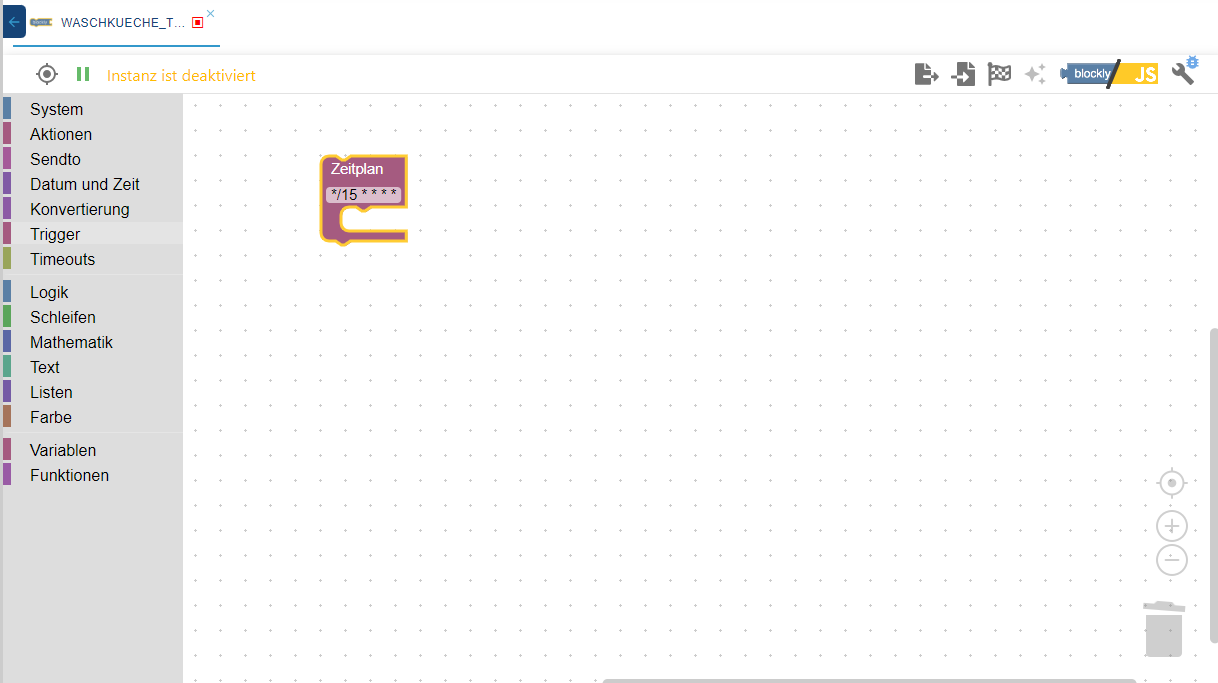
Wenn ich aber dann in den Instanzen nachschaue, läuft der Javascript-Adapter.
Zurück im Blockly kann ich wieder etwas einfügen. Beim Speichern wieder "Instanz ist deaktiviert".
Möchte ich mir jetzt die Instanzen ansehen, bekomme ich:Cannot read compact mode by host "system.host.iobroker": timeoutNach einiger Zeit öffnen sich dann die Instanzen und alle laufen. Zurück im Blockly gebe eine neue Zeile ein, speichere und es kommt wieder die Meldung "Instanz ist deaktiviert". Diese Meldung erscheint dann auch in allen anderen Scripten.
Das deutet doch auf ein Problem mit dem Javascript-Adapter, oder?
Gruss
Thomas




Hey! Du scheinst an dieser Unterhaltung interessiert zu sein, hast aber noch kein Konto.
Hast du es satt, bei jedem Besuch durch die gleichen Beiträge zu scrollen? Wenn du dich für ein Konto anmeldest, kommst du immer genau dorthin zurück, wo du zuvor warst, und kannst dich über neue Antworten benachrichtigen lassen (entweder per E-Mail oder Push-Benachrichtigung). Du kannst auch Lesezeichen speichern und Beiträge positiv bewerten, um anderen Community-Mitgliedern deine Wertschätzung zu zeigen.
Mit deinem Input könnte dieser Beitrag noch besser werden 💗
Registrieren Anmelden399
Online33.0k
Benutzer83.4k
Themen1.3m
Beiträge