




ioBroker Installer zerschießt System
-
@bahnuhr Sorry, das ist wohl mißverständlich... Proxmox läuft mit 32 GB, die VM hat nur 2 GB - und die ist ja quasi leer. Die neue VM soll auch "nur" ein neuer Multihost in meiner Umgebung werden und bekommt selbstverständlich mehr RAM bei Bedarf...
@antimon sagte in ioBroker Installer zerschießt System:
@bahnuhr Sorry, das ist wohl mißverständlich... Proxmox läuft mit 32 GB, die VM hat nur 2 GB - und die ist ja quasi leer. Die neue VM soll auch "nur" ein neuer Multihost in meiner Umgebung werden und bekommt selbstverständlich mehr RAM bei Bedarf...
Tut mir leid, aber mit deinen wenigen Infos kann man nix anfangen.
also iob läuft in einer VM, richtig ?
2 GB zu wenig, mach da mal mehr !multihost: sowas gehört in den 1. Beitrag.
also was:
master oder slave?@antimon sagte in ioBroker Installer zerschießt System:
Emergency Modus
kenn ich nicht.
Frage ist:
warum benutzt du nicht die docu auf iob Seite bzgl. proxmox
Die ist super und klappt einwandfrei.
https://www.iobroker.net/#de/documentation/install/proxmox.md
Kennst du diese; und hast du diese benutzt ?Und da steht ein kompletter Ablauf mit debian (warum ubuntu ?, aber egal).
und die Einrichtung als vm -
@antimon sagte in ioBroker Installer zerschießt System:
@bahnuhr Sorry, das ist wohl mißverständlich... Proxmox läuft mit 32 GB, die VM hat nur 2 GB - und die ist ja quasi leer. Die neue VM soll auch "nur" ein neuer Multihost in meiner Umgebung werden und bekommt selbstverständlich mehr RAM bei Bedarf...
Tut mir leid, aber mit deinen wenigen Infos kann man nix anfangen.
also iob läuft in einer VM, richtig ?
2 GB zu wenig, mach da mal mehr !multihost: sowas gehört in den 1. Beitrag.
also was:
master oder slave?@antimon sagte in ioBroker Installer zerschießt System:
Emergency Modus
kenn ich nicht.
Frage ist:
warum benutzt du nicht die docu auf iob Seite bzgl. proxmox
Die ist super und klappt einwandfrei.
https://www.iobroker.net/#de/documentation/install/proxmox.md
Kennst du diese; und hast du diese benutzt ?Und da steht ein kompletter Ablauf mit debian (warum ubuntu ?, aber egal).
und die Einrichtung als vm@bahnuhr Tut mir leid, aber viel mehr Infos kann ich nicht beisteuern...
Also, iob soll in einer VM laufen, das ist richtig. Ich kann ihr gern 16 GB geben, das wird nichts ändern - wir sind leider nicht so weit, dass iob überhaupt starten könnte. Die Installation ist durch, danach bootet das System nicht mehr.
Multihost spielt auch keine Rolle. So weit ist er noch nicht - es ist eine nackte ioBroker Installation, die noch nicht angepasst ist. Es soll mal ein Slave werden, aber so weit komme ich leider nicht.
Frage ist:
warum benutzt du nicht die docu auf iob Seite bzgl. proxmox
Die ist super und klappt einwandfrei.
https://www.iobroker.net/#de/documentation/install/proxmox.md
Kennst du diese; und hast du diese benutzt ?Ich kenne die Anleitung - nein, ich habe sie nicht benutzt. Ich habe einen Cluster mit 6 Proxmox Servern am Laufen, die Anleitung richtet sich an Einsteiger, ich habe bereits eine lauffähige Umgebung.
Ubuntu deshalb, weil alle meiner Server auf Ubuntu laufen - da bin ich fit - Debian sollte ich auch hinbekommen, aber ich sehe da keinen Vorteil.Bitte versteh mich nicht falsch, ich schätze es sehr, dass du mir helfen möchtest, aber ich würde gern das konkrete Problem lösen. In der Anleitung wird genau das beschrieben, was ich auch gemacht habe. Nur beim ioBroker-Install-Skript gibt es Probleme, wie oben beschrieben. Das heisst für mich dass vielleicht in der Version 2023-10-13, die ich nutze, das Problem vorhanden ist, und nicht in anderen Versionen. Vielleicht stelle ich mich auch blöd an und das Problem existiert nur bei mir, aber das glaube ich nicht.
Ich kann mir ioBroker auch manuell über npm installieren, aber ich denke es gibt hier ein Problem, das gelöst werden sollte, damit nicht potenzielle Interessenten davon abgehalten werden, den ioBroker zu nutzen. Und ich würde gerne dazu beitragen, das Problem zu lösen, allerdings fehlt mir gerade der passende Ansatz - eine Debug-Funktion habe ich im Installer zumindest beim Drüberfliegen nicht gefunden.
-
Systemdata Bitte Ausfüllen Hardwaresystem: Proxmox VE 8 Arbeitsspeicher: 2GB Festplattenart: SSD Betriebssystem: Ubuntu 22.04.1 LTS Node-Version: N/A Nodejs-Version: N/A NPM-Version: N/A Installationsart: Skript Image genutzt: Nein Ort/Name der Imagedatei: - Folgende Ausgangssituation: Neue Proxmox-VM mit 16 GB Platte, frisch installiert. Das ioBroker-Install-Skript verhält sich komisch, macht immer wieder bei "Dienste werden neu gestartet" nicht weiter, bis man Enter drückt - irgendwann ist er fertig.
Wenn man dann das System neu startet, hängt es beim Initialisieren des Devices /dev/disk/by-uuid/<uuid> - die Disk ist wohl die Swap-Partition. Mehr habe ich bisher noch nicht herausfinden können. Das System geht dann in den Emergency Modus und bootet nicht mehr weiter.Hat jemand eine Idee, was der Installer da treibt? Das Problem ist übrigens reproduzierbar - ich habe 3x hintereinander versucht, den ioBroker zu installieren. Als root oder als normaler User - egal wie...
@antimon sagte in ioBroker Installer zerschießt System:
Das ioBroker-Install-Skript
welches?
Windows?
Linux? -
@antimon sagte in ioBroker Installer zerschießt System:
Das ioBroker-Install-Skript
welches?
Windows?
Linux? -
Das muss aber was 'individuelles' auf deiner Kiste sein. Ich hab den Installer die Tage verwendet, wenn auch nicht auf Proxmox.
Die Ausgaben und Rückmeldungen des Skripts sehen konkret wie aus? -
Also er startet im Step 1/4 und installiert seine prerequisites. Den ersten Teil lasse ich mal weg, das ist im Prinzip der gleiche Block für jedes Paket.
Nach der Installation vom c-Compiler etc. kommt Folgendes:
No VM guests are running outdated hypervisor (qemu) binaries on this host.
 Trigger für man-db (2.10.2-1) werden verarbeitet ...1-1_amd64.deb ...lliert.)
Installed acl
Extrahiere Vorlagen aus Paketen: 100%
Scanning processes...
Scanning linux images...

Running kernel seems to be up-to-date.

No services need to be restarted.

No containers need to be restarted.

No user sessions are running outdated binaries.

No VM guests are running outdated hypervisor (qemu) binaries on this host.
 Trigger für libc-bin (2.35-0ubuntu3.4) werden verarbeitet .../c++ (c++) im automatischen Modus bereitzustellen
Installed build-essential
Scanning processes...
Scanning linux images...

Running kernel seems to be up-to-date.

No services need to be restarted.

No containers need to be restarted.

No user sessions are running outdated binaries.

No VM guests are running outdated hypervisor (qemu) binaries on this host.
 Trigger für man-db (2.10.2-1) werden verarbeitet ...eitet ...erichtet ...untu5.1_amd64.deb ...
Installed libavahi-compat-libdnssd-dev
Scanning processes...
Scanning candidates...
Scanning linux images...

Running kernel seems to be up-to-date.

Restarting services...
An dieser Stelle passiert erst mal nichts mehr. Man kann kurz oder auch länger warten - wenn man möchte, dass was geschieht, drückt man einmal auf "ENTER".
Interessant: Als ich jetzt fürs Protokoll markieren wollte, kam noch ein Rest von dem "Welche Dienste sollen neu gestartet werden?" vom Ubuntu - das sieht man aber nicht. War wohl Zufall, dass ich den Buffer durchs Kopieren einfangen konnte:
           │ [*] packagekit.service  │
           │ [*] polkit.service  │
           │ [*] rsyslog.service  │
           │ [*] ssh.service  │
           │ [ ] systemd-logind.service  │
           │ [ ] unattended-upgrades.service  │
           │ [ ] user@2001.service  │
           │ │
           │ │
           │ <Ok> <Cancel> │
           │ │
           └───────────────────────────────────────────────────────┘
Was ich auch gerade noch gesehen habe - scheinbar hat er Probleme beim Restart einiger Dienste:
Restarting services...
 systemctl restart packagekit.service polkit.service
Failed to restart packagekit.service: Unit packagekit.service not found.
Failed to restart polkit.service: Unit polkit.service not found.
Service restarts being deferred:
 /etc/needrestart/restart.d/dbus.service
 systemctl restart systemd-logind.service
 systemctl restart unattended-upgrades.service
 systemctl restart user@2001.service

No containers need to be restarted.

No user sessions are running outdated binaries.

No VM guests are running outdated hypervisor (qemu) binaries on this host.
Mit ENTER kommt man da zwar immer ein Stückchen weiter, irgendwann ist er auch durch - aber beim nächsten Systemstart findet er die /boot-Partition nicht mehr.
Wie das zusammenhängen kann, verstehe ich auch noch nicht so recht. Evlt. ein systemd-Dienst? -
Also er startet im Step 1/4 und installiert seine prerequisites. Den ersten Teil lasse ich mal weg, das ist im Prinzip der gleiche Block für jedes Paket.
Nach der Installation vom c-Compiler etc. kommt Folgendes:
No VM guests are running outdated hypervisor (qemu) binaries on this host.
 Trigger für man-db (2.10.2-1) werden verarbeitet ...1-1_amd64.deb ...lliert.)
Installed acl
Extrahiere Vorlagen aus Paketen: 100%
Scanning processes...
Scanning linux images...

Running kernel seems to be up-to-date.

No services need to be restarted.

No containers need to be restarted.

No user sessions are running outdated binaries.

No VM guests are running outdated hypervisor (qemu) binaries on this host.
 Trigger für libc-bin (2.35-0ubuntu3.4) werden verarbeitet .../c++ (c++) im automatischen Modus bereitzustellen
Installed build-essential
Scanning processes...
Scanning linux images...

Running kernel seems to be up-to-date.

No services need to be restarted.

No containers need to be restarted.

No user sessions are running outdated binaries.

No VM guests are running outdated hypervisor (qemu) binaries on this host.
 Trigger für man-db (2.10.2-1) werden verarbeitet ...eitet ...erichtet ...untu5.1_amd64.deb ...
Installed libavahi-compat-libdnssd-dev
Scanning processes...
Scanning candidates...
Scanning linux images...

Running kernel seems to be up-to-date.

Restarting services...
An dieser Stelle passiert erst mal nichts mehr. Man kann kurz oder auch länger warten - wenn man möchte, dass was geschieht, drückt man einmal auf "ENTER".
Interessant: Als ich jetzt fürs Protokoll markieren wollte, kam noch ein Rest von dem "Welche Dienste sollen neu gestartet werden?" vom Ubuntu - das sieht man aber nicht. War wohl Zufall, dass ich den Buffer durchs Kopieren einfangen konnte:
           │ [*] packagekit.service  │
           │ [*] polkit.service  │
           │ [*] rsyslog.service  │
           │ [*] ssh.service  │
           │ [ ] systemd-logind.service  │
           │ [ ] unattended-upgrades.service  │
           │ [ ] user@2001.service  │
           │ │
           │ │
           │ <Ok> <Cancel> │
           │ │
           └───────────────────────────────────────────────────────┘
Was ich auch gerade noch gesehen habe - scheinbar hat er Probleme beim Restart einiger Dienste:
Restarting services...
 systemctl restart packagekit.service polkit.service
Failed to restart packagekit.service: Unit packagekit.service not found.
Failed to restart polkit.service: Unit polkit.service not found.
Service restarts being deferred:
 /etc/needrestart/restart.d/dbus.service
 systemctl restart systemd-logind.service
 systemctl restart unattended-upgrades.service
 systemctl restart user@2001.service

No containers need to be restarted.

No user sessions are running outdated binaries.

No VM guests are running outdated hypervisor (qemu) binaries on this host.
Mit ENTER kommt man da zwar immer ein Stückchen weiter, irgendwann ist er auch durch - aber beim nächsten Systemstart findet er die /boot-Partition nicht mehr.
Wie das zusammenhängen kann, verstehe ich auch noch nicht so recht. Evlt. ein systemd-Dienst?Ich kenne den Code des Installers zwar nicht 'en detail', aber scheinen mir Meldungen von einem anderen Prozess zu sein. Hast du die Systemsprache auf deutsch stehen? Der Installer quatscht nämlich eigentlich ausschließlich englisch.
-
Ich kenne den Code des Installers zwar nicht 'en detail', aber scheinen mir Meldungen von einem anderen Prozess zu sein. Hast du die Systemsprache auf deutsch stehen? Der Installer quatscht nämlich eigentlich ausschließlich englisch.
@thomas-braun Ja, Systemsprache ist auf Deutsch gestellt. Du meinst also, da kommen die Konsole-Meldungen eigentlich woanders her? Hmm muss ich mal beobachten. Wobei dagegen spräche, dass sich der Ablauf bei jedem Paket wiederholt...
Normalerweilse installiert das Skript ja die benötigten Abhängigkeiten in einem Rutsch:
declare -a packages=(
			"acl" # To use setfacl
			"sudo" # To use sudo (obviously)
			"libcap2-bin" # To give nodejs access to protected ports
			# These are used by a couple of adapters and should therefore exist:
			"build-essential"
			"gcc"
			"make"
			"libavahi-compat-libdnssd-dev"
			"libudev-dev"
			"libpam0g-dev"
			"pkg-config"
			"git"
			"curl"
			"unzip"
			# These are required for canvas
			"libcairo2-dev"
			"libpango1.0-dev"
			"libjpeg-dev"
			"libgif-dev"
			"librsvg2-dev"
			"libpixman-1-dev"
			"net-tools" # To fix issue #277
			"cmake" # https://github.com/ioBroker/ioBroker.js-controller/issues/1604
		)
		for pkg in "${packages[@]}"; do
			install_package $pkg
		done
Aber aus irgendeinem Grund grätscht wohl das System dazwischen und schaltet eine Warnung, dass irgendwelche Dienste durch die Aktion neu gestartet werden. Das bekommt der Installer aber nicht mit, weil er vermutlich nur auf nen Return-Wert wartet und die Shell-Ausgabe des Systems dazwischengrätscht.
Das würde das komische Verhalten beim Setup erklären... aber warum dann die /boot-Partition nicht mehr initialisiert werden kann, ist mir nach wie vor ein Rätsel. Vor allem, was der Installer damit zu tun haben könnte.
Oder es ist auch ein Seiteneffekt durch irgendeine Aktion des Installers, die dann am System was verändert...
Ich hatte schon das init-Skript in Verdacht, konnte da aber auch nichts Außergewöhnliches finden... -
@thomas-braun Ja, Systemsprache ist auf Deutsch gestellt. Du meinst also, da kommen die Konsole-Meldungen eigentlich woanders her? Hmm muss ich mal beobachten. Wobei dagegen spräche, dass sich der Ablauf bei jedem Paket wiederholt...
Normalerweilse installiert das Skript ja die benötigten Abhängigkeiten in einem Rutsch:
declare -a packages=(
			"acl" # To use setfacl
			"sudo" # To use sudo (obviously)
			"libcap2-bin" # To give nodejs access to protected ports
			# These are used by a couple of adapters and should therefore exist:
			"build-essential"
			"gcc"
			"make"
			"libavahi-compat-libdnssd-dev"
			"libudev-dev"
			"libpam0g-dev"
			"pkg-config"
			"git"
			"curl"
			"unzip"
			# These are required for canvas
			"libcairo2-dev"
			"libpango1.0-dev"
			"libjpeg-dev"
			"libgif-dev"
			"librsvg2-dev"
			"libpixman-1-dev"
			"net-tools" # To fix issue #277
			"cmake" # https://github.com/ioBroker/ioBroker.js-controller/issues/1604
		)
		for pkg in "${packages[@]}"; do
			install_package $pkg
		done
Aber aus irgendeinem Grund grätscht wohl das System dazwischen und schaltet eine Warnung, dass irgendwelche Dienste durch die Aktion neu gestartet werden. Das bekommt der Installer aber nicht mit, weil er vermutlich nur auf nen Return-Wert wartet und die Shell-Ausgabe des Systems dazwischengrätscht.
Das würde das komische Verhalten beim Setup erklären... aber warum dann die /boot-Partition nicht mehr initialisiert werden kann, ist mir nach wie vor ein Rätsel. Vor allem, was der Installer damit zu tun haben könnte.
Oder es ist auch ein Seiteneffekt durch irgendeine Aktion des Installers, die dann am System was verändert...
Ich hatte schon das init-Skript in Verdacht, konnte da aber auch nichts Außergewöhnliches finden...@antimon sagte in ioBroker Installer zerschießt System:
Du meinst also, da kommen die Konsole-Meldungen eigentlich woanders her?
Du dürften von apt/dpkg kommen. Meine Systeme laufen auf englisch, deswegen kenne ich die deutschen Übersetzungen nicht.
Was passiert im Terminal denn, wenn du sowas wie 'neofetch' nachinstallieren willst? -
@bahnuhr Tut mir leid, aber viel mehr Infos kann ich nicht beisteuern...
Also, iob soll in einer VM laufen, das ist richtig. Ich kann ihr gern 16 GB geben, das wird nichts ändern - wir sind leider nicht so weit, dass iob überhaupt starten könnte. Die Installation ist durch, danach bootet das System nicht mehr.
Multihost spielt auch keine Rolle. So weit ist er noch nicht - es ist eine nackte ioBroker Installation, die noch nicht angepasst ist. Es soll mal ein Slave werden, aber so weit komme ich leider nicht.
Frage ist:
warum benutzt du nicht die docu auf iob Seite bzgl. proxmox
Die ist super und klappt einwandfrei.
https://www.iobroker.net/#de/documentation/install/proxmox.md
Kennst du diese; und hast du diese benutzt ?Ich kenne die Anleitung - nein, ich habe sie nicht benutzt. Ich habe einen Cluster mit 6 Proxmox Servern am Laufen, die Anleitung richtet sich an Einsteiger, ich habe bereits eine lauffähige Umgebung.
Ubuntu deshalb, weil alle meiner Server auf Ubuntu laufen - da bin ich fit - Debian sollte ich auch hinbekommen, aber ich sehe da keinen Vorteil.Bitte versteh mich nicht falsch, ich schätze es sehr, dass du mir helfen möchtest, aber ich würde gern das konkrete Problem lösen. In der Anleitung wird genau das beschrieben, was ich auch gemacht habe. Nur beim ioBroker-Install-Skript gibt es Probleme, wie oben beschrieben. Das heisst für mich dass vielleicht in der Version 2023-10-13, die ich nutze, das Problem vorhanden ist, und nicht in anderen Versionen. Vielleicht stelle ich mich auch blöd an und das Problem existiert nur bei mir, aber das glaube ich nicht.
Ich kann mir ioBroker auch manuell über npm installieren, aber ich denke es gibt hier ein Problem, das gelöst werden sollte, damit nicht potenzielle Interessenten davon abgehalten werden, den ioBroker zu nutzen. Und ich würde gerne dazu beitragen, das Problem zu lösen, allerdings fehlt mir gerade der passende Ansatz - eine Debug-Funktion habe ich im Installer zumindest beim Drüberfliegen nicht gefunden.
@antimon said in ioBroker Installer zerschießt System:
Debian sollte ich auch hinbekommen, aber ich sehe da keinen Vorteil.
Soeben mit "debian-12.2.0-amd64-netinst.iso" in einer Proxmox-VM getestet.
Install-Script läuft damit problemlos durch!
Edit:
Jetzt nochmal mit einer Minimal Installation von Ubuntu Server 22.04.3 versucht. Auch damit läuft das Script problemlos durch.
-
@antimon sagte in ioBroker Installer zerschießt System:
Das Linux-Shellskript
die von dir genannten Meldungen kommen mir total unbekannt vor

-
@antimon sagte in ioBroker Installer zerschießt System:
Das Linux-Shellskript
die von dir genannten Meldungen kommen mir total unbekannt vor
@homoran said in ioBroker Installer zerschießt System:
die von dir genannten Meldungen kommen mir total unbekannt vor
Die kommen bei einer Installation unter Ubuntu aber tatsächlich;
Welcome to Ubuntu 22.04.3 LTS (GNU/Linux 5.15.0-87-generic x86_64)

 * Documentation:  https://help.ubuntu.com
 * Management:     https://landscape.canonical.com
 * Support:        https://ubuntu.com/advantage

This system has been minimized by removing packages and content that are
not required on a system that users do not log into.

To restore this content, you can run the 'unminimize' command.
Last login: Sun Oct 22 07:17:43 2023 from 192.168.0.26
ernst@ubuntu:~$ curl -sLf https://iobroker.net/install.sh | bash -
library: loaded
Library version=2023-10-13

==========================================================================

    Welcome to the ioBroker installer!
    Installer version: 2023-10-13

    You might need to enter your password a couple of times.

==========================================================================


==========================================================================
    Installing prerequisites (1/4)
==========================================================================

[sudo] password for ernst:
Hit:1 http://at.archive.ubuntu.com/ubuntu jammy InRelease
Get:2 http://at.archive.ubuntu.com/ubuntu jammy-updates InRelease [119 kB]
Get:3 http://at.archive.ubuntu.com/ubuntu jammy-backports InRelease [109 kB]
Get:4 http://at.archive.ubuntu.com/ubuntu jammy-security InRelease [110 kB]
Get:5 http://at.archive.ubuntu.com/ubuntu jammy-updates/restricted amd64 Packages [1036 kB]
Fetched 1374 kB in 1s (2238 kB/s)
Reading package lists... Done

==========================================================================

    Node.js not found. Installing...

==========================================================================

Hit:1 http://at.archive.ubuntu.com/ubuntu jammy InRelease
Hit:2 http://at.archive.ubuntu.com/ubuntu jammy-updates InRelease
Hit:3 http://at.archive.ubuntu.com/ubuntu jammy-backports InRelease
Hit:4 http://at.archive.ubuntu.com/ubuntu jammy-security InRelease
Reading package lists... Done
Reading package lists... Done
Building dependency tree... Done
Reading state information... Done
ca-certificates is already the newest version (20230311ubuntu0.22.04.1).
ca-certificates set to manually installed.
curl is already the newest version (7.81.0-1ubuntu1.14).
curl set to manually installed.
gnupg is already the newest version (2.2.27-3ubuntu2.1).
gnupg set to manually installed.
0 upgraded, 0 newly installed, 0 to remove and 0 not upgraded.
deb [signed-by=/etc/apt/keyrings/nodesource.gpg] https://deb.nodesource.com/node_18.x nodistro main
debconf: delaying package configuration, since apt-utils is not installed
debconf: unable to initialize frontend: Dialog
debconf: (No usable dialog-like program is installed, so the dialog based frontend cannot be used. at /usr/share/perl5/D                                      ebconf/FrontEnd/Dialog.pm line 78.)
debconf: falling back to frontend: Readline
Scanning processes...
Scanning linux images...

Running kernel seems to be up-to-date.

No services need to be restarted.

No containers need to be restarted.

No user sessions are running outdated binaries.

No VM guests are running outdated hypervisor (qemu) binaries on this host.
 Setting up nodejs (18.18.2-1nodesource1) ...source1_amd64.deb ...led.)
Installed nodejs
Node.js Installed successfully!
Changing npm registry to https://registry.npmjs.org
debconf: delaying package configuration, since apt-utils is not installed
debconf: unable to initialize frontend: Dialog
debconf: (No usable dialog-like program is installed, so the dialog based frontend cannot be used. at /usr/share/perl5/D                                      ebconf/FrontEnd/Dialog.pm line 78.)
debconf: falling back to frontend: Readline
Scanning processes...
Scanning linux images...

Running kernel seems to be up-to-date.

No services need to be restarted.

No containers need to be restarted.

No user sessions are running outdated binaries.

No VM guests are running outdated hypervisor (qemu) binaries on this host.
 Setting up acl (2.3.1-1) ...ives/acl_2.3.1-1_amd64.deb ... installed.)
Installed acl
debconf: delaying package configuration, since apt-utils is not installed
debconf: unable to initialize frontend: Dialog
debconf: (No usable dialog-like program is installed, so the dialog based frontend cannot be used. at /usr/share/perl5/D                                      ebconf/FrontEnd/Dialog.pm line 78.)
debconf: falling back to frontend: Readline
Scanning processes...
Scanning linux images...

Running kernel seems to be up-to-date.

No services need to be restarted.

No containers need to be restarted.

No user sessions are running outdated binaries.

No VM guests are running outdated hypervisor (qemu) binaries on this host.
 update-alternatives: warning: skip creation of /usr/share/man/man1/c++.1.gz because associated file /usr/share/man/man1                                       Processing triggers for libc-bin (2.35-0ubuntu3.4) ...
Installed build-essential
debconf: delaying package configuration, since apt-utils is not installed
debconf: unable to initialize frontend: Dialog
debconf: (No usable dialog-like program is installed, so the dialog based frontend cannot be used. at /usr/share/perl5/D                                      ebconf/FrontEnd/Dialog.pm line 78.)
debconf: falling back to frontend: Readline
Scanning processes...
Scanning linux images...

Running kernel seems to be up-to-date.

No services need to be restarted.

No containers need to be restarted.

No user sessions are running outdated binaries.

No VM guests are running outdated hypervisor (qemu) binaries on this host.
 Processing triggers for libc-bin (2.35-0ubuntu3.4) ...untu5.1) ...5.1_amd64.deb ...
Installed libavahi-compat-libdnssd-dev
debconf: delaying package configuration, since apt-utils is not installed
debconf: unable to initialize frontend: Dialog
debconf: (No usable dialog-like program is installed, so the dialog based frontend cannot be used. at /usr/share/perl5/D                                      ebconf/FrontEnd/Dialog.pm line 78.)
debconf: falling back to frontend: Readline
Scanning processes...
Scanning linux images...

Running kernel seems to be up-to-date.

No services need to be restarted.

No containers need to be restarted.

No user sessions are running outdated binaries.

No VM guests are running outdated hypervisor (qemu) binaries on this host.
 Setting up libudev-dev:amd64 (249.11-0ubuntu3.10) ...0_amd64.deb ....)
Installed libudev-dev
debconf: delaying package configuration, since apt-utils is not installed
debconf: unable to initialize frontend: Dialog
debconf: (No usable dialog-like program is installed, so the dialog based frontend cannot be used. at /usr/share/perl5/D                                      ebconf/FrontEnd/Dialog.pm line 78.)
debconf: falling back to frontend: Readline
Scanning processes...
Scanning linux images...

Running kernel seems to be up-to-date.

No services need to be restarted.

No containers need to be restarted.

No user sessions are running outdated binaries.

No VM guests are running outdated hypervisor (qemu) binaries on this host.
 Setting up libpam0g-dev:amd64 (1.4.0-11ubuntu2.3) ...3_amd64.deb ....)
Installed libpam0g-dev
debconf: delaying package configuration, since apt-utils is not installed
debconf: unable to initialize frontend: Dialog
debconf: (No usable dialog-like program is installed, so the dialog based frontend cannot be used. at /usr/share/perl5/D                                      ebconf/FrontEnd/Dialog.pm line 78.)
debconf: falling back to frontend: Readline
Scanning processes...
Scanning linux images...

Running kernel seems to be up-to-date.

No services need to be restarted.

No containers need to be restarted.

No user sessions are running outdated binaries.

No VM guests are running outdated hypervisor (qemu) binaries on this host.
 Setting up git (1:2.34.1-1ubuntu1.10) ... ...u1.10_amd64.deb .....ed.)
Installed git
debconf: delaying package configuration, since apt-utils is not installed
debconf: unable to initialize frontend: Dialog
debconf: (No usable dialog-like program is installed, so the dialog based frontend cannot be used. at /usr/share/perl5/D                                      ebconf/FrontEnd/Dialog.pm line 78.)
debconf: falling back to frontend: Readline
Scanning processes...
Scanning linux images...

Running kernel seems to be up-to-date.

No services need to be restarted.

No containers need to be restarted.

No user sessions are running outdated binaries.

No VM guests are running outdated hypervisor (qemu) binaries on this host.
 Setting up unzip (6.0-26ubuntu3.1) ...untu3.1_amd64.deb ...installed.)
Installed unzip
debconf: delaying package configuration, since apt-utils is not installed
debconf: unable to initialize frontend: Dialog
debconf: (No usable dialog-like program is installed, so the dialog based frontend cannot be used. at /usr/share/perl5/D                                      ebconf/FrontEnd/Dialog.pm line 78.)
debconf: falling back to frontend: Readline
Scanning processes...
Scanning linux images...

Running kernel seems to be up-to-date.

No services need to be restarted.

No containers need to be restarted.

No user sessions are running outdated binaries.

No VM guests are running outdated hypervisor (qemu) binaries on this host.
 debconf: (No usable dialog-like program is installed, so the dialog based frontend cannot be used. at /usr/share/perl5/                                       Setting up libcairo2-dev:amd64 (1.16.0-5ubuntu2) .....untu2.2) ....
Installed libcairo2-dev
debconf: delaying package configuration, since apt-utils is not installed
debconf: unable to initialize frontend: Dialog
debconf: (No usable dialog-like program is installed, so the dialog based frontend cannot be used. at /usr/share/perl5/Debconf/FrontEnd/Dialog.pm line 78.)
debconf: falling back to frontend: Readline
Scanning processes...
Scanning linux images...

Running kernel seems to be up-to-date.

No services need to be restarted.

No containers need to be restarted.

No user sessions are running outdated binaries.

No VM guests are running outdated hypervisor (qemu) binaries on this host.
 Processing triggers for libc-bin (2.35-0ubuntu3.4) .........._amd64.deb .......
Installed libpango1.0-dev
debconf: delaying package configuration, since apt-utils is not installed
debconf: unable to initialize frontend: Dialog
debconf: (No usable dialog-like program is installed, so the dialog based frontend cannot be used. at /usr/share/perl5/Debconf/FrontEnd/Dialog.pm line 78.)
debconf: falling back to frontend: Readline
Scanning processes...
Scanning linux images...

Running kernel seems to be up-to-date.

No services need to be restarted.

No containers need to be restarted.

No user sessions are running outdated binaries.

No VM guests are running outdated hypervisor (qemu) binaries on this host.
 Processing triggers for libc-bin (2.35-0ubuntu3.4) .....eb .....deb ...
Installed libjpeg-dev
debconf: delaying package configuration, since apt-utils is not installed
debconf: unable to initialize frontend: Dialog
debconf: (No usable dialog-like program is installed, so the dialog based frontend cannot be used. at /usr/share/perl5/Debconf/FrontEnd/Dialog.pm line 78.)
debconf: falling back to frontend: Readline
Scanning processes...
Scanning linux images...

Running kernel seems to be up-to-date.

No services need to be restarted.

No containers need to be restarted.

No user sessions are running outdated binaries.

No VM guests are running outdated hypervisor (qemu) binaries on this host.
 Processing triggers for libc-bin (2.35-0ubuntu3.4) ....deb ...talled.)
Installed libgif-dev
debconf: delaying package configuration, since apt-utils is not installed
debconf: unable to initialize frontend: Dialog
debconf: (No usable dialog-like program is installed, so the dialog based frontend cannot be used. at /usr/share/perl5/Debconf/FrontEnd/Dialog.pm line 78.)
debconf: falling back to frontend: Readline
Scanning processes...
Scanning linux images...

Running kernel seems to be up-to-date.

No services need to be restarted.

No containers need to be restarted.

No user sessions are running outdated binaries.

No VM guests are running outdated hypervisor (qemu) binaries on this host.
 Processing triggers for libgdk-pixbuf-2.0-0:amd64 (2.42.8+dfsg-1ubuntu0.2) ....eb ...
Installed librsvg2-dev
debconf: delaying package configuration, since apt-utils is not installed
debconf: unable to initialize frontend: Dialog
debconf: (No usable dialog-like program is installed, so the dialog based frontend cannot be used. at /usr/share/perl5/Debconf/FrontEnd/Dialog.pm line 78.)
debconf: falling back to frontend: Readline
Scanning processes...
Scanning linux images...

Running kernel seems to be up-to-date.

No services need to be restarted.

No containers need to be restarted.

No user sessions are running outdated binaries.

No VM guests are running outdated hypervisor (qemu) binaries on this host.
 Setting up net-tools (1.60+git20181103.0eebece-1ubuntu5) ...ubuntu5_amd64.deb ...
Installed net-tools
debconf: delaying package configuration, since apt-utils is not installed
debconf: unable to initialize frontend: Dialog
debconf: (No usable dialog-like program is installed, so the dialog based frontend cannot be used. at /usr/share/perl5/Debconf/FrontEnd/Dialog.pm line 78.)
debconf: falling back to frontend: Readline
Scanning processes...
Scanning linux images...

Running kernel seems to be up-to-date.

No services need to be restarted.

No containers need to be restarted.

No user sessions are running outdated binaries.

No VM guests are running outdated hypervisor (qemu) binaries on this host.
 Processing triggers for libc-bin (2.35-0ubuntu3.4) ...1_amd64.deb ......
Installed cmake

==========================================================================
    Creating ioBroker user and directory (2/4)
==========================================================================

User iobroker created
Created /etc/sudoers.d/iobroker
Directory /opt/iobroker created

==========================================================================
    Installing ioBroker (3/4)
==========================================================================


==========================================================================
    Finalizing installation (4/4)
==========================================================================

Enabling autostart...
Created symlink /etc/systemd/system/multi-user.target.wants/iobroker.service → /lib/systemd/system/iobroker.service.
Autostart enabled!
Fixing directory permissions...

==========================================================================

    ioBroker was installed successfully
    Open http://192.168.0.231:8081 in a browser and start configuring!

==========================================================================


You need to re-login before doing anything else on the console!
Das ist eine Installation auf ein ganz frisches Ubuntu. Installation funktioniert trotz dieser komischen Meldungen problemlos.
-
@homoran said in ioBroker Installer zerschießt System:
die von dir genannten Meldungen kommen mir total unbekannt vor
Die kommen bei einer Installation unter Ubuntu aber tatsächlich;
Welcome to Ubuntu 22.04.3 LTS (GNU/Linux 5.15.0-87-generic x86_64)

 * Documentation:  https://help.ubuntu.com
 * Management:     https://landscape.canonical.com
 * Support:        https://ubuntu.com/advantage

This system has been minimized by removing packages and content that are
not required on a system that users do not log into.

To restore this content, you can run the 'unminimize' command.
Last login: Sun Oct 22 07:17:43 2023 from 192.168.0.26
ernst@ubuntu:~$ curl -sLf https://iobroker.net/install.sh | bash -
library: loaded
Library version=2023-10-13

==========================================================================

    Welcome to the ioBroker installer!
    Installer version: 2023-10-13

    You might need to enter your password a couple of times.

==========================================================================


==========================================================================
    Installing prerequisites (1/4)
==========================================================================

[sudo] password for ernst:
Hit:1 http://at.archive.ubuntu.com/ubuntu jammy InRelease
Get:2 http://at.archive.ubuntu.com/ubuntu jammy-updates InRelease [119 kB]
Get:3 http://at.archive.ubuntu.com/ubuntu jammy-backports InRelease [109 kB]
Get:4 http://at.archive.ubuntu.com/ubuntu jammy-security InRelease [110 kB]
Get:5 http://at.archive.ubuntu.com/ubuntu jammy-updates/restricted amd64 Packages [1036 kB]
Fetched 1374 kB in 1s (2238 kB/s)
Reading package lists... Done

==========================================================================

    Node.js not found. Installing...

==========================================================================

Hit:1 http://at.archive.ubuntu.com/ubuntu jammy InRelease
Hit:2 http://at.archive.ubuntu.com/ubuntu jammy-updates InRelease
Hit:3 http://at.archive.ubuntu.com/ubuntu jammy-backports InRelease
Hit:4 http://at.archive.ubuntu.com/ubuntu jammy-security InRelease
Reading package lists... Done
Reading package lists... Done
Building dependency tree... Done
Reading state information... Done
ca-certificates is already the newest version (20230311ubuntu0.22.04.1).
ca-certificates set to manually installed.
curl is already the newest version (7.81.0-1ubuntu1.14).
curl set to manually installed.
gnupg is already the newest version (2.2.27-3ubuntu2.1).
gnupg set to manually installed.
0 upgraded, 0 newly installed, 0 to remove and 0 not upgraded.
deb [signed-by=/etc/apt/keyrings/nodesource.gpg] https://deb.nodesource.com/node_18.x nodistro main
debconf: delaying package configuration, since apt-utils is not installed
debconf: unable to initialize frontend: Dialog
debconf: (No usable dialog-like program is installed, so the dialog based frontend cannot be used. at /usr/share/perl5/D                                      ebconf/FrontEnd/Dialog.pm line 78.)
debconf: falling back to frontend: Readline
Scanning processes...
Scanning linux images...

Running kernel seems to be up-to-date.

No services need to be restarted.

No containers need to be restarted.

No user sessions are running outdated binaries.

No VM guests are running outdated hypervisor (qemu) binaries on this host.
 Setting up nodejs (18.18.2-1nodesource1) ...source1_amd64.deb ...led.)
Installed nodejs
Node.js Installed successfully!
Changing npm registry to https://registry.npmjs.org
debconf: delaying package configuration, since apt-utils is not installed
debconf: unable to initialize frontend: Dialog
debconf: (No usable dialog-like program is installed, so the dialog based frontend cannot be used. at /usr/share/perl5/D                                      ebconf/FrontEnd/Dialog.pm line 78.)
debconf: falling back to frontend: Readline
Scanning processes...
Scanning linux images...

Running kernel seems to be up-to-date.

No services need to be restarted.

No containers need to be restarted.

No user sessions are running outdated binaries.

No VM guests are running outdated hypervisor (qemu) binaries on this host.
 Setting up acl (2.3.1-1) ...ives/acl_2.3.1-1_amd64.deb ... installed.)
Installed acl
debconf: delaying package configuration, since apt-utils is not installed
debconf: unable to initialize frontend: Dialog
debconf: (No usable dialog-like program is installed, so the dialog based frontend cannot be used. at /usr/share/perl5/D                                      ebconf/FrontEnd/Dialog.pm line 78.)
debconf: falling back to frontend: Readline
Scanning processes...
Scanning linux images...

Running kernel seems to be up-to-date.

No services need to be restarted.

No containers need to be restarted.

No user sessions are running outdated binaries.

No VM guests are running outdated hypervisor (qemu) binaries on this host.
 update-alternatives: warning: skip creation of /usr/share/man/man1/c++.1.gz because associated file /usr/share/man/man1                                       Processing triggers for libc-bin (2.35-0ubuntu3.4) ...
Installed build-essential
debconf: delaying package configuration, since apt-utils is not installed
debconf: unable to initialize frontend: Dialog
debconf: (No usable dialog-like program is installed, so the dialog based frontend cannot be used. at /usr/share/perl5/D                                      ebconf/FrontEnd/Dialog.pm line 78.)
debconf: falling back to frontend: Readline
Scanning processes...
Scanning linux images...

Running kernel seems to be up-to-date.

No services need to be restarted.

No containers need to be restarted.

No user sessions are running outdated binaries.

No VM guests are running outdated hypervisor (qemu) binaries on this host.
 Processing triggers for libc-bin (2.35-0ubuntu3.4) ...untu5.1) ...5.1_amd64.deb ...
Installed libavahi-compat-libdnssd-dev
debconf: delaying package configuration, since apt-utils is not installed
debconf: unable to initialize frontend: Dialog
debconf: (No usable dialog-like program is installed, so the dialog based frontend cannot be used. at /usr/share/perl5/D                                      ebconf/FrontEnd/Dialog.pm line 78.)
debconf: falling back to frontend: Readline
Scanning processes...
Scanning linux images...

Running kernel seems to be up-to-date.

No services need to be restarted.

No containers need to be restarted.

No user sessions are running outdated binaries.

No VM guests are running outdated hypervisor (qemu) binaries on this host.
 Setting up libudev-dev:amd64 (249.11-0ubuntu3.10) ...0_amd64.deb ....)
Installed libudev-dev
debconf: delaying package configuration, since apt-utils is not installed
debconf: unable to initialize frontend: Dialog
debconf: (No usable dialog-like program is installed, so the dialog based frontend cannot be used. at /usr/share/perl5/D                                      ebconf/FrontEnd/Dialog.pm line 78.)
debconf: falling back to frontend: Readline
Scanning processes...
Scanning linux images...

Running kernel seems to be up-to-date.

No services need to be restarted.

No containers need to be restarted.

No user sessions are running outdated binaries.

No VM guests are running outdated hypervisor (qemu) binaries on this host.
 Setting up libpam0g-dev:amd64 (1.4.0-11ubuntu2.3) ...3_amd64.deb ....)
Installed libpam0g-dev
debconf: delaying package configuration, since apt-utils is not installed
debconf: unable to initialize frontend: Dialog
debconf: (No usable dialog-like program is installed, so the dialog based frontend cannot be used. at /usr/share/perl5/D                                      ebconf/FrontEnd/Dialog.pm line 78.)
debconf: falling back to frontend: Readline
Scanning processes...
Scanning linux images...

Running kernel seems to be up-to-date.

No services need to be restarted.

No containers need to be restarted.

No user sessions are running outdated binaries.

No VM guests are running outdated hypervisor (qemu) binaries on this host.
 Setting up git (1:2.34.1-1ubuntu1.10) ... ...u1.10_amd64.deb .....ed.)
Installed git
debconf: delaying package configuration, since apt-utils is not installed
debconf: unable to initialize frontend: Dialog
debconf: (No usable dialog-like program is installed, so the dialog based frontend cannot be used. at /usr/share/perl5/D                                      ebconf/FrontEnd/Dialog.pm line 78.)
debconf: falling back to frontend: Readline
Scanning processes...
Scanning linux images...

Running kernel seems to be up-to-date.

No services need to be restarted.

No containers need to be restarted.

No user sessions are running outdated binaries.

No VM guests are running outdated hypervisor (qemu) binaries on this host.
 Setting up unzip (6.0-26ubuntu3.1) ...untu3.1_amd64.deb ...installed.)
Installed unzip
debconf: delaying package configuration, since apt-utils is not installed
debconf: unable to initialize frontend: Dialog
debconf: (No usable dialog-like program is installed, so the dialog based frontend cannot be used. at /usr/share/perl5/D                                      ebconf/FrontEnd/Dialog.pm line 78.)
debconf: falling back to frontend: Readline
Scanning processes...
Scanning linux images...

Running kernel seems to be up-to-date.

No services need to be restarted.

No containers need to be restarted.

No user sessions are running outdated binaries.

No VM guests are running outdated hypervisor (qemu) binaries on this host.
 debconf: (No usable dialog-like program is installed, so the dialog based frontend cannot be used. at /usr/share/perl5/                                       Setting up libcairo2-dev:amd64 (1.16.0-5ubuntu2) .....untu2.2) ....
Installed libcairo2-dev
debconf: delaying package configuration, since apt-utils is not installed
debconf: unable to initialize frontend: Dialog
debconf: (No usable dialog-like program is installed, so the dialog based frontend cannot be used. at /usr/share/perl5/Debconf/FrontEnd/Dialog.pm line 78.)
debconf: falling back to frontend: Readline
Scanning processes...
Scanning linux images...

Running kernel seems to be up-to-date.

No services need to be restarted.

No containers need to be restarted.

No user sessions are running outdated binaries.

No VM guests are running outdated hypervisor (qemu) binaries on this host.
 Processing triggers for libc-bin (2.35-0ubuntu3.4) .........._amd64.deb .......
Installed libpango1.0-dev
debconf: delaying package configuration, since apt-utils is not installed
debconf: unable to initialize frontend: Dialog
debconf: (No usable dialog-like program is installed, so the dialog based frontend cannot be used. at /usr/share/perl5/Debconf/FrontEnd/Dialog.pm line 78.)
debconf: falling back to frontend: Readline
Scanning processes...
Scanning linux images...

Running kernel seems to be up-to-date.

No services need to be restarted.

No containers need to be restarted.

No user sessions are running outdated binaries.

No VM guests are running outdated hypervisor (qemu) binaries on this host.
 Processing triggers for libc-bin (2.35-0ubuntu3.4) .....eb .....deb ...
Installed libjpeg-dev
debconf: delaying package configuration, since apt-utils is not installed
debconf: unable to initialize frontend: Dialog
debconf: (No usable dialog-like program is installed, so the dialog based frontend cannot be used. at /usr/share/perl5/Debconf/FrontEnd/Dialog.pm line 78.)
debconf: falling back to frontend: Readline
Scanning processes...
Scanning linux images...

Running kernel seems to be up-to-date.

No services need to be restarted.

No containers need to be restarted.

No user sessions are running outdated binaries.

No VM guests are running outdated hypervisor (qemu) binaries on this host.
 Processing triggers for libc-bin (2.35-0ubuntu3.4) ....deb ...talled.)
Installed libgif-dev
debconf: delaying package configuration, since apt-utils is not installed
debconf: unable to initialize frontend: Dialog
debconf: (No usable dialog-like program is installed, so the dialog based frontend cannot be used. at /usr/share/perl5/Debconf/FrontEnd/Dialog.pm line 78.)
debconf: falling back to frontend: Readline
Scanning processes...
Scanning linux images...

Running kernel seems to be up-to-date.

No services need to be restarted.

No containers need to be restarted.

No user sessions are running outdated binaries.

No VM guests are running outdated hypervisor (qemu) binaries on this host.
 Processing triggers for libgdk-pixbuf-2.0-0:amd64 (2.42.8+dfsg-1ubuntu0.2) ....eb ...
Installed librsvg2-dev
debconf: delaying package configuration, since apt-utils is not installed
debconf: unable to initialize frontend: Dialog
debconf: (No usable dialog-like program is installed, so the dialog based frontend cannot be used. at /usr/share/perl5/Debconf/FrontEnd/Dialog.pm line 78.)
debconf: falling back to frontend: Readline
Scanning processes...
Scanning linux images...

Running kernel seems to be up-to-date.

No services need to be restarted.

No containers need to be restarted.

No user sessions are running outdated binaries.

No VM guests are running outdated hypervisor (qemu) binaries on this host.
 Setting up net-tools (1.60+git20181103.0eebece-1ubuntu5) ...ubuntu5_amd64.deb ...
Installed net-tools
debconf: delaying package configuration, since apt-utils is not installed
debconf: unable to initialize frontend: Dialog
debconf: (No usable dialog-like program is installed, so the dialog based frontend cannot be used. at /usr/share/perl5/Debconf/FrontEnd/Dialog.pm line 78.)
debconf: falling back to frontend: Readline
Scanning processes...
Scanning linux images...

Running kernel seems to be up-to-date.

No services need to be restarted.

No containers need to be restarted.

No user sessions are running outdated binaries.

No VM guests are running outdated hypervisor (qemu) binaries on this host.
 Processing triggers for libc-bin (2.35-0ubuntu3.4) ...1_amd64.deb ......
Installed cmake

==========================================================================
    Creating ioBroker user and directory (2/4)
==========================================================================

User iobroker created
Created /etc/sudoers.d/iobroker
Directory /opt/iobroker created

==========================================================================
    Installing ioBroker (3/4)
==========================================================================


==========================================================================
    Finalizing installation (4/4)
==========================================================================

Enabling autostart...
Created symlink /etc/systemd/system/multi-user.target.wants/iobroker.service → /lib/systemd/system/iobroker.service.
Autostart enabled!
Fixing directory permissions...

==========================================================================

    ioBroker was installed successfully
    Open http://192.168.0.231:8081 in a browser and start configuring!

==========================================================================


You need to re-login before doing anything else on the console!
Das ist eine Installation auf ein ganz frisches Ubuntu. Installation funktioniert trotz dieser komischen Meldungen problemlos.
@einstein67 sagte in ioBroker Installer zerschießt System:
kommen bei einer Installation unter Ubuntu aber tatsächlich;
@antimon sagte in ioBroker Installer zerschießt System:
"Dienste werden neu gestartet"
klingt für mich nach Windows.
ich kann mich an so eine Meldung nicht erinnern -
@bahnuhr Tut mir leid, aber viel mehr Infos kann ich nicht beisteuern...
Also, iob soll in einer VM laufen, das ist richtig. Ich kann ihr gern 16 GB geben, das wird nichts ändern - wir sind leider nicht so weit, dass iob überhaupt starten könnte. Die Installation ist durch, danach bootet das System nicht mehr.
Multihost spielt auch keine Rolle. So weit ist er noch nicht - es ist eine nackte ioBroker Installation, die noch nicht angepasst ist. Es soll mal ein Slave werden, aber so weit komme ich leider nicht.
Frage ist:
warum benutzt du nicht die docu auf iob Seite bzgl. proxmox
Die ist super und klappt einwandfrei.
https://www.iobroker.net/#de/documentation/install/proxmox.md
Kennst du diese; und hast du diese benutzt ?Ich kenne die Anleitung - nein, ich habe sie nicht benutzt. Ich habe einen Cluster mit 6 Proxmox Servern am Laufen, die Anleitung richtet sich an Einsteiger, ich habe bereits eine lauffähige Umgebung.
Ubuntu deshalb, weil alle meiner Server auf Ubuntu laufen - da bin ich fit - Debian sollte ich auch hinbekommen, aber ich sehe da keinen Vorteil.Bitte versteh mich nicht falsch, ich schätze es sehr, dass du mir helfen möchtest, aber ich würde gern das konkrete Problem lösen. In der Anleitung wird genau das beschrieben, was ich auch gemacht habe. Nur beim ioBroker-Install-Skript gibt es Probleme, wie oben beschrieben. Das heisst für mich dass vielleicht in der Version 2023-10-13, die ich nutze, das Problem vorhanden ist, und nicht in anderen Versionen. Vielleicht stelle ich mich auch blöd an und das Problem existiert nur bei mir, aber das glaube ich nicht.
Ich kann mir ioBroker auch manuell über npm installieren, aber ich denke es gibt hier ein Problem, das gelöst werden sollte, damit nicht potenzielle Interessenten davon abgehalten werden, den ioBroker zu nutzen. Und ich würde gerne dazu beitragen, das Problem zu lösen, allerdings fehlt mir gerade der passende Ansatz - eine Debug-Funktion habe ich im Installer zumindest beim Drüberfliegen nicht gefunden.
@antimon sagte in ioBroker Installer zerschießt System:
Das heisst für mich dass vielleicht in der Version 2023-10-13, die ich nutze, das Problem vorhanden ist, und nicht in anderen Versionen.
Auch ich habe vor zwei Tagen in einem debian 12 LXC das Skript ohne Probleme eingesetzt. Daran liegt es vermutlich also nicht...
-
@homoran said in ioBroker Installer zerschießt System:
die von dir genannten Meldungen kommen mir total unbekannt vor
Die kommen bei einer Installation unter Ubuntu aber tatsächlich;
Welcome to Ubuntu 22.04.3 LTS (GNU/Linux 5.15.0-87-generic x86_64)

 * Documentation:  https://help.ubuntu.com
 * Management:     https://landscape.canonical.com
 * Support:        https://ubuntu.com/advantage

This system has been minimized by removing packages and content that are
not required on a system that users do not log into.

To restore this content, you can run the 'unminimize' command.
Last login: Sun Oct 22 07:17:43 2023 from 192.168.0.26
ernst@ubuntu:~$ curl -sLf https://iobroker.net/install.sh | bash -
library: loaded
Library version=2023-10-13

==========================================================================

    Welcome to the ioBroker installer!
    Installer version: 2023-10-13

    You might need to enter your password a couple of times.

==========================================================================


==========================================================================
    Installing prerequisites (1/4)
==========================================================================

[sudo] password for ernst:
Hit:1 http://at.archive.ubuntu.com/ubuntu jammy InRelease
Get:2 http://at.archive.ubuntu.com/ubuntu jammy-updates InRelease [119 kB]
Get:3 http://at.archive.ubuntu.com/ubuntu jammy-backports InRelease [109 kB]
Get:4 http://at.archive.ubuntu.com/ubuntu jammy-security InRelease [110 kB]
Get:5 http://at.archive.ubuntu.com/ubuntu jammy-updates/restricted amd64 Packages [1036 kB]
Fetched 1374 kB in 1s (2238 kB/s)
Reading package lists... Done

==========================================================================

    Node.js not found. Installing...

==========================================================================

Hit:1 http://at.archive.ubuntu.com/ubuntu jammy InRelease
Hit:2 http://at.archive.ubuntu.com/ubuntu jammy-updates InRelease
Hit:3 http://at.archive.ubuntu.com/ubuntu jammy-backports InRelease
Hit:4 http://at.archive.ubuntu.com/ubuntu jammy-security InRelease
Reading package lists... Done
Reading package lists... Done
Building dependency tree... Done
Reading state information... Done
ca-certificates is already the newest version (20230311ubuntu0.22.04.1).
ca-certificates set to manually installed.
curl is already the newest version (7.81.0-1ubuntu1.14).
curl set to manually installed.
gnupg is already the newest version (2.2.27-3ubuntu2.1).
gnupg set to manually installed.
0 upgraded, 0 newly installed, 0 to remove and 0 not upgraded.
deb [signed-by=/etc/apt/keyrings/nodesource.gpg] https://deb.nodesource.com/node_18.x nodistro main
debconf: delaying package configuration, since apt-utils is not installed
debconf: unable to initialize frontend: Dialog
debconf: (No usable dialog-like program is installed, so the dialog based frontend cannot be used. at /usr/share/perl5/D                                      ebconf/FrontEnd/Dialog.pm line 78.)
debconf: falling back to frontend: Readline
Scanning processes...
Scanning linux images...

Running kernel seems to be up-to-date.

No services need to be restarted.

No containers need to be restarted.

No user sessions are running outdated binaries.

No VM guests are running outdated hypervisor (qemu) binaries on this host.
 Setting up nodejs (18.18.2-1nodesource1) ...source1_amd64.deb ...led.)
Installed nodejs
Node.js Installed successfully!
Changing npm registry to https://registry.npmjs.org
debconf: delaying package configuration, since apt-utils is not installed
debconf: unable to initialize frontend: Dialog
debconf: (No usable dialog-like program is installed, so the dialog based frontend cannot be used. at /usr/share/perl5/D                                      ebconf/FrontEnd/Dialog.pm line 78.)
debconf: falling back to frontend: Readline
Scanning processes...
Scanning linux images...

Running kernel seems to be up-to-date.

No services need to be restarted.

No containers need to be restarted.

No user sessions are running outdated binaries.

No VM guests are running outdated hypervisor (qemu) binaries on this host.
 Setting up acl (2.3.1-1) ...ives/acl_2.3.1-1_amd64.deb ... installed.)
Installed acl
debconf: delaying package configuration, since apt-utils is not installed
debconf: unable to initialize frontend: Dialog
debconf: (No usable dialog-like program is installed, so the dialog based frontend cannot be used. at /usr/share/perl5/D                                      ebconf/FrontEnd/Dialog.pm line 78.)
debconf: falling back to frontend: Readline
Scanning processes...
Scanning linux images...

Running kernel seems to be up-to-date.

No services need to be restarted.

No containers need to be restarted.

No user sessions are running outdated binaries.

No VM guests are running outdated hypervisor (qemu) binaries on this host.
 update-alternatives: warning: skip creation of /usr/share/man/man1/c++.1.gz because associated file /usr/share/man/man1                                       Processing triggers for libc-bin (2.35-0ubuntu3.4) ...
Installed build-essential
debconf: delaying package configuration, since apt-utils is not installed
debconf: unable to initialize frontend: Dialog
debconf: (No usable dialog-like program is installed, so the dialog based frontend cannot be used. at /usr/share/perl5/D                                      ebconf/FrontEnd/Dialog.pm line 78.)
debconf: falling back to frontend: Readline
Scanning processes...
Scanning linux images...

Running kernel seems to be up-to-date.

No services need to be restarted.

No containers need to be restarted.

No user sessions are running outdated binaries.

No VM guests are running outdated hypervisor (qemu) binaries on this host.
 Processing triggers for libc-bin (2.35-0ubuntu3.4) ...untu5.1) ...5.1_amd64.deb ...
Installed libavahi-compat-libdnssd-dev
debconf: delaying package configuration, since apt-utils is not installed
debconf: unable to initialize frontend: Dialog
debconf: (No usable dialog-like program is installed, so the dialog based frontend cannot be used. at /usr/share/perl5/D                                      ebconf/FrontEnd/Dialog.pm line 78.)
debconf: falling back to frontend: Readline
Scanning processes...
Scanning linux images...

Running kernel seems to be up-to-date.

No services need to be restarted.

No containers need to be restarted.

No user sessions are running outdated binaries.

No VM guests are running outdated hypervisor (qemu) binaries on this host.
 Setting up libudev-dev:amd64 (249.11-0ubuntu3.10) ...0_amd64.deb ....)
Installed libudev-dev
debconf: delaying package configuration, since apt-utils is not installed
debconf: unable to initialize frontend: Dialog
debconf: (No usable dialog-like program is installed, so the dialog based frontend cannot be used. at /usr/share/perl5/D                                      ebconf/FrontEnd/Dialog.pm line 78.)
debconf: falling back to frontend: Readline
Scanning processes...
Scanning linux images...

Running kernel seems to be up-to-date.

No services need to be restarted.

No containers need to be restarted.

No user sessions are running outdated binaries.

No VM guests are running outdated hypervisor (qemu) binaries on this host.
 Setting up libpam0g-dev:amd64 (1.4.0-11ubuntu2.3) ...3_amd64.deb ....)
Installed libpam0g-dev
debconf: delaying package configuration, since apt-utils is not installed
debconf: unable to initialize frontend: Dialog
debconf: (No usable dialog-like program is installed, so the dialog based frontend cannot be used. at /usr/share/perl5/D                                      ebconf/FrontEnd/Dialog.pm line 78.)
debconf: falling back to frontend: Readline
Scanning processes...
Scanning linux images...

Running kernel seems to be up-to-date.

No services need to be restarted.

No containers need to be restarted.

No user sessions are running outdated binaries.

No VM guests are running outdated hypervisor (qemu) binaries on this host.
 Setting up git (1:2.34.1-1ubuntu1.10) ... ...u1.10_amd64.deb .....ed.)
Installed git
debconf: delaying package configuration, since apt-utils is not installed
debconf: unable to initialize frontend: Dialog
debconf: (No usable dialog-like program is installed, so the dialog based frontend cannot be used. at /usr/share/perl5/D                                      ebconf/FrontEnd/Dialog.pm line 78.)
debconf: falling back to frontend: Readline
Scanning processes...
Scanning linux images...

Running kernel seems to be up-to-date.

No services need to be restarted.

No containers need to be restarted.

No user sessions are running outdated binaries.

No VM guests are running outdated hypervisor (qemu) binaries on this host.
 Setting up unzip (6.0-26ubuntu3.1) ...untu3.1_amd64.deb ...installed.)
Installed unzip
debconf: delaying package configuration, since apt-utils is not installed
debconf: unable to initialize frontend: Dialog
debconf: (No usable dialog-like program is installed, so the dialog based frontend cannot be used. at /usr/share/perl5/D                                      ebconf/FrontEnd/Dialog.pm line 78.)
debconf: falling back to frontend: Readline
Scanning processes...
Scanning linux images...

Running kernel seems to be up-to-date.

No services need to be restarted.

No containers need to be restarted.

No user sessions are running outdated binaries.

No VM guests are running outdated hypervisor (qemu) binaries on this host.
 debconf: (No usable dialog-like program is installed, so the dialog based frontend cannot be used. at /usr/share/perl5/                                       Setting up libcairo2-dev:amd64 (1.16.0-5ubuntu2) .....untu2.2) ....
Installed libcairo2-dev
debconf: delaying package configuration, since apt-utils is not installed
debconf: unable to initialize frontend: Dialog
debconf: (No usable dialog-like program is installed, so the dialog based frontend cannot be used. at /usr/share/perl5/Debconf/FrontEnd/Dialog.pm line 78.)
debconf: falling back to frontend: Readline
Scanning processes...
Scanning linux images...

Running kernel seems to be up-to-date.

No services need to be restarted.

No containers need to be restarted.

No user sessions are running outdated binaries.

No VM guests are running outdated hypervisor (qemu) binaries on this host.
 Processing triggers for libc-bin (2.35-0ubuntu3.4) .........._amd64.deb .......
Installed libpango1.0-dev
debconf: delaying package configuration, since apt-utils is not installed
debconf: unable to initialize frontend: Dialog
debconf: (No usable dialog-like program is installed, so the dialog based frontend cannot be used. at /usr/share/perl5/Debconf/FrontEnd/Dialog.pm line 78.)
debconf: falling back to frontend: Readline
Scanning processes...
Scanning linux images...

Running kernel seems to be up-to-date.

No services need to be restarted.

No containers need to be restarted.

No user sessions are running outdated binaries.

No VM guests are running outdated hypervisor (qemu) binaries on this host.
 Processing triggers for libc-bin (2.35-0ubuntu3.4) .....eb .....deb ...
Installed libjpeg-dev
debconf: delaying package configuration, since apt-utils is not installed
debconf: unable to initialize frontend: Dialog
debconf: (No usable dialog-like program is installed, so the dialog based frontend cannot be used. at /usr/share/perl5/Debconf/FrontEnd/Dialog.pm line 78.)
debconf: falling back to frontend: Readline
Scanning processes...
Scanning linux images...

Running kernel seems to be up-to-date.

No services need to be restarted.

No containers need to be restarted.

No user sessions are running outdated binaries.

No VM guests are running outdated hypervisor (qemu) binaries on this host.
 Processing triggers for libc-bin (2.35-0ubuntu3.4) ....deb ...talled.)
Installed libgif-dev
debconf: delaying package configuration, since apt-utils is not installed
debconf: unable to initialize frontend: Dialog
debconf: (No usable dialog-like program is installed, so the dialog based frontend cannot be used. at /usr/share/perl5/Debconf/FrontEnd/Dialog.pm line 78.)
debconf: falling back to frontend: Readline
Scanning processes...
Scanning linux images...

Running kernel seems to be up-to-date.

No services need to be restarted.

No containers need to be restarted.

No user sessions are running outdated binaries.

No VM guests are running outdated hypervisor (qemu) binaries on this host.
 Processing triggers for libgdk-pixbuf-2.0-0:amd64 (2.42.8+dfsg-1ubuntu0.2) ....eb ...
Installed librsvg2-dev
debconf: delaying package configuration, since apt-utils is not installed
debconf: unable to initialize frontend: Dialog
debconf: (No usable dialog-like program is installed, so the dialog based frontend cannot be used. at /usr/share/perl5/Debconf/FrontEnd/Dialog.pm line 78.)
debconf: falling back to frontend: Readline
Scanning processes...
Scanning linux images...

Running kernel seems to be up-to-date.

No services need to be restarted.

No containers need to be restarted.

No user sessions are running outdated binaries.

No VM guests are running outdated hypervisor (qemu) binaries on this host.
 Setting up net-tools (1.60+git20181103.0eebece-1ubuntu5) ...ubuntu5_amd64.deb ...
Installed net-tools
debconf: delaying package configuration, since apt-utils is not installed
debconf: unable to initialize frontend: Dialog
debconf: (No usable dialog-like program is installed, so the dialog based frontend cannot be used. at /usr/share/perl5/Debconf/FrontEnd/Dialog.pm line 78.)
debconf: falling back to frontend: Readline
Scanning processes...
Scanning linux images...

Running kernel seems to be up-to-date.

No services need to be restarted.

No containers need to be restarted.

No user sessions are running outdated binaries.

No VM guests are running outdated hypervisor (qemu) binaries on this host.
 Processing triggers for libc-bin (2.35-0ubuntu3.4) ...1_amd64.deb ......
Installed cmake

==========================================================================
    Creating ioBroker user and directory (2/4)
==========================================================================

User iobroker created
Created /etc/sudoers.d/iobroker
Directory /opt/iobroker created

==========================================================================
    Installing ioBroker (3/4)
==========================================================================


==========================================================================
    Finalizing installation (4/4)
==========================================================================

Enabling autostart...
Created symlink /etc/systemd/system/multi-user.target.wants/iobroker.service → /lib/systemd/system/iobroker.service.
Autostart enabled!
Fixing directory permissions...

==========================================================================

    ioBroker was installed successfully
    Open http://192.168.0.231:8081 in a browser and start configuring!

==========================================================================


You need to re-login before doing anything else on the console!
Das ist eine Installation auf ein ganz frisches Ubuntu. Installation funktioniert trotz dieser komischen Meldungen problemlos.
@antimon @einstein67 sagte in ioBroker Installer zerschießt System:
debconf: delaying package configuration, since apt-utils is not installed
Moin,
ich bin ja nicht so der Debian/Ubuntu Experte, aber mir scheint es, dass ein Paket nicht installiert ist und deswegen diese Meldungen kommen.
Ob dieses Paket unter Ubuntu genutzt/gebraucht wird, kann ich nicht sagen, oder ob das bei Debian out of the box installiert ist, keine Ahnung!
Hier mal die Seite dazu https://installati.one/install-apt-utils-ubuntu-22-04/VG
Bernd -
@antimon @einstein67 sagte in ioBroker Installer zerschießt System:
debconf: delaying package configuration, since apt-utils is not installed
Moin,
ich bin ja nicht so der Debian/Ubuntu Experte, aber mir scheint es, dass ein Paket nicht installiert ist und deswegen diese Meldungen kommen.
Ob dieses Paket unter Ubuntu genutzt/gebraucht wird, kann ich nicht sagen, oder ob das bei Debian out of the box installiert ist, keine Ahnung!
Hier mal die Seite dazu https://installati.one/install-apt-utils-ubuntu-22-04/VG
BerndMöglich, auf einem Debian ist es jedenfalls 'ab Werk' installiert:
echad@chet:~ $ apt policy apt-utils apt-utils: Installed: 2.6.1 Candidate: 2.6.1 Version table: *** 2.6.1 500 500 http://deb.debian.org/debian bookworm/main arm64 Packages 100 /var/lib/dpkg/status echad@chet:~ $ -
@homoran said in ioBroker Installer zerschießt System:
die von dir genannten Meldungen kommen mir total unbekannt vor
Die kommen bei einer Installation unter Ubuntu aber tatsächlich;
Welcome to Ubuntu 22.04.3 LTS (GNU/Linux 5.15.0-87-generic x86_64)

 * Documentation:  https://help.ubuntu.com
 * Management:     https://landscape.canonical.com
 * Support:        https://ubuntu.com/advantage

This system has been minimized by removing packages and content that are
not required on a system that users do not log into.

To restore this content, you can run the 'unminimize' command.
Last login: Sun Oct 22 07:17:43 2023 from 192.168.0.26
ernst@ubuntu:~$ curl -sLf https://iobroker.net/install.sh | bash -
library: loaded
Library version=2023-10-13

==========================================================================

    Welcome to the ioBroker installer!
    Installer version: 2023-10-13

    You might need to enter your password a couple of times.

==========================================================================


==========================================================================
    Installing prerequisites (1/4)
==========================================================================

[sudo] password for ernst:
Hit:1 http://at.archive.ubuntu.com/ubuntu jammy InRelease
Get:2 http://at.archive.ubuntu.com/ubuntu jammy-updates InRelease [119 kB]
Get:3 http://at.archive.ubuntu.com/ubuntu jammy-backports InRelease [109 kB]
Get:4 http://at.archive.ubuntu.com/ubuntu jammy-security InRelease [110 kB]
Get:5 http://at.archive.ubuntu.com/ubuntu jammy-updates/restricted amd64 Packages [1036 kB]
Fetched 1374 kB in 1s (2238 kB/s)
Reading package lists... Done

==========================================================================

    Node.js not found. Installing...

==========================================================================

Hit:1 http://at.archive.ubuntu.com/ubuntu jammy InRelease
Hit:2 http://at.archive.ubuntu.com/ubuntu jammy-updates InRelease
Hit:3 http://at.archive.ubuntu.com/ubuntu jammy-backports InRelease
Hit:4 http://at.archive.ubuntu.com/ubuntu jammy-security InRelease
Reading package lists... Done
Reading package lists... Done
Building dependency tree... Done
Reading state information... Done
ca-certificates is already the newest version (20230311ubuntu0.22.04.1).
ca-certificates set to manually installed.
curl is already the newest version (7.81.0-1ubuntu1.14).
curl set to manually installed.
gnupg is already the newest version (2.2.27-3ubuntu2.1).
gnupg set to manually installed.
0 upgraded, 0 newly installed, 0 to remove and 0 not upgraded.
deb [signed-by=/etc/apt/keyrings/nodesource.gpg] https://deb.nodesource.com/node_18.x nodistro main
debconf: delaying package configuration, since apt-utils is not installed
debconf: unable to initialize frontend: Dialog
debconf: (No usable dialog-like program is installed, so the dialog based frontend cannot be used. at /usr/share/perl5/D                                      ebconf/FrontEnd/Dialog.pm line 78.)
debconf: falling back to frontend: Readline
Scanning processes...
Scanning linux images...

Running kernel seems to be up-to-date.

No services need to be restarted.

No containers need to be restarted.

No user sessions are running outdated binaries.

No VM guests are running outdated hypervisor (qemu) binaries on this host.
 Setting up nodejs (18.18.2-1nodesource1) ...source1_amd64.deb ...led.)
Installed nodejs
Node.js Installed successfully!
Changing npm registry to https://registry.npmjs.org
debconf: delaying package configuration, since apt-utils is not installed
debconf: unable to initialize frontend: Dialog
debconf: (No usable dialog-like program is installed, so the dialog based frontend cannot be used. at /usr/share/perl5/D                                      ebconf/FrontEnd/Dialog.pm line 78.)
debconf: falling back to frontend: Readline
Scanning processes...
Scanning linux images...

Running kernel seems to be up-to-date.

No services need to be restarted.

No containers need to be restarted.

No user sessions are running outdated binaries.

No VM guests are running outdated hypervisor (qemu) binaries on this host.
 Setting up acl (2.3.1-1) ...ives/acl_2.3.1-1_amd64.deb ... installed.)
Installed acl
debconf: delaying package configuration, since apt-utils is not installed
debconf: unable to initialize frontend: Dialog
debconf: (No usable dialog-like program is installed, so the dialog based frontend cannot be used. at /usr/share/perl5/D                                      ebconf/FrontEnd/Dialog.pm line 78.)
debconf: falling back to frontend: Readline
Scanning processes...
Scanning linux images...

Running kernel seems to be up-to-date.

No services need to be restarted.

No containers need to be restarted.

No user sessions are running outdated binaries.

No VM guests are running outdated hypervisor (qemu) binaries on this host.
 update-alternatives: warning: skip creation of /usr/share/man/man1/c++.1.gz because associated file /usr/share/man/man1                                       Processing triggers for libc-bin (2.35-0ubuntu3.4) ...
Installed build-essential
debconf: delaying package configuration, since apt-utils is not installed
debconf: unable to initialize frontend: Dialog
debconf: (No usable dialog-like program is installed, so the dialog based frontend cannot be used. at /usr/share/perl5/D                                      ebconf/FrontEnd/Dialog.pm line 78.)
debconf: falling back to frontend: Readline
Scanning processes...
Scanning linux images...

Running kernel seems to be up-to-date.

No services need to be restarted.

No containers need to be restarted.

No user sessions are running outdated binaries.

No VM guests are running outdated hypervisor (qemu) binaries on this host.
 Processing triggers for libc-bin (2.35-0ubuntu3.4) ...untu5.1) ...5.1_amd64.deb ...
Installed libavahi-compat-libdnssd-dev
debconf: delaying package configuration, since apt-utils is not installed
debconf: unable to initialize frontend: Dialog
debconf: (No usable dialog-like program is installed, so the dialog based frontend cannot be used. at /usr/share/perl5/D                                      ebconf/FrontEnd/Dialog.pm line 78.)
debconf: falling back to frontend: Readline
Scanning processes...
Scanning linux images...

Running kernel seems to be up-to-date.

No services need to be restarted.

No containers need to be restarted.

No user sessions are running outdated binaries.

No VM guests are running outdated hypervisor (qemu) binaries on this host.
 Setting up libudev-dev:amd64 (249.11-0ubuntu3.10) ...0_amd64.deb ....)
Installed libudev-dev
debconf: delaying package configuration, since apt-utils is not installed
debconf: unable to initialize frontend: Dialog
debconf: (No usable dialog-like program is installed, so the dialog based frontend cannot be used. at /usr/share/perl5/D                                      ebconf/FrontEnd/Dialog.pm line 78.)
debconf: falling back to frontend: Readline
Scanning processes...
Scanning linux images...

Running kernel seems to be up-to-date.

No services need to be restarted.

No containers need to be restarted.

No user sessions are running outdated binaries.

No VM guests are running outdated hypervisor (qemu) binaries on this host.
 Setting up libpam0g-dev:amd64 (1.4.0-11ubuntu2.3) ...3_amd64.deb ....)
Installed libpam0g-dev
debconf: delaying package configuration, since apt-utils is not installed
debconf: unable to initialize frontend: Dialog
debconf: (No usable dialog-like program is installed, so the dialog based frontend cannot be used. at /usr/share/perl5/D                                      ebconf/FrontEnd/Dialog.pm line 78.)
debconf: falling back to frontend: Readline
Scanning processes...
Scanning linux images...

Running kernel seems to be up-to-date.

No services need to be restarted.

No containers need to be restarted.

No user sessions are running outdated binaries.

No VM guests are running outdated hypervisor (qemu) binaries on this host.
 Setting up git (1:2.34.1-1ubuntu1.10) ... ...u1.10_amd64.deb .....ed.)
Installed git
debconf: delaying package configuration, since apt-utils is not installed
debconf: unable to initialize frontend: Dialog
debconf: (No usable dialog-like program is installed, so the dialog based frontend cannot be used. at /usr/share/perl5/D                                      ebconf/FrontEnd/Dialog.pm line 78.)
debconf: falling back to frontend: Readline
Scanning processes...
Scanning linux images...

Running kernel seems to be up-to-date.

No services need to be restarted.

No containers need to be restarted.

No user sessions are running outdated binaries.

No VM guests are running outdated hypervisor (qemu) binaries on this host.
 Setting up unzip (6.0-26ubuntu3.1) ...untu3.1_amd64.deb ...installed.)
Installed unzip
debconf: delaying package configuration, since apt-utils is not installed
debconf: unable to initialize frontend: Dialog
debconf: (No usable dialog-like program is installed, so the dialog based frontend cannot be used. at /usr/share/perl5/D                                      ebconf/FrontEnd/Dialog.pm line 78.)
debconf: falling back to frontend: Readline
Scanning processes...
Scanning linux images...

Running kernel seems to be up-to-date.

No services need to be restarted.

No containers need to be restarted.

No user sessions are running outdated binaries.

No VM guests are running outdated hypervisor (qemu) binaries on this host.
 debconf: (No usable dialog-like program is installed, so the dialog based frontend cannot be used. at /usr/share/perl5/                                       Setting up libcairo2-dev:amd64 (1.16.0-5ubuntu2) .....untu2.2) ....
Installed libcairo2-dev
debconf: delaying package configuration, since apt-utils is not installed
debconf: unable to initialize frontend: Dialog
debconf: (No usable dialog-like program is installed, so the dialog based frontend cannot be used. at /usr/share/perl5/Debconf/FrontEnd/Dialog.pm line 78.)
debconf: falling back to frontend: Readline
Scanning processes...
Scanning linux images...

Running kernel seems to be up-to-date.

No services need to be restarted.

No containers need to be restarted.

No user sessions are running outdated binaries.

No VM guests are running outdated hypervisor (qemu) binaries on this host.
 Processing triggers for libc-bin (2.35-0ubuntu3.4) .........._amd64.deb .......
Installed libpango1.0-dev
debconf: delaying package configuration, since apt-utils is not installed
debconf: unable to initialize frontend: Dialog
debconf: (No usable dialog-like program is installed, so the dialog based frontend cannot be used. at /usr/share/perl5/Debconf/FrontEnd/Dialog.pm line 78.)
debconf: falling back to frontend: Readline
Scanning processes...
Scanning linux images...

Running kernel seems to be up-to-date.

No services need to be restarted.

No containers need to be restarted.

No user sessions are running outdated binaries.

No VM guests are running outdated hypervisor (qemu) binaries on this host.
 Processing triggers for libc-bin (2.35-0ubuntu3.4) .....eb .....deb ...
Installed libjpeg-dev
debconf: delaying package configuration, since apt-utils is not installed
debconf: unable to initialize frontend: Dialog
debconf: (No usable dialog-like program is installed, so the dialog based frontend cannot be used. at /usr/share/perl5/Debconf/FrontEnd/Dialog.pm line 78.)
debconf: falling back to frontend: Readline
Scanning processes...
Scanning linux images...

Running kernel seems to be up-to-date.

No services need to be restarted.

No containers need to be restarted.

No user sessions are running outdated binaries.

No VM guests are running outdated hypervisor (qemu) binaries on this host.
 Processing triggers for libc-bin (2.35-0ubuntu3.4) ....deb ...talled.)
Installed libgif-dev
debconf: delaying package configuration, since apt-utils is not installed
debconf: unable to initialize frontend: Dialog
debconf: (No usable dialog-like program is installed, so the dialog based frontend cannot be used. at /usr/share/perl5/Debconf/FrontEnd/Dialog.pm line 78.)
debconf: falling back to frontend: Readline
Scanning processes...
Scanning linux images...

Running kernel seems to be up-to-date.

No services need to be restarted.

No containers need to be restarted.

No user sessions are running outdated binaries.

No VM guests are running outdated hypervisor (qemu) binaries on this host.
 Processing triggers for libgdk-pixbuf-2.0-0:amd64 (2.42.8+dfsg-1ubuntu0.2) ....eb ...
Installed librsvg2-dev
debconf: delaying package configuration, since apt-utils is not installed
debconf: unable to initialize frontend: Dialog
debconf: (No usable dialog-like program is installed, so the dialog based frontend cannot be used. at /usr/share/perl5/Debconf/FrontEnd/Dialog.pm line 78.)
debconf: falling back to frontend: Readline
Scanning processes...
Scanning linux images...

Running kernel seems to be up-to-date.

No services need to be restarted.

No containers need to be restarted.

No user sessions are running outdated binaries.

No VM guests are running outdated hypervisor (qemu) binaries on this host.
 Setting up net-tools (1.60+git20181103.0eebece-1ubuntu5) ...ubuntu5_amd64.deb ...
Installed net-tools
debconf: delaying package configuration, since apt-utils is not installed
debconf: unable to initialize frontend: Dialog
debconf: (No usable dialog-like program is installed, so the dialog based frontend cannot be used. at /usr/share/perl5/Debconf/FrontEnd/Dialog.pm line 78.)
debconf: falling back to frontend: Readline
Scanning processes...
Scanning linux images...

Running kernel seems to be up-to-date.

No services need to be restarted.

No containers need to be restarted.

No user sessions are running outdated binaries.

No VM guests are running outdated hypervisor (qemu) binaries on this host.
 Processing triggers for libc-bin (2.35-0ubuntu3.4) ...1_amd64.deb ......
Installed cmake

==========================================================================
    Creating ioBroker user and directory (2/4)
==========================================================================

User iobroker created
Created /etc/sudoers.d/iobroker
Directory /opt/iobroker created

==========================================================================
    Installing ioBroker (3/4)
==========================================================================


==========================================================================
    Finalizing installation (4/4)
==========================================================================

Enabling autostart...
Created symlink /etc/systemd/system/multi-user.target.wants/iobroker.service → /lib/systemd/system/iobroker.service.
Autostart enabled!
Fixing directory permissions...

==========================================================================

    ioBroker was installed successfully
    Open http://192.168.0.231:8081 in a browser and start configuring!

==========================================================================


You need to re-login before doing anything else on the console!
Das ist eine Installation auf ein ganz frisches Ubuntu. Installation funktioniert trotz dieser komischen Meldungen problemlos.
@thomas-braun sagte in ioBroker Installer zerschießt System:
Möglich, auf einem Debian ist es jedenfalls 'ab Werk' installiert:
Die Pakete sind auf einem "normalen" Ubuntu ab Werk installiert, allerdings hat @antimon eine "minimized" Version gewählt.
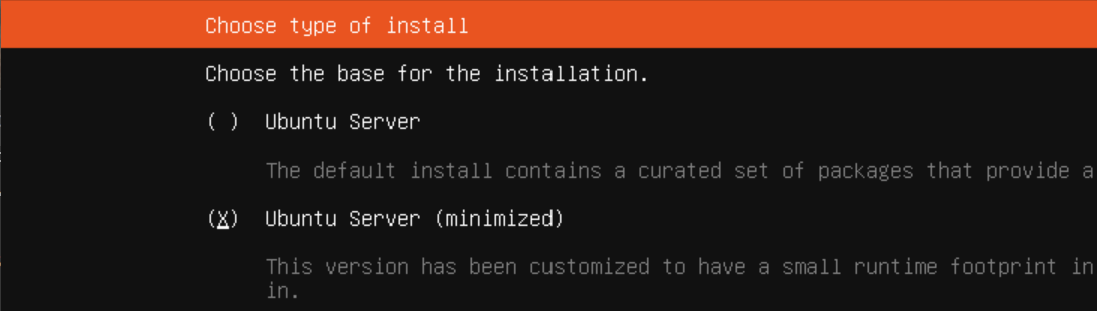
Die Installation von ioBroker läuft aber auch auf der "minimized" Version normal ohne Probleme durch. Hier muss es noch eine andere Ursache geben.
-
Also ich vermute, dass es sich um eine saublöde Konstellation von Packages dreht... ich werd mir mal die neueste Ubuntu-ISO holen und damit testen. Wenns damit geht, betriffts vermutlich nur ganz wenige Leute und spielt demnach keine Rolle...
Den Windows-Installer würde ich jetzt mal ausschließen. Ich glaube nicht, dass der unter Linux weit kommen würde... auch wenn Windows da einige Befehle übernommen hat - aber es sind doch noch Welten. Und ich glaube, das wäre mir dann schon irgendwie aufgefallen ;) Aber Windows kommt für mich nicht als Server-Plattform für ioBroker in Frage, deshalb hab ich da auch keine Erfahrungen.
-
@thomas-braun sagte in ioBroker Installer zerschießt System:
Möglich, auf einem Debian ist es jedenfalls 'ab Werk' installiert:
Die Pakete sind auf einem "normalen" Ubuntu ab Werk installiert, allerdings hat @antimon eine "minimized" Version gewählt.
Die Installation von ioBroker läuft aber auch auf der "minimized" Version normal ohne Probleme durch. Hier muss es noch eine andere Ursache geben.
@marc-berg Also die Minimized-Version habe ich definitiv nicht installiert - der Beschreibung zufolge hört sich das nach einer IoT-Version ohne SSH oder so an. Meine Server installiere ich zwar grundsätzlich ohne GUI, aber zu minimalistisch dann auch wieder nicht ;)
-
@marc-berg Also die Minimized-Version habe ich definitiv nicht installiert - der Beschreibung zufolge hört sich das nach einer IoT-Version ohne SSH oder so an. Meine Server installiere ich zwar grundsätzlich ohne GUI, aber zu minimalistisch dann auch wieder nicht ;)
@antimon sagte in ioBroker Installer zerschießt System:
Also die Minimized-Version habe ich definitiv nicht installiert - der Beschreibung zufolge hört sich das nach einer IoT-Version ohne SSH oder so an
Das Ergebnis ist dann wohl ein ähnliches. :-)




Hey! Du scheinst an dieser Unterhaltung interessiert zu sein, hast aber noch kein Konto.
Hast du es satt, bei jedem Besuch durch die gleichen Beiträge zu scrollen? Wenn du dich für ein Konto anmeldest, kommst du immer genau dorthin zurück, wo du zuvor warst, und kannst dich über neue Antworten benachrichtigen lassen (entweder per E-Mail oder Push-Benachrichtigung). Du kannst auch Lesezeichen speichern und Beiträge positiv bewerten, um anderen Community-Mitgliedern deine Wertschätzung zu zeigen.
Mit deinem Input könnte dieser Beitrag noch besser werden 💗
Registrieren AnmeldenSupport us
285
Online33.0k
Benutzer83.6k
Themen1.3m
Beiträge