




Backitup Restore fehler
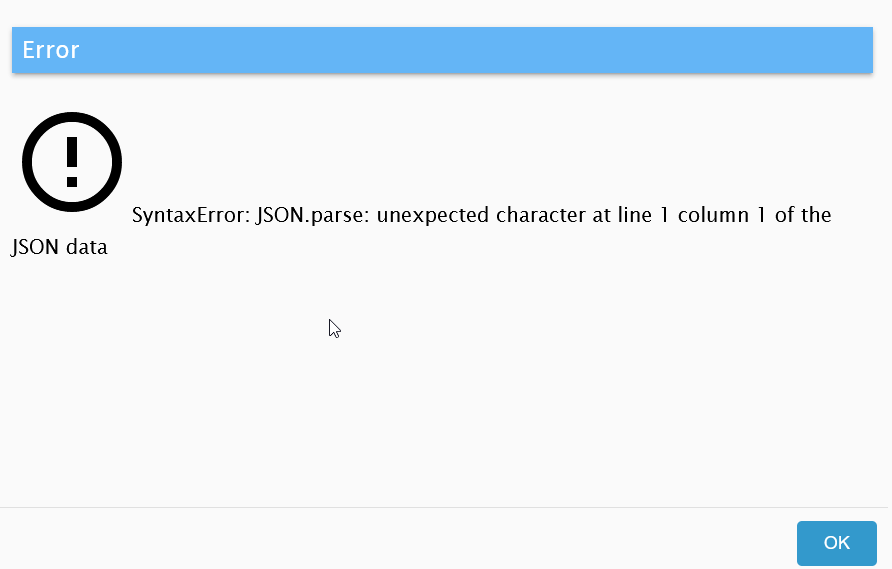
-
@glasfaser said in Backitup Restore fehler:
sudo -u iobroker rm opt/iobroker/node_modules/.alcalzone-shared-FgX40TmF
da war nichts,
esmax@ubuntu:/opt/iobroker$ sudo -u iobroker rm node_modules/.alcalzone-shared-F                                                                                                                                   gX40TmF
rm: cannot remove 'node_modules/.alcalzone-shared-FgX40TmF': No such file or dir                                                                                                                                   ectory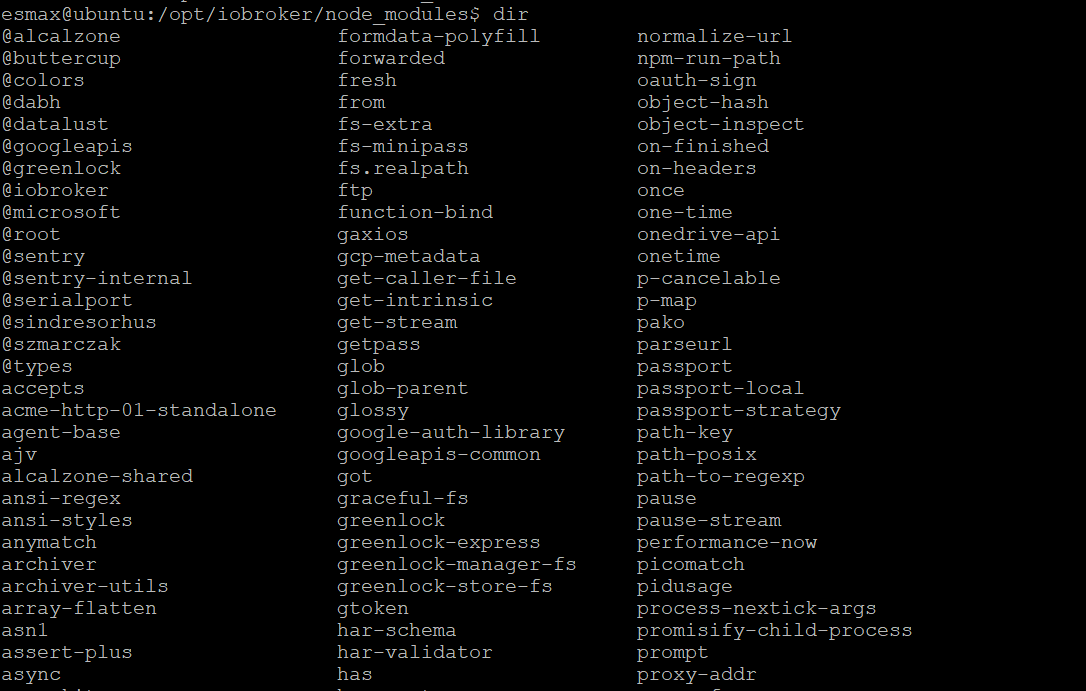
ich dache ich muss nur die admin rechte geben für "esmax" user@esmax666 sagte in Backitup Restore fehler:
esmax@ubuntu:/opt/iobroker$ sudo -u iobroker rm node_modules/.alcalzone-shared-F gX40TmF
tipps du die Befehle immer ab bzw. veränderst du sie !?
da fehlt immer etwas bei dir !!!
@glasfaser sagte in Backitup Restore fehler:
sudo -u iobroker rm opt/iobroker/node_modules/.alcalzone-shared-FgX40TmFSynology 918+ 16GB - ioBroker in Docker v9 , VISO auf Trekstor Primebook C13 13,3" , Hikvision Domkameras mit Surveillance Station .. CCU RaspberryMatic in Synology VM .. Zigbee CC2538+CC2592 .. Sonoff .. KNX .. Modbus ..
-
@esmax666 sagte in Backitup Restore fehler:
esmax@ubuntu:/opt/iobroker$ sudo -u iobroker rm node_modules/.alcalzone-shared-F gX40TmF
tipps du die Befehle immer ab bzw. veränderst du sie !?
da fehlt immer etwas bei dir !!!
@glasfaser sagte in Backitup Restore fehler:
sudo -u iobroker rm opt/iobroker/node_modules/.alcalzone-shared-FgX40TmF@glasfaser
nicht immer
ich war schon in "opt/iobroker/" deshalb hatte ich das nicht eingefügtalso dann habe ich das bekommen:
esmax@ubuntu:/opt/iobroker$ sudo -H -u iobroker npm install iobroker.js-controller@3.3.22 [sudo] password for esmax: added 11 packages, removed 28 packages, and changed 25 packages in 29s 48 packages are looking for funding run `npm fund` for details esmax@ubuntu:/opt/iobroker$ -
@esmax666 sagte in Backitup Restore fehler:
esmax@ubuntu:/opt/iobroker$ sudo -u iobroker rm node_modules/.alcalzone-shared-F gX40TmF
tipps du die Befehle immer ab bzw. veränderst du sie !?
da fehlt immer etwas bei dir !!!
@glasfaser sagte in Backitup Restore fehler:
sudo -u iobroker rm opt/iobroker/node_modules/.alcalzone-shared-FgX40TmF@glasfaser sagte in Backitup Restore fehler:
da fehlt immer etwas bei dir !!!
nee das putty Fenster ist zu schmal. 1m weiter rechts geht's weiter.
das fehlende /opt/iobroker dürfte i.O. sein
-
@glasfaser
nicht immer
ich war schon in "opt/iobroker/" deshalb hatte ich das nicht eingefügtalso dann habe ich das bekommen:
esmax@ubuntu:/opt/iobroker$ sudo -H -u iobroker npm install iobroker.js-controller@3.3.22 [sudo] password for esmax: added 11 packages, removed 28 packages, and changed 25 packages in 29s 48 packages are looking for funding run `npm fund` for details esmax@ubuntu:/opt/iobroker$ -
@glasfaser
nicht immer
ich war schon in "opt/iobroker/" deshalb hatte ich das nicht eingefügtalso dann habe ich das bekommen:
esmax@ubuntu:/opt/iobroker$ sudo -H -u iobroker npm install iobroker.js-controller@3.3.22 [sudo] password for esmax: added 11 packages, removed 28 packages, and changed 25 packages in 29s 48 packages are looking for funding run `npm fund` for details esmax@ubuntu:/opt/iobroker$@esmax666 sagte in Backitup Restore fehler:
@glasfaser
nicht immer
ich war schon in "opt/iobroker/" deshalb hatte ich das nicht eingefügtalso dann habe ich das bekommen:
esmax@ubuntu:/opt/iobroker$ sudo -H -u iobroker npm install iobroker.js-controller@3.3.22
[sudo] password for esmax:

added 11 packages, removed 28 packages, and changed 25 packages in 29s

48 packages are looking for funding
  run `npm fund` for details
esmax@ubuntu:/opt/iobroker$
Nun weiter wie beschrieben
-
@esmax666 sagte in Backitup Restore fehler:
@glasfaser
nicht immer
ich war schon in "opt/iobroker/" deshalb hatte ich das nicht eingefügtalso dann habe ich das bekommen:
esmax@ubuntu:/opt/iobroker$ sudo -H -u iobroker npm install iobroker.js-controller@3.3.22
[sudo] password for esmax:

added 11 packages, removed 28 packages, and changed 25 packages in 29s

48 packages are looking for funding
  run `npm fund` for details
esmax@ubuntu:/opt/iobroker$
Nun weiter wie beschrieben
So alle command sind jetzt durchgefürt :D und iobroker startet noch

Wie lange muss man warten bis "alle Adapter installiert" sind?
Momentan sind die noch grau markiert

die Command
esmax@ubuntu:/opt/iobroker$ iobroker upgrade backitup@2.2.2 Update repository "stable" under "http://download.iobroker.net/sources-dist.json" hash changed or no sources cached => force download of new sources This downgrade of "backitup" will at least remove the following changes: ========================================================================== -> 2.8.1 Fix roles help-links added -> 2.8.0 small Sentry fixes Bugfix System-Message Docu & Wiki updated Translation updated dependencies updated Fix Webdav WOL Address & Port added Restore for Backitup Config added -> 2.7.0 dependencies updated Fix error Messages edit automatic name addition added Docu & Wiki updated small bug fixes Translation updated Add support for sending notifications via discord (requires ioBroker.discord >= 2.1) -> 2.6.23 Fix Influx Restore for MultiDB Token renew for Onedrive added Fix PSQL Restore -> 2.6.22 Fix Influx Restore for MultiDB Default Ports for InfluxDB added -> 2.6.21 small Sentry fixes Fix Influx Restore Fix Onedrive Download dependencies updated -> 2.6.20 FTP self signed Certificates added dependencies updated ========================================================================== Would you like to downgrade backitup from @2.8.1 to @2.2.2 now? [(y)es, (n)o]: y Update backitup from @2.8.1 to @2.2.2 NPM version: 9.6.7 npm install iobroker.backitup@2.2.2 --loglevel error --prefix "/opt/iobroker" (System call) upload [10] backitup.admin /opt/iobroker/node_modules/iobroker.backitup/admin/words.js words.js application/javascript upload [9] backitup.admin /opt/iobroker/node_modules/iobroker.backitup/admin/tab_m.js tab_m.js application/javascript upload [8] backitup.admin /opt/iobroker/node_modules/iobroker.backitup/admin/tab_m.html tab_m.html text/html upload [7] backitup.admin /opt/iobroker/node_modules/iobroker.backitup/admin/tab_m.css tab_m.css text/css upload [6] backitup.admin /opt/iobroker/node_modules/iobroker.backitup/admin/style.css style.css text/css upload [5] backitup.admin /opt/iobroker/node_modules/iobroker.backitup/admin/index_m.js index_m.js application/javascript upload [4] backitup.admin /opt/iobroker/node_modules/iobroker.backitup/admin/index_m.html index_m.html text/html upload [3] backitup.admin /opt/iobroker/node_modules/iobroker.backitup/admin/index.html index.html text/html upload [2] backitup.admin /opt/iobroker/node_modules/iobroker.backitup/admin/backitup.svg backitup.svg image/svg+xml upload [1] backitup.admin /opt/iobroker/node_modules/iobroker.backitup/admin/backitup.png backitup.png image/png upload [0] backitup.admin /opt/iobroker/node_modules/iobroker.backitup/admin/adapter-settings.js adapter-settings.js application/javascript Adapter "backitup" updated esmax@ubuntu:/opt/iobroker$ iobroker upgrade admin@5.2.1 This downgrade of "admin" will at least remove the following changes: ========================================================================== -> 6.10.1 fixed `between` function for showing news if date string is not parseable show the original string instead of `Invalid Date` updated socket classes to not crash on invalid patterns -> 6.10.0 various minor improvements fixed problem with discovery dialog object browser now validates setting state of type number allow to specify unique columns for tables fix crash on invalid states, which are missing the property `common.role` -> 6.9.2 show info, if server time differs from client time remove confusion with different names for state (datapoint and state) fixed link on 404-page being opened inside child view fixed issue if non-text default values are provided to a text jsonConfig component implemented del key shortcut to delete a selected object -> 6.9.1 allow resizing of all columns in objects tab without expert mode users are only allowed to edit objects in `0_userdata.0` and `alias.0` namespace fixed keyboard navigation fixed problem with showing controller upgrade instructions if no UI upgrade is supported -> 6.9.0 Added possibility to change log direction JSON config: Added possibility to filter out internal IP addresses JSON config: Added _changed flag for formula in JSON config -> 6.8.3 added description to adapter rating dialog Extended the select component with grouping Allowed the sorting of adapters by name and not only by title Allowed the set state JSON config component -> 6.8.0 try to find correct IP for controller UI multihost slave upgrade admin is now showing update information, while it is stopped during upgrade required nodejs version is 16 as 14 is End-Of-Life fix downloading folders recursive ========================================================================== BE CAREFUL: THIS IS A MAJOR DOWNGRADE, WHICH WILL MOST LIKELY INTRODUCE BREAKING CHANGES! Would you like to downgrade admin from @6.10.1 to @5.2.1 now? [(y)es, (n)o]: y Update admin from @6.10.1 to @5.2.1 NPM version: 9.6.7 npm install iobroker.admin@5.2.1 --loglevel error --prefix "/opt/iobroker" (System call) upload [14] admin.admin /opt/iobroker/node_modules/iobroker.admin/admin/words.js words.js application/javascript upload [13] admin.admin /opt/iobroker/node_modules/iobroker.admin/admin/jsonConfig.json jsonConfig.json application/json upload [12] admin.admin /opt/iobroker/node_modules/iobroker.admin/admin/index_m.html index_m.html text/html upload [11] admin.admin /opt/iobroker/node_modules/iobroker.admin/admin/index.html index.html text/html upload [10] admin.admin /opt/iobroker/node_modules/iobroker.admin/admin/i18n/zh-cn/translations.json i18n/zh-cn/translations.json application/json upload [9] admin.admin /opt/iobroker/node_modules/iobroker.admin/admin/i18n/ru/translations.json i18n/ru/translations.json application/json upload [8] admin.admin /opt/iobroker/node_modules/iobroker.admin/admin/i18n/pt/translations.json i18n/pt/translations.json application/json upload [7] admin.admin /opt/iobroker/node_modules/iobroker.admin/admin/i18n/pl/translations.json i18n/pl/translations.json application/json upload [6] admin.admin /opt/iobroker/node_modules/iobroker.admin/admin/i18n/nl/translations.json i18n/nl/translations.json application/json upload [5] admin.admin /opt/iobroker/node_modules/iobroker.admin/admin/i18n/it/translations.json i18n/it/translations.json application/json upload [4] admin.admin /opt/iobroker/node_modules/iobroker.admin/admin/i18n/fr/translations.json i18n/fr/translations.json application/json upload [3] admin.admin /opt/iobroker/node_modules/iobroker.admin/admin/i18n/es/translations.json i18n/es/translations.json application/json upload [2] admin.admin /opt/iobroker/node_modules/iobroker.admin/admin/i18n/en/translations.json i18n/en/translations.json application/json upload [1] admin.admin /opt/iobroker/node_modules/iobroker.admin/admin/i18n/de/translations.json i18n/de/translations.json application/json upload [0] admin.admin /opt/iobroker/node_modules/iobroker.admin/admin/admin.png admin.png image/png Adapter "admin" updated esmax@ubuntu:/opt/iobroker$ ^C esmax@ubuntu:/opt/iobroker$ cd backups/ esmax@ubuntu:/opt/iobroker/backups$ dir iobroker_2022_09_21-02_40_10_backupiobroker.tar.gz esmax@ubuntu:/opt/iobroker/backups$ iobroker restore iobroker_2022_09_21-02_40_10_backupiobroker.tar.gz iobroker controller daemon is not running host.ubuntu OK. host.ubuntu Clear all objects and states... clean 18 objects... Server Objects 127.0.0.1:51690 Error from InMemDB: Error: Object is marked as non deletable [Not critical] Cannot delete object 0_userdata.0: {"command":{"name":"del","args":["cfg.o.0_userdata.0"]}} Server Objects 127.0.0.1:51690 Error from InMemDB: Error: Object is marked as non deletable [Not critical] Cannot delete object alias.0: {"command":{"name":"del","args":["cfg.o.alias.0"]}} Server Objects 127.0.0.1:51690 Error from InMemDB: Error: Object is marked as non deletable [Not critical] Cannot delete object enum.functions: {"command":{"name":"del","args":["cfg.o.enum.functions"]}} Server Objects 127.0.0.1:51690 Error from InMemDB: Error: Object is marked as non deletable [Not critical] Cannot delete object enum.rooms: {"command":{"name":"del","args":["cfg.o.enum.rooms"]}} Server Objects 127.0.0.1:51690 Error from InMemDB: Error: Object is marked as non deletable [Not critical] Cannot delete object system.config: {"command":{"name":"del","args":["cfg.o.system.config"]}} Server Objects 127.0.0.1:51690 Error from InMemDB: Error: Object is marked as non deletable Server Objects 127.0.0.1:51690 Error from InMemDB: Error: Object is marked as non deletable Server Objects 127.0.0.1:51690 Error from InMemDB: Error: Object is marked as non deletable [Not critical] Cannot delete object system.repositories: {"command":{"name":"del","args":["cfg.o.system.repositories"]}} Server Objects 127.0.0.1:51690 Error from InMemDB: Error: Object is marked as non deletable clean 2 states... host.ubuntu done. host.ubuntu Processed 0/3050 states host.ubuntu Processed 200/3050 states host.ubuntu Processed 400/3050 states host.ubuntu Processed 600/3050 states host.ubuntu Processed 800/3050 states host.ubuntu Processed 1000/3050 states host.ubuntu Processed 1200/3050 states host.ubuntu Processed 1400/3050 states host.ubuntu Processed 1600/3050 states host.ubuntu Processed 1800/3050 states host.ubuntu Processed 2000/3050 states host.ubuntu Processed 2200/3050 states host.ubuntu Processed 2400/3050 states host.ubuntu Processed 2600/3050 states host.ubuntu Processed 2800/3050 states host.ubuntu Processed 3000/3050 states 3050 states restored. host.ubuntu Processed 0/4382 objects host.ubuntu Processed 200/4382 objects host.ubuntu Processed 400/4382 objects host.ubuntu Processed 600/4382 objects host.ubuntu Processed 800/4382 objects host.ubuntu Processed 1000/4382 objects host.ubuntu Processed 1200/4382 objects host.ubuntu Processed 1400/4382 objects host.ubuntu Processed 1600/4382 objects host.ubuntu Processed 1800/4382 objects host.ubuntu Processed 2000/4382 objects host.ubuntu Processed 2200/4382 objects host.ubuntu Processed 2400/4382 objects host.ubuntu Processed 2600/4382 objects host.ubuntu Processed 2800/4382 objects host.ubuntu Processed 3000/4382 objects host.ubuntu Processed 3200/4382 objects host.ubuntu Processed 3400/4382 objects host.ubuntu Processed 3600/4382 objects host.ubuntu Processed 3800/4382 objects host.ubuntu Processed 4000/4382 objects host.ubuntu Processed 4200/4382 objects 4382 objects restored. host.ubuntu Upload user file "vis.0/HeatingControl/images/MaterialIcons-Regular (1).woff host.ubuntu Upload user file "vis.0/HeatingControl/images/MaterialIcons-Regular.eot host.ubuntu Upload user file "vis.0/HeatingControl/images/MaterialIcons-Regular.ttf host.ubuntu Upload user file "vis.0/HeatingControl/images/MaterialIcons-Regular.woff host.ubuntu Upload user file "vis.0/HeatingControl/images/MaterialIcons-Regular.woff2 host.ubuntu Upload user file "vis.0/HeatingControl/images/edit_copy.svg host.ubuntu Upload user file "vis.0/HeatingControl/images/fts_window_1w.svg host.ubuntu Upload user file "vis.0/HeatingControl/images/fts_window_1w_open.svg host.ubuntu Upload user file "vis.0/HeatingControl/images/heatingcontrol.png host.ubuntu Upload user file "vis.0/HeatingControl/images/ioBrokerLogo-blau-128x128.png host.ubuntu Upload user file "vis.0/HeatingControl/images/ioBrokerLogo-blau-512x512.png host.ubuntu Upload user file "vis.0/HeatingControl/images/ioBrokerLogo-gelb-128x128.png host.ubuntu Upload user file "vis.0/HeatingControl/images/ioBrokerLogo-gelb-512x512.png host.ubuntu Upload user file "vis.0/HeatingControl/images/ioBrokerLogo-grau-128x128.png host.ubuntu Upload user file "vis.0/HeatingControl/images/ioBrokerLogo-grau-512x512.png host.ubuntu Upload user file "vis.0/HeatingControl/images/ioBrokerLogo-gruen-128x128.png host.ubuntu Upload user file "vis.0/HeatingControl/images/ioBrokerLogo-gruen-512x512.png host.ubuntu Upload user file "vis.0/HeatingControl/images/ioBrokerLogo-rot-128x128.png host.ubuntu Upload user file "vis.0/HeatingControl/images/ioBrokerLogo-rot-512x512.png host.ubuntu Upload user file "vis.0/HeatingControl/images/ioBrokerLogo-weiss-128x128.png host.ubuntu Upload user file "vis.0/HeatingControl/images/ioBrokerLogo-weiss-512x512.png host.ubuntu Upload user file "vis.0/HeatingControl/images/it_wifi.svg host.ubuntu Upload user file "vis.0/HeatingControl/vis-user.css host.ubuntu Upload user file "vis.0/HeatingControl/vis-views.json host.ubuntu Upload user file "vis.0/main/vis-views.json upload [14] admin.admin /opt/iobroker/node_modules/iobroker.admin/admin/words.js words.js application/javascript upload [13] admin.admin /opt/iobroker/node_modules/iobroker.admin/admin/jsonConfig.json jsonConfig.json application/json upload [12] admin.admin /opt/iobroker/node_modules/iobroker.admin/admin/index_m.html index_m.html text/html upload [11] admin.admin /opt/iobroker/node_modules/iobroker.admin/admin/index.html index.html text/html upload [10] admin.admin /opt/iobroker/node_modules/iobroker.admin/admin/i18n/zh-cn/translations.json i18n/zh-cn/translations.json application/json upload [9] admin.admin /opt/iobroker/node_modules/iobroker.admin/admin/i18n/ru/translations.json i18n/ru/translations.json application/json upload [8] admin.admin /opt/iobroker/node_modules/iobroker.admin/admin/i18n/pt/translations.json i18n/pt/translations.json application/json upload [7] admin.admin /opt/iobroker/node_modules/iobroker.admin/admin/i18n/pl/translations.json i18n/pl/translations.json application/json upload [6] admin.admin /opt/iobroker/node_modules/iobroker.admin/admin/i18n/nl/translations.json i18n/nl/translations.json application/json upload [5] admin.admin /opt/iobroker/node_modules/iobroker.admin/admin/i18n/it/translations.json i18n/it/translations.json application/json upload [4] admin.admin /opt/iobroker/node_modules/iobroker.admin/admin/i18n/fr/translations.json i18n/fr/translations.json application/json upload [3] admin.admin /opt/iobroker/node_modules/iobroker.admin/admin/i18n/es/translations.json i18n/es/translations.json application/json upload [2] admin.admin /opt/iobroker/node_modules/iobroker.admin/admin/i18n/en/translations.json i18n/en/translations.json application/json upload [1] admin.admin /opt/iobroker/node_modules/iobroker.admin/admin/i18n/de/translations.json i18n/de/translations.json application/json upload [0] admin.admin /opt/iobroker/node_modules/iobroker.admin/admin/admin.png admin.png image/png upload [10] backitup.admin /opt/iobroker/node_modules/iobroker.backitup/admin/words.js words.js application/javascript upload [9] backitup.admin /opt/iobroker/node_modules/iobroker.backitup/admin/tab_m.js tab_m.js application/javascript upload [8] backitup.admin /opt/iobroker/node_modules/iobroker.backitup/admin/tab_m.html tab_m.html text/html upload [7] backitup.admin /opt/iobroker/node_modules/iobroker.backitup/admin/tab_m.css tab_m.css text/css upload [6] backitup.admin /opt/iobroker/node_modules/iobroker.backitup/admin/style.css style.css text/css upload [5] backitup.admin /opt/iobroker/node_modules/iobroker.backitup/admin/index_m.js index_m.js application/javascript upload [4] backitup.admin /opt/iobroker/node_modules/iobroker.backitup/admin/index_m.html index_m.html text/html upload [3] backitup.admin /opt/iobroker/node_modules/iobroker.backitup/admin/index.html index.html text/html upload [2] backitup.admin /opt/iobroker/node_modules/iobroker.backitup/admin/backitup.svg backitup.svg image/svg+xml upload [1] backitup.admin /opt/iobroker/node_modules/iobroker.backitup/admin/backitup.png backitup.png image/png upload [0] backitup.admin /opt/iobroker/node_modules/iobroker.backitup/admin/adapter-settings.js adapter-settings.js application/javascript upload [6] discovery.admin /opt/iobroker/node_modules/iobroker.discovery/admin/words.js words.js application/javascript upload [5] discovery.admin /opt/iobroker/node_modules/iobroker.discovery/admin/translateTools.js translateTools.js application/javascript upload [4] discovery.admin /opt/iobroker/node_modules/iobroker.discovery/admin/settings_m.html settings_m.html text/html upload [3] discovery.admin /opt/iobroker/node_modules/iobroker.discovery/admin/settings.html settings.html text/html upload [2] discovery.admin /opt/iobroker/node_modules/iobroker.discovery/admin/index_m.html index_m.html text/html upload [1] discovery.admin /opt/iobroker/node_modules/iobroker.discovery/admin/index.html index.html text/html upload [0] discovery.admin /opt/iobroker/node_modules/iobroker.discovery/admin/discovery.png discovery.png image/png System successfully restored! esmax@ubuntu:/opt/iobroker/backups$ cd.. cd..: command not found esmax@ubuntu:/opt/iobroker/backups$ cd .. esmax@ubuntu:/opt/iobroker$ iobroker host this A host with the name "ubuntu" already exists! esmax@ubuntu:/opt/iobroker$ iobroker start esmax@ubuntu:/opt/iobroker$ -
So alle command sind jetzt durchgefürt :D und iobroker startet noch
Wie lange muss man warten bis "alle Adapter installiert" sind?
Momentan sind die noch grau markiert
die Command
esmax@ubuntu:/opt/iobroker$ iobroker upgrade backitup@2.2.2 Update repository "stable" under "http://download.iobroker.net/sources-dist.json" hash changed or no sources cached => force download of new sources This downgrade of "backitup" will at least remove the following changes: ========================================================================== -> 2.8.1 Fix roles help-links added -> 2.8.0 small Sentry fixes Bugfix System-Message Docu & Wiki updated Translation updated dependencies updated Fix Webdav WOL Address & Port added Restore for Backitup Config added -> 2.7.0 dependencies updated Fix error Messages edit automatic name addition added Docu & Wiki updated small bug fixes Translation updated Add support for sending notifications via discord (requires ioBroker.discord >= 2.1) -> 2.6.23 Fix Influx Restore for MultiDB Token renew for Onedrive added Fix PSQL Restore -> 2.6.22 Fix Influx Restore for MultiDB Default Ports for InfluxDB added -> 2.6.21 small Sentry fixes Fix Influx Restore Fix Onedrive Download dependencies updated -> 2.6.20 FTP self signed Certificates added dependencies updated ========================================================================== Would you like to downgrade backitup from @2.8.1 to @2.2.2 now? [(y)es, (n)o]: y Update backitup from @2.8.1 to @2.2.2 NPM version: 9.6.7 npm install iobroker.backitup@2.2.2 --loglevel error --prefix "/opt/iobroker" (System call) upload [10] backitup.admin /opt/iobroker/node_modules/iobroker.backitup/admin/words.js words.js application/javascript upload [9] backitup.admin /opt/iobroker/node_modules/iobroker.backitup/admin/tab_m.js tab_m.js application/javascript upload [8] backitup.admin /opt/iobroker/node_modules/iobroker.backitup/admin/tab_m.html tab_m.html text/html upload [7] backitup.admin /opt/iobroker/node_modules/iobroker.backitup/admin/tab_m.css tab_m.css text/css upload [6] backitup.admin /opt/iobroker/node_modules/iobroker.backitup/admin/style.css style.css text/css upload [5] backitup.admin /opt/iobroker/node_modules/iobroker.backitup/admin/index_m.js index_m.js application/javascript upload [4] backitup.admin /opt/iobroker/node_modules/iobroker.backitup/admin/index_m.html index_m.html text/html upload [3] backitup.admin /opt/iobroker/node_modules/iobroker.backitup/admin/index.html index.html text/html upload [2] backitup.admin /opt/iobroker/node_modules/iobroker.backitup/admin/backitup.svg backitup.svg image/svg+xml upload [1] backitup.admin /opt/iobroker/node_modules/iobroker.backitup/admin/backitup.png backitup.png image/png upload [0] backitup.admin /opt/iobroker/node_modules/iobroker.backitup/admin/adapter-settings.js adapter-settings.js application/javascript Adapter "backitup" updated esmax@ubuntu:/opt/iobroker$ iobroker upgrade admin@5.2.1 This downgrade of "admin" will at least remove the following changes: ========================================================================== -> 6.10.1 fixed `between` function for showing news if date string is not parseable show the original string instead of `Invalid Date` updated socket classes to not crash on invalid patterns -> 6.10.0 various minor improvements fixed problem with discovery dialog object browser now validates setting state of type number allow to specify unique columns for tables fix crash on invalid states, which are missing the property `common.role` -> 6.9.2 show info, if server time differs from client time remove confusion with different names for state (datapoint and state) fixed link on 404-page being opened inside child view fixed issue if non-text default values are provided to a text jsonConfig component implemented del key shortcut to delete a selected object -> 6.9.1 allow resizing of all columns in objects tab without expert mode users are only allowed to edit objects in `0_userdata.0` and `alias.0` namespace fixed keyboard navigation fixed problem with showing controller upgrade instructions if no UI upgrade is supported -> 6.9.0 Added possibility to change log direction JSON config: Added possibility to filter out internal IP addresses JSON config: Added _changed flag for formula in JSON config -> 6.8.3 added description to adapter rating dialog Extended the select component with grouping Allowed the sorting of adapters by name and not only by title Allowed the set state JSON config component -> 6.8.0 try to find correct IP for controller UI multihost slave upgrade admin is now showing update information, while it is stopped during upgrade required nodejs version is 16 as 14 is End-Of-Life fix downloading folders recursive ========================================================================== BE CAREFUL: THIS IS A MAJOR DOWNGRADE, WHICH WILL MOST LIKELY INTRODUCE BREAKING CHANGES! Would you like to downgrade admin from @6.10.1 to @5.2.1 now? [(y)es, (n)o]: y Update admin from @6.10.1 to @5.2.1 NPM version: 9.6.7 npm install iobroker.admin@5.2.1 --loglevel error --prefix "/opt/iobroker" (System call) upload [14] admin.admin /opt/iobroker/node_modules/iobroker.admin/admin/words.js words.js application/javascript upload [13] admin.admin /opt/iobroker/node_modules/iobroker.admin/admin/jsonConfig.json jsonConfig.json application/json upload [12] admin.admin /opt/iobroker/node_modules/iobroker.admin/admin/index_m.html index_m.html text/html upload [11] admin.admin /opt/iobroker/node_modules/iobroker.admin/admin/index.html index.html text/html upload [10] admin.admin /opt/iobroker/node_modules/iobroker.admin/admin/i18n/zh-cn/translations.json i18n/zh-cn/translations.json application/json upload [9] admin.admin /opt/iobroker/node_modules/iobroker.admin/admin/i18n/ru/translations.json i18n/ru/translations.json application/json upload [8] admin.admin /opt/iobroker/node_modules/iobroker.admin/admin/i18n/pt/translations.json i18n/pt/translations.json application/json upload [7] admin.admin /opt/iobroker/node_modules/iobroker.admin/admin/i18n/pl/translations.json i18n/pl/translations.json application/json upload [6] admin.admin /opt/iobroker/node_modules/iobroker.admin/admin/i18n/nl/translations.json i18n/nl/translations.json application/json upload [5] admin.admin /opt/iobroker/node_modules/iobroker.admin/admin/i18n/it/translations.json i18n/it/translations.json application/json upload [4] admin.admin /opt/iobroker/node_modules/iobroker.admin/admin/i18n/fr/translations.json i18n/fr/translations.json application/json upload [3] admin.admin /opt/iobroker/node_modules/iobroker.admin/admin/i18n/es/translations.json i18n/es/translations.json application/json upload [2] admin.admin /opt/iobroker/node_modules/iobroker.admin/admin/i18n/en/translations.json i18n/en/translations.json application/json upload [1] admin.admin /opt/iobroker/node_modules/iobroker.admin/admin/i18n/de/translations.json i18n/de/translations.json application/json upload [0] admin.admin /opt/iobroker/node_modules/iobroker.admin/admin/admin.png admin.png image/png Adapter "admin" updated esmax@ubuntu:/opt/iobroker$ ^C esmax@ubuntu:/opt/iobroker$ cd backups/ esmax@ubuntu:/opt/iobroker/backups$ dir iobroker_2022_09_21-02_40_10_backupiobroker.tar.gz esmax@ubuntu:/opt/iobroker/backups$ iobroker restore iobroker_2022_09_21-02_40_10_backupiobroker.tar.gz iobroker controller daemon is not running host.ubuntu OK. host.ubuntu Clear all objects and states... clean 18 objects... Server Objects 127.0.0.1:51690 Error from InMemDB: Error: Object is marked as non deletable [Not critical] Cannot delete object 0_userdata.0: {"command":{"name":"del","args":["cfg.o.0_userdata.0"]}} Server Objects 127.0.0.1:51690 Error from InMemDB: Error: Object is marked as non deletable [Not critical] Cannot delete object alias.0: {"command":{"name":"del","args":["cfg.o.alias.0"]}} Server Objects 127.0.0.1:51690 Error from InMemDB: Error: Object is marked as non deletable [Not critical] Cannot delete object enum.functions: {"command":{"name":"del","args":["cfg.o.enum.functions"]}} Server Objects 127.0.0.1:51690 Error from InMemDB: Error: Object is marked as non deletable [Not critical] Cannot delete object enum.rooms: {"command":{"name":"del","args":["cfg.o.enum.rooms"]}} Server Objects 127.0.0.1:51690 Error from InMemDB: Error: Object is marked as non deletable [Not critical] Cannot delete object system.config: {"command":{"name":"del","args":["cfg.o.system.config"]}} Server Objects 127.0.0.1:51690 Error from InMemDB: Error: Object is marked as non deletable Server Objects 127.0.0.1:51690 Error from InMemDB: Error: Object is marked as non deletable Server Objects 127.0.0.1:51690 Error from InMemDB: Error: Object is marked as non deletable [Not critical] Cannot delete object system.repositories: {"command":{"name":"del","args":["cfg.o.system.repositories"]}} Server Objects 127.0.0.1:51690 Error from InMemDB: Error: Object is marked as non deletable clean 2 states... host.ubuntu done. host.ubuntu Processed 0/3050 states host.ubuntu Processed 200/3050 states host.ubuntu Processed 400/3050 states host.ubuntu Processed 600/3050 states host.ubuntu Processed 800/3050 states host.ubuntu Processed 1000/3050 states host.ubuntu Processed 1200/3050 states host.ubuntu Processed 1400/3050 states host.ubuntu Processed 1600/3050 states host.ubuntu Processed 1800/3050 states host.ubuntu Processed 2000/3050 states host.ubuntu Processed 2200/3050 states host.ubuntu Processed 2400/3050 states host.ubuntu Processed 2600/3050 states host.ubuntu Processed 2800/3050 states host.ubuntu Processed 3000/3050 states 3050 states restored. host.ubuntu Processed 0/4382 objects host.ubuntu Processed 200/4382 objects host.ubuntu Processed 400/4382 objects host.ubuntu Processed 600/4382 objects host.ubuntu Processed 800/4382 objects host.ubuntu Processed 1000/4382 objects host.ubuntu Processed 1200/4382 objects host.ubuntu Processed 1400/4382 objects host.ubuntu Processed 1600/4382 objects host.ubuntu Processed 1800/4382 objects host.ubuntu Processed 2000/4382 objects host.ubuntu Processed 2200/4382 objects host.ubuntu Processed 2400/4382 objects host.ubuntu Processed 2600/4382 objects host.ubuntu Processed 2800/4382 objects host.ubuntu Processed 3000/4382 objects host.ubuntu Processed 3200/4382 objects host.ubuntu Processed 3400/4382 objects host.ubuntu Processed 3600/4382 objects host.ubuntu Processed 3800/4382 objects host.ubuntu Processed 4000/4382 objects host.ubuntu Processed 4200/4382 objects 4382 objects restored. host.ubuntu Upload user file "vis.0/HeatingControl/images/MaterialIcons-Regular (1).woff host.ubuntu Upload user file "vis.0/HeatingControl/images/MaterialIcons-Regular.eot host.ubuntu Upload user file "vis.0/HeatingControl/images/MaterialIcons-Regular.ttf host.ubuntu Upload user file "vis.0/HeatingControl/images/MaterialIcons-Regular.woff host.ubuntu Upload user file "vis.0/HeatingControl/images/MaterialIcons-Regular.woff2 host.ubuntu Upload user file "vis.0/HeatingControl/images/edit_copy.svg host.ubuntu Upload user file "vis.0/HeatingControl/images/fts_window_1w.svg host.ubuntu Upload user file "vis.0/HeatingControl/images/fts_window_1w_open.svg host.ubuntu Upload user file "vis.0/HeatingControl/images/heatingcontrol.png host.ubuntu Upload user file "vis.0/HeatingControl/images/ioBrokerLogo-blau-128x128.png host.ubuntu Upload user file "vis.0/HeatingControl/images/ioBrokerLogo-blau-512x512.png host.ubuntu Upload user file "vis.0/HeatingControl/images/ioBrokerLogo-gelb-128x128.png host.ubuntu Upload user file "vis.0/HeatingControl/images/ioBrokerLogo-gelb-512x512.png host.ubuntu Upload user file "vis.0/HeatingControl/images/ioBrokerLogo-grau-128x128.png host.ubuntu Upload user file "vis.0/HeatingControl/images/ioBrokerLogo-grau-512x512.png host.ubuntu Upload user file "vis.0/HeatingControl/images/ioBrokerLogo-gruen-128x128.png host.ubuntu Upload user file "vis.0/HeatingControl/images/ioBrokerLogo-gruen-512x512.png host.ubuntu Upload user file "vis.0/HeatingControl/images/ioBrokerLogo-rot-128x128.png host.ubuntu Upload user file "vis.0/HeatingControl/images/ioBrokerLogo-rot-512x512.png host.ubuntu Upload user file "vis.0/HeatingControl/images/ioBrokerLogo-weiss-128x128.png host.ubuntu Upload user file "vis.0/HeatingControl/images/ioBrokerLogo-weiss-512x512.png host.ubuntu Upload user file "vis.0/HeatingControl/images/it_wifi.svg host.ubuntu Upload user file "vis.0/HeatingControl/vis-user.css host.ubuntu Upload user file "vis.0/HeatingControl/vis-views.json host.ubuntu Upload user file "vis.0/main/vis-views.json upload [14] admin.admin /opt/iobroker/node_modules/iobroker.admin/admin/words.js words.js application/javascript upload [13] admin.admin /opt/iobroker/node_modules/iobroker.admin/admin/jsonConfig.json jsonConfig.json application/json upload [12] admin.admin /opt/iobroker/node_modules/iobroker.admin/admin/index_m.html index_m.html text/html upload [11] admin.admin /opt/iobroker/node_modules/iobroker.admin/admin/index.html index.html text/html upload [10] admin.admin /opt/iobroker/node_modules/iobroker.admin/admin/i18n/zh-cn/translations.json i18n/zh-cn/translations.json application/json upload [9] admin.admin /opt/iobroker/node_modules/iobroker.admin/admin/i18n/ru/translations.json i18n/ru/translations.json application/json upload [8] admin.admin /opt/iobroker/node_modules/iobroker.admin/admin/i18n/pt/translations.json i18n/pt/translations.json application/json upload [7] admin.admin /opt/iobroker/node_modules/iobroker.admin/admin/i18n/pl/translations.json i18n/pl/translations.json application/json upload [6] admin.admin /opt/iobroker/node_modules/iobroker.admin/admin/i18n/nl/translations.json i18n/nl/translations.json application/json upload [5] admin.admin /opt/iobroker/node_modules/iobroker.admin/admin/i18n/it/translations.json i18n/it/translations.json application/json upload [4] admin.admin /opt/iobroker/node_modules/iobroker.admin/admin/i18n/fr/translations.json i18n/fr/translations.json application/json upload [3] admin.admin /opt/iobroker/node_modules/iobroker.admin/admin/i18n/es/translations.json i18n/es/translations.json application/json upload [2] admin.admin /opt/iobroker/node_modules/iobroker.admin/admin/i18n/en/translations.json i18n/en/translations.json application/json upload [1] admin.admin /opt/iobroker/node_modules/iobroker.admin/admin/i18n/de/translations.json i18n/de/translations.json application/json upload [0] admin.admin /opt/iobroker/node_modules/iobroker.admin/admin/admin.png admin.png image/png upload [10] backitup.admin /opt/iobroker/node_modules/iobroker.backitup/admin/words.js words.js application/javascript upload [9] backitup.admin /opt/iobroker/node_modules/iobroker.backitup/admin/tab_m.js tab_m.js application/javascript upload [8] backitup.admin /opt/iobroker/node_modules/iobroker.backitup/admin/tab_m.html tab_m.html text/html upload [7] backitup.admin /opt/iobroker/node_modules/iobroker.backitup/admin/tab_m.css tab_m.css text/css upload [6] backitup.admin /opt/iobroker/node_modules/iobroker.backitup/admin/style.css style.css text/css upload [5] backitup.admin /opt/iobroker/node_modules/iobroker.backitup/admin/index_m.js index_m.js application/javascript upload [4] backitup.admin /opt/iobroker/node_modules/iobroker.backitup/admin/index_m.html index_m.html text/html upload [3] backitup.admin /opt/iobroker/node_modules/iobroker.backitup/admin/index.html index.html text/html upload [2] backitup.admin /opt/iobroker/node_modules/iobroker.backitup/admin/backitup.svg backitup.svg image/svg+xml upload [1] backitup.admin /opt/iobroker/node_modules/iobroker.backitup/admin/backitup.png backitup.png image/png upload [0] backitup.admin /opt/iobroker/node_modules/iobroker.backitup/admin/adapter-settings.js adapter-settings.js application/javascript upload [6] discovery.admin /opt/iobroker/node_modules/iobroker.discovery/admin/words.js words.js application/javascript upload [5] discovery.admin /opt/iobroker/node_modules/iobroker.discovery/admin/translateTools.js translateTools.js application/javascript upload [4] discovery.admin /opt/iobroker/node_modules/iobroker.discovery/admin/settings_m.html settings_m.html text/html upload [3] discovery.admin /opt/iobroker/node_modules/iobroker.discovery/admin/settings.html settings.html text/html upload [2] discovery.admin /opt/iobroker/node_modules/iobroker.discovery/admin/index_m.html index_m.html text/html upload [1] discovery.admin /opt/iobroker/node_modules/iobroker.discovery/admin/index.html index.html text/html upload [0] discovery.admin /opt/iobroker/node_modules/iobroker.discovery/admin/discovery.png discovery.png image/png System successfully restored! esmax@ubuntu:/opt/iobroker/backups$ cd.. cd..: command not found esmax@ubuntu:/opt/iobroker/backups$ cd .. esmax@ubuntu:/opt/iobroker$ iobroker host this A host with the name "ubuntu" already exists! esmax@ubuntu:/opt/iobroker$ iobroker start esmax@ubuntu:/opt/iobroker$ -
@esmax666 sagte in Backitup Restore fehler:
Wie lange muss man warten bis "alle Adapter installiert" sind?
Nimm dir ein großen Kaffee ... und warte ......
@glasfaser
ok ok danke an alle :D :D

-
@esmax666 sagte in Backitup Restore fehler:
Wie lange muss man warten bis "alle Adapter installiert" sind?
Nimm dir ein großen Kaffee ... und warte ......
sieht so aus ob er ein Problem mit zwave2 hat:
host.ubuntu 2023-09-27 20:22:55.183 error Cannot download and install adapter "zwave2@2.4.1". To retry it disable/enable the adapter or restart host. Also check the error messages in the log! host.ubuntu 2023-09-27 20:22:54.181 info iobroker npm-install: exit 25 host.ubuntu 2023-09-27 20:22:53.143 error iobroker npm-install: host.ubuntu Cannot install iobroker.zwave2@2.4.1: 1 host.ubuntu 2023-09-27 20:22:53.100 info iobroker npm-install: npm ERR! A complete log of this run can be found in: /home/iobroker/.npm/_logs/2023-09-27T18_22_35_608Z-debug-0.log host.ubuntu 2023-09-27 20:22:53.096 info iobroker npm-install: npm ERR! ^^^^^^^^^^^^^^^^^^npm ERR! File "/opt/iobroker/node_modules/node-gyp/gyp/pylib/gyp/__init__.py", line 662, in mainnpm ERR! return gyp_main(args)npm ERR! ^^^^^^^^^^^^^^npm ERR! File "/opt/iobroker/node_modules/node-gyp/gyp/pylib/gyp/__init__.py", line 629, in gyp_mainnpm ERR! [generator, flat_list, targets, data] = Load(npm ERR! ^^^^^npm ERR! File "/opt/iobroker/node_modules/node-gyp/gyp/pylib/gyp/__init__.py", line 150, in Loadnpm ERR! result = gyp.input.Load(npm ERR! ^^^^^^^^^^^^^^^npm ERR! File "/opt/iobroker/node_modules/node-gyp/gyp/pylib/gyp/input.py", line 3021, in Loadnpm ERR! LoadTargetBuildFile(npm ERR! File "/opt/iobroker/node_modules/node-gyp/gyp/pylib/gyp/input.py", line 411, in LoadTargetBuildFilenpm ERR! build_file_data = LoadOneBuildFile(npm ERR! ^^^^^^^^^^^^^^^^^npm ERR! File "/opt/iobroker/node_modules/node-gyp/gyp/pylib/gyp/input.py", line 239, in LoadOneBuildFilenpm ERR! build_file_contents = open(build_file_path, "rU").read()npm ERR! ^^^^^^^^^^^^^^^^^^^^^^^^^^^npm ERR! ValueError: invalid mode: 'rU' while trying to load binding.gypnpm ERR! gyp ERR! configure error npm ERR! gyp ERR! stack Error: `gyp` failed with exit code: 1npm ERR! gyp ERR! stack at ChildProcess.onCpExit (/opt/iobroker/node_modules/node-gyp/lib/configure.js:351:16)npm ERR! gyp ERR! stack at ChildProcess.emit (node:events:514:28)npm ERR! gyp ERR! stack at ChildProcess._handle.onexit (node:internal/child_process:291:12)npm ERR! gyp ERR! System Linux 6.2.0-1004-raspinpm ERR! gyp ERR! command "/usr/bin/node" "/opt/iobroker/node_modules/.bin/node-gyp" "rebuild"npm ERR! gyp ERR! cwd /opt/iobroker/node_modules/@serialport/bindingsnpm ERR! gyp ERR! node -v v18.17.1npm ERR! gyp ERR! node-gyp -v v7.1.2npm ERR! gyp ERR! not ok host.ubuntu 2023-09-27 20:22:53.092 info iobroker npm-install: npm ERR! ^^^^^^^^^^^^^^^^^npm ERR! File "/opt/iobroker/node_modules/node-gyp/gyp/pylib/gyp/__init__.py", line 670, in script_mainnpm ERR! return main(sys.argv[1:]) host.ubuntu 2023-09-27 20:22:53.090 info iobroker npm-install: npm ERR! (node:49127) [DEP0150] DeprecationWarning: Setting process.config is deprecated. In the future the property will be read-only.npm ERR! (Use `node --trace-deprecation ...` to show where the warning was created)npm ERR! Traceback (most recent call last):npm ERR! File "/opt/iobroker/node_modules/node-gyp/gyp/gyp_main.py", line 51, in <module>npm ERR! sys.exit(gyp.script_main()) host.ubuntu 2023-09-27 20:22:53.088 info iobroker npm-install: npm ERR! command sh -c prebuild-install --tag-prefix @serialport/bindings@ || node-gyp rebuild host.ubuntu 2023-09-27 20:22:53.086 info iobroker npm-install: npm ERR! command failed host.ubuntu 2023-09-27 20:22:53.080 info iobroker npm-install: npm ERR! path /opt/iobroker/node_modules/@serialport/bindings host.ubuntu 2023-09-27 20:22:53.078 info iobroker npm-install: npm ERR! code 1 host.ubuntu 2023-09-27 20:22:34.801 info iobroker npm-install: npm install iobroker.zwave2@2.4.1 --loglevel error --unsafe-perm --prefix "/opt/iobroker" (System call) host.ubuntu 2023-09-27 20:22:34.797 info iobroker npm-install: NPM version: 9.6.7 host.ubuntu 2023-09-27 20:22:31.553 info iobroker install zwave2@2.4.1 using installedVersion host.ubuntu 2023-09-27 20:22:31.552 warn startInstance cannot find adapter "zwave2@2.4.1". Try to install it... 4 attempt host.ubuntu 2023-09-27 20:22:30.551 info iobroker npm-install: exit 25 host.ubuntu 2023-09-27 20:22:29.514 error iobroker npm-install: host.ubuntu Cannot install iobroker.zwave2@2.4.1: 1 host.ubuntu 2023-09-27 20:22:29.478 info iobroker npm-install: npm ERR! A complete log of this run can be found in: /home/iobroker/.npm/_logs/2023-09-27T18_22_12_714Z-debug-0.log host.ubuntu 2023-09-27 20:22:29.472 info iobroker npm-install: host.ubuntu 2023-09-27 20:22:29.467 info iobroker npm-install: npm ERR! [generator, flat_list, targets, data] = Load(npm ERR! ^^^^^npm ERR! File "/opt/iobroker/node_modules/node-gyp/gyp/pylib/gyp/__init__.py", line 150, in Loadnpm ERR! result = gyp.input.Load(npm ERR! ^^^^^^^^^^^^^^^npm ERR! File "/opt/iobroker/node_modules/node-gyp/gyp/pylib/gyp/input.py", line 3021, in Loadnpm ERR! LoadTargetBuildFile(npm ERR! File "/opt/iobroker/node_modules/node-gyp/gyp/pylib/gyp/input.py", line 411, in LoadTargetBuildFilenpm ERR! build_file_data = LoadOneBuildFile(npm ERR! ^^^^^^^^^^^^^^^^^npm ERR! File "/opt/iobroker/node_modules/node-gyp/gyp/pylib/gyp/input.py", line 239, in LoadOneBuildFilenpm ERR! build_file_contents = open(build_file_path, "rU").read()npm ERR! ^^^^^^^^^^^^^^^^^^^^^^^^^^^npm ERR! ValueError: invalid mode: 'rU' while trying to load binding.gypnpm ERR! gyp ERR! configure error npm ERR! gyp ERR! stack Error: `gyp` failed with exit code: 1npm ERR! gyp ERR! stack at ChildProcess.onCpExit (/opt/iobroker/node_modules/node-gyp/lib/configure.js:351:16)npm ERR! gyp ERR! stack at ChildProcess.emit (node:events:514:28)npm ERR! gyp ERR! stack at ChildProcess._handle.onexit (node:internal/child_process:291:12)npm ERR! gyp ERR! System Linux 6.2.0-1004-raspinpm ERR! gyp ERR! command "/usr/bin/node" "/opt/iobroker/node_modules/.bin/node-gyp" "rebuild"npm ERR! gyp ERR! cwd /opt/iobroker/node_modules/@serialport/bindingsnpm ERR! gyp ERR! node -v v18.17.1npm ERR! gyp ERR! node-gyp -v v7.1.2npm ERR! gyp ERR! not ok host.ubuntu 2023-09-27 20:22:29.463 info iobroker npm-install: npm ERR! (node:49007) [DEP0150] DeprecationWarning: Setting process.config is deprecated. In the future the property will be read-only.npm ERR! (Use `node --trace-deprecation ...` to show where the warning was created)npm ERR! Traceback (most recent call last):npm ERR! File "/opt/iobroker/node_modules/node-gyp/gyp/gyp_main.py", line 51, in <module>npm ERR! sys.exit(gyp.script_main())npm ERR! ^^^^^^^^^^^^^^^^^npm ERR! File "/opt/iobroker/node_modules/node-gyp/gyp/pylib/gyp/__init__.py", line 670, in script_mainnpm ERR! return main(sys.argv[1:])npm ERR! ^^^^^^^^^^^^^^^^^^npm ERR! File "/opt/iobroker/node_modules/node-gyp/gyp/pylib/gyp/__init__.py", line 662, in mainnpm ERR! return gyp_main(args)npm ERR! ^^^^^^^^^^^^^^npm ERR! File "/opt/iobroker/node_modules/node-gyp/gyp/pylib/gyp/__init__.py", line 629, in gyp_main host.ubuntu 2023-09-27 20:22:29.460 info iobroker npm-install: npm ERR! command failednpm ERR! command sh -c prebuild-install --tag-prefix @serialport/bindings@ || node-gyp rebuild host.ubuntu 2023-09-27 20:22:29.454 info iobroker npm-install: npm ERR! path /opt/iobroker/node_modules/@serialport/bindings host.ubuntu 2023-09-27 20:22:29.453 info iobroker npm-install: npm ERR! code 1 host.ubuntu 2023-09-27 20:22:11.901 info iobroker npm-install: npm install iobroker.zwave2@2.4.1 --loglevel error --unsafe-perm --prefix "/opt/iobroker" (System call) host.ubuntu 2023-09-27 20:22:11.898 info iobroker npm-install: NPM version: 9.6.7 host.ubuntu 2023-09-27 20:22:08.715 info iobroker install zwave2@2.4.1 using installedVersion host.ubuntu 2023-09-27 20:22:08.714 warn startInstance cannot find adapter "zwave2@2.4.1". Try to install it... 3 attempt host.ubuntu 2023-09-27 20:22:07.712 info iobroker npm-install: exit 25 host.ubuntu 2023-09-27 20:22:06.675 error iobroker npm-install: host.ubuntu Cannot install iobroker.zwave2@2.4.1: 1 host.ubuntu 2023-09-27 20:22:06.634 info iobroker npm-install: npm ERR! A complete log of this run can be found in: /home/iobroker/.npm/_logs/2023-09-27T18_21_49_487Z-debug-0.log host.ubuntu 2023-09-27 20:22:06.632 info iobroker npm-install: host.ubuntu 2023-09-27 20:22:06.627 info iobroker npm-install: npm ERR! result = gyp.input.Load(npm ERR! ^^^^^^^^^^^^^^^npm ERR! File "/opt/iobroker/node_modules/node-gyp/gyp/pylib/gyp/input.py", line 3021, in Loadnpm ERR! LoadTargetBuildFile(npm ERR! File "/opt/iobroker/node_modules/node-gyp/gyp/pylib/gyp/input.py", line 411, in LoadTargetBuildFilenpm ERR! build_file_data = LoadOneBuildFile(npm ERR! ^^^^^^^^^^^^^^^^^npm ERR! File "/opt/iobroker/node_modules/node-gyp/gyp/pylib/gyp/input.py", line 239, in LoadOneBuildFilenpm ERR! build_file_contents = open(build_file_path, "rU").read()npm ERR! ^^^^^^^^^^^^^^^^^^^^^^^^^^^npm ERR! ValueError: invalid mode: 'rU' while trying to load binding.gypnpm ERR! gyp ERR! configure error npm ERR! gyp ERR! stack Error: `gyp` failed with exit code: 1npm ERR! gyp ERR! stack at ChildProcess.onCpExit (/opt/iobroker/node_modules/node-gyp/lib/configure.js:351:16)npm ERR! gyp ERR! stack at ChildProcess.emit (node:events:514:28)npm ERR! gyp ERR! stack at ChildProcess._handle.onexit (node:internal/child_process:291:12)npm ERR! gyp ERR! System Linux 6.2.0-1004-raspinpm ERR! gyp ERR! command "/usr/bin/node" "/opt/iobroker/node_modules/.bin/node-gyp" "rebuild"npm ERR! gyp ERR! cwd /opt/iobroker/node_modules/@serialport/bindingsnpm ERR! gyp ERR! node -v v18.17.1npm ERR! gyp ERR! node-gyp -v v7.1.2npm ERR! gyp ERR! not ok host.ubuntu 2023-09-27 20:22:06.624 info iobroker npm-install: npm ERR! Traceback (most recent call last):npm ERR! File "/opt/iobroker/node_modules/node-gyp/gyp/gyp_main.py", line 51, in <module>npm ERR! sys.exit(gyp.script_main())npm ERR! ^^^^^^^^^^^^^^^^^npm ERR! File "/opt/iobroker/node_modules/node-gyp/gyp/pylib/gyp/__init__.py", line 670, in script_mainnpm ERR! return main(sys.argv[1:])npm ERR! ^^^^^^^^^^^^^^^^^^npm ERR! File "/opt/iobroker/node_modules/node-gyp/gyp/pylib/gyp/__init__.py", line 662, in mainnpm ERR! return gyp_main(args)npm ERR! ^^^^^^^^^^^^^^npm ERR! File "/opt/iobroker/node_modules/node-gyp/gyp/pylib/gyp/__init__.py", line 629, in gyp_mainnpm ERR! [generator, flat_list, targets, data] = Load(npm ERR! ^^^^^npm ERR! File "/opt/iobroker/node_modules/node-gyp/gyp/pylib/gyp/__init__.py", line 150, in Load host.ubuntu 2023-09-27 20:22:06.621 info iobroker npm-install: npm ERR! (node:48887) [DEP0150] DeprecationWarning: Setting process.config is deprecated. In the future the property will be read-only.npm ERR! (Use `node --trace-deprecation ...` to show where the warning was created) host.ubuntu 2023-09-27 20:22:06.620 info iobroker npm-install: npm ERR! command failednpm ERR! command sh -c prebuild-install --tag-prefix @serialport/bindings@ || node-gyp rebuild host.ubuntu 2023-09-27 20:22:06.614 info iobroker npm-install: npm ERR! path /opt/iobroker/node_modules/@serialport/bindings host.ubuntu 2023-09-27 20:22:06.612 info iobroker npm-install: npm ERR! code 1 host.ubuntu 2023-09-27 20:21:48.677 info iobroker npm-install: npm install iobroker.zwave2@2.4.1 --loglevel error --unsafe-perm --prefix "/opt/iobroker" (System call) host.ubuntu 2023-09-27 20:21:48.674 info iobroker npm-install: NPM version: 9.6.7 host.ubuntu 2023-09-27 20:21:45.465 info iobroker install zwave2@2.4.1 using installedFrom host.ubuntu 2023-09-27 20:21:45.464 warn startInstance cannot find adapter "zwave2@2.4.1". Try to install it... 2 attempt host.ubuntu 2023-09-27 20:21:44.461 info iobroker npm-install: exit 25 host.ubuntu 2023-09-27 20:21:43.426 error iobroker npm-install: host.ubuntu Cannot install iobroker.zwave2@2.4.1: 1 host.ubuntu 2023-09-27 20:21:43.387 info iobroker npm-install: npm ERR! A complete log of this run can be found in: /home/iobroker/.npm/_logs/2023-09-27T18_21_13_622Z-debug-0.log host.ubuntu 2023-09-27 20:21:43.385 info iobroker npm-install: host.ubuntu 2023-09-27 20:21:43.379 info iobroker npm-install: npm ERR! ^^^^^^^^^^^^^^^^^npm ERR! File "/opt/iobroker/node_modules/node-gyp/gyp/pylib/gyp/input.py", line 239, in LoadOneBuildFilenpm ERR! build_file_contents = open(build_file_path, "rU").read()npm ERR! ^^^^^^^^^^^^^^^^^^^^^^^^^^^npm ERR! ValueError: invalid mode: 'rU' while trying to load binding.gypnpm ERR! gyp ERR! configure error npm ERR! gyp ERR! stack Error: `gyp` failed with exit code: 1npm ERR! gyp ERR! stack at ChildProcess.onCpExit (/opt/iobroker/node_modules/node-gyp/lib/configure.js:351:16)npm ERR! gyp ERR! stack at ChildProcess.emit (node:events:514:28)npm ERR! gyp ERR! stack at ChildProcess._handle.onexit (node:internal/child_process:291:12)npm ERR! gyp ERR! System Linux 6.2.0-1004-raspinpm ERR! gyp ERR! command "/usr/bin/node" "/opt/iobroker/node_modules/.bin/node-gyp" "rebuild"npm ERR! gyp ERR! cwd /opt/iobroker/node_modules/@serialport/bindingsnpm ERR! gyp ERR! node -v v18.17.1npm ERR! gyp ERR! node-gyp -v v7.1.2npm ERR! gyp ERR! not ok host.ubuntu 2023-09-27 20:21:43.377 info iobroker npm-install: npm ERR! sys.exit(gyp.script_main())npm ERR! ^^^^^^^^^^^^^^^^^npm ERR! File "/opt/iobroker/node_modules/node-gyp/gyp/pylib/gyp/__init__.py", line 670, in script_mainnpm ERR! return main(sys.argv[1:])npm ERR! ^^^^^^^^^^^^^^^^^^npm ERR! File "/opt/iobroker/node_modules/node-gyp/gyp/pylib/gyp/__init__.py", line 662, in mainnpm ERR! return gyp_main(args)npm ERR! ^^^^^^^^^^^^^^npm ERR! File "/opt/iobroker/node_modules/node-gyp/gyp/pylib/gyp/__init__.py", line 629, in gyp_mainnpm ERR! [generator, flat_list, targets, data] = Load(npm ERR! ^^^^^npm ERR! File "/opt/iobroker/node_modules/node-gyp/gyp/pylib/gyp/__init__.py", line 150, in Loadnpm ERR! result = gyp.input.Load(npm ERR! ^^^^^^^^^^^^^^^npm ERR! File "/opt/iobroker/node_modules/node-gyp/gyp/pylib/gyp/input.py", line 3021, in Loadnpm ERR! LoadTargetBuildFile(npm ERR! File "/opt/iobroker/node_modules/node-gyp/gyp/pylib/gyp/input.py", line 411, in LoadTargetBuildFilenpm ERR! build_file_data = LoadOneBuildFile( host.ubuntu 2023-09-27 20:21:43.375 info iobroker npm-install: npm ERR! command failednpm ERR! command sh -c prebuild-install --tag-prefix @serialport/bindings@ || node-gyp rebuildnpm ERR! (node:48764) [DEP0150] DeprecationWarning: Setting process.config is deprecated. In the future the property will be read-only.npm ERR! (Use `node --trace-deprecation ...` to show where the warning was created)npm ERR! Traceback (most recent call last):npm ERR! File "/opt/iobroker/node_modules/node-gyp/gyp/gyp_main.py", line 51, in <module> host.ubuntu 2023-09-27 20:21:43.367 info iobroker npm-install: npm ERR! path /opt/iobroker/node_modules/@serialport/bindings host.ubuntu 2023-09-27 20:21:43.365 info iobroker npm-install: npm ERR! code 1 host.ubuntu 2023-09-27 20:21:12.815 info iobroker npm-install: npm install iobroker.zwave2@2.4.1 --loglevel error --unsafe-perm --prefix "/opt/iobroker" (System call) host.ubuntu 2023-09-27 20:21:12.811 info iobroker npm-install: NPM version: 9.6.7 host.ubuntu 2023-09-27 20:21:09.431 info iobroker install zwave2@2.4.1 using installedFrom host.ubuntu 2023-09-27 20:21:09.430 warn startInstance cannot find adapter "zwave2@2.4.1". Try to install it... 1 attempt host.ubuntu 2023-09-27 20:21:08.427 info iobroker npm-install: exit 0 host.ubuntu 2023-09-27 20:21:07.259 info iobroker npm-install: Update "system.adapter.web.0" host.ubuntu 2023-09-27 20:21:07.217 info iobroker npm-install: host.ubuntu object connected created/updated host.ubuntu 2023-09-27 20:21:07.209 info iobroker npm-install: host.ubuntu object system.adapter.web created/updated host.ubuntu 2023-09-27 20:21:07.003 info iobroker npm-install: upload [0] web /opt/iobroker/node_modules/iobroker.web/www/admin/img/admin.png admin/img/admin.png image/png host.ubuntu 2023-09-27 20:21:06.936 info iobroker npm-install: upload [1] web /opt/iobroker/node_modules/iobroker.web/www/index.html index.html text/html host.ubuntu 2023-09-27 20:21:06.865 info iobroker npm-install: upload [2] web /opt/iobroker/node_modules/iobroker.web/www/lib/css/bootstrap.min.css lib/css/bootstrap.min.css text/css host.ubuntu 2023-09-27 20:21:06.799 info iobroker npm-install: upload [3] web /opt/iobroker/node_modules/iobroker.web/www/lib/css/fancytree/channel.png lib/css/fancytree/channel.png image/png host.ubuntu 2023-09-27 20:21:06.731 info iobroker npm-install: upload [4] web /opt/iobroker/node_modules/iobroker.web/www/lib/css/fancytree/device.png lib/css/fancytree/device.png image/png host.ubuntu 2023-09-27 20:21:06.663 info iobroker npm-install: upload [5] web /opt/iobroker/node_modules/iobroker.web/www/lib/css/fancytree/icons.gif lib/css/fancytree/icons.gif image/gif host.ubuntu 2023-09-27 20:21:06.595 info iobroker npm-install: upload [6] web /opt/iobroker/node_modules/iobroker.web/www/lib/css/fancytree/loading.gif lib/css/fancytree/loading.gif image/gif host.ubuntu 2023-09-27 20:21:06.528 info iobroker npm-install: upload [7] web /opt/iobroker/node_modules/iobroker.web/www/lib/css/fancytree/state.png lib/css/fancytree/state.png image/png host.ubuntu 2023-09-27 20:21:06.460 info iobroker npm-install: upload [8] web /opt/iobroker/node_modules/iobroker.web/www/lib/css/fancytree/ui.fancytree.jquery.min.css lib/css/fancytree/ui.fancytree.jquery.min.css text/css host.ubuntu 2023-09-27 20:21:06.393 info iobroker npm-install: upload [9] web /opt/iobroker/node_modules/iobroker.web/www/lib/css/fancytree/ui.fancytree.min-win7.css lib/css/fancytree/ui.fancytree.min-win7.css text/css host.ubuntu 2023-09-27 20:21:06.325 info iobroker npm-install: upload [10] web /opt/iobroker/node_modules/iobroker.web/www/lib/css/fancytree/ui.fancytree.min.css lib/css/fancytree/ui.fancytree.min.css text/css host.ubuntu 2023-09-27 20:21:06.258 info iobroker npm-install: upload [11] web /opt/iobroker/node_modules/iobroker.web/www/lib/css/iob/selectID.css lib/css/iob/selectID.css text/css host.ubuntu 2023-09-27 20:21:06.192 info iobroker npm-install: upload [12] web /opt/iobroker/node_modules/iobroker.web/www/lib/css/iob/selectID.css.map lib/css/iob/selectID.css.map application/json host.ubuntu 2023-09-27 20:21:06.123 info iobroker npm-install: upload [13] web /opt/iobroker/node_modules/iobroker.web/www/lib/css/jqGrid/ellipsis-xbl.xml lib/css/jqGrid/ellipsis-xbl.xml application/xml host.ubuntu 2023-09-27 20:21:06.055 info iobroker npm-install: upload [14] web /opt/iobroker/node_modules/iobroker.web/www/lib/css/jqGrid/ui.jqgrid-4.5.4.css lib/css/jqGrid/ui.jqgrid-4.5.4.css text/css host.ubuntu 2023-09-27 20:21:05.986 info iobroker npm-install: upload [15] web /opt/iobroker/node_modules/iobroker.web/www/lib/css/materialize.css lib/css/materialize.css text/css host.ubuntu 2023-09-27 20:21:05.920 info iobroker npm-install: upload [16] web /opt/iobroker/node_modules/iobroker.web/www/lib/css/style.css lib/css/style.css text/css host.ubuntu 2023-09-27 20:21:05.853 info iobroker npm-install: upload [17] web /opt/iobroker/node_modules/iobroker.web/www/lib/css/themes/jquery-ui/black-tie/images/ui-bg_diagonals-thick_8_333333_40x40.png lib/css/themes/jquery-ui/black-tie/images/ui-bg_diagonals-thick_8_333333_40x40.png image/png host.ubuntu 2023-09-27 20:21:05.784 info iobroker npm-install: upload [18] web /opt/iobroker/node_modules/iobroker.web/www/lib/css/themes/jquery-ui/black-tie/images/ui-bg_flat_65_ffffff_40x100.png lib/css/themes/jquery-ui/black-tie/images/ui-bg_flat_65_ffffff_40x100.png image/png host.ubuntu 2023-09-27 20:21:05.719 info iobroker npm-install: upload [19] web /opt/iobroker/node_modules/iobroker.web/www/lib/css/themes/jquery-ui/black-tie/images/ui-bg_glass_40_111111_1x400.png lib/css/themes/jquery-ui/black-tie/images/ui-bg_glass_40_111111_1x400.png image/png host.ubuntu 2023-09-27 20:21:05.653 info iobroker npm-install: upload [20] web /opt/iobroker/node_modules/iobroker.web/www/lib/css/themes/jquery-ui/black-tie/images/ui-bg_glass_55_1c1c1c_1x400.png lib/css/themes/jquery-ui/black-tie/images/ui-bg_glass_55_1c1c1c_1x400.png image/png host.ubuntu 2023-09-27 20:21:04.983 info iobroker npm-install: upload [30] web /opt/iobroker/node_modules/iobroker.web/www/lib/css/themes/jquery-ui/black-tie/images/ui-icons_ffcf29_256x240.png lib/css/themes/jquery-ui/black-tie/images/ui-icons_ffcf29_256x240.png image/png host.ubuntu 2023-09-27 20:21:04.301 info iobroker npm-install: upload [40] web /opt/iobroker/node_modules/iobroker.web/www/lib/css/themes/jquery-ui/blitzer/images/ui-bg_glass_55_fbf8ee_1x400.png lib/css/themes/jquery-ui/blitzer/images/ui-bg_glass_55_fbf8ee_1x400.png image/png host.ubuntu 2023-09-27 20:21:03.644 info iobroker npm-install: upload [50] web /opt/iobroker/node_modules/iobroker.web/www/lib/css/themes/jquery-ui/cupertino/images/ui-bg_diagonals-thick_90_eeeeee_40x40.png lib/css/themes/jquery-ui/cupertino/images/ui-bg_diagonals-thick_90_eeeeee_40x40.png image/png host.ubuntu 2023-09-27 20:21:00.683 info iobroker npm-install: upload [60] web /opt/iobroker/node_modules/iobroker.web/www/lib/css/themes/jquery-ui/cupertino/images/ui-icons_2e83ff_256x240.png lib/css/themes/jquery-ui/cupertino/images/ui-icons_2e83ff_256x240.png image/png host.ubuntu 2023-09-27 20:21:00.014 info iobroker npm-install: upload [70] web /opt/iobroker/node_modules/iobroker.web/www/lib/css/themes/jquery-ui/custom-dark/images/ui-bg_highlight-soft_40_62bfe1_1x100.png lib/css/themes/jquery-ui/custom-dark/images/ui-bg_highlight-soft_40_62bfe1_1x100.png image/png host.ubuntu 2023-09-27 20:20:59.340 info iobroker npm-install: upload [80] web /opt/iobroker/node_modules/iobroker.web/www/lib/css/themes/jquery-ui/custom-light/images/ui-bg_glass_55_fbf9ee_1x400.png lib/css/themes/jquery-ui/custom-light/images/ui-bg_glass_55_fbf9ee_1x400.png image/png host.ubuntu 2023-09-27 20:20:58.675 info iobroker npm-install: upload [90] web /opt/iobroker/node_modules/iobroker.web/www/lib/css/themes/jquery-ui/custom-light/images/ui-icons_cd0a0a_256x240.png lib/css/themes/jquery-ui/custom-light/images/ui-icons_cd0a0a_256x240.png image/png host.ubuntu 2023-09-27 20:20:58.004 info iobroker npm-install: upload [100] web /opt/iobroker/node_modules/iobroker.web/www/lib/css/themes/jquery-ui/dark-hive/images/ui-bg_highlight-soft_44_444444_1x100.png lib/css/themes/jquery-ui/dark-hive/images/ui-bg_highlight-soft_44_444444_1x100.png image/png host.ubuntu 2023-09-27 20:20:54.694 info iobroker npm-install: upload [150] web /opt/iobroker/node_modules/iobroker.web/www/lib/css/themes/jquery-ui/eggplant/images/ui-icons_ebccce_256x240.png lib/css/themes/jquery-ui/eggplant/images/ui-icons_ebccce_256x240.png image/png host.ubuntu 2023-09-27 20:20:51.421 info iobroker npm-install: upload [200] web /opt/iobroker/node_modules/iobroker.web/www/lib/css/themes/jquery-ui/hot-sneaks/images/ui-icons_ffeb33_256x240.png lib/css/themes/jquery-ui/hot-sneaks/images/ui-icons_ffeb33_256x240.png image/png host.ubuntu 2023-09-27 20:20:48.051 info iobroker npm-install: upload [250] web /opt/iobroker/node_modules/iobroker.web/www/lib/css/themes/jquery-ui/redmond/images/ui-icons_469bdd_256x240.png lib/css/themes/jquery-ui/redmond/images/ui-icons_469bdd_256x240.png image/png host.ubuntu 2023-09-27 20:20:44.838 info iobroker npm-install: upload [300] web /opt/iobroker/node_modules/iobroker.web/www/lib/css/themes/jquery-ui/sunny/images/ui-bg_highlight-soft_100_feeebd_1x100.png lib/css/themes/jquery-ui/sunny/images/ui-bg_highlight-soft_100_feeebd_1x100.png image/png host.ubuntu 2023-09-27 20:20:41.642 info iobroker npm-install: upload [350] web /opt/iobroker/node_modules/iobroker.web/www/lib/css/themes/jquery-ui/vader/images/ui-bg_highlight-hard_55_555555_1x100.png lib/css/themes/jquery-ui/vader/images/ui-bg_highlight-hard_55_555555_1x100.png image/png host.ubuntu 2023-09-27 20:20:38.599 info iobroker npm-install: upload [0] web.admin /opt/iobroker/node_modules/iobroker.web/admin/asset-manifest.json asset-manifest.json application/json host.ubuntu 2023-09-27 20:20:38.533 info iobroker npm-install: upload [1] web.admin /opt/iobroker/node_modules/iobroker.web/admin/favicon.ico favicon.ico image/vnd.microsoft.icon host.ubuntu 2023-09-27 20:20:38.469 info iobroker npm-install: upload [2] web.admin /opt/iobroker/node_modules/iobroker.web/admin/index_m.html index_m.html text/html host.ubuntu 2023-09-27 20:20:38.406 info iobroker npm-install: upload [3] web.admin /opt/iobroker/node_modules/iobroker.web/admin/manifest.json manifest.json application/json host.ubuntu 2023-09-27 20:20:38.342 info iobroker npm-install: upload [4] web.admin /opt/iobroker/node_modules/iobroker.web/admin/static/css/2.faf2f676.chunk.css static/css/2.faf2f676.chunk.css text/css host.ubuntu 2023-09-27 20:20:38.247 info iobroker npm-install: upload [5] web.admin /opt/iobroker/node_modules/iobroker.web/admin/static/css/2.faf2f676.chunk.css.map static/css/2.faf2f676.chunk.css.map application/json host.ubuntu 2023-09-27 20:20:38.184 info iobroker npm-install: upload [6] web.admin /opt/iobroker/node_modules/iobroker.web/admin/static/css/main.e2d673ee.chunk.css static/css/main.e2d673ee.chunk.css text/css host.ubuntu 2023-09-27 20:20:38.116 info iobroker npm-install: upload [7] web.admin /opt/iobroker/node_modules/iobroker.web/admin/static/css/main.e2d673ee.chunk.css.map static/css/main.e2d673ee.chunk.css.map application/json host.ubuntu 2023-09-27 20:20:38.028 info iobroker npm-install: upload [8] web.admin /opt/iobroker/node_modules/iobroker.web/admin/static/js/2.20ad3cfd.chunk.js static/js/2.20ad3cfd.chunk.js application/javascript host.ubuntu 2023-09-27 20:20:37.962 info iobroker npm-install: upload [9] web.admin /opt/iobroker/node_modules/iobroker.web/admin/static/js/2.20ad3cfd.chunk.js.LICENSE.txt static/js/2.20ad3cfd.chunk.js.LICENSE.txt text/plain host.ubuntu 2023-09-27 20:20:37.571 info iobroker npm-install: upload [10] web.admin /opt/iobroker/node_modules/iobroker.web/admin/static/js/2.20ad3cfd.chunk.js.map static/js/2.20ad3cfd.chunk.js.map application/json host.ubuntu 2023-09-27 20:20:37.504 info iobroker npm-install: upload [11] web.admin /opt/iobroker/node_modules/iobroker.web/admin/static/js/main.1af53dde.chunk.js static/js/main.1af53dde.chunk.js application/javascript host.ubuntu 2023-09-27 20:20:37.435 info iobroker npm-install: upload [12] web.admin /opt/iobroker/node_modules/iobroker.web/admin/static/js/main.1af53dde.chunk.js.map static/js/main.1af53dde.chunk.js.map application/json host.ubuntu 2023-09-27 20:20:37.370 info iobroker npm-install: upload [13] web.admin /opt/iobroker/node_modules/iobroker.web/admin/static/js/runtime-main.6adebaf4.js static/js/runtime-main.6adebaf4.js application/javascript host.ubuntu 2023-09-27 20:20:37.305 info iobroker npm-install: upload [14] web.admin /opt/iobroker/node_modules/iobroker.web/admin/static/js/runtime-main.6adebaf4.js.map static/js/runtime-main.6adebaf4.js.map application/json host.ubuntu 2023-09-27 20:20:37.237 info iobroker npm-install: upload [15] web.admin /opt/iobroker/node_modules/iobroker.web/admin/static/media/le.eb63b1db.png static/media/le.eb63b1db.png image/png host.ubuntu 2023-09-27 20:20:37.143 info iobroker npm-install: upload [16] web.admin /opt/iobroker/node_modules/iobroker.web/admin/web.png web.png image/png host.ubuntu 2023-09-27 20:20:37.108 info iobroker npm-install: host.ubuntu install adapter web@3.4.9 host.ubuntu 2023-09-27 20:20:19.263 info iobroker npm-install: npm install iobroker.web@3.4.9 --loglevel error --prefix "/opt/iobroker" (System call) host.ubuntu 2023-09-27 20:20:19.259 info iobroker npm-install: NPM version: 9.6.7 host.ubuntu 2023-09-27 20:20:15.872 info iobroker install web@3.4.9 using installedFrom host.ubuntu 2023-09-27 20:20:15.871 warn startInstance cannot find adapter "web@3.4.9". Try to install it... 1 attempt -
sieht so aus ob er ein Problem mit zwave2 hat:
host.ubuntu 2023-09-27 20:22:55.183 error Cannot download and install adapter "zwave2@2.4.1". To retry it disable/enable the adapter or restart host. Also check the error messages in the log! host.ubuntu 2023-09-27 20:22:54.181 info iobroker npm-install: exit 25 host.ubuntu 2023-09-27 20:22:53.143 error iobroker npm-install: host.ubuntu Cannot install iobroker.zwave2@2.4.1: 1 host.ubuntu 2023-09-27 20:22:53.100 info iobroker npm-install: npm ERR! A complete log of this run can be found in: /home/iobroker/.npm/_logs/2023-09-27T18_22_35_608Z-debug-0.log host.ubuntu 2023-09-27 20:22:53.096 info iobroker npm-install: npm ERR! ^^^^^^^^^^^^^^^^^^npm ERR! File "/opt/iobroker/node_modules/node-gyp/gyp/pylib/gyp/__init__.py", line 662, in mainnpm ERR! return gyp_main(args)npm ERR! ^^^^^^^^^^^^^^npm ERR! File "/opt/iobroker/node_modules/node-gyp/gyp/pylib/gyp/__init__.py", line 629, in gyp_mainnpm ERR! [generator, flat_list, targets, data] = Load(npm ERR! ^^^^^npm ERR! File "/opt/iobroker/node_modules/node-gyp/gyp/pylib/gyp/__init__.py", line 150, in Loadnpm ERR! result = gyp.input.Load(npm ERR! ^^^^^^^^^^^^^^^npm ERR! File "/opt/iobroker/node_modules/node-gyp/gyp/pylib/gyp/input.py", line 3021, in Loadnpm ERR! LoadTargetBuildFile(npm ERR! File "/opt/iobroker/node_modules/node-gyp/gyp/pylib/gyp/input.py", line 411, in LoadTargetBuildFilenpm ERR! build_file_data = LoadOneBuildFile(npm ERR! ^^^^^^^^^^^^^^^^^npm ERR! File "/opt/iobroker/node_modules/node-gyp/gyp/pylib/gyp/input.py", line 239, in LoadOneBuildFilenpm ERR! build_file_contents = open(build_file_path, "rU").read()npm ERR! ^^^^^^^^^^^^^^^^^^^^^^^^^^^npm ERR! ValueError: invalid mode: 'rU' while trying to load binding.gypnpm ERR! gyp ERR! configure error npm ERR! gyp ERR! stack Error: `gyp` failed with exit code: 1npm ERR! gyp ERR! stack at ChildProcess.onCpExit (/opt/iobroker/node_modules/node-gyp/lib/configure.js:351:16)npm ERR! gyp ERR! stack at ChildProcess.emit (node:events:514:28)npm ERR! gyp ERR! stack at ChildProcess._handle.onexit (node:internal/child_process:291:12)npm ERR! gyp ERR! System Linux 6.2.0-1004-raspinpm ERR! gyp ERR! command "/usr/bin/node" "/opt/iobroker/node_modules/.bin/node-gyp" "rebuild"npm ERR! gyp ERR! cwd /opt/iobroker/node_modules/@serialport/bindingsnpm ERR! gyp ERR! node -v v18.17.1npm ERR! gyp ERR! node-gyp -v v7.1.2npm ERR! gyp ERR! not ok host.ubuntu 2023-09-27 20:22:53.092 info iobroker npm-install: npm ERR! ^^^^^^^^^^^^^^^^^npm ERR! File "/opt/iobroker/node_modules/node-gyp/gyp/pylib/gyp/__init__.py", line 670, in script_mainnpm ERR! return main(sys.argv[1:]) host.ubuntu 2023-09-27 20:22:53.090 info iobroker npm-install: npm ERR! (node:49127) [DEP0150] DeprecationWarning: Setting process.config is deprecated. In the future the property will be read-only.npm ERR! (Use `node --trace-deprecation ...` to show where the warning was created)npm ERR! Traceback (most recent call last):npm ERR! File "/opt/iobroker/node_modules/node-gyp/gyp/gyp_main.py", line 51, in <module>npm ERR! sys.exit(gyp.script_main()) host.ubuntu 2023-09-27 20:22:53.088 info iobroker npm-install: npm ERR! command sh -c prebuild-install --tag-prefix @serialport/bindings@ || node-gyp rebuild host.ubuntu 2023-09-27 20:22:53.086 info iobroker npm-install: npm ERR! command failed host.ubuntu 2023-09-27 20:22:53.080 info iobroker npm-install: npm ERR! path /opt/iobroker/node_modules/@serialport/bindings host.ubuntu 2023-09-27 20:22:53.078 info iobroker npm-install: npm ERR! code 1 host.ubuntu 2023-09-27 20:22:34.801 info iobroker npm-install: npm install iobroker.zwave2@2.4.1 --loglevel error --unsafe-perm --prefix "/opt/iobroker" (System call) host.ubuntu 2023-09-27 20:22:34.797 info iobroker npm-install: NPM version: 9.6.7 host.ubuntu 2023-09-27 20:22:31.553 info iobroker install zwave2@2.4.1 using installedVersion host.ubuntu 2023-09-27 20:22:31.552 warn startInstance cannot find adapter "zwave2@2.4.1". Try to install it... 4 attempt host.ubuntu 2023-09-27 20:22:30.551 info iobroker npm-install: exit 25 host.ubuntu 2023-09-27 20:22:29.514 error iobroker npm-install: host.ubuntu Cannot install iobroker.zwave2@2.4.1: 1 host.ubuntu 2023-09-27 20:22:29.478 info iobroker npm-install: npm ERR! A complete log of this run can be found in: /home/iobroker/.npm/_logs/2023-09-27T18_22_12_714Z-debug-0.log host.ubuntu 2023-09-27 20:22:29.472 info iobroker npm-install: host.ubuntu 2023-09-27 20:22:29.467 info iobroker npm-install: npm ERR! [generator, flat_list, targets, data] = Load(npm ERR! ^^^^^npm ERR! File "/opt/iobroker/node_modules/node-gyp/gyp/pylib/gyp/__init__.py", line 150, in Loadnpm ERR! result = gyp.input.Load(npm ERR! ^^^^^^^^^^^^^^^npm ERR! File "/opt/iobroker/node_modules/node-gyp/gyp/pylib/gyp/input.py", line 3021, in Loadnpm ERR! LoadTargetBuildFile(npm ERR! File "/opt/iobroker/node_modules/node-gyp/gyp/pylib/gyp/input.py", line 411, in LoadTargetBuildFilenpm ERR! build_file_data = LoadOneBuildFile(npm ERR! ^^^^^^^^^^^^^^^^^npm ERR! File "/opt/iobroker/node_modules/node-gyp/gyp/pylib/gyp/input.py", line 239, in LoadOneBuildFilenpm ERR! build_file_contents = open(build_file_path, "rU").read()npm ERR! ^^^^^^^^^^^^^^^^^^^^^^^^^^^npm ERR! ValueError: invalid mode: 'rU' while trying to load binding.gypnpm ERR! gyp ERR! configure error npm ERR! gyp ERR! stack Error: `gyp` failed with exit code: 1npm ERR! gyp ERR! stack at ChildProcess.onCpExit (/opt/iobroker/node_modules/node-gyp/lib/configure.js:351:16)npm ERR! gyp ERR! stack at ChildProcess.emit (node:events:514:28)npm ERR! gyp ERR! stack at ChildProcess._handle.onexit (node:internal/child_process:291:12)npm ERR! gyp ERR! System Linux 6.2.0-1004-raspinpm ERR! gyp ERR! command "/usr/bin/node" "/opt/iobroker/node_modules/.bin/node-gyp" "rebuild"npm ERR! gyp ERR! cwd /opt/iobroker/node_modules/@serialport/bindingsnpm ERR! gyp ERR! node -v v18.17.1npm ERR! gyp ERR! node-gyp -v v7.1.2npm ERR! gyp ERR! not ok host.ubuntu 2023-09-27 20:22:29.463 info iobroker npm-install: npm ERR! (node:49007) [DEP0150] DeprecationWarning: Setting process.config is deprecated. In the future the property will be read-only.npm ERR! (Use `node --trace-deprecation ...` to show where the warning was created)npm ERR! Traceback (most recent call last):npm ERR! File "/opt/iobroker/node_modules/node-gyp/gyp/gyp_main.py", line 51, in <module>npm ERR! sys.exit(gyp.script_main())npm ERR! ^^^^^^^^^^^^^^^^^npm ERR! File "/opt/iobroker/node_modules/node-gyp/gyp/pylib/gyp/__init__.py", line 670, in script_mainnpm ERR! return main(sys.argv[1:])npm ERR! ^^^^^^^^^^^^^^^^^^npm ERR! File "/opt/iobroker/node_modules/node-gyp/gyp/pylib/gyp/__init__.py", line 662, in mainnpm ERR! return gyp_main(args)npm ERR! ^^^^^^^^^^^^^^npm ERR! File "/opt/iobroker/node_modules/node-gyp/gyp/pylib/gyp/__init__.py", line 629, in gyp_main host.ubuntu 2023-09-27 20:22:29.460 info iobroker npm-install: npm ERR! command failednpm ERR! command sh -c prebuild-install --tag-prefix @serialport/bindings@ || node-gyp rebuild host.ubuntu 2023-09-27 20:22:29.454 info iobroker npm-install: npm ERR! path /opt/iobroker/node_modules/@serialport/bindings host.ubuntu 2023-09-27 20:22:29.453 info iobroker npm-install: npm ERR! code 1 host.ubuntu 2023-09-27 20:22:11.901 info iobroker npm-install: npm install iobroker.zwave2@2.4.1 --loglevel error --unsafe-perm --prefix "/opt/iobroker" (System call) host.ubuntu 2023-09-27 20:22:11.898 info iobroker npm-install: NPM version: 9.6.7 host.ubuntu 2023-09-27 20:22:08.715 info iobroker install zwave2@2.4.1 using installedVersion host.ubuntu 2023-09-27 20:22:08.714 warn startInstance cannot find adapter "zwave2@2.4.1". Try to install it... 3 attempt host.ubuntu 2023-09-27 20:22:07.712 info iobroker npm-install: exit 25 host.ubuntu 2023-09-27 20:22:06.675 error iobroker npm-install: host.ubuntu Cannot install iobroker.zwave2@2.4.1: 1 host.ubuntu 2023-09-27 20:22:06.634 info iobroker npm-install: npm ERR! A complete log of this run can be found in: /home/iobroker/.npm/_logs/2023-09-27T18_21_49_487Z-debug-0.log host.ubuntu 2023-09-27 20:22:06.632 info iobroker npm-install: host.ubuntu 2023-09-27 20:22:06.627 info iobroker npm-install: npm ERR! result = gyp.input.Load(npm ERR! ^^^^^^^^^^^^^^^npm ERR! File "/opt/iobroker/node_modules/node-gyp/gyp/pylib/gyp/input.py", line 3021, in Loadnpm ERR! LoadTargetBuildFile(npm ERR! File "/opt/iobroker/node_modules/node-gyp/gyp/pylib/gyp/input.py", line 411, in LoadTargetBuildFilenpm ERR! build_file_data = LoadOneBuildFile(npm ERR! ^^^^^^^^^^^^^^^^^npm ERR! File "/opt/iobroker/node_modules/node-gyp/gyp/pylib/gyp/input.py", line 239, in LoadOneBuildFilenpm ERR! build_file_contents = open(build_file_path, "rU").read()npm ERR! ^^^^^^^^^^^^^^^^^^^^^^^^^^^npm ERR! ValueError: invalid mode: 'rU' while trying to load binding.gypnpm ERR! gyp ERR! configure error npm ERR! gyp ERR! stack Error: `gyp` failed with exit code: 1npm ERR! gyp ERR! stack at ChildProcess.onCpExit (/opt/iobroker/node_modules/node-gyp/lib/configure.js:351:16)npm ERR! gyp ERR! stack at ChildProcess.emit (node:events:514:28)npm ERR! gyp ERR! stack at ChildProcess._handle.onexit (node:internal/child_process:291:12)npm ERR! gyp ERR! System Linux 6.2.0-1004-raspinpm ERR! gyp ERR! command "/usr/bin/node" "/opt/iobroker/node_modules/.bin/node-gyp" "rebuild"npm ERR! gyp ERR! cwd /opt/iobroker/node_modules/@serialport/bindingsnpm ERR! gyp ERR! node -v v18.17.1npm ERR! gyp ERR! node-gyp -v v7.1.2npm ERR! gyp ERR! not ok host.ubuntu 2023-09-27 20:22:06.624 info iobroker npm-install: npm ERR! Traceback (most recent call last):npm ERR! File "/opt/iobroker/node_modules/node-gyp/gyp/gyp_main.py", line 51, in <module>npm ERR! sys.exit(gyp.script_main())npm ERR! ^^^^^^^^^^^^^^^^^npm ERR! File "/opt/iobroker/node_modules/node-gyp/gyp/pylib/gyp/__init__.py", line 670, in script_mainnpm ERR! return main(sys.argv[1:])npm ERR! ^^^^^^^^^^^^^^^^^^npm ERR! File "/opt/iobroker/node_modules/node-gyp/gyp/pylib/gyp/__init__.py", line 662, in mainnpm ERR! return gyp_main(args)npm ERR! ^^^^^^^^^^^^^^npm ERR! File "/opt/iobroker/node_modules/node-gyp/gyp/pylib/gyp/__init__.py", line 629, in gyp_mainnpm ERR! [generator, flat_list, targets, data] = Load(npm ERR! ^^^^^npm ERR! File "/opt/iobroker/node_modules/node-gyp/gyp/pylib/gyp/__init__.py", line 150, in Load host.ubuntu 2023-09-27 20:22:06.621 info iobroker npm-install: npm ERR! (node:48887) [DEP0150] DeprecationWarning: Setting process.config is deprecated. In the future the property will be read-only.npm ERR! (Use `node --trace-deprecation ...` to show where the warning was created) host.ubuntu 2023-09-27 20:22:06.620 info iobroker npm-install: npm ERR! command failednpm ERR! command sh -c prebuild-install --tag-prefix @serialport/bindings@ || node-gyp rebuild host.ubuntu 2023-09-27 20:22:06.614 info iobroker npm-install: npm ERR! path /opt/iobroker/node_modules/@serialport/bindings host.ubuntu 2023-09-27 20:22:06.612 info iobroker npm-install: npm ERR! code 1 host.ubuntu 2023-09-27 20:21:48.677 info iobroker npm-install: npm install iobroker.zwave2@2.4.1 --loglevel error --unsafe-perm --prefix "/opt/iobroker" (System call) host.ubuntu 2023-09-27 20:21:48.674 info iobroker npm-install: NPM version: 9.6.7 host.ubuntu 2023-09-27 20:21:45.465 info iobroker install zwave2@2.4.1 using installedFrom host.ubuntu 2023-09-27 20:21:45.464 warn startInstance cannot find adapter "zwave2@2.4.1". Try to install it... 2 attempt host.ubuntu 2023-09-27 20:21:44.461 info iobroker npm-install: exit 25 host.ubuntu 2023-09-27 20:21:43.426 error iobroker npm-install: host.ubuntu Cannot install iobroker.zwave2@2.4.1: 1 host.ubuntu 2023-09-27 20:21:43.387 info iobroker npm-install: npm ERR! A complete log of this run can be found in: /home/iobroker/.npm/_logs/2023-09-27T18_21_13_622Z-debug-0.log host.ubuntu 2023-09-27 20:21:43.385 info iobroker npm-install: host.ubuntu 2023-09-27 20:21:43.379 info iobroker npm-install: npm ERR! ^^^^^^^^^^^^^^^^^npm ERR! File "/opt/iobroker/node_modules/node-gyp/gyp/pylib/gyp/input.py", line 239, in LoadOneBuildFilenpm ERR! build_file_contents = open(build_file_path, "rU").read()npm ERR! ^^^^^^^^^^^^^^^^^^^^^^^^^^^npm ERR! ValueError: invalid mode: 'rU' while trying to load binding.gypnpm ERR! gyp ERR! configure error npm ERR! gyp ERR! stack Error: `gyp` failed with exit code: 1npm ERR! gyp ERR! stack at ChildProcess.onCpExit (/opt/iobroker/node_modules/node-gyp/lib/configure.js:351:16)npm ERR! gyp ERR! stack at ChildProcess.emit (node:events:514:28)npm ERR! gyp ERR! stack at ChildProcess._handle.onexit (node:internal/child_process:291:12)npm ERR! gyp ERR! System Linux 6.2.0-1004-raspinpm ERR! gyp ERR! command "/usr/bin/node" "/opt/iobroker/node_modules/.bin/node-gyp" "rebuild"npm ERR! gyp ERR! cwd /opt/iobroker/node_modules/@serialport/bindingsnpm ERR! gyp ERR! node -v v18.17.1npm ERR! gyp ERR! node-gyp -v v7.1.2npm ERR! gyp ERR! not ok host.ubuntu 2023-09-27 20:21:43.377 info iobroker npm-install: npm ERR! sys.exit(gyp.script_main())npm ERR! ^^^^^^^^^^^^^^^^^npm ERR! File "/opt/iobroker/node_modules/node-gyp/gyp/pylib/gyp/__init__.py", line 670, in script_mainnpm ERR! return main(sys.argv[1:])npm ERR! ^^^^^^^^^^^^^^^^^^npm ERR! File "/opt/iobroker/node_modules/node-gyp/gyp/pylib/gyp/__init__.py", line 662, in mainnpm ERR! return gyp_main(args)npm ERR! ^^^^^^^^^^^^^^npm ERR! File "/opt/iobroker/node_modules/node-gyp/gyp/pylib/gyp/__init__.py", line 629, in gyp_mainnpm ERR! [generator, flat_list, targets, data] = Load(npm ERR! ^^^^^npm ERR! File "/opt/iobroker/node_modules/node-gyp/gyp/pylib/gyp/__init__.py", line 150, in Loadnpm ERR! result = gyp.input.Load(npm ERR! ^^^^^^^^^^^^^^^npm ERR! File "/opt/iobroker/node_modules/node-gyp/gyp/pylib/gyp/input.py", line 3021, in Loadnpm ERR! LoadTargetBuildFile(npm ERR! File "/opt/iobroker/node_modules/node-gyp/gyp/pylib/gyp/input.py", line 411, in LoadTargetBuildFilenpm ERR! build_file_data = LoadOneBuildFile( host.ubuntu 2023-09-27 20:21:43.375 info iobroker npm-install: npm ERR! command failednpm ERR! command sh -c prebuild-install --tag-prefix @serialport/bindings@ || node-gyp rebuildnpm ERR! (node:48764) [DEP0150] DeprecationWarning: Setting process.config is deprecated. In the future the property will be read-only.npm ERR! (Use `node --trace-deprecation ...` to show where the warning was created)npm ERR! Traceback (most recent call last):npm ERR! File "/opt/iobroker/node_modules/node-gyp/gyp/gyp_main.py", line 51, in <module> host.ubuntu 2023-09-27 20:21:43.367 info iobroker npm-install: npm ERR! path /opt/iobroker/node_modules/@serialport/bindings host.ubuntu 2023-09-27 20:21:43.365 info iobroker npm-install: npm ERR! code 1 host.ubuntu 2023-09-27 20:21:12.815 info iobroker npm-install: npm install iobroker.zwave2@2.4.1 --loglevel error --unsafe-perm --prefix "/opt/iobroker" (System call) host.ubuntu 2023-09-27 20:21:12.811 info iobroker npm-install: NPM version: 9.6.7 host.ubuntu 2023-09-27 20:21:09.431 info iobroker install zwave2@2.4.1 using installedFrom host.ubuntu 2023-09-27 20:21:09.430 warn startInstance cannot find adapter "zwave2@2.4.1". Try to install it... 1 attempt host.ubuntu 2023-09-27 20:21:08.427 info iobroker npm-install: exit 0 host.ubuntu 2023-09-27 20:21:07.259 info iobroker npm-install: Update "system.adapter.web.0" host.ubuntu 2023-09-27 20:21:07.217 info iobroker npm-install: host.ubuntu object connected created/updated host.ubuntu 2023-09-27 20:21:07.209 info iobroker npm-install: host.ubuntu object system.adapter.web created/updated host.ubuntu 2023-09-27 20:21:07.003 info iobroker npm-install: upload [0] web /opt/iobroker/node_modules/iobroker.web/www/admin/img/admin.png admin/img/admin.png image/png host.ubuntu 2023-09-27 20:21:06.936 info iobroker npm-install: upload [1] web /opt/iobroker/node_modules/iobroker.web/www/index.html index.html text/html host.ubuntu 2023-09-27 20:21:06.865 info iobroker npm-install: upload [2] web /opt/iobroker/node_modules/iobroker.web/www/lib/css/bootstrap.min.css lib/css/bootstrap.min.css text/css host.ubuntu 2023-09-27 20:21:06.799 info iobroker npm-install: upload [3] web /opt/iobroker/node_modules/iobroker.web/www/lib/css/fancytree/channel.png lib/css/fancytree/channel.png image/png host.ubuntu 2023-09-27 20:21:06.731 info iobroker npm-install: upload [4] web /opt/iobroker/node_modules/iobroker.web/www/lib/css/fancytree/device.png lib/css/fancytree/device.png image/png host.ubuntu 2023-09-27 20:21:06.663 info iobroker npm-install: upload [5] web /opt/iobroker/node_modules/iobroker.web/www/lib/css/fancytree/icons.gif lib/css/fancytree/icons.gif image/gif host.ubuntu 2023-09-27 20:21:06.595 info iobroker npm-install: upload [6] web /opt/iobroker/node_modules/iobroker.web/www/lib/css/fancytree/loading.gif lib/css/fancytree/loading.gif image/gif host.ubuntu 2023-09-27 20:21:06.528 info iobroker npm-install: upload [7] web /opt/iobroker/node_modules/iobroker.web/www/lib/css/fancytree/state.png lib/css/fancytree/state.png image/png host.ubuntu 2023-09-27 20:21:06.460 info iobroker npm-install: upload [8] web /opt/iobroker/node_modules/iobroker.web/www/lib/css/fancytree/ui.fancytree.jquery.min.css lib/css/fancytree/ui.fancytree.jquery.min.css text/css host.ubuntu 2023-09-27 20:21:06.393 info iobroker npm-install: upload [9] web /opt/iobroker/node_modules/iobroker.web/www/lib/css/fancytree/ui.fancytree.min-win7.css lib/css/fancytree/ui.fancytree.min-win7.css text/css host.ubuntu 2023-09-27 20:21:06.325 info iobroker npm-install: upload [10] web /opt/iobroker/node_modules/iobroker.web/www/lib/css/fancytree/ui.fancytree.min.css lib/css/fancytree/ui.fancytree.min.css text/css host.ubuntu 2023-09-27 20:21:06.258 info iobroker npm-install: upload [11] web /opt/iobroker/node_modules/iobroker.web/www/lib/css/iob/selectID.css lib/css/iob/selectID.css text/css host.ubuntu 2023-09-27 20:21:06.192 info iobroker npm-install: upload [12] web /opt/iobroker/node_modules/iobroker.web/www/lib/css/iob/selectID.css.map lib/css/iob/selectID.css.map application/json host.ubuntu 2023-09-27 20:21:06.123 info iobroker npm-install: upload [13] web /opt/iobroker/node_modules/iobroker.web/www/lib/css/jqGrid/ellipsis-xbl.xml lib/css/jqGrid/ellipsis-xbl.xml application/xml host.ubuntu 2023-09-27 20:21:06.055 info iobroker npm-install: upload [14] web /opt/iobroker/node_modules/iobroker.web/www/lib/css/jqGrid/ui.jqgrid-4.5.4.css lib/css/jqGrid/ui.jqgrid-4.5.4.css text/css host.ubuntu 2023-09-27 20:21:05.986 info iobroker npm-install: upload [15] web /opt/iobroker/node_modules/iobroker.web/www/lib/css/materialize.css lib/css/materialize.css text/css host.ubuntu 2023-09-27 20:21:05.920 info iobroker npm-install: upload [16] web /opt/iobroker/node_modules/iobroker.web/www/lib/css/style.css lib/css/style.css text/css host.ubuntu 2023-09-27 20:21:05.853 info iobroker npm-install: upload [17] web /opt/iobroker/node_modules/iobroker.web/www/lib/css/themes/jquery-ui/black-tie/images/ui-bg_diagonals-thick_8_333333_40x40.png lib/css/themes/jquery-ui/black-tie/images/ui-bg_diagonals-thick_8_333333_40x40.png image/png host.ubuntu 2023-09-27 20:21:05.784 info iobroker npm-install: upload [18] web /opt/iobroker/node_modules/iobroker.web/www/lib/css/themes/jquery-ui/black-tie/images/ui-bg_flat_65_ffffff_40x100.png lib/css/themes/jquery-ui/black-tie/images/ui-bg_flat_65_ffffff_40x100.png image/png host.ubuntu 2023-09-27 20:21:05.719 info iobroker npm-install: upload [19] web /opt/iobroker/node_modules/iobroker.web/www/lib/css/themes/jquery-ui/black-tie/images/ui-bg_glass_40_111111_1x400.png lib/css/themes/jquery-ui/black-tie/images/ui-bg_glass_40_111111_1x400.png image/png host.ubuntu 2023-09-27 20:21:05.653 info iobroker npm-install: upload [20] web /opt/iobroker/node_modules/iobroker.web/www/lib/css/themes/jquery-ui/black-tie/images/ui-bg_glass_55_1c1c1c_1x400.png lib/css/themes/jquery-ui/black-tie/images/ui-bg_glass_55_1c1c1c_1x400.png image/png host.ubuntu 2023-09-27 20:21:04.983 info iobroker npm-install: upload [30] web /opt/iobroker/node_modules/iobroker.web/www/lib/css/themes/jquery-ui/black-tie/images/ui-icons_ffcf29_256x240.png lib/css/themes/jquery-ui/black-tie/images/ui-icons_ffcf29_256x240.png image/png host.ubuntu 2023-09-27 20:21:04.301 info iobroker npm-install: upload [40] web /opt/iobroker/node_modules/iobroker.web/www/lib/css/themes/jquery-ui/blitzer/images/ui-bg_glass_55_fbf8ee_1x400.png lib/css/themes/jquery-ui/blitzer/images/ui-bg_glass_55_fbf8ee_1x400.png image/png host.ubuntu 2023-09-27 20:21:03.644 info iobroker npm-install: upload [50] web /opt/iobroker/node_modules/iobroker.web/www/lib/css/themes/jquery-ui/cupertino/images/ui-bg_diagonals-thick_90_eeeeee_40x40.png lib/css/themes/jquery-ui/cupertino/images/ui-bg_diagonals-thick_90_eeeeee_40x40.png image/png host.ubuntu 2023-09-27 20:21:00.683 info iobroker npm-install: upload [60] web /opt/iobroker/node_modules/iobroker.web/www/lib/css/themes/jquery-ui/cupertino/images/ui-icons_2e83ff_256x240.png lib/css/themes/jquery-ui/cupertino/images/ui-icons_2e83ff_256x240.png image/png host.ubuntu 2023-09-27 20:21:00.014 info iobroker npm-install: upload [70] web /opt/iobroker/node_modules/iobroker.web/www/lib/css/themes/jquery-ui/custom-dark/images/ui-bg_highlight-soft_40_62bfe1_1x100.png lib/css/themes/jquery-ui/custom-dark/images/ui-bg_highlight-soft_40_62bfe1_1x100.png image/png host.ubuntu 2023-09-27 20:20:59.340 info iobroker npm-install: upload [80] web /opt/iobroker/node_modules/iobroker.web/www/lib/css/themes/jquery-ui/custom-light/images/ui-bg_glass_55_fbf9ee_1x400.png lib/css/themes/jquery-ui/custom-light/images/ui-bg_glass_55_fbf9ee_1x400.png image/png host.ubuntu 2023-09-27 20:20:58.675 info iobroker npm-install: upload [90] web /opt/iobroker/node_modules/iobroker.web/www/lib/css/themes/jquery-ui/custom-light/images/ui-icons_cd0a0a_256x240.png lib/css/themes/jquery-ui/custom-light/images/ui-icons_cd0a0a_256x240.png image/png host.ubuntu 2023-09-27 20:20:58.004 info iobroker npm-install: upload [100] web /opt/iobroker/node_modules/iobroker.web/www/lib/css/themes/jquery-ui/dark-hive/images/ui-bg_highlight-soft_44_444444_1x100.png lib/css/themes/jquery-ui/dark-hive/images/ui-bg_highlight-soft_44_444444_1x100.png image/png host.ubuntu 2023-09-27 20:20:54.694 info iobroker npm-install: upload [150] web /opt/iobroker/node_modules/iobroker.web/www/lib/css/themes/jquery-ui/eggplant/images/ui-icons_ebccce_256x240.png lib/css/themes/jquery-ui/eggplant/images/ui-icons_ebccce_256x240.png image/png host.ubuntu 2023-09-27 20:20:51.421 info iobroker npm-install: upload [200] web /opt/iobroker/node_modules/iobroker.web/www/lib/css/themes/jquery-ui/hot-sneaks/images/ui-icons_ffeb33_256x240.png lib/css/themes/jquery-ui/hot-sneaks/images/ui-icons_ffeb33_256x240.png image/png host.ubuntu 2023-09-27 20:20:48.051 info iobroker npm-install: upload [250] web /opt/iobroker/node_modules/iobroker.web/www/lib/css/themes/jquery-ui/redmond/images/ui-icons_469bdd_256x240.png lib/css/themes/jquery-ui/redmond/images/ui-icons_469bdd_256x240.png image/png host.ubuntu 2023-09-27 20:20:44.838 info iobroker npm-install: upload [300] web /opt/iobroker/node_modules/iobroker.web/www/lib/css/themes/jquery-ui/sunny/images/ui-bg_highlight-soft_100_feeebd_1x100.png lib/css/themes/jquery-ui/sunny/images/ui-bg_highlight-soft_100_feeebd_1x100.png image/png host.ubuntu 2023-09-27 20:20:41.642 info iobroker npm-install: upload [350] web /opt/iobroker/node_modules/iobroker.web/www/lib/css/themes/jquery-ui/vader/images/ui-bg_highlight-hard_55_555555_1x100.png lib/css/themes/jquery-ui/vader/images/ui-bg_highlight-hard_55_555555_1x100.png image/png host.ubuntu 2023-09-27 20:20:38.599 info iobroker npm-install: upload [0] web.admin /opt/iobroker/node_modules/iobroker.web/admin/asset-manifest.json asset-manifest.json application/json host.ubuntu 2023-09-27 20:20:38.533 info iobroker npm-install: upload [1] web.admin /opt/iobroker/node_modules/iobroker.web/admin/favicon.ico favicon.ico image/vnd.microsoft.icon host.ubuntu 2023-09-27 20:20:38.469 info iobroker npm-install: upload [2] web.admin /opt/iobroker/node_modules/iobroker.web/admin/index_m.html index_m.html text/html host.ubuntu 2023-09-27 20:20:38.406 info iobroker npm-install: upload [3] web.admin /opt/iobroker/node_modules/iobroker.web/admin/manifest.json manifest.json application/json host.ubuntu 2023-09-27 20:20:38.342 info iobroker npm-install: upload [4] web.admin /opt/iobroker/node_modules/iobroker.web/admin/static/css/2.faf2f676.chunk.css static/css/2.faf2f676.chunk.css text/css host.ubuntu 2023-09-27 20:20:38.247 info iobroker npm-install: upload [5] web.admin /opt/iobroker/node_modules/iobroker.web/admin/static/css/2.faf2f676.chunk.css.map static/css/2.faf2f676.chunk.css.map application/json host.ubuntu 2023-09-27 20:20:38.184 info iobroker npm-install: upload [6] web.admin /opt/iobroker/node_modules/iobroker.web/admin/static/css/main.e2d673ee.chunk.css static/css/main.e2d673ee.chunk.css text/css host.ubuntu 2023-09-27 20:20:38.116 info iobroker npm-install: upload [7] web.admin /opt/iobroker/node_modules/iobroker.web/admin/static/css/main.e2d673ee.chunk.css.map static/css/main.e2d673ee.chunk.css.map application/json host.ubuntu 2023-09-27 20:20:38.028 info iobroker npm-install: upload [8] web.admin /opt/iobroker/node_modules/iobroker.web/admin/static/js/2.20ad3cfd.chunk.js static/js/2.20ad3cfd.chunk.js application/javascript host.ubuntu 2023-09-27 20:20:37.962 info iobroker npm-install: upload [9] web.admin /opt/iobroker/node_modules/iobroker.web/admin/static/js/2.20ad3cfd.chunk.js.LICENSE.txt static/js/2.20ad3cfd.chunk.js.LICENSE.txt text/plain host.ubuntu 2023-09-27 20:20:37.571 info iobroker npm-install: upload [10] web.admin /opt/iobroker/node_modules/iobroker.web/admin/static/js/2.20ad3cfd.chunk.js.map static/js/2.20ad3cfd.chunk.js.map application/json host.ubuntu 2023-09-27 20:20:37.504 info iobroker npm-install: upload [11] web.admin /opt/iobroker/node_modules/iobroker.web/admin/static/js/main.1af53dde.chunk.js static/js/main.1af53dde.chunk.js application/javascript host.ubuntu 2023-09-27 20:20:37.435 info iobroker npm-install: upload [12] web.admin /opt/iobroker/node_modules/iobroker.web/admin/static/js/main.1af53dde.chunk.js.map static/js/main.1af53dde.chunk.js.map application/json host.ubuntu 2023-09-27 20:20:37.370 info iobroker npm-install: upload [13] web.admin /opt/iobroker/node_modules/iobroker.web/admin/static/js/runtime-main.6adebaf4.js static/js/runtime-main.6adebaf4.js application/javascript host.ubuntu 2023-09-27 20:20:37.305 info iobroker npm-install: upload [14] web.admin /opt/iobroker/node_modules/iobroker.web/admin/static/js/runtime-main.6adebaf4.js.map static/js/runtime-main.6adebaf4.js.map application/json host.ubuntu 2023-09-27 20:20:37.237 info iobroker npm-install: upload [15] web.admin /opt/iobroker/node_modules/iobroker.web/admin/static/media/le.eb63b1db.png static/media/le.eb63b1db.png image/png host.ubuntu 2023-09-27 20:20:37.143 info iobroker npm-install: upload [16] web.admin /opt/iobroker/node_modules/iobroker.web/admin/web.png web.png image/png host.ubuntu 2023-09-27 20:20:37.108 info iobroker npm-install: host.ubuntu install adapter web@3.4.9 host.ubuntu 2023-09-27 20:20:19.263 info iobroker npm-install: npm install iobroker.web@3.4.9 --loglevel error --prefix "/opt/iobroker" (System call) host.ubuntu 2023-09-27 20:20:19.259 info iobroker npm-install: NPM version: 9.6.7 host.ubuntu 2023-09-27 20:20:15.872 info iobroker install web@3.4.9 using installedFrom host.ubuntu 2023-09-27 20:20:15.871 warn startInstance cannot find adapter "web@3.4.9". Try to install it... 1 attempt -
@esmax666 sagte in Backitup Restore fehler:
install iobroker.zwave2@2.4.1
Mache das in der Konsole :
iob install iobroker.zwave2@3.0.5@glasfaser said in Backitup Restore fehler:
iob install iobroker.zwave2@3.0.5
davor muss ich noch iob stoppen oder ?
-
@glasfaser said in Backitup Restore fehler:
iob install iobroker.zwave2@3.0.5
davor muss ich noch iob stoppen oder ?
-
am besten direkt
iob install iobroker.zwave2@3.0.5 --debugkein Support per PN! - Fragen im Forum stellen -
Benutzt das Voting rechts unten im Beitrag wenn er euch geholfen hat.
Das Forum freut sich über eine Spende. Benutzt dazu den Spendenbutton oben rechts. Danke!
der Installationsfixer: curl -fsL https://iobroker.net/fix.sh | bash - -
am besten direkt
iob install iobroker.zwave2@3.0.5 --debug -
@glasfaser hat funktionniert:
ich glaube da ist jetzt alles installiert :)
esmax@ubuntu:/opt/iobroker$ iob install iobroker.zwave2@3.0.5 --debug NPM version: 9.6.7 npm install iobroker.zwave2@3.0.5 --unsafe-perm --prefix "/opt/iobroker" (System call) added 126 packages in 32s 133 packages are looking for funding run `npm fund` for details host.ubuntu install adapter zwave2@3.0.5 upload [18] zwave2.admin /opt/iobroker/node_modules/iobroker.zwave2/admin/zwave2.svg zwave2.svg image/svg+xml upload [17] zwave2.admin /opt/iobroker/node_modules/iobroker.zwave2/admin/tab_m.html tab_m.html text/html upload [16] zwave2.admin /opt/iobroker/node_modules/iobroker.zwave2/admin/style.css style.css text/css upload [15] zwave2.admin /opt/iobroker/node_modules/iobroker.zwave2/admin/script/d3.min.js script/d3.min.js application/javascript upload [14] zwave2.admin /opt/iobroker/node_modules/iobroker.zwave2/admin/log_window.html log_window.html text/html upload [13] zwave2.admin /opt/iobroker/node_modules/iobroker.zwave2/admin/index_m.html index_m.html text/html upload [12] zwave2.admin /opt/iobroker/node_modules/iobroker.zwave2/admin/build/tab.js.map build/tab.js.map application/json upload [11] zwave2.admin /opt/iobroker/node_modules/iobroker.zwave2/admin/build/tab.js build/tab.js application/javascript upload [10] zwave2.admin /opt/iobroker/node_modules/iobroker.zwave2/admin/build/log.js.map build/log.js.map application/json upload [9] zwave2.admin /opt/iobroker/node_modules/iobroker.zwave2/admin/build/log.js build/log.js application/javascript upload [8] zwave2.admin /opt/iobroker/node_modules/iobroker.zwave2/admin/build/index.js.map build/index.js.map application/json upload [7] zwave2.admin /opt/iobroker/node_modules/iobroker.zwave2/admin/build/index.js build/index.js application/javascript upload [6] zwave2.admin /opt/iobroker/node_modules/iobroker.zwave2/admin/build/chunk-O2LXFUUG.js.map build/chunk-O2LXFUUG.js.map application/json upload [5] zwave2.admin /opt/iobroker/node_modules/iobroker.zwave2/admin/build/chunk-O2LXFUUG.js build/chunk-O2LXFUUG.js application/javascript upload [4] zwave2.admin /opt/iobroker/node_modules/iobroker.zwave2/admin/build/chunk-JKKDWOF2.js.map build/chunk-JKKDWOF2.js.map application/json upload [3] zwave2.admin /opt/iobroker/node_modules/iobroker.zwave2/admin/build/chunk-JKKDWOF2.js build/chunk-JKKDWOF2.js application/javascript upload [2] zwave2.admin /opt/iobroker/node_modules/iobroker.zwave2/admin/build/chunk-6B3WJWGE.js.map build/chunk-6B3WJWGE.js.map application/json upload [1] zwave2.admin /opt/iobroker/node_modules/iobroker.zwave2/admin/build/chunk-6B3WJWGE.js build/chunk-6B3WJWGE.js application/javascript upload [0] zwave2.admin /opt/iobroker/node_modules/iobroker.zwave2/admin/.eslintrc.js .eslintrc.js application/javascript host.ubuntu object system.adapter.zwave2 created/updated Update "system.adapter.zwave2.0" -
@esmax666 sagte in Backitup Restore fehler:
ich glaube da ist jetzt alles installiert
dann zeige mal
iob diagin der Full Version
@glasfaser said in Backitup Restore fehler:
iob diag
Copy text starting here:
======== Start marking the full check here =========
Skript v.2023-06-20

*** BASE SYSTEM ***
 Static hostname: ubuntu
       Icon name: computer
      Machine ID: 965a81734c8d402ab05ca26017c6e6a9
         Boot ID: a39af5905d2248f68505f9914e186102
Operating System: Ubuntu 23.04
          Kernel: Linux 6.2.0-1004-raspi
    Architecture: arm64

Model           : Raspberry Pi 4 Model B Rev 1.4
Docker          : false
Virtualization  : none
Kernel          : aarch64
Userland        : arm64

Systemuptime and Load:
 21:22:07 up  3:53,  2 users,  load average: 0.41, 0.34, 0.24
CPU threads: 4

Raspberry only:
throttled=0x0
Other values than 0x0 hint to temperature/voltage problems
temp=52.1'C
volt=0.8820V

The systems needs to be REBOOTED!


*** Time and Time Zones ***
               Local time: Wed 2023-09-27 21:22:07 CEST
           Universal time: Wed 2023-09-27 19:22:07 UTC
                 RTC time: n/a
                Time zone: Europe/Paris (CEST, +0200)
System clock synchronized: yes
              NTP service: active
          RTC in local TZ: no

*** User and Groups ***
esmax
/home/esmax
esmax adm dialout cdrom sudo audio video plugdev games users input render netdev gpio spi i2c iobroker

*** X-Server-Setup ***
X-Server:       false
Desktop:
Terminal:       tty
Boot Target:    graphical.target

*** MEMORY ***
               total        used        free      shared  buff/cache   available
Mem:            8.2G        1.4G        1.7G        3.3M        5.4G        6.8G
Swap:             0B          0B          0B
Total:          8.2G        1.4G        1.7G

         7809 M total memory
         1290 M used memory
         1197 M active memory
         4363 M inactive memory
         1647 M free memory
          195 M buffer memory
         4992 M swap cache
            0 M total swap
            0 M used swap
            0 M free swap

Raspberry only:
oom events: 0
lifetime oom required: 0 Mbytes
total time in oom handler: 0 ms
max time spent in oom handler: 0 ms

*** FILESYSTEM ***
Filesystem     Type   Size  Used Avail Use% Mounted on
tmpfs          tmpfs  781M  3.2M  778M   1% /run
/dev/mmcblk0p2 ext4    59G  5.2G   51G  10% /
tmpfs          tmpfs  3.9G     0  3.9G   0% /dev/shm
tmpfs          tmpfs  5.0M     0  5.0M   0% /run/lock
/dev/mmcblk0p1 vfat   253M  151M  102M  60% /boot/firmware
tmpfs          tmpfs  781M  4.0K  781M   1% /run/user/1000

Messages concerning ext4 filesystem in dmesg:
[Wed Sep 27 17:28:31 2023] Kernel command line: coherent_pool=1M 8250.nr_uarts=1 snd_bcm2835.enable_headphones=0 snd_bcm2835.enable_headphones=1 snd_bcm2835.enable_hdmi=1 bcm2708_fb.fbwidth=0 bcm2708_fb.fbheight=0 bcm2708_fb.fbswap=1 smsc95xx.macaddr=E4:5F:01:1B:22:9D vc_mem.mem_base=0x3ec00000 vc_mem.mem_size=0x40000000  console=ttyS0,115200 dwc_otg.lpm_enable=0 console=tty1 root=LABEL=writable rootfstype=ext4 rootwait fixrtc quiet splash
[Wed Sep 27 17:28:35 2023] EXT4-fs (mmcblk0p2): orphan cleanup on readonly fs
[Wed Sep 27 17:28:35 2023] EXT4-fs (mmcblk0p2): mounted filesystem 25a83575-fd50-4dcc-85e0-e3a81c621aa2 with ordered data mode. Quota mode: none.
[Wed Sep 27 17:28:37 2023] EXT4-fs (mmcblk0p2): re-mounted 25a83575-fd50-4dcc-85e0-e3a81c621aa2. Quota mode: none.
[Wed Sep 27 17:28:47 2023] EXT4-fs (mmcblk0p2): resizing filesystem from 979920 to 15526139 blocks
[Wed Sep 27 17:28:48 2023] EXT4-fs (mmcblk0p2): resized filesystem to 15526139

Show mounted filesystems (real ones only):
TARGET              SOURCE         FSTYPE   OPTIONS
/                   /dev/mmcblk0p2 ext4     rw,relatime,discard,errors=remount-ro,commit=30
|-/snap/core22/611  /dev/loop1     squashfs ro,nodev,relatime,errors=continue,threads=single
|-/snap/lxd/24646   /dev/loop0     squashfs ro,nodev,relatime,errors=continue,threads=single
|-/snap/snapd/18600 /dev/loop2     squashfs ro,nodev,relatime,errors=continue,threads=single
|-/boot/firmware    /dev/mmcblk0p1 vfat     rw,relatime,fmask=0022,dmask=0022,codepage=437,iocharset=ascii,shortname=mixed,errors=remount-ro
|-/snap/lxd/25755   /dev/loop4     squashfs ro,nodev,relatime,errors=continue,threads=single
`-/snap/core22/867  /dev/loop3     squashfs ro,nodev,relatime,errors=continue,threads=single

Files in neuralgic directories:

/var:
924M    /var/
677M    /var/lib
505M    /var/lib/snapd
504M    /var/lib/snapd/snaps
220M    /var/cache

Archived and active journals take up 25.9M in the file system.

/opt/iobroker/backups:
4.5M    /opt/iobroker/backups/

/opt/iobroker/iobroker-data:
110M    /opt/iobroker/iobroker-data/
83M     /opt/iobroker/iobroker-data/files
27M     /opt/iobroker/iobroker-data/files/javascript.admin
15M     /opt/iobroker/iobroker-data/files/javascript.admin/static/js
15M     /opt/iobroker/iobroker-data/files/javascript.admin/static

The five largest files in iobroker-data are:
9.8M    /opt/iobroker/iobroker-data/files/javascript.admin/static/js/2.f6fd0e72.chunk.js.map
8.0M    /opt/iobroker/iobroker-data/objects.json.bak
8.0M    /opt/iobroker/iobroker-data/objects.json
4.4M    /opt/iobroker/iobroker-data/files/javascript.admin/vs/language/typescript/tsWorker.js
4.4M    /opt/iobroker/iobroker-data/files/iot.admin/static/js/2.934fa7ad.chunk.js.map

*** NodeJS-Installation ***

/usr/bin/nodejs         v18.17.1
/usr/bin/node           v18.17.1
/usr/bin/npm            9.6.7
/usr/bin/npx            9.6.7


nodejs:
  Installed: 18.17.1-deb-1nodesource1
  Candidate: 18.17.1-deb-1nodesource1
  Version table:
 *** 18.17.1-deb-1nodesource1 500
        500 https://deb.nodesource.com/node_18.x lunar/main arm64 Packages
        100 /var/lib/dpkg/status
     18.13.0+dfsg1-1ubuntu2 500
        500 http://ports.ubuntu.com/ubuntu-ports lunar/universe arm64 Packages

Temp directories causing npm8 problem: 0
No problems detected

npm ERR! code ELSPROBLEMS
npm ERR! extraneous: @abandonware/bluetooth-hci-socket@0.5.3-10 /opt/iobroker/node_modules/@abandonware/bluetooth-hci-socket
npm ERR! extraneous: usb@1.9.2 /opt/iobroker/node_modules/usb
npm ERR! extraneous: debug@4.3.4 /opt/iobroker/node_modules/@abandonware/bluetooth-hci-socket/node_modules/debug
npm ERR! extraneous: ms@2.1.2 /opt/iobroker/node_modules/@abandonware/bluetooth-hci-socket/node_modules/ms
npm ERR! invalid: @types/node@12.20.55 /opt/iobroker/node_modules/iobroker.javascript/node_modules/@types/node
npm ERR! extraneous: node-addon-api@4.3.0 /opt/iobroker/node_modules/usb/node_modules/node-addon-api

npm ERR! A complete log of this run can be found in: /home/esmax/.npm/_logs/2023-09-27T19_22_14_366Z-debug-0.log
Errors in npm tree: 0

*** ioBroker-Installation ***

ioBroker Status
iobroker is running on this host.


Objects type: file
States  type: file

No configuration change needed.


Multihost discovery server: disabled
Discovery authentication:   enabled
Persistent activation:      disabled
Objects:                    file on 127.0.0.1
States:                     file on 127.0.0.1

Core adapters versions
js-controller:  3.3.22
admin:          5.2.1
javascript:     5.2.13

Adapters from github:   0

Adapter State
+ system.adapter.admin.0                  : admin                 : ubuntu                                   -  enabled, port: 8081, bind: 0.0.0.0, run as: admin
  system.adapter.alexa2.0                 : alexa2                : ubuntu                                   - disabled
+ system.adapter.backitup.0               : backitup              : ubuntu                                   -  enabled
  system.adapter.cloud.0                  : cloud                 : ubuntu                                   - disabled
  system.adapter.discovery.0              : discovery             : ubuntu                                   - disabled
  system.adapter.flot.0                   : flot                  : ubuntu                                   - disabled
+ system.adapter.heatingcontrol.0         : heatingcontrol        : ubuntu                                   -  enabled
+ system.adapter.history.0                : history               : ubuntu                                   -  enabled
  system.adapter.ical.0                   : ical                  : ubuntu                                   -  enabled
  system.adapter.info.0                   : info                  : ubuntu                                   - disabled
  system.adapter.iot.0                    : iot                   : ubuntu                                   - disabled
+ system.adapter.javascript.0             : javascript            : ubuntu                                   -  enabled
  system.adapter.linkeddevices.0          : linkeddevices         : ubuntu                                   - disabled
  system.adapter.mobile.0                 : mobile                : ubuntu                                   - disabled
  system.adapter.radar2.0                 : radar2                : ubuntu                                   - disabled
  system.adapter.rpi2.0                   : rpi2                  : ubuntu                                   - disabled
+ system.adapter.shuttercontrol.0         : shuttercontrol        : ubuntu                                   -  enabled
  system.adapter.socketio.0               : socketio              : ubuntu                                   - disabled, port: 8084, bind: 0.0.0.0, run as: admin
  system.adapter.telegram.0               : telegram              : ubuntu                                   - disabled, port: 8443, bind: 0.0.0.0
  system.adapter.text2command.0           : text2command          : ubuntu                                   - disabled
  system.adapter.tr-064.0                 : tr-064                : ubuntu                                   - disabled
  system.adapter.vis-colorpicker.0        : vis-colorpicker       : ubuntu                                   - disabled
  system.adapter.vis-hqwidgets.0          : vis-hqwidgets         : ubuntu                                   - disabled
  system.adapter.vis-jqui-mfd.0           : vis-jqui-mfd          : ubuntu                                   - disabled
  system.adapter.vis-metro.0              : vis-metro             : ubuntu                                   - disabled
  system.adapter.vis-timeandweather.0     : vis-timeandweather    : ubuntu                                   - disabled
  system.adapter.vis.0                    : vis                   : ubuntu                                   - disabled
+ system.adapter.web.0                    : web                   : ubuntu                                   -  enabled, port: 443, bind: 0.0.0.0, run as: admin
+ system.adapter.zwave2.0                 : zwave2                : ubuntu                                   -  enabled

+ instance is alive

Enabled adapters with bindings
+ system.adapter.admin.0                  : admin                 : ubuntu                                   -  enabled, port: 8081, bind: 0.0.0.0, run as: admin
+ system.adapter.web.0                    : web                   : ubuntu                                   -  enabled, port: 443, bind: 0.0.0.0, run as: admin

ioBroker-Repositories
stable      : http://download.iobroker.net/sources-dist.json
beta        : http://download.iobroker.net/sources-dist-latest.json

Active repo: stable

Installed ioBroker-Instances
Used repository: stable
hash unchanged, use cached sources
update done
Adapter    "admin"         : 6.10.1   , installed 5.2.1 [Updateable]
Adapter    "alexa2"        : 3.25.2   , installed 3.9.3 [Updateable]
Adapter    "backitup"      : 2.8.1    , installed 2.2.2 [Updateable]
Adapter    "cloud"         : 4.4.1    , installed 4.1.0 [Updateable]
Adapter    "discovery"     : 3.1.0    , installed 3.1.0
Adapter    "flot"          : 1.12.0   , installed 1.10.6 [Updateable]
Adapter    "heatingcontrol": 2.11.1   , installed 2.7.2 [Updateable]
Adapter    "history"       : 2.2.6    , installed 1.9.14 [Updateable]
Adapter    "ical"          : 1.13.3   , installed 1.11.4 [Updateable]
Adapter    "info"          : 1.9.26   , installed 1.9.8 [Updateable]
Adapter    "iot"           : 1.14.5   , installed 1.8.22 [Updateable]
Adapter    "javascript"    : 7.1.4    , installed 5.2.13 [Updateable]
Controller "js-controller" : 5.0.12   , installed 3.3.22 [Updateable]
Adapter    "linkeddevices" : 1.5.5    , installed 1.4.3 [Updateable]
Adapter    "mobile"        : 1.0.1    , installed 1.0.1
Adapter    "radar2"        : 2.0.7    , installed 2.0.3 [Updateable]
Adapter    "rpi2"          : 1.3.2    , installed 1.3.1 [Updateable]
Adapter    "shuttercontrol": 1.6.2    , installed 1.2.1 [Updateable]
Adapter    "simple-api"    : 2.7.2    , installed 2.7.2
Adapter    "socketio"      : 6.5.5    , installed 3.1.4 [Updateable]
Adapter    "telegram"      : 1.16.0   , installed 1.10.0 [Updateable]
Adapter    "text2command"  : 3.0.2    , installed 2.1.1 [Updateable]
Adapter    "tr-064"        : 4.2.18   , installed 4.2.14 [Updateable]
Adapter    "vis"           : 1.4.16   , installed 1.4.5 [Updateable]
Adapter    "vis-colorpicker": 2.0.3   , installed 1.2.0 [Updateable]
Adapter    "vis-hqwidgets" : 1.4.0    , installed 1.1.7 [Updateable]
Adapter    "vis-jqui-mfd"  : 1.0.12   , installed 1.0.12
Adapter    "vis-metro"     : 1.2.0    , installed 1.1.2 [Updateable]
Adapter    "vis-timeandweather": 1.2.2   , installed 1.1.7 [Updateable]
Adapter    "web"           : 6.1.2    , installed 3.4.9 [Updateable]
Adapter    "zwave2"        : 3.0.5    , installed 3.0.5

Objects and States
Please stand by - This may take a while
Objects:        1829
States:         3260

*** OS-Repositories and Updates ***
Hit:1 http://ports.ubuntu.com/ubuntu-ports lunar InRelease
Hit:2 http://ports.ubuntu.com/ubuntu-ports lunar-updates InRelease
Hit:3 http://ports.ubuntu.com/ubuntu-ports lunar-backports InRelease
Hit:4 http://ports.ubuntu.com/ubuntu-ports lunar-security InRelease
Hit:5 https://deb.nodesource.com/node_18.x lunar InRelease
Reading package lists...
Pending Updates: 0

*** Listening Ports ***
Active Internet connections (only servers)
Proto Recv-Q Send-Q Local Address           Foreign Address         State       User       Inode      PID/Program name
tcp        0      0 0.0.0.0:111             0.0.0.0:*               LISTEN      0          78134      1/systemd
tcp        0      0 127.0.0.53:53           0.0.0.0:*               LISTEN      996        37558      13668/systemd-resol
tcp        0      0 127.0.0.1:9000          0.0.0.0:*               LISTEN      1001       86098      46034/iobroker.js-c
tcp        0      0 127.0.0.1:9001          0.0.0.0:*               LISTEN      1001       86091      46034/iobroker.js-c
tcp        0      0 127.0.0.54:53           0.0.0.0:*               LISTEN      996        37560      13668/systemd-resol
tcp6       0      0 :::22                   :::*                    LISTEN      0          39954      1/systemd
tcp6       0      0 :::111                  :::*                    LISTEN      0          78136      1/systemd
tcp6       0      0 :::443                  :::*                    LISTEN      1001       90857      49322/io.web.0
tcp6       0      0 :::8081                 :::*                    LISTEN      1001       84702      46059/io.admin.0
udp        0      0 127.0.0.54:53           0.0.0.0:*                           996        37559      13668/systemd-resol
udp        0      0 127.0.0.53:53           0.0.0.0:*                           996        37557      13668/systemd-resol
udp        0      0 192.168.178.54:68       0.0.0.0:*                           998        52189      37786/systemd-netwo
udp        0      0 0.0.0.0:111             0.0.0.0:*                           0          76543      1/systemd
udp6       0      0 :::111                  :::*                                0          76545      1/systemd
udp6       0      0 fe80::e65f:1ff:fe1b:546 :::*                                998        52209      37786/systemd-netwo

*** Log File - Last 25 Lines ***

2023-09-27 21:07:59.781  - info: host.ubuntu instance system.adapter.ical.0 terminated with code 0 (NO_ERROR)
2023-09-27 21:08:09.427  - info: host.ubuntu "system.adapter.ical.0" disabled
2023-09-27 21:08:09.428  - info: host.ubuntu stopInstance system.adapter.ical.0 (force=false, process=false)
2023-09-27 21:08:09.430  - info: host.ubuntu stopInstance canceled schedule system.adapter.ical.0
2023-09-27 21:08:14.720  - info: host.ubuntu "system.adapter.ical.0" enabled
2023-09-27 21:08:14.723  - info: host.ubuntu stopInstance system.adapter.ical.0 (force=false, process=false)
2023-09-27 21:08:17.803  - info: host.ubuntu instance scheduled system.adapter.ical.0 0,30 * * * *
2023-09-27 21:08:17.841  - info: host.ubuntu instance system.adapter.ical.0 started with pid 49431
2023-09-27 21:08:19.974  - info: ical.0 (49431) Plugin sentry Sentry Plugin disabled for this process because sending of statistic data is disabled for the system
2023-09-27 21:08:19.991  - info: ical.0 (49431) starting. Version 1.11.4 in /opt/iobroker/node_modules/iobroker.ical, node: v18.17.1, js-controller: 3.3.22
2023-09-27 21:08:20.611  - info: ical.0 (49431) processing URL: calendar1 https://63ea0ab88b/basic.ics
2023-09-27 21:08:25.685  - info: ical.0 (49431) Terminated (NO_ERROR): Without reason
2023-09-27 21:08:26.285  - info: host.ubuntu instance system.adapter.ical.0 terminated with code 0 (NO_ERROR)
2023-09-27 21:10:00.025  - debug: shuttercontrol.0 (49337) calculate astrodata ...
2023-09-27 21:10:00.026  - debug: shuttercontrol.0 (49337) Sun Azimut: 293.5°
2023-09-27 21:10:00.027  - debug: shuttercontrol.0 (49337) Sun Elevation: -20.7°
2023-09-27 21:15:00.023  - debug: shuttercontrol.0 (49337) calculate astrodata ...
2023-09-27 21:15:00.024  - debug: shuttercontrol.0 (49337) Sun Azimut: 294.5°
2023-09-27 21:15:00.024  - debug: shuttercontrol.0 (49337) Sun Elevation: -21.5°
2023-09-27 21:17:03.503  - debug: zwave2.0 (49299) Node 34: value updated: value_electric_kwh_consumed => 1.02
2023-09-27 21:20:00.024  - debug: shuttercontrol.0 (49337) calculate astrodata ...
2023-09-27 21:20:00.024  - debug: shuttercontrol.0 (49337) Sun Azimut: 295.6°
2023-09-27 21:20:00.025  - debug: shuttercontrol.0 (49337) Sun Elevation: -22.2°
2023-09-27 21:21:53.141  - debug: zwave2.0 (49299) Node 5: metadata updated: airTemperature
2023-09-27 21:21:53.143  - debug: zwave2.0 (49299) Node 5: value updated: airTemperature => 17.79
============ Mark until here for C&P =============
iob diag has finished.
Press any key for a summary
======================= SUMMARY =======================
                     v.2023-06-20


 Static hostname: ubuntu
       Icon name: computer
      Machine ID: 965a81734c8d402ab05ca26017c6e6a9
         Boot ID: a39af5905d2248f68505f9914e186102
Operating System: Ubuntu 23.04
          Kernel: Linux 6.2.0-1004-raspi
    Architecture: arm64

Installation:           native
Kernel:                 aarch64
Userland:               arm64
Timezone:               Europe/Paris (CEST, +0200)
User-ID:                1000
X-Server:               false
Boot Target:            graphical.target

Pending OS-Updates:     0
Pending iob updates:    26

The systems needs to be REBOOTED!


Nodejs-Installation:    /usr/bin/nodejs         v18.17.1
                        /usr/bin/node           v18.17.1
                        /usr/bin/npm            9.6.7
                        /usr/bin/npx            9.6.7

Recommended versions are nodejs 18.x.y and npm 9.x.y
Your nodejs installation is correct

MEMORY:
               total        used        free      shared  buff/cache   available
Mem:            8.2G        1.6G        1.5G        3.3M        5.4G        6.6G
Swap:             0B          0B          0B
Total:          8.2G        1.6G        1.5G

Active iob-Instances:   9
Active repo: stable

ioBroker Core:          js-controller           3.3.22
                        admin                   5.2.1

ioBroker Status:        iobroker is running on this host.


Objects type: file
States  type: file

Status admin and web instance:
+ system.adapter.admin.0                  : admin                 : ubuntu                                   -  enabled, port: 8081, bind: 0.0.0.0, run as: admin
+ system.adapter.web.0                    : web                   : ubuntu                                   -  enabled, port: 443, bind: 0.0.0.0, run as: admin

Objects:                1829
States:                 3261

Size of iob-Database:

8.0M    /opt/iobroker/iobroker-data/objects.json.bak
8.0M    /opt/iobroker/iobroker-data/objects.json
3.7M    /opt/iobroker/iobroker-data/objects.jsonl
832K    /opt/iobroker/iobroker-data/states.json.bak
832K    /opt/iobroker/iobroker-data/states.json
44K     /opt/iobroker/iobroker-data/states.jsonl


=================== END OF SUMMARY ====================
=== Mark text until here for copying ===
-
@glasfaser said in Backitup Restore fehler:
iob diag
Copy text starting here:
======== Start marking the full check here =========
Skript v.2023-06-20

*** BASE SYSTEM ***
 Static hostname: ubuntu
       Icon name: computer
      Machine ID: 965a81734c8d402ab05ca26017c6e6a9
         Boot ID: a39af5905d2248f68505f9914e186102
Operating System: Ubuntu 23.04
          Kernel: Linux 6.2.0-1004-raspi
    Architecture: arm64

Model           : Raspberry Pi 4 Model B Rev 1.4
Docker          : false
Virtualization  : none
Kernel          : aarch64
Userland        : arm64

Systemuptime and Load:
 21:22:07 up  3:53,  2 users,  load average: 0.41, 0.34, 0.24
CPU threads: 4

Raspberry only:
throttled=0x0
Other values than 0x0 hint to temperature/voltage problems
temp=52.1'C
volt=0.8820V

The systems needs to be REBOOTED!


*** Time and Time Zones ***
               Local time: Wed 2023-09-27 21:22:07 CEST
           Universal time: Wed 2023-09-27 19:22:07 UTC
                 RTC time: n/a
                Time zone: Europe/Paris (CEST, +0200)
System clock synchronized: yes
              NTP service: active
          RTC in local TZ: no

*** User and Groups ***
esmax
/home/esmax
esmax adm dialout cdrom sudo audio video plugdev games users input render netdev gpio spi i2c iobroker

*** X-Server-Setup ***
X-Server:       false
Desktop:
Terminal:       tty
Boot Target:    graphical.target

*** MEMORY ***
               total        used        free      shared  buff/cache   available
Mem:            8.2G        1.4G        1.7G        3.3M        5.4G        6.8G
Swap:             0B          0B          0B
Total:          8.2G        1.4G        1.7G

         7809 M total memory
         1290 M used memory
         1197 M active memory
         4363 M inactive memory
         1647 M free memory
          195 M buffer memory
         4992 M swap cache
            0 M total swap
            0 M used swap
            0 M free swap

Raspberry only:
oom events: 0
lifetime oom required: 0 Mbytes
total time in oom handler: 0 ms
max time spent in oom handler: 0 ms

*** FILESYSTEM ***
Filesystem     Type   Size  Used Avail Use% Mounted on
tmpfs          tmpfs  781M  3.2M  778M   1% /run
/dev/mmcblk0p2 ext4    59G  5.2G   51G  10% /
tmpfs          tmpfs  3.9G     0  3.9G   0% /dev/shm
tmpfs          tmpfs  5.0M     0  5.0M   0% /run/lock
/dev/mmcblk0p1 vfat   253M  151M  102M  60% /boot/firmware
tmpfs          tmpfs  781M  4.0K  781M   1% /run/user/1000

Messages concerning ext4 filesystem in dmesg:
[Wed Sep 27 17:28:31 2023] Kernel command line: coherent_pool=1M 8250.nr_uarts=1 snd_bcm2835.enable_headphones=0 snd_bcm2835.enable_headphones=1 snd_bcm2835.enable_hdmi=1 bcm2708_fb.fbwidth=0 bcm2708_fb.fbheight=0 bcm2708_fb.fbswap=1 smsc95xx.macaddr=E4:5F:01:1B:22:9D vc_mem.mem_base=0x3ec00000 vc_mem.mem_size=0x40000000  console=ttyS0,115200 dwc_otg.lpm_enable=0 console=tty1 root=LABEL=writable rootfstype=ext4 rootwait fixrtc quiet splash
[Wed Sep 27 17:28:35 2023] EXT4-fs (mmcblk0p2): orphan cleanup on readonly fs
[Wed Sep 27 17:28:35 2023] EXT4-fs (mmcblk0p2): mounted filesystem 25a83575-fd50-4dcc-85e0-e3a81c621aa2 with ordered data mode. Quota mode: none.
[Wed Sep 27 17:28:37 2023] EXT4-fs (mmcblk0p2): re-mounted 25a83575-fd50-4dcc-85e0-e3a81c621aa2. Quota mode: none.
[Wed Sep 27 17:28:47 2023] EXT4-fs (mmcblk0p2): resizing filesystem from 979920 to 15526139 blocks
[Wed Sep 27 17:28:48 2023] EXT4-fs (mmcblk0p2): resized filesystem to 15526139

Show mounted filesystems (real ones only):
TARGET              SOURCE         FSTYPE   OPTIONS
/                   /dev/mmcblk0p2 ext4     rw,relatime,discard,errors=remount-ro,commit=30
|-/snap/core22/611  /dev/loop1     squashfs ro,nodev,relatime,errors=continue,threads=single
|-/snap/lxd/24646   /dev/loop0     squashfs ro,nodev,relatime,errors=continue,threads=single
|-/snap/snapd/18600 /dev/loop2     squashfs ro,nodev,relatime,errors=continue,threads=single
|-/boot/firmware    /dev/mmcblk0p1 vfat     rw,relatime,fmask=0022,dmask=0022,codepage=437,iocharset=ascii,shortname=mixed,errors=remount-ro
|-/snap/lxd/25755   /dev/loop4     squashfs ro,nodev,relatime,errors=continue,threads=single
`-/snap/core22/867  /dev/loop3     squashfs ro,nodev,relatime,errors=continue,threads=single

Files in neuralgic directories:

/var:
924M    /var/
677M    /var/lib
505M    /var/lib/snapd
504M    /var/lib/snapd/snaps
220M    /var/cache

Archived and active journals take up 25.9M in the file system.

/opt/iobroker/backups:
4.5M    /opt/iobroker/backups/

/opt/iobroker/iobroker-data:
110M    /opt/iobroker/iobroker-data/
83M     /opt/iobroker/iobroker-data/files
27M     /opt/iobroker/iobroker-data/files/javascript.admin
15M     /opt/iobroker/iobroker-data/files/javascript.admin/static/js
15M     /opt/iobroker/iobroker-data/files/javascript.admin/static

The five largest files in iobroker-data are:
9.8M    /opt/iobroker/iobroker-data/files/javascript.admin/static/js/2.f6fd0e72.chunk.js.map
8.0M    /opt/iobroker/iobroker-data/objects.json.bak
8.0M    /opt/iobroker/iobroker-data/objects.json
4.4M    /opt/iobroker/iobroker-data/files/javascript.admin/vs/language/typescript/tsWorker.js
4.4M    /opt/iobroker/iobroker-data/files/iot.admin/static/js/2.934fa7ad.chunk.js.map

*** NodeJS-Installation ***

/usr/bin/nodejs         v18.17.1
/usr/bin/node           v18.17.1
/usr/bin/npm            9.6.7
/usr/bin/npx            9.6.7


nodejs:
  Installed: 18.17.1-deb-1nodesource1
  Candidate: 18.17.1-deb-1nodesource1
  Version table:
 *** 18.17.1-deb-1nodesource1 500
        500 https://deb.nodesource.com/node_18.x lunar/main arm64 Packages
        100 /var/lib/dpkg/status
     18.13.0+dfsg1-1ubuntu2 500
        500 http://ports.ubuntu.com/ubuntu-ports lunar/universe arm64 Packages

Temp directories causing npm8 problem: 0
No problems detected

npm ERR! code ELSPROBLEMS
npm ERR! extraneous: @abandonware/bluetooth-hci-socket@0.5.3-10 /opt/iobroker/node_modules/@abandonware/bluetooth-hci-socket
npm ERR! extraneous: usb@1.9.2 /opt/iobroker/node_modules/usb
npm ERR! extraneous: debug@4.3.4 /opt/iobroker/node_modules/@abandonware/bluetooth-hci-socket/node_modules/debug
npm ERR! extraneous: ms@2.1.2 /opt/iobroker/node_modules/@abandonware/bluetooth-hci-socket/node_modules/ms
npm ERR! invalid: @types/node@12.20.55 /opt/iobroker/node_modules/iobroker.javascript/node_modules/@types/node
npm ERR! extraneous: node-addon-api@4.3.0 /opt/iobroker/node_modules/usb/node_modules/node-addon-api

npm ERR! A complete log of this run can be found in: /home/esmax/.npm/_logs/2023-09-27T19_22_14_366Z-debug-0.log
Errors in npm tree: 0

*** ioBroker-Installation ***

ioBroker Status
iobroker is running on this host.


Objects type: file
States  type: file

No configuration change needed.


Multihost discovery server: disabled
Discovery authentication:   enabled
Persistent activation:      disabled
Objects:                    file on 127.0.0.1
States:                     file on 127.0.0.1

Core adapters versions
js-controller:  3.3.22
admin:          5.2.1
javascript:     5.2.13

Adapters from github:   0

Adapter State
+ system.adapter.admin.0                  : admin                 : ubuntu                                   -  enabled, port: 8081, bind: 0.0.0.0, run as: admin
  system.adapter.alexa2.0                 : alexa2                : ubuntu                                   - disabled
+ system.adapter.backitup.0               : backitup              : ubuntu                                   -  enabled
  system.adapter.cloud.0                  : cloud                 : ubuntu                                   - disabled
  system.adapter.discovery.0              : discovery             : ubuntu                                   - disabled
  system.adapter.flot.0                   : flot                  : ubuntu                                   - disabled
+ system.adapter.heatingcontrol.0         : heatingcontrol        : ubuntu                                   -  enabled
+ system.adapter.history.0                : history               : ubuntu                                   -  enabled
  system.adapter.ical.0                   : ical                  : ubuntu                                   -  enabled
  system.adapter.info.0                   : info                  : ubuntu                                   - disabled
  system.adapter.iot.0                    : iot                   : ubuntu                                   - disabled
+ system.adapter.javascript.0             : javascript            : ubuntu                                   -  enabled
  system.adapter.linkeddevices.0          : linkeddevices         : ubuntu                                   - disabled
  system.adapter.mobile.0                 : mobile                : ubuntu                                   - disabled
  system.adapter.radar2.0                 : radar2                : ubuntu                                   - disabled
  system.adapter.rpi2.0                   : rpi2                  : ubuntu                                   - disabled
+ system.adapter.shuttercontrol.0         : shuttercontrol        : ubuntu                                   -  enabled
  system.adapter.socketio.0               : socketio              : ubuntu                                   - disabled, port: 8084, bind: 0.0.0.0, run as: admin
  system.adapter.telegram.0               : telegram              : ubuntu                                   - disabled, port: 8443, bind: 0.0.0.0
  system.adapter.text2command.0           : text2command          : ubuntu                                   - disabled
  system.adapter.tr-064.0                 : tr-064                : ubuntu                                   - disabled
  system.adapter.vis-colorpicker.0        : vis-colorpicker       : ubuntu                                   - disabled
  system.adapter.vis-hqwidgets.0          : vis-hqwidgets         : ubuntu                                   - disabled
  system.adapter.vis-jqui-mfd.0           : vis-jqui-mfd          : ubuntu                                   - disabled
  system.adapter.vis-metro.0              : vis-metro             : ubuntu                                   - disabled
  system.adapter.vis-timeandweather.0     : vis-timeandweather    : ubuntu                                   - disabled
  system.adapter.vis.0                    : vis                   : ubuntu                                   - disabled
+ system.adapter.web.0                    : web                   : ubuntu                                   -  enabled, port: 443, bind: 0.0.0.0, run as: admin
+ system.adapter.zwave2.0                 : zwave2                : ubuntu                                   -  enabled

+ instance is alive

Enabled adapters with bindings
+ system.adapter.admin.0                  : admin                 : ubuntu                                   -  enabled, port: 8081, bind: 0.0.0.0, run as: admin
+ system.adapter.web.0                    : web                   : ubuntu                                   -  enabled, port: 443, bind: 0.0.0.0, run as: admin

ioBroker-Repositories
stable      : http://download.iobroker.net/sources-dist.json
beta        : http://download.iobroker.net/sources-dist-latest.json

Active repo: stable

Installed ioBroker-Instances
Used repository: stable
hash unchanged, use cached sources
update done
Adapter    "admin"         : 6.10.1   , installed 5.2.1 [Updateable]
Adapter    "alexa2"        : 3.25.2   , installed 3.9.3 [Updateable]
Adapter    "backitup"      : 2.8.1    , installed 2.2.2 [Updateable]
Adapter    "cloud"         : 4.4.1    , installed 4.1.0 [Updateable]
Adapter    "discovery"     : 3.1.0    , installed 3.1.0
Adapter    "flot"          : 1.12.0   , installed 1.10.6 [Updateable]
Adapter    "heatingcontrol": 2.11.1   , installed 2.7.2 [Updateable]
Adapter    "history"       : 2.2.6    , installed 1.9.14 [Updateable]
Adapter    "ical"          : 1.13.3   , installed 1.11.4 [Updateable]
Adapter    "info"          : 1.9.26   , installed 1.9.8 [Updateable]
Adapter    "iot"           : 1.14.5   , installed 1.8.22 [Updateable]
Adapter    "javascript"    : 7.1.4    , installed 5.2.13 [Updateable]
Controller "js-controller" : 5.0.12   , installed 3.3.22 [Updateable]
Adapter    "linkeddevices" : 1.5.5    , installed 1.4.3 [Updateable]
Adapter    "mobile"        : 1.0.1    , installed 1.0.1
Adapter    "radar2"        : 2.0.7    , installed 2.0.3 [Updateable]
Adapter    "rpi2"          : 1.3.2    , installed 1.3.1 [Updateable]
Adapter    "shuttercontrol": 1.6.2    , installed 1.2.1 [Updateable]
Adapter    "simple-api"    : 2.7.2    , installed 2.7.2
Adapter    "socketio"      : 6.5.5    , installed 3.1.4 [Updateable]
Adapter    "telegram"      : 1.16.0   , installed 1.10.0 [Updateable]
Adapter    "text2command"  : 3.0.2    , installed 2.1.1 [Updateable]
Adapter    "tr-064"        : 4.2.18   , installed 4.2.14 [Updateable]
Adapter    "vis"           : 1.4.16   , installed 1.4.5 [Updateable]
Adapter    "vis-colorpicker": 2.0.3   , installed 1.2.0 [Updateable]
Adapter    "vis-hqwidgets" : 1.4.0    , installed 1.1.7 [Updateable]
Adapter    "vis-jqui-mfd"  : 1.0.12   , installed 1.0.12
Adapter    "vis-metro"     : 1.2.0    , installed 1.1.2 [Updateable]
Adapter    "vis-timeandweather": 1.2.2   , installed 1.1.7 [Updateable]
Adapter    "web"           : 6.1.2    , installed 3.4.9 [Updateable]
Adapter    "zwave2"        : 3.0.5    , installed 3.0.5

Objects and States
Please stand by - This may take a while
Objects:        1829
States:         3260

*** OS-Repositories and Updates ***
Hit:1 http://ports.ubuntu.com/ubuntu-ports lunar InRelease
Hit:2 http://ports.ubuntu.com/ubuntu-ports lunar-updates InRelease
Hit:3 http://ports.ubuntu.com/ubuntu-ports lunar-backports InRelease
Hit:4 http://ports.ubuntu.com/ubuntu-ports lunar-security InRelease
Hit:5 https://deb.nodesource.com/node_18.x lunar InRelease
Reading package lists...
Pending Updates: 0

*** Listening Ports ***
Active Internet connections (only servers)
Proto Recv-Q Send-Q Local Address           Foreign Address         State       User       Inode      PID/Program name
tcp        0      0 0.0.0.0:111             0.0.0.0:*               LISTEN      0          78134      1/systemd
tcp        0      0 127.0.0.53:53           0.0.0.0:*               LISTEN      996        37558      13668/systemd-resol
tcp        0      0 127.0.0.1:9000          0.0.0.0:*               LISTEN      1001       86098      46034/iobroker.js-c
tcp        0      0 127.0.0.1:9001          0.0.0.0:*               LISTEN      1001       86091      46034/iobroker.js-c
tcp        0      0 127.0.0.54:53           0.0.0.0:*               LISTEN      996        37560      13668/systemd-resol
tcp6       0      0 :::22                   :::*                    LISTEN      0          39954      1/systemd
tcp6       0      0 :::111                  :::*                    LISTEN      0          78136      1/systemd
tcp6       0      0 :::443                  :::*                    LISTEN      1001       90857      49322/io.web.0
tcp6       0      0 :::8081                 :::*                    LISTEN      1001       84702      46059/io.admin.0
udp        0      0 127.0.0.54:53           0.0.0.0:*                           996        37559      13668/systemd-resol
udp        0      0 127.0.0.53:53           0.0.0.0:*                           996        37557      13668/systemd-resol
udp        0      0 192.168.178.54:68       0.0.0.0:*                           998        52189      37786/systemd-netwo
udp        0      0 0.0.0.0:111             0.0.0.0:*                           0          76543      1/systemd
udp6       0      0 :::111                  :::*                                0          76545      1/systemd
udp6       0      0 fe80::e65f:1ff:fe1b:546 :::*                                998        52209      37786/systemd-netwo

*** Log File - Last 25 Lines ***

2023-09-27 21:07:59.781  - info: host.ubuntu instance system.adapter.ical.0 terminated with code 0 (NO_ERROR)
2023-09-27 21:08:09.427  - info: host.ubuntu "system.adapter.ical.0" disabled
2023-09-27 21:08:09.428  - info: host.ubuntu stopInstance system.adapter.ical.0 (force=false, process=false)
2023-09-27 21:08:09.430  - info: host.ubuntu stopInstance canceled schedule system.adapter.ical.0
2023-09-27 21:08:14.720  - info: host.ubuntu "system.adapter.ical.0" enabled
2023-09-27 21:08:14.723  - info: host.ubuntu stopInstance system.adapter.ical.0 (force=false, process=false)
2023-09-27 21:08:17.803  - info: host.ubuntu instance scheduled system.adapter.ical.0 0,30 * * * *
2023-09-27 21:08:17.841  - info: host.ubuntu instance system.adapter.ical.0 started with pid 49431
2023-09-27 21:08:19.974  - info: ical.0 (49431) Plugin sentry Sentry Plugin disabled for this process because sending of statistic data is disabled for the system
2023-09-27 21:08:19.991  - info: ical.0 (49431) starting. Version 1.11.4 in /opt/iobroker/node_modules/iobroker.ical, node: v18.17.1, js-controller: 3.3.22
2023-09-27 21:08:20.611  - info: ical.0 (49431) processing URL: calendar1 https://63ea0ab88b/basic.ics
2023-09-27 21:08:25.685  - info: ical.0 (49431) Terminated (NO_ERROR): Without reason
2023-09-27 21:08:26.285  - info: host.ubuntu instance system.adapter.ical.0 terminated with code 0 (NO_ERROR)
2023-09-27 21:10:00.025  - debug: shuttercontrol.0 (49337) calculate astrodata ...
2023-09-27 21:10:00.026  - debug: shuttercontrol.0 (49337) Sun Azimut: 293.5°
2023-09-27 21:10:00.027  - debug: shuttercontrol.0 (49337) Sun Elevation: -20.7°
2023-09-27 21:15:00.023  - debug: shuttercontrol.0 (49337) calculate astrodata ...
2023-09-27 21:15:00.024  - debug: shuttercontrol.0 (49337) Sun Azimut: 294.5°
2023-09-27 21:15:00.024  - debug: shuttercontrol.0 (49337) Sun Elevation: -21.5°
2023-09-27 21:17:03.503  - debug: zwave2.0 (49299) Node 34: value updated: value_electric_kwh_consumed => 1.02
2023-09-27 21:20:00.024  - debug: shuttercontrol.0 (49337) calculate astrodata ...
2023-09-27 21:20:00.024  - debug: shuttercontrol.0 (49337) Sun Azimut: 295.6°
2023-09-27 21:20:00.025  - debug: shuttercontrol.0 (49337) Sun Elevation: -22.2°
2023-09-27 21:21:53.141  - debug: zwave2.0 (49299) Node 5: metadata updated: airTemperature
2023-09-27 21:21:53.143  - debug: zwave2.0 (49299) Node 5: value updated: airTemperature => 17.79
============ Mark until here for C&P =============
iob diag has finished.
Press any key for a summary
======================= SUMMARY =======================
                     v.2023-06-20


 Static hostname: ubuntu
       Icon name: computer
      Machine ID: 965a81734c8d402ab05ca26017c6e6a9
         Boot ID: a39af5905d2248f68505f9914e186102
Operating System: Ubuntu 23.04
          Kernel: Linux 6.2.0-1004-raspi
    Architecture: arm64

Installation:           native
Kernel:                 aarch64
Userland:               arm64
Timezone:               Europe/Paris (CEST, +0200)
User-ID:                1000
X-Server:               false
Boot Target:            graphical.target

Pending OS-Updates:     0
Pending iob updates:    26

The systems needs to be REBOOTED!


Nodejs-Installation:    /usr/bin/nodejs         v18.17.1
                        /usr/bin/node           v18.17.1
                        /usr/bin/npm            9.6.7
                        /usr/bin/npx            9.6.7

Recommended versions are nodejs 18.x.y and npm 9.x.y
Your nodejs installation is correct

MEMORY:
               total        used        free      shared  buff/cache   available
Mem:            8.2G        1.6G        1.5G        3.3M        5.4G        6.6G
Swap:             0B          0B          0B
Total:          8.2G        1.6G        1.5G

Active iob-Instances:   9
Active repo: stable

ioBroker Core:          js-controller           3.3.22
                        admin                   5.2.1

ioBroker Status:        iobroker is running on this host.


Objects type: file
States  type: file

Status admin and web instance:
+ system.adapter.admin.0                  : admin                 : ubuntu                                   -  enabled, port: 8081, bind: 0.0.0.0, run as: admin
+ system.adapter.web.0                    : web                   : ubuntu                                   -  enabled, port: 443, bind: 0.0.0.0, run as: admin

Objects:                1829
States:                 3261

Size of iob-Database:

8.0M    /opt/iobroker/iobroker-data/objects.json.bak
8.0M    /opt/iobroker/iobroker-data/objects.json
3.7M    /opt/iobroker/iobroker-data/objects.jsonl
832K    /opt/iobroker/iobroker-data/states.json.bak
832K    /opt/iobroker/iobroker-data/states.json
44K     /opt/iobroker/iobroker-data/states.jsonl


=================== END OF SUMMARY ====================
=== Mark text until here for copying ===
-
@glasfaser said in Backitup Restore fehler:
iob diag
Copy text starting here:
======== Start marking the full check here =========
Skript v.2023-06-20

*** BASE SYSTEM ***
 Static hostname: ubuntu
       Icon name: computer
      Machine ID: 965a81734c8d402ab05ca26017c6e6a9
         Boot ID: a39af5905d2248f68505f9914e186102
Operating System: Ubuntu 23.04
          Kernel: Linux 6.2.0-1004-raspi
    Architecture: arm64

Model           : Raspberry Pi 4 Model B Rev 1.4
Docker          : false
Virtualization  : none
Kernel          : aarch64
Userland        : arm64

Systemuptime and Load:
 21:22:07 up  3:53,  2 users,  load average: 0.41, 0.34, 0.24
CPU threads: 4

Raspberry only:
throttled=0x0
Other values than 0x0 hint to temperature/voltage problems
temp=52.1'C
volt=0.8820V

The systems needs to be REBOOTED!


*** Time and Time Zones ***
               Local time: Wed 2023-09-27 21:22:07 CEST
           Universal time: Wed 2023-09-27 19:22:07 UTC
                 RTC time: n/a
                Time zone: Europe/Paris (CEST, +0200)
System clock synchronized: yes
              NTP service: active
          RTC in local TZ: no

*** User and Groups ***
esmax
/home/esmax
esmax adm dialout cdrom sudo audio video plugdev games users input render netdev gpio spi i2c iobroker

*** X-Server-Setup ***
X-Server:       false
Desktop:
Terminal:       tty
Boot Target:    graphical.target

*** MEMORY ***
               total        used        free      shared  buff/cache   available
Mem:            8.2G        1.4G        1.7G        3.3M        5.4G        6.8G
Swap:             0B          0B          0B
Total:          8.2G        1.4G        1.7G

         7809 M total memory
         1290 M used memory
         1197 M active memory
         4363 M inactive memory
         1647 M free memory
          195 M buffer memory
         4992 M swap cache
            0 M total swap
            0 M used swap
            0 M free swap

Raspberry only:
oom events: 0
lifetime oom required: 0 Mbytes
total time in oom handler: 0 ms
max time spent in oom handler: 0 ms

*** FILESYSTEM ***
Filesystem     Type   Size  Used Avail Use% Mounted on
tmpfs          tmpfs  781M  3.2M  778M   1% /run
/dev/mmcblk0p2 ext4    59G  5.2G   51G  10% /
tmpfs          tmpfs  3.9G     0  3.9G   0% /dev/shm
tmpfs          tmpfs  5.0M     0  5.0M   0% /run/lock
/dev/mmcblk0p1 vfat   253M  151M  102M  60% /boot/firmware
tmpfs          tmpfs  781M  4.0K  781M   1% /run/user/1000

Messages concerning ext4 filesystem in dmesg:
[Wed Sep 27 17:28:31 2023] Kernel command line: coherent_pool=1M 8250.nr_uarts=1 snd_bcm2835.enable_headphones=0 snd_bcm2835.enable_headphones=1 snd_bcm2835.enable_hdmi=1 bcm2708_fb.fbwidth=0 bcm2708_fb.fbheight=0 bcm2708_fb.fbswap=1 smsc95xx.macaddr=E4:5F:01:1B:22:9D vc_mem.mem_base=0x3ec00000 vc_mem.mem_size=0x40000000  console=ttyS0,115200 dwc_otg.lpm_enable=0 console=tty1 root=LABEL=writable rootfstype=ext4 rootwait fixrtc quiet splash
[Wed Sep 27 17:28:35 2023] EXT4-fs (mmcblk0p2): orphan cleanup on readonly fs
[Wed Sep 27 17:28:35 2023] EXT4-fs (mmcblk0p2): mounted filesystem 25a83575-fd50-4dcc-85e0-e3a81c621aa2 with ordered data mode. Quota mode: none.
[Wed Sep 27 17:28:37 2023] EXT4-fs (mmcblk0p2): re-mounted 25a83575-fd50-4dcc-85e0-e3a81c621aa2. Quota mode: none.
[Wed Sep 27 17:28:47 2023] EXT4-fs (mmcblk0p2): resizing filesystem from 979920 to 15526139 blocks
[Wed Sep 27 17:28:48 2023] EXT4-fs (mmcblk0p2): resized filesystem to 15526139

Show mounted filesystems (real ones only):
TARGET              SOURCE         FSTYPE   OPTIONS
/                   /dev/mmcblk0p2 ext4     rw,relatime,discard,errors=remount-ro,commit=30
|-/snap/core22/611  /dev/loop1     squashfs ro,nodev,relatime,errors=continue,threads=single
|-/snap/lxd/24646   /dev/loop0     squashfs ro,nodev,relatime,errors=continue,threads=single
|-/snap/snapd/18600 /dev/loop2     squashfs ro,nodev,relatime,errors=continue,threads=single
|-/boot/firmware    /dev/mmcblk0p1 vfat     rw,relatime,fmask=0022,dmask=0022,codepage=437,iocharset=ascii,shortname=mixed,errors=remount-ro
|-/snap/lxd/25755   /dev/loop4     squashfs ro,nodev,relatime,errors=continue,threads=single
`-/snap/core22/867  /dev/loop3     squashfs ro,nodev,relatime,errors=continue,threads=single

Files in neuralgic directories:

/var:
924M    /var/
677M    /var/lib
505M    /var/lib/snapd
504M    /var/lib/snapd/snaps
220M    /var/cache

Archived and active journals take up 25.9M in the file system.

/opt/iobroker/backups:
4.5M    /opt/iobroker/backups/

/opt/iobroker/iobroker-data:
110M    /opt/iobroker/iobroker-data/
83M     /opt/iobroker/iobroker-data/files
27M     /opt/iobroker/iobroker-data/files/javascript.admin
15M     /opt/iobroker/iobroker-data/files/javascript.admin/static/js
15M     /opt/iobroker/iobroker-data/files/javascript.admin/static

The five largest files in iobroker-data are:
9.8M    /opt/iobroker/iobroker-data/files/javascript.admin/static/js/2.f6fd0e72.chunk.js.map
8.0M    /opt/iobroker/iobroker-data/objects.json.bak
8.0M    /opt/iobroker/iobroker-data/objects.json
4.4M    /opt/iobroker/iobroker-data/files/javascript.admin/vs/language/typescript/tsWorker.js
4.4M    /opt/iobroker/iobroker-data/files/iot.admin/static/js/2.934fa7ad.chunk.js.map

*** NodeJS-Installation ***

/usr/bin/nodejs         v18.17.1
/usr/bin/node           v18.17.1
/usr/bin/npm            9.6.7
/usr/bin/npx            9.6.7


nodejs:
  Installed: 18.17.1-deb-1nodesource1
  Candidate: 18.17.1-deb-1nodesource1
  Version table:
 *** 18.17.1-deb-1nodesource1 500
        500 https://deb.nodesource.com/node_18.x lunar/main arm64 Packages
        100 /var/lib/dpkg/status
     18.13.0+dfsg1-1ubuntu2 500
        500 http://ports.ubuntu.com/ubuntu-ports lunar/universe arm64 Packages

Temp directories causing npm8 problem: 0
No problems detected

npm ERR! code ELSPROBLEMS
npm ERR! extraneous: @abandonware/bluetooth-hci-socket@0.5.3-10 /opt/iobroker/node_modules/@abandonware/bluetooth-hci-socket
npm ERR! extraneous: usb@1.9.2 /opt/iobroker/node_modules/usb
npm ERR! extraneous: debug@4.3.4 /opt/iobroker/node_modules/@abandonware/bluetooth-hci-socket/node_modules/debug
npm ERR! extraneous: ms@2.1.2 /opt/iobroker/node_modules/@abandonware/bluetooth-hci-socket/node_modules/ms
npm ERR! invalid: @types/node@12.20.55 /opt/iobroker/node_modules/iobroker.javascript/node_modules/@types/node
npm ERR! extraneous: node-addon-api@4.3.0 /opt/iobroker/node_modules/usb/node_modules/node-addon-api

npm ERR! A complete log of this run can be found in: /home/esmax/.npm/_logs/2023-09-27T19_22_14_366Z-debug-0.log
Errors in npm tree: 0

*** ioBroker-Installation ***

ioBroker Status
iobroker is running on this host.


Objects type: file
States  type: file

No configuration change needed.


Multihost discovery server: disabled
Discovery authentication:   enabled
Persistent activation:      disabled
Objects:                    file on 127.0.0.1
States:                     file on 127.0.0.1

Core adapters versions
js-controller:  3.3.22
admin:          5.2.1
javascript:     5.2.13

Adapters from github:   0

Adapter State
+ system.adapter.admin.0                  : admin                 : ubuntu                                   -  enabled, port: 8081, bind: 0.0.0.0, run as: admin
  system.adapter.alexa2.0                 : alexa2                : ubuntu                                   - disabled
+ system.adapter.backitup.0               : backitup              : ubuntu                                   -  enabled
  system.adapter.cloud.0                  : cloud                 : ubuntu                                   - disabled
  system.adapter.discovery.0              : discovery             : ubuntu                                   - disabled
  system.adapter.flot.0                   : flot                  : ubuntu                                   - disabled
+ system.adapter.heatingcontrol.0         : heatingcontrol        : ubuntu                                   -  enabled
+ system.adapter.history.0                : history               : ubuntu                                   -  enabled
  system.adapter.ical.0                   : ical                  : ubuntu                                   -  enabled
  system.adapter.info.0                   : info                  : ubuntu                                   - disabled
  system.adapter.iot.0                    : iot                   : ubuntu                                   - disabled
+ system.adapter.javascript.0             : javascript            : ubuntu                                   -  enabled
  system.adapter.linkeddevices.0          : linkeddevices         : ubuntu                                   - disabled
  system.adapter.mobile.0                 : mobile                : ubuntu                                   - disabled
  system.adapter.radar2.0                 : radar2                : ubuntu                                   - disabled
  system.adapter.rpi2.0                   : rpi2                  : ubuntu                                   - disabled
+ system.adapter.shuttercontrol.0         : shuttercontrol        : ubuntu                                   -  enabled
  system.adapter.socketio.0               : socketio              : ubuntu                                   - disabled, port: 8084, bind: 0.0.0.0, run as: admin
  system.adapter.telegram.0               : telegram              : ubuntu                                   - disabled, port: 8443, bind: 0.0.0.0
  system.adapter.text2command.0           : text2command          : ubuntu                                   - disabled
  system.adapter.tr-064.0                 : tr-064                : ubuntu                                   - disabled
  system.adapter.vis-colorpicker.0        : vis-colorpicker       : ubuntu                                   - disabled
  system.adapter.vis-hqwidgets.0          : vis-hqwidgets         : ubuntu                                   - disabled
  system.adapter.vis-jqui-mfd.0           : vis-jqui-mfd          : ubuntu                                   - disabled
  system.adapter.vis-metro.0              : vis-metro             : ubuntu                                   - disabled
  system.adapter.vis-timeandweather.0     : vis-timeandweather    : ubuntu                                   - disabled
  system.adapter.vis.0                    : vis                   : ubuntu                                   - disabled
+ system.adapter.web.0                    : web                   : ubuntu                                   -  enabled, port: 443, bind: 0.0.0.0, run as: admin
+ system.adapter.zwave2.0                 : zwave2                : ubuntu                                   -  enabled

+ instance is alive

Enabled adapters with bindings
+ system.adapter.admin.0                  : admin                 : ubuntu                                   -  enabled, port: 8081, bind: 0.0.0.0, run as: admin
+ system.adapter.web.0                    : web                   : ubuntu                                   -  enabled, port: 443, bind: 0.0.0.0, run as: admin

ioBroker-Repositories
stable      : http://download.iobroker.net/sources-dist.json
beta        : http://download.iobroker.net/sources-dist-latest.json

Active repo: stable

Installed ioBroker-Instances
Used repository: stable
hash unchanged, use cached sources
update done
Adapter    "admin"         : 6.10.1   , installed 5.2.1 [Updateable]
Adapter    "alexa2"        : 3.25.2   , installed 3.9.3 [Updateable]
Adapter    "backitup"      : 2.8.1    , installed 2.2.2 [Updateable]
Adapter    "cloud"         : 4.4.1    , installed 4.1.0 [Updateable]
Adapter    "discovery"     : 3.1.0    , installed 3.1.0
Adapter    "flot"          : 1.12.0   , installed 1.10.6 [Updateable]
Adapter    "heatingcontrol": 2.11.1   , installed 2.7.2 [Updateable]
Adapter    "history"       : 2.2.6    , installed 1.9.14 [Updateable]
Adapter    "ical"          : 1.13.3   , installed 1.11.4 [Updateable]
Adapter    "info"          : 1.9.26   , installed 1.9.8 [Updateable]
Adapter    "iot"           : 1.14.5   , installed 1.8.22 [Updateable]
Adapter    "javascript"    : 7.1.4    , installed 5.2.13 [Updateable]
Controller "js-controller" : 5.0.12   , installed 3.3.22 [Updateable]
Adapter    "linkeddevices" : 1.5.5    , installed 1.4.3 [Updateable]
Adapter    "mobile"        : 1.0.1    , installed 1.0.1
Adapter    "radar2"        : 2.0.7    , installed 2.0.3 [Updateable]
Adapter    "rpi2"          : 1.3.2    , installed 1.3.1 [Updateable]
Adapter    "shuttercontrol": 1.6.2    , installed 1.2.1 [Updateable]
Adapter    "simple-api"    : 2.7.2    , installed 2.7.2
Adapter    "socketio"      : 6.5.5    , installed 3.1.4 [Updateable]
Adapter    "telegram"      : 1.16.0   , installed 1.10.0 [Updateable]
Adapter    "text2command"  : 3.0.2    , installed 2.1.1 [Updateable]
Adapter    "tr-064"        : 4.2.18   , installed 4.2.14 [Updateable]
Adapter    "vis"           : 1.4.16   , installed 1.4.5 [Updateable]
Adapter    "vis-colorpicker": 2.0.3   , installed 1.2.0 [Updateable]
Adapter    "vis-hqwidgets" : 1.4.0    , installed 1.1.7 [Updateable]
Adapter    "vis-jqui-mfd"  : 1.0.12   , installed 1.0.12
Adapter    "vis-metro"     : 1.2.0    , installed 1.1.2 [Updateable]
Adapter    "vis-timeandweather": 1.2.2   , installed 1.1.7 [Updateable]
Adapter    "web"           : 6.1.2    , installed 3.4.9 [Updateable]
Adapter    "zwave2"        : 3.0.5    , installed 3.0.5

Objects and States
Please stand by - This may take a while
Objects:        1829
States:         3260

*** OS-Repositories and Updates ***
Hit:1 http://ports.ubuntu.com/ubuntu-ports lunar InRelease
Hit:2 http://ports.ubuntu.com/ubuntu-ports lunar-updates InRelease
Hit:3 http://ports.ubuntu.com/ubuntu-ports lunar-backports InRelease
Hit:4 http://ports.ubuntu.com/ubuntu-ports lunar-security InRelease
Hit:5 https://deb.nodesource.com/node_18.x lunar InRelease
Reading package lists...
Pending Updates: 0

*** Listening Ports ***
Active Internet connections (only servers)
Proto Recv-Q Send-Q Local Address           Foreign Address         State       User       Inode      PID/Program name
tcp        0      0 0.0.0.0:111             0.0.0.0:*               LISTEN      0          78134      1/systemd
tcp        0      0 127.0.0.53:53           0.0.0.0:*               LISTEN      996        37558      13668/systemd-resol
tcp        0      0 127.0.0.1:9000          0.0.0.0:*               LISTEN      1001       86098      46034/iobroker.js-c
tcp        0      0 127.0.0.1:9001          0.0.0.0:*               LISTEN      1001       86091      46034/iobroker.js-c
tcp        0      0 127.0.0.54:53           0.0.0.0:*               LISTEN      996        37560      13668/systemd-resol
tcp6       0      0 :::22                   :::*                    LISTEN      0          39954      1/systemd
tcp6       0      0 :::111                  :::*                    LISTEN      0          78136      1/systemd
tcp6       0      0 :::443                  :::*                    LISTEN      1001       90857      49322/io.web.0
tcp6       0      0 :::8081                 :::*                    LISTEN      1001       84702      46059/io.admin.0
udp        0      0 127.0.0.54:53           0.0.0.0:*                           996        37559      13668/systemd-resol
udp        0      0 127.0.0.53:53           0.0.0.0:*                           996        37557      13668/systemd-resol
udp        0      0 192.168.178.54:68       0.0.0.0:*                           998        52189      37786/systemd-netwo
udp        0      0 0.0.0.0:111             0.0.0.0:*                           0          76543      1/systemd
udp6       0      0 :::111                  :::*                                0          76545      1/systemd
udp6       0      0 fe80::e65f:1ff:fe1b:546 :::*                                998        52209      37786/systemd-netwo

*** Log File - Last 25 Lines ***

2023-09-27 21:07:59.781  - info: host.ubuntu instance system.adapter.ical.0 terminated with code 0 (NO_ERROR)
2023-09-27 21:08:09.427  - info: host.ubuntu "system.adapter.ical.0" disabled
2023-09-27 21:08:09.428  - info: host.ubuntu stopInstance system.adapter.ical.0 (force=false, process=false)
2023-09-27 21:08:09.430  - info: host.ubuntu stopInstance canceled schedule system.adapter.ical.0
2023-09-27 21:08:14.720  - info: host.ubuntu "system.adapter.ical.0" enabled
2023-09-27 21:08:14.723  - info: host.ubuntu stopInstance system.adapter.ical.0 (force=false, process=false)
2023-09-27 21:08:17.803  - info: host.ubuntu instance scheduled system.adapter.ical.0 0,30 * * * *
2023-09-27 21:08:17.841  - info: host.ubuntu instance system.adapter.ical.0 started with pid 49431
2023-09-27 21:08:19.974  - info: ical.0 (49431) Plugin sentry Sentry Plugin disabled for this process because sending of statistic data is disabled for the system
2023-09-27 21:08:19.991  - info: ical.0 (49431) starting. Version 1.11.4 in /opt/iobroker/node_modules/iobroker.ical, node: v18.17.1, js-controller: 3.3.22
2023-09-27 21:08:20.611  - info: ical.0 (49431) processing URL: calendar1 https://63ea0ab88b/basic.ics
2023-09-27 21:08:25.685  - info: ical.0 (49431) Terminated (NO_ERROR): Without reason
2023-09-27 21:08:26.285  - info: host.ubuntu instance system.adapter.ical.0 terminated with code 0 (NO_ERROR)
2023-09-27 21:10:00.025  - debug: shuttercontrol.0 (49337) calculate astrodata ...
2023-09-27 21:10:00.026  - debug: shuttercontrol.0 (49337) Sun Azimut: 293.5°
2023-09-27 21:10:00.027  - debug: shuttercontrol.0 (49337) Sun Elevation: -20.7°
2023-09-27 21:15:00.023  - debug: shuttercontrol.0 (49337) calculate astrodata ...
2023-09-27 21:15:00.024  - debug: shuttercontrol.0 (49337) Sun Azimut: 294.5°
2023-09-27 21:15:00.024  - debug: shuttercontrol.0 (49337) Sun Elevation: -21.5°
2023-09-27 21:17:03.503  - debug: zwave2.0 (49299) Node 34: value updated: value_electric_kwh_consumed => 1.02
2023-09-27 21:20:00.024  - debug: shuttercontrol.0 (49337) calculate astrodata ...
2023-09-27 21:20:00.024  - debug: shuttercontrol.0 (49337) Sun Azimut: 295.6°
2023-09-27 21:20:00.025  - debug: shuttercontrol.0 (49337) Sun Elevation: -22.2°
2023-09-27 21:21:53.141  - debug: zwave2.0 (49299) Node 5: metadata updated: airTemperature
2023-09-27 21:21:53.143  - debug: zwave2.0 (49299) Node 5: value updated: airTemperature => 17.79
============ Mark until here for C&P =============
iob diag has finished.
Press any key for a summary
======================= SUMMARY =======================
                     v.2023-06-20


 Static hostname: ubuntu
       Icon name: computer
      Machine ID: 965a81734c8d402ab05ca26017c6e6a9
         Boot ID: a39af5905d2248f68505f9914e186102
Operating System: Ubuntu 23.04
          Kernel: Linux 6.2.0-1004-raspi
    Architecture: arm64

Installation:           native
Kernel:                 aarch64
Userland:               arm64
Timezone:               Europe/Paris (CEST, +0200)
User-ID:                1000
X-Server:               false
Boot Target:            graphical.target

Pending OS-Updates:     0
Pending iob updates:    26

The systems needs to be REBOOTED!


Nodejs-Installation:    /usr/bin/nodejs         v18.17.1
                        /usr/bin/node           v18.17.1
                        /usr/bin/npm            9.6.7
                        /usr/bin/npx            9.6.7

Recommended versions are nodejs 18.x.y and npm 9.x.y
Your nodejs installation is correct

MEMORY:
               total        used        free      shared  buff/cache   available
Mem:            8.2G        1.6G        1.5G        3.3M        5.4G        6.6G
Swap:             0B          0B          0B
Total:          8.2G        1.6G        1.5G

Active iob-Instances:   9
Active repo: stable

ioBroker Core:          js-controller           3.3.22
                        admin                   5.2.1

ioBroker Status:        iobroker is running on this host.


Objects type: file
States  type: file

Status admin and web instance:
+ system.adapter.admin.0                  : admin                 : ubuntu                                   -  enabled, port: 8081, bind: 0.0.0.0, run as: admin
+ system.adapter.web.0                    : web                   : ubuntu                                   -  enabled, port: 443, bind: 0.0.0.0, run as: admin

Objects:                1829
States:                 3261

Size of iob-Database:

8.0M    /opt/iobroker/iobroker-data/objects.json.bak
8.0M    /opt/iobroker/iobroker-data/objects.json
3.7M    /opt/iobroker/iobroker-data/objects.jsonl
832K    /opt/iobroker/iobroker-data/states.json.bak
832K    /opt/iobroker/iobroker-data/states.json
44K     /opt/iobroker/iobroker-data/states.jsonl


=================== END OF SUMMARY ====================
=== Mark text until here for copying ===
@esmax666 sagte in Backitup Restore fehler:
Meine Gedanken zu dem System, kannst du umsetzen wenn der ioBroker wieder rennt.
Operating System: Ubuntu 23.04
Ungünstige Wahl für einen längeren Betrieb. Diese Interimsversionen von ubuntu leben nur 9 Monate. Besser ein Debian/Raspberry OS auf die Kiste werfen.
The systems needs to be REBOOTED!
Keine Deko, das sollte man tun.
Time zone: Europe/Paris (CEST, +0200)
Du sitzt in Frankreich?
[Wed Sep 27 17:28:35 2023] EXT4-fs (mmcblk0p2): orphan cleanup on readonly fs
Du hast das System nicht sauber heruntergefahren. IMMER tun.
*** NodeJS-Installation ***
Nicht falsch, aber nicht aktuell. Stell auf das neue nodesource-Repo um.
npm ERR! invalid: @types/node@12.20.55 /opt/iobroker/node_modules/iobroker.javascript/node_modules/@types/node
Installier iobroker.javascript nochmal drüber.
-
@glasfaser said in Backitup Restore fehler:
iob diag
Copy text starting here:
======== Start marking the full check here =========
Skript v.2023-06-20

*** BASE SYSTEM ***
 Static hostname: ubuntu
       Icon name: computer
      Machine ID: 965a81734c8d402ab05ca26017c6e6a9
         Boot ID: a39af5905d2248f68505f9914e186102
Operating System: Ubuntu 23.04
          Kernel: Linux 6.2.0-1004-raspi
    Architecture: arm64

Model           : Raspberry Pi 4 Model B Rev 1.4
Docker          : false
Virtualization  : none
Kernel          : aarch64
Userland        : arm64

Systemuptime and Load:
 21:22:07 up  3:53,  2 users,  load average: 0.41, 0.34, 0.24
CPU threads: 4

Raspberry only:
throttled=0x0
Other values than 0x0 hint to temperature/voltage problems
temp=52.1'C
volt=0.8820V

The systems needs to be REBOOTED!


*** Time and Time Zones ***
               Local time: Wed 2023-09-27 21:22:07 CEST
           Universal time: Wed 2023-09-27 19:22:07 UTC
                 RTC time: n/a
                Time zone: Europe/Paris (CEST, +0200)
System clock synchronized: yes
              NTP service: active
          RTC in local TZ: no

*** User and Groups ***
esmax
/home/esmax
esmax adm dialout cdrom sudo audio video plugdev games users input render netdev gpio spi i2c iobroker

*** X-Server-Setup ***
X-Server:       false
Desktop:
Terminal:       tty
Boot Target:    graphical.target

*** MEMORY ***
               total        used        free      shared  buff/cache   available
Mem:            8.2G        1.4G        1.7G        3.3M        5.4G        6.8G
Swap:             0B          0B          0B
Total:          8.2G        1.4G        1.7G

         7809 M total memory
         1290 M used memory
         1197 M active memory
         4363 M inactive memory
         1647 M free memory
          195 M buffer memory
         4992 M swap cache
            0 M total swap
            0 M used swap
            0 M free swap

Raspberry only:
oom events: 0
lifetime oom required: 0 Mbytes
total time in oom handler: 0 ms
max time spent in oom handler: 0 ms

*** FILESYSTEM ***
Filesystem     Type   Size  Used Avail Use% Mounted on
tmpfs          tmpfs  781M  3.2M  778M   1% /run
/dev/mmcblk0p2 ext4    59G  5.2G   51G  10% /
tmpfs          tmpfs  3.9G     0  3.9G   0% /dev/shm
tmpfs          tmpfs  5.0M     0  5.0M   0% /run/lock
/dev/mmcblk0p1 vfat   253M  151M  102M  60% /boot/firmware
tmpfs          tmpfs  781M  4.0K  781M   1% /run/user/1000

Messages concerning ext4 filesystem in dmesg:
[Wed Sep 27 17:28:31 2023] Kernel command line: coherent_pool=1M 8250.nr_uarts=1 snd_bcm2835.enable_headphones=0 snd_bcm2835.enable_headphones=1 snd_bcm2835.enable_hdmi=1 bcm2708_fb.fbwidth=0 bcm2708_fb.fbheight=0 bcm2708_fb.fbswap=1 smsc95xx.macaddr=E4:5F:01:1B:22:9D vc_mem.mem_base=0x3ec00000 vc_mem.mem_size=0x40000000  console=ttyS0,115200 dwc_otg.lpm_enable=0 console=tty1 root=LABEL=writable rootfstype=ext4 rootwait fixrtc quiet splash
[Wed Sep 27 17:28:35 2023] EXT4-fs (mmcblk0p2): orphan cleanup on readonly fs
[Wed Sep 27 17:28:35 2023] EXT4-fs (mmcblk0p2): mounted filesystem 25a83575-fd50-4dcc-85e0-e3a81c621aa2 with ordered data mode. Quota mode: none.
[Wed Sep 27 17:28:37 2023] EXT4-fs (mmcblk0p2): re-mounted 25a83575-fd50-4dcc-85e0-e3a81c621aa2. Quota mode: none.
[Wed Sep 27 17:28:47 2023] EXT4-fs (mmcblk0p2): resizing filesystem from 979920 to 15526139 blocks
[Wed Sep 27 17:28:48 2023] EXT4-fs (mmcblk0p2): resized filesystem to 15526139

Show mounted filesystems (real ones only):
TARGET              SOURCE         FSTYPE   OPTIONS
/                   /dev/mmcblk0p2 ext4     rw,relatime,discard,errors=remount-ro,commit=30
|-/snap/core22/611  /dev/loop1     squashfs ro,nodev,relatime,errors=continue,threads=single
|-/snap/lxd/24646   /dev/loop0     squashfs ro,nodev,relatime,errors=continue,threads=single
|-/snap/snapd/18600 /dev/loop2     squashfs ro,nodev,relatime,errors=continue,threads=single
|-/boot/firmware    /dev/mmcblk0p1 vfat     rw,relatime,fmask=0022,dmask=0022,codepage=437,iocharset=ascii,shortname=mixed,errors=remount-ro
|-/snap/lxd/25755   /dev/loop4     squashfs ro,nodev,relatime,errors=continue,threads=single
`-/snap/core22/867  /dev/loop3     squashfs ro,nodev,relatime,errors=continue,threads=single

Files in neuralgic directories:

/var:
924M    /var/
677M    /var/lib
505M    /var/lib/snapd
504M    /var/lib/snapd/snaps
220M    /var/cache

Archived and active journals take up 25.9M in the file system.

/opt/iobroker/backups:
4.5M    /opt/iobroker/backups/

/opt/iobroker/iobroker-data:
110M    /opt/iobroker/iobroker-data/
83M     /opt/iobroker/iobroker-data/files
27M     /opt/iobroker/iobroker-data/files/javascript.admin
15M     /opt/iobroker/iobroker-data/files/javascript.admin/static/js
15M     /opt/iobroker/iobroker-data/files/javascript.admin/static

The five largest files in iobroker-data are:
9.8M    /opt/iobroker/iobroker-data/files/javascript.admin/static/js/2.f6fd0e72.chunk.js.map
8.0M    /opt/iobroker/iobroker-data/objects.json.bak
8.0M    /opt/iobroker/iobroker-data/objects.json
4.4M    /opt/iobroker/iobroker-data/files/javascript.admin/vs/language/typescript/tsWorker.js
4.4M    /opt/iobroker/iobroker-data/files/iot.admin/static/js/2.934fa7ad.chunk.js.map

*** NodeJS-Installation ***

/usr/bin/nodejs         v18.17.1
/usr/bin/node           v18.17.1
/usr/bin/npm            9.6.7
/usr/bin/npx            9.6.7


nodejs:
  Installed: 18.17.1-deb-1nodesource1
  Candidate: 18.17.1-deb-1nodesource1
  Version table:
 *** 18.17.1-deb-1nodesource1 500
        500 https://deb.nodesource.com/node_18.x lunar/main arm64 Packages
        100 /var/lib/dpkg/status
     18.13.0+dfsg1-1ubuntu2 500
        500 http://ports.ubuntu.com/ubuntu-ports lunar/universe arm64 Packages

Temp directories causing npm8 problem: 0
No problems detected

npm ERR! code ELSPROBLEMS
npm ERR! extraneous: @abandonware/bluetooth-hci-socket@0.5.3-10 /opt/iobroker/node_modules/@abandonware/bluetooth-hci-socket
npm ERR! extraneous: usb@1.9.2 /opt/iobroker/node_modules/usb
npm ERR! extraneous: debug@4.3.4 /opt/iobroker/node_modules/@abandonware/bluetooth-hci-socket/node_modules/debug
npm ERR! extraneous: ms@2.1.2 /opt/iobroker/node_modules/@abandonware/bluetooth-hci-socket/node_modules/ms
npm ERR! invalid: @types/node@12.20.55 /opt/iobroker/node_modules/iobroker.javascript/node_modules/@types/node
npm ERR! extraneous: node-addon-api@4.3.0 /opt/iobroker/node_modules/usb/node_modules/node-addon-api

npm ERR! A complete log of this run can be found in: /home/esmax/.npm/_logs/2023-09-27T19_22_14_366Z-debug-0.log
Errors in npm tree: 0

*** ioBroker-Installation ***

ioBroker Status
iobroker is running on this host.


Objects type: file
States  type: file

No configuration change needed.


Multihost discovery server: disabled
Discovery authentication:   enabled
Persistent activation:      disabled
Objects:                    file on 127.0.0.1
States:                     file on 127.0.0.1

Core adapters versions
js-controller:  3.3.22
admin:          5.2.1
javascript:     5.2.13

Adapters from github:   0

Adapter State
+ system.adapter.admin.0                  : admin                 : ubuntu                                   -  enabled, port: 8081, bind: 0.0.0.0, run as: admin
  system.adapter.alexa2.0                 : alexa2                : ubuntu                                   - disabled
+ system.adapter.backitup.0               : backitup              : ubuntu                                   -  enabled
  system.adapter.cloud.0                  : cloud                 : ubuntu                                   - disabled
  system.adapter.discovery.0              : discovery             : ubuntu                                   - disabled
  system.adapter.flot.0                   : flot                  : ubuntu                                   - disabled
+ system.adapter.heatingcontrol.0         : heatingcontrol        : ubuntu                                   -  enabled
+ system.adapter.history.0                : history               : ubuntu                                   -  enabled
  system.adapter.ical.0                   : ical                  : ubuntu                                   -  enabled
  system.adapter.info.0                   : info                  : ubuntu                                   - disabled
  system.adapter.iot.0                    : iot                   : ubuntu                                   - disabled
+ system.adapter.javascript.0             : javascript            : ubuntu                                   -  enabled
  system.adapter.linkeddevices.0          : linkeddevices         : ubuntu                                   - disabled
  system.adapter.mobile.0                 : mobile                : ubuntu                                   - disabled
  system.adapter.radar2.0                 : radar2                : ubuntu                                   - disabled
  system.adapter.rpi2.0                   : rpi2                  : ubuntu                                   - disabled
+ system.adapter.shuttercontrol.0         : shuttercontrol        : ubuntu                                   -  enabled
  system.adapter.socketio.0               : socketio              : ubuntu                                   - disabled, port: 8084, bind: 0.0.0.0, run as: admin
  system.adapter.telegram.0               : telegram              : ubuntu                                   - disabled, port: 8443, bind: 0.0.0.0
  system.adapter.text2command.0           : text2command          : ubuntu                                   - disabled
  system.adapter.tr-064.0                 : tr-064                : ubuntu                                   - disabled
  system.adapter.vis-colorpicker.0        : vis-colorpicker       : ubuntu                                   - disabled
  system.adapter.vis-hqwidgets.0          : vis-hqwidgets         : ubuntu                                   - disabled
  system.adapter.vis-jqui-mfd.0           : vis-jqui-mfd          : ubuntu                                   - disabled
  system.adapter.vis-metro.0              : vis-metro             : ubuntu                                   - disabled
  system.adapter.vis-timeandweather.0     : vis-timeandweather    : ubuntu                                   - disabled
  system.adapter.vis.0                    : vis                   : ubuntu                                   - disabled
+ system.adapter.web.0                    : web                   : ubuntu                                   -  enabled, port: 443, bind: 0.0.0.0, run as: admin
+ system.adapter.zwave2.0                 : zwave2                : ubuntu                                   -  enabled

+ instance is alive

Enabled adapters with bindings
+ system.adapter.admin.0                  : admin                 : ubuntu                                   -  enabled, port: 8081, bind: 0.0.0.0, run as: admin
+ system.adapter.web.0                    : web                   : ubuntu                                   -  enabled, port: 443, bind: 0.0.0.0, run as: admin

ioBroker-Repositories
stable      : http://download.iobroker.net/sources-dist.json
beta        : http://download.iobroker.net/sources-dist-latest.json

Active repo: stable

Installed ioBroker-Instances
Used repository: stable
hash unchanged, use cached sources
update done
Adapter    "admin"         : 6.10.1   , installed 5.2.1 [Updateable]
Adapter    "alexa2"        : 3.25.2   , installed 3.9.3 [Updateable]
Adapter    "backitup"      : 2.8.1    , installed 2.2.2 [Updateable]
Adapter    "cloud"         : 4.4.1    , installed 4.1.0 [Updateable]
Adapter    "discovery"     : 3.1.0    , installed 3.1.0
Adapter    "flot"          : 1.12.0   , installed 1.10.6 [Updateable]
Adapter    "heatingcontrol": 2.11.1   , installed 2.7.2 [Updateable]
Adapter    "history"       : 2.2.6    , installed 1.9.14 [Updateable]
Adapter    "ical"          : 1.13.3   , installed 1.11.4 [Updateable]
Adapter    "info"          : 1.9.26   , installed 1.9.8 [Updateable]
Adapter    "iot"           : 1.14.5   , installed 1.8.22 [Updateable]
Adapter    "javascript"    : 7.1.4    , installed 5.2.13 [Updateable]
Controller "js-controller" : 5.0.12   , installed 3.3.22 [Updateable]
Adapter    "linkeddevices" : 1.5.5    , installed 1.4.3 [Updateable]
Adapter    "mobile"        : 1.0.1    , installed 1.0.1
Adapter    "radar2"        : 2.0.7    , installed 2.0.3 [Updateable]
Adapter    "rpi2"          : 1.3.2    , installed 1.3.1 [Updateable]
Adapter    "shuttercontrol": 1.6.2    , installed 1.2.1 [Updateable]
Adapter    "simple-api"    : 2.7.2    , installed 2.7.2
Adapter    "socketio"      : 6.5.5    , installed 3.1.4 [Updateable]
Adapter    "telegram"      : 1.16.0   , installed 1.10.0 [Updateable]
Adapter    "text2command"  : 3.0.2    , installed 2.1.1 [Updateable]
Adapter    "tr-064"        : 4.2.18   , installed 4.2.14 [Updateable]
Adapter    "vis"           : 1.4.16   , installed 1.4.5 [Updateable]
Adapter    "vis-colorpicker": 2.0.3   , installed 1.2.0 [Updateable]
Adapter    "vis-hqwidgets" : 1.4.0    , installed 1.1.7 [Updateable]
Adapter    "vis-jqui-mfd"  : 1.0.12   , installed 1.0.12
Adapter    "vis-metro"     : 1.2.0    , installed 1.1.2 [Updateable]
Adapter    "vis-timeandweather": 1.2.2   , installed 1.1.7 [Updateable]
Adapter    "web"           : 6.1.2    , installed 3.4.9 [Updateable]
Adapter    "zwave2"        : 3.0.5    , installed 3.0.5

Objects and States
Please stand by - This may take a while
Objects:        1829
States:         3260

*** OS-Repositories and Updates ***
Hit:1 http://ports.ubuntu.com/ubuntu-ports lunar InRelease
Hit:2 http://ports.ubuntu.com/ubuntu-ports lunar-updates InRelease
Hit:3 http://ports.ubuntu.com/ubuntu-ports lunar-backports InRelease
Hit:4 http://ports.ubuntu.com/ubuntu-ports lunar-security InRelease
Hit:5 https://deb.nodesource.com/node_18.x lunar InRelease
Reading package lists...
Pending Updates: 0

*** Listening Ports ***
Active Internet connections (only servers)
Proto Recv-Q Send-Q Local Address           Foreign Address         State       User       Inode      PID/Program name
tcp        0      0 0.0.0.0:111             0.0.0.0:*               LISTEN      0          78134      1/systemd
tcp        0      0 127.0.0.53:53           0.0.0.0:*               LISTEN      996        37558      13668/systemd-resol
tcp        0      0 127.0.0.1:9000          0.0.0.0:*               LISTEN      1001       86098      46034/iobroker.js-c
tcp        0      0 127.0.0.1:9001          0.0.0.0:*               LISTEN      1001       86091      46034/iobroker.js-c
tcp        0      0 127.0.0.54:53           0.0.0.0:*               LISTEN      996        37560      13668/systemd-resol
tcp6       0      0 :::22                   :::*                    LISTEN      0          39954      1/systemd
tcp6       0      0 :::111                  :::*                    LISTEN      0          78136      1/systemd
tcp6       0      0 :::443                  :::*                    LISTEN      1001       90857      49322/io.web.0
tcp6       0      0 :::8081                 :::*                    LISTEN      1001       84702      46059/io.admin.0
udp        0      0 127.0.0.54:53           0.0.0.0:*                           996        37559      13668/systemd-resol
udp        0      0 127.0.0.53:53           0.0.0.0:*                           996        37557      13668/systemd-resol
udp        0      0 192.168.178.54:68       0.0.0.0:*                           998        52189      37786/systemd-netwo
udp        0      0 0.0.0.0:111             0.0.0.0:*                           0          76543      1/systemd
udp6       0      0 :::111                  :::*                                0          76545      1/systemd
udp6       0      0 fe80::e65f:1ff:fe1b:546 :::*                                998        52209      37786/systemd-netwo

*** Log File - Last 25 Lines ***

2023-09-27 21:07:59.781  - info: host.ubuntu instance system.adapter.ical.0 terminated with code 0 (NO_ERROR)
2023-09-27 21:08:09.427  - info: host.ubuntu "system.adapter.ical.0" disabled
2023-09-27 21:08:09.428  - info: host.ubuntu stopInstance system.adapter.ical.0 (force=false, process=false)
2023-09-27 21:08:09.430  - info: host.ubuntu stopInstance canceled schedule system.adapter.ical.0
2023-09-27 21:08:14.720  - info: host.ubuntu "system.adapter.ical.0" enabled
2023-09-27 21:08:14.723  - info: host.ubuntu stopInstance system.adapter.ical.0 (force=false, process=false)
2023-09-27 21:08:17.803  - info: host.ubuntu instance scheduled system.adapter.ical.0 0,30 * * * *
2023-09-27 21:08:17.841  - info: host.ubuntu instance system.adapter.ical.0 started with pid 49431
2023-09-27 21:08:19.974  - info: ical.0 (49431) Plugin sentry Sentry Plugin disabled for this process because sending of statistic data is disabled for the system
2023-09-27 21:08:19.991  - info: ical.0 (49431) starting. Version 1.11.4 in /opt/iobroker/node_modules/iobroker.ical, node: v18.17.1, js-controller: 3.3.22
2023-09-27 21:08:20.611  - info: ical.0 (49431) processing URL: calendar1 https://63ea0ab88b/basic.ics
2023-09-27 21:08:25.685  - info: ical.0 (49431) Terminated (NO_ERROR): Without reason
2023-09-27 21:08:26.285  - info: host.ubuntu instance system.adapter.ical.0 terminated with code 0 (NO_ERROR)
2023-09-27 21:10:00.025  - debug: shuttercontrol.0 (49337) calculate astrodata ...
2023-09-27 21:10:00.026  - debug: shuttercontrol.0 (49337) Sun Azimut: 293.5°
2023-09-27 21:10:00.027  - debug: shuttercontrol.0 (49337) Sun Elevation: -20.7°
2023-09-27 21:15:00.023  - debug: shuttercontrol.0 (49337) calculate astrodata ...
2023-09-27 21:15:00.024  - debug: shuttercontrol.0 (49337) Sun Azimut: 294.5°
2023-09-27 21:15:00.024  - debug: shuttercontrol.0 (49337) Sun Elevation: -21.5°
2023-09-27 21:17:03.503  - debug: zwave2.0 (49299) Node 34: value updated: value_electric_kwh_consumed => 1.02
2023-09-27 21:20:00.024  - debug: shuttercontrol.0 (49337) calculate astrodata ...
2023-09-27 21:20:00.024  - debug: shuttercontrol.0 (49337) Sun Azimut: 295.6°
2023-09-27 21:20:00.025  - debug: shuttercontrol.0 (49337) Sun Elevation: -22.2°
2023-09-27 21:21:53.141  - debug: zwave2.0 (49299) Node 5: metadata updated: airTemperature
2023-09-27 21:21:53.143  - debug: zwave2.0 (49299) Node 5: value updated: airTemperature => 17.79
============ Mark until here for C&P =============
iob diag has finished.
Press any key for a summary
======================= SUMMARY =======================
                     v.2023-06-20


 Static hostname: ubuntu
       Icon name: computer
      Machine ID: 965a81734c8d402ab05ca26017c6e6a9
         Boot ID: a39af5905d2248f68505f9914e186102
Operating System: Ubuntu 23.04
          Kernel: Linux 6.2.0-1004-raspi
    Architecture: arm64

Installation:           native
Kernel:                 aarch64
Userland:               arm64
Timezone:               Europe/Paris (CEST, +0200)
User-ID:                1000
X-Server:               false
Boot Target:            graphical.target

Pending OS-Updates:     0
Pending iob updates:    26

The systems needs to be REBOOTED!


Nodejs-Installation:    /usr/bin/nodejs         v18.17.1
                        /usr/bin/node           v18.17.1
                        /usr/bin/npm            9.6.7
                        /usr/bin/npx            9.6.7

Recommended versions are nodejs 18.x.y and npm 9.x.y
Your nodejs installation is correct

MEMORY:
               total        used        free      shared  buff/cache   available
Mem:            8.2G        1.6G        1.5G        3.3M        5.4G        6.6G
Swap:             0B          0B          0B
Total:          8.2G        1.6G        1.5G

Active iob-Instances:   9
Active repo: stable

ioBroker Core:          js-controller           3.3.22
                        admin                   5.2.1

ioBroker Status:        iobroker is running on this host.


Objects type: file
States  type: file

Status admin and web instance:
+ system.adapter.admin.0                  : admin                 : ubuntu                                   -  enabled, port: 8081, bind: 0.0.0.0, run as: admin
+ system.adapter.web.0                    : web                   : ubuntu                                   -  enabled, port: 443, bind: 0.0.0.0, run as: admin

Objects:                1829
States:                 3261

Size of iob-Database:

8.0M    /opt/iobroker/iobroker-data/objects.json.bak
8.0M    /opt/iobroker/iobroker-data/objects.json
3.7M    /opt/iobroker/iobroker-data/objects.jsonl
832K    /opt/iobroker/iobroker-data/states.json.bak
832K    /opt/iobroker/iobroker-data/states.json
44K     /opt/iobroker/iobroker-data/states.jsonl


=================== END OF SUMMARY ====================
=== Mark text until here for copying ===
@esmax666 wenn alles fertig installiert ist und läuft, dann mache ein Upgrade aller Adapter und vorher js-controller updaten
iobroker stop
iobroker update
iobroker upgrade self
iobroker upgrade -y
iobroker fix
iobroker start



Hey! Du scheinst an dieser Unterhaltung interessiert zu sein, hast aber noch kein Konto.
Hast du es satt, bei jedem Besuch durch die gleichen Beiträge zu scrollen? Wenn du dich für ein Konto anmeldest, kommst du immer genau dorthin zurück, wo du zuvor warst, und kannst dich über neue Antworten benachrichtigen lassen (entweder per E-Mail oder Push-Benachrichtigung). Du kannst auch Lesezeichen speichern und Beiträge positiv bewerten, um anderen Community-Mitgliedern deine Wertschätzung zu zeigen.
Mit deinem Input könnte dieser Beitrag noch besser werden 💗
Registrieren Anmelden421
Online33.0k
Benutzer83.4k
Themen1.3m
Beiträge