




Nach Update auf Admin 5.8 Startet Biobroker nicht mehr
-
@crunchip
Habe mal deniob del socketio --debugversucht. Im Iobroker Adapterreiter ist der socket.io aber immer noch aufgeführt
======== Start marking the full check here =========Skript v.2023-04-16 *** BASE SYSTEM *** Model : Raspberry Pi 4 Model B Rev 1.2 Architecture : aarch64 Docker : false Virtualization : none Distributor ID: Debian Description: Debian GNU/Linux 11 (bullseye) Release: 11 Codename: bullseye PRETTY_NAME="Debian GNU/Linux 11 (bullseye)" NAME="Debian GNU/Linux" VERSION_ID="11" VERSION="11 (bullseye)" VERSION_CODENAME=bullseye ID=debian HOME_URL="https://www.debian.org/" SUPPORT_URL="https://www.debian.org/support" BUG_REPORT_URL="https://bugs.debian.org/" Systemuptime and Load: 15:59:02 up 1:13, 1 user, load average: 0.83, 0.48, 0.32 CPU threads: 4 Raspberry only: throttled=0x50000 Other values than 0x0 hint to temperature/voltage problems temp=58.4'C volt=0.8563V *** Time and Time Zones *** Local time: Thu 2023-08-31 15:59:02 CEST Universal time: Thu 2023-08-31 13:59:02 UTC RTC time: n/a Time zone: Europe/Berlin (CEST, +0200) System clock synchronized: yes NTP service: active RTC in local TZ: no *** User and Groups *** pi /home/pi pi adm dialout cdrom sudo audio video plugdev games users input render netdev gpio i2c spi iobroker *** X-Server-Setup *** X-Server: false Desktop: Terminal: tty Boot Target: multi-user.target *** MEMORY *** total used free shared buff/cache available Mem: 3.8G 2.2G 1.0G 1.0M 518M 1.5G Swap: 99M 0B 99M Total: 3.9G 2.2G 1.1G 3794 M total memory 2243 M used memory 2314 M active memory 309 M inactive memory 1031 M free memory 73 M buffer memory 445 M swap cache 99 M total swap 0 M used swap 99 M free swap Raspberry only: oom events: 0 lifetime oom required: 0 Mbytes total time in oom handler: 0 ms max time spent in oom handler: 0 ms *** FILESYSTEM *** Filesystem Type Size Used Avail Use% Mounted on /dev/root ext4 29G 5.4G 22G 20% / devtmpfs devtmpfs 1.7G 0 1.7G 0% /dev tmpfs tmpfs 1.9G 0 1.9G 0% /dev/shm tmpfs tmpfs 759M 1.1M 758M 1% /run tmpfs tmpfs 5.0M 4.0K 5.0M 1% /run/lock /dev/mmcblk0p1 vfat 255M 31M 225M 13% /boot tmpfs tmpfs 380M 0 380M 0% /run/user/1000 Messages concerning ext4 filesystem in dmesg: [Thu Aug 31 14:45:29 2023] Kernel command line: coherent_pool=1M 8250.nr_uarts=0 snd_bcm2835.enable_headphones=0 snd_bcm2835.enable_headphones=1 snd_bcm2835.enable_hdmi=1 snd_bcm2835.enable_hdmi=0 smsc95xx.macaddr=DC:A6:32:5A:BB:67 vc_mem.mem_base=0x3ec00000 vc_mem.mem_size=0x40000000 console=ttyS0,115200 console=tty1 root=PARTUUID=c7332932-02 rootfstype=ext4 fsck.repair=yes rootwait [Thu Aug 31 14:45:30 2023] EXT4-fs (mmcblk0p2): INFO: recovery required on readonly filesystem [Thu Aug 31 14:45:30 2023] EXT4-fs (mmcblk0p2): write access will be enabled during recovery [Thu Aug 31 14:45:31 2023] EXT4-fs (mmcblk0p2): orphan cleanup on readonly fs [Thu Aug 31 14:45:31 2023] EXT4-fs (mmcblk0p2): 1 orphan inode deleted [Thu Aug 31 14:45:31 2023] EXT4-fs (mmcblk0p2): recovery complete [Thu Aug 31 14:45:31 2023] EXT4-fs (mmcblk0p2): mounted filesystem with ordered data mode. Quota mode: none. [Thu Aug 31 14:45:31 2023] VFS: Mounted root (ext4 filesystem) readonly on device 179:2. [Thu Aug 31 14:45:33 2023] EXT4-fs (mmcblk0p2): re-mounted. Quota mode: none. Show mounted filesystems (real ones only): TARGET SOURCE FSTYPE OPTIONS / /dev/mmcblk0p2 ext4 rw,noatime `-/boot /dev/mmcblk0p1 vfat rw,relatime,fmask=0022,dmask=0022,codepage=437,iocharset=ascii,shortname=mixed,errors=remount-ro Files in neuralgic directories: /var: 1.5G /var/ 1.0G /var/log 977M /var/log/journal/d25d733f60db4f059662faf3a610222b 977M /var/log/journal 178M /var/cache Archived and active journals take up 976.2M in the file system. /opt/iobroker/backups: 209M /opt/iobroker/backups/ /opt/iobroker/iobroker-data: 534M /opt/iobroker/iobroker-data/ 399M /opt/iobroker/iobroker-data/files 100M /opt/iobroker/iobroker-data/backup-objects 88M /opt/iobroker/iobroker-data/files/echarts.admin 57M /opt/iobroker/iobroker-data/files/echarts The five largest files in iobroker-data are: 41M /opt/iobroker/iobroker-data/files/material/static/js/main.c5478f66.js.map 23M /opt/iobroker/iobroker-data/files/echarts/static/js/main.eb0afecd.js.map 23M /opt/iobroker/iobroker-data/files/echarts.admin/static/js/main.7952f0f7.js.map 23M /opt/iobroker/iobroker-data/files/echarts.admin/chart/static/js/main.eb0afecd.js.map 20M /opt/iobroker/iobroker-data/objects.jsonl *** NodeJS-Installation *** /usr/bin/nodejs v18.17.1 /usr/bin/node v18.17.1 /usr/bin/npm 9.6.7 /usr/bin/npx 9.6.7 nodejs: Installed: 18.17.1-deb-1nodesource1 Candidate: 18.17.1-deb-1nodesource1 Version table: *** 18.17.1-deb-1nodesource1 500 500 https://deb.nodesource.com/node_18.x bullseye/main arm64 Packages 100 /var/lib/dpkg/status 12.22.12~dfsg-1~deb11u4 500 500 http://security.debian.org/debian-security bullseye-security/main arm64 Packages 12.22.12~dfsg-1~deb11u3 500 500 http://deb.debian.org/debian bullseye/main arm64 Packages Temp directories causing npm8 problem: 0 No problems detected *** ioBroker-Installation *** ioBroker Status iobroker is running on this host. Objects type: jsonl States type: jsonl MULTIHOSTSERVICE/enabled: false Core adapters versions js-controller: 5.0.12 admin: 6.8.0 javascript: 7.0.3 Adapters from github: 2 Adapter State + system.adapter.admin.0 : admin : raspberrypi - enabled, port: 8081, bind: 0.0.0.0, run as: admin system.adapter.alexa2.0 : alexa2 : raspberrypi - enabled + system.adapter.backitup.0 : backitup : raspberrypi - enabled + system.adapter.broadlink2.0 : broadlink2 : raspberrypi - enabled system.adapter.daswetter.0 : daswetter : raspberrypi - enabled + system.adapter.discovery.0 : discovery : raspberrypi - enabled + system.adapter.echarts.0 : echarts : raspberrypi - enabled system.adapter.flot.0 : flot : raspberrypi - disabled + system.adapter.heatingcontrol.0 : heatingcontrol : raspberrypi - enabled + system.adapter.hm-rega.0 : hm-rega : raspberrypi - enabled + system.adapter.hm-rpc.0 : hm-rpc : raspberrypi - enabled, port: 18701 + system.adapter.hm-rpc.1 : hm-rpc : raspberrypi - enabled, port: 12001 + system.adapter.hm-rpc.2 : hm-rpc : raspberrypi - enabled, port: 12010 system.adapter.ical.0 : ical : raspberrypi - enabled system.adapter.icons-ultimate-png.0 : icons-ultimate-png : raspberrypi - disabled + system.adapter.info.0 : info : raspberrypi - enabled + system.adapter.iot.0 : iot : raspberrypi - enabled + system.adapter.jarvis.0 : jarvis : raspberrypi - enabled + system.adapter.javascript.0 : javascript : raspberrypi - enabled + system.adapter.logparser.0 : logparser : raspberrypi - enabled + system.adapter.lovelace.0 : lovelace : raspberrypi - enabled, port: 8091, bind: 0.0.0.0, run as: admin system.adapter.material.0 : material : raspberrypi - disabled + system.adapter.milight-smart-light.0 : milight-smart-light : raspberrypi - enabled system.adapter.openweathermap.0 : openweathermap : raspberrypi - enabled + system.adapter.pushover.0 : pushover : raspberrypi - enabled + system.adapter.rpi2.0 : rpi2 : raspberrypi - enabled + system.adapter.samsung.0 : samsung : raspberrypi - enabled + system.adapter.scenes.0 : scenes : raspberrypi - enabled + system.adapter.sql.0 : sql : raspberrypi - enabled, port: 3307 + system.adapter.sql.1 : sql : raspberrypi - enabled, port: 3306 + system.adapter.tankerkoenig.0 : tankerkoenig : raspberrypi - enabled + system.adapter.telegram.0 : telegram : raspberrypi - enabled, port: 8443, bind: 0.0.0.0 + system.adapter.terminal.0 : terminal : raspberrypi - enabled, port: 8088, bind: 0.0.0.0, run as: admin + system.adapter.trashschedule.0 : trashschedule : raspberrypi - enabled system.adapter.vis-canvas-gauges.0 : vis-canvas-gauges : raspberrypi - disabled system.adapter.vis-history.0 : vis-history : raspberrypi - disabled system.adapter.vis-hqwidgets.0 : vis-hqwidgets : raspberrypi - disabled system.adapter.vis-icontwo.0 : vis-icontwo : raspberrypi - disabled + system.adapter.vis-inventwo.0 : vis-inventwo : raspberrypi - enabled system.adapter.vis-materialdesign.0 : vis-materialdesign : raspberrypi - disabled system.adapter.vis-metro.0 : vis-metro : raspberrypi - disabled system.adapter.vis-weather.0 : vis-weather : raspberrypi - disabled system.adapter.vis.0 : vis : raspberrypi - enabled system.adapter.weatherunderground.0 : weatherunderground : raspberrypi - enabled system.adapter.web.0 : web : raspberrypi - disabled, port: 8082, bind: 0.0.0.0, run as: admin + system.adapter.yahka.0 : yahka : raspberrypi - enabled + system.adapter.zigbee.0 : zigbee : raspberrypi - enabled, port: /dev/ttyUSB0 + instance is alive Enabled adapters with bindings + system.adapter.admin.0 : admin : raspberrypi - enabled, port: 8081, bind: 0.0.0.0, run as: admin + system.adapter.hm-rpc.0 : hm-rpc : raspberrypi - enabled, port: 18701 + system.adapter.hm-rpc.1 : hm-rpc : raspberrypi - enabled, port: 12001 + system.adapter.hm-rpc.2 : hm-rpc : raspberrypi - enabled, port: 12010 + system.adapter.lovelace.0 : lovelace : raspberrypi - enabled, port: 8091, bind: 0.0.0.0, run as: admin + system.adapter.sql.0 : sql : raspberrypi - enabled, port: 3307 + system.adapter.sql.1 : sql : raspberrypi - enabled, port: 3306 + system.adapter.telegram.0 : telegram : raspberrypi - enabled, port: 8443, bind: 0.0.0.0 + system.adapter.terminal.0 : terminal : raspberrypi - enabled, port: 8088, bind: 0.0.0.0, run as: admin + system.adapter.zigbee.0 : zigbee : raspberrypi - enabled, port: /dev/ttyUSB0 ioBroker-Repositories Stable (default): http://download.iobroker.net/sources-dist.json Beta (latest) : http://download.iobroker.net/sources-dist-latest.json latest 1 : http://iobroker.live/repo/sources-dist-latest.json default 1 : http://iobroker.live/repo/sources-dist.json Active repo(s): Stable (default) Installed ioBroker-Instances Used repository: Stable (default) Adapter "admin" : 6.8.0 , installed 6.8.0 Adapter "alarm" : 3.3.12 , installed 3.3.12 Adapter "alexa2" : 3.24.1 , installed 3.24.1 Adapter "backitup" : 2.6.23 , installed 2.6.23 Adapter "broadlink2" : 2.1.5 , installed 2.1.5 Adapter "daswetter" : 3.1.10 , installed 3.1.10 Adapter "discovery" : 3.1.0 , installed 3.1.0 Adapter "echarts" : 1.5.1 , installed 1.5.1 Adapter "flot" : 1.12.0 , installed 1.12.0 Adapter "fritzbox" : 0.2.1 , installed 0.5.0 Adapter "fullybrowser" : 2.1.2 , installed 2.1.2 Adapter "heatingcontrol": 2.11.1 , installed 2.11.1 Adapter "hm-rega" : 3.0.47 , installed 3.0.47 Adapter "hm-rpc" : 1.15.19 , installed 1.15.19 Adapter "ical" : 1.13.3 , installed 1.13.3 Adapter "icons-ultimate-png": 1.0.1, installed 1.0.1 Adapter "info" : 1.9.26 , installed 1.9.26 Adapter "iot" : 1.14.5 , installed 1.14.5 Adapter "jarvis" : 3.1.2 , installed 3.1.2 Adapter "javascript" : 7.0.3 , installed 7.0.3 Controller "js-controller": 4.0.24 , installed 5.0.12 Adapter "logparser" : 2.2.0 , installed 2.2.0 Adapter "lovelace" : 3.0.1 , installed 3.0.1 Adapter "material" : 1.3.1 , installed 1.3.1 Adapter "milight" : 0.3.6 , installed 0.3.6 Adapter "milight-smart-light": 1.2.2, installed 1.2.2 Adapter "openweathermap": 0.3.9 , installed 0.3.9 Adapter "parcel" : 0.0.27 , installed 0.0.27 Adapter "ping" : 1.6.2 , installed 1.6.2 Adapter "pushover" : 3.0.3 , installed 3.0.3 Adapter "rpi2" : 1.3.2 , installed 1.3.2 Adapter "samsung" : 0.5.11 , installed 0.5.11 Adapter "scenes" : 2.3.9 , installed 2.3.9 Adapter "simple-api" : 2.7.2 , installed 2.7.2 Adapter "socketio" : 4.2.0 , installed 4.2.0 Adapter "sql" : 2.2.0 , installed 2.2.0 Adapter "tankerkoenig" : 3.3.7 , installed 3.3.7 Adapter "telegram" : 1.16.0 , installed 1.16.0 Adapter "terminal" : 1.0.0 , installed 1.0.0 Adapter "tr-064" : 4.2.18 , installed 4.2.18 Adapter "trashschedule": 2.2.0 , installed 2.2.0 Adapter "vis" : 1.4.16 , installed 1.4.16 Adapter "vis-canvas-gauges": 1.0.1, installed 1.0.1 Adapter "vis-history" : 1.0.0 , installed 1.0.0 Adapter "vis-hqwidgets": 1.4.0 , installed 1.4.0 Adapter "vis-icontwo" : 0.96.0 , installed 0.96.0 Adapter "vis-inventwo" : 3.3.3 , installed 3.3.3 Adapter "vis-metro" : 1.2.0 , installed 1.2.0 Adapter "vis-weather" : 2.5.6 , installed 2.5.6 Adapter "weatherunderground": 3.4.2, installed 3.4.2 Adapter "web" : 4.3.0 , installed 4.3.0 Adapter "whatsapp-cmb" : 0.2.3 , installed 0.2.3 Adapter "ws" : 1.3.0 , installed 1.3.0 Adapter "yahka" : 1.0.3 , installed 1.0.3 Adapter "zigbee" : 1.8.23 , installed 1.8.23 Objects and States Please stand by - This may take a while Objects: 12424 States: 10577 *** OS-Repositories and Updates *** Hit:1 http://deb.debian.org/debian bullseye InRelease Hit:2 http://security.debian.org/debian-security bullseye-security InRelease Hit:3 http://archive.raspberrypi.org/debian bullseye InRelease Hit:4 http://deb.debian.org/debian bullseye-updates InRelease Get:5 https://deb.nodesource.com/node_18.x bullseye InRelease [4586 B] Fetched 4586 B in 3s (1521 B/s) Reading package lists... Pending Updates: 1 *** Listening Ports *** Active Internet connections (only servers) Proto Recv-Q Send-Q Local Address Foreign Address State User Inode PID/Program name tcp 0 0 192.168.178.45:12001 0.0.0.0:* LISTEN 1001 16544 1146/io.hm-rpc.1 tcp 0 0 192.168.178.45:12010 0.0.0.0:* LISTEN 1001 1915 1164/io.hm-rpc.2 tcp 0 0 127.0.0.1:9000 0.0.0.0:* LISTEN 1001 1547 501/iobroker.js-con tcp 0 0 127.0.0.1:9001 0.0.0.0:* LISTEN 1001 14212 501/iobroker.js-con tcp 0 0 192.168.178.45:18701 0.0.0.0:* LISTEN 1001 16516 1094/io.hm-rpc.0 tcp 0 0 0.0.0.0:22 0.0.0.0:* LISTEN 0 3819 534/sshd: /usr/sbin tcp 0 0 0.0.0.0:8400 0.0.0.0:* LISTEN 1001 18600 2006/io.jarvis.0 tcp6 0 0 :::8081 :::* LISTEN 1001 15505 858/io.admin.0 tcp6 0 0 :::8088 :::* LISTEN 1001 17267 1428/io.terminal.0 tcp6 0 0 :::8091 :::* LISTEN 1001 16757 1333/io.lovelace.0 tcp6 0 0 :::41663 :::* LISTEN 1001 18275 1899/io.yahka.0 tcp6 0 0 :::22 :::* LISTEN 0 3821 534/sshd: /usr/sbin udp 0 0 0.0.0.0:54500 0.0.0.0:* 1001 15268 1449/io.broadlink2. udp 0 0 0.0.0.0:5353 0.0.0.0:* 108 14442 399/avahi-daemon: r udp 0 0 0.0.0.0:36232 0.0.0.0:* 1001 19064 2597/io.milight-sma udp 0 0 0.0.0.0:41020 0.0.0.0:* 108 14444 399/avahi-daemon: r udp 0 0 0.0.0.0:68 0.0.0.0:* 0 14509 732/dhcpcd udp 0 0 0.0.0.0:51308 0.0.0.0:* 1001 17269 1449/io.broadlink2. udp 0 0 0.0.0.0:15001 0.0.0.0:* 1001 15213 1449/io.broadlink2. udp6 0 0 :::5353 :::* 108 14443 399/avahi-daemon: r udp6 0 0 :::42459 :::* 108 14445 399/avahi-daemon: r udp6 0 0 :::546 :::* 0 14525 732/dhcpcd *** Log File - Last 25 Lines *** 2023-08-31 15:52:31.155 - error: host.raspberrypi Caught by controller[0]: } 2023-08-31 15:52:31.155 - error: host.raspberrypi Caught by controller[0]: Node.js v18.17.1 2023-08-31 15:52:31.155 - error: host.raspberrypi instance system.adapter.socketio.0 terminated with code 1 (JS_CONTROLLER_STOPPED) 2023-08-31 15:52:31.155 - info: host.raspberrypi Rebuild for adapter system.adapter.socketio.0 not successful in 3 tries. Adapter will not be restarted again. Please execute "npm install --production" in adapter directory manually. 2023-08-31 15:56:33.303 - warn: javascript.0 (892) State "fullybrowser.0.192_168_178_93.Commands.screenOn" not found 2023-08-31 15:56:33.305 - warn: javascript.0 (892) at setState (/opt/iobroker/node_modules/iobroker.javascript/lib/sandbox.js:1730:20) 2023-08-31 15:56:33.305 - warn: javascript.0 (892) at script.js.Diele.Bewegung_Diele:5:7 2023-08-31 15:56:33.305 - warn: javascript.0 (892) at Immediate._onImmediate (/opt/iobroker/node_modules/iobroker.javascript/lib/sandbox.js:1924:65) 2023-08-31 15:56:33.306 - warn: javascript.0 (892) at processImmediate (node:internal/timers:478:21) 2023-08-31 15:57:01.361 - info: host.raspberrypi iobroker del socketio.0 2023-08-31 15:57:04.096 - info: host.raspberrypi iobroker Delete instance "socketio.0" 2023-08-31 15:57:04.345 - info: host.raspberrypi iobroker host.raspberrypi Counted 1 instances of socketio.0 2023-08-31 15:57:04.457 - info: host.raspberrypi iobroker host.raspberrypi Counted 1 channels of socketio.0 2023-08-31 15:57:04.517 - info: host.raspberrypi iobroker host.raspberrypi Counted 2 states of socketio.0 2023-08-31 15:57:04.576 - info: host.raspberrypi iobroker host.raspberrypi Counted 14 states of system.adapter.socketio.0 2023-08-31 15:57:04.610 - info: host.raspberrypi iobroker host.raspberrypi Counted 2 states (io.socketio.0.*) from states 2023-08-31 15:57:04.734 - info: host.raspberrypi iobroker host.raspberrypi Counted 3 states (system.adapter.socketio.0.*) from states 2023-08-31 15:57:07.180 - info: host.raspberrypi iobroker host.raspberrypi Deleting 18 object(s). 2023-08-31 15:57:07.465 - info: host.raspberrypi object deleted system.adapter.socketio.0 2023-08-31 15:57:07.473 - info: host.raspberrypi iobroker host.raspberrypi Deleting 5 state(s). 2023-08-31 15:57:08.749 - info: host.raspberrypi iobroker exit 0 2023-08-31 16:00:01.760 - info: host.raspberrypi instance system.adapter.daswetter.0 started with pid 17131 2023-08-31 16:00:05.950 - info: host.raspberrypi instance system.adapter.ical.0 started with pid 17153 2023-08-31 16:00:19.121 - info: host.raspberrypi instance system.adapter.ical.0 terminated with code 0 (NO_ERROR) 2023-08-31 16:00:31.974 - info: host.raspberrypi instance system.adapter.daswetter.0 terminated with code 11 (ADAPTER_REQUESTED_TERMINATION)============ Mark until here for C&P =============
@michaelxhoffmann sagte in Nach Update auf Admin 5.8 Startet Biobroker nicht mehr:
Mounted root (ext4 filesystem) readonly on device 179:2.
-
@michaelxhoffmann sagte in Nach Update auf Admin 5.8 Startet Biobroker nicht mehr:
Habe mal den
iob del socketio --debugversucht.
und was kam dabei an debug Ausgaben?
@homoran
gerade noch mal ausgeführt:pi@raspberrypi:/ $ iob del socketio --debug Delete adapter "socketio" host.raspberrypi object socketio deleted host.raspberrypi object socketio.admin deleted up to date in 13s 291 packages are looking for funding run `npm fund` for detailsHomematic CCU2 - Raspberry Pi 4 - IOS (siri) - Amazon Echo 3rd Gen.
-
@homoran
gerade noch mal ausgeführt:pi@raspberrypi:/ $ iob del socketio --debug Delete adapter "socketio" host.raspberrypi object socketio deleted host.raspberrypi object socketio.admin deleted up to date in 13s 291 packages are looking for funding run `npm fund` for details@michaelxhoffmann na jetzt zeigt er nichts mehr an, hast du ja schon zuvor ausgeführt
edit
im log bei der Ausgabe diag, siehst du den ersten Löschvorgang -
@michaelxhoffmann sagte in Nach Update auf Admin 5.8 Startet Biobroker nicht mehr:
versucht
gab es auch eine Ausgabe?

@michaelxhoffmann sagte in Nach Update auf Admin 5.8 Startet Biobroker nicht mehr:
volt=0.8563V
ist das nicht etwas niedrig?
und dein Filesystem hat nen Treffer
@crunchip das Netzteil ist ein 5v 3A Vivanco. Das war seinerzeit bei dem Pi dabei soweit ich das erinnere
-
@crunchip
Habe mal deniob del socketio --debugversucht. Im Iobroker Adapterreiter ist der socket.io aber immer noch aufgeführt
======== Start marking the full check here =========Skript v.2023-04-16 *** BASE SYSTEM *** Model : Raspberry Pi 4 Model B Rev 1.2 Architecture : aarch64 Docker : false Virtualization : none Distributor ID: Debian Description: Debian GNU/Linux 11 (bullseye) Release: 11 Codename: bullseye PRETTY_NAME="Debian GNU/Linux 11 (bullseye)" NAME="Debian GNU/Linux" VERSION_ID="11" VERSION="11 (bullseye)" VERSION_CODENAME=bullseye ID=debian HOME_URL="https://www.debian.org/" SUPPORT_URL="https://www.debian.org/support" BUG_REPORT_URL="https://bugs.debian.org/" Systemuptime and Load: 15:59:02 up 1:13, 1 user, load average: 0.83, 0.48, 0.32 CPU threads: 4 Raspberry only: throttled=0x50000 Other values than 0x0 hint to temperature/voltage problems temp=58.4'C volt=0.8563V *** Time and Time Zones *** Local time: Thu 2023-08-31 15:59:02 CEST Universal time: Thu 2023-08-31 13:59:02 UTC RTC time: n/a Time zone: Europe/Berlin (CEST, +0200) System clock synchronized: yes NTP service: active RTC in local TZ: no *** User and Groups *** pi /home/pi pi adm dialout cdrom sudo audio video plugdev games users input render netdev gpio i2c spi iobroker *** X-Server-Setup *** X-Server: false Desktop: Terminal: tty Boot Target: multi-user.target *** MEMORY *** total used free shared buff/cache available Mem: 3.8G 2.2G 1.0G 1.0M 518M 1.5G Swap: 99M 0B 99M Total: 3.9G 2.2G 1.1G 3794 M total memory 2243 M used memory 2314 M active memory 309 M inactive memory 1031 M free memory 73 M buffer memory 445 M swap cache 99 M total swap 0 M used swap 99 M free swap Raspberry only: oom events: 0 lifetime oom required: 0 Mbytes total time in oom handler: 0 ms max time spent in oom handler: 0 ms *** FILESYSTEM *** Filesystem Type Size Used Avail Use% Mounted on /dev/root ext4 29G 5.4G 22G 20% / devtmpfs devtmpfs 1.7G 0 1.7G 0% /dev tmpfs tmpfs 1.9G 0 1.9G 0% /dev/shm tmpfs tmpfs 759M 1.1M 758M 1% /run tmpfs tmpfs 5.0M 4.0K 5.0M 1% /run/lock /dev/mmcblk0p1 vfat 255M 31M 225M 13% /boot tmpfs tmpfs 380M 0 380M 0% /run/user/1000 Messages concerning ext4 filesystem in dmesg: [Thu Aug 31 14:45:29 2023] Kernel command line: coherent_pool=1M 8250.nr_uarts=0 snd_bcm2835.enable_headphones=0 snd_bcm2835.enable_headphones=1 snd_bcm2835.enable_hdmi=1 snd_bcm2835.enable_hdmi=0 smsc95xx.macaddr=DC:A6:32:5A:BB:67 vc_mem.mem_base=0x3ec00000 vc_mem.mem_size=0x40000000 console=ttyS0,115200 console=tty1 root=PARTUUID=c7332932-02 rootfstype=ext4 fsck.repair=yes rootwait [Thu Aug 31 14:45:30 2023] EXT4-fs (mmcblk0p2): INFO: recovery required on readonly filesystem [Thu Aug 31 14:45:30 2023] EXT4-fs (mmcblk0p2): write access will be enabled during recovery [Thu Aug 31 14:45:31 2023] EXT4-fs (mmcblk0p2): orphan cleanup on readonly fs [Thu Aug 31 14:45:31 2023] EXT4-fs (mmcblk0p2): 1 orphan inode deleted [Thu Aug 31 14:45:31 2023] EXT4-fs (mmcblk0p2): recovery complete [Thu Aug 31 14:45:31 2023] EXT4-fs (mmcblk0p2): mounted filesystem with ordered data mode. Quota mode: none. [Thu Aug 31 14:45:31 2023] VFS: Mounted root (ext4 filesystem) readonly on device 179:2. [Thu Aug 31 14:45:33 2023] EXT4-fs (mmcblk0p2): re-mounted. Quota mode: none. Show mounted filesystems (real ones only): TARGET SOURCE FSTYPE OPTIONS / /dev/mmcblk0p2 ext4 rw,noatime `-/boot /dev/mmcblk0p1 vfat rw,relatime,fmask=0022,dmask=0022,codepage=437,iocharset=ascii,shortname=mixed,errors=remount-ro Files in neuralgic directories: /var: 1.5G /var/ 1.0G /var/log 977M /var/log/journal/d25d733f60db4f059662faf3a610222b 977M /var/log/journal 178M /var/cache Archived and active journals take up 976.2M in the file system. /opt/iobroker/backups: 209M /opt/iobroker/backups/ /opt/iobroker/iobroker-data: 534M /opt/iobroker/iobroker-data/ 399M /opt/iobroker/iobroker-data/files 100M /opt/iobroker/iobroker-data/backup-objects 88M /opt/iobroker/iobroker-data/files/echarts.admin 57M /opt/iobroker/iobroker-data/files/echarts The five largest files in iobroker-data are: 41M /opt/iobroker/iobroker-data/files/material/static/js/main.c5478f66.js.map 23M /opt/iobroker/iobroker-data/files/echarts/static/js/main.eb0afecd.js.map 23M /opt/iobroker/iobroker-data/files/echarts.admin/static/js/main.7952f0f7.js.map 23M /opt/iobroker/iobroker-data/files/echarts.admin/chart/static/js/main.eb0afecd.js.map 20M /opt/iobroker/iobroker-data/objects.jsonl *** NodeJS-Installation *** /usr/bin/nodejs v18.17.1 /usr/bin/node v18.17.1 /usr/bin/npm 9.6.7 /usr/bin/npx 9.6.7 nodejs: Installed: 18.17.1-deb-1nodesource1 Candidate: 18.17.1-deb-1nodesource1 Version table: *** 18.17.1-deb-1nodesource1 500 500 https://deb.nodesource.com/node_18.x bullseye/main arm64 Packages 100 /var/lib/dpkg/status 12.22.12~dfsg-1~deb11u4 500 500 http://security.debian.org/debian-security bullseye-security/main arm64 Packages 12.22.12~dfsg-1~deb11u3 500 500 http://deb.debian.org/debian bullseye/main arm64 Packages Temp directories causing npm8 problem: 0 No problems detected *** ioBroker-Installation *** ioBroker Status iobroker is running on this host. Objects type: jsonl States type: jsonl MULTIHOSTSERVICE/enabled: false Core adapters versions js-controller: 5.0.12 admin: 6.8.0 javascript: 7.0.3 Adapters from github: 2 Adapter State + system.adapter.admin.0 : admin : raspberrypi - enabled, port: 8081, bind: 0.0.0.0, run as: admin system.adapter.alexa2.0 : alexa2 : raspberrypi - enabled + system.adapter.backitup.0 : backitup : raspberrypi - enabled + system.adapter.broadlink2.0 : broadlink2 : raspberrypi - enabled system.adapter.daswetter.0 : daswetter : raspberrypi - enabled + system.adapter.discovery.0 : discovery : raspberrypi - enabled + system.adapter.echarts.0 : echarts : raspberrypi - enabled system.adapter.flot.0 : flot : raspberrypi - disabled + system.adapter.heatingcontrol.0 : heatingcontrol : raspberrypi - enabled + system.adapter.hm-rega.0 : hm-rega : raspberrypi - enabled + system.adapter.hm-rpc.0 : hm-rpc : raspberrypi - enabled, port: 18701 + system.adapter.hm-rpc.1 : hm-rpc : raspberrypi - enabled, port: 12001 + system.adapter.hm-rpc.2 : hm-rpc : raspberrypi - enabled, port: 12010 system.adapter.ical.0 : ical : raspberrypi - enabled system.adapter.icons-ultimate-png.0 : icons-ultimate-png : raspberrypi - disabled + system.adapter.info.0 : info : raspberrypi - enabled + system.adapter.iot.0 : iot : raspberrypi - enabled + system.adapter.jarvis.0 : jarvis : raspberrypi - enabled + system.adapter.javascript.0 : javascript : raspberrypi - enabled + system.adapter.logparser.0 : logparser : raspberrypi - enabled + system.adapter.lovelace.0 : lovelace : raspberrypi - enabled, port: 8091, bind: 0.0.0.0, run as: admin system.adapter.material.0 : material : raspberrypi - disabled + system.adapter.milight-smart-light.0 : milight-smart-light : raspberrypi - enabled system.adapter.openweathermap.0 : openweathermap : raspberrypi - enabled + system.adapter.pushover.0 : pushover : raspberrypi - enabled + system.adapter.rpi2.0 : rpi2 : raspberrypi - enabled + system.adapter.samsung.0 : samsung : raspberrypi - enabled + system.adapter.scenes.0 : scenes : raspberrypi - enabled + system.adapter.sql.0 : sql : raspberrypi - enabled, port: 3307 + system.adapter.sql.1 : sql : raspberrypi - enabled, port: 3306 + system.adapter.tankerkoenig.0 : tankerkoenig : raspberrypi - enabled + system.adapter.telegram.0 : telegram : raspberrypi - enabled, port: 8443, bind: 0.0.0.0 + system.adapter.terminal.0 : terminal : raspberrypi - enabled, port: 8088, bind: 0.0.0.0, run as: admin + system.adapter.trashschedule.0 : trashschedule : raspberrypi - enabled system.adapter.vis-canvas-gauges.0 : vis-canvas-gauges : raspberrypi - disabled system.adapter.vis-history.0 : vis-history : raspberrypi - disabled system.adapter.vis-hqwidgets.0 : vis-hqwidgets : raspberrypi - disabled system.adapter.vis-icontwo.0 : vis-icontwo : raspberrypi - disabled + system.adapter.vis-inventwo.0 : vis-inventwo : raspberrypi - enabled system.adapter.vis-materialdesign.0 : vis-materialdesign : raspberrypi - disabled system.adapter.vis-metro.0 : vis-metro : raspberrypi - disabled system.adapter.vis-weather.0 : vis-weather : raspberrypi - disabled system.adapter.vis.0 : vis : raspberrypi - enabled system.adapter.weatherunderground.0 : weatherunderground : raspberrypi - enabled system.adapter.web.0 : web : raspberrypi - disabled, port: 8082, bind: 0.0.0.0, run as: admin + system.adapter.yahka.0 : yahka : raspberrypi - enabled + system.adapter.zigbee.0 : zigbee : raspberrypi - enabled, port: /dev/ttyUSB0 + instance is alive Enabled adapters with bindings + system.adapter.admin.0 : admin : raspberrypi - enabled, port: 8081, bind: 0.0.0.0, run as: admin + system.adapter.hm-rpc.0 : hm-rpc : raspberrypi - enabled, port: 18701 + system.adapter.hm-rpc.1 : hm-rpc : raspberrypi - enabled, port: 12001 + system.adapter.hm-rpc.2 : hm-rpc : raspberrypi - enabled, port: 12010 + system.adapter.lovelace.0 : lovelace : raspberrypi - enabled, port: 8091, bind: 0.0.0.0, run as: admin + system.adapter.sql.0 : sql : raspberrypi - enabled, port: 3307 + system.adapter.sql.1 : sql : raspberrypi - enabled, port: 3306 + system.adapter.telegram.0 : telegram : raspberrypi - enabled, port: 8443, bind: 0.0.0.0 + system.adapter.terminal.0 : terminal : raspberrypi - enabled, port: 8088, bind: 0.0.0.0, run as: admin + system.adapter.zigbee.0 : zigbee : raspberrypi - enabled, port: /dev/ttyUSB0 ioBroker-Repositories Stable (default): http://download.iobroker.net/sources-dist.json Beta (latest) : http://download.iobroker.net/sources-dist-latest.json latest 1 : http://iobroker.live/repo/sources-dist-latest.json default 1 : http://iobroker.live/repo/sources-dist.json Active repo(s): Stable (default) Installed ioBroker-Instances Used repository: Stable (default) Adapter "admin" : 6.8.0 , installed 6.8.0 Adapter "alarm" : 3.3.12 , installed 3.3.12 Adapter "alexa2" : 3.24.1 , installed 3.24.1 Adapter "backitup" : 2.6.23 , installed 2.6.23 Adapter "broadlink2" : 2.1.5 , installed 2.1.5 Adapter "daswetter" : 3.1.10 , installed 3.1.10 Adapter "discovery" : 3.1.0 , installed 3.1.0 Adapter "echarts" : 1.5.1 , installed 1.5.1 Adapter "flot" : 1.12.0 , installed 1.12.0 Adapter "fritzbox" : 0.2.1 , installed 0.5.0 Adapter "fullybrowser" : 2.1.2 , installed 2.1.2 Adapter "heatingcontrol": 2.11.1 , installed 2.11.1 Adapter "hm-rega" : 3.0.47 , installed 3.0.47 Adapter "hm-rpc" : 1.15.19 , installed 1.15.19 Adapter "ical" : 1.13.3 , installed 1.13.3 Adapter "icons-ultimate-png": 1.0.1, installed 1.0.1 Adapter "info" : 1.9.26 , installed 1.9.26 Adapter "iot" : 1.14.5 , installed 1.14.5 Adapter "jarvis" : 3.1.2 , installed 3.1.2 Adapter "javascript" : 7.0.3 , installed 7.0.3 Controller "js-controller": 4.0.24 , installed 5.0.12 Adapter "logparser" : 2.2.0 , installed 2.2.0 Adapter "lovelace" : 3.0.1 , installed 3.0.1 Adapter "material" : 1.3.1 , installed 1.3.1 Adapter "milight" : 0.3.6 , installed 0.3.6 Adapter "milight-smart-light": 1.2.2, installed 1.2.2 Adapter "openweathermap": 0.3.9 , installed 0.3.9 Adapter "parcel" : 0.0.27 , installed 0.0.27 Adapter "ping" : 1.6.2 , installed 1.6.2 Adapter "pushover" : 3.0.3 , installed 3.0.3 Adapter "rpi2" : 1.3.2 , installed 1.3.2 Adapter "samsung" : 0.5.11 , installed 0.5.11 Adapter "scenes" : 2.3.9 , installed 2.3.9 Adapter "simple-api" : 2.7.2 , installed 2.7.2 Adapter "socketio" : 4.2.0 , installed 4.2.0 Adapter "sql" : 2.2.0 , installed 2.2.0 Adapter "tankerkoenig" : 3.3.7 , installed 3.3.7 Adapter "telegram" : 1.16.0 , installed 1.16.0 Adapter "terminal" : 1.0.0 , installed 1.0.0 Adapter "tr-064" : 4.2.18 , installed 4.2.18 Adapter "trashschedule": 2.2.0 , installed 2.2.0 Adapter "vis" : 1.4.16 , installed 1.4.16 Adapter "vis-canvas-gauges": 1.0.1, installed 1.0.1 Adapter "vis-history" : 1.0.0 , installed 1.0.0 Adapter "vis-hqwidgets": 1.4.0 , installed 1.4.0 Adapter "vis-icontwo" : 0.96.0 , installed 0.96.0 Adapter "vis-inventwo" : 3.3.3 , installed 3.3.3 Adapter "vis-metro" : 1.2.0 , installed 1.2.0 Adapter "vis-weather" : 2.5.6 , installed 2.5.6 Adapter "weatherunderground": 3.4.2, installed 3.4.2 Adapter "web" : 4.3.0 , installed 4.3.0 Adapter "whatsapp-cmb" : 0.2.3 , installed 0.2.3 Adapter "ws" : 1.3.0 , installed 1.3.0 Adapter "yahka" : 1.0.3 , installed 1.0.3 Adapter "zigbee" : 1.8.23 , installed 1.8.23 Objects and States Please stand by - This may take a while Objects: 12424 States: 10577 *** OS-Repositories and Updates *** Hit:1 http://deb.debian.org/debian bullseye InRelease Hit:2 http://security.debian.org/debian-security bullseye-security InRelease Hit:3 http://archive.raspberrypi.org/debian bullseye InRelease Hit:4 http://deb.debian.org/debian bullseye-updates InRelease Get:5 https://deb.nodesource.com/node_18.x bullseye InRelease [4586 B] Fetched 4586 B in 3s (1521 B/s) Reading package lists... Pending Updates: 1 *** Listening Ports *** Active Internet connections (only servers) Proto Recv-Q Send-Q Local Address Foreign Address State User Inode PID/Program name tcp 0 0 192.168.178.45:12001 0.0.0.0:* LISTEN 1001 16544 1146/io.hm-rpc.1 tcp 0 0 192.168.178.45:12010 0.0.0.0:* LISTEN 1001 1915 1164/io.hm-rpc.2 tcp 0 0 127.0.0.1:9000 0.0.0.0:* LISTEN 1001 1547 501/iobroker.js-con tcp 0 0 127.0.0.1:9001 0.0.0.0:* LISTEN 1001 14212 501/iobroker.js-con tcp 0 0 192.168.178.45:18701 0.0.0.0:* LISTEN 1001 16516 1094/io.hm-rpc.0 tcp 0 0 0.0.0.0:22 0.0.0.0:* LISTEN 0 3819 534/sshd: /usr/sbin tcp 0 0 0.0.0.0:8400 0.0.0.0:* LISTEN 1001 18600 2006/io.jarvis.0 tcp6 0 0 :::8081 :::* LISTEN 1001 15505 858/io.admin.0 tcp6 0 0 :::8088 :::* LISTEN 1001 17267 1428/io.terminal.0 tcp6 0 0 :::8091 :::* LISTEN 1001 16757 1333/io.lovelace.0 tcp6 0 0 :::41663 :::* LISTEN 1001 18275 1899/io.yahka.0 tcp6 0 0 :::22 :::* LISTEN 0 3821 534/sshd: /usr/sbin udp 0 0 0.0.0.0:54500 0.0.0.0:* 1001 15268 1449/io.broadlink2. udp 0 0 0.0.0.0:5353 0.0.0.0:* 108 14442 399/avahi-daemon: r udp 0 0 0.0.0.0:36232 0.0.0.0:* 1001 19064 2597/io.milight-sma udp 0 0 0.0.0.0:41020 0.0.0.0:* 108 14444 399/avahi-daemon: r udp 0 0 0.0.0.0:68 0.0.0.0:* 0 14509 732/dhcpcd udp 0 0 0.0.0.0:51308 0.0.0.0:* 1001 17269 1449/io.broadlink2. udp 0 0 0.0.0.0:15001 0.0.0.0:* 1001 15213 1449/io.broadlink2. udp6 0 0 :::5353 :::* 108 14443 399/avahi-daemon: r udp6 0 0 :::42459 :::* 108 14445 399/avahi-daemon: r udp6 0 0 :::546 :::* 0 14525 732/dhcpcd *** Log File - Last 25 Lines *** 2023-08-31 15:52:31.155 - error: host.raspberrypi Caught by controller[0]: } 2023-08-31 15:52:31.155 - error: host.raspberrypi Caught by controller[0]: Node.js v18.17.1 2023-08-31 15:52:31.155 - error: host.raspberrypi instance system.adapter.socketio.0 terminated with code 1 (JS_CONTROLLER_STOPPED) 2023-08-31 15:52:31.155 - info: host.raspberrypi Rebuild for adapter system.adapter.socketio.0 not successful in 3 tries. Adapter will not be restarted again. Please execute "npm install --production" in adapter directory manually. 2023-08-31 15:56:33.303 - warn: javascript.0 (892) State "fullybrowser.0.192_168_178_93.Commands.screenOn" not found 2023-08-31 15:56:33.305 - warn: javascript.0 (892) at setState (/opt/iobroker/node_modules/iobroker.javascript/lib/sandbox.js:1730:20) 2023-08-31 15:56:33.305 - warn: javascript.0 (892) at script.js.Diele.Bewegung_Diele:5:7 2023-08-31 15:56:33.305 - warn: javascript.0 (892) at Immediate._onImmediate (/opt/iobroker/node_modules/iobroker.javascript/lib/sandbox.js:1924:65) 2023-08-31 15:56:33.306 - warn: javascript.0 (892) at processImmediate (node:internal/timers:478:21) 2023-08-31 15:57:01.361 - info: host.raspberrypi iobroker del socketio.0 2023-08-31 15:57:04.096 - info: host.raspberrypi iobroker Delete instance "socketio.0" 2023-08-31 15:57:04.345 - info: host.raspberrypi iobroker host.raspberrypi Counted 1 instances of socketio.0 2023-08-31 15:57:04.457 - info: host.raspberrypi iobroker host.raspberrypi Counted 1 channels of socketio.0 2023-08-31 15:57:04.517 - info: host.raspberrypi iobroker host.raspberrypi Counted 2 states of socketio.0 2023-08-31 15:57:04.576 - info: host.raspberrypi iobroker host.raspberrypi Counted 14 states of system.adapter.socketio.0 2023-08-31 15:57:04.610 - info: host.raspberrypi iobroker host.raspberrypi Counted 2 states (io.socketio.0.*) from states 2023-08-31 15:57:04.734 - info: host.raspberrypi iobroker host.raspberrypi Counted 3 states (system.adapter.socketio.0.*) from states 2023-08-31 15:57:07.180 - info: host.raspberrypi iobroker host.raspberrypi Deleting 18 object(s). 2023-08-31 15:57:07.465 - info: host.raspberrypi object deleted system.adapter.socketio.0 2023-08-31 15:57:07.473 - info: host.raspberrypi iobroker host.raspberrypi Deleting 5 state(s). 2023-08-31 15:57:08.749 - info: host.raspberrypi iobroker exit 0 2023-08-31 16:00:01.760 - info: host.raspberrypi instance system.adapter.daswetter.0 started with pid 17131 2023-08-31 16:00:05.950 - info: host.raspberrypi instance system.adapter.ical.0 started with pid 17153 2023-08-31 16:00:19.121 - info: host.raspberrypi instance system.adapter.ical.0 terminated with code 0 (NO_ERROR) 2023-08-31 16:00:31.974 - info: host.raspberrypi instance system.adapter.daswetter.0 terminated with code 11 (ADAPTER_REQUESTED_TERMINATION)============ Mark until here for C&P =============
@michaelxhoffmann sagte in Nach Update auf Admin 5.8 Startet Biobroker nicht mehr:
orphan cleanup on readonly fs
da hat das Dateisystem einen Schuss.
@michaelxhoffmann sagte in Nach Update auf Admin 5.8 Startet Biobroker nicht mehr:
1 orphan inode deleted
-
@michaelxhoffmann na jetzt zeigt er nichts mehr an, hast du ja schon zuvor ausgeführt
edit
im log bei der Ausgabe diag, siehst du den ersten Löschvorgang -
@michaelxhoffmann sagte in Nach Update auf Admin 5.8 Startet Biobroker nicht mehr:
orphan cleanup on readonly fs
da hat das Dateisystem einen Schuss.
@michaelxhoffmann sagte in Nach Update auf Admin 5.8 Startet Biobroker nicht mehr:
1 orphan inode deleted
@homoran Wenn das Dateisystem einen Schuss hat .. Dann installiere ich den Mist jetzt einfach auf einen neue SD Karte
-
@michaelxhoffmann sag ich ja, ich bekomm den auch nicht los
egal, besorg dir eine neue Karte und mach ne Neuinstallation mit anschließendem backup
-
@michaelxhoffmann sag ich ja, ich bekomm den auch nicht los
egal, besorg dir eine neue Karte und mach ne Neuinstallation mit anschließendem backup
@crunchip Jo, Bin schon dabei Neue 32 GB Karte wird (hoffentlich) bald mit raspbian bestückt sein.
Nun bedauere ich es wieder keinen 2. Raspi zu haben

Homematic CCU2 - Raspberry Pi 4 - IOS (siri) - Amazon Echo 3rd Gen.
-
@crunchip Jo, Bin schon dabei Neue 32 GB Karte wird (hoffentlich) bald mit raspbian bestückt sein.
Nun bedauere ich es wieder keinen 2. Raspi zu haben
An dieser Stelle ein fettes DANKESCHÖN für die Unterstützung an @thomas braun @Glasfaser und besonders @crunchip @homoran

Homematic CCU2 - Raspberry Pi 4 - IOS (siri) - Amazon Echo 3rd Gen.
-
@crunchip Jo, Bin schon dabei Neue 32 GB Karte wird (hoffentlich) bald mit raspbian bestückt sein.
Nun bedauere ich es wieder keinen 2. Raspi zu haben
@michaelxhoffmann sagte in Nach Update auf Admin 5.8 Startet Biobroker nicht mehr:
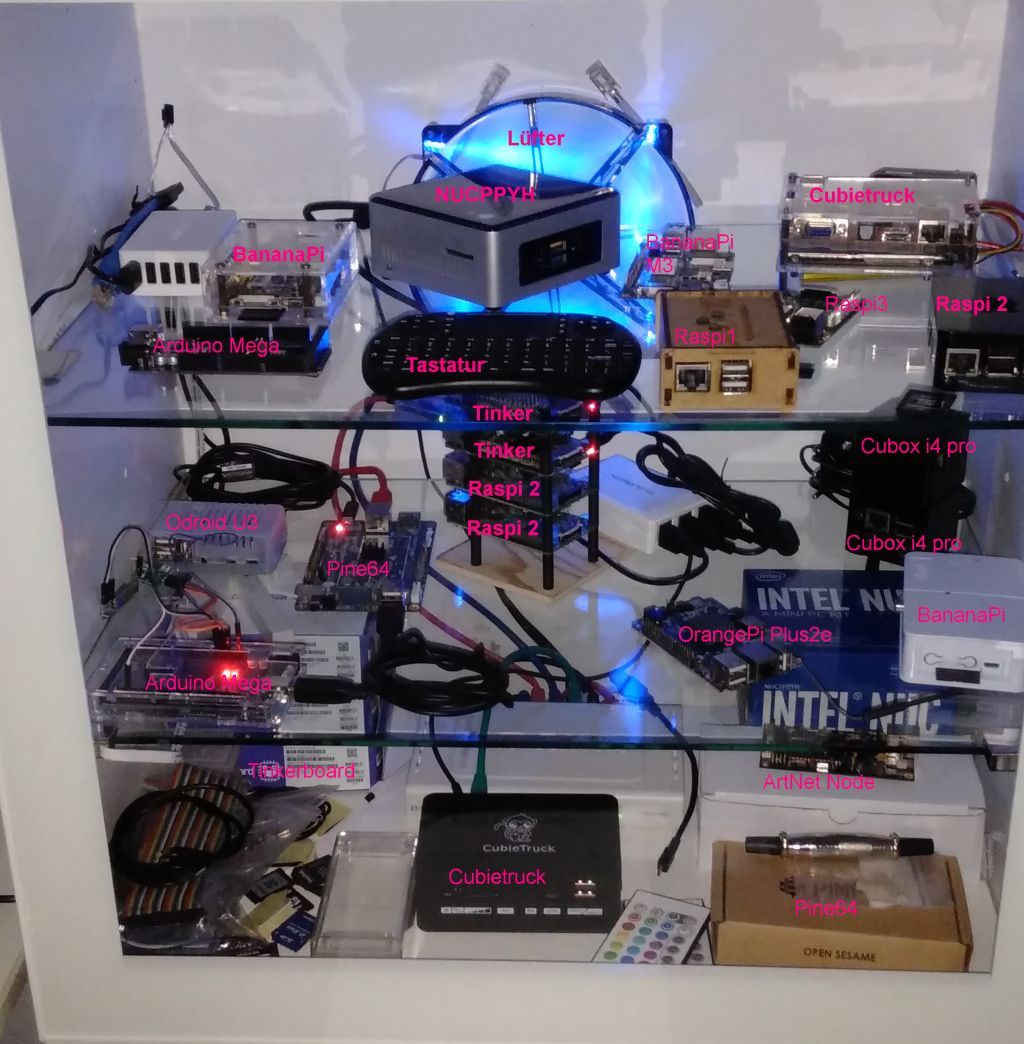
Nun bedauere ich es wieder keinen 2. Raspi zu haben
hab ich wohl auch mal gedacht

-
@michaelxhoffmann sagte in Nach Update auf Admin 5.8 Startet Biobroker nicht mehr:
Nun bedauere ich es wieder keinen 2. Raspi zu haben
hab ich wohl auch mal gedacht
@homoran
Alles klar -
An dieser Stelle ein fettes DANKESCHÖN für die Unterstützung an @thomas braun @Glasfaser und besonders @crunchip @homoran
@michaelxhoffmann ich schließe mal daraus, das nun alles wieder läuft
-
@michaelxhoffmann ich schließe mal daraus, das nun alles wieder läuft
-
@crunchip Nein ich habe mich entschlossen alles neu zu installieren ... :rofl:
@michaelxhoffmann du schriebst doch vor 2Std
@michaelxhoffmann sagte in Nach Update auf Admin 5.8 Startet Biobroker nicht mehr:
Bin schon dabei Neue 32 GB Karte wird

Hey! Du scheinst an dieser Unterhaltung interessiert zu sein, hast aber noch kein Konto.
Hast du es satt, bei jedem Besuch durch die gleichen Beiträge zu scrollen? Wenn du dich für ein Konto anmeldest, kommst du immer genau dorthin zurück, wo du zuvor warst, und kannst dich über neue Antworten benachrichtigen lassen (entweder per E-Mail oder Push-Benachrichtigung). Du kannst auch Lesezeichen speichern und Beiträge positiv bewerten, um anderen Community-Mitgliedern deine Wertschätzung zu zeigen.
Mit deinem Input könnte dieser Beitrag noch besser werden 💗
Registrieren Anmelden412
Online33.0k
Benutzer83.5k
Themen1.3m
Beiträge