
NEWS




-
@domi920 said in Test Adapter Philips-TV v0.2.x:
Leider gibt es keine Möglichkeit den TV über die Einstellungen neu zu starten:
Android-Gerät?
In den Einstellungen "Häufige Einstellungen" - "Alle Einstellungen" - "Android-Einstellungen" - "Geräteeinstellungen" - ganz nach unten scrollen :-)@michaelnorge sagte in Test Adapter Philips-TV v0.2.x:
@domi920 said in Test Adapter Philips-TV v0.2.x:
Leider gibt es keine Möglichkeit den TV über die Einstellungen neu zu starten:
Android-Gerät?
In den Einstellungen "Häufige Einstellungen" - "Alle Einstellungen" - "Android-Einstellungen" - "Geräteeinstellungen" - ganz nach unten scrollen :-)Nein es ist kein Android System
-
@michaelnorge sagte in Test Adapter Philips-TV v0.2.x:
@domi920 said in Test Adapter Philips-TV v0.2.x:
Leider gibt es keine Möglichkeit den TV über die Einstellungen neu zu starten:
Android-Gerät?
In den Einstellungen "Häufige Einstellungen" - "Alle Einstellungen" - "Android-Einstellungen" - "Geräteeinstellungen" - ganz nach unten scrollen :-)Nein es ist kein Android System
-
Nein es ist kein Android System
Kenne jetzt nicht alle Einstellungen vom Adapter aber musst du dann nicht jointspace statt android auswählen?
Gruß//Lucky
@lucky_esa sagte in Test Adapter Philips-TV v0.2.x:
Nein es ist kein Android System
Kenne jetzt nicht alle Einstellungen vom Adapter aber musst du dann nicht jointspace statt android auswählen?
Gruß//Lucky
Dann kann man kein Pairing Starten im Adapter und dadurch auch keine Verbindung herstellen.
Der TV zeigt dann erst einen Pin an wenn man das Pairing einmal macht.Außerdem funktioniert dann gar nichts mehr:
philips-tv.0 2024-08-27 13:43:19.144 error Could not poll API: {"statusCode":403,"body":"<html><head><title>Forbidden</title></head><body>Forbidden</body></html>","headers":{"date":"Tue, 27 Aug 2024 11:43:18 GMT","connection":"close","content-type":"text/html; charset=utf-8","cache-control":"no-cache","access-control-allow-origin":"*","content-length":"72"},"request":{"uri":{"protocol":"http:","slashes":true,"auth":null,"host":"192.162.1.101:1925","port":"1925","hostname":"192.162.1.101","hash":null,"search":null,"query":null,"pathname":"/6/audio/volume","path":"/6/audio/volume","href":"http://192.162.1.101:1925/6/audio/volume"},"method":"GET","headers":{}}} philips-tv.0 2024-08-27 13:43:14.137 error Could not poll API: {"statusCode":403,"body":"<html><head><title>Forbidden</title></head><body>Forbidden</body></html>","headers":{"date":"Tue, 27 Aug 2024 11:43:13 GMT","connection":"close","content-type":"text/html; charset=utf-8","cache-control":"no-cache","access-control-allow-origin":"*","content-length":"72"},"request":{"uri":{"protocol":"http:","slashes":true,"auth":null,"host":"192.162.1.101:1925","port":"1925","hostname":"192.162.1.101","hash":null,"search":null,"query":null,"pathname":"/6/audio/volume","path":"/6/audio/volume","href":"http://192.162.1.101:1925/6/audio/volume"},"method":"GET","headers":{}}} philips-tv.0 2024-08-27 13:43:09.132 error Could not poll API: {"statusCode":403,"body":"<html><head><title>Forbidden</title></head><body>Forbidden</body></html>","headers":{"date":"Tue, 27 Aug 2024 11:43:08 GMT","connection":"close","content-type":"text/html; charset=utf-8","cache-control":"no-cache","access-control-allow-origin":"*","content-length":"72"},"request":{"uri":{"protocol":"http:","slashes":true,"auth":null,"host":"192.162.1.101:1925","port":"1925","hostname":"192.162.1.101","hash":null,"search":null,"query":null,"pathname":"/6/audio/volume","path":"/6/audio/volume","href":"http://192.162.1.101:1925/6/audio/volume"},"method":"GET","headers":{}}} philips-tv.0 2024-08-27 13:43:06.192 error Could not send key "VolumeDown": {"statusCode":403,"body":"<html><head><title>Forbidden</title></head><body>Forbidden</body></html>","headers":{"date":"Tue, 27 Aug 2024 11:43:05 GMT","connection":"close","content-type":"text/html; charset=utf-8","cache-control":"no-cache","access-control-allow-origin":"*","content-length":"72"},"request":{"uri":{"protocol":"http:","slashes":true,"auth":null,"host":"192.162.1.101:1925","port":"1925","hostname":"192.162.1.101","hash":null,"search":null,"query":null,"pathname":"/6/input/key","path":"/6/input/key","href":"http://192.162.1.101:1925/6/input/key"},"method":"POST","headers":{"content-length":20}}} philips-tv.0 2024-08-27 13:43:06.187 debug Sending key "VolumeDown" philips-tv.0 2024-08-27 13:43:06.187 debug state change philips-tv.0.keys.volumeDown: true philips-tv.0 2024-08-27 13:43:04.601 error Could not send key "YellowColour": {"statusCode":403,"body":"<html><head><title>Forbidden</title></head><body>Forbidden</body></html>","headers":{"date":"Tue, 27 Aug 2024 11:43:03 GMT","connection":"close","content-type":"text/html; charset=utf-8","cache-control":"no-cache","access-control-allow-origin":"*","content-length":"72"},"request":{"uri":{"protocol":"http:","slashes":true,"auth":null,"host":"192.162.1.101:1925","port":"1925","hostname":"192.162.1.101","hash":null,"search":null,"query":null,"pathname":"/6/input/key","path":"/6/input/key","href":"http://192.162.1.101:1925/6/input/key"},"method":"POST","headers":{"content-length":22}}} philips-tv.0 2024-08-27 13:43:04.597 debug Sending key "YellowColour" philips-tv.0 2024-08-27 13:43:04.597 debug state change philips-tv.0.keys.yellowColour: true philips-tv.0 2024-08-27 13:43:04.124 error Could not poll API: {"statusCode":403,"body":"<html><head><title>Forbidden</title></head><body>Forbidden</body></html>","headers":{"date":"Tue, 27 Aug 2024 11:43:03 GMT","connection":"close","content-type":"text/html; charset=utf-8","cache-control":"no-cache","access-control-allow-origin":"*","content-length":"72"},"request":{"uri":{"protocol":"http:","slashes":true,"auth":null,"host":"192.162.1.101:1925","port":"1925","hostname":"192.162.1.101","hash":null,"search":null,"query":null,"pathname":"/6/audio/volume","path":"/6/audio/volume","href":"http://192.162.1.101:1925/6/audio/volume"},"method":"GET","headers":{}}} philips-tv.0 2024-08-27 13:43:03.304 error Could not send key "VolumeUp": {"statusCode":403,"body":"<html><head><title>Forbidden</title></head><body>Forbidden</body></html>","headers":{"date":"Tue, 27 Aug 2024 11:43:02 GMT","connection":"close","content-type":"text/html; charset=utf-8","cache-control":"no-cache","access-control-allow-origin":"*","content-length":"72"},"request":{"uri":{"protocol":"http:","slashes":true,"auth":null,"host":"192.162.1.101:1925","port":"1925","hostname":"192.162.1.101","hash":null,"search":null,"query":null,"pathname":"/6/input/key","path":"/6/input/key","href":"http://192.162.1.101:1925/6/input/key"},"method":"POST","headers":{"content-length":18}}} philips-tv.0 2024-08-27 13:43:03.301 debug Sending key "VolumeUp" philips-tv.0 2024-08-27 13:43:03.300 debug state change philips-tv.0.keys.volumeUp: true philips-tv.0 2024-08-27 13:43:00.877 error Could not send key "VolumeUp": {"statusCode":403,"body":"<html><head><title>Forbidden</title></head><body>Forbidden</body></html>","headers":{"date":"Tue, 27 Aug 2024 11:42:59 GMT","connection":"close","content-type":"text/html; charset=utf-8","cache-control":"no-cache","access-control-allow-origin":"*","content-length":"72"},"request":{"uri":{"protocol":"http:","slashes":true,"auth":null,"host":"192.162.1.101:1925","port":"1925","hostname":"192.162.1.101","hash":null,"search":null,"query":null,"pathname":"/6/input/key","path":"/6/input/key","href":"http://192.162.1.101:1925/6/input/key"},"method":"POST","headers":{"content-length":18}}} philips-tv.0 2024-08-27 13:43:00.873 debug Sending key "VolumeUp" philips-tv.0 2024-08-27 13:43:00.873 debug state change philips-tv.0.keys.volumeUp: true philips-tv.0 2024-08-27 13:42:59.119 error Could not poll API: {"statusCode":403,"body":"<html><head><title>Forbidden</title></head><body>Forbidden</body></html>","headers":{"date":"Tue, 27 Aug 2024 11:42:58 GMT","connection":"close","content-type":"text/html; charset=utf-8","cache-control":"no-cache","access-control-allow-origin":"*","content-length":"72"},"request":{"uri":{"protocol":"http:","slashes":true,"auth":null,"host":"192.162.1.101:1925","port":"1925","hostname":"192.162.1.101","hash":null,"search":null,"query":null,"pathname":"/6/audio/volume","path":"/6/audio/volume","href":"http://192.162.1.101:1925/6/audio/volume"},"method":"GET","headers":{}}} philips-tv.0 2024-08-27 13:42:54.072 error Could not poll API: {"statusCode":403,"body":"<html><head><title>Forbidden</title></head><body>Forbidden</body></html>","headers":{"date":"Tue, 27 Aug 2024 11:42:53 GMT","connection":"close","content-type":"text/html; charset=utf-8","cache-control":"no-cache","access-control-allow-origin":"*","content-length":"72"},"request":{"uri":{"protocol":"http:","slashes":true,"auth":null,"host":"192.162.1.101:1925","port":"1925","hostname":"192.162.1.101","hash":null,"search":null,"query":null,"pathname":"/6/audio/volume","path":"/6/audio/volume","href":"http://192.162.1.101:1925/6/audio/volume"},"method":"GET","headers":{}}} philips-tv.0 2024-08-27 13:42:49.065 error Could not poll API: {"statusCode":403,"body":"<html><head><title>Forbidden</title></head><body>Forbidden</body></html>","headers":{"date":"Tue, 27 Aug 2024 11:42:48 GMT","connection":"close","content-type":"text/html; charset=utf-8","cache-control":"no-cache","access-control-allow-origin":"*","content-length":"72"},"request":{"uri":{"protocol":"http:","slashes":true,"auth":null,"host":"192.162.1.101:1925","port":"1925","hostname":"192.162.1.101","hash":null,"search":null,"query":null,"pathname":"/6/audio/volume","path":"/6/audio/volume","href":"http://192.162.1.101:1925/6/audio/volume"},"method":"GET","headers":{}}} philips-tv.0 2024-08-27 13:42:44.055 error Could not poll API: {"statusCode":403,"body":"<html><head><title>Forbidden</title></head><body>Forbidden</body></html>","headers":{"date":"Tue, 27 Aug 2024 11:42:43 GMT","connection":"close","content-type":"text/html; charset=utf-8","cache-control":"no-cache","access-control-allow-origin":"*","content-length":"72"},"request":{"uri":{"protocol":"http:","slashes":true,"auth":null,"host":"192.162.1.101:1925","port":"1925","hostname":"192.162.1.101","hash":null,"search":null,"query":null,"pathname":"/6/audio/volume","path":"/6/audio/volume","href":"http://192.162.1.101:1925/6/audio/volume"},"method":"GET","headers":{}}} philips-tv.0 2024-08-27 13:42:39.034 info Starting with ip "192.162.1.101" (API v6 - Jointspace) philips-tv.0 2024-08-27 13:42:39.024 info starting. Version 0.5.4 (non-npm: AlCalzone/ioBroker.philips-tv) in /opt/iobroker/node_modules/iobroker.philips-tv, node: v20.16.0, js-controller: 6.0.9 philips-tv.0 2024-08-27 13:42:38.832 debug States connected to redis: 127.0.0.1:9000 philips-tv.0 2024-08-27 13:42:38.769 debug States create User PubSub Client philips-tv.0 2024-08-27 13:42:38.768 debug States create System PubSub Client philips-tv.0 2024-08-27 13:42:38.756 debug Redis States: Use Redis connection: 127.0.0.1:9000 philips-tv.0 2024-08-27 13:42:38.735 debug Objects connected to redis: 127.0.0.1:9001 philips-tv.0 2024-08-27 13:42:38.731 debug Objects client initialize lua scripts philips-tv.0 2024-08-27 13:42:38.697 debug Objects create User PubSub Client philips-tv.0 2024-08-27 13:42:38.696 debug Objects create System PubSub Client philips-tv.0 2024-08-27 13:42:38.695 debug Objects client ready ... initialize now philips-tv.0 2024-08-27 13:42:38.674 debug Redis Objects: Use Redis connection: 127.0.0.1:9001 -
@lucky_esa sagte in Test Adapter Philips-TV v0.2.x:
Nein es ist kein Android System
Kenne jetzt nicht alle Einstellungen vom Adapter aber musst du dann nicht jointspace statt android auswählen?
Gruß//Lucky
Dann kann man kein Pairing Starten im Adapter und dadurch auch keine Verbindung herstellen.
Der TV zeigt dann erst einen Pin an wenn man das Pairing einmal macht.Außerdem funktioniert dann gar nichts mehr:
philips-tv.0 2024-08-27 13:43:19.144 error Could not poll API: {"statusCode":403,"body":"<html><head><title>Forbidden</title></head><body>Forbidden</body></html>","headers":{"date":"Tue, 27 Aug 2024 11:43:18 GMT","connection":"close","content-type":"text/html; charset=utf-8","cache-control":"no-cache","access-control-allow-origin":"*","content-length":"72"},"request":{"uri":{"protocol":"http:","slashes":true,"auth":null,"host":"192.162.1.101:1925","port":"1925","hostname":"192.162.1.101","hash":null,"search":null,"query":null,"pathname":"/6/audio/volume","path":"/6/audio/volume","href":"http://192.162.1.101:1925/6/audio/volume"},"method":"GET","headers":{}}} philips-tv.0 2024-08-27 13:43:14.137 error Could not poll API: {"statusCode":403,"body":"<html><head><title>Forbidden</title></head><body>Forbidden</body></html>","headers":{"date":"Tue, 27 Aug 2024 11:43:13 GMT","connection":"close","content-type":"text/html; charset=utf-8","cache-control":"no-cache","access-control-allow-origin":"*","content-length":"72"},"request":{"uri":{"protocol":"http:","slashes":true,"auth":null,"host":"192.162.1.101:1925","port":"1925","hostname":"192.162.1.101","hash":null,"search":null,"query":null,"pathname":"/6/audio/volume","path":"/6/audio/volume","href":"http://192.162.1.101:1925/6/audio/volume"},"method":"GET","headers":{}}} philips-tv.0 2024-08-27 13:43:09.132 error Could not poll API: {"statusCode":403,"body":"<html><head><title>Forbidden</title></head><body>Forbidden</body></html>","headers":{"date":"Tue, 27 Aug 2024 11:43:08 GMT","connection":"close","content-type":"text/html; charset=utf-8","cache-control":"no-cache","access-control-allow-origin":"*","content-length":"72"},"request":{"uri":{"protocol":"http:","slashes":true,"auth":null,"host":"192.162.1.101:1925","port":"1925","hostname":"192.162.1.101","hash":null,"search":null,"query":null,"pathname":"/6/audio/volume","path":"/6/audio/volume","href":"http://192.162.1.101:1925/6/audio/volume"},"method":"GET","headers":{}}} philips-tv.0 2024-08-27 13:43:06.192 error Could not send key "VolumeDown": {"statusCode":403,"body":"<html><head><title>Forbidden</title></head><body>Forbidden</body></html>","headers":{"date":"Tue, 27 Aug 2024 11:43:05 GMT","connection":"close","content-type":"text/html; charset=utf-8","cache-control":"no-cache","access-control-allow-origin":"*","content-length":"72"},"request":{"uri":{"protocol":"http:","slashes":true,"auth":null,"host":"192.162.1.101:1925","port":"1925","hostname":"192.162.1.101","hash":null,"search":null,"query":null,"pathname":"/6/input/key","path":"/6/input/key","href":"http://192.162.1.101:1925/6/input/key"},"method":"POST","headers":{"content-length":20}}} philips-tv.0 2024-08-27 13:43:06.187 debug Sending key "VolumeDown" philips-tv.0 2024-08-27 13:43:06.187 debug state change philips-tv.0.keys.volumeDown: true philips-tv.0 2024-08-27 13:43:04.601 error Could not send key "YellowColour": {"statusCode":403,"body":"<html><head><title>Forbidden</title></head><body>Forbidden</body></html>","headers":{"date":"Tue, 27 Aug 2024 11:43:03 GMT","connection":"close","content-type":"text/html; charset=utf-8","cache-control":"no-cache","access-control-allow-origin":"*","content-length":"72"},"request":{"uri":{"protocol":"http:","slashes":true,"auth":null,"host":"192.162.1.101:1925","port":"1925","hostname":"192.162.1.101","hash":null,"search":null,"query":null,"pathname":"/6/input/key","path":"/6/input/key","href":"http://192.162.1.101:1925/6/input/key"},"method":"POST","headers":{"content-length":22}}} philips-tv.0 2024-08-27 13:43:04.597 debug Sending key "YellowColour" philips-tv.0 2024-08-27 13:43:04.597 debug state change philips-tv.0.keys.yellowColour: true philips-tv.0 2024-08-27 13:43:04.124 error Could not poll API: {"statusCode":403,"body":"<html><head><title>Forbidden</title></head><body>Forbidden</body></html>","headers":{"date":"Tue, 27 Aug 2024 11:43:03 GMT","connection":"close","content-type":"text/html; charset=utf-8","cache-control":"no-cache","access-control-allow-origin":"*","content-length":"72"},"request":{"uri":{"protocol":"http:","slashes":true,"auth":null,"host":"192.162.1.101:1925","port":"1925","hostname":"192.162.1.101","hash":null,"search":null,"query":null,"pathname":"/6/audio/volume","path":"/6/audio/volume","href":"http://192.162.1.101:1925/6/audio/volume"},"method":"GET","headers":{}}} philips-tv.0 2024-08-27 13:43:03.304 error Could not send key "VolumeUp": {"statusCode":403,"body":"<html><head><title>Forbidden</title></head><body>Forbidden</body></html>","headers":{"date":"Tue, 27 Aug 2024 11:43:02 GMT","connection":"close","content-type":"text/html; charset=utf-8","cache-control":"no-cache","access-control-allow-origin":"*","content-length":"72"},"request":{"uri":{"protocol":"http:","slashes":true,"auth":null,"host":"192.162.1.101:1925","port":"1925","hostname":"192.162.1.101","hash":null,"search":null,"query":null,"pathname":"/6/input/key","path":"/6/input/key","href":"http://192.162.1.101:1925/6/input/key"},"method":"POST","headers":{"content-length":18}}} philips-tv.0 2024-08-27 13:43:03.301 debug Sending key "VolumeUp" philips-tv.0 2024-08-27 13:43:03.300 debug state change philips-tv.0.keys.volumeUp: true philips-tv.0 2024-08-27 13:43:00.877 error Could not send key "VolumeUp": {"statusCode":403,"body":"<html><head><title>Forbidden</title></head><body>Forbidden</body></html>","headers":{"date":"Tue, 27 Aug 2024 11:42:59 GMT","connection":"close","content-type":"text/html; charset=utf-8","cache-control":"no-cache","access-control-allow-origin":"*","content-length":"72"},"request":{"uri":{"protocol":"http:","slashes":true,"auth":null,"host":"192.162.1.101:1925","port":"1925","hostname":"192.162.1.101","hash":null,"search":null,"query":null,"pathname":"/6/input/key","path":"/6/input/key","href":"http://192.162.1.101:1925/6/input/key"},"method":"POST","headers":{"content-length":18}}} philips-tv.0 2024-08-27 13:43:00.873 debug Sending key "VolumeUp" philips-tv.0 2024-08-27 13:43:00.873 debug state change philips-tv.0.keys.volumeUp: true philips-tv.0 2024-08-27 13:42:59.119 error Could not poll API: {"statusCode":403,"body":"<html><head><title>Forbidden</title></head><body>Forbidden</body></html>","headers":{"date":"Tue, 27 Aug 2024 11:42:58 GMT","connection":"close","content-type":"text/html; charset=utf-8","cache-control":"no-cache","access-control-allow-origin":"*","content-length":"72"},"request":{"uri":{"protocol":"http:","slashes":true,"auth":null,"host":"192.162.1.101:1925","port":"1925","hostname":"192.162.1.101","hash":null,"search":null,"query":null,"pathname":"/6/audio/volume","path":"/6/audio/volume","href":"http://192.162.1.101:1925/6/audio/volume"},"method":"GET","headers":{}}} philips-tv.0 2024-08-27 13:42:54.072 error Could not poll API: {"statusCode":403,"body":"<html><head><title>Forbidden</title></head><body>Forbidden</body></html>","headers":{"date":"Tue, 27 Aug 2024 11:42:53 GMT","connection":"close","content-type":"text/html; charset=utf-8","cache-control":"no-cache","access-control-allow-origin":"*","content-length":"72"},"request":{"uri":{"protocol":"http:","slashes":true,"auth":null,"host":"192.162.1.101:1925","port":"1925","hostname":"192.162.1.101","hash":null,"search":null,"query":null,"pathname":"/6/audio/volume","path":"/6/audio/volume","href":"http://192.162.1.101:1925/6/audio/volume"},"method":"GET","headers":{}}} philips-tv.0 2024-08-27 13:42:49.065 error Could not poll API: {"statusCode":403,"body":"<html><head><title>Forbidden</title></head><body>Forbidden</body></html>","headers":{"date":"Tue, 27 Aug 2024 11:42:48 GMT","connection":"close","content-type":"text/html; charset=utf-8","cache-control":"no-cache","access-control-allow-origin":"*","content-length":"72"},"request":{"uri":{"protocol":"http:","slashes":true,"auth":null,"host":"192.162.1.101:1925","port":"1925","hostname":"192.162.1.101","hash":null,"search":null,"query":null,"pathname":"/6/audio/volume","path":"/6/audio/volume","href":"http://192.162.1.101:1925/6/audio/volume"},"method":"GET","headers":{}}} philips-tv.0 2024-08-27 13:42:44.055 error Could not poll API: {"statusCode":403,"body":"<html><head><title>Forbidden</title></head><body>Forbidden</body></html>","headers":{"date":"Tue, 27 Aug 2024 11:42:43 GMT","connection":"close","content-type":"text/html; charset=utf-8","cache-control":"no-cache","access-control-allow-origin":"*","content-length":"72"},"request":{"uri":{"protocol":"http:","slashes":true,"auth":null,"host":"192.162.1.101:1925","port":"1925","hostname":"192.162.1.101","hash":null,"search":null,"query":null,"pathname":"/6/audio/volume","path":"/6/audio/volume","href":"http://192.162.1.101:1925/6/audio/volume"},"method":"GET","headers":{}}} philips-tv.0 2024-08-27 13:42:39.034 info Starting with ip "192.162.1.101" (API v6 - Jointspace) philips-tv.0 2024-08-27 13:42:39.024 info starting. Version 0.5.4 (non-npm: AlCalzone/ioBroker.philips-tv) in /opt/iobroker/node_modules/iobroker.philips-tv, node: v20.16.0, js-controller: 6.0.9 philips-tv.0 2024-08-27 13:42:38.832 debug States connected to redis: 127.0.0.1:9000 philips-tv.0 2024-08-27 13:42:38.769 debug States create User PubSub Client philips-tv.0 2024-08-27 13:42:38.768 debug States create System PubSub Client philips-tv.0 2024-08-27 13:42:38.756 debug Redis States: Use Redis connection: 127.0.0.1:9000 philips-tv.0 2024-08-27 13:42:38.735 debug Objects connected to redis: 127.0.0.1:9001 philips-tv.0 2024-08-27 13:42:38.731 debug Objects client initialize lua scripts philips-tv.0 2024-08-27 13:42:38.697 debug Objects create User PubSub Client philips-tv.0 2024-08-27 13:42:38.696 debug Objects create System PubSub Client philips-tv.0 2024-08-27 13:42:38.695 debug Objects client ready ... initialize now philips-tv.0 2024-08-27 13:42:38.674 debug Redis Objects: Use Redis connection: 127.0.0.1:9001 -
-
Moin,
Ich wollte mal ganz höfflich fragen, ob an dem Adapter noch wegen could not poll API gearbeitet wird?
LG Wobbix
@wobbix sagte in Test Adapter Philips-TV v0.2.x:
Moin,
Ich wollte mal ganz höfflich fragen, ob an dem Adapter noch wegen could not poll API gearbeitet wird?
LG Wobbix
Hier wirst du wohl erst Glück haben wenn der Ferneseher vom Entwickler kaputt geht und er einen neuen kaufen muss. Wenn du Zeit hast und dein ioBroker auf eine Linux Maschine läuft könnte ich versuchen zu helfen.
-
@wobbix sagte in Test Adapter Philips-TV v0.2.x:
Moin,
Ich wollte mal ganz höfflich fragen, ob an dem Adapter noch wegen could not poll API gearbeitet wird?
LG Wobbix
Hier wirst du wohl erst Glück haben wenn der Ferneseher vom Entwickler kaputt geht und er einen neuen kaufen muss. Wenn du Zeit hast und dein ioBroker auf eine Linux Maschine läuft könnte ich versuchen zu helfen.
Hallo.
Ja mein IOBroker läft aufr einem Raspberry Pi.Ich würde schon versuchen mir da Zeit zu nehmen.
LG Wobbix
-
Ich habe jetzt den Adapter auch mal installiert
Ich muss sagen Danke der funktioniert tollIch habe nur eine Frage
In den EInstellungen kann ich ja die Mac-Adresse eintragen um den TV zu wecken
Nur wie funktioniert das?Wenn der TV im Standby ist ist er für den Adapter nicht zu erreichen und damit kann ich den TV auch nicht anschalten
Danke im Voraus
Gruß
MarcelMeine Hard- & Software:
- MSI Cubi 5 10M-049DE mit Proxmox
- CC2652P Zigbee Stick
- Steckdosen mit Tasmota und Zigbee
- Lichtschalter mit Tasmota
- IKEA TRÅDFRI Glühbirnen
- Aqara Sensoren
-
Ich habe jetzt den Adapter auch mal installiert
Ich muss sagen Danke der funktioniert tollIch habe nur eine Frage
In den EInstellungen kann ich ja die Mac-Adresse eintragen um den TV zu wecken
Nur wie funktioniert das?Wenn der TV im Standby ist ist er für den Adapter nicht zu erreichen und damit kann ich den TV auch nicht anschalten
Danke im Voraus
Gruß
Marcel@wszene Es wird dann probiert über WOL das Gerät einzuschalten, dafür musst du z. B. wenn du eine Fritz!Box hast dies für das Gerät dort explizit aktivieren. Und ja die MAC Adresse vom genutzten Interface (siehe Netzwerkeinstellungen im TV selbst) im Adapter eintragen.
Hier könnt ihr mich unterstützen.
-
@wszene Es wird dann probiert über WOL das Gerät einzuschalten, dafür musst du z. B. wenn du eine Fritz!Box hast dies für das Gerät dort explizit aktivieren. Und ja die MAC Adresse vom genutzten Interface (siehe Netzwerkeinstellungen im TV selbst) im Adapter eintragen.
@foxriver76 sagte in Test Adapter Philips-TV v0.2.x:
@wszene Es wird dann probiert über WOL das Gerät einzuschalten, dafür musst du z. B. wenn du eine Fritz!Box hast dies für das Gerät dort explizit aktivieren. Und ja die MAC Adresse vom genutzten Interface (siehe Netzwerkeinstellungen im TV selbst) im Adapter eintragen.
ich habe jetzt mal WOL aktiviert (klappt auch vom Router) also der TV ist dann im Adapter online
Aber was muss ich machen das es auch der Adapter macht? -
Schade, ein paar Posts drüber war es ohne die /5 angegeben. Ich hatte gehofft, dass man daran direkt die API-Version erkennen kann, ohne zu raten. `
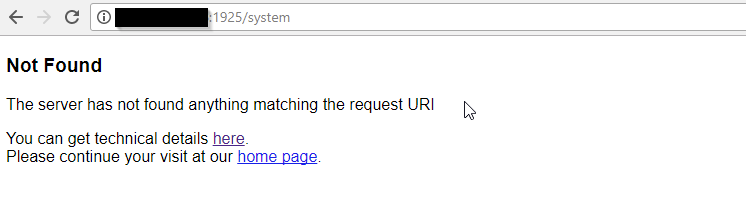
Jetzt war ich doch fast ein bisschen verunsichert, aber bei mir bekomme ich eine Fehlermeldung, wenn ich die /5 weglasse
und hier mit /5





Support us
850
Online32.4k
Users81.5k
Topics1.3m
Posts