




iob nodejs-update"
-
@thomas-braun Das diese Quelle fehlerhaft ist, habe ich gesehen, aber finde keine richtige.
suche schon hier:
https://forum.iobroker.net/topic/62040/linux-debian-grafana-repo-muss-aktualisiert-werdenSchau nach meinem
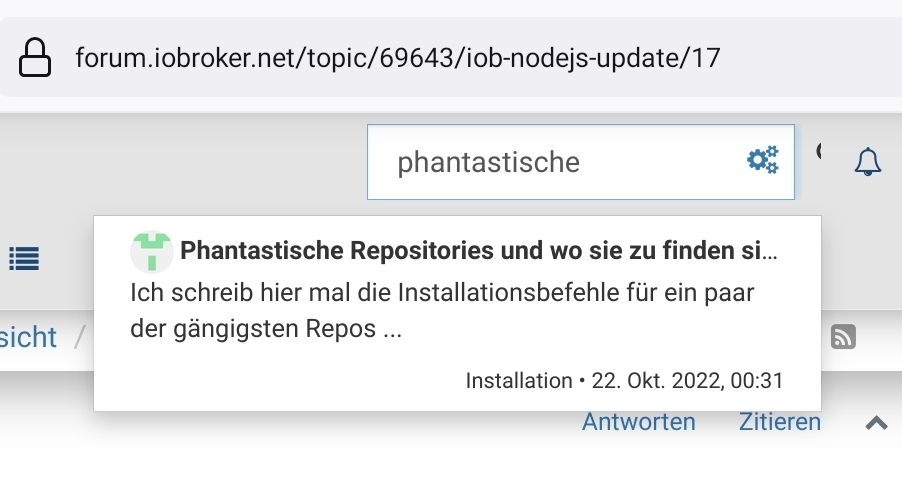
'Phantastische Repos'-Thread.
Da steht's drin. Und auch beim Hersteller würde man fündig. -
@thomas-braun sagte in iob nodejs-update":
'Phantastische Repos'-Thread.
"phantastischen Repo Thread finde ich zwar nicht, aber jetzt sieht iob diag so aus:

(Bookworm bekomme ich noch nicht zum Laufen)Skript v.2023-10-10 *** BASE SYSTEM *** Static hostname: raspberrypi Icon name: computer Operating System: Debian GNU/Linux 11 (bullseye) Kernel: Linux 6.1.21-v8+ Architecture: arm64 Model : Raspberry Pi 4 Model B Rev 1.5 Docker : false Virtualization : none Kernel : aarch64 Userland : arm64 Systemuptime and Load: 18:13:26 up 24 min, 1 user, load average: 0.96, 1.27, 1.31 CPU threads: 4 *** RASPBERRY THROTTLING *** Current issues: No throttling issues detected. Previously detected issues: No throttling issues detected. *** Time and Time Zones *** Local time: Sat 2023-11-18 18:13:26 CET Universal time: Sat 2023-11-18 17:13:26 UTC RTC time: n/a Time zone: Europe/Berlin (CET, +0100) System clock synchronized: yes NTP service: active RTC in local TZ: no *** User and Groups *** otto /home/otto otto adm dialout cdrom sudo audio video plugdev games users input render netdev gpio i2c spi iobroker *** X-Server-Setup *** X-Server: false Desktop: Terminal: tty Boot Target: multi-user.target *** MEMORY *** total used free shared buff/cache available Mem: 7.8G 2.0G 3.0G 1.0M 2.8G 5.7G Swap: 99M 0B 99M Total: 7.9G 2.0G 3.1G 7811 M total memory 2037 M used memory 3331 M active memory 1296 M inactive memory 2981 M free memory 69 M buffer memory 2722 M swap cache 99 M total swap 0 M used swap 99 M free swap Raspberry only: oom events: 0 lifetime oom required: 0 Mbytes total time in oom handler: 0 ms max time spent in oom handler: 0 ms *** FAILED SERVICES *** UNIT LOAD ACTIVE SUB DESCRIPTION 0 loaded units listed. *** FILESYSTEM *** Filesystem Type Size Used Avail Use% Mounted on /dev/root ext4 110G 24G 83G 22% / devtmpfs devtmpfs 3.6G 0 3.6G 0% /dev tmpfs tmpfs 3.9G 0 3.9G 0% /dev/shm tmpfs tmpfs 1.6G 1.2M 1.6G 1% /run tmpfs tmpfs 5.0M 4.0K 5.0M 1% /run/lock /dev/sda1 vfat 255M 31M 225M 13% /boot tmpfs tmpfs 782M 0 782M 0% /run/user/1000 Messages concerning ext4 filesystem in dmesg: [Sat Nov 18 17:49:09 2023] Kernel command line: coherent_pool=1M 8250.nr_uarts=0 snd_bcm2835.enable_headphones=0 snd_bcm2835.enable_headphones=1 snd_bcm2835.enable_hdmi=1 snd_bcm2835.enable_hdmi=0 smsc95xx.macaddr=D8:3A:DD:0D:3B:C5 vc_mem.mem_base=0x3eb00000 vc_mem.mem_size=0x3ff00000 console=ttyS0,115200 console=tty1 root=PARTUUID=b6240c98-02 rootfstype=ext4 fsck.repair=yes rootwait [Sat Nov 18 17:49:11 2023] EXT4-fs (sda2): INFO: recovery required on readonly filesystem [Sat Nov 18 17:49:11 2023] EXT4-fs (sda2): write access will be enabled during recovery [Sat Nov 18 17:49:11 2023] EXT4-fs (sda2): recovery complete [Sat Nov 18 17:49:11 2023] EXT4-fs (sda2): mounted filesystem with ordered data mode. Quota mode: none. [Sat Nov 18 17:49:11 2023] VFS: Mounted root (ext4 filesystem) readonly on device 8:2. [Sat Nov 18 17:49:14 2023] EXT4-fs (sda2): re-mounted. Quota mode: none. Show mounted filesystems \(real ones only\): TARGET SOURCE FSTYPE OPTIONS / /dev/sda2 ext4 rw,noatime `-/boot /dev/sda1 vfat rw,relatime,fmask=0022,dmask=0022,codepage=437,iocharset=ascii,shortname=mixed,errors=remount-ro Files in neuralgic directories: /var: 16G /var/ 11G /var/lib/influxdb/engine/data/640d4d21b84b77d6/autogen 11G /var/lib/influxdb/engine/data/640d4d21b84b77d6 11G /var/lib/influxdb/engine/data 11G /var/lib/influxdb/engine Archived and active journals take up 4.0G in the file system. /opt/iobroker/backups: 13M /opt/iobroker/backups/ /opt/iobroker/iobroker-data: 2.8G /opt/iobroker/iobroker-data/ 2.3G /opt/iobroker/iobroker-data/history 290M /opt/iobroker/iobroker-data/files 130M /opt/iobroker/iobroker-data/backup-objects 90M /opt/iobroker/iobroker-data/files/echarts.admin The five largest files in iobroker-data are: 37M /opt/iobroker/iobroker-data/objects.jsonl 24M /opt/iobroker/iobroker-data/files/echarts/static/js/main.5f66c5d9.js.map 24M /opt/iobroker/iobroker-data/files/echarts.admin/static/js/main.9f2a6569.js.map 24M /opt/iobroker/iobroker-data/files/echarts.admin/chart/static/js/main.5f66c5d9.js.map 21M /opt/iobroker/iobroker-data/files/web.admin/static/js/main.aaea95f8.js.map USB-Devices by-id: USB-Sticks - Avoid direct links to /dev/* in your adapter setups, please always prefer the links 'by-id': /dev/serial/by-id/usb-1a86_USB2.0-Ser_-if00-port0 /dev/serial/by-id/usb-VictronEnergy_BV_VE_Direct_cable_VE675ZLF-if00-port0 *** NodeJS-Installation *** /usr/bin/nodejs v18.18.2 /usr/bin/node v18.18.2 /usr/bin/npm 9.8.1 /usr/bin/npx 9.8.1 /usr/bin/corepack 0.19.0 nodejs: Installed: 18.18.2-1nodesource1 Candidate: 18.18.2-1nodesource1 Version table: *** 18.18.2-1nodesource1 1001 500 https://deb.nodesource.com/node_18.x nodistro/main arm64 Packages 100 /var/lib/dpkg/status 18.18.1-1nodesource1 1001 500 https://deb.nodesource.com/node_18.x nodistro/main arm64 Packages 18.18.0-1nodesource1 1001 500 https://deb.nodesource.com/node_18.x nodistro/main arm64 Packages 18.17.1-1nodesource1 1001 500 https://deb.nodesource.com/node_18.x nodistro/main arm64 Packages 18.17.0-1nodesource1 1001 500 https://deb.nodesource.com/node_18.x nodistro/main arm64 Packages 18.16.1-1nodesource1 1001 500 https://deb.nodesource.com/node_18.x nodistro/main arm64 Packages 18.16.0-1nodesource1 1001 500 https://deb.nodesource.com/node_18.x nodistro/main arm64 Packages 18.15.0-1nodesource1 1001 500 https://deb.nodesource.com/node_18.x nodistro/main arm64 Packages 18.14.2-1nodesource1 1001 500 https://deb.nodesource.com/node_18.x nodistro/main arm64 Packages 18.14.1-1nodesource1 1001 500 https://deb.nodesource.com/node_18.x nodistro/main arm64 Packages 18.14.0-1nodesource1 1001 500 https://deb.nodesource.com/node_18.x nodistro/main arm64 Packages 18.13.0-1nodesource1 1001 500 https://deb.nodesource.com/node_18.x nodistro/main arm64 Packages 18.12.0-1nodesource1 1001 500 https://deb.nodesource.com/node_18.x nodistro/main arm64 Packages 18.11.0-1nodesource1 1001 500 https://deb.nodesource.com/node_18.x nodistro/main arm64 Packages 18.10.0-1nodesource1 1001 500 https://deb.nodesource.com/node_18.x nodistro/main arm64 Packages 18.9.1-1nodesource1 1001 500 https://deb.nodesource.com/node_18.x nodistro/main arm64 Packages 18.9.0-1nodesource1 1001 500 https://deb.nodesource.com/node_18.x nodistro/main arm64 Packages 18.8.0-1nodesource1 1001 500 https://deb.nodesource.com/node_18.x nodistro/main arm64 Packages 18.7.0-1nodesource1 1001 500 https://deb.nodesource.com/node_18.x nodistro/main arm64 Packages 18.6.0-1nodesource1 1001 500 https://deb.nodesource.com/node_18.x nodistro/main arm64 Packages 18.5.0-1nodesource1 1001 500 https://deb.nodesource.com/node_18.x nodistro/main arm64 Packages 18.4.0-1nodesource1 1001 500 https://deb.nodesource.com/node_18.x nodistro/main arm64 Packages 18.3.0-1nodesource1 1001 500 https://deb.nodesource.com/node_18.x nodistro/main arm64 Packages 18.2.0-1nodesource1 1001 500 https://deb.nodesource.com/node_18.x nodistro/main arm64 Packages 18.1.0-1nodesource1 1001 500 https://deb.nodesource.com/node_18.x nodistro/main arm64 Packages 18.0.0-1nodesource1 1001 500 https://deb.nodesource.com/node_18.x nodistro/main arm64 Packages 12.22.12~dfsg-1~deb11u4 500 500 http://deb.debian.org/debian bullseye/main arm64 Packages 500 http://security.debian.org/debian-security bullseye-security/main arm64 Packages Temp directories causing npm8 problem: 0 No problems detected Errors in npm tree: *** ioBroker-Installation *** ioBroker Status iobroker is running on this host. Objects type: jsonl States type: jsonl Core adapters versions js-controller: 5.0.16 admin: 6.12.0 javascript: 7.1.4 Adapters from github: 3 Adapter State + system.adapter.admin.1 : admin : raspberrypi - enabled, port: 8081, bind: 0.0.0.0, run as: admin system.adapter.alias-manager.0 : alias-manager : raspberrypi - disabled + system.adapter.backitup.0 : backitup : raspberrypi - enabled + system.adapter.discovery.0 : discovery : raspberrypi - enabled + system.adapter.echarts.0 : echarts : raspberrypi - enabled + system.adapter.email.0 : email : raspberrypi - enabled system.adapter.flot.0 : flot : raspberrypi - disabled + system.adapter.history.0 : history : raspberrypi - enabled + system.adapter.hm-rega.0 : hm-rega : raspberrypi - enabled + system.adapter.hm-rpc.0 : hm-rpc : raspberrypi - enabled, port: 0 + system.adapter.hm-rpc.1 : hm-rpc : raspberrypi - enabled, port: 0 system.adapter.i2c.0 : i2c : raspberrypi - disabled + system.adapter.influxdb.0 : influxdb : raspberrypi - enabled, port: 8086 + system.adapter.info.0 : info : raspberrypi - enabled + system.adapter.javascript.0 : javascript : raspberrypi - enabled + system.adapter.logparser.0 : logparser : raspberrypi - enabled + system.adapter.modbus.0 : modbus : raspberrypi - enabled + system.adapter.mqtt.0 : mqtt : raspberrypi - enabled, port: 1883, bind: 0.0.0.0 + system.adapter.mqtt.1 : mqtt : raspberrypi - enabled, port: 1886, bind: 0.0.0.0 + system.adapter.net-tools.0 : net-tools : raspberrypi - enabled + system.adapter.opendtu.0 : opendtu : raspberrypi - enabled + system.adapter.opendtu.1 : opendtu : raspberrypi - enabled + system.adapter.owfs.0 : owfs : raspberrypi - enabled, port: 4304 + system.adapter.rpi2.0 : rpi2 : raspberrypi - enabled + system.adapter.shelly.0 : shelly : raspberrypi - enabled, port: 1882, bind: 0.0.0.0 system.adapter.shuttercontrol.0 : shuttercontrol : raspberrypi - disabled + system.adapter.simple-api.0 : simple-api : raspberrypi - enabled, port: 8087, bind: 0.0.0.0, run as: admin system.adapter.sma-em.0 : sma-em : raspberrypi - disabled + system.adapter.sourceanalytix.0 : sourceanalytix : raspberrypi - enabled + system.adapter.sourceanalytix.1 : sourceanalytix : raspberrypi - enabled + system.adapter.vedirect.0 : vedirect : raspberrypi - enabled system.adapter.vis-hqwidgets.0 : vis-hqwidgets : raspberrypi - disabled system.adapter.vis-timeandweather.0 : vis-timeandweather : raspberrypi - enabled system.adapter.vis.0 : vis : raspberrypi - enabled + system.adapter.web.0 : web : raspberrypi - enabled, port: 8082, bind: 0.0.0.0, run as: admin system.adapter.zigbee.0 : zigbee : raspberrypi - disabled, port: /dev/ttyACM0 + instance is alive Enabled adapters with bindings + system.adapter.admin.1 : admin : raspberrypi - enabled, port: 8081, bind: 0.0.0.0, run as: admin + system.adapter.hm-rpc.0 : hm-rpc : raspberrypi - enabled, port: 0 + system.adapter.hm-rpc.1 : hm-rpc : raspberrypi - enabled, port: 0 + system.adapter.influxdb.0 : influxdb : raspberrypi - enabled, port: 8086 + system.adapter.mqtt.0 : mqtt : raspberrypi - enabled, port: 1883, bind: 0.0.0.0 + system.adapter.mqtt.1 : mqtt : raspberrypi - enabled, port: 1886, bind: 0.0.0.0 + system.adapter.owfs.0 : owfs : raspberrypi - enabled, port: 4304 + system.adapter.shelly.0 : shelly : raspberrypi - enabled, port: 1882, bind: 0.0.0.0 + system.adapter.simple-api.0 : simple-api : raspberrypi - enabled, port: 8087, bind: 0.0.0.0, run as: admin + system.adapter.web.0 : web : raspberrypi - enabled, port: 8082, bind: 0.0.0.0, run as: admin ioBroker-Repositories stable : http://download.iobroker.net/sources-dist.json beta : http://download.iobroker.net/sources-dist-latest.json live-stable : http://iobroker.live/repo/sources-dist.json live-beta : http://iobroker.live/repo/sources-dist-latest.json Active repo(s): stable, live-stable Installed ioBroker-Instances Used repositories: stable, live-stable Adapter "admin" : 6.12.0 , installed 6.12.0 Adapter "alias-manager": 1.2.6 , installed 1.2.6 Adapter "backitup" : 2.8.7 , installed 2.8.7 Adapter "discovery" : 4.2.0 , installed 4.2.0 Adapter "echarts" : 1.5.4 , installed 1.5.4 Adapter "email" : 1.2.0 , installed 1.2.0 Adapter "flot" : 1.12.0 , installed 1.12.0 Adapter "history" : 3.0.1 , installed 3.0.1 Adapter "hm-rega" : 4.0.0 , installed 4.0.0 Adapter "hm-rpc" : 1.15.19 , installed 1.15.19 Adapter "i2c" : 1.2.1 , installed 1.2.1 Adapter "influxdb" : 3.2.0 , installed 3.2.0 Adapter "info" : 2.0.0 , installed 2.0.0 Adapter "javascript" : 7.1.4 , installed 7.1.4 Controller "js-controller": 5.0.16 , installed 5.0.16 Adapter "logparser" : 2.2.0 , installed 2.2.0 Adapter "modbus" : 5.0.11 , installed 5.0.11 Adapter "mqtt" : 5.1.0 , installed 5.1.0 Adapter "mqtt-client" : 1.6.5 , installed 1.6.5 Adapter "net-tools" : 0.2.0 , installed 0.2.0 Adapter "opendtu" : 1.0.0 , installed 1.0.0 Adapter "owfs" : 0.7.0 , installed 0.7.0 Adapter "rpi2" : 1.3.2 , installed 1.3.2 Adapter "shelly" : 6.6.1 , installed 6.6.1 Adapter "shuttercontrol": 1.6.2 , installed 1.6.2 Adapter "simple-api" : 2.7.2 , installed 2.7.2 Adapter "sma-em" : 1.0.0 , installed 1.0.0 Adapter "socketio" : 6.5.5 , installed 6.5.5 Adapter "statistics" : 2.3.0 , installed 2.3.0 Adapter "vis" : 1.4.16 , installed 1.5.1 Adapter "vis-hqwidgets": 1.4.0 , installed 1.4.0 Adapter "vis-timeandweather": 1.2.2, installed 1.2.2 Adapter "web" : 6.1.10 , installed 6.1.10 Adapter "ws" : 2.5.8 , installed 2.5.8 Adapter "zigbee" : 1.8.24 , installed 1.8.24 Objects and States Please stand by - This may take a while Objects: 3832 States: 3142 *** OS-Repositories and Updates *** Hit:1 http://deb.debian.org/debian bullseye InRelease Hit:2 http://deb.debian.org/debian bullseye-updates InRelease Hit:3 http://security.debian.org/debian-security bullseye-security InRelease Hit:4 https://repos.influxdata.com/debian stable InRelease Hit:5 http://archive.raspberrypi.org/debian bullseye InRelease Hit:6 https://apt.grafana.com stable InRelease Hit:7 https://deb.nodesource.com/node_18.x nodistro InRelease Reading package lists... Pending Updates: 0 *** Listening Ports *** Active Internet connections (only servers) Proto Recv-Q Send-Q Local Address Foreign Address State User Inode PID/Program name tcp 0 0 0.0.0.0:9001 0.0.0.0:* LISTEN 1001 15737 955/iobroker.js-con tcp 0 0 0.0.0.0:9000 0.0.0.0:* LISTEN 1001 15739 955/iobroker.js-con tcp 0 0 0.0.0.0:22 0.0.0.0:* LISTEN 0 12719 561/sshd: /usr/sbin tcp 0 0 0.0.0.0:1883 0.0.0.0:* LISTEN 1001 16159 1525/io.mqtt.0 tcp 0 0 0.0.0.0:1882 0.0.0.0:* LISTEN 1001 19491 1764/io.shelly.0 tcp 0 0 0.0.0.0:1886 0.0.0.0:* LISTEN 1001 17128 1676/io.mqtt.1 tcp 0 0 192.168.2.54:2001 0.0.0.0:* LISTEN 1001 14912 1081/io.hm-rpc.1 tcp 0 0 192.168.2.54:2010 0.0.0.0:* LISTEN 1001 16453 1066/io.hm-rpc.0 tcp6 0 0 :::22 :::* LISTEN 0 12721 561/sshd: /usr/sbin tcp6 0 0 :::3000 :::* LISTEN 110 44318 9623/grafana tcp6 0 0 :::8081 :::* LISTEN 1001 16515 1107/io.admin.1 tcp6 0 0 :::8082 :::* LISTEN 1001 19133 1859/io.web.0 tcp6 0 0 :::8087 :::* LISTEN 1001 19846 2258/io.simple-api. tcp6 0 0 :::8086 :::* LISTEN 999 12913 739/influxd udp 0 0 0.0.0.0:49171 0.0.0.0:* 108 15436 427/avahi-daemon: r udp 0 0 0.0.0.0:68 0.0.0.0:* 0 12734 734/dhcpcd udp 0 0 0.0.0.0:5353 0.0.0.0:* 108 15434 427/avahi-daemon: r udp6 0 0 :::44309 :::* 108 15437 427/avahi-daemon: r udp6 0 0 :::546 :::* 0 12744 734/dhcpcd udp6 0 0 :::5353 :::* 108 15435 427/avahi-daemon: r *** Log File - Last 25 Lines *** 2023-11-18 17:53:36.297 - info: host.raspberrypi Do not restart adapter system.adapter.vedirect.0 because desired by instance 2023-11-18 17:53:39.312 - error: vedirect.0 (3549) Sentry disabled, error catched : [onUnload] TypeError: SerialPort.close is not a function 2023-11-18 17:53:39.409 - info: host.raspberrypi instance system.adapter.vedirect.0 started with pid 3636 2023-11-18 17:53:39.952 - info: host.raspberrypi instance system.adapter.vedirect.0 terminated by request of the instance itself and will not be restarted, before user restarts it. 2023-11-18 17:53:39.953 - info: host.raspberrypi Do not restart adapter system.adapter.vedirect.0 because desired by instance 2023-11-18 17:53:42.762 - info: host.raspberrypi instance system.adapter.vedirect.0 started with pid 3705 2023-11-18 17:53:43.858 - info: host.raspberrypi instance system.adapter.vedirect.0 terminated by request of the instance itself and will not be restarted, before user restarts it. 2023-11-18 17:53:43.858 - info: host.raspberrypi Do not restart adapter system.adapter.vedirect.0 because desired by instance 2023-11-18 17:57:38.025 - info: admin.1 (1107) <== Disconnect system.user.admin from ::ffff:192.168.2.20 admin 2023-11-18 17:57:39.496 - info: mqtt.0 (1525) Client [ESP_Easy_0] connection closed: timeout 2023-11-18 17:57:53.569 - warn: opendtu.1 (1972) setInverterLimit axios error: Error: connect EHOSTUNREACH 192.168.2.27:80 2023-11-18 17:57:56.632 - warn: opendtu.1 (1972) setInverterLimit axios error: Error: connect EHOSTUNREACH 192.168.2.27:80 2023-11-18 17:57:59.706 - warn: opendtu.1 (1972) setInverterLimit axios error: Error: connect EHOSTUNREACH 192.168.2.27:80 2023-11-18 17:58:02.779 - warn: opendtu.1 (1972) setInverterLimit axios error: Error: connect EHOSTUNREACH 192.168.2.27:80 2023-11-18 17:58:08.921 - warn: opendtu.1 (1972) setInverterLimit axios error: Error: connect EHOSTUNREACH 192.168.2.27:80 2023-11-18 17:58:21.208 - warn: opendtu.1 (1972) setInverterLimit axios error: Error: connect EHOSTUNREACH 192.168.2.27:80 2023-11-18 17:58:30.426 - warn: opendtu.1 (1972) setInverterLimit axios error: Error: connect EHOSTUNREACH 192.168.2.27:80 2023-11-18 17:58:39.236 - info: mqtt.0 (1525) Client [ESP_Easy_0] connected with secret 1700326719233_2982 2023-11-18 17:58:39.251 - info: mqtt.0 (1525) Client [ESP_Easy_0] subscribes on "ESP_Easy/#" with regex /^ESP_Easy\..*/ 2023-11-18 17:58:39.253 - info: mqtt.0 (1525) Client [ESP_Easy_0] subscribes on "ESP_Easy/#" with regex /^mqtt\.0\.ESP_Easy\..*/ 2023-11-18 17:58:39.454 - info: mqtt.0 (1525) Client [ESP_Easy_0] publishOnSubscribe send all known states 2023-11-18 17:59:02.343 - warn: mqtt.0 (1525) Client [ESP_Easy_0] Message 1 deleted after 11 retries 2023-11-18 17:59:06.031 - info: admin.1 (1107) ==> Connected system.user.admin from ::ffff:192.168.2.20 2023-11-18 18:01:01.041 - info: javascript.0 (1204) script.js.Heizung.TagNachtZeitraum: Tag: 2023-11-18 18:10:01.013 - info: javascript.0 (1204) script.js.Heizung.TagNachtZeitraum: Tag: ============ Mark until here for C&P ============= iob diag has finished. -
@thomas-braun sagte in iob nodejs-update":
'Phantastische Repos'-Thread.
"phantastischen Repo Thread finde ich zwar nicht, aber jetzt sieht iob diag so aus:
(Bookworm bekomme ich noch nicht zum Laufen)Skript v.2023-10-10 *** BASE SYSTEM *** Static hostname: raspberrypi Icon name: computer Operating System: Debian GNU/Linux 11 (bullseye) Kernel: Linux 6.1.21-v8+ Architecture: arm64 Model : Raspberry Pi 4 Model B Rev 1.5 Docker : false Virtualization : none Kernel : aarch64 Userland : arm64 Systemuptime and Load: 18:13:26 up 24 min, 1 user, load average: 0.96, 1.27, 1.31 CPU threads: 4 *** RASPBERRY THROTTLING *** Current issues: No throttling issues detected. Previously detected issues: No throttling issues detected. *** Time and Time Zones *** Local time: Sat 2023-11-18 18:13:26 CET Universal time: Sat 2023-11-18 17:13:26 UTC RTC time: n/a Time zone: Europe/Berlin (CET, +0100) System clock synchronized: yes NTP service: active RTC in local TZ: no *** User and Groups *** otto /home/otto otto adm dialout cdrom sudo audio video plugdev games users input render netdev gpio i2c spi iobroker *** X-Server-Setup *** X-Server: false Desktop: Terminal: tty Boot Target: multi-user.target *** MEMORY *** total used free shared buff/cache available Mem: 7.8G 2.0G 3.0G 1.0M 2.8G 5.7G Swap: 99M 0B 99M Total: 7.9G 2.0G 3.1G 7811 M total memory 2037 M used memory 3331 M active memory 1296 M inactive memory 2981 M free memory 69 M buffer memory 2722 M swap cache 99 M total swap 0 M used swap 99 M free swap Raspberry only: oom events: 0 lifetime oom required: 0 Mbytes total time in oom handler: 0 ms max time spent in oom handler: 0 ms *** FAILED SERVICES *** UNIT LOAD ACTIVE SUB DESCRIPTION 0 loaded units listed. *** FILESYSTEM *** Filesystem Type Size Used Avail Use% Mounted on /dev/root ext4 110G 24G 83G 22% / devtmpfs devtmpfs 3.6G 0 3.6G 0% /dev tmpfs tmpfs 3.9G 0 3.9G 0% /dev/shm tmpfs tmpfs 1.6G 1.2M 1.6G 1% /run tmpfs tmpfs 5.0M 4.0K 5.0M 1% /run/lock /dev/sda1 vfat 255M 31M 225M 13% /boot tmpfs tmpfs 782M 0 782M 0% /run/user/1000 Messages concerning ext4 filesystem in dmesg: [Sat Nov 18 17:49:09 2023] Kernel command line: coherent_pool=1M 8250.nr_uarts=0 snd_bcm2835.enable_headphones=0 snd_bcm2835.enable_headphones=1 snd_bcm2835.enable_hdmi=1 snd_bcm2835.enable_hdmi=0 smsc95xx.macaddr=D8:3A:DD:0D:3B:C5 vc_mem.mem_base=0x3eb00000 vc_mem.mem_size=0x3ff00000 console=ttyS0,115200 console=tty1 root=PARTUUID=b6240c98-02 rootfstype=ext4 fsck.repair=yes rootwait [Sat Nov 18 17:49:11 2023] EXT4-fs (sda2): INFO: recovery required on readonly filesystem [Sat Nov 18 17:49:11 2023] EXT4-fs (sda2): write access will be enabled during recovery [Sat Nov 18 17:49:11 2023] EXT4-fs (sda2): recovery complete [Sat Nov 18 17:49:11 2023] EXT4-fs (sda2): mounted filesystem with ordered data mode. Quota mode: none. [Sat Nov 18 17:49:11 2023] VFS: Mounted root (ext4 filesystem) readonly on device 8:2. [Sat Nov 18 17:49:14 2023] EXT4-fs (sda2): re-mounted. Quota mode: none. Show mounted filesystems \(real ones only\): TARGET SOURCE FSTYPE OPTIONS / /dev/sda2 ext4 rw,noatime `-/boot /dev/sda1 vfat rw,relatime,fmask=0022,dmask=0022,codepage=437,iocharset=ascii,shortname=mixed,errors=remount-ro Files in neuralgic directories: /var: 16G /var/ 11G /var/lib/influxdb/engine/data/640d4d21b84b77d6/autogen 11G /var/lib/influxdb/engine/data/640d4d21b84b77d6 11G /var/lib/influxdb/engine/data 11G /var/lib/influxdb/engine Archived and active journals take up 4.0G in the file system. /opt/iobroker/backups: 13M /opt/iobroker/backups/ /opt/iobroker/iobroker-data: 2.8G /opt/iobroker/iobroker-data/ 2.3G /opt/iobroker/iobroker-data/history 290M /opt/iobroker/iobroker-data/files 130M /opt/iobroker/iobroker-data/backup-objects 90M /opt/iobroker/iobroker-data/files/echarts.admin The five largest files in iobroker-data are: 37M /opt/iobroker/iobroker-data/objects.jsonl 24M /opt/iobroker/iobroker-data/files/echarts/static/js/main.5f66c5d9.js.map 24M /opt/iobroker/iobroker-data/files/echarts.admin/static/js/main.9f2a6569.js.map 24M /opt/iobroker/iobroker-data/files/echarts.admin/chart/static/js/main.5f66c5d9.js.map 21M /opt/iobroker/iobroker-data/files/web.admin/static/js/main.aaea95f8.js.map USB-Devices by-id: USB-Sticks - Avoid direct links to /dev/* in your adapter setups, please always prefer the links 'by-id': /dev/serial/by-id/usb-1a86_USB2.0-Ser_-if00-port0 /dev/serial/by-id/usb-VictronEnergy_BV_VE_Direct_cable_VE675ZLF-if00-port0 *** NodeJS-Installation *** /usr/bin/nodejs v18.18.2 /usr/bin/node v18.18.2 /usr/bin/npm 9.8.1 /usr/bin/npx 9.8.1 /usr/bin/corepack 0.19.0 nodejs: Installed: 18.18.2-1nodesource1 Candidate: 18.18.2-1nodesource1 Version table: *** 18.18.2-1nodesource1 1001 500 https://deb.nodesource.com/node_18.x nodistro/main arm64 Packages 100 /var/lib/dpkg/status 18.18.1-1nodesource1 1001 500 https://deb.nodesource.com/node_18.x nodistro/main arm64 Packages 18.18.0-1nodesource1 1001 500 https://deb.nodesource.com/node_18.x nodistro/main arm64 Packages 18.17.1-1nodesource1 1001 500 https://deb.nodesource.com/node_18.x nodistro/main arm64 Packages 18.17.0-1nodesource1 1001 500 https://deb.nodesource.com/node_18.x nodistro/main arm64 Packages 18.16.1-1nodesource1 1001 500 https://deb.nodesource.com/node_18.x nodistro/main arm64 Packages 18.16.0-1nodesource1 1001 500 https://deb.nodesource.com/node_18.x nodistro/main arm64 Packages 18.15.0-1nodesource1 1001 500 https://deb.nodesource.com/node_18.x nodistro/main arm64 Packages 18.14.2-1nodesource1 1001 500 https://deb.nodesource.com/node_18.x nodistro/main arm64 Packages 18.14.1-1nodesource1 1001 500 https://deb.nodesource.com/node_18.x nodistro/main arm64 Packages 18.14.0-1nodesource1 1001 500 https://deb.nodesource.com/node_18.x nodistro/main arm64 Packages 18.13.0-1nodesource1 1001 500 https://deb.nodesource.com/node_18.x nodistro/main arm64 Packages 18.12.0-1nodesource1 1001 500 https://deb.nodesource.com/node_18.x nodistro/main arm64 Packages 18.11.0-1nodesource1 1001 500 https://deb.nodesource.com/node_18.x nodistro/main arm64 Packages 18.10.0-1nodesource1 1001 500 https://deb.nodesource.com/node_18.x nodistro/main arm64 Packages 18.9.1-1nodesource1 1001 500 https://deb.nodesource.com/node_18.x nodistro/main arm64 Packages 18.9.0-1nodesource1 1001 500 https://deb.nodesource.com/node_18.x nodistro/main arm64 Packages 18.8.0-1nodesource1 1001 500 https://deb.nodesource.com/node_18.x nodistro/main arm64 Packages 18.7.0-1nodesource1 1001 500 https://deb.nodesource.com/node_18.x nodistro/main arm64 Packages 18.6.0-1nodesource1 1001 500 https://deb.nodesource.com/node_18.x nodistro/main arm64 Packages 18.5.0-1nodesource1 1001 500 https://deb.nodesource.com/node_18.x nodistro/main arm64 Packages 18.4.0-1nodesource1 1001 500 https://deb.nodesource.com/node_18.x nodistro/main arm64 Packages 18.3.0-1nodesource1 1001 500 https://deb.nodesource.com/node_18.x nodistro/main arm64 Packages 18.2.0-1nodesource1 1001 500 https://deb.nodesource.com/node_18.x nodistro/main arm64 Packages 18.1.0-1nodesource1 1001 500 https://deb.nodesource.com/node_18.x nodistro/main arm64 Packages 18.0.0-1nodesource1 1001 500 https://deb.nodesource.com/node_18.x nodistro/main arm64 Packages 12.22.12~dfsg-1~deb11u4 500 500 http://deb.debian.org/debian bullseye/main arm64 Packages 500 http://security.debian.org/debian-security bullseye-security/main arm64 Packages Temp directories causing npm8 problem: 0 No problems detected Errors in npm tree: *** ioBroker-Installation *** ioBroker Status iobroker is running on this host. Objects type: jsonl States type: jsonl Core adapters versions js-controller: 5.0.16 admin: 6.12.0 javascript: 7.1.4 Adapters from github: 3 Adapter State + system.adapter.admin.1 : admin : raspberrypi - enabled, port: 8081, bind: 0.0.0.0, run as: admin system.adapter.alias-manager.0 : alias-manager : raspberrypi - disabled + system.adapter.backitup.0 : backitup : raspberrypi - enabled + system.adapter.discovery.0 : discovery : raspberrypi - enabled + system.adapter.echarts.0 : echarts : raspberrypi - enabled + system.adapter.email.0 : email : raspberrypi - enabled system.adapter.flot.0 : flot : raspberrypi - disabled + system.adapter.history.0 : history : raspberrypi - enabled + system.adapter.hm-rega.0 : hm-rega : raspberrypi - enabled + system.adapter.hm-rpc.0 : hm-rpc : raspberrypi - enabled, port: 0 + system.adapter.hm-rpc.1 : hm-rpc : raspberrypi - enabled, port: 0 system.adapter.i2c.0 : i2c : raspberrypi - disabled + system.adapter.influxdb.0 : influxdb : raspberrypi - enabled, port: 8086 + system.adapter.info.0 : info : raspberrypi - enabled + system.adapter.javascript.0 : javascript : raspberrypi - enabled + system.adapter.logparser.0 : logparser : raspberrypi - enabled + system.adapter.modbus.0 : modbus : raspberrypi - enabled + system.adapter.mqtt.0 : mqtt : raspberrypi - enabled, port: 1883, bind: 0.0.0.0 + system.adapter.mqtt.1 : mqtt : raspberrypi - enabled, port: 1886, bind: 0.0.0.0 + system.adapter.net-tools.0 : net-tools : raspberrypi - enabled + system.adapter.opendtu.0 : opendtu : raspberrypi - enabled + system.adapter.opendtu.1 : opendtu : raspberrypi - enabled + system.adapter.owfs.0 : owfs : raspberrypi - enabled, port: 4304 + system.adapter.rpi2.0 : rpi2 : raspberrypi - enabled + system.adapter.shelly.0 : shelly : raspberrypi - enabled, port: 1882, bind: 0.0.0.0 system.adapter.shuttercontrol.0 : shuttercontrol : raspberrypi - disabled + system.adapter.simple-api.0 : simple-api : raspberrypi - enabled, port: 8087, bind: 0.0.0.0, run as: admin system.adapter.sma-em.0 : sma-em : raspberrypi - disabled + system.adapter.sourceanalytix.0 : sourceanalytix : raspberrypi - enabled + system.adapter.sourceanalytix.1 : sourceanalytix : raspberrypi - enabled + system.adapter.vedirect.0 : vedirect : raspberrypi - enabled system.adapter.vis-hqwidgets.0 : vis-hqwidgets : raspberrypi - disabled system.adapter.vis-timeandweather.0 : vis-timeandweather : raspberrypi - enabled system.adapter.vis.0 : vis : raspberrypi - enabled + system.adapter.web.0 : web : raspberrypi - enabled, port: 8082, bind: 0.0.0.0, run as: admin system.adapter.zigbee.0 : zigbee : raspberrypi - disabled, port: /dev/ttyACM0 + instance is alive Enabled adapters with bindings + system.adapter.admin.1 : admin : raspberrypi - enabled, port: 8081, bind: 0.0.0.0, run as: admin + system.adapter.hm-rpc.0 : hm-rpc : raspberrypi - enabled, port: 0 + system.adapter.hm-rpc.1 : hm-rpc : raspberrypi - enabled, port: 0 + system.adapter.influxdb.0 : influxdb : raspberrypi - enabled, port: 8086 + system.adapter.mqtt.0 : mqtt : raspberrypi - enabled, port: 1883, bind: 0.0.0.0 + system.adapter.mqtt.1 : mqtt : raspberrypi - enabled, port: 1886, bind: 0.0.0.0 + system.adapter.owfs.0 : owfs : raspberrypi - enabled, port: 4304 + system.adapter.shelly.0 : shelly : raspberrypi - enabled, port: 1882, bind: 0.0.0.0 + system.adapter.simple-api.0 : simple-api : raspberrypi - enabled, port: 8087, bind: 0.0.0.0, run as: admin + system.adapter.web.0 : web : raspberrypi - enabled, port: 8082, bind: 0.0.0.0, run as: admin ioBroker-Repositories stable : http://download.iobroker.net/sources-dist.json beta : http://download.iobroker.net/sources-dist-latest.json live-stable : http://iobroker.live/repo/sources-dist.json live-beta : http://iobroker.live/repo/sources-dist-latest.json Active repo(s): stable, live-stable Installed ioBroker-Instances Used repositories: stable, live-stable Adapter "admin" : 6.12.0 , installed 6.12.0 Adapter "alias-manager": 1.2.6 , installed 1.2.6 Adapter "backitup" : 2.8.7 , installed 2.8.7 Adapter "discovery" : 4.2.0 , installed 4.2.0 Adapter "echarts" : 1.5.4 , installed 1.5.4 Adapter "email" : 1.2.0 , installed 1.2.0 Adapter "flot" : 1.12.0 , installed 1.12.0 Adapter "history" : 3.0.1 , installed 3.0.1 Adapter "hm-rega" : 4.0.0 , installed 4.0.0 Adapter "hm-rpc" : 1.15.19 , installed 1.15.19 Adapter "i2c" : 1.2.1 , installed 1.2.1 Adapter "influxdb" : 3.2.0 , installed 3.2.0 Adapter "info" : 2.0.0 , installed 2.0.0 Adapter "javascript" : 7.1.4 , installed 7.1.4 Controller "js-controller": 5.0.16 , installed 5.0.16 Adapter "logparser" : 2.2.0 , installed 2.2.0 Adapter "modbus" : 5.0.11 , installed 5.0.11 Adapter "mqtt" : 5.1.0 , installed 5.1.0 Adapter "mqtt-client" : 1.6.5 , installed 1.6.5 Adapter "net-tools" : 0.2.0 , installed 0.2.0 Adapter "opendtu" : 1.0.0 , installed 1.0.0 Adapter "owfs" : 0.7.0 , installed 0.7.0 Adapter "rpi2" : 1.3.2 , installed 1.3.2 Adapter "shelly" : 6.6.1 , installed 6.6.1 Adapter "shuttercontrol": 1.6.2 , installed 1.6.2 Adapter "simple-api" : 2.7.2 , installed 2.7.2 Adapter "sma-em" : 1.0.0 , installed 1.0.0 Adapter "socketio" : 6.5.5 , installed 6.5.5 Adapter "statistics" : 2.3.0 , installed 2.3.0 Adapter "vis" : 1.4.16 , installed 1.5.1 Adapter "vis-hqwidgets": 1.4.0 , installed 1.4.0 Adapter "vis-timeandweather": 1.2.2, installed 1.2.2 Adapter "web" : 6.1.10 , installed 6.1.10 Adapter "ws" : 2.5.8 , installed 2.5.8 Adapter "zigbee" : 1.8.24 , installed 1.8.24 Objects and States Please stand by - This may take a while Objects: 3832 States: 3142 *** OS-Repositories and Updates *** Hit:1 http://deb.debian.org/debian bullseye InRelease Hit:2 http://deb.debian.org/debian bullseye-updates InRelease Hit:3 http://security.debian.org/debian-security bullseye-security InRelease Hit:4 https://repos.influxdata.com/debian stable InRelease Hit:5 http://archive.raspberrypi.org/debian bullseye InRelease Hit:6 https://apt.grafana.com stable InRelease Hit:7 https://deb.nodesource.com/node_18.x nodistro InRelease Reading package lists... Pending Updates: 0 *** Listening Ports *** Active Internet connections (only servers) Proto Recv-Q Send-Q Local Address Foreign Address State User Inode PID/Program name tcp 0 0 0.0.0.0:9001 0.0.0.0:* LISTEN 1001 15737 955/iobroker.js-con tcp 0 0 0.0.0.0:9000 0.0.0.0:* LISTEN 1001 15739 955/iobroker.js-con tcp 0 0 0.0.0.0:22 0.0.0.0:* LISTEN 0 12719 561/sshd: /usr/sbin tcp 0 0 0.0.0.0:1883 0.0.0.0:* LISTEN 1001 16159 1525/io.mqtt.0 tcp 0 0 0.0.0.0:1882 0.0.0.0:* LISTEN 1001 19491 1764/io.shelly.0 tcp 0 0 0.0.0.0:1886 0.0.0.0:* LISTEN 1001 17128 1676/io.mqtt.1 tcp 0 0 192.168.2.54:2001 0.0.0.0:* LISTEN 1001 14912 1081/io.hm-rpc.1 tcp 0 0 192.168.2.54:2010 0.0.0.0:* LISTEN 1001 16453 1066/io.hm-rpc.0 tcp6 0 0 :::22 :::* LISTEN 0 12721 561/sshd: /usr/sbin tcp6 0 0 :::3000 :::* LISTEN 110 44318 9623/grafana tcp6 0 0 :::8081 :::* LISTEN 1001 16515 1107/io.admin.1 tcp6 0 0 :::8082 :::* LISTEN 1001 19133 1859/io.web.0 tcp6 0 0 :::8087 :::* LISTEN 1001 19846 2258/io.simple-api. tcp6 0 0 :::8086 :::* LISTEN 999 12913 739/influxd udp 0 0 0.0.0.0:49171 0.0.0.0:* 108 15436 427/avahi-daemon: r udp 0 0 0.0.0.0:68 0.0.0.0:* 0 12734 734/dhcpcd udp 0 0 0.0.0.0:5353 0.0.0.0:* 108 15434 427/avahi-daemon: r udp6 0 0 :::44309 :::* 108 15437 427/avahi-daemon: r udp6 0 0 :::546 :::* 0 12744 734/dhcpcd udp6 0 0 :::5353 :::* 108 15435 427/avahi-daemon: r *** Log File - Last 25 Lines *** 2023-11-18 17:53:36.297 - info: host.raspberrypi Do not restart adapter system.adapter.vedirect.0 because desired by instance 2023-11-18 17:53:39.312 - error: vedirect.0 (3549) Sentry disabled, error catched : [onUnload] TypeError: SerialPort.close is not a function 2023-11-18 17:53:39.409 - info: host.raspberrypi instance system.adapter.vedirect.0 started with pid 3636 2023-11-18 17:53:39.952 - info: host.raspberrypi instance system.adapter.vedirect.0 terminated by request of the instance itself and will not be restarted, before user restarts it. 2023-11-18 17:53:39.953 - info: host.raspberrypi Do not restart adapter system.adapter.vedirect.0 because desired by instance 2023-11-18 17:53:42.762 - info: host.raspberrypi instance system.adapter.vedirect.0 started with pid 3705 2023-11-18 17:53:43.858 - info: host.raspberrypi instance system.adapter.vedirect.0 terminated by request of the instance itself and will not be restarted, before user restarts it. 2023-11-18 17:53:43.858 - info: host.raspberrypi Do not restart adapter system.adapter.vedirect.0 because desired by instance 2023-11-18 17:57:38.025 - info: admin.1 (1107) <== Disconnect system.user.admin from ::ffff:192.168.2.20 admin 2023-11-18 17:57:39.496 - info: mqtt.0 (1525) Client [ESP_Easy_0] connection closed: timeout 2023-11-18 17:57:53.569 - warn: opendtu.1 (1972) setInverterLimit axios error: Error: connect EHOSTUNREACH 192.168.2.27:80 2023-11-18 17:57:56.632 - warn: opendtu.1 (1972) setInverterLimit axios error: Error: connect EHOSTUNREACH 192.168.2.27:80 2023-11-18 17:57:59.706 - warn: opendtu.1 (1972) setInverterLimit axios error: Error: connect EHOSTUNREACH 192.168.2.27:80 2023-11-18 17:58:02.779 - warn: opendtu.1 (1972) setInverterLimit axios error: Error: connect EHOSTUNREACH 192.168.2.27:80 2023-11-18 17:58:08.921 - warn: opendtu.1 (1972) setInverterLimit axios error: Error: connect EHOSTUNREACH 192.168.2.27:80 2023-11-18 17:58:21.208 - warn: opendtu.1 (1972) setInverterLimit axios error: Error: connect EHOSTUNREACH 192.168.2.27:80 2023-11-18 17:58:30.426 - warn: opendtu.1 (1972) setInverterLimit axios error: Error: connect EHOSTUNREACH 192.168.2.27:80 2023-11-18 17:58:39.236 - info: mqtt.0 (1525) Client [ESP_Easy_0] connected with secret 1700326719233_2982 2023-11-18 17:58:39.251 - info: mqtt.0 (1525) Client [ESP_Easy_0] subscribes on "ESP_Easy/#" with regex /^ESP_Easy\..*/ 2023-11-18 17:58:39.253 - info: mqtt.0 (1525) Client [ESP_Easy_0] subscribes on "ESP_Easy/#" with regex /^mqtt\.0\.ESP_Easy\..*/ 2023-11-18 17:58:39.454 - info: mqtt.0 (1525) Client [ESP_Easy_0] publishOnSubscribe send all known states 2023-11-18 17:59:02.343 - warn: mqtt.0 (1525) Client [ESP_Easy_0] Message 1 deleted after 11 retries 2023-11-18 17:59:06.031 - info: admin.1 (1107) ==> Connected system.user.admin from ::ffff:192.168.2.20 2023-11-18 18:01:01.041 - info: javascript.0 (1204) script.js.Heizung.TagNachtZeitraum: Tag: 2023-11-18 18:10:01.013 - info: javascript.0 (1204) script.js.Heizung.TagNachtZeitraum: Tag: ============ Mark until here for C&P ============= iob diag has finished.@laser sagte in iob nodejs-update":
phantastischen Repo Thread finde ich zwar nich
@laser sagte in iob nodejs-update":
aber jetzt sieht iob diag so aus
Warum?
Aufgrund welcher Änderungen? -
@laser sagte in iob nodejs-update":
phantastischen Repo Thread finde ich zwar nich
@laser sagte in iob nodejs-update":
aber jetzt sieht iob diag so aus
Warum?
Aufgrund welcher Änderungen?@homoran habe eine Anweisung von Thomas Braun zu Grafana befolgt (u.a. den Key von Grafana gelöscht- jetzt finde ich die Seite nicht mehr!)
Da ist Sie:
https://forum.iobroker.net/topic/62040/linux-debian-grafana-repo-muss-aktualisiert-werden -
@homoran habe eine Anweisung von Thomas Braun zu Grafana befolgt (u.a. den Key von Grafana gelöscht- jetzt finde ich die Seite nicht mehr!)
Da ist Sie:
https://forum.iobroker.net/topic/62040/linux-debian-grafana-repo-muss-aktualisiert-werdenJetzt passt es. Aber was haste denn da gemacht?
[Sat Nov 18 17:49:11 2023] EXT4-fs (sda2): INFO: recovery required on readonly filesystemDen Raspberry immer immer immer sauber herunterfahren.
-
Jetzt passt es. Aber was haste denn da gemacht?
[Sat Nov 18 17:49:11 2023] EXT4-fs (sda2): INFO: recovery required on readonly filesystemDen Raspberry immer immer immer sauber herunterfahren.
-
@thomas-braun Versuche ich ja immer zu machen. Wenn nicht gerade der Strom ausfällt.
Keine Ahnung, was da passiert ist.@laser sagte in iob nodejs-update":
Versuche ich ja immer zu machen. Wenn nicht gerade der Strom ausfällt.
Keine Ahnung, was da passiert ist.Hol dir 'ne kleine USV und denk an die regelmäßige Wartung und den verschleißnotwendigen Austausch des Akkus, das beruhigt ungemein
 .
.


Hey! Du scheinst an dieser Unterhaltung interessiert zu sein, hast aber noch kein Konto.
Hast du es satt, bei jedem Besuch durch die gleichen Beiträge zu scrollen? Wenn du dich für ein Konto anmeldest, kommst du immer genau dorthin zurück, wo du zuvor warst, und kannst dich über neue Antworten benachrichtigen lassen (entweder per E-Mail oder Push-Benachrichtigung). Du kannst auch Lesezeichen speichern und Beiträge positiv bewerten, um anderen Community-Mitgliedern deine Wertschätzung zu zeigen.
Mit deinem Input könnte dieser Beitrag noch besser werden 💗
Registrieren Anmelden341
Online33.0k
Benutzende83.7k
Themen1.3m
Beiträge