




Proxmox / Influxdb V1 zu V2... wie?
-
@dp20eic sagte in Proxmox / Influxdb V1 zu V2... wie?:
wenn du in der jetzt installierten Version mit influxDB arbeiten möchtest, musst du erst eine Datenbank anlegen, das geht entweder über influxDB oder über den
Möchte ja keine neue Datenbank anlegen, sondern meine Datenbank auf 2.x updaten.
Mit dem hinweis von @SBorg ist das meine Datenbank
> show databases
name: databases
name
----
_internal
iobroker
@dp20eic
das ist der check
chris@influxtest:~$ sudo apt policy influxdb* [sudo] password for chris: N: Unable to locate package influxdb2-client-2.7.1-linux-arm64.tar.gz N: Couldn't find any package by glob 'influxdb2-client-2.7.1-linux-arm64.tar.gz'@chris76e sagte in Proxmox / Influxdb V1 zu V2... wie?:
Möchte ja keine neue Datenbank anlegen, sondern meine Datenbank auf 2.x updaten.
Moin,
ok, dann habe ich Dich falsch verstanden :(
Also ist bei Dir immer noch die V 1.6.7 installiert und aktiv, also erst einmal dafür sorgen, dass man aktuelle Backups hat und dann das Repository für
influxDBanlegen.
Vorgehen stand in beiden meiner Links.Welcher Befehl macht Dir denn Sorgen?
VG
Bernd -
@chris76e sagte in Proxmox / Influxdb V1 zu V2... wie?:
Möchte ja keine neue Datenbank anlegen, sondern meine Datenbank auf 2.x updaten.
Moin,
ok, dann habe ich Dich falsch verstanden :(
Also ist bei Dir immer noch die V 1.6.7 installiert und aktiv, also erst einmal dafür sorgen, dass man aktuelle Backups hat und dann das Repository für
influxDBanlegen.
Vorgehen stand in beiden meiner Links.Welcher Befehl macht Dir denn Sorgen?
VG
Bernd@dp20eic
Backup habe ich, teste das zuerst auch mit einem Clone LXC unter Proxmox.
gehe jetzt nach dieser Anleitung
https://linux.how2shout.com/how-to-install-influxdb-on-ubuntu-22-04-to-create-database/Jetzt kommen aber die ersten Fehler wenn ich an Punkt 4 der Anleitung bin
chris@influxtest:~$ sudo apt update Hit:1 https://repos.influxdata.com/debian stable InRelease Hit:2 http://archive.ubuntu.com/ubuntu jammy InRelease Hit:3 http://archive.ubuntu.com/ubuntu jammy-updates InRelease Hit:4 http://archive.ubuntu.com/ubuntu jammy-security InRelease Hit:5 http://archive.ubuntu.com/ubuntu jammy-backports InRelease Reading package lists... Done Building dependency tree... Done Reading state information... Done 1 package can be upgraded. Run 'apt list --upgradable' to see it. chris@influxtest:~$ sudo apt list --upgradable Listing... Done influxdb/unknown 1.8.10-1 amd64 [upgradable from: 1.6.7~rc0-1ubuntu0.22.04.2] N: There are 2 additional versions. Please use the '-a' switch to see them. chris@influxtest:~$ ^C chris@influxtest:~$ sudo apt install influxdb2 Reading package lists... Done Building dependency tree... Done Reading state information... Done The following additional packages will be installed: influxdb2-cli The following packages will be REMOVED: influxdb The following NEW packages will be installed: influxdb2 influxdb2-cli 0 upgraded, 2 newly installed, 1 to remove and 0 not upgraded. 1 not fully installed or removed. Need to get 57.3 MB of archives. After this operation, 112 MB of additional disk space will be used. Do you want to continue? [Y/n] y Get:1 https://repos.influxdata.com/debian stable/main amd64 influxdb2 amd64 2.7.1-1 [45.9 MB] Get:2 https://repos.influxdata.com/debian stable/main amd64 influxdb2-cli amd64 2.7.3-1 [11.5 MB] Fetched 57.3 MB in 1s (48.9 MB/s) (Reading database ... 20839 files and directories currently installed.) Removing influxdb (1.6.7~rc0-1ubuntu0.22.04.2) ... Selecting previously unselected package influxdb2. (Reading database ... 20833 files and directories currently installed.) Preparing to unpack .../influxdb2_2.7.1-1_amd64.deb ... Unpacking influxdb2 (2.7.1-1) ... Selecting previously unselected package influxdb2-cli. Preparing to unpack .../influxdb2-cli_2.7.3-1_amd64.deb ... Unpacking influxdb2-cli (2.7.3-1) ... dpkg: error processing archive /var/cache/apt/archives/influxdb2-cli_2.7.3-1_amd64.deb (--unpack): trying to overwrite '/usr/bin/influx', which is also in package influxdb-client 1.6.7~rc0-1ubuntu0.22.04.2 dpkg-deb: error: paste subprocess was killed by signal (Broken pipe) Errors were encountered while processing: /var/cache/apt/archives/influxdb2-cli_2.7.3-1_amd64.deb E: Sub-process /usr/bin/dpkg returned an error code (1) chris@influxtest:~$ -
@dp20eic
Backup habe ich, teste das zuerst auch mit einem Clone LXC unter Proxmox.
gehe jetzt nach dieser Anleitung
https://linux.how2shout.com/how-to-install-influxdb-on-ubuntu-22-04-to-create-database/Jetzt kommen aber die ersten Fehler wenn ich an Punkt 4 der Anleitung bin
chris@influxtest:~$ sudo apt update Hit:1 https://repos.influxdata.com/debian stable InRelease Hit:2 http://archive.ubuntu.com/ubuntu jammy InRelease Hit:3 http://archive.ubuntu.com/ubuntu jammy-updates InRelease Hit:4 http://archive.ubuntu.com/ubuntu jammy-security InRelease Hit:5 http://archive.ubuntu.com/ubuntu jammy-backports InRelease Reading package lists... Done Building dependency tree... Done Reading state information... Done 1 package can be upgraded. Run 'apt list --upgradable' to see it. chris@influxtest:~$ sudo apt list --upgradable Listing... Done influxdb/unknown 1.8.10-1 amd64 [upgradable from: 1.6.7~rc0-1ubuntu0.22.04.2] N: There are 2 additional versions. Please use the '-a' switch to see them. chris@influxtest:~$ ^C chris@influxtest:~$ sudo apt install influxdb2 Reading package lists... Done Building dependency tree... Done Reading state information... Done The following additional packages will be installed: influxdb2-cli The following packages will be REMOVED: influxdb The following NEW packages will be installed: influxdb2 influxdb2-cli 0 upgraded, 2 newly installed, 1 to remove and 0 not upgraded. 1 not fully installed or removed. Need to get 57.3 MB of archives. After this operation, 112 MB of additional disk space will be used. Do you want to continue? [Y/n] y Get:1 https://repos.influxdata.com/debian stable/main amd64 influxdb2 amd64 2.7.1-1 [45.9 MB] Get:2 https://repos.influxdata.com/debian stable/main amd64 influxdb2-cli amd64 2.7.3-1 [11.5 MB] Fetched 57.3 MB in 1s (48.9 MB/s) (Reading database ... 20839 files and directories currently installed.) Removing influxdb (1.6.7~rc0-1ubuntu0.22.04.2) ... Selecting previously unselected package influxdb2. (Reading database ... 20833 files and directories currently installed.) Preparing to unpack .../influxdb2_2.7.1-1_amd64.deb ... Unpacking influxdb2 (2.7.1-1) ... Selecting previously unselected package influxdb2-cli. Preparing to unpack .../influxdb2-cli_2.7.3-1_amd64.deb ... Unpacking influxdb2-cli (2.7.3-1) ... dpkg: error processing archive /var/cache/apt/archives/influxdb2-cli_2.7.3-1_amd64.deb (--unpack): trying to overwrite '/usr/bin/influx', which is also in package influxdb-client 1.6.7~rc0-1ubuntu0.22.04.2 dpkg-deb: error: paste subprocess was killed by signal (Broken pipe) Errors were encountered while processing: /var/cache/apt/archives/influxdb2-cli_2.7.3-1_amd64.deb E: Sub-process /usr/bin/dpkg returned an error code (1) chris@influxtest:~$Moin,
Du hast bei Dir auch die CLI aus dem
influxDBV 1.6 installiert, daher kannaptnicht die Version 2.x darüber installieren, Du musst erst das Paket deinstallierenVG
BerndP.S.: bevor Du weiter machst, schau auch mal hier wie es weitergeht, nach dem Update von
influxDbhttps://docs.influxdata.com/influxdb/v2.7/upgrade/v1-to-v2/ da ist beschrieben wie man die V1.x Datenbank nach V. 2.x migriert. -
Moin,
Du hast bei Dir auch die CLI aus dem
influxDBV 1.6 installiert, daher kannaptnicht die Version 2.x darüber installieren, Du musst erst das Paket deinstallierenVG
BerndP.S.: bevor Du weiter machst, schau auch mal hier wie es weitergeht, nach dem Update von
influxDbhttps://docs.influxdata.com/influxdb/v2.7/upgrade/v1-to-v2/ da ist beschrieben wie man die V1.x Datenbank nach V. 2.x migriert.@dp20eic sagte in Proxmox / Influxdb V1 zu V2... wie?:
P.S.: bevor Du weiter machst, schau auch mal hier wie es weitergeht, nach dem Update von influxDb https://docs.influxdata.com/influxdb/v2.7/upgrade/v1-to-v2/ da ist beschrieben wie man die V1.x Datenbank nach V. 2.x migriert.
Die Anleitung ist ja die, die ich nicht verstehe???
-
@dp20eic sagte in Proxmox / Influxdb V1 zu V2... wie?:
P.S.: bevor Du weiter machst, schau auch mal hier wie es weitergeht, nach dem Update von influxDb https://docs.influxdata.com/influxdb/v2.7/upgrade/v1-to-v2/ da ist beschrieben wie man die V1.x Datenbank nach V. 2.x migriert.
Die Anleitung ist ja die, die ich nicht verstehe???
sudo apt remove influxdb-client
sudo apt update
Erst danach kann influxdb2 und des Client-Paket dazu installiert werden.
-
Jetzt bin ich weiter gekommen, kann aber influx nicht mehr starten
Failed to start influxdb.service: Unit influxdb.service is maskedchris@influxdbtest:~$ sudo apt install influxdb2 Reading package lists... Done Building dependency tree... Done Reading state information... Done The following additional packages will be installed: influxdb2-cli The following packages will be REMOVED: influxdb The following NEW packages will be installed: influxdb2 influxdb2-cli 0 upgraded, 2 newly installed, 1 to remove and 1 not upgraded. Need to get 57.3 MB of archives. After this operation, 112 MB of additional disk space will be used. Do you want to continue? [Y/n] y Get:1 https://repos.influxdata.com/debian stable/main amd64 influxdb2 amd64 2.7.1-1 [45.9 MB] Get:2 https://repos.influxdata.com/debian stable/main amd64 influxdb2-cli amd64 2.7.3-1 [11.5 MB] Fetched 57.3 MB in 1s (51.1 MB/s) (Reading database ... 20833 files and directories currently installed.) Removing influxdb (1.6.7~rc0-1ubuntu0.22.04.1) ... Selecting previously unselected package influxdb2. (Reading database ... 20826 files and directories currently installed.) Preparing to unpack .../influxdb2_2.7.1-1_amd64.deb ... Unpacking influxdb2 (2.7.1-1) ... Selecting previously unselected package influxdb2-cli. Preparing to unpack .../influxdb2-cli_2.7.3-1_amd64.deb ... Unpacking influxdb2-cli (2.7.3-1) ... Setting up influxdb2 (2.7.1-1) ... Synchronizing state of influxdb.service with SysV service script with /lib/systemd/systemd-sysv-install. Executing: /lib/systemd/systemd-sysv-install enable influxdb Failed to enable unit: Unit file /etc/systemd/system/influxdb.service is masked. !!!!!!!!!!!!!!!!!!!!!!!!!!!!!!!!!!!!!!! ! Important 1.x to 2.x Upgrade Notice ! !!!!!!!!!!!!!!!!!!!!!!!!!!!!!!!!!!!!!!! Thank you for installing InfluxDB v2. Due to significant changes between the v1 and v2 versions, upgrading to v2 requires additional steps. If upgrading to v2 was not intended, simply re-install the v1 package now. An upgrade helper script is available that should be reviewed and executed prior to starting the influxdb systemd service. In order to start the v2 upgrade, execute the following: sudo /usr/share/influxdb/influxdb2-upgrade.sh Visit our website for complete details on the v1 to v2 upgrade process: https://docs.influxdata.com/influxdb/latest/upgrade/v1-to-v2/ For new or upgrade installations, please review the getting started guide: https://docs.influxdata.com/influxdb/latest/get-started/ Setting up influxdb2-cli (2.7.3-1) ... Processing triggers for man-db (2.10.2-1) ... chris@influxdbtest:~$ sudo -u influxdb influxd upgrade {"level":"info","ts":1683120477.123403,"caller":"upgrade/upgrade.go:401","msg":"Starting InfluxDB 1.x upgrade"} {"level":"info","ts":1683120477.123551,"caller":"upgrade/upgrade.go:404","msg":"Upgrading config file","file":"/etc/influxdb/influxdb.conf"} {"level":"info","ts":1683120477.1238437,"caller":"upgrade/upgrade.go:408","msg":"Config file upgraded.","1.x config":"/etc/influxdb/influxdb.conf","2.x config":"/var/lib/influxdb/.influxdbv2/config.toml"} {"level":"info","ts":1683120477.1238594,"caller":"upgrade/upgrade.go:418","msg":"Upgrade source paths","meta":"/var/lib/influxdb/meta","data":"/var/lib/influxdb/data"} {"level":"info","ts":1683120477.1239064,"caller":"upgrade/upgrade.go:419","msg":"Upgrade target paths","bolt":"/var/lib/influxdb/.influxdbv2/influxd.bolt","engine":"/var/lib/influxdb/.influxdbv2/engine"} {"level":"info","ts":1683120477.147437,"caller":"bolt/bbolt.go:83","msg":"Resources opened","service":"bolt","path":"/var/lib/influxdb/.influxdbv2/influxd.bolt"} {"level":"info","ts":1683120477.1527815,"caller":"migration/migration.go:175","msg":"Bringing up metadata migrations","service":"migrations","migration_count":20} > Welcome to InfluxDB 2.0! ? Please type your primary username admin ? Please type your password ****** X Sorry, your reply was invalid: value is too short. Min length is 8 ? Please type your password ********** ? Please type your password again ********** ? Please type your primary organization name iob ? Please type your primary bucket name iobroker3 ? Please type your retention period in hours, or 0 for infinite 0 ? Setup with these parameters? Username: admin Organization: iob Bucket: iobroker3 Retention Period: infinite Yes {"level":"info","ts":1683120634.533276,"caller":"upgrade/setup.go:73","msg":"CLI config has been stored.","path":"/var/lib/influxdb/.influxdbv2/configs"} {"level":"info","ts":1683120634.533326,"caller":"upgrade/database.go:202","msg":"Checking available disk space"} {"level":"info","ts":1683120634.5367415,"caller":"upgrade/database.go:223","msg":"Computed disk space","free":"17 GB","required":"595 MB"} ? Proceeding will copy all V1 data to "/var/lib/influxdb/.influxdbv2" Space available: 17 GB Space required: 595 MB Yes {"level":"info","ts":1683120639.156735,"caller":"upgrade/database.go:51","msg":"Upgrading databases"} {"level":"info","ts":1683120639.1700745,"caller":"upgrade/database.go:101","msg":"Creating mapping","database":"iobroker","retention policy":"autogen","orgID":"e285f69fcf72fc03","bucketID":"f93ed287dd616025"} {"level":"info","ts":1683120641.8099163,"caller":"upgrade/database.go:195","msg":"Database upgrade complete","upgraded_count":1} {"level":"info","ts":1683120641.8100085,"caller":"upgrade/security.go:45","msg":"Upgrading 1.x users"} {"level":"warn","ts":1683120641.8101015,"caller":"upgrade/security.go:50","msg":"User is admin and will not be upgraded","username":"admin"} {"level":"info","ts":1683120641.8379087,"caller":"upgrade/security.go:115","msg":"User upgrade complete","upgraded_count":2} {"level":"info","ts":1683120641.838016,"caller":"upgrade/upgrade.go:488","msg":"Upgrade successfully completed. Start the influxd service now, then log in","login_url":"http://localhost:8086"} chris@influxdbtest:~$ sudo systemctl start influxdb Failed to start influxdb.service: Unit influxdb.service is masked. chris@influxdbtest:~$ service influxdb start Failed to start influxdb.service: Access denied See system logs and 'systemctl status influxdb.service' for details. chris@influxdbtest:~$ sudo systemctl status influxdb * influxdb.service Loaded: masked (Reason: Unit influxdb.service is masked.) Active: inactive (dead) since Wed 2023-05-03 13:25:29 UTC; 7min ago Main PID: 912 (code=exited, status=0/SUCCESS) CPU: 2.201s May 03 13:25:29 influxdbtest influxd[912]: ts=2023-05-03T13:25:29.439535Z lvl=info msg="Shutting down monitor service" log_id=0h_S6k~0000 service=monitor May 03 13:25:29 influxdbtest influxd[912]: ts=2023-05-03T13:25:29.439539Z lvl=info msg="Terminating storage of statistics" log_id=0h_S6k~0000 service=monitor May 03 13:25:29 influxdbtest influxd[912]: ts=2023-05-03T13:25:29.439547Z lvl=info msg="Terminating precreation service" log_id=0h_S6k~0000 service=shard-precr> May 03 13:25:29 influxdbtest influxd[912]: ts=2023-05-03T13:25:29.439552Z lvl=info msg="Terminating continuous query service" log_id=0h_S6k~0000 service=contin> May 03 13:25:29 influxdbtest influxd[912]: ts=2023-05-03T13:25:29.439572Z lvl=info msg="Closing retention policy enforcement service" log_id=0h_S6k~0000 servic> May 03 13:25:29 influxdbtest influxd[912]: ts=2023-05-03T13:25:29.446068Z lvl=info msg="Closed service" log_id=0h_S6k~0000 service=subscriber May 03 13:25:29 influxdbtest influxd[912]: ts=2023-05-03T13:25:29.446118Z lvl=info msg="Server shutdown completed" log_id=0h_S6k~0000 May 03 13:25:29 influxdbtest systemd[1]: influxdb.service: Deactivated successfully. May 03 13:25:29 influxdbtest systemd[1]: Stopped InfluxDB is an open-source, distributed, time series database. May 03 13:25:29 influxdbtest systemd[1]: influxdb.service: Consumed 2.201s CPU time. -
Jetzt bin ich weiter gekommen, kann aber influx nicht mehr starten
Failed to start influxdb.service: Unit influxdb.service is maskedchris@influxdbtest:~$ sudo apt install influxdb2 Reading package lists... Done Building dependency tree... Done Reading state information... Done The following additional packages will be installed: influxdb2-cli The following packages will be REMOVED: influxdb The following NEW packages will be installed: influxdb2 influxdb2-cli 0 upgraded, 2 newly installed, 1 to remove and 1 not upgraded. Need to get 57.3 MB of archives. After this operation, 112 MB of additional disk space will be used. Do you want to continue? [Y/n] y Get:1 https://repos.influxdata.com/debian stable/main amd64 influxdb2 amd64 2.7.1-1 [45.9 MB] Get:2 https://repos.influxdata.com/debian stable/main amd64 influxdb2-cli amd64 2.7.3-1 [11.5 MB] Fetched 57.3 MB in 1s (51.1 MB/s) (Reading database ... 20833 files and directories currently installed.) Removing influxdb (1.6.7~rc0-1ubuntu0.22.04.1) ... Selecting previously unselected package influxdb2. (Reading database ... 20826 files and directories currently installed.) Preparing to unpack .../influxdb2_2.7.1-1_amd64.deb ... Unpacking influxdb2 (2.7.1-1) ... Selecting previously unselected package influxdb2-cli. Preparing to unpack .../influxdb2-cli_2.7.3-1_amd64.deb ... Unpacking influxdb2-cli (2.7.3-1) ... Setting up influxdb2 (2.7.1-1) ... Synchronizing state of influxdb.service with SysV service script with /lib/systemd/systemd-sysv-install. Executing: /lib/systemd/systemd-sysv-install enable influxdb Failed to enable unit: Unit file /etc/systemd/system/influxdb.service is masked. !!!!!!!!!!!!!!!!!!!!!!!!!!!!!!!!!!!!!!! ! Important 1.x to 2.x Upgrade Notice ! !!!!!!!!!!!!!!!!!!!!!!!!!!!!!!!!!!!!!!! Thank you for installing InfluxDB v2. Due to significant changes between the v1 and v2 versions, upgrading to v2 requires additional steps. If upgrading to v2 was not intended, simply re-install the v1 package now. An upgrade helper script is available that should be reviewed and executed prior to starting the influxdb systemd service. In order to start the v2 upgrade, execute the following: sudo /usr/share/influxdb/influxdb2-upgrade.sh Visit our website for complete details on the v1 to v2 upgrade process: https://docs.influxdata.com/influxdb/latest/upgrade/v1-to-v2/ For new or upgrade installations, please review the getting started guide: https://docs.influxdata.com/influxdb/latest/get-started/ Setting up influxdb2-cli (2.7.3-1) ... Processing triggers for man-db (2.10.2-1) ... chris@influxdbtest:~$ sudo -u influxdb influxd upgrade {"level":"info","ts":1683120477.123403,"caller":"upgrade/upgrade.go:401","msg":"Starting InfluxDB 1.x upgrade"} {"level":"info","ts":1683120477.123551,"caller":"upgrade/upgrade.go:404","msg":"Upgrading config file","file":"/etc/influxdb/influxdb.conf"} {"level":"info","ts":1683120477.1238437,"caller":"upgrade/upgrade.go:408","msg":"Config file upgraded.","1.x config":"/etc/influxdb/influxdb.conf","2.x config":"/var/lib/influxdb/.influxdbv2/config.toml"} {"level":"info","ts":1683120477.1238594,"caller":"upgrade/upgrade.go:418","msg":"Upgrade source paths","meta":"/var/lib/influxdb/meta","data":"/var/lib/influxdb/data"} {"level":"info","ts":1683120477.1239064,"caller":"upgrade/upgrade.go:419","msg":"Upgrade target paths","bolt":"/var/lib/influxdb/.influxdbv2/influxd.bolt","engine":"/var/lib/influxdb/.influxdbv2/engine"} {"level":"info","ts":1683120477.147437,"caller":"bolt/bbolt.go:83","msg":"Resources opened","service":"bolt","path":"/var/lib/influxdb/.influxdbv2/influxd.bolt"} {"level":"info","ts":1683120477.1527815,"caller":"migration/migration.go:175","msg":"Bringing up metadata migrations","service":"migrations","migration_count":20} > Welcome to InfluxDB 2.0! ? Please type your primary username admin ? Please type your password ****** X Sorry, your reply was invalid: value is too short. Min length is 8 ? Please type your password ********** ? Please type your password again ********** ? Please type your primary organization name iob ? Please type your primary bucket name iobroker3 ? Please type your retention period in hours, or 0 for infinite 0 ? Setup with these parameters? Username: admin Organization: iob Bucket: iobroker3 Retention Period: infinite Yes {"level":"info","ts":1683120634.533276,"caller":"upgrade/setup.go:73","msg":"CLI config has been stored.","path":"/var/lib/influxdb/.influxdbv2/configs"} {"level":"info","ts":1683120634.533326,"caller":"upgrade/database.go:202","msg":"Checking available disk space"} {"level":"info","ts":1683120634.5367415,"caller":"upgrade/database.go:223","msg":"Computed disk space","free":"17 GB","required":"595 MB"} ? Proceeding will copy all V1 data to "/var/lib/influxdb/.influxdbv2" Space available: 17 GB Space required: 595 MB Yes {"level":"info","ts":1683120639.156735,"caller":"upgrade/database.go:51","msg":"Upgrading databases"} {"level":"info","ts":1683120639.1700745,"caller":"upgrade/database.go:101","msg":"Creating mapping","database":"iobroker","retention policy":"autogen","orgID":"e285f69fcf72fc03","bucketID":"f93ed287dd616025"} {"level":"info","ts":1683120641.8099163,"caller":"upgrade/database.go:195","msg":"Database upgrade complete","upgraded_count":1} {"level":"info","ts":1683120641.8100085,"caller":"upgrade/security.go:45","msg":"Upgrading 1.x users"} {"level":"warn","ts":1683120641.8101015,"caller":"upgrade/security.go:50","msg":"User is admin and will not be upgraded","username":"admin"} {"level":"info","ts":1683120641.8379087,"caller":"upgrade/security.go:115","msg":"User upgrade complete","upgraded_count":2} {"level":"info","ts":1683120641.838016,"caller":"upgrade/upgrade.go:488","msg":"Upgrade successfully completed. Start the influxd service now, then log in","login_url":"http://localhost:8086"} chris@influxdbtest:~$ sudo systemctl start influxdb Failed to start influxdb.service: Unit influxdb.service is masked. chris@influxdbtest:~$ service influxdb start Failed to start influxdb.service: Access denied See system logs and 'systemctl status influxdb.service' for details. chris@influxdbtest:~$ sudo systemctl status influxdb * influxdb.service Loaded: masked (Reason: Unit influxdb.service is masked.) Active: inactive (dead) since Wed 2023-05-03 13:25:29 UTC; 7min ago Main PID: 912 (code=exited, status=0/SUCCESS) CPU: 2.201s May 03 13:25:29 influxdbtest influxd[912]: ts=2023-05-03T13:25:29.439535Z lvl=info msg="Shutting down monitor service" log_id=0h_S6k~0000 service=monitor May 03 13:25:29 influxdbtest influxd[912]: ts=2023-05-03T13:25:29.439539Z lvl=info msg="Terminating storage of statistics" log_id=0h_S6k~0000 service=monitor May 03 13:25:29 influxdbtest influxd[912]: ts=2023-05-03T13:25:29.439547Z lvl=info msg="Terminating precreation service" log_id=0h_S6k~0000 service=shard-precr> May 03 13:25:29 influxdbtest influxd[912]: ts=2023-05-03T13:25:29.439552Z lvl=info msg="Terminating continuous query service" log_id=0h_S6k~0000 service=contin> May 03 13:25:29 influxdbtest influxd[912]: ts=2023-05-03T13:25:29.439572Z lvl=info msg="Closing retention policy enforcement service" log_id=0h_S6k~0000 servic> May 03 13:25:29 influxdbtest influxd[912]: ts=2023-05-03T13:25:29.446068Z lvl=info msg="Closed service" log_id=0h_S6k~0000 service=subscriber May 03 13:25:29 influxdbtest influxd[912]: ts=2023-05-03T13:25:29.446118Z lvl=info msg="Server shutdown completed" log_id=0h_S6k~0000 May 03 13:25:29 influxdbtest systemd[1]: influxdb.service: Deactivated successfully. May 03 13:25:29 influxdbtest systemd[1]: Stopped InfluxDB is an open-source, distributed, time series database. May 03 13:25:29 influxdbtest systemd[1]: influxdb.service: Consumed 2.201s CPU time.Unit influxdb.service is masked.
Ich denke das wird in der entsprechenden Anleitung zu influxdb2 erwähnt.
-
@dp20eic sagte in Proxmox / Influxdb V1 zu V2... wie?:
P.S.: bevor Du weiter machst, schau auch mal hier wie es weitergeht, nach dem Update von influxDb https://docs.influxdata.com/influxdb/v2.7/upgrade/v1-to-v2/ da ist beschrieben wie man die V1.x Datenbank nach V. 2.x migriert.
Die Anleitung ist ja die, die ich nicht verstehe???
@chris76e sagte in Proxmox / Influxdb V1 zu V2... wie?:
Die Anleitung ist ja die, die ich nicht verstehe???
Moin,
ich erstelle gerade eine Kopie meiner 1.8
influxDBInstanz. Dann kann ich das alles einmal durchgehen.VG
Bernd -
@chris76e sagte in Proxmox / Influxdb V1 zu V2... wie?:
Die Anleitung ist ja die, die ich nicht verstehe???
Moin,
ich erstelle gerade eine Kopie meiner 1.8
influxDBInstanz. Dann kann ich das alles einmal durchgehen.VG
Bernd@dp20eic sagte in Proxmox / Influxdb V1 zu V2... wie?:
ich erstelle gerade eine Kopie meiner 1.8 influxDB Instanz. Dann kann ich das alles einmal durchgehen.
Danke, warte dann auf dich.
Habe zwar jetzt was hinbekommen, aber keine Ahnung ob es richtig ist.
-
Jetzt bin ich weiter gekommen, kann aber influx nicht mehr starten
Failed to start influxdb.service: Unit influxdb.service is maskedchris@influxdbtest:~$ sudo apt install influxdb2 Reading package lists... Done Building dependency tree... Done Reading state information... Done The following additional packages will be installed: influxdb2-cli The following packages will be REMOVED: influxdb The following NEW packages will be installed: influxdb2 influxdb2-cli 0 upgraded, 2 newly installed, 1 to remove and 1 not upgraded. Need to get 57.3 MB of archives. After this operation, 112 MB of additional disk space will be used. Do you want to continue? [Y/n] y Get:1 https://repos.influxdata.com/debian stable/main amd64 influxdb2 amd64 2.7.1-1 [45.9 MB] Get:2 https://repos.influxdata.com/debian stable/main amd64 influxdb2-cli amd64 2.7.3-1 [11.5 MB] Fetched 57.3 MB in 1s (51.1 MB/s) (Reading database ... 20833 files and directories currently installed.) Removing influxdb (1.6.7~rc0-1ubuntu0.22.04.1) ... Selecting previously unselected package influxdb2. (Reading database ... 20826 files and directories currently installed.) Preparing to unpack .../influxdb2_2.7.1-1_amd64.deb ... Unpacking influxdb2 (2.7.1-1) ... Selecting previously unselected package influxdb2-cli. Preparing to unpack .../influxdb2-cli_2.7.3-1_amd64.deb ... Unpacking influxdb2-cli (2.7.3-1) ... Setting up influxdb2 (2.7.1-1) ... Synchronizing state of influxdb.service with SysV service script with /lib/systemd/systemd-sysv-install. Executing: /lib/systemd/systemd-sysv-install enable influxdb Failed to enable unit: Unit file /etc/systemd/system/influxdb.service is masked. !!!!!!!!!!!!!!!!!!!!!!!!!!!!!!!!!!!!!!! ! Important 1.x to 2.x Upgrade Notice ! !!!!!!!!!!!!!!!!!!!!!!!!!!!!!!!!!!!!!!! Thank you for installing InfluxDB v2. Due to significant changes between the v1 and v2 versions, upgrading to v2 requires additional steps. If upgrading to v2 was not intended, simply re-install the v1 package now. An upgrade helper script is available that should be reviewed and executed prior to starting the influxdb systemd service. In order to start the v2 upgrade, execute the following: sudo /usr/share/influxdb/influxdb2-upgrade.sh Visit our website for complete details on the v1 to v2 upgrade process: https://docs.influxdata.com/influxdb/latest/upgrade/v1-to-v2/ For new or upgrade installations, please review the getting started guide: https://docs.influxdata.com/influxdb/latest/get-started/ Setting up influxdb2-cli (2.7.3-1) ... Processing triggers for man-db (2.10.2-1) ... chris@influxdbtest:~$ sudo -u influxdb influxd upgrade {"level":"info","ts":1683120477.123403,"caller":"upgrade/upgrade.go:401","msg":"Starting InfluxDB 1.x upgrade"} {"level":"info","ts":1683120477.123551,"caller":"upgrade/upgrade.go:404","msg":"Upgrading config file","file":"/etc/influxdb/influxdb.conf"} {"level":"info","ts":1683120477.1238437,"caller":"upgrade/upgrade.go:408","msg":"Config file upgraded.","1.x config":"/etc/influxdb/influxdb.conf","2.x config":"/var/lib/influxdb/.influxdbv2/config.toml"} {"level":"info","ts":1683120477.1238594,"caller":"upgrade/upgrade.go:418","msg":"Upgrade source paths","meta":"/var/lib/influxdb/meta","data":"/var/lib/influxdb/data"} {"level":"info","ts":1683120477.1239064,"caller":"upgrade/upgrade.go:419","msg":"Upgrade target paths","bolt":"/var/lib/influxdb/.influxdbv2/influxd.bolt","engine":"/var/lib/influxdb/.influxdbv2/engine"} {"level":"info","ts":1683120477.147437,"caller":"bolt/bbolt.go:83","msg":"Resources opened","service":"bolt","path":"/var/lib/influxdb/.influxdbv2/influxd.bolt"} {"level":"info","ts":1683120477.1527815,"caller":"migration/migration.go:175","msg":"Bringing up metadata migrations","service":"migrations","migration_count":20} > Welcome to InfluxDB 2.0! ? Please type your primary username admin ? Please type your password ****** X Sorry, your reply was invalid: value is too short. Min length is 8 ? Please type your password ********** ? Please type your password again ********** ? Please type your primary organization name iob ? Please type your primary bucket name iobroker3 ? Please type your retention period in hours, or 0 for infinite 0 ? Setup with these parameters? Username: admin Organization: iob Bucket: iobroker3 Retention Period: infinite Yes {"level":"info","ts":1683120634.533276,"caller":"upgrade/setup.go:73","msg":"CLI config has been stored.","path":"/var/lib/influxdb/.influxdbv2/configs"} {"level":"info","ts":1683120634.533326,"caller":"upgrade/database.go:202","msg":"Checking available disk space"} {"level":"info","ts":1683120634.5367415,"caller":"upgrade/database.go:223","msg":"Computed disk space","free":"17 GB","required":"595 MB"} ? Proceeding will copy all V1 data to "/var/lib/influxdb/.influxdbv2" Space available: 17 GB Space required: 595 MB Yes {"level":"info","ts":1683120639.156735,"caller":"upgrade/database.go:51","msg":"Upgrading databases"} {"level":"info","ts":1683120639.1700745,"caller":"upgrade/database.go:101","msg":"Creating mapping","database":"iobroker","retention policy":"autogen","orgID":"e285f69fcf72fc03","bucketID":"f93ed287dd616025"} {"level":"info","ts":1683120641.8099163,"caller":"upgrade/database.go:195","msg":"Database upgrade complete","upgraded_count":1} {"level":"info","ts":1683120641.8100085,"caller":"upgrade/security.go:45","msg":"Upgrading 1.x users"} {"level":"warn","ts":1683120641.8101015,"caller":"upgrade/security.go:50","msg":"User is admin and will not be upgraded","username":"admin"} {"level":"info","ts":1683120641.8379087,"caller":"upgrade/security.go:115","msg":"User upgrade complete","upgraded_count":2} {"level":"info","ts":1683120641.838016,"caller":"upgrade/upgrade.go:488","msg":"Upgrade successfully completed. Start the influxd service now, then log in","login_url":"http://localhost:8086"} chris@influxdbtest:~$ sudo systemctl start influxdb Failed to start influxdb.service: Unit influxdb.service is masked. chris@influxdbtest:~$ service influxdb start Failed to start influxdb.service: Access denied See system logs and 'systemctl status influxdb.service' for details. chris@influxdbtest:~$ sudo systemctl status influxdb * influxdb.service Loaded: masked (Reason: Unit influxdb.service is masked.) Active: inactive (dead) since Wed 2023-05-03 13:25:29 UTC; 7min ago Main PID: 912 (code=exited, status=0/SUCCESS) CPU: 2.201s May 03 13:25:29 influxdbtest influxd[912]: ts=2023-05-03T13:25:29.439535Z lvl=info msg="Shutting down monitor service" log_id=0h_S6k~0000 service=monitor May 03 13:25:29 influxdbtest influxd[912]: ts=2023-05-03T13:25:29.439539Z lvl=info msg="Terminating storage of statistics" log_id=0h_S6k~0000 service=monitor May 03 13:25:29 influxdbtest influxd[912]: ts=2023-05-03T13:25:29.439547Z lvl=info msg="Terminating precreation service" log_id=0h_S6k~0000 service=shard-precr> May 03 13:25:29 influxdbtest influxd[912]: ts=2023-05-03T13:25:29.439552Z lvl=info msg="Terminating continuous query service" log_id=0h_S6k~0000 service=contin> May 03 13:25:29 influxdbtest influxd[912]: ts=2023-05-03T13:25:29.439572Z lvl=info msg="Closing retention policy enforcement service" log_id=0h_S6k~0000 servic> May 03 13:25:29 influxdbtest influxd[912]: ts=2023-05-03T13:25:29.446068Z lvl=info msg="Closed service" log_id=0h_S6k~0000 service=subscriber May 03 13:25:29 influxdbtest influxd[912]: ts=2023-05-03T13:25:29.446118Z lvl=info msg="Server shutdown completed" log_id=0h_S6k~0000 May 03 13:25:29 influxdbtest systemd[1]: influxdb.service: Deactivated successfully. May 03 13:25:29 influxdbtest systemd[1]: Stopped InfluxDB is an open-source, distributed, time series database. May 03 13:25:29 influxdbtest systemd[1]: influxdb.service: Consumed 2.201s CPU time.@chris76e sagte in Proxmox / Influxdb V1 zu V2... wie?:
!!!!!!!!!!!!!!!!!!!!!!!!!!!!!!!!!!!!!!!
Moin,
hast Du das gelesen?
!!!!!!!!!!!!!!!!!!!!!!!!!!!!!!!!!!!!!!!
! Important 1.x to 2.x Upgrade Notice !
!!!!!!!!!!!!!!!!!!!!!!!!!!!!!!!!!!!!!!!
Thank you for installing InfluxDB v2.  Due to significant changes between
the v1 and v2 versions, upgrading to v2 requires additional steps.  If
upgrading to v2 was not intended, simply re-install the v1 package now.

An upgrade helper script is available that should be reviewed and executed
prior to starting the influxdb systemd service.  In order to start the v2
upgrade, execute the following:

sudo /usr/share/influxdb/influxdb2-upgrade.sh                                <-----------------
Dann macht der das von alleine
[dp20eic@influxDB ~]$ sudo apt install influxdb2
Reading package lists... Done
Building dependency tree... Done
Reading state information... Done
The following additional packages will be installed:
  influxdb2-cli
The following packages will be REMOVED:
  influxdb
The following NEW packages will be installed:
  influxdb2 influxdb2-cli
0 upgraded, 2 newly installed, 1 to remove and 0 not upgraded.
Need to get 57.3 MB of archives.
After this operation, 24.4 MB disk space will be freed.
Do you want to continue? [Y/n]
Get:1 https://repos.influxdata.com/debian stable/main amd64 influxdb2 amd64 2.7.1-1 [45.9 MB]
Get:2 https://repos.influxdata.com/debian stable/main amd64 influxdb2-cli amd64 2.7.3-1 [11.5 MB]
Fetched 57.3 MB in 2s (24.7 MB/s)
(Reading database ... 23066 files and directories currently installed.)
Removing influxdb (1.8.10-1) ...
Selecting previously unselected package influxdb2.
(Reading database ... 23046 files and directories currently installed.)
Preparing to unpack .../influxdb2_2.7.1-1_amd64.deb ...
Unpacking influxdb2 (2.7.1-1) ...
Selecting previously unselected package influxdb2-cli.
Preparing to unpack .../influxdb2-cli_2.7.3-1_amd64.deb ...
Unpacking influxdb2-cli (2.7.3-1) ...
Setting up influxdb2 (2.7.1-1) ...
Synchronizing state of influxdb.service with SysV service script with /lib/systemd/systemd-sysv-install.
Executing: /lib/systemd/systemd-sysv-install enable influxdb

!!!!!!!!!!!!!!!!!!!!!!!!!!!!!!!!!!!!!!!
! Important 1.x to 2.x Upgrade Notice !
!!!!!!!!!!!!!!!!!!!!!!!!!!!!!!!!!!!!!!!

Thank you for installing InfluxDB v2.  Due to significant changes between
the v1 and v2 versions, upgrading to v2 requires additional steps.  If
upgrading to v2 was not intended, simply re-install the v1 package now.

An upgrade helper script is available that should be reviewed and executed
prior to starting the influxdb systemd service.  In order to start the v2
upgrade, execute the following:

sudo /usr/share/influxdb/influxdb2-upgrade.sh

Visit our website for complete details on the v1 to v2 upgrade process:
https://docs.influxdata.com/influxdb/latest/upgrade/v1-to-v2/

For new or upgrade installations, please review the getting started guide:
https://docs.influxdata.com/influxdb/latest/get-started/

[dp20eic@influxDB ~]$ sudo /usr/share/influxdb/influxdb2-upgrade.sh
{"level":"info","ts":1683120863.4011807,"caller":"upgrade/upgrade.go:401","msg":"Starting InfluxDB 1.x upgrade"}
{"level":"info","ts":1683120863.4013894,"caller":"upgrade/upgrade.go:404","msg":"Upgrading config file","file":"/etc/influxdb/influxdb.conf"}
{"level":"info","ts":1683120863.4016256,"caller":"upgrade/upgrade.go:408","msg":"Config file upgraded.","1.x config":"/etc/influxdb/influxdb.conf","2.x config":"/etc/influxdb/config.toml"}
{"level":"info","ts":1683120863.401655,"caller":"upgrade/upgrade.go:418","msg":"Upgrade source paths","meta":"/var/lib/influxdb/meta","data":"/var/lib/influxdb/data"}
{"level":"info","ts":1683120863.4016862,"caller":"upgrade/upgrade.go:419","msg":"Upgrade target paths","bolt":"/var/lib/influxdb/influxd.bolt","engine":"/var/lib/influxdb/engine"}
{"level":"info","ts":1683120863.4033222,"caller":"bolt/bbolt.go:83","msg":"Resources opened","service":"bolt","path":"/var/lib/influxdb/influxd.bolt"}
{"level":"info","ts":1683120863.4036214,"caller":"migration/migration.go:175","msg":"Bringing up metadata migrations","service":"migrations","migration_count":20}
> Welcome to InfluxDB 2.0!
? Please type your primary username dp20eic
? Please type your password ***********
? Please type your password again ***********
? Please type your primary organization name iobroker
? Please type your primary bucket name iobroker
? Please type your retention period in hours, or 0 for infinite 0
? Setup with these parameters?
  Username:          dp20eic
  Organization:      iobroker
  Bucket:            iobroker
  Retention Period:  infinite
 Yes
{"level":"info","ts":1683121542.855478,"caller":"upgrade/setup.go:73","msg":"CLI config has been stored.","path":"/root/.influxdbv2/configs"}
{"level":"info","ts":1683121542.8555653,"caller":"upgrade/database.go:202","msg":"Checking available disk space"}
{"level":"info","ts":1683121542.8631513,"caller":"upgrade/database.go:223","msg":"Computed disk space","free":"17 GB","required":"2.9 GB"}
? Proceeding will copy all V1 data to "/var/lib/influxdb"
  Space available: 17 GB
  Space required:  2.9 GB
 Yes
{"level":"info","ts":1683121556.5976517,"caller":"upgrade/database.go:51","msg":"Upgrading databases"}
{"level":"info","ts":1683121556.5980585,"caller":"upgrade/database.go:101","msg":"Creating mapping","database":"iobroker","retention policy":"global","orgID":"e252c40981d69d16","bucketID":"26e75b81215f75de"}
{"level":"info","ts":1683121568.78221,"caller":"upgrade/database.go:101","msg":"Creating mapping","database":"telegraf","retention policy":"autogen","orgID":"e252c40981d69d16","bucketID":"b98918d0b4c6d11b"}
{"level":"info","ts":1683121577.072777,"caller":"upgrade/database.go:195","msg":"Database upgrade complete","upgraded_count":2}
{"level":"info","ts":1683121577.0735512,"caller":"upgrade/security.go:45","msg":"Upgrading 1.x users"}
{"level":"warn","ts":1683121577.0737543,"caller":"upgrade/security.go:50","msg":"User is admin and will not be upgraded","username":"influxDb"}
{"level":"info","ts":1683121577.0737848,"caller":"upgrade/security.go:115","msg":"User upgrade complete","upgraded_count":0}
{"level":"info","ts":1683121577.0738018,"caller":"upgrade/upgrade.go:488","msg":"Upgrade successfully completed. Start the influxd service now, then log in","login_url":"http://localhost:8086"}

The upgrade completed successfully.  Execute the following to start InfluxDB:

sudo systemctl start influxdb

A complete copy of v1 data was created as part of the upgrade process.
After confirming v2 is functioning as intended, removal of v1 data can be
performed by executing:

sudo /var/tmp/influxdbv1-remove.sh

NOTE: This script will erase all previous v1 data and config files!

[dp20eic@influxDB ~]$
Ich bin jetzt mal für ne Stunde weg.
VG
Bernd -
@dp20eic sagte in Proxmox / Influxdb V1 zu V2... wie?:
ich erstelle gerade eine Kopie meiner 1.8 influxDB Instanz. Dann kann ich das alles einmal durchgehen.
Danke, warte dann auf dich.
Habe zwar jetzt was hinbekommen, aber keine Ahnung ob es richtig ist.
@chris76e sagte in Proxmox / Influxdb V1 zu V2... wie?:
@dp20eic sagte in Proxmox / Influxdb V1 zu V2... wie?:
ich erstelle gerade eine Kopie meiner 1.8 influxDB Instanz. Dann kann ich das alles einmal durchgehen.
Danke, warte dann auf dich.
Habe zwar jetzt was hinbekommen, aber keine Ahnung ob es richtig ist.
Moin,
dann zeig doch mal was jetzt so angezeigt wird
# apt policy influxdb*

# systemctl status influxd.service
# systemctl status influxdb.service
Und wenn alles up and running
http://ip.influx.db:8086dann sollte das kommen
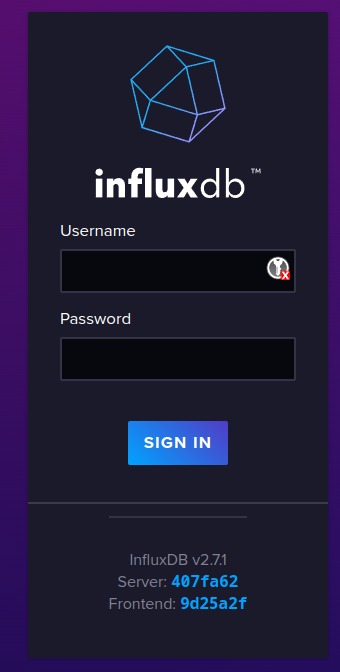
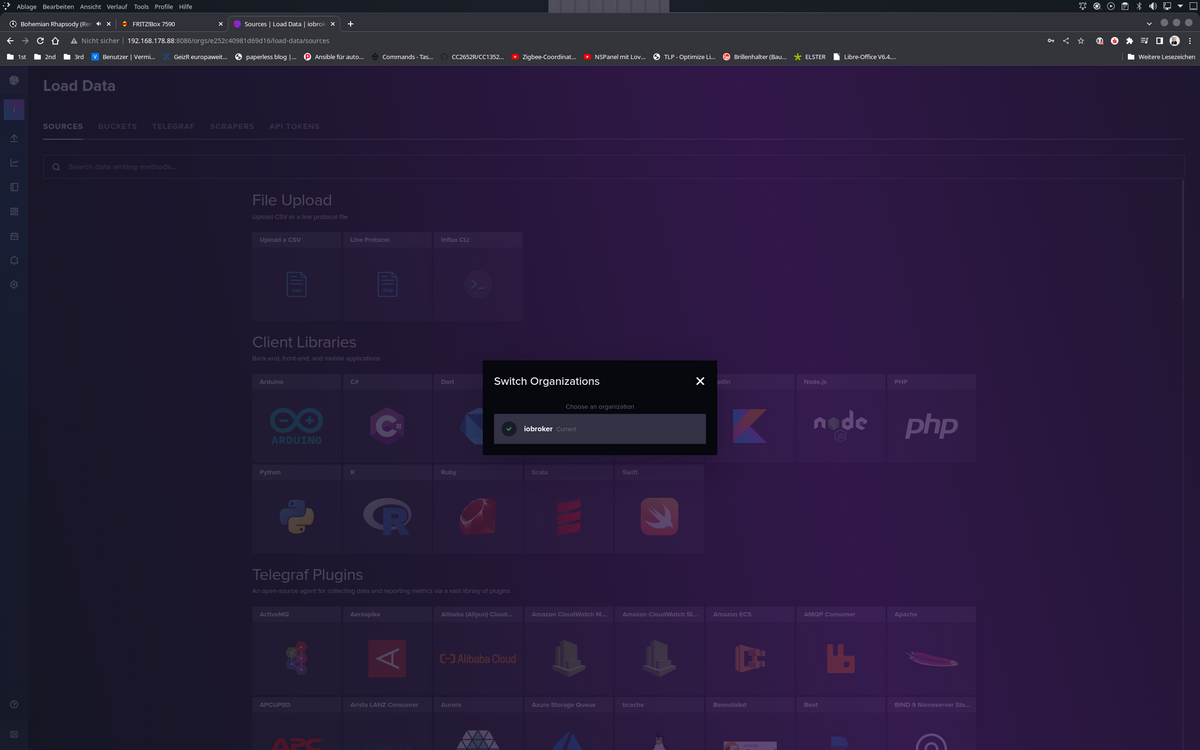
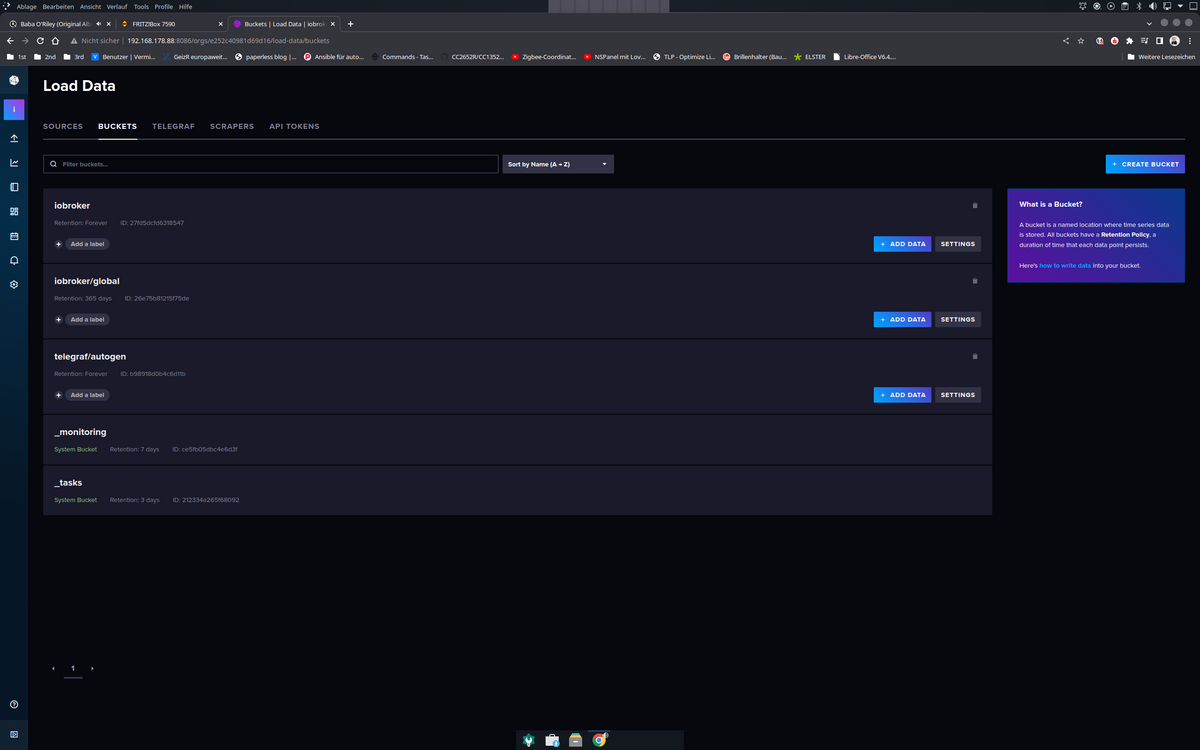
Das erste Bucket im letzten Bild ist das, welches ich bei der Migration angelegt habe, das zweite
iobroker/globalist das, welches aus der V1.8 migriert wurde. Das Telegraf Bucket ist eine DB die ich auch noch in der V 1.8 hatte.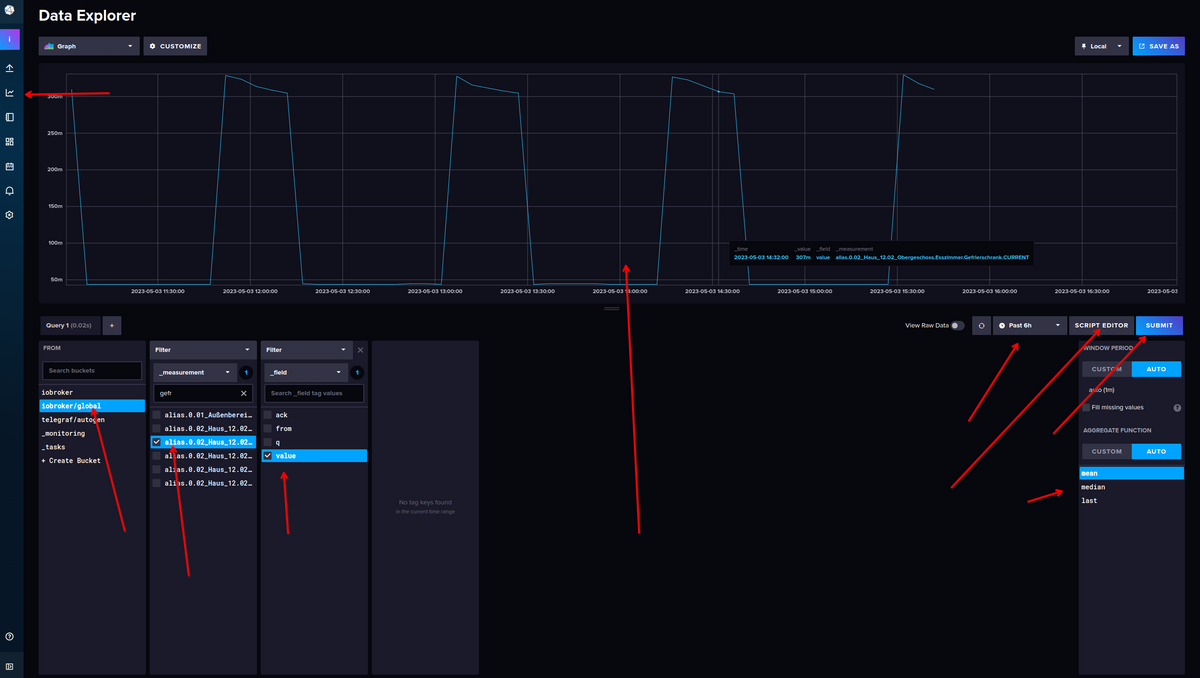
Dann ist das aber alles umgestellt auf die neue Abfragesprache FLUX, wenn Du weiter in
influxQLunter Grafana werkeln willst, muss man noch etwas umstellen, suche ich gleich mal.VG
Bernd -
@chris76e sagte in Proxmox / Influxdb V1 zu V2... wie?:
@dp20eic sagte in Proxmox / Influxdb V1 zu V2... wie?:
ich erstelle gerade eine Kopie meiner 1.8 influxDB Instanz. Dann kann ich das alles einmal durchgehen.
Danke, warte dann auf dich.
Habe zwar jetzt was hinbekommen, aber keine Ahnung ob es richtig ist.
Moin,
dann zeig doch mal was jetzt so angezeigt wird
# apt policy influxdb*

# systemctl status influxd.service
# systemctl status influxdb.service
Und wenn alles up and running
http://ip.influx.db:8086dann sollte das kommen
Das erste Bucket im letzten Bild ist das, welches ich bei der Migration angelegt habe, das zweite
iobroker/globalist das, welches aus der V1.8 migriert wurde. Das Telegraf Bucket ist eine DB die ich auch noch in der V 1.8 hatte.Dann ist das aber alles umgestellt auf die neue Abfragesprache FLUX, wenn Du weiter in
influxQLunter Grafana werkeln willst, muss man noch etwas umstellen, suche ich gleich mal.VG
Bernd@dp20eic
scheint zulaufen

Oder muss ich nochwas machen?
chris@influxdb3test:~$ apt policy influxdb*
influxdb2-cli:
  Installed: (none)
  Candidate: 2.7.3-1
  Version table:
     2.7.3-1 500
        500 https://repos.influxdata.com/debian stable/main amd64 Packages
     2.7.1-2 500
        500 https://repos.influxdata.com/debian stable/main amd64 Packages
     2.6.1 500
        500 https://repos.influxdata.com/debian stable/main amd64 Packages
     2.6.0 500
        500 https://repos.influxdata.com/debian stable/main amd64 Packages
     2.5.0 500
        500 https://repos.influxdata.com/debian stable/main amd64 Packages
     2.4.0 500
        500 https://repos.influxdata.com/debian stable/main amd64 Packages
     2.3.0 500
        500 https://repos.influxdata.com/debian stable/main amd64 Packages
influxdb-client:
  Installed: (none)
  Candidate: 1.6.7~rc0-1ubuntu0.22.04.2
  Version table:
     1.6.7~rc0-1ubuntu0.22.04.2 500
        500 http://archive.ubuntu.com/ubuntu jammy-updates/universe amd64 Packages
        500 http://archive.ubuntu.com/ubuntu jammy-security/universe amd64 Packages
     1.6.7~rc0-1 500
        500 http://archive.ubuntu.com/ubuntu jammy/universe amd64 Packages
influxdb-dev:
  Installed: (none)
  Candidate: (none)
  Version table:
influxdb2-client:
  Installed: (none)
  Candidate: 2.7.1-1
  Version table:
     2.7.1-1 500
        500 https://repos.influxdata.com/debian stable/main amd64 Packages
influxdb:
  Installed: (none)
  Candidate: 1.8.10-1
  Version table:
     1.8.10-1 500
        500 https://repos.influxdata.com/debian stable/main amd64 Packages
     1.6.7~rc0-1ubuntu0.22.04.2 500
        500 http://archive.ubuntu.com/ubuntu jammy-updates/universe amd64 Packages
        500 http://archive.ubuntu.com/ubuntu jammy-security/universe amd64 Packages
     1.6.7~rc0-1ubuntu0.22.04.1 -1
        100 /var/lib/dpkg/status
     1.6.7~rc0-1 500
        500 http://archive.ubuntu.com/ubuntu jammy/universe amd64 Packages
influxdb2:
  Installed: 2.7.1-1
  Candidate: 2.7.1-1
  Version table:
 *** 2.7.1-1 500
        500 https://repos.influxdata.com/debian stable/main amd64 Packages
        100 /var/lib/dpkg/status
     2.7.0-1 500
        500 https://repos.influxdata.com/debian stable/main amd64 Packages
     2.6.1-1 500
        500 https://repos.influxdata.com/debian stable/main amd64 Packages
     2.6.0-1 500
        500 https://repos.influxdata.com/debian stable/main amd64 Packages
     2.5.1-1 500
        500 https://repos.influxdata.com/debian stable/main amd64 Packages
     2.4.0-1 500
        500 https://repos.influxdata.com/debian stable/main amd64 Packages
     2.3.0-1 500
        500 https://repos.influxdata.com/debian stable/main amd64 Packages
     2.2.0 500
        500 https://repos.influxdata.com/debian stable/main amd64 Packages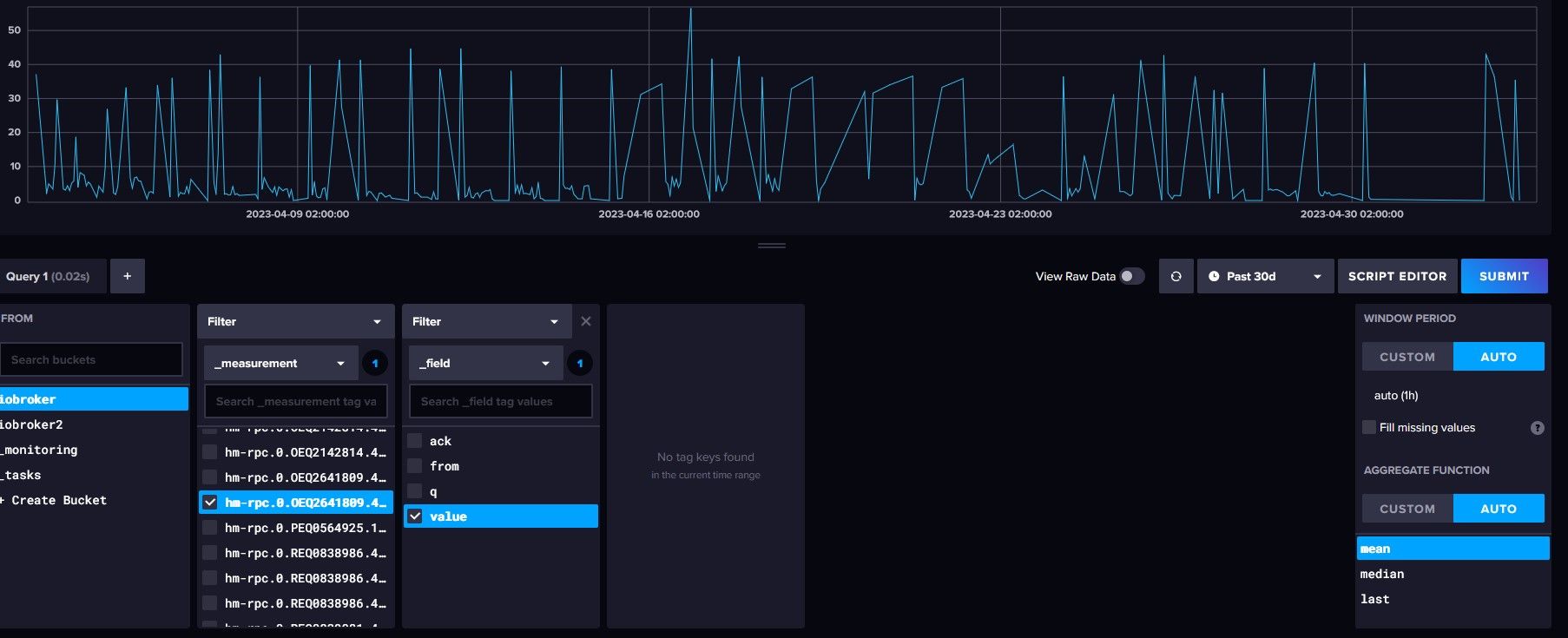
-
@dp20eic
scheint zulaufen
Oder muss ich nochwas machen?
chris@influxdb3test:~$ apt policy influxdb* influxdb2-cli: Installed: (none) Candidate: 2.7.3-1 Version table: 2.7.3-1 500 500 https://repos.influxdata.com/debian stable/main amd64 Packages 2.7.1-2 500 500 https://repos.influxdata.com/debian stable/main amd64 Packages 2.6.1 500 500 https://repos.influxdata.com/debian stable/main amd64 Packages 2.6.0 500 500 https://repos.influxdata.com/debian stable/main amd64 Packages 2.5.0 500 500 https://repos.influxdata.com/debian stable/main amd64 Packages 2.4.0 500 500 https://repos.influxdata.com/debian stable/main amd64 Packages 2.3.0 500 500 https://repos.influxdata.com/debian stable/main amd64 Packages influxdb-client: Installed: (none) Candidate: 1.6.7~rc0-1ubuntu0.22.04.2 Version table: 1.6.7~rc0-1ubuntu0.22.04.2 500 500 http://archive.ubuntu.com/ubuntu jammy-updates/universe amd64 Packages 500 http://archive.ubuntu.com/ubuntu jammy-security/universe amd64 Packages 1.6.7~rc0-1 500 500 http://archive.ubuntu.com/ubuntu jammy/universe amd64 Packages influxdb-dev: Installed: (none) Candidate: (none) Version table: influxdb2-client: Installed: (none) Candidate: 2.7.1-1 Version table: 2.7.1-1 500 500 https://repos.influxdata.com/debian stable/main amd64 Packages influxdb: Installed: (none) Candidate: 1.8.10-1 Version table: 1.8.10-1 500 500 https://repos.influxdata.com/debian stable/main amd64 Packages 1.6.7~rc0-1ubuntu0.22.04.2 500 500 http://archive.ubuntu.com/ubuntu jammy-updates/universe amd64 Packages 500 http://archive.ubuntu.com/ubuntu jammy-security/universe amd64 Packages 1.6.7~rc0-1ubuntu0.22.04.1 -1 100 /var/lib/dpkg/status 1.6.7~rc0-1 500 500 http://archive.ubuntu.com/ubuntu jammy/universe amd64 Packages influxdb2: Installed: 2.7.1-1 Candidate: 2.7.1-1 Version table: *** 2.7.1-1 500 500 https://repos.influxdata.com/debian stable/main amd64 Packages 100 /var/lib/dpkg/status 2.7.0-1 500 500 https://repos.influxdata.com/debian stable/main amd64 Packages 2.6.1-1 500 500 https://repos.influxdata.com/debian stable/main amd64 Packages 2.6.0-1 500 500 https://repos.influxdata.com/debian stable/main amd64 Packages 2.5.1-1 500 500 https://repos.influxdata.com/debian stable/main amd64 Packages 2.4.0-1 500 500 https://repos.influxdata.com/debian stable/main amd64 Packages 2.3.0-1 500 500 https://repos.influxdata.com/debian stable/main amd64 Packages 2.2.0 500 500 https://repos.influxdata.com/debian stable/main amd64 PackagesFür (unter anderem) Backups wird noch der
influxdb2-client
benötigt. -
@dp20eic
scheint zulaufen
Oder muss ich nochwas machen?
chris@influxdb3test:~$ apt policy influxdb* influxdb2-cli: Installed: (none) Candidate: 2.7.3-1 Version table: 2.7.3-1 500 500 https://repos.influxdata.com/debian stable/main amd64 Packages 2.7.1-2 500 500 https://repos.influxdata.com/debian stable/main amd64 Packages 2.6.1 500 500 https://repos.influxdata.com/debian stable/main amd64 Packages 2.6.0 500 500 https://repos.influxdata.com/debian stable/main amd64 Packages 2.5.0 500 500 https://repos.influxdata.com/debian stable/main amd64 Packages 2.4.0 500 500 https://repos.influxdata.com/debian stable/main amd64 Packages 2.3.0 500 500 https://repos.influxdata.com/debian stable/main amd64 Packages influxdb-client: Installed: (none) Candidate: 1.6.7~rc0-1ubuntu0.22.04.2 Version table: 1.6.7~rc0-1ubuntu0.22.04.2 500 500 http://archive.ubuntu.com/ubuntu jammy-updates/universe amd64 Packages 500 http://archive.ubuntu.com/ubuntu jammy-security/universe amd64 Packages 1.6.7~rc0-1 500 500 http://archive.ubuntu.com/ubuntu jammy/universe amd64 Packages influxdb-dev: Installed: (none) Candidate: (none) Version table: influxdb2-client: Installed: (none) Candidate: 2.7.1-1 Version table: 2.7.1-1 500 500 https://repos.influxdata.com/debian stable/main amd64 Packages influxdb: Installed: (none) Candidate: 1.8.10-1 Version table: 1.8.10-1 500 500 https://repos.influxdata.com/debian stable/main amd64 Packages 1.6.7~rc0-1ubuntu0.22.04.2 500 500 http://archive.ubuntu.com/ubuntu jammy-updates/universe amd64 Packages 500 http://archive.ubuntu.com/ubuntu jammy-security/universe amd64 Packages 1.6.7~rc0-1ubuntu0.22.04.1 -1 100 /var/lib/dpkg/status 1.6.7~rc0-1 500 500 http://archive.ubuntu.com/ubuntu jammy/universe amd64 Packages influxdb2: Installed: 2.7.1-1 Candidate: 2.7.1-1 Version table: *** 2.7.1-1 500 500 https://repos.influxdata.com/debian stable/main amd64 Packages 100 /var/lib/dpkg/status 2.7.0-1 500 500 https://repos.influxdata.com/debian stable/main amd64 Packages 2.6.1-1 500 500 https://repos.influxdata.com/debian stable/main amd64 Packages 2.6.0-1 500 500 https://repos.influxdata.com/debian stable/main amd64 Packages 2.5.1-1 500 500 https://repos.influxdata.com/debian stable/main amd64 Packages 2.4.0-1 500 500 https://repos.influxdata.com/debian stable/main amd64 Packages 2.3.0-1 500 500 https://repos.influxdata.com/debian stable/main amd64 Packages 2.2.0 500 500 https://repos.influxdata.com/debian stable/main amd64 Packages@chris76e sagte in Proxmox / Influxdb V1 zu V2... wie?:
Oder muss ich nochwas machen?
Moin,
na, wenn das jetzt Deine Daten im Bucket sind und nicht die vom Nachbarn, dann schaut das ja mal gut aus :)
Wenn Du Grafana nutzt, musst Du Dich entscheiden, ob Du vorhandene Panels/Dashboards auf die neue FLUX Abfragesprache umstellen möchtest oder ob Du da weiter mit influxQL Handtieren möchtest.
Ich bin komplett umgestiegen auf FLUX und kann Dir nicht sagen wie Du das Einstellen musst, vielleicht steht ja hier was https://docs.influxdata.com/influxdb/v2.7/upgrade/v1-to-v2/manual-upgrade/
Es gibt aber schon einige Posts hier im Forum, die das Thema behandeln.Und wie @Thomas-Braun sagte, wenn Du den
ioBroker - Backitup Adapternutzt, musst Du deninfluxdb2-cliauf demioBrokerinstallieren, ansonsten kannst Du keine Backups derinfluxDBmachen.@Thomas-Braun müsste das nicht
influxdb2-clisein?VG
Bernd -
@chris76e sagte in Proxmox / Influxdb V1 zu V2... wie?:
Oder muss ich nochwas machen?
Moin,
na, wenn das jetzt Deine Daten im Bucket sind und nicht die vom Nachbarn, dann schaut das ja mal gut aus :)
Wenn Du Grafana nutzt, musst Du Dich entscheiden, ob Du vorhandene Panels/Dashboards auf die neue FLUX Abfragesprache umstellen möchtest oder ob Du da weiter mit influxQL Handtieren möchtest.
Ich bin komplett umgestiegen auf FLUX und kann Dir nicht sagen wie Du das Einstellen musst, vielleicht steht ja hier was https://docs.influxdata.com/influxdb/v2.7/upgrade/v1-to-v2/manual-upgrade/
Es gibt aber schon einige Posts hier im Forum, die das Thema behandeln.Und wie @Thomas-Braun sagte, wenn Du den
ioBroker - Backitup Adapternutzt, musst Du deninfluxdb2-cliauf demioBrokerinstallieren, ansonsten kannst Du keine Backups derinfluxDBmachen.@Thomas-Braun müsste das nicht
influxdb2-clisein?VG
Bernd@dp20eic
Ich weiß es nicht genau. Ich hab jetzt die Versionsnummer genommen die zur Hauptversion passt.
Man müsste man in influxdb2-cli und influxdb2-client hineinschauen und checken was da drin ist -
Für (unter anderem) Backups wird noch der
influxdb2-client
benötigt.@thomas-braun sagte in Proxmox / Influxdb V1 zu V2... wie?:
influxdb2-client
Bin nach der offiziellen Anleitung gegangen
Download from the command line

# amd64
wget https://dl.influxdata.com/influxdb/releases/influxdb2-client-2.7.1-linux-amd64.tar.gz

# arm
wget https://dl.influxdata.com/influxdb/releases/influxdb2-client-2.7.1-linux-arm64.tar.gz

Unpackage the downloaded package.

Note: The following commands are examples. Adjust the filenames, paths, and utilities if necessary.

# amd64
tar xvzf path/to/influxdb2-client-2.7.1-linux-amd64.tar.gz

# arm
tar xvzf path/to/influxdb2-client-2.7.1-linux-arm64.tar.gz
Aber scheint nicht zufunktionieren
chris@influxdb3test:~$ wget https://dl.influxdata.com/influxdb/releases/influxdb2-client-2.7.1-linux-amd64.tar.gz
--2023-05-03 16:02:32--  https://dl.influxdata.com/influxdb/releases/influxdb2-client-2.7.1-linux-amd64.tar.gz
Resolving dl.influxdata.com (dl.influxdata.com)... 18.154.63.120, 18.154.63.100, 18.154.63.19, ...
Connecting to dl.influxdata.com (dl.influxdata.com)|18.154.63.120|:443... connected.
HTTP request sent, awaiting response... 200 OK
Length: 11265848 (11M) [application/x-tar]
Saving to: 'influxdb2-client-2.7.1-linux-amd64.tar.gz'

influxdb2-client-2.7.1-linux-amd64.tar. 100%[===============================================================================>]  10.74M  --.-KB/s    in 0.1s

2023-05-03 16:02:33 (82.0 MB/s) - 'influxdb2-client-2.7.1-linux-amd64.tar.gz' saved [11265848/11265848]

chris@influxdb3test:~$ tar xvzf ./influxdb2-client-2.7.1-linux-amd64.tar.gz
./
./LICENSE
./README.md
./influx
chris@influxdb3test:~$ apt policy influxdb* influxdb2-cli: Installed: (none) Candidate: 2.7.3-1 Version table: 2.7.3-1 500 500 https://repos.influxdata.com/debian stable/main amd64 Packages 2.7.1-2 500 500 https://repos.influxdata.com/debian stable/main amd64 Packages 2.6.1 500 500 https://repos.influxdata.com/debian stable/main amd64 Packages 2.6.0 500 500 https://repos.influxdata.com/debian stable/main amd64 Packages 2.5.0 500 500 https://repos.influxdata.com/debian stable/main amd64 Packages 2.4.0 500 500 https://repos.influxdata.com/debian stable/main amd64 Packages 2.3.0 500 500 https://repos.influxdata.com/debian stable/main amd64 Packages influxdb-client: Installed: (none) Candidate: 1.6.7~rc0-1ubuntu0.22.04.2 Version table: 1.6.7~rc0-1ubuntu0.22.04.2 500 500 http://archive.ubuntu.com/ubuntu jammy-updates/universe amd64 Packages 500 http://archive.ubuntu.com/ubuntu jammy-security/universe amd64 Packages 1.6.7~rc0-1 500 500 http://archive.ubuntu.com/ubuntu jammy/universe amd64 Packages influxdb-dev: Installed: (none) Candidate: (none) Version table: influxdb2-client: Installed: (none) Candidate: 2.7.1-1 Version table: 2.7.1-1 500 500 https://repos.influxdata.com/debian stable/main amd64 Packages influxdb: Installed: (none) Candidate: 1.8.10-1 Version table: 1.8.10-1 500 500 https://repos.influxdata.com/debian stable/main amd64 Packages 1.6.7~rc0-1ubuntu0.22.04.2 500 500 http://archive.ubuntu.com/ubuntu jammy-updates/universe amd64 Packages 500 http://archive.ubuntu.com/ubuntu jammy-security/universe amd64 Packages 1.6.7~rc0-1ubuntu0.22.04.1 -1 100 /var/lib/dpkg/status 1.6.7~rc0-1 500 500 http://archive.ubuntu.com/ubuntu jammy/universe amd64 Packages influxdb2: Installed: 2.7.1-1 Candidate: 2.7.1-1 Version table: *** 2.7.1-1 500 500 https://repos.influxdata.com/debian stable/main amd64 Packages 100 /var/lib/dpkg/status 2.7.0-1 500 500 https://repos.influxdata.com/debian stable/main amd64 Packages 2.6.1-1 500 500 https://repos.influxdata.com/debian stable/main amd64 Packages 2.6.0-1 500 500 https://repos.influxdata.com/debian stable/main amd64 Packages 2.5.1-1 500 500 https://repos.influxdata.com/debian stable/main amd64 Packages 2.4.0-1 500 500 https://repos.influxdata.com/debian stable/main amd64 Packages 2.3.0-1 500 500 https://repos.influxdata.com/debian stable/main amd64 Packages 2.2.0 500 500 https://repos.influxdata.com/debian stable/main amd64 Packages chris@influxdb3test:~$ -
@thomas-braun sagte in Proxmox / Influxdb V1 zu V2... wie?:
influxdb2-client
Bin nach der offiziellen Anleitung gegangen
Download from the command line

# amd64
wget https://dl.influxdata.com/influxdb/releases/influxdb2-client-2.7.1-linux-amd64.tar.gz

# arm
wget https://dl.influxdata.com/influxdb/releases/influxdb2-client-2.7.1-linux-arm64.tar.gz

Unpackage the downloaded package.

Note: The following commands are examples. Adjust the filenames, paths, and utilities if necessary.

# amd64
tar xvzf path/to/influxdb2-client-2.7.1-linux-amd64.tar.gz

# arm
tar xvzf path/to/influxdb2-client-2.7.1-linux-arm64.tar.gz
Aber scheint nicht zufunktionieren
chris@influxdb3test:~$ wget https://dl.influxdata.com/influxdb/releases/influxdb2-client-2.7.1-linux-amd64.tar.gz
--2023-05-03 16:02:32--  https://dl.influxdata.com/influxdb/releases/influxdb2-client-2.7.1-linux-amd64.tar.gz
Resolving dl.influxdata.com (dl.influxdata.com)... 18.154.63.120, 18.154.63.100, 18.154.63.19, ...
Connecting to dl.influxdata.com (dl.influxdata.com)|18.154.63.120|:443... connected.
HTTP request sent, awaiting response... 200 OK
Length: 11265848 (11M) [application/x-tar]
Saving to: 'influxdb2-client-2.7.1-linux-amd64.tar.gz'

influxdb2-client-2.7.1-linux-amd64.tar. 100%[===============================================================================>]  10.74M  --.-KB/s    in 0.1s

2023-05-03 16:02:33 (82.0 MB/s) - 'influxdb2-client-2.7.1-linux-amd64.tar.gz' saved [11265848/11265848]

chris@influxdb3test:~$ tar xvzf ./influxdb2-client-2.7.1-linux-amd64.tar.gz
./
./LICENSE
./README.md
./influx
chris@influxdb3test:~$ apt policy influxdb* influxdb2-cli: Installed: (none) Candidate: 2.7.3-1 Version table: 2.7.3-1 500 500 https://repos.influxdata.com/debian stable/main amd64 Packages 2.7.1-2 500 500 https://repos.influxdata.com/debian stable/main amd64 Packages 2.6.1 500 500 https://repos.influxdata.com/debian stable/main amd64 Packages 2.6.0 500 500 https://repos.influxdata.com/debian stable/main amd64 Packages 2.5.0 500 500 https://repos.influxdata.com/debian stable/main amd64 Packages 2.4.0 500 500 https://repos.influxdata.com/debian stable/main amd64 Packages 2.3.0 500 500 https://repos.influxdata.com/debian stable/main amd64 Packages influxdb-client: Installed: (none) Candidate: 1.6.7~rc0-1ubuntu0.22.04.2 Version table: 1.6.7~rc0-1ubuntu0.22.04.2 500 500 http://archive.ubuntu.com/ubuntu jammy-updates/universe amd64 Packages 500 http://archive.ubuntu.com/ubuntu jammy-security/universe amd64 Packages 1.6.7~rc0-1 500 500 http://archive.ubuntu.com/ubuntu jammy/universe amd64 Packages influxdb-dev: Installed: (none) Candidate: (none) Version table: influxdb2-client: Installed: (none) Candidate: 2.7.1-1 Version table: 2.7.1-1 500 500 https://repos.influxdata.com/debian stable/main amd64 Packages influxdb: Installed: (none) Candidate: 1.8.10-1 Version table: 1.8.10-1 500 500 https://repos.influxdata.com/debian stable/main amd64 Packages 1.6.7~rc0-1ubuntu0.22.04.2 500 500 http://archive.ubuntu.com/ubuntu jammy-updates/universe amd64 Packages 500 http://archive.ubuntu.com/ubuntu jammy-security/universe amd64 Packages 1.6.7~rc0-1ubuntu0.22.04.1 -1 100 /var/lib/dpkg/status 1.6.7~rc0-1 500 500 http://archive.ubuntu.com/ubuntu jammy/universe amd64 Packages influxdb2: Installed: 2.7.1-1 Candidate: 2.7.1-1 Version table: *** 2.7.1-1 500 500 https://repos.influxdata.com/debian stable/main amd64 Packages 100 /var/lib/dpkg/status 2.7.0-1 500 500 https://repos.influxdata.com/debian stable/main amd64 Packages 2.6.1-1 500 500 https://repos.influxdata.com/debian stable/main amd64 Packages 2.6.0-1 500 500 https://repos.influxdata.com/debian stable/main amd64 Packages 2.5.1-1 500 500 https://repos.influxdata.com/debian stable/main amd64 Packages 2.4.0-1 500 500 https://repos.influxdata.com/debian stable/main amd64 Packages 2.3.0-1 500 500 https://repos.influxdata.com/debian stable/main amd64 Packages 2.2.0 500 500 https://repos.influxdata.com/debian stable/main amd64 Packages chris@influxdb3test:~$@chris76e sagte in Proxmox / Influxdb V1 zu V2... wie?:
Moin,
was versuchst Du gerade?
Die erste Frage ist, nutzt Du den
ioBrober Backitup Adapter?
Wenn, ja, dann musst Du auf demioBrokerden Client installieren, damit derioBrokerdas Bucket, in welches Du schreibst, mit sichern kann, fehlt der Client, kann man nicht remote auf dieinfluxDBzugreifen.
Wenn allesioBroker u. influxDBauf demselben Server läuft, dann ist das nicht nötig.Sollte der
ioBrokerim eigenen Container laufen, dann musst Du da auch das korrekten Repository anlegen und dann mit# sudo apt install influxdb2-clientinstallieren
VG
Bernd -
@chris76e sagte in Proxmox / Influxdb V1 zu V2... wie?:
Moin,
was versuchst Du gerade?
Die erste Frage ist, nutzt Du den
ioBrober Backitup Adapter?
Wenn, ja, dann musst Du auf demioBrokerden Client installieren, damit derioBrokerdas Bucket, in welches Du schreibst, mit sichern kann, fehlt der Client, kann man nicht remote auf dieinfluxDBzugreifen.
Wenn allesioBroker u. influxDBauf demselben Server läuft, dann ist das nicht nötig.Sollte der
ioBrokerim eigenen Container laufen, dann musst Du da auch das korrekten Repository anlegen und dann mit# sudo apt install influxdb2-clientinstallieren
VG
Bernd -
@thomas-braun sagte in Proxmox / Influxdb V1 zu V2... wie?:
influxdb2-client
Bin nach der offiziellen Anleitung gegangen
Download from the command line

# amd64
wget https://dl.influxdata.com/influxdb/releases/influxdb2-client-2.7.1-linux-amd64.tar.gz

# arm
wget https://dl.influxdata.com/influxdb/releases/influxdb2-client-2.7.1-linux-arm64.tar.gz

Unpackage the downloaded package.

Note: The following commands are examples. Adjust the filenames, paths, and utilities if necessary.

# amd64
tar xvzf path/to/influxdb2-client-2.7.1-linux-amd64.tar.gz

# arm
tar xvzf path/to/influxdb2-client-2.7.1-linux-arm64.tar.gz
Aber scheint nicht zufunktionieren
chris@influxdb3test:~$ wget https://dl.influxdata.com/influxdb/releases/influxdb2-client-2.7.1-linux-amd64.tar.gz
--2023-05-03 16:02:32--  https://dl.influxdata.com/influxdb/releases/influxdb2-client-2.7.1-linux-amd64.tar.gz
Resolving dl.influxdata.com (dl.influxdata.com)... 18.154.63.120, 18.154.63.100, 18.154.63.19, ...
Connecting to dl.influxdata.com (dl.influxdata.com)|18.154.63.120|:443... connected.
HTTP request sent, awaiting response... 200 OK
Length: 11265848 (11M) [application/x-tar]
Saving to: 'influxdb2-client-2.7.1-linux-amd64.tar.gz'

influxdb2-client-2.7.1-linux-amd64.tar. 100%[===============================================================================>]  10.74M  --.-KB/s    in 0.1s

2023-05-03 16:02:33 (82.0 MB/s) - 'influxdb2-client-2.7.1-linux-amd64.tar.gz' saved [11265848/11265848]

chris@influxdb3test:~$ tar xvzf ./influxdb2-client-2.7.1-linux-amd64.tar.gz
./
./LICENSE
./README.md
./influx
chris@influxdb3test:~$ apt policy influxdb* influxdb2-cli: Installed: (none) Candidate: 2.7.3-1 Version table: 2.7.3-1 500 500 https://repos.influxdata.com/debian stable/main amd64 Packages 2.7.1-2 500 500 https://repos.influxdata.com/debian stable/main amd64 Packages 2.6.1 500 500 https://repos.influxdata.com/debian stable/main amd64 Packages 2.6.0 500 500 https://repos.influxdata.com/debian stable/main amd64 Packages 2.5.0 500 500 https://repos.influxdata.com/debian stable/main amd64 Packages 2.4.0 500 500 https://repos.influxdata.com/debian stable/main amd64 Packages 2.3.0 500 500 https://repos.influxdata.com/debian stable/main amd64 Packages influxdb-client: Installed: (none) Candidate: 1.6.7~rc0-1ubuntu0.22.04.2 Version table: 1.6.7~rc0-1ubuntu0.22.04.2 500 500 http://archive.ubuntu.com/ubuntu jammy-updates/universe amd64 Packages 500 http://archive.ubuntu.com/ubuntu jammy-security/universe amd64 Packages 1.6.7~rc0-1 500 500 http://archive.ubuntu.com/ubuntu jammy/universe amd64 Packages influxdb-dev: Installed: (none) Candidate: (none) Version table: influxdb2-client: Installed: (none) Candidate: 2.7.1-1 Version table: 2.7.1-1 500 500 https://repos.influxdata.com/debian stable/main amd64 Packages influxdb: Installed: (none) Candidate: 1.8.10-1 Version table: 1.8.10-1 500 500 https://repos.influxdata.com/debian stable/main amd64 Packages 1.6.7~rc0-1ubuntu0.22.04.2 500 500 http://archive.ubuntu.com/ubuntu jammy-updates/universe amd64 Packages 500 http://archive.ubuntu.com/ubuntu jammy-security/universe amd64 Packages 1.6.7~rc0-1ubuntu0.22.04.1 -1 100 /var/lib/dpkg/status 1.6.7~rc0-1 500 500 http://archive.ubuntu.com/ubuntu jammy/universe amd64 Packages influxdb2: Installed: 2.7.1-1 Candidate: 2.7.1-1 Version table: *** 2.7.1-1 500 500 https://repos.influxdata.com/debian stable/main amd64 Packages 100 /var/lib/dpkg/status 2.7.0-1 500 500 https://repos.influxdata.com/debian stable/main amd64 Packages 2.6.1-1 500 500 https://repos.influxdata.com/debian stable/main amd64 Packages 2.6.0-1 500 500 https://repos.influxdata.com/debian stable/main amd64 Packages 2.5.1-1 500 500 https://repos.influxdata.com/debian stable/main amd64 Packages 2.4.0-1 500 500 https://repos.influxdata.com/debian stable/main amd64 Packages 2.3.0-1 500 500 https://repos.influxdata.com/debian stable/main amd64 Packages 2.2.0 500 500 https://repos.influxdata.com/debian stable/main amd64 Packages chris@influxdb3test:~$Hatten wir nicht oben bereits gesagt, dass man keine tar.gz wildherunterlädt, sondern seinen PAKETTMANAGER benutzt? Dafür ist der nämlich da.
Lösch den Mist wieder.
-
Hatten wir nicht oben bereits gesagt, dass man keine tar.gz wildherunterlädt, sondern seinen PAKETTMANAGER benutzt? Dafür ist der nämlich da.
Lösch den Mist wieder.
was soll man denn machen wenn man nicht viel Ahnung von Linux hat? Das ist doch die offizielle Anleitung von influx. https://docs.influxdata.com/influxdb/v2.7/tools/influx-cli/?t=Linux
Du schreibst:
Für (unter anderem) Backups wird noch der
influxdb2-client
benötigt.dann habe ich nach influxdb2-client gesucht.....


Hey! Du scheinst an dieser Unterhaltung interessiert zu sein, hast aber noch kein Konto.
Hast du es satt, bei jedem Besuch durch die gleichen Beiträge zu scrollen? Wenn du dich für ein Konto anmeldest, kommst du immer genau dorthin zurück, wo du zuvor warst, und kannst dich über neue Antworten benachrichtigen lassen (entweder per E-Mail oder Push-Benachrichtigung). Du kannst auch Lesezeichen speichern und Beiträge positiv bewerten, um anderen Community-Mitgliedern deine Wertschätzung zu zeigen.
Mit deinem Input könnte dieser Beitrag noch besser werden 💗
Registrieren AnmeldenSupport us
223
Online33.0k
Benutzer83.6k
Themen1.3m
Beiträge