




Ring Doorbell Adapter
-
Hi,
hab mal ein Backup reingespielt zurzeit geht's wieder !"
-
@thomas-braun said in Ring Doorbell Adapter:
iob diag
This script must not be run as root!
Please use your standard user!Es wurde glaube ich bei der Einrichtung, schon länger her, der normal Benutzer gelöscht. Ist nur noch dieser Vorhanden mit root. Hab es leider nicht selber gemacht deswegen weiß ich es nicht genau !
Können diese Fehler auch vom der neuen Ubuntu Version kommen ? Hab von 22.10 auf 23.10 ein Update gemacht ?
-
@thomas-braun said in Ring Doorbell Adapter:
iob diag
This script must not be run as root!
Please use your standard user!Es wurde glaube ich bei der Einrichtung, schon länger her, der normal Benutzer gelöscht. Ist nur noch dieser Vorhanden mit root. Hab es leider nicht selber gemacht deswegen weiß ich es nicht genau !
Können diese Fehler auch vom der neuen Ubuntu Version kommen ? Hab von 22.10 auf 23.10 ein Update gemacht ?
@maniackill
Dann richte dir einen User ein!
Und bei Ubuntu verwendet man auch keine Interimsversionen sondern die LTS-Releases. -
@maniackill
Dann richte dir einen User ein!
Und bei Ubuntu verwendet man auch keine Interimsversionen sondern die LTS-Releases.Ja leider ist das ganz hier nicht mein Täglich Brot, deswegen bin ich da nicht so fit drin. Mach mich meistes hier schlau um Update zu machen !
-
Ja leider ist das ganz hier nicht mein Täglich Brot, deswegen bin ich da nicht so fit drin. Mach mich meistes hier schlau um Update zu machen !
@maniackill said in Ring Doorbell Adapter:
Ja leider ist das ganz hier nicht mein Täglich Brot, deswegen bin ich da nicht so fit drin. Mach mich meistes hier schlau um Update zu machen !
Hat alles mit dem Problem hier angefangen,
sudo apt update
Last login: Sat Nov  4 16:54:16 2023 from 192.168.2.155
root@raspberrypi:~# sudo apt update
Hit:1 https://deb.nodesource.com/node_18.x nodistro InRelease
Ign:2 http://archive.ubuntu.com/ubuntu kinetic InRelease
Ign:3 http://archive.ubuntu.com/ubuntu kinetic-updates InRelease
Ign:4 http://archive.ubuntu.com/ubuntu kinetic-security InRelease
Err:5 http://archive.ubuntu.com/ubuntu kinetic Release
  404  Not Found [IP: 91.189.91.83 80]
Err:6 http://archive.ubuntu.com/ubuntu kinetic-updates Release
  404  Not Found [IP: 91.189.91.83 80]
Err:7 http://archive.ubuntu.com/ubuntu kinetic-security Release
  404  Not Found [IP: 91.189.91.83 80]
Reading package lists... Done
E: The repository 'http://archive.ubuntu.com/ubuntu kinetic Release' no longer has a Release file.
N: Updating from such a repository can't be done securely, and is therefore disabled by default.
N: See apt-secure(8) manpage for repository creation and user configuration details.
E: The repository 'http://archive.ubuntu.com/ubuntu kinetic-updates Release' no longer has a Release file.
N: Updating from such a repository can't be done securely, and is therefore disabled by default.
N: See apt-secure(8) manpage for repository creation and user configuration details.
E: The repository 'http://archive.ubuntu.com/ubuntu kinetic-security Release' no longer has a Release file.
N: Updating from such a repository can't be done securely, and is therefore disabled by default.
N: See apt-secure(8) manpage for repository creation and user configuration details.
Dann hab ich mich schlau gemacht wie ich das Problem wieder in den griff bekomme, deswegen hab ich dann diese Update gemacht (do-release-upgrade).
Und mit dem Befehl (iob nodejs-update) könnte ich zumindest die Node.js und NPM updaten !
-
@maniackill said in Ring Doorbell Adapter:
Ja leider ist das ganz hier nicht mein Täglich Brot, deswegen bin ich da nicht so fit drin. Mach mich meistes hier schlau um Update zu machen !
Hat alles mit dem Problem hier angefangen,
sudo apt update
Last login: Sat Nov  4 16:54:16 2023 from 192.168.2.155
root@raspberrypi:~# sudo apt update
Hit:1 https://deb.nodesource.com/node_18.x nodistro InRelease
Ign:2 http://archive.ubuntu.com/ubuntu kinetic InRelease
Ign:3 http://archive.ubuntu.com/ubuntu kinetic-updates InRelease
Ign:4 http://archive.ubuntu.com/ubuntu kinetic-security InRelease
Err:5 http://archive.ubuntu.com/ubuntu kinetic Release
  404  Not Found [IP: 91.189.91.83 80]
Err:6 http://archive.ubuntu.com/ubuntu kinetic-updates Release
  404  Not Found [IP: 91.189.91.83 80]
Err:7 http://archive.ubuntu.com/ubuntu kinetic-security Release
  404  Not Found [IP: 91.189.91.83 80]
Reading package lists... Done
E: The repository 'http://archive.ubuntu.com/ubuntu kinetic Release' no longer has a Release file.
N: Updating from such a repository can't be done securely, and is therefore disabled by default.
N: See apt-secure(8) manpage for repository creation and user configuration details.
E: The repository 'http://archive.ubuntu.com/ubuntu kinetic-updates Release' no longer has a Release file.
N: Updating from such a repository can't be done securely, and is therefore disabled by default.
N: See apt-secure(8) manpage for repository creation and user configuration details.
E: The repository 'http://archive.ubuntu.com/ubuntu kinetic-security Release' no longer has a Release file.
N: Updating from such a repository can't be done securely, and is therefore disabled by default.
N: See apt-secure(8) manpage for repository creation and user configuration details.
Dann hab ich mich schlau gemacht wie ich das Problem wieder in den griff bekomme, deswegen hab ich dann diese Update gemacht (do-release-upgrade).
Und mit dem Befehl (iob nodejs-update) könnte ich zumindest die Node.js und NPM updaten !
@maniackill sagte in Ring Doorbell Adapter:
kinetic
Das Release ist tot...
Und genau deswegen verwendet man den Kram nicht.Installier da Debian 'Bookworm' oder die aktuelle LTS von Ubuntu.
Und auf einem Raspberry würde ich auch immer RaspberryOS und kein Knubbelbuntu verwenden. Das ist nämlich viel besser auf die Hardware angepasst.
Ja leider ist das ganz hier nicht mein Täglich Brot, deswegen bin ich da nicht so fit drin.
Dann verbietet sich eine root-shell noch selbstverständlicher als ohnehin schon.
-
@maniackill sagte in Ring Doorbell Adapter:
kinetic
Das Release ist tot...
Und genau deswegen verwendet man den Kram nicht.Installier da Debian 'Bookworm' oder die aktuelle LTS von Ubuntu.
Und auf einem Raspberry würde ich auch immer RaspberryOS und kein Knubbelbuntu verwenden. Das ist nämlich viel besser auf die Hardware angepasst.
Ja leider ist das ganz hier nicht mein Täglich Brot, deswegen bin ich da nicht so fit drin.
Dann verbietet sich eine root-shell noch selbstverständlicher als ohnehin schon.
Es ist kein Raspi, ich musste damals nur diesen Namen benutzen wegen dem Backup was ich hatte :).
Es ist eine CT auf Proxmox !
-
Es ist kein Raspi, ich musste damals nur diesen Namen benutzen wegen dem Backup was ich hatte :).
Es ist eine CT auf Proxmox !
Dann richte den gescheit ein. Mit einem User und auf einem lebendigen Release.
Hier steht's:https://www.iobroker.net/#de/documentation/install/proxmox.md
-
Es ist kein Raspi, ich musste damals nur diesen Namen benutzen wegen dem Backup was ich hatte :).
Es ist eine CT auf Proxmox !
@maniackill Du wurdest jetzt schon mehrmals gebeten die Langfassung von
iob diaghier zu zeigen.
Warum kommt das nicht von Dir ?Lehrling seit 1975 !!!
Beitrag geholfen ? dann gerne ein upvote rechts unten im Beitrag klicken ;)
https://forum.iobroker.net/topic/51555/hinweise-f%C3%BCr-gute-forenbeitr%C3%A4ge -
@maniackill Du wurdest jetzt schon mehrmals gebeten die Langfassung von
iob diaghier zu zeigen.
Warum kommt das nicht von Dir ?@djmarc75 sagte in Ring Doorbell Adapter:
Warum kommt das nicht von Dir ?
Weil der root das nicht ausführen darf. Der darf halt auch nicht alles.
Als user ausgeführt funktioniert es. -
Hi,
ich habe seit gestern auch große Probleme mit dem Ring-Adapter.
Wegen den dauerhaften Fehlermeldungen bezüglich der Binary-States wollte ich über Git auf die 5.0.7 Version updaten.
Das brachte beim Starten des Adapters im Log jedoch nur Fehlermeldungen.
Anschließend habe ich den Iobroker auf das letzte Backup zurückgesetzt. Alle Adapter funktionierten wieder problemlos, außer Ring. Auch ein neuer Token hat nicht geholfen.
Ich habe nun mit Restart und neuem Token nach jeder Deinstallation und jeder Neuinstallation die Versionen 3.1.5, 3.2.2 und 5.0.7 probiert und bekomme keine zum Laufen.aktueller Auszug aus dem Log wenn ich versuche den Adapter zu starten (Version 5.0.7):
023-11-05 12:17:15.805 - error: host.raspberrypi Caught by controller[0]: node:internal/modules/cjs/loader:446
2023-11-05 12:17:15.805 - error: host.raspberrypi Caught by controller[0]: throw err;
2023-11-05 12:17:15.805 - error: host.raspberrypi Caught by controller[0]: ^
2023-11-05 12:17:15.806 - error: host.raspberrypi Caught by controller[0]: Error: Cannot find module '/opt/iobroker/node_modules/@homebridge/camera-utils/lib/index.js'. Please verify that the package.json has a valid "main" entry
2023-11-05 12:17:15.806 - error: host.raspberrypi Caught by controller[0]: at tryPackage (node:internal/modules/cjs/loader:438:19)
2023-11-05 12:17:15.806 - error: host.raspberrypi Caught by controller[0]: at Module._findPath (node:internal/modules/cjs/loader:680:18)
2023-11-05 12:17:15.806 - error: host.raspberrypi Caught by controller[0]: at Module._resolveFilename (node:internal/modules/cjs/loader:1063:27)
2023-11-05 12:17:15.806 - error: host.raspberrypi Caught by controller[0]: at Module._load (node:internal/modules/cjs/loader:922:27)
2023-11-05 12:17:15.806 - error: host.raspberrypi Caught by controller[0]: at Module.require (node:internal/modules/cjs/loader:1143:19)
2023-11-05 12:17:15.806 - error: host.raspberrypi Caught by controller[0]: at require (node:internal/modules/cjs/helpers:121:18)
2023-11-05 12:17:15.807 - error: host.raspberrypi Caught by controller[0]: at Object. (/opt/iobroker/node_modules/ring-client-api/lib/streaming/streaming-session.js:5:24)
2023-11-05 12:17:15.807 - error: host.raspberrypi Caught by controller[0]: at Module._compile (node:internal/modules/cjs/loader:1256:14)
2023-11-05 12:17:15.807 - error: host.raspberrypi Caught by controller[0]: at Module._extensions..js (node:internal/modules/cjs/loader:1310:10)
2023-11-05 12:17:15.807 - error: host.raspberrypi Caught by controller[0]: at Module.load (node:internal/modules/cjs/loader:1119:32) {
2023-11-05 12:17:15.807 - error: host.raspberrypi Caught by controller[0]: code: 'MODULE_NOT_FOUND',
2023-11-05 12:17:15.807 - error: host.raspberrypi Caught by controller[0]: path: '/opt/iobroker/node_modules/@homebridge/camera-utils/package.json',
2023-11-05 12:17:15.807 - error: host.raspberrypi Caught by controller[0]: requestPath: '@homebridge/camera-utils'
2023-11-05 12:17:15.808 - error: host.raspberrypi Caught by controller[0]: }
2023-11-05 12:17:15.808 - error: host.raspberrypi Caught by controller[0]: Node.js v18.17.1
2023-11-05 12:17:15.808 - error: host.raspberrypi instance system.adapter.ring.0 terminated with code 1 (JS_CONTROLLER_STOPPED)
Auszug aus der iob diag:
2023-11-05 12:17:11.324  - info: host.raspberrypi "system.adapter.ring.0" enabled
2023-11-05 12:17:11.577  - info: host.raspberrypi instance system.adapter.ring.0 started with pid 14221
2023-11-05 12:17:15.531  - info: admin.0 (1538) ==> Connected system.user.admin from ::ffff:192.168.188.76
2023-11-05 12:17:15.805  - error: host.raspberrypi Caught by controller[0]: node:internal/modules/cjs/loader:446
2023-11-05 12:17:15.805  - error: host.raspberrypi Caught by controller[0]:       throw err;
2023-11-05 12:17:15.805  - error: host.raspberrypi Caught by controller[0]:       ^
2023-11-05 12:17:15.806  - error: host.raspberrypi Caught by controller[0]: Error: Cannot find module '/opt/iobroker/node_modules/@homebridge/camera-utils/lib/index.js'. Please verify that the package.json has a valid "main" entry
2023-11-05 12:17:15.806  - error: host.raspberrypi Caught by controller[0]:     at tryPackage (node:internal/modules/cjs/loader:438:19)
2023-11-05 12:17:15.806  - error: host.raspberrypi Caught by controller[0]:     at Module._findPath (node:internal/modules/cjs/loader:680:18)
2023-11-05 12:17:15.806  - error: host.raspberrypi Caught by controller[0]:     at Module._resolveFilename (node:internal/modules/cjs/loader:1063:27)
2023-11-05 12:17:15.806  - error: host.raspberrypi Caught by controller[0]:     at Module._load (node:internal/modules/cjs/loader:922:27)
2023-11-05 12:17:15.806  - error: host.raspberrypi Caught by controller[0]:     at Module.require (node:internal/modules/cjs/loader:1143:19)
2023-11-05 12:17:15.806  - error: host.raspberrypi Caught by controller[0]:     at require (node:internal/modules/cjs/helpers:121:18)
2023-11-05 12:17:15.807  - error: host.raspberrypi Caught by controller[0]:     at Object.<anonymous> (/opt/iobroker/node_modules/ring-client-api/lib/streaming/streaming-session.js:5:24)
2023-11-05 12:17:15.807  - error: host.raspberrypi Caught by controller[0]:     at Module._compile (node:internal/modules/cjs/loader:1256:14)
2023-11-05 12:17:15.807  - error: host.raspberrypi Caught by controller[0]:     at Module._extensions..js (node:internal/modules/cjs/loader:1310:10)
2023-11-05 12:17:15.807  - error: host.raspberrypi Caught by controller[0]:     at Module.load (node:internal/modules/cjs/loader:1119:32) {
2023-11-05 12:17:15.807  - error: host.raspberrypi Caught by controller[0]:   code: 'MODULE_NOT_FOUND',
2023-11-05 12:17:15.807  - error: host.raspberrypi Caught by controller[0]:   path: '/opt/iobroker/node_modules/@homebridge/camera-utils/package.json',
2023-11-05 12:17:15.807  - error: host.raspberrypi Caught by controller[0]:   requestPath: '@homebridge/camera-utils'
2023-11-05 12:17:15.808  - error: host.raspberrypi Caught by controller[0]: }
2023-11-05 12:17:15.808  - error: host.raspberrypi Caught by controller[0]: Node.js v18.17.1
2023-11-05 12:17:15.808  - error: host.raspberrypi instance system.adapter.ring.0 terminated with code 1 (JS_CONTROLLER_STOPPED)
2023-11-05 12:17:15.808  - info: host.raspberrypi Rebuild for adapter system.adapter.ring.0 not successful in 3 tries. Adapter will not be restarted again. Please execute "npm install --production" in adapter directory manually.
/opt/iobroker/node_modules/iobroker.ring $ npm install --production npm WARN config production Use `--omit=dev` instead. added 353 packages, and audited 354 packages in 4m 56 packages are looking for funding run `npm fund` for details found 0 vulnerabilitiesnodejs v18.17.1, npm 9.6.7, js-controller 5.0.12
Danke vorab für Eure Hilfe.
-
Hi,
ich habe seit gestern auch große Probleme mit dem Ring-Adapter.
Wegen den dauerhaften Fehlermeldungen bezüglich der Binary-States wollte ich über Git auf die 5.0.7 Version updaten.
Das brachte beim Starten des Adapters im Log jedoch nur Fehlermeldungen.
Anschließend habe ich den Iobroker auf das letzte Backup zurückgesetzt. Alle Adapter funktionierten wieder problemlos, außer Ring. Auch ein neuer Token hat nicht geholfen.
Ich habe nun mit Restart und neuem Token nach jeder Deinstallation und jeder Neuinstallation die Versionen 3.1.5, 3.2.2 und 5.0.7 probiert und bekomme keine zum Laufen.aktueller Auszug aus dem Log wenn ich versuche den Adapter zu starten (Version 5.0.7):
023-11-05 12:17:15.805 - error: host.raspberrypi Caught by controller[0]: node:internal/modules/cjs/loader:446
2023-11-05 12:17:15.805 - error: host.raspberrypi Caught by controller[0]: throw err;
2023-11-05 12:17:15.805 - error: host.raspberrypi Caught by controller[0]: ^
2023-11-05 12:17:15.806 - error: host.raspberrypi Caught by controller[0]: Error: Cannot find module '/opt/iobroker/node_modules/@homebridge/camera-utils/lib/index.js'. Please verify that the package.json has a valid "main" entry
2023-11-05 12:17:15.806 - error: host.raspberrypi Caught by controller[0]: at tryPackage (node:internal/modules/cjs/loader:438:19)
2023-11-05 12:17:15.806 - error: host.raspberrypi Caught by controller[0]: at Module._findPath (node:internal/modules/cjs/loader:680:18)
2023-11-05 12:17:15.806 - error: host.raspberrypi Caught by controller[0]: at Module._resolveFilename (node:internal/modules/cjs/loader:1063:27)
2023-11-05 12:17:15.806 - error: host.raspberrypi Caught by controller[0]: at Module._load (node:internal/modules/cjs/loader:922:27)
2023-11-05 12:17:15.806 - error: host.raspberrypi Caught by controller[0]: at Module.require (node:internal/modules/cjs/loader:1143:19)
2023-11-05 12:17:15.806 - error: host.raspberrypi Caught by controller[0]: at require (node:internal/modules/cjs/helpers:121:18)
2023-11-05 12:17:15.807 - error: host.raspberrypi Caught by controller[0]: at Object. (/opt/iobroker/node_modules/ring-client-api/lib/streaming/streaming-session.js:5:24)
2023-11-05 12:17:15.807 - error: host.raspberrypi Caught by controller[0]: at Module._compile (node:internal/modules/cjs/loader:1256:14)
2023-11-05 12:17:15.807 - error: host.raspberrypi Caught by controller[0]: at Module._extensions..js (node:internal/modules/cjs/loader:1310:10)
2023-11-05 12:17:15.807 - error: host.raspberrypi Caught by controller[0]: at Module.load (node:internal/modules/cjs/loader:1119:32) {
2023-11-05 12:17:15.807 - error: host.raspberrypi Caught by controller[0]: code: 'MODULE_NOT_FOUND',
2023-11-05 12:17:15.807 - error: host.raspberrypi Caught by controller[0]: path: '/opt/iobroker/node_modules/@homebridge/camera-utils/package.json',
2023-11-05 12:17:15.807 - error: host.raspberrypi Caught by controller[0]: requestPath: '@homebridge/camera-utils'
2023-11-05 12:17:15.808 - error: host.raspberrypi Caught by controller[0]: }
2023-11-05 12:17:15.808 - error: host.raspberrypi Caught by controller[0]: Node.js v18.17.1
2023-11-05 12:17:15.808 - error: host.raspberrypi instance system.adapter.ring.0 terminated with code 1 (JS_CONTROLLER_STOPPED)
Auszug aus der iob diag:
2023-11-05 12:17:11.324  - info: host.raspberrypi "system.adapter.ring.0" enabled
2023-11-05 12:17:11.577  - info: host.raspberrypi instance system.adapter.ring.0 started with pid 14221
2023-11-05 12:17:15.531  - info: admin.0 (1538) ==> Connected system.user.admin from ::ffff:192.168.188.76
2023-11-05 12:17:15.805  - error: host.raspberrypi Caught by controller[0]: node:internal/modules/cjs/loader:446
2023-11-05 12:17:15.805  - error: host.raspberrypi Caught by controller[0]:       throw err;
2023-11-05 12:17:15.805  - error: host.raspberrypi Caught by controller[0]:       ^
2023-11-05 12:17:15.806  - error: host.raspberrypi Caught by controller[0]: Error: Cannot find module '/opt/iobroker/node_modules/@homebridge/camera-utils/lib/index.js'. Please verify that the package.json has a valid "main" entry
2023-11-05 12:17:15.806  - error: host.raspberrypi Caught by controller[0]:     at tryPackage (node:internal/modules/cjs/loader:438:19)
2023-11-05 12:17:15.806  - error: host.raspberrypi Caught by controller[0]:     at Module._findPath (node:internal/modules/cjs/loader:680:18)
2023-11-05 12:17:15.806  - error: host.raspberrypi Caught by controller[0]:     at Module._resolveFilename (node:internal/modules/cjs/loader:1063:27)
2023-11-05 12:17:15.806  - error: host.raspberrypi Caught by controller[0]:     at Module._load (node:internal/modules/cjs/loader:922:27)
2023-11-05 12:17:15.806  - error: host.raspberrypi Caught by controller[0]:     at Module.require (node:internal/modules/cjs/loader:1143:19)
2023-11-05 12:17:15.806  - error: host.raspberrypi Caught by controller[0]:     at require (node:internal/modules/cjs/helpers:121:18)
2023-11-05 12:17:15.807  - error: host.raspberrypi Caught by controller[0]:     at Object.<anonymous> (/opt/iobroker/node_modules/ring-client-api/lib/streaming/streaming-session.js:5:24)
2023-11-05 12:17:15.807  - error: host.raspberrypi Caught by controller[0]:     at Module._compile (node:internal/modules/cjs/loader:1256:14)
2023-11-05 12:17:15.807  - error: host.raspberrypi Caught by controller[0]:     at Module._extensions..js (node:internal/modules/cjs/loader:1310:10)
2023-11-05 12:17:15.807  - error: host.raspberrypi Caught by controller[0]:     at Module.load (node:internal/modules/cjs/loader:1119:32) {
2023-11-05 12:17:15.807  - error: host.raspberrypi Caught by controller[0]:   code: 'MODULE_NOT_FOUND',
2023-11-05 12:17:15.807  - error: host.raspberrypi Caught by controller[0]:   path: '/opt/iobroker/node_modules/@homebridge/camera-utils/package.json',
2023-11-05 12:17:15.807  - error: host.raspberrypi Caught by controller[0]:   requestPath: '@homebridge/camera-utils'
2023-11-05 12:17:15.808  - error: host.raspberrypi Caught by controller[0]: }
2023-11-05 12:17:15.808  - error: host.raspberrypi Caught by controller[0]: Node.js v18.17.1
2023-11-05 12:17:15.808  - error: host.raspberrypi instance system.adapter.ring.0 terminated with code 1 (JS_CONTROLLER_STOPPED)
2023-11-05 12:17:15.808  - info: host.raspberrypi Rebuild for adapter system.adapter.ring.0 not successful in 3 tries. Adapter will not be restarted again. Please execute "npm install --production" in adapter directory manually.
/opt/iobroker/node_modules/iobroker.ring $ npm install --production npm WARN config production Use `--omit=dev` instead. added 353 packages, and audited 354 packages in 4m 56 packages are looking for funding run `npm fund` for details found 0 vulnerabilitiesnodejs v18.17.1, npm 9.6.7, js-controller 5.0.12
Danke vorab für Eure Hilfe.
@m4rgott sagte in Ring Doorbell Adapter:
nodejs v18.17.1, npm 9.6.7
Alt und aus dem verwaisten Repo.
iob stop iob fix iob nodejs-update -
@m4rgott sagte in Ring Doorbell Adapter:
nodejs v18.17.1, npm 9.6.7
Alt und aus dem verwaisten Repo.
iob stop iob fix iob nodejs-update -
@m4rgott sagte in Ring Doorbell Adapter:
nodejs v18.17.1, npm 9.6.7
Alt und aus dem verwaisten Repo.
iob stop iob fix iob nodejs-update@thomas-braun sagte in Ring Doorbell Adapter:
iob nodejs-update
Danke für den Tipp.
wurde durchgeführt.nodejs ist jetz v18.18.2, npm 9.8.1 und js-controller 5.0.12
Anschließend Adapter neu installiert, reboot und neuer Token eingetragen.
Folgendes kam beim neuen iob diag:
2023-11-05 13:36:16.528  - info: host.raspberrypi instance system.adapter.ring.0 started with pid 4793
2023-11-05 13:36:21.415  - error: host.raspberrypi Caught by controller[0]: node:internal/modules/cjs/loader:446
2023-11-05 13:36:21.416  - error: host.raspberrypi Caught by controller[0]:       throw err;
2023-11-05 13:36:21.416  - error: host.raspberrypi Caught by controller[0]:       ^
2023-11-05 13:36:21.417  - error: host.raspberrypi Caught by controller[0]: Error: Cannot find module '/opt/iobroker/node_modules/@homebridge/camera-utils/lib/index.js'. Please verify that the package.json has a valid "main" entry
2023-11-05 13:36:21.417  - error: host.raspberrypi Caught by controller[0]:     at tryPackage (node:internal/modules/cjs/loader:438:19)
2023-11-05 13:36:21.417  - error: host.raspberrypi Caught by controller[0]:     at Module._findPath (node:internal/modules/cjs/loader:680:18)
2023-11-05 13:36:21.417  - error: host.raspberrypi Caught by controller[0]:     at Module._resolveFilename (node:internal/modules/cjs/loader:1063:27)
2023-11-05 13:36:21.417  - error: host.raspberrypi Caught by controller[0]:     at Module._load (node:internal/modules/cjs/loader:922:27)
2023-11-05 13:36:21.418  - error: host.raspberrypi Caught by controller[0]:     at Module.require (node:internal/modules/cjs/loader:1143:19)
2023-11-05 13:36:21.418  - error: host.raspberrypi Caught by controller[0]:     at require (node:internal/modules/cjs/helpers:119:18)
2023-11-05 13:36:21.418  - error: host.raspberrypi Caught by controller[0]:     at Object.<anonymous> (/opt/iobroker/node_modules/ring-client-api/lib/streaming/streaming-session.js:5:24)
2023-11-05 13:36:21.418  - error: host.raspberrypi Caught by controller[0]:     at Module._compile (node:internal/modules/cjs/loader:1256:14)
2023-11-05 13:36:21.418  - error: host.raspberrypi Caught by controller[0]:     at Module._extensions..js (node:internal/modules/cjs/loader:1310:10)
2023-11-05 13:36:21.418  - error: host.raspberrypi Caught by controller[0]:     at Module.load (node:internal/modules/cjs/loader:1119:32) {
2023-11-05 13:36:21.419  - error: host.raspberrypi Caught by controller[0]:   code: 'MODULE_NOT_FOUND',
2023-11-05 13:36:21.419  - error: host.raspberrypi Caught by controller[0]:   path: '/opt/iobroker/node_modules/@homebridge/camera-utils/package.json',
2023-11-05 13:36:21.419  - error: host.raspberrypi Caught by controller[0]:   requestPath: '@homebridge/camera-utils'
2023-11-05 13:36:21.419  - error: host.raspberrypi Caught by controller[0]: }
2023-11-05 13:36:21.419  - error: host.raspberrypi Caught by controller[0]: Node.js v18.18.2
2023-11-05 13:36:21.420  - error: host.raspberrypi instance system.adapter.ring.0 terminated with code 1 (JS_CONTROLLER_STOPPED)
2023-11-05 13:36:21.420  - info: host.raspberrypi Rebuild for adapter system.adapter.ring.0 not successful in 3 tries. Adapter will not be restarted again. Please execute "npm install --production" in adapter directory manually.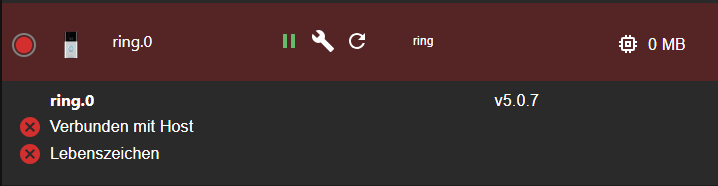
-
@thomas-braun sagte in Ring Doorbell Adapter:
iob nodejs-update
Danke für den Tipp.
wurde durchgeführt.nodejs ist jetz v18.18.2, npm 9.8.1 und js-controller 5.0.12
Anschließend Adapter neu installiert, reboot und neuer Token eingetragen.
Folgendes kam beim neuen iob diag:
2023-11-05 13:36:16.528 - info: host.raspberrypi instance system.adapter.ring.0 started with pid 4793 2023-11-05 13:36:21.415 - error: host.raspberrypi Caught by controller[0]: node:internal/modules/cjs/loader:446 2023-11-05 13:36:21.416 - error: host.raspberrypi Caught by controller[0]: throw err; 2023-11-05 13:36:21.416 - error: host.raspberrypi Caught by controller[0]: ^ 2023-11-05 13:36:21.417 - error: host.raspberrypi Caught by controller[0]: Error: Cannot find module '/opt/iobroker/node_modules/@homebridge/camera-utils/lib/index.js'. Please verify that the package.json has a valid "main" entry 2023-11-05 13:36:21.417 - error: host.raspberrypi Caught by controller[0]: at tryPackage (node:internal/modules/cjs/loader:438:19) 2023-11-05 13:36:21.417 - error: host.raspberrypi Caught by controller[0]: at Module._findPath (node:internal/modules/cjs/loader:680:18) 2023-11-05 13:36:21.417 - error: host.raspberrypi Caught by controller[0]: at Module._resolveFilename (node:internal/modules/cjs/loader:1063:27) 2023-11-05 13:36:21.417 - error: host.raspberrypi Caught by controller[0]: at Module._load (node:internal/modules/cjs/loader:922:27) 2023-11-05 13:36:21.418 - error: host.raspberrypi Caught by controller[0]: at Module.require (node:internal/modules/cjs/loader:1143:19) 2023-11-05 13:36:21.418 - error: host.raspberrypi Caught by controller[0]: at require (node:internal/modules/cjs/helpers:119:18) 2023-11-05 13:36:21.418 - error: host.raspberrypi Caught by controller[0]: at Object.<anonymous> (/opt/iobroker/node_modules/ring-client-api/lib/streaming/streaming-session.js:5:24) 2023-11-05 13:36:21.418 - error: host.raspberrypi Caught by controller[0]: at Module._compile (node:internal/modules/cjs/loader:1256:14) 2023-11-05 13:36:21.418 - error: host.raspberrypi Caught by controller[0]: at Module._extensions..js (node:internal/modules/cjs/loader:1310:10) 2023-11-05 13:36:21.418 - error: host.raspberrypi Caught by controller[0]: at Module.load (node:internal/modules/cjs/loader:1119:32) { 2023-11-05 13:36:21.419 - error: host.raspberrypi Caught by controller[0]: code: 'MODULE_NOT_FOUND', 2023-11-05 13:36:21.419 - error: host.raspberrypi Caught by controller[0]: path: '/opt/iobroker/node_modules/@homebridge/camera-utils/package.json', 2023-11-05 13:36:21.419 - error: host.raspberrypi Caught by controller[0]: requestPath: '@homebridge/camera-utils' 2023-11-05 13:36:21.419 - error: host.raspberrypi Caught by controller[0]: } 2023-11-05 13:36:21.419 - error: host.raspberrypi Caught by controller[0]: Node.js v18.18.2 2023-11-05 13:36:21.420 - error: host.raspberrypi instance system.adapter.ring.0 terminated with code 1 (JS_CONTROLLER_STOPPED) 2023-11-05 13:36:21.420 - info: host.raspberrypi Rebuild for adapter system.adapter.ring.0 not successful in 3 tries. Adapter will not be restarted again. Please execute "npm install --production" in adapter directory manually.@m4rgott sagte in Ring Doorbell Adapter:
/opt/iobroker/node_modules/@homebridge/camera-utils/package.json
Da muss wohl einer der Developer der camera-utils mal schauen. Gibt aber schon ein Issue dazu.
-
Okay. Das heißt, dass das mit Version 5.0.7 gerade nicht funktioniert.
Habt Ihr einen Tipp für mich, warum denn nun auch Version 3.2.2 vom Adapter nicht mehr will?
Der hat bis gestern Morgen funktioniert. jetzt bekomme ich den auch nicht mehr installiert. Leider hat auch ein Backup vom IOB auf den letzten Stand wo es funktioniert hat nicht geholfen. -
Okay. Das heißt, dass das mit Version 5.0.7 gerade nicht funktioniert.
Habt Ihr einen Tipp für mich, warum denn nun auch Version 3.2.2 vom Adapter nicht mehr will?
Der hat bis gestern Morgen funktioniert. jetzt bekomme ich den auch nicht mehr installiert. Leider hat auch ein Backup vom IOB auf den letzten Stand wo es funktioniert hat nicht geholfen.@m4rgott sagte in Ring Doorbell Adapter:
warum denn nun auch Version 3.2.2 vom Adapter nicht mehr will?
Weil in einer Abhängigkeit wohl ein Fehler ist. Und diese Abhängigkeiten werden immer frisch reingezogen, wenn der Adapter installiert oder aktualisiert wird.
-
@m4rgott sagte in Ring Doorbell Adapter:
warum denn nun auch Version 3.2.2 vom Adapter nicht mehr will?
Weil in einer Abhängigkeit wohl ein Fehler ist. Und diese Abhängigkeiten werden immer frisch reingezogen, wenn der Adapter installiert oder aktualisiert wird.
Es sieht do aus als wäre /homebridge/camera-utils in der Version 2.2.1 FEHLERHAFT.
Eine xplizite Installation von 2.2.0 könnte helfen. Da ich aber nicht weiß wie das - ohne kurz- oder mittelfristige Störung der normalen ioBroker Installtio machbar ist - werde ich hier keien Anregungen dazu geben was konkret zu tun ist. Aber ev. kann das ja jemand mit fundierten Kenntnissen machen.
Links zur Referenz:
- https://github.com/homebridge/camera-utils/issues/556
- https://github.com/dgreif/ring/issues/1353#issue-1977811034
- https://github.com/dgreif/ring/issues/1353#issuecomment-1793767967 (ACHTUNG: Nicht ohne weitere Abklärung einfach so installieren!)
- https://github.com/iobroker-community-adapters/ioBroker.ring/issues/614
Entwicklung u Betreuung: envertech-pv, hoymiles-ms, ns-client, pid, snmp Adapter;
Support Repositoryverwaltung.Wer Danke sagen will, kann nen Kaffee spendieren: https://paypal.me/mcm1957atiobroker
-
Es sieht do aus als wäre /homebridge/camera-utils in der Version 2.2.1 FEHLERHAFT.
Eine xplizite Installation von 2.2.0 könnte helfen. Da ich aber nicht weiß wie das - ohne kurz- oder mittelfristige Störung der normalen ioBroker Installtio machbar ist - werde ich hier keien Anregungen dazu geben was konkret zu tun ist. Aber ev. kann das ja jemand mit fundierten Kenntnissen machen.
Links zur Referenz:
- https://github.com/homebridge/camera-utils/issues/556
- https://github.com/dgreif/ring/issues/1353#issue-1977811034
- https://github.com/dgreif/ring/issues/1353#issuecomment-1793767967 (ACHTUNG: Nicht ohne weitere Abklärung einfach so installieren!)
- https://github.com/iobroker-community-adapters/ioBroker.ring/issues/614
@mcm57
Es scheint als wäre die Version 2.2.4 nun verfügbar, die das Problem löst.
Ich hab mal manuell die Version installiert. Bis jetzt sieht alles gut aus./opt/iobroker# npm install @homebridge/camera-utils@2.2.4 -
@mcm57
Es scheint als wäre die Version 2.2.4 nun verfügbar, die das Problem löst.
Ich hab mal manuell die Version installiert. Bis jetzt sieht alles gut aus./opt/iobroker# npm install @homebridge/camera-utils@2.2.4




498
Online32.7k
Users82.5k
Topics1.3m
Posts