



Skip to content
  • Home
  • Recent
  • Tags
  • 0 Unread 0
  • Categories
  • Unreplied
  • Popular
  • GitHub
  • Docu
  • Hilfe
Skins
  • Light
  • Brite
  • Cerulean
  • Cosmo
  • Flatly
  • Journal
  • Litera
  • Lumen
  • Lux
  • Materia
  • Minty
  • Morph
  • Pulse
  • Sandstone
  • Simplex
  • Sketchy
  • Spacelab
  • United
  • Yeti
  • Zephyr
  • Dark
  • Cyborg
  • Darkly
  • Quartz
  • Slate
  • Solar
  • Superhero
  • Vapor

  • Default (No Skin)
  • No Skin
Collapse
ioBroker Logo

Community Forum

donate donate
  1. ioBroker Community Home
  2. Deutsch
  3. ioBroker Allgemein
  4. Sonntag und wieder Grafana..

NEWS

  • UPDATE 31.10.: Amazon Alexa - ioBroker Skill läuft aus ?
    apollon77A
    apollon77
    48
    3
    8.8k

  • Monatsrückblick – September 2025
    BluefoxB
    Bluefox
    13
    1
    2.2k

  • Neues Video "KI im Smart Home" - ioBroker plus n8n
    BluefoxB
    Bluefox
    16
    1
    3.3k

Sonntag und wieder Grafana..

Scheduled Pinned Locked Moved ioBroker Allgemein
18 Posts 3 Posters 1.3k Views 3 Watching
  • Oldest to Newest
  • Newest to Oldest
  • Most Votes
Reply
  • Reply as topic
Log in to reply
This topic has been deleted. Only users with topic management privileges can see it.
  • P Offline
    P Offline
    pskiel
    wrote on last edited by
    #1

    ja, jeden Sonntag, darf ich an den Rechner und versuche es wieder, so nun kommt diese Meldung: s.o.

    Ich kann leider die Installation auch nicht neu starten, ich komme nur bis zu diesem Punkt!

    pi@iobroker:/ $ sudo service influxdb start
    Job for influxdb.service failed because the control process exited with error code.
    See "systemctl status influxdb.service" and "journalctl -xe" for details.
    
    
    pi@iobroker:/ $ systemctl status influxdb.service
    ● influxdb.service - InfluxDB is an open-source, distributed, time series database
       Loaded: loaded (/lib/systemd/system/influxdb.service; enabled; vendor preset: enabled)
       Active: failed (Result: exit-code) since Sun 2021-10-31 14:47:42 CET; 10min ago
         Docs: https://docs.influxdata.com/influxdb/
      Process: 14528 ExecStart=/usr/lib/influxdb/scripts/influxd-systemd-start.sh (code=exited, status=1/FAILURE)
    
    Oct 31 14:47:42 iobroker systemd[1]: influxdb.service: Service RestartSec=100ms expired, scheduling restart.
    Oct 31 14:47:42 iobroker systemd[1]: influxdb.service: Scheduled restart job, restart counter is at 5.
    Oct 31 14:47:42 iobroker systemd[1]: Stopped InfluxDB is an open-source, distributed, time series database.
    Oct 31 14:47:42 iobroker systemd[1]: influxdb.service: Start request repeated too quickly.
    Oct 31 14:47:42 iobroker systemd[1]: influxdb.service: Failed with result 'exit-code'.
    Oct 31 14:47:42 iobroker systemd[1]: Failed to start InfluxDB is an open-source, distributed, time series database.
    pi@iobroker:/ $
    
    ``
    
    pi@iobroker:/ $ journalctl -xe
    -- The unit influxdb.service has entered the 'failed' state with result 'exit-code'.
    Oct 31 14:47:41 iobroker systemd[1]: Failed to start InfluxDB is an open-source, distributed, time series database.
    -- Subject: A start job for unit influxdb.service has failed
    -- Defined-By: systemd
    -- Support: https://www.debian.org/support
    --
    -- A start job for unit influxdb.service has finished with a failure.
    --
    -- The job identifier is 3906 and the job result is failed.
    Oct 31 14:47:42 iobroker systemd[1]: influxdb.service: Service RestartSec=100ms expired, scheduling restart.
    Oct 31 14:47:42 iobroker systemd[1]: influxdb.service: Scheduled restart job, restart counter is at 5.
    -- Subject: Automatic restarting of a unit has been scheduled
    -- Defined-By: systemd
    -- Support: https://www.debian.org/support
    --
    -- Automatic restarting of the unit influxdb.service has been scheduled, as the result for
    -- the configured Restart= setting for the unit.
    Oct 31 14:47:42 iobroker systemd[1]: Stopped InfluxDB is an open-source, distributed, time series database.
    -- Subject: A stop job for unit influxdb.service has finished
    -- Defined-By: systemd
    -- Support: https://www.debian.org/support
    --
    -- A stop job for unit influxdb.service has finished.
    --
    -- The job identifier is 3963 and the job result is done.
    Oct 31 14:47:42 iobroker systemd[1]: influxdb.service: Start request repeated too quickly.
    Oct 31 14:47:42 iobroker systemd[1]: influxdb.service: Failed with result 'exit-code'.
    -- Subject: Unit failed
    -- Defined-By: systemd
    -- Support: https://www.debian.org/support
    --
    -- The unit influxdb.service has entered the 'failed' state with result 'exit-code'.
    Oct 31 14:47:42 iobroker systemd[1]: Failed to start InfluxDB is an open-source, distributed, time series database.
    -- Subject: A start job for unit influxdb.service has failed
    -- Defined-By: systemd
    -- Support: https://www.debian.org/support
    --
    -- A start job for unit influxdb.service has finished with a failure.
    --
    -- The job identifier is 3963 and the job result is failed.
    lines 2359-2398/2398 (END)
    
    
    Thomas BraunT 1 Reply Last reply
    0
    • P pskiel

      ja, jeden Sonntag, darf ich an den Rechner und versuche es wieder, so nun kommt diese Meldung: s.o.

      Ich kann leider die Installation auch nicht neu starten, ich komme nur bis zu diesem Punkt!

      pi@iobroker:/ $ sudo service influxdb start
      Job for influxdb.service failed because the control process exited with error code.
      See "systemctl status influxdb.service" and "journalctl -xe" for details.
      
      
      pi@iobroker:/ $ systemctl status influxdb.service
      ● influxdb.service - InfluxDB is an open-source, distributed, time series database
         Loaded: loaded (/lib/systemd/system/influxdb.service; enabled; vendor preset: enabled)
         Active: failed (Result: exit-code) since Sun 2021-10-31 14:47:42 CET; 10min ago
           Docs: https://docs.influxdata.com/influxdb/
        Process: 14528 ExecStart=/usr/lib/influxdb/scripts/influxd-systemd-start.sh (code=exited, status=1/FAILURE)
      
      Oct 31 14:47:42 iobroker systemd[1]: influxdb.service: Service RestartSec=100ms expired, scheduling restart.
      Oct 31 14:47:42 iobroker systemd[1]: influxdb.service: Scheduled restart job, restart counter is at 5.
      Oct 31 14:47:42 iobroker systemd[1]: Stopped InfluxDB is an open-source, distributed, time series database.
      Oct 31 14:47:42 iobroker systemd[1]: influxdb.service: Start request repeated too quickly.
      Oct 31 14:47:42 iobroker systemd[1]: influxdb.service: Failed with result 'exit-code'.
      Oct 31 14:47:42 iobroker systemd[1]: Failed to start InfluxDB is an open-source, distributed, time series database.
      pi@iobroker:/ $
      
      ``
      
      pi@iobroker:/ $ journalctl -xe
      -- The unit influxdb.service has entered the 'failed' state with result 'exit-code'.
      Oct 31 14:47:41 iobroker systemd[1]: Failed to start InfluxDB is an open-source, distributed, time series database.
      -- Subject: A start job for unit influxdb.service has failed
      -- Defined-By: systemd
      -- Support: https://www.debian.org/support
      --
      -- A start job for unit influxdb.service has finished with a failure.
      --
      -- The job identifier is 3906 and the job result is failed.
      Oct 31 14:47:42 iobroker systemd[1]: influxdb.service: Service RestartSec=100ms expired, scheduling restart.
      Oct 31 14:47:42 iobroker systemd[1]: influxdb.service: Scheduled restart job, restart counter is at 5.
      -- Subject: Automatic restarting of a unit has been scheduled
      -- Defined-By: systemd
      -- Support: https://www.debian.org/support
      --
      -- Automatic restarting of the unit influxdb.service has been scheduled, as the result for
      -- the configured Restart= setting for the unit.
      Oct 31 14:47:42 iobroker systemd[1]: Stopped InfluxDB is an open-source, distributed, time series database.
      -- Subject: A stop job for unit influxdb.service has finished
      -- Defined-By: systemd
      -- Support: https://www.debian.org/support
      --
      -- A stop job for unit influxdb.service has finished.
      --
      -- The job identifier is 3963 and the job result is done.
      Oct 31 14:47:42 iobroker systemd[1]: influxdb.service: Start request repeated too quickly.
      Oct 31 14:47:42 iobroker systemd[1]: influxdb.service: Failed with result 'exit-code'.
      -- Subject: Unit failed
      -- Defined-By: systemd
      -- Support: https://www.debian.org/support
      --
      -- The unit influxdb.service has entered the 'failed' state with result 'exit-code'.
      Oct 31 14:47:42 iobroker systemd[1]: Failed to start InfluxDB is an open-source, distributed, time series database.
      -- Subject: A start job for unit influxdb.service has failed
      -- Defined-By: systemd
      -- Support: https://www.debian.org/support
      --
      -- A start job for unit influxdb.service has finished with a failure.
      --
      -- The job identifier is 3963 and the job result is failed.
      lines 2359-2398/2398 (END)
      
      
      Thomas BraunT Online
      Thomas BraunT Online
      Thomas Braun
      Most Active
      wrote on last edited by
      #2

      @pskiel

      Was ist konkret dein 'Sonntags-Problem'?

      Linux-Werkzeugkasten:
      https://forum.iobroker.net/topic/42952/der-kleine-iobroker-linux-werkzeugkasten
      NodeJS Fixer Skript:
      https://forum.iobroker.net/topic/68035/iob-node-fix-skript
      iob_diag: curl -sLf -o diag.sh https://iobroker.net/diag.sh && bash diag.sh

      P 1 Reply Last reply
      0
      • Thomas BraunT Thomas Braun

        @pskiel

        Was ist konkret dein 'Sonntags-Problem'?

        P Offline
        P Offline
        pskiel
        wrote on last edited by
        #3

        @thomas-braun said in Sonntag und wieder Grafana..:

        @pskiel

        Was ist konkret dein 'Sonntags-Problem'?

        die Installation von Grafana klappt nicht, ich kann den Befehl sudo service influxdb start nicht ausführen...es kommt dann die Fehlermeldung:

        pi@iobroker:/ $ sudo service influxdb start
        Job for influxdb.service failed because the control process exited with error code.
        See "systemctl status influxdb.service" and "journalctl -xe" for details.
        
        
        Thomas BraunT 1 Reply Last reply
        0
        • P pskiel

          @thomas-braun said in Sonntag und wieder Grafana..:

          @pskiel

          Was ist konkret dein 'Sonntags-Problem'?

          die Installation von Grafana klappt nicht, ich kann den Befehl sudo service influxdb start nicht ausführen...es kommt dann die Fehlermeldung:

          pi@iobroker:/ $ sudo service influxdb start
          Job for influxdb.service failed because the control process exited with error code.
          See "systemctl status influxdb.service" and "journalctl -xe" for details.
          
          
          Thomas BraunT Online
          Thomas BraunT Online
          Thomas Braun
          Most Active
          wrote on last edited by
          #4

          @pskiel

          apt policy grafana*
          

          Linux-Werkzeugkasten:
          https://forum.iobroker.net/topic/42952/der-kleine-iobroker-linux-werkzeugkasten
          NodeJS Fixer Skript:
          https://forum.iobroker.net/topic/68035/iob-node-fix-skript
          iob_diag: curl -sLf -o diag.sh https://iobroker.net/diag.sh && bash diag.sh

          P 1 Reply Last reply
          0
          • Thomas BraunT Thomas Braun

            @pskiel

            apt policy grafana*
            
            P Offline
            P Offline
            pskiel
            wrote on last edited by
            #5

            @thomas-braun said in Sonntag und wieder Grafana..:

            apt policy grafana*

            pi@iobroker:/ $ apt policy grafana*
            grafana-zabbix:
              Installed: (none)
              Candidate: 2.5.1-1
              Version table:
                 2.5.1-1 500
                    500 http://raspbian.raspberrypi.org/raspbian buster/main armhf Packages
            grafana:
              Installed: (none)
              Candidate: (none)
              Version table:
            grafana-rpi:
              Installed: 7.4.3
              Candidate: 7.4.3
              Version table:
             *** 7.4.3 100
                    100 /var/lib/dpkg/status


            Thomas BraunT 1 Reply Last reply
            0
            • P pskiel

              @thomas-braun said in Sonntag und wieder Grafana..:

              apt policy grafana*

              pi@iobroker:/ $ apt policy grafana*
              grafana-zabbix:
                Installed: (none)
                Candidate: 2.5.1-1
                Version table:
                   2.5.1-1 500
                      500 http://raspbian.raspberrypi.org/raspbian buster/main armhf Packages
              grafana:
                Installed: (none)
                Candidate: (none)
                Version table:
              grafana-rpi:
                Installed: 7.4.3
                Candidate: 7.4.3
                Version table:
               *** 7.4.3 100
                      100 /var/lib/dpkg/status


              Thomas BraunT Online
              Thomas BraunT Online
              Thomas Braun
              Most Active
              wrote on last edited by
              #6

              @pskiel Irgendwie krumm installiert.

              Linux-Werkzeugkasten:
              https://forum.iobroker.net/topic/42952/der-kleine-iobroker-linux-werkzeugkasten
              NodeJS Fixer Skript:
              https://forum.iobroker.net/topic/68035/iob-node-fix-skript
              iob_diag: curl -sLf -o diag.sh https://iobroker.net/diag.sh && bash diag.sh

              P 1 Reply Last reply
              0
              • Thomas BraunT Thomas Braun

                @pskiel Irgendwie krumm installiert.

                P Offline
                P Offline
                pskiel
                wrote on last edited by
                #7

                @thomas-braun said in Sonntag und wieder Grafana..:

                @pskiel Irgendwie krumm installiert.

                ja, das glaube ich auch, kann man alles rückgängig machen, bzw. welche Order, Dateien sollte man löschen?

                Thomas BraunT 1 Reply Last reply
                0
                • P pskiel

                  @thomas-braun said in Sonntag und wieder Grafana..:

                  @pskiel Irgendwie krumm installiert.

                  ja, das glaube ich auch, kann man alles rückgängig machen, bzw. welche Order, Dateien sollte man löschen?

                  Thomas BraunT Online
                  Thomas BraunT Online
                  Thomas Braun
                  Most Active
                  wrote on last edited by
                  #8

                  @pskiel

                  apt remove grafana-rpi
                  

                  Und dann das grafana-Repository anlegen und grafana daraus installieren.

                  Linux-Werkzeugkasten:
                  https://forum.iobroker.net/topic/42952/der-kleine-iobroker-linux-werkzeugkasten
                  NodeJS Fixer Skript:
                  https://forum.iobroker.net/topic/68035/iob-node-fix-skript
                  iob_diag: curl -sLf -o diag.sh https://iobroker.net/diag.sh && bash diag.sh

                  P 1 Reply Last reply
                  0
                  • Thomas BraunT Thomas Braun

                    @pskiel

                    apt remove grafana-rpi
                    

                    Und dann das grafana-Repository anlegen und grafana daraus installieren.

                    P Offline
                    P Offline
                    pskiel
                    wrote on last edited by
                    #9

                    @thomas-braun said in Sonntag und wieder Grafana..:

                    apt remove grafana-rpi

                    ok, das ging schon mal...

                    pi@iobroker:/ $ sudo apt remove grafana-rpi
                    Reading package lists... Done
                    Building dependency tree
                    Reading state information... Done
                    The following packages will be REMOVED:
                      grafana-rpi
                    0 upgraded, 0 newly installed, 1 to remove and 10 not upgraded.
                    After this operation, 159 MB disk space will be freed.
                    Do you want to continue? [Y/n] y
                    (Reading database ... 52950 files and directories currently installed.)
                    Removing grafana-rpi (7.4.3) ...
                    
                    
                    Thomas BraunT 2 Replies Last reply
                    0
                    • P pskiel

                      @thomas-braun said in Sonntag und wieder Grafana..:

                      apt remove grafana-rpi

                      ok, das ging schon mal...

                      pi@iobroker:/ $ sudo apt remove grafana-rpi
                      Reading package lists... Done
                      Building dependency tree
                      Reading state information... Done
                      The following packages will be REMOVED:
                        grafana-rpi
                      0 upgraded, 0 newly installed, 1 to remove and 10 not upgraded.
                      After this operation, 159 MB disk space will be freed.
                      Do you want to continue? [Y/n] y
                      (Reading database ... 52950 files and directories currently installed.)
                      Removing grafana-rpi (7.4.3) ...
                      
                      
                      Thomas BraunT Online
                      Thomas BraunT Online
                      Thomas Braun
                      Most Active
                      wrote on last edited by
                      #10

                      @pskiel

                      10 not upgraded

                      Zunächst das System durchpatchen!

                      sudo apt update
                      sudo apt dist-upgrade
                      sudo reboot
                      

                      Linux-Werkzeugkasten:
                      https://forum.iobroker.net/topic/42952/der-kleine-iobroker-linux-werkzeugkasten
                      NodeJS Fixer Skript:
                      https://forum.iobroker.net/topic/68035/iob-node-fix-skript
                      iob_diag: curl -sLf -o diag.sh https://iobroker.net/diag.sh && bash diag.sh

                      P 1 Reply Last reply
                      0
                      • Thomas BraunT Thomas Braun

                        @pskiel

                        10 not upgraded

                        Zunächst das System durchpatchen!

                        sudo apt update
                        sudo apt dist-upgrade
                        sudo reboot
                        
                        P Offline
                        P Offline
                        pskiel
                        wrote on last edited by
                        #11

                        @thomas-braun said in Sonntag und wieder Grafana..:

                        sudo neustart

                        ok, alles gemacht, dann versuche ich es mal wieder :-)

                        1 Reply Last reply
                        0
                        • P pskiel

                          @thomas-braun said in Sonntag und wieder Grafana..:

                          apt remove grafana-rpi

                          ok, das ging schon mal...

                          pi@iobroker:/ $ sudo apt remove grafana-rpi
                          Reading package lists... Done
                          Building dependency tree
                          Reading state information... Done
                          The following packages will be REMOVED:
                            grafana-rpi
                          0 upgraded, 0 newly installed, 1 to remove and 10 not upgraded.
                          After this operation, 159 MB disk space will be freed.
                          Do you want to continue? [Y/n] y
                          (Reading database ... 52950 files and directories currently installed.)
                          Removing grafana-rpi (7.4.3) ...
                          
                          
                          Thomas BraunT Online
                          Thomas BraunT Online
                          Thomas Braun
                          Most Active
                          wrote on last edited by
                          #12

                          @pskiel

                          Dann nach dieser Anleitung (ab 'Install Grafana'):

                          https://grafana.com/tutorials/install-grafana-on-raspberry-pi/

                          Linux-Werkzeugkasten:
                          https://forum.iobroker.net/topic/42952/der-kleine-iobroker-linux-werkzeugkasten
                          NodeJS Fixer Skript:
                          https://forum.iobroker.net/topic/68035/iob-node-fix-skript
                          iob_diag: curl -sLf -o diag.sh https://iobroker.net/diag.sh && bash diag.sh

                          P 3 Replies Last reply
                          0
                          • Thomas BraunT Thomas Braun

                            @pskiel

                            Dann nach dieser Anleitung (ab 'Install Grafana'):

                            https://grafana.com/tutorials/install-grafana-on-raspberry-pi/

                            P Offline
                            P Offline
                            pskiel
                            wrote on last edited by
                            #13

                            @thomas-braun

                            Danke

                            1 Reply Last reply
                            0
                            • Thomas BraunT Thomas Braun

                              @pskiel

                              Dann nach dieser Anleitung (ab 'Install Grafana'):

                              https://grafana.com/tutorials/install-grafana-on-raspberry-pi/

                              P Offline
                              P Offline
                              pskiel
                              wrote on last edited by
                              #14

                              @thomas-braun said in Sonntag und wieder Grafana..:

                              @pskiel

                              Dann nach dieser Anleitung (ab 'Install Grafana'):

                              https://grafana.com/tutorials/install-grafana-on-raspberry-pi/

                              Du bist Toll!!!!

                              Bin ich den schon drin...... diese Frage stellte einmal Boris B. bei AOL!
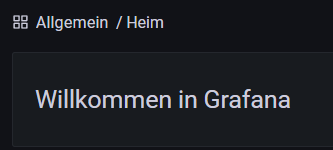
                              0ed22c47-7c6c-463e-a859-f9ca086a4fda-image.png

                              LG

                              Peter

                              1 Reply Last reply
                              0
                              • Thomas BraunT Thomas Braun

                                @pskiel

                                Dann nach dieser Anleitung (ab 'Install Grafana'):

                                https://grafana.com/tutorials/install-grafana-on-raspberry-pi/

                                P Offline
                                P Offline
                                pskiel
                                wrote on last edited by
                                #15

                                @thomas-braun said in Sonntag und wieder Grafana..:

                                @pskiel

                                leider ich noch mal...

                                es scheint die influxdb.0 läuft nicht, oder das PW ist falsch, kann ich das PW ändern, bzw. neu vergeben?

                                Thomas BraunT crunchipC 2 Replies Last reply
                                0
                                • P pskiel

                                  @thomas-braun said in Sonntag und wieder Grafana..:

                                  @pskiel

                                  leider ich noch mal...

                                  es scheint die influxdb.0 läuft nicht, oder das PW ist falsch, kann ich das PW ändern, bzw. neu vergeben?

                                  Thomas BraunT Online
                                  Thomas BraunT Online
                                  Thomas Braun
                                  Most Active
                                  wrote on last edited by
                                  #16

                                  @pskiel

                                  Keine Ahnung, setze weder grafana noch influx ein.

                                  Linux-Werkzeugkasten:
                                  https://forum.iobroker.net/topic/42952/der-kleine-iobroker-linux-werkzeugkasten
                                  NodeJS Fixer Skript:
                                  https://forum.iobroker.net/topic/68035/iob-node-fix-skript
                                  iob_diag: curl -sLf -o diag.sh https://iobroker.net/diag.sh && bash diag.sh

                                  P 1 Reply Last reply
                                  0
                                  • Thomas BraunT Thomas Braun

                                    @pskiel

                                    Keine Ahnung, setze weder grafana noch influx ein.

                                    P Offline
                                    P Offline
                                    pskiel
                                    wrote on last edited by
                                    #17

                                    @thomas-braun said in Sonntag und wieder Grafana..:

                                    @pskiel

                                    Keine Ahnung, setze weder grafana noch influx ein.

                                    ok

                                    1 Reply Last reply
                                    0
                                    • P pskiel

                                      @thomas-braun said in Sonntag und wieder Grafana..:

                                      @pskiel

                                      leider ich noch mal...

                                      es scheint die influxdb.0 läuft nicht, oder das PW ist falsch, kann ich das PW ändern, bzw. neu vergeben?

                                      crunchipC Away
                                      crunchipC Away
                                      crunchip
                                      Forum Testing Most Active
                                      wrote on last edited by
                                      #18

                                      @pskiel sagte in Sonntag und wieder Grafana..:

                                      kann ich das PW ändern

                                      https://blog.lbdg.me/change-influxdb-password-user/

                                      umgestiegen von Proxmox auf Unraid

                                      1 Reply Last reply
                                      0
                                      Reply
                                      • Reply as topic
                                      Log in to reply
                                      • Oldest to Newest
                                      • Newest to Oldest
                                      • Most Votes


                                      Support us

                                      ioBroker
                                      Community Adapters
                                      Donate
                                      FAQ Cloud / IOT
                                      HowTo: Node.js-Update
                                      HowTo: Backup/Restore
                                      Downloads
                                      BLOG

                                      850

                                      Online

                                      32.4k

                                      Users

                                      81.5k

                                      Topics

                                      1.3m

                                      Posts
                                      Community
                                      Impressum | Datenschutz-Bestimmungen | Nutzungsbedingungen | Einwilligungseinstellungen
                                      ioBroker Community 2014-2025
                                      logo
                                      • Login

                                      • Don't have an account? Register

                                      • Login or register to search.
                                      • First post
                                        Last post
                                      0
                                      • Home
                                      • Recent
                                      • Tags
                                      • Unread 0
                                      • Categories
                                      • Unreplied
                                      • Popular
                                      • GitHub
                                      • Docu
                                      • Hilfe
