




Datenbanken installieren
-
Hallo apollon77,
Erst einmal Frohe Weihnachten!
ich habe mal wieder herumgespielt und meinen Zoo erweitert, diesmal habe ich einen BananaPi M3 gequält.
8 Pinguine sind schon cool ;-)
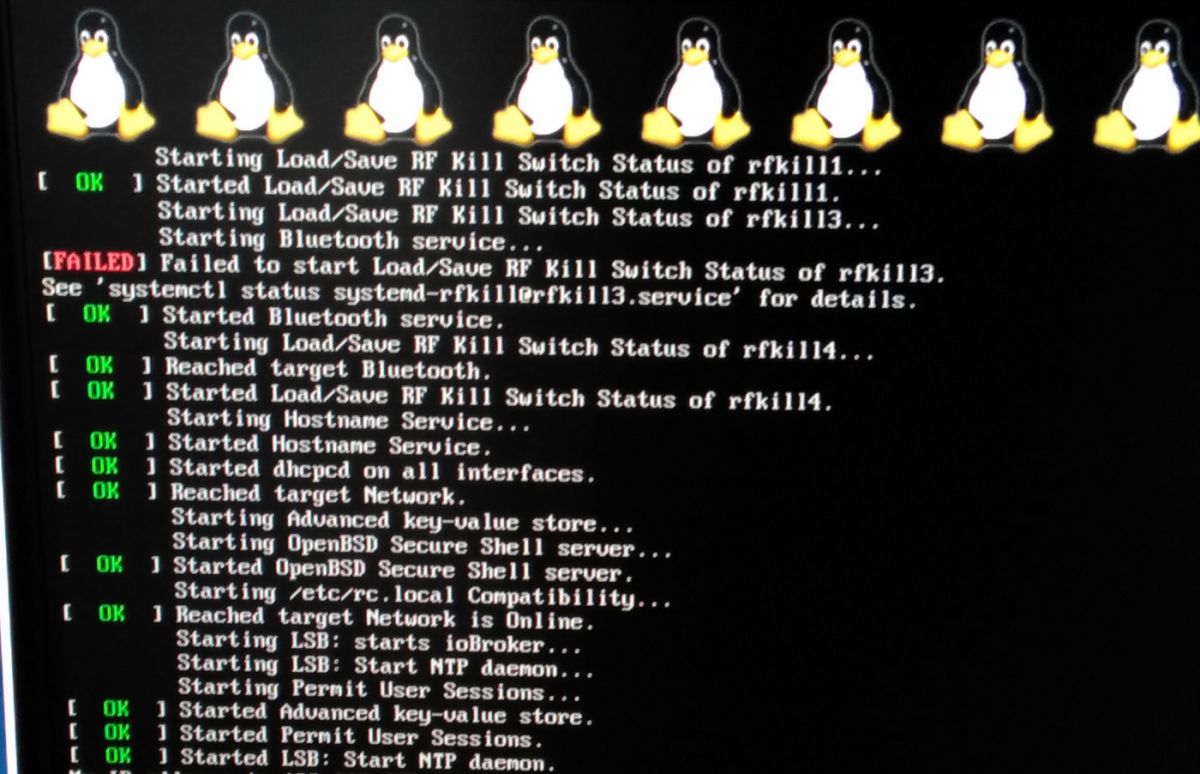
Die Images sind großer Mist, nach einem update mit apt-get update && apt-get upgrade startet der M3 zumindest bei Debian Jessie light nicht mehr. Also musste ich das Raspbian Light nehmen. Damit konnte ich die ioBroker Installation erfolgreich durchführen
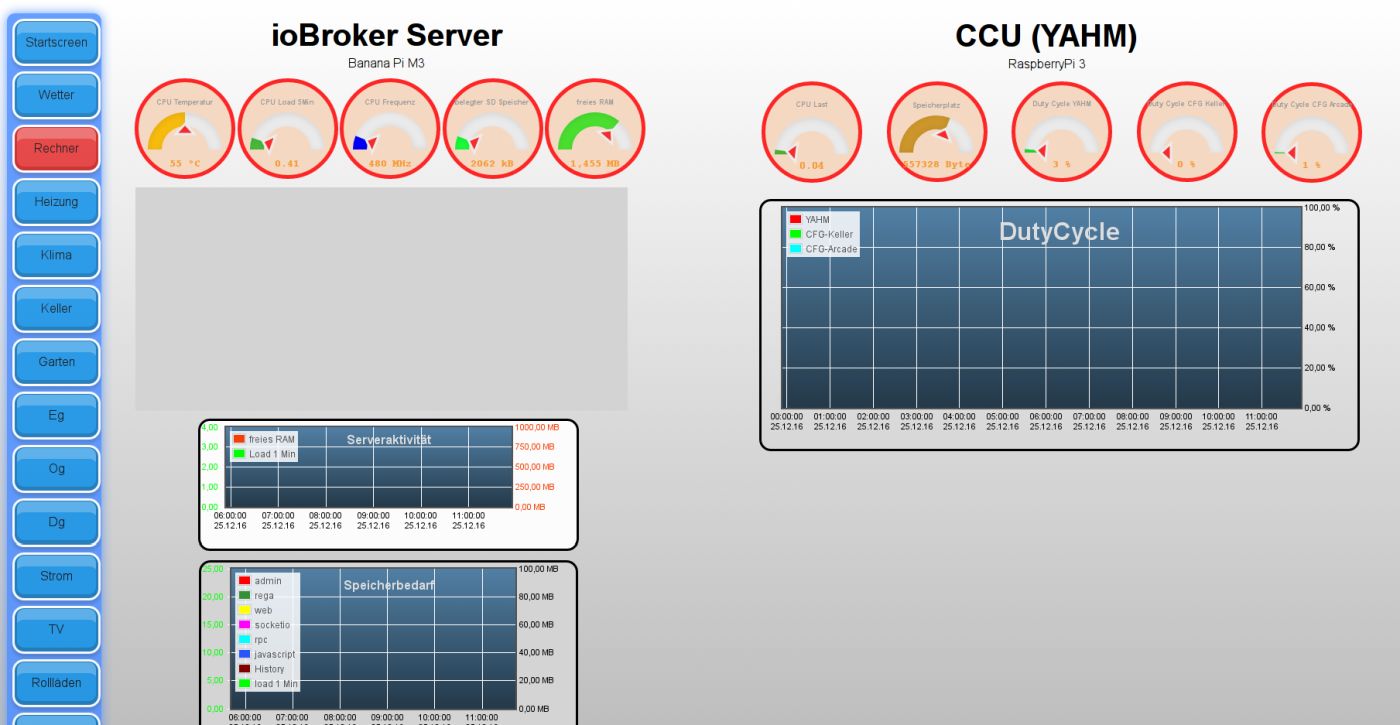
Musste im rpi2-Adapter noch die Temperaturausgabe anpassen, dann läuft erst einmal soweit alles.…nicht alles, influxDB habe ich schon wieder nicht ans Laufen bekommen. Auf https://docs.influxdata.com/influxdb/v1.1/introduction/installation/ ist die Anleitung wieder verändert worden. Hier wird für Debian auf https://www.influxdata.com/downloads/#influxdb verwiesen. Dort bin ich nach der Vorgehensweise für ARM vorgegangen:
wget https://dl.influxdata.com/influxdb/releases/influxdb-1.1.1_linux_armhf.tar.gz
tar xvfz influxdb-1.1.1_linux_armhf.tar.gz
Das fertige Paket ist nur für x86/x64 geeignet.
Ich fürchte, dass die DB nicht läuft - weiss aber nicht wie ich sie starten muss, zumal sie bei einem Neustart des M3 auch automatisch laufen sollte, was sie auch nicht macht.
Bei Verbindung testen kommt:
influxdb.0 2016-12-25 11:44:33.393 error Error: connect ECONNREFUSED 127.0.0.1:8086Wie du oben am screenshot siehst, sind meine flot-Diagramme noch sehr leer.
könntest du mir sagen, wie ich jetzt aus der Pine64-Installation die geloggten Datenpunkte auslesen kann, und beim M3 wieder aktivieren?
BTW: es ist ein 64bit Bananapi M64 in Kürze zu erwarten
Gruß
Rainer
-
Hab es gefunden,
die Dateien nach dem entpacken in die korrekten Ordner geschoben.
Bei influxd run kam dann keine Berechtigung.
Dann habe ich die Dateirechte über filezilla untersucht; die Dateien in /usr/bin hatten nur 644 - auf 755 gesetzt, jetzt läuft es
influxdb.0	2016-12-25 13:51:24.370	info	Connected!
influxdb.0	2016-12-25 13:51:23.658	info	Connecting http://localhost:8086 ...
influxdb.0	2016-12-25 13:51:23.650	info	Buffer initialized with data for 0 points and 0 conflicts from last exit
influxdb.0	2016-12-25 13:51:23.633	info	starting. Version 1.3.0 in /opt/iobroker/node_modules/iobroker.influxdb, node: v4.7.0
trotzdem ist die Ampel gelb :(
EDIT:
klappt doch nicht :(
sobald ich putty verlasse oder mit exit herausgehe beendet sich influxdb
Wie bekomme ich es dauerhaft zum laufen?
Die Methode, die auf GitHub angegeben wird endet mit einem Fehler:
root@bpi-M3:~# service influxdb start
Failed to start influxdb.service: Unit influxdb.service failed to load: No such file or directory.
root@bpi-M3:~#
Gruß
Rainer
-
und
CODE: ALLES AUSWÄHLEN
/etc/init.d/influxdb start
? `
=>
root@bpi-M3:~# /etc/init.d/influxdb start
-bash: /etc/init.d/influxdb: Datei oder Verzeichnis nicht gefunden
liegt (vielleicht falsch) als influxd in /bin
in init.d liegt nichts, muss ich da noch was hinkopieren / editieren?
der start geht mit /bin/influxd
Gruß
Rainer
-
Danke für den Tritt, habe gedacht das wars, gerade nochmal nachgesehen, da finde ich in:
\usr\lib\influxdb\scripts\noch
influxdb.service
und
! ````
#!/bin/bashBEGIN INIT INFO
Provides: influxd
Required-Start: $all
Required-Stop: $remote_fs $syslog
Default-Start: 2 3 4 5
Default-Stop: 0 1 6
Short-Description: Start the InfluxDB process
END INIT INFO
! # If you modify this, please make sure to also edit influxdb.service
! # Command-line options that can be set in /etc/default/influxdb. These will overrideany config file values.
DEFAULT=/etc/default/influxdb
! # Daemon options
INFLUXD_OPTS=
! # Process name ( For display )
NAME=influxdb
! # User and group
USER=influxdb
GROUP=influxdb
! # Check for sudo or root privileges before continuing
if [ "$UID" != "0" ]; then
echo "You must be root to run this script"
exit 1
fi
! # Daemon name, where is the actual executable If the daemon is notthere, then exit.
DAEMON=/usr/bin/influxd
if [ ! -x $DAEMON ]; then
echo "Executable $DAEMON does not exist!"
exit 5
fi! # Configuration file
CONFIG=/etc/influxdb/influxdb.conf
! # PID file for the daemon
PIDFILE=/var/run/influxdb/influxd.pid
PIDDIR=dirname $PIDFILE
if [ ! -d "$PIDDIR" ]; then
mkdir -p $PIDDIR
chown $USER:$GROUP $PIDDIR
fi
! # Max open files
OPEN_FILE_LIMIT=65536
! if [ -r /lib/lsb/init-functions ]; then
source /lib/lsb/init-functions
fi
! # Logging
if [ -z "$STDOUT" ]; then
STDOUT=/dev/null
fi
! if [ ! -f "$STDOUT" ]; then
mkdir -p $(dirname $STDOUT)
fi
! if [ -z "$STDERR" ]; then
STDERR=/var/log/influxdb/influxd.log
fi
! if [ ! -f "$STDERR" ]; then
mkdir -p $(dirname $STDERR)
fi
! # Override init script variables with DEFAULT values
if [ -r $DEFAULT ]; then
source $DEFAULT
fi
! function log_failure_msg() {
echo "$@" "[ FAILED ]"
}
! function log_success_msg() {
echo "$@" "[ OK ]"
}
! function start() {
# Check if config file exist
if [ ! -r $CONFIG ]; then
log_failure_msg "config file $CONFIG doesn't exist (or you don't have permission to view)"
exit 4
fi
! # Check that the PID file exists, and check the actual status of process
if [ -f $PIDFILE ]; then
PID="$(cat $PIDFILE)"
if kill -0 "$PID" &>/dev/null; then
# Process is already up
log_success_msg "$NAME process is already running"
return 0
fi
else
su -s /bin/sh -c "touch $PIDFILE" $USER &>/dev/null
if [ $? -ne 0 ]; then
log_failure_msg "$PIDFILE not writable, check permissions"
exit 5
fi
fi
! # Bump the file limits, before launching the daemon. These will
# carry over to launched processes.
ulimit -n $OPEN_FILE_LIMIT
if [ $? -ne 0 ]; then
log_failure_msg "Unable to set ulimit to $OPEN_FILE_LIMIT"
exit 1
fi
! # Launch process
echo "Starting $NAME..."
if which start-stop-daemon &>/dev/null; then
start-stop-daemon
--chuid $GROUP:$USER
--start
--quiet
--pidfile $PIDFILE
--exec $DAEMON
--
-pidfile $PIDFILE
-config $CONFIG
$INFLUXD_OPTS >>$STDOUT 2>>$STDERR &
else
local CMD="$DAEMON -pidfile $PIDFILE -config $CONFIG $INFLUXD_OPTS >>$STDOUT 2>>$STDERR &"
su -s /bin/sh -c "$CMD" $USER
fi
! # Sleep to verify process is still up
sleep 1
if [ -f $PIDFILE ]; then
# PIDFILE exists
if kill -0 $(cat $PIDFILE) &>/dev/null; then
# PID up, service running
log_success_msg "$NAME process was started"
return 0
fi
fi
log_failure_msg "$NAME process was unable to start"
exit 1
}
! function stop() {
# Stop the daemon.
if [ -f $PIDFILE ]; then
local PID="$(cat $PIDFILE)"
if kill -0 $PID &>/dev/null; then
echo "Stopping $NAME..."
# Process still up, send SIGTERM and remove PIDFILE
kill -s SIGTERM $PID &>/dev/null && rm -f "$PIDFILE" &>/dev/null
while true; do
# Enter loop to ensure process is stopped
kill -0 $PID &>/dev/null
if [ "$?" != "0" ]; then
# Process stopped, break from loop
log_success_msg "$NAME process was stopped"
return 0
fi
! # Process still up after signal, sleep and wait
sleep 1
n=$(expr $n + 1)
if [ $n -eq 30 ]; then
# After 30 seconds, send SIGKILL
echo "Timeout exceeded, sending SIGKILL..."
kill -s SIGKILL $PID &>/dev/null
elif [ $? -eq 40 ]; then
# After 40 seconds, error out
log_failure_msg "could not stop $NAME process"
exit 1
fi
done
fi
fi
log_success_msg "$NAME process already stopped"
}
! function restart() {
# Restart the daemon.
stop
start
}
! function status() {
# Check the status of the process.
if [ -f $PIDFILE ]; then
PID="$(cat $PIDFILE)"
if kill -0 $PID &>/dev/null; then
log_success_msg "$NAME process is running"
exit 0
fi
fi
log_failure_msg "$NAME process is not running"
exit 1
}
! case $1 in
start)
start
;;
! stop)
stop
;;
! restart)
restart
;;
! status)
status
;;
! version)
$DAEMON version
;;
! *)
# For invalid arguments, print the usage message.
echo "Usage: $0 {start|stop|restart|status|version}"
exit 2
;;
esac
! ````Was muss ich damit machen?
etwa init.sh ausführen?
Gruß
Rainer
-
Spontan: https://wiki.ubuntuusers.de/systemd/Service_Units/
also das "influxdb.service" FIle nach /etc/systemd/system kopieren (das wäre Ubuntu, Debian müsste auch so gewesen sein) … Wie du es dann aktivierst steht auf der seite auch.

Hey! Du scheinst an dieser Unterhaltung interessiert zu sein, hast aber noch kein Konto.
Hast du es satt, bei jedem Besuch durch die gleichen Beiträge zu scrollen? Wenn du dich für ein Konto anmeldest, kommst du immer genau dorthin zurück, wo du zuvor warst, und kannst dich über neue Antworten benachrichtigen lassen (entweder per E-Mail oder Push-Benachrichtigung). Du kannst auch Lesezeichen speichern und Beiträge positiv bewerten, um anderen Community-Mitgliedern deine Wertschätzung zu zeigen.
Mit deinem Input könnte dieser Beitrag noch besser werden 💗
Registrieren Anmelden355
Online33.0k
Benutzer83.5k
Themen1.3m
Beiträge