
NEWS




[Verkauft] CC2652P Zigbee Stick
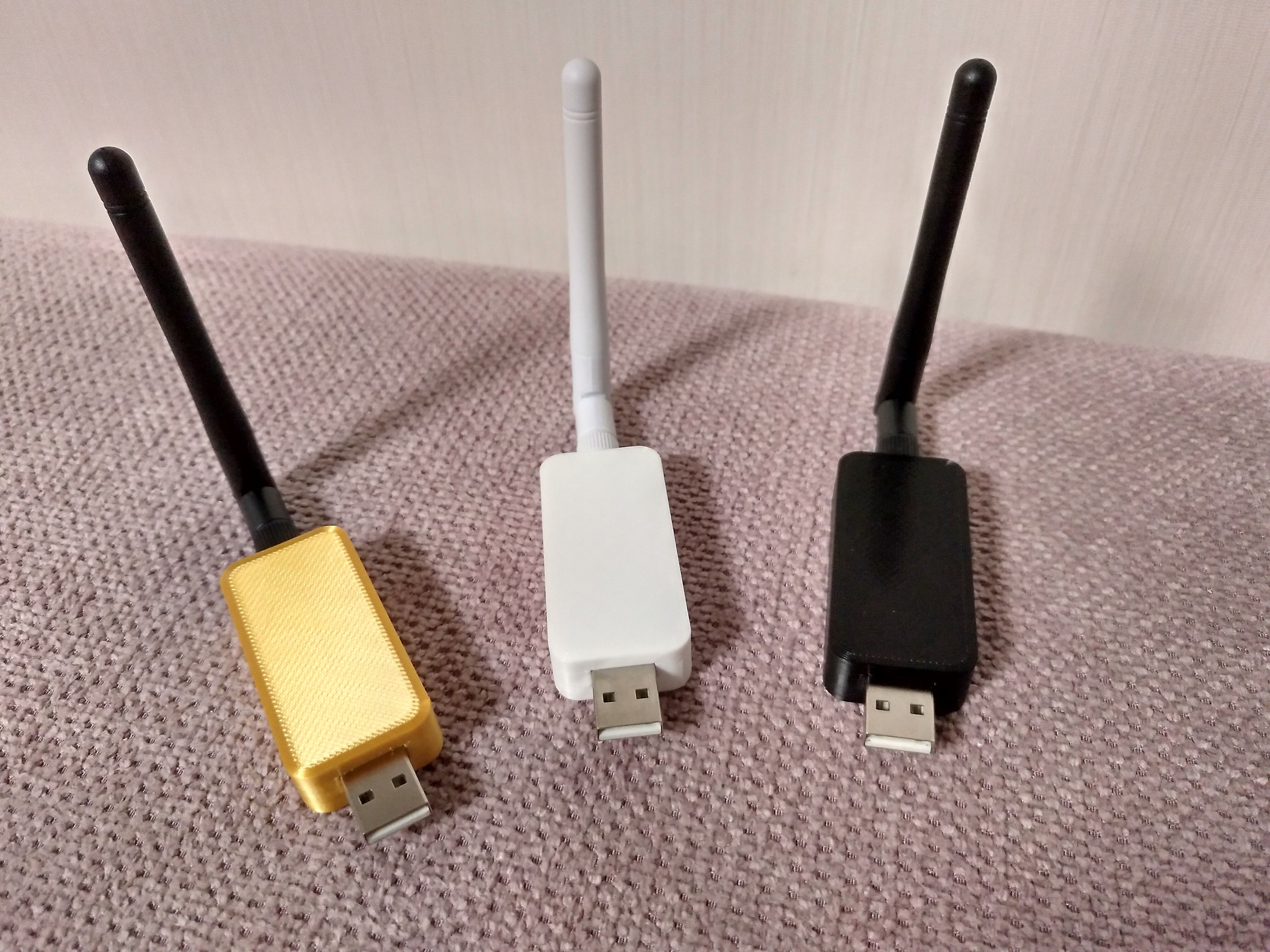
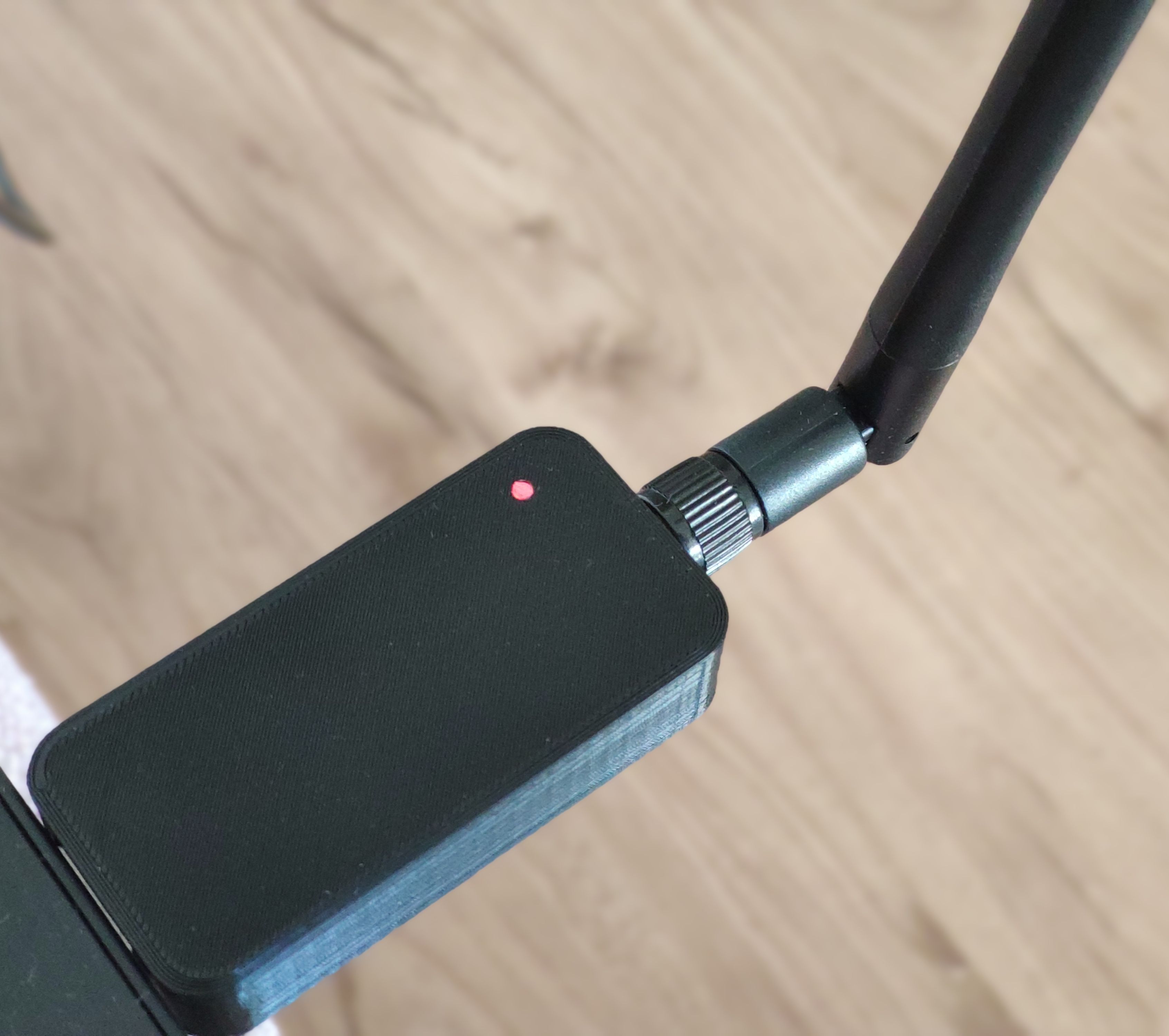
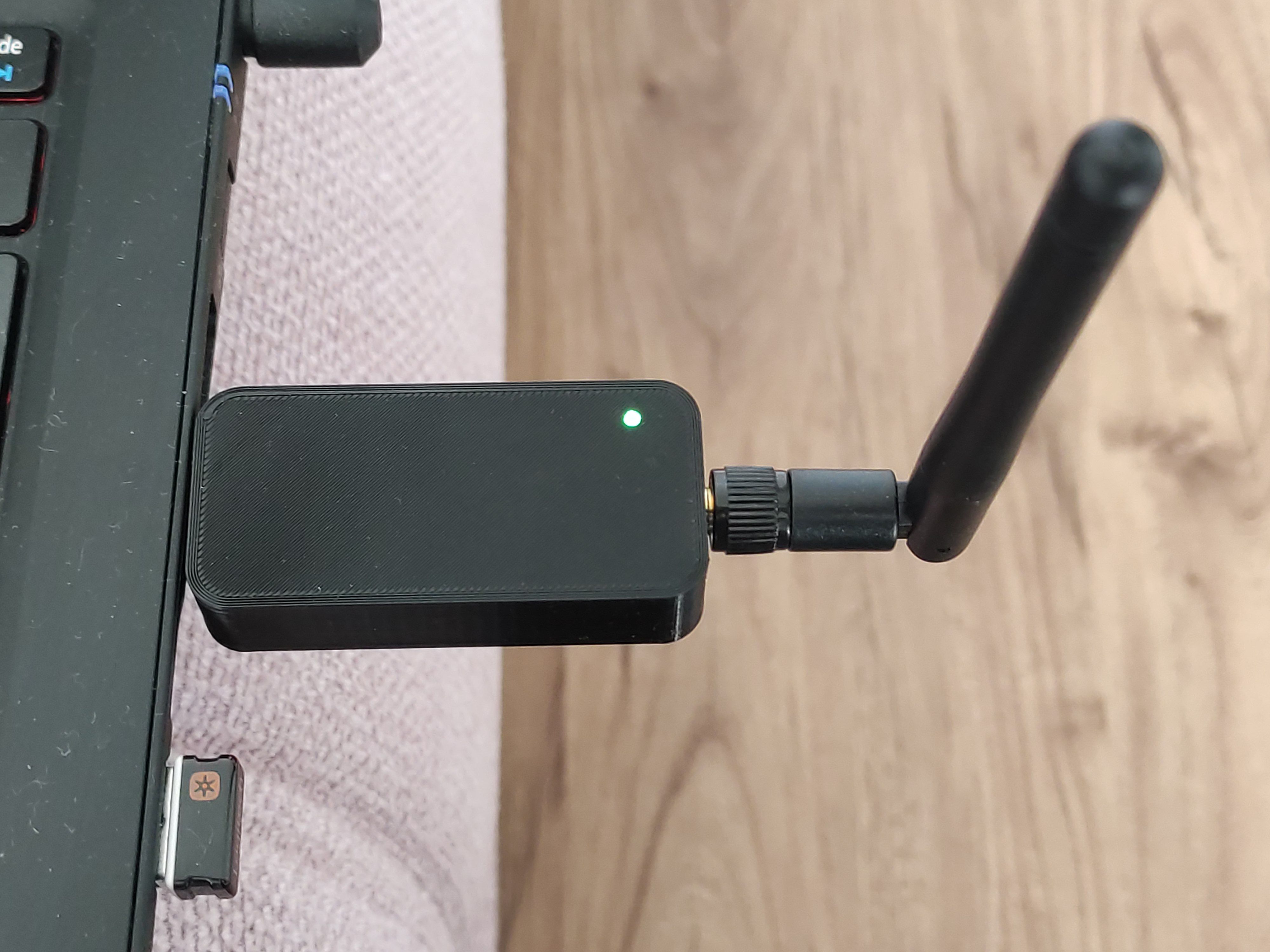
-
Mein Stick lässt sich nicht flashen.
Nach längerem Suchen bin ich drauf gekommen dass beide Taster auf dem PCB nicht funktionieren (schalten nicht durch). Ich hab dann die Kontakte gebrückt und schon hats geklappt..
Also falls jemand ähnliche Probleme hat, dann mal die Taster prüfen.. -
@tobi-0 alle Sticks werden von mir zusammen gebaut und geprüft und geflasht mit über die Taster, mehrmals.
Nur ein Taster muss gedrückt werden...Hi, ich versuche gerade die letzte Firmware aufzuspielen habe aber leider kein Erfolg. Ich erhalte nur die Meldung "Failed".
>Initiate access to target: COM3 using 2-pin cJTAG.
>Reading file: C:/Users/LaKl/Downloads/Zigbee Firmware Update/Firmware/CC1352P2_CC2652P_launchpad_coordinator_20221102/CC1352P2_CC2652P_launchpad_coordinator_20221102.hex.
>Unknown record type: 3.
>Reset target ...
>Reset of target successful.
>Initiate access to target: COM3 using 2-pin cJTAG.
>No response from device. Device may not be in bootloader mode. Reset device and try again.
If problem persists, check connection and baud rate.
>Connecting over serial bootloader failed: No response from device. Device may not be in bootloader mode. Reset device and try again.
If problem persists, check connection and baud rate.
>Failed to create device object.
>Initiate access to target: COM3 using 2-pin cJTAG.
>Reading file: C:/Users/LaKl/Downloads/Zigbee Firmware Update/Firmware/CC1352P2_CC2652P_launchpad_coordinator_20221102/CC1352P2_CC2652P_launchpad_coordinator_20221102.hex.
>Unknown record type: 3.
>Reset target ...
>Reset of target successful.
>Initiate access to target: COM3 using 2-pin cJTAG.
>Reading file: C:/Users/LaKl/Downloads/Zigbee Firmware Update/Firmware/CC1352P2_CC2652P_launchpad_coordinator_20221102/CC1352P2_CC2652P_launchpad_coordinator_20221102.hex.
>Unknown record type: 3.
>Reset target ...
>Reset of target successful.
>Initiate access to target: COM3 using 2-pin cJTAG.
>ACK/NAK not received. Expected 0x00 0xCC or 0x00 0x33, received 0x42 0xF3.
>Reading file: C:/Users/LaKl/Downloads/Zigbee Firmware Update/Firmware/CC1352P2_CC2652P_launchpad_coordinator_20221102/CC1352P2_CC2652P_launchpad_coordinator_20221102.hex.
>Unknown record type: 3.
>Reset target ...
>Reset of target successful.
>Initiate access to target: COM3 using 2-pin cJTAG.
>No response from device. Device may not be in bootloader mode. Reset device and try again.
If problem persists, check connection and baud rate.
>Connecting over serial bootloader failed: No response from device. Device may not be in bootloader mode. Reset device and try again.
If problem persists, check connection and baud rate.
>Failed to create device object.
>Initiate access to target: COM3 using 2-pin cJTAG.
>No response from device. Device may not be in bootloader mode. Reset device and try again.
If problem persists, check connection and baud rate.
>Connecting over serial bootloader failed: No response from device. Device may not be in bootloader mode. Reset device and try again.
If problem persists, check connection and baud rate.
>Failed to create device object.
>Initiate access to target: COM3 using 2-pin cJTAG.
>No response from device. Device may not be in bootloader mode. Reset device and try again.
If problem persists, check connection and baud rate.
>Connecting over serial bootloader failed: No response from device. Device may not be in bootloader mode. Reset device and try again.
If problem persists, check connection and baud rate.
>Failed to create device object.
>Initiate access to target: COM3 using 2-pin cJTAG.
>No response from device. Device may not be in bootloader mode. Reset device and try again.
If problem persists, check connection and baud rate.
>Connecting over serial bootloader failed: No response from device. Device may not be in bootloader mode. Reset device and try again.
If problem persists, check connection and baud rate.
>Failed to create device object.
>Initiate access to target: COM3 using 2-pin cJTAG.
>ACK/NAK not received. Expected 0x00 0xCC or 0x00 0x33, received 0x00 0xE1.
>Reading file: C:/Users/LaKl/Downloads/Zigbee Firmware Update/Firmware/CC1352P2_CC2652P_launchpad_coordinator_20221102/CC1352P2_CC2652P_launchpad_coordinator_20221102.hex.
>Unknown record type: 3.
>Reset target ...
>Reset of target successful.
>Initiate access to target: COM3 using 2-pin cJTAG.
>No response from device. Device may not be in bootloader mode. Reset device and try again.
If problem persists, check connection and baud rate.
>Connecting over serial bootloader failed: No response from device. Device may not be in bootloader mode. Reset device and try again.
If problem persists, check connection and baud rate.
>Failed to create device object.
Kann mir wer helfen und mir sagen was ich falsch mache?
Die Buttons habe ich mehrfach gedrückt. Leider ohne Erfolg.Besten Dank.
-
Hi, ich versuche gerade die letzte Firmware aufzuspielen habe aber leider kein Erfolg. Ich erhalte nur die Meldung "Failed".
>Initiate access to target: COM3 using 2-pin cJTAG.
>Reading file: C:/Users/LaKl/Downloads/Zigbee Firmware Update/Firmware/CC1352P2_CC2652P_launchpad_coordinator_20221102/CC1352P2_CC2652P_launchpad_coordinator_20221102.hex.
>Unknown record type: 3.
>Reset target ...
>Reset of target successful.
>Initiate access to target: COM3 using 2-pin cJTAG.
>No response from device. Device may not be in bootloader mode. Reset device and try again.
If problem persists, check connection and baud rate.
>Connecting over serial bootloader failed: No response from device. Device may not be in bootloader mode. Reset device and try again.
If problem persists, check connection and baud rate.
>Failed to create device object.
>Initiate access to target: COM3 using 2-pin cJTAG.
>Reading file: C:/Users/LaKl/Downloads/Zigbee Firmware Update/Firmware/CC1352P2_CC2652P_launchpad_coordinator_20221102/CC1352P2_CC2652P_launchpad_coordinator_20221102.hex.
>Unknown record type: 3.
>Reset target ...
>Reset of target successful.
>Initiate access to target: COM3 using 2-pin cJTAG.
>Reading file: C:/Users/LaKl/Downloads/Zigbee Firmware Update/Firmware/CC1352P2_CC2652P_launchpad_coordinator_20221102/CC1352P2_CC2652P_launchpad_coordinator_20221102.hex.
>Unknown record type: 3.
>Reset target ...
>Reset of target successful.
>Initiate access to target: COM3 using 2-pin cJTAG.
>ACK/NAK not received. Expected 0x00 0xCC or 0x00 0x33, received 0x42 0xF3.
>Reading file: C:/Users/LaKl/Downloads/Zigbee Firmware Update/Firmware/CC1352P2_CC2652P_launchpad_coordinator_20221102/CC1352P2_CC2652P_launchpad_coordinator_20221102.hex.
>Unknown record type: 3.
>Reset target ...
>Reset of target successful.
>Initiate access to target: COM3 using 2-pin cJTAG.
>No response from device. Device may not be in bootloader mode. Reset device and try again.
If problem persists, check connection and baud rate.
>Connecting over serial bootloader failed: No response from device. Device may not be in bootloader mode. Reset device and try again.
If problem persists, check connection and baud rate.
>Failed to create device object.
>Initiate access to target: COM3 using 2-pin cJTAG.
>No response from device. Device may not be in bootloader mode. Reset device and try again.
If problem persists, check connection and baud rate.
>Connecting over serial bootloader failed: No response from device. Device may not be in bootloader mode. Reset device and try again.
If problem persists, check connection and baud rate.
>Failed to create device object.
>Initiate access to target: COM3 using 2-pin cJTAG.
>No response from device. Device may not be in bootloader mode. Reset device and try again.
If problem persists, check connection and baud rate.
>Connecting over serial bootloader failed: No response from device. Device may not be in bootloader mode. Reset device and try again.
If problem persists, check connection and baud rate.
>Failed to create device object.
>Initiate access to target: COM3 using 2-pin cJTAG.
>No response from device. Device may not be in bootloader mode. Reset device and try again.
If problem persists, check connection and baud rate.
>Connecting over serial bootloader failed: No response from device. Device may not be in bootloader mode. Reset device and try again.
If problem persists, check connection and baud rate.
>Failed to create device object.
>Initiate access to target: COM3 using 2-pin cJTAG.
>ACK/NAK not received. Expected 0x00 0xCC or 0x00 0x33, received 0x00 0xE1.
>Reading file: C:/Users/LaKl/Downloads/Zigbee Firmware Update/Firmware/CC1352P2_CC2652P_launchpad_coordinator_20221102/CC1352P2_CC2652P_launchpad_coordinator_20221102.hex.
>Unknown record type: 3.
>Reset target ...
>Reset of target successful.
>Initiate access to target: COM3 using 2-pin cJTAG.
>No response from device. Device may not be in bootloader mode. Reset device and try again.
If problem persists, check connection and baud rate.
>Connecting over serial bootloader failed: No response from device. Device may not be in bootloader mode. Reset device and try again.
If problem persists, check connection and baud rate.
>Failed to create device object.
Kann mir wer helfen und mir sagen was ich falsch mache?
Die Buttons habe ich mehrfach gedrückt. Leider ohne Erfolg.Besten Dank.
-
Hi @dimaiv,
passt vllt nicht ganz hierein dennoch frage ich mal nach.
Ich habe mir einen deiner Sticks gekauft und bräuchte nun eine neue (evtl. stärkere Antenne; die alte hat es beim Wohnungsumzug zerlegt)
Eine WLAN-Antenne die ich hier noch rumliegen hatte geht leider nicht da der "Draht" im Anschluss fehlt.
Kannst du mir vllt sagen nach was für einer Antenne ich suchen könnte? Oder hast du vllt einen Link zu einer passenden Antenne?Besten Dank
-
Das ist meiner.
Socket :  25 d 05:40:33 (1 client)
Uptime : 33 d 01:13:16
Temperature : 40.89 °C
FW version : 0.5.9
Hardware : WT32-ETH01
ESP32 model : ESP32-D0WDQ5
CPU : 2 cores @ 240 MHz
Flash : 4 Mb, external
Free heap : 206 / 340 KiB
Muss man flashen das läuft so super mit der alten Firmware.
-
Das ist meiner.
Socket :  25 d 05:40:33 (1 client)
Uptime : 33 d 01:13:16
Temperature : 40.89 °C
FW version : 0.5.9
Hardware : WT32-ETH01
ESP32 model : ESP32-D0WDQ5
CPU : 2 cores @ 240 MHz
Flash : 4 Mb, external
Free heap : 206 / 340 KiB
Muss man flashen das läuft so super mit der alten Firmware.
@ostseereiter
Warum?
Wenn's läuft, laufen lassen...😉 -
Danke für die Hilfe. Es war ein vorbildlicher klasse Service. Wirklich toll in Deutschland so etwas zu erleben.
Nun wollte ich folgendes hier einmal reinschreiben.
Wir haben ja eine ältere FirmeWare bekommen, weil die neueren eventuell weitere Probleme bei einigen macht.
- ZigStarGW_v0.6.10.bin
nun stellen wir fest, dass bei diesem Script:
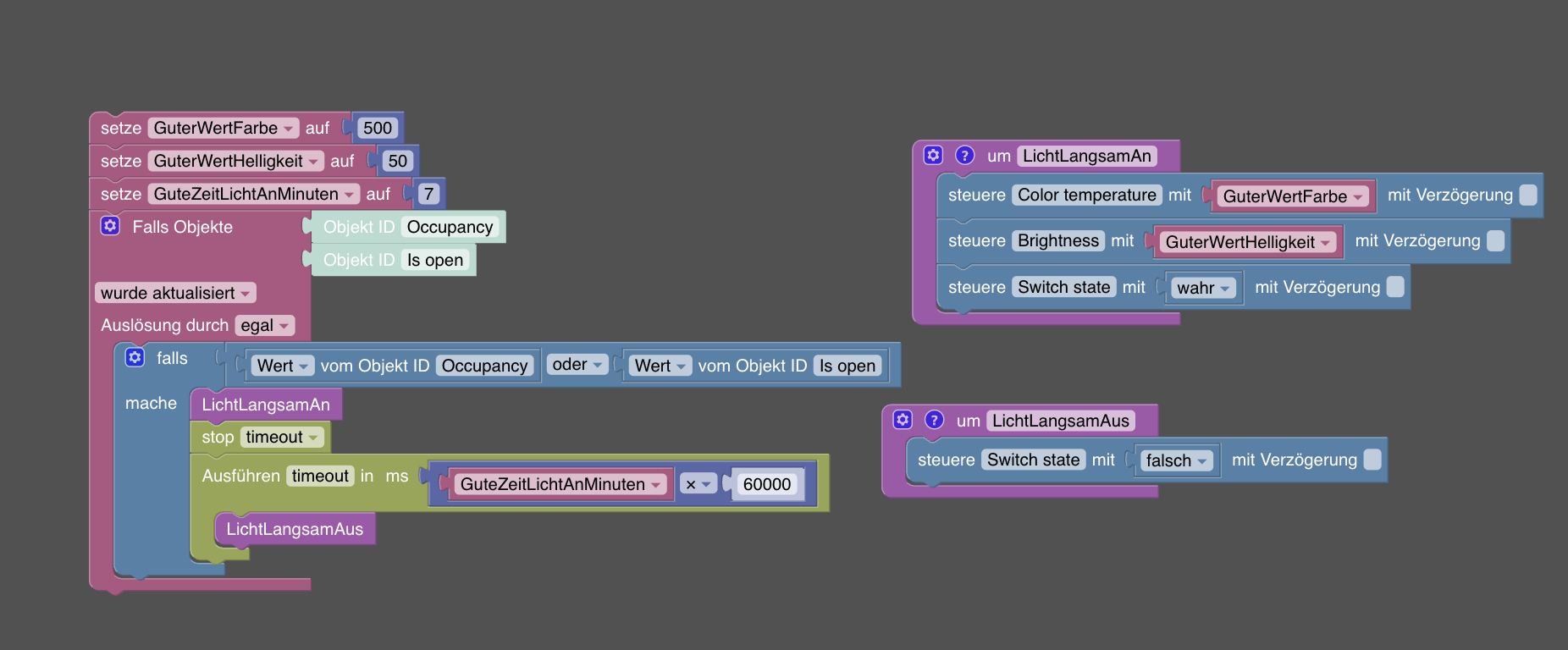
nach genau 7 Minuten das Licht einmal komplett aus geht und dann wieder an um es so über eine längere Zeit abzudimmen. Dieses kurze Blinken. Das ist neu. Wir beobachten es.
-
Danke für die Hilfe. Es war ein vorbildlicher klasse Service. Wirklich toll in Deutschland so etwas zu erleben.
Nun wollte ich folgendes hier einmal reinschreiben.
Wir haben ja eine ältere FirmeWare bekommen, weil die neueren eventuell weitere Probleme bei einigen macht.
- ZigStarGW_v0.6.10.bin
nun stellen wir fest, dass bei diesem Script:
nach genau 7 Minuten das Licht einmal komplett aus geht und dann wieder an um es so über eine längere Zeit abzudimmen. Dieses kurze Blinken. Das ist neu. Wir beobachten es.
@dave83
Wir haben bei dir keine Firmware geändert. Wir haben nur ESP neu geflasht mit gleicher Firmware wie vorher.
Dein "Stick" hat Zwei Teile.- ESP32 - für LAN, WLAN, Webinterface zuständig.
- CC2652P - Zigbee.
Beide haben eigene Firmware.
Oben genannte für ESP (6.10) ist die neueste und hat keine mir bekannten Probleme. (Das haben wir neu drauf geflasht)
Zigbee Firmware, alle die neu als 20221226 sind, meiner Meinung nach, sind nicht stabil genug um benutzt zu werden. Deswegen meine Empfehlung bei 20221226 bleiben.
Das Problem, wo die Zigbee Seite manchmal hängen bleibt ist besonders bei 20230507 bekannt. Auch bei neuen mehr oder weniger...
P.S.: das hier ist ganz falsche Thread, hier ging es eigentlich um Verkauf von USB Sticks (ohne LAN)
Es gibt extra Support Thread hier im Forum für LAN Zigbee Gateway.
Ich glaube, dein Script ist nicht ganz korrekt geschrieben. Mach bitte dafür einen neuen Thread auf.
Danke.
-
Anleitung
Stick mit einem Ebyte Modul: Aktuele Firmware
Stick mit einem RF-Star Modul: Aktuelle Firmware
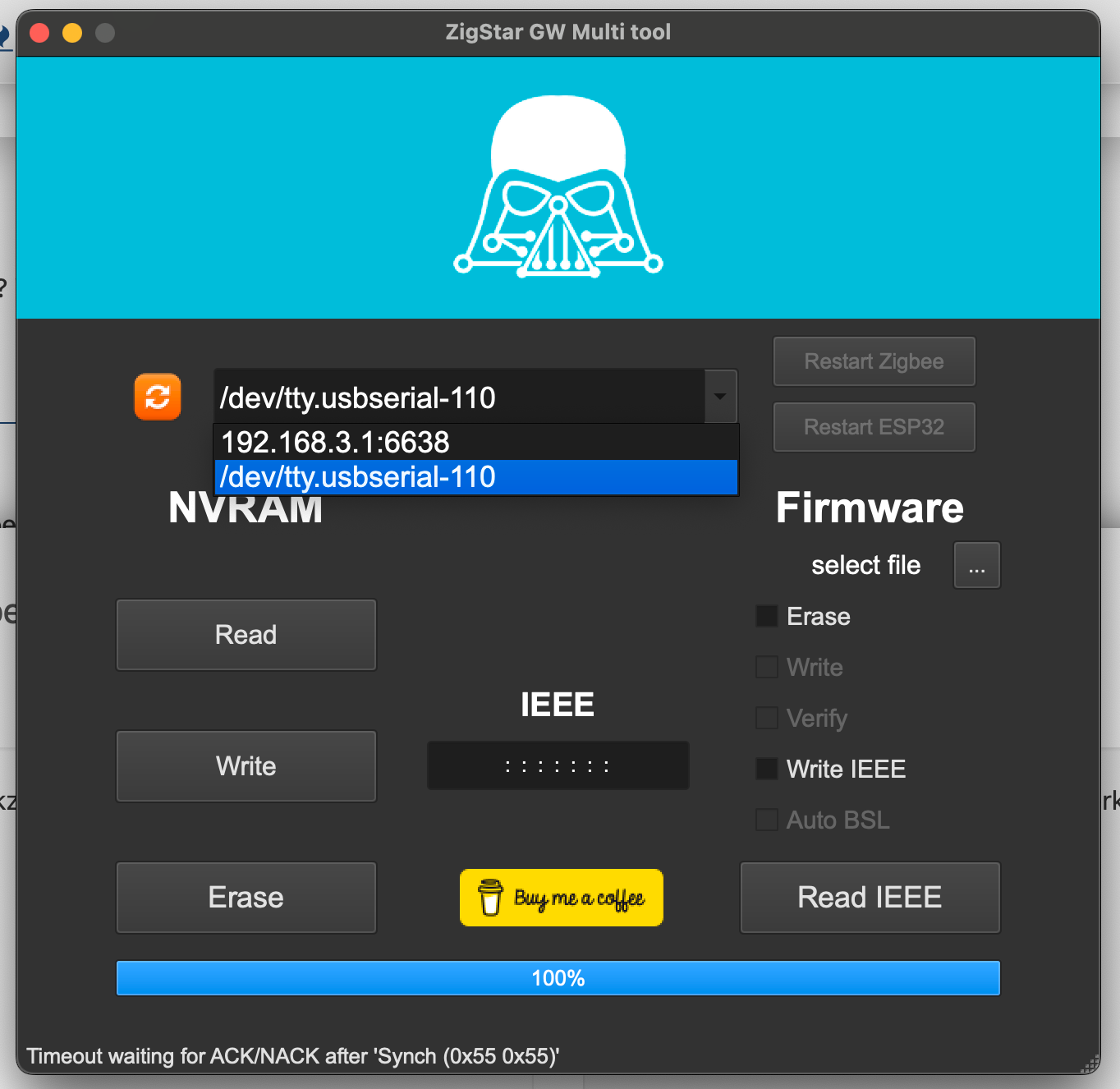
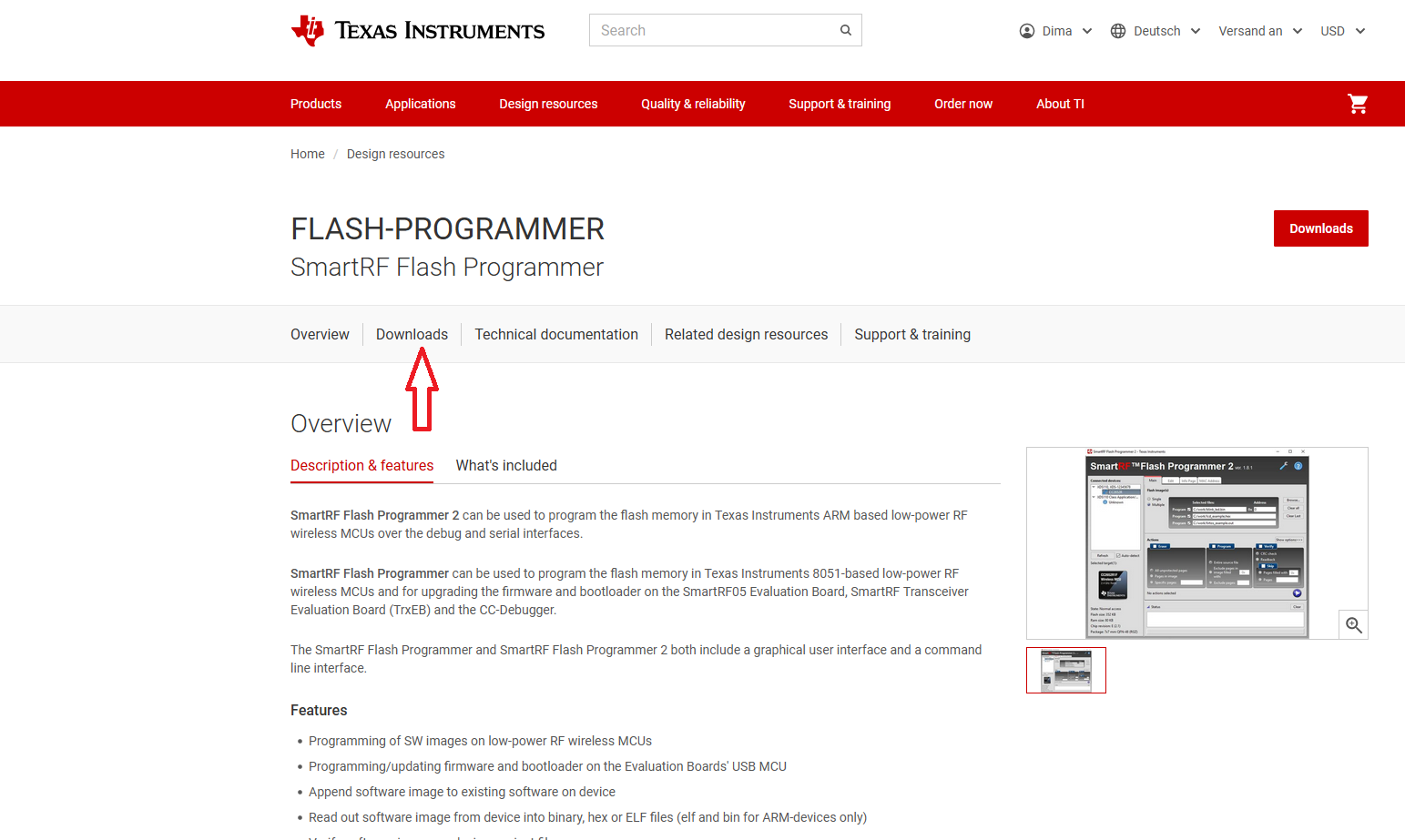
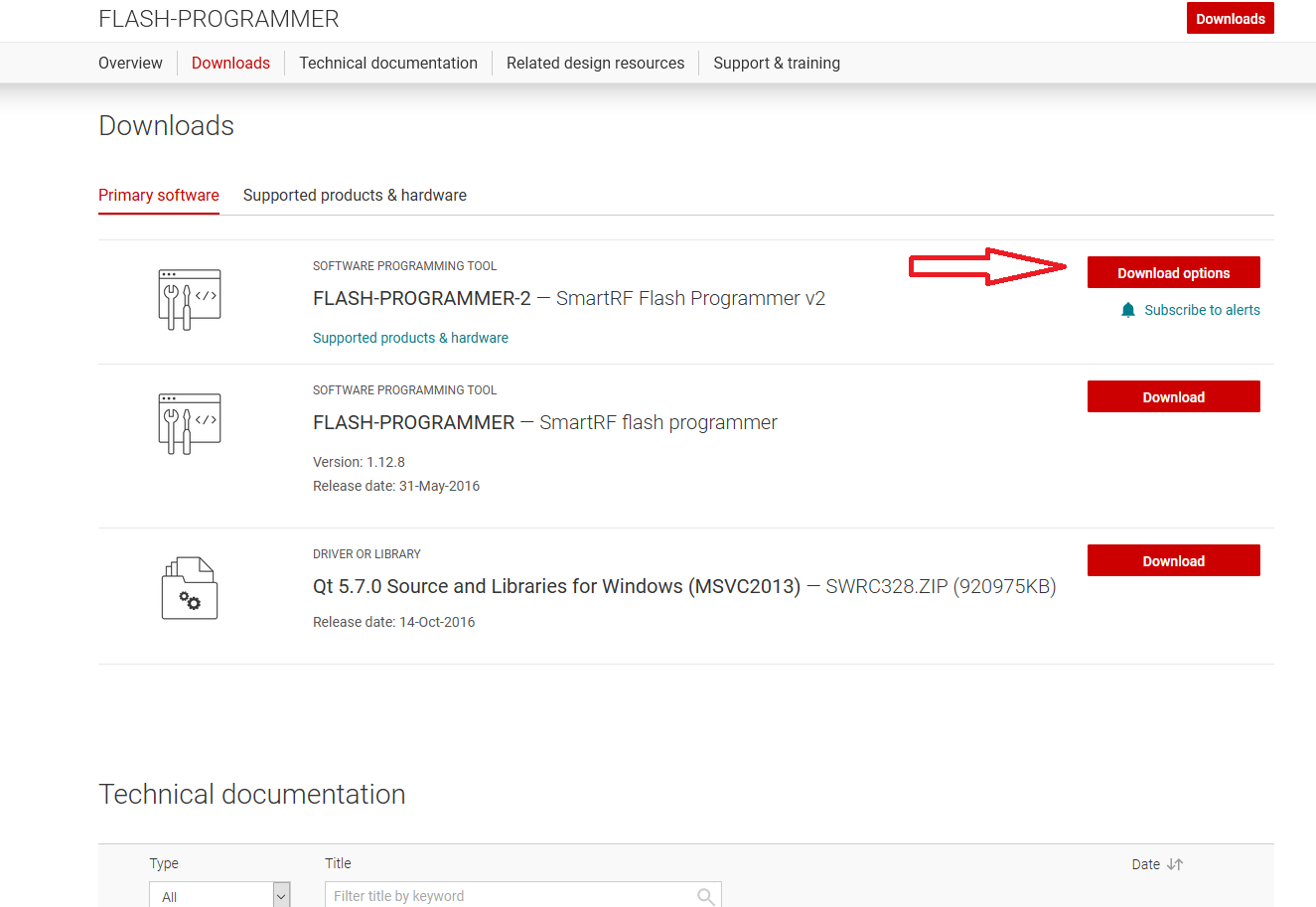
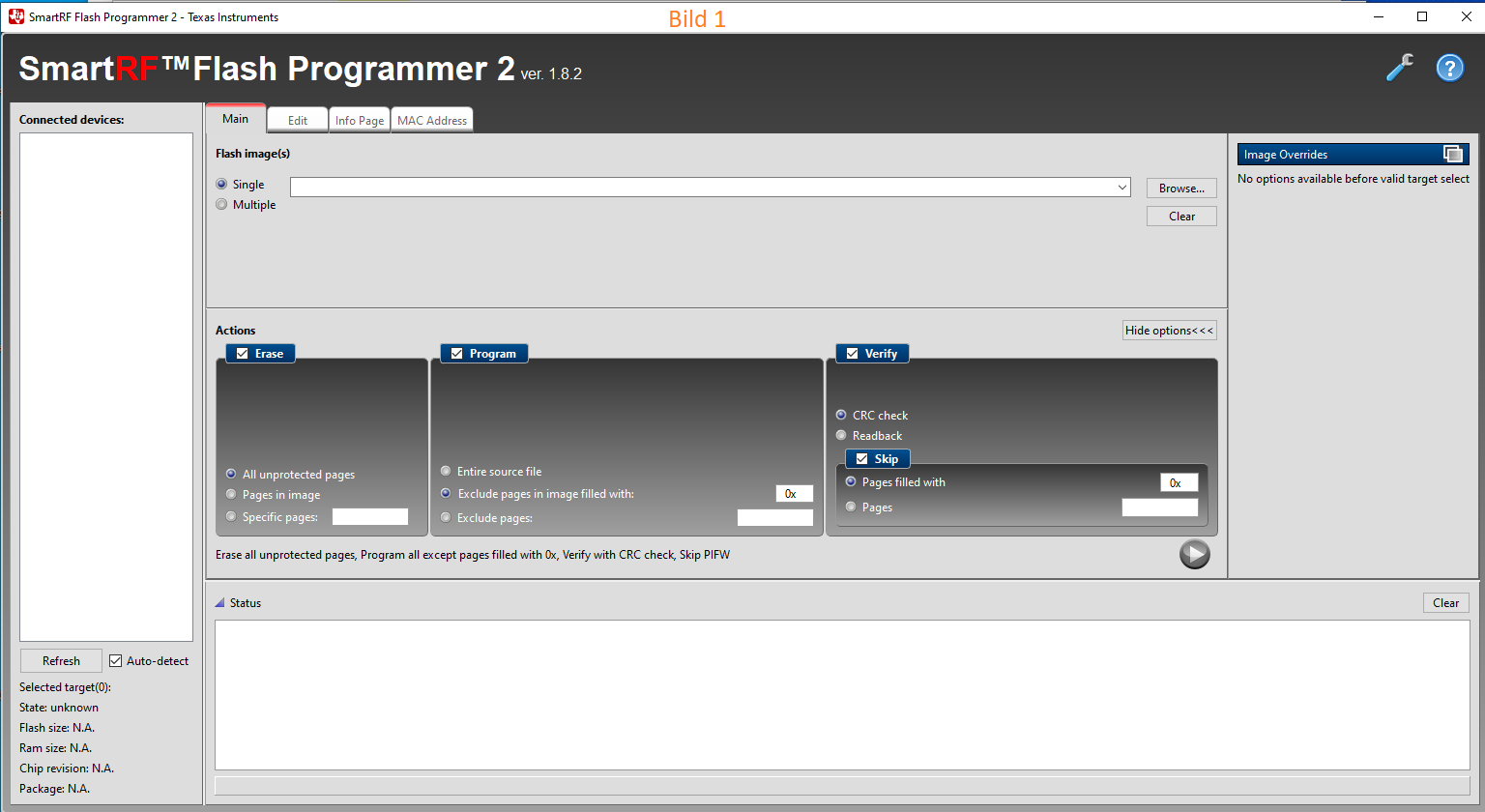
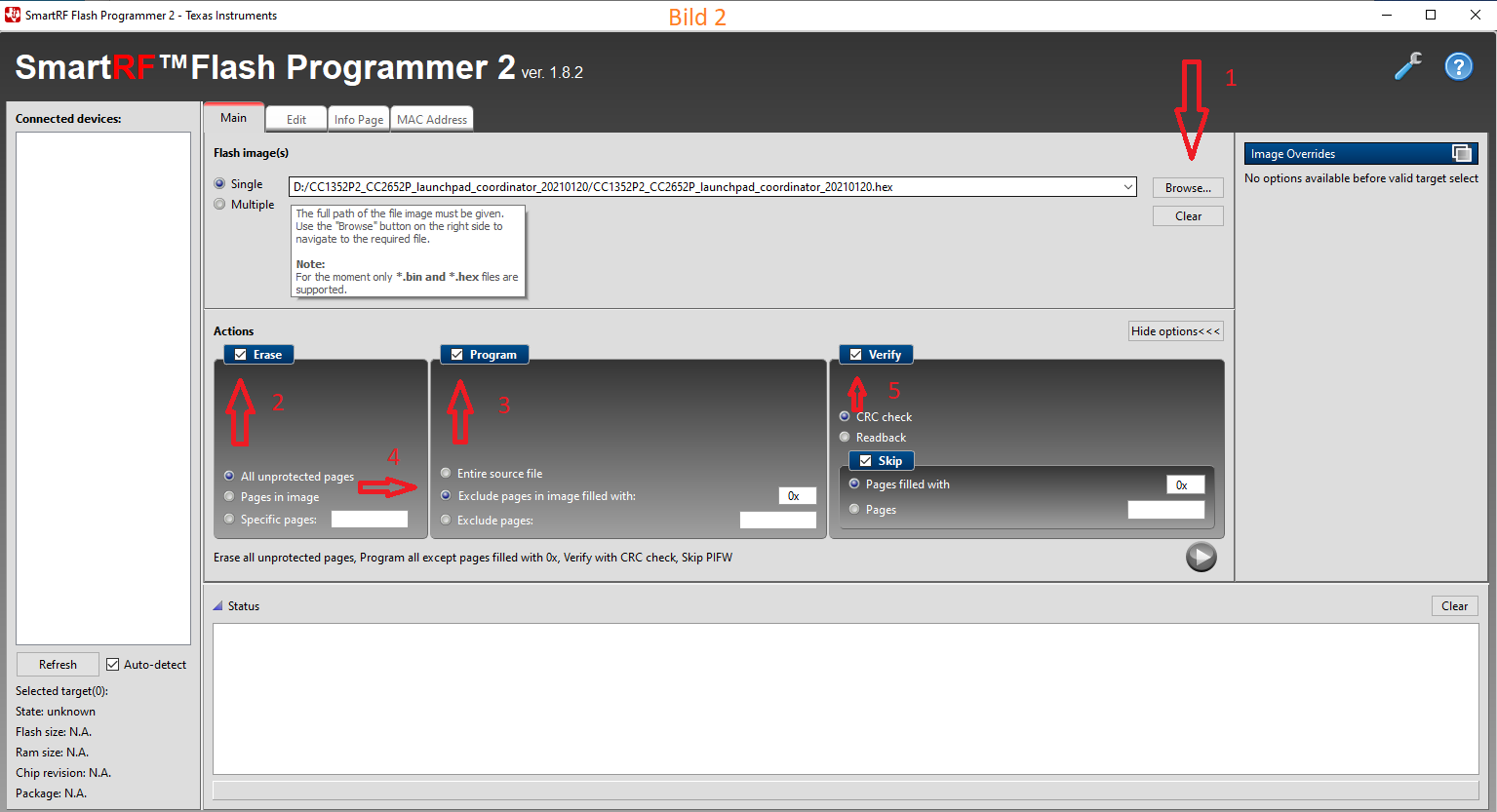
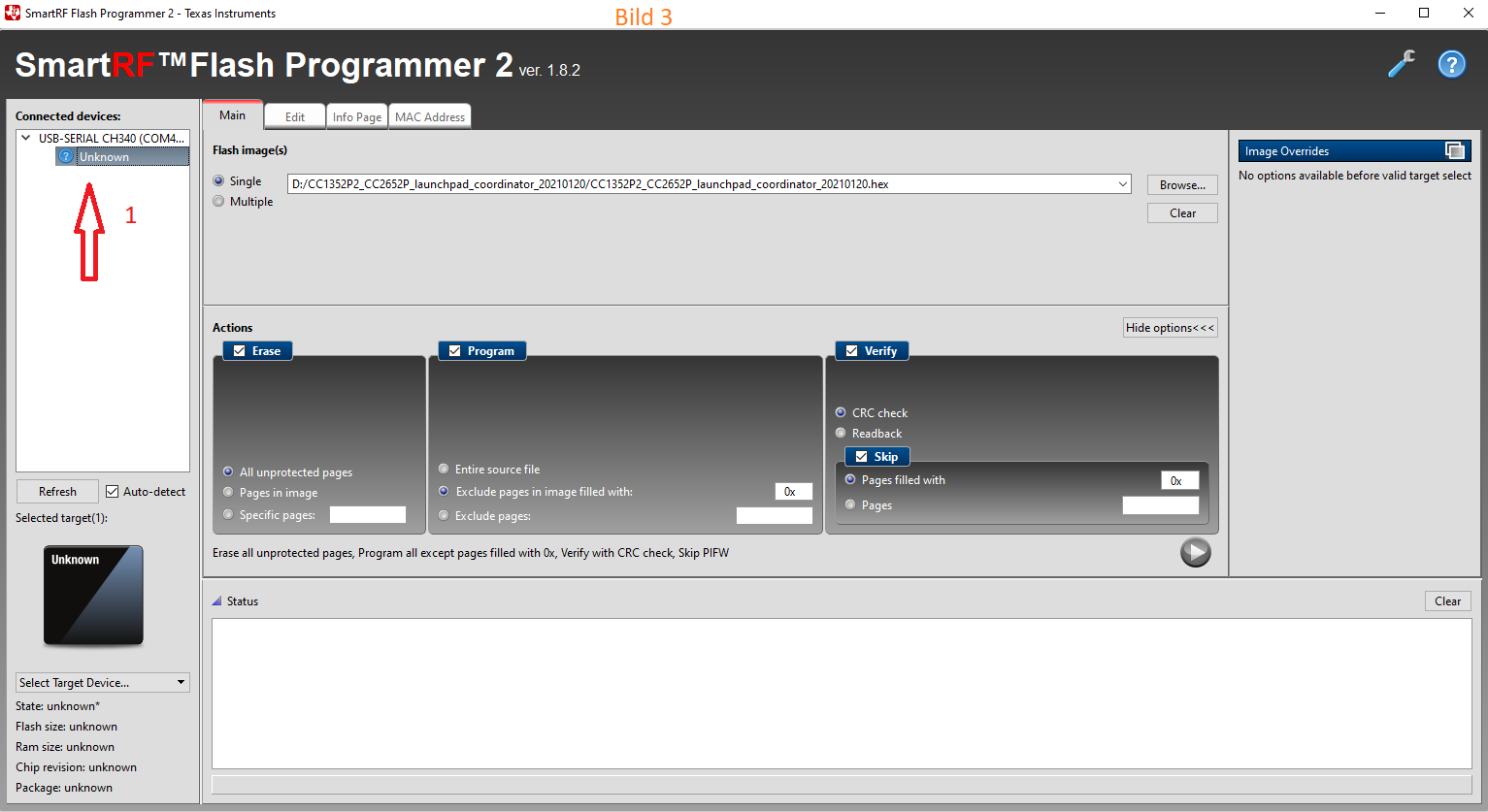
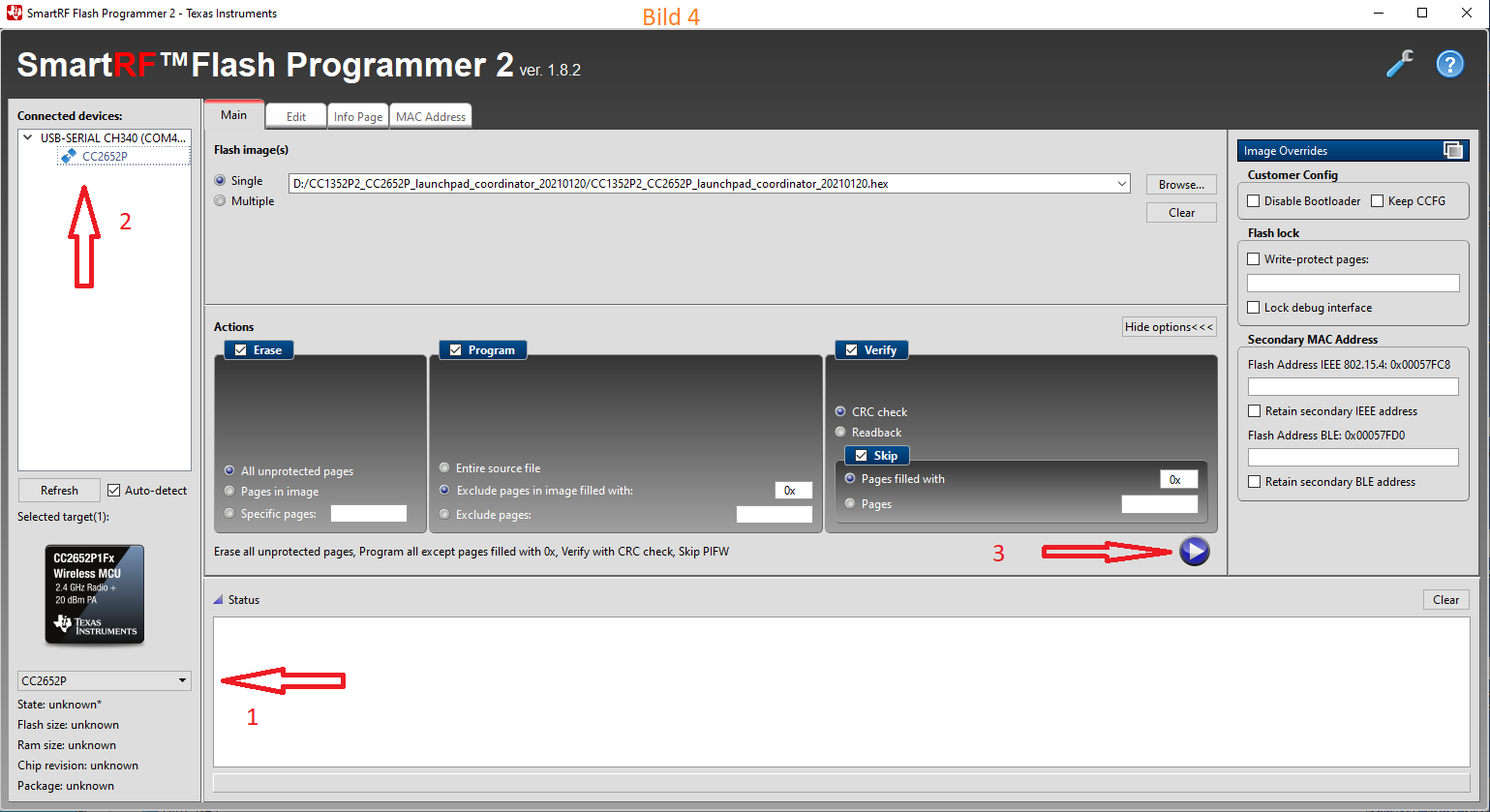
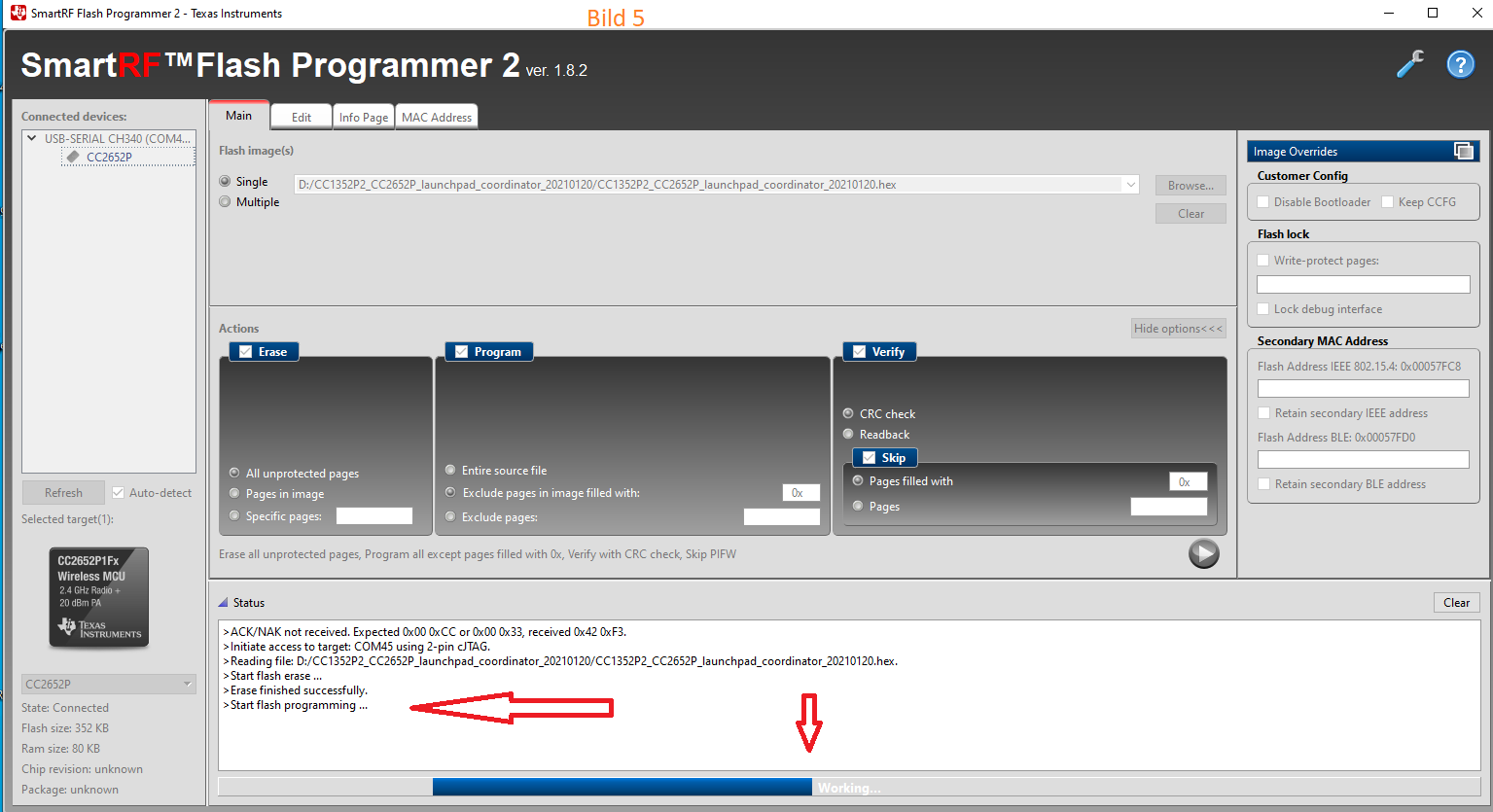
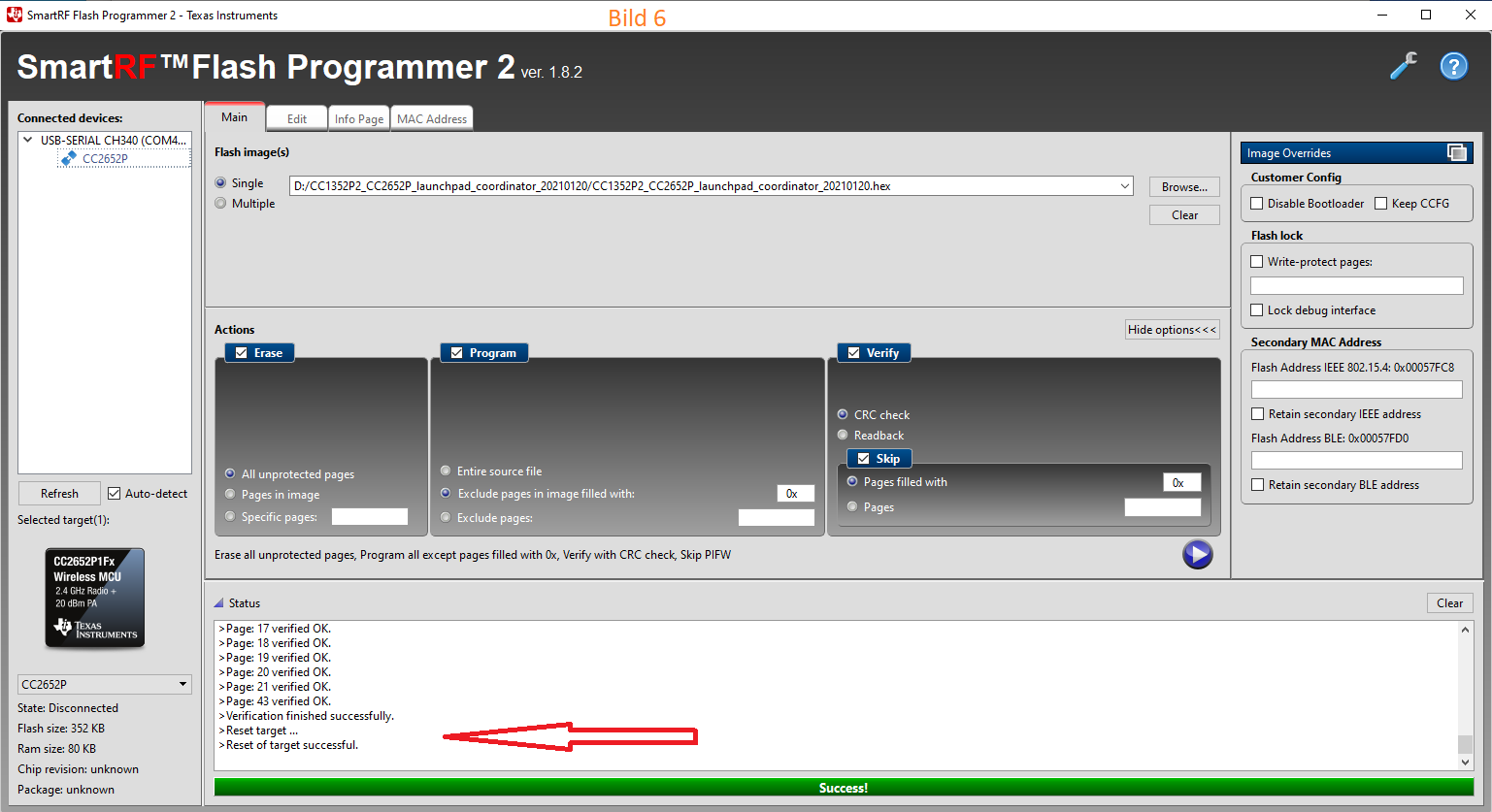
Anleitung V1 (SmartRF Flash Programmer 2. Funktioniert nicht mehr für Firmwares ab 11.2022)
Anleitung V2 (ZigStar Multitool)
Zigbee Modul flashen oder NVRAM löschen
Multitool
Für Windows ZigStarGW-MT-x64.exe.zip laden.Firmware flashen
-
Multitool runterladen, entpacken, starten.
-
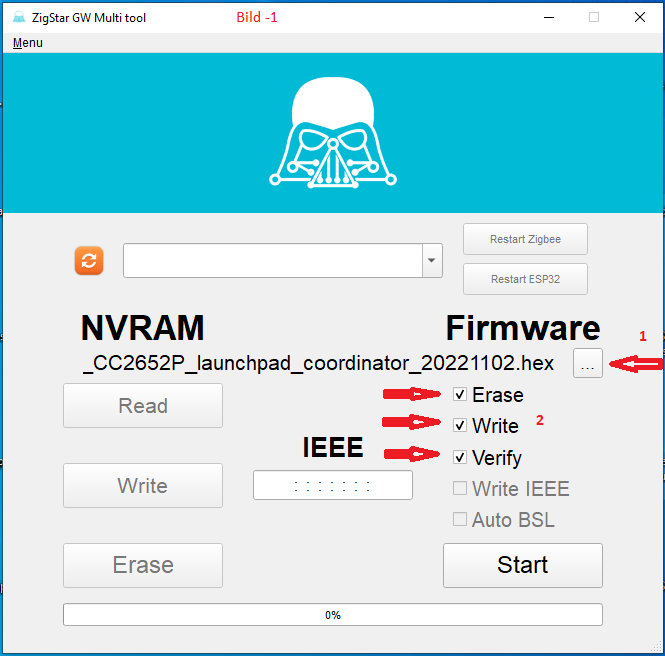
Aktuele Firmware auswählen (1), drei Hacken setzen (2)
-
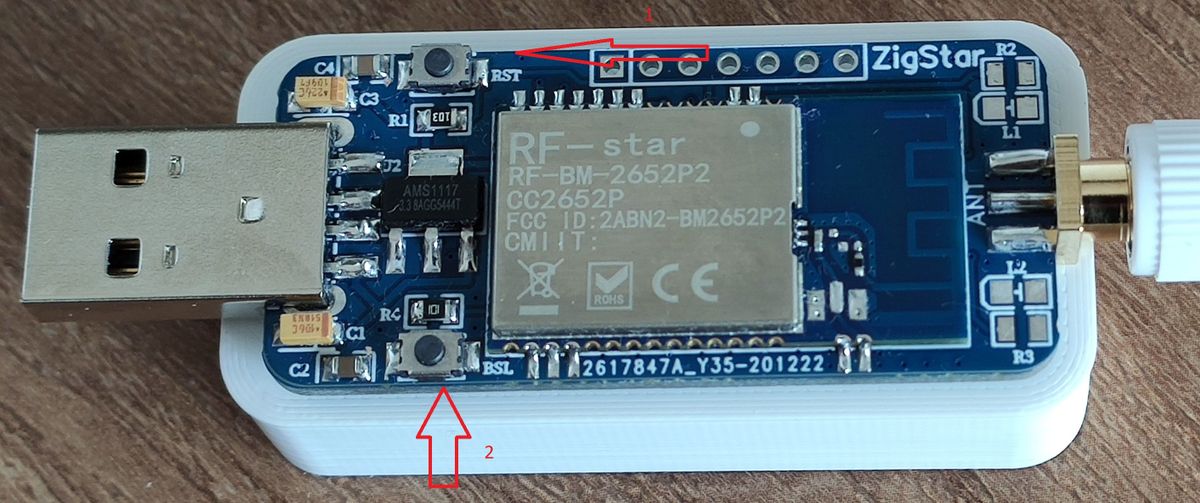
Stick vorbereiten.
Es gibt zwei Möglichkeiten.
A. Taste 2 (BSL) gedrückt halten -> Stick einstecken -> Taste los lassen.
B. Stick einstecken -> Taste 1 (RST) drücken und gedrückt halten - Taste 2 (BSL) drücken und gedrückt halten -> Taste 1 los lassen -> nach 1-2 sek Taste 2 los lassen. -
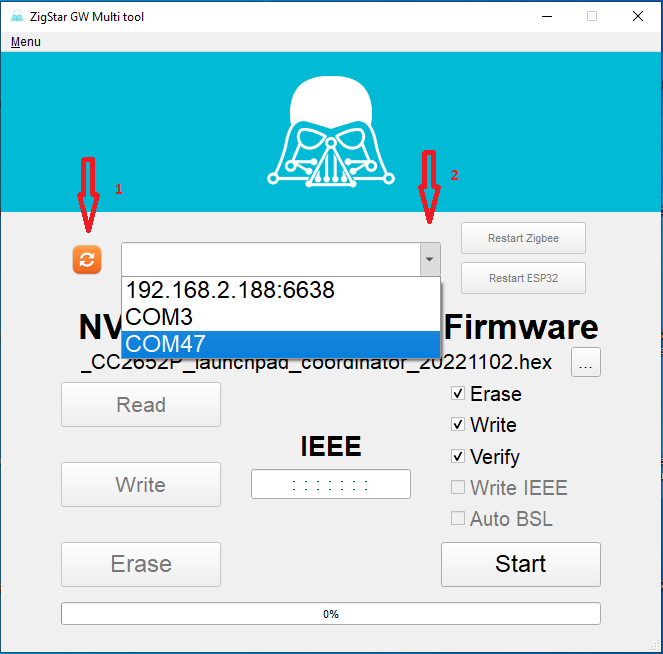
Orangene Button clicken (1) und ungefähr 5 Sekunden warten. Richtige ComPort wählen (2).
-
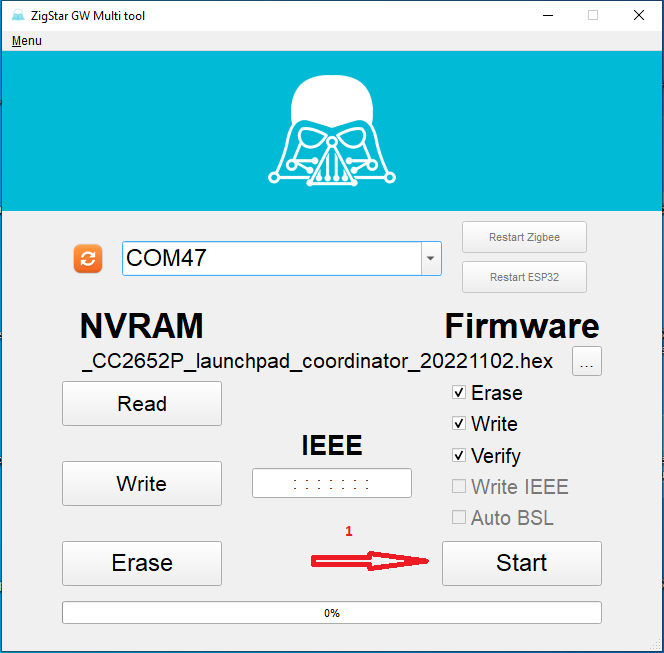
Start clicken.
-
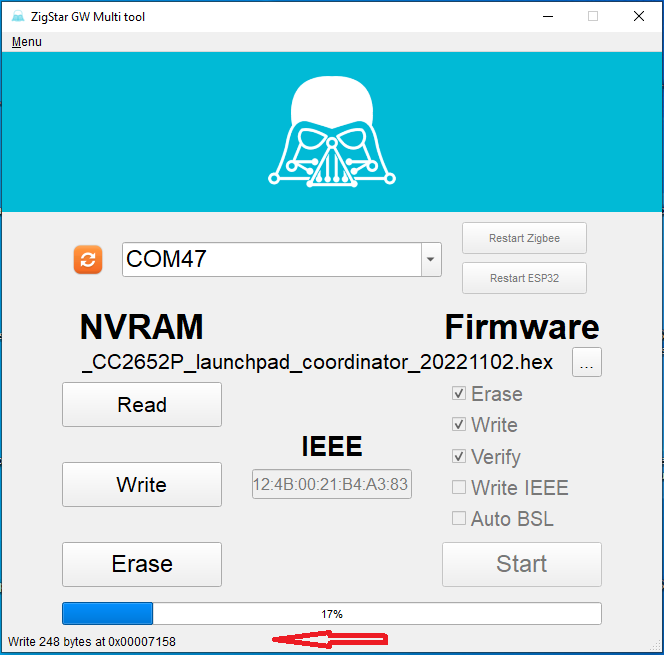
Wenn es richtig funktioniert, dann sieht es so aus.
-
Wenn erfolgreich gelaufen ist.
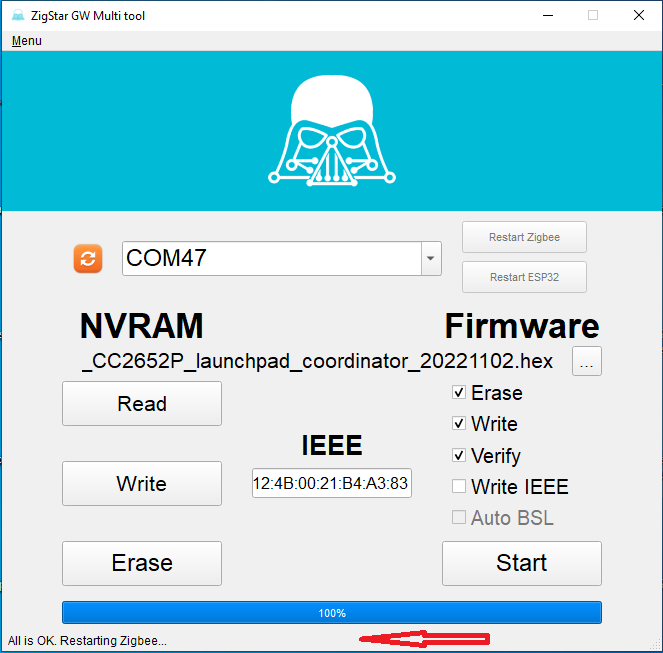
Fertig.
P.S.: Falls der Stick im Windows nicht erkannt wird, folgende Treiber installieren:
https://www.makershop.de/ch340-341-usb-installieren/ -

Support us
587
Online32.4k
Users81.5k
Topics1.3m
Posts