




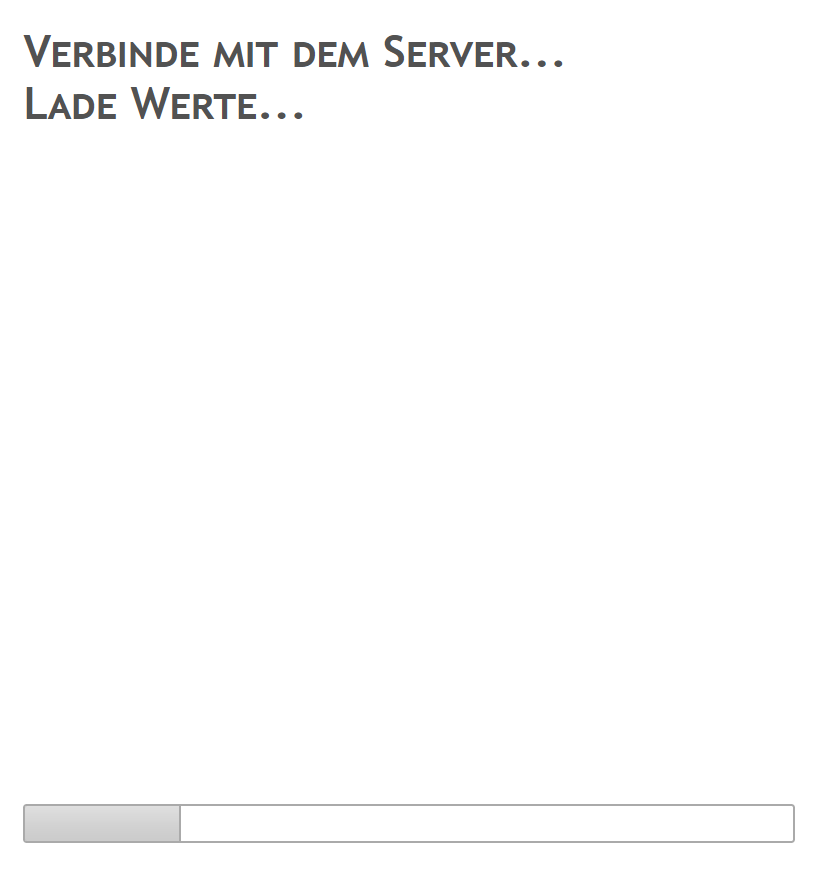
VIS Seite wird nicht aufgebaut
-
@Gabe mal einen Browser refresh gemacht (STRG-F5)?
wenn das auch nicht hilft bitte mal die Ausgabe von
iobroker list adapters -
@Gabe mal einen Browser refresh gemacht (STRG-F5)?
wenn das auch nicht hilft bitte mal die Ausgabe von
iobroker list adapters@Homoran said in VIS Seite wird nicht aufgebaut:
iobroker list adapters
Jupp sogar pi nochmal komplett neu gestartet
pi@raspberrypi:/opt/iobroker $ iobroker list adapters system.adapter.admin : admin - v4.0.10 system.adapter.alarm : alarm - v1.2.3 system.adapter.alexa2 : alexa2 - v3.3.1 system.adapter.backitup : backitup - v1.5.8 system.adapter.daswetter : daswetter - v3.0.1 system.adapter.deconz : deconz - v1.3.10 system.adapter.discovery : discovery - v2.3.7 system.adapter.dwd : dwd - v2.4.9 system.adapter.email : email - v1.0.7 system.adapter.fritzbox : fritzbox - v0.2.1 system.adapter.history : history - v1.9.10 system.adapter.ical : ical - v1.7.4 system.adapter.icons-icons8 : icons-icons8 - v0.0.1 system.adapter.icons-mfd-png : icons-mfd-png - v1.0.2 system.adapter.icons-mfd-svg : icons-mfd-svg - v1.0.2 system.adapter.info : info - v1.7.5 system.adapter.javascript : javascript - v4.6.17 system.adapter.linkeddevices : linkeddevices - v1.2.2 system.adapter.material : material - v0.13.9 system.adapter.netatmo : netatmo - v1.3.1 system.adapter.node-red : node-red - v1.17.2 system.adapter.radar2 : radar2 - v1.0.9 system.adapter.roomba : roomba - v1.1.1 system.adapter.rpi2 : rpi2 - v1.2.0 system.adapter.shuttercontrol : shuttercontrol - v0.8.1 system.adapter.simple-api : simple-api - v2.4.6 system.adapter.socketio : socketio - v3.0.13 system.adapter.tr-064 : tr-064 - v4.0.9 system.adapter.trashschedule : trashschedule - v0.0.11 system.adapter.vis : vis - v1.2.4 system.adapter.vis-fancyswitch : vis-fancyswitch - v1.1.0 system.adapter.vis-hqwidgets : vis-hqwidgets - v1.1.4 system.adapter.vis-jqui-mfd : vis-jqui-mfd - v1.0.12 system.adapter.vis-metro : vis-metro - v1.1.2 system.adapter.vis-players : vis-players - v0.1.6 system.adapter.vis-timeandweather : vis-timeandweather - v1.1.7 system.adapter.web : web - v3.0.12 system.adapter.wetty : wetty - v0.1.1 system.adapter.worx : worx - v1.2.3 system.adapter.zwave : zwave - v2.0.1 system.adapter.zwave2 : zwave2 - v1.3.8 -
@Homoran jetzt sollte es alles sein
pi@raspberrypi:/opt/iobroker $ iobroker update Used repository: default hash unchanged, use cached sources update done Adapter "admin" : 4.0.10 , installed 4.0.10 Adapter "alarm" : 1.2.3 , installed 1.2.3 Adapter "alexa2" : 3.3.1 , installed 3.3.1 Adapter "alpha2" : 1.0.0 Adapter "amazon-dash" : 1.1.0 Adapter "artnet" : 1.2.2 Adapter "asterisk" : 1.0.6 Adapter "asuswrt" : 1.0.1 Adapter "b-control-em" : 0.2.1 Adapter "backitup" : 1.5.8 , installed 1.5.8 Adapter "beckhoff" : 1.2.2 Adapter "benq" : 0.2.0 Adapter "binance" : 1.1.3 Adapter "ble" : 0.11.6 Adapter "bmw" : 1.3.3 Adapter "bosesoundtouch": 0.2.4 Adapter "botvac" : 1.0.0 Adapter "bring" : 1.7.2 Adapter "broadlink2" : 2.0.3 Adapter "bsblan" : 0.1.2 Adapter "bshb" : 0.1.10 Adapter "chromecast" : 2.3.1 Adapter "cloud" : 3.0.4 Adapter "comfoair" : 0.3.2 Adapter "contactid" : 1.0.1 Adapter "coronavirus-statistics": 0.6.0 Adapter "countdown" : 1.1.0 Adapter "cul" : 1.2.1 Adapter "daikin" : 1.0.5 Adapter "daswetter" : 3.0.1 , installed 3.0.1 Adapter "deconz" : 1.3.10 , installed 1.3.10 Adapter "denon" : 1.7.7 Adapter "devices" : 0.3.6 Adapter "digitalstrom" : 0.5.5 Adapter "discovergy" : 0.5.0 Adapter "discovery" : 2.3.7 , installed 2.3.7 Adapter "doorio" : 1.0.10 Adapter "ds18b20" : 1.1.4 Adapter "dwd" : 2.4.10 , installed 2.4.10 Adapter "ebus" : 2.1.1 Adapter "ecovacs-deebot": 1.0.3 Adapter "egigeozone" : 0.1.2 Adapter "ekey" : 1.1.0 Adapter "email" : 1.0.7 , installed 1.0.7 Adapter "emby" : 1.0.2 Adapter "energymanager" : 1.2.3 Adapter "enet" : 1.0.1 Adapter "epson_stylus_px830": 0.2.1 Adapter "exchangerates" : 0.0.13 Adapter "fakeroku" : 0.2.1 Adapter "fb-checkpresence": 1.0.4 Adapter "feiertage" : 1.0.17 Adapter "fhem" : 1.5.3 Adapter "find-my-iphone": 0.2.15 Adapter "firetv" : 0.0.27 Adapter "flot" : 1.9.2 Adapter "foobar2000" : 2.0.3 Adapter "fritzbox" : 0.2.1 , installed 0.2.1 Adapter "fritzdect" : 0.2.4 Adapter "fronius" : 1.0.5 Adapter "fullcalendar" : 1.1.0 Adapter "fullybrowser" : 1.0.3 Adapter "g-homa" : 0.5.3 Adapter "geofency" : 0.3.2 Adapter "gruenbeck" : 0.0.18 Adapter "habpanel" : 0.4.3 Adapter "haier" : 1.0.2 Adapter "ham" : 1.1.2 Adapter "ham-wemo" : 1.0.1 Adapter "harmony" : 1.2.2 Adapter "heatingcontrol": 0.5.7 Adapter "heytech" : 0.2.0 Adapter "hid" : 0.1.17 Adapter "history" : 1.9.10 , installed 1.9.10 Adapter "hm-rega" : 2.6.14 Adapter "hm-rpc" : 1.14.15 Adapter "hmip" : 1.2.0 Adapter "homeconnect" : 0.0.30 Adapter "homee" : 1.0.7 Adapter "homepilot" : 1.0.3 Adapter "hp-ilo" : 1.0.6 Adapter "hs100" : 2.0.0 Adapter "hue" : 3.3.5 Adapter "hue-extended" : 2.0.0 Adapter "ical" : 1.7.4 , installed 1.7.4 Adapter "icons-addictive-flavour-png": 0.1.0 Adapter "icons-fatcow-hosting": 0.1.0 Adapter "icons-icons8" : 0.0.1 , installed 0.0.1 Adapter "icons-material-png": 0.1.0 Adapter "icons-material-svg": 0.1.0 Adapter "icons-mfd-png" : 1.0.2 , installed 1.0.2 Adapter "icons-mfd-svg" : 1.0.2 , installed 1.0.2 Adapter "icons-open-icon-library-png": 0.1.2 Adapter "icons-ultimate-png": 1.0.1 Adapter "influxdb" : 1.9.1 Adapter "info" : 1.7.2 , installed 1.7.5 Adapter "innogy-smarthome": 0.3.6 Adapter "iogo" : 0.5.10 Adapter "iot" : 1.5.3 Adapter "iqontrol" : 1.1.5 Adapter "javascript" : 4.6.17 , installed 4.6.17 Adapter "jeelink" : 0.1.0 Controller "js-controller" : 3.1.6 , installed 3.1.6 Adapter "kecontact" : 0.1.0 Adapter "klf200" : 1.0.1 Adapter "km200" : 1.1.6 Adapter "knmi-weather" : 0.2.0 Adapter "knx" : 1.0.39 Adapter "kodi" : 2.0.4 Adapter "kress" : 2.5.5 Adapter "lametric" : 0.0.9 Adapter "landroid" : 1.0.3 Adapter "lcn" : 0.3.2 Adapter "letrika_comgw" : 0.0.5 Adapter "lgtv" : 1.1.10 Adapter "lgtv-rs" : 0.1.0 Adapter "lgtv11" : 1.0.5 Adapter "lifx" : 0.1.0 Adapter "lightify" : 0.2.16 Adapter "link" : 0.5.9 Adapter "linkeddevices" : 1.2.2 , installed 1.2.2 Adapter "logparser" : 1.0.4 Adapter "lovelace" : 1.0.16 Adapter "loxone" : 1.1.0 Adapter "luftdaten" : 0.0.17 Adapter "lupusec" : 1.2.6 Adapter "luxtronik1" : 0.2.2 Adapter "material" : 0.13.9 , installed 0.13.9 Adapter "maxcube" : 0.1.2 Adapter "maxcul" : 1.3.0 Adapter "mbus" : 2.2.2 Adapter "mclighting" : 0.1.1 Adapter "megad" : 1.2.1 Adapter "megadd" : 0.2.0 Adapter "megaesp" : 0.1.0 Adapter "melcloud" : 1.0.6 Adapter "mercedesme" : 0.0.21 Adapter "mercury" : 0.1.1 Adapter "meross" : 1.5.0 Adapter "meteoalarm" : 1.0.9 Adapter "midea" : 0.0.6 Adapter "miele" : 0.1.5 Adapter "mielecloudservice": 1.2.4 Adapter "mihome" : 1.3.0 Adapter "mihome-lamp" : 1.1.0 Adapter "mihome-plug" : 0.2.0 Adapter "mihome-vacuum" : 2.0.7 Adapter "mikrotik" : 1.0.11 Adapter "milight" : 0.3.6 Adapter "milight-smart-light": 0.2.7 Adapter "mobile" : 1.0.1 Adapter "modbus" : 3.1.6 Adapter "moma" : 1.2.6 Adapter "mpd" : 1.0.5 Adapter "mqtt" : 2.1.4 Adapter "mqtt-client" : 1.3.1 Adapter "musiccast" : 0.1.3 Adapter "mysensors" : 2.0.1 Adapter "nanoleaf-lightpanels": 0.8.1 Adapter "nello" : 2.0.6 Adapter "netatmo" : 1.3.1 , installed 1.3.1 Adapter "nibeuplink" : 0.3.0 Adapter "nina" : 0.0.22 Adapter "node-red" : 1.17.2 , installed 1.17.2 Adapter "nuki" : 1.3.0 Adapter "nuki-extended" : 2.3.0 Adapter "nut" : 1.1.3 Adapter "odl" : 1.0.5 Adapter "oilfox" : 0.0.5 Adapter "onkyo" : 2.0.3 Adapter "onvif" : 0.4.4 Adapter "openhab" : 1.1.0 Adapter "openligadb" : 1.1.0 Adapter "openweathermap": 0.1.0 Adapter "opi" : 0.1.1 Adapter "oppoplayer" : 0.2.1 Adapter "owfs" : 0.6.4 Adapter "owntracks" : 0.6.3 Adapter "panasonic-viera": 1.0.2 Adapter "parser" : 1.0.7 Adapter "paw" : 0.0.7 Adapter "phantomjs" : 1.0.1 Adapter "pi-hole" : 1.3.1 Adapter "piface" : 1.0.0 Adapter "pimatic" : 0.3.0 Adapter "ping" : 1.4.8 Adapter "places" : 1.0.0 Adapter "plex" : 0.8.11 Adapter "plexconnect" : 0.0.7 Adapter "pollenflug" : 1.0.6 Adapter "proxmox" : 1.0.1 Adapter "proxy" : 1.1.1 Adapter "pushbullet" : 0.0.11 Adapter "pushover" : 2.0.2 Adapter "pushsafer" : 0.1.8 Adapter "radar2" : 1.0.9 , installed 1.0.9 Adapter "radiohead" : 1.0.7 Adapter "rflink" : 2.0.0 Adapter "rickshaw" : 1.0.0 Adapter "ring" : 1.1.3 Adapter "robonect" : 0.1.3 Adapter "roomba" : 1.1.1 , installed 1.1.1 Adapter "rpi2" : 1.2.0 , installed 1.2.0 Adapter "s7" : 1.1.8 Adapter "samsung" : 0.2.9 Adapter "sayit" : 1.9.8 Adapter "sbfspot" : 4.0.0 Adapter "scenes" : 1.1.0 Adapter "schoolfree" : 0.6.3 Adapter "shelly" : 4.0.2 Adapter "shuttercontrol": 0.6.2 , installed 0.8.1 Adapter "sia" : 1.0.4 Adapter "siegenia" : 1.0.0 Adapter "simple-api" : 2.4.6 , installed 2.4.7 Adapter "smappee" : 0.2.2 Adapter "smartgarden" : 1.0.1 Adapter "smartmeter" : 3.1.2 Adapter "snips" : 1.5.1 Adapter "snmp" : 0.5.0 Adapter "socketio" : 3.0.13 , installed 3.0.12 [Updateable] Adapter "solarlog" : 2.0.0 Adapter "solarviewdatareader": 0.2.1 Adapter "solarwetter" : 1.0.0 Adapter "sonnen" : 1.6.0 Adapter "sonoff" : 2.3.3 Adapter "sonos" : 2.1.0 Adapter "sony-bravia" : 1.0.1 Adapter "spotify-premium": 1.0.0 Adapter "sql" : 1.15.2 Adapter "squeezebox" : 1.0.0 Adapter "squeezeboxrpc" : 1.0.0 Adapter "starline" : 1.0.0 Adapter "statistics" : 0.2.2 Adapter "stiebel-isg" : 1.5.1 Adapter "sunnyportal" : 0.1.5 Adapter "swiss-weather-api": 0.3.0 Adapter "synology" : 0.1.18 Adapter "systeminfo" : 0.3.1 Adapter "tahoma" : 0.3.2 Adapter "tankerkoenig" : 2.0.5 Adapter "telegram" : 1.5.9 Adapter "terminal" : 0.1.2 Adapter "tesla-motors" : 0.2.3 Adapter "text2command" : 1.3.0 Adapter "tinker" : 1.1.0 Adapter "tr-064" : 4.0.9 , installed 4.0.9 Adapter "tradfri" : 2.6.3 Adapter "trashschedule" : 0.0.11 , installed 0.0.11 Adapter "tunnelbroker-endpoint-updater": 0.0.1 Adapter "tuya" : 3.3.9 Adapter "tvspielfilm" : 1.0.4 Adapter "unifi" : 0.5.7 Adapter "upnp" : 1.0.16 Adapter "vaillant" : 0.0.10 Adapter "valloxmv" : 1.1.1 Adapter "vcard" : 0.0.9 Adapter "velux" : 0.0.5 Adapter "viessmann" : 1.2.5 Adapter "virtualpowermeter": 1.2.1 Adapter "vis" : 1.2.11 , installed 1.2.11 Adapter "vis-bars" : 0.1.4 Adapter "vis-canvas-gauges": 0.1.5 Adapter "vis-colorpicker": 1.1.1 Adapter "vis-fancyswitch": 1.1.0 , installed 1.1.0 Adapter "vis-google-fonts": 0.1.0 Adapter "vis-history" : 1.0.0 Adapter "vis-hqwidgets" : 1.1.4 , installed 1.1.4 Adapter "vis-icontwo" : 0.10.0 Adapter "vis-inventwo" : 1.3.8 Adapter "vis-jqui-mfd" : 1.0.12 , installed 1.0.12 Adapter "vis-justgage" : 1.0.2 Adapter "vis-keyboard" : 0.0.2 Adapter "vis-lcars" : 1.0.4 Adapter "vis-map" : 1.0.4 Adapter "vis-metro" : 1.1.2 , installed 1.1.2 Adapter "vis-players" : 0.1.6 , installed 0.1.6 Adapter "vis-plumb" : 1.0.2 , installed 1.0.2 Adapter "vis-rgraph" : 0.0.2 Adapter "vis-timeandweather": 1.1.7 , installed 1.1.7 Adapter "vis-weather" : 2.5.2 Adapter "vr200" : 1.0.0 Adapter "vw-connect" : 0.0.15 Adapter "weatherunderground": 3.2.1 Adapter "web" : 3.0.12 , installed 3.0.11 [Updateable] Adapter "weishaupt-wem" : 0.0.8 Adapter "wiffi-wz" : 2.2.0 Adapter "wifilight" : 1.1.0 Adapter "windows-control": 0.1.5 Adapter "wled" : 0.5.2 Adapter "wm-bus" : 0.1.12 Adapter "wolf" : 0.9.2 Adapter "worx" : 1.2.3 , installed 1.2.3 Adapter "xbox" : 0.6.5 Adapter "xs1" : 1.0.2 Adapter "yahka" : 0.11.0 Adapter "yamaha" : 0.3.19 Adapter "yeelight-2" : 1.0.3 Adapter "youtube" : 0.0.11 Adapter "yr" : 2.0.3 Adapter "zigbee" : 1.2.1 Adapter "zont" : 0.5.3 Adapter "zwave" : 2.0.1 , installed 2.0.1 Adapter "zwave2" : 1.5.0 , installed 1.6.3 pi@raspberrypi:/opt/iobroker $ iobroker upgrade Adapter "admin" is up to date. Adapter "alarm" is up to date. Adapter "alexa2" is up to date. Adapter "alpha2" is not installed. Adapter "amazon-dash" is not installed. Adapter "artnet" is not installed. Adapter "asterisk" is not installed. Adapter "asuswrt" is not installed. Adapter "b-control-em" is not installed. Adapter "backitup" is up to date. Adapter "beckhoff" is not installed. Adapter "benq" is not installed. Adapter "binance" is not installed. Adapter "ble" is not installed. Adapter "bmw" is not installed. Adapter "bosesoundtouch" is not installed. Adapter "botvac" is not installed. Adapter "bring" is not installed. Adapter "broadlink2" is not installed. Adapter "bsblan" is not installed. Adapter "bshb" is not installed. Adapter "chromecast" is not installed. Adapter "cloud" is not installed. Adapter "comfoair" is not installed. Adapter "contactid" is not installed. Adapter "coronavirus-statistics" is not installed. Adapter "countdown" is not installed. Adapter "cul" is not installed. Adapter "daikin" is not installed. Adapter "daswetter" is up to date. Adapter "deconz" is up to date. Adapter "denon" is not installed. Adapter "devices" is not installed. Adapter "digitalstrom" is not installed. Adapter "discovergy" is not installed. Adapter "discovery" is up to date. Adapter "doorio" is not installed. Adapter "ds18b20" is not installed. Adapter "dwd" is up to date. Adapter "ebus" is not installed. Adapter "ecovacs-deebot" is not installed. Adapter "egigeozone" is not installed. Adapter "ekey" is not installed. Adapter "email" is up to date. Adapter "emby" is not installed. Adapter "energymanager" is not installed. Adapter "enet" is not installed. Adapter "epson_stylus_px830" is not installed. Adapter "exchangerates" is not installed. Adapter "fakeroku" is not installed. Adapter "fb-checkpresence" is not installed. Adapter "feiertage" is not installed. Adapter "fhem" is not installed. Adapter "find-my-iphone" is not installed. Adapter "firetv" is not installed. Adapter "flot" is not installed. Adapter "foobar2000" is not installed. Adapter "fritzbox" is up to date. Adapter "fritzdect" is not installed. Adapter "fronius" is not installed. Adapter "fullcalendar" is not installed. Adapter "fullybrowser" is not installed. Adapter "g-homa" is not installed. Adapter "geofency" is not installed. Adapter "gruenbeck" is not installed. Adapter "habpanel" is not installed. Adapter "haier" is not installed. Adapter "ham" is not installed. Adapter "ham-wemo" is not installed. Adapter "harmony" is not installed. Adapter "heatingcontrol" is not installed. Adapter "heytech" is not installed. Adapter "hid" is not installed. Adapter "history" is up to date. Adapter "hm-rega" is not installed. Adapter "hm-rpc" is not installed. Adapter "hmip" is not installed. Adapter "homeconnect" is not installed. Adapter "homee" is not installed. Adapter "homepilot" is not installed. Adapter "hp-ilo" is not installed. Adapter "hs100" is not installed. Adapter "hue" is not installed. Adapter "hue-extended" is not installed. Adapter "ical" is up to date. Adapter "icons-addictive-flavour-png" is not installed. Adapter "icons-fatcow-hosting" is not installed. Adapter "icons-icons8" is up to date. Adapter "icons-material-png" is not installed. Adapter "icons-material-svg" is not installed. Adapter "icons-mfd-png" is up to date. Adapter "icons-mfd-svg" is up to date. Adapter "icons-open-icon-library-png" is not installed. Adapter "icons-ultimate-png" is not installed. Adapter "influxdb" is not installed. Adapter "info" is up to date. Adapter "innogy-smarthome" is not installed. Adapter "iogo" is not installed. Adapter "iot" is not installed. Adapter "iqontrol" is not installed. Adapter "javascript" is up to date. Adapter "jeelink" is not installed. Adapter "kecontact" is not installed. Adapter "klf200" is not installed. Adapter "km200" is not installed. Adapter "knmi-weather" is not installed. Adapter "knx" is not installed. Adapter "kodi" is not installed. Adapter "kress" is not installed. Adapter "lametric" is not installed. Adapter "landroid" is not installed. Adapter "lcn" is not installed. Adapter "letrika_comgw" is not installed. Adapter "lgtv" is not installed. Adapter "lgtv-rs" is not installed. Adapter "lgtv11" is not installed. Adapter "lifx" is not installed. Adapter "lightify" is not installed. Adapter "link" is not installed. Adapter "linkeddevices" is up to date. Adapter "logparser" is not installed. Adapter "lovelace" is not installed. Adapter "loxone" is not installed. Adapter "luftdaten" is not installed. Adapter "lupusec" is not installed. Adapter "luxtronik1" is not installed. Adapter "material" is up to date. Adapter "maxcube" is not installed. Adapter "maxcul" is not installed. Adapter "mbus" is not installed. Adapter "mclighting" is not installed. Adapter "megad" is not installed. Adapter "megadd" is not installed. Adapter "megaesp" is not installed. Adapter "melcloud" is not installed. Adapter "mercedesme" is not installed. Adapter "mercury" is not installed. Adapter "meross" is not installed. Adapter "meteoalarm" is not installed. Adapter "midea" is not installed. Adapter "miele" is not installed. Adapter "mielecloudservice" is not installed. Adapter "mihome" is not installed. Adapter "mihome-lamp" is not installed. Adapter "mihome-plug" is not installed. Adapter "mihome-vacuum" is not installed. Adapter "mikrotik" is not installed. Adapter "milight" is not installed. Adapter "milight-smart-light" is not installed. Adapter "mobile" is not installed. Adapter "modbus" is not installed. Adapter "moma" is not installed. Adapter "mpd" is not installed. Adapter "mqtt" is not installed. Adapter "mqtt-client" is not installed. Adapter "musiccast" is not installed. Adapter "mysensors" is not installed. Adapter "nanoleaf-lightpanels" is not installed. Adapter "nello" is not installed. Adapter "netatmo" is up to date. Adapter "nibeuplink" is not installed. Adapter "nina" is not installed. Adapter "node-red" is up to date. Adapter "nuki" is not installed. Adapter "nuki-extended" is not installed. Adapter "nut" is not installed. Adapter "odl" is not installed. Adapter "oilfox" is not installed. Adapter "onkyo" is not installed. Adapter "onvif" is not installed. Adapter "openhab" is not installed. Adapter "openligadb" is not installed. Adapter "openweathermap" is not installed. Adapter "opi" is not installed. Adapter "oppoplayer" is not installed. Adapter "owfs" is not installed. Adapter "owntracks" is not installed. Adapter "panasonic-viera" is not installed. Adapter "parser" is not installed. Adapter "paw" is not installed. Adapter "phantomjs" is not installed. Adapter "pi-hole" is not installed. Adapter "piface" is not installed. Adapter "pimatic" is not installed. Adapter "ping" is not installed. Adapter "places" is not installed. Adapter "plex" is not installed. Adapter "plexconnect" is not installed. Adapter "pollenflug" is not installed. Adapter "proxmox" is not installed. Adapter "proxy" is not installed. Adapter "pushbullet" is not installed. Adapter "pushover" is not installed. Adapter "pushsafer" is not installed. Adapter "radar2" is up to date. Adapter "radiohead" is not installed. Adapter "rflink" is not installed. Adapter "rickshaw" is not installed. Adapter "ring" is not installed. Adapter "robonect" is not installed. Adapter "roomba" is up to date. Adapter "rpi2" is up to date. Adapter "s7" is not installed. Adapter "samsung" is not installed. Adapter "sayit" is not installed. Adapter "sbfspot" is not installed. Adapter "scenes" is not installed. Adapter "schoolfree" is not installed. Adapter "shelly" is not installed. Adapter "shuttercontrol" is up to date. Adapter "sia" is not installed. Adapter "siegenia" is not installed. Adapter "simple-api" is up to date. Adapter "smappee" is not installed. Adapter "smartgarden" is not installed. Adapter "smartmeter" is not installed. Adapter "snips" is not installed. Adapter "snmp" is not installed. Update socketio from @3.0.12 to @3.0.13 NPM version: 6.14.6 npm install iobroker.socketio@3.0.13 --loglevel error --prefix "/opt/iobroker" (System call) In file included from ../src/DeviceINQ.h:17, from ../src/linux/BluetoothSerialPort.cc:13: ../node_modules/nan/nan.h: In function ‘void Nan::AsyncQueueWorker(Nan::AsyncWorker*)’: ../node_modules/nan/nan.h:2294:62: warning: cast between incompatible function types from ‘void (*)(uv_work_t*)’ {aka ‘void (*)(uv_work_s*)’} to ‘uv_after_work_cb’ {aka ‘void (*)(uv_work_s*, int)’} [-Wcast-function-type] , reinterpret_cast<uv_after_work_cb>(AsyncExecuteComplete) ^ ../src/linux/BluetoothSerialPort.cc: At global scope: ../src/linux/BluetoothSerialPort.cc:18:14: error: variable or field ‘InitAll’ declared void void InitAll(Handle<Object> exports) { ^~~~~~ ../src/linux/BluetoothSerialPort.cc:18:14: error: ‘Handle’ was not declared in this scope ../src/linux/BluetoothSerialPort.cc:18:14: note: suggested alternative: ‘rand_r’ void InitAll(Handle<Object> exports) { ^~~~~~ rand_r ../src/linux/BluetoothSerialPort.cc:18:27: error: expected primary-expression before ‘>’ token void InitAll(Handle<Object> exports) { ^ ../src/linux/BluetoothSerialPort.cc:18:29: error: ‘exports’ was not declared in this scope void InitAll(Handle<Object> exports) { ^~~~~~~ In file included from ../src/linux/BluetoothSerialPort.cc:12: ../src/linux/BluetoothSerialPort.cc:23:34: error: ‘InitAll’ was not declared in this scope NODE_MODULE(BluetoothSerialPort, InitAll) ^~~~~~~ /home/iobroker/.cache/node-gyp/12.18.3/include/node/node.h:608:36: note: in definition of macro ‘NODE_MODULE_X’ (node::addon_register_func) (regfunc), \ ^~~~~~~ ../src/linux/BluetoothSerialPort.cc:23:1: note: in expansion of macro ‘NODE_MODULE’ NODE_MODULE(BluetoothSerialPort, InitAll) ^~~~~~~~~~~ make: *** [BluetoothSerialPort.target.mk:115: Release/obj.target/BluetoothSerialPort/src/linux/BluetoothSerialPort.o] Fehler 1 gyp ERR! build error gyp ERR! stack Error: `make` failed with exit code: 2 gyp ERR! stack at ChildProcess.onExit (/usr/lib/node_modules/npm/node_modules/npm-lifecycle/node_modules/node-gyp/lib/build.js:194:23) gyp ERR! stack at ChildProcess.emit (events.js:315:20) gyp ERR! stack at Process.ChildProcess._handle.onexit (internal/child_process.js:275:12) gyp ERR! System Linux 5.4.59-v7l+ gyp ERR! command "/usr/bin/node" "/usr/lib/node_modules/npm/node_modules/npm-lifecycle/node_modules/node-gyp/bin/node-gyp.js" "configure" "build" gyp ERR! cwd /opt/iobroker/node_modules/node-bluetooth gyp ERR! node -v v12.18.3 gyp ERR! node-gyp -v v5.1.1 gyp ERR! not ok upload [3] socketio.admin /opt/iobroker/node_modules/iobroker.socketio/admin/words.js words.js application/javascript upload [2] socketio.admin /opt/iobroker/node_modules/iobroker.socketio/admin/socketio.png socketio.png image/png upload [1] socketio.admin /opt/iobroker/node_modules/iobroker.socketio/admin/index_m.html index_m.html text/html upload [0] socketio.admin /opt/iobroker/node_modules/iobroker.socketio/admin/index.html index.html text/html Adapter "socketio" updated Adapter "solarlog" is not installed. Adapter "solarviewdatareader" is not installed. Adapter "solarwetter" is not installed. Adapter "sonnen" is not installed. Adapter "sonoff" is not installed. Adapter "sonos" is not installed. Adapter "sony-bravia" is not installed. Adapter "spotify-premium" is not installed. Adapter "sql" is not installed. Adapter "squeezebox" is not installed. Adapter "squeezeboxrpc" is not installed. Adapter "starline" is not installed. Adapter "statistics" is not installed. Adapter "stiebel-isg" is not installed. Adapter "sunnyportal" is not installed. Adapter "swiss-weather-api" is not installed. Adapter "synology" is not installed. Adapter "systeminfo" is not installed. Adapter "tahoma" is not installed. Adapter "tankerkoenig" is not installed. Adapter "telegram" is not installed. Adapter "terminal" is not installed. Adapter "tesla-motors" is not installed. Adapter "text2command" is not installed. Adapter "tinker" is not installed. Adapter "tr-064" is up to date. Adapter "tradfri" is not installed. Adapter "trashschedule" is up to date. Adapter "tunnelbroker-endpoint-updater" is not installed. Adapter "tuya" is not installed. Adapter "tvspielfilm" is not installed. Adapter "unifi" is not installed. Adapter "upnp" is not installed. Adapter "vaillant" is not installed. Adapter "valloxmv" is not installed. Adapter "vcard" is not installed. Adapter "velux" is not installed. Adapter "viessmann" is not installed. Adapter "virtualpowermeter" is not installed. Adapter "vis" is up to date. Adapter "vis-bars" is not installed. Adapter "vis-canvas-gauges" is not installed. Adapter "vis-colorpicker" is not installed. Adapter "vis-fancyswitch" is up to date. Adapter "vis-google-fonts" is not installed. Adapter "vis-history" is not installed. Adapter "vis-hqwidgets" is up to date. Adapter "vis-icontwo" is not installed. Adapter "vis-inventwo" is not installed. Adapter "vis-jqui-mfd" is up to date. Adapter "vis-justgage" is not installed. Adapter "vis-keyboard" is not installed. Adapter "vis-lcars" is not installed. Adapter "vis-map" is not installed. Adapter "vis-metro" is up to date. Adapter "vis-players" is up to date. Adapter "vis-plumb" is up to date. Adapter "vis-rgraph" is not installed. Adapter "vis-timeandweather" is up to date. Adapter "vis-weather" is not installed. Adapter "vr200" is not installed. Adapter "vw-connect" is not installed. Adapter "weatherunderground" is not installed. Update web from @3.0.11 to @3.0.12 NPM version: 6.14.6 npm install iobroker.web@3.0.12 --loglevel error --prefix "/opt/iobroker" (System call) In file included from ../src/DeviceINQ.h:17, from ../src/linux/BluetoothSerialPort.cc:13: ../node_modules/nan/nan.h: In function ‘void Nan::AsyncQueueWorker(Nan::AsyncWorker*)’: ../node_modules/nan/nan.h:2294:62: warning: cast between incompatible function types from ‘void (*)(uv_work_t*)’ {aka ‘void (*)(uv_work_s*)’} to ‘uv_after_work_cb’ {aka ‘void (*)(uv_work_s*, int)’} [-Wcast-function-type] , reinterpret_cast<uv_after_work_cb>(AsyncExecuteComplete) ^ ../src/linux/BluetoothSerialPort.cc: At global scope: ../src/linux/BluetoothSerialPort.cc:18:14: error: variable or field ‘InitAll’ declared void void InitAll(Handle<Object> exports) { ^~~~~~ ../src/linux/BluetoothSerialPort.cc:18:14: error: ‘Handle’ was not declared in this scope ../src/linux/BluetoothSerialPort.cc:18:14: note: suggested alternative: ‘rand_r’ void InitAll(Handle<Object> exports) { ^~~~~~ rand_r ../src/linux/BluetoothSerialPort.cc:18:27: error: expected primary-expression before ‘>’ token void InitAll(Handle<Object> exports) { ^ ../src/linux/BluetoothSerialPort.cc:18:29: error: ‘exports’ was not declared in this scope void InitAll(Handle<Object> exports) { ^~~~~~~ In file included from ../src/linux/BluetoothSerialPort.cc:12: ../src/linux/BluetoothSerialPort.cc:23:34: error: ‘InitAll’ was not declared in this scope NODE_MODULE(BluetoothSerialPort, InitAll) ^~~~~~~ /home/iobroker/.cache/node-gyp/12.18.3/include/node/node.h:608:36: note: in definition of macro ‘NODE_MODULE_X’ (node::addon_register_func) (regfunc), \ ^~~~~~~ ../src/linux/BluetoothSerialPort.cc:23:1: note: in expansion of macro ‘NODE_MODULE’ NODE_MODULE(BluetoothSerialPort, InitAll) ^~~~~~~~~~~ make: *** [BluetoothSerialPort.target.mk:115: Release/obj.target/BluetoothSerialPort/src/linux/BluetoothSerialPort.o] Fehler 1 gyp ERR! build error gyp ERR! stack Error: `make` failed with exit code: 2 gyp ERR! stack at ChildProcess.onExit (/usr/lib/node_modules/npm/node_modules/npm-lifecycle/node_modules/node-gyp/lib/build.js:194:23) gyp ERR! stack at ChildProcess.emit (events.js:315:20) gyp ERR! stack at Process.ChildProcess._handle.onexit (internal/child_process.js:275:12) gyp ERR! System Linux 5.4.59-v7l+ gyp ERR! command "/usr/bin/node" "/usr/lib/node_modules/npm/node_modules/npm-lifecycle/node_modules/node-gyp/bin/node-gyp.js" "configure" "build" gyp ERR! cwd /opt/iobroker/node_modules/node-bluetooth gyp ERR! node -v v12.18.3 gyp ERR! node-gyp -v v5.1.1 gyp ERR! not ok upload [3] web.admin /opt/iobroker/node_modules/iobroker.web/admin/words.js words.js application/javascript upload [2] web.admin /opt/iobroker/node_modules/iobroker.web/admin/web.png web.png image/png upload [1] web.admin /opt/iobroker/node_modules/iobroker.web/admin/index_m.html index_m.html text/html upload [0] web.admin /opt/iobroker/node_modules/iobroker.web/admin/index.html index.html text/html upload [350] web /opt/iobroker/node_modules/iobroker.web/www/lib/css/themes/jquery-ui/vader/images/ui-bg_highlight-hard_55_555555_1x100.png lib/css/themes/jquery-ui/vader/images/ui-bg_highlight-hard_55_555555_1x100.png image/png upload [300] web /opt/iobroker/node_modules/iobroker.web/www/lib/css/themes/jquery-ui/sunny/images/ui-bg_highlight-soft_100_feeebd_1x100.png lib/css/themes/jquery-ui/sunny/images/ui-bg_highlight-soft_100_feeebd_1x100.png image/png upload [250] web /opt/iobroker/node_modules/iobroker.web/www/lib/css/themes/jquery-ui/redmond/images/ui-icons_469bdd_256x240.png lib/css/themes/jquery-ui/redmond/images/ui-icons_469bdd_256x240.png image/png upload [200] web /opt/iobroker/node_modules/iobroker.web/www/lib/css/themes/jquery-ui/hot-sneaks/images/ui-icons_ffeb33_256x240.png lib/css/themes/jquery-ui/hot-sneaks/images/ui-icons_ffeb33_256x240.png image/png upload [150] web /opt/iobroker/node_modules/iobroker.web/www/lib/css/themes/jquery-ui/eggplant/images/ui-icons_ebccce_256x240.png lib/css/themes/jquery-ui/eggplant/images/ui-icons_ebccce_256x240.png image/png upload [100] web /opt/iobroker/node_modules/iobroker.web/www/lib/css/themes/jquery-ui/dark-hive/images/ui-bg_highlight-soft_44_444444_1x100.png lib/css/themes/jquery-ui/dark-hive/images/ui-bg_highlight-soft_44_444444_1x100.png image/png upload [90] web /opt/iobroker/node_modules/iobroker.web/www/lib/css/themes/jquery-ui/custom-light/images/ui-icons_cd0a0a_256x240.png lib/css/themes/jquery-ui/custom-light/images/ui-icons_cd0a0a_256x240.png image/png upload [80] web /opt/iobroker/node_modules/iobroker.web/www/lib/css/themes/jquery-ui/custom-light/images/ui-bg_glass_55_fbf9ee_1x400.png lib/css/themes/jquery-ui/custom-light/images/ui-bg_glass_55_fbf9ee_1x400.png image/png upload [70] web /opt/iobroker/node_modules/iobroker.web/www/lib/css/themes/jquery-ui/custom-dark/images/ui-bg_highlight-soft_40_62bfe1_1x100.png lib/css/themes/jquery-ui/custom-dark/images/ui-bg_highlight-soft_40_62bfe1_1x100.png image/png upload [60] web /opt/iobroker/node_modules/iobroker.web/www/lib/css/themes/jquery-ui/cupertino/images/ui-icons_2e83ff_256x240.png lib/css/themes/jquery-ui/cupertino/images/ui-icons_2e83ff_256x240.png image/png upload [50] web /opt/iobroker/node_modules/iobroker.web/www/lib/css/themes/jquery-ui/cupertino/images/ui-bg_diagonals-thick_90_eeeeee_40x40.png lib/css/themes/jquery-ui/cupertino/images/ui-bg_diagonals-thick_90_eeeeee_40x40.png image/png upload [40] web /opt/iobroker/node_modules/iobroker.web/www/lib/css/themes/jquery-ui/blitzer/images/ui-bg_glass_55_fbf8ee_1x400.png lib/css/themes/jquery-ui/blitzer/images/ui-bg_glass_55_fbf8ee_1x400.png image/png upload [30] web /opt/iobroker/node_modules/iobroker.web/www/lib/css/themes/jquery-ui/black-tie/images/ui-icons_ffcf29_256x240.png lib/css/themes/jquery-ui/black-tie/images/ui-icons_ffcf29_256x240.png image/png upload [20] web /opt/iobroker/node_modules/iobroker.web/www/lib/css/themes/jquery-ui/black-tie/images/ui-bg_glass_55_1c1c1c_1x400.png lib/css/themes/jquery-ui/black-tie/images/ui-bg_glass_55_1c1c1c_1x400.png image/png upload [19] web /opt/iobroker/node_modules/iobroker.web/www/lib/css/themes/jquery-ui/black-tie/images/ui-bg_glass_40_111111_1x400.png lib/css/themes/jquery-ui/black-tie/images/ui-bg_glass_40_111111_1x400.png image/png upload [18] web /opt/iobroker/node_modules/iobroker.web/www/lib/css/themes/jquery-ui/black-tie/images/ui-bg_flat_65_ffffff_40x100.png lib/css/themes/jquery-ui/black-tie/images/ui-bg_flat_65_ffffff_40x100.png image/png upload [17] web /opt/iobroker/node_modules/iobroker.web/www/lib/css/themes/jquery-ui/black-tie/images/ui-bg_diagonals-thick_8_333333_40x40.png lib/css/themes/jquery-ui/black-tie/images/ui-bg_diagonals-thick_8_333333_40x40.png image/png upload [16] web /opt/iobroker/node_modules/iobroker.web/www/lib/css/style.css lib/css/style.css text/css upload [15] web /opt/iobroker/node_modules/iobroker.web/www/lib/css/materialize.css lib/css/materialize.css text/css upload [14] web /opt/iobroker/node_modules/iobroker.web/www/lib/css/jqGrid/ui.jqgrid-4.5.4.css lib/css/jqGrid/ui.jqgrid-4.5.4.css text/css upload [13] web /opt/iobroker/node_modules/iobroker.web/www/lib/css/jqGrid/ellipsis-xbl.xml lib/css/jqGrid/ellipsis-xbl.xml application/xml upload [12] web /opt/iobroker/node_modules/iobroker.web/www/lib/css/iob/selectID.css.map lib/css/iob/selectID.css.map application/json upload [11] web /opt/iobroker/node_modules/iobroker.web/www/lib/css/iob/selectID.css lib/css/iob/selectID.css text/css upload [10] web /opt/iobroker/node_modules/iobroker.web/www/lib/css/fancytree/ui.fancytree.min.css lib/css/fancytree/ui.fancytree.min.css text/css upload [9] web /opt/iobroker/node_modules/iobroker.web/www/lib/css/fancytree/ui.fancytree.min-win7.css lib/css/fancytree/ui.fancytree.min-win7.css text/css upload [8] web /opt/iobroker/node_modules/iobroker.web/www/lib/css/fancytree/ui.fancytree.jquery.min.css lib/css/fancytree/ui.fancytree.jquery.min.css text/css upload [7] web /opt/iobroker/node_modules/iobroker.web/www/lib/css/fancytree/state.png lib/css/fancytree/state.png image/png upload [6] web /opt/iobroker/node_modules/iobroker.web/www/lib/css/fancytree/loading.gif lib/css/fancytree/loading.gif image/gif upload [5] web /opt/iobroker/node_modules/iobroker.web/www/lib/css/fancytree/icons.gif lib/css/fancytree/icons.gif image/gif upload [4] web /opt/iobroker/node_modules/iobroker.web/www/lib/css/fancytree/device.png lib/css/fancytree/device.png image/png upload [3] web /opt/iobroker/node_modules/iobroker.web/www/lib/css/fancytree/channel.png lib/css/fancytree/channel.png image/png upload [2] web /opt/iobroker/node_modules/iobroker.web/www/lib/css/bootstrap.min.css lib/css/bootstrap.min.css text/css upload [1] web /opt/iobroker/node_modules/iobroker.web/www/index.html index.html text/html upload [0] web /opt/iobroker/node_modules/iobroker.web/www/admin/img/admin.png admin/img/admin.png image/png Update "system.adapter.web.0" Adapter "web" updated Adapter "weishaupt-wem" is not installed. Adapter "wiffi-wz" is not installed. Adapter "wifilight" is not installed. Adapter "windows-control" is not installed. Adapter "wled" is not installed. Adapter "wm-bus" is not installed. Adapter "wolf" is not installed. Adapter "worx" is up to date. Adapter "xbox" is not installed. Adapter "xs1" is not installed. Adapter "yahka" is not installed. Adapter "yamaha" is not installed. Adapter "yeelight-2" is not installed. Adapter "youtube" is not installed. Adapter "yr" is not installed. Adapter "zigbee" is not installed. Adapter "zont" is not installed. Adapter "zwave" is up to date. Adapter "zwave2" is up to date.@Gabe sagte in VIS Seite wird nicht aufgebaut:
Adapter "vis" : 1.2.11 , installed 1.2.11
da ist was faul!
jetzt heisst es
@Gabe sagte in VIS Seite wird nicht aufgebaut:
system.adapter.vis : vis - v1.2.4
damit läuft es auch nicht.
mach mal einen
iobroker stop
iobroker upload vis
iobroker start
wenn dann immer noch die 1.2.4 drin ist musst du mal machen
iobroker stop iobroker update iobroker upgrade vis iobroker start -
@Gabe sagte in VIS Seite wird nicht aufgebaut:
Adapter "vis" : 1.2.11 , installed 1.2.11
da ist was faul!
jetzt heisst es
@Gabe sagte in VIS Seite wird nicht aufgebaut:
system.adapter.vis : vis - v1.2.4
damit läuft es auch nicht.
mach mal einen
iobroker stop
iobroker upload vis
iobroker start
wenn dann immer noch die 1.2.4 drin ist musst du mal machen
iobroker stop iobroker update iobroker upgrade vis iobroker start -
-
-
Hallo zusammen,
ich häng mich hier mal an - bin heute nach missglücktem Updateversuch hier gelandet und konnte zumindest mein System mit zwei downgrades wieder lauffähig bekommen, aber:
Ich habe mir leider nicht die Versionen vor dem Updateversuch aufgeschrieben, aber mein aktueller (lauffähiger) Stand ist folgender, mit dem ich in der Admin Oberfläche folgende (relevante) Versionen angezeigt bekomme (zur besseren Lesbarkeit in Code-Anzeige):
socketio      inst. 3.0.12 / verf. 3.0.13
web           inst. 3.0.11 / verf. 3.0.12
vis           inst. 1.2.11 / verf. 1.2.11
Jetzt hab ich versucht aus den ganzen Beiträgen oben schlau zu werden und dabei auch mal ein
cd /opt/iobroker/
iobroker list adapters
ausgeführt - jetzt wird's für mich undurchsichtig: die Ausgabe liefert (gekürzt)
system.adapter.admin                   : admin          - v4.0.10
system.adapter.socketio                : socketio       - v3.0.13
system.adapter.vis                     : vis            - v1.2.3
system.adapter.web                     : web            - v3.0.12
Für vis erhalte ich ein ältere Version als auf der Weboberfläche angezeigt (1.2.3 statt 1.2.11) und für web und socketio die aktuelleren 3.0.12/3.0.13, die ja eigentlich(tm) lt. WebAdapter korrekt auf 3.0.11/3.0.12 downgegradet sind?!
Wie mach ich jetzt hier sinnvoll weiter?
Alexander
-
Hallo zusammen,
ich häng mich hier mal an - bin heute nach missglücktem Updateversuch hier gelandet und konnte zumindest mein System mit zwei downgrades wieder lauffähig bekommen, aber:
Ich habe mir leider nicht die Versionen vor dem Updateversuch aufgeschrieben, aber mein aktueller (lauffähiger) Stand ist folgender, mit dem ich in der Admin Oberfläche folgende (relevante) Versionen angezeigt bekomme (zur besseren Lesbarkeit in Code-Anzeige):
socketio      inst. 3.0.12 / verf. 3.0.13
web           inst. 3.0.11 / verf. 3.0.12
vis           inst. 1.2.11 / verf. 1.2.11
Jetzt hab ich versucht aus den ganzen Beiträgen oben schlau zu werden und dabei auch mal ein
cd /opt/iobroker/
iobroker list adapters
ausgeführt - jetzt wird's für mich undurchsichtig: die Ausgabe liefert (gekürzt)
system.adapter.admin                   : admin          - v4.0.10
system.adapter.socketio                : socketio       - v3.0.13
system.adapter.vis                     : vis            - v1.2.3
system.adapter.web                     : web            - v3.0.12
Für vis erhalte ich ein ältere Version als auf der Weboberfläche angezeigt (1.2.3 statt 1.2.11) und für web und socketio die aktuelleren 3.0.12/3.0.13, die ja eigentlich(tm) lt. WebAdapter korrekt auf 3.0.11/3.0.12 downgegradet sind?!
Wie mach ich jetzt hier sinnvoll weiter?
Alexander
@xelarep sagte in VIS Seite wird nicht aufgebaut:
Für vis erhalte ich ein ältere Version als auf der Weboberfläche angezeigt
Da ich nicht weiß wie du es up und wieder downgegradet hast, mach mal ein
iobroker upload visoder besser:iobroker stop vis iobrpker upload vis iobroker start visDas selbe kannst du auch mal mit den anderen Beiden Adaptern versuchen.
-
@xelarep sagte in VIS Seite wird nicht aufgebaut:
Für vis erhalte ich ein ältere Version als auf der Weboberfläche angezeigt
Da ich nicht weiß wie du es up und wieder downgegradet hast, mach mal ein
iobroker upload visoder besser:iobroker stop vis iobrpker upload vis iobroker start visDas selbe kannst du auch mal mit den anderen Beiden Adaptern versuchen.
@Homoran die ursprünglichen Update habe ich aus der Weboberfläche heraus gemacht. Die Downgrades auf der Konsole mit
cd /opt/iobroker/
npm install iobroker.socketio@3.0.12
bzw.
npm install iobroker.web@3.0.11
und anschliessendem reboot.
Der vis ist seither unverändert - ich fang hier mal wie von dir vorgeschlagen mit dem vis an an...
[Nachtrag 1]
... ich hab jetzt per stop / upload / start alle drei Adapter mit selben Versionen in Konsole und web Oberfläche. Jetzt versuch ich per Weboberfläche mal den socketio und web hochzuziehen...[Nachtrag 2]
--- läuft jetzt. Zuerst den socketio hochgezogen, dann den web. Kurze Schrecksekunde, wegen kleinem Schluckauf, aber dann kamen meine Oberflächen hoch.Es scheint also am vis-Adapter gelegen zu haben!
Danke für die Unterstützung!
[Nachtrag 3]
Evtl. OT: ich hab gerade mal die Versionsnummer in der Web-Oberfläche mit der Ausgabe von 'iobroker list adapters' abgeglichen und tatsächlich noch zwei weitere Adapter gefunden, bei denen die Web-Oberfläche eine höhere Versionsnummer anzeigte, als die Konsolenausgabe (hm-rpc und sql). Behebung auf die selbe Art wie oben.
Durch was kann sowas passieren? -
@Homoran die ursprünglichen Update habe ich aus der Weboberfläche heraus gemacht. Die Downgrades auf der Konsole mit
cd /opt/iobroker/
npm install iobroker.socketio@3.0.12
bzw.
npm install iobroker.web@3.0.11
und anschliessendem reboot.
Der vis ist seither unverändert - ich fang hier mal wie von dir vorgeschlagen mit dem vis an an...
[Nachtrag 1]
... ich hab jetzt per stop / upload / start alle drei Adapter mit selben Versionen in Konsole und web Oberfläche. Jetzt versuch ich per Weboberfläche mal den socketio und web hochzuziehen...[Nachtrag 2]
--- läuft jetzt. Zuerst den socketio hochgezogen, dann den web. Kurze Schrecksekunde, wegen kleinem Schluckauf, aber dann kamen meine Oberflächen hoch.Es scheint also am vis-Adapter gelegen zu haben!
Danke für die Unterstützung!
[Nachtrag 3]
Evtl. OT: ich hab gerade mal die Versionsnummer in der Web-Oberfläche mit der Ausgabe von 'iobroker list adapters' abgeglichen und tatsächlich noch zwei weitere Adapter gefunden, bei denen die Web-Oberfläche eine höhere Versionsnummer anzeigte, als die Konsolenausgabe (hm-rpc und sql). Behebung auf die selbe Art wie oben.
Durch was kann sowas passieren? -
@Thomas-Braun komisch, Ich mach updates eigentlich seit Jahren nur über die weboberfläche. Auf die Konsole gehe ich eigentlich nur wenn’s klemmt - nach Hilfestellung...


Hello! It looks like you're interested in this conversation, but you don't have an account yet.
Getting fed up of having to scroll through the same posts each visit? When you register for an account, you'll always come back to exactly where you were before, and choose to be notified of new replies (either via email, or push notification). You'll also be able to save bookmarks and upvote posts to show your appreciation to other community members.
With your input, this post could be even better 💗
Register LoginSupport us
588
Online32.8k
Users82.7k
Topics1.3m
Posts