




ioBroker unter Windows installieren (ohne Installer)
-
@nousefor82 said in ioBroker unter Windows installieren (ohne Installer):
wenn du @AlCalzone ‘s Anleitung befolgst [...] dann solltest du zumindest node 12.x haben
Hab ich was verpasst? In der Anleitung steht doch nix von Node.js Update, oder? Bei mir blieb Node.js auch erwartungsgemäß auf 10.17.0.
@nousefor82 said in ioBroker unter Windows installieren (ohne Installer):
Weiß garnicht ob der Admin 4.x stable ist...denke schon.
Jep. Admin 4.0.10 ist im Stable Repository.
@Alexi sagte in ioBroker unter Windows installieren (ohne Installer):
@nousefor82 said in ioBroker unter Windows installieren (ohne Installer):
wenn du @AlCalzone ‘s Anleitung befolgst [...] dann solltest du zumindest node 12.x haben
Hab ich was verpasst? In der Anleitung steht doch nix von Node.js Update, oder? Bei mir blieb Node.js auch erwartungsgemäß auf 10.17.0.
@nousefor82 said in ioBroker unter Windows installieren (ohne Installer):
Weiß garnicht ob der Admin 4.x stable ist...denke schon.
Jep. Admin 4.0.10 ist im Stable Repository.
Sorry, das war dann noch die Info von @stefande.
Hat er aber ja bereits nochmal gepostet.
Damit ging das Update von node reibungslos.
-
@Alexi sagte in ioBroker unter Windows installieren (ohne Installer):
@nousefor82 said in ioBroker unter Windows installieren (ohne Installer):
wenn du @AlCalzone ‘s Anleitung befolgst [...] dann solltest du zumindest node 12.x haben
Hab ich was verpasst? In der Anleitung steht doch nix von Node.js Update, oder? Bei mir blieb Node.js auch erwartungsgemäß auf 10.17.0.
@nousefor82 said in ioBroker unter Windows installieren (ohne Installer):
Weiß garnicht ob der Admin 4.x stable ist...denke schon.
Jep. Admin 4.0.10 ist im Stable Repository.
Sorry, das war dann noch die Info von @stefande.
Hat er aber ja bereits nochmal gepostet.
Damit ging das Update von node reibungslos.
@nousefor82
Ja, Danke für den Nachtrag. :relaxed:
Ich sehe es wie klassisch: Solange es geht, will ich so wenig manuelle Eingriffe vornehmen wie nötig. Und bis April 2021 ist ja noch etwas Zeit. -
Ich konnte ebenfalls erfolgreich von meiner uralt iobroker Version auf die aktuelle wechseln und das gleich beim ersten Versuch :)
Näheres hier: https://forum.iobroker.net/topic/29778/windows-installer-2/260
Beste Grüße
-
Ich bitte um Korrekturen und Ergänzungen Eurerseits!!
@P-A-L-A-D-I-N said in ioBroker unter Windows installieren (ohne Installer):
Ich bitte um Korrekturen und Ergänzungen Eurerseits!!
Die zur Installation von Bonjour referenzierten Files (https://www.samuelattard.com/files/bonjourcore2.msi
und https://www.samuelattard.com/files/bonjoursdksetup.exe) sind wohl nur für 64bit-Systeme - ist auch ein Link zu einer Downloadquelle für 32bit-Systeme bekannt?
Vielen Dank. -
Ich konnte ebenfalls erfolgreich von meiner uralt iobroker Version auf die aktuelle wechseln und das gleich beim ersten Versuch :)
Näheres hier: https://forum.iobroker.net/topic/29778/windows-installer-2/260
Beste Grüße
@Qlink Na da bin ich ja mal gespannt. Bin schon sehr angefressen. Es wird immer noch empfohlen unter Windows den Installer zu verwenden. Mit dem Wissen das er uralte Versionen enthält und sich nicht updaten lässt. Statt dessen wird auf eine Anleitung verwiesen die leider das System nicht mehr starten lässt. Aber für Updates wird immer noch der Installer empfohlen..... Eine Anleitung von Windows nach Linux zu migrieren gibt es nicht. Ich meine der Windows Installer muss dringend von der Downloadseite runter.
Ich versuche dann mal deinen Link. Neuinstall 21 (kein Scherz) -
@Qlink Na da bin ich ja mal gespannt. Bin schon sehr angefressen. Es wird immer noch empfohlen unter Windows den Installer zu verwenden. Mit dem Wissen das er uralte Versionen enthält und sich nicht updaten lässt. Statt dessen wird auf eine Anleitung verwiesen die leider das System nicht mehr starten lässt. Aber für Updates wird immer noch der Installer empfohlen..... Eine Anleitung von Windows nach Linux zu migrieren gibt es nicht. Ich meine der Windows Installer muss dringend von der Downloadseite runter.
Ich versuche dann mal deinen Link. Neuinstall 21 (kein Scherz)@DasBrot
Anleitung zur Migration:
Backup anlegen, Linux installieren, ioBroker installieren, Backup einspielen. -
@Qlink Na da bin ich ja mal gespannt. Bin schon sehr angefressen. Es wird immer noch empfohlen unter Windows den Installer zu verwenden. Mit dem Wissen das er uralte Versionen enthält und sich nicht updaten lässt. Statt dessen wird auf eine Anleitung verwiesen die leider das System nicht mehr starten lässt. Aber für Updates wird immer noch der Installer empfohlen..... Eine Anleitung von Windows nach Linux zu migrieren gibt es nicht. Ich meine der Windows Installer muss dringend von der Downloadseite runter.
Ich versuche dann mal deinen Link. Neuinstall 21 (kein Scherz)@DasBrot said in ioBroker unter Windows installieren (ohne Installer):
Ich meine der Windows Installer muss dringend von der Downloadseite runter.
Soweit ich weiß kann der Installer genutzt werden, wenn anschließend das hier befolgt wird.
Bei mir hat es zumindest so funktioniert. -
@DasBrot said in ioBroker unter Windows installieren (ohne Installer):
Ich meine der Windows Installer muss dringend von der Downloadseite runter.
Soweit ich weiß kann der Installer genutzt werden, wenn anschließend das hier befolgt wird.
Bei mir hat es zumindest so funktioniert.@Alexi sagte in ioBroker unter Windows installieren (ohne Installer):
@DasBrot said in ioBroker unter Windows installieren (ohne Installer):
Ich meine der Windows Installer muss dringend von der Downloadseite runter.
Soweit ich weiß kann der Installer genutzt werden, wenn anschließend das hier befolgt wird.
So ist es.
-
@Alexi sagte in ioBroker unter Windows installieren (ohne Installer):
@DasBrot said in ioBroker unter Windows installieren (ohne Installer):
Ich meine der Windows Installer muss dringend von der Downloadseite runter.
Soweit ich weiß kann der Installer genutzt werden, wenn anschließend das hier befolgt wird.
So ist es.
@sigi234 +1 ja genau, damit war ich schon zweimal erfolgreich. Bin erst vor wenigen Wochen auf einen anderen Windows-Rechner umgezogen und auch da hat es funktioniert .
Wäre trotzdem schön, wenn der Installer wieder auf Vordermann gebracht würde. -
@sigi234 +1 ja genau, damit war ich schon zweimal erfolgreich. Bin erst vor wenigen Wochen auf einen anderen Windows-Rechner umgezogen und auch da hat es funktioniert .
Wäre trotzdem schön, wenn der Installer wieder auf Vordermann gebracht würde.@klassisch sagte in ioBroker unter Windows installieren (ohne Installer):
Wäre trotzdem schön, wenn der Installer wieder auf Vordermann gebracht würde.
Das wäre das primäre Ziel!
-
@DasBrot said in ioBroker unter Windows installieren (ohne Installer):
Ich meine der Windows Installer muss dringend von der Downloadseite runter.
Soweit ich weiß kann der Installer genutzt werden, wenn anschließend das hier befolgt wird.
Bei mir hat es zumindest so funktioniert.@Alexi Danach startet der iobroker bei mir nicht mehr.
C:\Program Files\iobroker\SmartHome7>npm i iobroker.js-controller@stable --ignore-scripts
npm WARN deprecated request@2.88.2: request has been deprecated, see https://github.com/request/request/issues/3142
npm WARN deprecated har-validator@5.1.5: this library is no longer supported
npm WARN rollback Rolling back iobroker.js-controller@3.1.6 failed (this is probably harmless): EBUSY: resource busy or locked, rmdir 'C:\Program Files\iobroker\SmartHome7\node_modules\iobroker.js-controller'
npm WARN optional SKIPPING OPTIONAL DEPENDENCY: fsevents@~2.1.2 (node_modules\chokidar\node_modules\fsevents):
npm WARN notsup SKIPPING OPTIONAL DEPENDENCY: Unsupported platform for fsevents@2.1.3: wanted {"os":"darwin","arch":"any"} (current: {"os":"win32","arch":"x64"})npm ERR! code EBUSY
npm ERR! syscall rename
npm ERR! path C:\Program Files\iobroker\SmartHome7\node_modules\iobroker.js-controller
npm ERR! dest C:\Program Files\iobroker\SmartHome7\node_modules.iobroker.js-controller.DELETE
npm ERR! errno -4082
npm ERR! EBUSY: resource busy or locked, rename 'C:\Program Files\iobroker\SmartHome7\node_modules\iobroker.js-controller' -> 'C:\Program Files\iobroker\SmartHome7\node_modules.iobroker.js-controller.DELETE'npm ERR! A complete log of this run can be found in:
npm ERR! C:\Program Files\iobroker\SmartHome7\env\npm-cache_logs\2020-09-25T15_12_43_235Z-debug.log -
@Alexi Danach startet der iobroker bei mir nicht mehr.
C:\Program Files\iobroker\SmartHome7>npm i iobroker.js-controller@stable --ignore-scripts
npm WARN deprecated request@2.88.2: request has been deprecated, see https://github.com/request/request/issues/3142
npm WARN deprecated har-validator@5.1.5: this library is no longer supported
npm WARN rollback Rolling back iobroker.js-controller@3.1.6 failed (this is probably harmless): EBUSY: resource busy or locked, rmdir 'C:\Program Files\iobroker\SmartHome7\node_modules\iobroker.js-controller'
npm WARN optional SKIPPING OPTIONAL DEPENDENCY: fsevents@~2.1.2 (node_modules\chokidar\node_modules\fsevents):
npm WARN notsup SKIPPING OPTIONAL DEPENDENCY: Unsupported platform for fsevents@2.1.3: wanted {"os":"darwin","arch":"any"} (current: {"os":"win32","arch":"x64"})npm ERR! code EBUSY
npm ERR! syscall rename
npm ERR! path C:\Program Files\iobroker\SmartHome7\node_modules\iobroker.js-controller
npm ERR! dest C:\Program Files\iobroker\SmartHome7\node_modules.iobroker.js-controller.DELETE
npm ERR! errno -4082
npm ERR! EBUSY: resource busy or locked, rename 'C:\Program Files\iobroker\SmartHome7\node_modules\iobroker.js-controller' -> 'C:\Program Files\iobroker\SmartHome7\node_modules.iobroker.js-controller.DELETE'npm ERR! A complete log of this run can be found in:
npm ERR! C:\Program Files\iobroker\SmartHome7\env\npm-cache_logs\2020-09-25T15_12_43_235Z-debug.log@DasBrot sagte in ioBroker unter Windows installieren (ohne Installer):
@Alexi Danach startet der iobroker bei mir nicht mehr.
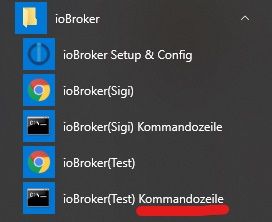
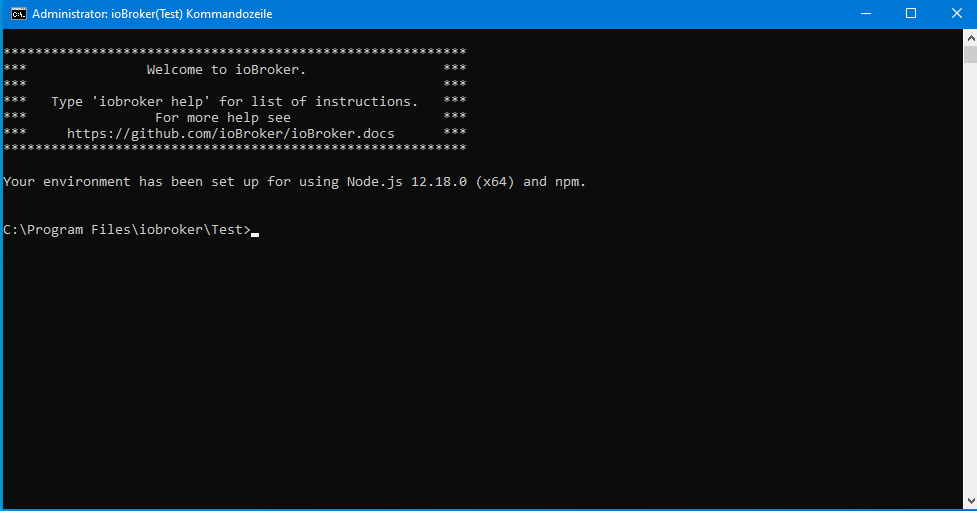
iobroker start eingegeben?
-
@DasBrot sagte in ioBroker unter Windows installieren (ohne Installer):
@Alexi Danach startet der iobroker bei mir nicht mehr.
iobroker start eingegeben?
@sigi234 said in ioBroker unter Windows installieren (ohne Installer):
@DasBrot sagte in ioBroker unter Windows installieren (ohne Installer):
@Alexi Danach startet der iobroker bei mir nicht mehr.
iobroker start eingegeben?
Ja ...
Scheinbar meint die Routine auch ich hätte ein 32 Bit System, dem ist aber nicht so.
Ich habe den vorherigen Post um die Fehlermeldung erweitert. -
@sigi234 said in ioBroker unter Windows installieren (ohne Installer):
@DasBrot sagte in ioBroker unter Windows installieren (ohne Installer):
@Alexi Danach startet der iobroker bei mir nicht mehr.
iobroker start eingegeben?
Ja ...
Scheinbar meint die Routine auch ich hätte ein 32 Bit System, dem ist aber nicht so.
Ich habe den vorherigen Post um die Fehlermeldung erweitert. -
Vielleicht mal nach dieser Anleitung vorgehen.
Damit hat es bei mir geklappt.Versuch 2 (von AlCalzone): ioBroker-Konsole auf: iobroker stop npm i iobroker.js-controller@2.2.10 iobroker start Adapter installiert Controller neu gestartet Admin aktualisiert --> Läuft! ioBroker-Konsole auf: iobroker stop iobroker upgrade self iobroker start LÄUFT --> wir sind auf js-controller 3.1.4 -
Vielleicht mal nach dieser Anleitung vorgehen.
Damit hat es bei mir geklappt.Versuch 2 (von AlCalzone): ioBroker-Konsole auf: iobroker stop npm i iobroker.js-controller@2.2.10 iobroker start Adapter installiert Controller neu gestartet Admin aktualisiert --> Läuft! ioBroker-Konsole auf: iobroker stop iobroker upgrade self iobroker start LÄUFT --> wir sind auf js-controller 3.1.4@bahnuhr said in ioBroker unter Windows installieren (ohne Installer):
iobroker start
Leider das selbe Ergebnis.
Webinterface lässt sich nicht mehr starten. :
*** Welcome to ioBroker. ***
*** Type 'iobroker help' for list of instructions. ***
*** For more help see ***
*** https://github.com/ioBroker/ioBroker.docs ***
Your environment has been set up for using Node.js 10.17.0 (x64) and npm.
C:\Program Files\iobroker\SmartHome8>iobroker stop
2020-09-28 13:08:53,619 INFO - Stopping the service with id 'iobroker(SmartHome8)'C:\Program Files\iobroker\SmartHome8>npm i iobroker.js-controller@2.2.10
npm WARN deprecated request@2.88.2: request has been deprecated, see https://github.com/request/request/issues/3142
npm WARN deprecated har-validator@5.1.5: this library is no longer supportediobroker.js-controller@2.2.10 preinstall C:\Program Files\iobroker\SmartHome8\node_modules\iobroker.js-controller
node lib/preinstallCheck.jsNPM version: 6.11.3
unix-dgram@2.0.3 install C:\Program Files\iobroker\SmartHome8\node_modules\unix-dgram
node-gyp rebuildC:\Program Files\iobroker\SmartHome8\node_modules\unix-dgram>if not defined npm_config_node_gyp (node "C:\Program Files\iobroker\SmartHome8\nodejs\node_modules\npm\node_modules\npm-lifecycle\node-gyp-bin\....\node_modules\node-gyp\bin\node-gyp.js" rebuild ) else (node "C:\Program Files\iobroker\SmartHome8\nodejs\node_modules\npm\node_modules\node-gyp\bin\node-gyp.js" rebuild )
Die Projekte in dieser Projektmappe werden nacheinander erstellt. Um eine parallele Erstellung zu ermöglichen, müssen Sie den Schalter "/m" hinzufügen.
unix_dgram.cc
win_delay_load_hook.cc
c:\program files\iobroker\smarthome8\node_modules\unix-dgram\src\unix_dgram.cc(9): fatal error C1083: Datei (Include) k
ann nicht geöffnet werden: "unistd.h": No such file or directory [C:\Program Files\iobroker\SmartHome8\node_modules\uni
x-dgram\build\unix_dgram.vcxproj]
gyp ERR! build error
gyp ERR! stack Error:C:\Program Files (x86)\Microsoft Visual Studio\2017\BuildTools\MSBuild\15.0\Bin\MSBuild.exefailed with exit code: 1
gyp ERR! stack at ChildProcess.onExit (C:\Program Files\iobroker\SmartHome8\nodejs\node_modules\npm\node_modules\node-gyp\lib\build.js:193:23)
gyp ERR! stack at ChildProcess.emit (events.js:198:13)
gyp ERR! stack at Process.ChildProcess._handle.onexit (internal/child_process.js:248:12)
gyp ERR! System Windows_NT 10.0.18362
gyp ERR! command "C:\Program Files\iobroker\SmartHome8\nodejs\node.exe" "C:\Program Files\iobroker\SmartHome8\nodejs\node_modules\npm\node_modules\node-gyp\bin\node-gyp.js" "rebuild"
gyp ERR! cwd C:\Program Files\iobroker\SmartHome8\node_modules\unix-dgram
gyp ERR! node -v v10.17.0
gyp ERR! node-gyp -v v5.0.3
gyp ERR! not okiobroker.js-controller@2.2.10 install C:\Program Files\iobroker\SmartHome8\node_modules\iobroker.js-controller
node iobroker.js setup firstobject 0_userdata.0.example_state created
The following notifications happened during sync:
- Ignoring Directory "hm-rega" because officially not created as meta object. Please remove directory!
- Ignoring Directory "tr-064.admin" because officially not created as meta object. Please remove directory!
npm WARN optional SKIPPING OPTIONAL DEPENDENCY: fsevents@~2.1.2 (node_modules\chokidar\node_modules\fsevents):
npm WARN notsup SKIPPING OPTIONAL DEPENDENCY: Unsupported platform for fsevents@2.1.3: wanted {"os":"darwin","arch":"any"} (current: {"os":"win32","arch":"x64"})
npm WARN optional SKIPPING OPTIONAL DEPENDENCY: unix-dgram@2.0.3 (node_modules\unix-dgram):
npm WARN optional SKIPPING OPTIONAL DEPENDENCY: unix-dgram@2.0.3 install:node-gyp rebuild
npm WARN optional SKIPPING OPTIONAL DEPENDENCY: Exit status 1- iobroker.js-controller@2.2.10
added 7 packages from 9 contributors, removed 1391 packages, updated 75 packages, moved 3 packages and audited 303 packages in 38.539s
found 1 low severity vulnerability
runnpm audit fixto fix them, ornpm auditfor details
C:\Program Files\iobroker\SmartHome8>iobroker start
2020-09-28 13:11:02,447 INFO - Starting the service with id 'iobroker(SmartHome8)'C:\Program Files\iobroker\SmartHome8>
-
@bahnuhr said in ioBroker unter Windows installieren (ohne Installer):
iobroker start
Leider das selbe Ergebnis.
Webinterface lässt sich nicht mehr starten. :
*** Welcome to ioBroker. ***
*** Type 'iobroker help' for list of instructions. ***
*** For more help see ***
*** https://github.com/ioBroker/ioBroker.docs ***
Your environment has been set up for using Node.js 10.17.0 (x64) and npm.
C:\Program Files\iobroker\SmartHome8>iobroker stop
2020-09-28 13:08:53,619 INFO - Stopping the service with id 'iobroker(SmartHome8)'C:\Program Files\iobroker\SmartHome8>npm i iobroker.js-controller@2.2.10
npm WARN deprecated request@2.88.2: request has been deprecated, see https://github.com/request/request/issues/3142
npm WARN deprecated har-validator@5.1.5: this library is no longer supportediobroker.js-controller@2.2.10 preinstall C:\Program Files\iobroker\SmartHome8\node_modules\iobroker.js-controller
node lib/preinstallCheck.jsNPM version: 6.11.3
unix-dgram@2.0.3 install C:\Program Files\iobroker\SmartHome8\node_modules\unix-dgram
node-gyp rebuildC:\Program Files\iobroker\SmartHome8\node_modules\unix-dgram>if not defined npm_config_node_gyp (node "C:\Program Files\iobroker\SmartHome8\nodejs\node_modules\npm\node_modules\npm-lifecycle\node-gyp-bin\....\node_modules\node-gyp\bin\node-gyp.js" rebuild ) else (node "C:\Program Files\iobroker\SmartHome8\nodejs\node_modules\npm\node_modules\node-gyp\bin\node-gyp.js" rebuild )
Die Projekte in dieser Projektmappe werden nacheinander erstellt. Um eine parallele Erstellung zu ermöglichen, müssen Sie den Schalter "/m" hinzufügen.
unix_dgram.cc
win_delay_load_hook.cc
c:\program files\iobroker\smarthome8\node_modules\unix-dgram\src\unix_dgram.cc(9): fatal error C1083: Datei (Include) k
ann nicht geöffnet werden: "unistd.h": No such file or directory [C:\Program Files\iobroker\SmartHome8\node_modules\uni
x-dgram\build\unix_dgram.vcxproj]
gyp ERR! build error
gyp ERR! stack Error:C:\Program Files (x86)\Microsoft Visual Studio\2017\BuildTools\MSBuild\15.0\Bin\MSBuild.exefailed with exit code: 1
gyp ERR! stack at ChildProcess.onExit (C:\Program Files\iobroker\SmartHome8\nodejs\node_modules\npm\node_modules\node-gyp\lib\build.js:193:23)
gyp ERR! stack at ChildProcess.emit (events.js:198:13)
gyp ERR! stack at Process.ChildProcess._handle.onexit (internal/child_process.js:248:12)
gyp ERR! System Windows_NT 10.0.18362
gyp ERR! command "C:\Program Files\iobroker\SmartHome8\nodejs\node.exe" "C:\Program Files\iobroker\SmartHome8\nodejs\node_modules\npm\node_modules\node-gyp\bin\node-gyp.js" "rebuild"
gyp ERR! cwd C:\Program Files\iobroker\SmartHome8\node_modules\unix-dgram
gyp ERR! node -v v10.17.0
gyp ERR! node-gyp -v v5.0.3
gyp ERR! not okiobroker.js-controller@2.2.10 install C:\Program Files\iobroker\SmartHome8\node_modules\iobroker.js-controller
node iobroker.js setup firstobject 0_userdata.0.example_state created
The following notifications happened during sync:
- Ignoring Directory "hm-rega" because officially not created as meta object. Please remove directory!
- Ignoring Directory "tr-064.admin" because officially not created as meta object. Please remove directory!
npm WARN optional SKIPPING OPTIONAL DEPENDENCY: fsevents@~2.1.2 (node_modules\chokidar\node_modules\fsevents):
npm WARN notsup SKIPPING OPTIONAL DEPENDENCY: Unsupported platform for fsevents@2.1.3: wanted {"os":"darwin","arch":"any"} (current: {"os":"win32","arch":"x64"})
npm WARN optional SKIPPING OPTIONAL DEPENDENCY: unix-dgram@2.0.3 (node_modules\unix-dgram):
npm WARN optional SKIPPING OPTIONAL DEPENDENCY: unix-dgram@2.0.3 install:node-gyp rebuild
npm WARN optional SKIPPING OPTIONAL DEPENDENCY: Exit status 1- iobroker.js-controller@2.2.10
added 7 packages from 9 contributors, removed 1391 packages, updated 75 packages, moved 3 packages and audited 303 packages in 38.539s
found 1 low severity vulnerability
runnpm audit fixto fix them, ornpm auditfor details
C:\Program Files\iobroker\SmartHome8>iobroker start
2020-09-28 13:11:02,447 INFO - Starting the service with id 'iobroker(SmartHome8)'C:\Program Files\iobroker\SmartHome8>
Hast du das gemacht?
Folgende Schritte sind bei einem Update und Neuinstallation zwingend notwendig: data-Ordner sichern (nur bei Update) Frische Installation mit dem Installer von der Webseite (2019-11-23) aufsetzen. Dabei (falls Update) den zuvor gesicherten data-Ordner durch den Installer einlesen. Nichts weiter tun! ioBroker-Konsole der neuen Installation auf iobroker stop npm i iobroker.js-controller@stable --ignore-scripts iobroker start -
@bahnuhr said in ioBroker unter Windows installieren (ohne Installer):
iobroker start
Leider das selbe Ergebnis.
Webinterface lässt sich nicht mehr starten. :
*** Welcome to ioBroker. ***
*** Type 'iobroker help' for list of instructions. ***
*** For more help see ***
*** https://github.com/ioBroker/ioBroker.docs ***
Your environment has been set up for using Node.js 10.17.0 (x64) and npm.
C:\Program Files\iobroker\SmartHome8>iobroker stop
2020-09-28 13:08:53,619 INFO - Stopping the service with id 'iobroker(SmartHome8)'C:\Program Files\iobroker\SmartHome8>npm i iobroker.js-controller@2.2.10
npm WARN deprecated request@2.88.2: request has been deprecated, see https://github.com/request/request/issues/3142
npm WARN deprecated har-validator@5.1.5: this library is no longer supportediobroker.js-controller@2.2.10 preinstall C:\Program Files\iobroker\SmartHome8\node_modules\iobroker.js-controller
node lib/preinstallCheck.jsNPM version: 6.11.3
unix-dgram@2.0.3 install C:\Program Files\iobroker\SmartHome8\node_modules\unix-dgram
node-gyp rebuildC:\Program Files\iobroker\SmartHome8\node_modules\unix-dgram>if not defined npm_config_node_gyp (node "C:\Program Files\iobroker\SmartHome8\nodejs\node_modules\npm\node_modules\npm-lifecycle\node-gyp-bin\....\node_modules\node-gyp\bin\node-gyp.js" rebuild ) else (node "C:\Program Files\iobroker\SmartHome8\nodejs\node_modules\npm\node_modules\node-gyp\bin\node-gyp.js" rebuild )
Die Projekte in dieser Projektmappe werden nacheinander erstellt. Um eine parallele Erstellung zu ermöglichen, müssen Sie den Schalter "/m" hinzufügen.
unix_dgram.cc
win_delay_load_hook.cc
c:\program files\iobroker\smarthome8\node_modules\unix-dgram\src\unix_dgram.cc(9): fatal error C1083: Datei (Include) k
ann nicht geöffnet werden: "unistd.h": No such file or directory [C:\Program Files\iobroker\SmartHome8\node_modules\uni
x-dgram\build\unix_dgram.vcxproj]
gyp ERR! build error
gyp ERR! stack Error:C:\Program Files (x86)\Microsoft Visual Studio\2017\BuildTools\MSBuild\15.0\Bin\MSBuild.exefailed with exit code: 1
gyp ERR! stack at ChildProcess.onExit (C:\Program Files\iobroker\SmartHome8\nodejs\node_modules\npm\node_modules\node-gyp\lib\build.js:193:23)
gyp ERR! stack at ChildProcess.emit (events.js:198:13)
gyp ERR! stack at Process.ChildProcess._handle.onexit (internal/child_process.js:248:12)
gyp ERR! System Windows_NT 10.0.18362
gyp ERR! command "C:\Program Files\iobroker\SmartHome8\nodejs\node.exe" "C:\Program Files\iobroker\SmartHome8\nodejs\node_modules\npm\node_modules\node-gyp\bin\node-gyp.js" "rebuild"
gyp ERR! cwd C:\Program Files\iobroker\SmartHome8\node_modules\unix-dgram
gyp ERR! node -v v10.17.0
gyp ERR! node-gyp -v v5.0.3
gyp ERR! not okiobroker.js-controller@2.2.10 install C:\Program Files\iobroker\SmartHome8\node_modules\iobroker.js-controller
node iobroker.js setup firstobject 0_userdata.0.example_state created
The following notifications happened during sync:
- Ignoring Directory "hm-rega" because officially not created as meta object. Please remove directory!
- Ignoring Directory "tr-064.admin" because officially not created as meta object. Please remove directory!
npm WARN optional SKIPPING OPTIONAL DEPENDENCY: fsevents@~2.1.2 (node_modules\chokidar\node_modules\fsevents):
npm WARN notsup SKIPPING OPTIONAL DEPENDENCY: Unsupported platform for fsevents@2.1.3: wanted {"os":"darwin","arch":"any"} (current: {"os":"win32","arch":"x64"})
npm WARN optional SKIPPING OPTIONAL DEPENDENCY: unix-dgram@2.0.3 (node_modules\unix-dgram):
npm WARN optional SKIPPING OPTIONAL DEPENDENCY: unix-dgram@2.0.3 install:node-gyp rebuild
npm WARN optional SKIPPING OPTIONAL DEPENDENCY: Exit status 1- iobroker.js-controller@2.2.10
added 7 packages from 9 contributors, removed 1391 packages, updated 75 packages, moved 3 packages and audited 303 packages in 38.539s
found 1 low severity vulnerability
runnpm audit fixto fix them, ornpm auditfor details
C:\Program Files\iobroker\SmartHome8>iobroker start
2020-09-28 13:11:02,447 INFO - Starting the service with id 'iobroker(SmartHome8)'C:\Program Files\iobroker\SmartHome8>
@DasBrot sagte in ioBroker unter Windows installieren (ohne Installer):
C:\Program Files\iobroker\SmartHome8>npm i iobroker.js-controller@2.2.10
Das ist Falsch!
Bitte benutzt das Voting rechts unten im Beitrag wenn er euch geholfen hat.
Immer Daten sichern! -
@DasBrot sagte in ioBroker unter Windows installieren (ohne Installer):
C:\Program Files\iobroker\SmartHome8>npm i iobroker.js-controller@2.2.10
Das ist Falsch!
@sigi234 sagte in ioBroker unter Windows installieren (ohne Installer):
Das ist Falsch!
Das sehe ich anders.
Bei mir hatte nur der "Versuch 2" zum Ziel geführt.Dein Befehl oben (stammt ja von stabilo..) funktionierte bei mir nicht.
Nur der Umweg über 2.2.10 und dann self.
Wenn ich helfen konnte, dann Daumen hoch (Pfeil nach oben)!
Danke.
gute Forenbeiträge: https://forum.iobroker.net/topic/51555/hinweise-f%C3%BCr-gute-forenbeitr%C3%A4ge
ScreenToGif :https://www.screentogif.com/downloads.html





326
Online32.7k
Users82.5k
Topics1.3m
Posts