




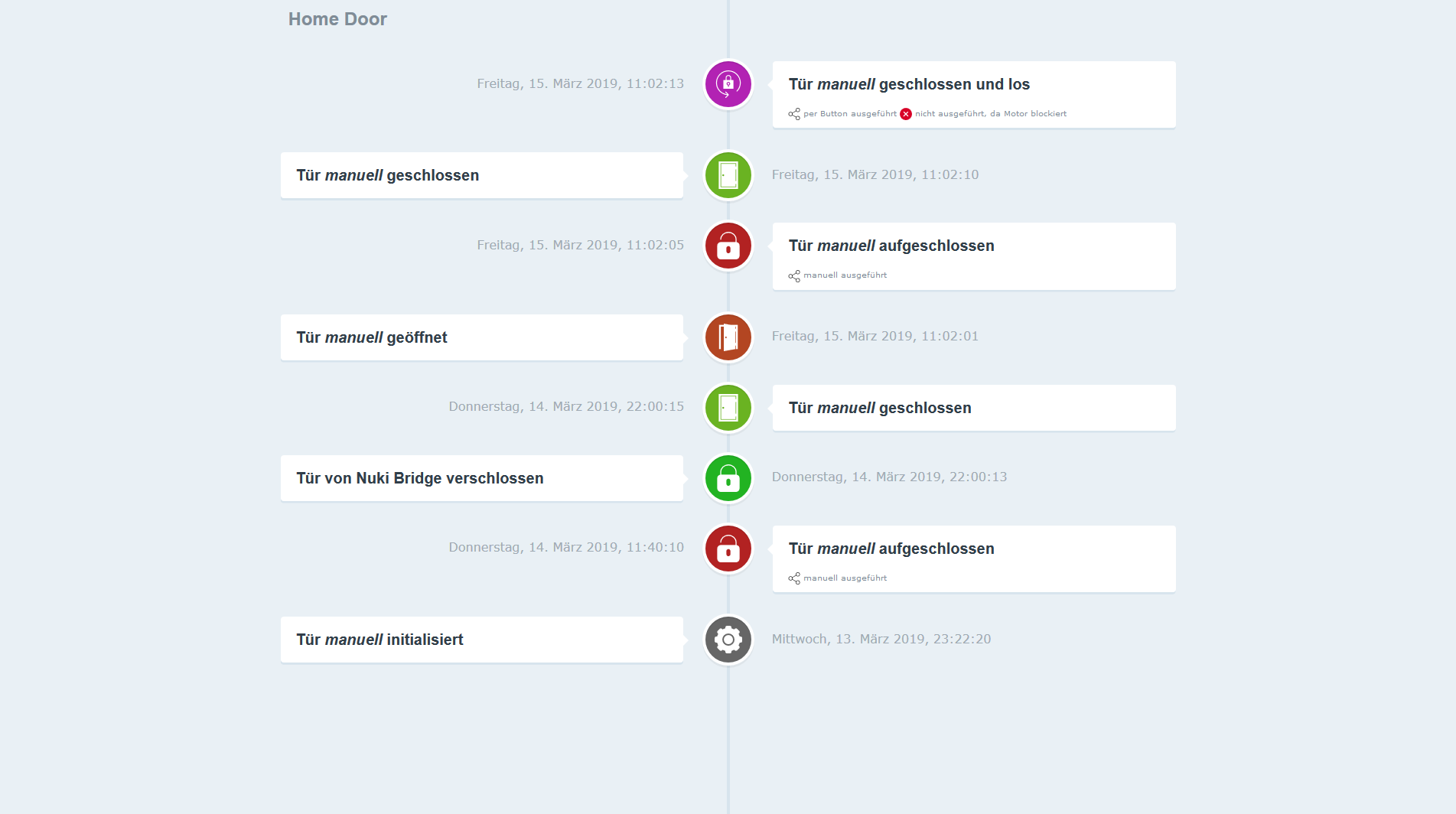
Test Adapter Nuki-extended v2.0.x

-
@thomas-braun aktuell läuft das release upgrade. Ich hätte schwören können, ich hab nodejs16 über die Anleitung für ioBroker installiert. In dieser VM läuft auch sonst nix anderes, die Maschine ist rein der ioBroker mit InfluxDB und Grafana.
@firebowl sagte in Test Adapter Nuki-extended v2.0.x:
ich hab nodejs16 über die Anleitung für ioBroker installiert
Welche?
-
@thomas-braun Kann ich dir nicht mehr genau sagen. Ich vermute es war diese.
Welche ist denn die "richtige"? Release upgrade ist durch.Och Mann, warum können sich die ganzen 'Falschinstallierer' denn nie daran erinnern wie sie zu den Installationen in /usr/local/bin kommen?
In meiner Signatur steht drin, wie man es macht.
Wobei die Anleitung von stabilostick auch zum richtigen Ergebnis führen sollte. Was wird also immer anders gemacht? -
Och Mann, warum können sich die ganzen 'Falschinstallierer' denn nie daran erinnern wie sie zu den Installationen in /usr/local/bin kommen?
In meiner Signatur steht drin, wie man es macht.
Wobei die Anleitung von stabilostick auch zum richtigen Ergebnis führen sollte. Was wird also immer anders gemacht?@thomas-braun Hab versucht es nach deiner Anleitung zu fixen aber ich glaub jetzt ist mehr kaputt als vorher. Die Pfade passen jetzt zwar aber jetzt passen ihm Abhängigkeiten nicht mehr.
Used repository: stable
Adapter    "admin"        : 5.3.8    , installed 5.3.8
Adapter    "alexa2"       : 3.11.2   , installed 3.11.2
Adapter    "alias-manager": 1.2.4    , installed 1.2.4
Adapter    "backitup"     : 2.4.9    , installed 2.4.9
Adapter    "bshb"         : 0.1.20   , installed 0.1.20
Adapter    "chromecast"   : 2.3.1    , installed 2.3.1
Adapter    "cloud"        : 4.1.1    , installed 4.1.1
Adapter    "device-reminder": 1.2.9  , installed 1.2.9
Adapter    "discovergy"   : 0.5.8    , installed 0.5.8
Adapter    "discovery"    : 3.0.3    , installed 3.0.3
Adapter    "echarts"      : 1.0.7    , installed 1.0.7
Adapter    "eusec"        : 0.9.1    , installed 0.9.1
Adapter    "fullybrowser" : 2.1.2    , installed 2.1.2
Adapter    "gruenbeck"    : 0.0.34   , installed 0.0.34
Adapter    "homeconnect"  : 1.0.1    , installed 1.0.1
Adapter    "hs100"        : 2.0.7    , installed 2.0.7
Adapter    "hue"          : 3.7.0    , installed 3.7.0
Adapter    "ical"         : 1.12.1   , installed 1.12.1
Adapter    "influxdb"     : 2.6.3    , installed 2.6.3
Adapter    "info"         : 1.9.19   , installed 1.9.19
Adapter    "iot"          : 1.11.4   , installed 1.11.4
Adapter    "jarvis"       : 3.0.11   , installed 3.0.11
Adapter    "javascript"   : 5.7.0    , installed 5.7.0
Controller "js-controller": 4.0.23   , installed 4.0.23
Adapter    "linkeddevices": 1.4.3    , installed 1.4.3
Adapter    "meross"       : 1.10.5   , installed 1.10.5
Adapter    "net-tools"    : 0.2.0    , installed 0.2.0
Adapter    "netatmo"      : 1.7.1    , installed 1.7.1
Adapter    "nuki-extended": 2.3.1    , installed 2.6.5
Adapter    "nut"          : 1.5.1    , installed 1.5.1
Adapter    "ping"         : 1.5.3    , installed 1.5.3
Adapter    "pushover"     : 2.1.0    , installed 2.1.0
Adapter    "sayit"        : 1.12.3   , installed 1.12.3
Adapter    "scenes"       : 2.3.9    , installed 2.3.9
Adapter    "shelly"       : 5.3.2    , installed 5.3.2
Adapter    "shuttercontrol": 1.4.12  , installed 1.4.12
Adapter    "simple-api"   : 2.6.5    , installed 2.6.5
Adapter    "smartcontrol" : 1.2.1    , installed 1.2.1
Adapter    "socketio"     : 4.2.0    , installed 4.2.0
Adapter    "trashschedule": 2.0.2    , installed 2.0.2
Adapter    "vis"          : 1.4.15   , installed 1.4.15
Adapter    "vis-hqwidgets": 1.2.0    , installed 1.2.0
Adapter    "web"          : 4.3.0    , installed 4.3.0
Adapter    "ws"           : 1.3.0    , installed 1.3.0
Adapter    "yahka"        : 0.13.1   , installed 0.13.1
Adapter    "zigbee"       : 1.7.5    , installed 1.7.5
[sudo] password for mike:
ln: failed to create symbolic link '/usr/bin/nodejs': File exists
x86_64
/usr/bin/nodejs
/usr/bin/node
/usr/bin/npm
v14.19.3
v14.19.3
6.14.17
mike
/home/mike
OK:1 http://de.archive.ubuntu.com/ubuntu jammy InRelease
OK:2 https://deb.nodesource.com/node_14.x impish InRelease
OK:3 http://de.archive.ubuntu.com/ubuntu jammy-updates InRelease
OK:4 http://de.archive.ubuntu.com/ubuntu jammy-backports InRelease
OK:5 http://de.archive.ubuntu.com/ubuntu jammy-security InRelease
Paketlisten werden gelesen… Fertig
Abhängigkeitsbaum wird aufgebaut… Fertig
Statusinformationen werden eingelesen… Fertig
Alle Pakete sind aktuell.
nodejs:
  Installiert:           14.19.3-deb-1nodesource1
  Installationskandidat: 14.19.3-deb-1nodesource1
  Versionstabelle:
 *** 14.19.3-deb-1nodesource1 500
        500 https://deb.nodesource.com/node_14.x impish/main amd64 Packages
        100 /var/lib/dpkg/status
     12.22.9~dfsg-1ubuntu3 500
        500 http://de.archive.ubuntu.com/ubuntu jammy/universe amd64 Packages
npm WARN read-shrinkwrap This version of npm is compatible with lockfileVersion@1, but package-lock.json was generated for lockfileVersion@2. I'll try to do my best with it!
npm ERR! missing: @angular/common@14.0.3, required by iobroker.inst@3.0.0
npm ERR! missing: @angular/core@14.0.3, required by iobroker.inst@3.0.0
npm ERR! missing: zone.js@0.11.6, required by iobroker.inst@3.0.0
npm ERR! missing: iobroker.device-watcher@git+ssh://git@github.com/ciddi89/ioBroker.device-watcher.git#da0035195e1c35025429da30187e7443fe503bed, required by iobroker.inst@3.0.0
npm ERR! missing: iobroker.nuki-extended@git+ssh://git@github.com/iobroker-community-adapters/ioBroker.nuki-extended.git#f51ac1065821bda1ab407c0235f40ecb093c8f42, required by iobroker.inst@3.0.0
npm ERR! missing: iobroker.switchbot-hub@git+ssh://git@github.com/DrozmotiX/ioBroker.switchbot-hub.git#de8c1ad97edafedb16cbbb2c6dc14b032848df8e, required by iobroker.inst@3.0.0
npm ERR! extraneous: @angular/common@14.0.3 /opt/iobroker/node_modules/@angular/common
npm ERR! extraneous: @angular/core@14.0.3 /opt/iobroker/node_modules/@angular/core
npm ERR! extraneous: zone.js@0.11.6 /opt/iobroker/node_modules/zone.js
npm ERR! missing: @iobroker/adapter-core@2.6.0, required by iobroker.device-watcher@git+ssh://git@github.com/ciddi89/ioBroker.device-watcher.git#da0035195e1c35025429da30187e7443fe503bed
npm ERR! missing: @types/iobroker@4.0.4, required by @iobroker/adapter-core@2.6.0
npm ERR! missing: @types/node@12.20.55, required by iobroker.javascript@5.7.0
npm ERR! missing: @types/node@12.20.55, required by @types/iobroker@4.0.3
npm ERR! missing: @iobroker/adapter-core@2.6.0, required by iobroker.nuki-extended@git+ssh://git@github.com/iobroker-community-adapters/ioBroker.nuki-extended.git#f51ac1065821bda1ab407c0235f40ecb093c8f42
npm ERR! missing: body-parser@1.20.0, required by iobroker.nuki-extended@git+ssh://git@github.com/iobroker-community-adapters/ioBroker.nuki-extended.git#f51ac1065821bda1ab407c0235f40ecb093c8f42
npm ERR! missing: express@4.18.1, required by iobroker.nuki-extended@git+ssh://git@github.com/iobroker-community-adapters/ioBroker.nuki-extended.git#f51ac1065821bda1ab407c0235f40ecb093c8f42
npm ERR! missing: ip@2.0.0, required by iobroker.nuki-extended@git+ssh://git@github.com/iobroker-community-adapters/ioBroker.nuki-extended.git#f51ac1065821bda1ab407c0235f40ecb093c8f42
npm ERR! missing: @types/iobroker@4.0.4, required by @iobroker/adapter-core@2.6.0
npm ERR! missing: bytes@3.1.2, required by body-parser@1.20.0
npm ERR! missing: depd@2.0.0, required by body-parser@1.20.0
npm ERR! missing: destroy@1.2.0, required by body-parser@1.20.0
npm ERR! missing: http-errors@2.0.0, required by body-parser@1.20.0
npm ERR! missing: on-finished@2.4.1, required by body-parser@1.20.0
npm ERR! missing: qs@6.10.3, required by body-parser@1.20.0
npm ERR! missing: raw-body@2.5.1, required by body-parser@1.20.0
npm ERR! missing: depd@2.0.0, required by http-errors@2.0.0
npm ERR! missing: inherits@2.0.4, required by http-errors@2.0.0
npm ERR! missing: setprototypeof@1.2.0, required by http-errors@2.0.0
npm ERR! missing: statuses@2.0.1, required by http-errors@2.0.0
npm ERR! missing: toidentifier@1.0.1, required by http-errors@2.0.0
npm ERR! missing: bytes@3.1.2, required by raw-body@2.5.1
npm ERR! missing: http-errors@2.0.0, required by raw-body@2.5.1
npm ERR! missing: accepts@1.3.8, required by express@4.18.1
npm ERR! missing: body-parser@1.20.0, required by express@4.18.1
npm ERR! missing: content-disposition@0.5.4, required by express@4.18.1
npm ERR! missing: cookie@0.5.0, required by express@4.18.1
npm ERR! missing: depd@2.0.0, required by express@4.18.1
npm ERR! missing: finalhandler@1.2.0, required by express@4.18.1
npm ERR! missing: http-errors@2.0.0, required by express@4.18.1
npm ERR! missing: on-finished@2.4.1, required by express@4.18.1
npm ERR! missing: qs@6.10.3, required by express@4.18.1
npm ERR! missing: safe-buffer@5.2.1, required by express@4.18.1
npm ERR! missing: send@0.18.0, required by express@4.18.1
npm ERR! missing: serve-static@1.15.0, required by express@4.18.1
npm ERR! missing: setprototypeof@1.2.0, required by express@4.18.1
npm ERR! missing: statuses@2.0.1, required by express@4.18.1
npm ERR! missing: negotiator@0.6.3, required by accepts@1.3.8
npm ERR! missing: safe-buffer@5.2.1, required by content-disposition@0.5.4
npm ERR! missing: on-finished@2.4.1, required by finalhandler@1.2.0
npm ERR! missing: statuses@2.0.1, required by finalhandler@1.2.0
npm ERR! missing: depd@2.0.0, required by send@0.18.0
npm ERR! missing: destroy@1.2.0, required by send@0.18.0
npm ERR! missing: http-errors@2.0.0, required by send@0.18.0
npm ERR! missing: ms@2.1.3, required by send@0.18.0
npm ERR! missing: on-finished@2.4.1, required by send@0.18.0
npm ERR! missing: statuses@2.0.1, required by send@0.18.0
npm ERR! missing: send@0.18.0, required by serve-static@1.15.0
npm ERR! missing: axios@0.21.4, required by iobroker.switchbot-hub@git+ssh://git@github.com/DrozmotiX/ioBroker.switchbot-hub.git#de8c1ad97edafedb16cbbb2c6dc14b032848df8e
mike@iobroker:/opt/iobroker$
Korrektur, war mein Fehler. Jetzt sieht es so aus:
mike@iobroker:~$ iobroker update -i sudo ln -s /usr/bin/node /usr/bin/nodejs uname -m && which nodejs node npm && nodejs -v && node -v && npm -v && whoami && pwd && sudo apt update &> /dev/null && sudo apt update && apt policy nodejs cd /opt/iobroker npm ls | grep 'ERR|github' Used repository: stable Adapter "admin" : 5.3.8 , installed 5.3.8 Adapter "alexa2" : 3.11.2 , installed 3.11.2 Adapter "alias-manager": 1.2.4 , installed 1.2.4 Adapter "backitup" : 2.4.9 , installed 2.4.9 Adapter "bshb" : 0.1.20 , installed 0.1.20 Adapter "chromecast" : 2.3.1 , installed 2.3.1 Adapter "cloud" : 4.1.1 , installed 4.1.1 Adapter "device-reminder": 1.2.9 , installed 1.2.9 Adapter "discovergy" : 0.5.8 , installed 0.5.8 Adapter "discovery" : 3.0.3 , installed 3.0.3 Adapter "echarts" : 1.0.7 , installed 1.0.7 Adapter "eusec" : 0.9.1 , installed 0.9.1 Adapter "fullybrowser" : 2.1.2 , installed 2.1.2 Adapter "gruenbeck" : 0.0.34 , installed 0.0.34 Adapter "homeconnect" : 1.0.1 , installed 1.0.1 Adapter "hs100" : 2.0.7 , installed 2.0.7 Adapter "hue" : 3.7.0 , installed 3.7.0 Adapter "ical" : 1.12.1 , installed 1.12.1 Adapter "influxdb" : 2.6.3 , installed 2.6.3 Adapter "info" : 1.9.19 , installed 1.9.19 Adapter "iot" : 1.11.4 , installed 1.11.4 Adapter "jarvis" : 3.0.11 , installed 3.0.11 Adapter "javascript" : 5.7.0 , installed 5.7.0 Controller "js-controller": 4.0.23 , installed 4.0.23 Adapter "linkeddevices": 1.4.3 , installed 1.4.3 Adapter "meross" : 1.10.5 , installed 1.10.5 Adapter "net-tools" : 0.2.0 , installed 0.2.0 Adapter "netatmo" : 1.7.1 , installed 1.7.1 Adapter "nuki-extended": 2.3.1 , installed 2.6.5 Adapter "nut" : 1.5.1 , installed 1.5.1 Adapter "ping" : 1.5.3 , installed 1.5.3 Adapter "pushover" : 2.1.0 , installed 2.1.0 Adapter "sayit" : 1.12.3 , installed 1.12.3 Adapter "scenes" : 2.3.9 , installed 2.3.9 Adapter "shelly" : 5.3.2 , installed 5.3.2 Adapter "shuttercontrol": 1.4.12 , installed 1.4.12 Adapter "simple-api" : 2.6.5 , installed 2.6.5 Adapter "smartcontrol" : 1.2.1 , installed 1.2.1 Adapter "socketio" : 4.2.0 , installed 4.2.0 Adapter "trashschedule": 2.0.2 , installed 2.0.2 Adapter "vis" : 1.4.15 , installed 1.4.15 Adapter "vis-hqwidgets": 1.2.0 , installed 1.2.0 Adapter "web" : 4.3.0 , installed 4.3.0 Adapter "ws" : 1.3.0 , installed 1.3.0 Adapter "yahka" : 0.13.1 , installed 0.13.1 Adapter "zigbee" : 1.7.5 , installed 1.7.5 ln: failed to create symbolic link '/usr/bin/nodejs': File exists x86_64 /usr/bin/nodejs /usr/bin/node /usr/bin/npm v16.15.1 v16.15.1 8.11.0 mike /home/mike OK:1 http://de.archive.ubuntu.com/ubuntu jammy InRelease OK:2 https://deb.nodesource.com/node_14.x impish InRelease OK:3 http://de.archive.ubuntu.com/ubuntu jammy-updates InRelease OK:4 http://de.archive.ubuntu.com/ubuntu jammy-backports InRelease OK:5 http://de.archive.ubuntu.com/ubuntu jammy-security InRelease OK:6 https://deb.nodesource.com/node_14.x bullseye InRelease OK:7 https://deb.nodesource.com/node_16.x bullseye InRelease Paketlisten werden gelesen… Fertig Abhängigkeitsbaum wird aufgebaut… Fertig Statusinformationen werden eingelesen… Fertig Alle Pakete sind aktuell. nodejs: Installiert: 16.15.1-deb-1nodesource1 Installationskandidat: 16.15.1-deb-1nodesource1 Versionstabelle: *** 16.15.1-deb-1nodesource1 500 500 https://deb.nodesource.com/node_16.x bullseye/main amd64 Packages 100 /var/lib/dpkg/status 14.19.3-deb-1nodesource1 500 500 https://deb.nodesource.com/node_14.x impish/main amd64 Packages 500 https://deb.nodesource.com/node_14.x bullseye/main amd64 Packages 12.22.9~dfsg-1ubuntu3 500 500 http://de.archive.ubuntu.com/ubuntu jammy/universe amd64 Packages mike@iobroker:/opt/iobroker$ -
@thomas-braun Hab versucht es nach deiner Anleitung zu fixen aber ich glaub jetzt ist mehr kaputt als vorher. Die Pfade passen jetzt zwar aber jetzt passen ihm Abhängigkeiten nicht mehr.
Used repository: stable
Adapter    "admin"        : 5.3.8    , installed 5.3.8
Adapter    "alexa2"       : 3.11.2   , installed 3.11.2
Adapter    "alias-manager": 1.2.4    , installed 1.2.4
Adapter    "backitup"     : 2.4.9    , installed 2.4.9
Adapter    "bshb"         : 0.1.20   , installed 0.1.20
Adapter    "chromecast"   : 2.3.1    , installed 2.3.1
Adapter    "cloud"        : 4.1.1    , installed 4.1.1
Adapter    "device-reminder": 1.2.9  , installed 1.2.9
Adapter    "discovergy"   : 0.5.8    , installed 0.5.8
Adapter    "discovery"    : 3.0.3    , installed 3.0.3
Adapter    "echarts"      : 1.0.7    , installed 1.0.7
Adapter    "eusec"        : 0.9.1    , installed 0.9.1
Adapter    "fullybrowser" : 2.1.2    , installed 2.1.2
Adapter    "gruenbeck"    : 0.0.34   , installed 0.0.34
Adapter    "homeconnect"  : 1.0.1    , installed 1.0.1
Adapter    "hs100"        : 2.0.7    , installed 2.0.7
Adapter    "hue"          : 3.7.0    , installed 3.7.0
Adapter    "ical"         : 1.12.1   , installed 1.12.1
Adapter    "influxdb"     : 2.6.3    , installed 2.6.3
Adapter    "info"         : 1.9.19   , installed 1.9.19
Adapter    "iot"          : 1.11.4   , installed 1.11.4
Adapter    "jarvis"       : 3.0.11   , installed 3.0.11
Adapter    "javascript"   : 5.7.0    , installed 5.7.0
Controller "js-controller": 4.0.23   , installed 4.0.23
Adapter    "linkeddevices": 1.4.3    , installed 1.4.3
Adapter    "meross"       : 1.10.5   , installed 1.10.5
Adapter    "net-tools"    : 0.2.0    , installed 0.2.0
Adapter    "netatmo"      : 1.7.1    , installed 1.7.1
Adapter    "nuki-extended": 2.3.1    , installed 2.6.5
Adapter    "nut"          : 1.5.1    , installed 1.5.1
Adapter    "ping"         : 1.5.3    , installed 1.5.3
Adapter    "pushover"     : 2.1.0    , installed 2.1.0
Adapter    "sayit"        : 1.12.3   , installed 1.12.3
Adapter    "scenes"       : 2.3.9    , installed 2.3.9
Adapter    "shelly"       : 5.3.2    , installed 5.3.2
Adapter    "shuttercontrol": 1.4.12  , installed 1.4.12
Adapter    "simple-api"   : 2.6.5    , installed 2.6.5
Adapter    "smartcontrol" : 1.2.1    , installed 1.2.1
Adapter    "socketio"     : 4.2.0    , installed 4.2.0
Adapter    "trashschedule": 2.0.2    , installed 2.0.2
Adapter    "vis"          : 1.4.15   , installed 1.4.15
Adapter    "vis-hqwidgets": 1.2.0    , installed 1.2.0
Adapter    "web"          : 4.3.0    , installed 4.3.0
Adapter    "ws"           : 1.3.0    , installed 1.3.0
Adapter    "yahka"        : 0.13.1   , installed 0.13.1
Adapter    "zigbee"       : 1.7.5    , installed 1.7.5
[sudo] password for mike:
ln: failed to create symbolic link '/usr/bin/nodejs': File exists
x86_64
/usr/bin/nodejs
/usr/bin/node
/usr/bin/npm
v14.19.3
v14.19.3
6.14.17
mike
/home/mike
OK:1 http://de.archive.ubuntu.com/ubuntu jammy InRelease
OK:2 https://deb.nodesource.com/node_14.x impish InRelease
OK:3 http://de.archive.ubuntu.com/ubuntu jammy-updates InRelease
OK:4 http://de.archive.ubuntu.com/ubuntu jammy-backports InRelease
OK:5 http://de.archive.ubuntu.com/ubuntu jammy-security InRelease
Paketlisten werden gelesen… Fertig
Abhängigkeitsbaum wird aufgebaut… Fertig
Statusinformationen werden eingelesen… Fertig
Alle Pakete sind aktuell.
nodejs:
  Installiert:           14.19.3-deb-1nodesource1
  Installationskandidat: 14.19.3-deb-1nodesource1
  Versionstabelle:
 *** 14.19.3-deb-1nodesource1 500
        500 https://deb.nodesource.com/node_14.x impish/main amd64 Packages
        100 /var/lib/dpkg/status
     12.22.9~dfsg-1ubuntu3 500
        500 http://de.archive.ubuntu.com/ubuntu jammy/universe amd64 Packages
npm WARN read-shrinkwrap This version of npm is compatible with lockfileVersion@1, but package-lock.json was generated for lockfileVersion@2. I'll try to do my best with it!
npm ERR! missing: @angular/common@14.0.3, required by iobroker.inst@3.0.0
npm ERR! missing: @angular/core@14.0.3, required by iobroker.inst@3.0.0
npm ERR! missing: zone.js@0.11.6, required by iobroker.inst@3.0.0
npm ERR! missing: iobroker.device-watcher@git+ssh://git@github.com/ciddi89/ioBroker.device-watcher.git#da0035195e1c35025429da30187e7443fe503bed, required by iobroker.inst@3.0.0
npm ERR! missing: iobroker.nuki-extended@git+ssh://git@github.com/iobroker-community-adapters/ioBroker.nuki-extended.git#f51ac1065821bda1ab407c0235f40ecb093c8f42, required by iobroker.inst@3.0.0
npm ERR! missing: iobroker.switchbot-hub@git+ssh://git@github.com/DrozmotiX/ioBroker.switchbot-hub.git#de8c1ad97edafedb16cbbb2c6dc14b032848df8e, required by iobroker.inst@3.0.0
npm ERR! extraneous: @angular/common@14.0.3 /opt/iobroker/node_modules/@angular/common
npm ERR! extraneous: @angular/core@14.0.3 /opt/iobroker/node_modules/@angular/core
npm ERR! extraneous: zone.js@0.11.6 /opt/iobroker/node_modules/zone.js
npm ERR! missing: @iobroker/adapter-core@2.6.0, required by iobroker.device-watcher@git+ssh://git@github.com/ciddi89/ioBroker.device-watcher.git#da0035195e1c35025429da30187e7443fe503bed
npm ERR! missing: @types/iobroker@4.0.4, required by @iobroker/adapter-core@2.6.0
npm ERR! missing: @types/node@12.20.55, required by iobroker.javascript@5.7.0
npm ERR! missing: @types/node@12.20.55, required by @types/iobroker@4.0.3
npm ERR! missing: @iobroker/adapter-core@2.6.0, required by iobroker.nuki-extended@git+ssh://git@github.com/iobroker-community-adapters/ioBroker.nuki-extended.git#f51ac1065821bda1ab407c0235f40ecb093c8f42
npm ERR! missing: body-parser@1.20.0, required by iobroker.nuki-extended@git+ssh://git@github.com/iobroker-community-adapters/ioBroker.nuki-extended.git#f51ac1065821bda1ab407c0235f40ecb093c8f42
npm ERR! missing: express@4.18.1, required by iobroker.nuki-extended@git+ssh://git@github.com/iobroker-community-adapters/ioBroker.nuki-extended.git#f51ac1065821bda1ab407c0235f40ecb093c8f42
npm ERR! missing: ip@2.0.0, required by iobroker.nuki-extended@git+ssh://git@github.com/iobroker-community-adapters/ioBroker.nuki-extended.git#f51ac1065821bda1ab407c0235f40ecb093c8f42
npm ERR! missing: @types/iobroker@4.0.4, required by @iobroker/adapter-core@2.6.0
npm ERR! missing: bytes@3.1.2, required by body-parser@1.20.0
npm ERR! missing: depd@2.0.0, required by body-parser@1.20.0
npm ERR! missing: destroy@1.2.0, required by body-parser@1.20.0
npm ERR! missing: http-errors@2.0.0, required by body-parser@1.20.0
npm ERR! missing: on-finished@2.4.1, required by body-parser@1.20.0
npm ERR! missing: qs@6.10.3, required by body-parser@1.20.0
npm ERR! missing: raw-body@2.5.1, required by body-parser@1.20.0
npm ERR! missing: depd@2.0.0, required by http-errors@2.0.0
npm ERR! missing: inherits@2.0.4, required by http-errors@2.0.0
npm ERR! missing: setprototypeof@1.2.0, required by http-errors@2.0.0
npm ERR! missing: statuses@2.0.1, required by http-errors@2.0.0
npm ERR! missing: toidentifier@1.0.1, required by http-errors@2.0.0
npm ERR! missing: bytes@3.1.2, required by raw-body@2.5.1
npm ERR! missing: http-errors@2.0.0, required by raw-body@2.5.1
npm ERR! missing: accepts@1.3.8, required by express@4.18.1
npm ERR! missing: body-parser@1.20.0, required by express@4.18.1
npm ERR! missing: content-disposition@0.5.4, required by express@4.18.1
npm ERR! missing: cookie@0.5.0, required by express@4.18.1
npm ERR! missing: depd@2.0.0, required by express@4.18.1
npm ERR! missing: finalhandler@1.2.0, required by express@4.18.1
npm ERR! missing: http-errors@2.0.0, required by express@4.18.1
npm ERR! missing: on-finished@2.4.1, required by express@4.18.1
npm ERR! missing: qs@6.10.3, required by express@4.18.1
npm ERR! missing: safe-buffer@5.2.1, required by express@4.18.1
npm ERR! missing: send@0.18.0, required by express@4.18.1
npm ERR! missing: serve-static@1.15.0, required by express@4.18.1
npm ERR! missing: setprototypeof@1.2.0, required by express@4.18.1
npm ERR! missing: statuses@2.0.1, required by express@4.18.1
npm ERR! missing: negotiator@0.6.3, required by accepts@1.3.8
npm ERR! missing: safe-buffer@5.2.1, required by content-disposition@0.5.4
npm ERR! missing: on-finished@2.4.1, required by finalhandler@1.2.0
npm ERR! missing: statuses@2.0.1, required by finalhandler@1.2.0
npm ERR! missing: depd@2.0.0, required by send@0.18.0
npm ERR! missing: destroy@1.2.0, required by send@0.18.0
npm ERR! missing: http-errors@2.0.0, required by send@0.18.0
npm ERR! missing: ms@2.1.3, required by send@0.18.0
npm ERR! missing: on-finished@2.4.1, required by send@0.18.0
npm ERR! missing: statuses@2.0.1, required by send@0.18.0
npm ERR! missing: send@0.18.0, required by serve-static@1.15.0
npm ERR! missing: axios@0.21.4, required by iobroker.switchbot-hub@git+ssh://git@github.com/DrozmotiX/ioBroker.switchbot-hub.git#de8c1ad97edafedb16cbbb2c6dc14b032848df8e
mike@iobroker:/opt/iobroker$
Korrektur, war mein Fehler. Jetzt sieht es so aus:
mike@iobroker:~$ iobroker update -i sudo ln -s /usr/bin/node /usr/bin/nodejs uname -m && which nodejs node npm && nodejs -v && node -v && npm -v && whoami && pwd && sudo apt update &> /dev/null && sudo apt update && apt policy nodejs cd /opt/iobroker npm ls | grep 'ERR|github' Used repository: stable Adapter "admin" : 5.3.8 , installed 5.3.8 Adapter "alexa2" : 3.11.2 , installed 3.11.2 Adapter "alias-manager": 1.2.4 , installed 1.2.4 Adapter "backitup" : 2.4.9 , installed 2.4.9 Adapter "bshb" : 0.1.20 , installed 0.1.20 Adapter "chromecast" : 2.3.1 , installed 2.3.1 Adapter "cloud" : 4.1.1 , installed 4.1.1 Adapter "device-reminder": 1.2.9 , installed 1.2.9 Adapter "discovergy" : 0.5.8 , installed 0.5.8 Adapter "discovery" : 3.0.3 , installed 3.0.3 Adapter "echarts" : 1.0.7 , installed 1.0.7 Adapter "eusec" : 0.9.1 , installed 0.9.1 Adapter "fullybrowser" : 2.1.2 , installed 2.1.2 Adapter "gruenbeck" : 0.0.34 , installed 0.0.34 Adapter "homeconnect" : 1.0.1 , installed 1.0.1 Adapter "hs100" : 2.0.7 , installed 2.0.7 Adapter "hue" : 3.7.0 , installed 3.7.0 Adapter "ical" : 1.12.1 , installed 1.12.1 Adapter "influxdb" : 2.6.3 , installed 2.6.3 Adapter "info" : 1.9.19 , installed 1.9.19 Adapter "iot" : 1.11.4 , installed 1.11.4 Adapter "jarvis" : 3.0.11 , installed 3.0.11 Adapter "javascript" : 5.7.0 , installed 5.7.0 Controller "js-controller": 4.0.23 , installed 4.0.23 Adapter "linkeddevices": 1.4.3 , installed 1.4.3 Adapter "meross" : 1.10.5 , installed 1.10.5 Adapter "net-tools" : 0.2.0 , installed 0.2.0 Adapter "netatmo" : 1.7.1 , installed 1.7.1 Adapter "nuki-extended": 2.3.1 , installed 2.6.5 Adapter "nut" : 1.5.1 , installed 1.5.1 Adapter "ping" : 1.5.3 , installed 1.5.3 Adapter "pushover" : 2.1.0 , installed 2.1.0 Adapter "sayit" : 1.12.3 , installed 1.12.3 Adapter "scenes" : 2.3.9 , installed 2.3.9 Adapter "shelly" : 5.3.2 , installed 5.3.2 Adapter "shuttercontrol": 1.4.12 , installed 1.4.12 Adapter "simple-api" : 2.6.5 , installed 2.6.5 Adapter "smartcontrol" : 1.2.1 , installed 1.2.1 Adapter "socketio" : 4.2.0 , installed 4.2.0 Adapter "trashschedule": 2.0.2 , installed 2.0.2 Adapter "vis" : 1.4.15 , installed 1.4.15 Adapter "vis-hqwidgets": 1.2.0 , installed 1.2.0 Adapter "web" : 4.3.0 , installed 4.3.0 Adapter "ws" : 1.3.0 , installed 1.3.0 Adapter "yahka" : 0.13.1 , installed 0.13.1 Adapter "zigbee" : 1.7.5 , installed 1.7.5 ln: failed to create symbolic link '/usr/bin/nodejs': File exists x86_64 /usr/bin/nodejs /usr/bin/node /usr/bin/npm v16.15.1 v16.15.1 8.11.0 mike /home/mike OK:1 http://de.archive.ubuntu.com/ubuntu jammy InRelease OK:2 https://deb.nodesource.com/node_14.x impish InRelease OK:3 http://de.archive.ubuntu.com/ubuntu jammy-updates InRelease OK:4 http://de.archive.ubuntu.com/ubuntu jammy-backports InRelease OK:5 http://de.archive.ubuntu.com/ubuntu jammy-security InRelease OK:6 https://deb.nodesource.com/node_14.x bullseye InRelease OK:7 https://deb.nodesource.com/node_16.x bullseye InRelease Paketlisten werden gelesen… Fertig Abhängigkeitsbaum wird aufgebaut… Fertig Statusinformationen werden eingelesen… Fertig Alle Pakete sind aktuell. nodejs: Installiert: 16.15.1-deb-1nodesource1 Installationskandidat: 16.15.1-deb-1nodesource1 Versionstabelle: *** 16.15.1-deb-1nodesource1 500 500 https://deb.nodesource.com/node_16.x bullseye/main amd64 Packages 100 /var/lib/dpkg/status 14.19.3-deb-1nodesource1 500 500 https://deb.nodesource.com/node_14.x impish/main amd64 Packages 500 https://deb.nodesource.com/node_14.x bullseye/main amd64 Packages 12.22.9~dfsg-1ubuntu3 500 500 http://de.archive.ubuntu.com/ubuntu jammy/universe amd64 Packages mike@iobroker:/opt/iobroker$Immer noch Chaos...
Die Releasenames müssen passen. Jetzt haste da jammy, impish, bullseye und was weiß ich noch drin. Das ist falsch! Das muss alles gleich lauten! Und zwar auf das verwendete Release.
-
Immer noch Chaos...
Die Releasenames müssen passen. Jetzt haste da jammy, impish, bullseye und was weiß ich noch drin. Das ist falsch! Das muss alles gleich lauten! Und zwar auf das verwendete Release.
@thomas-braun Danke für den Hinweis aber leider bekomme ich die Einträge nicht weg:
mike@iobroker:~$ sudo apt update
OK:1 http://de.archive.ubuntu.com/ubuntu jammy InRelease
OK:2 https://deb.nodesource.com/node_14.x impish InRelease
OK:3 http://de.archive.ubuntu.com/ubuntu jammy-updates InRelease
OK:4 http://de.archive.ubuntu.com/ubuntu jammy-backports InRelease
OK:5 http://de.archive.ubuntu.com/ubuntu jammy-security InRelease
OK:6 https://deb.nodesource.com/node_14.x bullseye InRelease
OK:7 https://deb.nodesource.com/node_16.x bullseye InRelease
Paketlisten werden gelesen… Fertig
Abhängigkeitsbaum wird aufgebaut… Fertig
Statusinformationen werden eingelesen… Fertig
Alle Pakete sind aktuell.
Meine sources.list sieht meiner Meinung nach ok aus:
GNU nano 6.2 /etc/apt/sources.list * ## team. Also, please note that software in universe WILL NOT receive any ## review or updates from the Ubuntu security team. deb http://de.archive.ubuntu.com/ubuntu jammy universe deb http://de.archive.ubuntu.com/ubuntu jammy-updates universe ## N.B. software from this repository is ENTIRELY UNSUPPORTED by the Ubuntu ## team, and may not be under a free licence. Please satisfy yourself as to ## your rights to use the software. Also, please note that software in ## multiverse WILL NOT receive any review or updates from the Ubuntu ## security team. deb http://de.archive.ubuntu.com/ubuntu jammy multiverse deb http://de.archive.ubuntu.com/ubuntu jammy-updates multiverse ## N.B. software from this repository may not have been tested as ## extensively as that contained in the main release, although it includes ## newer versions of some applications which may provide useful features. ## Also, please note that software in backports WILL NOT receive any review ## or updates from the Ubuntu security team. deb http://de.archive.ubuntu.com/ubuntu jammy-backports main restricted universe multiverse deb http://de.archive.ubuntu.com/ubuntu jammy-security main restricted deb http://de.archive.ubuntu.com/ubuntu jammy-security universe deb http://de.archive.ubuntu.com/ubuntu jammy-security multiverse -
@thomas-braun Danke für den Hinweis aber leider bekomme ich die Einträge nicht weg:
mike@iobroker:~$ sudo apt update
OK:1 http://de.archive.ubuntu.com/ubuntu jammy InRelease
OK:2 https://deb.nodesource.com/node_14.x impish InRelease
OK:3 http://de.archive.ubuntu.com/ubuntu jammy-updates InRelease
OK:4 http://de.archive.ubuntu.com/ubuntu jammy-backports InRelease
OK:5 http://de.archive.ubuntu.com/ubuntu jammy-security InRelease
OK:6 https://deb.nodesource.com/node_14.x bullseye InRelease
OK:7 https://deb.nodesource.com/node_16.x bullseye InRelease
Paketlisten werden gelesen… Fertig
Abhängigkeitsbaum wird aufgebaut… Fertig
Statusinformationen werden eingelesen… Fertig
Alle Pakete sind aktuell.
Meine sources.list sieht meiner Meinung nach ok aus:
GNU nano 6.2 /etc/apt/sources.list * ## team. Also, please note that software in universe WILL NOT receive any ## review or updates from the Ubuntu security team. deb http://de.archive.ubuntu.com/ubuntu jammy universe deb http://de.archive.ubuntu.com/ubuntu jammy-updates universe ## N.B. software from this repository is ENTIRELY UNSUPPORTED by the Ubuntu ## team, and may not be under a free licence. Please satisfy yourself as to ## your rights to use the software. Also, please note that software in ## multiverse WILL NOT receive any review or updates from the Ubuntu ## security team. deb http://de.archive.ubuntu.com/ubuntu jammy multiverse deb http://de.archive.ubuntu.com/ubuntu jammy-updates multiverse ## N.B. software from this repository may not have been tested as ## extensively as that contained in the main release, although it includes ## newer versions of some applications which may provide useful features. ## Also, please note that software in backports WILL NOT receive any review ## or updates from the Ubuntu security team. deb http://de.archive.ubuntu.com/ubuntu jammy-backports main restricted universe multiverse deb http://de.archive.ubuntu.com/ubuntu jammy-security main restricted deb http://de.archive.ubuntu.com/ubuntu jammy-security universe deb http://de.archive.ubuntu.com/ubuntu jammy-security multiverseDie weiteren Dateien liegen in /etc/apt/sources.list.d/
Die müssen alle auf jammy umgestellt werden.
Sollte aber nur die nodesource.list betreffen
-
Die weiteren Dateien liegen in /etc/apt/sources.list.d/
Die müssen alle auf jammy umgestellt werden.
Sollte aber nur die nodesource.list betreffen
@thomas-braun Argh, die hatte ich übersehen, danke dir.
Jetzt sieht es so aus:
mike@iobroker:~$ iobroker update -i sudo ln -s /usr/bin/node /usr/bin/nodejs uname -m && which nodejs node npm && nodejs -v && node -v && npm -v && whoami && pwd && sudo apt update &> /dev/null && sudo apt update && apt policy nodejs cd /opt/iobroker npm ls | grep 'ERR|github' Used repository: stable Adapter "admin" : 5.3.8 , installed 5.3.8 Adapter "alexa2" : 3.11.2 , installed 3.11.2 Adapter "alias-manager": 1.2.4 , installed 1.2.4 Adapter "backitup" : 2.4.9 , installed 2.4.9 Adapter "bshb" : 0.1.20 , installed 0.1.20 Adapter "chromecast" : 2.3.1 , installed 2.3.1 Adapter "cloud" : 4.1.1 , installed 4.1.1 Adapter "device-reminder": 1.2.9 , installed 1.2.9 Adapter "discovergy" : 0.5.8 , installed 0.5.8 Adapter "discovery" : 3.0.3 , installed 3.0.3 Adapter "echarts" : 1.0.7 , installed 1.0.7 Adapter "eusec" : 0.9.1 , installed 0.9.1 Adapter "fullybrowser" : 2.1.2 , installed 2.1.2 Adapter "gruenbeck" : 0.0.34 , installed 0.0.34 Adapter "homeconnect" : 1.0.1 , installed 1.0.1 Adapter "hs100" : 2.0.7 , installed 2.0.7 Adapter "hue" : 3.7.0 , installed 3.7.0 Adapter "ical" : 1.12.1 , installed 1.12.1 Adapter "influxdb" : 2.6.3 , installed 2.6.3 Adapter "info" : 1.9.19 , installed 1.9.19 Adapter "iot" : 1.11.4 , installed 1.11.4 Adapter "jarvis" : 3.0.11 , installed 3.0.11 Adapter "javascript" : 5.7.0 , installed 5.7.0 Controller "js-controller": 4.0.23 , installed 4.0.23 Adapter "linkeddevices": 1.4.3 , installed 1.4.3 Adapter "meross" : 1.10.5 , installed 1.10.5 Adapter "net-tools" : 0.2.0 , installed 0.2.0 Adapter "netatmo" : 1.7.1 , installed 1.7.1 Adapter "nuki-extended": 2.3.1 , installed 2.6.5 Adapter "nut" : 1.5.1 , installed 1.5.1 Adapter "ping" : 1.5.3 , installed 1.5.3 Adapter "pushover" : 2.1.0 , installed 2.1.0 Adapter "sayit" : 1.12.3 , installed 1.12.3 Adapter "scenes" : 2.3.9 , installed 2.3.9 Adapter "shelly" : 5.3.2 , installed 5.3.2 Adapter "shuttercontrol": 1.4.12 , installed 1.4.12 Adapter "simple-api" : 2.6.5 , installed 2.6.5 Adapter "smartcontrol" : 1.2.1 , installed 1.2.1 Adapter "socketio" : 4.2.0 , installed 4.2.0 Adapter "trashschedule": 2.0.2 , installed 2.0.2 Adapter "vis" : 1.4.15 , installed 1.4.15 Adapter "vis-hqwidgets": 1.2.0 , installed 1.2.0 Adapter "web" : 4.3.0 , installed 4.3.0 Adapter "ws" : 1.3.0 , installed 1.3.0 Adapter "yahka" : 0.13.1 , installed 0.13.1 Adapter "zigbee" : 1.7.5 , installed 1.7.5 ln: failed to create symbolic link '/usr/bin/nodejs': File exists x86_64 /usr/bin/nodejs /usr/bin/node /usr/bin/npm v16.15.1 v16.15.1 8.11.0 mike /home/mike OK:1 http://de.archive.ubuntu.com/ubuntu jammy InRelease OK:2 https://deb.nodesource.com/node_14.x jammy InRelease OK:3 http://de.archive.ubuntu.com/ubuntu jammy-updates InRelease OK:4 http://de.archive.ubuntu.com/ubuntu jammy-backports InRelease OK:5 http://de.archive.ubuntu.com/ubuntu jammy-security InRelease OK:6 https://deb.nodesource.com/node_16.x jammy InRelease Paketlisten werden gelesen… Fertig Abhängigkeitsbaum wird aufgebaut… Fertig Statusinformationen werden eingelesen… Fertig Alle Pakete sind aktuell. nodejs: Installiert: 16.15.1-deb-1nodesource1 Installationskandidat: 16.15.1-deb-1nodesource1 Versionstabelle: *** 16.15.1-deb-1nodesource1 500 500 https://deb.nodesource.com/node_16.x jammy/main amd64 Packages 100 /var/lib/dpkg/status 14.19.3-deb-1nodesource1 500 500 https://deb.nodesource.com/node_14.x jammy/main amd64 Packages 12.22.9~dfsg-1ubuntu3 500 500 http://de.archive.ubuntu.com/ubuntu jammy/universe amd64 Packages mike@iobroker:/opt/iobroker$ -
@thomas-braun Argh, die hatte ich übersehen, danke dir.
Jetzt sieht es so aus:
mike@iobroker:~$ iobroker update -i sudo ln -s /usr/bin/node /usr/bin/nodejs uname -m && which nodejs node npm && nodejs -v && node -v && npm -v && whoami && pwd && sudo apt update &> /dev/null && sudo apt update && apt policy nodejs cd /opt/iobroker npm ls | grep 'ERR|github' Used repository: stable Adapter "admin" : 5.3.8 , installed 5.3.8 Adapter "alexa2" : 3.11.2 , installed 3.11.2 Adapter "alias-manager": 1.2.4 , installed 1.2.4 Adapter "backitup" : 2.4.9 , installed 2.4.9 Adapter "bshb" : 0.1.20 , installed 0.1.20 Adapter "chromecast" : 2.3.1 , installed 2.3.1 Adapter "cloud" : 4.1.1 , installed 4.1.1 Adapter "device-reminder": 1.2.9 , installed 1.2.9 Adapter "discovergy" : 0.5.8 , installed 0.5.8 Adapter "discovery" : 3.0.3 , installed 3.0.3 Adapter "echarts" : 1.0.7 , installed 1.0.7 Adapter "eusec" : 0.9.1 , installed 0.9.1 Adapter "fullybrowser" : 2.1.2 , installed 2.1.2 Adapter "gruenbeck" : 0.0.34 , installed 0.0.34 Adapter "homeconnect" : 1.0.1 , installed 1.0.1 Adapter "hs100" : 2.0.7 , installed 2.0.7 Adapter "hue" : 3.7.0 , installed 3.7.0 Adapter "ical" : 1.12.1 , installed 1.12.1 Adapter "influxdb" : 2.6.3 , installed 2.6.3 Adapter "info" : 1.9.19 , installed 1.9.19 Adapter "iot" : 1.11.4 , installed 1.11.4 Adapter "jarvis" : 3.0.11 , installed 3.0.11 Adapter "javascript" : 5.7.0 , installed 5.7.0 Controller "js-controller": 4.0.23 , installed 4.0.23 Adapter "linkeddevices": 1.4.3 , installed 1.4.3 Adapter "meross" : 1.10.5 , installed 1.10.5 Adapter "net-tools" : 0.2.0 , installed 0.2.0 Adapter "netatmo" : 1.7.1 , installed 1.7.1 Adapter "nuki-extended": 2.3.1 , installed 2.6.5 Adapter "nut" : 1.5.1 , installed 1.5.1 Adapter "ping" : 1.5.3 , installed 1.5.3 Adapter "pushover" : 2.1.0 , installed 2.1.0 Adapter "sayit" : 1.12.3 , installed 1.12.3 Adapter "scenes" : 2.3.9 , installed 2.3.9 Adapter "shelly" : 5.3.2 , installed 5.3.2 Adapter "shuttercontrol": 1.4.12 , installed 1.4.12 Adapter "simple-api" : 2.6.5 , installed 2.6.5 Adapter "smartcontrol" : 1.2.1 , installed 1.2.1 Adapter "socketio" : 4.2.0 , installed 4.2.0 Adapter "trashschedule": 2.0.2 , installed 2.0.2 Adapter "vis" : 1.4.15 , installed 1.4.15 Adapter "vis-hqwidgets": 1.2.0 , installed 1.2.0 Adapter "web" : 4.3.0 , installed 4.3.0 Adapter "ws" : 1.3.0 , installed 1.3.0 Adapter "yahka" : 0.13.1 , installed 0.13.1 Adapter "zigbee" : 1.7.5 , installed 1.7.5 ln: failed to create symbolic link '/usr/bin/nodejs': File exists x86_64 /usr/bin/nodejs /usr/bin/node /usr/bin/npm v16.15.1 v16.15.1 8.11.0 mike /home/mike OK:1 http://de.archive.ubuntu.com/ubuntu jammy InRelease OK:2 https://deb.nodesource.com/node_14.x jammy InRelease OK:3 http://de.archive.ubuntu.com/ubuntu jammy-updates InRelease OK:4 http://de.archive.ubuntu.com/ubuntu jammy-backports InRelease OK:5 http://de.archive.ubuntu.com/ubuntu jammy-security InRelease OK:6 https://deb.nodesource.com/node_16.x jammy InRelease Paketlisten werden gelesen… Fertig Abhängigkeitsbaum wird aufgebaut… Fertig Statusinformationen werden eingelesen… Fertig Alle Pakete sind aktuell. nodejs: Installiert: 16.15.1-deb-1nodesource1 Installationskandidat: 16.15.1-deb-1nodesource1 Versionstabelle: *** 16.15.1-deb-1nodesource1 500 500 https://deb.nodesource.com/node_16.x jammy/main amd64 Packages 100 /var/lib/dpkg/status 14.19.3-deb-1nodesource1 500 500 https://deb.nodesource.com/node_14.x jammy/main amd64 Packages 12.22.9~dfsg-1ubuntu3 500 500 http://de.archive.ubuntu.com/ubuntu jammy/universe amd64 Packages mike@iobroker:/opt/iobroker$Und dein Problem ist jetzt behoben?
-
Und dein Problem ist jetzt behoben?
@thomas-braun Sieht so aus, lag scheinbar an der veralteten NPM, wie Du gesagt hast. :)
Vielen Dank für die Unterstützung! -
Bei mir steht gelegentlich. "verbunden mit Gerät oder Dienst" das dies rot oder gelb ist. Also das scheint nicht grün zu sein. Wenn ich den Adapter dann aber neu starte, geht wieder alle. Kann ich eine Routine einbauen, die das automatisch macht? Habt ihr diese Anomalie auch?
-
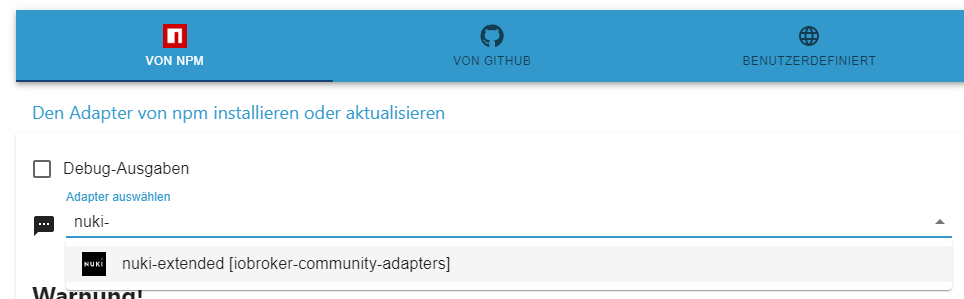
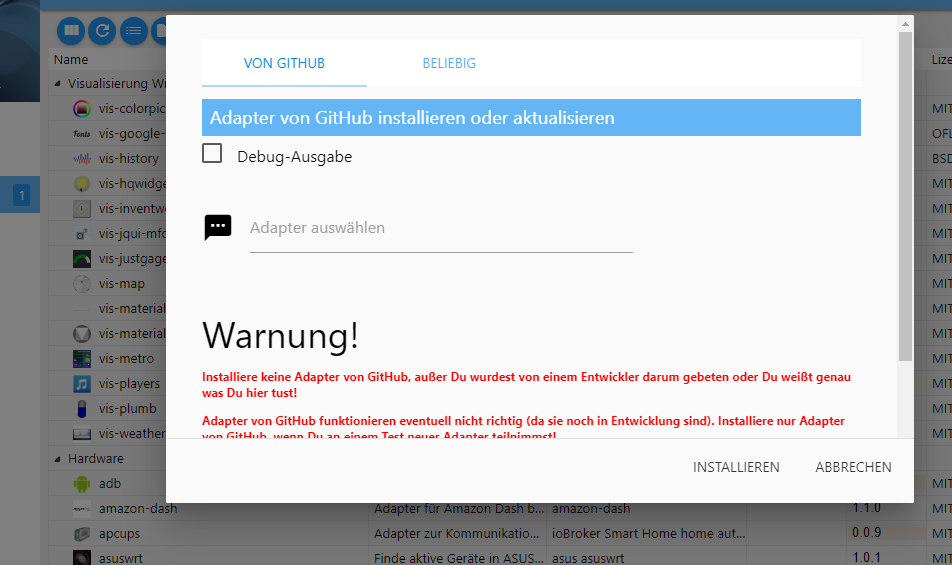
@thomas-braun wenn ich auf die katze gehe habe ich kein vom npm installieren
ioBroker auf Proxmox (Debian) auf LENOVO PC Thinkcentre als Produktivsystem
-
@thomas-braun wenn ich auf die katze gehe habe ich kein vom npm installieren
Ich schon. Screenshot?
-
Ich schon. Screenshot?
ioBroker auf Proxmox (Debian) auf LENOVO PC Thinkcentre als Produktivsystem
-
-
pi@raspberrypi:/opt/iobroker $ iobroker update -i
Used repository: stable
Adapter    "accuweather"  : 1.2.1    , installed 1.2.1
Adapter    "admin"        : 5.3.8    , installed 5.3.8
Adapter    "alias-manager": 1.2.4    , installed 1.2.4
Adapter    "backitup"     : 2.4.9    , installed 2.4.9
Adapter    "bring"        : 1.8.1    , installed 1.8.1
Adapter    "chromecast"   : 2.3.1    , installed 3.0.1
Adapter    "coronavirus-statistics": 0.8.7, installed 0.8.7
Adapter    "daswetter"    : 3.1.2    , installed 3.1.2
Adapter    "deconz"       : 1.3.21   , installed 1.3.21
Adapter    "device-reminder": 1.2.9  , installed 1.2.9
Adapter    "devices"      : 1.0.12   , installed 1.0.12
Adapter    "discovergy"   : 0.5.8    , installed 0.5.8
Adapter    "discovery"    : 3.0.3    , installed 3.0.3
Adapter    "dwd"          : 2.8.3    , installed 2.8.3
Adapter    "feiertage"    : 1.1.0    , installed 1.1.0
Adapter    "flot"         : 1.11.0   , installed 1.11.0
Adapter    "fritzbox"     : 0.2.1    , installed 0.2.1
Adapter    "fullybrowser" : 2.1.2    , installed 2.1.2
Adapter    "history"      : 1.11.1   , installed 1.11.1
Adapter    "hmip"         : 1.17.0   , installed 1.17.0
Adapter    "hue-extended" : 2.0.0    , installed 2.0.0
Adapter    "ical"         : 1.12.1   , installed 1.12.1
Adapter    "icons-mfd-svg": 1.1.0    , installed 1.1.0
Adapter    "icons-ultimate-png": 1.0.1, installed 1.0.1
Adapter    "influxdb"     : 2.6.3    , installed 2.6.3
Adapter    "info"         : 1.9.19   , installed 1.9.19
Adapter    "iot"          : 1.11.4   , installed 1.11.4
Adapter    "javascript"   : 5.7.0    , installed 5.7.0
Controller "js-controller": 4.0.23   , installed 4.0.23
Adapter    "logparser"    : 1.1.0    , installed 1.1.0
Adapter    "luftdaten"    : 2.2.4    , installed 2.2.4
Adapter    "net-tools"    : 0.2.0    , installed 0.2.0
Adapter    "nina"         : 0.0.25   , installed 0.0.25
Adapter    "node-red"     : 3.3.1    , installed 3.3.0  [Updatable]
Adapter    "nuki-extended": 2.3.1    , installed 2.3.1
Adapter    "nut"          : 1.5.1    , installed 1.5.1
Adapter    "openweathermap": 0.2.4   , installed 0.2.4
Adapter    "pushover"     : 2.1.0    , installed 2.1.0
Adapter    "rpi2"         : 1.3.2    , installed 1.3.2
Adapter    "rssfeed"      : 1.0.0    , installed 1.0.0
Adapter    "sayit"        : 1.12.3   , installed 1.12.3
Adapter    "simple-api"   : 2.7.0    , installed 2.7.0
Adapter    "socketio"     : 4.2.0    , installed 4.2.0
Adapter    "sql"          : 1.16.2   , installed 1.16.2
Adapter    "tankerkoenig" : 2.1.1    , installed 2.1.1
Adapter    "telegram"     : 1.13.0   , installed 1.13.0
Adapter    "tr-064"       : 4.2.16   , installed 4.2.16
Adapter    "tuya"         : 3.6.15   , installed 3.6.15
Adapter    "vis"          : 1.4.15   , installed 1.4.15
Adapter    "vis-colorpicker": 1.2.0  , installed 1.2.0
Adapter    "vis-google-fonts": 1.0.3 , installed 1.0.3
Adapter    "vis-hqwidgets": 1.2.0    , installed 1.2.0
Adapter    "vis-icontwo"  : 0.87.0   , installed 0.87.0
Adapter    "vis-inventwo" : 3.3.1    , installed 3.3.1
Adapter    "vis-jqui-mfd" : 1.0.12   , installed 1.0.12
Adapter    "vis-justgage" : 1.0.2    , installed 1.0.2
Adapter    "vis-map"      : 1.0.4    , installed 1.0.4
Adapter    "vis-material-advanced": 1.7.2, installed 1.7.2
Adapter    "vis-metro"    : 1.2.0    , installed 1.2.0
Adapter    "vis-players"  : 0.1.6    , installed 0.1.6
Adapter    "vis-plumb"    : 1.0.2    , installed 1.0.2
Adapter    "vis-timeandweather": 1.1.7, installed 1.1.7
Adapter    "vis-weather"  : 2.5.5    , installed 2.5.5
Adapter    "web"          : 4.3.0    , installed 4.3.0
Adapter    "windows-control": 0.1.5  , installed 0.1.5
Adapter    "ws"           : 1.3.0    , installed 1.3.0
ioBroker auf Proxmox (Debian) auf LENOVO PC Thinkcentre als Produktivsystem
-
pi@raspberrypi:/opt/iobroker $ iobroker update -i Used repository: stable Adapter "accuweather" : 1.2.1 , installed 1.2.1 Adapter "admin" : 5.3.8 , installed 5.3.8 Adapter "alias-manager": 1.2.4 , installed 1.2.4 Adapter "backitup" : 2.4.9 , installed 2.4.9 Adapter "bring" : 1.8.1 , installed 1.8.1 Adapter "chromecast" : 2.3.1 , installed 3.0.1 Adapter "coronavirus-statistics": 0.8.7, installed 0.8.7 Adapter "daswetter" : 3.1.2 , installed 3.1.2 Adapter "deconz" : 1.3.21 , installed 1.3.21 Adapter "device-reminder": 1.2.9 , installed 1.2.9 Adapter "devices" : 1.0.12 , installed 1.0.12 Adapter "discovergy" : 0.5.8 , installed 0.5.8 Adapter "discovery" : 3.0.3 , installed 3.0.3 Adapter "dwd" : 2.8.3 , installed 2.8.3 Adapter "feiertage" : 1.1.0 , installed 1.1.0 Adapter "flot" : 1.11.0 , installed 1.11.0 Adapter "fritzbox" : 0.2.1 , installed 0.2.1 Adapter "fullybrowser" : 2.1.2 , installed 2.1.2 Adapter "history" : 1.11.1 , installed 1.11.1 Adapter "hmip" : 1.17.0 , installed 1.17.0 Adapter "hue-extended" : 2.0.0 , installed 2.0.0 Adapter "ical" : 1.12.1 , installed 1.12.1 Adapter "icons-mfd-svg": 1.1.0 , installed 1.1.0 Adapter "icons-ultimate-png": 1.0.1, installed 1.0.1 Adapter "influxdb" : 2.6.3 , installed 2.6.3 Adapter "info" : 1.9.19 , installed 1.9.19 Adapter "iot" : 1.11.4 , installed 1.11.4 Adapter "javascript" : 5.7.0 , installed 5.7.0 Controller "js-controller": 4.0.23 , installed 4.0.23 Adapter "logparser" : 1.1.0 , installed 1.1.0 Adapter "luftdaten" : 2.2.4 , installed 2.2.4 Adapter "net-tools" : 0.2.0 , installed 0.2.0 Adapter "nina" : 0.0.25 , installed 0.0.25 Adapter "node-red" : 3.3.1 , installed 3.3.0 [Updatable] Adapter "nuki-extended": 2.3.1 , installed 2.3.1 Adapter "nut" : 1.5.1 , installed 1.5.1 Adapter "openweathermap": 0.2.4 , installed 0.2.4 Adapter "pushover" : 2.1.0 , installed 2.1.0 Adapter "rpi2" : 1.3.2 , installed 1.3.2 Adapter "rssfeed" : 1.0.0 , installed 1.0.0 Adapter "sayit" : 1.12.3 , installed 1.12.3 Adapter "simple-api" : 2.7.0 , installed 2.7.0 Adapter "socketio" : 4.2.0 , installed 4.2.0 Adapter "sql" : 1.16.2 , installed 1.16.2 Adapter "tankerkoenig" : 2.1.1 , installed 2.1.1 Adapter "telegram" : 1.13.0 , installed 1.13.0 Adapter "tr-064" : 4.2.16 , installed 4.2.16 Adapter "tuya" : 3.6.15 , installed 3.6.15 Adapter "vis" : 1.4.15 , installed 1.4.15 Adapter "vis-colorpicker": 1.2.0 , installed 1.2.0 Adapter "vis-google-fonts": 1.0.3 , installed 1.0.3 Adapter "vis-hqwidgets": 1.2.0 , installed 1.2.0 Adapter "vis-icontwo" : 0.87.0 , installed 0.87.0 Adapter "vis-inventwo" : 3.3.1 , installed 3.3.1 Adapter "vis-jqui-mfd" : 1.0.12 , installed 1.0.12 Adapter "vis-justgage" : 1.0.2 , installed 1.0.2 Adapter "vis-map" : 1.0.4 , installed 1.0.4 Adapter "vis-material-advanced": 1.7.2, installed 1.7.2 Adapter "vis-metro" : 1.2.0 , installed 1.2.0 Adapter "vis-players" : 0.1.6 , installed 0.1.6 Adapter "vis-plumb" : 1.0.2 , installed 1.0.2 Adapter "vis-timeandweather": 1.1.7, installed 1.1.7 Adapter "vis-weather" : 2.5.5 , installed 2.5.5 Adapter "web" : 4.3.0 , installed 4.3.0 Adapter "windows-control": 0.1.5 , installed 0.1.5 Adapter "ws" : 1.3.0 , installed 1.3.0Hast du im Admin noch auf 'alte Oberfläche' gestellt?
-
Hast du im Admin noch auf 'alte Oberfläche' gestellt?
@thomas-braun ja habe gerade wieder zurück gestellt und ist immer noch so
ioBroker auf Proxmox (Debian) auf LENOVO PC Thinkcentre als Produktivsystem
-
@thomas-braun ja habe gerade wieder zurück gestellt und ist immer noch so
@horst-böttcher
Browser Cache gelöscht? -
@horst-böttcher
Browser Cache gelöscht?@thomas-braun Jo jetzt geht es dank


Hey! Du scheinst an dieser Unterhaltung interessiert zu sein, hast aber noch kein Konto.
Hast du es satt, bei jedem Besuch durch die gleichen Beiträge zu scrollen? Wenn du dich für ein Konto anmeldest, kommst du immer genau dorthin zurück, wo du zuvor warst, und kannst dich über neue Antworten benachrichtigen lassen (entweder per E-Mail oder Push-Benachrichtigung). Du kannst auch Lesezeichen speichern und Beiträge positiv bewerten, um anderen Community-Mitgliedern deine Wertschätzung zu zeigen.
Mit deinem Input könnte dieser Beitrag noch besser werden 💗
Registrieren AnmeldenSupport us
403
Online33.0k
Benutzer83.7k
Themen1.3m
Beiträge