




-
Seit dem Update auf 1.5.1 dann auf 1.5.3 sind meine kompletten adapter zerschossen. Die Javascripte sind teilweise weg und es fehlen teilweise meine Geräte. `
Das kann aber an sich nix mit dem Controller zu tun haben. Hast du ein Backup?Gesendet vom Handy …
-
leider nicht wirklich, mein letztes ist leider einen Monat alt.
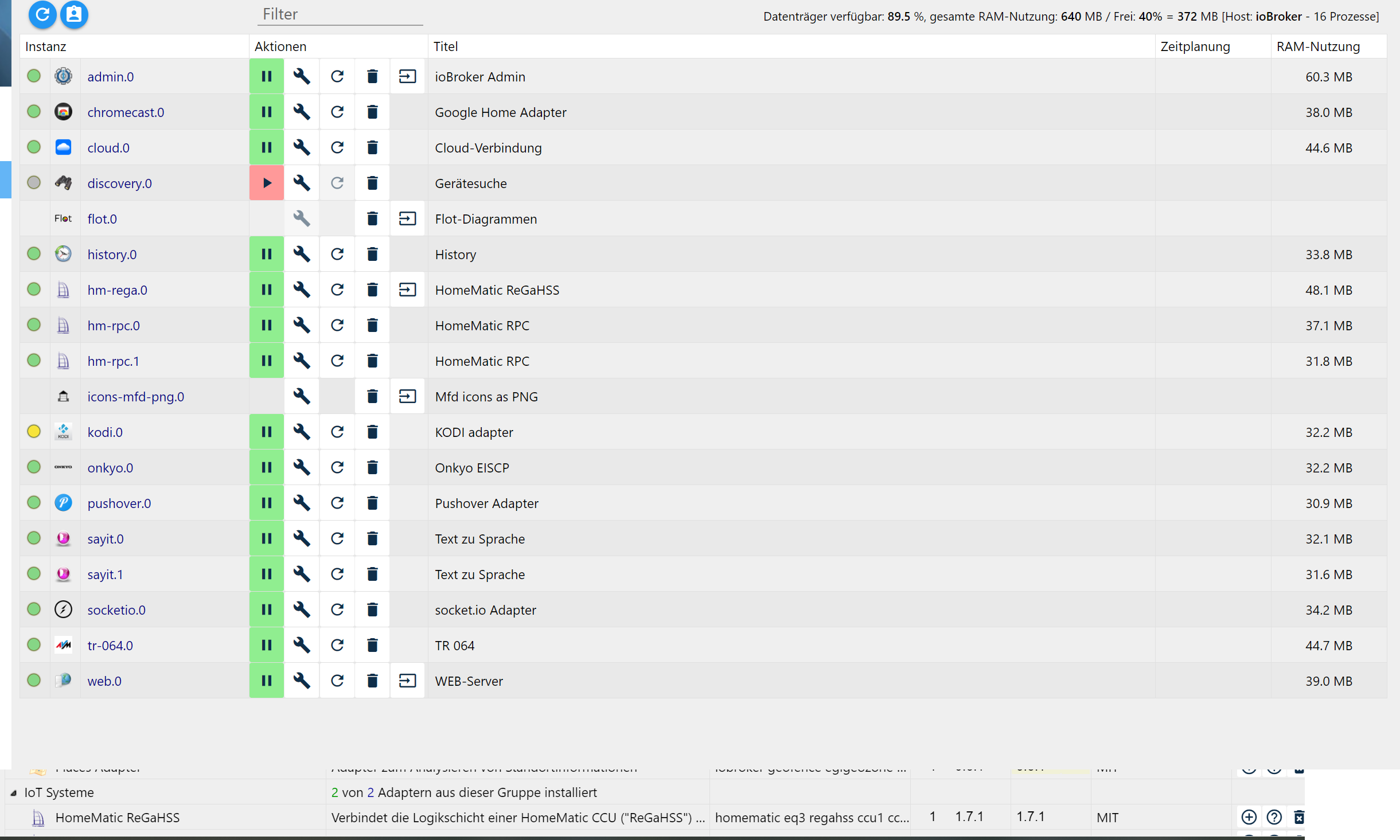
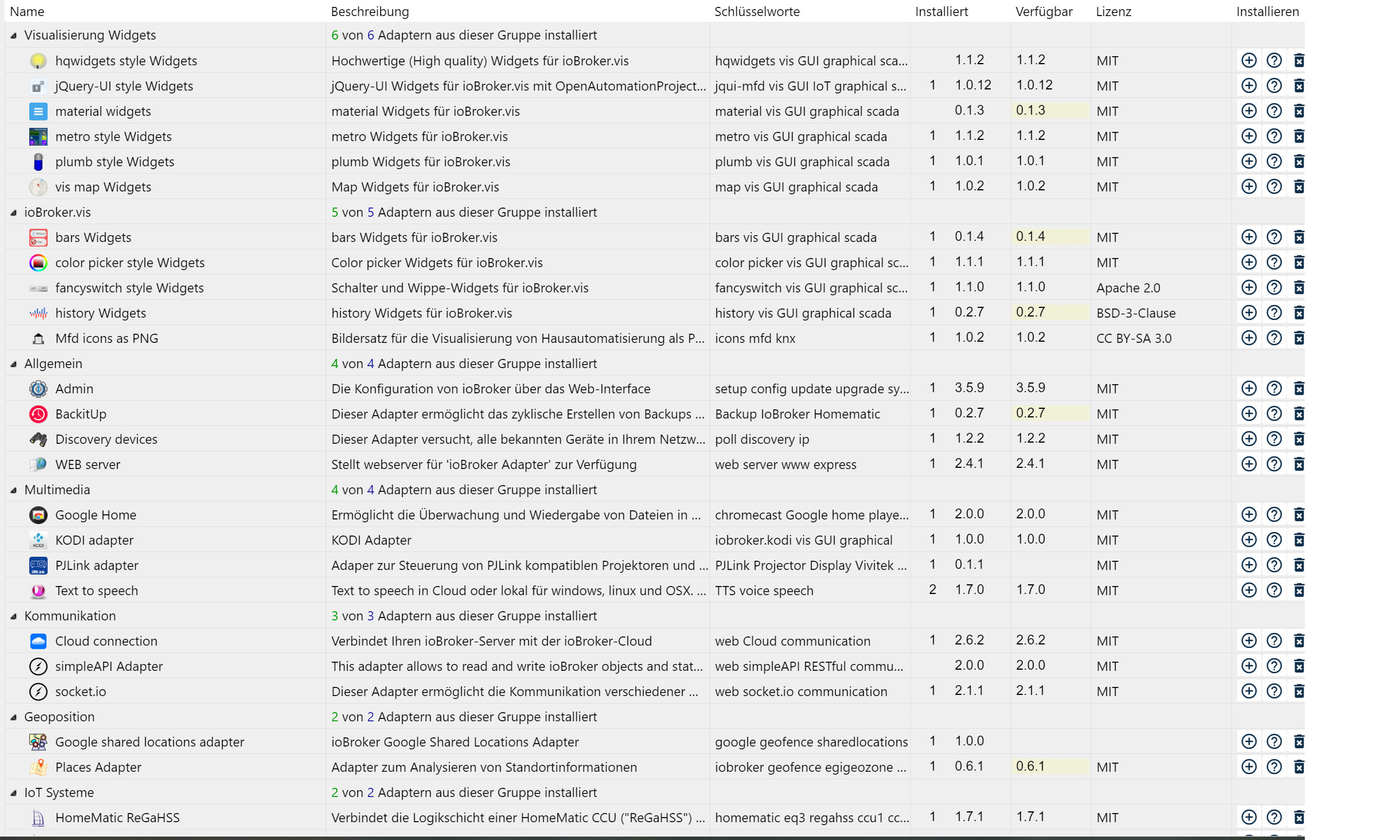
nach dem update wurden Instancen nicht angezeigt obwohl sie unter Adapter wie gewohnt als installiert gelistet waren. Die entsprechenden Datenpunkte fehlen auch. Aufgefallen ist mir das Ganze eigentlich nur weil meine HM nicht mehr auf Skripte reagierte… weil die DP's weg sind.
-
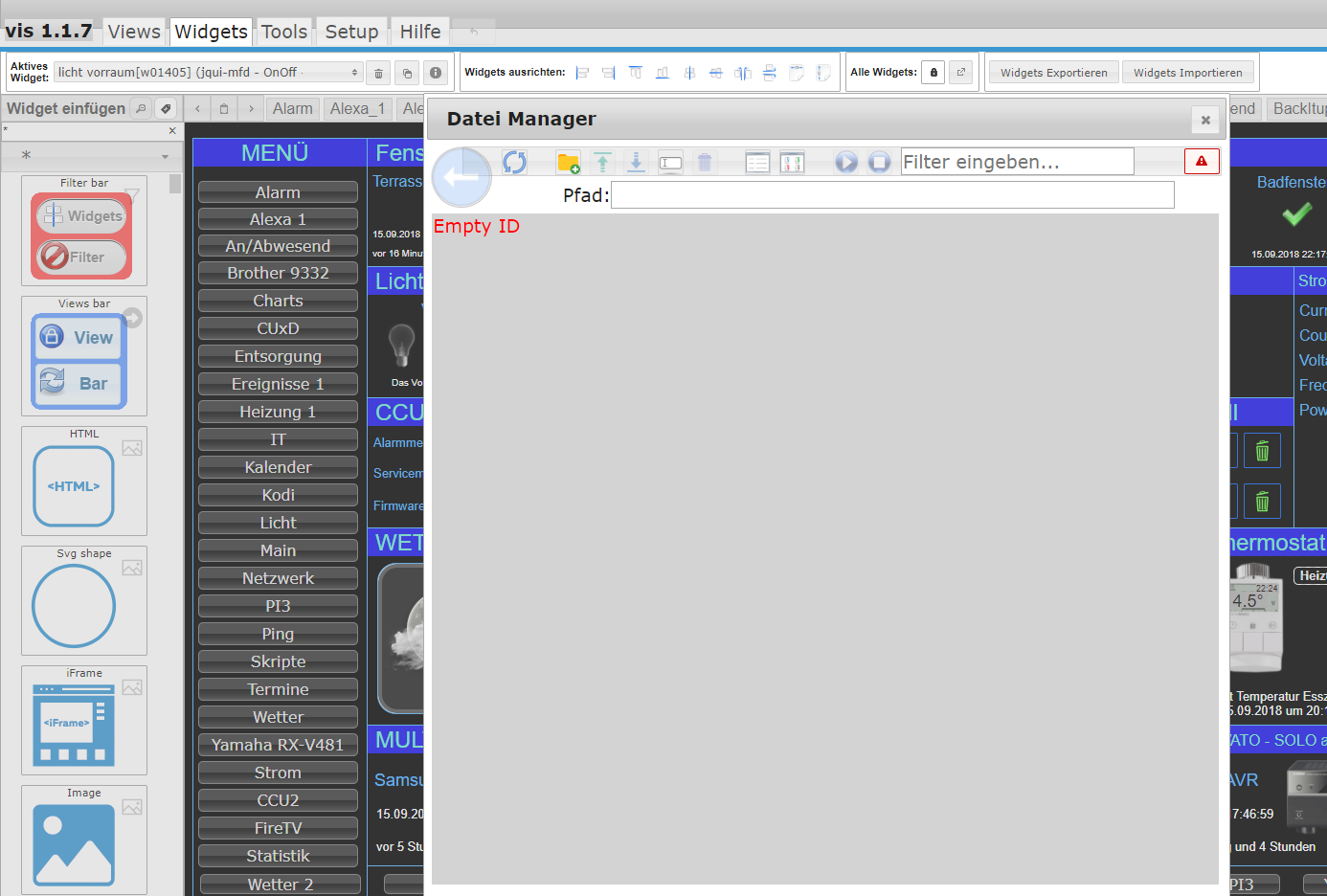
Noch immer der Fehler EMPTY ID
host.Medion 2018-09-15 22:20:24.375 info instance system.adapter.vis.0 terminated while should be started once vis.0 2018-09-15 22:20:20.822 info vis license is OK. vis.0 2018-09-15 22:20:20.712 info starting. Version 1.1.7 in C:/ioBroker/node_modules/iobroker.vis, node: v8.11.3 vis.0 2018-09-15 22:20:20.665 debug statesDB connected vis.0 2018-09-15 22:20:20.665 debug objectDB connected javascript.0 2018-09-15 22:20:01.049 info script.js.Sigi.UWZ: [] javascript.0 2018-09-15 22:20:01.033 info script.js.Sigi.UWZ: [] host.Medion 2018-09-15 22:19:50.039 info instance system.adapter.feiertage.0 terminated with code 0 (OK) feiertage.0 2018-09-15 22:19:49.522 info adapter feiertage objects written feiertage.0 2018-09-15 22:19:49.522 info Next holiday: Nationalfeiertag in Österreich is in 41 days on 26.10.2018 feiertage.0 2018-09-15 22:19:49.459 info starting. Version 1.0.9 in C:/ioBroker/node_modules/iobroker.feiertage, node: v8.11.3 host.Medion 2018-09-15 22:19:48.131 info instance system.adapter.feiertage.0 started with pid 8320 host.Medion 2018-09-15 22:19:48.100 info instance scheduled system.adapter.feiertage.0 0 0 * * * host.Medion 2018-09-15 22:19:40.090 info instance scheduled system.adapter.daswetter.0 14,43,59 * * * * host.Medion 2018-09-15 22:19:14.413 info instance system.adapter.ical.2 terminated with code 0 (OK) web.0 2018-09-15 22:19:14.365 info <==Disconnect system.user.admin from ::1 vis.0 -
Dann kannst du im ioBroker Verzeichnis in ioBroker-Data verzeichnis mal schauen ob die aktuelle objects.json und die Backups ggf viel Andere dateigrössen haben. Falls ja dann hat es da was zerbröselt und kannst mal versuchen eine ältere objects.json zu nehmen.
Gesendet vom Handy …
-
Noch immer der Fehler EMPTY ID
filename="Screenshot (692).png" index="0">~~
host.Medion	2018-09-15 22:20:24.375	info	instance system.adapter.vis.0 terminated while should be started once
vis.0	2018-09-15 22:20:20.822	info	vis license is OK.
vis.0	2018-09-15 22:20:20.712	info	starting. Version 1.1.7 in C:/ioBroker/node_modules/iobroker.vis, node: v8.11.3
vis.0	2018-09-15 22:20:20.665	debug	statesDB connected
vis.0	2018-09-15 22:20:20.665	debug	objectDB connected
javascript.0	2018-09-15 22:20:01.049	info	script.js.Sigi.UWZ: []
javascript.0	2018-09-15 22:20:01.033	info	script.js.Sigi.UWZ: []
host.Medion	2018-09-15 22:19:50.039	info	instance system.adapter.feiertage.0 terminated with code 0 (OK)
feiertage.0	2018-09-15 22:19:49.522	info	adapter feiertage objects written
feiertage.0	2018-09-15 22:19:49.522	info	Next holiday: Nationalfeiertag in Österreich is in 41 days on 26.10.2018
feiertage.0	2018-09-15 22:19:49.459	info	starting. Version 1.0.9 in C:/ioBroker/node_modules/iobroker.feiertage, node: v8.11.3
host.Medion	2018-09-15 22:19:48.131	info	instance system.adapter.feiertage.0 started with pid 8320
host.Medion	2018-09-15 22:19:48.100	info	instance scheduled system.adapter.feiertage.0 0 0 * * *
host.Medion	2018-09-15 22:19:40.090	info	instance scheduled system.adapter.daswetter.0 14,43,59 * * * *
host.Medion	2018-09-15 22:19:14.413	info	instance system.adapter.ical.2 terminated with code 0 (OK)
web.0	2018-09-15 22:19:14.365	info	<==Disconnect system.user.admin from ::1 vis.0
```` `
Hast du hier bitte mal noch die Browser consolen ausgabe?
Gesendet vom Handy …
-
Dann kannst du im ioBroker Verzeichnis in ioBroker-Data verzeichnis mal schauen ob die aktuelle objects.json und die Backups ggf viel Andere dateigrössen haben. Falls ja dann hat es da was zerbröselt und kannst mal versuchen eine ältere objects.json zu nehmen.
Gesendet vom Handy … `
leider kein erfolg
[edit]
sobald ich den host neustarte laden wenigstens die instancen rein
-
Noch immer der Fehler EMPTY ID
Screenshot (692).png
host.Medion	2018-09-15 22:20:24.375	info	instance system.adapter.vis.0 terminated while should be started once
vis.0	2018-09-15 22:20:20.822	info	vis license is OK.
vis.0	2018-09-15 22:20:20.712	info	starting. Version 1.1.7 in C:/ioBroker/node_modules/iobroker.vis, node: v8.11.3
vis.0	2018-09-15 22:20:20.665	debug	statesDB connected
vis.0	2018-09-15 22:20:20.665	debug	objectDB connected
javascript.0	2018-09-15 22:20:01.049	info	script.js.Sigi.UWZ: []
javascript.0	2018-09-15 22:20:01.033	info	script.js.Sigi.UWZ: []
host.Medion	2018-09-15 22:19:50.039	info	instance system.adapter.feiertage.0 terminated with code 0 (OK)
feiertage.0	2018-09-15 22:19:49.522	info	adapter feiertage objects written
feiertage.0	2018-09-15 22:19:49.522	info	Next holiday: Nationalfeiertag in Österreich is in 41 days on 26.10.2018
feiertage.0	2018-09-15 22:19:49.459	info	starting. Version 1.0.9 in C:/ioBroker/node_modules/iobroker.feiertage, node: v8.11.3
host.Medion	2018-09-15 22:19:48.131	info	instance system.adapter.feiertage.0 started with pid 8320
host.Medion	2018-09-15 22:19:48.100	info	instance scheduled system.adapter.feiertage.0 0 0 * * *
host.Medion	2018-09-15 22:19:40.090	info	instance scheduled system.adapter.daswetter.0 14,43,59 * * * *
host.Medion	2018-09-15 22:19:14.413	info	instance system.adapter.ical.2 terminated with code 0 (OK)
web.0	2018-09-15 22:19:14.365	info	<==Disconnect system.user.admin from ::1 vis.0
```` `
Hast du hier bitte mal noch die Browser consolen ausgabe?
Gesendet vom Handy … `
Create inner vis object hm-rpc.0.xxxxxxxxxx.4.MANU_MODE vis.js:2970 Create inner vis object ping.0.MedionPc.192_xxxxxxxxxxx vis.js:2970 Create inner vis object kodi.0.previous vis.js:2970 Create inner vis object 127.0.0.1:80 vis.js:2970 Create inner vis object kodi.0.clear vis.js:2970 Create inner vis object kodi.0.system.Reboot vis.js:2970 Create inner vis object kodi.0.system.Shutdown vis.js:2970 Create inner vis object hm-rpc.0.OEQxxxxxxxxx.1.STATE vis.js:2970 Create inner vis object hue.0.Philips_hue.WC.on vis.js:2970 Create inner vis object 125 vis.js:2970 Create inner vis object 100 vis.js:2970 Create inner vis object 50 vis.js:2970 Create inner vis object ping.0.MedionPc.192_16xxxx_22 vis.js:2970 Create inner vis object hm-rpc.0.Nxxxxxxxx.1.LOWBAT vis.js:2970 Create inner vis object ping.0.MedionPc.192_168_178 s.js:2970 Create inner vis object ping.0.MedionPc.192_168_ vis.js:2970 Create inner vis object 0 vis.js:2970 Create inner vis object system.adapter.javascript.0.alive vis.js:2970 Create inner vis object javascript.0.HWInfo.MedionPc.CPU.Load vis.js:2970 Create inner vis object javascript.0.HWInfo.MedionPc.CPU.Speed vis.js:2970 Create inner vis object javascript.0.HWInfo.MedionPc.CPU.Temp vis.js:2970 Create inner vis object musiccast.0.RX-V481_08125F03.netusb.next vis.js:2970 Create inner vis object musiccast.0.RX-V481_08125F03.netusb.prev vis.js:2970 Create inner vis object musiccast.0.RX-V481_08125F03.netusb.playPause vis.js:2970 Create inner vis object ping.0.Medion.192_168_178_51 vis.js:2970 Create inner vis object ping.0.MedionPc.192_168_178_35 vis.js:2970 Create inner vis object vis.0.Huawai.battery.level vis.js:2970 Create inner vis object hm-rpc.0.NEQ1xxxxxxxxxxxUNREACH vis.js:2970 Create inner vis object hm-rpc.0.NExxxxxxxxxxxxx.STICKY_UNREACH vis.js:2970 Create inner vis object hm-rpc.0.xxxxxxxxxxxxxx0.UNREACH vis.js:2970 Create inner vis object system.adapter.hue.0.connected vis.js:2970 Create inner vis object javascript.0.scriptEnabled.Ansage_Temperatur vis.js:2970 Create inner vis object javascript.0.scriptEnabled.Ansage_Wind vis.js:2970 Create inner vis object javascript.0.scriptEnabled. vis.js:2970 Create inner vis object javascript.0.scriptEnabled.Ansage_alles vis.js:2970 Create inner vis object javascript.0.scriptEnabled.Ansage_Hausmüll vis.js:2970 Create inner vis object javascript.0.scriptEnabled.Ansage_Geburtstag vis.js:2970 Create inner vis object http://192.168.178.27:50000/tts=test vis.js:2970 Create inner vis object http://192.168.178.27:50000/tts= vis.js:2970 Create inner vis object http://192.168.178.27:50000/tts vis.js:2970 Create inner vis object http://192.168.178.27:50000/t vis.js:2970 Create inner vis object http://192.168.178.27:50000/tts= vis.js:2970 Create inner vis object http://192.168.178.27:50000/tts= vis.js:2970 Create inner vis object http://192.168.178.27:50000/tts= vis.js:2970 Create inner vis object http://192.168.178.27:50000/tts= vis.js:2970 Create inner vis object http://192.168.178.27:50000/tts= vis.js:2970 Create inner vis object http://192.168.178.27:50000/tts= vis.js:2970 Create inner vis object http://192.168.178.27:50000/tts= vis.js:2970 Create inner vis object javascript.0.Status.Lichter.State vis.js:2970 Create inner vis object hm-rpc.0.NEQ1xxxxxxxxxxx.POWER vis.js:2970 Create inner vis object 150 vis.js:2970 Create inner vis object 962 vis.js:2970 Create inner vis object 940 vis.js:2970 Create inner vis object 1200 vis.js:2970 Create inner vis object 200 vis.js:2970 Create inner vis object dwd.0.warning.text vis.js:2970 Create inner vis object dwd.0.warning.severity vis.js:2970 Create inner vis object javascript.2.Grafana.DashboardURL vis.js:2970 Create inner vis object daswetter.0.NextDaysDetailed.Location vis.js:2970 Create inner vis object daswetter.0.NextDaysDetailed.0d.4h.Clouds vis.js:2970 Create inner vis object tun vis.js:2970 Create inner vis object yamaha.0.Realtime.BT.DEVICENAME translate.js:20 "Use background": {"en": "Use background", "de": "Use background", "ru": "Use background"}, 7translate.js:20 "ctrl - Bool": {"en": "ctrl - Bool", "de": "ctrl - Bool", "ru": "ctrl - Bool"}, edit.html:18038 Version vis-timeandweather: 1.1.7 jquery.zweatherfeed.js:555 w01297 bars.js:55 Version vis-bars:0.1.4 selectID.js:771 Error: Assertion failed at Function.error (jquery-1.11.2.min.js:2) at d (jquery.fancytree-all.min.js:40) at g (jquery.fancytree-all.min.js:40) at r.nodeRender (jquery.fancytree-all.min.js:40) at r.nodeRender (jquery.fancytree-all.min.js:12) at r._callHook (jquery.fancytree-all.min.js:12) at f (jquery.fancytree-all.min.js:13) at r.nodeSetExpanded (jquery.fancytree-all.min.js:13) at r.h (jquery.fancytree-all.min.js:12) at r.nodeSetExpanded (jquery.fancytree-all.min.js:40) (anonymous) @ selectID.js:771 visit @ jquery.fancytree-all.min.js:12 visit @ jquery.fancytree-all.min.js:12 visit @ jquery.fancytree-all.min.js:12 visit @ jquery.fancytree-all.min.js:12 visit @ jquery.fancytree-all.min.js:12 visit @ jquery.fancytree-all.min.js:12 showActive @ selectID.js:764 initTreeDialog @ selectID.js:3178 show @ selectID.js:3541 $.fn.selectId @ selectID.js:3921 click @ visEditInspect.js:109 dispatch @ jquery-1.11.2.min.js:3 r.handle @ jquery-1.11.2.min.js:3 selectID.js:417 Error: Assertion failed at Function.error (jquery-1.11.2.min.js:2) at d (jquery.fancytree-all.min.js:40) at g (jquery.fancytree-all.min.js:40) at r.nodeRender (jquery.fancytree-all.min.js:40) at r.nodeRender (jquery.fancytree-all.min.js:12) at r._callHook (jquery.fancytree-all.min.js:12) at q.render (jquery.fancytree-all.min.js:12) at q.sortChildren (jquery.fancytree-all.min.js:12) at sort (selectID.js:415) at sort (selectID.js:421) selectID.js:417 Error: Assertion failed prev. row must have a tr, or is system root at Function.error (jquery-1.11.2.min.js:2) at d (jquery.fancytree-all.min.js:40) at r.nodeRender (jquery.fancytree-all.min.js:40) at r.nodeRender (jquery.fancytree-all.min.js:12) at r._callHook (jquery.fancytree-all.min.js:12) at q.render (jquery.fancytree-all.min.js:12) at q.sortChildren (jquery.fancytree-all.min.js:12) at sort (selectID.js:415) at sort (selectID.js:421) at sort (selectID.js:421) -
Erstmal nur zur Info
folgender fehler kam auf allen meinen iobroker installationen von 1.5.2 auf 1.5.3
! ````
iobroker controller daemon stopped.
fs.js:1177
return binding.chmod(pathModule._makeLong(path), modeNum(mode));
^
! Error: ENOENT: no such file or directory, chmod '/opt/iobroker/node_modules/iobr oker.js-controller/lib/../killall.sh'
at Error (native)
at Object.fs.chmodSync (fs.js:1177:18)
at Daemon.daemon.on (/opt/iobroker/node_modules/iobroker.js-controller/lib/s etup.js:286:32)
at emitOne (events.js:101:20)
at Daemon.emit (events.js:188:7)
at Daemon. <anonymous>(/opt/iobroker/node_modules/daemonize2/lib/daemonize.j s:267:14)
at Daemon._tryKill (/opt/iobroker/node_modules/daemonize2/lib/daemonize.js:2 77:23)
at ontimeout (timers.js:386:11)
at tryOnTimeout (timers.js:250:5)
at Timer.listOnTimeout (timers.js:214:5)</anonymous>SSL Fehler beim Telegram adapter ist noch da. Ansonsten nutze ich aktuell kein ssl >! ```` host.ioBroker 2018-09-15 22:51:52.059 error instance system.adapter.telegram.0 terminated with code 0 (OK) host.ioBroker 2018-09-15 22:51:52.059 error Caught by controller[1]: at WritableState.onwrite (_stream_writable.js:90:5) host.ioBroker 2018-09-15 22:51:52.059 error Caught by controller[1]: at onwrite (_stream_writable.js:378:7) host.ioBroker 2018-09-15 22:51:52.059 error Caught by controller[1]: at afterWrite (_stream_writable.js:387:3) host.ioBroker 2018-09-15 22:51:52.059 error Caught by controller[1]: at /opt/iobroker/node_modules/iobroker.js-controller/node_modules/ws/lib/PerMessageDeflate.js:249:5 host.ioBroker 2018-09-15 22:51:52.058 error Caught by controller[1]: at /opt/iobroker/node_modules/iobroker.js-controller/node_modules/ws/lib/Receiver.js:368:7 host.ioBroker 2018-09-15 22:51:52.058 error Caught by controller[1]: at /opt/iobroker/node_modules/iobroker.js-controller/node_modules/ws/lib/Receiver.js:536:18 host.ioBroker 2018-09-15 22:51:52.058 error Caught by controller[1]: at Receiver.ontext (/opt/iobroker/node_modules/iobroker.js-controller/node_modules/ws/lib/WebSocket.js:841:10) host.ioBroker 2018-09-15 22:51:52.058 error Caught by controller[1]: at WebSocket.emit (events.js:191:7) host.ioBroker 2018-09-15 22:51:52.058 error Caught by controller[1]: at emitTwo (events.js:106:13) host.ioBroker 2018-09-15 22:51:52.058 error Caught by controller[1]: at WebSocket.onMessage (/opt/iobroker/node_modules/iobroker.js-controller/node_modules/ws/lib/WebSocket.js:442:14) host.ioBroker 2018-09-15 22:51:52.058 error Caught by controller[1]: at WebSocket.ws.onmessage (/opt/iobroker/node_modules/iobroker.js-controller/node_modules/engine.io-client/lib/transports/websocket.js:146:10) host.ioBroker 2018-09-15 22:51:52.058 error Caught by controller[1]: at WS.Transport.onData (/opt/iobroker/node_modules/iobroker.js-controller/node_modules/engine.io-client/lib/transport.js:137:8) host.ioBroker 2018-09-15 22:51:52.058 error Caught by controller[1]: at WS.Transport.onPacket (/opt/iobroker/node_modules/iobroker.js-controller/node_modules/engine.io-client/lib/transport.js:145:8) host.ioBroker 2018-09-15 22:51:52.058 error Caught by controller[1]: at WS.Emitter.emit (/opt/iobroker/node_modules/iobroker.js-controller/node_modules/component-emitter/index.js:133:20) host.ioBroker 2018-09-15 22:51:52.058 error Caught by controller[1]: at WS. <anonymous>(/opt/iobroker/node_modules/iobroker.js-controller/node_modules/engine.io-client/lib/socket.js:268:10) host.ioBroker 2018-09-15 22:51:52.058 error Caught by controller[1]: at Socket.onPacket (/opt/iobroker/node_modules/iobroker.js-controller/node_modules/engine.io-client/lib/socket.js:451:14) host.ioBroker 2018-09-15 22:51:52.058 error Caught by controller[1]: at Socket.Emitter.emit (/opt/iobroker/node_modules/iobroker.js-controller/node_modules/component-emitter/index.js:133:20) host.ioBroker 2018-09-15 22:51:52.058 error Caught by controller[1]: at Socket. <anonymous>(/opt/iobroker/node_modules/component-bind/index.js:21:15) host.ioBroker 2018-09-15 22:51:52.058 error Caught by controller[1]: at Manager.ondata (/opt/iobroker/node_modules/iobroker.js-controller/node_modules/socket.io-client/lib/manager.js:322:16) host.ioBroker 2018-09-15 22:51:52.058 error Caught by controller[1]: at Decoder.add (/opt/iobroker/node_modules/socket.io-parser/index.js:246:12) host.ioBroker 2018-09-15 22:51:52.058 error Caught by controller[1]: at Decoder.Emitter.emit (/opt/iobroker/node_modules/component-emitter/index.js:134:20) host.ioBroker 2018-09-15 22:51:52.058 error Caught by controller[1]: at Decoder. <anonymous>(/opt/iobroker/node_modules/component-bind/index.js:21:15) host.ioBroker 2018-09-15 22:51:52.058 error Caught by controller[1]: at Manager.ondecoded (/opt/iobroker/node_modules/iobroker.js-controller/node_modules/socket.io-client/lib/manager.js:332:8) host.ioBroker 2018-09-15 22:51:52.058 error Caught by controller[1]: at Manager.Emitter.emit (/opt/iobroker/node_modules/iobroker.js-controller/node_modules/component-emitter/index.js:133:20) host.ioBroker 2018-09-15 22:51:52.057 error Caught by controller[1]: at Manager. <anonymous>(/opt/iobroker/node_modules/component-bind/index.js:21:15) host.ioBroker 2018-09-15 22:51:52.057 error Caught by controller[1]: at Socket.onpacket (/opt/iobroker/node_modules/iobroker.js-controller/node_modules/socket.io-client/lib/socket.js:236:12) host.ioBroker 2018-09-15 22:51:52.057 error Caught by controller[1]: at Socket.onack (/opt/iobroker/node_modules/iobroker.js-controller/node_modules/socket.io-client/lib/socket.js:312:9) host.ioBroker 2018-09-15 22:51:52.057 error Caught by controller[1]: at Socket.that.getForeignObject (/opt/iobroker/node_modules/iobroker.js-controller/lib/adapter.js:724:21) host.ioBroker 2018-09-15 22:51:52.057 error Caught by controller[1]: at /opt/iobroker/node_modules/iobroker.telegram/main.js:65:32 host.ioBroker 2018-09-15 22:51:52.057 error Caught by controller[1]: at Object.createServer (/opt/iobroker/node_modules/iobroker.js-controller/lib/letsencrypt.js:55:26) host.ioBroker 2018-09-15 22:51:52.057 error Caught by controller[1]: at Object.Greenlock.create (/opt/iobroker/node_modules/iobroker.js-controller/node_modules/greenlock/index.js:258:13) host.ioBroker 2018-09-15 22:51:52.057 error Caught by controller[1]: at promisifyAllSelf (/opt/iobroker/node_modules/iobroker.js-controller/node_modules/greenlock/index.js:15:20) host.ioBroker 2018-09-15 22:51:52.057 error Caught by controller[1]: at Array.forEach (native) host.ioBroker 2018-09-15 22:51:52.057 error Caught by controller[1]: at /opt/iobroker/node_modules/iobroker.js-controller/node_modules/greenlock/index.js:17:33 host.ioBroker 2018-09-15 22:51:52.057 error Caught by controller[1]: TypeError: util.promisify is not a function host.ioBroker 2018-09-15 22:51:52.057 error Caught by controller[0]: See https://github.com/yagop/node-telegram-bot-api/issues/319\. at module.js:577:32 host.ioBroker 2018-09-15 22:51:52.057 error Caught by controller[0]: In the future, you will have to enable it yourself. host.ioBroker 2018-09-15 22:51:52.057 error Caught by controller[0]: Sat, 15 Sep 2018 20:51:51 GMT node-telegram-bot-api deprecated Automatic enabling of cancellation of promises is deprecated. telegram.0 2018-09-15 22:51:51.542 error TypeError: util.promisify is not a function at /opt/iobroker/node_modules/iobroker.js-controller/node_modules/greenlock/index.js:17:33 at Array.forEach (native) at promisifyAllSelf (/opt/i telegram.0 2018-09-15 22:51:51.542 error uncaught exception: util.promisify is not a function</anonymous></anonymous></anonymous></anonymous> -
Ja die States und Instances sind wieder wie vor dem Update vorhanden. Zum Glück ;-) Ich weiss nicht was schief gelaufen ist, ich konnte jedoch nach mehrmaligem reboot ( auch vom Strom trennen) keinen normalen Zustand herbeiführen. Jedes mal wurden die Instanzen nicht sauber geladen und states sowie Skripte waren futsch.
-
Bei mir sind die DashButton außer Funktion:
host.haus	2018-09-15 22:37:51.275	error	instance system.adapter.amazon-dash.0 terminated with code 0 (OK)
Caught	2018-09-15 22:37:51.275	error	by controller[0]: at Socket.that.getForeignObject (/opt/iobroker/node_modules/iobroker.js-controller/lib/adapter.js:869:25)
Caught	2018-09-15 22:37:51.275	error	by controller[0]: at createInstancesObjects (/opt/iobroker/node_modules/iobroker.js-controller/lib/adapter.js:830:13)
Caught	2018-09-15 22:37:51.275	error	by controller[0]: at createInstancesObjects (/opt/iobroker/node_modules/iobroker.js-controller/lib/adapter.js:869:54)
Caught	2018-09-15 22:37:51.275	error	by controller[0]: at initAdapter (/opt/iobroker/node_modules/iobroker.js-controller/lib/adapter.js:5290:18)
Caught	2018-09-15 22:37:51.275	error	by controller[0]: at Adapter.emit (events.js:208:7)
Caught	2018-09-15 22:37:51.275	error	by controller[0]: at emitNone (events.js:106:13)
Caught	2018-09-15 22:37:51.275	error	by controller[0]: at Adapter. <anonymous>(/opt/iobroker/node_modules/iobroker.amazon-dash/main.js:42:5)
Caught	2018-09-15 22:37:51.275	error	by controller[0]: at main (/opt/iobroker/node_modules/iobroker.amazon-dash/main.js:78:29)
Caught	2018-09-15 22:37:51.274	error	by controller[0]: at Object.exports.createSession (/opt/iobroker/node_modules/iobroker.amazon-dash/node_modules/pcap/pcap.js:123:12)
Caught	2018-09-15 22:37:51.274	error	by controller[0]: at new PcapSession (/opt/iobroker/node_modules/iobroker.amazon-dash/node_modules/pcap/pcap.js:49:39)
Caught	2018-09-15 22:37:51.274	error	by controller[0]: Error: socket: Operation not permitted
host.haus	2018-09-15 22:37:50.499	info	instance system.adapter.amazon-dash.0 started with pid 2380</anonymous>
Wenn ich versuche nachzuinstallieren habe ich das hier in der Konsole:
root@haus:/home/haus# npm install https://github.com/PArns/ioBroker.amazon-dash/tarball/master --production --prefix "/opt/iobroker" --unsafe-perm
npm ERR! code 128
npm ERR! Command failed: /usr/bin/git submodule update -q --init --recursive
npm ERR! fatal: failed to stat '/root/.npm/_cacache/tmp/git-clone-5a5e4840': Permission denied
npm ERR!

npm ERR! A complete log of this run can be found in:
npm ERR!     /root/.npm/_logs/2018-09-16T06_23_56_137Z-debug.log
Bis Version 1.5.0. haben die Button funktioniert.
1.5.1 und 1.5.2 habe ich ausgelassen.
-
Operation not permitted weißt auf fehlende rechte hin. Das muss unter root laufen. Hat aber mit dem Controller nix zu tun.
Beim install das gleiche.
Ja für install ist in 1.5.x eine Änderung drin das es weniger Probleme geben sollte und mit —unsafe-perm installiert wird.
Also kurz: der Adapter braucht root/sudo,war aber an dich schon immer so.
Gesendet vom Handy …
-
Mache bitte ein Downgrade von NPM auf 4.6.1 und versuche die Installation noch einmal.
npm i -g npm@4.6.1 -
Nachdem ich den JSControler neu installiert habe scheint alles wieder zu laufen.
Aber ich habe bei der Installation das nächste Problem bekommen:
npm WARN saveError ENOENT: no such file or directory, open '/home/haus/package.json'
npm notice created a lockfile as package-lock.json. You should commit this file.
npm WARN enoent ENOENT: no such file or directory, open '/home/haus/package.json'
npm WARN haus No description
npm WARN haus No repository field.
npm WARN haus No README data
npm WARN haus No license field.

+ iobroker.js-controller@1.5.3
added 344 packages from 247 contributors and audited 785 packages in 74.181s
found 27 vulnerabilities (19 low, 8 high)
  run `npm audit fix` to fix them, or `npm audit` for details
root@haus:/home/haus# npm audit fix
npm ERR! code EAUDITNOPJSON
npm ERR! audit No package.json found: Cannot audit a project without a package.json

npm ERR! A complete log of this run can be found in:
npm ERR!     /root/.npm/_logs/2018-09-16T07_42_12_245Z-debug.log
npm audit und npm audit fix geben den gleichen Fehler aus
-
Nachdem ich den JSControler neu installiert habe scheint alles wieder zu laufen.
Aber ich habe bei der Installation das nächste Problem bekommen:
npm WARN saveError ENOENT: no such file or directory, open '/home/haus/package.json'
npm notice created a lockfile as package-lock.json. You should commit this file.
npm WARN enoent ENOENT: no such file or directory, open '/home/haus/package.json'
npm WARN haus No description
npm WARN haus No repository field.
npm WARN haus No README data
npm WARN haus No license field.

+ iobroker.js-controller@1.5.3
added 344 packages from 247 contributors and audited 785 packages in 74.181s
found 27 vulnerabilities (19 low, 8 high)
  run `npm audit fix` to fix them, or `npm audit` for details
root@haus:/home/haus# npm audit fix
npm ERR! code EAUDITNOPJSON
npm ERR! audit No package.json found: Cannot audit a project without a package.json

npm ERR! A complete log of this run can be found in:
npm ERR!     /root/.npm/_logs/2018-09-16T07_42_12_245Z-debug.log
npm audit und npm audit fix geben den gleichen Fehler aus `
Ignoriere das mit dem audit. Ist kein FehlerGesendet vom Handy …
-
Die Warnung ist ok. Das ist kein Fehler. Deshalb brauchst Du auch den „audit fix“ nicht zu machen.





Support us
262
Online32.7k
Users82.5k
Topics1.3m
Posts