




-
Kommt drauf an mit welchem Gerät und welcher SW du auf den iobroker Admin zugreifst.
Meistens reicht bei Windows Systemen der „Druck“ Button. Je nach installation öffnet sich dann ein Programm oder der Screenshot ist im Zwischenspeicher. Manche Laptops haben eine „FN“ Taste die Zeitgleich mit der „Druck“ Taste betätigt werden muss.
Dann selber ein Bildbearbeitungsprogramm starten und einfügen.
Wenn alles nicht klappt… Bildschirm Foto mit Handy :(
-
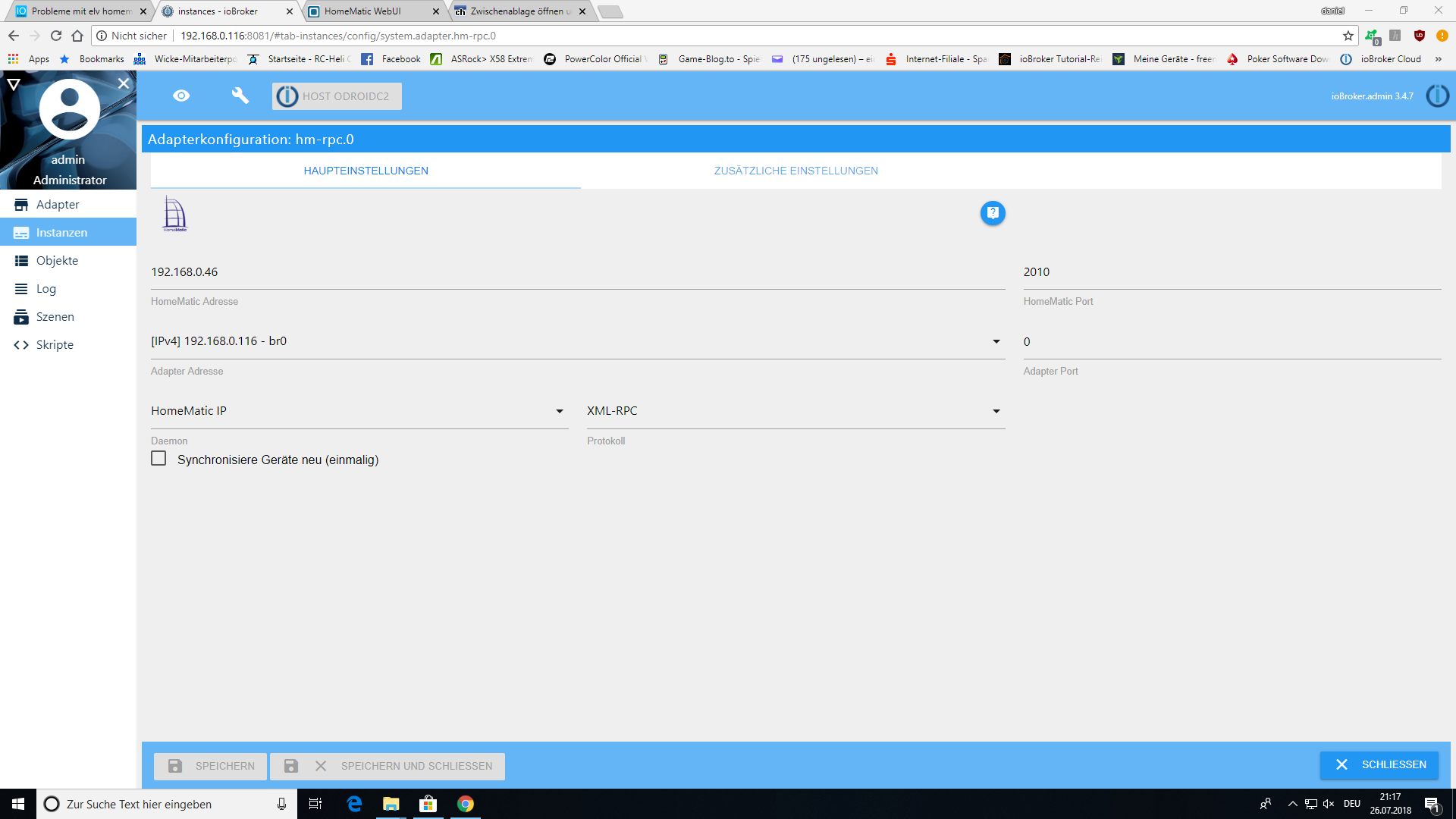
einmal Haken setzen bei Synchronisiere Geräte (einmalig) und hm-rpc speichern.
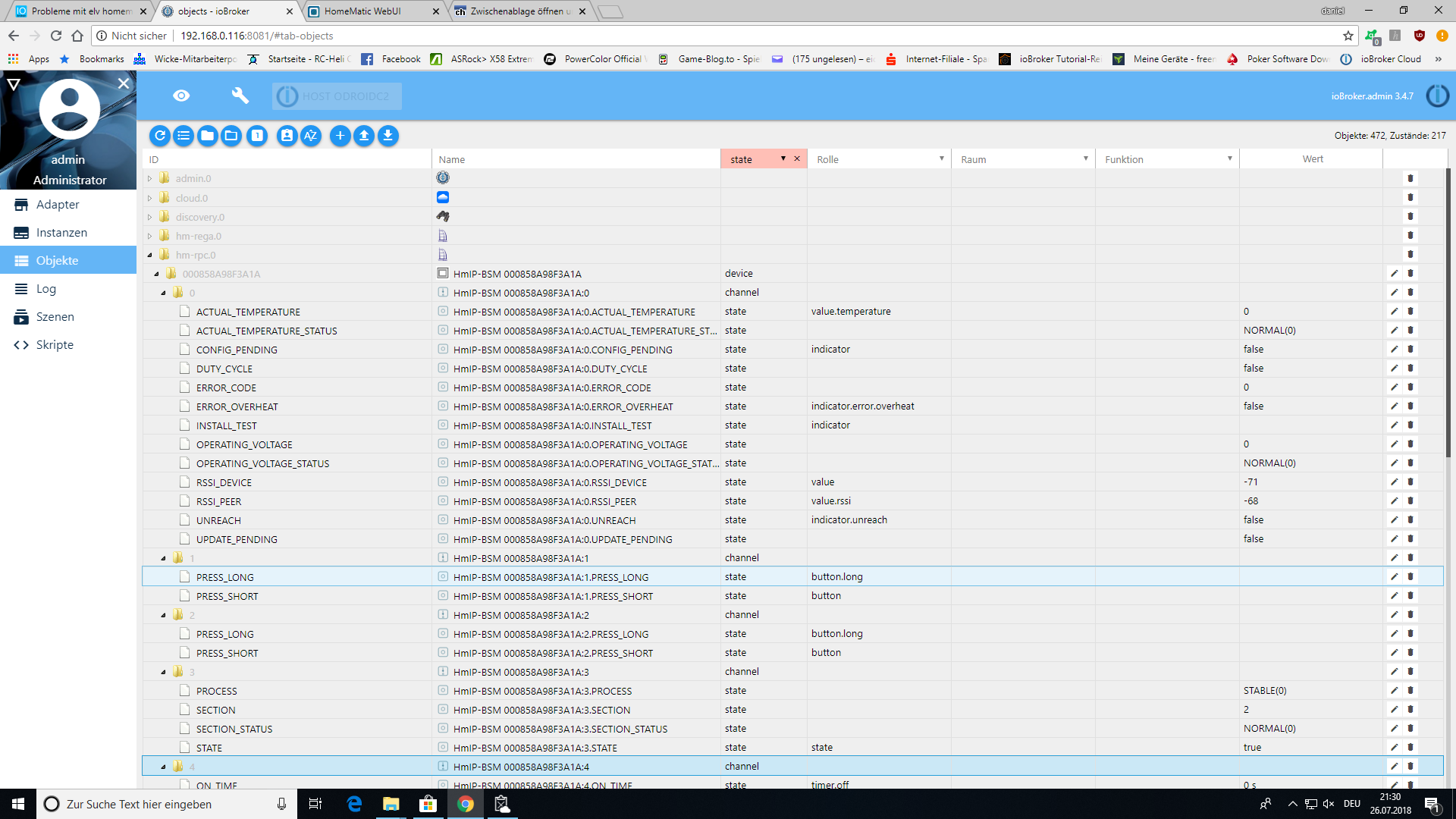
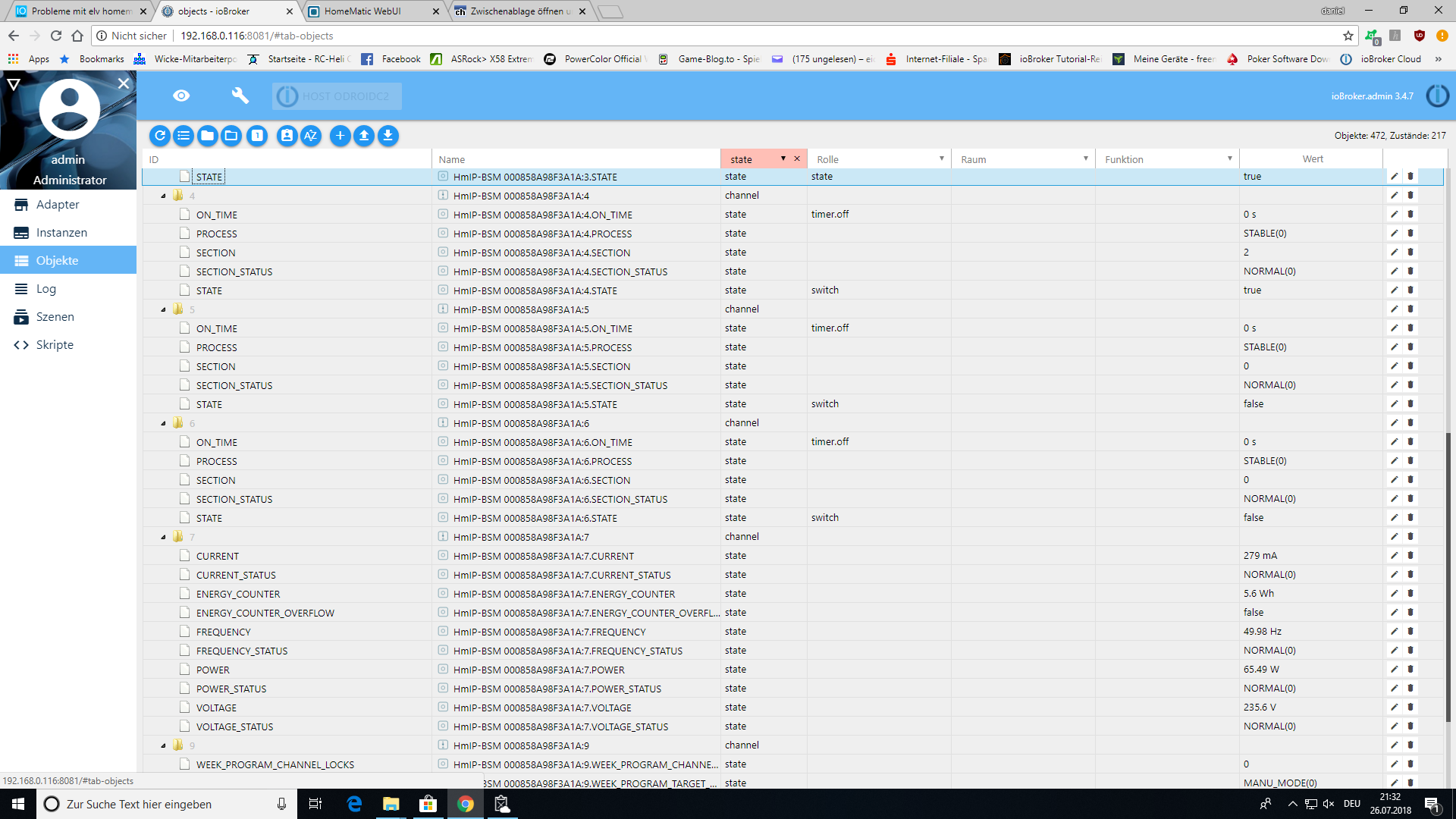
Dann bitte screenshot von dem Aktor mit allen aufgeklappten Objekten
Danke!
Rainer
-
Kannst du mal den „State“ unter Kanal 6 versuchen? `
Ja hast recht! Hab nacht DP State gesucht!
Es funktioniert!
Danke :D


Hello! It looks like you're interested in this conversation, but you don't have an account yet.
Getting fed up of having to scroll through the same posts each visit? When you register for an account, you'll always come back to exactly where you were before, and choose to be notified of new replies (either via email, or push notification). You'll also be able to save bookmarks and upvote posts to show your appreciation to other community members.
With your input, this post could be even better 💗
Register LoginSupport us
262
Online32.7k
Users82.6k
Topics1.3m
Posts