




[gelöst] Windows 7 Fehler bei Installation von YAHKA
-
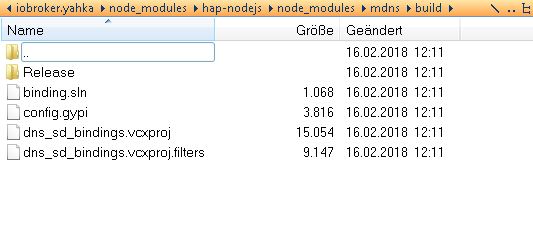
Genau so.
-
Waaaahnsinn!!!
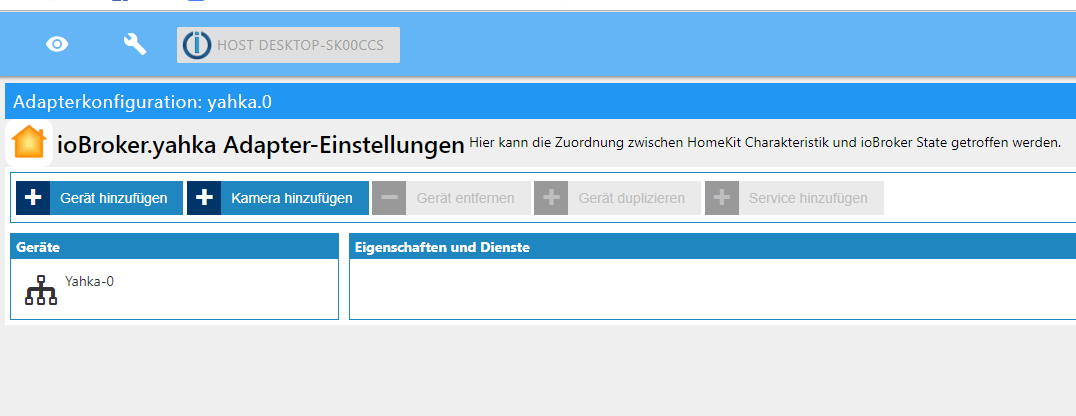
Vielen vielen Dank für die Geduld! mein Held des Tages!
Jetzt mache ich wohl mal ganz schnell ein Back-up und ein Bier auf…
-
Keine Vorschusslorbeeren! Siehst Du die Software-Bridge vom iPhone/iPad aus?
-
ja, kann ich sehen. Sieht aus als wenn es läuft
-
So ein Mist...
Das hat so schön funktioniert...
Ca. 30 Geräte eingerichtet und alles war super,
bis ich den iot-Adapter geupdated habe...
Dieser funktioniert, aber yahka wieder nicht mehr... :.(die vorgeschlagenen Updates von den Homematic-Adaptern habe ich mal besser nicht gemacht...
Mein Log-file:
host.DESKTOP-SK00CCS	2019-02-20 08:37:11.083	info	Restart adapter system.adapter.yahka.0 because enabled
host.DESKTOP-SK00CCS	2019-02-20 08:37:11.083	error	instance system.adapter.yahka.0 terminated with code 1 ()
host.DESKTOP-SK00CCS	2019-02-20 08:37:11.083	error	Caught by controller[0]: at Function.Module._load (module.js:498:3)
host.DESKTOP-SK00CCS	2019-02-20 08:37:11.083	error	Caught by controller[0]: at tryModuleLoad (module.js:506:12)
host.DESKTOP-SK00CCS	2019-02-20 08:37:11.083	error	Caught by controller[0]: at Module.load (module.js:566:32)
host.DESKTOP-SK00CCS	2019-02-20 08:37:11.083	error	Caught by controller[0]: at Object.Module._extensions..js (module.js:664:10)
host.DESKTOP-SK00CCS	2019-02-20 08:37:11.083	error	Caught by controller[0]: at Module._compile (module.js:653:30)
host.DESKTOP-SK00CCS	2019-02-20 08:37:11.083	error	Caught by controller[0]: at Object.<anonymous> (C:\iobroker\node_modules\hap-nodejs\lib\util\encryption.js:5:18)
host.DESKTOP-SK00CCS	2019-02-20 08:37:11.083	error	Caught by controller[0]: at require (internal/module.js:11:18)
host.DESKTOP-SK00CCS	2019-02-20 08:37:11.083	error	Caught by controller[0]: at Module.require (module.js:597:17)
host.DESKTOP-SK00CCS	2019-02-20 08:37:11.083	error	Caught by controller[0]: at Function.Module._load (module.js:475:25)
host.DESKTOP-SK00CCS	2019-02-20 08:37:11.083	error	Caught by controller[0]: at Function.Module._resolveFilename (module.js:548:15)
host.DESKTOP-SK00CCS	2019-02-20 08:37:11.083	error	Caught by controller[0]: Error: Cannot find module 'curve25519-n'
host.DESKTOP-SK00CCS	2019-02-20 08:37:11.083	error	Caught by controller[0]:
host.DESKTOP-SK00CCS	2019-02-20 08:37:11.083	error	Caught by controller[0]: ^
host.DESKTOP-SK00CCS	2019-02-20 08:37:11.083	error	Caught by controller[0]: throw err;
host.DESKTOP-SK00CCS	2019-02-20 08:37:11.083	error	Caught by controller[0]: module.js:550
host.DESKTOP-SK00CCS	2019-02-20 08:37:10.860	info	instance system.adapter.yahka.0 started with pid 21920

Der Bericht vom Update:
$ ./iobroker upgrade iot
Update iot from @0.2.2 to @0.3.1
host.DESKTOP-SK00CCS Adapter "system.adapter.iot.0" is stopped.
NPM version: 6.4.1
npm install iobroker.iot@0.3.1 --production --save --prefix "C:/iobroker" (System call)
host.DESKTOP-SK00CCS Adapter "system.adapter.iot.0" is started
npm install --production (System call) in "C:/iobroker/node_modules/iobroker.iot"
npm
notice created a lockfile as package-lock.json. You should commit this file.
got C:/iobroker/node_modules/iobroker.iot/admin
Update "system.adapter.iot.0"
upload [5] iot.admin C:/iobroker/node_modules/iobroker.iot/admin/words.js words.js application/javascript
upload [4] iot.admin C:/iobroker/node_modules/iobroker.iot/admin/iot.png iot.png image/png
upload [3] iot.admin C:/iobroker/node_modules/iobroker.iot/admin/index_m.html index_m.html text/html
upload [2] iot.admin C:/iobroker/node_modules/iobroker.iot/admin/blockly.js blockly.js application/javascript
upload [1] iot.admin C:/iobroker/node_modules/iobroker.iot/admin/alexalogo.png alexalogo.png image/png
upload [0] iot.admin C:/iobroker/node_modules/iobroker.iot/admin/actions.js actions.js application/javascript
Adapter "iot" updated
process exited with code 0 -
hm... Ich hatte über Terminal „iobroker Backup“ recht aktuell gemacht.
Kann man damit auch die jetzt vermutlich versauten Einstellungen im Hintergrund zurückbringen?? -
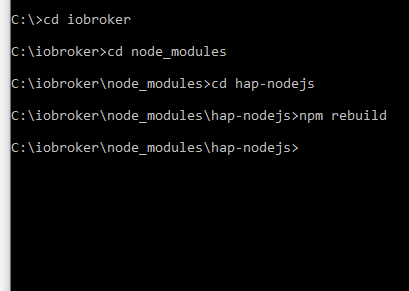
Wechsle in den Ordner „C:\iobroker\node_modules\hap-nodejs“ und führe dort dann „npm rebuild“ dort aus. Was passiert dann?
Wenn Fehler noch da ist, dann im iobroker-Ordner „npm i curve25519-n“ ausführen. Was jetzt?
-
also...
das 1. hat gefühlt gar nichts gemacht, auch nicht mit Neustart von Computer und Instanz:
Beim 2. passierte folgendes:
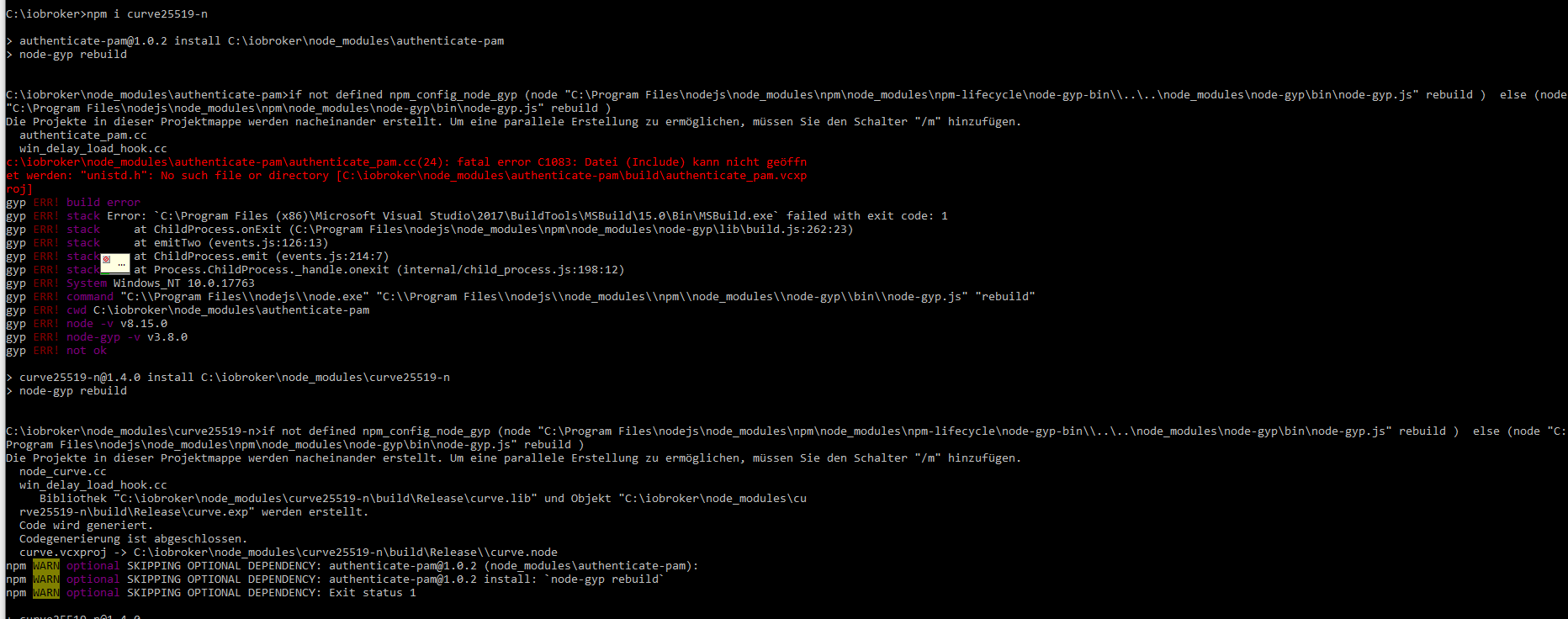

Und jetzt?
npm audit fix im Ordner iobroker?? -
Nein! Das war es schon!
Vielen vielen Dank! Klasse!
Hat nur einen Moment gedauert...Meinst Du, ich kann auch mein Homematic updaten, oder zerschießt mir das jetzt jedes Mal wieder alles?
Wäre echt mal interessant, warum ich andauernd diese Probleme bei Neuinstallationen und Updates habe.
Liegt das daran, dass ich auf Windows arbeite? -
Keine Sorge, das war noch ein Folgefehler der verkorksten Windows-Build-Tools-Installation von vorher.
Bei Homematic stecke ich nicht so drin, aber du kannst ja vor großen Änderungen am iobroker einfach den kompletten iobroker-Ordner wegkopieren und wenn es schiefgeht die Kopie wieder in iobroker umbenennen. Da bist Du auf der sicheren Seite.
Auf den Hinweis mit „npm audit“ nichts geben, ist ok so.
-
super! Nochmals vielen Dank für die Hilfe!

Hey! Du scheinst an dieser Unterhaltung interessiert zu sein, hast aber noch kein Konto.
Hast du es satt, bei jedem Besuch durch die gleichen Beiträge zu scrollen? Wenn du dich für ein Konto anmeldest, kommst du immer genau dorthin zurück, wo du zuvor warst, und kannst dich über neue Antworten benachrichtigen lassen (entweder per E-Mail oder Push-Benachrichtigung). Du kannst auch Lesezeichen speichern und Beiträge positiv bewerten, um anderen Community-Mitgliedern deine Wertschätzung zu zeigen.
Mit deinem Input könnte dieser Beitrag noch besser werden 💗
Registrieren Anmelden248
Online33.0k
Benutzer83.7k
Themen1.3m
Beiträge