




-
Das wird es nicht sein da Christian vom Aufruf des PIP vom camoFS Plugin spricht.
Mit dem was du schreibst schaltet man ja komplett um.
EDIT: Habe es gefunden. Geht über die „Hotkey“ Einstellungen. `
Ja genau das meinte ich, ist eigentlich ne ganz gute Lösung.
Wenn geklingelt wird "TV" Taste auslösen dann kommt das PIP-Bild und nach 30Sek. nochmal auslösen und das PIP-Bild ist wieder weg.
Gruß Christian
-
Ja genau das meinte ich, ist eigentlich ne ganz gute Lösung.
Wenn geklingelt wird "TV" Taste auslösen dann kommt das PIP-Bild und nach 30Sek. nochmal auslösen und das PIP-Bild ist wieder weg.
Gruß Christian `
Hast du dafür zufällig ein Script oder Blockly ? :D
-
Ja genau das meinte ich, ist eigentlich ne ganz gute Lösung.
Wenn geklingelt wird "TV" Taste auslösen dann kommt das PIP-Bild und nach 30Sek. nochmal auslösen und das PIP-Bild ist wieder weg.
Gruß Christian `
Hast du dafür zufällig ein Script oder Blockly ? :D `
Alles da. :D
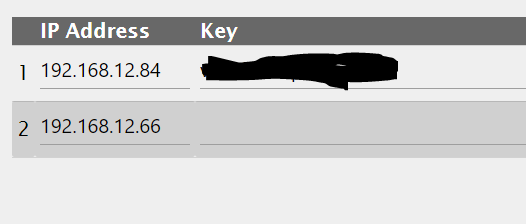
Hier der Export:
 <block xmlns="http://www.w3.org/1999/xhtml" type="on_ext" id="}vO:j:AfN^n1Xr3!^Ubs" x="-6112.200012207031" y="-12.599998474121094"><mutation items="1"></mutation>
  <field name="CONDITION">any</field>

  <value name="OID0"><shadow type="field_oid" id="OM?Bfm/Cm7i(sdMqNfaP"><field name="oid">hm-rpc.0.NEQ0955405.1.PRESS_SHORT</field></shadow></value>
  <statement name="STATEMENT"><block type="request" id="=M:Q:_ZaW_U]]udbEOt("><mutation with_statement="false"></mutation>
      <field name="WITH_STATEMENT">FALSE</field>

      <value name="URL"><shadow type="text" id="[J,!^.~`}3i@6o}=o=xF"><field name="TEXT">http://192.168.12.60/web/remotecontrol?command=377</field></shadow></value>
      <next><block type="timeouts_settimeout" id="{Z!/GHDmm%6;TQ?MmY6Q"><field name="NAME">timeout</field>
          <field name="DELAY">25</field>
          <field name="UNIT">sec</field>
          <statement name="STATEMENT"><block type="request" id=":`Yx`v?#sL2.pUC2yM+l"><mutation with_statement="false"></mutation>
              <field name="WITH_STATEMENT">FALSE</field>

              <value name="URL"><shadow type="text" id="2YzkEglv0`.re|KORn}~"><field name="TEXT">http://192.168.12.60/web/remotecontrol?command=377</field></shadow></value></block></statement></block></next></block></statement></block>
Gruß Christian
-
Hallo ich bin neu auf dem Gebiet IoBroker und bin hier fleißig am mitlesen.
Ich habe einen Hikvision NVR 7616 E2.
Dort habe ich 3 Kameras angeschlossen.
Ich würde gerne eine Oberfläche in VIS erstellen wo ich alle meine SmartHome Geräte steuern kann und die 3 Kameras sehe.
Wer kann mir Hilfe leisten bzw. Weiß wie ich das Kamerabild wieder geben kann?

Hello! It looks like you're interested in this conversation, but you don't have an account yet.
Getting fed up of having to scroll through the same posts each visit? When you register for an account, you'll always come back to exactly where you were before, and choose to be notified of new replies (either via email, or push notification). You'll also be able to save bookmarks and upvote posts to show your appreciation to other community members.
With your input, this post could be even better 💗
Register LoginSupport us
576
Online32.7k
Users82.6k
Topics1.3m
Posts