




Kein Zugriff nach frischer Installation auf iOBroker
-
-
@thomas-braun
das ist die Antwort:
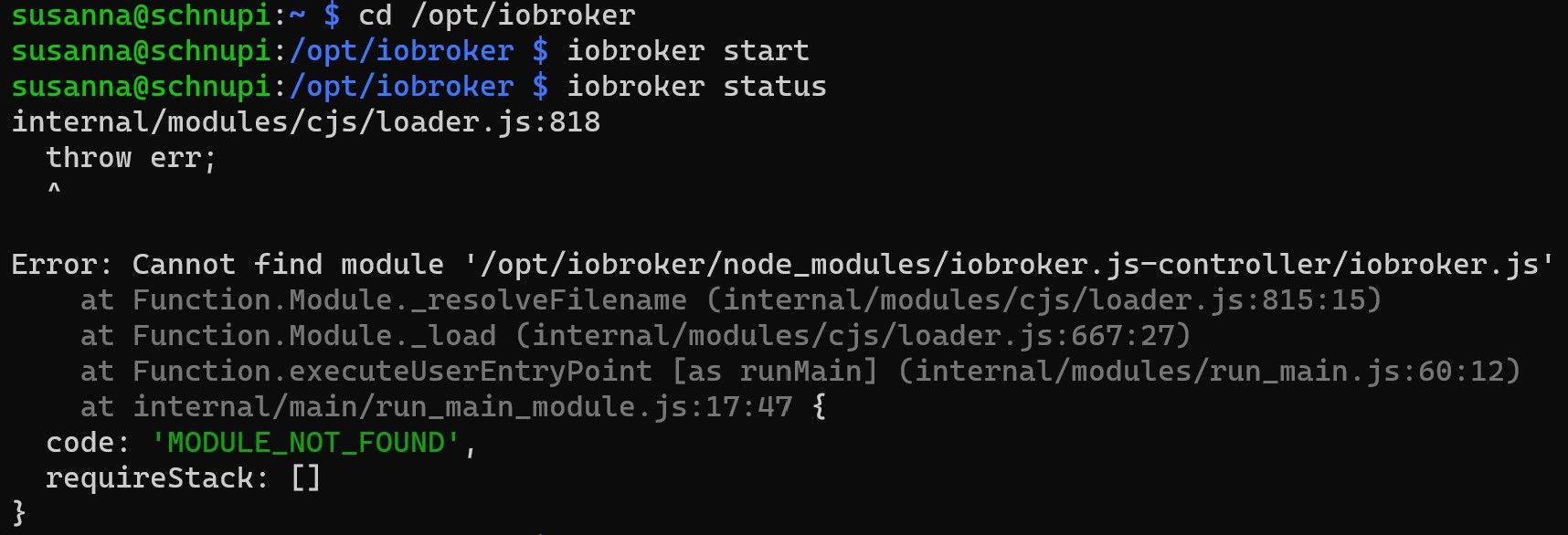
Keine Screenshots von Text.
Kopier das in CodeTags eingebettet ins Forum. -
Keine Screenshots von Text.
Kopier das in CodeTags eingebettet ins Forum.@thomas-braun
wow du bist echt schnell vielen Dank das hier direkt geholfen wird.susanna@schnupi:~ $ cd /opt/iobroker susanna@schnupi:/opt/iobroker $ iobroker start susanna@schnupi:/opt/iobroker $ iobroker status internal/modules/cjs/loader.js:818 throw err; ^ Error: Cannot find module '/opt/iobroker/node_modules/iobroker.js-controller/iobroker.js' at Function.Module._resolveFilename (internal/modules/cjs/loader.js:815:15) at Function.Module._load (internal/modules/cjs/loader.js:667:27) at Function.executeUserEntryPoint [as runMain] (internal/modules/run_main.js:60:12) at internal/main/run_main_module.js:17:47 { code: 'MODULE_NOT_FOUND', requireStack: [] } susanna@schnupi:/opt/iobroker $ iobroker list instances internal/modules/cjs/loader.js:818 throw err; ^ Error: Cannot find module '/opt/iobroker/node_modules/iobroker.js-controller/iobroker.js' at Function.Module._resolveFilename (internal/modules/cjs/loader.js:815:15) at Function.Module._load (internal/modules/cjs/loader.js:667:27) at Function.executeUserEntryPoint [as runMain] (internal/modules/run_main.js:60:12) at internal/main/run_main_module.js:17:47 { code: 'MODULE_NOT_FOUND', requireStack: [] } susanna@schnupi:/opt/iobroker $ -
@thomas-braun
wow du bist echt schnell vielen Dank das hier direkt geholfen wird.susanna@schnupi:~ $ cd /opt/iobroker susanna@schnupi:/opt/iobroker $ iobroker start susanna@schnupi:/opt/iobroker $ iobroker status internal/modules/cjs/loader.js:818 throw err; ^ Error: Cannot find module '/opt/iobroker/node_modules/iobroker.js-controller/iobroker.js' at Function.Module._resolveFilename (internal/modules/cjs/loader.js:815:15) at Function.Module._load (internal/modules/cjs/loader.js:667:27) at Function.executeUserEntryPoint [as runMain] (internal/modules/run_main.js:60:12) at internal/main/run_main_module.js:17:47 { code: 'MODULE_NOT_FOUND', requireStack: [] } susanna@schnupi:/opt/iobroker $ iobroker list instances internal/modules/cjs/loader.js:818 throw err; ^ Error: Cannot find module '/opt/iobroker/node_modules/iobroker.js-controller/iobroker.js' at Function.Module._resolveFilename (internal/modules/cjs/loader.js:815:15) at Function.Module._load (internal/modules/cjs/loader.js:667:27) at Function.executeUserEntryPoint [as runMain] (internal/modules/run_main.js:60:12) at internal/main/run_main_module.js:17:47 { code: 'MODULE_NOT_FOUND', requireStack: [] } susanna@schnupi:/opt/iobroker $cd /opt/iobroker sudo -H -u iobroker npm install iobroker.js-controller iobroker restart -
cd /opt/iobroker sudo -H -u iobroker npm install iobroker.js-controller iobroker restartsusanna@schnupi:/opt/iobroker $ sudo -H -u iobroker npm install iobroker.js-controller npm ERR! code EBADENGINE npm ERR! engine Unsupported engine npm ERR! engine Not compatible with your version of node/npm: fs-extra@11.1.0 npm ERR! notsup Not compatible with your version of node/npm: fs-extra@11.1.0 npm ERR! notsup Required: {"node":">=14.14"} npm ERR! notsup Actual: {"npm":"7.5.2","node":"v12.22.12"} npm ERR! A complete log of this run can be found in: npm ERR! /home/iobroker/.npm/_logs/2023-02-16T07_29_00_852Z-debug.log susanna@schnupi:/opt/iobroker $ -
susanna@schnupi:/opt/iobroker $ sudo -H -u iobroker npm install iobroker.js-controller npm ERR! code EBADENGINE npm ERR! engine Unsupported engine npm ERR! engine Not compatible with your version of node/npm: fs-extra@11.1.0 npm ERR! notsup Not compatible with your version of node/npm: fs-extra@11.1.0 npm ERR! notsup Required: {"node":">=14.14"} npm ERR! notsup Actual: {"npm":"7.5.2","node":"v12.22.12"} npm ERR! A complete log of this run can be found in: npm ERR! /home/iobroker/.npm/_logs/2023-02-16T07_29_00_852Z-debug.log susanna@schnupi:/opt/iobroker $@dy-namic sagte in Kein Zugriff nach frischer Installation auf iOBroker:
npm ERR! notsup Actual: {"npm":"7.5.2","node":"v12.22.12"}
Frische Installation? Die nodejs Version ist ja uralt.
Erstmal ein nodejs update machen: https://forum.iobroker.net/topic/35090/howto-nodejs-installation-und-upgrades-unter-debian
🧑🎓 Autor des beliebten ioBroker-Master-Kurses
🎥 Tutorials rund um das Thema DIY-Smart-Home: https://haus-automatisierung.com/
📚 Meine Dokumentation -
@dy-namic sagte in Kein Zugriff nach frischer Installation auf iOBroker:
npm ERR! notsup Actual: {"npm":"7.5.2","node":"v12.22.12"}
Frische Installation? Die nodejs Version ist ja uralt.
Erstmal ein nodejs update machen: https://forum.iobroker.net/topic/35090/howto-nodejs-installation-und-upgrades-unter-debian
-
@haus-automatisierung
ich habe über den Pi Imager mir diese Version gezogen:
Raspberry Pi OS Lite
Release date: September 22nd 2022
System: 64-bit
Kernel version: 5.15
Debian version: 11 (bullseye)@dy-namic Ja, das ist auch richtig. Aber da ist ja kein nodejs enthalten. Das muss anders auf das System gekommen sein
-
@haus-automatisierung sagte in Kein Zugriff nach frischer Installation auf iOBroker:
Das muss anders auf das System gekommen sein
Wird die Debian/dfsg-Version aus den eigenen Repos sein.
-
@haus-automatisierung sagte in Kein Zugriff nach frischer Installation auf iOBroker:
Das muss anders auf das System gekommen sein
Wird die Debian/dfsg-Version aus den eigenen Repos sein.
@thomas-braun
Also werde ich als erstes die nodejs updaten / bereitstellen und dann schauen wie sich der Fehler weiter verhält. -
@dy-namic sagte in Kein Zugriff nach frischer Installation auf iOBroker:
npm ERR! notsup Actual: {"npm":"7.5.2","node":"v12.22.12"}
Frische Installation? Die nodejs Version ist ja uralt.
Erstmal ein nodejs update machen: https://forum.iobroker.net/topic/35090/howto-nodejs-installation-und-upgrades-unter-debian
susanna@schnupi:~ $ curl -sL https://deb.nodesource.com/setup_16.x | sudo -E bash                                       sudo apt install nodejs
sudo ln -s /usr/bin/node /usr/bin/nodejs &> /dev/null

## Installing the NodeSource Node.js 16.x repo...


## Populating apt-get cache...

+ apt-get update
Hit:1 http://deb.debian.org/debian bullseye InRelease
Hit:2 http://security.debian.org/debian-security bullseye-security InRelease
Hit:3 http://deb.debian.org/debian bullseye-updates InRelease
Hit:4 http://archive.raspberrypi.org/debian bullseye InRelease
Reading package lists... Done

## Confirming "bullseye" is supported...

+ curl -sLf -o /dev/null 'https://deb.nodesource.com/node_16.x/dists/bullseye/Release'

## Adding the NodeSource signing key to your keyring...

+ curl -s https://deb.nodesource.com/gpgkey/nodesource.gpg.key | gpg --dearmor | tee /usr/share/keyrings/nodesource.gpg >/dev/null

## Creating apt sources list file for the NodeSource Node.js 16.x repo...

+ echo 'deb [signed-by=/usr/share/keyrings/nodesource.gpg] https://deb.nodesource.com/node_16.x bullseye main' > /etc/apt/sources.list.d/nodesource.list
+ echo 'deb-src [signed-by=/usr/share/keyrings/nodesource.gpg] https://deb.nodesource.com/node_16.x bullseye main' >> /etc/apt/sources.list.d/nodesource.list

## Running `apt-get update` for you...

+ apt-get update
Hit:1 http://security.debian.org/debian-security bullseye-security InRelease
Hit:2 http://deb.debian.org/debian bullseye InRelease
Hit:3 http://deb.debian.org/debian bullseye-updates InRelease
Hit:4 http://archive.raspberrypi.org/debian bullseye InRelease
Get:5 https://deb.nodesource.com/node_16.x bullseye InRelease [4,586 B]
Get:6 https://deb.nodesource.com/node_16.x bullseye/main armhf Packages [784 B]
Get:7 https://deb.nodesource.com/node_16.x bullseye/main arm64 Packages [771 B]
Fetched 6,141 B in 2s (3,375 B/s)
Reading package lists... Done

## Run `sudo apt-get install -y nodejs` to install Node.js 16.x and npm
## You may also need development tools to build native addons:
     sudo apt-get install gcc g++ make
## To install the Yarn package manager, run:
     curl -sL https://dl.yarnpkg.com/debian/pubkey.gpg | gpg --dearmor | sudo tee /usr/share/keyrings/yarnkey.gpg >/dev/null
     echo "deb [signed-by=/usr/share/keyrings/yarnkey.gpg] https://dl.yarnpkg.com/debian stable main" | sudo tee /etc/apt/sources.list.d/yarn.list
     sudo apt-get update && sudo apt-get install yarn


Reading package lists... Done
Building dependency tree... Done
Reading state information... Done
The following packages were automatically installed and are no longer required:
  gyp libc-ares2 libjs-inherits libjs-is-typedarray libjs-psl libjs-typedarray-to-buffer libssl-dev libuv1-dev
  node-abbrev node-agent-base node-ajv node-ansi node-ansi-regex node-ansi-styles node-ansistyles node-aproba
  node-archy node-are-we-there-yet node-asap node-asn1 node-assert-plus node-asynckit node-aws-sign2 node-aws4
  node-balanced-match node-bcrypt-pbkdf node-brace-expansion node-builtins node-cacache node-caseless node-chalk
  node-chownr node-clone node-color-convert node-color-name node-colors node-columnify node-combined-stream
  node-concat-map node-console-control-strings node-copy-concurrently node-core-util-is node-dashdash node-debug
  node-defaults node-delayed-stream node-delegates node-depd node-ecc-jsbn node-encoding node-err-code
  node-escape-string-regexp node-extend node-extsprintf node-fast-deep-equal node-forever-agent node-form-data
  node-fs-write-stream-atomic node-fs.realpath node-function-bind node-gauge node-getpass node-glob node-graceful-fs
  node-wide-align node-wrappy node-write-file-atomic node-yallist raspinfo xdg-utils
Use 'sudo apt autoremove' to remove them.
The following packages will be REMOVED:
  libnode-dev libnode72 node-gyp npm
The following packages will be upgraded:
  nodejs
1 upgraded, 0 newly installed, 4 to remove and 0 not upgraded.
Need to get 26.6 MB of archives.
After this operation, 88.1 MB of additional disk space will be used.
Do you want to continue? [Y/n] y
Get:1 https://deb.nodesource.com/node_16.x bullseye/main arm64 nodejs arm64 16.19.0-deb-1nodesource1 [26.6 MB]
Fetched 26.6 MB in 6s (4,795 kB/s)
Reading changelogs... Done
(Reading database ... 48237 files and directories currently installed.)
Removing npm (7.5.2+ds-2) ...
Removing node-gyp (7.1.2-4) ...
Removing libnode-dev (12.22.12~dfsg-1~deb11u3) ...
dpkg: libnode72:arm64: dependency problems, but removing anyway as you requested:
 nodejs depends on libnode72 (= 12.22.12~dfsg-1~deb11u3).

Removing libnode72:arm64 (12.22.12~dfsg-1~deb11u3) ...
(Reading database ... 47271 files and directories currently installed.)
Preparing to unpack .../nodejs_16.19.0-deb-1nodesource1_arm64.deb ...
Unpacking nodejs (16.19.0-deb-1nodesource1) over (12.22.12~dfsg-1~deb11u3) ...
Setting up nodejs (16.19.0-deb-1nodesource1) ...
Processing triggers for libc-bin (2.31-13+rpt2+rpi1+deb11u5) ...
Processing triggers for man-db (2.9.4-2) ...
Ich habe jetzt nach der Anleitung so wie ich das sehe das aktuelle Nodejs installiert und jetzt bekomme ich auch einen ioBroker Status und ioBroker ist erreichbar unter der :8081 ! :) Ich denke damit ist das Problem gelöst. Ich möchte mich bei allen für die schnelle und freundliche Hilfe bedanken :)
-
susanna@schnupi:~ $ curl -sL https://deb.nodesource.com/setup_16.x | sudo -E bash                                       sudo apt install nodejs
sudo ln -s /usr/bin/node /usr/bin/nodejs &> /dev/null

## Installing the NodeSource Node.js 16.x repo...


## Populating apt-get cache...

+ apt-get update
Hit:1 http://deb.debian.org/debian bullseye InRelease
Hit:2 http://security.debian.org/debian-security bullseye-security InRelease
Hit:3 http://deb.debian.org/debian bullseye-updates InRelease
Hit:4 http://archive.raspberrypi.org/debian bullseye InRelease
Reading package lists... Done

## Confirming "bullseye" is supported...

+ curl -sLf -o /dev/null 'https://deb.nodesource.com/node_16.x/dists/bullseye/Release'

## Adding the NodeSource signing key to your keyring...

+ curl -s https://deb.nodesource.com/gpgkey/nodesource.gpg.key | gpg --dearmor | tee /usr/share/keyrings/nodesource.gpg >/dev/null

## Creating apt sources list file for the NodeSource Node.js 16.x repo...

+ echo 'deb [signed-by=/usr/share/keyrings/nodesource.gpg] https://deb.nodesource.com/node_16.x bullseye main' > /etc/apt/sources.list.d/nodesource.list
+ echo 'deb-src [signed-by=/usr/share/keyrings/nodesource.gpg] https://deb.nodesource.com/node_16.x bullseye main' >> /etc/apt/sources.list.d/nodesource.list

## Running `apt-get update` for you...

+ apt-get update
Hit:1 http://security.debian.org/debian-security bullseye-security InRelease
Hit:2 http://deb.debian.org/debian bullseye InRelease
Hit:3 http://deb.debian.org/debian bullseye-updates InRelease
Hit:4 http://archive.raspberrypi.org/debian bullseye InRelease
Get:5 https://deb.nodesource.com/node_16.x bullseye InRelease [4,586 B]
Get:6 https://deb.nodesource.com/node_16.x bullseye/main armhf Packages [784 B]
Get:7 https://deb.nodesource.com/node_16.x bullseye/main arm64 Packages [771 B]
Fetched 6,141 B in 2s (3,375 B/s)
Reading package lists... Done

## Run `sudo apt-get install -y nodejs` to install Node.js 16.x and npm
## You may also need development tools to build native addons:
     sudo apt-get install gcc g++ make
## To install the Yarn package manager, run:
     curl -sL https://dl.yarnpkg.com/debian/pubkey.gpg | gpg --dearmor | sudo tee /usr/share/keyrings/yarnkey.gpg >/dev/null
     echo "deb [signed-by=/usr/share/keyrings/yarnkey.gpg] https://dl.yarnpkg.com/debian stable main" | sudo tee /etc/apt/sources.list.d/yarn.list
     sudo apt-get update && sudo apt-get install yarn


Reading package lists... Done
Building dependency tree... Done
Reading state information... Done
The following packages were automatically installed and are no longer required:
  gyp libc-ares2 libjs-inherits libjs-is-typedarray libjs-psl libjs-typedarray-to-buffer libssl-dev libuv1-dev
  node-abbrev node-agent-base node-ajv node-ansi node-ansi-regex node-ansi-styles node-ansistyles node-aproba
  node-archy node-are-we-there-yet node-asap node-asn1 node-assert-plus node-asynckit node-aws-sign2 node-aws4
  node-balanced-match node-bcrypt-pbkdf node-brace-expansion node-builtins node-cacache node-caseless node-chalk
  node-chownr node-clone node-color-convert node-color-name node-colors node-columnify node-combined-stream
  node-concat-map node-console-control-strings node-copy-concurrently node-core-util-is node-dashdash node-debug
  node-defaults node-delayed-stream node-delegates node-depd node-ecc-jsbn node-encoding node-err-code
  node-escape-string-regexp node-extend node-extsprintf node-fast-deep-equal node-forever-agent node-form-data
  node-fs-write-stream-atomic node-fs.realpath node-function-bind node-gauge node-getpass node-glob node-graceful-fs
  node-wide-align node-wrappy node-write-file-atomic node-yallist raspinfo xdg-utils
Use 'sudo apt autoremove' to remove them.
The following packages will be REMOVED:
  libnode-dev libnode72 node-gyp npm
The following packages will be upgraded:
  nodejs
1 upgraded, 0 newly installed, 4 to remove and 0 not upgraded.
Need to get 26.6 MB of archives.
After this operation, 88.1 MB of additional disk space will be used.
Do you want to continue? [Y/n] y
Get:1 https://deb.nodesource.com/node_16.x bullseye/main arm64 nodejs arm64 16.19.0-deb-1nodesource1 [26.6 MB]
Fetched 26.6 MB in 6s (4,795 kB/s)
Reading changelogs... Done
(Reading database ... 48237 files and directories currently installed.)
Removing npm (7.5.2+ds-2) ...
Removing node-gyp (7.1.2-4) ...
Removing libnode-dev (12.22.12~dfsg-1~deb11u3) ...
dpkg: libnode72:arm64: dependency problems, but removing anyway as you requested:
 nodejs depends on libnode72 (= 12.22.12~dfsg-1~deb11u3).

Removing libnode72:arm64 (12.22.12~dfsg-1~deb11u3) ...
(Reading database ... 47271 files and directories currently installed.)
Preparing to unpack .../nodejs_16.19.0-deb-1nodesource1_arm64.deb ...
Unpacking nodejs (16.19.0-deb-1nodesource1) over (12.22.12~dfsg-1~deb11u3) ...
Setting up nodejs (16.19.0-deb-1nodesource1) ...
Processing triggers for libc-bin (2.31-13+rpt2+rpi1+deb11u5) ...
Processing triggers for man-db (2.9.4-2) ...
Ich habe jetzt nach der Anleitung so wie ich das sehe das aktuelle Nodejs installiert und jetzt bekomme ich auch einen ioBroker Status und ioBroker ist erreichbar unter der :8081 ! :) Ich denke damit ist das Problem gelöst. Ich möchte mich bei allen für die schnelle und freundliche Hilfe bedanken :)
@dy-namic sagte in Kein Zugriff nach frischer Installation auf iOBroker:
Dann wirf jetzt noch ein
sudo apt autoremovehinterher.



Hey! Du scheinst an dieser Unterhaltung interessiert zu sein, hast aber noch kein Konto.
Hast du es satt, bei jedem Besuch durch die gleichen Beiträge zu scrollen? Wenn du dich für ein Konto anmeldest, kommst du immer genau dorthin zurück, wo du zuvor warst, und kannst dich über neue Antworten benachrichtigen lassen (entweder per E-Mail oder Push-Benachrichtigung). Du kannst auch Lesezeichen speichern und Beiträge positiv bewerten, um anderen Community-Mitgliedern deine Wertschätzung zu zeigen.
Mit deinem Input könnte dieser Beitrag noch besser werden 💗
Registrieren AnmeldenSupport us
471
Online33.0k
Benutzer83.6k
Themen1.3m
Beiträge