




Javascript Adapter - weiße Seite
-
Systemdata Bitte Ausfüllen Hardwaresystem: älteres Intel Notebook Arbeitsspeicher: 3GB Festplattenart: HDD Betriebssystem: Ubuntu Node-Version: 10.x.x Nodejs-Version: 12.22.4 NPM-Version: 6.14.4 Installationsart: Skript Image genutzt: Nein Ich habe gestern etwas im Javascript Adapter geändert und habe seitdem das Problem, dass ich kurz den Inhalt vom Adapter sehe und ein paar Sekunden später nur noch eine weiße Seite angezeigt wird:
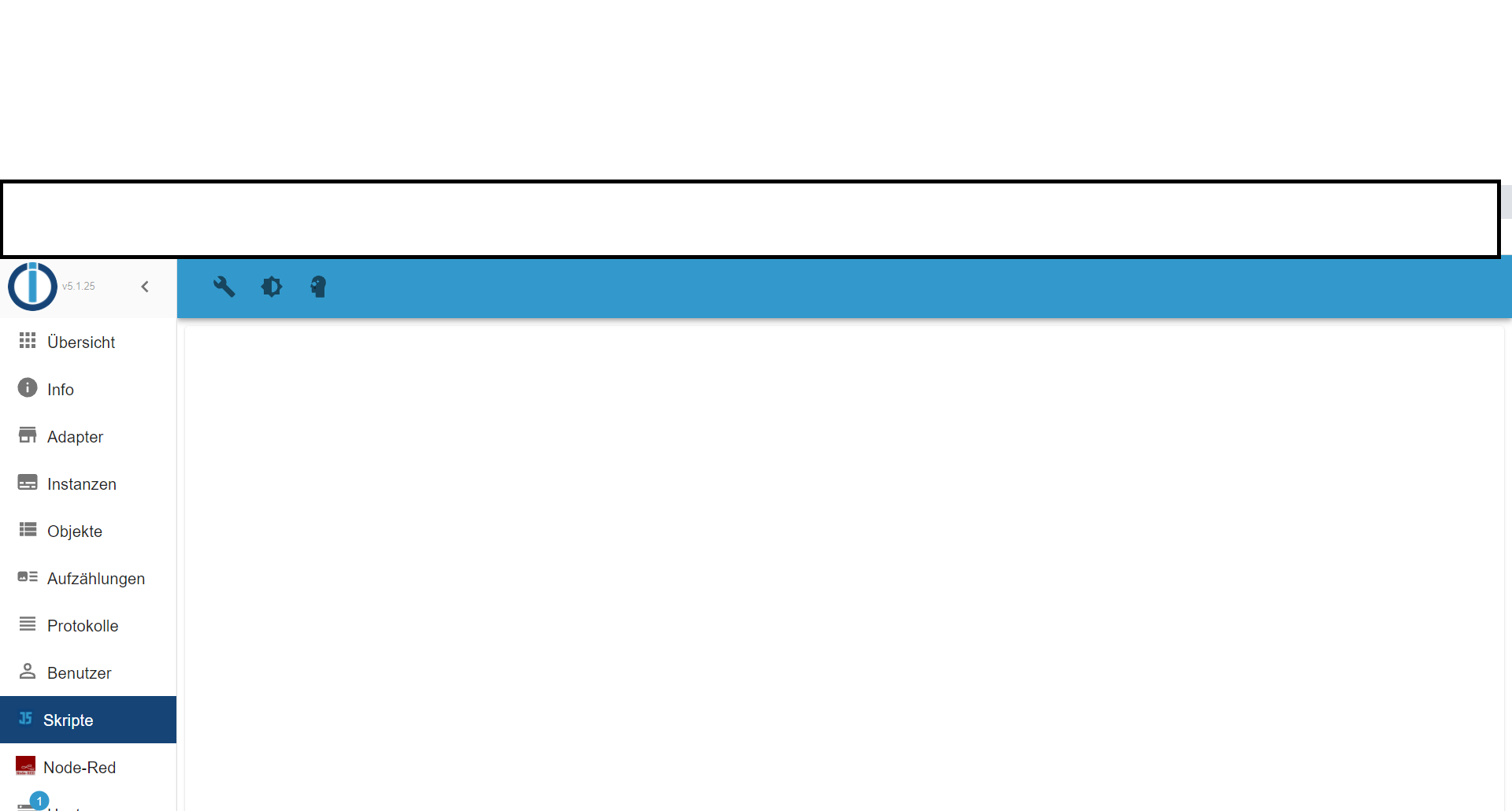
Ein Neustart vom Adapter hat leider nicht geholfen.
Ich hatte testweise den Internet Explorer getestet und dort ist der Verhalten genauso. Ich konnte einmal etwas ändern und beim erneuten Öffnen wurde die Seite wieder nach ein paar Sekunden weiß.Das Skript läuft aber und aktualisiert die zugehörigen Werte.
Hatte jemand schonmal ein ähnliches Problem oder weiß woran es liegen könnte?
Danke schonmal. -
Systemdata Bitte Ausfüllen Hardwaresystem: älteres Intel Notebook Arbeitsspeicher: 3GB Festplattenart: HDD Betriebssystem: Ubuntu Node-Version: 10.x.x Nodejs-Version: 12.22.4 NPM-Version: 6.14.4 Installationsart: Skript Image genutzt: Nein Ich habe gestern etwas im Javascript Adapter geändert und habe seitdem das Problem, dass ich kurz den Inhalt vom Adapter sehe und ein paar Sekunden später nur noch eine weiße Seite angezeigt wird:
Ein Neustart vom Adapter hat leider nicht geholfen.
Ich hatte testweise den Internet Explorer getestet und dort ist der Verhalten genauso. Ich konnte einmal etwas ändern und beim erneuten Öffnen wurde die Seite wieder nach ein paar Sekunden weiß.Das Skript läuft aber und aktualisiert die zugehörigen Werte.
Hatte jemand schonmal ein ähnliches Problem oder weiß woran es liegen könnte?
Danke schonmal.@finald sagte in Javascript Adapter - weiße Seite:
etwas im Javascript Adapter geändert
was?
@finald sagte in Javascript Adapter - weiße Seite:
weiß woran es liegen könnte?
Vielleicht das log oder die Browserkonsole
-
@finald sagte in Javascript Adapter - weiße Seite:
etwas im Javascript Adapter geändert
was?
@finald sagte in Javascript Adapter - weiße Seite:
weiß woran es liegen könnte?
Vielleicht das log oder die Browserkonsole
@homoran said in Javascript Adapter - weiße Seite:
@finald sagte in Javascript Adapter - weiße Seite:
etwas im Javascript Adapter geändert
was?
Ich hatte ein neues if statement hinzugefügt. Also "nur" javascript Code geändert. Der neue Code läuft auch.
@finald sagte in Javascript Adapter - weiße Seite:
weiß woran es liegen könnte?
Vielleicht das log oder die Browserkonsole
Im Log von ioBroker steht nichts.
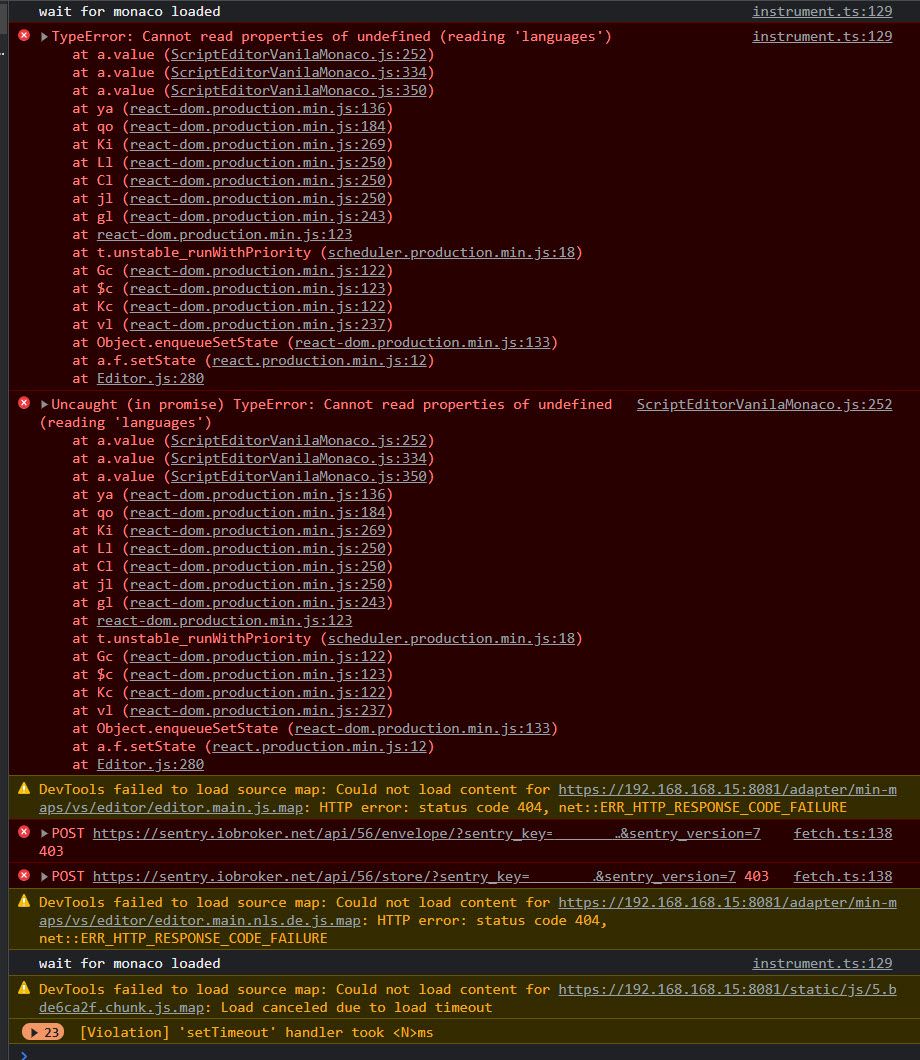
In den Dev Tools von Chrome gibt es folgende Fehlermeldungen:
instrument.ts:129 TypeError: Cannot read properties of undefined (reading 'languages')
    at a.value (ScriptEditorVanilaMonaco.js:251)
    at a.value (ScriptEditorVanilaMonaco.js:333)
    at a.value (ScriptEditorVanilaMonaco.js:349)
    at za (react-dom.production.min.js:136)
    at Bo (react-dom.production.min.js:184)
    at ql (react-dom.production.min.js:269)
    at ji (react-dom.production.min.js:250)
    at Vi (react-dom.production.min.js:250)
    at Hi (react-dom.production.min.js:250)
    at fi (react-dom.production.min.js:243)
    at react-dom.production.min.js:123
    at t.unstable_runWithPriority (scheduler.production.min.js:18)
    at Wc (react-dom.production.min.js:122)
    at Gc (react-dom.production.min.js:123)
    at qc (react-dom.production.min.js:122)
    at hi (react-dom.production.min.js:237)
    at Object.enqueueSetState (react-dom.production.min.js:133)
    at a.f.setState (react.production.min.js:12)
    at Editor.js:1329
    at a (helpers.ts:87)
Und direkt danach:
helpers.ts:111 Uncaught TypeError: Cannot read properties of undefined (reading 'languages')
    at a.value (ScriptEditorVanilaMonaco.js:251)
    at a.value (ScriptEditorVanilaMonaco.js:333)
    at a.value (ScriptEditorVanilaMonaco.js:349)
    at za (react-dom.production.min.js:136)
    at Bo (react-dom.production.min.js:184)
    at ql (react-dom.production.min.js:269)
    at ji (react-dom.production.min.js:250)
    at Vi (react-dom.production.min.js:250)
    at Hi (react-dom.production.min.js:250)
    at fi (react-dom.production.min.js:243)
    at react-dom.production.min.js:123
    at t.unstable_runWithPriority (scheduler.production.min.js:18)
    at Wc (react-dom.production.min.js:122)
    at Gc (react-dom.production.min.js:123)
    at qc (react-dom.production.min.js:122)
    at hi (react-dom.production.min.js:237)
    at Object.enqueueSetState (react-dom.production.min.js:133)
    at a.f.setState (react.production.min.js:12)
    at Editor.js:1329
    at a (helpers.ts:87)
value @ ScriptEditorVanilaMonaco.js:251
value @ ScriptEditorVanilaMonaco.js:333
value @ ScriptEditorVanilaMonaco.js:349
za @ react-dom.production.min.js:136
Bo @ react-dom.production.min.js:184
ql @ react-dom.production.min.js:269
ji @ react-dom.production.min.js:250
Vi @ react-dom.production.min.js:250
Hi @ react-dom.production.min.js:250
fi @ react-dom.production.min.js:243
(anonymous) @ react-dom.production.min.js:123
t.unstable_runWithPriority @ scheduler.production.min.js:18
Wc @ react-dom.production.min.js:122
Gc @ react-dom.production.min.js:123
qc @ react-dom.production.min.js:122
hi @ react-dom.production.min.js:237
enqueueSetState @ react-dom.production.min.js:133
f.setState @ react.production.min.js:12
(anonymous) @ Editor.js:1329
a @ helpers.ts:87
setTimeout (async)
(anonymous) @ trycatch.ts:119
value @ Editor.js:1318
Wo @ react-dom.production.min.js:187
Bo @ react-dom.production.min.js:186
ql @ react-dom.production.min.js:269
ji @ react-dom.production.min.js:250
Vi @ react-dom.production.min.js:250
Hi @ react-dom.production.min.js:250
fi @ react-dom.production.min.js:243
(anonymous) @ react-dom.production.min.js:123
t.unstable_runWithPriority @ scheduler.production.min.js:18
Wc @ react-dom.production.min.js:122
Gc @ react-dom.production.min.js:123
qc @ react-dom.production.min.js:122
hi @ react-dom.production.min.js:237
enqueueSetState @ react-dom.production.min.js:133
f.setState @ react.production.min.js:12
(anonymous) @ Editor.js:280
Promise.then (async)
value @ Editor.js:272
a @ Editor.js:261
fa @ react-dom.production.min.js:135
Bo @ react-dom.production.min.js:181
ql @ react-dom.production.min.js:269
ji @ react-dom.production.min.js:250
Vi @ react-dom.production.min.js:250
Hi @ react-dom.production.min.js:250
fi @ react-dom.production.min.js:243
(anonymous) @ react-dom.production.min.js:123
t.unstable_runWithPriority @ scheduler.production.min.js:18
Wc @ react-dom.production.min.js:122
Gc @ react-dom.production.min.js:123
qc @ react-dom.production.min.js:122
hi @ react-dom.production.min.js:237
enqueueSetState @ react-dom.production.min.js:133
f.setState @ react.production.min.js:12
(anonymous) @ App.js:295
Promise.then (async)
value @ App.js:276
(anonymous) @ GenericApp.js:172
ha @ react-dom.production.min.js:131
vl @ react-dom.production.min.js:220
wi @ react-dom.production.min.js:259
t.unstable_runWithPriority @ scheduler.production.min.js:18
Wc @ react-dom.production.min.js:122
Li @ react-dom.production.min.js:252
fi @ react-dom.production.min.js:243
(anonymous) @ react-dom.production.min.js:123
t.unstable_runWithPriority @ scheduler.production.min.js:18
Wc @ react-dom.production.min.js:122
Gc @ react-dom.production.min.js:123
qc @ react-dom.production.min.js:122
hi @ react-dom.production.min.js:237
enqueueSetState @ react-dom.production.min.js:133
f.setState @ react.production.min.js:12
(anonymous) @ GenericApp.js:172
Promise.then (async)
(anonymous) @ GenericApp.js:166
Promise.then (async)
onReady @ GenericApp.js:140
(anonymous) @ Connection.js:407
Promise.then (async)
(anonymous) @ Connection.js:370
value @ Connection.js:340
value @ Connection.js:351
value @ Connection.js:302
(anonymous) @ Connection.js:206
SocketClient.findAnswer @ socket.io.js:255
socket.onmessage @ socket.io.js:163
instrument.ts:129 wait for monaco loaded
Und eine dritte danach:
fetch.ts:138 POST https://sentry.iobroker.net/api/56/envelope/?sentry_key=xxxxx&sentry_version=7 403Ich habe den key gelöscht, keine Ahnung, ob er ein secret ist oder nicht?
MOD-Edit: Code in code-tags gesetzt!
-
@finald Hallo,
hast Du eine/die Lösung gefunden?
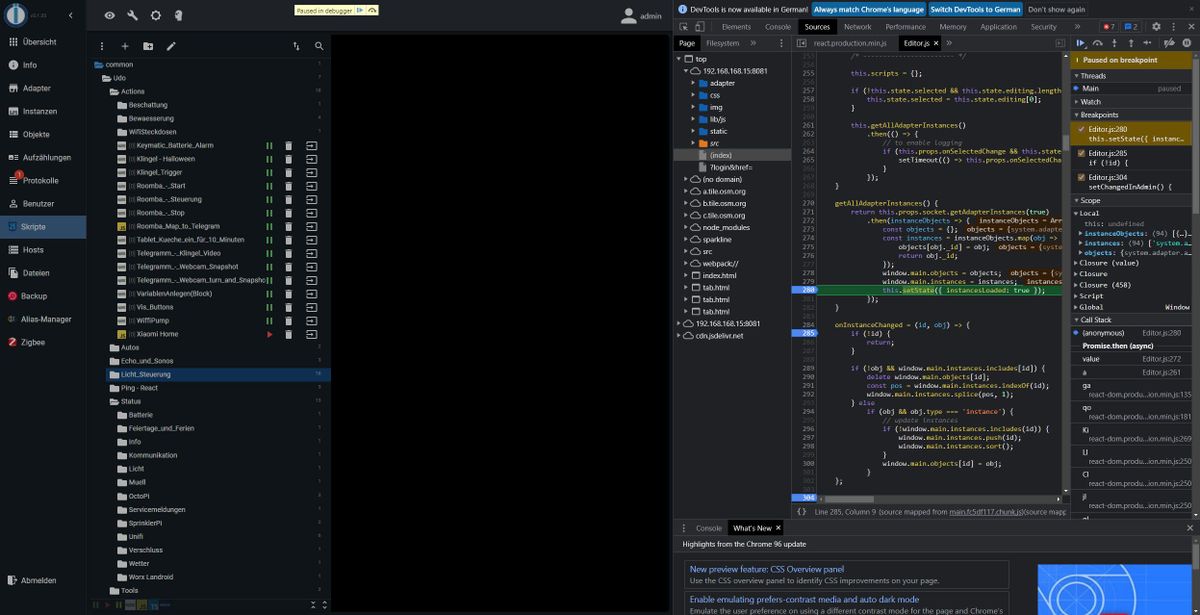
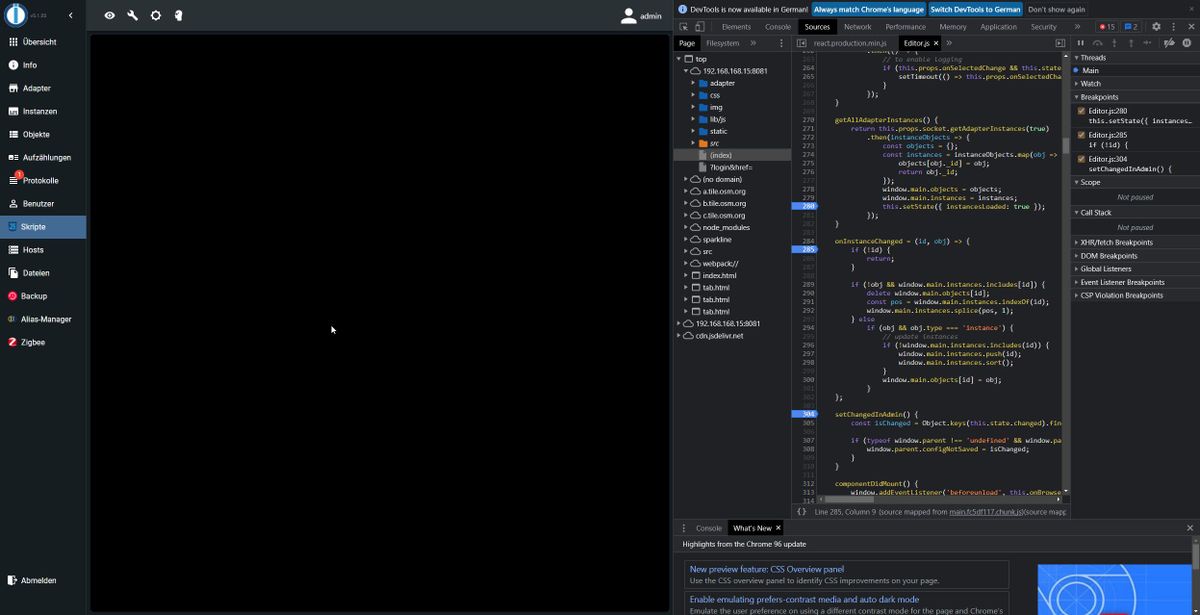
Ich habe den gleichen Effekt bei mir im Chrome.
Im FireFox läuft es.Wenn ich in der entsprechenden Zeile im Editor.js einen Breakpoint setze, kann ich sehen, das die Seite aufgebaut wird und dann "verschwindet".
-
@finald Hallo,
hast Du eine/die Lösung gefunden?
Ich habe den gleichen Effekt bei mir im Chrome.
Im FireFox läuft es.Wenn ich in der entsprechenden Zeile im Editor.js einen Breakpoint setze, kann ich sehen, das die Seite aufgebaut wird und dann "verschwindet".
-
@akwak
Als ich den Fehler damals hatte, half es, ioBroker "unsicher" aufzurufen. Also nur http statt https.@peterfido
Danke,
dann funktioniert es bei mir auch. Werde ich dann erst mal so lassen, auch wenn es nicht besonders schön ist.

Hey! Du scheinst an dieser Unterhaltung interessiert zu sein, hast aber noch kein Konto.
Hast du es satt, bei jedem Besuch durch die gleichen Beiträge zu scrollen? Wenn du dich für ein Konto anmeldest, kommst du immer genau dorthin zurück, wo du zuvor warst, und kannst dich über neue Antworten benachrichtigen lassen (entweder per E-Mail oder Push-Benachrichtigung). Du kannst auch Lesezeichen speichern und Beiträge positiv bewerten, um anderen Community-Mitgliedern deine Wertschätzung zu zeigen.
Mit deinem Input könnte dieser Beitrag noch besser werden 💗
Registrieren AnmeldenSupport us
351
Online33.0k
Benutzer83.6k
Themen1.3m
Beiträge