




influxdb Fehler connect ECONNREFUSED
-
@hylamayn-de
Gut, das ich schon mal nicht alleine bin.
Ich hatte versucht influxdb neu zu installieren nur habe ich anscheinend eine defekte Paketquelle und weiß nicht genau wie ich diese in/etc/apt/sources.list.d/influxdb.listreparieren kann.
pi@AquaPi:~ $ sudo apt-get update OK:1 http://archive.raspberrypi.org/debian buster InRelease OK:2 https://repos.influxdata.com/debian buster InRelease OK:3 https://deb.nodesource.com/node_14.x buster InRelease OK:4 https://archive.raspbian.org/raspbian buster InRelease Ign:5 https://dl.yarnpkg.co m/debian InRelease Fehl:6 https://dl.yarnpkg.co m/debian Release Redirection from https to 'http://ww25.dl.yarnpkg.co/dists/m/debian/Release?subid1=20210924-0338-51a4-b0d7-70899cc09fbb' is forbidden [IP: 103.224.212.219 443] Paketlisten werden gelesen... Fertig E: Das Depot »https://dl.yarnpkg.co m/debian Release« enthält keine Release-Datei. N: Eine Aktualisierung von solch einem Depot kann nicht auf eine sichere Art durchgeführt werden, daher ist es standardmäßig deaktiviert. N: Weitere Details zur Erzeugung von Paketdepots sowie zu deren Benutzerkonfiguration finden Sie in der Handbuchseite apt-secure(8). pi@AquaPi:~ $Bist du Sicher, dass du yarn benötigst?
Ich würde die Quelle komplett stilllegen. -
Bist du Sicher, dass du yarn benötigst?
Ich würde die Quelle komplett stilllegen. -
@thomas-braun
Nö das weiß ich nicht aber wie stilllegen weiß ich auch nichtIn
/etc/apt/sources.list.d/
wird es vermutlich eine Datei geben, die yarn.list oder so ähnlich heißt. In der die entsprechenden Zeilen per hash/Gartenzaun auskommentieren.
Oder die Datei komplett löschen. -
In
/etc/apt/sources.list.d/
wird es vermutlich eine Datei geben, die yarn.list oder so ähnlich heißt. In der die entsprechenden Zeilen per hash/Gartenzaun auskommentieren.
Oder die Datei komplett löschen.Das gibt der Status aus! also influxdb ist installiert aber kann nicht gestartet werden
pi@AquaPi:~ $ systemctl status influxdb.service
● influxdb.service - InfluxDB is an open-source, distributed, time series database
   Loaded: loaded (/lib/systemd/system/influxdb.service; enabled; vendor preset: enabled)
   Active: failed (Result: exit-code) since Fri 2021-09-24 07:25:49 CEST; 1min 17s ago
     Docs: https://docs.influxdata.com/influxdb/
  Process: 8162 ExecStart=/usr/lib/influxdb/scripts/influxd-systemd-start.sh (code=exited, status=203/EXEC)

Sep 24 07:25:49 AquaPi systemd[1]: influxdb.service: Service RestartSec=100ms expired, scheduling restart.
Sep 24 07:25:49 AquaPi systemd[1]: influxdb.service: Scheduled restart job, restart counter is at 5.
Sep 24 07:25:49 AquaPi systemd[1]: Stopped InfluxDB is an open-source, distributed, time series database.
Sep 24 07:25:49 AquaPi systemd[1]: influxdb.service: Start request repeated too quickly.
Sep 24 07:25:49 AquaPi systemd[1]: influxdb.service: Failed with result 'exit-code'.
Sep 24 07:25:49 AquaPi systemd[1]: Failed to start InfluxDB is an open-source, distributed, time series database.
Das komische ist, in /usr/lib/ gibt es keinen Ordner influxdb
-
Das gibt der Status aus! also influxdb ist installiert aber kann nicht gestartet werden
pi@AquaPi:~ $ systemctl status influxdb.service
● influxdb.service - InfluxDB is an open-source, distributed, time series database
   Loaded: loaded (/lib/systemd/system/influxdb.service; enabled; vendor preset: enabled)
   Active: failed (Result: exit-code) since Fri 2021-09-24 07:25:49 CEST; 1min 17s ago
     Docs: https://docs.influxdata.com/influxdb/
  Process: 8162 ExecStart=/usr/lib/influxdb/scripts/influxd-systemd-start.sh (code=exited, status=203/EXEC)

Sep 24 07:25:49 AquaPi systemd[1]: influxdb.service: Service RestartSec=100ms expired, scheduling restart.
Sep 24 07:25:49 AquaPi systemd[1]: influxdb.service: Scheduled restart job, restart counter is at 5.
Sep 24 07:25:49 AquaPi systemd[1]: Stopped InfluxDB is an open-source, distributed, time series database.
Sep 24 07:25:49 AquaPi systemd[1]: influxdb.service: Start request repeated too quickly.
Sep 24 07:25:49 AquaPi systemd[1]: influxdb.service: Failed with result 'exit-code'.
Sep 24 07:25:49 AquaPi systemd[1]: Failed to start InfluxDB is an open-source, distributed, time series database.
Das komische ist, in /usr/lib/ gibt es keinen Ordner influxdb
Start request repeated too quickly.Da muss noch was in der start-Datei geändert werden. Ist mehrfach hier im Forum verewigt.
-
So ich habe jetzt folgendes gemacht
alle verzeichnisse gelöschtsudo rm -rv /var/lib/influxdb/data sudo rm -rv /var/lib/influxdb/meta sudo rm -rv /var/lib/influxdb/walDann noch mal influxdb deinstalliert
sudo apt-get purge influxdbdann noch mal
sudo apt updateDann die normale influxdb Instalationsroutine durchgegangen
Jetzt startet influxdb normal ohne Fehler und die Ordner & Dateien sind auch am richtigen Fleck.
abrfage gibt jetzt korrekt aus:pi@AquaPi:~ $ sudo influx Connected to http://localhost:8086 version 1.8.9 InfluxDB shell version: 1.8.9 -
@aphofis Hi !
ich würde mich da gerne anhängen. Ich habe Iobroker vor kurzem neu eingerichtet und für eine kurze Zeit schien alles zu klappen. Seit ein paar Tagen kann ich InfluxDB nicht mehr starten. Fehlermeldungen und Log ziemlich 1:1 wie bei Aphofis.
Es gibt im Netz Unmengen von Meldungen zu diesem Thema. Hauptproblem scheint etwas mit der Rechtevergabe zu sein.
Da ich relativ wenig von Linux und Iobroker verstehe kann ich nur die Tipps in den diversen Google-Fundstellen nachmachen und das führte bisher zu nichts.
Startpunkt ist wohl das komplette Deinstallieren von Influx, einschließlich der Config Datei(en). Da geht es schon los: was gibt es da alles? Wie kriegt man Influx wirklich vollständig weg?
Dann das Problem mit den Benutzern. Beim Installieren von Grafana/InfluxDB/IObroker wird man ja aufgefordert, diverse Benutzer zu kreieren. Neben "admin" gibt es da bei mir einen "influxDB" und auf dem Pi, auf dem alles installiert ist bin ich als "pi" unterwegs. Könnte das Teil des Problems sein? Vielleicht fehlt just der User bei mir, der die nötigen Rechte hat?Vielleicht könnte mal jemand, der was versteht von der Sache mich an die Hand nehmen und mir mal genau erklären, wie man InfluxDB neu aufsetzt ohne irgendwelche dunklen Linux-Probleme zu erzeugen? Er oder sie würde sich sehr verdient machen, glaube ich. Denn betroffen scheinen echt viele zu sein ...
Grüße,
Christoph@hylamayn-de
Hast du daten in der influxdb da du ja vor kurzem erst aufgesetzt hattest denle ich mal eher nicht.
Hast du das mal gemacht, was ich unten schrieb!?
https://forum.iobroker.net/post/680656Kannst ja mal ne Info geben, wenns geklappt hat.
-
@hylamayn-de
Hast du daten in der influxdb da du ja vor kurzem erst aufgesetzt hattest denle ich mal eher nicht.
Hast du das mal gemacht, was ich unten schrieb!?
https://forum.iobroker.net/post/680656Kannst ja mal ne Info geben, wenns geklappt hat.
@aphofis @hylamayn-de
Ooookay ... läuft bei mir. Ich weiss aber leider nicht genau wieso ...
Ich habe die Influx-Instanz in IOBroker gelöscht, Influx auf dem Pi deinstalliert, mit 'apt-get purge' alles gelöscht von influx (soweit das ging). Den Rest habe ich händisch gelöscht (z.B. die Pfade '/etc/influxdb' und '/var/lib/influxdb/'). Ja. Meine Datenbank ist damit weg, aber wie erwähnt habe ich das Ganze erst seit ein paar Tagen installiert und viel geht bisher ohnehin nicht ...). Danach zuerst Influx auf dem Pi und dann den Adapter im IOBroker neu installiert. Orientiert habe ich mich dabei streng an der Anleitung auf "verdrahtet.info".
An den Benutzer-Rechten, die ich oben erwähnt hatte, habe ich nach der Neuinstallation nichts geändert.Mal schauen, wie lange das junge Glück anhält ;)
Achja. Eine Sache war, dass ich die Config-Datei beim Neu-Installieren nicht angepasst hatte ;)
Heute scheint zwar die Datenbank zu laufen, aber Grafana kriegt trotzdem nur wenig Daten. Unklar.
Naja. Ist bekannt. Wer sein Heim automatisiert hat immer alle Hände voll zu tun ;)Grüße,
Christoph -
@hylamayn-de
Da hast du wohl Recht!
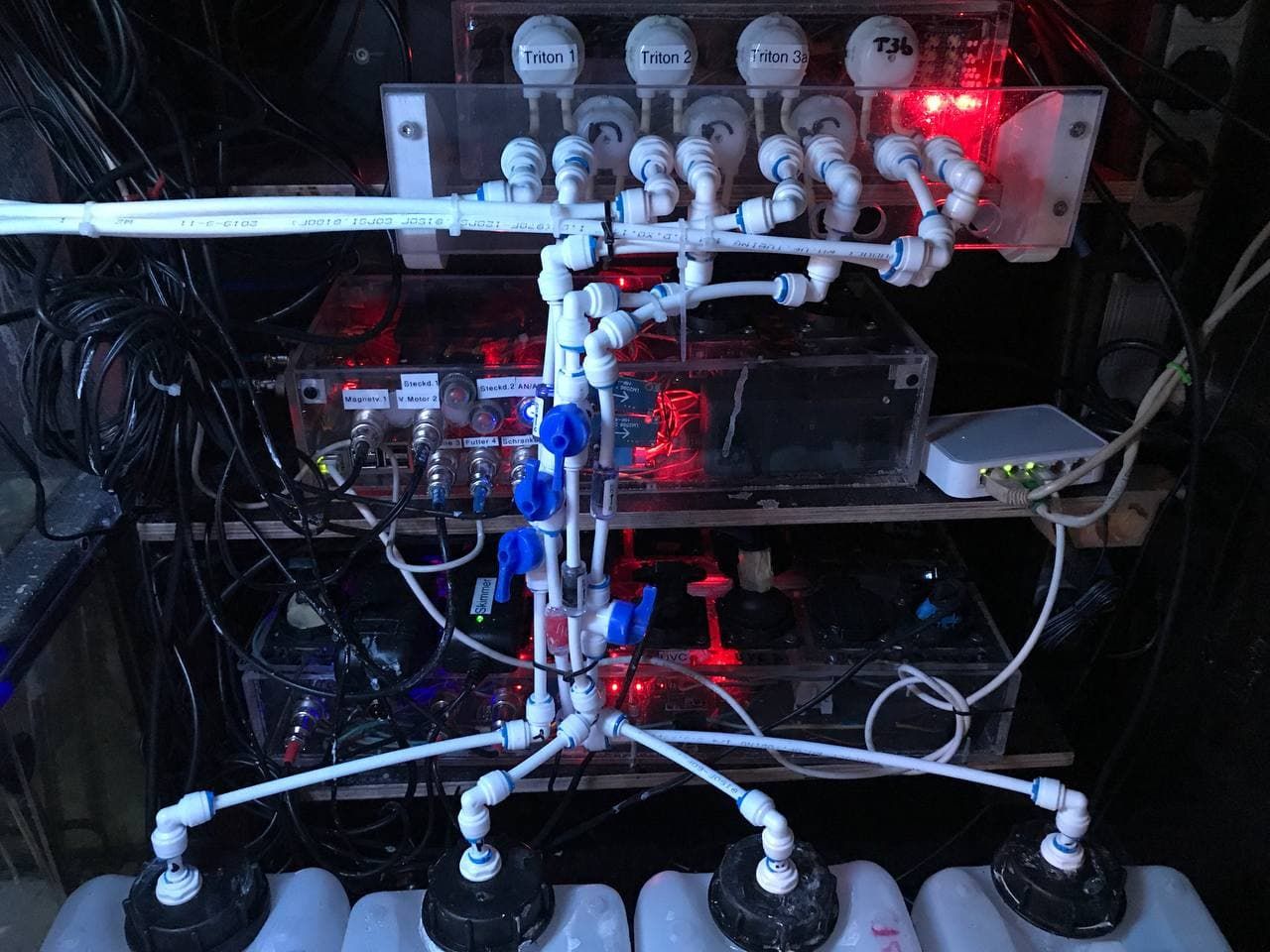
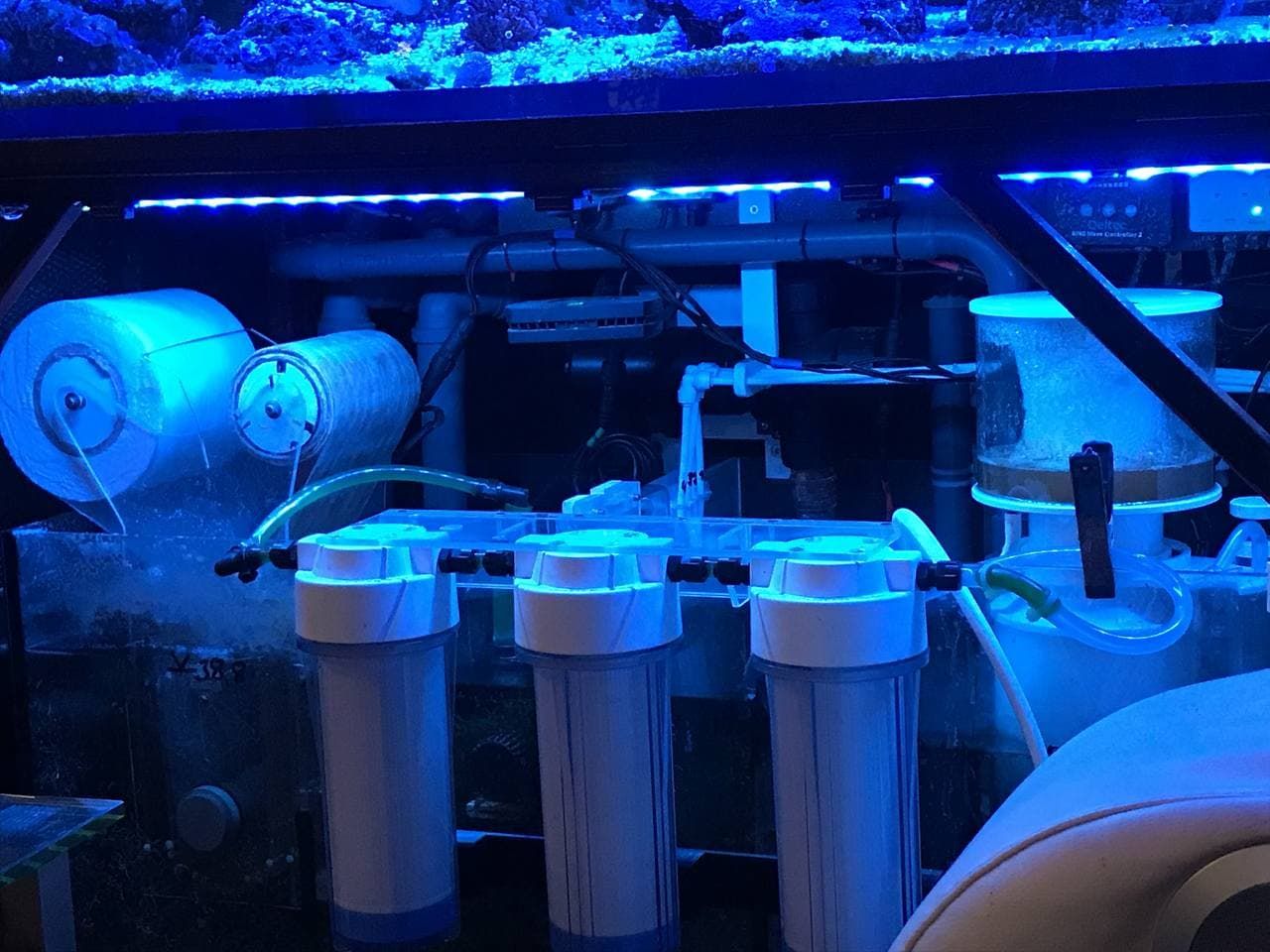
Ich steuere mein Heim nur Minimal bei mir ist es eher ein 1000 Liter Meerwasser Aquarium
Was meine volle Aufmerksamkeit hat und alles an Steuerung ist selbst gebaut und Blockly Steuerung hatte ich hier aus dem Forum tonnenweise Hilfe.
Dann mach mal lieber die config einstellungen, wenn du schon sagst strikt....... -
@hylamayn-de
Da hast du wohl Recht!
Ich steuere mein Heim nur Minimal bei mir ist es eher ein 1000 Liter Meerwasser Aquarium
Was meine volle Aufmerksamkeit hat und alles an Steuerung ist selbst gebaut und Blockly Steuerung hatte ich hier aus dem Forum tonnenweise Hilfe.
Dann mach mal lieber die config einstellungen, wenn du schon sagst strikt.......@aphofis ... and again. Ich hatte das schon so im Urin. ;)
Es geht wieder nicht und dieses Mal hilft auch die Neuinstallation mir nicht weiter.
[gibt es eigentlich einen Plan B? Eine andere Datenbank, die im Handling etwas stabiler läuft?]pi@IOBroker:~ $ influx Failed to connect to http://localhost:8086: Get http://localhost:8086/ping: dial tcp [::1]:8086: connect: connection refused Please check your connection settings and ensure 'influxd' is running.und weiter:
pi@IOBroker:~ $ sudo service influxdb start
Job for influxdb.service failed because the control process exited with error code.
See "systemctl status influxdb.service" and "journalctl -xe" for details.
und ,,,
pi@IOBroker:~ $ systemctl status influxdb.service
● influxdb.service - InfluxDB is an open-source, distributed, time series database
  Loaded: loaded (/lib/systemd/system/influxdb.service; enabled; vendor preset: enabled)
  Active: activating (start) since Sun 2021-09-26 16:34:00 CEST; 7s ago
    Docs: https://docs.influxdata.com/influxdb/
Cntrl PID: 12046 (influxd-systemd)
   Tasks: 11 (limit: 4915)
  CGroup: /system.slice/influxdb.service
          ├─12046 /bin/bash -e /usr/lib/influxdb/scripts/influxd-systemd-start.sh
          ├─12047 /usr/bin/influxd -config /etc/influxdb/influxdb.conf
          └─12179 sleep 1

Sep 26 16:34:00 IOBroker influxd-systemd-start.sh[12046]: ts=2021-09-26T14:34:00.764879Z lvl=info msg="Using data dir" log_id=0WpdHIjl000 service=store path=/var/lib/influxdb/data
Sep 26 16:34:00 IOBroker influxd-systemd-start.sh[12046]: ts=2021-09-26T14:34:00.764974Z lvl=info msg="Compaction settings" log_id=0WpdHIjl000 service=store max_concurrent_compactions=2 throughput_bytes_per_second=50331648 throughput_bytes_per_second_burst=50331648
Sep 26 16:34:00 IOBroker influxd-systemd-start.sh[12046]: ts=2021-09-26T14:34:00.765038Z lvl=info msg="Open store (start)" log_id=0WpdHIjl000 service=store trace_id=0WpdHIkG000 op_name=tsdb_open op_event=start
Sep 26 16:34:00 IOBroker influxd-systemd-start.sh[12046]: ts=2021-09-26T14:34:00.776611Z lvl=info msg="Opened file" log_id=0WpdHIjl000 engine=tsm1 service=filestore path=/var/lib/influxdb/data/_internal/monitor/1/000000001-000000001.tsm id=0 duration=1.981ms
Sep 26 16:34:00 IOBroker influxd-systemd-start.sh[12046]: ts=2021-09-26T14:34:00.778900Z lvl=info msg="Reading file" log_id=0WpdHIjl000 engine=tsm1 service=cacheloader path=/var/lib/influxdb/wal/_internal/monitor/3/_00001.wal size=10489004
Sep 26 16:34:00 IOBroker influxd-systemd-start.sh[12046]: ts=2021-09-26T14:34:00.784070Z lvl=info msg="Reading file" log_id=0WpdHIjl000 engine=tsm1 service=cacheloader path=/var/lib/influxdb/wal/iobroker/autogen/2/_00001.wal size=5207161
Sep 26 16:34:00 IOBroker influxd-systemd-start.sh[12046]: ts=2021-09-26T14:34:00.817961Z lvl=info msg="Opened shard" log_id=0WpdHIjl000 service=store trace_id=0WpdHIkG000 op_name=tsdb_open index_version=inmem path=/var/lib/influxdb/data/_internal/monitor/1 duration=49.299ms
Sep 26 16:34:00 IOBroker influxd-systemd-start.sh[12046]: Merging with configuration at: /etc/influxdb/influxdb.conf
Sep 26 16:34:01 IOBroker influxd-systemd-start.sh[12046]: ts=2021-09-26T14:34:01.737329Z lvl=info msg="Opened shard" log_id=0WpdHIjl000 service=store trace_id=0WpdHIkG000 op_name=tsdb_open index_version=inmem path=/var/lib/influxdb/data/iobroker/autogen/2 duration=955.505ms
Sep 26 16:34:04 IOBroker influxd-systemd-start.sh[12046]: ts=2021-09-26T14:34:04.672945Z lvl=info msg="Reading file" log_id=0WpdHIjl000 engine=tsm1 service=cacheloader path=/var/lib/influxdb/wal/_internal/monitor/3/_00002.wal size=10489063
und schließlich:
pi@IOBroker:~ $ journalctl -xe
-- Subject: A start job for unit influxdb.service has failed
-- Defined-By: systemd
-- Support: https://www.debian.org/support
--
-- A start job for unit influxdb.service has finished with a failure.
--
-- The job identifier is 341174 and the job result is failed.
Sep 26 16:38:51 IOBroker systemd[1]: influxdb.service: Service RestartSec=100ms expired, scheduling restart.
Sep 26 16:38:51 IOBroker systemd[1]: influxdb.service: Scheduled restart job, restart counter is at 5343.
-- Subject: Automatic restarting of a unit has been scheduled
-- Defined-By: systemd
-- Support: https://www.debian.org/support
--
-- Automatic restarting of the unit influxdb.service has been scheduled, as the result for
-- the configured Restart= setting for the unit.
Sep 26 16:38:51 IOBroker systemd[1]: Stopped InfluxDB is an open-source, distributed, time series database.
-- Subject: A stop job for unit influxdb.service has finished
-- Defined-By: systemd
-- Support: https://www.debian.org/support
--
-- A stop job for unit influxdb.service has finished.
--
-- The job identifier is 341231 and the job result is done.
Sep 26 16:38:51 IOBroker systemd[1]: Starting InfluxDB is an open-source, distributed, time series database...
-- Subject: A start job for unit influxdb.service has begun execution
-- Defined-By: systemd
-- Support: https://www.debian.org/support
--
-- A start job for unit influxdb.service has begun execution.
--
-- The job identifier is 341231.
Sep 26 16:38:51 IOBroker influxd-systemd-start.sh[17013]: Merging with configuration at: /etc/influxdb/influxdb.conf
Sep 26 16:38:51 IOBroker influxd-systemd-start.sh[17013]: ts=2021-09-26T14:38:51.505570Z lvl=info msg="InfluxDB starting" log_id=0WpdZ2SG000 version=1.8.9 branch=1.8 commit=d9b56321d579
Sep 26 16:38:51 IOBroker influxd-systemd-start.sh[17013]: ts=2021-09-26T14:38:51.505631Z lvl=info msg="Go runtime" log_id=0WpdZ2SG000 version=go1.13.8 maxprocs=4
Sep 26 16:38:51 IOBroker influxd-systemd-start.sh[17013]: ts=2021-09-26T14:38:51.506928Z lvl=info msg="Using data dir" log_id=0WpdZ2SG000 service=store path=/var/lib/influxdb/data
Sep 26 16:38:51 IOBroker influxd-systemd-start.sh[17013]: ts=2021-09-26T14:38:51.507027Z lvl=info msg="Compaction settings" log_id=0WpdZ2SG000 service=store max_concurrent_compactions=2 throughput_bytes_per_second=50331648 throughput_bytes_per_second_burst=50331648
Sep 26 16:38:51 IOBroker influxd-systemd-start.sh[17013]: ts=2021-09-26T14:38:51.507080Z lvl=info msg="Open store (start)" log_id=0WpdZ2SG000 service=store trace_id=0WpdZ2Sl000 op_name=tsdb_open op_event=start
Sep 26 16:38:51 IOBroker influxd-systemd-start.sh[17013]: ts=2021-09-26T14:38:51.522209Z lvl=info msg="Reading file" log_id=0WpdZ2SG000 engine=tsm1 service=cacheloader path=/var/lib/influxdb/wal/_internal/monitor/3/_00001.wal size=10489004
Sep 26 16:38:51 IOBroker influxd-systemd-start.sh[17013]: ts=2021-09-26T14:38:51.541613Z lvl=info msg="Reading file" log_id=0WpdZ2SG000 engine=tsm1 service=cacheloader path=/var/lib/influxdb/wal/iobroker/autogen/2/_00001.wal size=5207161
Sep 26 16:38:51 IOBroker influxd-systemd-start.sh[17013]: ts=2021-09-26T14:38:51.545150Z lvl=info msg="Opened file" log_id=0WpdZ2SG000 engine=tsm1 service=filestore path=/var/lib/influxdb/data/_internal/monitor/1/000000001-000000001.tsm id=0 duration=8.599ms
Sep 26 16:38:51 IOBroker influxd-systemd-start.sh[17013]: ts=2021-09-26T14:38:51.563236Z lvl=info msg="Opened shard" log_id=0WpdZ2SG000 service=store trace_id=0WpdZ2Sl000 op_name=tsdb_open index_version=inmem path=/var/lib/influxdb/data/_internal/monitor/1 duration=49.654ms
Sep 26 16:38:51 IOBroker influxd-systemd-start.sh[17013]: Merging with configuration at: /etc/influxdb/influxdb.conf
Sep 26 16:38:52 IOBroker influxd-systemd-start.sh[17013]: ts=2021-09-26T14:38:52.430473Z lvl=info msg="Opened shard" log_id=0WpdZ2SG000 service=store trace_id=0WpdZ2Sl000 op_name=tsdb_open index_version=inmem path=/var/lib/influxdb/data/iobroker/autogen/2 duration=890.105ms
Sep 26 16:38:55 IOBroker influxd-systemd-start.sh[17013]: ts=2021-09-26T14:38:55.410994Z lvl=info msg="Reading file" log_id=0WpdZ2SG000 engine=tsm1 service=cacheloader path=/var/lib/influxdb/wal/_internal/monitor/3/_00002.wal size=10489063
Mich schreit da nichts an, aber ich hab auch keine Ahnung :)
1000 l Meerwasser. Wow. Was hältst du dir da? Ach, hast du ja geschrieben. Blocklys ... ;)
Guppys hätte ich gekannt. -
@aphofis ... and again. Ich hatte das schon so im Urin. ;)
Es geht wieder nicht und dieses Mal hilft auch die Neuinstallation mir nicht weiter.
[gibt es eigentlich einen Plan B? Eine andere Datenbank, die im Handling etwas stabiler läuft?]pi@IOBroker:~ $ influx Failed to connect to http://localhost:8086: Get http://localhost:8086/ping: dial tcp [::1]:8086: connect: connection refused Please check your connection settings and ensure 'influxd' is running.und weiter:
pi@IOBroker:~ $ sudo service influxdb start
Job for influxdb.service failed because the control process exited with error code.
See "systemctl status influxdb.service" and "journalctl -xe" for details.
und ,,,
pi@IOBroker:~ $ systemctl status influxdb.service
● influxdb.service - InfluxDB is an open-source, distributed, time series database
  Loaded: loaded (/lib/systemd/system/influxdb.service; enabled; vendor preset: enabled)
  Active: activating (start) since Sun 2021-09-26 16:34:00 CEST; 7s ago
    Docs: https://docs.influxdata.com/influxdb/
Cntrl PID: 12046 (influxd-systemd)
   Tasks: 11 (limit: 4915)
  CGroup: /system.slice/influxdb.service
          ├─12046 /bin/bash -e /usr/lib/influxdb/scripts/influxd-systemd-start.sh
          ├─12047 /usr/bin/influxd -config /etc/influxdb/influxdb.conf
          └─12179 sleep 1

Sep 26 16:34:00 IOBroker influxd-systemd-start.sh[12046]: ts=2021-09-26T14:34:00.764879Z lvl=info msg="Using data dir" log_id=0WpdHIjl000 service=store path=/var/lib/influxdb/data
Sep 26 16:34:00 IOBroker influxd-systemd-start.sh[12046]: ts=2021-09-26T14:34:00.764974Z lvl=info msg="Compaction settings" log_id=0WpdHIjl000 service=store max_concurrent_compactions=2 throughput_bytes_per_second=50331648 throughput_bytes_per_second_burst=50331648
Sep 26 16:34:00 IOBroker influxd-systemd-start.sh[12046]: ts=2021-09-26T14:34:00.765038Z lvl=info msg="Open store (start)" log_id=0WpdHIjl000 service=store trace_id=0WpdHIkG000 op_name=tsdb_open op_event=start
Sep 26 16:34:00 IOBroker influxd-systemd-start.sh[12046]: ts=2021-09-26T14:34:00.776611Z lvl=info msg="Opened file" log_id=0WpdHIjl000 engine=tsm1 service=filestore path=/var/lib/influxdb/data/_internal/monitor/1/000000001-000000001.tsm id=0 duration=1.981ms
Sep 26 16:34:00 IOBroker influxd-systemd-start.sh[12046]: ts=2021-09-26T14:34:00.778900Z lvl=info msg="Reading file" log_id=0WpdHIjl000 engine=tsm1 service=cacheloader path=/var/lib/influxdb/wal/_internal/monitor/3/_00001.wal size=10489004
Sep 26 16:34:00 IOBroker influxd-systemd-start.sh[12046]: ts=2021-09-26T14:34:00.784070Z lvl=info msg="Reading file" log_id=0WpdHIjl000 engine=tsm1 service=cacheloader path=/var/lib/influxdb/wal/iobroker/autogen/2/_00001.wal size=5207161
Sep 26 16:34:00 IOBroker influxd-systemd-start.sh[12046]: ts=2021-09-26T14:34:00.817961Z lvl=info msg="Opened shard" log_id=0WpdHIjl000 service=store trace_id=0WpdHIkG000 op_name=tsdb_open index_version=inmem path=/var/lib/influxdb/data/_internal/monitor/1 duration=49.299ms
Sep 26 16:34:00 IOBroker influxd-systemd-start.sh[12046]: Merging with configuration at: /etc/influxdb/influxdb.conf
Sep 26 16:34:01 IOBroker influxd-systemd-start.sh[12046]: ts=2021-09-26T14:34:01.737329Z lvl=info msg="Opened shard" log_id=0WpdHIjl000 service=store trace_id=0WpdHIkG000 op_name=tsdb_open index_version=inmem path=/var/lib/influxdb/data/iobroker/autogen/2 duration=955.505ms
Sep 26 16:34:04 IOBroker influxd-systemd-start.sh[12046]: ts=2021-09-26T14:34:04.672945Z lvl=info msg="Reading file" log_id=0WpdHIjl000 engine=tsm1 service=cacheloader path=/var/lib/influxdb/wal/_internal/monitor/3/_00002.wal size=10489063
und schließlich:
pi@IOBroker:~ $ journalctl -xe
-- Subject: A start job for unit influxdb.service has failed
-- Defined-By: systemd
-- Support: https://www.debian.org/support
--
-- A start job for unit influxdb.service has finished with a failure.
--
-- The job identifier is 341174 and the job result is failed.
Sep 26 16:38:51 IOBroker systemd[1]: influxdb.service: Service RestartSec=100ms expired, scheduling restart.
Sep 26 16:38:51 IOBroker systemd[1]: influxdb.service: Scheduled restart job, restart counter is at 5343.
-- Subject: Automatic restarting of a unit has been scheduled
-- Defined-By: systemd
-- Support: https://www.debian.org/support
--
-- Automatic restarting of the unit influxdb.service has been scheduled, as the result for
-- the configured Restart= setting for the unit.
Sep 26 16:38:51 IOBroker systemd[1]: Stopped InfluxDB is an open-source, distributed, time series database.
-- Subject: A stop job for unit influxdb.service has finished
-- Defined-By: systemd
-- Support: https://www.debian.org/support
--
-- A stop job for unit influxdb.service has finished.
--
-- The job identifier is 341231 and the job result is done.
Sep 26 16:38:51 IOBroker systemd[1]: Starting InfluxDB is an open-source, distributed, time series database...
-- Subject: A start job for unit influxdb.service has begun execution
-- Defined-By: systemd
-- Support: https://www.debian.org/support
--
-- A start job for unit influxdb.service has begun execution.
--
-- The job identifier is 341231.
Sep 26 16:38:51 IOBroker influxd-systemd-start.sh[17013]: Merging with configuration at: /etc/influxdb/influxdb.conf
Sep 26 16:38:51 IOBroker influxd-systemd-start.sh[17013]: ts=2021-09-26T14:38:51.505570Z lvl=info msg="InfluxDB starting" log_id=0WpdZ2SG000 version=1.8.9 branch=1.8 commit=d9b56321d579
Sep 26 16:38:51 IOBroker influxd-systemd-start.sh[17013]: ts=2021-09-26T14:38:51.505631Z lvl=info msg="Go runtime" log_id=0WpdZ2SG000 version=go1.13.8 maxprocs=4
Sep 26 16:38:51 IOBroker influxd-systemd-start.sh[17013]: ts=2021-09-26T14:38:51.506928Z lvl=info msg="Using data dir" log_id=0WpdZ2SG000 service=store path=/var/lib/influxdb/data
Sep 26 16:38:51 IOBroker influxd-systemd-start.sh[17013]: ts=2021-09-26T14:38:51.507027Z lvl=info msg="Compaction settings" log_id=0WpdZ2SG000 service=store max_concurrent_compactions=2 throughput_bytes_per_second=50331648 throughput_bytes_per_second_burst=50331648
Sep 26 16:38:51 IOBroker influxd-systemd-start.sh[17013]: ts=2021-09-26T14:38:51.507080Z lvl=info msg="Open store (start)" log_id=0WpdZ2SG000 service=store trace_id=0WpdZ2Sl000 op_name=tsdb_open op_event=start
Sep 26 16:38:51 IOBroker influxd-systemd-start.sh[17013]: ts=2021-09-26T14:38:51.522209Z lvl=info msg="Reading file" log_id=0WpdZ2SG000 engine=tsm1 service=cacheloader path=/var/lib/influxdb/wal/_internal/monitor/3/_00001.wal size=10489004
Sep 26 16:38:51 IOBroker influxd-systemd-start.sh[17013]: ts=2021-09-26T14:38:51.541613Z lvl=info msg="Reading file" log_id=0WpdZ2SG000 engine=tsm1 service=cacheloader path=/var/lib/influxdb/wal/iobroker/autogen/2/_00001.wal size=5207161
Sep 26 16:38:51 IOBroker influxd-systemd-start.sh[17013]: ts=2021-09-26T14:38:51.545150Z lvl=info msg="Opened file" log_id=0WpdZ2SG000 engine=tsm1 service=filestore path=/var/lib/influxdb/data/_internal/monitor/1/000000001-000000001.tsm id=0 duration=8.599ms
Sep 26 16:38:51 IOBroker influxd-systemd-start.sh[17013]: ts=2021-09-26T14:38:51.563236Z lvl=info msg="Opened shard" log_id=0WpdZ2SG000 service=store trace_id=0WpdZ2Sl000 op_name=tsdb_open index_version=inmem path=/var/lib/influxdb/data/_internal/monitor/1 duration=49.654ms
Sep 26 16:38:51 IOBroker influxd-systemd-start.sh[17013]: Merging with configuration at: /etc/influxdb/influxdb.conf
Sep 26 16:38:52 IOBroker influxd-systemd-start.sh[17013]: ts=2021-09-26T14:38:52.430473Z lvl=info msg="Opened shard" log_id=0WpdZ2SG000 service=store trace_id=0WpdZ2Sl000 op_name=tsdb_open index_version=inmem path=/var/lib/influxdb/data/iobroker/autogen/2 duration=890.105ms
Sep 26 16:38:55 IOBroker influxd-systemd-start.sh[17013]: ts=2021-09-26T14:38:55.410994Z lvl=info msg="Reading file" log_id=0WpdZ2SG000 engine=tsm1 service=cacheloader path=/var/lib/influxdb/wal/_internal/monitor/3/_00002.wal size=10489063
Mich schreit da nichts an, aber ich hab auch keine Ahnung :)
1000 l Meerwasser. Wow. Was hältst du dir da? Ach, hast du ja geschrieben. Blocklys ... ;)
Guppys hätte ich gekannt.@hylamayn-de
Mich schreit da nichts an, aber ich hab auch keine Ahnung
... außer natürlich
Failed to connect to http://localhost:8086: Get http://localhost:8086/ping: dial tcp [::1]:8086: connect: connection refused
Please check your connection settings and ensure 'influxd' is running.
Die Ports habe ich mal ausgelesen. 8086 taucht da gerade gar nicht auf:
pi@IOBroker:~ $ sudo netstat -lptn
Active Internet connections (only servers)
Proto Recv-Q Send-Q Local Address           Foreign Address         State       PID/Program name
tcp        0      0 0.0.0.0:80              0.0.0.0:*               LISTEN      359/deCONZ
tcp        0      0 0.0.0.0:22              0.0.0.0:*               LISTEN      784/sshd
tcp        0      0 127.0.0.1:8088          0.0.0.0:*               LISTEN      23728/influxd
tcp        0      0 0.0.0.0:1880            0.0.0.0:*               LISTEN      1911/node-red
tcp        0      0 0.0.0.0:1883            0.0.0.0:*               LISTEN      2399/io.sonoff.0
tcp        0      0 0.0.0.0:443             0.0.0.0:*               LISTEN      359/deCONZ
tcp        0      0 127.0.0.1:9000          0.0.0.0:*               LISTEN      1606/iobroker.js-co
tcp        0      0 127.0.0.1:9001          0.0.0.0:*               LISTEN      1606/iobroker.js-co
tcp6       0      0 :::8081                 :::*                    LISTEN      1753/io.admin.0
tcp6       0      0 :::8082                 :::*                    LISTEN      2997/io.web.0
tcp6       0      0 :::22                   :::*                    LISTEN      784/sshd
tcp6       0      0 :::3000                 :::*                    LISTEN      771/grafana-server
Ich sehe aber InfluxDB mit Port 8088 verbunden. Ist das das Problem?
In der influx-config hatte ich (wieder) was falsch, ich hatte nur den Port und nicht die Adresse eingetragen, mit der Influx bindet.
Das zu korrigieren hat aber auch nichts gebracht. Und dann das hier (nach einem Reboot):influxd 8888888 .d888 888 8888888b. 888888b. 888 d88P" 888 888 "Y88b 888 "88b 888 888 888 888 888 888 .88P 888 88888b. 888888 888 888 888 888 888 888 888 8888888K. 888 888 "88b 888 888 888 888 Y8bd8P' 888 888 888 "Y88b 888 888 888 888 888 888 888 X88K 888 888 888 888 888 888 888 888 888 Y88b 888 .d8""8b. 888 .d88P 888 d88P 8888888 888 888 888 888 "Y88888 888 888 8888888P" 8888888P" 2021-09-26T16:03:20.027925Z info InfluxDB starting {"log_id": "0WpiOPMl000", "version": "1.8.9", "branch": "1.8", "commit": "d9b56321d579"} 2021-09-26T16:03:20.028041Z info Go runtime {"log_id": "0WpiOPMl000", "version": "go1.13.8", "maxprocs": 4} run: open server: listen: listen tcp 127.0.0.1:8088: bind: address already in useWenn ich das richtig sehe, spekuliert Influx auf den Port 8088, der schon belegt ist. Wo, ausser in " /etc/influxdb/influxdb.conf" kann ich denn den Port für Influx einstellen?
Help, pleeeease ... ;)
Christoph -
@hylamayn-de
Mich schreit da nichts an, aber ich hab auch keine Ahnung
... außer natürlich
Failed to connect to http://localhost:8086: Get http://localhost:8086/ping: dial tcp [::1]:8086: connect: connection refused
Please check your connection settings and ensure 'influxd' is running.
Die Ports habe ich mal ausgelesen. 8086 taucht da gerade gar nicht auf:
pi@IOBroker:~ $ sudo netstat -lptn
Active Internet connections (only servers)
Proto Recv-Q Send-Q Local Address           Foreign Address         State       PID/Program name
tcp        0      0 0.0.0.0:80              0.0.0.0:*               LISTEN      359/deCONZ
tcp        0      0 0.0.0.0:22              0.0.0.0:*               LISTEN      784/sshd
tcp        0      0 127.0.0.1:8088          0.0.0.0:*               LISTEN      23728/influxd
tcp        0      0 0.0.0.0:1880            0.0.0.0:*               LISTEN      1911/node-red
tcp        0      0 0.0.0.0:1883            0.0.0.0:*               LISTEN      2399/io.sonoff.0
tcp        0      0 0.0.0.0:443             0.0.0.0:*               LISTEN      359/deCONZ
tcp        0      0 127.0.0.1:9000          0.0.0.0:*               LISTEN      1606/iobroker.js-co
tcp        0      0 127.0.0.1:9001          0.0.0.0:*               LISTEN      1606/iobroker.js-co
tcp6       0      0 :::8081                 :::*                    LISTEN      1753/io.admin.0
tcp6       0      0 :::8082                 :::*                    LISTEN      2997/io.web.0
tcp6       0      0 :::22                   :::*                    LISTEN      784/sshd
tcp6       0      0 :::3000                 :::*                    LISTEN      771/grafana-server
Ich sehe aber InfluxDB mit Port 8088 verbunden. Ist das das Problem?
In der influx-config hatte ich (wieder) was falsch, ich hatte nur den Port und nicht die Adresse eingetragen, mit der Influx bindet.
Das zu korrigieren hat aber auch nichts gebracht. Und dann das hier (nach einem Reboot):influxd 8888888 .d888 888 8888888b. 888888b. 888 d88P" 888 888 "Y88b 888 "88b 888 888 888 888 888 888 .88P 888 88888b. 888888 888 888 888 888 888 888 888 8888888K. 888 888 "88b 888 888 888 888 Y8bd8P' 888 888 888 "Y88b 888 888 888 888 888 888 888 X88K 888 888 888 888 888 888 888 888 888 Y88b 888 .d8""8b. 888 .d88P 888 d88P 8888888 888 888 888 888 "Y88888 888 888 8888888P" 8888888P" 2021-09-26T16:03:20.027925Z info InfluxDB starting {"log_id": "0WpiOPMl000", "version": "1.8.9", "branch": "1.8", "commit": "d9b56321d579"} 2021-09-26T16:03:20.028041Z info Go runtime {"log_id": "0WpiOPMl000", "version": "go1.13.8", "maxprocs": 4} run: open server: listen: listen tcp 127.0.0.1:8088: bind: address already in useWenn ich das richtig sehe, spekuliert Influx auf den Port 8088, der schon belegt ist. Wo, ausser in " /etc/influxdb/influxdb.conf" kann ich denn den Port für Influx einstellen?
Help, pleeeease ... ;)
Christoph@hylamayn-de
ich verstehe das nicht ... ich hab wieder alles neu installiert, die zwei Influx-Verzeichnisse, von denen ich weiss, gelöscht
('/var/lib/influxdb/' und '/etc/influxdb/'), alles neu installiert und die IOBroker Datenbank angelegt. Again. Noch nicht die Config-Datei geändert (also z.B. Binding-Port und -Adresse für HTTP angepasst). Und jetzt geht es wieder:pi@IOBroker:~ $ sudo service influxdb start pi@IOBroker:~ $ sudo influx Connected to http://localhost:8086 version 1.8.9 InfluxDB shell version: 1.8.9 >Irgenwie hasse ich es, wenn es das macht mit mir... ;)
Warum geht es/geht es nicht?? Auf eine Datenbank muss man sich verlssen können ;)Christoph
-
@hylamayn-de
ich verstehe das nicht ... ich hab wieder alles neu installiert, die zwei Influx-Verzeichnisse, von denen ich weiss, gelöscht
('/var/lib/influxdb/' und '/etc/influxdb/'), alles neu installiert und die IOBroker Datenbank angelegt. Again. Noch nicht die Config-Datei geändert (also z.B. Binding-Port und -Adresse für HTTP angepasst). Und jetzt geht es wieder:pi@IOBroker:~ $ sudo service influxdb start pi@IOBroker:~ $ sudo influx Connected to http://localhost:8086 version 1.8.9 InfluxDB shell version: 1.8.9 >Irgenwie hasse ich es, wenn es das macht mit mir... ;)
Warum geht es/geht es nicht?? Auf eine Datenbank muss man sich verlssen können ;)Christoph
@hylamayn-de Welche Version läuft?
Ich vermute 1.8.
Wenn du die 1.6. aus dem hauseigenen Debian-Repo einsetzt? -
@hylamayn-de
ich verstehe das nicht ... ich hab wieder alles neu installiert, die zwei Influx-Verzeichnisse, von denen ich weiss, gelöscht
('/var/lib/influxdb/' und '/etc/influxdb/'), alles neu installiert und die IOBroker Datenbank angelegt. Again. Noch nicht die Config-Datei geändert (also z.B. Binding-Port und -Adresse für HTTP angepasst). Und jetzt geht es wieder:pi@IOBroker:~ $ sudo service influxdb start pi@IOBroker:~ $ sudo influx Connected to http://localhost:8086 version 1.8.9 InfluxDB shell version: 1.8.9 >Irgenwie hasse ich es, wenn es das macht mit mir... ;)
Warum geht es/geht es nicht?? Auf eine Datenbank muss man sich verlssen können ;)Christoph
@hylamayn-de Irgenwie hasse ich es, wenn es das macht mit mir... ;)
Warum geht es/geht es nicht?? Auf eine Datenbank muss man sich verlssen können ;)
sieht nach dem Problem mit dem imo überraschend hemdsärmeligen Influxdb Startscript aus, das auch hier im Forum schon ein paar mal diskutiert wurde: ersetze mal den ‚sleep 1‘ durch ‚sleep 10‘ im Script
/usr/lib/influxdb/scripts/influxd-systemd-start.sh
(Symptom: Db-Port 8088 läuft, Control-Port 8086 kommt wg. Timeout nicht immer hoch)
-
@aphofis ... and again. Ich hatte das schon so im Urin. ;)
Es geht wieder nicht und dieses Mal hilft auch die Neuinstallation mir nicht weiter.
[gibt es eigentlich einen Plan B? Eine andere Datenbank, die im Handling etwas stabiler läuft?]pi@IOBroker:~ $ influx Failed to connect to http://localhost:8086: Get http://localhost:8086/ping: dial tcp [::1]:8086: connect: connection refused Please check your connection settings and ensure 'influxd' is running.und weiter:
pi@IOBroker:~ $ sudo service influxdb start
Job for influxdb.service failed because the control process exited with error code.
See "systemctl status influxdb.service" and "journalctl -xe" for details.
und ,,,
pi@IOBroker:~ $ systemctl status influxdb.service
● influxdb.service - InfluxDB is an open-source, distributed, time series database
  Loaded: loaded (/lib/systemd/system/influxdb.service; enabled; vendor preset: enabled)
  Active: activating (start) since Sun 2021-09-26 16:34:00 CEST; 7s ago
    Docs: https://docs.influxdata.com/influxdb/
Cntrl PID: 12046 (influxd-systemd)
   Tasks: 11 (limit: 4915)
  CGroup: /system.slice/influxdb.service
          ├─12046 /bin/bash -e /usr/lib/influxdb/scripts/influxd-systemd-start.sh
          ├─12047 /usr/bin/influxd -config /etc/influxdb/influxdb.conf
          └─12179 sleep 1

Sep 26 16:34:00 IOBroker influxd-systemd-start.sh[12046]: ts=2021-09-26T14:34:00.764879Z lvl=info msg="Using data dir" log_id=0WpdHIjl000 service=store path=/var/lib/influxdb/data
Sep 26 16:34:00 IOBroker influxd-systemd-start.sh[12046]: ts=2021-09-26T14:34:00.764974Z lvl=info msg="Compaction settings" log_id=0WpdHIjl000 service=store max_concurrent_compactions=2 throughput_bytes_per_second=50331648 throughput_bytes_per_second_burst=50331648
Sep 26 16:34:00 IOBroker influxd-systemd-start.sh[12046]: ts=2021-09-26T14:34:00.765038Z lvl=info msg="Open store (start)" log_id=0WpdHIjl000 service=store trace_id=0WpdHIkG000 op_name=tsdb_open op_event=start
Sep 26 16:34:00 IOBroker influxd-systemd-start.sh[12046]: ts=2021-09-26T14:34:00.776611Z lvl=info msg="Opened file" log_id=0WpdHIjl000 engine=tsm1 service=filestore path=/var/lib/influxdb/data/_internal/monitor/1/000000001-000000001.tsm id=0 duration=1.981ms
Sep 26 16:34:00 IOBroker influxd-systemd-start.sh[12046]: ts=2021-09-26T14:34:00.778900Z lvl=info msg="Reading file" log_id=0WpdHIjl000 engine=tsm1 service=cacheloader path=/var/lib/influxdb/wal/_internal/monitor/3/_00001.wal size=10489004
Sep 26 16:34:00 IOBroker influxd-systemd-start.sh[12046]: ts=2021-09-26T14:34:00.784070Z lvl=info msg="Reading file" log_id=0WpdHIjl000 engine=tsm1 service=cacheloader path=/var/lib/influxdb/wal/iobroker/autogen/2/_00001.wal size=5207161
Sep 26 16:34:00 IOBroker influxd-systemd-start.sh[12046]: ts=2021-09-26T14:34:00.817961Z lvl=info msg="Opened shard" log_id=0WpdHIjl000 service=store trace_id=0WpdHIkG000 op_name=tsdb_open index_version=inmem path=/var/lib/influxdb/data/_internal/monitor/1 duration=49.299ms
Sep 26 16:34:00 IOBroker influxd-systemd-start.sh[12046]: Merging with configuration at: /etc/influxdb/influxdb.conf
Sep 26 16:34:01 IOBroker influxd-systemd-start.sh[12046]: ts=2021-09-26T14:34:01.737329Z lvl=info msg="Opened shard" log_id=0WpdHIjl000 service=store trace_id=0WpdHIkG000 op_name=tsdb_open index_version=inmem path=/var/lib/influxdb/data/iobroker/autogen/2 duration=955.505ms
Sep 26 16:34:04 IOBroker influxd-systemd-start.sh[12046]: ts=2021-09-26T14:34:04.672945Z lvl=info msg="Reading file" log_id=0WpdHIjl000 engine=tsm1 service=cacheloader path=/var/lib/influxdb/wal/_internal/monitor/3/_00002.wal size=10489063
und schließlich:
pi@IOBroker:~ $ journalctl -xe
-- Subject: A start job for unit influxdb.service has failed
-- Defined-By: systemd
-- Support: https://www.debian.org/support
--
-- A start job for unit influxdb.service has finished with a failure.
--
-- The job identifier is 341174 and the job result is failed.
Sep 26 16:38:51 IOBroker systemd[1]: influxdb.service: Service RestartSec=100ms expired, scheduling restart.
Sep 26 16:38:51 IOBroker systemd[1]: influxdb.service: Scheduled restart job, restart counter is at 5343.
-- Subject: Automatic restarting of a unit has been scheduled
-- Defined-By: systemd
-- Support: https://www.debian.org/support
--
-- Automatic restarting of the unit influxdb.service has been scheduled, as the result for
-- the configured Restart= setting for the unit.
Sep 26 16:38:51 IOBroker systemd[1]: Stopped InfluxDB is an open-source, distributed, time series database.
-- Subject: A stop job for unit influxdb.service has finished
-- Defined-By: systemd
-- Support: https://www.debian.org/support
--
-- A stop job for unit influxdb.service has finished.
--
-- The job identifier is 341231 and the job result is done.
Sep 26 16:38:51 IOBroker systemd[1]: Starting InfluxDB is an open-source, distributed, time series database...
-- Subject: A start job for unit influxdb.service has begun execution
-- Defined-By: systemd
-- Support: https://www.debian.org/support
--
-- A start job for unit influxdb.service has begun execution.
--
-- The job identifier is 341231.
Sep 26 16:38:51 IOBroker influxd-systemd-start.sh[17013]: Merging with configuration at: /etc/influxdb/influxdb.conf
Sep 26 16:38:51 IOBroker influxd-systemd-start.sh[17013]: ts=2021-09-26T14:38:51.505570Z lvl=info msg="InfluxDB starting" log_id=0WpdZ2SG000 version=1.8.9 branch=1.8 commit=d9b56321d579
Sep 26 16:38:51 IOBroker influxd-systemd-start.sh[17013]: ts=2021-09-26T14:38:51.505631Z lvl=info msg="Go runtime" log_id=0WpdZ2SG000 version=go1.13.8 maxprocs=4
Sep 26 16:38:51 IOBroker influxd-systemd-start.sh[17013]: ts=2021-09-26T14:38:51.506928Z lvl=info msg="Using data dir" log_id=0WpdZ2SG000 service=store path=/var/lib/influxdb/data
Sep 26 16:38:51 IOBroker influxd-systemd-start.sh[17013]: ts=2021-09-26T14:38:51.507027Z lvl=info msg="Compaction settings" log_id=0WpdZ2SG000 service=store max_concurrent_compactions=2 throughput_bytes_per_second=50331648 throughput_bytes_per_second_burst=50331648
Sep 26 16:38:51 IOBroker influxd-systemd-start.sh[17013]: ts=2021-09-26T14:38:51.507080Z lvl=info msg="Open store (start)" log_id=0WpdZ2SG000 service=store trace_id=0WpdZ2Sl000 op_name=tsdb_open op_event=start
Sep 26 16:38:51 IOBroker influxd-systemd-start.sh[17013]: ts=2021-09-26T14:38:51.522209Z lvl=info msg="Reading file" log_id=0WpdZ2SG000 engine=tsm1 service=cacheloader path=/var/lib/influxdb/wal/_internal/monitor/3/_00001.wal size=10489004
Sep 26 16:38:51 IOBroker influxd-systemd-start.sh[17013]: ts=2021-09-26T14:38:51.541613Z lvl=info msg="Reading file" log_id=0WpdZ2SG000 engine=tsm1 service=cacheloader path=/var/lib/influxdb/wal/iobroker/autogen/2/_00001.wal size=5207161
Sep 26 16:38:51 IOBroker influxd-systemd-start.sh[17013]: ts=2021-09-26T14:38:51.545150Z lvl=info msg="Opened file" log_id=0WpdZ2SG000 engine=tsm1 service=filestore path=/var/lib/influxdb/data/_internal/monitor/1/000000001-000000001.tsm id=0 duration=8.599ms
Sep 26 16:38:51 IOBroker influxd-systemd-start.sh[17013]: ts=2021-09-26T14:38:51.563236Z lvl=info msg="Opened shard" log_id=0WpdZ2SG000 service=store trace_id=0WpdZ2Sl000 op_name=tsdb_open index_version=inmem path=/var/lib/influxdb/data/_internal/monitor/1 duration=49.654ms
Sep 26 16:38:51 IOBroker influxd-systemd-start.sh[17013]: Merging with configuration at: /etc/influxdb/influxdb.conf
Sep 26 16:38:52 IOBroker influxd-systemd-start.sh[17013]: ts=2021-09-26T14:38:52.430473Z lvl=info msg="Opened shard" log_id=0WpdZ2SG000 service=store trace_id=0WpdZ2Sl000 op_name=tsdb_open index_version=inmem path=/var/lib/influxdb/data/iobroker/autogen/2 duration=890.105ms
Sep 26 16:38:55 IOBroker influxd-systemd-start.sh[17013]: ts=2021-09-26T14:38:55.410994Z lvl=info msg="Reading file" log_id=0WpdZ2SG000 engine=tsm1 service=cacheloader path=/var/lib/influxdb/wal/_internal/monitor/3/_00002.wal size=10489063
Mich schreit da nichts an, aber ich hab auch keine Ahnung :)
1000 l Meerwasser. Wow. Was hältst du dir da? Ach, hast du ja geschrieben. Blocklys ... ;)
Guppys hätte ich gekannt.@hylamayn-de
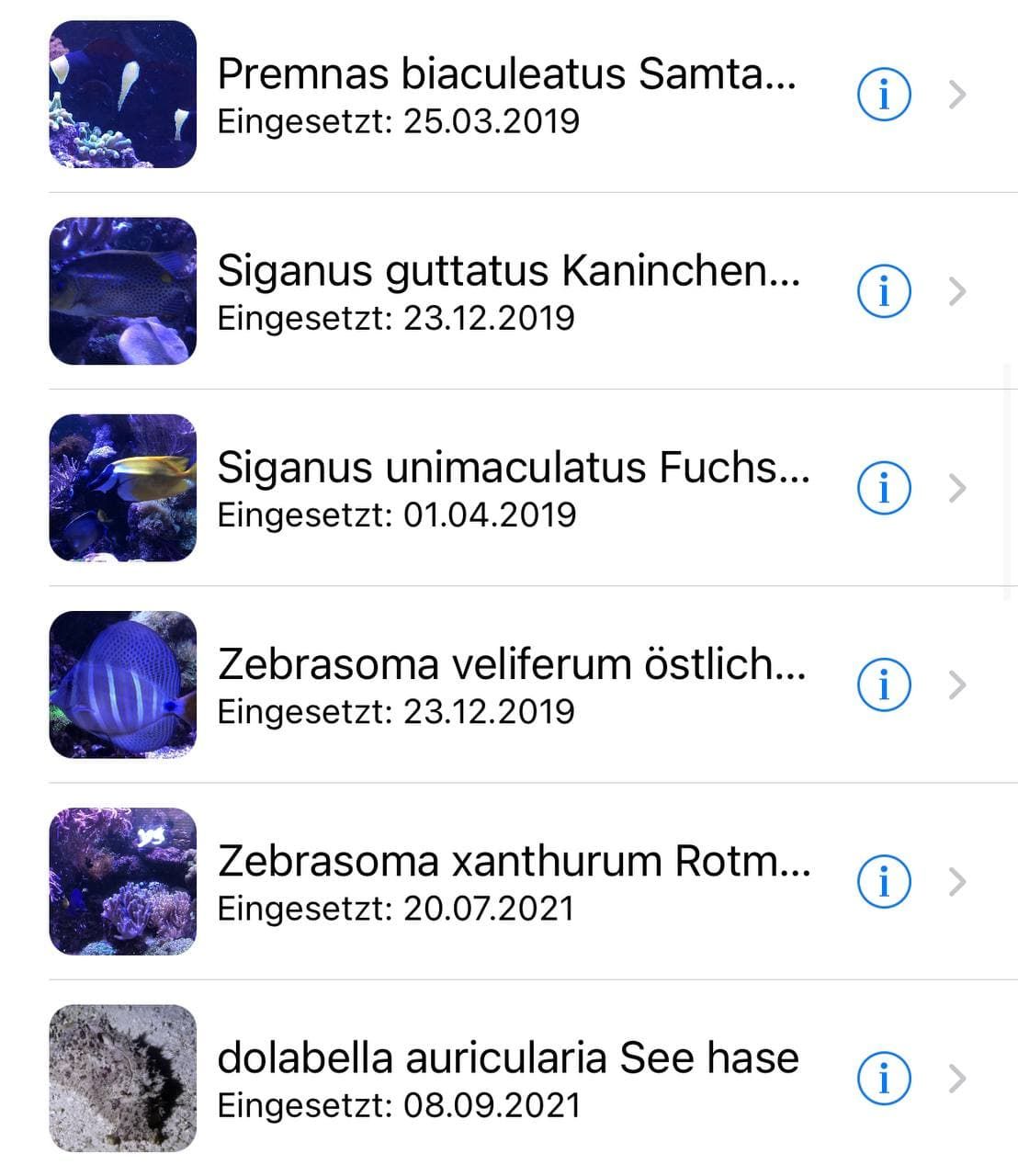
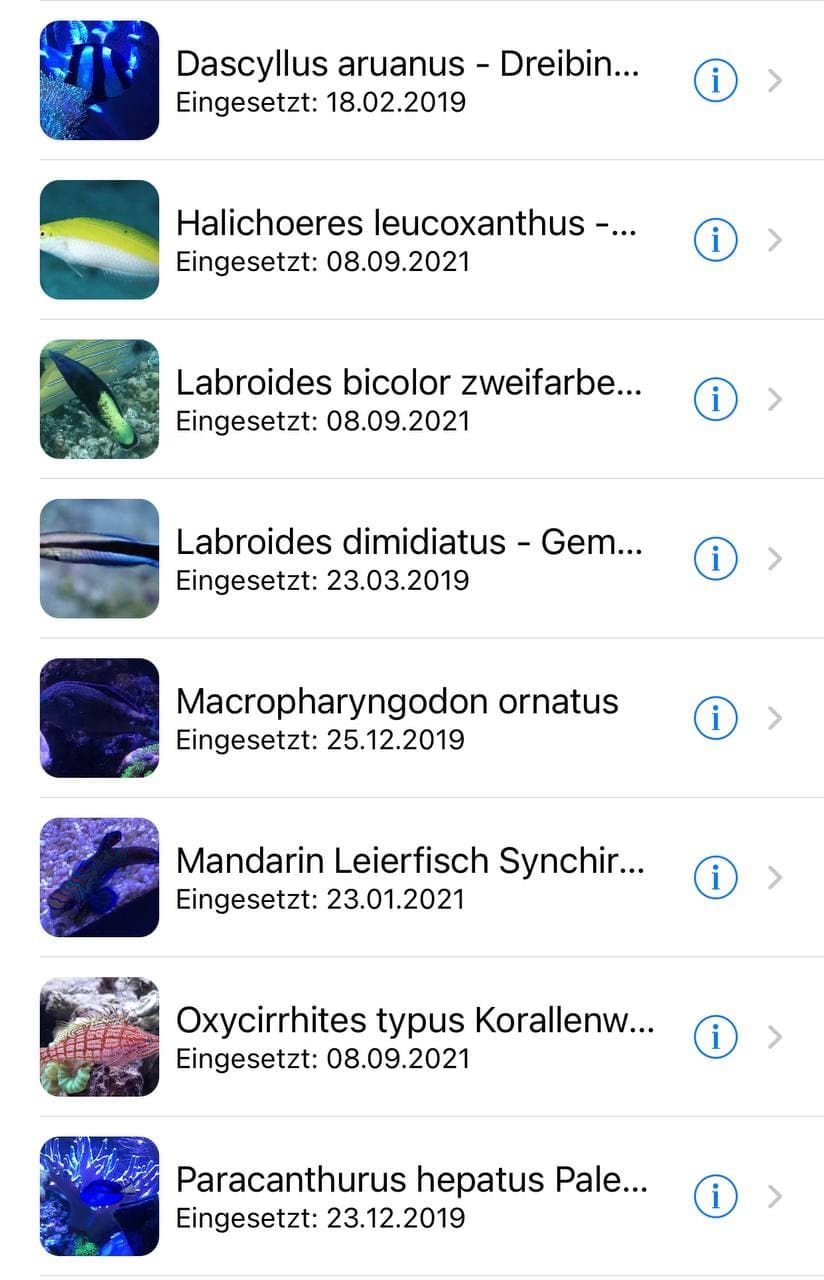
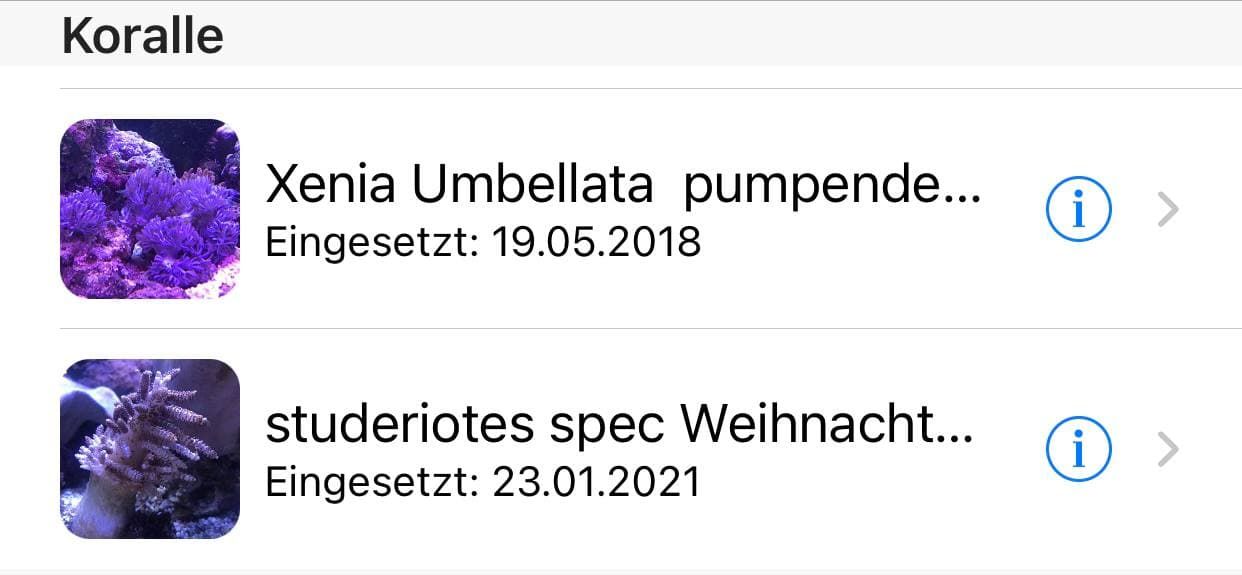
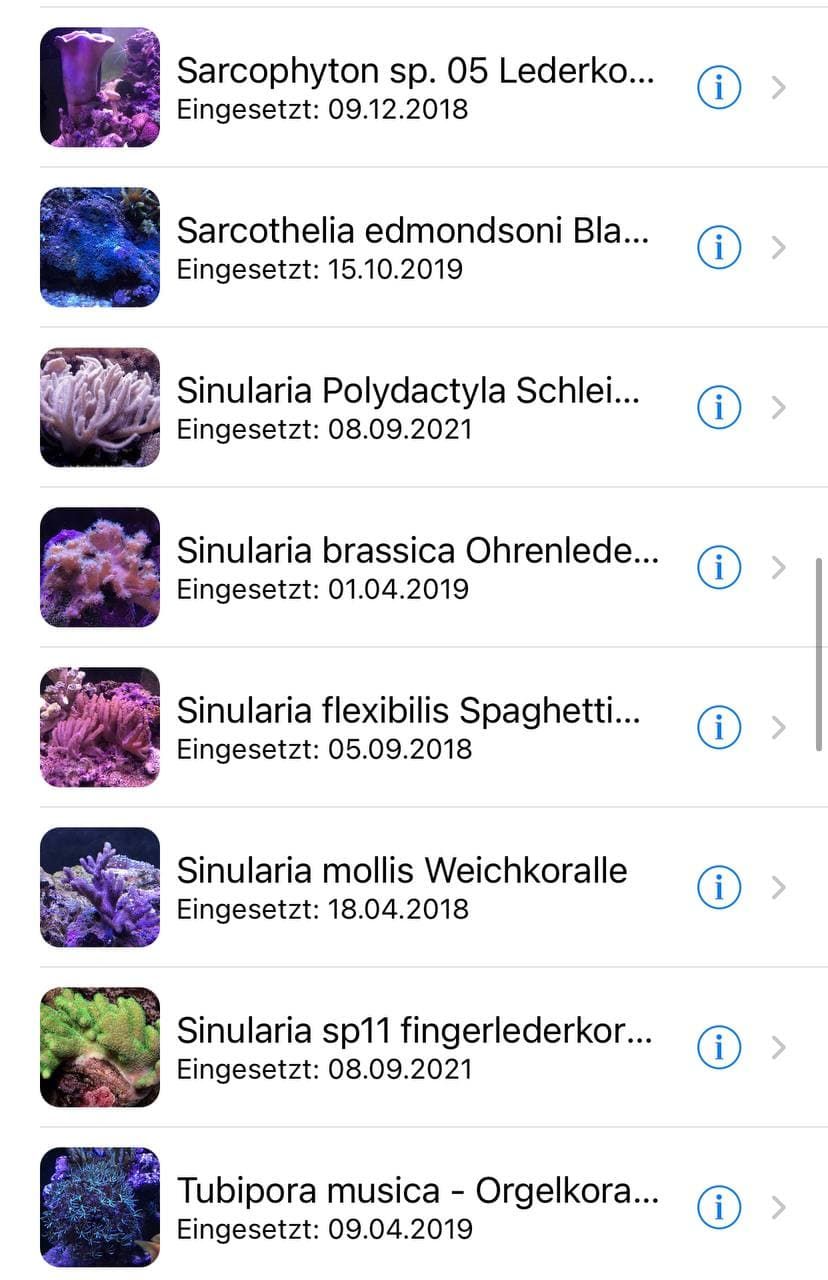
Nein Meerwasser gibt es keine Gubbis
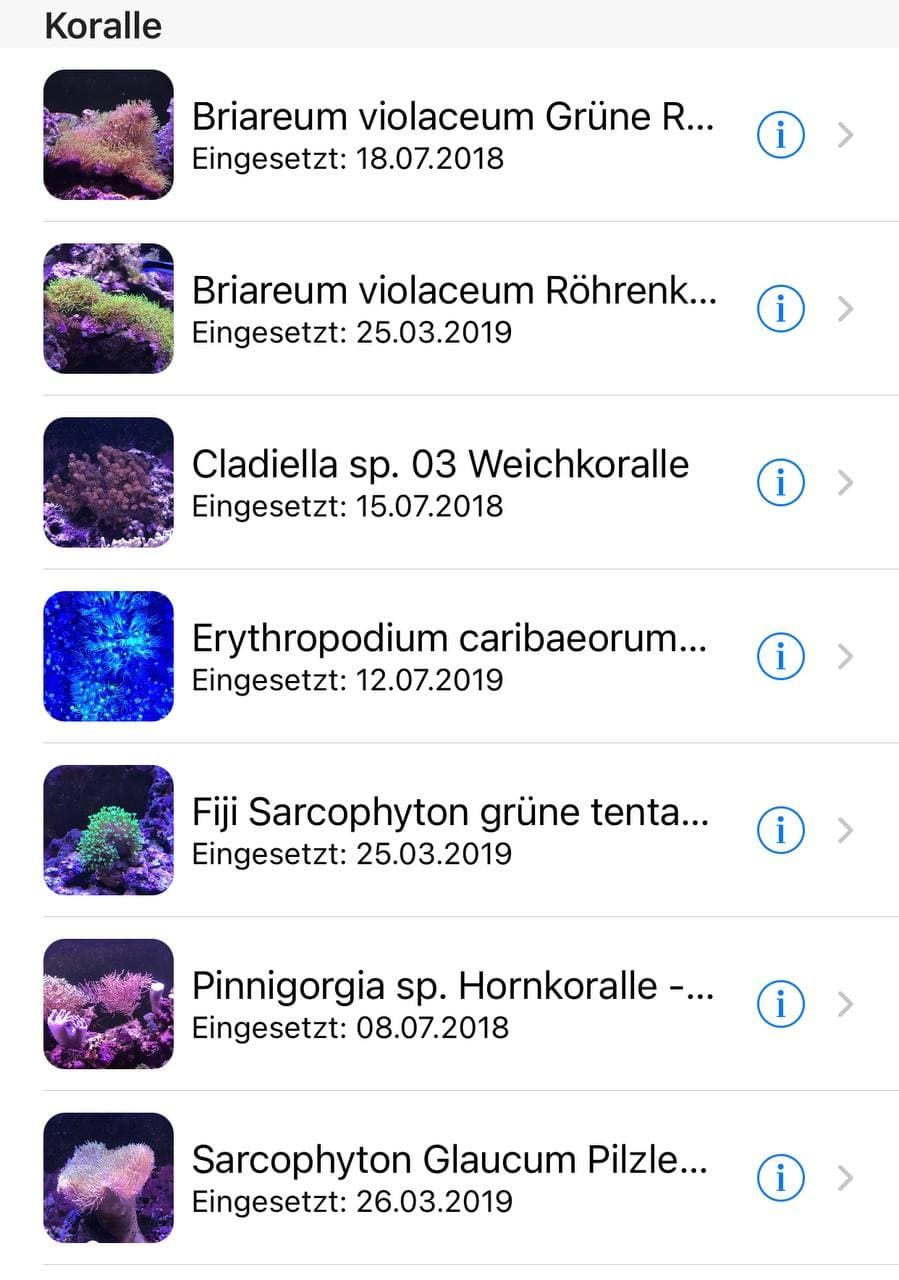
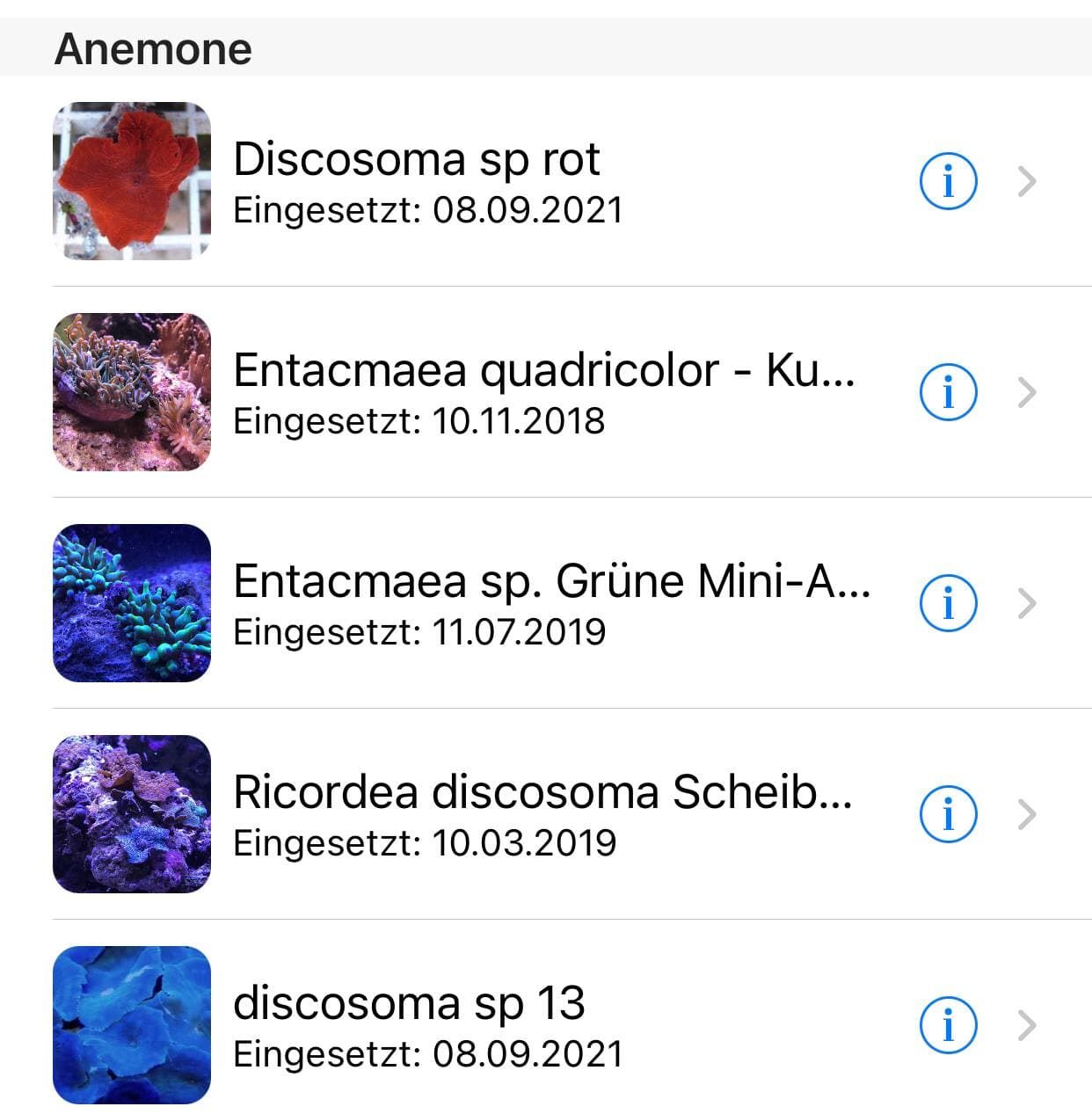
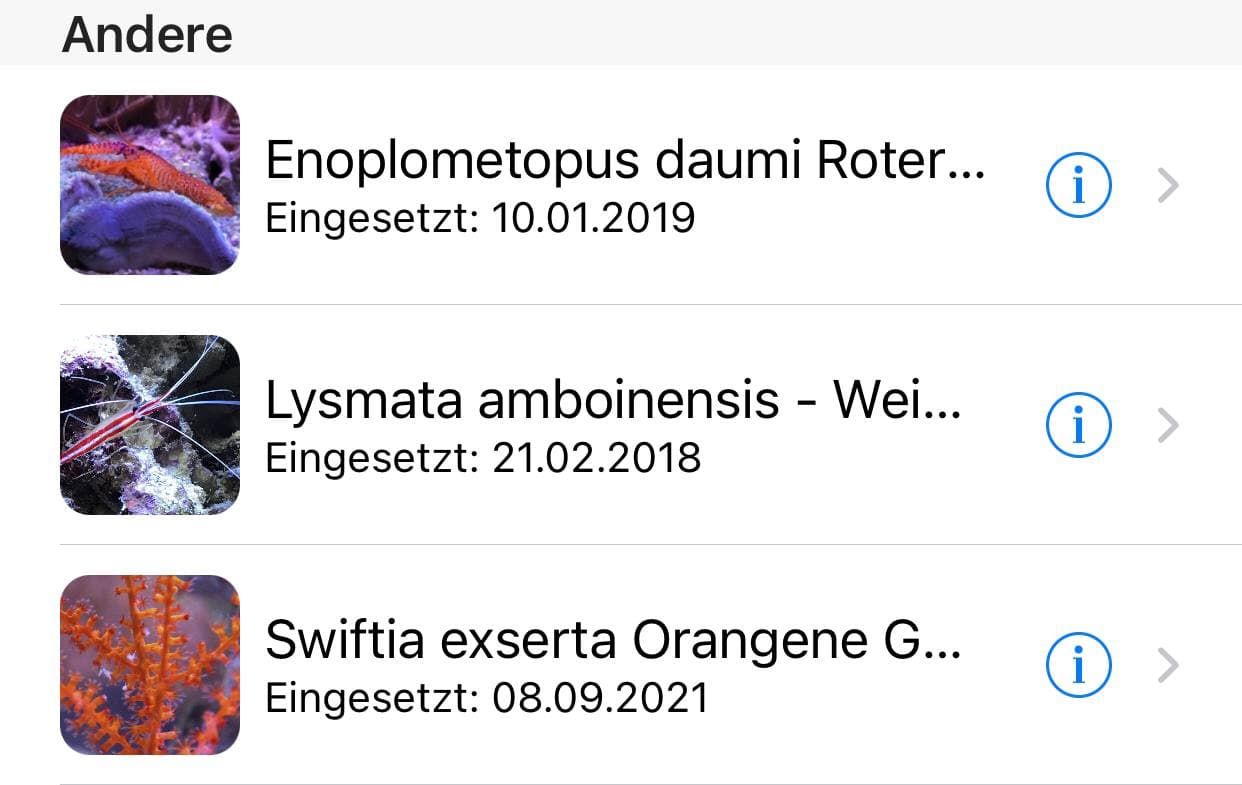
Im Becken habe ich:
Fische
Korallen
Anemonen
Korallen andere
UPS der Seehase gehört natürlich nihct zu den Fischen das ne Schnegge
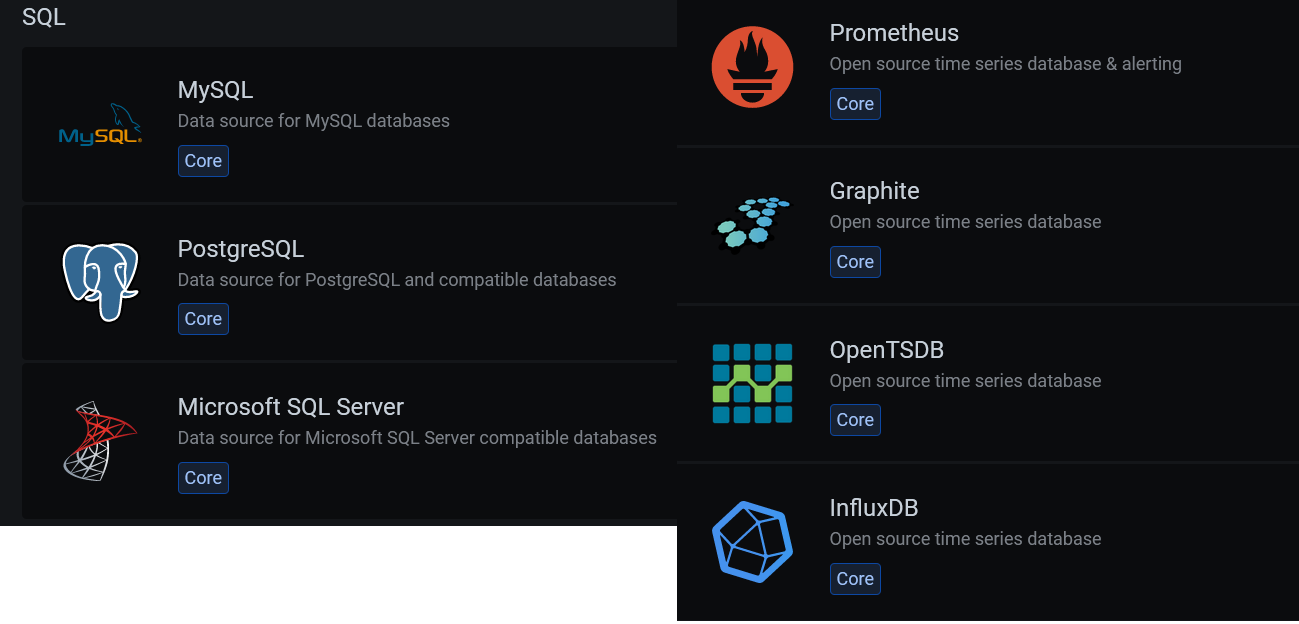
Und ne tonne Schnecken Einsiedler Garnelen etc.....Es gibt diese Altenativen

-
@hylamayn-de
Nein Meerwasser gibt es keine Gubbis
Im Becken habe ich:
Fische
Korallen
Anemonen
Korallen andere
UPS der Seehase gehört natürlich nihct zu den Fischen das ne Schnegge
Und ne tonne Schnecken Einsiedler Garnelen etc.....Es gibt diese Altenativen
-
@hylamayn-de Irgenwie hasse ich es, wenn es das macht mit mir... ;)
Warum geht es/geht es nicht?? Auf eine Datenbank muss man sich verlssen können ;)
sieht nach dem Problem mit dem imo überraschend hemdsärmeligen Influxdb Startscript aus, das auch hier im Forum schon ein paar mal diskutiert wurde: ersetze mal den ‚sleep 1‘ durch ‚sleep 10‘ im Script
/usr/lib/influxdb/scripts/influxd-systemd-start.sh
(Symptom: Db-Port 8088 läuft, Control-Port 8086 kommt wg. Timeout nicht immer hoch)
-
@hylamayn-de
Nein Meerwasser gibt es keine Gubbis
Im Becken habe ich:
Fische
Korallen
Anemonen
Korallen andere
UPS der Seehase gehört natürlich nihct zu den Fischen das ne Schnegge
Und ne tonne Schnecken Einsiedler Garnelen etc.....Es gibt diese Altenativen
-
@hylamayn-de Irgenwie hasse ich es, wenn es das macht mit mir... ;)
Warum geht es/geht es nicht?? Auf eine Datenbank muss man sich verlssen können ;)
sieht nach dem Problem mit dem imo überraschend hemdsärmeligen Influxdb Startscript aus, das auch hier im Forum schon ein paar mal diskutiert wurde: ersetze mal den ‚sleep 1‘ durch ‚sleep 10‘ im Script
/usr/lib/influxdb/scripts/influxd-systemd-start.sh
(Symptom: Db-Port 8088 läuft, Control-Port 8086 kommt wg. Timeout nicht immer hoch)
@jleg 'sleep 10' probiere ich mal. Im Moment läuft es mal, man mag ja gar nicht hinlangen :)
Christoph
-
@hylamayn-de Welche Version läuft?
Ich vermute 1.8.
Wenn du die 1.6. aus dem hauseigenen Debian-Repo einsetzt?@thomas-braun said in influxdb Fehler connect ECONNREFUSED:
@hylamayn-de Welche Version läuft?
Ich vermute 1.8.Ich habe 1.8.9 ...
Wenn du die 1.6. aus dem hauseigenen Debian-Repo einsetzt?
Was bedeutet "hauseigen" und wie macht man das?
Christoph





Hey! Du scheinst an dieser Unterhaltung interessiert zu sein, hast aber noch kein Konto.
Hast du es satt, bei jedem Besuch durch die gleichen Beiträge zu scrollen? Wenn du dich für ein Konto anmeldest, kommst du immer genau dorthin zurück, wo du zuvor warst, und kannst dich über neue Antworten benachrichtigen lassen (entweder per E-Mail oder Push-Benachrichtigung). Du kannst auch Lesezeichen speichern und Beiträge positiv bewerten, um anderen Community-Mitgliedern deine Wertschätzung zu zeigen.
Mit deinem Input könnte dieser Beitrag noch besser werden 💗
Registrieren Anmelden459
Online33.0k
Benutzer83.6k
Themen1.3m
Beiträge