Skip to content
  • Home
  • Aktuell
  • Tags
  • 0 Ungelesen 0
  • Kategorien
  • Unreplied
  • Beliebt
  • GitHub
  • Docu
  • Hilfe
Skins
  • Light
  • Brite
  • Cerulean
  • Cosmo
  • Flatly
  • Journal
  • Litera
  • Lumen
  • Lux
  • Materia
  • Minty
  • Morph
  • Pulse
  • Sandstone
  • Simplex
  • Sketchy
  • Spacelab
  • United
  • Yeti
  • Zephyr
  • Dark
  • Cyborg
  • Darkly
  • Quartz
  • Slate
  • Solar
  • Superhero
  • Vapor

  • Standard: (Kein Skin)
  • Kein Skin
Einklappen
ioBroker Logo

Community Forum

donate donate
  1. ioBroker Community Home
  2. Deutsch
  3. ioBroker Allgemein
  4. Iobroker auf intel Nuc

NEWS

  • UPDATE 31.10.: Amazon Alexa - ioBroker Skill läuft aus ?
    apollon77A
    apollon77
    48
    3
    8.8k

  • Monatsrückblick – September 2025
    BluefoxB
    Bluefox
    13
    1
    2.2k

  • Neues Video "KI im Smart Home" - ioBroker plus n8n
    BluefoxB
    Bluefox
    16
    1
    3.4k

Iobroker auf intel Nuc

Geplant Angeheftet Gesperrt Verschoben ioBroker Allgemein
iobroker nuc
192 Beiträge 13 Kommentatoren 28.1k Aufrufe 14 Watching
  • Älteste zuerst
  • Neuste zuerst
  • Meiste Stimmen
Antworten
  • In einem neuen Thema antworten
Anmelden zum Antworten
Dieses Thema wurde gelöscht. Nur Nutzer mit entsprechenden Rechten können es sehen.
  • BBTownB BBTown

    @kusi sagte in Iobroker auf intel Nuc:

    @bbtown wo und welche Debian v.10 soll ich herunterladen?

    debian-10.10.0-amd64-netinst <--- ist dies die korrekte?

    sieht gut aus :+1:

    K Offline
    K Offline
    Kusi
    schrieb am zuletzt editiert von
    #64

    @bbtown
    1ae9bcf1-357d-4182-9a43-2215453ba0ab-image.png

    BBTownB 1 Antwort Letzte Antwort
    0
    • HomoranH Homoran

      @bbtown sagte in Iobroker auf intel Nuc:

      dafür war mein erster Eintrag, das Auskommentieren der Zeile

      ich hab das in meinen Notizen zusätzlich

      und unbedingt enterprise deaktivieren:
      root@pve:~# nano /etc/apt/sources.list.d/pve-enterprise.list

      aber soweit ich es in Erinnerung habe funktionieren ohne das no-subscription repo die automatischen nächtlichen Updates nicht

      BBTownB Offline
      BBTownB Offline
      BBTown
      schrieb am zuletzt editiert von
      #65

      @homoran
      funktionieren denn "automatischen Updates" mittlerweile ohne Subscription?
      Mir werden mögliche Updates angezeigt, jedoch stoße ich diese immer manuell an?!?

      ioBroker auf NUC (VM debian v13 (Trixie ), node v22.21.0 npm v10.9.4, js-controller v7.0.7 jsonl/jsonl / HomeMatic CCU-2 (Wired und Funk) / Philips HUE / echo.DOT / Broadlink RM pro / SONOS

      HomoranH D 2 Antworten Letzte Antwort
      0
      • BBTownB BBTown

        @homoran
        funktionieren denn "automatischen Updates" mittlerweile ohne Subscription?
        Mir werden mögliche Updates angezeigt, jedoch stoße ich diese immer manuell an?!?

        HomoranH Nicht stören
        HomoranH Nicht stören
        Homoran
        Global Moderator Administrators
        schrieb am zuletzt editiert von Homoran
        #66

        @bbtown sagte in Iobroker auf intel Nuc:

        funktionieren denn "automatischen Updates" mittlerweile ohne Subscription?

        ja!
        aber nur mit dem no-subscription repo, sonst kommt ne rote Fehlermeldung

        EDIT:
        proxmox_updates.png

        oder reden wir von verschiedenen Dingen?

        EDIT2:

        root@iobroker-pve:~# apt update
        Hit:1 http://security.debian.org stretch/updates InRelease
        Ign:2 http://ftp.de.debian.org/debian stretch InRelease                     
        Hit:3 http://ftp.de.debian.org/debian stretch Release                       
        Hit:5 http://download.proxmox.com/debian/pve stretch InRelease    
        Reading package lists... Done          
        Building dependency tree       
        Reading state information... Done
        142 packages can be upgraded. Run 'apt list --upgradable' to see them.
        root@iobroker-pve:~# apt list --upgradeable
        Listing... Done
        

        Das sieht allerdings anders aus :-(

        kein Support per PN! - Fragen im Forum stellen - es gibt fast nichts, was nicht auch für andere interessant ist.

        Benutzt das Voting rechts unten im Beitrag wenn er euch geholfen hat.

        der Installationsfixer: curl -fsL https://iobroker.net/fix.sh | bash -

        crunchipC 1 Antwort Letzte Antwort
        0
        • K Kusi

          @bbtown
          1ae9bcf1-357d-4182-9a43-2215453ba0ab-image.png

          BBTownB Offline
          BBTownB Offline
          BBTown
          schrieb am zuletzt editiert von
          #67

          @kusi sagte in Iobroker auf intel Nuc:

          @bbtown
          1ae9bcf1-357d-4182-9a43-2215453ba0ab-image.png

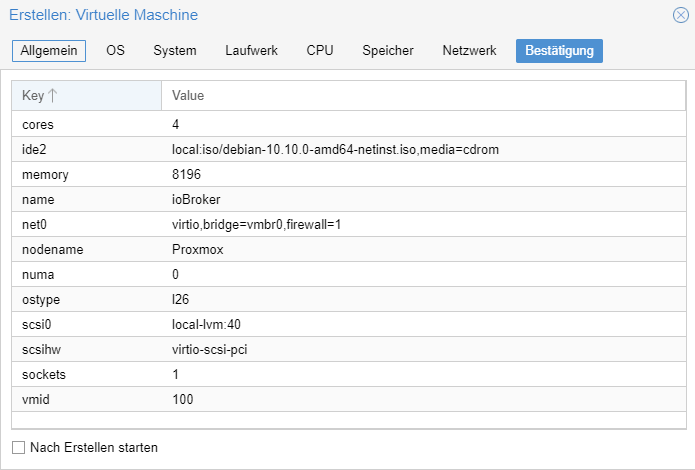
          2 cores sind mehr als genug
          4 GB RAM
          15 GB HDD

          ioBroker auf NUC (VM debian v13 (Trixie ), node v22.21.0 npm v10.9.4, js-controller v7.0.7 jsonl/jsonl / HomeMatic CCU-2 (Wired und Funk) / Philips HUE / echo.DOT / Broadlink RM pro / SONOS

          K 1 Antwort Letzte Antwort
          0
          • BBTownB BBTown

            @kusi sagte in Iobroker auf intel Nuc:

            @bbtown
            1ae9bcf1-357d-4182-9a43-2215453ba0ab-image.png

            2 cores sind mehr als genug
            4 GB RAM
            15 GB HDD

            K Offline
            K Offline
            Kusi
            schrieb am zuletzt editiert von
            #68

            @bbtown
            9d028d55-6497-4ffd-8e81-06ff36dd3f8f-image.png

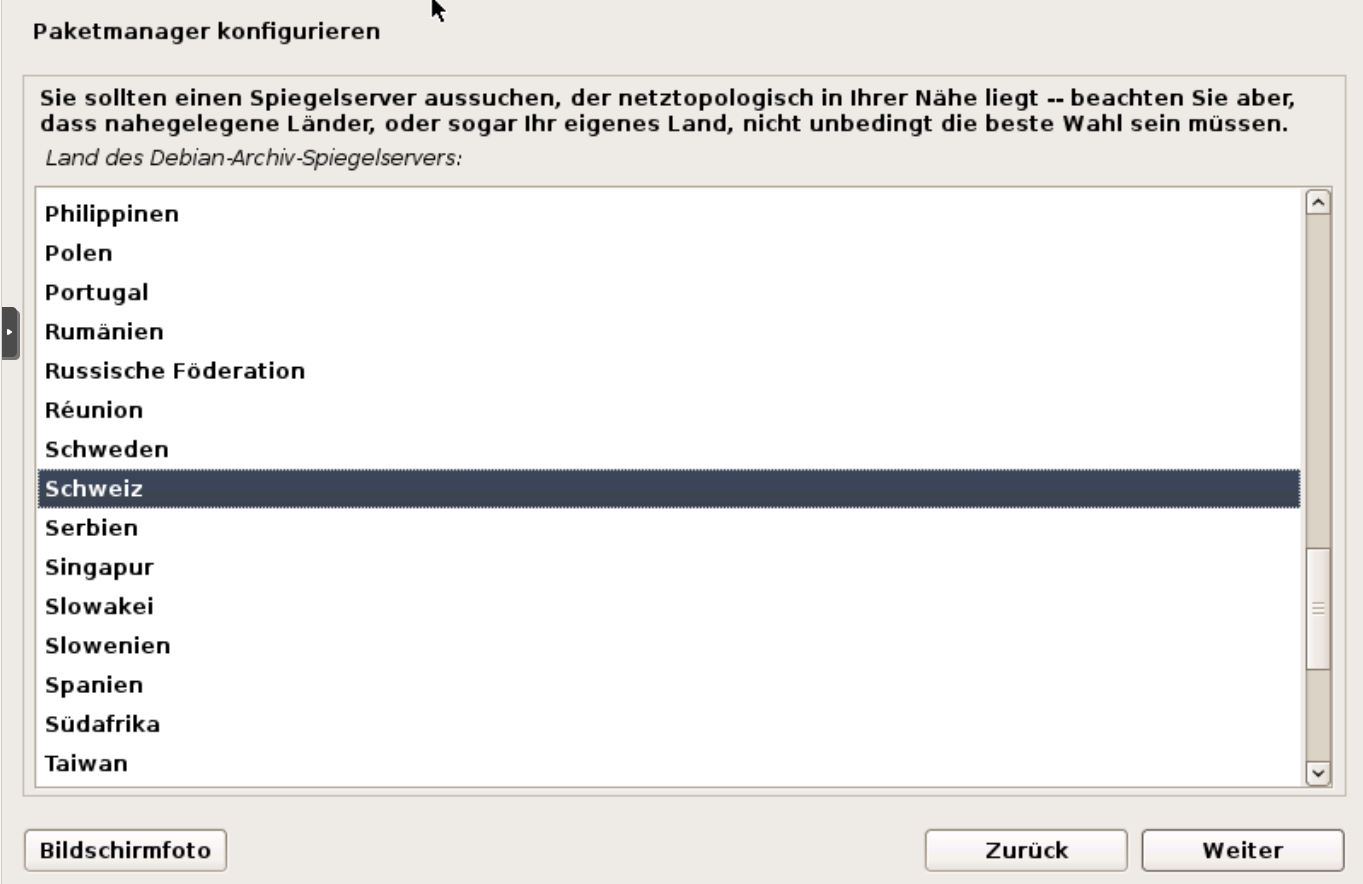
            Ich habe Schweiz --> deb.debian.org --> kein Proxy gewählt

            BBTownB crunchipC 2 Antworten Letzte Antwort
            0
            • K Kusi

              @bbtown
              9d028d55-6497-4ffd-8e81-06ff36dd3f8f-image.png

              Ich habe Schweiz --> deb.debian.org --> kein Proxy gewählt

              BBTownB Offline
              BBTownB Offline
              BBTown
              schrieb am zuletzt editiert von BBTown
              #69

              @kusi keine Ahnung was Du da machst ...

              ioBroker auf NUC (VM debian v13 (Trixie ), node v22.21.0 npm v10.9.4, js-controller v7.0.7 jsonl/jsonl / HomeMatic CCU-2 (Wired und Funk) / Philips HUE / echo.DOT / Broadlink RM pro / SONOS

              K 1 Antwort Letzte Antwort
              0
              • K Kusi

                @bbtown
                9d028d55-6497-4ffd-8e81-06ff36dd3f8f-image.png

                Ich habe Schweiz --> deb.debian.org --> kein Proxy gewählt

                crunchipC Offline
                crunchipC Offline
                crunchip
                Forum Testing Most Active
                schrieb am zuletzt editiert von
                #70

                @kusi geh zurück und nehm den ersten aus der Liste, was dir Standard angezeigt wird

                umgestiegen von Proxmox auf Unraid

                1 Antwort Letzte Antwort
                0
                • BBTownB BBTown

                  @kusi keine Ahnung was Du da machst ...

                  K Offline
                  K Offline
                  Kusi
                  schrieb am zuletzt editiert von Kusi
                  #71

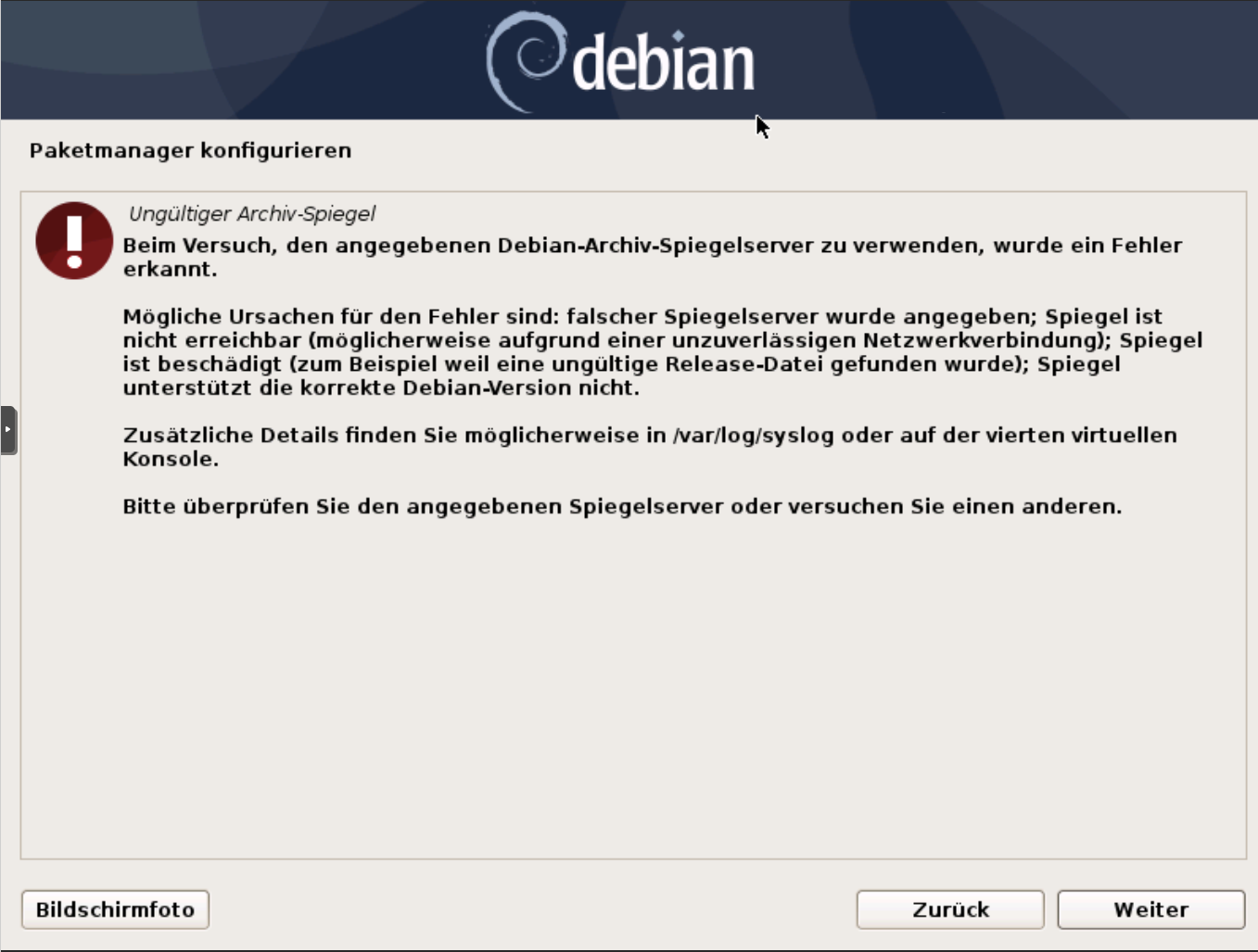
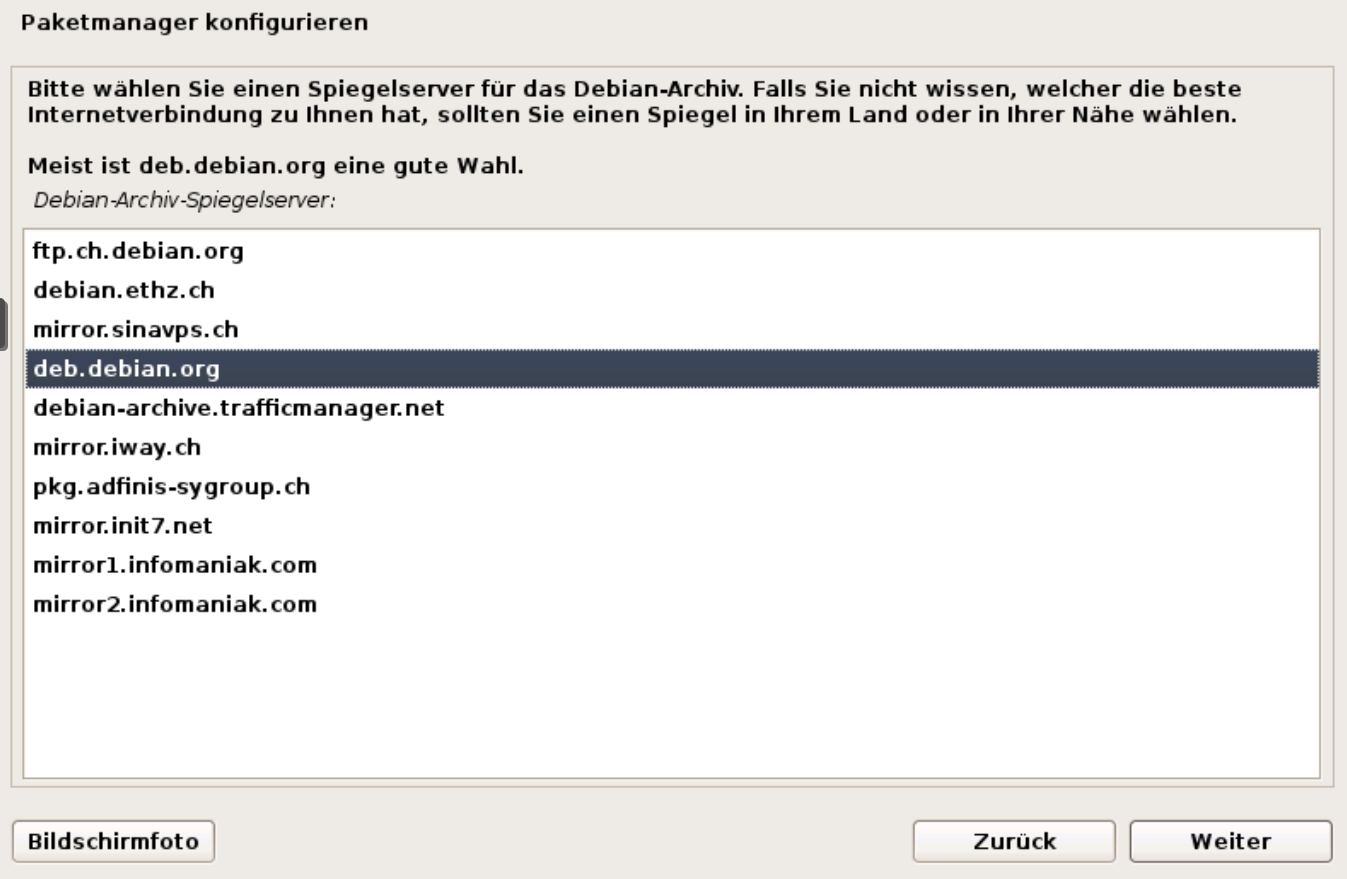
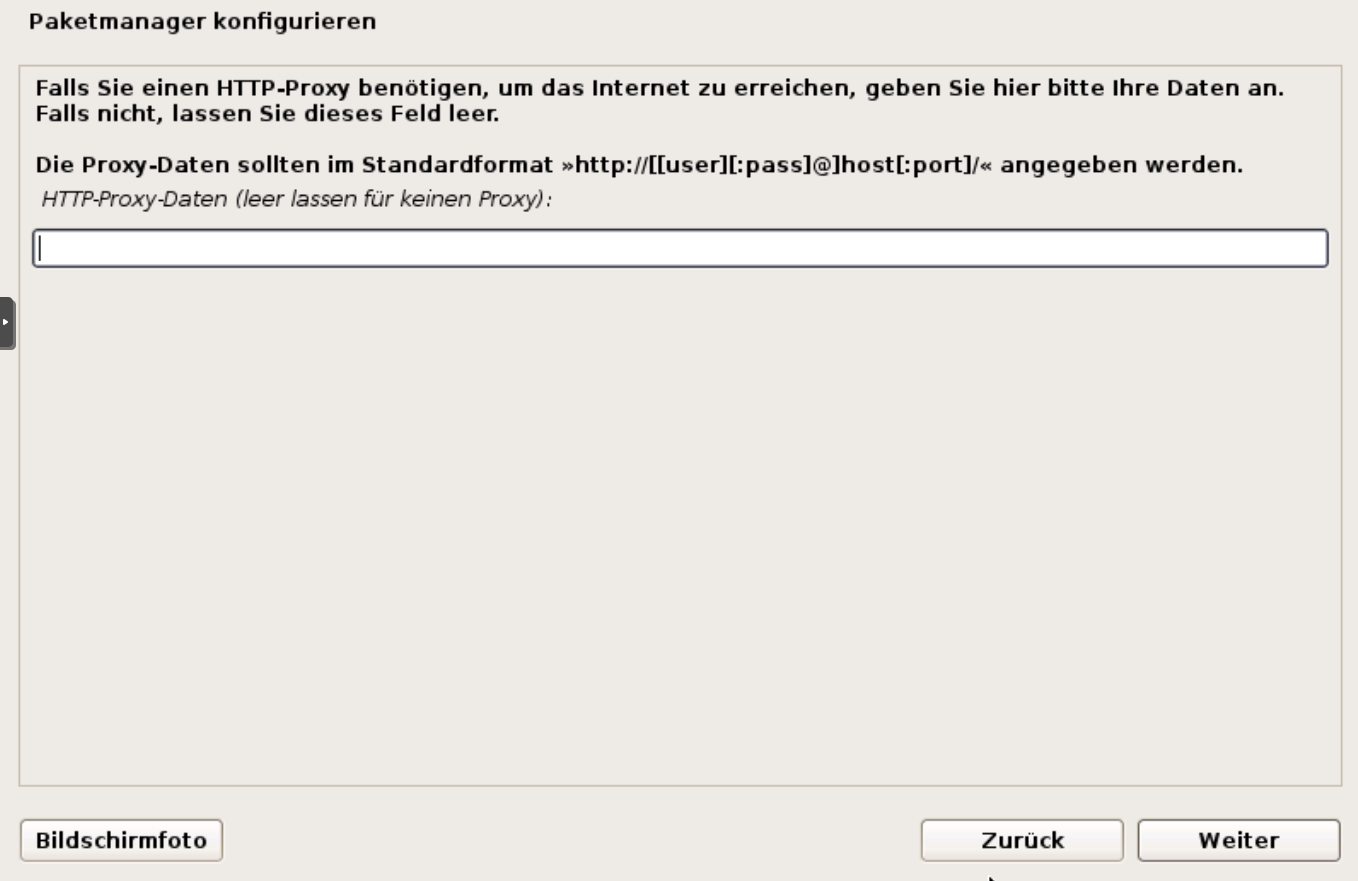
                  @bbtown diese Meldung kam plötzlich...
                  b35b8c84-b417-4a0c-af0b-3670970ab666-image.png

                  e4780e91-128d-4201-b42e-e2e7dc82ac5e-image.png

                  e1f78570-89a2-4750-bc15-748f40c20172-image.png

                  dies wird bei mir so Standard angezeigt...

                  Habe abgebrochen und "ohne Netzwerk-Spiegel fortfahren" gewählt.

                  K D 2 Antworten Letzte Antwort
                  0
                  • K Kusi

                    @bbtown diese Meldung kam plötzlich...
                    b35b8c84-b417-4a0c-af0b-3670970ab666-image.png

                    e4780e91-128d-4201-b42e-e2e7dc82ac5e-image.png

                    e1f78570-89a2-4750-bc15-748f40c20172-image.png

                    dies wird bei mir so Standard angezeigt...

                    Habe abgebrochen und "ohne Netzwerk-Spiegel fortfahren" gewählt.

                    K Offline
                    K Offline
                    Kusi
                    schrieb am zuletzt editiert von Kusi
                    #72

                    @BBTown
                    1b21fc93-7a67-4590-b023-c70516f9aa7f-image.png

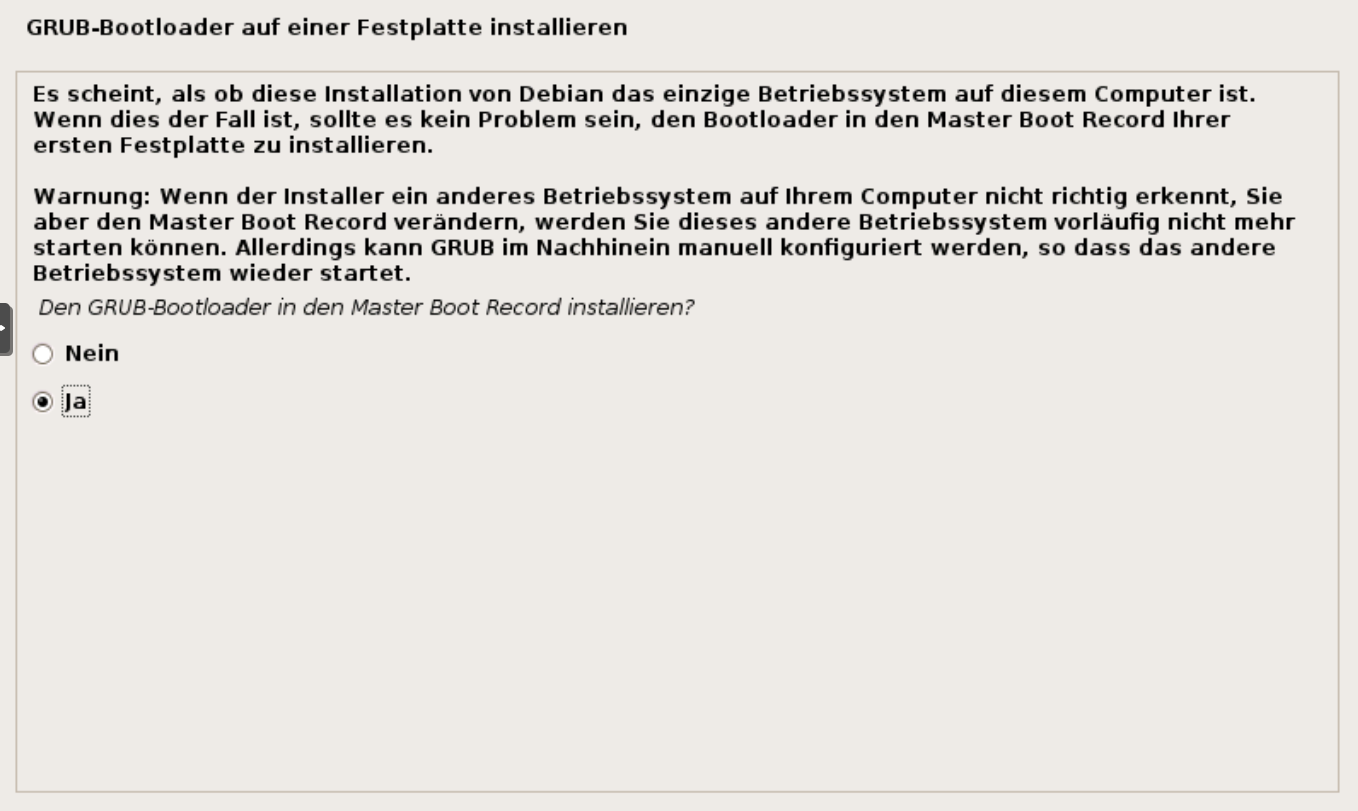
                    Wird dies empfohlen?
                    Geplant ist auf dem Nuc nur ioBroker im Moment.

                    D 1 Antwort Letzte Antwort
                    0
                    • HomoranH Homoran

                      @bbtown sagte in Iobroker auf intel Nuc:

                      funktionieren denn "automatischen Updates" mittlerweile ohne Subscription?

                      ja!
                      aber nur mit dem no-subscription repo, sonst kommt ne rote Fehlermeldung

                      EDIT:
                      proxmox_updates.png

                      oder reden wir von verschiedenen Dingen?

                      EDIT2:

                      root@iobroker-pve:~# apt update
                      Hit:1 http://security.debian.org stretch/updates InRelease
                      Ign:2 http://ftp.de.debian.org/debian stretch InRelease                     
                      Hit:3 http://ftp.de.debian.org/debian stretch Release                       
                      Hit:5 http://download.proxmox.com/debian/pve stretch InRelease    
                      Reading package lists... Done          
                      Building dependency tree       
                      Reading state information... Done
                      142 packages can be upgraded. Run 'apt list --upgradable' to see them.
                      root@iobroker-pve:~# apt list --upgradeable
                      Listing... Done
                      

                      Das sieht allerdings anders aus :-(

                      crunchipC Offline
                      crunchipC Offline
                      crunchip
                      Forum Testing Most Active
                      schrieb am zuletzt editiert von
                      #73

                      @homoran debian stretch?

                      update's werden doch schon immer jede Nacht abgerufen, das upgrade muss dann manuell angestoßen werden, daher auch nie auf der Proxmox Konsole ein apt update && apt upgrade ausführen, sondern dist-upgrade

                      umgestiegen von Proxmox auf Unraid

                      HomoranH 1 Antwort Letzte Antwort
                      0
                      • K Kusi

                        @bbtown diese Meldung kam plötzlich...
                        b35b8c84-b417-4a0c-af0b-3670970ab666-image.png

                        e4780e91-128d-4201-b42e-e2e7dc82ac5e-image.png

                        e1f78570-89a2-4750-bc15-748f40c20172-image.png

                        dies wird bei mir so Standard angezeigt...

                        Habe abgebrochen und "ohne Netzwerk-Spiegel fortfahren" gewählt.

                        D Online
                        D Online
                        darkiop
                        Most Active
                        schrieb am zuletzt editiert von
                        #74

                        @kusi sagte in Iobroker auf intel Nuc:

                        Habe abgebrochen und "ohne Netzwerk-Spiegel fortfahren" gewählt.

                        Deine VM hat keine Verbindung raus in die Welt. Wie gesagt, das könnte am Nuc 11 und den Netzwerk Treibern liegen:

                        Currently (May 01, 2021), ProxMox requires updated drivers for the NICs and video to function properly and it makes its installation a bit tricky.

                        https://www.reddit.com/r/intelnuc/comments/n2ogdn/guide_to_installing_proxmox_on_nuc11/

                        Grundsätzlich zum Repo, unter /etc/apt/sources.list.d die pve-enterprise.list löschen und dann eine pve-no-subscription.list mit folgden Inhalt anlegen:

                        #/etc/apt/sources.list.d/pve-no-subscription.list
                        # pve-no-subscription repository provided by proxmox.com 
                        deb http://download.proxmox.com/debian/pve buster pve-no-subscription
                        # security updates
                        deb http://security.debian.org/debian-security buster/updates main contrib
                        

                        Danach, wieder apt update && apt upgrade -y.

                        Proxmox-ioBroker-Redis-HA Doku: https://forum.iobroker.net/topic/47478/dokumentation-einer-proxmox-iobroker-redis-ha-umgebung

                        1 Antwort Letzte Antwort
                        0
                        • K Kusi

                          @BBTown
                          1b21fc93-7a67-4590-b023-c70516f9aa7f-image.png

                          Wird dies empfohlen?
                          Geplant ist auf dem Nuc nur ioBroker im Moment.

                          D Online
                          D Online
                          darkiop
                          Most Active
                          schrieb am zuletzt editiert von
                          #75

                          @kusi sagte in Iobroker auf intel Nuc:

                          Wird dies empfohlen?

                          Ja, du hast in der VM nur ioBroker. Grundsätzlich kann man den Installer eigentlich mit allen Empfehlungen druchklicken.

                          Proxmox-ioBroker-Redis-HA Doku: https://forum.iobroker.net/topic/47478/dokumentation-einer-proxmox-iobroker-redis-ha-umgebung

                          1 Antwort Letzte Antwort
                          0
                          • crunchipC crunchip

                            @homoran debian stretch?

                            update's werden doch schon immer jede Nacht abgerufen, das upgrade muss dann manuell angestoßen werden, daher auch nie auf der Proxmox Konsole ein apt update && apt upgrade ausführen, sondern dist-upgrade

                            HomoranH Nicht stören
                            HomoranH Nicht stören
                            Homoran
                            Global Moderator Administrators
                            schrieb am zuletzt editiert von
                            #76

                            @crunchip sagte in Iobroker auf intel Nuc:

                            @homoran debian stretch?

                            schuldig im Sinne der Anklage ;-)
                            ich bin auch immer noch auf v5

                            @crunchip sagte in Iobroker auf intel Nuc:

                            update's werden doch schon immer jede Nacht abgerufen,

                            Aber nur mit dem no-subscription repo, sonst wird es da rot

                            @crunchip sagte in Iobroker auf intel Nuc:

                            daher auch nie auf der Proxmox Konsole ein apt update && apt upgrade ausführen, sondern dist-upgrade

                            Danke für den Hinweis.
                            Vielleicht setze ich jetzt endlich eine aktuelle Installation auf.

                            kein Support per PN! - Fragen im Forum stellen - es gibt fast nichts, was nicht auch für andere interessant ist.

                            Benutzt das Voting rechts unten im Beitrag wenn er euch geholfen hat.

                            der Installationsfixer: curl -fsL https://iobroker.net/fix.sh | bash -

                            1 Antwort Letzte Antwort
                            0
                            • BBTownB BBTown

                              @kusi
                              nach der Installation eines neuen, sauberen Proxmox gehst Du auf die Konsole des Proxmox:

                              Proxmox Einstellungen

                              nano /etc/apt/sources.list.d/pve-enterprise.list
                              

                              folgenden Eintrag mit "#" auskommentieren

                              # deb https://enterprise.proxmox.com/debian/pve buster pve-enterprise
                              

                              anschließend Updates holen

                              apt update && apt dist-upgrade -y
                              

                              Erweiterungen installieren

                              apt install sudo
                              apt install curl -y
                              apt install lm-sensors -y
                              apt install gparted -y
                              

                              Hardwareunterstützung VTD / amdIOMMUiommu

                              nano /etc/default/grub
                              

                              nachfolgenden Eintrag suchen und so wie unten anpassen

                              GRUB_CMDLINE_LINUX_DAFAULT="quiet intel_iommu=on"
                              

                              speichern und danach

                              update-grub
                              
                              nano -w /etc/modules
                              

                              folgende Einträge für PCIe Passthrough hinzufügen

                              vfio
                              vfio_iommu_type1
                              vfio_pci
                              vfio_virqfd
                              

                              speichern und danach

                              reboot
                              
                              dmesg | grep -e DMAR -e IOMMU
                              lsmod | grep vfio
                              

                              danach setzt Du eine VM auf Basis von debian v.10 (Buster) auf
                              dann ioBroker installieren:

                              curl -sLf https://iobroker.net/install.sh | bash -

                              

                              und Du bist auf der sicheren Seite

                              [Nachtrag]
                              Einer VM eine feste IP zuweisen (klick mich)

                              nano /etc/network/interfaces
                              

                              folgende Einträge gemäß der eigen IP-Adressbereiche anpassen

                              # The loopback network interface
                              auto lo
                              iface lo inet loopback
                              
                              # The primary network interface
                              allow-hotplug ens192
                              # iface ens192 inet <- Das wäre DHCP
                              iface ens192 inet static
                                 address 192.168.178.150
                                 netmask 255.255.255.0
                                 gateway 192.168.178.1
                                 dns-nameservers 192.168.178.1 8.8.8.8
                              
                              K Offline
                              K Offline
                              Kusi
                              schrieb am zuletzt editiert von Kusi
                              #77

                              @bbtown sagte in Iobroker auf intel Nuc:

                              curl -sLf https://iobroker.net/install.sh | bash -

                              4eb4a44b-bf1f-4096-9927-4bb30af21efc-image.png

                              Weist du warum ich jetzt keinen Text in der Debian Konsole einfügen kann? Muss alles von Hand übertragen...

                              BBTownB crunchipC D 4 Antworten Letzte Antwort
                              0
                              • K Kusi

                                @bbtown sagte in Iobroker auf intel Nuc:

                                curl -sLf https://iobroker.net/install.sh | bash -

                                4eb4a44b-bf1f-4096-9927-4bb30af21efc-image.png

                                Weist du warum ich jetzt keinen Text in der Debian Konsole einfügen kann? Muss alles von Hand übertragen...

                                BBTownB Offline
                                BBTownB Offline
                                BBTown
                                schrieb am zuletzt editiert von
                                #78

                                @kusi Du musst auf der VM auch curl installieren

                                sudo apt update && apt dist-upgrade
                                sudo apt install curl -y
                                

                                ioBroker auf NUC (VM debian v13 (Trixie ), node v22.21.0 npm v10.9.4, js-controller v7.0.7 jsonl/jsonl / HomeMatic CCU-2 (Wired und Funk) / Philips HUE / echo.DOT / Broadlink RM pro / SONOS

                                HomoranH 1 Antwort Letzte Antwort
                                0
                                • K Kusi

                                  @bbtown sagte in Iobroker auf intel Nuc:

                                  curl -sLf https://iobroker.net/install.sh | bash -

                                  4eb4a44b-bf1f-4096-9927-4bb30af21efc-image.png

                                  Weist du warum ich jetzt keinen Text in der Debian Konsole einfügen kann? Muss alles von Hand übertragen...

                                  crunchipC Offline
                                  crunchipC Offline
                                  crunchip
                                  Forum Testing Most Active
                                  schrieb am zuletzt editiert von
                                  #79

                                  @kusi debian ist minimalistischer als ubuntu, da muss das ein oder andere nachinstalliert werden, wie z.b curl

                                  apt install curl
                                  

                                  umgestiegen von Proxmox auf Unraid

                                  1 Antwort Letzte Antwort
                                  0
                                  • BBTownB BBTown

                                    @kusi Du musst auf der VM auch curl installieren

                                    sudo apt update && apt dist-upgrade
                                    sudo apt install curl -y
                                    
                                    HomoranH Nicht stören
                                    HomoranH Nicht stören
                                    Homoran
                                    Global Moderator Administrators
                                    schrieb am zuletzt editiert von
                                    #80

                                    @bbtown sagte in Iobroker auf intel Nuc:

                                    @kusi Du musst auf der VM auch curl installieren

                                    und sudo
                                    und eine User anlegen und der Gruppe sudo zuweisen

                                    kein Support per PN! - Fragen im Forum stellen - es gibt fast nichts, was nicht auch für andere interessant ist.

                                    Benutzt das Voting rechts unten im Beitrag wenn er euch geholfen hat.

                                    der Installationsfixer: curl -fsL https://iobroker.net/fix.sh | bash -

                                    crunchipC 1 Antwort Letzte Antwort
                                    1
                                    • HomoranH Homoran

                                      @bbtown sagte in Iobroker auf intel Nuc:

                                      @kusi Du musst auf der VM auch curl installieren

                                      und sudo
                                      und eine User anlegen und der Gruppe sudo zuweisen

                                      crunchipC Offline
                                      crunchipC Offline
                                      crunchip
                                      Forum Testing Most Active
                                      schrieb am zuletzt editiert von crunchip
                                      #81

                                      @homoran sudo ist, bzw wird automatisch installiert, wenn ein user angelegt wird, also nur curl nachinstallieren
                                      edit: wenn man bei der installation Root Passwort leer lässt

                                      umgestiegen von Proxmox auf Unraid

                                      1 Antwort Letzte Antwort
                                      0
                                      • BBTownB BBTown

                                        @homoran
                                        funktionieren denn "automatischen Updates" mittlerweile ohne Subscription?
                                        Mir werden mögliche Updates angezeigt, jedoch stoße ich diese immer manuell an?!?

                                        D Online
                                        D Online
                                        darkiop
                                        Most Active
                                        schrieb am zuletzt editiert von
                                        #82

                                        @bbtown sagte in Iobroker auf intel Nuc:

                                        funktionieren denn "automatischen Updates" mittlerweile ohne Subscription?
                                        Mir werden mögliche Updates angezeigt, jedoch stoße ich diese immer manuell an?!?

                                        Ich mache auf meinen Maschinen per unattended-upgrades - Nachfolgendes aus meiner Doku. Damit werden die Debian Pakete automatisch aktulisiert. Die aus dem Proxmox Repo allerdings noch manuell.

                                        Installation:

                                        apt install unattended-upgrades -y
                                        echo unattended-upgrades unattended-upgrades/enable_auto_updates boolean true | debconf-set-selections; dpkg-reconfigure -f noninteractive unattended-upgrades
                                        

                                        Timer Anpassen (Bei Bedarf) - create /etc/systemd/system/apt-daily.timer.d/override.conf (= Timer für apt update)

                                        systemctl edit apt-daily.timer
                                        [Timer]
                                        OnCalendar=
                                        OnCalendar=*-*-* 0,4,8,12,16,20:00
                                        RandomizedDelaySec=15m
                                        
                                        # create /etc/systemd/system/apt-daily-upgrade.timer.d/override.conf (= Timer für upgrades)
                                        systemctl edit apt-daily-upgrade.timer
                                        [Timer]
                                        OnCalendar=
                                        OnCalendar=*-*-* 0,4,8,12,16,20:20
                                        RandomizedDelaySec=1m
                                        
                                        # manuel debug run
                                        unattended-upgrade -d
                                        
                                        # show timer configs
                                        systemctl cat apt-daily{,-upgrade}.timer
                                        # show timers
                                        systemctl --all list-timers apt-daily{,-upgrade}.timer
                                        

                                        https://wiki.debian.org/UnattendedUpgrades
                                        https://debian-handbook.info/browse/stable/sect.regular-upgrades.html
                                        https://unix.stackexchange.com/questions/178626/how-to-run-unattended-upgrades-not-daily-but-every-few-hours/541426#541426

                                        @homoran sagte in Iobroker auf intel Nuc:

                                        Das sieht allerdings anders aus

                                        Definitiv :)

                                        Proxmox-ioBroker-Redis-HA Doku: https://forum.iobroker.net/topic/47478/dokumentation-einer-proxmox-iobroker-redis-ha-umgebung

                                        1 Antwort Letzte Antwort
                                        0
                                        • K Kusi

                                          @bbtown sagte in Iobroker auf intel Nuc:

                                          curl -sLf https://iobroker.net/install.sh | bash -

                                          4eb4a44b-bf1f-4096-9927-4bb30af21efc-image.png

                                          Weist du warum ich jetzt keinen Text in der Debian Konsole einfügen kann? Muss alles von Hand übertragen...

                                          BBTownB Offline
                                          BBTownB Offline
                                          BBTown
                                          schrieb am zuletzt editiert von
                                          #83

                                          @kusi
                                          wo Du schon dabei bist:

                                          apt install sudo
                                          adduser <username>
                                          usermod -aG sudo <username>
                                          sudo timedatectl set-timezone Europe/Berlin
                                          sudo apt install cifs-utils -y
                                          sudo apt install nfs-common -y
                                          

                                          <username> muss ersetzt werden ... z.B. "iobroker" (ohne " ")

                                          ioBroker auf NUC (VM debian v13 (Trixie ), node v22.21.0 npm v10.9.4, js-controller v7.0.7 jsonl/jsonl / HomeMatic CCU-2 (Wired und Funk) / Philips HUE / echo.DOT / Broadlink RM pro / SONOS

                                          K 1 Antwort Letzte Antwort
                                          0
                                          Antworten
                                          • In einem neuen Thema antworten
                                          Anmelden zum Antworten
                                          • Älteste zuerst
                                          • Neuste zuerst
                                          • Meiste Stimmen


                                          Support us

                                          ioBroker
                                          Community Adapters
                                          Donate
                                          FAQ Cloud / IOT
                                          HowTo: Node.js-Update
                                          HowTo: Backup/Restore
                                          Downloads
                                          BLOG

                                          696

                                          Online

                                          32.4k

                                          Benutzer

                                          81.5k

                                          Themen

                                          1.3m

                                          Beiträge
                                          Community
                                          Impressum | Datenschutz-Bestimmungen | Nutzungsbedingungen | Einwilligungseinstellungen
                                          ioBroker Community 2014-2025
                                          logo
                                          • Anmelden

                                          • Du hast noch kein Konto? Registrieren

                                          • Anmelden oder registrieren, um zu suchen
                                          • Erster Beitrag
                                            Letzter Beitrag
                                          0
                                          • Home
                                          • Aktuell
                                          • Tags
                                          • Ungelesen 0
                                          • Kategorien
                                          • Unreplied
                                          • Beliebt
                                          • GitHub
                                          • Docu
                                          • Hilfe