




lupusec Adapter Fehler
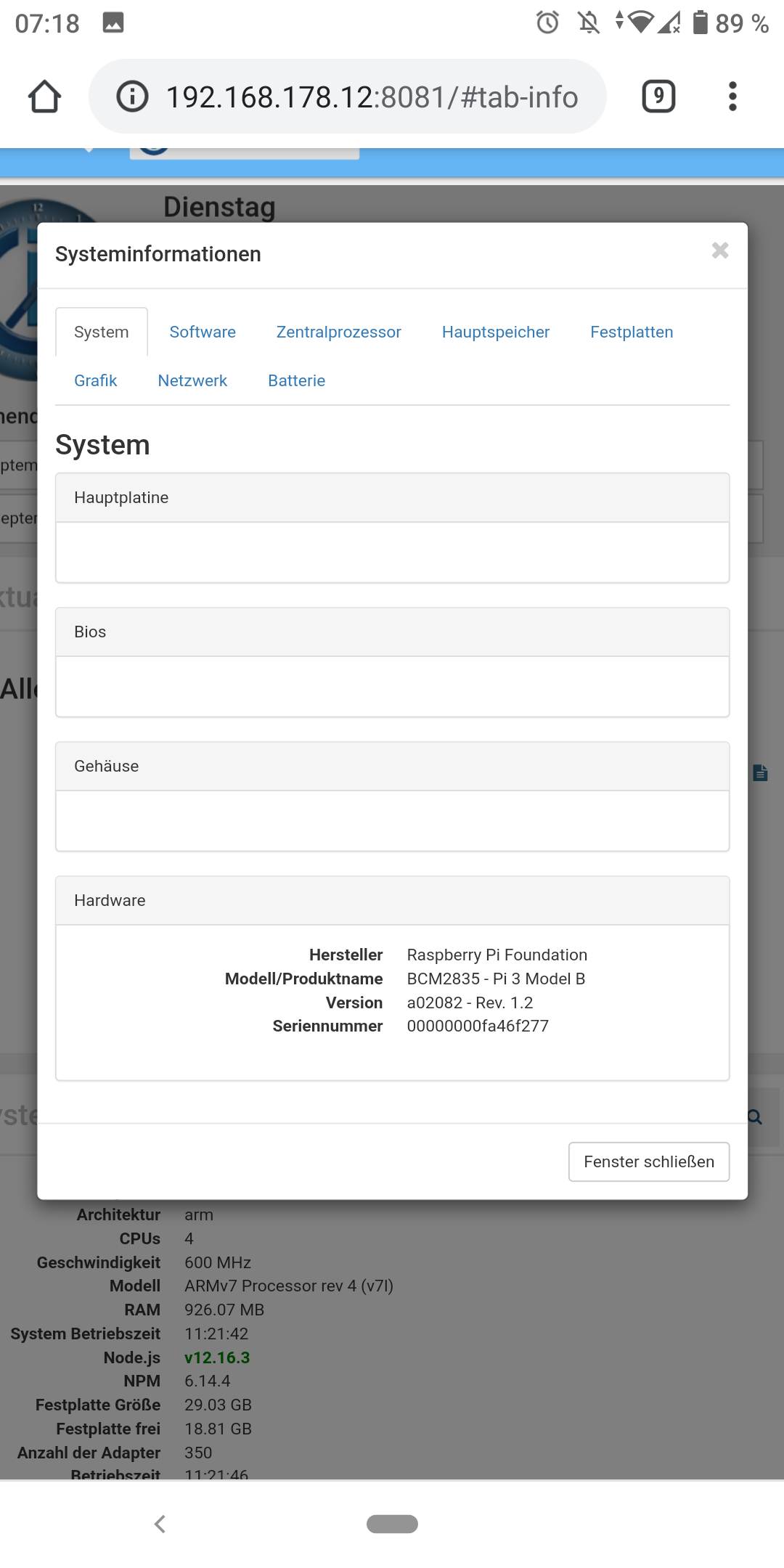
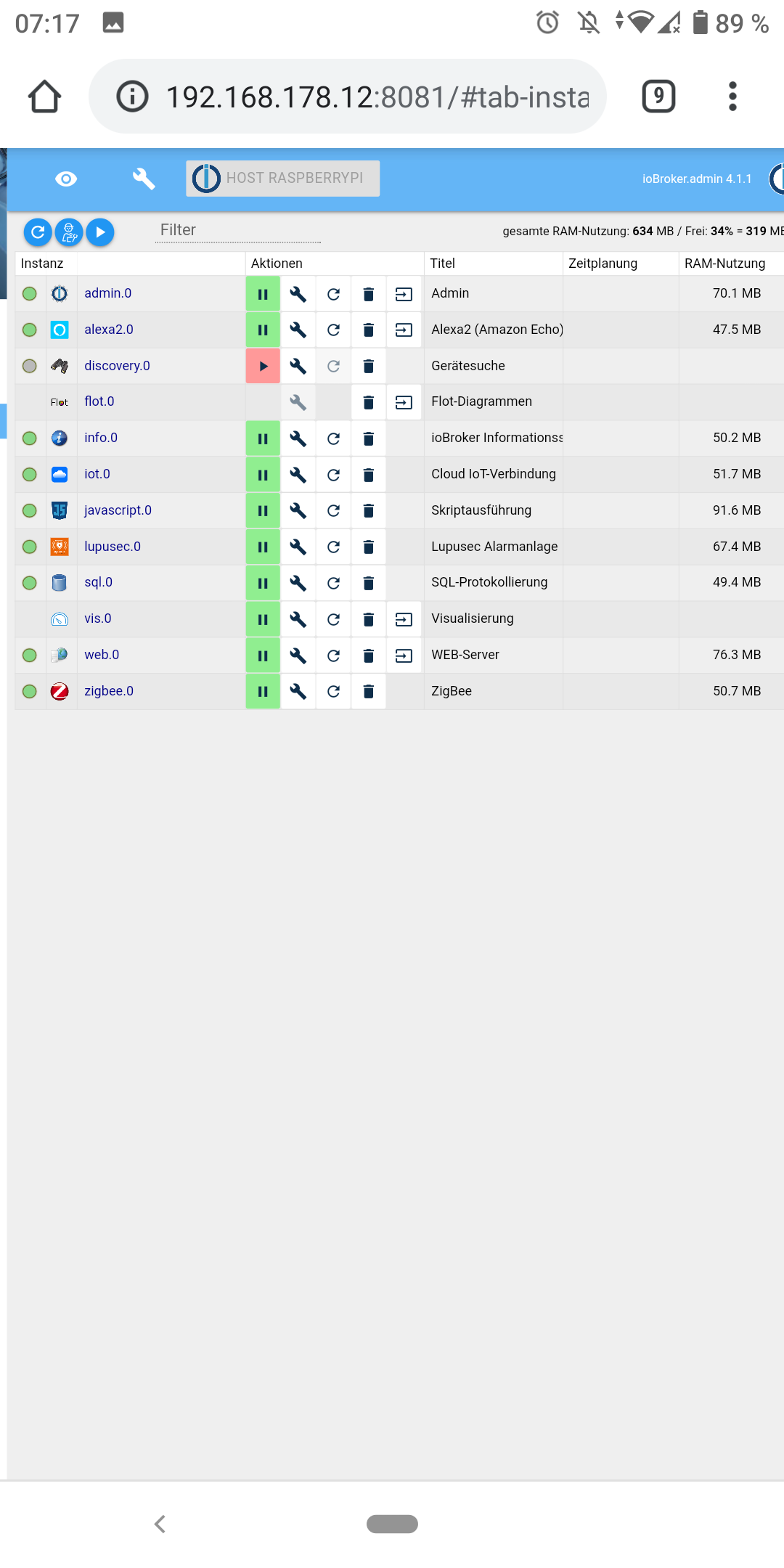
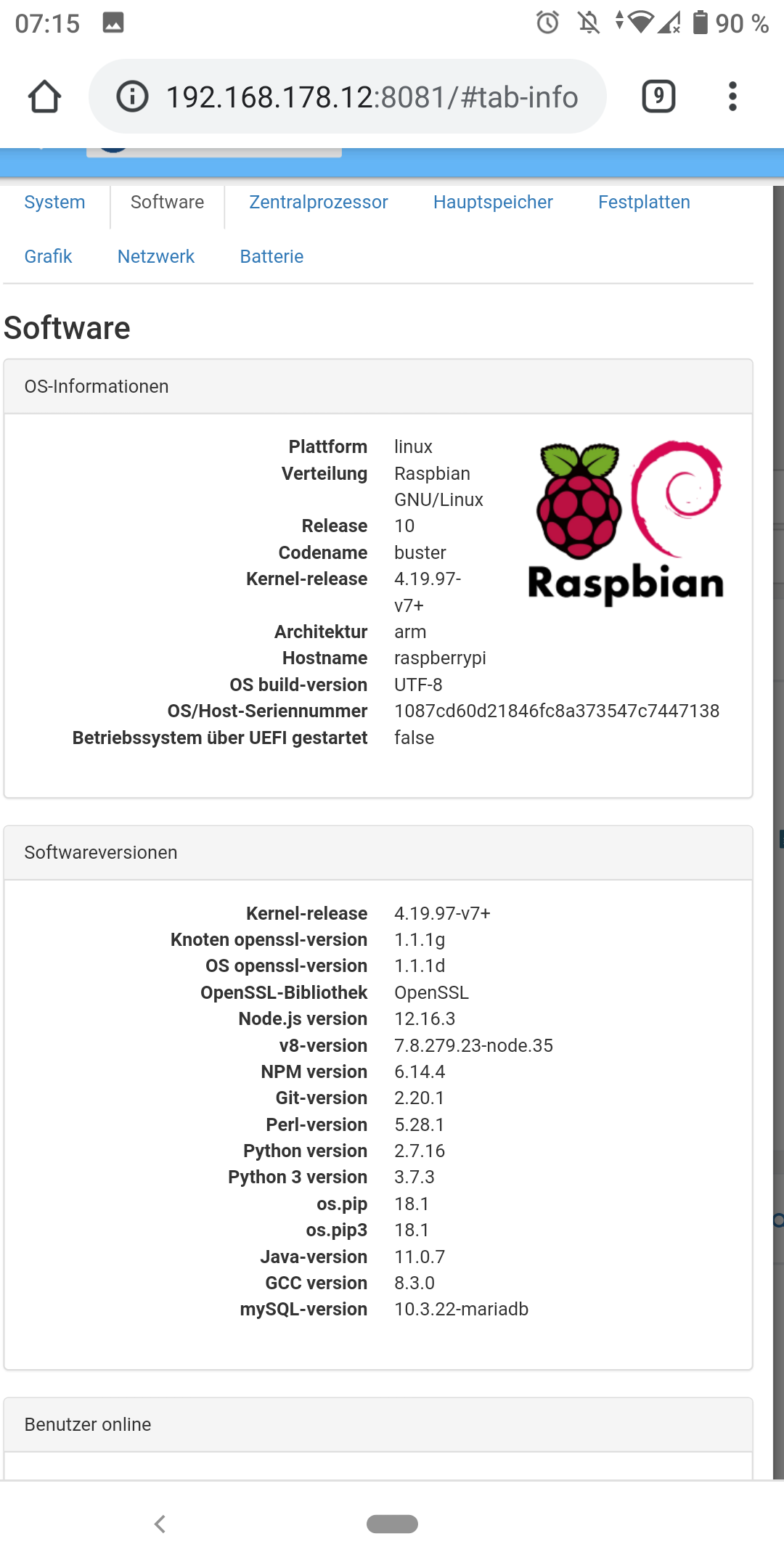
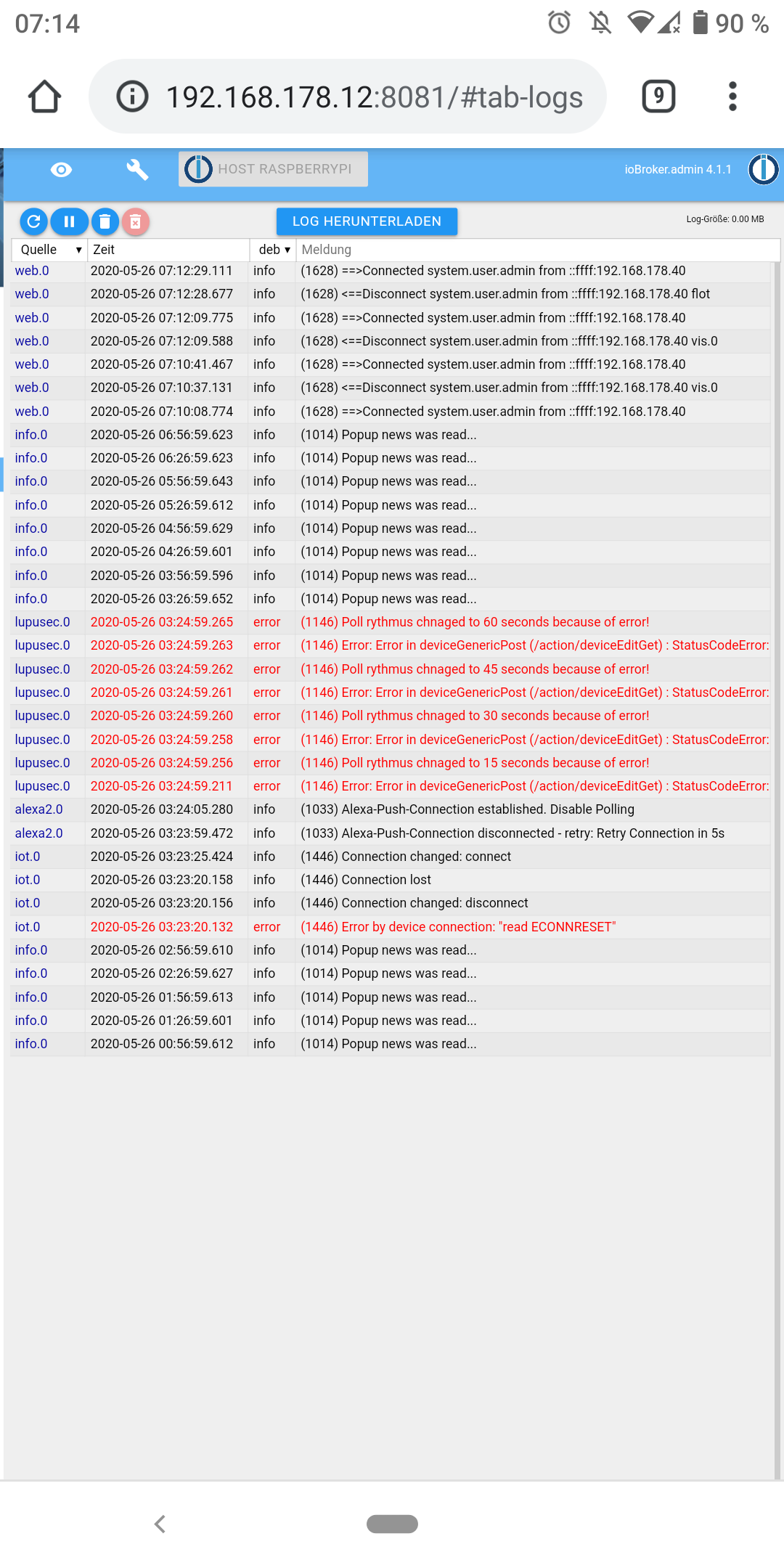
-
Hier die Ausgabe:
/opt/iobroker/node_modules/iobroker.lupusec $ node lupusec.js 0 --debug 2020-07-03 08:47:23.465 - debug: lupusec.0 (21270) Redis Objects: Use Redis connection: 127.0.0.1:9001 2020-07-03 08:47:23.502 - error: lupusec.0 (21270) uncaught exception: EACCES: permission denied, open '/opt/iobroker/log/iobroker.2020-07-03.log' 2020-07-03 08:47:23.504 - error: lupusec.0 (21270) Error: EACCES: permission denied, open '/opt/iobroker/log/iobroker.2020-07-03.log' 2020-07-03 08:47:23.526 - debug: lupusec.0 (21270) Objects client ready ... initialize now 2020-07-03 08:47:23.533 - debug: lupusec.0 (21270) Objects create System PubSub Client 2020-07-03 08:47:23.536 - debug: lupusec.0 (21270) Objects create User PubSub Client 2020-07-03 08:47:23.539 - debug: lupusec.0 (21270) Objects client initialize lua scripts 2020-07-03 08:47:23.557 - debug: lupusec.0 (21270) Objects connected to redis: 127.0.0.1:9001 2020-07-03 08:47:23.570 - debug: lupusec.0 (21270) objectDB connected 2020-07-03 08:47:23.575 - debug: lupusec.0 (21270) Redis States: Use Redis connection: 127.0.0.1:9000 2020-07-03 08:47:23.586 - debug: lupusec.0 (21270) States create User PubSub Client 2020-07-03 08:47:23.592 - debug: lupusec.0 (21270) States create System PubSub Client 2020-07-03 08:47:23.606 - debug: lupusec.0 (21270) States connected to redis: 127.0.0.1:9000 2020-07-03 08:47:23.608 - debug: lupusec.0 (21270) statesDB connected 2020-07-03 08:47:24.132 - error: lupusec.0 (21270) adapter disabled 2020-07-03 08:47:24.142 - info: lupusec.0 (21270) starting. Version 1.2.7 in /opt/iobroker/node_modules/iobroker.lupusec, node: v12.18.1, js-controller: 3.1.4 2020-07-03 08:47:24.185 - info: lupusec.0 (21270) Starting Adapter lupusec.0 in version 1.2.7 2020-07-03 08:47:24.266 - error: lupusec.0 (21270) Lupusec Alarmsystem 192.168.178.34 is not reachable 2020-07-03 08:47:24.270 - info: lupusec.0 (21270) Terminated (NO_ERROR): Without reason 2020-07-03 08:47:24.271 - info: lupusec.0 (21270) Checking the ioBroker Lupusec configuration 2020-07-03 08:47:24.474 - info: lupusec.0 (21270) Connecting to Lupusec with https://192.168.178.34:443 2020-07-03 08:47:24.476 - info: lupusec.0 (21270) Polltime 1 sec. 2020-07-03 08:47:24.478 - debug: lupusec.0 (21270) Process Queue: [{"key":1593758844478,"functname":"","loop":true}] 2020-07-03 08:47:24.480 - debug: lupusec.0 (21270) Function: async () => await lupusecAsync.deviceListGet() 2020-07-03 08:47:24.481 - debug: lupusec.0 (21270) Process: {"key":1593758844478,"functname":"","loop":true} 2020-07-03 08:47:24.483 - debug: lupusec.0 (21270) Form of deviceGenericGet (/action/deviceListGet) : {"url":"https://192.168.178.34:443/action/deviceListGet","rejectUnauthorized":false,"timeout":15000,"headers":{"Authorization":"Basic QlZCMDk6QnVkZXNBbGNhdHJhenp6MDEwNzEwMDU="}}@anno171986 , kannst du einmal den Sentry Menüpunkt im Luousec Adapter deaktivieren und testen und aktivieren und nochmals testen. Geht es bei einer dieser Einstellungen?
-
@anno171986 , kannst du einmal den Sentry Menüpunkt im Luousec Adapter deaktivieren und testen und aktivieren und nochmals testen. Geht es bei einer dieser Einstellungen?
@Stuebi said in lupusec Adapter Fehler:
Sentry Menüpunkt
Ich bin leider überfragt was ich machen soll. Was ist der Sentry Menüpunkt?
-
@Stuebi said in lupusec Adapter Fehler:
Sentry Menüpunkt
Ich bin leider überfragt was ich machen soll. Was ist der Sentry Menüpunkt?
-
@Stuebi
Ok, habe dann jetzt auf 1.2.8 geupdated.
Habe jetzt Port 80 genommen, wie du auch und den Haken bei Sentry Menüpunkt gesetzt. Jetzt wird der Adpater grün in der Übersicht, ABER er zeigt unter Objekte nicht alle Geräte an und außerdem kommt im Log folgendes:lupusec.0 2020-07-03 10:06:25.750 error (22905) Lupusec Alarmsystem 192.168.178.34 is not reachable lupusec.0 2020-07-03 10:06:25.674 info (22905) Starting Adapter lupusec.0 in version 1.2.8 lupusec.0 2020-07-03 10:06:25.630 info (22905) starting. Version 1.2.8 in /opt/iobroker/node_modules/iobroker.lupusec, node: v12.18.1, js-controller: 3.1.4 lupusec.0 2020-07-03 10:06:25.604 info (22905) Plugin sentry Sentry Plugin disabled for this process because sending of statistic data is disabled for the systemDas ganze aber nur einmalig und nicht wiederholt wie zuvor.
-
Habe danach den Haken weg gemacht und auf Speichern und beenden geklickt. Da ist der Adapter aber nicht richtig gestartet. Habe dann nochmal manuell den Adapter neugestartet:
lupusec.0	2020-07-03 10:15:25.141	error	(23091) Lupusec Alarmsystem 192.168.178.34 is not reachable
lupusec.0	2020-07-03 10:15:25.056	info	(23091) Starting Adapter lupusec.0 in version 1.2.8
lupusec.0	2020-07-03 10:15:25.007	info	(23091) starting. Version 1.2.8 in /opt/iobroker/node_modules/iobroker.lupusec, node: v12.18.1, js-controller: 3.1.4
host.raspberrypi	2020-07-03 10:15:21.376	info	instance system.adapter.lupusec.0 started with pid 23091
host.raspberrypi	2020-07-03 10:15:03.516	info	Restart adapter system.adapter.lupusec.0 because enabled
host.raspberrypi	2020-07-03 10:15:03.513	info	instance system.adapter.lupusec.0 terminated with code 0 (NO_ERROR)
lupusec.0	2020-07-03 10:15:02.962	info	(23075) Terminated (NO_ERROR): Without reason
lupusec.0	2020-07-03 10:15:02.960	info	(23075) terminating
lupusec.0	2020-07-03 10:15:02.942	warn	(23075) Restart initiated
lupusec.0	2020-07-03 10:15:02.940	info	(23075) Restarting Adapter because of changeing Sentry settings
lupusec.0	2020-07-03 10:15:02.878	info	(23075) Starting Adapter lupusec.0 in version 1.2.8
lupusec.0	2020-07-03 10:15:02.834	info	(23075) starting. Version 1.2.8 in /opt/iobroker/node_modules/iobroker.lupusec, node: v12.18.1, js-controller: 3.1.4
lupusec.0	2020-07-03 10:15:02.803	info	(23075) Plugin sentry Sentry Plugin disabled for this process because sending of statistic data is disabled for the system
host.raspberrypi	2020-07-03 10:14:59.233	info	instance system.adapter.lupusec.0 started with pid 23075
host.raspberrypi	2020-07-03 10:14:56.783	info	instance system.adapter.lupusec.0 terminated with code 11 (ADAPTER_REQUESTED_TERMINATION)
lupusec.0	2020-07-03 10:14:56.228	info	(23057) Terminated (ADAPTER_REQUESTED_TERMINATION): Without reason
lupusec.0	2020-07-03 10:14:56.224	info	(23057) terminating
lupusec.0	2020-07-03 10:14:56.221	info	(23057) Got terminate signal TERMINATE_YOURSELF
host.raspberrypi	2020-07-03 10:14:56.211	info	stopInstance system.adapter.lupusec.0 send kill signal
host.raspberrypi	2020-07-03 10:14:56.209	info	stopInstance system.adapter.lupusec.0 (force=false, process=true)
Ergebnis laut Log das Selbe und auch unter Objekte tauchen nur 2 von circa 20 Geräten auf.
-
Habe danach den Haken weg gemacht und auf Speichern und beenden geklickt. Da ist der Adapter aber nicht richtig gestartet. Habe dann nochmal manuell den Adapter neugestartet:
lupusec.0	2020-07-03 10:15:25.141	error	(23091) Lupusec Alarmsystem 192.168.178.34 is not reachable
lupusec.0	2020-07-03 10:15:25.056	info	(23091) Starting Adapter lupusec.0 in version 1.2.8
lupusec.0	2020-07-03 10:15:25.007	info	(23091) starting. Version 1.2.8 in /opt/iobroker/node_modules/iobroker.lupusec, node: v12.18.1, js-controller: 3.1.4
host.raspberrypi	2020-07-03 10:15:21.376	info	instance system.adapter.lupusec.0 started with pid 23091
host.raspberrypi	2020-07-03 10:15:03.516	info	Restart adapter system.adapter.lupusec.0 because enabled
host.raspberrypi	2020-07-03 10:15:03.513	info	instance system.adapter.lupusec.0 terminated with code 0 (NO_ERROR)
lupusec.0	2020-07-03 10:15:02.962	info	(23075) Terminated (NO_ERROR): Without reason
lupusec.0	2020-07-03 10:15:02.960	info	(23075) terminating
lupusec.0	2020-07-03 10:15:02.942	warn	(23075) Restart initiated
lupusec.0	2020-07-03 10:15:02.940	info	(23075) Restarting Adapter because of changeing Sentry settings
lupusec.0	2020-07-03 10:15:02.878	info	(23075) Starting Adapter lupusec.0 in version 1.2.8
lupusec.0	2020-07-03 10:15:02.834	info	(23075) starting. Version 1.2.8 in /opt/iobroker/node_modules/iobroker.lupusec, node: v12.18.1, js-controller: 3.1.4
lupusec.0	2020-07-03 10:15:02.803	info	(23075) Plugin sentry Sentry Plugin disabled for this process because sending of statistic data is disabled for the system
host.raspberrypi	2020-07-03 10:14:59.233	info	instance system.adapter.lupusec.0 started with pid 23075
host.raspberrypi	2020-07-03 10:14:56.783	info	instance system.adapter.lupusec.0 terminated with code 11 (ADAPTER_REQUESTED_TERMINATION)
lupusec.0	2020-07-03 10:14:56.228	info	(23057) Terminated (ADAPTER_REQUESTED_TERMINATION): Without reason
lupusec.0	2020-07-03 10:14:56.224	info	(23057) terminating
lupusec.0	2020-07-03 10:14:56.221	info	(23057) Got terminate signal TERMINATE_YOURSELF
host.raspberrypi	2020-07-03 10:14:56.211	info	stopInstance system.adapter.lupusec.0 send kill signal
host.raspberrypi	2020-07-03 10:14:56.209	info	stopInstance system.adapter.lupusec.0 (force=false, process=true)
Ergebnis laut Log das Selbe und auch unter Objekte tauchen nur 2 von circa 20 Geräten auf.
@anno171986 , beendet sich der Adapter und startet neu? Wird dieser unter Instanzen rot angezeigt? Welche 2 Geräte werden angezeigt?
-
@anno171986 , beendet sich der Adapter und startet neu? Wird dieser unter Instanzen rot angezeigt? Welche 2 Geräte werden angezeigt?
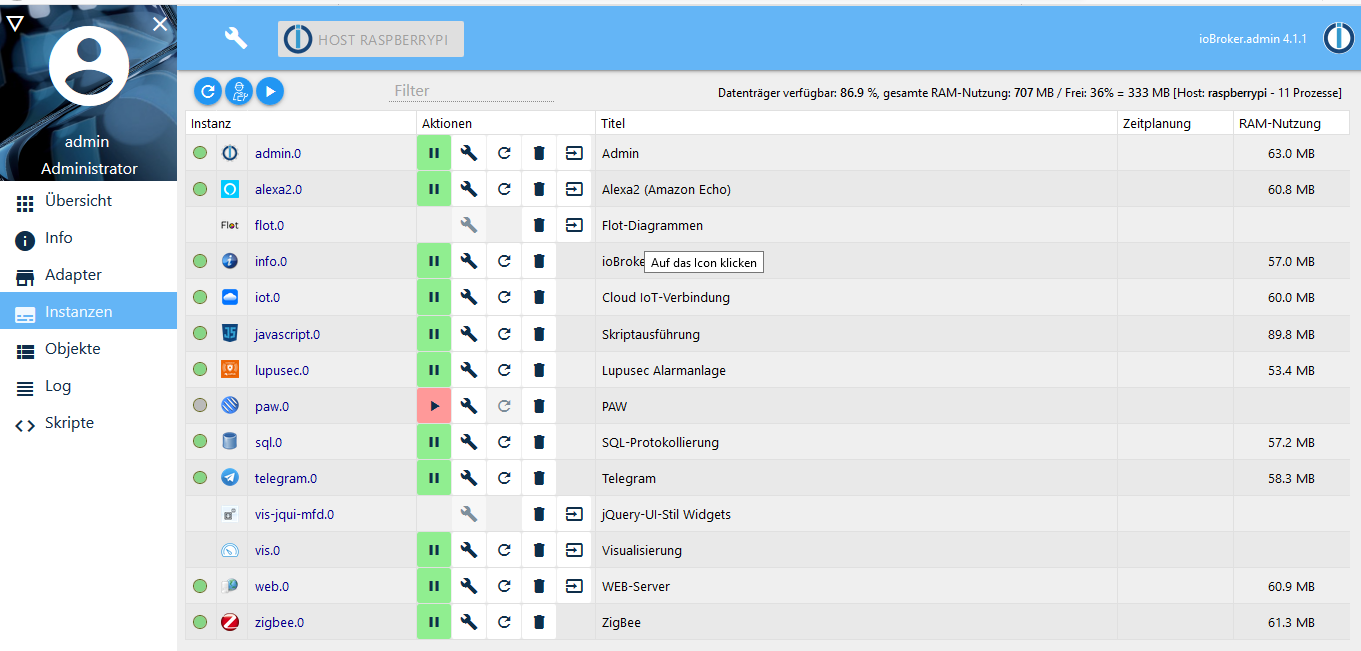
@Stuebi nein, trotz der Fehlermeldung startet er nicht neu und unter Adapter ist er grün.
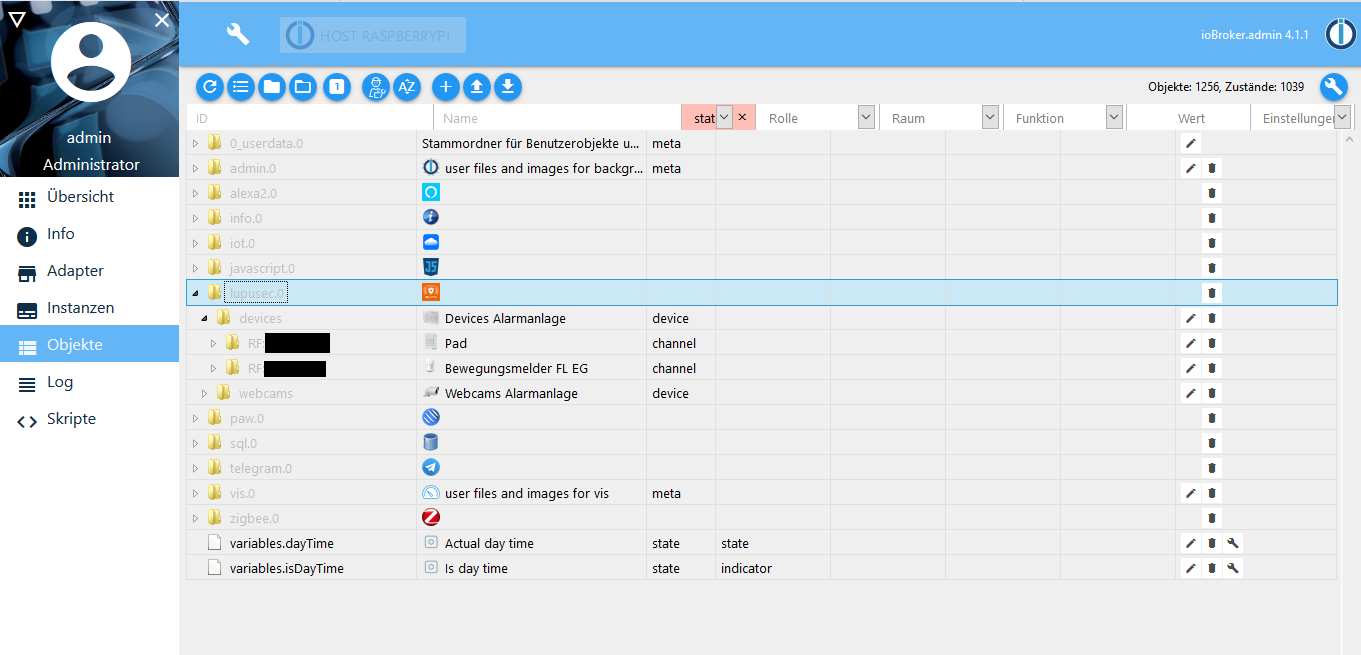
Ein Pad und ein BWM, aber die Werte aktualisiert er nicht.
-
@Stuebi Hier noch zwei Screenshots. Hat sich auch über den ganzen Tag nichts geändert. Musste man die Objekte per Hand in ioBroker hinzufügen, oder sind die automatisch da, sobald die Verbindung zwischen ioBroker und lupusec Alarmanlage besteht? Bin mir da nicht mehr sicher wie das war

-
@Stuebi Hier noch zwei Screenshots. Hat sich auch über den ganzen Tag nichts geändert. Musste man die Objekte per Hand in ioBroker hinzufügen, oder sind die automatisch da, sobald die Verbindung zwischen ioBroker und lupusec Alarmanlage besteht? Bin mir da nicht mehr sicher wie das war
@anno171986 , man muss keine Objekte manuell anlegen. Was mich wundert ist, das 2 Objekte angelegt werden und dann der Adapter abbricht.
Hast du ein Firmware Update bei der Alarmanlage gerade vorgenommen? -
@anno171986 , man muss keine Objekte manuell anlegen. Was mich wundert ist, das 2 Objekte angelegt werden und dann der Adapter abbricht.
Hast du ein Firmware Update bei der Alarmanlage gerade vorgenommen?@Stuebi
Soll ich den Adapter Mal deinstallieren? Ich habe das schon einmal gemacht, aber da war irgendwie nur die Instanz weg, aber nicht der Adapter. Wie geht man denn vor, wenn man einen Adapter komplett deinstallieren möchte.Nein, habe nichts an der Alarmanlage aktualisiert.
-
@Stuebi
Soll ich den Adapter Mal deinstallieren? Ich habe das schon einmal gemacht, aber da war irgendwie nur die Instanz weg, aber nicht der Adapter. Wie geht man denn vor, wenn man einen Adapter komplett deinstallieren möchte.Nein, habe nichts an der Alarmanlage aktualisiert.
-
@anno171986, um den Fehler einzugrenzen habe ich noch ein Änderung vorgenommen. Bitte lade die Version 1.2.9 von GitHub. Wie das geht steht hier. Was steht jetzt im Logfile wenn Du den Adapter neu startest?
@Stuebi Habe 1.2.9 installiert.
Jetzt wird die Instanz auch nicht mehr grün.hier das Log:
host.raspberrypi	2020-07-04 14:01:05.212	info	Do not restart adapter system.adapter.lupusec.0 because desired by instance
host.raspberrypi	2020-07-04 14:01:05.209	error	instance system.adapter.lupusec.0 terminated by request of the instance itself and will not be restarted, before user restarts it.
lupusec.0	2020-07-04 14:01:04.657	info	(26195) Terminated (ADAPTER_REQUESTED_TERMINATION): Not reachable
lupusec.0	2020-07-04 14:01:04.653	error	(26195) Lupusec Alarmsystem 192.168.178.34 is not reachable
lupusec.0	2020-07-04 14:01:04.586	info	(26195) Starting Adapter lupusec.0 in version 1.2.9
lupusec.0	2020-07-04 14:01:04.542	info	(26195) starting. Version 1.2.9 in /opt/iobroker/node_modules/iobroker.lupusec, node: v12.18.1, js-controller: 3.1.4
lupusec.0	2020-07-04 14:01:04.515	info	(26195) Plugin sentry Sentry Plugin disabled for this process because sending of statistic data is disabled for the system
host.raspberrypi	2020-07-04 14:01:01.017	info	instance system.adapter.lupusec.0 started with pid 26195
host.raspberrypi	2020-07-04 14:00:58.335	info	Restart adapter system.adapter.lupusec.0 because enabled
host.raspberrypi	2020-07-04 14:00:58.333	info	instance system.adapter.lupusec.0 terminated with code 0 (NO_ERROR)
lupusec.0	2020-07-04 14:00:57.794	info	(26180) Plugin sentry Sentry Plugin disabled for this process because sending of statistic data is disabled for the system
lupusec.0	2020-07-04 14:00:57.783	info	(26180) Terminated (NO_ERROR): Without reason
lupusec.0	2020-07-04 14:00:57.780	info	(26180) terminating
lupusec.0	2020-07-04 14:00:57.747	warn	(26180) Restart initiated
lupusec.0	2020-07-04 14:00:57.745	info	(26180) Restarting Adapter because of changeing Sentry settings
lupusec.0	2020-07-04 14:00:57.637	info	(26180) Starting Adapter lupusec.0 in version 1.2.9
lupusec.0	2020-07-04 14:00:57.592	info	(26180) starting. Version 1.2.9 in /opt/iobroker/node_modules/iobroker.lupusec, node: v12.18.1, js-controller: 3.1.4
host.raspberrypi	2020-07-04 14:00:53.864	info	instance system.adapter.lupusec.0 started with pid 26180
host.raspberrypi	2020-07-04 14:00:51.948	info	Do not restart adapter system.adapter.lupusec.0 because desired by instance
host.raspberrypi	2020-07-04 14:00:51.946	error	instance system.adapter.lupusec.0 terminated by request of the instance itself and will not be restarted, before user restarts it.
Einstellungen:
IP: 192.168.178.34
Port: 443
HTTPS aktiviert
Weiterleiten von Fehlern aktiviert192.168.178.34 ist vom Browser erreichbar.
-
@Stuebi Habe 1.2.9 installiert.
Jetzt wird die Instanz auch nicht mehr grün.hier das Log:
host.raspberrypi	2020-07-04 14:01:05.212	info	Do not restart adapter system.adapter.lupusec.0 because desired by instance
host.raspberrypi	2020-07-04 14:01:05.209	error	instance system.adapter.lupusec.0 terminated by request of the instance itself and will not be restarted, before user restarts it.
lupusec.0	2020-07-04 14:01:04.657	info	(26195) Terminated (ADAPTER_REQUESTED_TERMINATION): Not reachable
lupusec.0	2020-07-04 14:01:04.653	error	(26195) Lupusec Alarmsystem 192.168.178.34 is not reachable
lupusec.0	2020-07-04 14:01:04.586	info	(26195) Starting Adapter lupusec.0 in version 1.2.9
lupusec.0	2020-07-04 14:01:04.542	info	(26195) starting. Version 1.2.9 in /opt/iobroker/node_modules/iobroker.lupusec, node: v12.18.1, js-controller: 3.1.4
lupusec.0	2020-07-04 14:01:04.515	info	(26195) Plugin sentry Sentry Plugin disabled for this process because sending of statistic data is disabled for the system
host.raspberrypi	2020-07-04 14:01:01.017	info	instance system.adapter.lupusec.0 started with pid 26195
host.raspberrypi	2020-07-04 14:00:58.335	info	Restart adapter system.adapter.lupusec.0 because enabled
host.raspberrypi	2020-07-04 14:00:58.333	info	instance system.adapter.lupusec.0 terminated with code 0 (NO_ERROR)
lupusec.0	2020-07-04 14:00:57.794	info	(26180) Plugin sentry Sentry Plugin disabled for this process because sending of statistic data is disabled for the system
lupusec.0	2020-07-04 14:00:57.783	info	(26180) Terminated (NO_ERROR): Without reason
lupusec.0	2020-07-04 14:00:57.780	info	(26180) terminating
lupusec.0	2020-07-04 14:00:57.747	warn	(26180) Restart initiated
lupusec.0	2020-07-04 14:00:57.745	info	(26180) Restarting Adapter because of changeing Sentry settings
lupusec.0	2020-07-04 14:00:57.637	info	(26180) Starting Adapter lupusec.0 in version 1.2.9
lupusec.0	2020-07-04 14:00:57.592	info	(26180) starting. Version 1.2.9 in /opt/iobroker/node_modules/iobroker.lupusec, node: v12.18.1, js-controller: 3.1.4
host.raspberrypi	2020-07-04 14:00:53.864	info	instance system.adapter.lupusec.0 started with pid 26180
host.raspberrypi	2020-07-04 14:00:51.948	info	Do not restart adapter system.adapter.lupusec.0 because desired by instance
host.raspberrypi	2020-07-04 14:00:51.946	error	instance system.adapter.lupusec.0 terminated by request of the instance itself and will not be restarted, before user restarts it.
Einstellungen:
IP: 192.168.178.34
Port: 443
HTTPS aktiviert
Weiterleiten von Fehlern aktiviert192.168.178.34 ist vom Browser erreichbar.
@anno171986 sagte in lupusec Adapter Fehler:
Der Lupusec Adapter schickt einen Ping an die Alarmanlage. Dieser schlägt aber leider fehl und der Adapter beendet sich. Ich könnte mir vorstellen, es liegt an den Berechtigungen.
Ich habe jetzt nochmals eine Änderung vorgenommen. Bitte lade nochmals die Version 1.2.9 per GitHub runter und starte die Instanz neu. Was steht jetzt im Logfile? -
@anno171986 sagte in lupusec Adapter Fehler:
Der Lupusec Adapter schickt einen Ping an die Alarmanlage. Dieser schlägt aber leider fehl und der Adapter beendet sich. Ich könnte mir vorstellen, es liegt an den Berechtigungen.
Ich habe jetzt nochmals eine Änderung vorgenommen. Bitte lade nochmals die Version 1.2.9 per GitHub runter und starte die Instanz neu. Was steht jetzt im Logfile?@Stuebi
Anbei das Log:host.raspberrypi 2020-07-04 16:54:11.034 info Do not restart adapter system.adapter.lupusec.0 because desired by instance host.raspberrypi 2020-07-04 16:54:11.033 error instance system.adapter.lupusec.0 terminated by request of the instance itself and will not be restarted, before user restarts it. lupusec.0 2020-07-04 16:54:10.499 info (26556) Terminated (ADAPTER_REQUESTED_TERMINATION): Not reachable lupusec.0 2020-07-04 16:54:10.495 error (26556) Lupusec Alarmsystem 192.168.178.34 is not reachable lupusec.0 2020-07-04 16:54:10.416 info (26556) Starting Adapter lupusec.0 in version 1.2.9 lupusec.0 2020-07-04 16:54:10.367 info (26556) starting. Version 1.2.9 in /opt/iobroker/node_modules/iobroker.lupusec, node: v12.18.1, js-controller: 3.1.4 lupusec.0 2020-07-04 16:54:10.334 info (26556) Plugin sentry Sentry Plugin disabled for this process because sending of statistic data is disabled for the system host.raspberrypi 2020-07-04 16:54:06.903 info instance system.adapter.lupusec.0 started with pid 26556 host.raspberrypi 2020-07-04 16:52:54.739 info Do not restart adapter system.adapter.lupusec.0 because desired by instance host.raspberrypi 2020-07-04 16:52:54.738 error instance system.adapter.lupusec.0 terminated by request of the instance itself and will not be restarted, before user restarts it. lupusec.0 2020-07-04 16:52:54.183 info (26536) Terminated (ADAPTER_REQUESTED_TERMINATION): Not reachable lupusec.0 2020-07-04 16:52:54.179 error (26536) Lupusec Alarmsystem 192.168.178.34 is not reachable lupusec.0 2020-07-04 16:52:54.102 info (26536) Starting Adapter lupusec.0 in version 1.2.9 lupusec.0 2020-07-04 16:52:54.037 info (26536) starting. Version 1.2.9 in /opt/iobroker/node_modules/iobroker.lupusec, node: v12.18.1, js-controller: 3.1.4 lupusec.0 2020-07-04 16:52:53.989 info (26536) Plugin sentry Sentry Plugin disabled for this process because sending of statistic data is disabled for the system host.raspberrypi 2020-07-04 16:52:50.307 info instance system.adapter.lupusec.0 started with pid 26536 host.raspberrypi 2020-07-04 16:52:22.835 info Update repository "latest" under "http://download.iobroker.net/sources-dist-latest.json" host.raspberrypi 2020-07-04 16:52:22.542 info iobroker exit 0 host.raspberrypi 2020-07-04 16:52:21.278 info iobroker upload [0] lupusec.admin /opt/iobroker/node_modules/iobroker.lupusec/admin/icons/11.png icons/11.png image/png host.raspberrypi 2020-07-04 16:52:21.207 info iobroker upload [1] lupusec.admin /opt/iobroker/node_modules/iobroker.lupusec/admin/icons/13.png icons/13.png image/png host.raspberrypi 2020-07-04 16:52:21.135 info iobroker upload [2] lupusec.admin /opt/iobroker/node_modules/iobroker.lupusec/admin/icons/19.png icons/19.png image/png host.raspberrypi 2020-07-04 16:52:21.060 info iobroker upload [3] lupusec.admin /opt/iobroker/node_modules/iobroker.lupusec/admin/icons/2.png icons/2.png image/png host.raspberrypi 2020-07-04 16:52:20.990 info iobroker upload [4] lupusec.admin /opt/iobroker/node_modules/iobroker.lupusec/admin/icons/20.png icons/20.png image/png host.raspberrypi 2020-07-04 16:52:20.919 info iobroker upload [5] lupusec.admin /opt/iobroker/node_modules/iobroker.lupusec/admin/icons/22.png icons/22.png image/png host.raspberrypi 2020-07-04 16:52:20.850 info iobroker upload [6] lupusec.admin /opt/iobroker/node_modules/iobroker.lupusec/admin/icons/23.png icons/23.png image/png host.raspberrypi 2020-07-04 16:52:20.781 info iobroker upload [7] lupusec.admin /opt/iobroker/node_modules/iobroker.lupusec/admin/icons/24.png icons/24.png image/png host.raspberrypi 2020-07-04 16:52:20.712 info iobroker upload [8] lupusec.admin /opt/iobroker/node_modules/iobroker.lupusec/admin/icons/26.png icons/26.png image/png host.raspberrypi 2020-07-04 16:52:20.645 info iobroker upload [9] lupusec.admin /opt/iobroker/node_modules/iobroker.lupusec/admin/icons/37.png icons/37.png image/png host.raspberrypi 2020-07-04 16:52:20.584 info iobroker upload [10] lupusec.admin /opt/iobroker/node_modules/iobroker.lupusec/admin/icons/39.png icons/39.png image/png host.raspberrypi 2020-07-04 16:52:20.521 info iobroker upload [11] lupusec.admin /opt/iobroker/node_modules/iobroker.lupusec/admin/icons/4.png icons/4.png image/png host.raspberrypi 2020-07-04 16:52:20.460 info iobroker upload [12] lupusec.admin /opt/iobroker/node_modules/iobroker.lupusec/admin/icons/45.png icons/45.png image/png host.raspberrypi 2020-07-04 16:52:20.396 info iobroker upload [13] lupusec.admin /opt/iobroker/node_modules/iobroker.lupusec/admin/icons/46.png icons/46.png image/png host.raspberrypi 2020-07-04 16:52:20.334 info iobroker upload [14] lupusec.admin /opt/iobroker/node_modules/iobroker.lupusec/admin/icons/48.png icons/48.png image/png host.raspberrypi 2020-07-04 16:52:20.271 info iobroker upload [15] lupusec.admin /opt/iobroker/node_modules/iobroker.lupusec/admin/icons/5.png icons/5.png image/png host.raspberrypi 2020-07-04 16:52:20.199 info iobroker upload [16] lupusec.admin /opt/iobroker/node_modules/iobroker.lupusec/admin/icons/50.png icons/50.png image/png host.raspberrypi 2020-07-04 16:52:20.137 info iobroker upload [17] lupusec.admin /opt/iobroker/node_modules/iobroker.lupusec/admin/icons/54.png icons/54.png image/png host.raspberrypi 2020-07-04 16:52:20.074 info iobroker upload [18] lupusec.admin /opt/iobroker/node_modules/iobroker.lupusec/admin/icons/57.png icons/57.png image/png host.raspberrypi 2020-07-04 16:52:20.008 info iobroker upload [19] lupusec.admin /opt/iobroker/node_modules/iobroker.lupusec/admin/icons/58.png icons/58.png image/png host.raspberrypi 2020-07-04 16:52:19.937 info iobroker upload [20] lupusec.admin /opt/iobroker/node_modules/iobroker.lupusec/admin/icons/66.png icons/66.png image/png host.raspberrypi 2020-07-04 16:52:19.266 info iobroker upload [30] lupusec.admin /opt/iobroker/node_modules/iobroker.lupusec/admin/icons/zentrale.png icons/zentrale.png image/png host.raspberrypi 2020-07-04 16:49:39.593 info iobroker npm install https://github.com/schmupu/ioBroker.lupusec/tarball/master --loglevel error --prefix "/opt/iobroker" (System call) host.raspberrypi 2020-07-04 16:49:39.590 info iobroker NPM version: 6.14.5 host.raspberrypi 2020-07-04 16:49:38.330 info iobroker install https://github.com/schmupu/ioBroker.lupusec/tarball/master host.raspberrypi 2020-07-04 16:49:35.509 info iobroker url "https://github.com/schmupu/ioBroker.lupusec/tarball/master" lupusecAn den Berechtigungen habe ich wie gesagt nichts wissentlich geändert. Ich bin von einer SD Karte auf eine externe SSD umgestiegen und habe die Datei umkopiert. Ich glaube es war nach dieser Anleitung.
-
@Stuebi
Anbei das Log:host.raspberrypi 2020-07-04 16:54:11.034 info Do not restart adapter system.adapter.lupusec.0 because desired by instance host.raspberrypi 2020-07-04 16:54:11.033 error instance system.adapter.lupusec.0 terminated by request of the instance itself and will not be restarted, before user restarts it. lupusec.0 2020-07-04 16:54:10.499 info (26556) Terminated (ADAPTER_REQUESTED_TERMINATION): Not reachable lupusec.0 2020-07-04 16:54:10.495 error (26556) Lupusec Alarmsystem 192.168.178.34 is not reachable lupusec.0 2020-07-04 16:54:10.416 info (26556) Starting Adapter lupusec.0 in version 1.2.9 lupusec.0 2020-07-04 16:54:10.367 info (26556) starting. Version 1.2.9 in /opt/iobroker/node_modules/iobroker.lupusec, node: v12.18.1, js-controller: 3.1.4 lupusec.0 2020-07-04 16:54:10.334 info (26556) Plugin sentry Sentry Plugin disabled for this process because sending of statistic data is disabled for the system host.raspberrypi 2020-07-04 16:54:06.903 info instance system.adapter.lupusec.0 started with pid 26556 host.raspberrypi 2020-07-04 16:52:54.739 info Do not restart adapter system.adapter.lupusec.0 because desired by instance host.raspberrypi 2020-07-04 16:52:54.738 error instance system.adapter.lupusec.0 terminated by request of the instance itself and will not be restarted, before user restarts it. lupusec.0 2020-07-04 16:52:54.183 info (26536) Terminated (ADAPTER_REQUESTED_TERMINATION): Not reachable lupusec.0 2020-07-04 16:52:54.179 error (26536) Lupusec Alarmsystem 192.168.178.34 is not reachable lupusec.0 2020-07-04 16:52:54.102 info (26536) Starting Adapter lupusec.0 in version 1.2.9 lupusec.0 2020-07-04 16:52:54.037 info (26536) starting. Version 1.2.9 in /opt/iobroker/node_modules/iobroker.lupusec, node: v12.18.1, js-controller: 3.1.4 lupusec.0 2020-07-04 16:52:53.989 info (26536) Plugin sentry Sentry Plugin disabled for this process because sending of statistic data is disabled for the system host.raspberrypi 2020-07-04 16:52:50.307 info instance system.adapter.lupusec.0 started with pid 26536 host.raspberrypi 2020-07-04 16:52:22.835 info Update repository "latest" under "http://download.iobroker.net/sources-dist-latest.json" host.raspberrypi 2020-07-04 16:52:22.542 info iobroker exit 0 host.raspberrypi 2020-07-04 16:52:21.278 info iobroker upload [0] lupusec.admin /opt/iobroker/node_modules/iobroker.lupusec/admin/icons/11.png icons/11.png image/png host.raspberrypi 2020-07-04 16:52:21.207 info iobroker upload [1] lupusec.admin /opt/iobroker/node_modules/iobroker.lupusec/admin/icons/13.png icons/13.png image/png host.raspberrypi 2020-07-04 16:52:21.135 info iobroker upload [2] lupusec.admin /opt/iobroker/node_modules/iobroker.lupusec/admin/icons/19.png icons/19.png image/png host.raspberrypi 2020-07-04 16:52:21.060 info iobroker upload [3] lupusec.admin /opt/iobroker/node_modules/iobroker.lupusec/admin/icons/2.png icons/2.png image/png host.raspberrypi 2020-07-04 16:52:20.990 info iobroker upload [4] lupusec.admin /opt/iobroker/node_modules/iobroker.lupusec/admin/icons/20.png icons/20.png image/png host.raspberrypi 2020-07-04 16:52:20.919 info iobroker upload [5] lupusec.admin /opt/iobroker/node_modules/iobroker.lupusec/admin/icons/22.png icons/22.png image/png host.raspberrypi 2020-07-04 16:52:20.850 info iobroker upload [6] lupusec.admin /opt/iobroker/node_modules/iobroker.lupusec/admin/icons/23.png icons/23.png image/png host.raspberrypi 2020-07-04 16:52:20.781 info iobroker upload [7] lupusec.admin /opt/iobroker/node_modules/iobroker.lupusec/admin/icons/24.png icons/24.png image/png host.raspberrypi 2020-07-04 16:52:20.712 info iobroker upload [8] lupusec.admin /opt/iobroker/node_modules/iobroker.lupusec/admin/icons/26.png icons/26.png image/png host.raspberrypi 2020-07-04 16:52:20.645 info iobroker upload [9] lupusec.admin /opt/iobroker/node_modules/iobroker.lupusec/admin/icons/37.png icons/37.png image/png host.raspberrypi 2020-07-04 16:52:20.584 info iobroker upload [10] lupusec.admin /opt/iobroker/node_modules/iobroker.lupusec/admin/icons/39.png icons/39.png image/png host.raspberrypi 2020-07-04 16:52:20.521 info iobroker upload [11] lupusec.admin /opt/iobroker/node_modules/iobroker.lupusec/admin/icons/4.png icons/4.png image/png host.raspberrypi 2020-07-04 16:52:20.460 info iobroker upload [12] lupusec.admin /opt/iobroker/node_modules/iobroker.lupusec/admin/icons/45.png icons/45.png image/png host.raspberrypi 2020-07-04 16:52:20.396 info iobroker upload [13] lupusec.admin /opt/iobroker/node_modules/iobroker.lupusec/admin/icons/46.png icons/46.png image/png host.raspberrypi 2020-07-04 16:52:20.334 info iobroker upload [14] lupusec.admin /opt/iobroker/node_modules/iobroker.lupusec/admin/icons/48.png icons/48.png image/png host.raspberrypi 2020-07-04 16:52:20.271 info iobroker upload [15] lupusec.admin /opt/iobroker/node_modules/iobroker.lupusec/admin/icons/5.png icons/5.png image/png host.raspberrypi 2020-07-04 16:52:20.199 info iobroker upload [16] lupusec.admin /opt/iobroker/node_modules/iobroker.lupusec/admin/icons/50.png icons/50.png image/png host.raspberrypi 2020-07-04 16:52:20.137 info iobroker upload [17] lupusec.admin /opt/iobroker/node_modules/iobroker.lupusec/admin/icons/54.png icons/54.png image/png host.raspberrypi 2020-07-04 16:52:20.074 info iobroker upload [18] lupusec.admin /opt/iobroker/node_modules/iobroker.lupusec/admin/icons/57.png icons/57.png image/png host.raspberrypi 2020-07-04 16:52:20.008 info iobroker upload [19] lupusec.admin /opt/iobroker/node_modules/iobroker.lupusec/admin/icons/58.png icons/58.png image/png host.raspberrypi 2020-07-04 16:52:19.937 info iobroker upload [20] lupusec.admin /opt/iobroker/node_modules/iobroker.lupusec/admin/icons/66.png icons/66.png image/png host.raspberrypi 2020-07-04 16:52:19.266 info iobroker upload [30] lupusec.admin /opt/iobroker/node_modules/iobroker.lupusec/admin/icons/zentrale.png icons/zentrale.png image/png host.raspberrypi 2020-07-04 16:49:39.593 info iobroker npm install https://github.com/schmupu/ioBroker.lupusec/tarball/master --loglevel error --prefix "/opt/iobroker" (System call) host.raspberrypi 2020-07-04 16:49:39.590 info iobroker NPM version: 6.14.5 host.raspberrypi 2020-07-04 16:49:38.330 info iobroker install https://github.com/schmupu/ioBroker.lupusec/tarball/master host.raspberrypi 2020-07-04 16:49:35.509 info iobroker url "https://github.com/schmupu/ioBroker.lupusec/tarball/master" lupusecAn den Berechtigungen habe ich wie gesagt nichts wissentlich geändert. Ich bin von einer SD Karte auf eine externe SSD umgestiegen und habe die Datei umkopiert. Ich glaube es war nach dieser Anleitung.
@anno171986 , kannst Du eigentlich auch als User iobroker vom PI aus die Alarmanlage ohne sudo pingen?
-
@anno171986 , kannst Du eigentlich auch als User iobroker vom PI aus die Alarmanlage ohne sudo pingen?
@Stuebi Nein, nur mit sudo:
pi@raspberrypi:~ $ ping -c 4 192.168.178.34 ping: socket: Die Operation ist nicht erlaubt pi@raspberrypi:~ $ sudo ping -c 4 192.168.178.34 PING 192.168.178.34 (192.168.178.34) 56(84) bytes of data. 64 bytes from 192.168.178.34: icmp_seq=1 ttl=64 time=7.78 ms 64 bytes from 192.168.178.34: icmp_seq=2 ttl=64 time=9.07 ms 64 bytes from 192.168.178.34: icmp_seq=3 ttl=64 time=11.5 ms 64 bytes from 192.168.178.34: icmp_seq=4 ttl=64 time=6.44 ms --- 192.168.178.34 ping statistics --- 4 packets transmitted, 4 received, 0% packet loss, time 8ms rtt min/avg/max/mdev = 6.440/8.692/11.480/1.858 ms -
@Stuebi Nein, nur mit sudo:
pi@raspberrypi:~ $ ping -c 4 192.168.178.34 ping: socket: Die Operation ist nicht erlaubt pi@raspberrypi:~ $ sudo ping -c 4 192.168.178.34 PING 192.168.178.34 (192.168.178.34) 56(84) bytes of data. 64 bytes from 192.168.178.34: icmp_seq=1 ttl=64 time=7.78 ms 64 bytes from 192.168.178.34: icmp_seq=2 ttl=64 time=9.07 ms 64 bytes from 192.168.178.34: icmp_seq=3 ttl=64 time=11.5 ms 64 bytes from 192.168.178.34: icmp_seq=4 ttl=64 time=6.44 ms --- 192.168.178.34 ping statistics --- 4 packets transmitted, 4 received, 0% packet loss, time 8ms rtt min/avg/max/mdev = 6.440/8.692/11.480/1.858 ms -
pi@raspberrypi:~ $ ls -la /bin/ping -rwxr-xr-x 1 root root 55720 Jan 14 00:29 /bin/ping pi@raspberrypi:~ $ groups pi adm dialout cdrom sudo audio video plugdev games users input netdev gpio i2c spi iobroker -
@Stuebi Nein, nur mit sudo:
pi@raspberrypi:~ $ ping -c 4 192.168.178.34 ping: socket: Die Operation ist nicht erlaubt pi@raspberrypi:~ $ sudo ping -c 4 192.168.178.34 PING 192.168.178.34 (192.168.178.34) 56(84) bytes of data. 64 bytes from 192.168.178.34: icmp_seq=1 ttl=64 time=7.78 ms 64 bytes from 192.168.178.34: icmp_seq=2 ttl=64 time=9.07 ms 64 bytes from 192.168.178.34: icmp_seq=3 ttl=64 time=11.5 ms 64 bytes from 192.168.178.34: icmp_seq=4 ttl=64 time=6.44 ms --- 192.168.178.34 ping statistics --- 4 packets transmitted, 4 received, 0% packet loss, time 8ms rtt min/avg/max/mdev = 6.440/8.692/11.480/1.858 ms@anno171986 , okay das passt genau zu deinem Fehler:
https://www.kevinhooke.com/2016/03/10/raspbian-jessie-ping-operation-not-permitted/
Versuche das einmal aus und starte den Adapter neu:
sudo chmod u+s /bin/ping -
@anno171986 , okay das passt genau zu deinem Fehler:
https://www.kevinhooke.com/2016/03/10/raspbian-jessie-ping-operation-not-permitted/
Versuche das einmal aus und starte den Adapter neu:
sudo chmod u+s /bin/ping@Stuebi said in lupusec Adapter Fehler:
sudo chmod u+s /bin/ping

Habe es ausgeführt, Instanz neugestartet, die Instanz wird grün und es sind auch alle (auf den ersten Blick) Geräte da.
hier noch das Log:
lupusec.0	2020-07-04 17:40:40.225	info	(26685) Delete channel lupusec.0.webcams.cam4
lupusec.0	2020-07-04 17:40:40.223	info	(26685) Delete channel lupusec.0.webcams.cam3
lupusec.0	2020-07-04 17:40:40.221	info	(26685) Delete channel lupusec.0.webcams.cam2
lupusec.0	2020-07-04 17:40:40.219	info	(26685) Delete channel lupusec.0.webcams.cam1
lupusec.0	2020-07-04 17:40:26.581	info	(26685) Polltime 1 sec.
lupusec.0	2020-07-04 17:40:26.579	info	(26685) Connecting to Lupusec with https://192.168.178.34:443
lupusec.0	2020-07-04 17:40:26.403	info	(26685) Checking the ioBroker Lupusec configuration
lupusec.0	2020-07-04 17:40:26.399	info	(26685) Lupusec Alarmsystem 192.168.178.34 is alive
lupusec.0	2020-07-04 17:40:26.284	info	(26685) Starting Adapter lupusec.0 in version 1.2.9
lupusec.0	2020-07-04 17:40:26.242	info	(26685) starting. Version 1.2.9 in /opt/iobroker/node_modules/iobroker.lupusec, node: v12.18.1, js-controller: 3.1.4
lupusec.0	2020-07-04 17:40:26.217	info	(26685) Plugin sentry Sentry Plugin disabled for this process because sending of statistic data is disabled for the system
host.raspberrypi	2020-07-04 17:40:22.736	info	instance system.adapter.lupusec.0 started with pid 26685
Vielen, vielen Dank


Hey! Du scheinst an dieser Unterhaltung interessiert zu sein, hast aber noch kein Konto.
Hast du es satt, bei jedem Besuch durch die gleichen Beiträge zu scrollen? Wenn du dich für ein Konto anmeldest, kommst du immer genau dorthin zurück, wo du zuvor warst, und kannst dich über neue Antworten benachrichtigen lassen (entweder per E-Mail oder Push-Benachrichtigung). Du kannst auch Lesezeichen speichern und Beiträge positiv bewerten, um anderen Community-Mitgliedern deine Wertschätzung zu zeigen.
Mit deinem Input könnte dieser Beitrag noch besser werden 💗
Registrieren AnmeldenSupport us
226
Online33.0k
Benutzer83.6k
Themen1.3m
Beiträge