




[gelöst] iobroker.admin: sehe nur Zanhrad
-
hier der Inahlt von "list istances"
root@raspberrypi:/opt/iobroker# iobroker list instances system.adapter.admin.0 : admin - enabled, port: 8081, bind: 192.168.178.37, run as: admin system.adapter.fritzbox.0 : fritzbox - disabled system.adapter.web.0 : web - enabled, port: 8082, bind: 0.0.0.0, run as: admin system.adapter.vis.0 : vis - enabled -
hm,…
jetzt erreiche ich die Seite unter dem Port 8090.
Scheint zu funktionieren.
Aber warum geht es mit Port 8081 nicht?
-
Ich habe ein ähnliches Problem.
Ich kann nur kurz auf die Admin Seite.
Nach ein paar Minuten ist die Seite immer wieder weg.
Habe schon öfters iobroker neu gestartet.
Wenn es in den ersten Minuten läuft sieht alles OK.
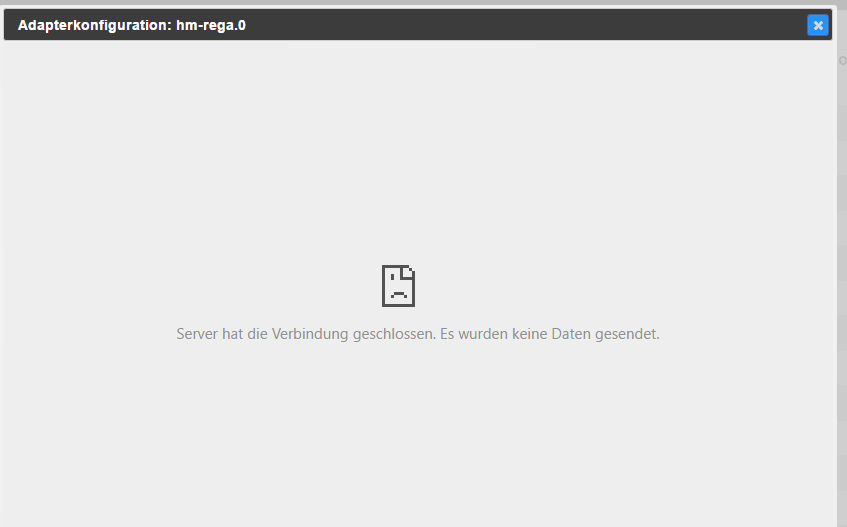
Nur zeigt das Adapterkonfiguration Fenster keine Einträge.
Das Anfügte Bild ist kurz vor dem Zeitpunkt entstanden bevor iobroker nicht mehr erreichbar was.
Über putty scheint aber noch alles zulaufen.
/opt/iobroker $ /opt/iobroker/iobroker list instances
pi@raspberrypi /opt/iobroker $ /opt/iobroker/iobroker list instances
system.adapter.admin.0                 : admin       -  enabled, port: 8081, bind: 0.0.0.0, run as: admin
system.adapter.hm-rpc.0                : hm-rpc      -  enabled
system.adapter.hm-rega.0               : hm-rega     -  enabled
system.adapter.javascript.0            : javascript  -  enabled
system.adapter.web.0                   : web         -  enabled, port: 8082, bind: 192.168.178.37, run as: admin
system.adapter.vis.0                   : vis         -  enabled
system.adapter.vis-hqwidgets.0         : vis-hqwidgets -  enabled
system.adapter.icons-mfd-png.0         : icons-mfd-png -  enabled
system.adapter.vis-timeandweather.0    : vis-timeandweather -  enabled
system.adapter.vis-jqui-mfd.0          : vis-jqui-mfd -  enabled
system.adapter.fritzbox.0              : fritzbox    - disabled
system.adapter.email.0                 : email       -  enabled
system.adapter.ping.0                  : ping        -  enabled
system.adapter.terminal.0              : terminal    -  enabled, port: 8088, bind: 0.0.0.0, run as: admin
system.adapter.node-red.0              : node-red    -  enabled, port: 1880
system.adapter.scenes.0                : scenes      -  enabled
system.adapter.vis-fancyswitch.0       : vis-fancyswitch -  enabled
system.adapter.samsung.0               : samsung     - disabled
irgend eine Idee?
Ich dachte es liegt vielleicht am Browser cache.
Habe aber schon mehre Browser und auch andere Laptops ausprobiert alles das gleiche.
Vis läuft auch und ist erreichbar.
954_config.png -
Ich habe ein ähnliches Problem.
Ich kann nur kurz auf die Admin Seite.
Nach ein paar Minuten ist die Seite immer wieder weg.
Habe schon öfters iobroker neu gestartet.
Wenn es in den ersten Minuten läuft sieht alles OK.
Nur zeigt das Adapterkonfiguration Fenster keine Einträge.
Das Anfügte Bild ist kurz vor dem Zeitpunkt entstanden bevor iobroker nicht mehr erreichbar was.
Über putty scheint aber noch alles zulaufen.
/opt/iobroker $ /opt/iobroker/iobroker list instances
pi@raspberrypi /opt/iobroker $ /opt/iobroker/iobroker list instances
system.adapter.admin.0                 : admin       -  enabled, port: 8081, bind: 0.0.0.0, run as: admin
system.adapter.hm-rpc.0                : hm-rpc      -  enabled
system.adapter.hm-rega.0               : hm-rega     -  enabled
system.adapter.javascript.0            : javascript  -  enabled
system.adapter.web.0                   : web         -  enabled, port: 8082, bind: 192.168.178.37, run as: admin
system.adapter.vis.0                   : vis         -  enabled
system.adapter.vis-hqwidgets.0         : vis-hqwidgets -  enabled
system.adapter.icons-mfd-png.0         : icons-mfd-png -  enabled
system.adapter.vis-timeandweather.0    : vis-timeandweather -  enabled
system.adapter.vis-jqui-mfd.0          : vis-jqui-mfd -  enabled
system.adapter.fritzbox.0              : fritzbox    - disabled
system.adapter.email.0                 : email       -  enabled
system.adapter.ping.0                  : ping        -  enabled
system.adapter.terminal.0              : terminal    -  enabled, port: 8088, bind: 0.0.0.0, run as: admin
system.adapter.node-red.0              : node-red    -  enabled, port: 1880
system.adapter.scenes.0                : scenes      -  enabled
system.adapter.vis-fancyswitch.0       : vis-fancyswitch -  enabled
system.adapter.samsung.0               : samsung     - disabled
irgend eine Idee?
Ich dachte es liegt vielleicht am Browser cache.
Habe aber schon mehre Browser und auch andere Laptops ausprobiert alles das gleiche.
Vis läuft auch und ist erreichbar. `
Log aus /opt/iobroker/log/*.log ? -
Hallo hier das logfile.
Ich habe denn PI2 neugestartet dann lief er 10Minuten dann war wieder ende.
Aber wie geschrieben die Adapterkonfigurations Fenster sind immer leer.
Anbei das logfile, am Ende steht einer Error daraus werde ich aber nicht schlau.
-
Habe ähnliches Problem:
root@Pi2-3:/opt/iobroker#  iobroker list instances
system.adapter.admin.0                 : admin       -  enabled, port: 8081, bind: 0.0.0.0, run as: admin
system.adapter.mqtt.0                  : mqtt        -  enabled, port: 1883
system.adapter.node-red.0              : node-red    -  enabled, port: 1880
system.adapter.history.0               : history     -  enabled
system.adapter.pushover.0              : pushover    -  enabled
system.adapter.javascript.0            : javascript  -  enabled
system.adapter.pushbullet.0            : pushbullet  - disabled
system.adapter.web.0                   : web         -  enabled, port: 8082, bind: 0.0.0.0, run as: admin
system.adapter.flot.0                  : flot        -  enabled
system.adapter.terminal.0              : terminal    -  enabled, port: 8088, bind: 192.168.28.79, run as: admin
system.adapter.dwd.0                   : dwd         -  enabled
system.adapter.ical.0                  : ical        - disabled
system.adapter.yr.0                    : yr          -  enabled
system.adapter.scenes.0                : scenes      -  enabled
system.adapter.ping.0                  : ping        -  enabled
system.adapter.sonos.0                 : sonos       -  enabled
system.adapter.vis.0                   : vis         -  enabled
system.adapter.vis-hqwidgets.0         : vis-hqwidgets -  enabled
system.adapter.hm-rpc.0                : hm-rpc      -  enabled
system.adapter.hm-rega.0               : hm-rega     -  enabled
system.adapter.hm-rpc.1                : hm-rpc      -  enabled
system.adapter.sayit.0                 : sayit       -  enabled, port: 0
system.adapter.occ.0                   : occ         -  enabled
system.adapter.hmm.0                   : hmm         - disabled
system.adapter.vis-timeandweather.0    : vis-timeandweather -  enabled
system.adapter.vis-rgraph.0            : vis-rgraph  -  enabled
system.adapter.vis-bars.0              : vis-bars    -  enabled
system.adapter.socketio.0              : socketio    -  enabled, port: 8084, bind: 192.168.28.79, run as: admin
system.adapter.simple-api.0            : simple-api  -  enabled, port: 8087, bind: 192.168.28.79, run as: admin
system.adapter.vis-jqui-mfd.0          : vis-jqui-mfd -  enabled
system.adapter.email.0                 : email       -  enabled
system.adapter.mobile.0                : mobile      - disabled
system.adapter.sql.0                   : sql         -  enabled, port: 0
system.adapter.samsung.0               : samsung     - disabled
system.adapter.rpi.0                   : rpi         -  enabled
system.adapter.weatherunderground.0    : weatherunderground -  enabled
root@Pi2-3:/opt/iobroker#
LOG bei dem Versuch admin zu stoppen und neu zu starten
2016-03-11 06:56:12.118  - info: mqtt.0 publishOnSubscribe send all known states
2016-03-11 06:56:19.747  - info: host.Pi2-3 instance system.adapter.admin.0 started with pid 9680
2016-03-11 06:56:21.377  - error: host.Pi2-3 instance system.adapter.admin.0 terminated with code 8 (node.js: Cannot find module)
2016-03-11 06:56:21.378  - info: host.Pi2-3 Restart adapter system.adapter.admin.0 because enabled
2016-03-11 06:56:28.121  - info: host.Pi2-3 object change system.adapter.admin.0
2016-03-11 06:56:28.122  - info: host.Pi2-3 "system.adapter.admin.0" disabled
2016-03-11 06:56:53.044  - error: host.Pi2-3 instance system.adapter.admin.0 terminated with code 8 (node.js: Cannot find module)
2016-03-11 06:56:53.045  - info: host.Pi2-3 Do not restart adapter system.adapter.admin.0 because disabled or deleted
2016-03-11 06:57:23.821  - info: host.Pi2-3 object change system.adapter.admin.0
2016-03-11 06:57:23.821  - info: host.Pi2-3 "system.adapter.admin.0" enabled
2016-03-11 06:57:23.851  - info: host.Pi2-3 instance system.adapter.admin.0 started with pid 9870
2016-03-11 06:57:25.394  - error: host.Pi2-3 instance system.adapter.admin.0 terminated with code 8 (node.js: Cannot find module)
2016-03-11 06:57:25.395  - info: host.Pi2-3 Restart adapter system.adapter.admin.0 because enabled
2016-03-11 06:57:55.429  - info: host.Pi2-3 instance system.adapter.admin.0 started with pid 9901
2016-03-11 06:57:57.248  - error: host.Pi2-3 instance system.adapter.admin.0 terminated with code 8 (node.js: Cannot find module)
2016-03-11 06:57:57.249  - info: host.Pi2-3 Restart adapter system.adapter.admin.0 because enabled
2016-03-11 06:58:27.286  - info: host.Pi2-3 instance system.adapter.admin.0 started with pid 10036
2016-03-11 06:58:28.855  - error: host.Pi2-3 instance system.adapter.admin.0 terminated with code 8 (node.js: Cannot find module)
2016-03-11 06:58:28.857  - info: host.Pi2-3 Restart adapter system.adapter.admin.0 because enabled
Das ganze habe ich seit dem Update gestern
Früher ist es auch schon mal aufgetreten. Da konnte ich den Adapter mit "iobroker start admin" wieder aktivieren
Gruß
derAuge
-
Hallo hier das logfile.
Ich habe denn PI2 neugestartet dann lief er 10Minuten dann war wieder ende.
Aber wie geschrieben die Adapterkonfigurations Fenster sind immer leer.
Anbei das logfile, am Ende steht einer Error daraus werde ich aber nicht schlau.
Gruß `
Eine Datei ist irgendwie Kaputt gegangen:lösche bitte
/opt/iobroker/node_modules/iobroker-data/files/vis-fancyswitch.admin/_data.json
oder schreib
iobroker upload all
-
Habe ähnliches Problem:
Das ganze habe ich seit dem Update gestern
Früher ist es auch schon mal aufgetreten. Da konnte ich den Adapter mit "iobroker start admin" wieder aktivieren
Gruß
derAuge `
Wenn du admin stoppst:iorboker stop admin.0und das schreibst:
cd /opt/iobroker
node node_modules/iobroker.admin/admin.js --force
Was siehst du in der Konsole?
danach
iorboker start admin.0 -
root@Pi2-3:/opt/iobroker# iobroker stop admin.0
Adapter "admin.0 stopped.
root@Pi2-3:/opt/iobroker#
root@Pi2-3:/opt/iobroker# cd /opt/iobroker
root@Pi2-3:/opt/iobroker# node node_modules/iobroker.admin/admin.js --force

module.js:340
    throw err;
          ^
Error: Cannot find module 'ultron'
    at Function.Module._resolveFilename (module.js:338:15)
    at Function.Module._load (module.js:280:25)
    at Module.require (module.js:364:17)
    at require (module.js:380:17)
    at Object. <anonymous>(/opt/iobroker/node_modules/iobroker.admin/node_modules/socket.io/node_modules/engine.io/node_modules/ws/lib/WebSocket.js:15:14)
    at Module._compile (module.js:456:26)
    at Object.Module._extensions..js (module.js:474:10)
    at Module.load (module.js:356:32)
    at Function.Module._load (module.js:312:12)
    at Module.require (module.js:364:17)
root@Pi2-3:/opt/iobroker#
root@Pi2-3:/opt/iobroker# iobroker start admin.0
Adapter "admin.0 started.
root@Pi2-3:/opt/iobroker#</anonymous>
2016-03-11 13:53:25.329 - info: host.Pi2-3 instance system.adapter.admin.0 started with pid 11228 2016-03-11 13:53:27.525 - error: host.Pi2-3 instance system.adapter.admin.0 terminated with code 8 (node.js: Cannot find module) 2016-03-11 13:53:27.528 - info: host.Pi2-3 Restart adapter system.adapter.admin.0 because enabled 2016-03-11 13:53:34.398 - info: host.Pi2-3 object change system.adapter.admin.0 2016-03-11 13:53:34.399 - info: host.Pi2-3 "system.adapter.admin.0" disabled 2016-03-11 13:53:59.229 - error: host.Pi2-3 instance system.adapter.admin.0 terminated with code 8 (node.js: Cannot find module) 2016-03-11 13:53:59.231 - info: host.Pi2-3 Do not restart adapter system.adapter.admin.0 because disabled or deleted 2016-03-11 13:54:55.023 - info: host.Pi2-3 object change system.adapter.admin.0 2016-03-11 13:54:55.025 - info: host.Pi2-3 "system.adapter.admin.0" enabled 2016-03-11 13:54:55.060 - info: host.Pi2-3 instance system.adapter.admin.0 started with pid 11342 2016-03-11 13:54:57.214 - error: host.Pi2-3 instance system.adapter.admin.0 terminated with code 8 (node.js: Cannot find module) 2016-03-11 13:54:57.216 - info: host.Pi2-3 Restart adapter system.adapter.admin.0 because enabled -
root@Pi2-3:/opt/iobroker# iobroker stop admin.0
Adapter "admin.0 stopped.
root@Pi2-3:/opt/iobroker#
root@Pi2-3:/opt/iobroker# cd /opt/iobroker
root@Pi2-3:/opt/iobroker# node node_modules/iobroker.admin/admin.js --force

module.js:340
    throw err;
          ^
Error: Cannot find module 'ultron'
    at Function.Module._resolveFilename (module.js:338:15)
    at Function.Module._load (module.js:280:25)
    at Module.require (module.js:364:17)
    at require (module.js:380:17)
    at Object. <anonymous>(/opt/iobroker/node_modules/iobroker.admin/node_modules/socket.io/node_modules/engine.io/node_modules/ws/lib/WebSocket.js:15:14)
    at Module._compile (module.js:456:26)
    at Object.Module._extensions..js (module.js:474:10)
    at Module.load (module.js:356:32)
    at Function.Module._load (module.js:312:12)
    at Module.require (module.js:364:17)
root@Pi2-3:/opt/iobroker#
root@Pi2-3:/opt/iobroker# iobroker start admin.0
Adapter "admin.0 started.
root@Pi2-3:/opt/iobroker#</anonymous>
2016-03-11 13:53:25.329 - info: host.Pi2-3 instance system.adapter.admin.0 started with pid 11228 2016-03-11 13:53:27.525 - error: host.Pi2-3 instance system.adapter.admin.0 terminated with code 8 (node.js: Cannot find module) 2016-03-11 13:53:27.528 - info: host.Pi2-3 Restart adapter system.adapter.admin.0 because enabled 2016-03-11 13:53:34.398 - info: host.Pi2-3 object change system.adapter.admin.0 2016-03-11 13:53:34.399 - info: host.Pi2-3 "system.adapter.admin.0" disabled 2016-03-11 13:53:59.229 - error: host.Pi2-3 instance system.adapter.admin.0 terminated with code 8 (node.js: Cannot find module) 2016-03-11 13:53:59.231 - info: host.Pi2-3 Do not restart adapter system.adapter.admin.0 because disabled or deleted 2016-03-11 13:54:55.023 - info: host.Pi2-3 object change system.adapter.admin.0 2016-03-11 13:54:55.025 - info: host.Pi2-3 "system.adapter.admin.0" enabled 2016-03-11 13:54:55.060 - info: host.Pi2-3 instance system.adapter.admin.0 started with pid 11342 2016-03-11 13:54:57.214 - error: host.Pi2-3 instance system.adapter.admin.0 terminated with code 8 (node.js: Cannot find module) 2016-03-11 13:54:57.216 - info: host.Pi2-3 Restart adapter system.adapter.admin.0 because enabled ```` `Error: Cannot find module 'ultron'
Sagt dir die Meldung was?
gehe zu /opt/iobroker/node_modules/iobroker.admin und schreibe
npm update --production -
root@Pi2-3:/opt/iobroker# cd /opt/iobroker/node_modules/iobroker.admin
root@Pi2-3:/opt/iobroker/node_modules/iobroker.admin#
root@Pi2-3:/opt/iobroker/node_modules/iobroker.admin# npm update --production
npm WARN deprecated This version of npm lacks support for important features,
npm WARN deprecated such as scoped packages, offered by the primary npm
npm WARN deprecated registry. Consider upgrading to at least npm@2, if not the
npm WARN deprecated latest stable version. To upgrade to npm@2, run:
npm WARN deprecated
npm WARN deprecated   npm -g install npm@latest-2
npm WARN deprecated
npm WARN deprecated To upgrade to the latest stable version, run:
npm WARN deprecated
npm WARN deprecated   npm -g install npm@latest
npm WARN deprecated
npm WARN deprecated (Depending on how Node.js was installed on your system, you
npm WARN deprecated may need to prefix the preceding commands with `sudo`, or if
npm WARN deprecated on Windows, run them from an Administrator prompt.)
npm WARN deprecated
npm WARN deprecated If you're running the version of npm bundled with
npm WARN deprecated Node.js 0.10 LTS, be aware that the next version of 0.10 LTS
npm WARN deprecated will be bundled with a version of npm@2, which has some small
npm WARN deprecated backwards-incompatible changes made to `npm run-script` and
npm WARN deprecated semver behavior.
array-flatten@1.1.1 node_modules/express/node_modules/array-flatten
options@0.0.6 node_modules/socket.io/node_modules/engine.io/node_modules/ws/node_modules/options
isarray@0.0.1 node_modules/socket.io/node_modules/has-binary/node_modules/isarray
vary@1.0.1 node_modules/express/node_modules/vary
path-to-regexp@0.1.7 node_modules/express/node_modules/path-to-regexp
ultron@1.0.2 node_modules/socket.io/node_modules/engine.io/node_modules/ws/node_modules/ultron
assert-plus@0.2.0 node_modules/request/node_modules/http-signature/node_modules/sshpk/node_modules/assert-plus
cookie@0.1.5 node_modules/express/node_modules/cookie
bytes@2.2.0 node_modules/body-parser/node_modules/bytes
component-emitter@1.1.2 node_modules/socket.io/node_modules/socket.io-parser/node_modules/component-emitter
base64-arraybuffer@0.1.2 node_modules/socket.io/node_modules/engine.io/node_modules/engine.io-parser/node_modules/base64-arraybuffer
isarray@0.0.1 node_modules/socket.io/node_modules/socket.io-parser/node_modules/isarray
options@0.0.6 node_modules/socket.io/node_modules/socket.io-client/node_modules/engine.io-client/node_modules/ws/node_modules/options
extsprintf@1.0.2 node_modules/request/node_modules/http-signature/node_modules/jsprim/node_modules/extsprintf
assert-plus@0.2.0 node_modules/request/node_modules/http-signature/node_modules/assert-plus
utf8@2.1.0 node_modules/socket.io/node_modules/socket.io-client/node_modules/engine.io-client/node_modules/engine.io-parser/node_modules/utf8
ultron@1.0.2 node_modules/socket.io/node_modules/socket.io-client/node_modules/engine.io-client/node_modules/ws/node_modules/ultron
ipaddr.js@1.0.5 node_modules/express/node_modules/proxy-addr/node_modules/ipaddr.js
uid-safe@2.0.0 node_modules/express-session/node_modules/uid-safe
└── base64-url@1.2.1
xmlhttprequest-ssl@1.5.1 node_modules/socket.io/node_modules/socket.io-client/node_modules/engine.io-client/node_modules/xmlhttprequest-ssl
verror@1.3.6 node_modules/request/node_modules/http-signature/node_modules/jsprim/node_modules/verror
base64-arraybuffer@0.1.2 node_modules/socket.io/node_modules/socket.io-client/node_modules/engine.io-client/node_modules/engine.io-parser/node_modules/base64-arraybuffer
component-emitter@1.1.2 node_modules/socket.io/node_modules/socket.io-client/node_modules/engine.io-client/node_modules/component-emitter
qs@4.0.0 node_modules/express/node_modules/qs
has-binary@0.1.6 node_modules/socket.io/node_modules/engine.io/node_modules/engine.io-parser/node_modules/has-binary
└── isarray@0.0.1
parsejson@0.0.1 node_modules/socket.io/node_modules/socket.io-client/node_modules/engine.io-client/node_modules/parsejson
└── better-assert@1.0.2 (callsite@1.0.0)
utf8@2.1.0 node_modules/socket.io/node_modules/engine.io/node_modules/engine.io-parser/node_modules/utf8
qs@6.0.2 node_modules/request/node_modules/qs
parseqs@0.0.2 node_modules/socket.io/node_modules/socket.io-client/node_modules/engine.io-client/node_modules/parseqs
└── better-assert@1.0.2 (callsite@1.0.0)
passport@0.2.2 node_modules/passport
├── pause@0.0.1
└── passport-strategy@1.0.0
npm WARN unmet dependency /opt/iobroker/node_modules/iobroker.admin/node_modules/express/node_modules/serve-static/node_modules/send requires escape-html@'~1.0.3' but will load
npm WARN unmet dependency undefined,
npm WARN unmet dependency which is version undefined
send@0.13.1 node_modules/express/node_modules/serve-static/node_modules/send
├── escape-html@1.0.3
├── destroy@1.0.4
├── fresh@0.3.0
├── range-parser@1.0.3
├── statuses@1.2.1
├── ms@0.7.1
├── etag@1.7.0
├── debug@2.2.0
├── depd@1.1.0
├── mime@1.3.4
├── http-errors@1.3.1 (inherits@2.0.1)
└── on-finished@2.3.0 (ee-first@1.1.1)
has-binary@0.1.6 node_modules/socket.io/node_modules/socket.io-client/node_modules/engine.io-client/node_modules/engine.io-parser/node_modules/has-binary
└── isarray@0.0.1
send@0.13.1 node_modules/express/node_modules/send
├── destroy@1.0.4
├── statuses@1.2.1
├── ms@0.7.1
├── http-errors@1.3.1 (inherits@2.0.1)
└── mime@1.3.4
benchmark@1.0.0 node_modules/socket.io/node_modules/socket.io-parser/node_modules/benchmark
accepts@1.1.4 node_modules/socket.io/node_modules/engine.io/node_modules/accepts
├── negotiator@0.4.9
└── mime-types@2.0.14 (mime-db@1.12.0)
accepts@1.2.13 node_modules/express/node_modules/accepts
├── negotiator@0.5.3
└── mime-types@2.1.10 (mime-db@1.22.0)
bl@1.0.3 node_modules/request/node_modules/bl
└── readable-stream@2.0.5 (isarray@0.0.1, process-nextick-args@1.0.6, inherits@2.0.1, util-deprecate@1.0.2, string_decoder@0.10.31, core-util-is@1.0.2)
socket.io-parser@2.2.2 node_modules/socket.io/node_modules/socket.io-adapter/node_modules/socket.io-parser
├── debug@0.7.4
├── component-emitter@1.1.2
├── isarray@0.0.1
├── json3@3.2.6
└── benchmark@1.0.0
har-validator@2.0.6 node_modules/request/node_modules/har-validator
├── pinkie-promise@2.0.0 (pinkie@2.0.4)
├── commander@2.9.0 (graceful-readlink@1.0.1)
├── chalk@1.1.1 (escape-string-regexp@1.0.5, supports-color@2.0.0, strip-ansi@3.0.1, has-ansi@2.0.0, ansi-styles@2.2.0)
└── is-my-json-valid@2.13.1 (jsonpointer@2.0.0, generate-function@2.0.0, xtend@4.0.1, generate-object-property@1.2.0)
hawk@3.1.3 node_modules/request/node_modules/hawk
├── cryptiles@2.0.5
├── sntp@1.0.9
├── boom@2.10.1
└── hoek@2.16.3
root@Pi2-3:/opt/iobroker/node_modules/iobroker.admin#
root@Pi2-3:/opt/iobroker/node_modules/iobroker.admin#
root@Pi2-3:/opt/iobroker/node_modules/iobroker.admin# cd ../../
root@Pi2-3:/opt/iobroker#
Das hat geholfen
Im LOG:
2016-03-11 17:09:08.081 - info: host.Pi2-3 instance system.adapter.admin.0 started with pid 20845 2016-03-11 17:09:09.483 - error: host.Pi2-3 instance system.adapter.admin.0 terminated with code 8 (node.js: Cannot find module) 2016-03-11 17:09:09.485 - info: host.Pi2-3 Restart adapter system.adapter.admin.0 because enabled 2016-03-11 17:09:39.521 - info: host.Pi2-3 instance system.adapter.admin.0 started with pid 20972 2016-03-11 17:09:48.374 - info: admin.0 starting. Version 0.8.5 in /opt/iobroker/node_modules/iobroker.admin 2016-03-11 17:09:48.634 - info: admin.0 requesting all states 2016-03-11 17:09:48.641 - info: admin.0 requesting all objects 2016-03-11 17:09:48.644 - info: admin.0 Request actual repository... 2016-03-11 17:09:48.650 - info: admin.0 http server listening on port 8081 2016-03-11 17:09:48.651 - info: admin.0 Use link "http://localhost:8081" to configure. 2016-03-11 17:09:53.563 - info: admin.0 received all states 2016-03-11 17:09:54.650 - info: admin.0 received all objects 2016-03-11 17:09:55.109 - info: host.Pi2-3 Update repository "default" under "conf/sources-dist.json" 2016-03-11 17:10:13.852 - info: admin.0 Repository received successfully. -
Hallo hier das logfile.
Ich habe denn PI2 neugestartet dann lief er 10Minuten dann war wieder ende.
Aber wie geschrieben die Adapterkonfigurations Fenster sind immer leer.
Anbei das logfile, am Ende steht einer Error daraus werde ich aber nicht schlau.
Gruß `
Eine Datei ist irgendwie Kaputt gegangen:lösche bitte
/opt/iobroker/node_modules/iobroker-data/files/vis-fancyswitch.admin/_data.json
oder schreib
iobroker upload all `
Danke Bluefox genau das war's.
-
Hallo Bluefox
Bei mir ist heute auch wohl was schief gelaufen als ich den Admin upgedatet habe. Über das Webinterface ging es nicht; also hab ich auf der Console folgendes eingegeben:
root@bananapi:/opt/iobroker# iobroker stop
Stopping iobroker controller daemon...
iobroker controller daemon stopped.
Exit code for "killall.sh": 123
root@bananapi:/opt/iobroker# iobroker upgrade admin
npm install iobroker.admin --production --prefix "/opt/iobroker" (System call)
npm ERR! tar.unpack untar error /root/.npm/raw-body/2.1.6/package.tgz

npm ERR! Linux 3.4.109-banana
npm ERR! argv "/usr/local/bin/node" "/usr/local/bin/npm" "install" "iobroker.adm                                                                              in" "--production" "--prefix" "/opt/iobroker"
npm ERR! node v0.12.6
npm ERR! npm  v2.11.2

npm ERR! invalid tar file
npm ERR!
npm ERR! If you need help, you may report this error at:
npm ERR!     <https: github.com/npm/issues="">npm ERR! Please include the following file with any support request:
npm ERR!     /opt/iobroker/npm-debug.log
host.bananapi Cannot install iobroker.admin: 1
root@bananapi:/opt/iobroker#</https:>
Ich habe dann gegoogelt und gefunden, dass man den js-controller updaten soll.
Das sah dann so aus:
root@bananapi:/opt/iobroker# cd /opt/iobroker
root@bananapi:/opt/iobroker# ./iobroker stop
iobroker controller daemon is not running
root@bananapi:/opt/iobroker# npm install iobroker.js-controller
npm WARN deprecated graceful-fs@3.0.8: graceful-fs version 3 and before will fai                                                                              l on newer node releases. Please update to graceful-fs@^4.0.0 as soon as possibl                                                                              e.
npm ERR! tar.unpack untar error /root/.npm/raw-body/2.1.6/package.tgz
npm WARN optional dep failed, continuing iobroker.admin@1.0.2

> iobroker.js-controller@0.8.7 install /opt/iobroker/node_modules/iobroker.js-controller
> node lib/setup.js setup first

npm WARN unmet dependency /opt/iobroker/node_modules/iobroker.js-controller/node_modules/iobroker.admin/node_modules/body-parser/node_modules/raw-body requires bytes@'2.3.0' but will load
npm WARN unmet dependency /opt/iobroker/node_modules/iobroker.js-controller/node_modules/iobroker.admin/node_modules/body-parser/node_modules/bytes,
npm WARN unmet dependency which is version 2.2.0
iobroker.js-controller@0.8.7 node_modules/iobroker.js-controller
├── daemonize2@0.4.2
├── mime@1.3.4
├── ncp@2.0.0
├── node.extend@1.1.5 (is@3.1.0)
├── adm-zip@0.4.7
├── semver@4.3.6
├── node-schedule@1.0.0 (long-timeout@0.0.2, cron-parser@1.1.0)
├── yargs@3.32.0 (decamelize@1.2.0, camelcase@2.1.1, y18n@3.2.1, window-size@0.1.4, cliui@3.2.0, string-width@1.0.1, os-locale@1.4.0)
├── socket.io@1.4.5 (has-binary@0.1.7, debug@2.2.0, socket.io-parser@2.2.6, engine.io@1.6.8, socket.io-adapter@0.4.0)
├── winston@1.1.2 (cycle@1.0.3, stack-trace@0.0.9, isstream@0.1.2, eyes@0.1.8, pkginfo@0.3.1, async@1.0.0, colors@1.0.3)
├── socket.io-client@1.4.5 (to-array@0.1.4, component-emitter@1.2.0, component-bind@1.0.0, indexof@0.0.1, backo2@1.0.2, object-component@0.0.3, has-binary@0.1.7, debug@2.2.0, parseuri@0.0.4, socket.io-parser@2.2.6, engine.io-client@1.6.8)
├── tar.gz@0.1.1 (commander@1.1.1, tar@0.1.20, fstream@0.1.31)
├── prompt@0.2.14 (revalidator@0.1.8, pkginfo@0.4.0, read@1.0.7, utile@0.2.1, winston@0.8.3)
├── request@2.72.0 (is-typedarray@1.0.0, aws-sign2@0.6.0, forever-agent@0.6.1, caseless@0.11.0, stringstream@0.0.5, tunnel-agent@0.4.2, oauth-sign@0.8.1, isstream@0.1.2, json-stringify-safe@5.0.1, extend@3.0.0, node-uuid@1.4.7, combined-stream@1.0.5, qs@6.1.0, aws4@1.3.2, mime-types@2.1.10, tough-cookie@2.2.2, form-data@1.0.0-rc4, bl@1.1.2, har-validator@2.0.6, http-signature@1.1.1, hawk@3.1.3)
└── npm@2.15.3
root@bananapi:/opt/iobroker# ./iobroker start
Hat also auch irgendwie nicht richtig geklappt.
Bevor ich jetzt noch andere Befehle eingebe, die ev. noch mehr kaputt machen, wollte ich lieber erstmal Deine Meinung zu dem Problem hören
Gruss Ralf


Hey! Du scheinst an dieser Unterhaltung interessiert zu sein, hast aber noch kein Konto.
Hast du es satt, bei jedem Besuch durch die gleichen Beiträge zu scrollen? Wenn du dich für ein Konto anmeldest, kommst du immer genau dorthin zurück, wo du zuvor warst, und kannst dich über neue Antworten benachrichtigen lassen (entweder per E-Mail oder Push-Benachrichtigung). Du kannst auch Lesezeichen speichern und Beiträge positiv bewerten, um anderen Community-Mitgliedern deine Wertschätzung zu zeigen.
Mit deinem Input könnte dieser Beitrag noch besser werden 💗
Registrieren Anmelden464
Online33.0k
Benutzer83.5k
Themen1.3m
Beiträge