




Speicherplatz wird nicht vollständig verwendet
-
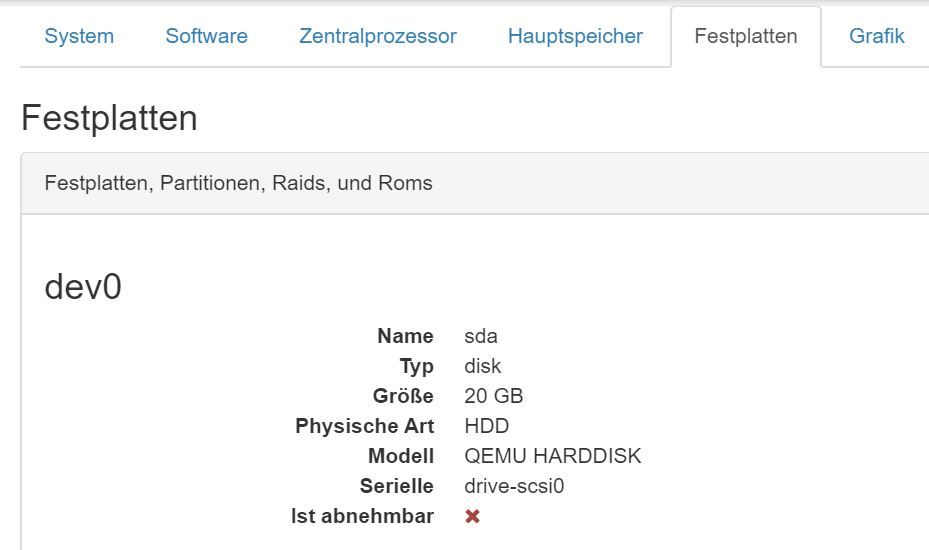
Auf einem NUC läuft Proxmox, auf dem eine Ubuntu-VM läuft. Die dafür bereitgestellte Speichergröße/"Festplatte" war bei der Installation von ioBroker 10GB.
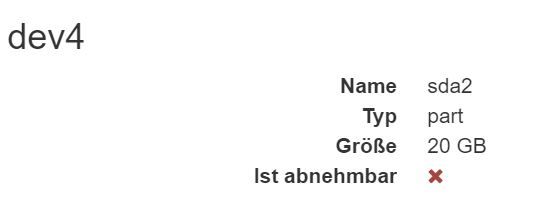
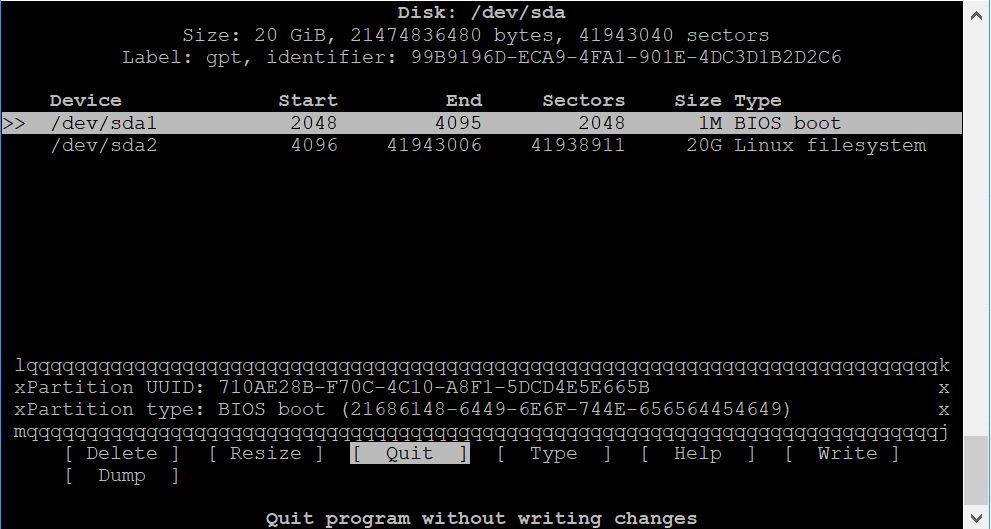
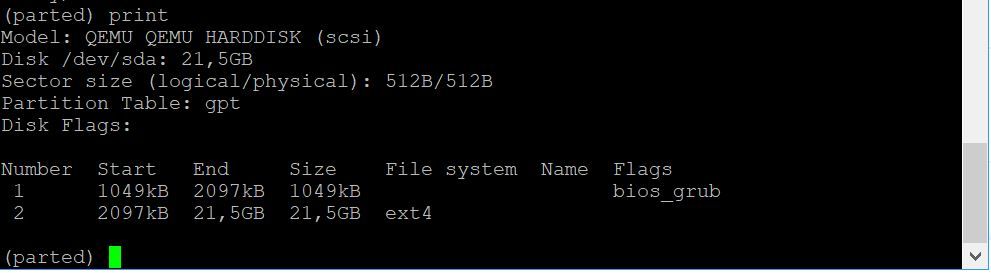
Das hat irgendwann nicht mehr ausgereicht, deshalb habe ich unter Proxmox 10 weitere GB zugewiesen. Da ich von Linux wenig Ahnung habe, habe ich mit cfdisk oder parted es irgendwie hinbekommen, dass die ioBroker-Partition ohne Datenverlust nun mit 20GB angezeigt wird.
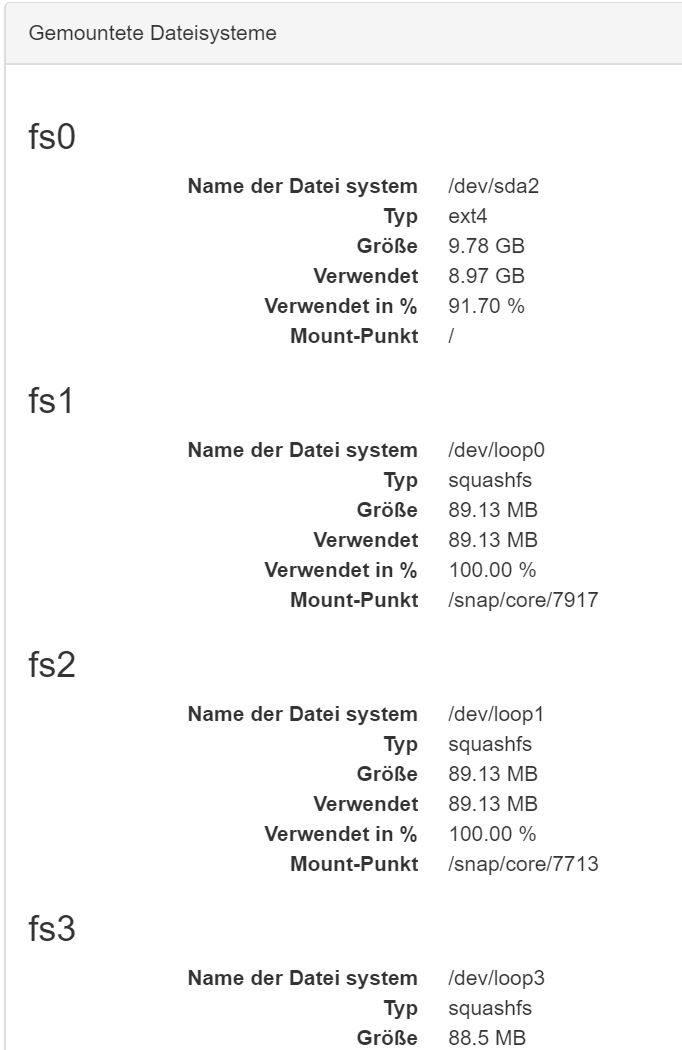
ioBroker zeigt aber weiterhin nur knapp 10GB an.-> was muss ich machen, um die vollen 20GB durch ioBroker zu verwenden? Als Linux Neuling bin ich für jeden Tipp dankbar.
Anbei Screenshots mit weiteren Informationen.
-
https://pve.proxmox.com/wiki/Resize_disks
denke es geht mit dem befehl
pvresize /dev/sda2Online for Linux Guests Here we will enlarge a LVM PV partition, but the procedure is the same for every kind of partitions. Note that the partition you want to enlarge should be at the end of the disk. If you want to enlarge a partition which is anywhere on the disk, use the offline method. Check that the kernel has detected the change of the hard drive size (here we use VirtIO so the hard drive is named vda) dmesg | grep vda [ 3982.979046] vda: detected capacity change from 34359738368 to 171798691840 Print the current partition table fdisk -l /dev/vda | grep ^/dev GPT PMBR size mismatch (67108863 != 335544319) will be corrected by w(rite). /dev/vda1 34 2047 2014 1007K BIOS boot /dev/vda2 2048 262143 260096 127M EFI System /dev/vda3 262144 67108830 66846687 31.9G Linux LVM Resize the partition 3 (LVM PV) to occupy the whole remaining space of the hard drive) parted /dev/vda (parted) print Warning: Not all of the space available to /dev/vda appears to be used, you can fix the GPT to use all of the space (an extra 268435456 blocks) or continue with the current setting? Fix/Ignore? F (parted) resizepart 3 100% (parted) quit Check the new partition table fdisk -l /dev/vda | grep ^/dev /dev/vda1 34 2047 2014 1007K BIOS boot /dev/vda2 2048 262143 260096 127M EFI System /dev/vda3 262144 335544286 335282143 159.9G Linux LVM -
https://pve.proxmox.com/wiki/Resize_disks
denke es geht mit dem befehl
pvresize /dev/sda2Online for Linux Guests Here we will enlarge a LVM PV partition, but the procedure is the same for every kind of partitions. Note that the partition you want to enlarge should be at the end of the disk. If you want to enlarge a partition which is anywhere on the disk, use the offline method. Check that the kernel has detected the change of the hard drive size (here we use VirtIO so the hard drive is named vda) dmesg | grep vda [ 3982.979046] vda: detected capacity change from 34359738368 to 171798691840 Print the current partition table fdisk -l /dev/vda | grep ^/dev GPT PMBR size mismatch (67108863 != 335544319) will be corrected by w(rite). /dev/vda1 34 2047 2014 1007K BIOS boot /dev/vda2 2048 262143 260096 127M EFI System /dev/vda3 262144 67108830 66846687 31.9G Linux LVM Resize the partition 3 (LVM PV) to occupy the whole remaining space of the hard drive) parted /dev/vda (parted) print Warning: Not all of the space available to /dev/vda appears to be used, you can fix the GPT to use all of the space (an extra 268435456 blocks) or continue with the current setting? Fix/Ignore? F (parted) resizepart 3 100% (parted) quit Check the new partition table fdisk -l /dev/vda | grep ^/dev /dev/vda1 34 2047 2014 1007K BIOS boot /dev/vda2 2048 262143 260096 127M EFI System /dev/vda3 262144 335544286 335282143 159.9G Linux LVM@Adnim said in Speicherplatz wird nicht vollständig verwendet:
denke es geht mit dem befehl
pvresize /dev/sda2klappt leider nicht:
iobrokervm@iobrokervm:~$ sudo pvresize /dev/sda2
  Failed to find physical volume "/dev/sda2".
  0 physical volume(s) resized / 0 physical volume(s) not resized
parted und fdisk zeigen mir schon die richtige Größe der Partition an (20GB); in ioBroker wird die "Festplatte" dann auch mit 20GB angezeigt, aber als gemountes System werden nur die alten knapp 10GB angezeigt.
-
@Adnim said in Speicherplatz wird nicht vollständig verwendet:
denke es geht mit dem befehl
pvresize /dev/sda2klappt leider nicht:
iobrokervm@iobrokervm:~$ sudo pvresize /dev/sda2
  Failed to find physical volume "/dev/sda2".
  0 physical volume(s) resized / 0 physical volume(s) not resized
parted und fdisk zeigen mir schon die richtige Größe der Partition an (20GB); in ioBroker wird die "Festplatte" dann auch mit 20GB angezeigt, aber als gemountes System werden nur die alten knapp 10GB angezeigt.
@SevenUp ich glaube zu meinen, das du die "neue Platte"UUID in der fstab eintragen musst.
https://forum.iobroker.net/post/197914 -
@SevenUp ich glaube zu meinen, das du die "neue Platte"UUID in der fstab eintragen musst.
https://forum.iobroker.net/post/197914

Hey! Du scheinst an dieser Unterhaltung interessiert zu sein, hast aber noch kein Konto.
Hast du es satt, bei jedem Besuch durch die gleichen Beiträge zu scrollen? Wenn du dich für ein Konto anmeldest, kommst du immer genau dorthin zurück, wo du zuvor warst, und kannst dich über neue Antworten benachrichtigen lassen (entweder per E-Mail oder Push-Benachrichtigung). Du kannst auch Lesezeichen speichern und Beiträge positiv bewerten, um anderen Community-Mitgliedern deine Wertschätzung zu zeigen.
Mit deinem Input könnte dieser Beitrag noch besser werden 💗
Registrieren AnmeldenSupport us
437
Online33.0k
Benutzer83.5k
Themen1.3m
Beiträge