




Skip to content
  • Home
  • Aktuell
  • Tags
  • 0 Ungelesen 0
  • Kategorien
  • Unreplied
  • Beliebt
  • GitHub
  • Docu
  • Hilfe
Skins
  • Light
  • Brite
  • Cerulean
  • Cosmo
  • Flatly
  • Journal
  • Litera
  • Lumen
  • Lux
  • Materia
  • Minty
  • Morph
  • Pulse
  • Sandstone
  • Simplex
  • Sketchy
  • Spacelab
  • United
  • Yeti
  • Zephyr
  • Dark
  • Cyborg
  • Darkly
  • Quartz
  • Slate
  • Solar
  • Superhero
  • Vapor

  • Standard: (Kein Skin)
  • Kein Skin
Einklappen
ioBroker Logo

Community Forum

donate donate
  1. ioBroker Community Home
  2. Deutsch
  3. Entwicklung
  4. Online Version

NEWS

  • UPDATE 31.10.: Amazon Alexa - ioBroker Skill läuft aus ?
    apollon77A
    apollon77
    48
    3
    8.8k

  • Monatsrückblick – September 2025
    BluefoxB
    Bluefox
    13
    1
    2.2k

  • Neues Video "KI im Smart Home" - ioBroker plus n8n
    BluefoxB
    Bluefox
    16
    1
    3.2k

Online Version

Geplant Angeheftet Gesperrt Verschoben Entwicklung
73 Beiträge 9 Kommentatoren 12.9k Aufrufe
  • Älteste zuerst
  • Neuste zuerst
  • Meiste Stimmen
Antworten
  • In einem neuen Thema antworten
Anmelden zum Antworten
Dieses Thema wurde gelöscht. Nur Nutzer mit entsprechenden Rechten können es sehen.
  • V Offline
    V Offline
    versteckt
    schrieb am zuletzt editiert von
    #20

    @Bluefox:

    Danke für die Meldungen.

    Es ist gut, dass es keine Auswirkung hat. Die Authentifizierung passiert auf der Serverseite und es kann sein, dass an paar Stellen (die du gemeldet hast) noch Zugriffsfehler nicht weiter geleitet wird. Werde nach und nach verbessern. Bis dann Admin gar nicht anbieten wird was zu Ändern, falls es vom Server nicht erlaubt wird.

    Wie man sehen kann js-controller 0.7.0 und admin 0.5.0 sind lauffähig. Falls jemand ausprobieren will (es muss sowieso jemand ausprobieren :lol: ), dann:

    cd /opt/iobroker
    npm install https://github.com/ioBroker/ioBroker.js-controller/tarball/master
    npm install https://github.com/ioBroker/ioBroker.admin/tarball/master
    npm install https://github.com/ioBroker/ioBroker.web/tarball/master
    npm install https://github.com/ioBroker/ioBroker.simple-api/tarball/master
    npm install https://github.com/ioBroker/ioBroker.vis/tarball/master
    cd node_modules/iobroker.web
    npm install https://github.com/ioBroker/ioBroker.simple-api/tarball/master
    npm install https://github.com/ioBroker/ioBroker.socketio/tarball/master
    cd ..
    cd ..
    iobroker upload web
    iobroker upload vis
    iobroker upload simple-api
    sudo reboot
    
    ```` `  
    

    Hallo habe soeben die neue Version installiert, habe aber ein leeres Verzeichnis genommen.

    Die Befehle iobroker upload… musste ich folgendermassen anpassen:

    ./node_modules/iobroker.js-controller/iobroker upload ...

    Dann hat auch das funktioniert.

    Reboot war keiner notwendig (ist halt ein Mac GG)

    Dann werde ich mal prüfen inwiefern sich hmm und occ damit verhalten.

    Raspi 1, Raspi 2, iobroker, Mac Mini: alles mit aktueller ioBroker Version

    homegear für Homematic und MAX!

    occ, zWave, rpi, hmm und homekit Entwickler

    1 Antwort Letzte Antwort
    0
    • BluefoxB Offline
      BluefoxB Offline
      Bluefox
      schrieb am zuletzt editiert von
      #21

      Also.

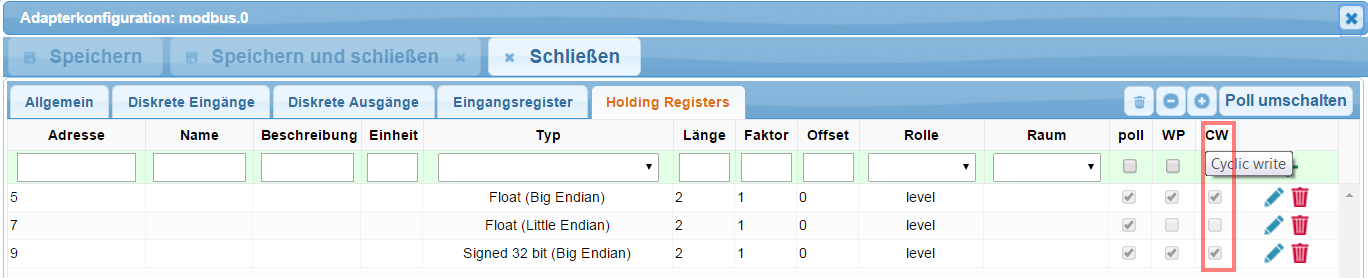
      Ich bin jetzt mit der Implementierung von Access Control fertig. Es gibt ein paar Konsole-Befehle und man kann (leider) einzeln die Objekte im Admin editieren. 48_img_004.png
      Ich bitte noch mal ausführen:

      cd /opt/iobroker
      npm install https://github.com/ioBroker/ioBroker.js-controller/tarball/master
      npm install https://github.com/ioBroker/ioBroker.admin/tarball/master
      npm install https://github.com/ioBroker/ioBroker.web/tarball/master
      npm install https://github.com/ioBroker/ioBroker.simple-api/tarball/master
      npm install https://github.com/ioBroker/ioBroker.vis/tarball/master
      npm install https://github.com/ioBroker/ioBroker.javascript/tarball/master
      cd node_modules/iobroker.web
      npm install https://github.com/ioBroker/ioBroker.simple-api/tarball/master
      npm install https://github.com/ioBroker/ioBroker.socketio/tarball/master
      cd ..
      cd ..
      iobroker upload web
      iobroker upload vis
      iobroker upload simple-api
      iobroker upload javascript
      sudo reboot
      

      Und mir Bescheid sagen ob es läuft. Dann werde ich das veröffentlichen und langsam kleine Fehler rausjagen.

      1 Antwort Letzte Antwort
      0
      • V Offline
        V Offline
        versteckt
        schrieb am zuletzt editiert von
        #22

        Hallo,

        hab mal das ganze in ein neues Verzeichnis installiert.

        Soweit hat sich alles installieren lassen, iobroker.hmm und iobroker.occ auch gleich mal hinzugefügt.

        Folgende Dependency liefert noch ein Warning (zumindes auf Mac OSX):

        npm install https://github.com/ioBroker/ioBroker.javascript/tarball/master
        npm WARN peerDependencies The peer dependency coffee-script@>=1.6.2 included from coffee-compiler will no
        npm WARN peerDependencies longer be automatically installed to fulfill the peerDependency 
        npm WARN peerDependencies in npm 3+. Your application will need to depend on it explicitly.


        Was mir nun aber auffällt, ich kann keinerlei Webseiten mittels iobroker.web aufrufen, kommt immer

        File index.html not found
        

        Dafür hat meine Implementierung der AdminTab richtig funktioniert. iobroker.occ hat nun ein eigenes Tab.

        Im Logfile ist kein Fehler ersichtlich, auch nicht, wenn iobroker.web mit Debug gestartet ist.

        Die Berechtigungen teste ich dann ab heute abend.

        Raspi 1, Raspi 2, iobroker, Mac Mini: alles mit aktueller ioBroker Version

        homegear für Homematic und MAX!

        occ, zWave, rpi, hmm und homekit Entwickler

        1 Antwort Letzte Antwort
        0
        • BluefoxB Offline
          BluefoxB Offline
          Bluefox
          schrieb am zuletzt editiert von
          #23

          > Was mir nun aber auffällt, ich kann keinerlei Webseiten mittels iobroker.web aufrufen
          Was für einein Link willst du z.B. aufrufen?

          1 Antwort Letzte Antwort
          0
          • V Offline
            V Offline
            versteckt
            schrieb am zuletzt editiert von
            #24

            Vis musste ich noch eine Instanz hinzufügen.

            Geht nicht und occ auch nicht.

            Ich geh mal davon aus, das ich das komplett neu installieren soll und es kein Update auf eine bestehende Installation ist.

            Gesendet von meinem iPhone mit Tapatalk

            Raspi 1, Raspi 2, iobroker, Mac Mini: alles mit aktueller ioBroker Version

            homegear für Homematic und MAX!

            occ, zWave, rpi, hmm und homekit Entwickler

            1 Antwort Letzte Antwort
            0
            • BluefoxB Offline
              BluefoxB Offline
              Bluefox
              schrieb am zuletzt editiert von
              #25

              @versteckt:

              Vis musste ich noch eine Instanz hinzufügen.

              Geht nicht und occ auch nicht.

              Ich geh mal davon aus, das ich das komplett neu installieren soll und es kein Update auf eine bestehende Installation ist.

              Gesendet von meinem iPhone mit Tapatalk `
              Update muss auch gehen.

              1 Antwort Letzte Antwort
              0
              • H Offline
                H Offline
                Heinzelmaennchen
                schrieb am zuletzt editiert von
                #26

                Hallo Bluefox,

                das Verhalten kann ich bestätigen. Die Applikationen/Webseiten die auf dem web Adapter (8082) beruhen, kommen mit der Fehlermeldung, dass die entsprechende Seite nicht gefunden wird.

                Beispiel:

                8082/vis/index.html/#MAIN

                Das Vergalten gilt bei mir für vis, rickshaw und icons-mfd-png. Die Seiten sind natürlich im Filesystem da. Anscheinend ist mit dem Mapping der Verzeichnisse in den webservice auf Port 8082 noch etwas nicht ganz korrekt.

                Gruß

                Bernhard

                Gruß

                Bernhard

                –------------------------------------------

                263 Kanäle in 91 Geräten

                3x Sonos Play:1, 1x Sonos:Amp, 1x Sonos Playbar

                4x Hue E27, 21xHue GU10, 1x Lightify RGB Stripe, 1x Lightify E27 TW

                -------------...

                1 Antwort Letzte Antwort
                0
                • V Offline
                  V Offline
                  versteckt
                  schrieb am zuletzt editiert von
                  #27

                  Wenn ich auf eine externe socket.io umstelle, kommt zumindest die Website von occ.

                  Bei vis erscheint folgendes in der Javascript Konsole:

                  Die Verbindung zu ws://localhost:8084/socket.io/?key=nokey&EIO=3&transport=websocket&sid=NIc8NygDsIOVwpLSAAAC wurde unterbrochen, während die Seite geladen wurde. socket.io.js:4519:0
                  GET 
                  XHR 
                  http://localhost:8082/vis.0/main/vis-user.css [HTTP/1.1 404 Not Found 7ms]
                  "Error: Cannot load /vis.0/main/vis-user.css - Not Found" conn.js:582:8
                  "2015-06-22T12:00:59.068Z Connected => authenticate" conn.js:186:0
                  

                  Und die Seite bleibt mit "Verbinde mit Server …" stehen.

                  Raspi 1, Raspi 2, iobroker, Mac Mini: alles mit aktueller ioBroker Version

                  homegear für Homematic und MAX!

                  occ, zWave, rpi, hmm und homekit Entwickler

                  1 Antwort Letzte Antwort
                  0
                  • BluefoxB Offline
                    BluefoxB Offline
                    Bluefox
                    schrieb am zuletzt editiert von
                    #28

                    ` > Hallo Bluefox,

                    das Verhalten kann ich bestätigen. `

                    Kannst du bitte das ausführen in /opt/iobroker

                    iobroker object get system.adapter.web --pretty
                    

                    und Ergebniss mir schicken.

                    1 Antwort Letzte Antwort
                    0
                    • V Offline
                      V Offline
                      versteckt
                      schrieb am zuletzt editiert von
                      #29
                      {
                        "_id": "system.adapter.web",
                        "type": "adapter",
                        "common": {
                          "name": "web",
                          "version": "0.4.0",
                          "title": "ioBroker simple web Adapter",
                          "desc": {
                            "en": "opens a webserver for the ioBroker",
                            "de": "Stellt webserver für 'ioBroker Adapter' zur Verfügung",
                            "ru": "Запускает веб сервер для 'ioBroker драйверов'"
                          },
                          "mode": "daemon",
                          "platform": "Javascript/Node.js",
                          "loglevel": "info",
                          "icon": "web.png",
                          "readme": "https://github.com/ioBroker/ioBroker.web/blob/master/README.md",
                          "enabled": true,
                          "keywords": [
                            "web",
                            "server",
                            "www",
                            "express"
                          ],
                          "extIcon": "https://raw.githubusercontent.com/ioBroker/ioBroker.web/master/admin/web.png",
                          "type": "visualisation",
                          "installedVersion": "0.4.0"
                        },
                        "native": {
                          "port": 8082,
                          "auth": false,
                          "secure": false,
                          "bind": "0.0.0.0",
                          "cache": false,
                          "socketio": "",
                          "simpleapi": false,
                          "defaultUser": "admin",
                          "ttl": 3600,
                          "secret": "86ce20d98ed710b3abc957d57acc65a5efdba4784cddaca4"
                        }
                      }


                      Raspi 1, Raspi 2, iobroker, Mac Mini: alles mit aktueller ioBroker Version

                      homegear für Homematic und MAX!

                      occ, zWave, rpi, hmm und homekit Entwickler

                      1 Antwort Letzte Antwort
                      0
                      • BluefoxB Offline
                        BluefoxB Offline
                        Bluefox
                        schrieb am zuletzt editiert von
                        #30

                        @Bluefox:

                        ` > Hallo Bluefox,

                        das Verhalten kann ich bestätigen. `

                        Kannst du bitte das ausführen in /opt/iobroker

                        iobroker object get system.adapter.web --pretty
                        

                        und Ergebniss mir schicken. `
                        Sorry habe ein Fehler gemacht.

                        Bitte:

                        iobroker object get system.adapter.web.0 --pretty
                        

                        aufrufen.

                        1 Antwort Letzte Antwort
                        0
                        • V Offline
                          V Offline
                          versteckt
                          schrieb am zuletzt editiert von
                          #31
                          {
                            "_id": "system.adapter.web.0",
                            "type": "instance",
                            "common": {
                              "name": "web",
                              "version": "0.4.0",
                              "title": "ioBroker simple web Adapter",
                              "desc": {
                                "en": "opens a webserver for the ioBroker",
                                "de": "Stellt webserver für 'ioBroker Adapter' zur Verfügung",
                                "ru": "Запускает веб сервер для 'ioBroker драйверов'"
                              },
                              "mode": "daemon",
                              "platform": "Javascript/Node.js",
                              "loglevel": "debug",
                              "icon": "web.png",
                              "readme": "https://github.com/ioBroker/ioBroker.web/blob/master/README.md",
                              "enabled": true,
                              "keywords": [
                                "web",
                                "server",
                                "www",
                                "express"
                              ],
                              "extIcon": "https://raw.githubusercontent.com/ioBroker/ioBroker.web/master/admin/web.png",
                              "type": "visualisation",
                              "installedVersion": "0.4.0",
                              "host": "Christians-MacBook-Pro.local",
                              "schedule": ""
                            },
                            "native": {
                              "port": "8082",
                              "auth": false,
                              "secure": false,
                              "bind": "192.168.1.90",
                              "cache": false,
                              "socketio": "",
                              "simpleapi": false,
                              "defaultUser": "admin",
                              "ttl": 3600,
                              "certPublic": "",
                              "certPrivate": ""
                            }
                          }


                          Raspi 1, Raspi 2, iobroker, Mac Mini: alles mit aktueller ioBroker Version

                          homegear für Homematic und MAX!

                          occ, zWave, rpi, hmm und homekit Entwickler

                          1 Antwort Letzte Antwort
                          0
                          • BluefoxB Offline
                            BluefoxB Offline
                            Bluefox
                            schrieb am zuletzt editiert von
                            #32

                            Ich habe 3 Systeme ausprobiert. Ich kann es nicht reproduzieren….

                            Seid ihr sicher, dass mindestens das ausgeführt habt?

                            iobroker stop
                            npm install https://github.com/ioBroker/ioBroker.js-controller/tarball/master --production
                            npm install https://github.com/ioBroker/ioBroker.admin/tarball/master --production
                            npm install https://github.com/ioBroker/ioBroker.web/tarball/master --production
                            cd node_modules/iobroker.web
                            npm install https://github.com/ioBroker/ioBroker.simple-api/tarball/master  --production
                            npm install https://github.com/ioBroker/ioBroker.socketio/tarball/master  --production
                            cd ..
                            cd ..
                            iobroker upload web
                            sudo reboot


                            Vielleicht noch das hier:

                            iobroker chmod 777 vis/*
                            iobroker chown admin vis/*


                            und Konfiguration von Web-Instanz aufmachen was verändern/zurückändern und speichern.

                            1 Antwort Letzte Antwort
                            0
                            • V Offline
                              V Offline
                              versteckt
                              schrieb am zuletzt editiert von
                              #33

                              Hallo,

                              also ich habe folgendes gemacht: (bin Mac User)

                              mkdir /Users/christian/DEVELOPMENT
                              cd /Users/christian/DEVELOPMENT
                              npm install https://github.com/ioBroker/ioBroker.js-controller/tarball/master
                              npm install https://github.com/ioBroker/ioBroker.admin/tarball/master
                              npm install https://github.com/ioBroker/ioBroker.web/tarball/master
                              npm install https://github.com/ioBroker/ioBroker.simple-api/tarball/master
                              npm install https://github.com/ioBroker/ioBroker.vis/tarball/master
                              cd node_modules/iobroker.web
                              npm install https://github.com/ioBroker/ioBroker.simple-api/tarball/master
                              npm install https://github.com/ioBroker/ioBroker.socketio/tarball/master
                              cd ..
                              cd ..
                              ln -s ./node_modules/iobroker.js-controller/iobroker iobroker
                              ./iobroker upload web
                              ./iobroker upload vis
                              ./iobroker upload simple-api
                              cd node_modules
                              npm install iobroker.occ
                              cd ..
                              ./iobroker start
                              

                              Danach in der Weboberfläche vis und occ hinzugefügt.

                              Dann kamen die Fehler.

                              Aber was noch wichtiger ist, ich habe eine komplette Neuinstallation gemacht.

                              Ev. verhält sich das System anders, wenn es auf eine bestehende draufgestülpt wird,

                              das muss ich erst ausprobieren.

                              Raspi 1, Raspi 2, iobroker, Mac Mini: alles mit aktueller ioBroker Version

                              homegear für Homematic und MAX!

                              occ, zWave, rpi, hmm und homekit Entwickler

                              1 Antwort Letzte Antwort
                              0
                              • H Offline
                                H Offline
                                Heinzelmaennchen
                                schrieb am zuletzt editiert von
                                #34

                                Hallo Bluefox,

                                Bin leider heute beruflich in München.

                                Kann das also erst morgen Abend ausführen.

                                Herzliche Grüße

                                Bernhard

                                Gruß

                                Bernhard

                                –------------------------------------------

                                263 Kanäle in 91 Geräten

                                3x Sonos Play:1, 1x Sonos:Amp, 1x Sonos Playbar

                                4x Hue E27, 21xHue GU10, 1x Lightify RGB Stripe, 1x Lightify E27 TW

                                -------------...

                                1 Antwort Letzte Antwort
                                0
                                • S Offline
                                  S Offline
                                  siedi
                                  schrieb am zuletzt editiert von
                                  #35

                                  Auf meinem Mac (Entwicklung) hatte ich nicht das Problem.

                                  Auf meinem RPi allerdings auch. Liegt definitiv an den Rechten (getraced bis hin zum checkFileRights). Wie von bluefox vorgeschlagen, mit

                                  iobroker chmod 777 vis/*
                                  iobroker chown admin vis/*
                                  

                                  kann ich vis dann auch wieder auf meinem RPi aufrufen.

                                  Brauchen wir für die neue Version einen Migrationsleitfaden :-)?

                                  LG

                                  Siedi

                                  1 Antwort Letzte Antwort
                                  0
                                  • BluefoxB Offline
                                    BluefoxB Offline
                                    Bluefox
                                    schrieb am zuletzt editiert von
                                    #36

                                    @versteckt:

                                    Hallo,

                                    also ich habe folgendes gemacht: (bin Mac User)

                                    Danach in der Weboberfläche vis und occ hinzugefügt.

                                    Dann kamen die Fehler.

                                    Aber was noch wichtiger ist, ich habe eine komplette Neuinstallation gemacht.

                                    Ev. verhält sich das System anders, wenn es auf eine bestehende draufgestülpt wird,

                                    das muss ich erst ausprobieren. `
                                    Habe genau diese Befehle jetzt auf eine Machine auf terminal.com ausgeführt.

                                    Mit kleiner Abweichung:

                                    mkdir /opt/iobroker
                                    cd /opt/iobroker
                                    npm install https://github.com/ioBroker/ioBroker.js-controller/tarball/master --production
                                    npm install https://github.com/ioBroker/ioBroker.admin/tarball/master --production
                                    npm install https://github.com/ioBroker/ioBroker.web/tarball/master --production
                                    npm install https://github.com/ioBroker/ioBroker.vis/tarball/master --production
                                    cd node_modules/iobroker.web
                                    npm install https://github.com/ioBroker/ioBroker.simple-api/tarball/master --production
                                    npm install https://github.com/ioBroker/ioBroker.socketio/tarball/master --production
                                    cd ..
                                    cd ..
                                    ln -s ./node_modules/iobroker.js-controller/iobroker iobroker
                                    chmod 777 * -R
                                    echo Man muss Verzeichnis nicht ändern - cd node_modules
                                    npm install iobroker.occ --production
                                    echo Man muss Verzeichnis nicht ändern - cd ..
                                    ./iobroker start
                                    

                                    Und dann lief es sofort.

                                    > Dann kamen die Fehler.
                                    Welche?

                                    1 Antwort Letzte Antwort
                                    0
                                    • BluefoxB Offline
                                      BluefoxB Offline
                                      Bluefox
                                      schrieb am zuletzt editiert von
                                      #37

                                      @siedi:

                                      Auf meinem Mac (Entwicklung) hatte ich nicht das Problem.

                                      Auf meinem RPi allerdings auch. Liegt definitiv an den Rechten (getraced bis hin zum checkFileRights). Wie von bluefox vorgeschlagen, mit

                                      iobroker chmod 777 vis/*
                                      iobroker chown admin vis/*
                                      

                                      kann ich vis dann auch wieder auf meinem RPi aufrufen.

                                      Brauchen wir für die neue Version einen Migrationsleitfaden :-)?

                                      LG

                                      Siedi `
                                      Halleluja. Mindestens bei jemandem geht. Sonst verstehe ich nicht die Welt.

                                      Eigentlich es soll ohne "chmod/chown" gehen. Aber…

                                      Ich habe 3 mal windows (neu und update und von von "versteckt") ausprobiert. Alles geht

                                      Ein mal update auf debian (odroid) geht.

                                      Ein mal neu auf debian terminal.com geht.

                                      ....

                                      iobroker chmod 777 vis/*
                                      iobroker chown admin vis/*
                                      

                                      Muss noch jemand bestätigen.

                                      1 Antwort Letzte Antwort
                                      0
                                      • V Offline
                                        V Offline
                                        versteckt
                                        schrieb am zuletzt editiert von
                                        #38

                                        Ich werde das heute am Abend nochmals Schritt für Schritt durchführen und gebe dann Bescheid.

                                        LG Christian

                                        Gesendet von meinem iPhone mit Tapatalk

                                        Raspi 1, Raspi 2, iobroker, Mac Mini: alles mit aktueller ioBroker Version

                                        homegear für Homematic und MAX!

                                        occ, zWave, rpi, hmm und homekit Entwickler

                                        1 Antwort Letzte Antwort
                                        0
                                        • V Offline
                                          V Offline
                                          versteckt
                                          schrieb am zuletzt editiert von
                                          #39

                                          So, hatte grad 10 Minuten Zeit.

                                          Alles nochmals neu installiert, zuerst mit deiner Anleitung, danach mit meiner.

                                          Jetzt geht's.

                                          Warum auch immer. Dann werde ich heute Abend die Permissions testen anfangen.

                                          Gesendet von meinem iPhone mit Tapatalk

                                          Raspi 1, Raspi 2, iobroker, Mac Mini: alles mit aktueller ioBroker Version

                                          homegear für Homematic und MAX!

                                          occ, zWave, rpi, hmm und homekit Entwickler

                                          1 Antwort Letzte Antwort
                                          0
                                          Antworten
                                          • In einem neuen Thema antworten
                                          Anmelden zum Antworten
                                          • Älteste zuerst
                                          • Neuste zuerst
                                          • Meiste Stimmen


                                          Support us

                                          ioBroker
                                          Community Adapters
                                          Donate

                                          358

                                          Online

                                          32.4k

                                          Benutzer

                                          81.5k

                                          Themen

                                          1.3m

                                          Beiträge
                                          Community
                                          Impressum | Datenschutz-Bestimmungen | Nutzungsbedingungen | Einwilligungseinstellungen
                                          ioBroker Community 2014-2025
                                          logo
                                          • Anmelden

                                          • Du hast noch kein Konto? Registrieren

                                          • Anmelden oder registrieren, um zu suchen
                                          • Erster Beitrag
                                            Letzter Beitrag
                                          0
                                          • Home
                                          • Aktuell
                                          • Tags
                                          • Ungelesen 0
                                          • Kategorien
                                          • Unreplied
                                          • Beliebt
                                          • GitHub
                                          • Docu
                                          • Hilfe