



[gelöst]Deconz Adapter verbindet nicht nach Phoscon update
-
Hallo,
ich habe heute mein Phoscon auf die aktuelle stable geupdatet (2.32.5) und nun erhalte ich im Protokoll folgende Meldung.deconz.0 2026-02-08 11:47:06.709 warn Could not connect to websocket instance of deConz/Phoscon. Error: socket hang up deconz.0 2026-02-08 11:46:15.292 warn Could not connect to websocket instance of deConz/Phoscon. Error: socket hang up deconz.0 2026-02-08 11:46:06.312 warn Could not connect to websocket instance of deConz/Phoscon. Error: socket hang up deconz.0 2026-02-08 11:45:15.223 warn Could not connect to websocket instance of deConz/Phoscon. Error: socket hang up deconz.0 2026-02-08 11:45:06.058 warn Could not connect to websocket instance of deConz/Phoscon. Error: socket hang upwas läuft da falsch und was muß ich tun ?
-
 H Homoran verschob dieses Thema von Einsteigerfragen am
-
Hallo,
ich habe heute mein Phoscon auf die aktuelle stable geupdatet (2.32.5) und nun erhalte ich im Protokoll folgende Meldung.deconz.0 2026-02-08 11:47:06.709 warn Could not connect to websocket instance of deConz/Phoscon. Error: socket hang up deconz.0 2026-02-08 11:46:15.292 warn Could not connect to websocket instance of deConz/Phoscon. Error: socket hang up deconz.0 2026-02-08 11:46:06.312 warn Could not connect to websocket instance of deConz/Phoscon. Error: socket hang up deconz.0 2026-02-08 11:45:15.223 warn Could not connect to websocket instance of deConz/Phoscon. Error: socket hang up deconz.0 2026-02-08 11:45:06.058 warn Could not connect to websocket instance of deConz/Phoscon. Error: socket hang upwas läuft da falsch und was muß ich tun ?
@Michael-Schmitt sagte in Error: socket hang up:
was m8uß ich tun ?
erst einmal den Threadtitel sinnvoll anpassen 😉
Potentielle Helfende sollten schon erkennen können worum es geht.
BTW Ist phoscon nicht eine 3rd Party Software?
-
Hallo,
ich habe heute mein Phoscon auf die aktuelle stable geupdatet (2.32.5) und nun erhalte ich im Protokoll folgende Meldung.deconz.0 2026-02-08 11:47:06.709 warn Could not connect to websocket instance of deConz/Phoscon. Error: socket hang up deconz.0 2026-02-08 11:46:15.292 warn Could not connect to websocket instance of deConz/Phoscon. Error: socket hang up deconz.0 2026-02-08 11:46:06.312 warn Could not connect to websocket instance of deConz/Phoscon. Error: socket hang up deconz.0 2026-02-08 11:45:15.223 warn Could not connect to websocket instance of deConz/Phoscon. Error: socket hang up deconz.0 2026-02-08 11:45:06.058 warn Could not connect to websocket instance of deConz/Phoscon. Error: socket hang upwas läuft da falsch und was muß ich tun ?
Zuerst mal ein gescheites Log posten.
Nimm das ausiob logsraus. Das ist dann a) besser formatiert und b) chronologisch.
Dienste/Instanzen mal neugestartet?
-
Hi,
neugestartet hab ich alles. -
Hi,
neugestartet hab ich alles.hier noch ein iob diag
========== Start marking the full check here =========== ```bash Script v.2026-01-31 *** BASE SYSTEM *** Operating System: Debian GNU/Linux 13 (trixie) Static hostname: raspberrypi Icon name: computer Kernel: Linux 6.12.62+rpt-rpi-v8 Architecture: arm64 OS is similar to: Model : Raspberry Pi 4 Model B Rev 1.2 Docker : false Virtualization : none Kernel : aarch64 Userland : 64 bit Systemuptime and Load: 12:53:20 up 1:28, 2 users, load average: 0.34, 0.43, 0.36 CPU threads: 4 *** LIFE CYCLE STATUS *** Operating System is the current Debian stable version codenamed 'trixie'! *** RASPBERRY THROTTLING *** Current issues: No throttling issues detected. Previously detected issues: No throttling issues detected. *** TIME AND TIMEZONES *** Local time: Sun 2026-02-08 12:53:20 CET Universal time: Sun 2026-02-08 11:53:20 UTC RTC time: n/a Time zone: Europe/Berlin (CET, +0100) System clock synchronized: yes NTP service: active RTC in local TZ: no *** Users and Groups *** User that called 'iob diag': pi HOME=/home/pi GROUPS=pi adm dialout cdrom sudo audio video plugdev games users input render netdev gpio i2c spi iobroker User that is running 'js-controller': iobroker HOME=/home/iobroker SUDO_HOME=/home/pi GROUPS=iobroker tty dialout audio video plugdev bluetooth gpio i2c *** DISPLAY-SERVER SETUP *** Display-Server: false Unit display-manager.service could not be found. Display-Manager: Desktop: Session: tty *** MEMORY *** total used free shared buff/cache available Mem: 4.0G 2.2G 637M 10M 1.3G 1.8G Swap: 536M 0B 536M Total: 4.5G 2.2G 1.2G Active iob-Instances: 20 3795 M total memory 2094 M used memory 2040 M active memory 932 M inactive memory 607 M free memory 101 M buffer memory 1104 M swap cache 511 M total swap 0 M used swap 511 M free swap *** top - Table Of Processes *** top - 12:53:21 up 1:28, 2 users, load average: 0.34, 0.43, 0.36 Tasks: 209 total, 1 running, 208 sleeping, 0 stopped, 0 zombie %Cpu(s): 0.0 us, 4.3 sy, 0.0 ni, 95.7 id, 0.0 wa, 0.0 hi, 0.0 si, 0.0 st MiB Mem : 3795.7 total, 610.8 free, 2091.4 used, 1206.0 buff/cache MiB Swap: 512.0 total, 512.0 free, 0.0 used. 1704.3 avail Mem *** FAILED SERVICES *** UNIT LOAD ACTIVE SUB DESCRIPTION 0 loaded units listed. *** DMESG CRITICAL ERRORS *** No critical errors detected *** FILESYSTEM *** Filesystem Type Size Used Avail Use% Mounted on udev devtmpfs 1.6G 0 1.6G 0% /dev tmpfs tmpfs 380M 6.6M 374M 2% /run /dev/sda2 ext4 220G 6.2G 203G 3% / tmpfs tmpfs 1.9G 0 1.9G 0% /dev/shm tmpfs tmpfs 5.0M 16K 5.0M 1% /run/lock tmpfs tmpfs 1.9G 3.0M 1.9G 1% /tmp tmpfs tmpfs 1.0M 0 1.0M 0% /run/credentials/systemd-journald.service /dev/sda1 vfat 510M 66M 445M 13% /boot/firmware tmpfs tmpfs 1.0M 0 1.0M 0% /run/credentials/getty@tty1.service tmpfs tmpfs 380M 12K 380M 1% /run/user/1000 Messages concerning ext4 filesystem in dmesg: [Sun Feb 8 11:25:02 2026] EXT4-fs (sda2): mounted filesystem d4cc7d63-da78-48ad-9bdd-64ffbba449a8 ro with ordered data mode. Quota mode: none. [Sun Feb 8 11:25:04 2026] EXT4-fs (sda2): re-mounted d4cc7d63-da78-48ad-9bdd-64ffbba449a8 r/w. Show mounted filesystems: TARGET SOURCE FSTYPE OPTIONS / /dev/sda2 ext4 rw,noatime `-/boot/firmware /dev/sda1 vfat rw,relatime,fmask=0022,dmask=0022,codepage=437,iocharset=ascii,shortname=mixed,errors=remount-ro Files in neuralgic directories: /var: 904M /var/ 200M /var/cache 193M /var/cache/apt 189M /var/lib 144M /var/lib/apt/lists Archived and active journals take up 5.3M in the file system. /opt/iobroker/backups: 174M /opt/iobroker/backups/ /opt/iobroker/iobroker-data: 346M /opt/iobroker/iobroker-data/ 177M /opt/iobroker/iobroker-data/files 116M /opt/iobroker/iobroker-data/backup-objects 47M /opt/iobroker/iobroker-data/files/admin.admin 46M /opt/iobroker/iobroker-data/files/admin.admin/custom/assets The five largest files in iobroker-data are: 50M /opt/iobroker/iobroker-data/objects.jsonl 18M /opt/iobroker/iobroker-data/files/matter.admin/assets/index-Rz8ETF2t.js 8.1M /opt/iobroker/iobroker-data/files/backitup.admin/assets/index-Djx0nwYT.js 5.0M /opt/iobroker/iobroker-data/states.jsonl 4.6M /opt/iobroker/iobroker-data/files/javascript.admin/vs/language/typescript/tsWorker.js USB-Devices by-id: USB-Sticks - Avoid direct links to /dev/tty* in your adapter setups, please always prefer the links 'by-id': /dev/serial/by-id/usb-dresden_elektronik_ingenieurtechnik_GmbH_ConBee_II_DE2419780-if00 No nvbackup.json found. *** NodeJS-Installation *** /usr/bin/nodejs v22.22.0 /usr/bin/node v22.22.0 /usr/bin/npm 10.9.4 /usr/bin/npx 10.9.4 ✓ Node.js installation is correct nodejs: Installed: 22.22.0-1nodesource1 Candidate: 22.22.0-1nodesource1 Version table: *** 22.22.0-1nodesource1 1001 500 https://deb.nodesource.com/node_22.x nodistro/main arm64 Packages 100 /var/lib/dpkg/status 22.21.0-1nodesource1 1001 500 https://deb.nodesource.com/node_22.x nodistro/main arm64 Packages 22.20.0-1nodesource1 1001 500 https://deb.nodesource.com/node_22.x nodistro/main arm64 Packages 22.19.0-1nodesource1 1001 500 https://deb.nodesource.com/node_22.x nodistro/main arm64 Packages 22.18.0-1nodesource1 1001 500 https://deb.nodesource.com/node_22.x nodistro/main arm64 Packages 22.17.1-1nodesource1 1001 500 https://deb.nodesource.com/node_22.x nodistro/main arm64 Packages 22.17.0-1nodesource1 1001 500 https://deb.nodesource.com/node_22.x nodistro/main arm64 Packages 22.16.0-1nodesource1 1001 500 https://deb.nodesource.com/node_22.x nodistro/main arm64 Packages 22.15.1-1nodesource1 1001 500 https://deb.nodesource.com/node_22.x nodistro/main arm64 Packages 22.15.0-1nodesource1 1001 500 https://deb.nodesource.com/node_22.x nodistro/main arm64 Packages 22.14.0-1nodesource1 1001 500 https://deb.nodesource.com/node_22.x nodistro/main arm64 Packages 22.13.1-1nodesource1 1001 500 https://deb.nodesource.com/node_22.x nodistro/main arm64 Packages 22.13.0-1nodesource1 1001 500 https://deb.nodesource.com/node_22.x nodistro/main arm64 Packages 22.12.0-1nodesource1 1001 500 https://deb.nodesource.com/node_22.x nodistro/main arm64 Packages 22.11.0-1nodesource1 1001 500 https://deb.nodesource.com/node_22.x nodistro/main arm64 Packages 22.10.0-1nodesource1 1001 500 https://deb.nodesource.com/node_22.x nodistro/main arm64 Packages 22.9.0-1nodesource1 1001 500 https://deb.nodesource.com/node_22.x nodistro/main arm64 Packages 22.8.0-1nodesource1 1001 500 https://deb.nodesource.com/node_22.x nodistro/main arm64 Packages 22.7.0-1nodesource1 1001 500 https://deb.nodesource.com/node_22.x nodistro/main arm64 Packages 22.6.0-1nodesource1 1001 500 https://deb.nodesource.com/node_22.x nodistro/main arm64 Packages 22.5.1-1nodesource1 1001 500 https://deb.nodesource.com/node_22.x nodistro/main arm64 Packages 22.5.0-1nodesource1 1001 500 https://deb.nodesource.com/node_22.x nodistro/main arm64 Packages 22.4.1-1nodesource1 1001 500 https://deb.nodesource.com/node_22.x nodistro/main arm64 Packages 22.4.0-1nodesource1 1001 500 https://deb.nodesource.com/node_22.x nodistro/main arm64 Packages 22.3.0-1nodesource1 1001 500 https://deb.nodesource.com/node_22.x nodistro/main arm64 Packages 22.2.0-1nodesource1 1001 500 https://deb.nodesource.com/node_22.x nodistro/main arm64 Packages 22.1.0-1nodesource1 1001 500 https://deb.nodesource.com/node_22.x nodistro/main arm64 Packages 22.0.0-1nodesource1 1001 500 https://deb.nodesource.com/node_22.x nodistro/main arm64 Packages 20.19.2+dfsg-1 500 500 http://deb.debian.org/debian trixie/main arm64 Packages Temp directories causing deletion problem: 0 No problems detected Errors in npm tree: 0 No problems detected Checking for nodejs vulnerability: █████ ██ ██ ██████ ██████ ██████ ██████ ██ ██ ██ ██ ██ ██ ██ ██ ██ ██ ██ ██ ██ ██ ███████ ██ ██ ██ ███ ██ ██ ██ ██ ██ ██ ██ ██ ██ ██ ██ ██ ██ ██ ██ ██ ██ ██ ██ ██ ██ ██ ██ ███████ ███████ ██████ ██████ ██████ ██████ ██ *** ioBroker-Installation *** ioBroker Status iobroker is running on this host. Objects type: jsonl States type: jsonl Hosts: raspberrypi raspberrypi (version: 7.0.7, hostname: raspberrypi , alive, uptime: 5303) Core adapters versions js-controller: 7.0.7 admin: 7.7.22 javascript: 9.0.11 nodejs modules from github: 0 Adapter State + system.adapter.admin.0 : admin : raspberrypi - enabled, port: 8081, bind: 0.0.0.0 (SSL), run as: admin + system.adapter.admin.1 : admin : raspberrypi - enabled, port: 8088, bind: 0.0.0.0, run as: admin + system.adapter.alexa2.0 : alexa2 : raspberrypi - enabled + system.adapter.backitup.0 : backitup : raspberrypi - enabled + system.adapter.cloud.0 : cloud : raspberrypi - enabled + system.adapter.deconz.0 : deconz : raspberrypi - enabled, port: 80 system.adapter.devices.0 : devices : raspberrypi - disabled + system.adapter.email.0 : email : raspberrypi - enabled + system.adapter.fritzdect.0 : fritzdect : raspberrypi - enabled + system.adapter.history.0 : history : raspberrypi - enabled system.adapter.ical.0 : ical : raspberrypi - enabled system.adapter.iot.0 : iot : raspberrypi - disabled + system.adapter.iqontrol.0 : iqontrol : raspberrypi - enabled + system.adapter.javascript.0 : javascript : raspberrypi - enabled + system.adapter.matter.0 : matter : raspberrypi - enabled + system.adapter.rpi2.0 : rpi2 : raspberrypi - enabled + system.adapter.simple-api.0 : simple-api : raspberrypi - enabled, port: 8087, bind: 0.0.0.0, run as: admin + system.adapter.socketio.0 : socketio : raspberrypi - enabled, port: 8084, bind: 192.168.178.42, run as: admin + system.adapter.telegram.0 : telegram : raspberrypi - enabled, port: 8443, bind: 0.0.0.0 + system.adapter.tr-064.0 : tr-064 : raspberrypi - enabled + system.adapter.trashschedule.0 : trashschedule : raspberrypi - enabled + system.adapter.web.0 : web : raspberrypi - enabled, port: 8082, bind: 0.0.0.0, run as: admin + instance is alive Enabled adapters with bindings + system.adapter.admin.0 : admin : raspberrypi - enabled, port: 8081, bind: 0.0.0.0 (SSL), run as: admin + system.adapter.admin.1 : admin : raspberrypi - enabled, port: 8088, bind: 0.0.0.0, run as: admin + system.adapter.deconz.0 : deconz : raspberrypi - enabled, port: 80 + system.adapter.simple-api.0 : simple-api : raspberrypi - enabled, port: 8087, bind: 0.0.0.0, run as: admin + system.adapter.socketio.0 : socketio : raspberrypi - enabled, port: 8084, bind: 192.168.178.42, run as: admin + system.adapter.telegram.0 : telegram : raspberrypi - enabled, port: 8443, bind: 0.0.0.0 + system.adapter.web.0 : web : raspberrypi - enabled, port: 8082, bind: 0.0.0.0, run as: admin ioBroker-Repositories ┌─────────┬─────────────────┬─────────────────────────────────────────────────────────┬──────────────┐ │ (index) │ name │ url │ auto upgrade │ ├─────────┼─────────────────┼─────────────────────────────────────────────────────────┼──────────────┤ │ 0 │ 'stable' │ 'http://download.iobroker.net/sources-dist.json' │ false │ │ 1 │ 'Beta (latest)' │ 'http://download.iobroker.net/sources-dist-latest.json' │ false │ └─────────┴─────────────────┴─────────────────────────────────────────────────────────┴──────────────┘ Active repo(s): stable Upgrade policy: none Installed ioBroker-Adapters Used repository: stable Adapter "admin" : 7.7.22 , installed 7.7.22 Adapter "alexa2" : 3.27.4 , installed 3.27.4 Adapter "backitup" : 3.3.13 , installed 3.3.13 Adapter "cloud" : 5.0.1 , installed 5.0.1 Adapter "deconz" : 1.6.4 , installed 1.6.4 Adapter "devices" : 1.2.8 , installed 1.2.9 Adapter "email" : 2.0.4 , installed 2.0.4 Adapter "fritzdect" : 2.6.2 , installed 2.6.2 Adapter "history" : 3.0.1 , installed 3.0.1 Adapter "ical" : 1.18.1 , installed 1.18.1 Adapter "iot" : 5.0.7 , installed 5.0.7 Adapter "iqontrol" : 3.0.0 , installed 3.0.0 Adapter "javascript" : 9.0.11 , installed 9.0.11 Controller "js-controller": 7.0.7 , installed 7.0.7 Adapter "matter" : 0.5.6 , installed 0.5.6 Adapter "rpi2" : 2.4.0 , installed 3.0.1 Adapter "simple-api" : 2.8.0 , installed 2.8.0 Adapter "socketio" : 6.7.1 , installed 6.7.1 Adapter "telegram" : 4.1.0 , installed 4.1.0 Adapter "tr-064" : 4.3.0 , installed 4.3.0 Adapter "trashschedule": 3.3.0 , installed 3.3.0 Adapter "web" : 7.0.8 , installed 7.0.8 Adapter "ws" : 2.6.2 , installed 3.0.19 Objects and States Please stand by - This may take a while Objects: 5960 States: 4420 *** OS-Repositories and Updates *** Hit:1 http://deb.debian.org/debian trixie InRelease Hit:2 http://archive.raspberrypi.com/debian trixie InRelease Hit:3 http://deb.debian.org/debian-security trixie-security InRelease Hit:4 http://deb.debian.org/debian trixie-updates InRelease Hit:5 http://phoscon.de/apt/deconz generic InRelease Hit:6 https://deb.nodesource.com/node_22.x nodistro InRelease Reading package lists... Pending systemupdates: 0 *** Listening Ports *** Active Internet connections (only servers) Proto Recv-Q Send-Q Local Address Foreign Address State User Inode PID/Program name tcp 0 0 192.168.178.42:8084 0.0.0.0:* LISTEN 1001 25016 4196/io.socketio.0 tcp 0 0 127.0.0.1:9000 0.0.0.0:* LISTEN 1001 6405 709/iobroker.js-con tcp 0 0 127.0.0.1:9001 0.0.0.0:* LISTEN 1001 6400 709/iobroker.js-con tcp 0 0 0.0.0.0:443 0.0.0.0:* LISTEN 1000 45298 7185/deCONZ tcp 0 0 127.0.0.1:25 0.0.0.0:* LISTEN 0 7576 983/exim4 tcp 0 0 0.0.0.0:22 0.0.0.0:* LISTEN 0 8257 723/sshd: /usr/sbin tcp 0 0 0.0.0.0:80 0.0.0.0:* LISTEN 1000 45297 7185/deCONZ tcp6 0 0 :::8088 :::* LISTEN 1001 8420 1002/io.admin.1 tcp6 0 0 :::8081 :::* LISTEN 1001 9263 995/io.admin.0 tcp6 0 0 :::8082 :::* LISTEN 1001 10340 1411/io.web.0 tcp6 0 0 :::8087 :::* LISTEN 1001 8837 1370/io.simple-api. tcp6 0 0 ::1:25 :::* LISTEN 0 7577 983/exim4 tcp6 0 0 :::22 :::* LISTEN 0 8259 723/sshd: /usr/sbin udp 0 0 0.0.0.0:5353 0.0.0.0:* 1001 10378 1430/io.matter.0 udp 0 0 0.0.0.0:5353 0.0.0.0:* 1001 10364 1430/io.matter.0 udp 0 0 0.0.0.0:5353 0.0.0.0:* 1001 10356 1430/io.matter.0 udp 0 0 192.168.178.42:5353 0.0.0.0:* 1001 9907 1264/io.tr-064.0 udp 0 0 0.0.0.0:5353 0.0.0.0:* 104 2972 503/avahi-daemon: r udp 0 0 0.0.0.0:5540 0.0.0.0:* 1001 10373 1430/io.matter.0 udp 0 0 0.0.0.0:34280 0.0.0.0:* 104 2974 503/avahi-daemon: r udp 0 0 0.0.0.0:1900 0.0.0.0:* 1001 45914 7569/io.deconz.0 udp 0 0 0.0.0.0:1900 0.0.0.0:* 1000 43533 7185/deCONZ udp6 0 0 fe80::62d5:ebcd:e5c:546 :::* 0 6336 588/NetworkManager udp6 0 0 :::54388 :::* 104 2975 503/avahi-daemon: r udp6 0 0 :::5353 :::* 1001 10379 1430/io.matter.0 udp6 0 0 :::5353 :::* 1001 10367 1430/io.matter.0 udp6 0 0 :::5353 :::* 1001 10359 1430/io.matter.0 udp6 0 0 :::5353 :::* 104 2973 503/avahi-daemon: r udp6 0 0 :::5540 :::* 1001 10372 1430/io.matter.0 udp6 0 0 :::1900 :::* 1001 45917 7569/io.deconz.0 udp6 0 0 :::1900 :::* 1001 45916 7569/io.deconz.0 udp6 0 0 :::1900 :::* 1001 45915 7569/io.deconz.0 *** Log File - Last 25 Lines *** 2026-02-08 12:47:58.791 - info: deconz.0 (7325) terminating 2026-02-08 12:47:59.006 - info: host.raspberrypi instance system.adapter.deconz.0 terminated with code 11 (ADAPTER_REQUESTED_TERMINATION) 2026-02-08 12:48:02.963 - info: host.raspberrypi instance system.adapter.deconz.0 in version "1.6.4" started with pid 7569 2026-02-08 12:48:05.676 - info: deconz.0 (7569) starting. Version 1.6.4 in /opt/iobroker/node_modules/iobroker.deconz, node: v22.22.0, js-controller: 7.0.7 2026-02-08 12:48:05.803 - warn: deconz.0 (7569) Could not connect to websocket instance of deConz/Phoscon. Error: socket hang up 2026-02-08 12:48:05.825 - info: deconz.0 (7569) deConz Version: 2.32.5; API version: 1.16.0 2026-02-08 12:48:18.716 - warn: deconz.0 (7569) Could not connect to websocket instance of deConz/Phoscon. Error: socket hang up 2026-02-08 12:48:29.055 - info: javascript.0 (1111) script.js.common.Wichtig.System_Adapter_wahr_falsch_TEST: telegram[Michael]: Adapter: deconz.0 is connected Wert: false Adapter NICHT erreichbar 2026-02-08 12:48:50.763 - info: javascript.0 (1111) script.js.common.Wichtig.System_Adapter_wahr_falsch_TEST: telegram[Michael]: Adapter: deconz.0 is connected Wert: true Adapter ist wieder erreichbar 2026-02-08 12:49:05.874 - warn: deconz.0 (7569) Could not connect to websocket instance of deConz/Phoscon. Error: socket hang up 2026-02-08 12:49:18.729 - warn: deconz.0 (7569) Could not connect to websocket instance of deConz/Phoscon. Error: socket hang up 2026-02-08 12:50:05.959 - warn: deconz.0 (7569) Could not connect to websocket instance of deConz/Phoscon. Error: socket hang up 2026-02-08 12:50:18.754 - warn: deconz.0 (7569) Could not connect to websocket instance of deConz/Phoscon. Error: socket hang up 2026-02-08 12:51:05.972 - warn: deconz.0 (7569) Could not connect to websocket instance of deConz/Phoscon. Error: socket hang up 2026-02-08 12:51:18.860 - warn: deconz.0 (7569) Could not connect to websocket instance of deConz/Phoscon. Error: socket hang up 2026-02-08 12:52:06.094 - warn: deconz.0 (7569) Could not connect to websocket instance of deConz/Phoscon. Error: socket hang up 2026-02-08 12:52:18.893 - warn: deconz.0 (7569) Could not connect to websocket instance of deConz/Phoscon. Error: socket hang up 2026-02-08 12:53:06.104 - warn: deconz.0 (7569) Could not connect to websocket instance of deConz/Phoscon. Error: socket hang up 2026-02-08 12:53:18.970 - warn: deconz.0 (7569) Could not connect to websocket instance of deConz/Phoscon. Error: socket hang up 2026-02-08 12:54:06.185 - warn: deconz.0 (7569) Could not connect to websocket instance of deConz/Phoscon. Error: socket hang up 2026-02-08 12:54:19.192 - warn: deconz.0 (7569) Could not connect to websocket instance of deConz/Phoscon. Error: socket hang up -
Hab gerade die Lösung dafür im Github gepostet.
https://github.com/dresden-elektronik/deconz-rest-plugin/issues/8490#issuecomment-3867007236Du musst den Websocket-Port auf 441 ändern.
Der 443 geht nicht mehr. -
hatte ich versucht, aber ging auch nicht.
-
hatte ich versucht, aber ging auch nicht.
@Michael-Schmitt sagte in Deconz Adapter verbindet nicht nach Phoscon update:
hatte ich versucht, aber ging auch nicht.
Das ist keine Fehlerbeschreibung. Oder eine Beschreibung deines Vorgehens.
systemctl status deconz.serviceund
systemctl status deconz-gui.servicesagen?
-
@Michael-Schmitt sagte in Deconz Adapter verbindet nicht nach Phoscon update:
hatte ich versucht, aber ging auch nicht.
Das ist keine Fehlerbeschreibung. Oder eine Beschreibung deines Vorgehens.
systemctl status deconz.serviceund
systemctl status deconz-gui.servicesagen?
pi@raspberrypi:~ $ systemctl status deconz.service
● deconz.service - deCONZ: ZigBee gateway -- REST API
     Loaded: loaded (/usr/lib/systemd/system/deconz.service; enabled; preset: enabled)
     Active: active (running) since Sun 2026-02-08 13:19:05 CET; 47s ago
 Invocation: ffcec722cd054a87b1d0f447d0ad4067
   Main PID: 10638 (deCONZ)
      Tasks: 9 (limit: 3924)
        CPU: 5.184s
     CGroup: /system.slice/deconz.service
             └─10638 /usr/bin/deCONZ -platform minimal --http-port=80

Feb 08 13:19:05 raspberrypi systemd[1]: Started deconz.service - deCONZ: ZigBee gatewa>
Feb 08 13:19:06 raspberrypi deCONZ[10638]: This plugin does not support propagateSizeH>
Feb 08 13:19:06 raspberrypi deCONZ[10638]: This plugin does not support propagateSizeH>
Feb 08 13:19:06 raspberrypi deCONZ[10638]: This plugin does not support propagateSizeH>
Feb 08 13:19:10 raspberrypi deCONZ[10638]: This plugin does not support propagateSizeH>
lines 1-15/15 (END)
pi@raspberrypi:~ $ systemctl status deconz-gui.service ○ deconz-gui.service - deCONZ: ZigBee gateway -- GUI/REST API Loaded: loaded (/usr/lib/systemd/system/deconz-gui.service; disabled; preset: ena> Active: inactive (dead) Feb 08 13:20:50 raspberrypi systemd[1]: /usr/lib/systemd/system/deconz-gui.service:11:> lines 1-5/5 (END) ○ deconz-gui.service - deCONZ: ZigBee gateway -- GUI/REST API Loaded: loaded (/usr/lib/systemd/system/deconz-gui.service; disabled; preset: enabled) Active: inactive (dead) Feb 08 13:20:50 raspberrypi systemd[1]: /usr/lib/systemd/system/deconz-gui.service:11: Unknown key 'StartLimitIn> ~ -
@Michael-Schmitt sagte in Deconz Adapter verbindet nicht nach Phoscon update:
hatte ich versucht, aber ging auch nicht.
Das ist keine Fehlerbeschreibung. Oder eine Beschreibung deines Vorgehens.
systemctl status deconz.serviceund
systemctl status deconz-gui.servicesagen?
@Thomas-Braun sagte in Deconz Adapter verbindet nicht nach Phoscon update:
Das ist keine Fehlerbeschreibung. Oder eine Beschreibung deines Vorgehens.
ich hatte versucht in der instanz den Port auf 441 zu stellen und hab neugestartet
-
@Thomas-Braun sagte in Deconz Adapter verbindet nicht nach Phoscon update:
Das ist keine Fehlerbeschreibung. Oder eine Beschreibung deines Vorgehens.
ich hatte versucht in der instanz den Port auf 441 zu stellen und hab neugestartet
@Michael-Schmitt sagte in Deconz Adapter verbindet nicht nach Phoscon update:
ich hatte versucht in der instanz den Port auf 441 zu stellen und hab neugestartet
Du musst den deconz-Dienst auf 441 setzen. Wie das geht steht im Issue drin.
-
habs geshaft. Mußte nur die Datei suchen, war ein anderer Pfad
/usr/lib/systemd/system und dann in der deconz.service das --ws-port=441 angehängt.
danke @siggi0904
EDIT: da soll mal einer drauf kommen, Sonntags fast nen Herzinfakt , nachdem der Umzug der Fritzbox geklappt hat.
-
mein Conbee2 Stick läuft auf einen separatem Windows 11 Rechner, leider habe ich das selbe Problem.
Ich habe auf meine Raspi keinen deconz.service gefunden, was ist hier zu tun ?
Could not connect to websocket instance of deConz/Phoscon. Error: connect ETIMEDOUT 192.168.6.47:441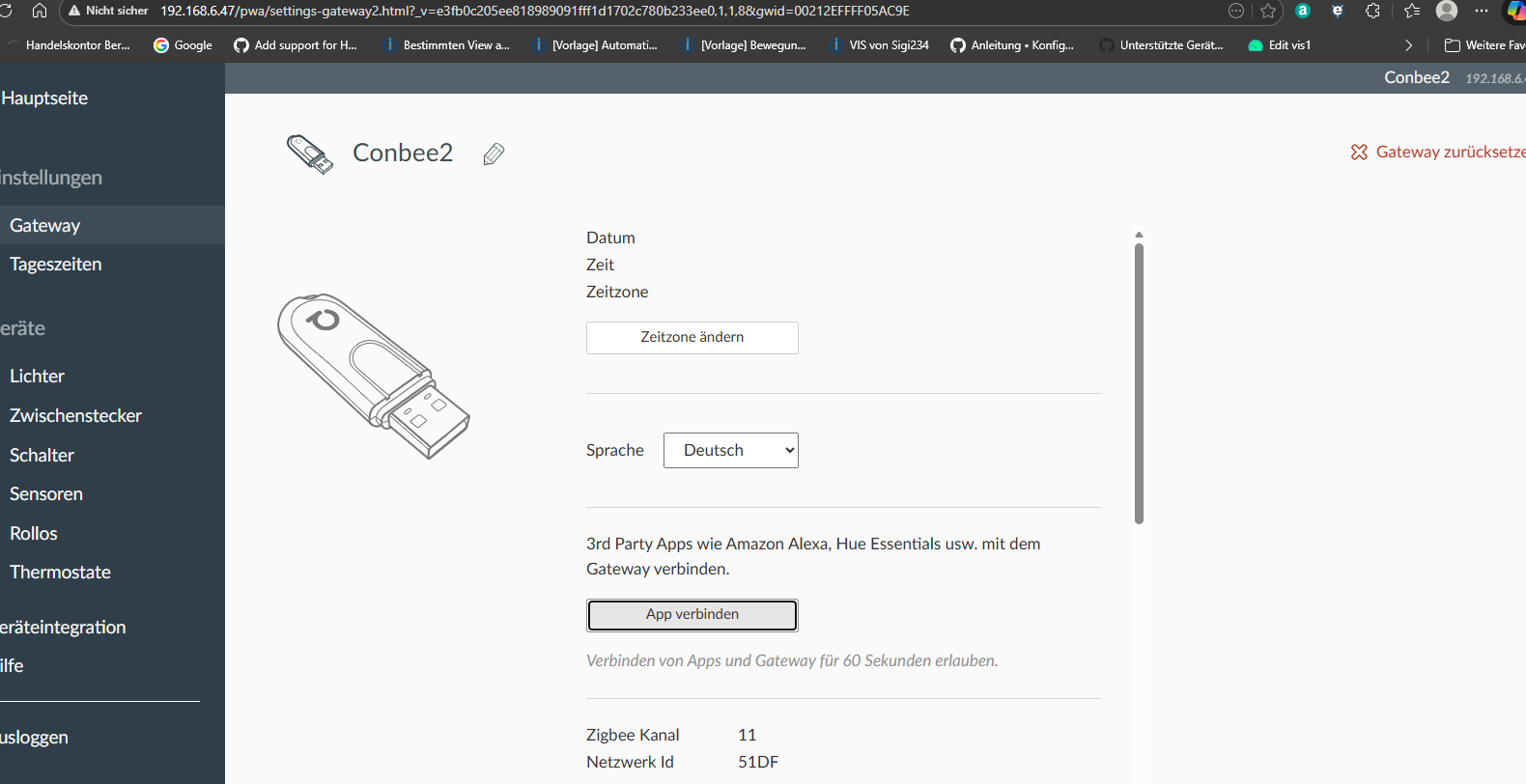
-
mein Conbee2 Stick läuft auf einen separatem Windows 11 Rechner, leider habe ich das selbe Problem.
Ich habe auf meine Raspi keinen deconz.service gefunden, was ist hier zu tun ?
Could not connect to websocket instance of deConz/Phoscon. Error: connect ETIMEDOUT 192.168.6.47:441Den Stick am Raspberry betreiben?
Dann gibt es auch eine deconz.service wo du den Port umstellen kannst.So musst du das auf dem Windows-Host irgendwie machen.
-
Da mein Windowsrechner sehr zentral steht hatte ich mich für diese Variante entschieden, ich bin schon auf der Suche wie ich das in Windows umstellen kann....
-
für alle die den Stick auf Windows laufen haben: mit "deconz.exe --ws-port-441" starten
-
Hi, wie kann ich die Datei deconz.service öffnen, um sie zu bearbeiten?
Schöne Grüße Frank
-
Hi, wie kann ich die Datei deconz.service öffnen, um sie zu bearbeiten?
-
Ok, danke. Und danach ein reboot? Oder nur service neu starten?
Schöne Grüße Frank
-
Ok, danke. Und danach ein reboot? Oder nur service neu starten?
sudo systemctl restart deconzsollte reichen.
Du kannst aber auch den Service zuvor stoppen und nach der Anpassung wieder starten.




Hey! Du scheinst an dieser Unterhaltung interessiert zu sein, hast aber noch kein Konto.
Hast du es satt, bei jedem Besuch durch die gleichen Beiträge zu scrollen? Wenn du dich für ein Konto anmeldest, kommst du immer genau dorthin zurück, wo du zuvor warst, und kannst dich über neue Antworten benachrichtigen lassen (entweder per E-Mail oder Push-Benachrichtigung). Du kannst auch Lesezeichen speichern und Beiträge positiv bewerten, um anderen Community-Mitgliedern deine Wertschätzung zu zeigen.
Mit deinem Input könnte dieser Beitrag noch besser werden 💗
Registrieren Anmelden454
Online33.0k
Benutzer83.6k
Themen1.3m
Beiträge