




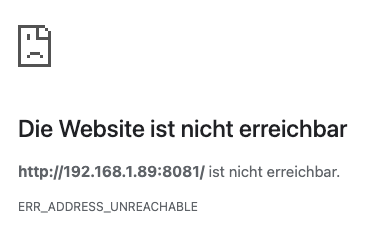
[Gelöst] ioBroker geht im Chrome nicht mehr
-
@codierknecht sagte in ioBroker geht im Chrome nicht mehr:
Mir scheint das Script 'ne Macke zu haben. Vielleicht schaut sich das @Thomas-Braun mal an.
Die Meldungen sind mir im Testing nie untergekommen. Auf einem gesunden System werden die nicht geworfen.
-
Ok. Aber was hat das damit zu tun das ich die Webseite von iob auf dem Chrome nicht öffnen kann, aber auf dem Safari Browser der dem DuckDuckGo schon.
Am iob System hat sich seit Gestern nichts geändert.Ist egal, die Fehler müssen zunächst raus. Wenn du dann dein Backup des ioBrokers eingespielt hast kannste dir das nochmal anschauen, wenn noch erforderlich.
-
Ist egal, die Fehler müssen zunächst raus. Wenn du dann dein Backup des ioBrokers eingespielt hast kannste dir das nochmal anschauen, wenn noch erforderlich.
Ich habe das Log mal gelöscht, da ich gerade keine Zeit habe zu gucken, wo sensible Daten sind.
Und wenn ich das Backup wieder einspiele, habe ich doch alles so wie vorher. Verstehe ich nicht.
Ich glaube, ich habe auch keine Lust mehr auf den iobroker, wenn ich alle 3 Monate das System neu machen muss.
So ein System soll eigentlich Zeit frei machen, statt zu fressen.
Und wenn ich ein System neu aufsetze und dann daran nichts ändere, ausser brav alle Updates zu machen, dann verstehe ich nicht, wie dort immer wieder Fehler drin sein können.
Ich lasse das jetzt erstmal so, da ich nicht annehme das all das etwas damit zu tun hat, das ich den iobroker nur im Chrome Browser nicht mehr öffnen kann. Dann nehme ich eben einen Anderen.
Ich danke euch. -
Ich habe das Log mal gelöscht, da ich gerade keine Zeit habe zu gucken, wo sensible Daten sind.
Und wenn ich das Backup wieder einspiele, habe ich doch alles so wie vorher. Verstehe ich nicht.
Ich glaube, ich habe auch keine Lust mehr auf den iobroker, wenn ich alle 3 Monate das System neu machen muss.
So ein System soll eigentlich Zeit frei machen, statt zu fressen.
Und wenn ich ein System neu aufsetze und dann daran nichts ändere, ausser brav alle Updates zu machen, dann verstehe ich nicht, wie dort immer wieder Fehler drin sein können.
Ich lasse das jetzt erstmal so, da ich nicht annehme das all das etwas damit zu tun hat, das ich den iobroker nur im Chrome Browser nicht mehr öffnen kann. Dann nehme ich eben einen Anderen.
Ich danke euch.@exmerci sagte in ioBroker geht im Chrome nicht mehr:
Und wenn ich das Backup wieder einspiele, habe ich doch alles so wie vorher.
Das Backup spielst du auf einer frischen Neuinstallation des Betriebssystems ein. Das ist dann nicht 'wie vorher'.
Ich lasse das jetzt erstmal so
Die Fehler gehen halt nicht davon weg.
-
@exmerci sagte in ioBroker geht im Chrome nicht mehr:
Und wenn ich das Backup wieder einspiele, habe ich doch alles so wie vorher.
Das Backup spielst du auf einer frischen Neuinstallation des Betriebssystems ein. Das ist dann nicht 'wie vorher'.
Ich lasse das jetzt erstmal so
Die Fehler gehen halt nicht davon weg.
@thomas-braun sagte in ioBroker geht im Chrome nicht mehr:
Das Backup spielst du auf einer frischen Neuinstallation des Betriebssystems ein. Das ist dann nicht 'wie vorher'.
Ich frage mich nur wo die Fehler immer herkommen, wenn es einfach nur läuft, ohne das etwas neu installiert wird. Von Updates mal abgesehen.
-
@codierknecht ```
Ich hoffe ich mache das richtig:
========== Start marking the full check here =========== ```bash Script v.2025-03-08 *** BASE SYSTEM *** Static hostname: iobroker Icon name: computer Operating System: Raspbian GNU/Linux 12 (bookworm) Kernel: Linux 6.6.20+rpt-rpi-v8 Architecture: arm64 OS is similar to: debian Model : Raspberry Pi 4 Model B Rev 1.5 Docker : false Virtualization : none Kernel : aarch64 Userland : 32 bit Systemuptime and Load: 14:44:35 up 19 days, 1:26, 2 users, load average: 1.08, 0.92, 0.99 CPU threads: 4 *** LIFE CYCLE STATUS *** Unknown release codenamed 'bookworm'. Please check yourself if the Operating System is actively maintained. *** RASPBERRY THROTTLING *** Current issues: No throttling issues detected. Previously detected issues: No throttling issues detected. *** TIME AND TIMEZONES *** Local time: Tue 2025-05-27 14:44:35 CEST Universal time: Tue 2025-05-27 12:44:35 UTC RTC time: n/a Time zone: Europe/Berlin (CEST, +0200) System clock synchronized: yes NTP service: active RTC in local TZ: no error: list of process IDs must follow -p Usage: init0 [options] Try 'init0 --help <simple|list|output|threads|misc|all>' or 'init0 --help <s|l|o|t|m|a>' for additional help text. For more details see ps(1). *** Users and Groups *** User that called 'iob diag': pi HOME=/home/pi GROUPS=pi adm dialout cdrom sudo audio video plugdev games users input render netdev gpio i2c spi iobroker User that is running 'js-controller': error: format specification must follow -o Usage: init0 [options] Try 'init0 --help <simple|list|output|threads|misc|all>' or 'init0 --help <s|l|o|t|m|a>' for additional help text. For more details see ps(1). usage: sudo -h | -K | -k | -V usage: sudo -v [-ABkNnS] [-g group] [-h host] [-p prompt] [-u user] usage: sudo -l [-ABkNnS] [-g group] [-h host] [-p prompt] [-U user] [-u user] [command [arg ...]] usage: sudo [-ABbEHkNnPS] [-r role] [-t type] [-C num] [-D directory] [-g group] [-h host] [-p prompt] [-R directory] [-T timeout] [-u user] [VAR=value] [-i | -s] [command [arg ...]] usage: sudo -e [-ABkNnS] [-r role] [-t type] [-C num] [-D directory] [-g group] [-h host] [-p prompt] [-R directory] [-T timeout] [-u user] file ... usage: sudo -h | -K | -k | -V usage: sudo -v [-ABkNnS] [-g group] [-h host] [-p prompt] [-u user] usage: sudo -l [-ABkNnS] [-g group] [-h host] [-p prompt] [-U user] [-u user] [command [arg ...]] usage: sudo [-ABbEHkNnPS] [-r role] [-t type] [-C num] [-D directory] [-g group] [-h host] [-p prompt] [-R directory] [-T timeout] [-u user] [VAR=value] [-i | -s] [command [arg ...]] usage: sudo -e [-ABkNnS] [-r role] [-t type] [-C num] [-D directory] [-g group] [-h host] [-p prompt] [-R directory] [-T timeout] [-u user] file ... GROUPS= error: list of process IDs must follow -p Usage: init0 [options] Try 'init0 --help <simple|list|output|threads|misc|all>' or 'init0 --help <s|l|o|t|m|a>' for additional help text. For more details see ps(1). *** DISPLAY-SERVER SETUP *** Display-Server: false Desktop: Terminal: tty error: list of process IDs must follow -p Usage: init0 [options] Try 'init0 --help <simple|list|output|threads|misc|all>' or 'init0 --help <s|l|o|t|m|a>' for additional help text. For more details see ps(1). *** MEMORY *** total used free shared buff/cache available Mem: 8.2G 3.6G 3.0G 335K 1.7G 4.5G Swap: 209M 209M 339K Total: 8.4G 3.8G 3.0G Active iob-Instances: 56 7810 M total memory 3471 M used memory 2123 M active memory 2576 M inactive memory 2845 M free memory 101 M buffer memory 1513 M swap cache 199 M total swap 199 M used swap 0 M free swap *** top - Table Of Processes *** top - 14:44:35 up 19 days, 1:26, 2 users, load average: 1.08, 0.92, 0.99 Tasks: 243 total, 1 running, 242 sleeping, 0 stopped, 0 zombie %Cpu(s): 14.3 us, 14.3 sy, 0.0 ni, 71.4 id, 0.0 wa, 0.0 hi, 0.0 si, 0.0 st MiB Mem : 7810.0 total, 2844.6 free, 3472.3 used, 1615.3 buff/cache MiB Swap: 200.0 total, 0.3 free, 199.7 used. 4337.7 avail Mem *** FAILED SERVICES *** UNIT LOAD ACTIVE SUB DESCRIPTION 0 loaded units listed. *** DMESG CRITICAL ERRORS *** No critical errors detected *** FILESYSTEM *** df: /media/usb: Input/output error Filesystem Type Size Used Avail Use% Mounted on udev devtmpfs 3.6G 0 3.6G 0% /dev tmpfs tmpfs 782M 1.4M 780M 1% /run /dev/mmcblk0p2 ext4 29G 17G 11G 61% / tmpfs tmpfs 3.9G 0 3.9G 0% /dev/shm tmpfs tmpfs 5.0M 16K 5.0M 1% /run/lock /dev/mmcblk0p1 vfat 510M 97M 414M 19% /boot/firmware tmpfs tmpfs 781M 0 781M 0% /run/user/1000 Messages concerning ext4 filesystem in dmesg: Show mounted filesystems: TARGET SOURCE FSTYPE OPTIONS / /dev/mmcblk0p2 ext4 rw,noatime |-/boot/firmware /dev/mmcblk0p1 vfat rw,relatime,fmask=0022,dmask=0022,codepage=437,iocharset=ascii,shortname=mixed,errors=remount-ro `-/media/usb /dev/sda1 vfat rw,relatime,fmask=0022,dmask=0022,codepage=437,iocharset=ascii,shortname=mixed,errors=remount-ro Files in neuralgic directories: /var: 3.3G /var/ 2.7G /var/log/journal/317604764e914a7ab3cc0724abe275e0 2.7G /var/log/journal 2.7G /var/log 319M /var/lib Archived and active journals take up 2.6G in the file system. /opt/iobroker/backups: 2.8G /opt/iobroker/backups/ /opt/iobroker/iobroker-data: 3.3G /opt/iobroker/iobroker-data/ 1.1G /opt/iobroker/iobroker-data/files_org 1023M /opt/iobroker/iobroker-data/files 630M /opt/iobroker/iobroker-data/history 617M /opt/iobroker/iobroker-data/files_org/javascript.admin The five largest files in iobroker-data are: 59M /opt/iobroker/iobroker-data/objects.jsonl 47M /opt/iobroker/iobroker-data/states.jsonl 38M /opt/iobroker/iobroker-data/files_org/iot.admin/static/js/main.d3d286bd.js.map 38M /opt/iobroker/iobroker-data/files/iot.admin/static/js/main.d3d286bd.js.map 27M /opt/iobroker/iobroker-data/files_org/tankerkoenig.admin/build/index.js.map USB-Devices by-id: USB-Sticks - Avoid direct links to /dev/tty* in your adapter setups, please always prefer the links 'by-id': No Devices found 'by-id' Zigbee Network Settings on your coordinator/in nvbackup are: zigbee.X Extended Pan ID: *** MASKED *** Pan ID: *** MASKED *** Channel: *** MASKED *** Network Key: *** MASKED *** To unmask the settings run 'iob diag --unmask' *** NodeJS-Installation *** /usr/bin/nodejs v20.18.2 /usr/bin/node v20.18.2 /usr/bin/npm 10.8.2 /usr/bin/npx 10.8.2 /usr/bin/corepack 0.29.4 nodejs: Installed: 20.18.2-1nodesource1 Candidate: 20.19.0-1nodesource1 Version table: 20.19.0-1nodesource1 1001 500 https://deb.nodesource.com/node_20.x nodistro/main armhf Packages 20.18.3-1nodesource1 1001 500 https://deb.nodesource.com/node_20.x nodistro/main armhf Packages *** 20.18.2-1nodesource1 1001 500 https://deb.nodesource.com/node_20.x nodistro/main armhf Packages 100 /var/lib/dpkg/status 20.18.1-1nodesource1 1001 500 https://deb.nodesource.com/node_20.x nodistro/main armhf Packages 20.18.0-1nodesource1 1001 500 https://deb.nodesource.com/node_20.x nodistro/main armhf Packages 20.17.0-1nodesource1 1001 500 https://deb.nodesource.com/node_20.x nodistro/main armhf Packages 20.16.0-1nodesource1 1001 500 https://deb.nodesource.com/node_20.x nodistro/main armhf Packages 20.15.1-1nodesource1 1001 500 https://deb.nodesource.com/node_20.x nodistro/main armhf Packages 20.15.0-1nodesource1 1001 500 https://deb.nodesource.com/node_20.x nodistro/main armhf Packages 20.14.0-1nodesource1 1001 500 https://deb.nodesource.com/node_20.x nodistro/main armhf Packages 20.13.1-1nodesource1 1001 500 https://deb.nodesource.com/node_20.x nodistro/main armhf Packages 20.13.0-1nodesource1 1001 500 https://deb.nodesource.com/node_20.x nodistro/main armhf Packages 20.12.2-1nodesource1 1001 500 https://deb.nodesource.com/node_20.x nodistro/main armhf Packages 20.12.1-1nodesource1 1001 500 https://deb.nodesource.com/node_20.x nodistro/main armhf Packages 20.12.0-1nodesource1 1001 500 https://deb.nodesource.com/node_20.x nodistro/main armhf Packages 20.11.1-1nodesource1 1001 500 https://deb.nodesource.com/node_20.x nodistro/main armhf Packages 20.11.0-1nodesource1 1001 500 https://deb.nodesource.com/node_20.x nodistro/main armhf Packages 20.10.0-1nodesource1 1001 500 https://deb.nodesource.com/node_20.x nodistro/main armhf Packages 20.9.0-1nodesource1 1001 500 https://deb.nodesource.com/node_20.x nodistro/main armhf Packages 20.8.1-1nodesource1 1001 500 https://deb.nodesource.com/node_20.x nodistro/main armhf Packages 20.8.0-1nodesource1 1001 500 https://deb.nodesource.com/node_20.x nodistro/main armhf Packages 20.7.0-1nodesource1 1001 500 https://deb.nodesource.com/node_20.x nodistro/main armhf Packages 20.6.1-1nodesource1 1001 500 https://deb.nodesource.com/node_20.x nodistro/main armhf Packages 20.6.0-1nodesource1 1001 500 https://deb.nodesource.com/node_20.x nodistro/main armhf Packages 20.5.1-1nodesource1 1001 500 https://deb.nodesource.com/node_20.x nodistro/main armhf Packages 20.5.0-1nodesource1 1001 500 https://deb.nodesource.com/node_20.x nodistro/main armhf Packages 20.4.0-1nodesource1 1001 500 https://deb.nodesource.com/node_20.x nodistro/main armhf Packages 20.3.1-1nodesource1 1001 500 https://deb.nodesource.com/node_20.x nodistro/main armhf Packages 20.3.0-1nodesource1 1001 500 https://deb.nodesource.com/node_20.x nodistro/main armhf Packages 20.2.0-1nodesource1 1001 500 https://deb.nodesource.com/node_20.x nodistro/main armhf Packages 20.1.0-1nodesource1 1001 500 https://deb.nodesource.com/node_20.x nodistro/main armhf Packages 20.0.0-1nodesource1 1001 500 https://deb.nodesource.com/node_20.x nodistro/main armhf Packages 18.19.0+dfsg-6~deb12u2+rpi1 500 500 http://raspbian.raspberrypi.com/raspbian bookworm/main armhf Packages Temp directories causing deletion problem: 0 No problems detected Errors in npm tree: 0 No problems detected *** ioBroker-Installation *** ioBroker Status iobroker is running on this host. Objects type: jsonl States type: jsonl Hosts: iobroker iobroker (version: 7.0.6, hostname: iobroker , alive, uptime: 1646780) Core adapters versions js-controller: 7.0.6 admin: 7.6.3 javascript: 8.8.3 nodejs modules from github: 9 +-- iobroker.bosch-ebike@0.1.5 (git+ssh://git@github.com/TA2k/ioBroker.bosch-ebike.git#c750fa5ba2bb84dd40bb4c97a6a0be0d468f8520) +-- iobroker.gardena@2.5.2 (git+ssh://git@github.com/t4qjXH8N/ioBroker.gardena.git#5029917d1442aaaedd11d32a4982931ccdcf7bd2) +-- iobroker.heizoel@1.0.3 (git+ssh://git@github.com/TA2k/ioBroker.heizoel.git#f45d5281d9e783674351f95873b8233320620ff5) +-- iobroker.parser@2.2.4 (git+ssh://git@github.com/ioBroker/ioBroker.parser.git#cbd4396c9afea1d093840148d39d58b3b041dec1) +-- iobroker.roborock@0.6.18 (git+ssh://git@github.com/copystring/ioBroker.roborock.git#f2ff2069429c212dab2ccd13661178864fb5383b) +-- iobroker.slideshow@0.1.4 (git+ssh://git@github.com/gaudes/ioBroker.slideshow.git#26925817e7dc8d367ba0ccd7f8da1f2d64c55336) +-- iobroker.sourceanalytix@0.4.12-1 (git+ssh://git@github.com/DrozmotiX/ioBroker.sourceanalytix.git#362346b297c0a21c717ec20bd8d16331bca3b22d) +-- iobroker.switchbot-hub@0.1.2 (git+ssh://git@github.com/DrozmotiX/ioBroker.switchbot-hub.git#7a05fa59dfc5e3ce8d73018badc4e420996452f8) +-- iobroker.tapo@0.4.8 (git+ssh://git@github.com/TA2k/ioBroker.tapo.git#615315d4bae5c77b153ac5067bdca8ba3ad3996f) Adapter State + system.adapter.admin.0 : admin : iobroker - enabled, port: 8081, bind: 0.0.0.0, run as: admin + system.adapter.alexa2.0 : alexa2 : iobroker - enabled + system.adapter.backitup.0 : backitup : iobroker - enabled system.adapter.birthdays.0 : birthdays : iobroker - enabled + system.adapter.bosch-ebike.0 : bosch-ebike : iobroker - enabled + system.adapter.cloud.0 : cloud : iobroker - enabled + system.adapter.discovery.0 : discovery : iobroker - enabled system.adapter.dwd.0 : dwd : iobroker - enabled system.adapter.email.0 : email : iobroker - disabled system.adapter.email.1 : email : iobroker - disabled + system.adapter.fb-checkpresence.0 : fb-checkpresence : iobroker - enabled system.adapter.feiertage.0 : feiertage : iobroker - enabled + system.adapter.firetv.0 : firetv : iobroker - enabled system.adapter.flot.0 : flot : iobroker - disabled + system.adapter.fritzbox.0 : fritzbox : iobroker - enabled + system.adapter.fritzdect.0 : fritzdect : iobroker - enabled + system.adapter.fullybrowser.0 : fullybrowser : iobroker - enabled system.adapter.gardena.0 : gardena : iobroker - disabled + system.adapter.ham.0 : ham : iobroker - enabled + system.adapter.harmony.0 : harmony : iobroker - enabled + system.adapter.heizoel.0 : heizoel : iobroker - enabled + system.adapter.history.0 : history : iobroker - enabled + system.adapter.hm-rega.0 : hm-rega : iobroker - enabled + system.adapter.hm-rpc.0 : hm-rpc : iobroker - enabled, port: 0 + system.adapter.hm-rpc.1 : hm-rpc : iobroker - enabled, port: 0 + system.adapter.hm-rpc.2 : hm-rpc : iobroker - enabled, port: 0 system.adapter.hmip.0 : hmip : iobroker - disabled + system.adapter.hs100.0 : hs100 : iobroker - enabled system.adapter.ical.0 : ical : iobroker - enabled system.adapter.icons-icons8.0 : icons-icons8 : iobroker - disabled system.adapter.icons-ultimate-png.0 : icons-ultimate-png : iobroker - disabled + system.adapter.influxdb.0 : influxdb : iobroker - enabled, port: 8086 + system.adapter.iot.0 : iot : iobroker - enabled + system.adapter.iqontrol.0 : iqontrol : iobroker - enabled + system.adapter.javascript.0 : javascript : iobroker - enabled + system.adapter.lgtv.0 : lgtv : iobroker - enabled + system.adapter.lgtv11.0 : lgtv11 : iobroker - enabled, port: 8080 system.adapter.luftdaten.0 : luftdaten : iobroker - enabled + system.adapter.meross.0 : meross : iobroker - enabled + system.adapter.mqtt-client.0 : mqtt-client : iobroker - enabled, port: 1883 + system.adapter.mqtt.0 : mqtt : iobroker - enabled, port: 1883, bind: 0.0.0.0 + system.adapter.musiccast.0 : musiccast : iobroker - enabled system.adapter.parcel.0 : parcel : iobroker - disabled + system.adapter.parser.0 : parser : iobroker - enabled + system.adapter.ping.0 : ping : iobroker - enabled + system.adapter.pollenflug.0 : pollenflug : iobroker - enabled + system.adapter.roborock.0 : roborock : iobroker - enabled + system.adapter.rpi2.0 : rpi2 : iobroker - enabled + system.adapter.shelly.0 : shelly : iobroker - enabled, port: 1882, bind: 0.0.0.0 + system.adapter.simple-api.0 : simple-api : iobroker - enabled, port: 8087, bind: 0.0.0.0, run as: admin + system.adapter.slideshow.0 : slideshow : iobroker - enabled + system.adapter.smartgarden.0 : smartgarden : iobroker - enabled + system.adapter.sonoff.0 : sonoff : iobroker - enabled, port: 1883, bind: 0.0.0.0 + system.adapter.sourceanalytix.0 : sourceanalytix : iobroker - enabled + system.adapter.spotify-premium.0 : spotify-premium : iobroker - enabled system.adapter.spotify-premium.1 : spotify-premium : iobroker - disabled system.adapter.switchbot-hub.0 : switchbot-hub : iobroker - disabled + system.adapter.systeminfo.0 : systeminfo : iobroker - enabled + system.adapter.tankerkoenig.0 : tankerkoenig : iobroker - enabled + system.adapter.tapo.0 : tapo : iobroker - enabled + system.adapter.telegram.0 : telegram : iobroker - enabled, port: 8443, bind: 0.0.0.0 + system.adapter.telegram.1 : telegram : iobroker - enabled, port: 8443, bind: 0.0.0.0 + system.adapter.tesla-motors.0 : tesla-motors : iobroker - enabled + system.adapter.tr-064.0 : tr-064 : iobroker - enabled + system.adapter.tr-064.1 : tr-064 : iobroker - enabled + system.adapter.trashschedule.0 : trashschedule : iobroker - enabled system.adapter.vis-hqwidgets.0 : vis-hqwidgets : iobroker - disabled + system.adapter.vis-inventwo.0 : vis-inventwo : iobroker - enabled system.adapter.vis-jqui-mfd.0 : vis-jqui-mfd : iobroker - disabled system.adapter.vis-lcars.0 : vis-lcars : iobroker - disabled system.adapter.vis-metro.0 : vis-metro : iobroker - disabled system.adapter.vis-timeandweather.0 : vis-timeandweather : iobroker - disabled system.adapter.vis-weather.0 : vis-weather : iobroker - disabled system.adapter.vis.0 : vis : iobroker - enabled + system.adapter.web.0 : web : iobroker - enabled, port: 8082, bind: 0.0.0.0, run as: admin + system.adapter.whatsapp-cmb.0 : whatsapp-cmb : iobroker - enabled system.adapter.yahka.0 : yahka : iobroker - disabled system.adapter.yamaha.2 : yamaha : iobroker - disabled + system.adapter.yamaha.3 : yamaha : iobroker - enabled + instance is alive Enabled adapters with bindings + system.adapter.admin.0 : admin : iobroker - enabled, port: 8081, bind: 0.0.0.0, run as: admin + system.adapter.hm-rpc.0 : hm-rpc : iobroker - enabled, port: 0 + system.adapter.hm-rpc.1 : hm-rpc : iobroker - enabled, port: 0 + system.adapter.hm-rpc.2 : hm-rpc : iobroker - enabled, port: 0 + system.adapter.influxdb.0 : influxdb : iobroker - enabled, port: 8086 + system.adapter.lgtv11.0 : lgtv11 : iobroker - enabled, port: 8080 + system.adapter.mqtt-client.0 : mqtt-client : iobroker - enabled, port: 1883 + system.adapter.mqtt.0 : mqtt : iobroker - enabled, port: 1883, bind: 0.0.0.0 + system.adapter.shelly.0 : shelly : iobroker - enabled, port: 1882, bind: 0.0.0.0 + system.adapter.simple-api.0 : simple-api : iobroker - enabled, port: 8087, bind: 0.0.0.0, run as: admin + system.adapter.sonoff.0 : sonoff : iobroker - enabled, port: 1883, bind: 0.0.0.0 + system.adapter.telegram.0 : telegram : iobroker - enabled, port: 8443, bind: 0.0.0.0 + system.adapter.telegram.1 : telegram : iobroker - enabled, port: 8443, bind: 0.0.0.0 + system.adapter.web.0 : web : iobroker - enabled, port: 8082, bind: 0.0.0.0, run as: admin ioBroker-Repositories ┌─────────┬────────────────────┬─────────────────────────────────────────────────────────┬──────────────┐ │ (index) │ name │ url │ auto upgrade │ ├─────────┼────────────────────┼─────────────────────────────────────────────────────────┼──────────────┤ │ 0 │ 'Stable (default)' │ 'http://download.iobroker.net/sources-dist.json' │ false │ │ 1 │ 'Beta (latest)' │ 'http://download.iobroker.net/sources-dist-latest.json' │ false │ └─────────┴────────────────────┴─────────────────────────────────────────────────────────┴──────────────┘ Active repo(s): Stable (default) Upgrade policy: none Installed ioBroker-Adapters Used repository: Stable (default) Adapter "admin" : 7.6.17 , installed 7.6.3 [Updatable] Adapter "alexa2" : 3.26.5 , installed 3.26.5 Adapter "backitup" : 3.0.31 , installed 3.0.31 Adapter "birthdays" : 4.0.0 , installed 4.0.0 Adapter "cloud" : 5.0.1 , installed 5.0.1 Adapter "denon" : 1.15.12 , installed 1.15.12 Adapter "discovery" : 5.0.0 , installed 5.0.0 Adapter "dwd" : 2.8.5 , installed 2.8.5 Adapter "email" : 2.0.4 , installed 2.0.4 Adapter "fb-checkpresence": 1.3.1 , installed 1.3.1 Adapter "feiertage" : 1.2.1 , installed 1.2.1 Adapter "firetv" : 2.1.0 , installed 2.1.0 Adapter "flot" : 1.12.0 , installed 1.12.0 Adapter "fritzbox" : 0.6.0 , installed 0.6.0 Adapter "fritzdect" : 2.6.1 , installed 2.6.1 Adapter "fullybrowser" : 3.1.1 , installed 3.1.1 Adapter "ham" : 5.3.1 , installed 5.3.1 Adapter "harmony" : 1.5.0 , installed 1.5.0 Adapter "heizoel" : 1.0.3 , installed 1.0.3 Adapter "history" : 3.0.1 , installed 3.0.1 Adapter "hm-rega" : 5.1.0 , installed 5.1.0 Adapter "hm-rpc" : 2.0.2 , installed 2.0.2 Adapter "hmip" : 1.27.0 , installed 1.27.0 Adapter "hs100" : 2.2.2 , installed 2.2.2 Adapter "ical" : 1.16.1 , installed 1.16.1 Adapter "icons-icons8" : 0.0.1 , installed 0.0.1 Adapter "icons-ultimate-png": 1.0.1, installed 1.0.1 Adapter "influxdb" : 4.0.2 , installed 4.0.2 Adapter "iot" : 3.3.0 , installed 3.3.0 Adapter "iqontrol" : 3.0.0 , installed 3.0.0 Adapter "javascript" : 8.8.3 , installed 8.8.3 Controller "js-controller": 7.0.6 , installed 7.0.6 Adapter "lgtv" : 2.4.0 , installed 2.4.0 Adapter "lgtv11" : 1.0.5 , installed 1.0.5 Adapter "luftdaten" : 4.0.0 , installed 4.0.0 Adapter "meross" : 1.17.0 , installed 1.17.0 Adapter "mqtt" : 6.1.2 , installed 6.1.2 Adapter "mqtt-client" : 3.0.0 , installed 3.0.0 Adapter "musiccast" : 1.1.4 , installed 1.1.4 Adapter "parser" : 2.2.4 , installed 2.2.4 Adapter "ping" : 1.6.2 , installed 1.6.2 Adapter "pollenflug" : 2.0.0 , installed 2.0.0 Adapter "roborock" : 0.6.18 , installed 0.6.18 Adapter "rpi2" : 2.4.0 , installed 2.4.0 Adapter "shelly" : 9.2.0 , installed 9.2.0 Adapter "simple-api" : 2.8.0 , installed 2.8.0 Adapter "smartgarden" : 2.0.1 , installed 2.0.1 Adapter "socketio" : 6.7.1 , installed 6.7.1 Adapter "sonoff" : 3.1.2 , installed 3.1.2 Adapter "spotify-premium": 1.5.2 , installed 1.5.2 Adapter "systeminfo" : 1.2.0 , installed 1.2.0 Adapter "tankerkoenig" : 3.4.0 , installed 3.4.0 Adapter "telegram" : 4.1.0 , installed 4.1.0 Adapter "tesla-motors" : 1.3.2 , installed 1.3.2 Adapter "tr-064" : 4.3.0 , installed 4.3.0 Adapter "trashschedule": 3.3.0 , installed 3.3.0 Adapter "vis" : 1.5.6 , installed 1.5.4 [Updatable] Adapter "vis-hqwidgets": 1.5.1 , installed 1.5.1 Adapter "vis-inventwo" : 3.3.5 , installed 3.3.5 Adapter "vis-jqui-mfd" : 1.1.1 , installed 1.1.1 Adapter "vis-lcars" : 1.1.1 , installed 1.1.1 Adapter "vis-metro" : 1.2.0 , installed 1.2.0 Adapter "vis-timeandweather": 1.2.2, installed 1.2.2 Adapter "vis-weather" : 2.5.11 , installed 2.5.11 Adapter "web" : 7.0.8 , installed 7.0.8 Adapter "whatsapp-cmb" : 0.3.0 , installed 0.3.0 Adapter "ws" : 2.6.2 , installed 2.6.2 Adapter "yahka" : 1.0.3 , installed 1.0.3 Adapter "yamaha" : 0.5.4 , installed 0.5.4 Objects and States Please stand by - This may take a while Objects: 46316 States: 38997 *** OS-Repositories and Updates *** W: http://raspbian.raspberrypi.com/raspbian/dists/bookworm/InRelease: Key is stored in legacy trusted.gpg keyring (/etc/apt/trusted.gpg), see the DEPRECATION section in apt-key(8) for details. W: https://packages.grafana.com/oss/deb/dists/stable/InRelease: Key is stored in legacy trusted.gpg keyring (/etc/apt/trusted.gpg), see the DEPRECATION section in apt-key(8) for details. Hit:1 http://archive.raspberrypi.com/debian bookworm InRelease Hit:2 http://raspbian.raspberrypi.com/raspbian bookworm InRelease Hit:3 https://download.docker.com/linux/raspbian bookworm InRelease Hit:4 https://packages.grafana.com/oss/deb stable InRelease Hit:5 https://repos.influxdata.com/debian stable InRelease Hit:6 https://repos.influxdata.com/debian bookworm InRelease Hit:7 https://apt.grafana.com stable InRelease Hit:8 https://deb.nodesource.com/node_20.x nodistro InRelease Reading package lists... W: http://raspbian.raspberrypi.com/raspbian/dists/bookworm/InRelease: Key is stored in legacy trusted.gpg keyring (/etc/apt/trusted.gpg), see the DEPRECATION section in apt-key(8) for details. W: https://packages.grafana.com/oss/deb/dists/stable/InRelease: Key is stored in legacy trusted.gpg keyring (/etc/apt/trusted.gpg), see the DEPRECATION section in apt-key(8) for details. Pending Updates: 118 *** Listening Ports *** Active Internet connections (only servers) Proto Recv-Q Send-Q Local Address Foreign Address State User Inode PID/Program name tcp 0 0 127.0.0.1:631 0.0.0.0:* LISTEN 0 37571947 10798/cupsd tcp 0 0 127.0.0.1:9001 0.0.0.0:* LISTEN 1001 8908 1081/iobroker.js-co tcp 0 0 127.0.0.1:9000 0.0.0.0:* LISTEN 1001 10067 1081/iobroker.js-co tcp 0 0 0.0.0.0:2095 0.0.0.0:* LISTEN 0 8426 1017/docker-proxy tcp 0 0 192.168.1.89:9292 0.0.0.0:* LISTEN 1001 30161979 4241/io.hm-rpc.2 tcp 0 0 127.0.0.1:39657 0.0.0.0:* LISTEN 0 5893 670/containerd tcp 0 0 192.168.1.89:2010 0.0.0.0:* LISTEN 1001 30158640 3966/io.hm-rpc.0 tcp 0 0 192.168.1.89:2001 0.0.0.0:* LISTEN 1001 30161301 4030/io.hm-rpc.1 tcp 0 0 0.0.0.0:1883 0.0.0.0:* LISTEN 1001 15712 2894/io.sonoff.0 tcp 0 0 0.0.0.0:1882 0.0.0.0:* LISTEN 1001 22005 3042/io.shelly.0 tcp 0 0 0.0.0.0:5900 0.0.0.0:* LISTEN 0 5099 674/vncserver-x11-c tcp 0 0 0.0.0.0:22 0.0.0.0:* LISTEN 0 5861 677/sshd: /usr/sbin tcp6 0 0 ::1:631 :::* LISTEN 0 37571946 10798/cupsd tcp6 0 0 :::7906 :::* LISTEN 1001 25725779 19667/io.roborock.0 tcp6 0 0 :::8087 :::* LISTEN 1001 21081 3921/io.simple-api. tcp6 0 0 :::8086 :::* LISTEN 106 7467 754/influxd tcp6 0 0 :::8082 :::* LISTEN 1001 36979158 15886/io.web.0 tcp6 0 0 :::8081 :::* LISTEN 1001 11530 1996/io.admin.0 tcp6 0 0 :::2095 :::* LISTEN 0 9501 1023/docker-proxy tcp6 0 0 :::6824 :::* LISTEN 1001 25725778 19667/io.roborock.0 tcp6 0 0 :::3000 :::* LISTEN 107 8029 1080/grafana tcp6 0 0 :::5900 :::* LISTEN 0 5098 674/vncserver-x11-c tcp6 0 0 :::22 :::* LISTEN 0 5863 677/sshd: /usr/sbin tcp6 0 0 :::61991 :::* LISTEN 1001 12030 2492/io.harmony.0 udp 0 0 0.0.0.0:41100 0.0.0.0:* 1001 23719 3914/io.musiccast.0 udp 0 0 0.0.0.0:5353 0.0.0.0:* 104 6396 539/avahi-daemon: r udp 0 0 0.0.0.0:55687 0.0.0.0:* 104 6398 539/avahi-daemon: r udp6 0 0 :::48276 :::* 104 6399 539/avahi-daemon: r udp6 0 0 fe80::561e:c1f8:cc8:546 :::* 0 30158471 617/NetworkManager udp6 0 0 :::5353 :::* 104 6397 539/avahi-daemon: r *** Log File - Last 25 Lines *** 2025-05-27 14:46:06.828 - info: shelly.0 (3042) [authEnabled] 192.168.1.137 (shellyplus1pm / shellyplus1pm-e86beaeb8dbc / shellyplus1pm#e86beaeb8dbc#1): This device is not protected via restricted login (see adapter documentation for details) 2025-05-27 14:46:06.839 - debug: musiccast.0 (3914) [isOnline] getting network status for RX-V683 07E85083 (192.168.1.160) 2025-05-27 14:46:05.337 - info: roborock.0 (19667) MQTT connection reconnect. 2025-05-27 14:46:05.348 - info: roborock.0 (19667) MQTT connection reconnect. 2025-05-27 14:46:05.389 - error: roborock.0 (19667) Failed to execute client.on("error") on robot undefined (unknown model): MQTT connection error: ErrorWithReasonCode: Connection refused: Not authorized. rriot.r.m: ssl://mqtt-eu-4.roborock.com:8883 rriot.u: 4VA7BI7DRpQ8uPPuH2YUH4, mqttUser: 21c73ff2, mqttPassword: cce7240fe56c2494 2025-05-27 14:46:05.395 - info: roborock.0 (19667) MQTT connection close. 2025-05-27 14:46:05.395 - info: roborock.0 (19667) MQTT connection reconnect. 2025-05-27 14:46:05.412 - error: roborock.0 (19667) Failed to execute client.on("error") on robot undefined (unknown model): MQTT connection error: ErrorWithReasonCode: Connection refused: Not authorized. rriot.r.m: ssl://mqtt-eu-4.roborock.com:8883 rriot.u: 4VA7BI7DRpQ8uPPuH2YUH4, mqttUser: a296480e, mqttPassword: b5d57c05c767714b 2025-05-27 14:46:05.416 - info: roborock.0 (19667) MQTT connection close. 2025-05-27 14:46:05.418 - error: roborock.0 (19667) Failed to execute client.on("error") on robot undefined (unknown model): MQTT connection error: ErrorWithReasonCode: Connection refused: Not authorized. rriot.r.m: ssl://mqtt-eu-4.roborock.com:8883 rriot.u: 4VA7BI7DRpQ8uPPuH2YUH4, mqttUser: b3fc468b, mqttPassword: e2c23de11d6e60d0 2025-05-27 14:46:05.422 - info: roborock.0 (19667) MQTT connection close. 2025-05-27 14:46:05.461 - error: roborock.0 (19667) Failed to execute client.on("error") on robot undefined (unknown model): MQTT connection error: ErrorWithReasonCode: Connection refused: Not authorized. rriot.r.m: ssl://mqtt-eu-4.roborock.com:8883 rriot.u: 4VA7BI7DRpQ8uPPuH2YUH4, mqttUser: f6f39349, mqttPassword: 147f68f22c19cad5 2025-05-27 14:46:05.467 - info: roborock.0 (19667) MQTT connection close. 2025-05-27 14:46:06.395 - info: roborock.0 (19667) MQTT connection reconnect. 2025-05-27 14:46:06.416 - info: roborock.0 (19667) MQTT connection reconnect. 2025-05-27 14:46:06.423 - info: roborock.0 (19667) MQTT connection reconnect. 2025-05-27 14:46:06.463 - error: roborock.0 (19667) Failed to execute client.on("error") on robot undefined (unknown model): MQTT connection error: ErrorWithReasonCode: Connection refused: Not authorized. rriot.r.m: ssl://mqtt-eu-4.roborock.com:8883 rriot.u: 4VA7BI7DRpQ8uPPuH2YUH4, mqttUser: 21c73ff2, mqttPassword: cce7240fe56c2494 2025-05-27 14:46:06.467 - info: roborock.0 (19667) MQTT connection close. 2025-05-27 14:46:06.467 - info: roborock.0 (19667) MQTT connection reconnect. 2025-05-27 14:46:06.485 - error: roborock.0 (19667) Failed to execute client.on("error") on robot undefined (unknown model): MQTT connection error: ErrorWithReasonCode: Connection refused: Not authorized. rriot.r.m: ssl://mqtt-eu-4.roborock.com:8883 rriot.u: 4VA7BI7DRpQ8uPPuH2YUH4, mqttUser: a296480e, mqttPassword: b5d57c05c767714b 2025-05-27 14:46:06.489 - info: roborock.0 (19667) MQTT connection close. 2025-05-27 14:46:06.490 - error: roborock.0 (19667) Failed to execute client.on("error") on robot undefined (unknown model): MQTT connection error: ErrorWithReasonCode: Connection refused: Not authorized. rriot.r.m: ssl://mqtt-eu-4.roborock.com:8883 rriot.u: 4VA7BI7DRpQ8uPPuH2YUH4, mqttUser: b3fc468b, mqttPassword: e2c23de11d6e60d0 2025-05-27 14:46:06.495 - info: roborock.0 (19667) MQTT connection close. 2025-05-27 14:46:06.538 - error: roborock.0 (19667) Failed to execute client.on("error") on robot undefined (unknown model): MQTT connection error: ErrorWithReasonCode: Connection refused: Not authorized. rriot.r.m: ssl://mqtt-eu-4.roborock.com:8883 rriot.u: 4VA7BI7DRpQ8uPPuH2YUH4, mqttUser: f6f39349, mqttPassword: 147f68f22c19cad5 2025-05-27 14:46:06.542 - info: roborock.0 (19667) MQTT connection close. ============ Mark until here for C&P ============= iob diag has finished.@exmerci sagte in ioBroker geht im Chrome nicht mehr:
gelöscht
Stell das Log bitte wieder ein, damit ich sehen kann an welchen Stellen da die merkwürdigen Meldungen im Skript geworfen werden.
-
@thomas-braun sagte in ioBroker geht im Chrome nicht mehr:
Das Backup spielst du auf einer frischen Neuinstallation des Betriebssystems ein. Das ist dann nicht 'wie vorher'.
Ich frage mich nur wo die Fehler immer herkommen, wenn es einfach nur läuft, ohne das etwas neu installiert wird. Von Updates mal abgesehen.
@exmerci sagte in ioBroker geht im Chrome nicht mehr:
Ich frage mich nur wo die Fehler immer herkommen,
Der erste Fehler ist schon von dir bei der Installation des OS gemacht worden, da wurde die 32Bit-Version verwendet. Und das wird dann halt in den höheren Etagen nicht besser.
Und SD-Cards sind ja auch ggfls. etwas 'empfindlich'. -
@exmerci sagte in ioBroker geht im Chrome nicht mehr:
Ich frage mich nur wo die Fehler immer herkommen,
Der erste Fehler ist schon von dir bei der Installation des OS gemacht worden, da wurde die 32Bit-Version verwendet. Und das wird dann halt in den höheren Etagen nicht besser.
Und SD-Cards sind ja auch ggfls. etwas 'empfindlich'.Und warum darf ich die 32bit Version nicht verwenden? Warum gibt es diese dann?
Es war ausserdem damals die einzige die auf dem alten PI lief.
Hab das Log wieder eingesetzt. Sehe auch irgendwie keine kritischen Daten. -
Und warum darf ich die 32bit Version nicht verwenden? Warum gibt es diese dann?
Es war ausserdem damals die einzige die auf dem alten PI lief.
Hab das Log wieder eingesetzt. Sehe auch irgendwie keine kritischen Daten.@exmerci sagte in ioBroker geht im Chrome nicht mehr:
Und warum darf ich die 32bit Version nicht verwenden? Warum gibt es diese dann?
Darfst du.
Aber du darfst dich nicht wundern, wenn es auf einem 64Bit-Raspberry zu Problemen führt. -
@exmerci sagte in ioBroker geht im Chrome nicht mehr:
Und warum darf ich die 32bit Version nicht verwenden? Warum gibt es diese dann?
Darfst du.
Aber du darfst dich nicht wundern, wenn es auf einem 64Bit-Raspberry zu Problemen führt.@thomas-braun sagte in ioBroker geht im Chrome nicht mehr:
Aber du darfst dich nicht wundern, wenn es auf einem 64Bit-Raspberry zu Problemen führt.
Eigentlich habe ich ja keine Probleme.
-
@thomas-braun sagte in ioBroker geht im Chrome nicht mehr:
Aber du darfst dich nicht wundern, wenn es auf einem 64Bit-Raspberry zu Problemen führt.
Eigentlich habe ich ja keine Probleme.
@exmerci sagte in ioBroker geht im Chrome nicht mehr:
Eigentlich habe ich ja keine Probleme.
Ja doch.
error: list of process IDs must follow -p
error: format specification must follow -o
df: /media/usb: Input/output errorz. B. sind keine Meldungen, die in dem Skript auf tauchen, wenn das System sauber läuft.
Davon ab solltest du regelmäßiger Updates fahren (Pending Updates: 118) und auch mal schauen, ob 9 Adapter alle aus dem GitHub gezogen werden müssen. ioBroker-Admin musst du auch aktualisieren.Und du solltest auch mal den
iob fixdrüber jagen.
-
@thomas-braun sagte in ioBroker geht im Chrome nicht mehr:
Aber du darfst dich nicht wundern, wenn es auf einem 64Bit-Raspberry zu Problemen führt.
Eigentlich habe ich ja keine Probleme.
Was spuckt dein System denn zu
ps -o user= -p "$(pidof iobroker.js-controller)"aus? Sollte eigenlich so aussehen:
echad@chet:~ $ ps -o user= -p "$(pidof iobroker.js-controller)" iobroker echad@chet:~ $ -
Was spuckt dein System denn zu
ps -o user= -p "$(pidof iobroker.js-controller)"aus? Sollte eigenlich so aussehen:
echad@chet:~ $ ps -o user= -p "$(pidof iobroker.js-controller)" iobroker echad@chet:~ $@thomas-braun sagte in ioBroker geht im Chrome nicht mehr:
ps -o user= -p "$(pidof iobroker.js-controller)"
error: format specification must follow -o

Usage:
 init0 [options]

 Try 'init0 --help <simple|list|output|threads|misc|all>'
  or 'init0 --help <s|l|o|t|m|a>'
 for additional help text.
Aber ganz ehrlich würde ich jetzt auch den Fehler nicht im iob vermuten, sondern im chrome, wenn es doch auf allen anderen Browsern funktioniert.
Liege ich das so falsch? -
@thomas-braun sagte in ioBroker geht im Chrome nicht mehr:
ps -o user= -p "$(pidof iobroker.js-controller)"
error: format specification must follow -o

Usage:
 init0 [options]

 Try 'init0 --help <simple|list|output|threads|misc|all>'
  or 'init0 --help <s|l|o|t|m|a>'
 for additional help text.
Aber ganz ehrlich würde ich jetzt auch den Fehler nicht im iob vermuten, sondern im chrome, wenn es doch auf allen anderen Browsern funktioniert.
Liege ich das so falsch?Und
ps --versionsagt?
@exmerci sagte in ioBroker geht im Chrome nicht mehr:
Liege ich das so falsch?
Egal, da sind ja schon Ungereimtheiten ein paar Etagen tiefer.
-
Und
ps --versionsagt?
@exmerci sagte in ioBroker geht im Chrome nicht mehr:
Liege ich das so falsch?
Egal, da sind ja schon Ungereimtheiten ein paar Etagen tiefer.
@thomas-braun sagte in ioBroker geht im Chrome nicht mehr:
Und
ps --versionsagt?
init0 from procps-ng 4.0.2
Ich habe gerade mal meinen "richtigen" Computer(PC) angeschmissen. Dort funktioniert im Chrome alles einwandfrei.
Muss was mit Chrome und Apple (meinem Notebook) zu tun haben. -
@thomas-braun sagte in ioBroker geht im Chrome nicht mehr:
Und
ps --versionsagt?
init0 from procps-ng 4.0.2
Ich habe gerade mal meinen "richtigen" Computer(PC) angeschmissen. Dort funktioniert im Chrome alles einwandfrei.
Muss was mit Chrome und Apple (meinem Notebook) zu tun haben.@exmerci sagte in ioBroker geht im Chrome nicht mehr:
init0 from procps-ng 4.0.2
Da sollte
echad@chet:~ $ ps --version
ps from procps-ng 4.0.2
echad@chet:~ $
gemeldet werden.
Deine Kiste verhält sich komisch.
Zum Mix von 64Bit-Kernel mit 32Bit-Userland schreibt piVCCU z. B.
armhf or arm64 architecture (x64 is not supported, images with mixed armhf binaries and arm64 kernel are not supported)
Das wird also da nicht unterstützt, weil das halt merkwürdige Effekte haben kann.
-
@exmerci sagte in ioBroker geht im Chrome nicht mehr:
init0 from procps-ng 4.0.2
Da sollte
echad@chet:~ $ ps --version
ps from procps-ng 4.0.2
echad@chet:~ $
gemeldet werden.
Deine Kiste verhält sich komisch.
Zum Mix von 64Bit-Kernel mit 32Bit-Userland schreibt piVCCU z. B.
armhf or arm64 architecture (x64 is not supported, images with mixed armhf binaries and arm64 kernel are not supported)
Das wird also da nicht unterstützt, weil das halt merkwürdige Effekte haben kann.
@thomas-braun sagte in ioBroker geht im Chrome nicht mehr:
@exmerci sagte in ioBroker geht im Chrome nicht mehr:
init0 from procps-ng 4.0.2
Da sollte
echad@chet:~ $ ps --version
ps from procps-ng 4.0.2
echad@chet:~ $
gemeldet werden.
Deine Kiste verhält sich komisch.
Aber nur innerlich. 😀 Nach aussen läuft sie wie immer.
Ich danke erstmal und lasse das so, da mein Problem wohl eher nicht am iob liegt.
Vielleicht probiere ich doch mal den HA aus. Allerdings denkt man in meinem Alter langsam darüber nach, ob man seine Lebenszeit mit so etwas weiter verschwenden will. Anderseits macht es Spass. -
@thomas-braun sagte in ioBroker geht im Chrome nicht mehr:
@exmerci sagte in ioBroker geht im Chrome nicht mehr:
init0 from procps-ng 4.0.2
Da sollte
echad@chet:~ $ ps --version
ps from procps-ng 4.0.2
echad@chet:~ $
gemeldet werden.
Deine Kiste verhält sich komisch.
Aber nur innerlich. 😀 Nach aussen läuft sie wie immer.
Ich danke erstmal und lasse das so, da mein Problem wohl eher nicht am iob liegt.
Vielleicht probiere ich doch mal den HA aus. Allerdings denkt man in meinem Alter langsam darüber nach, ob man seine Lebenszeit mit so etwas weiter verschwenden will. Anderseits macht es Spass.Da ist halt dann auch eine Kernsanierung fällig...
Kannste wenden und drehen wie du willst, das Ding ist schief aufgesetzt. -
@thomas-braun sagte in ioBroker geht im Chrome nicht mehr:
@exmerci sagte in ioBroker geht im Chrome nicht mehr:
init0 from procps-ng 4.0.2
Da sollte
echad@chet:~ $ ps --version
ps from procps-ng 4.0.2
echad@chet:~ $
gemeldet werden.
Deine Kiste verhält sich komisch.
Aber nur innerlich. 😀 Nach aussen läuft sie wie immer.
Ich danke erstmal und lasse das so, da mein Problem wohl eher nicht am iob liegt.
Vielleicht probiere ich doch mal den HA aus. Allerdings denkt man in meinem Alter langsam darüber nach, ob man seine Lebenszeit mit so etwas weiter verschwenden will. Anderseits macht es Spass.Haste eigentlich jetzt wenigstens das Minimum an Systempflege betrieben und den
iob fixausgeführt und die Updates eingespielt? -
Da ist halt dann auch eine Kernsanierung fällig...
Kannste wenden und drehen wie du willst, das Ding ist schief aufgesetzt.@thomas-braun sagte in ioBroker geht im Chrome nicht mehr:
das Ding ist schief aufgesetzt.
Naja, schief aufgesetzt? Ich weiß nicht, was man das falsch machen kann? 32Bit? Ok. Sehe ich ein. Aber das war auf der Raspi2 damals nicht anders möglich.
Und ich habe damals nicht soviel Zeit investiert, um das alles wieder wegzuschmeissen und neu anzufangen.
Wenn Automation mehr Zeit in Anspruch nimmt, als alles manuell zu machen, dann ist der Sinn verfehlt und ich muss nochmal in mich gehen.iob fix muss ich mal in der Nacht ausführen, wenn das System nicht benötigt wird.


Hey! Du scheinst an dieser Unterhaltung interessiert zu sein, hast aber noch kein Konto.
Hast du es satt, bei jedem Besuch durch die gleichen Beiträge zu scrollen? Wenn du dich für ein Konto anmeldest, kommst du immer genau dorthin zurück, wo du zuvor warst, und kannst dich über neue Antworten benachrichtigen lassen (entweder per E-Mail oder Push-Benachrichtigung). Du kannst auch Lesezeichen speichern und Beiträge positiv bewerten, um anderen Community-Mitgliedern deine Wertschätzung zu zeigen.
Mit deinem Input könnte dieser Beitrag noch besser werden 💗
Registrieren Anmelden369
Online33.0k
Benutzer83.6k
Themen1.3m
Beiträge