




Werte eines ZigBee Gerätes anzeigen
-
Hallo zusammen,
ich habe bereits einige HmIP Geräte mit ioBroker am laufen. Jetzt habe ich mir einen Sonoff Zigbee USB-Dongle gekauft und habe mein erstes Zigbee-Gerät eingebunden.
Wo kann ich nun die verfügbaren Werte des Gerätes (wie z.B. Helligkeit, Farbtemperatur, available, etc.) anzeigen lassen? Von meinen HmIP Geräten kenne ich es so, dass ich alle Werte in einer Baumstruktur unter "Objekte" anzeigen lassen kann, hier erscheint das ZigBee Gerät jedoch nicht (obwohl ich es in einem Blockly-Skript finde). Wenn ich links in der Navigationsleiste auf "ZigBee" klicke kommt nur ein 404-Error.Kann mir jemand helfen?
Vielen Dank im Voraus!
-
Hallo zusammen,
ich habe bereits einige HmIP Geräte mit ioBroker am laufen. Jetzt habe ich mir einen Sonoff Zigbee USB-Dongle gekauft und habe mein erstes Zigbee-Gerät eingebunden.
Wo kann ich nun die verfügbaren Werte des Gerätes (wie z.B. Helligkeit, Farbtemperatur, available, etc.) anzeigen lassen? Von meinen HmIP Geräten kenne ich es so, dass ich alle Werte in einer Baumstruktur unter "Objekte" anzeigen lassen kann, hier erscheint das ZigBee Gerät jedoch nicht (obwohl ich es in einem Blockly-Skript finde). Wenn ich links in der Navigationsleiste auf "ZigBee" klicke kommt nur ein 404-Error.Kann mir jemand helfen?
Vielen Dank im Voraus!
-
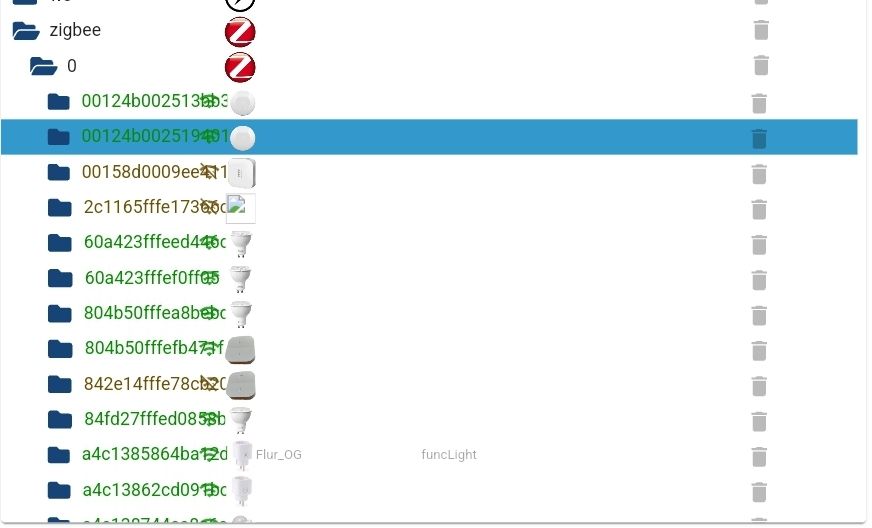
@David-G Doch, die sind da. Muss ich wohl übersehen haben :-(
Wegen dem 404-Error:
iob upload all hat keine Änderung gebracht.@arteck
Hier die Ausgabe von "iob diag":======================= SUMMARY ======================= v.2024-10-19 Static hostname: iobroker Icon name: computer Operating System: Debian GNU/Linux 12 (bookworm) Kernel: Linux 6.1.0-rpi7-rpi-v8 Architecture: arm64 Installation: native Kernel: aarch64 Userland: 64 bit Timezone: Europe/Berlin (CET, +0100) User-ID: 1000 Display-Server: true Boot Target: graphical.target Pending OS-Updates: 356 Pending iob updates: 16 Nodejs-Installation: /usr/bin/nodejs v18.19.0 /usr/bin/node v18.19.0 /usr/bin/npm 10.2.3 /usr/bin/npx 10.2.3 /usr/bin/corepack 0.22.0 Recommended versions are nodejs 18.20.6 and npm 10.8.2 nodeJS installation is correct MEMORY: total used free shared buff/cache available Mem: 4.0G 1.4G 1.7G 16M 1.0G 2.6G Swap: 104M 0B 104M Total: 4.1G 1.4G 1.8G Active iob-Instances: 9 Active repo(s): stable ioBroker Core: js-controller 5.0.17 admin 6.12.0 ioBroker Status: iobroker is running on this host. Objects type: jsonl States type: jsonl Status admin and web instance: + system.adapter.admin.0 : admin : iobroker - enabled, port: 8081, bind: 0.0.0.0, run as: admin + system.adapter.web.0 : web : iobroker - enabled, port: 8082, bind: 0.0.0.0, run as: admin Objects: 1859 States: 1521 Size of iob-Database: 12M /opt/iobroker/iobroker-data/objects.jsonl 2.4M /opt/iobroker/iobroker-data/states.jsonl Operating System is the current Debian stable version codenamed 'bookworm'! =================== END OF SUMMARY ====================Noch irgendwelche Ideen was ich wegen dem 404 probieren könnte?
-
@David-G Doch, die sind da. Muss ich wohl übersehen haben :-(
Wegen dem 404-Error:
iob upload all hat keine Änderung gebracht.@arteck
Hier die Ausgabe von "iob diag":======================= SUMMARY ======================= v.2024-10-19 Static hostname: iobroker Icon name: computer Operating System: Debian GNU/Linux 12 (bookworm) Kernel: Linux 6.1.0-rpi7-rpi-v8 Architecture: arm64 Installation: native Kernel: aarch64 Userland: 64 bit Timezone: Europe/Berlin (CET, +0100) User-ID: 1000 Display-Server: true Boot Target: graphical.target Pending OS-Updates: 356 Pending iob updates: 16 Nodejs-Installation: /usr/bin/nodejs v18.19.0 /usr/bin/node v18.19.0 /usr/bin/npm 10.2.3 /usr/bin/npx 10.2.3 /usr/bin/corepack 0.22.0 Recommended versions are nodejs 18.20.6 and npm 10.8.2 nodeJS installation is correct MEMORY: total used free shared buff/cache available Mem: 4.0G 1.4G 1.7G 16M 1.0G 2.6G Swap: 104M 0B 104M Total: 4.1G 1.4G 1.8G Active iob-Instances: 9 Active repo(s): stable ioBroker Core: js-controller 5.0.17 admin 6.12.0 ioBroker Status: iobroker is running on this host. Objects type: jsonl States type: jsonl Status admin and web instance: + system.adapter.admin.0 : admin : iobroker - enabled, port: 8081, bind: 0.0.0.0, run as: admin + system.adapter.web.0 : web : iobroker - enabled, port: 8082, bind: 0.0.0.0, run as: admin Objects: 1859 States: 1521 Size of iob-Database: 12M /opt/iobroker/iobroker-data/objects.jsonl 2.4M /opt/iobroker/iobroker-data/states.jsonl Operating System is the current Debian stable version codenamed 'bookworm'! =================== END OF SUMMARY ====================Noch irgendwelche Ideen was ich wegen dem 404 probieren könnte?
-
@David-G Doch, die sind da. Muss ich wohl übersehen haben :-(
Wegen dem 404-Error:
iob upload all hat keine Änderung gebracht.@arteck
Hier die Ausgabe von "iob diag":======================= SUMMARY ======================= v.2024-10-19 Static hostname: iobroker Icon name: computer Operating System: Debian GNU/Linux 12 (bookworm) Kernel: Linux 6.1.0-rpi7-rpi-v8 Architecture: arm64 Installation: native Kernel: aarch64 Userland: 64 bit Timezone: Europe/Berlin (CET, +0100) User-ID: 1000 Display-Server: true Boot Target: graphical.target Pending OS-Updates: 356 Pending iob updates: 16 Nodejs-Installation: /usr/bin/nodejs v18.19.0 /usr/bin/node v18.19.0 /usr/bin/npm 10.2.3 /usr/bin/npx 10.2.3 /usr/bin/corepack 0.22.0 Recommended versions are nodejs 18.20.6 and npm 10.8.2 nodeJS installation is correct MEMORY: total used free shared buff/cache available Mem: 4.0G 1.4G 1.7G 16M 1.0G 2.6G Swap: 104M 0B 104M Total: 4.1G 1.4G 1.8G Active iob-Instances: 9 Active repo(s): stable ioBroker Core: js-controller 5.0.17 admin 6.12.0 ioBroker Status: iobroker is running on this host. Objects type: jsonl States type: jsonl Status admin and web instance: + system.adapter.admin.0 : admin : iobroker - enabled, port: 8081, bind: 0.0.0.0, run as: admin + system.adapter.web.0 : web : iobroker - enabled, port: 8082, bind: 0.0.0.0, run as: admin Objects: 1859 States: 1521 Size of iob-Database: 12M /opt/iobroker/iobroker-data/objects.jsonl 2.4M /opt/iobroker/iobroker-data/states.jsonl Operating System is the current Debian stable version codenamed 'bookworm'! =================== END OF SUMMARY ====================Noch irgendwelche Ideen was ich wegen dem 404 probieren könnte?
Tu mal bitte die Mör....., ähm Langfassung von
iob diag -
@tm200014 sagte in Werte eines ZigBee Gerätes anzeigen:
Noch irgendwelche Ideen was ich wegen dem 404 probieren könnte?
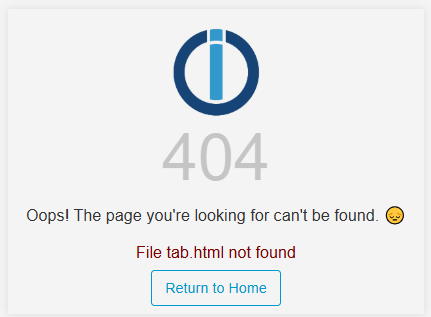
zeig mal bitte den gesamten 404 error, incl. Link und allem
A.
@asgothian Hier ein Screenshot vom 404. Was meinst du mit "Link und allem"?
-
Tu mal bitte die Mör....., ähm Langfassung von
iob diag@meister-mopper Hier die Langfassung von iob diag
Script v.2024-10-19 *** BASE SYSTEM *** Static hostname: iobroker Icon name: computer Operating System: Debian GNU/Linux 12 (bookworm) Kernel: Linux 6.1.0-rpi7-rpi-v8 Architecture: arm64 OS is similar to: Model : Raspberry Pi 4 Model B Rev 1.5 Docker : false Virtualization : none Kernel : aarch64 Userland : 64 bit Systemuptime and Load: 17:32:06 up 19 min, 4 users, load average: 1.24, 0.50, 0.39 CPU threads: 4 *** LIFE CYCLE STATUS *** Operating System is the current Debian stable version codenamed 'bookworm'! *** RASPBERRY THROTTLING *** Current issues: No throttling issues detected. Previously detected issues: No throttling issues detected. *** TIME AND TIMEZONES *** Local time: Sat 2025-01-25 17:32:06 CET Universal time: Sat 2025-01-25 16:32:06 UTC RTC time: n/a Time zone: Europe/Berlin (CET, +0100) System clock synchronized: yes NTP service: active RTC in local TZ: no *** Users and Groups *** User that called 'iob diag': admin HOME=/home/admin GROUPS=admin adm dialout cdrom sudo audio video plugdev games users input render netdev lpadmin gpio i2c spi iobroker User that is running 'js-controller': iobroker HOME=/home/iobroker GROUPS=iobroker tty dialout audio video bluetooth gpio i2c *** DISPLAY-SERVER SETUP *** Display-Server: true Desktop: Terminal: tty System is booting into 'graphical.target'. Usually a server is running in 'multi-user.target'. Please set BootTarget to 'multi-user.target' or run 'iobroker fix' *** MEMORY *** total used free shared buff/cache available Mem: 4.0G 1.4G 1.7G 16M 1.0G 2.6G Swap: 104M 0B 104M Total: 4.1G 1.4G 1.8G Active iob-Instances: 9 3793 M total memory 1331 M used memory 1507 M active memory 495 M inactive memory 1589 M free memory 69 M buffer memory 894 M swap cache 99 M total swap 0 M used swap 99 M free swap *** top - Table Of Processes *** top - 17:32:06 up 19 min, 4 users, load average: 1.22, 0.51, 0.39 Tasks: 229 total, 1 running, 228 sleeping, 0 stopped, 0 zombie %Cpu(s): 0.0 us, 28.6 sy, 0.0 ni, 71.4 id, 0.0 wa, 0.0 hi, 0.0 si, 0.0 st MiB Mem : 3793.3 total, 1588.6 free, 1332.3 used, 963.9 buff/cache MiB Swap: 100.0 total, 100.0 free, 0.0 used. 2461.0 avail Mem *** FAILED SERVICES *** UNIT LOAD ACTIVE SUB DESCRIPTION 0 loaded units listed. *** DMESG CRITICAL ERRORS *** No critical errors detected *** FILESYSTEM *** Filesystem Type Size Used Avail Use% Mounted on udev devtmpfs 1.6G 0 1.6G 0% /dev tmpfs tmpfs 380M 1.4M 379M 1% /run /dev/mmcblk0p2 ext4 14G 6.9G 6.4G 52% / tmpfs tmpfs 1.9G 148K 1.9G 1% /dev/shm tmpfs tmpfs 5.0M 16K 5.0M 1% /run/lock /dev/mmcblk0p1 vfat 510M 74M 437M 15% /boot/firmware tmpfs tmpfs 380M 36K 380M 1% /run/user/1000 Messages concerning ext4 filesystem in dmesg: [Sat Jan 25 17:12:35 2025] Kernel command line: coherent_pool=1M 8250.nr_uarts=1 snd_bcm2835.enable_headphones=0 snd_bcm2835.enable_headphones=1 snd_bcm2835.enable_hdmi=1 snd_bcm2835.enable_hdmi=0 smsc95xx.macaddr=E4:5F:01:FD:20:63 vc_mem.mem_base=0x3ec00000 vc_mem.mem_size=0x40000000 console=ttyAMA0,115200 console=tty1 root=PARTUUID=01fe2b1b-02 rootfstype=ext4 fsck.repair=yes rootwait quiet splash plymouth.ignore-serial-consoles [Sat Jan 25 17:12:36 2025] EXT4-fs (mmcblk0p2): mounted filesystem with ordered data mode. Quota mode: none. [Sat Jan 25 17:12:38 2025] EXT4-fs (mmcblk0p2): re-mounted. Quota mode: none. Show mounted filesystems: TARGET SOURCE FSTYPE OPTIONS / /dev/mmcblk0p2 ext4 rw,noatime |-/run/user/1000/doc portal fuse.portal rw,nosuid,nodev,relatime,user_id=1000,group_id=1000 `-/boot/firmware /dev/mmcblk0p1 vfat rw,relatime,fmask=0022,dmask=0022,codepage=437,iocharset=ascii,shortname=mixed,errors=remount-ro Files in neuralgic directories: /var: 1.6G /var/ 866M /var/lib 665M /var/lib/piVCCU3 604M /var/lib/piVCCU3/rootfs 474M /var/log Archived and active journals take up 472.7M in the file system. /opt/iobroker/backups: 47M /opt/iobroker/backups/ /opt/iobroker/iobroker-data: 194M /opt/iobroker/iobroker-data/ 138M /opt/iobroker/iobroker-data/files 67M /opt/iobroker/iobroker-data/files/javascript.admin 48M /opt/iobroker/iobroker-data/files/javascript.admin/static 47M /opt/iobroker/iobroker-data/files/javascript.admin/static/js The five largest files in iobroker-data are: 21M /opt/iobroker/iobroker-data/files/web.admin/static/js/main.aaea95f8.js.map 12M /opt/iobroker/iobroker-data/objects.jsonl 8.3M /opt/iobroker/iobroker-data/files/web.admin/static/js/main.aaea95f8.js 7.5M /opt/iobroker/iobroker-data/files/javascript.admin/static/js/691.26ff76ce.chunk.js.map 7.1M /opt/iobroker/iobroker-data/files/javascript.admin/static/js/610.d3cce782.chunk.js.map USB-Devices by-id: USB-Sticks - Avoid direct links to /dev/tty* in your adapter setups, please always prefer the links 'by-id': /dev/serial/by-id/usb-ITead_Sonoff_Zigbee_3.0_USB_Dongle_Plus_c442e0ac65fded118edb0b65024206e6-if00-port0 Your zigbee.0 COM-Port is matching 'by-id'. Very good! *** NodeJS-Installation *** /usr/bin/nodejs v18.19.0 /usr/bin/node v18.19.0 /usr/bin/npm 10.2.3 /usr/bin/npx 10.2.3 /usr/bin/corepack 0.22.0 nodejs: Installed: 18.19.0-1nodesource1 Candidate: 18.20.6-1nodesource1 Version table: 18.20.6-1nodesource1 500 500 https://deb.nodesource.com/node_18.x nodistro/main arm64 Packages 18.20.5-1nodesource1 500 500 https://deb.nodesource.com/node_18.x nodistro/main arm64 Packages 18.20.4-1nodesource1 500 500 https://deb.nodesource.com/node_18.x nodistro/main arm64 Packages 18.20.3-1nodesource1 500 500 https://deb.nodesource.com/node_18.x nodistro/main arm64 Packages 18.20.2-1nodesource1 500 500 https://deb.nodesource.com/node_18.x nodistro/main arm64 Packages 18.20.1-1nodesource1 500 500 https://deb.nodesource.com/node_18.x nodistro/main arm64 Packages 18.20.0-1nodesource1 500 500 https://deb.nodesource.com/node_18.x nodistro/main arm64 Packages 18.19.1-1nodesource1 500 500 https://deb.nodesource.com/node_18.x nodistro/main arm64 Packages 18.19.0+dfsg-6~deb12u2 500 500 http://deb.debian.org/debian bookworm/main arm64 Packages 18.19.0+dfsg-6~deb12u1 500 500 http://deb.debian.org/debian-security bookworm-security/main arm64 Packages *** 18.19.0-1nodesource1 500 500 https://deb.nodesource.com/node_18.x nodistro/main arm64 Packages 100 /var/lib/dpkg/status 18.18.2-1nodesource1 500 500 https://deb.nodesource.com/node_18.x nodistro/main arm64 Packages 18.18.1-1nodesource1 500 500 https://deb.nodesource.com/node_18.x nodistro/main arm64 Packages 18.18.0-1nodesource1 500 500 https://deb.nodesource.com/node_18.x nodistro/main arm64 Packages 18.17.1-1nodesource1 500 500 https://deb.nodesource.com/node_18.x nodistro/main arm64 Packages 18.17.0-1nodesource1 500 500 https://deb.nodesource.com/node_18.x nodistro/main arm64 Packages 18.16.1-1nodesource1 500 500 https://deb.nodesource.com/node_18.x nodistro/main arm64 Packages 18.16.0-1nodesource1 500 500 https://deb.nodesource.com/node_18.x nodistro/main arm64 Packages 18.15.0-1nodesource1 500 500 https://deb.nodesource.com/node_18.x nodistro/main arm64 Packages 18.14.2-1nodesource1 500 500 https://deb.nodesource.com/node_18.x nodistro/main arm64 Packages 18.14.1-1nodesource1 500 500 https://deb.nodesource.com/node_18.x nodistro/main arm64 Packages 18.14.0-1nodesource1 500 500 https://deb.nodesource.com/node_18.x nodistro/main arm64 Packages 18.13.0-1nodesource1 500 500 https://deb.nodesource.com/node_18.x nodistro/main arm64 Packages 18.12.0-1nodesource1 500 500 https://deb.nodesource.com/node_18.x nodistro/main arm64 Packages 18.11.0-1nodesource1 500 500 https://deb.nodesource.com/node_18.x nodistro/main arm64 Packages 18.10.0-1nodesource1 500 500 https://deb.nodesource.com/node_18.x nodistro/main arm64 Packages 18.9.1-1nodesource1 500 500 https://deb.nodesource.com/node_18.x nodistro/main arm64 Packages 18.9.0-1nodesource1 500 500 https://deb.nodesource.com/node_18.x nodistro/main arm64 Packages 18.8.0-1nodesource1 500 500 https://deb.nodesource.com/node_18.x nodistro/main arm64 Packages 18.7.0-1nodesource1 500 500 https://deb.nodesource.com/node_18.x nodistro/main arm64 Packages 18.6.0-1nodesource1 500 500 https://deb.nodesource.com/node_18.x nodistro/main arm64 Packages 18.5.0-1nodesource1 500 500 https://deb.nodesource.com/node_18.x nodistro/main arm64 Packages 18.4.0-1nodesource1 500 500 https://deb.nodesource.com/node_18.x nodistro/main arm64 Packages 18.3.0-1nodesource1 500 500 https://deb.nodesource.com/node_18.x nodistro/main arm64 Packages 18.2.0-1nodesource1 500 500 https://deb.nodesource.com/node_18.x nodistro/main arm64 Packages 18.1.0-1nodesource1 500 500 https://deb.nodesource.com/node_18.x nodistro/main arm64 Packages 18.0.0-1nodesource1 500 500 https://deb.nodesource.com/node_18.x nodistro/main arm64 Packages Temp directories causing deletion problem: 0 No problems detected Errors in npm tree: 0 No problems detected *** ioBroker-Installation *** ioBroker Status iobroker is running on this host. Objects type: jsonl States type: jsonl Hosts: iobroker iobroker (version: 5.0.17, hostname: iobroker , alive, uptime: 1168) Core adapters versions js-controller: 5.0.17 admin: 6.12.0 javascript: 7.1.6 nodejs modules from github: 0 Adapter State + system.adapter.admin.0 : admin : iobroker - enabled, port: 8081, bind: 0.0.0.0, run as: admin + system.adapter.backitup.0 : backitup : iobroker - enabled + system.adapter.discovery.0 : discovery : iobroker - enabled + system.adapter.hm-rega.0 : hm-rega : iobroker - enabled + system.adapter.hm-rpc.0 : hm-rpc : iobroker - enabled, port: 0 + system.adapter.javascript.0 : javascript : iobroker - enabled system.adapter.nuki-extended.0 : nuki-extended : iobroker - disabled system.adapter.nuki.0 : nuki : iobroker - disabled system.adapter.vis-bars.0 : vis-bars : iobroker - enabled system.adapter.vis-hqwidgets.0 : vis-hqwidgets : iobroker - enabled system.adapter.vis-timeandweather.0 : vis-timeandweather : iobroker - enabled system.adapter.vis.0 : vis : iobroker - disabled + system.adapter.web.0 : web : iobroker - enabled, port: 8082, bind: 0.0.0.0, run as: admin + system.adapter.zigbee.0 : zigbee : iobroker - enabled, port: /dev/serial/by-id/usb-ITead_Sonoff_Zigbee_3.0_USB_Dongle_Plus_c442e0ac65fded118edb0b65024206e6-if00-port0 + instance is alive Enabled adapters with bindings + system.adapter.admin.0 : admin : iobroker - enabled, port: 8081, bind: 0.0.0.0, run as: admin + system.adapter.hm-rpc.0 : hm-rpc : iobroker - enabled, port: 0 + system.adapter.web.0 : web : iobroker - enabled, port: 8082, bind: 0.0.0.0, run as: admin + system.adapter.zigbee.0 : zigbee : iobroker - enabled, port: /dev/serial/by-id/usb-ITead_Sonoff_Zigbee_3.0_USB_Dongle_Plus_c442e0ac65fded118edb0b65024206e6-if00-port0 ioBroker-Repositories stable : http://download.iobroker.net/sources-dist.json beta : http://download.iobroker.net/sources-dist-latest.json Active repo(s): stable Installed ioBroker-Instances Used repository: stable Adapter "admin" : 7.4.10 , installed 6.12.0 [Updatable] Adapter "backitup" : 3.0.31 , installed 2.8.7 [Updatable] Adapter "discovery" : 5.0.0 , installed 4.2.0 [Updatable] Adapter "hm-rega" : 5.1.0 , installed 4.0.0 [Updatable] Adapter "hm-rpc" : 2.0.2 , installed 1.15.19 [Updatable] Adapter "javascript" : 8.8.3 , installed 7.1.6 [Updatable] Controller "js-controller": 7.0.6 , installed 5.0.17 [Updatable] Adapter "nuki" : 2.0.0 , installed 1.6.0 [Updatable] Adapter "nuki-extended": 2.7.0 , installed 2.6.5 [Updatable] Adapter "simple-api" : 2.8.0 , installed 2.7.2 [Updatable] Adapter "socketio" : 6.7.1 , installed 6.6.0 [Updatable] Adapter "vis" : 1.5.6 , installed 1.5.4 [Updatable] Adapter "vis-bars" : 0.1.4 , installed 0.1.4 Adapter "vis-hqwidgets": 1.5.1 , installed 1.4.0 [Updatable] Adapter "vis-timeandweather": 1.2.2, installed 1.2.2 Adapter "web" : 6.2.5 , installed 6.1.10 [Updatable] Adapter "ws" : 2.6.2 , installed 2.5.8 [Updatable] Adapter "zigbee" : 1.10.14 , installed 1.10.3 [Updatable] Objects and States Please stand by - This may take a while Objects: 1862 States: 1508 *** OS-Repositories and Updates *** Hit:1 http://deb.debian.org/debian bookworm InRelease Hit:2 http://deb.debian.org/debian-security bookworm-security InRelease Hit:3 http://deb.debian.org/debian bookworm-updates InRelease Hit:4 http://archive.raspberrypi.com/debian bookworm InRelease Hit:5 https://deb.nodesource.com/node_18.x nodistro InRelease Hit:6 https://apt.pivccu.de/piVCCU stable InRelease Reading package lists... Pending Updates: 356 *** Listening Ports *** Active Internet connections (only servers) Proto Recv-Q Send-Q Local Address Foreign Address State User Inode PID/Program name tcp 0 0 0.0.0.0:22 0.0.0.0:* LISTEN 0 17555 1100/sshd: /usr/sbi tcp 0 0 10.0.3.1:53 0.0.0.0:* LISTEN 0 16380 1244/dnsmasq tcp 0 0 127.0.0.1:9001 0.0.0.0:* LISTEN 1001 18169 1086/iobroker.js-co tcp 0 0 127.0.0.1:9000 0.0.0.0:* LISTEN 1001 20663 1086/iobroker.js-co tcp 0 0 192.168.178.28:2010 0.0.0.0:* LISTEN 1001 22309 3455/io.hm-rpc.0 tcp 0 0 127.0.0.1:631 0.0.0.0:* LISTEN 0 16212 1085/cupsd tcp6 0 0 :::22 :::* LISTEN 0 17566 1100/sshd: /usr/sbi tcp6 0 0 ::1:631 :::* LISTEN 0 16211 1085/cupsd tcp6 0 0 :::8081 :::* LISTEN 1001 19296 2264/io.admin.0 tcp6 0 0 :::8082 :::* LISTEN 1001 22178 3160/io.web.0 udp 0 0 10.0.3.1:53 0.0.0.0:* 0 16379 1244/dnsmasq udp 0 0 0.0.0.0:67 0.0.0.0:* 0 16376 1244/dnsmasq udp 0 0 0.0.0.0:68 0.0.0.0:* 0 15041 1019/dhclient udp 0 0 0.0.0.0:631 0.0.0.0:* 0 17644 1112/cups-browsed udp 0 0 0.0.0.0:43796 0.0.0.0:* 104 16061 589/avahi-daemon: r udp 0 0 0.0.0.0:5353 0.0.0.0:* 104 16059 589/avahi-daemon: r udp6 0 0 :::5353 :::* 104 16060 589/avahi-daemon: r udp6 0 0 :::55244 :::* 104 16062 589/avahi-daemon: r *** Log File - Last 25 Lines *** 2025-01-25 17:20:11.552 - info: admin.0 (2264) ==> Connected system.user.admin from ::ffff:192.168.178.20 2025-01-25 17:20:12.446 - info: admin.0 (2264) <== Disconnect system.user.admin from ::ffff:192.168.178.20 javascript 2025-01-25 17:20:58.327 - info: admin.0 (2264) ==> Connected system.user.admin from ::ffff:192.168.178.20 2025-01-25 17:21:49.241 - info: admin.0 (2264) <== Disconnect system.user.admin from ::ffff:192.168.178.20 javascript 2025-01-25 17:22:42.959 - error: zigbee.0 (3068) Send command to 0xa4c138be97877c98 failed with no error code (Timeout - 24822 - 1 - 6 - 8 - 11 after 10000ms) 2025-01-25 17:23:02.381 - warn: zigbee.0 (3068) Device query for '0xa4c138be97877c98' blocked 2025-01-25 17:23:18.078 - warn: zigbee.0 (3068) Failed to read state '"state"'of '0xa4c138be97877c98' after query with '{"message":"ZCL command 0xa4c138be97877c98/1 genOnOff.read([\"onOff\"], {\"timeout\":10000,\"disableResponse\":false,\"disableRecovery\":false,\"disableDefaultResponse\":true,\"direction\":0,\"srcEndpoint\":null,\"reservedBits\":0,\"manufacturerCode\":null,\"transactionSequenceNumber\":null,\"writeUndiv\":false}) failed (Timeout - 24822 - 1 - 7 - 6 - 1 after 10000ms)"}' 2025-01-25 17:23:38.109 - warn: zigbee.0 (3068) Failed to read state '"brightness"'of '0xa4c138be97877c98' after query with '{"message":"ZCL command 0xa4c138be97877c98/1 genLevelCtrl.read([\"currentLevel\"], {\"timeout\":10000,\"disableResponse\":false,\"disableRecovery\":false,\"disableDefaultResponse\":true,\"direction\":0,\"srcEndpoint\":null,\"reservedBits\":0,\"manufacturerCode\":null,\"transactionSequenceNumber\":null,\"writeUndiv\":false}) failed (Timeout - 24822 - 1 - 8 - 8 - 1 after 10000ms)"}' 2025-01-25 17:23:38.828 - warn: zigbee.0 (3068) State value to set for "zigbee.0.a4c138be97877c98.color_temp_startup" has value "65535" greater than max "370" 2025-01-25 17:23:42.907 - info: admin.0 (2264) ==> Connected system.user.admin from ::ffff:192.168.178.20 2025-01-25 17:25:00.027 - info: javascript.0 (2415) script.js.Licht.AZ_Licht_Farbtemperatur_set: schalte temperatur 2025-01-25 17:25:15.517 - info: javascript.0 (2415) Stop script script.js.Licht.WZ_Licht_UpdateTempKuechenlicht 2025-01-25 17:25:20.640 - info: javascript.0 (2415) Start javascript script.js.Licht.WZ_Licht_UpdateTempKuechenlicht 2025-01-25 17:25:20.680 - info: javascript.0 (2415) script.js.Licht.WZ_Licht_UpdateTempKuechenlicht: registered 0 subscriptions, 1 schedule, 0 messages, 0 logs and 0 file subscriptions 2025-01-25 17:26:08.234 - info: admin.0 (2264) <== Disconnect system.user.admin from ::ffff:192.168.178.20 javascript 2025-01-25 17:27:27.089 - info: admin.0 (2264) ==> Connected system.user.admin from ::ffff:192.168.178.20 2025-01-25 17:27:44.233 - info: admin.0 (2264) <== Disconnect system.user.admin from ::ffff:192.168.178.20 javascript 2025-01-25 17:27:47.127 - info: admin.0 (2264) ==> Connected system.user.admin from ::ffff:192.168.178.20 2025-01-25 17:27:49.448 - info: javascript.0 (2415) Stop script script.js.Licht.WZ_Licht_UpdateTempKuechenlicht 2025-01-25 17:27:51.259 - info: admin.0 (2264) <== Disconnect system.user.admin from ::ffff:192.168.178.20 javascript 2025-01-25 17:28:09.565 - info: admin.0 (2264) ==> Connected system.user.admin from ::ffff:192.168.178.20 2025-01-25 17:28:38.836 - info: admin.0 (2264) <== Disconnect system.user.admin from ::ffff:192.168.178.20 javascript 2025-01-25 17:28:50.136 - info: admin.0 (2264) <== Disconnect system.user.admin from ::ffff:192.168.178.20 admin 2025-01-25 17:29:42.550 - info: admin.0 (2264) ==> Connected system.user.admin from ::ffff:192.168.178.20 2025-01-25 17:30:00.062 - info: javascript.0 (2415) script.js.Licht.AZ_Licht_Farbtemperatur_set: schalte temperatur -
@meister-mopper Hier die Langfassung von iob diag
Script v.2024-10-19 *** BASE SYSTEM *** Static hostname: iobroker Icon name: computer Operating System: Debian GNU/Linux 12 (bookworm) Kernel: Linux 6.1.0-rpi7-rpi-v8 Architecture: arm64 OS is similar to: Model : Raspberry Pi 4 Model B Rev 1.5 Docker : false Virtualization : none Kernel : aarch64 Userland : 64 bit Systemuptime and Load: 17:32:06 up 19 min, 4 users, load average: 1.24, 0.50, 0.39 CPU threads: 4 *** LIFE CYCLE STATUS *** Operating System is the current Debian stable version codenamed 'bookworm'! *** RASPBERRY THROTTLING *** Current issues: No throttling issues detected. Previously detected issues: No throttling issues detected. *** TIME AND TIMEZONES *** Local time: Sat 2025-01-25 17:32:06 CET Universal time: Sat 2025-01-25 16:32:06 UTC RTC time: n/a Time zone: Europe/Berlin (CET, +0100) System clock synchronized: yes NTP service: active RTC in local TZ: no *** Users and Groups *** User that called 'iob diag': admin HOME=/home/admin GROUPS=admin adm dialout cdrom sudo audio video plugdev games users input render netdev lpadmin gpio i2c spi iobroker User that is running 'js-controller': iobroker HOME=/home/iobroker GROUPS=iobroker tty dialout audio video bluetooth gpio i2c *** DISPLAY-SERVER SETUP *** Display-Server: true Desktop: Terminal: tty System is booting into 'graphical.target'. Usually a server is running in 'multi-user.target'. Please set BootTarget to 'multi-user.target' or run 'iobroker fix' *** MEMORY *** total used free shared buff/cache available Mem: 4.0G 1.4G 1.7G 16M 1.0G 2.6G Swap: 104M 0B 104M Total: 4.1G 1.4G 1.8G Active iob-Instances: 9 3793 M total memory 1331 M used memory 1507 M active memory 495 M inactive memory 1589 M free memory 69 M buffer memory 894 M swap cache 99 M total swap 0 M used swap 99 M free swap *** top - Table Of Processes *** top - 17:32:06 up 19 min, 4 users, load average: 1.22, 0.51, 0.39 Tasks: 229 total, 1 running, 228 sleeping, 0 stopped, 0 zombie %Cpu(s): 0.0 us, 28.6 sy, 0.0 ni, 71.4 id, 0.0 wa, 0.0 hi, 0.0 si, 0.0 st MiB Mem : 3793.3 total, 1588.6 free, 1332.3 used, 963.9 buff/cache MiB Swap: 100.0 total, 100.0 free, 0.0 used. 2461.0 avail Mem *** FAILED SERVICES *** UNIT LOAD ACTIVE SUB DESCRIPTION 0 loaded units listed. *** DMESG CRITICAL ERRORS *** No critical errors detected *** FILESYSTEM *** Filesystem Type Size Used Avail Use% Mounted on udev devtmpfs 1.6G 0 1.6G 0% /dev tmpfs tmpfs 380M 1.4M 379M 1% /run /dev/mmcblk0p2 ext4 14G 6.9G 6.4G 52% / tmpfs tmpfs 1.9G 148K 1.9G 1% /dev/shm tmpfs tmpfs 5.0M 16K 5.0M 1% /run/lock /dev/mmcblk0p1 vfat 510M 74M 437M 15% /boot/firmware tmpfs tmpfs 380M 36K 380M 1% /run/user/1000 Messages concerning ext4 filesystem in dmesg: [Sat Jan 25 17:12:35 2025] Kernel command line: coherent_pool=1M 8250.nr_uarts=1 snd_bcm2835.enable_headphones=0 snd_bcm2835.enable_headphones=1 snd_bcm2835.enable_hdmi=1 snd_bcm2835.enable_hdmi=0 smsc95xx.macaddr=E4:5F:01:FD:20:63 vc_mem.mem_base=0x3ec00000 vc_mem.mem_size=0x40000000 console=ttyAMA0,115200 console=tty1 root=PARTUUID=01fe2b1b-02 rootfstype=ext4 fsck.repair=yes rootwait quiet splash plymouth.ignore-serial-consoles [Sat Jan 25 17:12:36 2025] EXT4-fs (mmcblk0p2): mounted filesystem with ordered data mode. Quota mode: none. [Sat Jan 25 17:12:38 2025] EXT4-fs (mmcblk0p2): re-mounted. Quota mode: none. Show mounted filesystems: TARGET SOURCE FSTYPE OPTIONS / /dev/mmcblk0p2 ext4 rw,noatime |-/run/user/1000/doc portal fuse.portal rw,nosuid,nodev,relatime,user_id=1000,group_id=1000 `-/boot/firmware /dev/mmcblk0p1 vfat rw,relatime,fmask=0022,dmask=0022,codepage=437,iocharset=ascii,shortname=mixed,errors=remount-ro Files in neuralgic directories: /var: 1.6G /var/ 866M /var/lib 665M /var/lib/piVCCU3 604M /var/lib/piVCCU3/rootfs 474M /var/log Archived and active journals take up 472.7M in the file system. /opt/iobroker/backups: 47M /opt/iobroker/backups/ /opt/iobroker/iobroker-data: 194M /opt/iobroker/iobroker-data/ 138M /opt/iobroker/iobroker-data/files 67M /opt/iobroker/iobroker-data/files/javascript.admin 48M /opt/iobroker/iobroker-data/files/javascript.admin/static 47M /opt/iobroker/iobroker-data/files/javascript.admin/static/js The five largest files in iobroker-data are: 21M /opt/iobroker/iobroker-data/files/web.admin/static/js/main.aaea95f8.js.map 12M /opt/iobroker/iobroker-data/objects.jsonl 8.3M /opt/iobroker/iobroker-data/files/web.admin/static/js/main.aaea95f8.js 7.5M /opt/iobroker/iobroker-data/files/javascript.admin/static/js/691.26ff76ce.chunk.js.map 7.1M /opt/iobroker/iobroker-data/files/javascript.admin/static/js/610.d3cce782.chunk.js.map USB-Devices by-id: USB-Sticks - Avoid direct links to /dev/tty* in your adapter setups, please always prefer the links 'by-id': /dev/serial/by-id/usb-ITead_Sonoff_Zigbee_3.0_USB_Dongle_Plus_c442e0ac65fded118edb0b65024206e6-if00-port0 Your zigbee.0 COM-Port is matching 'by-id'. Very good! *** NodeJS-Installation *** /usr/bin/nodejs v18.19.0 /usr/bin/node v18.19.0 /usr/bin/npm 10.2.3 /usr/bin/npx 10.2.3 /usr/bin/corepack 0.22.0 nodejs: Installed: 18.19.0-1nodesource1 Candidate: 18.20.6-1nodesource1 Version table: 18.20.6-1nodesource1 500 500 https://deb.nodesource.com/node_18.x nodistro/main arm64 Packages 18.20.5-1nodesource1 500 500 https://deb.nodesource.com/node_18.x nodistro/main arm64 Packages 18.20.4-1nodesource1 500 500 https://deb.nodesource.com/node_18.x nodistro/main arm64 Packages 18.20.3-1nodesource1 500 500 https://deb.nodesource.com/node_18.x nodistro/main arm64 Packages 18.20.2-1nodesource1 500 500 https://deb.nodesource.com/node_18.x nodistro/main arm64 Packages 18.20.1-1nodesource1 500 500 https://deb.nodesource.com/node_18.x nodistro/main arm64 Packages 18.20.0-1nodesource1 500 500 https://deb.nodesource.com/node_18.x nodistro/main arm64 Packages 18.19.1-1nodesource1 500 500 https://deb.nodesource.com/node_18.x nodistro/main arm64 Packages 18.19.0+dfsg-6~deb12u2 500 500 http://deb.debian.org/debian bookworm/main arm64 Packages 18.19.0+dfsg-6~deb12u1 500 500 http://deb.debian.org/debian-security bookworm-security/main arm64 Packages *** 18.19.0-1nodesource1 500 500 https://deb.nodesource.com/node_18.x nodistro/main arm64 Packages 100 /var/lib/dpkg/status 18.18.2-1nodesource1 500 500 https://deb.nodesource.com/node_18.x nodistro/main arm64 Packages 18.18.1-1nodesource1 500 500 https://deb.nodesource.com/node_18.x nodistro/main arm64 Packages 18.18.0-1nodesource1 500 500 https://deb.nodesource.com/node_18.x nodistro/main arm64 Packages 18.17.1-1nodesource1 500 500 https://deb.nodesource.com/node_18.x nodistro/main arm64 Packages 18.17.0-1nodesource1 500 500 https://deb.nodesource.com/node_18.x nodistro/main arm64 Packages 18.16.1-1nodesource1 500 500 https://deb.nodesource.com/node_18.x nodistro/main arm64 Packages 18.16.0-1nodesource1 500 500 https://deb.nodesource.com/node_18.x nodistro/main arm64 Packages 18.15.0-1nodesource1 500 500 https://deb.nodesource.com/node_18.x nodistro/main arm64 Packages 18.14.2-1nodesource1 500 500 https://deb.nodesource.com/node_18.x nodistro/main arm64 Packages 18.14.1-1nodesource1 500 500 https://deb.nodesource.com/node_18.x nodistro/main arm64 Packages 18.14.0-1nodesource1 500 500 https://deb.nodesource.com/node_18.x nodistro/main arm64 Packages 18.13.0-1nodesource1 500 500 https://deb.nodesource.com/node_18.x nodistro/main arm64 Packages 18.12.0-1nodesource1 500 500 https://deb.nodesource.com/node_18.x nodistro/main arm64 Packages 18.11.0-1nodesource1 500 500 https://deb.nodesource.com/node_18.x nodistro/main arm64 Packages 18.10.0-1nodesource1 500 500 https://deb.nodesource.com/node_18.x nodistro/main arm64 Packages 18.9.1-1nodesource1 500 500 https://deb.nodesource.com/node_18.x nodistro/main arm64 Packages 18.9.0-1nodesource1 500 500 https://deb.nodesource.com/node_18.x nodistro/main arm64 Packages 18.8.0-1nodesource1 500 500 https://deb.nodesource.com/node_18.x nodistro/main arm64 Packages 18.7.0-1nodesource1 500 500 https://deb.nodesource.com/node_18.x nodistro/main arm64 Packages 18.6.0-1nodesource1 500 500 https://deb.nodesource.com/node_18.x nodistro/main arm64 Packages 18.5.0-1nodesource1 500 500 https://deb.nodesource.com/node_18.x nodistro/main arm64 Packages 18.4.0-1nodesource1 500 500 https://deb.nodesource.com/node_18.x nodistro/main arm64 Packages 18.3.0-1nodesource1 500 500 https://deb.nodesource.com/node_18.x nodistro/main arm64 Packages 18.2.0-1nodesource1 500 500 https://deb.nodesource.com/node_18.x nodistro/main arm64 Packages 18.1.0-1nodesource1 500 500 https://deb.nodesource.com/node_18.x nodistro/main arm64 Packages 18.0.0-1nodesource1 500 500 https://deb.nodesource.com/node_18.x nodistro/main arm64 Packages Temp directories causing deletion problem: 0 No problems detected Errors in npm tree: 0 No problems detected *** ioBroker-Installation *** ioBroker Status iobroker is running on this host. Objects type: jsonl States type: jsonl Hosts: iobroker iobroker (version: 5.0.17, hostname: iobroker , alive, uptime: 1168) Core adapters versions js-controller: 5.0.17 admin: 6.12.0 javascript: 7.1.6 nodejs modules from github: 0 Adapter State + system.adapter.admin.0 : admin : iobroker - enabled, port: 8081, bind: 0.0.0.0, run as: admin + system.adapter.backitup.0 : backitup : iobroker - enabled + system.adapter.discovery.0 : discovery : iobroker - enabled + system.adapter.hm-rega.0 : hm-rega : iobroker - enabled + system.adapter.hm-rpc.0 : hm-rpc : iobroker - enabled, port: 0 + system.adapter.javascript.0 : javascript : iobroker - enabled system.adapter.nuki-extended.0 : nuki-extended : iobroker - disabled system.adapter.nuki.0 : nuki : iobroker - disabled system.adapter.vis-bars.0 : vis-bars : iobroker - enabled system.adapter.vis-hqwidgets.0 : vis-hqwidgets : iobroker - enabled system.adapter.vis-timeandweather.0 : vis-timeandweather : iobroker - enabled system.adapter.vis.0 : vis : iobroker - disabled + system.adapter.web.0 : web : iobroker - enabled, port: 8082, bind: 0.0.0.0, run as: admin + system.adapter.zigbee.0 : zigbee : iobroker - enabled, port: /dev/serial/by-id/usb-ITead_Sonoff_Zigbee_3.0_USB_Dongle_Plus_c442e0ac65fded118edb0b65024206e6-if00-port0 + instance is alive Enabled adapters with bindings + system.adapter.admin.0 : admin : iobroker - enabled, port: 8081, bind: 0.0.0.0, run as: admin + system.adapter.hm-rpc.0 : hm-rpc : iobroker - enabled, port: 0 + system.adapter.web.0 : web : iobroker - enabled, port: 8082, bind: 0.0.0.0, run as: admin + system.adapter.zigbee.0 : zigbee : iobroker - enabled, port: /dev/serial/by-id/usb-ITead_Sonoff_Zigbee_3.0_USB_Dongle_Plus_c442e0ac65fded118edb0b65024206e6-if00-port0 ioBroker-Repositories stable : http://download.iobroker.net/sources-dist.json beta : http://download.iobroker.net/sources-dist-latest.json Active repo(s): stable Installed ioBroker-Instances Used repository: stable Adapter "admin" : 7.4.10 , installed 6.12.0 [Updatable] Adapter "backitup" : 3.0.31 , installed 2.8.7 [Updatable] Adapter "discovery" : 5.0.0 , installed 4.2.0 [Updatable] Adapter "hm-rega" : 5.1.0 , installed 4.0.0 [Updatable] Adapter "hm-rpc" : 2.0.2 , installed 1.15.19 [Updatable] Adapter "javascript" : 8.8.3 , installed 7.1.6 [Updatable] Controller "js-controller": 7.0.6 , installed 5.0.17 [Updatable] Adapter "nuki" : 2.0.0 , installed 1.6.0 [Updatable] Adapter "nuki-extended": 2.7.0 , installed 2.6.5 [Updatable] Adapter "simple-api" : 2.8.0 , installed 2.7.2 [Updatable] Adapter "socketio" : 6.7.1 , installed 6.6.0 [Updatable] Adapter "vis" : 1.5.6 , installed 1.5.4 [Updatable] Adapter "vis-bars" : 0.1.4 , installed 0.1.4 Adapter "vis-hqwidgets": 1.5.1 , installed 1.4.0 [Updatable] Adapter "vis-timeandweather": 1.2.2, installed 1.2.2 Adapter "web" : 6.2.5 , installed 6.1.10 [Updatable] Adapter "ws" : 2.6.2 , installed 2.5.8 [Updatable] Adapter "zigbee" : 1.10.14 , installed 1.10.3 [Updatable] Objects and States Please stand by - This may take a while Objects: 1862 States: 1508 *** OS-Repositories and Updates *** Hit:1 http://deb.debian.org/debian bookworm InRelease Hit:2 http://deb.debian.org/debian-security bookworm-security InRelease Hit:3 http://deb.debian.org/debian bookworm-updates InRelease Hit:4 http://archive.raspberrypi.com/debian bookworm InRelease Hit:5 https://deb.nodesource.com/node_18.x nodistro InRelease Hit:6 https://apt.pivccu.de/piVCCU stable InRelease Reading package lists... Pending Updates: 356 *** Listening Ports *** Active Internet connections (only servers) Proto Recv-Q Send-Q Local Address Foreign Address State User Inode PID/Program name tcp 0 0 0.0.0.0:22 0.0.0.0:* LISTEN 0 17555 1100/sshd: /usr/sbi tcp 0 0 10.0.3.1:53 0.0.0.0:* LISTEN 0 16380 1244/dnsmasq tcp 0 0 127.0.0.1:9001 0.0.0.0:* LISTEN 1001 18169 1086/iobroker.js-co tcp 0 0 127.0.0.1:9000 0.0.0.0:* LISTEN 1001 20663 1086/iobroker.js-co tcp 0 0 192.168.178.28:2010 0.0.0.0:* LISTEN 1001 22309 3455/io.hm-rpc.0 tcp 0 0 127.0.0.1:631 0.0.0.0:* LISTEN 0 16212 1085/cupsd tcp6 0 0 :::22 :::* LISTEN 0 17566 1100/sshd: /usr/sbi tcp6 0 0 ::1:631 :::* LISTEN 0 16211 1085/cupsd tcp6 0 0 :::8081 :::* LISTEN 1001 19296 2264/io.admin.0 tcp6 0 0 :::8082 :::* LISTEN 1001 22178 3160/io.web.0 udp 0 0 10.0.3.1:53 0.0.0.0:* 0 16379 1244/dnsmasq udp 0 0 0.0.0.0:67 0.0.0.0:* 0 16376 1244/dnsmasq udp 0 0 0.0.0.0:68 0.0.0.0:* 0 15041 1019/dhclient udp 0 0 0.0.0.0:631 0.0.0.0:* 0 17644 1112/cups-browsed udp 0 0 0.0.0.0:43796 0.0.0.0:* 104 16061 589/avahi-daemon: r udp 0 0 0.0.0.0:5353 0.0.0.0:* 104 16059 589/avahi-daemon: r udp6 0 0 :::5353 :::* 104 16060 589/avahi-daemon: r udp6 0 0 :::55244 :::* 104 16062 589/avahi-daemon: r *** Log File - Last 25 Lines *** 2025-01-25 17:20:11.552 - info: admin.0 (2264) ==> Connected system.user.admin from ::ffff:192.168.178.20 2025-01-25 17:20:12.446 - info: admin.0 (2264) <== Disconnect system.user.admin from ::ffff:192.168.178.20 javascript 2025-01-25 17:20:58.327 - info: admin.0 (2264) ==> Connected system.user.admin from ::ffff:192.168.178.20 2025-01-25 17:21:49.241 - info: admin.0 (2264) <== Disconnect system.user.admin from ::ffff:192.168.178.20 javascript 2025-01-25 17:22:42.959 - error: zigbee.0 (3068) Send command to 0xa4c138be97877c98 failed with no error code (Timeout - 24822 - 1 - 6 - 8 - 11 after 10000ms) 2025-01-25 17:23:02.381 - warn: zigbee.0 (3068) Device query for '0xa4c138be97877c98' blocked 2025-01-25 17:23:18.078 - warn: zigbee.0 (3068) Failed to read state '"state"'of '0xa4c138be97877c98' after query with '{"message":"ZCL command 0xa4c138be97877c98/1 genOnOff.read([\"onOff\"], {\"timeout\":10000,\"disableResponse\":false,\"disableRecovery\":false,\"disableDefaultResponse\":true,\"direction\":0,\"srcEndpoint\":null,\"reservedBits\":0,\"manufacturerCode\":null,\"transactionSequenceNumber\":null,\"writeUndiv\":false}) failed (Timeout - 24822 - 1 - 7 - 6 - 1 after 10000ms)"}' 2025-01-25 17:23:38.109 - warn: zigbee.0 (3068) Failed to read state '"brightness"'of '0xa4c138be97877c98' after query with '{"message":"ZCL command 0xa4c138be97877c98/1 genLevelCtrl.read([\"currentLevel\"], {\"timeout\":10000,\"disableResponse\":false,\"disableRecovery\":false,\"disableDefaultResponse\":true,\"direction\":0,\"srcEndpoint\":null,\"reservedBits\":0,\"manufacturerCode\":null,\"transactionSequenceNumber\":null,\"writeUndiv\":false}) failed (Timeout - 24822 - 1 - 8 - 8 - 1 after 10000ms)"}' 2025-01-25 17:23:38.828 - warn: zigbee.0 (3068) State value to set for "zigbee.0.a4c138be97877c98.color_temp_startup" has value "65535" greater than max "370" 2025-01-25 17:23:42.907 - info: admin.0 (2264) ==> Connected system.user.admin from ::ffff:192.168.178.20 2025-01-25 17:25:00.027 - info: javascript.0 (2415) script.js.Licht.AZ_Licht_Farbtemperatur_set: schalte temperatur 2025-01-25 17:25:15.517 - info: javascript.0 (2415) Stop script script.js.Licht.WZ_Licht_UpdateTempKuechenlicht 2025-01-25 17:25:20.640 - info: javascript.0 (2415) Start javascript script.js.Licht.WZ_Licht_UpdateTempKuechenlicht 2025-01-25 17:25:20.680 - info: javascript.0 (2415) script.js.Licht.WZ_Licht_UpdateTempKuechenlicht: registered 0 subscriptions, 1 schedule, 0 messages, 0 logs and 0 file subscriptions 2025-01-25 17:26:08.234 - info: admin.0 (2264) <== Disconnect system.user.admin from ::ffff:192.168.178.20 javascript 2025-01-25 17:27:27.089 - info: admin.0 (2264) ==> Connected system.user.admin from ::ffff:192.168.178.20 2025-01-25 17:27:44.233 - info: admin.0 (2264) <== Disconnect system.user.admin from ::ffff:192.168.178.20 javascript 2025-01-25 17:27:47.127 - info: admin.0 (2264) ==> Connected system.user.admin from ::ffff:192.168.178.20 2025-01-25 17:27:49.448 - info: javascript.0 (2415) Stop script script.js.Licht.WZ_Licht_UpdateTempKuechenlicht 2025-01-25 17:27:51.259 - info: admin.0 (2264) <== Disconnect system.user.admin from ::ffff:192.168.178.20 javascript 2025-01-25 17:28:09.565 - info: admin.0 (2264) ==> Connected system.user.admin from ::ffff:192.168.178.20 2025-01-25 17:28:38.836 - info: admin.0 (2264) <== Disconnect system.user.admin from ::ffff:192.168.178.20 javascript 2025-01-25 17:28:50.136 - info: admin.0 (2264) <== Disconnect system.user.admin from ::ffff:192.168.178.20 admin 2025-01-25 17:29:42.550 - info: admin.0 (2264) ==> Connected system.user.admin from ::ffff:192.168.178.20 2025-01-25 17:30:00.062 - info: javascript.0 (2415) script.js.Licht.AZ_Licht_Farbtemperatur_set: schalte temperatur@tm200014 sagte in Werte eines ZigBee Gerätes anzeigen:
js-controller: 5.0.17
Alt. Jilt auch zu weiten Teilen für den Rest vom Fest.
Bring das alles auf Stand. nodejs z. B. auf v20Pending Updates: 356
Ran da..
-
@tm200014 sagte in Werte eines ZigBee Gerätes anzeigen:
js-controller: 5.0.17
Alt. Jilt auch zu weiten Teilen für den Rest vom Fest.
Bring das alles auf Stand. nodejs z. B. auf v20Pending Updates: 356
Ran da..
@thomas-braun Danke für den Hinweis.
Auf Grund der Tatsache, dass bisher alles super funktioniert hat habe ich nie ein Update gemacht (never change a running system)... Habe jetzt mal den ganzen Pi, die vCCU und ioBroker geupdated - jetzt funktioniert auch der Zigbee Reiter im online interface von ioBroker.
Thread kann somit geschlossen werden :-) Danke euch!
-
@thomas-braun Danke für den Hinweis.
Auf Grund der Tatsache, dass bisher alles super funktioniert hat habe ich nie ein Update gemacht (never change a running system)... Habe jetzt mal den ganzen Pi, die vCCU und ioBroker geupdated - jetzt funktioniert auch der Zigbee Reiter im online interface von ioBroker.
Thread kann somit geschlossen werden :-) Danke euch!
@tm200014 sagte in Werte eines ZigBee Gerätes anzeigen:
never change a running system
Hm, es sollte sich rumgesprochen haben, dass diese Äußerung von Anbeginn eigentlich nur vom DAU verwendet wurde.
Wissende halten ihr System immer auf Stand. Da stehen Sicherheits- und Effizienzaspekte im Vordergrund.
-
@thomas-braun Danke für den Hinweis.
Auf Grund der Tatsache, dass bisher alles super funktioniert hat habe ich nie ein Update gemacht (never change a running system)... Habe jetzt mal den ganzen Pi, die vCCU und ioBroker geupdated - jetzt funktioniert auch der Zigbee Reiter im online interface von ioBroker.
Thread kann somit geschlossen werden :-) Danke euch!
@tm200014 sagte in Werte eines ZigBee Gerätes anzeigen:
(never change a running system)
Ist das dümmste, was man machen kann.
Die Updates kommen ja nicht heraus, weil dem Maintainer die Versionsnummer nicht mehr gefällt.
Das hat schon einen Grund, wenn Debian neue Versionen raushaut.





Hey! Du scheinst an dieser Unterhaltung interessiert zu sein, hast aber noch kein Konto.
Hast du es satt, bei jedem Besuch durch die gleichen Beiträge zu scrollen? Wenn du dich für ein Konto anmeldest, kommst du immer genau dorthin zurück, wo du zuvor warst, und kannst dich über neue Antworten benachrichtigen lassen (entweder per E-Mail oder Push-Benachrichtigung). Du kannst auch Lesezeichen speichern und Beiträge positiv bewerten, um anderen Community-Mitgliedern deine Wertschätzung zu zeigen.
Mit deinem Input könnte dieser Beitrag noch besser werden 💗
Registrieren AnmeldenSupport us
237
Online33.0k
Benutzer83.5k
Themen1.3m
Beiträge