




Wir Empfehlen: Node.js 20.x :-)
-
Bei mir scheitert ein Upgrade auf Node.js 20.
Das empfohlene Kommandoiob nodejs-update 20wird ohne Fehlermeldung nicht ausgeführt. Ebenso iob diag.
Lediglich "iob info" klappt.hans@ioBrokerUbuntu2204:~$ iob info Platform : linux os : linux Architecture : x64 CPUs : 4 Speed : 2841 MHz Model : Intel(R) Core(TM) i5-6500T CPU @ 2.50GHz RAM : 6 GB System uptime : 00:03:43 Node.js : v18.20.3 time : 1717690805006 timeOffset : -120 NPM : 10.7.0 adapters count : Disk size : 9.7 GiB Disk free : 2.6 GiB hans@ioBrokerUbuntu2204:~$ iob nodejs-update 20 hans@ioBrokerUbuntu2204:~$ iob diag hans@ioBrokerUbuntu2204:~$Nachdem "iob nodejs-update 20" gescheitert ist, habe ich die alte Kommandofolge iob stop -> sudo apt update .... usw. erfolgreich ausgeführt.
node.js bleibt aber bei v18.20.3
ioBroker läuft in einem Proxmox ContainerMerkwürdig ist auch, daß ich für die Adapter seit Wochen keinerlei Updates mehr bekomme .............
Hat jemand eine Idee ?
Die Skripte können im Moment nicht geladen werden, die kommen nämlich immer frisch von dort:
https://forum.iobroker.net/topic/75141/iobroker-net-free-cloud-störung-6-6-24
Wenn man hinter die Kulissen schaut sieht man das:
echad@chet:~ $ curl -L -o diag.sh https://iobroker.net/diag.sh && bash diag.sh % Total % Received % Xferd Average Speed Time Time Time Current Dload Upload Total Spent Left Speed 0 0 0 0 0 0 0 0 --:--:-- --:--:-- --:--:-- 0 curl: (7) Failed to connect to iobroker.net port 443 after 24 ms: Couldn't connect to server echad@chet:~ $ -
Die Skripte können im Moment nicht geladen werden, die kommen nämlich immer frisch von dort:
https://forum.iobroker.net/topic/75141/iobroker-net-free-cloud-störung-6-6-24
Wenn man hinter die Kulissen schaut sieht man das:
echad@chet:~ $ curl -L -o diag.sh https://iobroker.net/diag.sh && bash diag.sh % Total % Received % Xferd Average Speed Time Time Time Current Dload Upload Total Spent Left Speed 0 0 0 0 0 0 0 0 --:--:-- --:--:-- --:--:-- 0 curl: (7) Failed to connect to iobroker.net port 443 after 24 ms: Couldn't connect to server echad@chet:~ $@thomas-braun Ah ok ! Hatte schon gesehen, dass der Cloud Dienst nicht geladen war. Dann werde ich abwarten .............
Danke. -
@thomas-braun Heute läuft die Cloud wieder und ich versuche gerade node.js auf Version 20 zu ziehen. Allerdings komme ich mit den User-Rechten irgendwie nicht klar.
Für meinen Standard User "Hans" bekomme ich "Permission denied" und unter "root"
wird das Skript auch nicht ausgeführt.root@ioBrokerUbuntu2204:~# iob nodejs-update 20 This script must not be run as root! Please use your standard user! root@ioBrokerUbuntu2204:~# su Hans $ $ iob nodejs-update 20 [sudo] password for Hans: bash: /home/iobroker/.nodejs-update.sh: Permission denied $Wie kann ich das Upgrade Script starten ?
Hier iob diag
======================= SUMMARY ======================= v.2024-05-22 Static hostname: ioBrokerUbuntu2204 Icon name: computer-container Chassis: container Virtualization: lxc Operating System: Ubuntu 22.04.4 LTS Kernel: Linux 6.8.4-3-pve Architecture: x86-64 Installation: lxc Kernel: x86_64 Userland: 64 bit Timezone: Europe/Berlin (CEST, +0200) User-ID: 0 Display-Server: false Boot Target: graphical.target Pending OS-Updates: 0 Error: Object "system.repositories" not found Pending iob updates: 0 Nodejs-Installation: /usr/bin/nodejs v18.20.3 /usr/bin/node v18.20.3 /usr/bin/npm 10.7.0 /usr/bin/npx 10.7.0 /usr/bin/corepack 0.28.0 Recommended versions are nodejs 18.20.3 and npm 10.7.0 Your nodejs installation is correct MEMORY: total used free shared buff/cache available Mem: 6.1G 2.5G 2.8G 0.0K 902M 3.7G Swap: 2.0G 0B 2.0G Total: 8.2G 2.5G 4.8G Active iob-Instances: 39 List is empty ioBroker Core: js-controller 5.0.19 admin 6.13.16 ioBroker Status: iobroker is running on this host. Objects type: jsonl States type: jsonl Status admin and web instance: + system.adapter.admin.0 : admin : ioBrokerUbuntu2204 - enabled, port: 8081, bind: 0.0.0.0, run as: admin + system.adapter.web.0 : web : ioBrokerUbuntu2204 - enabled, port: 8082, bind: 0.0.0.0, run as: admin Objects: 17558 States: 15477 Size of iob-Database: 15M /opt/iobroker/iobroker-data/objects.jsonl 12M /opt/iobroker/iobroker-data/objects.json.migrated 12M /opt/iobroker/iobroker-data/objects.json.bak.migrated 11M /opt/iobroker/iobroker-data/states.jsonl 2.3M /opt/iobroker/iobroker-data/states.json.migrated 2.3M /opt/iobroker/iobroker-data/states.json.bak.migrated =================== END OF SUMMARY ==================== -
@thomas-braun Heute läuft die Cloud wieder und ich versuche gerade node.js auf Version 20 zu ziehen. Allerdings komme ich mit den User-Rechten irgendwie nicht klar.
Für meinen Standard User "Hans" bekomme ich "Permission denied" und unter "root"
wird das Skript auch nicht ausgeführt.root@ioBrokerUbuntu2204:~# iob nodejs-update 20 This script must not be run as root! Please use your standard user! root@ioBrokerUbuntu2204:~# su Hans $ $ iob nodejs-update 20 [sudo] password for Hans: bash: /home/iobroker/.nodejs-update.sh: Permission denied $Wie kann ich das Upgrade Script starten ?
Hier iob diag
======================= SUMMARY ======================= v.2024-05-22 Static hostname: ioBrokerUbuntu2204 Icon name: computer-container Chassis: container Virtualization: lxc Operating System: Ubuntu 22.04.4 LTS Kernel: Linux 6.8.4-3-pve Architecture: x86-64 Installation: lxc Kernel: x86_64 Userland: 64 bit Timezone: Europe/Berlin (CEST, +0200) User-ID: 0 Display-Server: false Boot Target: graphical.target Pending OS-Updates: 0 Error: Object "system.repositories" not found Pending iob updates: 0 Nodejs-Installation: /usr/bin/nodejs v18.20.3 /usr/bin/node v18.20.3 /usr/bin/npm 10.7.0 /usr/bin/npx 10.7.0 /usr/bin/corepack 0.28.0 Recommended versions are nodejs 18.20.3 and npm 10.7.0 Your nodejs installation is correct MEMORY: total used free shared buff/cache available Mem: 6.1G 2.5G 2.8G 0.0K 902M 3.7G Swap: 2.0G 0B 2.0G Total: 8.2G 2.5G 4.8G Active iob-Instances: 39 List is empty ioBroker Core: js-controller 5.0.19 admin 6.13.16 ioBroker Status: iobroker is running on this host. Objects type: jsonl States type: jsonl Status admin and web instance: + system.adapter.admin.0 : admin : ioBrokerUbuntu2204 - enabled, port: 8081, bind: 0.0.0.0, run as: admin + system.adapter.web.0 : web : ioBrokerUbuntu2204 - enabled, port: 8082, bind: 0.0.0.0, run as: admin Objects: 17558 States: 15477 Size of iob-Database: 15M /opt/iobroker/iobroker-data/objects.jsonl 12M /opt/iobroker/iobroker-data/objects.json.migrated 12M /opt/iobroker/iobroker-data/objects.json.bak.migrated 11M /opt/iobroker/iobroker-data/states.jsonl 2.3M /opt/iobroker/iobroker-data/states.json.migrated 2.3M /opt/iobroker/iobroker-data/states.json.bak.migrated =================== END OF SUMMARY ====================@hansmeier sagte in Wir Empfehlen: Node.js 20.x :-):
Für meinen Standard User "Hans" bekomme ich "Permission denied" und unter "root" wird das Skript auch nicht ausgeführt.
NIE, NIE, NIE als root herumhampeln.
In welchen Gruppen ist der 'Hans' enthalten?
sudo -u Hans groupsIn der Langfassung vom 'iob diag' wäre die Info übrigens schon drin gewesen.Und auch iob diag wird nicht direkt vom root aufgerufen.
-
@hansmeier sagte in Wir Empfehlen: Node.js 20.x :-):
Für meinen Standard User "Hans" bekomme ich "Permission denied" und unter "root" wird das Skript auch nicht ausgeführt.
NIE, NIE, NIE als root herumhampeln.
In welchen Gruppen ist der 'Hans' enthalten?
sudo -u Hans groupsIn der Langfassung vom 'iob diag' wäre die Info übrigens schon drin gewesen.Und auch iob diag wird nicht direkt vom root aufgerufen.
@thomas-braun sagte in Wir Empfehlen: Node.js 20.x :-):
sudo -u Hans groups
armin@ioBrokerUbuntu2204:~$ sudo -u Hans groups
[sudo] password for armin:
Hans sudo
iop diag habe ich mit User Hans gestartet.
By the way: was stimmt hier nicht ?
Pending OS-Updates: 0 Error: Object "system.repositories" not found Pending iob updates: 0 -
@thomas-braun sagte in Wir Empfehlen: Node.js 20.x :-):
sudo -u Hans groups
armin@ioBrokerUbuntu2204:~$ sudo -u Hans groups
[sudo] password for armin:
Hans sudo
iop diag habe ich mit User Hans gestartet.
By the way: was stimmt hier nicht ?
Pending OS-Updates: 0 Error: Object "system.repositories" not found Pending iob updates: 0@hansmeier sagte in Wir Empfehlen: Node.js 20.x :-):
By the way: was stimmt hier nicht ?
Dein grundsätzliches Setup...
sudo usermod -a -G iobroker Hans
exit
Wo kommt denn nun der 'armin' her? Du verhedderst dich da ganz offenbar komplett in deinem Konstrukt.
iop diag habe ich mit User Hans gestartet.
Nein, das hast du als root (mit der UID=0) gestartet. Sieht man hier:
User-ID: 0 -
@hansmeier sagte in Wir Empfehlen: Node.js 20.x :-):
By the way: was stimmt hier nicht ?
Dein grundsätzliches Setup...
sudo usermod -a -G iobroker Hans
exit
Wo kommt denn nun der 'armin' her? Du verhedderst dich da ganz offenbar komplett in deinem Konstrukt.
iop diag habe ich mit User Hans gestartet.
Nein, das hast du als root (mit der UID=0) gestartet. Sieht man hier:
User-ID: 0@thomas-braun Seit ewigen Zeiten habe ich die User root & armin. Da beide offensichtlich nicht berechtigt sind den node.js Upgrade Befehl auszuführen und ich lt. Ausgabe einen Standard User nutzen soll, habe ich kurzerhand Hans eingerichtet. Aber wohl nicht mit den richtigen Rechten versehen (?) .
Mit deiner Hilfe hat jetzt User Hans den Upgrade erfolgreich erledigt.
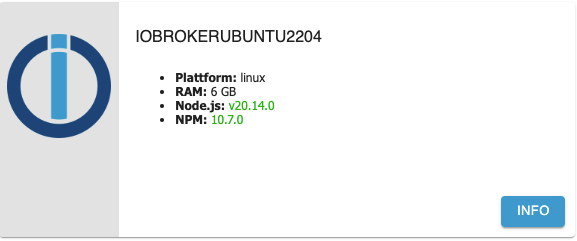
Frage: Was bewirkt "sudo usermod -a -G iobroker Hans"
Zusatz: habs selbst gefunden: User Hans wird in die Gruppe iobroker eingefügtZusatz Frage: gibt es zu dem iob diag Error: Object "system.repositories" not found eine Erklärung ?
Danke für deine Hilfe.
-
@thomas-braun Seit ewigen Zeiten habe ich die User root & armin. Da beide offensichtlich nicht berechtigt sind den node.js Upgrade Befehl auszuführen und ich lt. Ausgabe einen Standard User nutzen soll, habe ich kurzerhand Hans eingerichtet. Aber wohl nicht mit den richtigen Rechten versehen (?) .
Mit deiner Hilfe hat jetzt User Hans den Upgrade erfolgreich erledigt.
Frage: Was bewirkt "sudo usermod -a -G iobroker Hans"
Zusatz: habs selbst gefunden: User Hans wird in die Gruppe iobroker eingefügtZusatz Frage: gibt es zu dem iob diag Error: Object "system.repositories" not found eine Erklärung ?
Danke für deine Hilfe.
Und warum hast du den 'armin' nicht für den iobroker ertüchtigt?
So musst du doch vom armin zum Hans springen. (root ist TABU!).Zusatz Frage: gibt es zu dem iob diag Error: Object "system.repositories" not found eine Erklärung ?
Zeig jetzt mal die Langfassung von
iob diag -
Und warum hast du den 'armin' nicht für den iobroker ertüchtigt?
So musst du doch vom armin zum Hans springen. (root ist TABU!).Zusatz Frage: gibt es zu dem iob diag Error: Object "system.repositories" not found eine Erklärung ?
Zeig jetzt mal die Langfassung von
iob diag@thomas-braun In den Basiseinstellungen von ioBroker (Schraubenschlüssel) habe ich bei Repositories eine leere Seite. Setze ich dort die Repository Liste zurück auf Stable und sichere, bewirkt das leider gar nichts.
Skript v.2024-05-22 *** BASE SYSTEM *** Static hostname: ioBrokerUbuntu2204 Icon name: computer-container Chassis: container Virtualization: lxc Operating System: Ubuntu 22.04.4 LTS Kernel: Linux 6.8.4-3-pve Architecture: x86-64 model name : Intel(R) Core(TM) i5-6500T CPU @ 2.50GHz Docker : false Virtualization : lxc Kernel : x86_64 Userland : 64 bit Systemuptime and Load: 14:38:56 up 31 min, 2 users, load average: 0.65, 0.52, 0.51 CPU threads: 4 *** Time and Time Zones *** Local time: Fri 2024-06-07 14:38:56 CEST Universal time: Fri 2024-06-07 12:38:56 UTC RTC time: n/a Time zone: Europe/Berlin (CEST, +0200) System clock synchronized: yes NTP service: inactive RTC in local TZ: no *** Users and Groups *** User that called 'iob diag': Hans HOME=/ GROUPS=Hans sudo iobroker User that is running 'js-controller': iobroker HOME=/home/iobroker GROUPS=iobroker tty dialout audio video *** Display-Server-Setup *** Display-Server: false Desktop: Terminal: tty Boot Target: graphical.target *** MEMORY *** total used free shared buff/cache available Mem: 6.1G 2.1G 3.2G 0.0K 821M 4.0G Swap: 2.0G 0B 2.0G Total: 8.2G 2.1G 5.3G Active iob-Instances: 39 6144 M total memory 2096 M used memory 2094 M active memory 649 M inactive memory 3225 M free memory 0 M buffer memory 821 M swap cache 2048 M total swap 0 M used swap 2048 M free swap *** top - Table Of Processes *** top - 14:38:56 up 31 min, 2 users, load average: 0.65, 0.52, 0.51 Tasks: 69 total, 1 running, 68 sleeping, 0 stopped, 0 zombie %Cpu(s): 9.4 us, 1.6 sy, 0.0 ni, 89.1 id, 0.0 wa, 0.0 hi, 0.0 si, 0.0 st MiB Mem : 6144.0 total, 3225.4 free, 2097.4 used, 821.2 buff/cache MiB Swap: 2048.0 total, 2048.0 free, 0.0 used. 4046.5 avail Mem *** FAILED SERVICES *** UNIT LOAD ACTIVE SUB DESCRIPTION * apparmor.service loaded failed failed Load AppArmor profiles * systemd-networkd-wait-online.service loaded failed failed Wait for Network to be Configured * systemd-sysusers.service loaded failed failed Create System Users LOAD = Reflects whether the unit definition was properly loaded. ACTIVE = The high-level unit activation state, i.e. generalization of SUB. SUB = The low-level unit activation state, values depend on unit type. 3 loaded units listed. *** FILESYSTEM *** Filesystem Type Size Used Avail Use% Mounted on /dev/loop4 ext4 9.8G 7.3G 2.0G 79% / none tmpfs 492K 4.0K 488K 1% /dev /dev/mapper/pve-root ext4 68G 17G 48G 26% /dev/ttyACM0 tmpfs tmpfs 12G 0 12G 0% /dev/shm tmpfs tmpfs 4.7G 128K 4.7G 1% /run tmpfs tmpfs 5.0M 0 5.0M 0% /run/lock tmpfs tmpfs 2.4G 0 2.4G 0% /run/user/1002 Messages concerning ext4 filesystem in dmesg: [Thu Jun 6 17:43:30 2024] EXT4-fs (dm-1): mounted filesystem 8e7ad3ea-b536-49e6-9f4b-3b4e93b06de9 ro with ordered data mode. Quota mode: none. [Thu Jun 6 17:43:31 2024] EXT4-fs (dm-1): re-mounted 8e7ad3ea-b536-49e6-9f4b-3b4e93b06de9 r/w. Quota mode: none. [Thu Jun 6 17:43:32 2024] EXT4-fs (sda1): mounted filesystem dad5ffae-f06d-4095-a413-c52a143dd26f r/w with ordered data mode. Quota mode: none. [Thu Jun 6 17:43:43 2024] EXT4-fs (loop0): mounted filesystem 063d23dc-6cd6-4ccb-9701-41c80a6875e3 r/w with ordered data mode. Quota mode: none. [Thu Jun 6 17:43:46 2024] EXT4-fs (loop1): mounted filesystem eb12dab0-3578-4c4b-8093-c51104024277 r/w with ordered data mode. Quota mode: none. [Thu Jun 6 17:43:50 2024] EXT4-fs (loop2): mounted filesystem cc99697e-ef98-4040-91f2-219597f2e8a6 r/w with ordered data mode. Quota mode: none. [Thu Jun 6 17:43:53 2024] EXT4-fs (loop3): mounted filesystem 85ba53a2-5473-421a-924d-407b37ebd2aa r/w with ordered data mode. Quota mode: none. [Thu Jun 6 17:43:56 2024] EXT4-fs (loop4): mounted filesystem 0aa2747b-6f85-493f-b396-835d429ebf80 r/w with ordered data mode. Quota mode: none. [Thu Jun 6 18:02:13 2024] EXT4-fs (loop4): unmounting filesystem 0aa2747b-6f85-493f-b396-835d429ebf80. [Thu Jun 6 18:02:14 2024] EXT4-fs (loop4): mounted filesystem 0aa2747b-6f85-493f-b396-835d429ebf80 r/w with ordered data mode. Quota mode: none. [Thu Jun 6 18:16:19 2024] EXT4-fs (loop4): unmounting filesystem 0aa2747b-6f85-493f-b396-835d429ebf80. [Thu Jun 6 18:16:20 2024] EXT4-fs (loop4): mounted filesystem 0aa2747b-6f85-493f-b396-835d429ebf80 r/w with ordered data mode. Quota mode: none. [Fri Jun 7 14:06:56 2024] EXT4-fs (loop4): unmounting filesystem 0aa2747b-6f85-493f-b396-835d429ebf80. [Fri Jun 7 14:06:57 2024] EXT4-fs (loop4): mounted filesystem 0aa2747b-6f85-493f-b396-835d429ebf80 r/w with ordered data mode. Quota mode: none. Show mounted filesystems: TARGET SOURCE FSTYPE OPTIONS / /dev/loop4 ext4 rw,relatime |-/run tmpfs tmpfs rw,nosuid,nodev,size=4900096k,nr_inodes=819200,mode=755,inode64 | |-/run/lock tmpfs tmpfs rw,nosuid,nodev,noexec,relatime,size=5120k,inode64 | |-/run/rpc_pipefs sunrpc rpc_pipefs ro,relatime | `-/run/user/1002 tmpfs tmpfs rw,nosuid,nodev,relatime,size=2450044k,nr_inodes=612511,mode=700,uid=1002,gid=1002,inode64 |-/dev none tmpfs rw,relatime,size=492k,mode=755,inode64 | |-/dev/shm tmpfs tmpfs rw,nosuid,nodev,inode64 | |-/dev/hugepages hugetlbfs hugetlbfs rw,relatime,pagesize=2M | |-/dev/mqueue mqueue mqueue rw,relatime | |-/dev/ttyACM0 /dev/mapper/pve-root[/var/lib/lxc/105/devices/ttyACM0] ext4 rw,relatime,errors=remount-ro | |-/dev/pts devpts devpts rw,nosuid,noexec,relatime,gid=5,mode=620,ptmxmode=666,max=1026 | |-/dev/ptmx devpts[/ptmx] devpts rw,nosuid,noexec,relatime,gid=5,mode=620,ptmxmode=666,max=1026 | |-/dev/lxc/console devpts[/0] devpts rw,nosuid,noexec,relatime,gid=5,mode=620,ptmxmode=666,max=1026 | |-/dev/console devpts[/0] devpts rw,nosuid,noexec,relatime,gid=5,mode=620,ptmxmode=666,max=1026 | |-/dev/lxc/tty1 devpts[/1] devpts rw,nosuid,noexec,relatime,gid=5,mode=620,ptmxmode=666,max=1026 | `-/dev/lxc/tty2 devpts[/2] devpts rw,nosuid,noexec,relatime,gid=5,mode=620,ptmxmode=666,max=1026 |-/proc proc proc rw,nosuid,nodev,noexec,relatime | |-/proc/sys proc[/sys] proc ro,relatime | | |-/proc/sys/kernel/random/boot_id none[/.lxc-boot-id] tmpfs ro,nosuid,nodev,noexec,relatime,size=492k,mode=755,inode64 | | `-/proc/sys/net proc[/sys/net] proc rw,nosuid,nodev,noexec,relatime | |-/proc/sysrq-trigger proc[/sysrq-trigger] proc ro,relatime | |-/proc/cpuinfo lxcfs[/proc/cpuinfo] fuse.lxcfs rw,nosuid,nodev,relatime,user_id=0,group_id=0,allow_other | |-/proc/diskstats lxcfs[/proc/diskstats] fuse.lxcfs rw,nosuid,nodev,relatime,user_id=0,group_id=0,allow_other | |-/proc/loadavg lxcfs[/proc/loadavg] fuse.lxcfs rw,nosuid,nodev,relatime,user_id=0,group_id=0,allow_other | |-/proc/meminfo lxcfs[/proc/meminfo] fuse.lxcfs rw,nosuid,nodev,relatime,user_id=0,group_id=0,allow_other | |-/proc/slabinfo lxcfs[/proc/slabinfo] fuse.lxcfs rw,nosuid,nodev,relatime,user_id=0,group_id=0,allow_other | |-/proc/stat lxcfs[/proc/stat] fuse.lxcfs rw,nosuid,nodev,relatime,user_id=0,group_id=0,allow_other | |-/proc/swaps lxcfs[/proc/swaps] fuse.lxcfs rw,nosuid,nodev,relatime,user_id=0,group_id=0,allow_other | `-/proc/uptime lxcfs[/proc/uptime] fuse.lxcfs rw,nosuid,nodev,relatime,user_id=0,group_id=0,allow_other `-/sys sysfs sysfs ro,nosuid,nodev,noexec,relatime |-/sys/fs/fuse/connections fusectl fusectl rw,nosuid,nodev,noexec,relatime |-/sys/devices/virtual/net sysfs[/devices/virtual/net] sysfs rw,nosuid,nodev,noexec,relatime |-/sys/kernel/debug debugfs debugfs rw,nosuid,nodev,noexec,relatime |-/sys/kernel/security securityfs securityfs rw,nosuid,nodev,noexec,relatime |-/sys/fs/pstore pstore pstore rw,nosuid,nodev,noexec,relatime |-/sys/fs/cgroup none cgroup2 rw,nosuid,nodev,noexec,relatime `-/sys/devices/system/cpu lxcfs[/sys/devices/system/cpu] fuse.lxcfs rw,nosuid,nodev,relatime,user_id=0,group_id=0,allow_other Files in neuralgic directories: /var: 1.3G /var/ 711M /var/log 698M /var/log/journal/d061452a64f8407f807c515d9e1a08b0 698M /var/log/journal 324M /var/cache Hint: You are currently not seeing messages from other users and the system. Users in groups 'adm', 'systemd-journal' can see all messages. Pass -q to turn off this notice. Archived and active journals take up 8.0M in the file system. /opt/iobroker/backups: 682M /opt/iobroker/backups/ /opt/iobroker/iobroker-data: 1.6G /opt/iobroker/iobroker-data/ 805M /opt/iobroker/iobroker-data/iobroker-data 625M /opt/iobroker/iobroker-data/files 163M /opt/iobroker/iobroker-data/files/vis.0 93M /opt/iobroker/iobroker-data/backup-objects The five largest files in iobroker-data are: 127M /opt/iobroker/iobroker-data/files/vis.0/Bambu_Studio_mac-v01.07.06.92.dmg 28M /opt/iobroker/iobroker-data/states.jsonl 24M /opt/iobroker/iobroker-data/files/web.admin/static/js/main.135279a0.js.map 24M /opt/iobroker/iobroker-data/files/echarts/static/js/main.2b7495c2.js.map 24M /opt/iobroker/iobroker-data/files/echarts.admin/chart/static/js/main.2b7495c2.js.map USB-Devices by-id: USB-Sticks - Avoid direct links to /dev/tty* in your adapter setups, please always prefer the links 'by-id': /dev/serial/by-id/usb-dresden_elektronik_ingenieurtechnik_GmbH_ConBee_II_DE2211340-if00 HINT: Your zigbee.0 COM-Port is NOT matching 'by-id'. Please check your setting: /dev/ttyACM0 *** NodeJS-Installation *** /usr/bin/nodejs v20.14.0 /usr/bin/node v20.14.0 /usr/bin/npm 10.7.0 /usr/bin/npx 10.7.0 /usr/bin/corepack 0.28.1 nodejs: Installed: 20.14.0-1nodesource1 Candidate: 20.14.0-1nodesource1 Version table: *** 20.14.0-1nodesource1 1001 500 https://deb.nodesource.com/node_20.x nodistro/main amd64 Packages 100 /var/lib/dpkg/status 20.13.1-1nodesource1 1001 500 https://deb.nodesource.com/node_20.x nodistro/main amd64 Packages 20.13.0-1nodesource1 1001 500 https://deb.nodesource.com/node_20.x nodistro/main amd64 Packages 20.12.2-1nodesource1 1001 500 https://deb.nodesource.com/node_20.x nodistro/main amd64 Packages 20.12.1-1nodesource1 1001 500 https://deb.nodesource.com/node_20.x nodistro/main amd64 Packages 20.12.0-1nodesource1 1001 500 https://deb.nodesource.com/node_20.x nodistro/main amd64 Packages 20.11.1-1nodesource1 1001 500 https://deb.nodesource.com/node_20.x nodistro/main amd64 Packages 20.11.0-1nodesource1 1001 500 https://deb.nodesource.com/node_20.x nodistro/main amd64 Packages 20.10.0-1nodesource1 1001 500 https://deb.nodesource.com/node_20.x nodistro/main amd64 Packages 20.9.0-1nodesource1 1001 500 https://deb.nodesource.com/node_20.x nodistro/main amd64 Packages 20.8.1-1nodesource1 1001 500 https://deb.nodesource.com/node_20.x nodistro/main amd64 Packages 20.8.0-1nodesource1 1001 500 https://deb.nodesource.com/node_20.x nodistro/main amd64 Packages 20.7.0-1nodesource1 1001 500 https://deb.nodesource.com/node_20.x nodistro/main amd64 Packages 20.6.1-1nodesource1 1001 500 https://deb.nodesource.com/node_20.x nodistro/main amd64 Packages 20.6.0-1nodesource1 1001 500 https://deb.nodesource.com/node_20.x nodistro/main amd64 Packages 20.5.1-1nodesource1 1001 500 https://deb.nodesource.com/node_20.x nodistro/main amd64 Packages 20.5.0-1nodesource1 1001 500 https://deb.nodesource.com/node_20.x nodistro/main amd64 Packages 20.4.0-1nodesource1 1001 500 https://deb.nodesource.com/node_20.x nodistro/main amd64 Packages 20.3.1-1nodesource1 1001 500 https://deb.nodesource.com/node_20.x nodistro/main amd64 Packages 20.3.0-1nodesource1 1001 500 https://deb.nodesource.com/node_20.x nodistro/main amd64 Packages 20.2.0-1nodesource1 1001 500 https://deb.nodesource.com/node_20.x nodistro/main amd64 Packages 20.1.0-1nodesource1 1001 500 https://deb.nodesource.com/node_20.x nodistro/main amd64 Packages 20.0.0-1nodesource1 1001 500 https://deb.nodesource.com/node_20.x nodistro/main amd64 Packages 12.22.9~dfsg-1ubuntu3.5 500 500 http://archive.ubuntu.com/ubuntu jammy-updates/universe amd64 Packages 500 http://archive.ubuntu.com/ubuntu jammy-security/universe amd64 Packages 12.22.9~dfsg-1ubuntu3 500 500 http://archive.ubuntu.com/ubuntu jammy/universe amd64 Packages Temp directories causing npm8 problem: 0 No problems detected Errors in npm tree: *** ioBroker-Installation *** ioBroker Status iobroker is running on this host. Objects type: jsonl States type: jsonl Core adapters versions js-controller: 5.0.19 admin: 6.13.16 javascript: 7.8.0 nodejs modules from github: 1 | +-- samsungtv@0.0.0 (git+https://git@github.com/luca-saggese/samsungtv.git#7fc20107455414e2afb94022682e0787e8635550) Adapter State + system.adapter.admin.0 : admin : ioBrokerUbuntu2204 - enabled, port: 8081, bind: 0.0.0.0, run as: admin + system.adapter.alexa2.1 : alexa2 : ioBrokerUbuntu2204 - enabled + system.adapter.backitup.0 : backitup : ioBrokerUbuntu2204 - enabled + system.adapter.broadlink2.0 : broadlink2 : ioBrokerUbuntu2204 - enabled + system.adapter.cloud.0 : cloud : ioBrokerUbuntu2204 - enabled + system.adapter.denon.0 : denon : ioBrokerUbuntu2204 - enabled + system.adapter.discovery.0 : discovery : ioBrokerUbuntu2204 - enabled system.adapter.dwd.0 : dwd : ioBrokerUbuntu2204 - enabled + system.adapter.echarts.0 : echarts : ioBrokerUbuntu2204 - enabled + system.adapter.energiefluss.0 : energiefluss : ioBrokerUbuntu2204 - enabled + system.adapter.firetv.0 : firetv : ioBrokerUbuntu2204 - enabled system.adapter.flot.0 : flot : ioBrokerUbuntu2204 - disabled + system.adapter.fullybrowser.0 : fullybrowser : ioBrokerUbuntu2204 - enabled + system.adapter.harmony.0 : harmony : ioBrokerUbuntu2204 - enabled + system.adapter.history.0 : history : ioBrokerUbuntu2204 - enabled + system.adapter.hue.0 : hue : ioBrokerUbuntu2204 - enabled, port: 80 system.adapter.ical.0 : ical : ioBrokerUbuntu2204 - enabled system.adapter.icons-addictive-flavour-png.0: icons-addictive-flavour-png: ioBrokerUbuntu2204 - disabled system.adapter.icons-icons8.0 : icons-icons8 : ioBrokerUbuntu2204 - disabled system.adapter.icons-mfd-png.0 : icons-mfd-png : ioBrokerUbuntu2204 - disabled system.adapter.icons-open-icon-library-png.0: icons-open-icon-library-png: ioBrokerUbuntu2204 - disabled + system.adapter.influxdb.0 : influxdb : ioBrokerUbuntu2204 - enabled, port: 8086 + system.adapter.info.0 : info : ioBrokerUbuntu2204 - enabled + system.adapter.javascript.0 : javascript : ioBrokerUbuntu2204 - enabled + system.adapter.mqtt.0 : mqtt : ioBrokerUbuntu2204 - enabled, port: 1883, bind: 0.0.0.0 + system.adapter.node-red.0 : node-red : ioBrokerUbuntu2204 - enabled, port: 1880, bind: 0.0.0.0 + system.adapter.opendtu.0 : opendtu : ioBrokerUbuntu2204 - enabled system.adapter.openweathermap.0 : openweathermap : ioBrokerUbuntu2204 - enabled + system.adapter.ping.0 : ping : ioBrokerUbuntu2204 - enabled system.adapter.pvforecast.0 : pvforecast : ioBrokerUbuntu2204 - disabled + system.adapter.reolink.0 : reolink : ioBrokerUbuntu2204 - enabled + system.adapter.samsung.0 : samsung : ioBrokerUbuntu2204 - enabled + system.adapter.scenes.0 : scenes : ioBrokerUbuntu2204 - enabled + system.adapter.shelly.0 : shelly : ioBrokerUbuntu2204 - enabled, port: 1882, bind: 0.0.0.0 + system.adapter.shelly.1 : shelly : ioBrokerUbuntu2204 - enabled, port: 1882, bind: 0.0.0.0 + system.adapter.simple-api.0 : simple-api : ioBrokerUbuntu2204 - enabled, port: 8087, bind: 0.0.0.0, run as: admin + system.adapter.socketio.0 : socketio : ioBrokerUbuntu2204 - enabled, port: 8084, bind: 192.168.178.92, run as: admin + system.adapter.sonoff.0 : sonoff : ioBrokerUbuntu2204 - enabled, port: 1887, bind: 0.0.0.0 + system.adapter.tankerkoenig.0 : tankerkoenig : ioBrokerUbuntu2204 - enabled + system.adapter.telegram.0 : telegram : ioBrokerUbuntu2204 - enabled, port: 8443, bind: 0.0.0.0 + system.adapter.tr-064.0 : tr-064 : ioBrokerUbuntu2204 - enabled + system.adapter.trashschedule.0 : trashschedule : ioBrokerUbuntu2204 - enabled + system.adapter.upnp.0 : upnp : ioBrokerUbuntu2204 - enabled system.adapter.vis-colorpicker.0 : vis-colorpicker : ioBrokerUbuntu2204 - disabled system.adapter.vis-hqwidgets.0 : vis-hqwidgets : ioBrokerUbuntu2204 - disabled system.adapter.vis-icontwo.0 : vis-icontwo : ioBrokerUbuntu2204 - disabled + system.adapter.vis-inventwo.0 : vis-inventwo : ioBrokerUbuntu2204 - enabled system.adapter.vis-jqui-mfd.0 : vis-jqui-mfd : ioBrokerUbuntu2204 - disabled system.adapter.vis-materialdesign.0 : vis-materialdesign : ioBrokerUbuntu2204 - enabled system.adapter.vis-metro.0 : vis-metro : ioBrokerUbuntu2204 - disabled system.adapter.vis-players.0 : vis-players : ioBrokerUbuntu2204 - disabled system.adapter.vis-plumb.0 : vis-plumb : ioBrokerUbuntu2204 - disabled system.adapter.vis-timeandweather.0 : vis-timeandweather : ioBrokerUbuntu2204 - disabled system.adapter.vis-weather.0 : vis-weather : ioBrokerUbuntu2204 - disabled system.adapter.vis.0 : vis : ioBrokerUbuntu2204 - enabled + system.adapter.web.0 : web : ioBrokerUbuntu2204 - enabled, port: 8082, bind: 0.0.0.0, run as: admin + system.adapter.yeelight-2.0 : yeelight-2 : ioBrokerUbuntu2204 - enabled system.adapter.yr.0 : yr : ioBrokerUbuntu2204 - enabled + system.adapter.zigbee.0 : zigbee : ioBrokerUbuntu2204 - enabled, port: /dev/ttyACM0 + instance is alive Enabled adapters with bindings + system.adapter.admin.0 : admin : ioBrokerUbuntu2204 - enabled, port: 8081, bind: 0.0.0.0, run as: admin + system.adapter.hue.0 : hue : ioBrokerUbuntu2204 - enabled, port: 80 + system.adapter.influxdb.0 : influxdb : ioBrokerUbuntu2204 - enabled, port: 8086 + system.adapter.mqtt.0 : mqtt : ioBrokerUbuntu2204 - enabled, port: 1883, bind: 0.0.0.0 + system.adapter.node-red.0 : node-red : ioBrokerUbuntu2204 - enabled, port: 1880, bind: 0.0.0.0 + system.adapter.shelly.0 : shelly : ioBrokerUbuntu2204 - enabled, port: 1882, bind: 0.0.0.0 + system.adapter.shelly.1 : shelly : ioBrokerUbuntu2204 - enabled, port: 1882, bind: 0.0.0.0 + system.adapter.simple-api.0 : simple-api : ioBrokerUbuntu2204 - enabled, port: 8087, bind: 0.0.0.0, run as: admin + system.adapter.socketio.0 : socketio : ioBrokerUbuntu2204 - enabled, port: 8084, bind: 192.168.178.92, run as: admin + system.adapter.sonoff.0 : sonoff : ioBrokerUbuntu2204 - enabled, port: 1887, bind: 0.0.0.0 + system.adapter.telegram.0 : telegram : ioBrokerUbuntu2204 - enabled, port: 8443, bind: 0.0.0.0 + system.adapter.web.0 : web : ioBrokerUbuntu2204 - enabled, port: 8082, bind: 0.0.0.0, run as: admin + system.adapter.zigbee.0 : zigbee : ioBrokerUbuntu2204 - enabled, port: /dev/ttyACM0 ioBroker-Repositories List is empty Installed ioBroker-Instances Error: Object "system.repositories" not found Objects and States Please stand by - This may take a while Objects: 17557 States: 15477 *** OS-Repositories and Updates *** Hit:1 https://deb.nodesource.com/node_20.x nodistro InRelease Hit:2 http://archive.ubuntu.com/ubuntu jammy InRelease Hit:3 http://archive.ubuntu.com/ubuntu jammy-updates InRelease Hit:4 http://archive.ubuntu.com/ubuntu jammy-security InRelease Reading package lists... Pending Updates: 0 *** Listening Ports *** Active Internet connections (only servers) Proto Recv-Q Send-Q Local Address Foreign Address State User Inode PID/Program name tcp 0 0 127.0.0.1:25 0.0.0.0:* LISTEN 0 6665083 850/master tcp 0 0 192.168.178.92:8084 0.0.0.0:* LISTEN 1000 6669904 1456/io.socketio.0 tcp 0 0 0.0.0.0:111 0.0.0.0:* LISTEN 0 6655853 1/init tcp 0 0 127.0.0.1:9000 0.0.0.0:* LISTEN 1000 6656737 154/iobroker.js-con tcp 0 0 127.0.0.1:9001 0.0.0.0:* LISTEN 1000 6656732 154/iobroker.js-con tcp 0 0 127.0.0.53:53 0.0.0.0:* LISTEN 106 6658179 97/systemd-resolved tcp 0 0 0.0.0.0:1887 0.0.0.0:* LISTEN 1000 6665459 606/io.sonoff.0 tcp 0 0 0.0.0.0:1884 0.0.0.0:* LISTEN 1000 6660975 462/io.mqtt.0 tcp 0 0 0.0.0.0:1883 0.0.0.0:* LISTEN 1000 6660974 462/io.mqtt.0 tcp 0 0 0.0.0.0:1882 0.0.0.0:* LISTEN 1000 6664413 541/io.shelly.1 tcp 0 0 0.0.0.0:1880 0.0.0.0:* LISTEN 1000 6661244 317/node-red tcp6 0 0 :::61991 :::* LISTEN 1000 6660798 417/io.harmony.0 tcp6 0 0 ::1:25 :::* LISTEN 0 6665084 850/master tcp6 0 0 :::8087 :::* LISTEN 1000 6669706 1330/io.simple-api. tcp6 0 0 :::8082 :::* LISTEN 1000 6665695 657/io.web.0 tcp6 0 0 :::8081 :::* LISTEN 1000 6659315 194/io.admin.0 tcp6 0 0 :::8000 :::* LISTEN 1000 6751683 1695/io.upnp.0 tcp6 0 0 :::22 :::* LISTEN 0 6658259 1/init tcp6 0 0 :::111 :::* LISTEN 0 6658064 1/init udp 0 0 192.168.178.92:5353 0.0.0.0:* 1000 6665280 558/io.tr-064.0 udp 0 0 0.0.0.0:5683 0.0.0.0:* 1000 6663573 525/io.shelly.0 udp 0 0 0.0.0.0:55387 0.0.0.0:* 1000 6661442 363/io.broadlink2.0 udp 0 0 0.0.0.0:58326 0.0.0.0:* 1000 6670195 1695/io.upnp.0 udp 0 0 0.0.0.0:60292 0.0.0.0:* 1000 6659847 363/io.broadlink2.0 udp 0 0 0.0.0.0:61991 0.0.0.0:* 1000 6660799 417/io.harmony.0 udp 0 0 0.0.0.0:15001 0.0.0.0:* 1000 6659845 363/io.broadlink2.0 udp 0 0 127.0.0.53:53 0.0.0.0:* 106 6658178 97/systemd-resolved udp 0 0 0.0.0.0:111 0.0.0.0:* 0 6655854 1/init udp 0 0 0.0.0.0:1900 0.0.0.0:* 1000 6673639 1695/io.upnp.0 udp6 0 0 :::111 :::* 0 6656549 1/init *** Log File - Last 25 Lines *** 2024-06-07 14:20:01.627 - info: dwd.0 (14168) Terminated (ADAPTER_REQUESTED_TERMINATION): Without reason 2024-06-07 14:20:02.141 - info: host.ioBrokerUbuntu2204 instance system.adapter.dwd.0 terminated with code 11 (ADAPTER_REQUESTED_TERMINATION) 2024-06-07 14:23:00.013 - info: host.ioBrokerUbuntu2204 instance system.adapter.openweathermap.0 started with pid 17787 2024-06-07 14:23:00.800 - info: openweathermap.0 (17787) starting. Version 1.0.4 in /opt/iobroker/node_modules/iobroker.openweathermap, node: v20.14.0, js-controller: 5.0.19 2024-06-07 14:23:10.837 - info: openweathermap.0 (17787) Terminated (NO_ERROR): Without reason 2024-06-07 14:23:11.348 - info: host.ioBrokerUbuntu2204 instance system.adapter.openweathermap.0 terminated with code 0 (NO_ERROR) 2024-06-07 14:25:00.011 - info: host.ioBrokerUbuntu2204 instance system.adapter.dwd.0 started with pid 20179 2024-06-07 14:25:00.781 - info: dwd.0 (20179) starting. Version 2.8.5 in /opt/iobroker/node_modules/iobroker.dwd, node: v20.14.0, js-controller: 5.0.19 2024-06-07 14:25:01.518 - info: dwd.0 (20179) Terminated (ADAPTER_REQUESTED_TERMINATION): Without reason 2024-06-07 14:25:02.031 - info: host.ioBrokerUbuntu2204 instance system.adapter.dwd.0 terminated with code 11 (ADAPTER_REQUESTED_TERMINATION) 2024-06-07 14:30:00.015 - info: host.ioBrokerUbuntu2204 instance system.adapter.dwd.0 started with pid 26101 2024-06-07 14:30:00.781 - info: dwd.0 (26101) starting. Version 2.8.5 in /opt/iobroker/node_modules/iobroker.dwd, node: v20.14.0, js-controller: 5.0.19 2024-06-07 14:30:01.859 - info: dwd.0 (26101) Terminated (ADAPTER_REQUESTED_TERMINATION): Without reason 2024-06-07 14:30:02.373 - info: host.ioBrokerUbuntu2204 instance system.adapter.dwd.0 terminated with code 11 (ADAPTER_REQUESTED_TERMINATION) 2024-06-07 14:30:04.022 - info: host.ioBrokerUbuntu2204 instance system.adapter.ical.0 started with pid 26223 2024-06-07 14:30:04.765 - info: ical.0 (26223) starting. Version 1.15.0 in /opt/iobroker/node_modules/iobroker.ical, node: v20.14.0, js-controller: 5.0.19 2024-06-07 14:30:05.093 - info: ical.0 (26223) processing URL: Feiertage https://p15-calendars.icloud.com/holiday/DE_de.ics 2024-06-07 14:30:05.213 - info: ical.0 (26223) processing URL: ioBrokerCal http://p61-caldav.icloud.com/published/2/OTc2Nzk1MjA5NzY3OTUyMM35lHu_ZHb5LRplOGC85wNTy67xW12qwAFF_K9g7Jsg 2024-06-07 14:30:10.320 - info: ical.0 (26223) Terminated (NO_ERROR): Without reason 2024-06-07 14:30:10.834 - info: host.ioBrokerUbuntu2204 instance system.adapter.ical.0 terminated with code 0 (NO_ERROR) 2024-06-07 14:32:27.789 - info: admin.0 (194) ==> Connected system.user.admin from ::ffff:192.168.178.65 2024-06-07 14:35:00.012 - info: host.ioBrokerUbuntu2204 instance system.adapter.dwd.0 started with pid 32112 2024-06-07 14:35:00.783 - info: dwd.0 (32112) starting. Version 2.8.5 in /opt/iobroker/node_modules/iobroker.dwd, node: v20.14.0, js-controller: 5.0.19 2024-06-07 14:35:01.331 - info: dwd.0 (32112) Terminated (ADAPTER_REQUESTED_TERMINATION): Without reason 2024-06-07 14:35:01.845 - info: host.ioBrokerUbuntu2204 instance system.adapter.dwd.0 terminated with code 11 (ADAPTER_REQUESTED_TERMINATION) -
@thomas-braun In den Basiseinstellungen von ioBroker (Schraubenschlüssel) habe ich bei Repositories eine leere Seite. Setze ich dort die Repository Liste zurück auf Stable und sichere, bewirkt das leider gar nichts.
Skript v.2024-05-22 *** BASE SYSTEM *** Static hostname: ioBrokerUbuntu2204 Icon name: computer-container Chassis: container Virtualization: lxc Operating System: Ubuntu 22.04.4 LTS Kernel: Linux 6.8.4-3-pve Architecture: x86-64 model name : Intel(R) Core(TM) i5-6500T CPU @ 2.50GHz Docker : false Virtualization : lxc Kernel : x86_64 Userland : 64 bit Systemuptime and Load: 14:38:56 up 31 min, 2 users, load average: 0.65, 0.52, 0.51 CPU threads: 4 *** Time and Time Zones *** Local time: Fri 2024-06-07 14:38:56 CEST Universal time: Fri 2024-06-07 12:38:56 UTC RTC time: n/a Time zone: Europe/Berlin (CEST, +0200) System clock synchronized: yes NTP service: inactive RTC in local TZ: no *** Users and Groups *** User that called 'iob diag': Hans HOME=/ GROUPS=Hans sudo iobroker User that is running 'js-controller': iobroker HOME=/home/iobroker GROUPS=iobroker tty dialout audio video *** Display-Server-Setup *** Display-Server: false Desktop: Terminal: tty Boot Target: graphical.target *** MEMORY *** total used free shared buff/cache available Mem: 6.1G 2.1G 3.2G 0.0K 821M 4.0G Swap: 2.0G 0B 2.0G Total: 8.2G 2.1G 5.3G Active iob-Instances: 39 6144 M total memory 2096 M used memory 2094 M active memory 649 M inactive memory 3225 M free memory 0 M buffer memory 821 M swap cache 2048 M total swap 0 M used swap 2048 M free swap *** top - Table Of Processes *** top - 14:38:56 up 31 min, 2 users, load average: 0.65, 0.52, 0.51 Tasks: 69 total, 1 running, 68 sleeping, 0 stopped, 0 zombie %Cpu(s): 9.4 us, 1.6 sy, 0.0 ni, 89.1 id, 0.0 wa, 0.0 hi, 0.0 si, 0.0 st MiB Mem : 6144.0 total, 3225.4 free, 2097.4 used, 821.2 buff/cache MiB Swap: 2048.0 total, 2048.0 free, 0.0 used. 4046.5 avail Mem *** FAILED SERVICES *** UNIT LOAD ACTIVE SUB DESCRIPTION * apparmor.service loaded failed failed Load AppArmor profiles * systemd-networkd-wait-online.service loaded failed failed Wait for Network to be Configured * systemd-sysusers.service loaded failed failed Create System Users LOAD = Reflects whether the unit definition was properly loaded. ACTIVE = The high-level unit activation state, i.e. generalization of SUB. SUB = The low-level unit activation state, values depend on unit type. 3 loaded units listed. *** FILESYSTEM *** Filesystem Type Size Used Avail Use% Mounted on /dev/loop4 ext4 9.8G 7.3G 2.0G 79% / none tmpfs 492K 4.0K 488K 1% /dev /dev/mapper/pve-root ext4 68G 17G 48G 26% /dev/ttyACM0 tmpfs tmpfs 12G 0 12G 0% /dev/shm tmpfs tmpfs 4.7G 128K 4.7G 1% /run tmpfs tmpfs 5.0M 0 5.0M 0% /run/lock tmpfs tmpfs 2.4G 0 2.4G 0% /run/user/1002 Messages concerning ext4 filesystem in dmesg: [Thu Jun 6 17:43:30 2024] EXT4-fs (dm-1): mounted filesystem 8e7ad3ea-b536-49e6-9f4b-3b4e93b06de9 ro with ordered data mode. Quota mode: none. [Thu Jun 6 17:43:31 2024] EXT4-fs (dm-1): re-mounted 8e7ad3ea-b536-49e6-9f4b-3b4e93b06de9 r/w. Quota mode: none. [Thu Jun 6 17:43:32 2024] EXT4-fs (sda1): mounted filesystem dad5ffae-f06d-4095-a413-c52a143dd26f r/w with ordered data mode. Quota mode: none. [Thu Jun 6 17:43:43 2024] EXT4-fs (loop0): mounted filesystem 063d23dc-6cd6-4ccb-9701-41c80a6875e3 r/w with ordered data mode. Quota mode: none. [Thu Jun 6 17:43:46 2024] EXT4-fs (loop1): mounted filesystem eb12dab0-3578-4c4b-8093-c51104024277 r/w with ordered data mode. Quota mode: none. [Thu Jun 6 17:43:50 2024] EXT4-fs (loop2): mounted filesystem cc99697e-ef98-4040-91f2-219597f2e8a6 r/w with ordered data mode. Quota mode: none. [Thu Jun 6 17:43:53 2024] EXT4-fs (loop3): mounted filesystem 85ba53a2-5473-421a-924d-407b37ebd2aa r/w with ordered data mode. Quota mode: none. [Thu Jun 6 17:43:56 2024] EXT4-fs (loop4): mounted filesystem 0aa2747b-6f85-493f-b396-835d429ebf80 r/w with ordered data mode. Quota mode: none. [Thu Jun 6 18:02:13 2024] EXT4-fs (loop4): unmounting filesystem 0aa2747b-6f85-493f-b396-835d429ebf80. [Thu Jun 6 18:02:14 2024] EXT4-fs (loop4): mounted filesystem 0aa2747b-6f85-493f-b396-835d429ebf80 r/w with ordered data mode. Quota mode: none. [Thu Jun 6 18:16:19 2024] EXT4-fs (loop4): unmounting filesystem 0aa2747b-6f85-493f-b396-835d429ebf80. [Thu Jun 6 18:16:20 2024] EXT4-fs (loop4): mounted filesystem 0aa2747b-6f85-493f-b396-835d429ebf80 r/w with ordered data mode. Quota mode: none. [Fri Jun 7 14:06:56 2024] EXT4-fs (loop4): unmounting filesystem 0aa2747b-6f85-493f-b396-835d429ebf80. [Fri Jun 7 14:06:57 2024] EXT4-fs (loop4): mounted filesystem 0aa2747b-6f85-493f-b396-835d429ebf80 r/w with ordered data mode. Quota mode: none. Show mounted filesystems: TARGET SOURCE FSTYPE OPTIONS / /dev/loop4 ext4 rw,relatime |-/run tmpfs tmpfs rw,nosuid,nodev,size=4900096k,nr_inodes=819200,mode=755,inode64 | |-/run/lock tmpfs tmpfs rw,nosuid,nodev,noexec,relatime,size=5120k,inode64 | |-/run/rpc_pipefs sunrpc rpc_pipefs ro,relatime | `-/run/user/1002 tmpfs tmpfs rw,nosuid,nodev,relatime,size=2450044k,nr_inodes=612511,mode=700,uid=1002,gid=1002,inode64 |-/dev none tmpfs rw,relatime,size=492k,mode=755,inode64 | |-/dev/shm tmpfs tmpfs rw,nosuid,nodev,inode64 | |-/dev/hugepages hugetlbfs hugetlbfs rw,relatime,pagesize=2M | |-/dev/mqueue mqueue mqueue rw,relatime | |-/dev/ttyACM0 /dev/mapper/pve-root[/var/lib/lxc/105/devices/ttyACM0] ext4 rw,relatime,errors=remount-ro | |-/dev/pts devpts devpts rw,nosuid,noexec,relatime,gid=5,mode=620,ptmxmode=666,max=1026 | |-/dev/ptmx devpts[/ptmx] devpts rw,nosuid,noexec,relatime,gid=5,mode=620,ptmxmode=666,max=1026 | |-/dev/lxc/console devpts[/0] devpts rw,nosuid,noexec,relatime,gid=5,mode=620,ptmxmode=666,max=1026 | |-/dev/console devpts[/0] devpts rw,nosuid,noexec,relatime,gid=5,mode=620,ptmxmode=666,max=1026 | |-/dev/lxc/tty1 devpts[/1] devpts rw,nosuid,noexec,relatime,gid=5,mode=620,ptmxmode=666,max=1026 | `-/dev/lxc/tty2 devpts[/2] devpts rw,nosuid,noexec,relatime,gid=5,mode=620,ptmxmode=666,max=1026 |-/proc proc proc rw,nosuid,nodev,noexec,relatime | |-/proc/sys proc[/sys] proc ro,relatime | | |-/proc/sys/kernel/random/boot_id none[/.lxc-boot-id] tmpfs ro,nosuid,nodev,noexec,relatime,size=492k,mode=755,inode64 | | `-/proc/sys/net proc[/sys/net] proc rw,nosuid,nodev,noexec,relatime | |-/proc/sysrq-trigger proc[/sysrq-trigger] proc ro,relatime | |-/proc/cpuinfo lxcfs[/proc/cpuinfo] fuse.lxcfs rw,nosuid,nodev,relatime,user_id=0,group_id=0,allow_other | |-/proc/diskstats lxcfs[/proc/diskstats] fuse.lxcfs rw,nosuid,nodev,relatime,user_id=0,group_id=0,allow_other | |-/proc/loadavg lxcfs[/proc/loadavg] fuse.lxcfs rw,nosuid,nodev,relatime,user_id=0,group_id=0,allow_other | |-/proc/meminfo lxcfs[/proc/meminfo] fuse.lxcfs rw,nosuid,nodev,relatime,user_id=0,group_id=0,allow_other | |-/proc/slabinfo lxcfs[/proc/slabinfo] fuse.lxcfs rw,nosuid,nodev,relatime,user_id=0,group_id=0,allow_other | |-/proc/stat lxcfs[/proc/stat] fuse.lxcfs rw,nosuid,nodev,relatime,user_id=0,group_id=0,allow_other | |-/proc/swaps lxcfs[/proc/swaps] fuse.lxcfs rw,nosuid,nodev,relatime,user_id=0,group_id=0,allow_other | `-/proc/uptime lxcfs[/proc/uptime] fuse.lxcfs rw,nosuid,nodev,relatime,user_id=0,group_id=0,allow_other `-/sys sysfs sysfs ro,nosuid,nodev,noexec,relatime |-/sys/fs/fuse/connections fusectl fusectl rw,nosuid,nodev,noexec,relatime |-/sys/devices/virtual/net sysfs[/devices/virtual/net] sysfs rw,nosuid,nodev,noexec,relatime |-/sys/kernel/debug debugfs debugfs rw,nosuid,nodev,noexec,relatime |-/sys/kernel/security securityfs securityfs rw,nosuid,nodev,noexec,relatime |-/sys/fs/pstore pstore pstore rw,nosuid,nodev,noexec,relatime |-/sys/fs/cgroup none cgroup2 rw,nosuid,nodev,noexec,relatime `-/sys/devices/system/cpu lxcfs[/sys/devices/system/cpu] fuse.lxcfs rw,nosuid,nodev,relatime,user_id=0,group_id=0,allow_other Files in neuralgic directories: /var: 1.3G /var/ 711M /var/log 698M /var/log/journal/d061452a64f8407f807c515d9e1a08b0 698M /var/log/journal 324M /var/cache Hint: You are currently not seeing messages from other users and the system. Users in groups 'adm', 'systemd-journal' can see all messages. Pass -q to turn off this notice. Archived and active journals take up 8.0M in the file system. /opt/iobroker/backups: 682M /opt/iobroker/backups/ /opt/iobroker/iobroker-data: 1.6G /opt/iobroker/iobroker-data/ 805M /opt/iobroker/iobroker-data/iobroker-data 625M /opt/iobroker/iobroker-data/files 163M /opt/iobroker/iobroker-data/files/vis.0 93M /opt/iobroker/iobroker-data/backup-objects The five largest files in iobroker-data are: 127M /opt/iobroker/iobroker-data/files/vis.0/Bambu_Studio_mac-v01.07.06.92.dmg 28M /opt/iobroker/iobroker-data/states.jsonl 24M /opt/iobroker/iobroker-data/files/web.admin/static/js/main.135279a0.js.map 24M /opt/iobroker/iobroker-data/files/echarts/static/js/main.2b7495c2.js.map 24M /opt/iobroker/iobroker-data/files/echarts.admin/chart/static/js/main.2b7495c2.js.map USB-Devices by-id: USB-Sticks - Avoid direct links to /dev/tty* in your adapter setups, please always prefer the links 'by-id': /dev/serial/by-id/usb-dresden_elektronik_ingenieurtechnik_GmbH_ConBee_II_DE2211340-if00 HINT: Your zigbee.0 COM-Port is NOT matching 'by-id'. Please check your setting: /dev/ttyACM0 *** NodeJS-Installation *** /usr/bin/nodejs v20.14.0 /usr/bin/node v20.14.0 /usr/bin/npm 10.7.0 /usr/bin/npx 10.7.0 /usr/bin/corepack 0.28.1 nodejs: Installed: 20.14.0-1nodesource1 Candidate: 20.14.0-1nodesource1 Version table: *** 20.14.0-1nodesource1 1001 500 https://deb.nodesource.com/node_20.x nodistro/main amd64 Packages 100 /var/lib/dpkg/status 20.13.1-1nodesource1 1001 500 https://deb.nodesource.com/node_20.x nodistro/main amd64 Packages 20.13.0-1nodesource1 1001 500 https://deb.nodesource.com/node_20.x nodistro/main amd64 Packages 20.12.2-1nodesource1 1001 500 https://deb.nodesource.com/node_20.x nodistro/main amd64 Packages 20.12.1-1nodesource1 1001 500 https://deb.nodesource.com/node_20.x nodistro/main amd64 Packages 20.12.0-1nodesource1 1001 500 https://deb.nodesource.com/node_20.x nodistro/main amd64 Packages 20.11.1-1nodesource1 1001 500 https://deb.nodesource.com/node_20.x nodistro/main amd64 Packages 20.11.0-1nodesource1 1001 500 https://deb.nodesource.com/node_20.x nodistro/main amd64 Packages 20.10.0-1nodesource1 1001 500 https://deb.nodesource.com/node_20.x nodistro/main amd64 Packages 20.9.0-1nodesource1 1001 500 https://deb.nodesource.com/node_20.x nodistro/main amd64 Packages 20.8.1-1nodesource1 1001 500 https://deb.nodesource.com/node_20.x nodistro/main amd64 Packages 20.8.0-1nodesource1 1001 500 https://deb.nodesource.com/node_20.x nodistro/main amd64 Packages 20.7.0-1nodesource1 1001 500 https://deb.nodesource.com/node_20.x nodistro/main amd64 Packages 20.6.1-1nodesource1 1001 500 https://deb.nodesource.com/node_20.x nodistro/main amd64 Packages 20.6.0-1nodesource1 1001 500 https://deb.nodesource.com/node_20.x nodistro/main amd64 Packages 20.5.1-1nodesource1 1001 500 https://deb.nodesource.com/node_20.x nodistro/main amd64 Packages 20.5.0-1nodesource1 1001 500 https://deb.nodesource.com/node_20.x nodistro/main amd64 Packages 20.4.0-1nodesource1 1001 500 https://deb.nodesource.com/node_20.x nodistro/main amd64 Packages 20.3.1-1nodesource1 1001 500 https://deb.nodesource.com/node_20.x nodistro/main amd64 Packages 20.3.0-1nodesource1 1001 500 https://deb.nodesource.com/node_20.x nodistro/main amd64 Packages 20.2.0-1nodesource1 1001 500 https://deb.nodesource.com/node_20.x nodistro/main amd64 Packages 20.1.0-1nodesource1 1001 500 https://deb.nodesource.com/node_20.x nodistro/main amd64 Packages 20.0.0-1nodesource1 1001 500 https://deb.nodesource.com/node_20.x nodistro/main amd64 Packages 12.22.9~dfsg-1ubuntu3.5 500 500 http://archive.ubuntu.com/ubuntu jammy-updates/universe amd64 Packages 500 http://archive.ubuntu.com/ubuntu jammy-security/universe amd64 Packages 12.22.9~dfsg-1ubuntu3 500 500 http://archive.ubuntu.com/ubuntu jammy/universe amd64 Packages Temp directories causing npm8 problem: 0 No problems detected Errors in npm tree: *** ioBroker-Installation *** ioBroker Status iobroker is running on this host. Objects type: jsonl States type: jsonl Core adapters versions js-controller: 5.0.19 admin: 6.13.16 javascript: 7.8.0 nodejs modules from github: 1 | +-- samsungtv@0.0.0 (git+https://git@github.com/luca-saggese/samsungtv.git#7fc20107455414e2afb94022682e0787e8635550) Adapter State + system.adapter.admin.0 : admin : ioBrokerUbuntu2204 - enabled, port: 8081, bind: 0.0.0.0, run as: admin + system.adapter.alexa2.1 : alexa2 : ioBrokerUbuntu2204 - enabled + system.adapter.backitup.0 : backitup : ioBrokerUbuntu2204 - enabled + system.adapter.broadlink2.0 : broadlink2 : ioBrokerUbuntu2204 - enabled + system.adapter.cloud.0 : cloud : ioBrokerUbuntu2204 - enabled + system.adapter.denon.0 : denon : ioBrokerUbuntu2204 - enabled + system.adapter.discovery.0 : discovery : ioBrokerUbuntu2204 - enabled system.adapter.dwd.0 : dwd : ioBrokerUbuntu2204 - enabled + system.adapter.echarts.0 : echarts : ioBrokerUbuntu2204 - enabled + system.adapter.energiefluss.0 : energiefluss : ioBrokerUbuntu2204 - enabled + system.adapter.firetv.0 : firetv : ioBrokerUbuntu2204 - enabled system.adapter.flot.0 : flot : ioBrokerUbuntu2204 - disabled + system.adapter.fullybrowser.0 : fullybrowser : ioBrokerUbuntu2204 - enabled + system.adapter.harmony.0 : harmony : ioBrokerUbuntu2204 - enabled + system.adapter.history.0 : history : ioBrokerUbuntu2204 - enabled + system.adapter.hue.0 : hue : ioBrokerUbuntu2204 - enabled, port: 80 system.adapter.ical.0 : ical : ioBrokerUbuntu2204 - enabled system.adapter.icons-addictive-flavour-png.0: icons-addictive-flavour-png: ioBrokerUbuntu2204 - disabled system.adapter.icons-icons8.0 : icons-icons8 : ioBrokerUbuntu2204 - disabled system.adapter.icons-mfd-png.0 : icons-mfd-png : ioBrokerUbuntu2204 - disabled system.adapter.icons-open-icon-library-png.0: icons-open-icon-library-png: ioBrokerUbuntu2204 - disabled + system.adapter.influxdb.0 : influxdb : ioBrokerUbuntu2204 - enabled, port: 8086 + system.adapter.info.0 : info : ioBrokerUbuntu2204 - enabled + system.adapter.javascript.0 : javascript : ioBrokerUbuntu2204 - enabled + system.adapter.mqtt.0 : mqtt : ioBrokerUbuntu2204 - enabled, port: 1883, bind: 0.0.0.0 + system.adapter.node-red.0 : node-red : ioBrokerUbuntu2204 - enabled, port: 1880, bind: 0.0.0.0 + system.adapter.opendtu.0 : opendtu : ioBrokerUbuntu2204 - enabled system.adapter.openweathermap.0 : openweathermap : ioBrokerUbuntu2204 - enabled + system.adapter.ping.0 : ping : ioBrokerUbuntu2204 - enabled system.adapter.pvforecast.0 : pvforecast : ioBrokerUbuntu2204 - disabled + system.adapter.reolink.0 : reolink : ioBrokerUbuntu2204 - enabled + system.adapter.samsung.0 : samsung : ioBrokerUbuntu2204 - enabled + system.adapter.scenes.0 : scenes : ioBrokerUbuntu2204 - enabled + system.adapter.shelly.0 : shelly : ioBrokerUbuntu2204 - enabled, port: 1882, bind: 0.0.0.0 + system.adapter.shelly.1 : shelly : ioBrokerUbuntu2204 - enabled, port: 1882, bind: 0.0.0.0 + system.adapter.simple-api.0 : simple-api : ioBrokerUbuntu2204 - enabled, port: 8087, bind: 0.0.0.0, run as: admin + system.adapter.socketio.0 : socketio : ioBrokerUbuntu2204 - enabled, port: 8084, bind: 192.168.178.92, run as: admin + system.adapter.sonoff.0 : sonoff : ioBrokerUbuntu2204 - enabled, port: 1887, bind: 0.0.0.0 + system.adapter.tankerkoenig.0 : tankerkoenig : ioBrokerUbuntu2204 - enabled + system.adapter.telegram.0 : telegram : ioBrokerUbuntu2204 - enabled, port: 8443, bind: 0.0.0.0 + system.adapter.tr-064.0 : tr-064 : ioBrokerUbuntu2204 - enabled + system.adapter.trashschedule.0 : trashschedule : ioBrokerUbuntu2204 - enabled + system.adapter.upnp.0 : upnp : ioBrokerUbuntu2204 - enabled system.adapter.vis-colorpicker.0 : vis-colorpicker : ioBrokerUbuntu2204 - disabled system.adapter.vis-hqwidgets.0 : vis-hqwidgets : ioBrokerUbuntu2204 - disabled system.adapter.vis-icontwo.0 : vis-icontwo : ioBrokerUbuntu2204 - disabled + system.adapter.vis-inventwo.0 : vis-inventwo : ioBrokerUbuntu2204 - enabled system.adapter.vis-jqui-mfd.0 : vis-jqui-mfd : ioBrokerUbuntu2204 - disabled system.adapter.vis-materialdesign.0 : vis-materialdesign : ioBrokerUbuntu2204 - enabled system.adapter.vis-metro.0 : vis-metro : ioBrokerUbuntu2204 - disabled system.adapter.vis-players.0 : vis-players : ioBrokerUbuntu2204 - disabled system.adapter.vis-plumb.0 : vis-plumb : ioBrokerUbuntu2204 - disabled system.adapter.vis-timeandweather.0 : vis-timeandweather : ioBrokerUbuntu2204 - disabled system.adapter.vis-weather.0 : vis-weather : ioBrokerUbuntu2204 - disabled system.adapter.vis.0 : vis : ioBrokerUbuntu2204 - enabled + system.adapter.web.0 : web : ioBrokerUbuntu2204 - enabled, port: 8082, bind: 0.0.0.0, run as: admin + system.adapter.yeelight-2.0 : yeelight-2 : ioBrokerUbuntu2204 - enabled system.adapter.yr.0 : yr : ioBrokerUbuntu2204 - enabled + system.adapter.zigbee.0 : zigbee : ioBrokerUbuntu2204 - enabled, port: /dev/ttyACM0 + instance is alive Enabled adapters with bindings + system.adapter.admin.0 : admin : ioBrokerUbuntu2204 - enabled, port: 8081, bind: 0.0.0.0, run as: admin + system.adapter.hue.0 : hue : ioBrokerUbuntu2204 - enabled, port: 80 + system.adapter.influxdb.0 : influxdb : ioBrokerUbuntu2204 - enabled, port: 8086 + system.adapter.mqtt.0 : mqtt : ioBrokerUbuntu2204 - enabled, port: 1883, bind: 0.0.0.0 + system.adapter.node-red.0 : node-red : ioBrokerUbuntu2204 - enabled, port: 1880, bind: 0.0.0.0 + system.adapter.shelly.0 : shelly : ioBrokerUbuntu2204 - enabled, port: 1882, bind: 0.0.0.0 + system.adapter.shelly.1 : shelly : ioBrokerUbuntu2204 - enabled, port: 1882, bind: 0.0.0.0 + system.adapter.simple-api.0 : simple-api : ioBrokerUbuntu2204 - enabled, port: 8087, bind: 0.0.0.0, run as: admin + system.adapter.socketio.0 : socketio : ioBrokerUbuntu2204 - enabled, port: 8084, bind: 192.168.178.92, run as: admin + system.adapter.sonoff.0 : sonoff : ioBrokerUbuntu2204 - enabled, port: 1887, bind: 0.0.0.0 + system.adapter.telegram.0 : telegram : ioBrokerUbuntu2204 - enabled, port: 8443, bind: 0.0.0.0 + system.adapter.web.0 : web : ioBrokerUbuntu2204 - enabled, port: 8082, bind: 0.0.0.0, run as: admin + system.adapter.zigbee.0 : zigbee : ioBrokerUbuntu2204 - enabled, port: /dev/ttyACM0 ioBroker-Repositories List is empty Installed ioBroker-Instances Error: Object "system.repositories" not found Objects and States Please stand by - This may take a while Objects: 17557 States: 15477 *** OS-Repositories and Updates *** Hit:1 https://deb.nodesource.com/node_20.x nodistro InRelease Hit:2 http://archive.ubuntu.com/ubuntu jammy InRelease Hit:3 http://archive.ubuntu.com/ubuntu jammy-updates InRelease Hit:4 http://archive.ubuntu.com/ubuntu jammy-security InRelease Reading package lists... Pending Updates: 0 *** Listening Ports *** Active Internet connections (only servers) Proto Recv-Q Send-Q Local Address Foreign Address State User Inode PID/Program name tcp 0 0 127.0.0.1:25 0.0.0.0:* LISTEN 0 6665083 850/master tcp 0 0 192.168.178.92:8084 0.0.0.0:* LISTEN 1000 6669904 1456/io.socketio.0 tcp 0 0 0.0.0.0:111 0.0.0.0:* LISTEN 0 6655853 1/init tcp 0 0 127.0.0.1:9000 0.0.0.0:* LISTEN 1000 6656737 154/iobroker.js-con tcp 0 0 127.0.0.1:9001 0.0.0.0:* LISTEN 1000 6656732 154/iobroker.js-con tcp 0 0 127.0.0.53:53 0.0.0.0:* LISTEN 106 6658179 97/systemd-resolved tcp 0 0 0.0.0.0:1887 0.0.0.0:* LISTEN 1000 6665459 606/io.sonoff.0 tcp 0 0 0.0.0.0:1884 0.0.0.0:* LISTEN 1000 6660975 462/io.mqtt.0 tcp 0 0 0.0.0.0:1883 0.0.0.0:* LISTEN 1000 6660974 462/io.mqtt.0 tcp 0 0 0.0.0.0:1882 0.0.0.0:* LISTEN 1000 6664413 541/io.shelly.1 tcp 0 0 0.0.0.0:1880 0.0.0.0:* LISTEN 1000 6661244 317/node-red tcp6 0 0 :::61991 :::* LISTEN 1000 6660798 417/io.harmony.0 tcp6 0 0 ::1:25 :::* LISTEN 0 6665084 850/master tcp6 0 0 :::8087 :::* LISTEN 1000 6669706 1330/io.simple-api. tcp6 0 0 :::8082 :::* LISTEN 1000 6665695 657/io.web.0 tcp6 0 0 :::8081 :::* LISTEN 1000 6659315 194/io.admin.0 tcp6 0 0 :::8000 :::* LISTEN 1000 6751683 1695/io.upnp.0 tcp6 0 0 :::22 :::* LISTEN 0 6658259 1/init tcp6 0 0 :::111 :::* LISTEN 0 6658064 1/init udp 0 0 192.168.178.92:5353 0.0.0.0:* 1000 6665280 558/io.tr-064.0 udp 0 0 0.0.0.0:5683 0.0.0.0:* 1000 6663573 525/io.shelly.0 udp 0 0 0.0.0.0:55387 0.0.0.0:* 1000 6661442 363/io.broadlink2.0 udp 0 0 0.0.0.0:58326 0.0.0.0:* 1000 6670195 1695/io.upnp.0 udp 0 0 0.0.0.0:60292 0.0.0.0:* 1000 6659847 363/io.broadlink2.0 udp 0 0 0.0.0.0:61991 0.0.0.0:* 1000 6660799 417/io.harmony.0 udp 0 0 0.0.0.0:15001 0.0.0.0:* 1000 6659845 363/io.broadlink2.0 udp 0 0 127.0.0.53:53 0.0.0.0:* 106 6658178 97/systemd-resolved udp 0 0 0.0.0.0:111 0.0.0.0:* 0 6655854 1/init udp 0 0 0.0.0.0:1900 0.0.0.0:* 1000 6673639 1695/io.upnp.0 udp6 0 0 :::111 :::* 0 6656549 1/init *** Log File - Last 25 Lines *** 2024-06-07 14:20:01.627 - info: dwd.0 (14168) Terminated (ADAPTER_REQUESTED_TERMINATION): Without reason 2024-06-07 14:20:02.141 - info: host.ioBrokerUbuntu2204 instance system.adapter.dwd.0 terminated with code 11 (ADAPTER_REQUESTED_TERMINATION) 2024-06-07 14:23:00.013 - info: host.ioBrokerUbuntu2204 instance system.adapter.openweathermap.0 started with pid 17787 2024-06-07 14:23:00.800 - info: openweathermap.0 (17787) starting. Version 1.0.4 in /opt/iobroker/node_modules/iobroker.openweathermap, node: v20.14.0, js-controller: 5.0.19 2024-06-07 14:23:10.837 - info: openweathermap.0 (17787) Terminated (NO_ERROR): Without reason 2024-06-07 14:23:11.348 - info: host.ioBrokerUbuntu2204 instance system.adapter.openweathermap.0 terminated with code 0 (NO_ERROR) 2024-06-07 14:25:00.011 - info: host.ioBrokerUbuntu2204 instance system.adapter.dwd.0 started with pid 20179 2024-06-07 14:25:00.781 - info: dwd.0 (20179) starting. Version 2.8.5 in /opt/iobroker/node_modules/iobroker.dwd, node: v20.14.0, js-controller: 5.0.19 2024-06-07 14:25:01.518 - info: dwd.0 (20179) Terminated (ADAPTER_REQUESTED_TERMINATION): Without reason 2024-06-07 14:25:02.031 - info: host.ioBrokerUbuntu2204 instance system.adapter.dwd.0 terminated with code 11 (ADAPTER_REQUESTED_TERMINATION) 2024-06-07 14:30:00.015 - info: host.ioBrokerUbuntu2204 instance system.adapter.dwd.0 started with pid 26101 2024-06-07 14:30:00.781 - info: dwd.0 (26101) starting. Version 2.8.5 in /opt/iobroker/node_modules/iobroker.dwd, node: v20.14.0, js-controller: 5.0.19 2024-06-07 14:30:01.859 - info: dwd.0 (26101) Terminated (ADAPTER_REQUESTED_TERMINATION): Without reason 2024-06-07 14:30:02.373 - info: host.ioBrokerUbuntu2204 instance system.adapter.dwd.0 terminated with code 11 (ADAPTER_REQUESTED_TERMINATION) 2024-06-07 14:30:04.022 - info: host.ioBrokerUbuntu2204 instance system.adapter.ical.0 started with pid 26223 2024-06-07 14:30:04.765 - info: ical.0 (26223) starting. Version 1.15.0 in /opt/iobroker/node_modules/iobroker.ical, node: v20.14.0, js-controller: 5.0.19 2024-06-07 14:30:05.093 - info: ical.0 (26223) processing URL: Feiertage https://p15-calendars.icloud.com/holiday/DE_de.ics 2024-06-07 14:30:05.213 - info: ical.0 (26223) processing URL: ioBrokerCal http://p61-caldav.icloud.com/published/2/OTc2Nzk1MjA5NzY3OTUyMM35lHu_ZHb5LRplOGC85wNTy67xW12qwAFF_K9g7Jsg 2024-06-07 14:30:10.320 - info: ical.0 (26223) Terminated (NO_ERROR): Without reason 2024-06-07 14:30:10.834 - info: host.ioBrokerUbuntu2204 instance system.adapter.ical.0 terminated with code 0 (NO_ERROR) 2024-06-07 14:32:27.789 - info: admin.0 (194) ==> Connected system.user.admin from ::ffff:192.168.178.65 2024-06-07 14:35:00.012 - info: host.ioBrokerUbuntu2204 instance system.adapter.dwd.0 started with pid 32112 2024-06-07 14:35:00.783 - info: dwd.0 (32112) starting. Version 2.8.5 in /opt/iobroker/node_modules/iobroker.dwd, node: v20.14.0, js-controller: 5.0.19 2024-06-07 14:35:01.331 - info: dwd.0 (32112) Terminated (ADAPTER_REQUESTED_TERMINATION): Without reason 2024-06-07 14:35:01.845 - info: host.ioBrokerUbuntu2204 instance system.adapter.dwd.0 terminated with code 11 (ADAPTER_REQUESTED_TERMINATION)@hansmeier sagte in Wir Empfehlen: Node.js 20.x :-):
User that called 'iob diag':
Hans
HOME=/
Warum hast du dem Hans kein home gegeben? Wo soll der denn seine Daten hinlegen?
Ganz ehrlich: Lösch den Hans, wenn der nicht für was anderes verwendet wird und setz den 'armin' in die Gruppen 'iobroker' (und 'adm') rein.Boot Target: graphical.target
sudo systemctl set-default multi-user.targetioBroker-Repositories
List is emptyDie Liste der iob-Repos ist halt leer. Füg die Repos hinzu (siehe nächstes Posting).
-
@thomas-braun In den Basiseinstellungen von ioBroker (Schraubenschlüssel) habe ich bei Repositories eine leere Seite. Setze ich dort die Repository Liste zurück auf Stable und sichere, bewirkt das leider gar nichts.
Skript v.2024-05-22 *** BASE SYSTEM *** Static hostname: ioBrokerUbuntu2204 Icon name: computer-container Chassis: container Virtualization: lxc Operating System: Ubuntu 22.04.4 LTS Kernel: Linux 6.8.4-3-pve Architecture: x86-64 model name : Intel(R) Core(TM) i5-6500T CPU @ 2.50GHz Docker : false Virtualization : lxc Kernel : x86_64 Userland : 64 bit Systemuptime and Load: 14:38:56 up 31 min, 2 users, load average: 0.65, 0.52, 0.51 CPU threads: 4 *** Time and Time Zones *** Local time: Fri 2024-06-07 14:38:56 CEST Universal time: Fri 2024-06-07 12:38:56 UTC RTC time: n/a Time zone: Europe/Berlin (CEST, +0200) System clock synchronized: yes NTP service: inactive RTC in local TZ: no *** Users and Groups *** User that called 'iob diag': Hans HOME=/ GROUPS=Hans sudo iobroker User that is running 'js-controller': iobroker HOME=/home/iobroker GROUPS=iobroker tty dialout audio video *** Display-Server-Setup *** Display-Server: false Desktop: Terminal: tty Boot Target: graphical.target *** MEMORY *** total used free shared buff/cache available Mem: 6.1G 2.1G 3.2G 0.0K 821M 4.0G Swap: 2.0G 0B 2.0G Total: 8.2G 2.1G 5.3G Active iob-Instances: 39 6144 M total memory 2096 M used memory 2094 M active memory 649 M inactive memory 3225 M free memory 0 M buffer memory 821 M swap cache 2048 M total swap 0 M used swap 2048 M free swap *** top - Table Of Processes *** top - 14:38:56 up 31 min, 2 users, load average: 0.65, 0.52, 0.51 Tasks: 69 total, 1 running, 68 sleeping, 0 stopped, 0 zombie %Cpu(s): 9.4 us, 1.6 sy, 0.0 ni, 89.1 id, 0.0 wa, 0.0 hi, 0.0 si, 0.0 st MiB Mem : 6144.0 total, 3225.4 free, 2097.4 used, 821.2 buff/cache MiB Swap: 2048.0 total, 2048.0 free, 0.0 used. 4046.5 avail Mem *** FAILED SERVICES *** UNIT LOAD ACTIVE SUB DESCRIPTION * apparmor.service loaded failed failed Load AppArmor profiles * systemd-networkd-wait-online.service loaded failed failed Wait for Network to be Configured * systemd-sysusers.service loaded failed failed Create System Users LOAD = Reflects whether the unit definition was properly loaded. ACTIVE = The high-level unit activation state, i.e. generalization of SUB. SUB = The low-level unit activation state, values depend on unit type. 3 loaded units listed. *** FILESYSTEM *** Filesystem Type Size Used Avail Use% Mounted on /dev/loop4 ext4 9.8G 7.3G 2.0G 79% / none tmpfs 492K 4.0K 488K 1% /dev /dev/mapper/pve-root ext4 68G 17G 48G 26% /dev/ttyACM0 tmpfs tmpfs 12G 0 12G 0% /dev/shm tmpfs tmpfs 4.7G 128K 4.7G 1% /run tmpfs tmpfs 5.0M 0 5.0M 0% /run/lock tmpfs tmpfs 2.4G 0 2.4G 0% /run/user/1002 Messages concerning ext4 filesystem in dmesg: [Thu Jun 6 17:43:30 2024] EXT4-fs (dm-1): mounted filesystem 8e7ad3ea-b536-49e6-9f4b-3b4e93b06de9 ro with ordered data mode. Quota mode: none. [Thu Jun 6 17:43:31 2024] EXT4-fs (dm-1): re-mounted 8e7ad3ea-b536-49e6-9f4b-3b4e93b06de9 r/w. Quota mode: none. [Thu Jun 6 17:43:32 2024] EXT4-fs (sda1): mounted filesystem dad5ffae-f06d-4095-a413-c52a143dd26f r/w with ordered data mode. Quota mode: none. [Thu Jun 6 17:43:43 2024] EXT4-fs (loop0): mounted filesystem 063d23dc-6cd6-4ccb-9701-41c80a6875e3 r/w with ordered data mode. Quota mode: none. [Thu Jun 6 17:43:46 2024] EXT4-fs (loop1): mounted filesystem eb12dab0-3578-4c4b-8093-c51104024277 r/w with ordered data mode. Quota mode: none. [Thu Jun 6 17:43:50 2024] EXT4-fs (loop2): mounted filesystem cc99697e-ef98-4040-91f2-219597f2e8a6 r/w with ordered data mode. Quota mode: none. [Thu Jun 6 17:43:53 2024] EXT4-fs (loop3): mounted filesystem 85ba53a2-5473-421a-924d-407b37ebd2aa r/w with ordered data mode. Quota mode: none. [Thu Jun 6 17:43:56 2024] EXT4-fs (loop4): mounted filesystem 0aa2747b-6f85-493f-b396-835d429ebf80 r/w with ordered data mode. Quota mode: none. [Thu Jun 6 18:02:13 2024] EXT4-fs (loop4): unmounting filesystem 0aa2747b-6f85-493f-b396-835d429ebf80. [Thu Jun 6 18:02:14 2024] EXT4-fs (loop4): mounted filesystem 0aa2747b-6f85-493f-b396-835d429ebf80 r/w with ordered data mode. Quota mode: none. [Thu Jun 6 18:16:19 2024] EXT4-fs (loop4): unmounting filesystem 0aa2747b-6f85-493f-b396-835d429ebf80. [Thu Jun 6 18:16:20 2024] EXT4-fs (loop4): mounted filesystem 0aa2747b-6f85-493f-b396-835d429ebf80 r/w with ordered data mode. Quota mode: none. [Fri Jun 7 14:06:56 2024] EXT4-fs (loop4): unmounting filesystem 0aa2747b-6f85-493f-b396-835d429ebf80. [Fri Jun 7 14:06:57 2024] EXT4-fs (loop4): mounted filesystem 0aa2747b-6f85-493f-b396-835d429ebf80 r/w with ordered data mode. Quota mode: none. Show mounted filesystems: TARGET SOURCE FSTYPE OPTIONS / /dev/loop4 ext4 rw,relatime |-/run tmpfs tmpfs rw,nosuid,nodev,size=4900096k,nr_inodes=819200,mode=755,inode64 | |-/run/lock tmpfs tmpfs rw,nosuid,nodev,noexec,relatime,size=5120k,inode64 | |-/run/rpc_pipefs sunrpc rpc_pipefs ro,relatime | `-/run/user/1002 tmpfs tmpfs rw,nosuid,nodev,relatime,size=2450044k,nr_inodes=612511,mode=700,uid=1002,gid=1002,inode64 |-/dev none tmpfs rw,relatime,size=492k,mode=755,inode64 | |-/dev/shm tmpfs tmpfs rw,nosuid,nodev,inode64 | |-/dev/hugepages hugetlbfs hugetlbfs rw,relatime,pagesize=2M | |-/dev/mqueue mqueue mqueue rw,relatime | |-/dev/ttyACM0 /dev/mapper/pve-root[/var/lib/lxc/105/devices/ttyACM0] ext4 rw,relatime,errors=remount-ro | |-/dev/pts devpts devpts rw,nosuid,noexec,relatime,gid=5,mode=620,ptmxmode=666,max=1026 | |-/dev/ptmx devpts[/ptmx] devpts rw,nosuid,noexec,relatime,gid=5,mode=620,ptmxmode=666,max=1026 | |-/dev/lxc/console devpts[/0] devpts rw,nosuid,noexec,relatime,gid=5,mode=620,ptmxmode=666,max=1026 | |-/dev/console devpts[/0] devpts rw,nosuid,noexec,relatime,gid=5,mode=620,ptmxmode=666,max=1026 | |-/dev/lxc/tty1 devpts[/1] devpts rw,nosuid,noexec,relatime,gid=5,mode=620,ptmxmode=666,max=1026 | `-/dev/lxc/tty2 devpts[/2] devpts rw,nosuid,noexec,relatime,gid=5,mode=620,ptmxmode=666,max=1026 |-/proc proc proc rw,nosuid,nodev,noexec,relatime | |-/proc/sys proc[/sys] proc ro,relatime | | |-/proc/sys/kernel/random/boot_id none[/.lxc-boot-id] tmpfs ro,nosuid,nodev,noexec,relatime,size=492k,mode=755,inode64 | | `-/proc/sys/net proc[/sys/net] proc rw,nosuid,nodev,noexec,relatime | |-/proc/sysrq-trigger proc[/sysrq-trigger] proc ro,relatime | |-/proc/cpuinfo lxcfs[/proc/cpuinfo] fuse.lxcfs rw,nosuid,nodev,relatime,user_id=0,group_id=0,allow_other | |-/proc/diskstats lxcfs[/proc/diskstats] fuse.lxcfs rw,nosuid,nodev,relatime,user_id=0,group_id=0,allow_other | |-/proc/loadavg lxcfs[/proc/loadavg] fuse.lxcfs rw,nosuid,nodev,relatime,user_id=0,group_id=0,allow_other | |-/proc/meminfo lxcfs[/proc/meminfo] fuse.lxcfs rw,nosuid,nodev,relatime,user_id=0,group_id=0,allow_other | |-/proc/slabinfo lxcfs[/proc/slabinfo] fuse.lxcfs rw,nosuid,nodev,relatime,user_id=0,group_id=0,allow_other | |-/proc/stat lxcfs[/proc/stat] fuse.lxcfs rw,nosuid,nodev,relatime,user_id=0,group_id=0,allow_other | |-/proc/swaps lxcfs[/proc/swaps] fuse.lxcfs rw,nosuid,nodev,relatime,user_id=0,group_id=0,allow_other | `-/proc/uptime lxcfs[/proc/uptime] fuse.lxcfs rw,nosuid,nodev,relatime,user_id=0,group_id=0,allow_other `-/sys sysfs sysfs ro,nosuid,nodev,noexec,relatime |-/sys/fs/fuse/connections fusectl fusectl rw,nosuid,nodev,noexec,relatime |-/sys/devices/virtual/net sysfs[/devices/virtual/net] sysfs rw,nosuid,nodev,noexec,relatime |-/sys/kernel/debug debugfs debugfs rw,nosuid,nodev,noexec,relatime |-/sys/kernel/security securityfs securityfs rw,nosuid,nodev,noexec,relatime |-/sys/fs/pstore pstore pstore rw,nosuid,nodev,noexec,relatime |-/sys/fs/cgroup none cgroup2 rw,nosuid,nodev,noexec,relatime `-/sys/devices/system/cpu lxcfs[/sys/devices/system/cpu] fuse.lxcfs rw,nosuid,nodev,relatime,user_id=0,group_id=0,allow_other Files in neuralgic directories: /var: 1.3G /var/ 711M /var/log 698M /var/log/journal/d061452a64f8407f807c515d9e1a08b0 698M /var/log/journal 324M /var/cache Hint: You are currently not seeing messages from other users and the system. Users in groups 'adm', 'systemd-journal' can see all messages. Pass -q to turn off this notice. Archived and active journals take up 8.0M in the file system. /opt/iobroker/backups: 682M /opt/iobroker/backups/ /opt/iobroker/iobroker-data: 1.6G /opt/iobroker/iobroker-data/ 805M /opt/iobroker/iobroker-data/iobroker-data 625M /opt/iobroker/iobroker-data/files 163M /opt/iobroker/iobroker-data/files/vis.0 93M /opt/iobroker/iobroker-data/backup-objects The five largest files in iobroker-data are: 127M /opt/iobroker/iobroker-data/files/vis.0/Bambu_Studio_mac-v01.07.06.92.dmg 28M /opt/iobroker/iobroker-data/states.jsonl 24M /opt/iobroker/iobroker-data/files/web.admin/static/js/main.135279a0.js.map 24M /opt/iobroker/iobroker-data/files/echarts/static/js/main.2b7495c2.js.map 24M /opt/iobroker/iobroker-data/files/echarts.admin/chart/static/js/main.2b7495c2.js.map USB-Devices by-id: USB-Sticks - Avoid direct links to /dev/tty* in your adapter setups, please always prefer the links 'by-id': /dev/serial/by-id/usb-dresden_elektronik_ingenieurtechnik_GmbH_ConBee_II_DE2211340-if00 HINT: Your zigbee.0 COM-Port is NOT matching 'by-id'. Please check your setting: /dev/ttyACM0 *** NodeJS-Installation *** /usr/bin/nodejs v20.14.0 /usr/bin/node v20.14.0 /usr/bin/npm 10.7.0 /usr/bin/npx 10.7.0 /usr/bin/corepack 0.28.1 nodejs: Installed: 20.14.0-1nodesource1 Candidate: 20.14.0-1nodesource1 Version table: *** 20.14.0-1nodesource1 1001 500 https://deb.nodesource.com/node_20.x nodistro/main amd64 Packages 100 /var/lib/dpkg/status 20.13.1-1nodesource1 1001 500 https://deb.nodesource.com/node_20.x nodistro/main amd64 Packages 20.13.0-1nodesource1 1001 500 https://deb.nodesource.com/node_20.x nodistro/main amd64 Packages 20.12.2-1nodesource1 1001 500 https://deb.nodesource.com/node_20.x nodistro/main amd64 Packages 20.12.1-1nodesource1 1001 500 https://deb.nodesource.com/node_20.x nodistro/main amd64 Packages 20.12.0-1nodesource1 1001 500 https://deb.nodesource.com/node_20.x nodistro/main amd64 Packages 20.11.1-1nodesource1 1001 500 https://deb.nodesource.com/node_20.x nodistro/main amd64 Packages 20.11.0-1nodesource1 1001 500 https://deb.nodesource.com/node_20.x nodistro/main amd64 Packages 20.10.0-1nodesource1 1001 500 https://deb.nodesource.com/node_20.x nodistro/main amd64 Packages 20.9.0-1nodesource1 1001 500 https://deb.nodesource.com/node_20.x nodistro/main amd64 Packages 20.8.1-1nodesource1 1001 500 https://deb.nodesource.com/node_20.x nodistro/main amd64 Packages 20.8.0-1nodesource1 1001 500 https://deb.nodesource.com/node_20.x nodistro/main amd64 Packages 20.7.0-1nodesource1 1001 500 https://deb.nodesource.com/node_20.x nodistro/main amd64 Packages 20.6.1-1nodesource1 1001 500 https://deb.nodesource.com/node_20.x nodistro/main amd64 Packages 20.6.0-1nodesource1 1001 500 https://deb.nodesource.com/node_20.x nodistro/main amd64 Packages 20.5.1-1nodesource1 1001 500 https://deb.nodesource.com/node_20.x nodistro/main amd64 Packages 20.5.0-1nodesource1 1001 500 https://deb.nodesource.com/node_20.x nodistro/main amd64 Packages 20.4.0-1nodesource1 1001 500 https://deb.nodesource.com/node_20.x nodistro/main amd64 Packages 20.3.1-1nodesource1 1001 500 https://deb.nodesource.com/node_20.x nodistro/main amd64 Packages 20.3.0-1nodesource1 1001 500 https://deb.nodesource.com/node_20.x nodistro/main amd64 Packages 20.2.0-1nodesource1 1001 500 https://deb.nodesource.com/node_20.x nodistro/main amd64 Packages 20.1.0-1nodesource1 1001 500 https://deb.nodesource.com/node_20.x nodistro/main amd64 Packages 20.0.0-1nodesource1 1001 500 https://deb.nodesource.com/node_20.x nodistro/main amd64 Packages 12.22.9~dfsg-1ubuntu3.5 500 500 http://archive.ubuntu.com/ubuntu jammy-updates/universe amd64 Packages 500 http://archive.ubuntu.com/ubuntu jammy-security/universe amd64 Packages 12.22.9~dfsg-1ubuntu3 500 500 http://archive.ubuntu.com/ubuntu jammy/universe amd64 Packages Temp directories causing npm8 problem: 0 No problems detected Errors in npm tree: *** ioBroker-Installation *** ioBroker Status iobroker is running on this host. Objects type: jsonl States type: jsonl Core adapters versions js-controller: 5.0.19 admin: 6.13.16 javascript: 7.8.0 nodejs modules from github: 1 | +-- samsungtv@0.0.0 (git+https://git@github.com/luca-saggese/samsungtv.git#7fc20107455414e2afb94022682e0787e8635550) Adapter State + system.adapter.admin.0 : admin : ioBrokerUbuntu2204 - enabled, port: 8081, bind: 0.0.0.0, run as: admin + system.adapter.alexa2.1 : alexa2 : ioBrokerUbuntu2204 - enabled + system.adapter.backitup.0 : backitup : ioBrokerUbuntu2204 - enabled + system.adapter.broadlink2.0 : broadlink2 : ioBrokerUbuntu2204 - enabled + system.adapter.cloud.0 : cloud : ioBrokerUbuntu2204 - enabled + system.adapter.denon.0 : denon : ioBrokerUbuntu2204 - enabled + system.adapter.discovery.0 : discovery : ioBrokerUbuntu2204 - enabled system.adapter.dwd.0 : dwd : ioBrokerUbuntu2204 - enabled + system.adapter.echarts.0 : echarts : ioBrokerUbuntu2204 - enabled + system.adapter.energiefluss.0 : energiefluss : ioBrokerUbuntu2204 - enabled + system.adapter.firetv.0 : firetv : ioBrokerUbuntu2204 - enabled system.adapter.flot.0 : flot : ioBrokerUbuntu2204 - disabled + system.adapter.fullybrowser.0 : fullybrowser : ioBrokerUbuntu2204 - enabled + system.adapter.harmony.0 : harmony : ioBrokerUbuntu2204 - enabled + system.adapter.history.0 : history : ioBrokerUbuntu2204 - enabled + system.adapter.hue.0 : hue : ioBrokerUbuntu2204 - enabled, port: 80 system.adapter.ical.0 : ical : ioBrokerUbuntu2204 - enabled system.adapter.icons-addictive-flavour-png.0: icons-addictive-flavour-png: ioBrokerUbuntu2204 - disabled system.adapter.icons-icons8.0 : icons-icons8 : ioBrokerUbuntu2204 - disabled system.adapter.icons-mfd-png.0 : icons-mfd-png : ioBrokerUbuntu2204 - disabled system.adapter.icons-open-icon-library-png.0: icons-open-icon-library-png: ioBrokerUbuntu2204 - disabled + system.adapter.influxdb.0 : influxdb : ioBrokerUbuntu2204 - enabled, port: 8086 + system.adapter.info.0 : info : ioBrokerUbuntu2204 - enabled + system.adapter.javascript.0 : javascript : ioBrokerUbuntu2204 - enabled + system.adapter.mqtt.0 : mqtt : ioBrokerUbuntu2204 - enabled, port: 1883, bind: 0.0.0.0 + system.adapter.node-red.0 : node-red : ioBrokerUbuntu2204 - enabled, port: 1880, bind: 0.0.0.0 + system.adapter.opendtu.0 : opendtu : ioBrokerUbuntu2204 - enabled system.adapter.openweathermap.0 : openweathermap : ioBrokerUbuntu2204 - enabled + system.adapter.ping.0 : ping : ioBrokerUbuntu2204 - enabled system.adapter.pvforecast.0 : pvforecast : ioBrokerUbuntu2204 - disabled + system.adapter.reolink.0 : reolink : ioBrokerUbuntu2204 - enabled + system.adapter.samsung.0 : samsung : ioBrokerUbuntu2204 - enabled + system.adapter.scenes.0 : scenes : ioBrokerUbuntu2204 - enabled + system.adapter.shelly.0 : shelly : ioBrokerUbuntu2204 - enabled, port: 1882, bind: 0.0.0.0 + system.adapter.shelly.1 : shelly : ioBrokerUbuntu2204 - enabled, port: 1882, bind: 0.0.0.0 + system.adapter.simple-api.0 : simple-api : ioBrokerUbuntu2204 - enabled, port: 8087, bind: 0.0.0.0, run as: admin + system.adapter.socketio.0 : socketio : ioBrokerUbuntu2204 - enabled, port: 8084, bind: 192.168.178.92, run as: admin + system.adapter.sonoff.0 : sonoff : ioBrokerUbuntu2204 - enabled, port: 1887, bind: 0.0.0.0 + system.adapter.tankerkoenig.0 : tankerkoenig : ioBrokerUbuntu2204 - enabled + system.adapter.telegram.0 : telegram : ioBrokerUbuntu2204 - enabled, port: 8443, bind: 0.0.0.0 + system.adapter.tr-064.0 : tr-064 : ioBrokerUbuntu2204 - enabled + system.adapter.trashschedule.0 : trashschedule : ioBrokerUbuntu2204 - enabled + system.adapter.upnp.0 : upnp : ioBrokerUbuntu2204 - enabled system.adapter.vis-colorpicker.0 : vis-colorpicker : ioBrokerUbuntu2204 - disabled system.adapter.vis-hqwidgets.0 : vis-hqwidgets : ioBrokerUbuntu2204 - disabled system.adapter.vis-icontwo.0 : vis-icontwo : ioBrokerUbuntu2204 - disabled + system.adapter.vis-inventwo.0 : vis-inventwo : ioBrokerUbuntu2204 - enabled system.adapter.vis-jqui-mfd.0 : vis-jqui-mfd : ioBrokerUbuntu2204 - disabled system.adapter.vis-materialdesign.0 : vis-materialdesign : ioBrokerUbuntu2204 - enabled system.adapter.vis-metro.0 : vis-metro : ioBrokerUbuntu2204 - disabled system.adapter.vis-players.0 : vis-players : ioBrokerUbuntu2204 - disabled system.adapter.vis-plumb.0 : vis-plumb : ioBrokerUbuntu2204 - disabled system.adapter.vis-timeandweather.0 : vis-timeandweather : ioBrokerUbuntu2204 - disabled system.adapter.vis-weather.0 : vis-weather : ioBrokerUbuntu2204 - disabled system.adapter.vis.0 : vis : ioBrokerUbuntu2204 - enabled + system.adapter.web.0 : web : ioBrokerUbuntu2204 - enabled, port: 8082, bind: 0.0.0.0, run as: admin + system.adapter.yeelight-2.0 : yeelight-2 : ioBrokerUbuntu2204 - enabled system.adapter.yr.0 : yr : ioBrokerUbuntu2204 - enabled + system.adapter.zigbee.0 : zigbee : ioBrokerUbuntu2204 - enabled, port: /dev/ttyACM0 + instance is alive Enabled adapters with bindings + system.adapter.admin.0 : admin : ioBrokerUbuntu2204 - enabled, port: 8081, bind: 0.0.0.0, run as: admin + system.adapter.hue.0 : hue : ioBrokerUbuntu2204 - enabled, port: 80 + system.adapter.influxdb.0 : influxdb : ioBrokerUbuntu2204 - enabled, port: 8086 + system.adapter.mqtt.0 : mqtt : ioBrokerUbuntu2204 - enabled, port: 1883, bind: 0.0.0.0 + system.adapter.node-red.0 : node-red : ioBrokerUbuntu2204 - enabled, port: 1880, bind: 0.0.0.0 + system.adapter.shelly.0 : shelly : ioBrokerUbuntu2204 - enabled, port: 1882, bind: 0.0.0.0 + system.adapter.shelly.1 : shelly : ioBrokerUbuntu2204 - enabled, port: 1882, bind: 0.0.0.0 + system.adapter.simple-api.0 : simple-api : ioBrokerUbuntu2204 - enabled, port: 8087, bind: 0.0.0.0, run as: admin + system.adapter.socketio.0 : socketio : ioBrokerUbuntu2204 - enabled, port: 8084, bind: 192.168.178.92, run as: admin + system.adapter.sonoff.0 : sonoff : ioBrokerUbuntu2204 - enabled, port: 1887, bind: 0.0.0.0 + system.adapter.telegram.0 : telegram : ioBrokerUbuntu2204 - enabled, port: 8443, bind: 0.0.0.0 + system.adapter.web.0 : web : ioBrokerUbuntu2204 - enabled, port: 8082, bind: 0.0.0.0, run as: admin + system.adapter.zigbee.0 : zigbee : ioBrokerUbuntu2204 - enabled, port: /dev/ttyACM0 ioBroker-Repositories List is empty Installed ioBroker-Instances Error: Object "system.repositories" not found Objects and States Please stand by - This may take a while Objects: 17557 States: 15477 *** OS-Repositories and Updates *** Hit:1 https://deb.nodesource.com/node_20.x nodistro InRelease Hit:2 http://archive.ubuntu.com/ubuntu jammy InRelease Hit:3 http://archive.ubuntu.com/ubuntu jammy-updates InRelease Hit:4 http://archive.ubuntu.com/ubuntu jammy-security InRelease Reading package lists... Pending Updates: 0 *** Listening Ports *** Active Internet connections (only servers) Proto Recv-Q Send-Q Local Address Foreign Address State User Inode PID/Program name tcp 0 0 127.0.0.1:25 0.0.0.0:* LISTEN 0 6665083 850/master tcp 0 0 192.168.178.92:8084 0.0.0.0:* LISTEN 1000 6669904 1456/io.socketio.0 tcp 0 0 0.0.0.0:111 0.0.0.0:* LISTEN 0 6655853 1/init tcp 0 0 127.0.0.1:9000 0.0.0.0:* LISTEN 1000 6656737 154/iobroker.js-con tcp 0 0 127.0.0.1:9001 0.0.0.0:* LISTEN 1000 6656732 154/iobroker.js-con tcp 0 0 127.0.0.53:53 0.0.0.0:* LISTEN 106 6658179 97/systemd-resolved tcp 0 0 0.0.0.0:1887 0.0.0.0:* LISTEN 1000 6665459 606/io.sonoff.0 tcp 0 0 0.0.0.0:1884 0.0.0.0:* LISTEN 1000 6660975 462/io.mqtt.0 tcp 0 0 0.0.0.0:1883 0.0.0.0:* LISTEN 1000 6660974 462/io.mqtt.0 tcp 0 0 0.0.0.0:1882 0.0.0.0:* LISTEN 1000 6664413 541/io.shelly.1 tcp 0 0 0.0.0.0:1880 0.0.0.0:* LISTEN 1000 6661244 317/node-red tcp6 0 0 :::61991 :::* LISTEN 1000 6660798 417/io.harmony.0 tcp6 0 0 ::1:25 :::* LISTEN 0 6665084 850/master tcp6 0 0 :::8087 :::* LISTEN 1000 6669706 1330/io.simple-api. tcp6 0 0 :::8082 :::* LISTEN 1000 6665695 657/io.web.0 tcp6 0 0 :::8081 :::* LISTEN 1000 6659315 194/io.admin.0 tcp6 0 0 :::8000 :::* LISTEN 1000 6751683 1695/io.upnp.0 tcp6 0 0 :::22 :::* LISTEN 0 6658259 1/init tcp6 0 0 :::111 :::* LISTEN 0 6658064 1/init udp 0 0 192.168.178.92:5353 0.0.0.0:* 1000 6665280 558/io.tr-064.0 udp 0 0 0.0.0.0:5683 0.0.0.0:* 1000 6663573 525/io.shelly.0 udp 0 0 0.0.0.0:55387 0.0.0.0:* 1000 6661442 363/io.broadlink2.0 udp 0 0 0.0.0.0:58326 0.0.0.0:* 1000 6670195 1695/io.upnp.0 udp 0 0 0.0.0.0:60292 0.0.0.0:* 1000 6659847 363/io.broadlink2.0 udp 0 0 0.0.0.0:61991 0.0.0.0:* 1000 6660799 417/io.harmony.0 udp 0 0 0.0.0.0:15001 0.0.0.0:* 1000 6659845 363/io.broadlink2.0 udp 0 0 127.0.0.53:53 0.0.0.0:* 106 6658178 97/systemd-resolved udp 0 0 0.0.0.0:111 0.0.0.0:* 0 6655854 1/init udp 0 0 0.0.0.0:1900 0.0.0.0:* 1000 6673639 1695/io.upnp.0 udp6 0 0 :::111 :::* 0 6656549 1/init *** Log File - Last 25 Lines *** 2024-06-07 14:20:01.627 - info: dwd.0 (14168) Terminated (ADAPTER_REQUESTED_TERMINATION): Without reason 2024-06-07 14:20:02.141 - info: host.ioBrokerUbuntu2204 instance system.adapter.dwd.0 terminated with code 11 (ADAPTER_REQUESTED_TERMINATION) 2024-06-07 14:23:00.013 - info: host.ioBrokerUbuntu2204 instance system.adapter.openweathermap.0 started with pid 17787 2024-06-07 14:23:00.800 - info: openweathermap.0 (17787) starting. Version 1.0.4 in /opt/iobroker/node_modules/iobroker.openweathermap, node: v20.14.0, js-controller: 5.0.19 2024-06-07 14:23:10.837 - info: openweathermap.0 (17787) Terminated (NO_ERROR): Without reason 2024-06-07 14:23:11.348 - info: host.ioBrokerUbuntu2204 instance system.adapter.openweathermap.0 terminated with code 0 (NO_ERROR) 2024-06-07 14:25:00.011 - info: host.ioBrokerUbuntu2204 instance system.adapter.dwd.0 started with pid 20179 2024-06-07 14:25:00.781 - info: dwd.0 (20179) starting. Version 2.8.5 in /opt/iobroker/node_modules/iobroker.dwd, node: v20.14.0, js-controller: 5.0.19 2024-06-07 14:25:01.518 - info: dwd.0 (20179) Terminated (ADAPTER_REQUESTED_TERMINATION): Without reason 2024-06-07 14:25:02.031 - info: host.ioBrokerUbuntu2204 instance system.adapter.dwd.0 terminated with code 11 (ADAPTER_REQUESTED_TERMINATION) 2024-06-07 14:30:00.015 - info: host.ioBrokerUbuntu2204 instance system.adapter.dwd.0 started with pid 26101 2024-06-07 14:30:00.781 - info: dwd.0 (26101) starting. Version 2.8.5 in /opt/iobroker/node_modules/iobroker.dwd, node: v20.14.0, js-controller: 5.0.19 2024-06-07 14:30:01.859 - info: dwd.0 (26101) Terminated (ADAPTER_REQUESTED_TERMINATION): Without reason 2024-06-07 14:30:02.373 - info: host.ioBrokerUbuntu2204 instance system.adapter.dwd.0 terminated with code 11 (ADAPTER_REQUESTED_TERMINATION) 2024-06-07 14:30:04.022 - info: host.ioBrokerUbuntu2204 instance system.adapter.ical.0 started with pid 26223 2024-06-07 14:30:04.765 - info: ical.0 (26223) starting. Version 1.15.0 in /opt/iobroker/node_modules/iobroker.ical, node: v20.14.0, js-controller: 5.0.19 2024-06-07 14:30:05.093 - info: ical.0 (26223) processing URL: Feiertage https://p15-calendars.icloud.com/holiday/DE_de.ics 2024-06-07 14:30:05.213 - info: ical.0 (26223) processing URL: ioBrokerCal http://p61-caldav.icloud.com/published/2/OTc2Nzk1MjA5NzY3OTUyMM35lHu_ZHb5LRplOGC85wNTy67xW12qwAFF_K9g7Jsg 2024-06-07 14:30:10.320 - info: ical.0 (26223) Terminated (NO_ERROR): Without reason 2024-06-07 14:30:10.834 - info: host.ioBrokerUbuntu2204 instance system.adapter.ical.0 terminated with code 0 (NO_ERROR) 2024-06-07 14:32:27.789 - info: admin.0 (194) ==> Connected system.user.admin from ::ffff:192.168.178.65 2024-06-07 14:35:00.012 - info: host.ioBrokerUbuntu2204 instance system.adapter.dwd.0 started with pid 32112 2024-06-07 14:35:00.783 - info: dwd.0 (32112) starting. Version 2.8.5 in /opt/iobroker/node_modules/iobroker.dwd, node: v20.14.0, js-controller: 5.0.19 2024-06-07 14:35:01.331 - info: dwd.0 (32112) Terminated (ADAPTER_REQUESTED_TERMINATION): Without reason 2024-06-07 14:35:01.845 - info: host.ioBrokerUbuntu2204 instance system.adapter.dwd.0 terminated with code 11 (ADAPTER_REQUESTED_TERMINATION)Versuch mal:
iob repo add beta http://download.iobroker.net/sources-dist-latest.json iob repo add live-stable http://iobroker.live/repo/sources-dist.json iob repo add live-beta http://iobroker.live/repo/sources-dist-latest.json iob repo add stable http://download.iobroker.net/sources-dist.json iob repo set stable iob repo list -
Versuch mal:
iob repo add beta http://download.iobroker.net/sources-dist-latest.json iob repo add live-stable http://iobroker.live/repo/sources-dist.json iob repo add live-beta http://iobroker.live/repo/sources-dist-latest.json iob repo add stable http://download.iobroker.net/sources-dist.json iob repo set stable iob repo list@thomas-braun sagte in Wir Empfehlen: Node.js 20.x :-):
iob repo add stable http://download.iobroker.net/sources-dist.json
das widerspricht sich irgendwie:
$ iob repo add stable http://download.iobroker.net/sources-dist.json Cannot add repository location: Repository "stable" yet exists: http://download.iobroker.net/sources-dist.json $ iob repo list List is empty -
@thomas-braun sagte in Wir Empfehlen: Node.js 20.x :-):
iob repo add stable http://download.iobroker.net/sources-dist.json
das widerspricht sich irgendwie:
$ iob repo add stable http://download.iobroker.net/sources-dist.json Cannot add repository location: Repository "stable" yet exists: http://download.iobroker.net/sources-dist.json $ iob repo list List is emptyKeine Ahnung was du da veranstaltest hast. Im Zweifel führe ich es auf die Verwendung des 'root' zurück. Wie immer, wenn ein verrootetes System plötzlich merkwürdige Dinge tut.
iob repo unset stable iob repo del stable -
Keine Ahnung was du da veranstaltest hast. Im Zweifel führe ich es auf die Verwendung des 'root' zurück. Wie immer, wenn ein verrootetes System plötzlich merkwürdige Dinge tut.
iob repo unset stable iob repo del stable$ iob repo unset stable Repository "stable" deactivated. List is empty $ iob repo del stable Repository "stable" deleted. List is empty $ iob repo add stable http://download.iobroker.net/sources-dist.json Cannot add repository location: Repository "stable" yet exists: http://download.iobroker.net/sources-dist.json $ iob repo set stable Repository "stable" set as active. List is empty $ iob repo list List is empty -
$ iob repo unset stable Repository "stable" deactivated. List is empty $ iob repo del stable Repository "stable" deleted. List is empty $ iob repo add stable http://download.iobroker.net/sources-dist.json Cannot add repository location: Repository "stable" yet exists: http://download.iobroker.net/sources-dist.json $ iob repo set stable Repository "stable" set as active. List is empty $ iob repo list List is emptyFällt mir nix mehr zu ein.
-
Fällt mir nix mehr zu ein.
@thomas-braun Mein Senf:
hauptseite und forum funktionieren, Repository Down?
martin@iobroker-test-sicher:/var$ ping iobroker.net
PING iobroker.net (82.165.135.239) 56(84) bytes of data.
64 bytes from s21181212.onlinehome-server.info (82.165.135.239): icmp_seq=1 ttl=55 time=22.0 ms
64 bytes from s21181212.onlinehome-server.info (82.165.135.239): icmp_seq=2 ttl=55 time=19.3 ms
64 bytes from s21181212.onlinehome-server.info (82.165.135.239): icmp_seq=3 ttl=55 time=17.6 ms
64 bytes from s21181212.onlinehome-server.info (82.165.135.239): icmp_seq=4 ttl=55 time=17.9 ms
^C
--- iobroker.net ping statistics ---
4 packets transmitted, 4 received, 0% packet loss, time 3007ms
rtt min/avg/max/mdev = 17.605/19.196/21.973/1.721 ms
martin@iobroker-test-sicher:/var$ ping forum.iobroker.net
PING forum.iobroker.net (213.136.68.177) 56(84) bytes of data.
64 bytes from m1713.contaboserver.net (213.136.68.177): icmp_seq=1 ttl=57 time=26.0 ms
64 bytes from m1713.contaboserver.net (213.136.68.177): icmp_seq=2 ttl=57 time=24.0 ms
64 bytes from m1713.contaboserver.net (213.136.68.177): icmp_seq=3 ttl=57 time=21.9 ms
^C
--- forum.iobroker.net ping statistics ---
3 packets transmitted, 3 received, 0% packet loss, time 2003ms
rtt min/avg/max/mdev = 21.918/23.954/25.978/1.657 ms
martin@iobroker-test-sicher:/var$ ping download.iobroker.net
PING download.iobroker.net (93.90.206.45) 56(84) bytes of data.
^C
--- download.iobroker.net ping statistics ---
3 packets transmitted, 0 received, 100% packet loss, time 2042ms
Intel(R) Celeron(R) CPU N3000 @1.04GHz 8G RAM 480G SSD * Virtualization : unprivileged lxc container on Proxmox * 6 GByte RAM für den iobroker Container * Remote-Access über Wireguard meiner Fritzbox
-
@thomas-braun Mein Senf:
hauptseite und forum funktionieren, Repository Down?
martin@iobroker-test-sicher:/var$ ping iobroker.net PING iobroker.net (82.165.135.239) 56(84) bytes of data. 64 bytes from s21181212.onlinehome-server.info (82.165.135.239): icmp_seq=1 ttl=55 time=22.0 ms 64 bytes from s21181212.onlinehome-server.info (82.165.135.239): icmp_seq=2 ttl=55 time=19.3 ms 64 bytes from s21181212.onlinehome-server.info (82.165.135.239): icmp_seq=3 ttl=55 time=17.6 ms 64 bytes from s21181212.onlinehome-server.info (82.165.135.239): icmp_seq=4 ttl=55 time=17.9 ms ^C --- iobroker.net ping statistics --- 4 packets transmitted, 4 received, 0% packet loss, time 3007ms rtt min/avg/max/mdev = 17.605/19.196/21.973/1.721 ms martin@iobroker-test-sicher:/var$ ping forum.iobroker.net PING forum.iobroker.net (213.136.68.177) 56(84) bytes of data. 64 bytes from m1713.contaboserver.net (213.136.68.177): icmp_seq=1 ttl=57 time=26.0 ms 64 bytes from m1713.contaboserver.net (213.136.68.177): icmp_seq=2 ttl=57 time=24.0 ms 64 bytes from m1713.contaboserver.net (213.136.68.177): icmp_seq=3 ttl=57 time=21.9 ms ^C --- forum.iobroker.net ping statistics --- 3 packets transmitted, 3 received, 0% packet loss, time 2003ms rtt min/avg/max/mdev = 21.918/23.954/25.978/1.657 ms martin@iobroker-test-sicher:/var$ ping download.iobroker.net PING download.iobroker.net (93.90.206.45) 56(84) bytes of data. ^C --- download.iobroker.net ping statistics --- 3 packets transmitted, 0 received, 100% packet loss, time 2042msDer antwortet nicht auf pings.
Der host iobroker.net selber antwortet nämlich. -
Der antwortet nicht auf pings.
Der host iobroker.net selber antwortet nämlich.@thomas-braun Das Problem von Gestern sollte behoben sein?
forum, Hauptseite und repositories scheinen unterschiedliche IP-Adressen zu haben
Intel(R) Celeron(R) CPU N3000 @1.04GHz 8G RAM 480G SSD * Virtualization : unprivileged lxc container on Proxmox * 6 GByte RAM für den iobroker Container * Remote-Access über Wireguard meiner Fritzbox
-
@thomas-braun Das Problem von Gestern sollte behoben sein?
forum, Hauptseite und repositories scheinen unterschiedliche IP-Adressen zu haben
@martinp sagte in Wir Empfehlen: Node.js 20.x :-):
Das Problem von Gestern sollte behoben sein?
Ja, soweit ich weiß läuft wieder alles.
-
Der antwortet nicht auf pings.
Der host iobroker.net selber antwortet nämlich.@thomas-braun Das heisst dann wohl für mich: ioBroker neu installieren und dann das letzte Backup per Backitup Adapter einspielen ?
Proxmox Backup ist zu jung. Da dürfte der Fehler schon enthalten sein.


Hey! Du scheinst an dieser Unterhaltung interessiert zu sein, hast aber noch kein Konto.
Hast du es satt, bei jedem Besuch durch die gleichen Beiträge zu scrollen? Wenn du dich für ein Konto anmeldest, kommst du immer genau dorthin zurück, wo du zuvor warst, und kannst dich über neue Antworten benachrichtigen lassen (entweder per E-Mail oder Push-Benachrichtigung). Du kannst auch Lesezeichen speichern und Beiträge positiv bewerten, um anderen Community-Mitgliedern deine Wertschätzung zu zeigen.
Mit deinem Input könnte dieser Beitrag noch besser werden 💗
Registrieren Anmelden282
Online33.0k
Benutzer83.6k
Themen1.3m
Beiträge