Skip to content
  • Home
  • Aktuell
  • Tags
  • 0 Ungelesen 0
  • Kategorien
  • Unreplied
  • Beliebt
  • GitHub
  • Docu
  • Hilfe
Skins
  • Light
  • Brite
  • Cerulean
  • Cosmo
  • Flatly
  • Journal
  • Litera
  • Lumen
  • Lux
  • Materia
  • Minty
  • Morph
  • Pulse
  • Sandstone
  • Simplex
  • Sketchy
  • Spacelab
  • United
  • Yeti
  • Zephyr
  • Dark
  • Cyborg
  • Darkly
  • Quartz
  • Slate
  • Solar
  • Superhero
  • Vapor

  • Standard: (Kein Skin)
  • Kein Skin
Einklappen
ioBroker Logo

Community Forum

donate donate
  1. ioBroker Community Home
  2. Deutsch
  3. Hardware
  4. Influx DB Daten löschen? Wie? Kein zugriff auf den ioBroker

NEWS

  • UPDATE 31.10.: Amazon Alexa - ioBroker Skill läuft aus ?
    apollon77A
    apollon77
    48
    3
    8.8k

  • Monatsrückblick – September 2025
    BluefoxB
    Bluefox
    13
    1
    2.2k

  • Neues Video "KI im Smart Home" - ioBroker plus n8n
    BluefoxB
    Bluefox
    16
    1
    3.2k

Influx DB Daten löschen? Wie? Kein zugriff auf den ioBroker

Geplant Angeheftet Gesperrt Verschoben Hardware
126 Beiträge 9 Kommentatoren 12.3k Aufrufe 9 Watching
  • Älteste zuerst
  • Neuste zuerst
  • Meiste Stimmen
Antworten
  • In einem neuen Thema antworten
Anmelden zum Antworten
Dieses Thema wurde gelöscht. Nur Nutzer mit entsprechenden Rechten können es sehen.
  • H Offline
    H Offline
    holla16
    schrieb am zuletzt editiert von holla16
    #10

    entschuldigt bitte meine nicht perfekten Kenntnisse: Wenn ich iob diag eingebe kommt folgendes:

    pi@raspberrypi:~ $ select all inet 192.168.178.57
    -bash: syntax error near unexpected token `inet'
    pi@raspberrypi:~ $ iob diag
    iobroker [command]
    
    Commands:
      iobroker setup                                               Setup ioBroker
      iobroker start [all|<adapter>.<instance>]                    Starts the js-controller or a specified adapter instance
      iobroker stop [<adapter>.<instance>]                         stops the js-controller or a specified adapter instance
      iobroker restart [<adapter>.<instance>]                      Restarts js-controller or a specified adapter instance  [aliases: r]
      iobroker debug <adapter>[.<instance>]                        Starts a Node.js debugging session for the adapter instance
      iobroker info                                                Shows the host info
      iobroker logs [<adapter>]                                    Monitor log
      iobroker add <adapter> [desiredNumber]                       Add instance of adapter  [aliases: a]
      iobroker install <adapter>                                   Installs a specified adapter  [aliases: i]
      iobroker rebuild [<module>]                                  Rebuild all native modules or path
      iobroker url <url> [<name>]                                  Install adapter from specified url, e.g. GitHub
      iobroker del <adapter>                                       Remove adapter and all instances from this host  [aliases: delete]
      iobroker del <adapter>.<instance>                            Remove adapter instance  [aliases: delete]
      iobroker update [<repositoryUrl>]                            Update repository and list adapters
      iobroker upgrade                                             Upgrade management
      iobroker upload [all|<adapter>]                              Upload management  [aliases: u]
      iobroker object                                              Object management  [aliases: o]
      iobroker state                                               State management  [aliases: s]
      iobroker message <adapter>[.instance] <command> [<message>]  Send message to adapter instance/s
      iobroker list <type> [<filter>]                              List all entries, like objects
      iobroker chmod <mode> <file>                                 Change file rights
      iobroker chown <user> <group> <file>                         Change file ownership
      iobroker touch <file>                                        Touch file
      iobroker rm <file>                                           Remove file
      iobroker file                                                File management
      iobroker user                                                User commands
      iobroker group                                               group management
      iobroker host <hostname>                                     Set host to given hostname
      iobroker set <adapter>.<instance>                            Change settings of adapter config
      iobroker license <license.file or license.text>              Update license by given file
      iobroker cert                                                Certificate management
      iobroker clean <yes>                                         Clears all objects and states
      iobroker backup                                              Create backup
      iobroker restore <backup name or path>                       Restore a specified backup
      iobroker validate <backup name or path>                      Validate a specified backup
      iobroker status [all|<adapter>.<instance>]                   Status of ioBroker or adapter instance  [aliases: isrun]
      iobroker repo [<name>]                                       Show repo information
      iobroker uuid                                                Show uuid of the installation  [aliases: id]
      iobroker unsetup                                             Reset license, installation secret and language
      iobroker fix                                                 Execute the installation fixer script, this updates your ioBroker installation
      iobroker multihost                                           Multihost management
      iobroker compact                                             compact group management
    pi@raspberrypi:~ $
      iobroker version [<adapter>]                                 Show version of js-controller or specified adapter  [aliases: v]
    
    Options:
      --help  Show help  [boolean]
    pi@raspberrypi:~ $
    
    wcag22W da_WoodyD Thomas BraunT 3 Antworten Letzte Antwort
    0
    • H holla16

      entschuldigt bitte meine nicht perfekten Kenntnisse: Wenn ich iob diag eingebe kommt folgendes:

      pi@raspberrypi:~ $ select all inet 192.168.178.57
      -bash: syntax error near unexpected token `inet'
      pi@raspberrypi:~ $ iob diag
      iobroker [command]
      
      Commands:
        iobroker setup                                               Setup ioBroker
        iobroker start [all|<adapter>.<instance>]                    Starts the js-controller or a specified adapter instance
        iobroker stop [<adapter>.<instance>]                         stops the js-controller or a specified adapter instance
        iobroker restart [<adapter>.<instance>]                      Restarts js-controller or a specified adapter instance  [aliases: r]
        iobroker debug <adapter>[.<instance>]                        Starts a Node.js debugging session for the adapter instance
        iobroker info                                                Shows the host info
        iobroker logs [<adapter>]                                    Monitor log
        iobroker add <adapter> [desiredNumber]                       Add instance of adapter  [aliases: a]
        iobroker install <adapter>                                   Installs a specified adapter  [aliases: i]
        iobroker rebuild [<module>]                                  Rebuild all native modules or path
        iobroker url <url> [<name>]                                  Install adapter from specified url, e.g. GitHub
        iobroker del <adapter>                                       Remove adapter and all instances from this host  [aliases: delete]
        iobroker del <adapter>.<instance>                            Remove adapter instance  [aliases: delete]
        iobroker update [<repositoryUrl>]                            Update repository and list adapters
        iobroker upgrade                                             Upgrade management
        iobroker upload [all|<adapter>]                              Upload management  [aliases: u]
        iobroker object                                              Object management  [aliases: o]
        iobroker state                                               State management  [aliases: s]
        iobroker message <adapter>[.instance] <command> [<message>]  Send message to adapter instance/s
        iobroker list <type> [<filter>]                              List all entries, like objects
        iobroker chmod <mode> <file>                                 Change file rights
        iobroker chown <user> <group> <file>                         Change file ownership
        iobroker touch <file>                                        Touch file
        iobroker rm <file>                                           Remove file
        iobroker file                                                File management
        iobroker user                                                User commands
        iobroker group                                               group management
        iobroker host <hostname>                                     Set host to given hostname
        iobroker set <adapter>.<instance>                            Change settings of adapter config
        iobroker license <license.file or license.text>              Update license by given file
        iobroker cert                                                Certificate management
        iobroker clean <yes>                                         Clears all objects and states
        iobroker backup                                              Create backup
        iobroker restore <backup name or path>                       Restore a specified backup
        iobroker validate <backup name or path>                      Validate a specified backup
        iobroker status [all|<adapter>.<instance>]                   Status of ioBroker or adapter instance  [aliases: isrun]
        iobroker repo [<name>]                                       Show repo information
        iobroker uuid                                                Show uuid of the installation  [aliases: id]
        iobroker unsetup                                             Reset license, installation secret and language
        iobroker fix                                                 Execute the installation fixer script, this updates your ioBroker installation
        iobroker multihost                                           Multihost management
        iobroker compact                                             compact group management
      pi@raspberrypi:~ $
        iobroker version [<adapter>]                                 Show version of js-controller or specified adapter  [aliases: v]
      
      Options:
        --help  Show help  [boolean]
      pi@raspberrypi:~ $
      
      wcag22W Offline
      wcag22W Offline
      wcag22
      schrieb am zuletzt editiert von wcag22
      #11

      @holla16
      Ist denn diag installiert?

      curl -sLf -o diag.sh https://iobroker.net/diag.sh && bash diag.sh
      
      Wenns nicht geht, wie man will - muss mans tun, wie man kann.
      1 Antwort Letzte Antwort
      0
      • H Offline
        H Offline
        holla16
        schrieb am zuletzt editiert von
        #12

        @Pi-ter : soll ich das eingeben? curl -sLf -o diag.sh https://iobroker.net/diag.sh && bash diag.sh

        Wenn ich das eingebe dann passiert nichts...

        1 Antwort Letzte Antwort
        0
        • H holla16

          entschuldigt bitte meine nicht perfekten Kenntnisse: Wenn ich iob diag eingebe kommt folgendes:

          pi@raspberrypi:~ $ select all inet 192.168.178.57
          -bash: syntax error near unexpected token `inet'
          pi@raspberrypi:~ $ iob diag
          iobroker [command]
          
          Commands:
            iobroker setup                                               Setup ioBroker
            iobroker start [all|<adapter>.<instance>]                    Starts the js-controller or a specified adapter instance
            iobroker stop [<adapter>.<instance>]                         stops the js-controller or a specified adapter instance
            iobroker restart [<adapter>.<instance>]                      Restarts js-controller or a specified adapter instance  [aliases: r]
            iobroker debug <adapter>[.<instance>]                        Starts a Node.js debugging session for the adapter instance
            iobroker info                                                Shows the host info
            iobroker logs [<adapter>]                                    Monitor log
            iobroker add <adapter> [desiredNumber]                       Add instance of adapter  [aliases: a]
            iobroker install <adapter>                                   Installs a specified adapter  [aliases: i]
            iobroker rebuild [<module>]                                  Rebuild all native modules or path
            iobroker url <url> [<name>]                                  Install adapter from specified url, e.g. GitHub
            iobroker del <adapter>                                       Remove adapter and all instances from this host  [aliases: delete]
            iobroker del <adapter>.<instance>                            Remove adapter instance  [aliases: delete]
            iobroker update [<repositoryUrl>]                            Update repository and list adapters
            iobroker upgrade                                             Upgrade management
            iobroker upload [all|<adapter>]                              Upload management  [aliases: u]
            iobroker object                                              Object management  [aliases: o]
            iobroker state                                               State management  [aliases: s]
            iobroker message <adapter>[.instance] <command> [<message>]  Send message to adapter instance/s
            iobroker list <type> [<filter>]                              List all entries, like objects
            iobroker chmod <mode> <file>                                 Change file rights
            iobroker chown <user> <group> <file>                         Change file ownership
            iobroker touch <file>                                        Touch file
            iobroker rm <file>                                           Remove file
            iobroker file                                                File management
            iobroker user                                                User commands
            iobroker group                                               group management
            iobroker host <hostname>                                     Set host to given hostname
            iobroker set <adapter>.<instance>                            Change settings of adapter config
            iobroker license <license.file or license.text>              Update license by given file
            iobroker cert                                                Certificate management
            iobroker clean <yes>                                         Clears all objects and states
            iobroker backup                                              Create backup
            iobroker restore <backup name or path>                       Restore a specified backup
            iobroker validate <backup name or path>                      Validate a specified backup
            iobroker status [all|<adapter>.<instance>]                   Status of ioBroker or adapter instance  [aliases: isrun]
            iobroker repo [<name>]                                       Show repo information
            iobroker uuid                                                Show uuid of the installation  [aliases: id]
            iobroker unsetup                                             Reset license, installation secret and language
            iobroker fix                                                 Execute the installation fixer script, this updates your ioBroker installation
            iobroker multihost                                           Multihost management
            iobroker compact                                             compact group management
          pi@raspberrypi:~ $
            iobroker version [<adapter>]                                 Show version of js-controller or specified adapter  [aliases: v]
          
          Options:
            --help  Show help  [boolean]
          pi@raspberrypi:~ $
          
          da_WoodyD Offline
          da_WoodyD Offline
          da_Woody
          schrieb am zuletzt editiert von da_Woody
          #13

          @holla16 auch für dich. Log immer in Tags schreiben. So ist das unleserlich.

          gruß vom Woody
          HAPPINESS is not a DESTINATION, it's a WAY of LIFE!

          1 Antwort Letzte Antwort
          0
          • H holla16

            entschuldigt bitte meine nicht perfekten Kenntnisse: Wenn ich iob diag eingebe kommt folgendes:

            pi@raspberrypi:~ $ select all inet 192.168.178.57
            -bash: syntax error near unexpected token `inet'
            pi@raspberrypi:~ $ iob diag
            iobroker [command]
            
            Commands:
              iobroker setup                                               Setup ioBroker
              iobroker start [all|<adapter>.<instance>]                    Starts the js-controller or a specified adapter instance
              iobroker stop [<adapter>.<instance>]                         stops the js-controller or a specified adapter instance
              iobroker restart [<adapter>.<instance>]                      Restarts js-controller or a specified adapter instance  [aliases: r]
              iobroker debug <adapter>[.<instance>]                        Starts a Node.js debugging session for the adapter instance
              iobroker info                                                Shows the host info
              iobroker logs [<adapter>]                                    Monitor log
              iobroker add <adapter> [desiredNumber]                       Add instance of adapter  [aliases: a]
              iobroker install <adapter>                                   Installs a specified adapter  [aliases: i]
              iobroker rebuild [<module>]                                  Rebuild all native modules or path
              iobroker url <url> [<name>]                                  Install adapter from specified url, e.g. GitHub
              iobroker del <adapter>                                       Remove adapter and all instances from this host  [aliases: delete]
              iobroker del <adapter>.<instance>                            Remove adapter instance  [aliases: delete]
              iobroker update [<repositoryUrl>]                            Update repository and list adapters
              iobroker upgrade                                             Upgrade management
              iobroker upload [all|<adapter>]                              Upload management  [aliases: u]
              iobroker object                                              Object management  [aliases: o]
              iobroker state                                               State management  [aliases: s]
              iobroker message <adapter>[.instance] <command> [<message>]  Send message to adapter instance/s
              iobroker list <type> [<filter>]                              List all entries, like objects
              iobroker chmod <mode> <file>                                 Change file rights
              iobroker chown <user> <group> <file>                         Change file ownership
              iobroker touch <file>                                        Touch file
              iobroker rm <file>                                           Remove file
              iobroker file                                                File management
              iobroker user                                                User commands
              iobroker group                                               group management
              iobroker host <hostname>                                     Set host to given hostname
              iobroker set <adapter>.<instance>                            Change settings of adapter config
              iobroker license <license.file or license.text>              Update license by given file
              iobroker cert                                                Certificate management
              iobroker clean <yes>                                         Clears all objects and states
              iobroker backup                                              Create backup
              iobroker restore <backup name or path>                       Restore a specified backup
              iobroker validate <backup name or path>                      Validate a specified backup
              iobroker status [all|<adapter>.<instance>]                   Status of ioBroker or adapter instance  [aliases: isrun]
              iobroker repo [<name>]                                       Show repo information
              iobroker uuid                                                Show uuid of the installation  [aliases: id]
              iobroker unsetup                                             Reset license, installation secret and language
              iobroker fix                                                 Execute the installation fixer script, this updates your ioBroker installation
              iobroker multihost                                           Multihost management
              iobroker compact                                             compact group management
            pi@raspberrypi:~ $
              iobroker version [<adapter>]                                 Show version of js-controller or specified adapter  [aliases: v]
            
            Options:
              --help  Show help  [boolean]
            pi@raspberrypi:~ $
            
            Thomas BraunT Online
            Thomas BraunT Online
            Thomas Braun
            Most Active
            schrieb am zuletzt editiert von
            #14

            @holla16

            iob stop
            iob fix
            iob start
            

            Und dann

            iob diag
            

            Linux-Werkzeugkasten:
            https://forum.iobroker.net/topic/42952/der-kleine-iobroker-linux-werkzeugkasten
            NodeJS Fixer Skript:
            https://forum.iobroker.net/topic/68035/iob-node-fix-skript
            iob_diag: curl -sLf -o diag.sh https://iobroker.net/diag.sh && bash diag.sh

            1 Antwort Letzte Antwort
            0
            • H holla16

              ich gebe in der Eingabeaufforderung in Windows ein:
              ssh pi@raspberry
              anschl. das Passwort und bin dann in der "ssh Ebene"
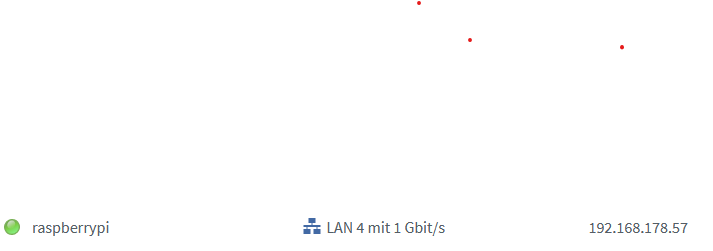
              Ich kann dann z.B. sudo raspi-config eingeben. Das funktioniert alles. Alles mit der IP die ich sonst immer gewählt habe um z.B. den ioBroker aufzurufen. In der Fritzbox ist der Raspi auch als aktive Verbindung:
              Screenshot 2024-01-06 103645.png

              da_WoodyD Offline
              da_WoodyD Offline
              da_Woody
              schrieb am zuletzt editiert von
              #15

              @holla16 sagte in Keine Lan Verbundung zum Raspi / per SSH aber möglich:

              ich gebe in der Eingabeaufforderung

              Auch möglich, aber geht einfacher mit PuTTY, oder besser mobaxterm.

              gruß vom Woody
              HAPPINESS is not a DESTINATION, it's a WAY of LIFE!

              1 Antwort Letzte Antwort
              0
              • H Offline
                H Offline
                holla16
                schrieb am zuletzt editiert von
                #16

                @da_Woody wie schreibe ich in Tags?

                DJMarc75D 1 Antwort Letzte Antwort
                0
                • H holla16

                  @da_Woody wie schreibe ich in Tags?

                  DJMarc75D Offline
                  DJMarc75D Offline
                  DJMarc75
                  schrieb am zuletzt editiert von
                  #17

                  @holla16 sagte in Keine Lan Verbundung zum Raspi / per SSH aber möglich:

                  wie schreibe ich in Tags?

                  Screenshot 2024-01-04 103258.png

                  Lehrling seit 1975 !!!
                  Beitrag geholfen ? dann gerne ein upvote rechts unten im Beitrag klicken ;)
                  https://forum.iobroker.net/topic/51555/hinweise-f%C3%BCr-gute-forenbeitr%C3%A4ge

                  1 Antwort Letzte Antwort
                  0
                  • H Offline
                    H Offline
                    holla16
                    schrieb am zuletzt editiert von
                    #18

                    @Thomas-Braun dann kommt das

                    pi@raspberrypi:~ $ iob stop
                    pi@raspberrypi:~ $ iob fix
                    library: loaded
                    Library version=2024-01-04
                    
                    ==========================================================================
                    
                        Welcome to the ioBroker installation fixer!
                        Script version: 2024-01-04
                    
                        You might need to enter your password a couple of times.
                    
                    ==========================================================================
                    
                    
                    ==========================================================================
                        Installing prerequisites (1/5)
                    ==========================================================================
                    
                    Get:1 http://deb.debian.org/debian bullseye InRelease [116 kB]
                    Err:1 http://deb.debian.org/debian bullseye InRelease
                      Error writing to file - write (28: No space left on device) [IP: 2a04:4e42:65::644 80]
                    Get:2 http://archive.raspberrypi.org/debian bullseye InRelease [23.6 kB]
                    Err:2 http://archive.raspberrypi.org/debian bullseye InRelease
                      Error writing to file - write (28: No space left on device) [IP: 2a00:1098:82:47::2:1 80]
                    Get:3 http://security.debian.org/debian-security bullseye-security InRelease [48.4 kB]
                    Err:3 http://security.debian.org/debian-security bullseye-security InRelease
                      Error writing to file - write (28: No space left on device) [IP: 2a04:4e42:65::644 80]
                    Get:4 http://deb.debian.org/debian bullseye-updates InRelease [44.1 kB]
                    Err:4 http://deb.debian.org/debian bullseye-updates InRelease
                      Error writing to file - write (28: No space left on device) [IP: 2a04:4e42:65::644 80]
                    Get:5 https://repos.influxdata.com/debian bullseye InRelease [7,049 B]
                    Err:5 https://repos.influxdata.com/debian bullseye InRelease
                      Error writing to file - write (28: No space left on device) [IP: 2600:9000:2315:4400:11:fe8d:7d40:93a1 443]
                    Get:6 https://deb.nodesource.com/node_16.x bullseye InRelease [4,586 B]
                    Err:6 https://deb.nodesource.com/node_16.x bullseye InRelease
                      Error writing to file - write (28: No space left on device) [IP: 2606:4700:10::ac43:acd 443]
                    Reading package lists... Error!
                    W: Failed to fetch http://deb.debian.org/debian/dists/bullseye/InRelease  Error writing to file - write (28: No space left on device) [IP: 2a04:4e42:65::644 80]
                    W: Failed to fetch http://security.debian.org/debian-security/dists/bullseye-security/InRelease  Error writing to file - write (28: No space left on device) [IP: 2a04:4e42:65::644 80]
                    W: Failed to fetch http://deb.debian.org/debian/dists/bullseye-updates/InRelease  Error writing to file - write (28: No space left on device) [IP: 2a04:4e42:65::644 80]
                    W: Failed to fetch https://repos.influxdata.com/debian/dists/bullseye/InRelease  Error writing to file - write (28: No space left on device) [IP: 2600:9000:2315:4400:11:fe8d:7d40:93a1 443]
                    W: Failed to fetch https://deb.nodesource.com/node_16.x/dists/bullseye/InRelease  Error writing to file - write (28: No space left on device) [IP: 2606:4700:10::ac43:acd 443]
                    W: Failed to fetch http://archive.raspberrypi.org/debian/dists/bullseye/InRelease  Error writing to file - write (28: No space left on device) [IP: 2a00:1098:82:47::2:1 80]
                    W: Some index files failed to download. They have been ignored, or old ones used instead.
                    E: Write error - write (28: No space left on device)
                    E: IO Error saving source cache
                    E: The package lists or status file could not be parsed or opened.
                    
                    ==========================================================================
                        Checking ioBroker user and directory permissions (2/5)
                    ==========================================================================
                    
                    usermod: /etc/passwd.1010: No space left on device
                    usermod: cannot lock /etc/passwd; try again later.
                    main: line 702: echo: write error: No space left on device
                    Created /etc/sudoers.d/iobroker
                    usermod: /etc/shadow.1222: No space left on device
                    usermod: cannot lock /etc/shadow; try again later.
                    usermod: /etc/shadow.1225: No space left on device
                    usermod: cannot lock /etc/shadow; try again later.
                    usermod: /etc/shadow.1228: No space left on device
                    usermod: cannot lock /etc/shadow; try again later.
                    usermod: /etc/shadow.1231: No space left on device
                    usermod: cannot lock /etc/shadow; try again later.
                    usermod: /etc/shadow.1234: No space left on device
                    usermod: cannot lock /etc/shadow; try again later.
                    usermod: /etc/passwd.1238: No space left on device
                    usermod: cannot lock /etc/passwd; try again later.
                    usermod: /etc/passwd.1241: No space left on device
                    usermod: cannot lock /etc/passwd; try again later.
                    Fixing directory permissions...
                    usermod: /etc/passwd.1302: No space left on device
                    usermod: cannot lock /etc/passwd; try again later.
                    
                    ==========================================================================
                        Check and cleanup npm temporary directories (3/5)
                    ==========================================================================
                    
                    Done.
                    
                    ==========================================================================
                        Database maintenance (4/5)
                    ==========================================================================
                    
                    Checking for uncompressed JSONL databases... This might take a while!
                    
                    npm ERR! code ENOSPC
                    npm ERR! syscall write
                    npm ERR! errno -28
                    npm ERR! nospc ENOSPC: no space left on device, write
                    npm ERR! nospc There appears to be insufficient space on your system to finish.
                    npm ERR! nospc Clear up some disk space and try again.
                    
                    npm ERR! A complete log of this run can be found in:
                    npm ERR!     /home/iobroker/.npm/_logs/2024-01-06T10_14_32_048Z-debug-0.log
                    main: line 14: [: -lt: unary operator expected
                    npm ERR! code ENOSPC
                    npm ERR! syscall write
                    npm ERR! errno -28
                    npm ERR! nospc ENOSPC: no space left on device, write
                    npm ERR! nospc There appears to be insufficient space on your system to finish.
                    npm ERR! nospc Clear up some disk space and try again.
                    
                    npm ERR! A complete log of this run can be found in:
                    npm ERR!     /home/iobroker/.npm/_logs/2024-01-06T10_14_33_034Z-debug-0.log
                    
                    ==========================================================================
                        Checking autostart (5/5)
                    ==========================================================================
                    
                    Enabling autostart...
                    Failed to enable unit: Unit file /lib/systemd/system/iobroker.service is masked.
                    Autostart enabled!
                    
                    ==========================================================================
                    
                        Your installation was fixed successfully
                        Run iobroker start to start ioBroker again!
                    
                    
                    1 Antwort Letzte Antwort
                    0
                    • H Offline
                      H Offline
                      holla16
                      schrieb am zuletzt editiert von
                      #19

                      @DJMarc75 : Vielen Dank

                      Thomas BraunT 1 Antwort Letzte Antwort
                      0
                      • H holla16

                        @DJMarc75 : Vielen Dank

                        Thomas BraunT Online
                        Thomas BraunT Online
                        Thomas Braun
                        Most Active
                        schrieb am zuletzt editiert von
                        #20

                        @holla16

                        Der Datenträger ist voll.

                        Linux-Werkzeugkasten:
                        https://forum.iobroker.net/topic/42952/der-kleine-iobroker-linux-werkzeugkasten
                        NodeJS Fixer Skript:
                        https://forum.iobroker.net/topic/68035/iob-node-fix-skript
                        iob_diag: curl -sLf -o diag.sh https://iobroker.net/diag.sh && bash diag.sh

                        1 Antwort Letzte Antwort
                        0
                        • H Offline
                          H Offline
                          holla16
                          schrieb am zuletzt editiert von
                          #21

                          @Thomas-Braun ok, heißt ich kann was machen? Es kann sein, dass die Backups dort gespeichert wurde. Was mich nur wundert. Ich nehme den Raspi fälschlicher Weise so vom Stromnetz, will ich wieder an machen und nichts geht mehr.
                          Einfach SD Karte raus backups löschen und loslegen?

                          da_WoodyD Thomas BraunT 2 Antworten Letzte Antwort
                          0
                          • H holla16

                            @Thomas-Braun ok, heißt ich kann was machen? Es kann sein, dass die Backups dort gespeichert wurde. Was mich nur wundert. Ich nehme den Raspi fälschlicher Weise so vom Stromnetz, will ich wieder an machen und nichts geht mehr.
                            Einfach SD Karte raus backups löschen und loslegen?

                            da_WoodyD Offline
                            da_WoodyD Offline
                            da_Woody
                            schrieb am zuletzt editiert von da_Woody
                            #22

                            @holla16 sagte in Keine Lan Verbundung zum Raspi / per SSH aber möglich:

                            Einfach SD Karte raus backups löschen und loslegen?

                            SD raus, wird dein raspi nicht mehr starten...

                            Wie groß ist die SD? abstecken, wieder anstecken macht bei meinen raspis fürs 3d drucken kein problem. bei ioB kanns knallen.

                            gruß vom Woody
                            HAPPINESS is not a DESTINATION, it's a WAY of LIFE!

                            Thomas BraunT 1 Antwort Letzte Antwort
                            0
                            • H holla16

                              @Thomas-Braun ok, heißt ich kann was machen? Es kann sein, dass die Backups dort gespeichert wurde. Was mich nur wundert. Ich nehme den Raspi fälschlicher Weise so vom Stromnetz, will ich wieder an machen und nichts geht mehr.
                              Einfach SD Karte raus backups löschen und loslegen?

                              Thomas BraunT Online
                              Thomas BraunT Online
                              Thomas Braun
                              Most Active
                              schrieb am zuletzt editiert von
                              #23

                              @holla16

                              Wenn du so grobschlächtig mit dem Ding umgehst wundert mich eigentlich nix mehr.
                              Mit

                              sudo apt clean 
                              

                              da etwas Luft verschaffen.
                              Dann nochmal wie oben.

                              Linux-Werkzeugkasten:
                              https://forum.iobroker.net/topic/42952/der-kleine-iobroker-linux-werkzeugkasten
                              NodeJS Fixer Skript:
                              https://forum.iobroker.net/topic/68035/iob-node-fix-skript
                              iob_diag: curl -sLf -o diag.sh https://iobroker.net/diag.sh && bash diag.sh

                              H 1 Antwort Letzte Antwort
                              0
                              • da_WoodyD da_Woody

                                @holla16 sagte in Keine Lan Verbundung zum Raspi / per SSH aber möglich:

                                Einfach SD Karte raus backups löschen und loslegen?

                                SD raus, wird dein raspi nicht mehr starten...

                                Wie groß ist die SD? abstecken, wieder anstecken macht bei meinen raspis fürs 3d drucken kein problem. bei ioB kanns knallen.

                                Thomas BraunT Online
                                Thomas BraunT Online
                                Thomas Braun
                                Most Active
                                schrieb am zuletzt editiert von
                                #24

                                @da_woody sagte in Keine Lan Verbundung zum Raspi / per SSH aber möglich:

                                abstecken, wieder anstecken macht bei meinen raspis fürs 3d drucken kein problem.

                                Ist auch da Mist. Nie machen, Dateisysteme IMMER sauber aushängen.

                                Linux-Werkzeugkasten:
                                https://forum.iobroker.net/topic/42952/der-kleine-iobroker-linux-werkzeugkasten
                                NodeJS Fixer Skript:
                                https://forum.iobroker.net/topic/68035/iob-node-fix-skript
                                iob_diag: curl -sLf -o diag.sh https://iobroker.net/diag.sh && bash diag.sh

                                da_WoodyD 1 Antwort Letzte Antwort
                                0
                                • Thomas BraunT Thomas Braun

                                  @holla16

                                  Wenn du so grobschlächtig mit dem Ding umgehst wundert mich eigentlich nix mehr.
                                  Mit

                                  sudo apt clean 
                                  

                                  da etwas Luft verschaffen.
                                  Dann nochmal wie oben.

                                  H Offline
                                  H Offline
                                  holla16
                                  schrieb am zuletzt editiert von
                                  #25

                                  @thomas-braun Ja was ich da jetzt für einen Mist habe, werde ich das zukünftig anders machen.

                                  1 Antwort Letzte Antwort
                                  0
                                  • H Offline
                                    H Offline
                                    holla16
                                    schrieb am zuletzt editiert von
                                    #26

                                    ich könnt abdrehen... Hab die SD Karte im Windows PC angeschaut, nicht gemacht. Dann wieder in den Raspi und dann die Befehle ausgeführt. Aber keine Reaktion:

                                    pi@raspberrypi:~ $ sudo apt clean
                                    pi@raspberrypi:~ $ iob stop
                                    pi@raspberrypi:~ $ iob fix
                                    pi@raspberrypi:~ $ iob start
                                    pi@raspberrypi:~ $ iob diag
                                    pi@raspberrypi:~ $


                                    Wenn ich df eingebe

                                    pi@raspberrypi:~ $ df
                                    Filesystem     1K-blocks     Used Available Use% Mounted on
                                    /dev/root       61092524 60901000         0 100% /
                                    devtmpfs         3834160        0   3834160   0% /dev
                                    tmpfs            3999920        0   3999920   0% /dev/shm
                                    tmpfs            1599972     9284   1590688   1% /run
                                    tmpfs               5120        4      5116   1% /run/lock
                                    /dev/mmcblk0p1    261108    31264    229844  12% /boot
                                    tmpfs             799984        0    799984   0% /run/user/1000
                                    pi@raspberrypi:~ $
                                    

                                    sieht man das die Partition zu 100% voll ist. Kann ich das letzte Backup nicht irgendwie sichern und den ioBroker neu aufsetzen und das Backup einspielen?

                                    da_WoodyD Thomas BraunT 2 Antworten Letzte Antwort
                                    0
                                    • Thomas BraunT Thomas Braun

                                      @da_woody sagte in Keine Lan Verbundung zum Raspi / per SSH aber möglich:

                                      abstecken, wieder anstecken macht bei meinen raspis fürs 3d drucken kein problem.

                                      Ist auch da Mist. Nie machen, Dateisysteme IMMER sauber aushängen.

                                      da_WoodyD Offline
                                      da_WoodyD Offline
                                      da_Woody
                                      schrieb am zuletzt editiert von
                                      #27

                                      @thomas-braun ist mir grundsätzlich klar, aber hatte seit 3 Jahren kein Problem. Vllt immer Glück gehabt. Da wird ja auch nicht dauernd auf die Karte zugegriffen.
                                      Drucker und raspi hängen an einem Shelly Plug. Ein Klick, Strom weg.

                                      gruß vom Woody
                                      HAPPINESS is not a DESTINATION, it's a WAY of LIFE!

                                      Thomas BraunT 1 Antwort Letzte Antwort
                                      0
                                      • da_WoodyD da_Woody

                                        @thomas-braun ist mir grundsätzlich klar, aber hatte seit 3 Jahren kein Problem. Vllt immer Glück gehabt. Da wird ja auch nicht dauernd auf die Karte zugegriffen.
                                        Drucker und raspi hängen an einem Shelly Plug. Ein Klick, Strom weg.

                                        Thomas BraunT Online
                                        Thomas BraunT Online
                                        Thomas Braun
                                        Most Active
                                        schrieb am zuletzt editiert von
                                        #28

                                        @da_woody sagte in Keine Lan Verbundung zum Raspi / per SSH aber möglich:

                                        Ein Klick, Strom weg.

                                        Könnte auch zu 'Ein Klick, System weg' führen. Ist aber hier für den TE uninteressant, wie du deine Kisten malträtierst.

                                        Linux-Werkzeugkasten:
                                        https://forum.iobroker.net/topic/42952/der-kleine-iobroker-linux-werkzeugkasten
                                        NodeJS Fixer Skript:
                                        https://forum.iobroker.net/topic/68035/iob-node-fix-skript
                                        iob_diag: curl -sLf -o diag.sh https://iobroker.net/diag.sh && bash diag.sh

                                        1 Antwort Letzte Antwort
                                        2
                                        • H holla16

                                          ich könnt abdrehen... Hab die SD Karte im Windows PC angeschaut, nicht gemacht. Dann wieder in den Raspi und dann die Befehle ausgeführt. Aber keine Reaktion:

                                          pi@raspberrypi:~ $ sudo apt clean
                                          pi@raspberrypi:~ $ iob stop
                                          pi@raspberrypi:~ $ iob fix
                                          pi@raspberrypi:~ $ iob start
                                          pi@raspberrypi:~ $ iob diag
                                          pi@raspberrypi:~ $


                                          Wenn ich df eingebe

                                          pi@raspberrypi:~ $ df
                                          Filesystem     1K-blocks     Used Available Use% Mounted on
                                          /dev/root       61092524 60901000         0 100% /
                                          devtmpfs         3834160        0   3834160   0% /dev
                                          tmpfs            3999920        0   3999920   0% /dev/shm
                                          tmpfs            1599972     9284   1590688   1% /run
                                          tmpfs               5120        4      5116   1% /run/lock
                                          /dev/mmcblk0p1    261108    31264    229844  12% /boot
                                          tmpfs             799984        0    799984   0% /run/user/1000
                                          pi@raspberrypi:~ $
                                          

                                          sieht man das die Partition zu 100% voll ist. Kann ich das letzte Backup nicht irgendwie sichern und den ioBroker neu aufsetzen und das Backup einspielen?

                                          da_WoodyD Offline
                                          da_WoodyD Offline
                                          da_Woody
                                          schrieb am zuletzt editiert von
                                          #29

                                          @holla16 solange du noch auf den raspi kommst, geht noch was. Alte Backups löschen, dann ist wieder Luft.
                                          Wie das geht kann dir @Thomas-Braun sicher erklären.
                                          Neu, sauber aufsetzen wird kein Fehler sein...

                                          gruß vom Woody
                                          HAPPINESS is not a DESTINATION, it's a WAY of LIFE!

                                          1 Antwort Letzte Antwort
                                          0
                                          Antworten
                                          • In einem neuen Thema antworten
                                          Anmelden zum Antworten
                                          • Älteste zuerst
                                          • Neuste zuerst
                                          • Meiste Stimmen


                                          Support us

                                          ioBroker
                                          Community Adapters
                                          Donate

                                          736

                                          Online

                                          32.4k

                                          Benutzer

                                          81.5k

                                          Themen

                                          1.3m

                                          Beiträge
                                          Community
                                          Impressum | Datenschutz-Bestimmungen | Nutzungsbedingungen | Einwilligungseinstellungen
                                          ioBroker Community 2014-2025
                                          logo
                                          • Anmelden

                                          • Du hast noch kein Konto? Registrieren

                                          • Anmelden oder registrieren, um zu suchen
                                          • Erster Beitrag
                                            Letzter Beitrag
                                          0
                                          • Home
                                          • Aktuell
                                          • Tags
                                          • Ungelesen 0
                                          • Kategorien
                                          • Unreplied
                                          • Beliebt
                                          • GitHub
                                          • Docu
                                          • Hilfe