




ioBroker funktioniert nicht mehr
-
Nabend zusammen,
ich habe mal wieder einen Ausfall meines ioBroker.
Nachdem ich den Raspberry vor einigen Wochen komplett neu aufgesetzt habe und seit dem alles auch ohne Probleme lief, funktioniert der ioBroker seit vermutlich Heute evtl. auch gestern nicht mehr.
Es wurde nichts am System verändert, keine Updates oder sonstiges.Habe aktuell leider nur vom Handy aus Zugriff über den PiHelper.
Hier eine kurze Übersicht mit den Befehlen, welche ich getestet habe. Offensichtlich gibt es keine Instanzen mehr in ioBroker.
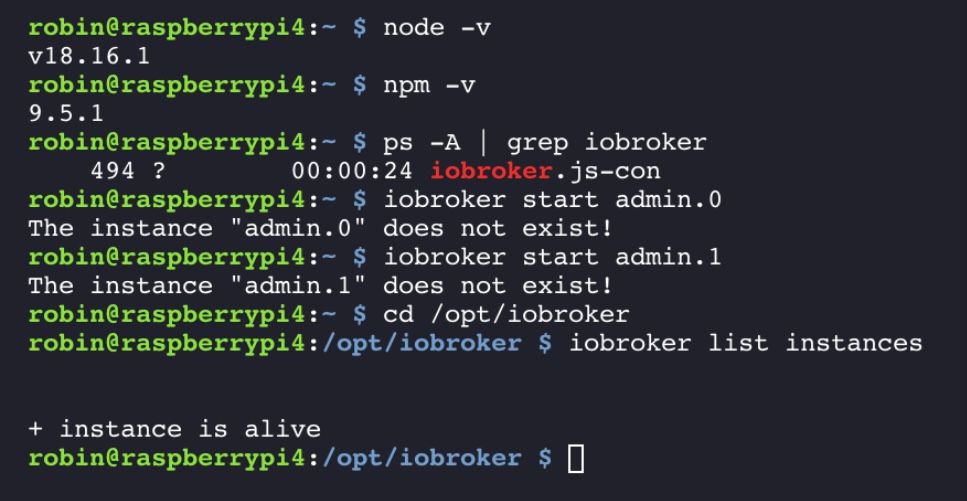
Hat jemand eine Idee?
Danke
@rsw2004 sagte in ioBroker funktioniert nicht mehr:
Hier eine kurze Übersicht mit den Befehlen
bitte als Text in code-tags posten
https://forum.iobroker.net/topic/51555/hinweise-für-gute-forenbeiträge/1 -
Nabend zusammen,
ich habe mal wieder einen Ausfall meines ioBroker.
Nachdem ich den Raspberry vor einigen Wochen komplett neu aufgesetzt habe und seit dem alles auch ohne Probleme lief, funktioniert der ioBroker seit vermutlich Heute evtl. auch gestern nicht mehr.
Es wurde nichts am System verändert, keine Updates oder sonstiges.Habe aktuell leider nur vom Handy aus Zugriff über den PiHelper.
Hier eine kurze Übersicht mit den Befehlen, welche ich getestet habe. Offensichtlich gibt es keine Instanzen mehr in ioBroker.
Hat jemand eine Idee?
Danke
@rsw2004 sagte in ioBroker funktioniert nicht mehr:
Hat jemand eine Idee?
iob diagsagt? Und bitte keine Bildchen aus Konsolistan, kann keiner was gescheites mit anfangen.
-
@rsw2004 sagte in ioBroker funktioniert nicht mehr:
Hat jemand eine Idee?
iob diagsagt? Und bitte keine Bildchen aus Konsolistan, kann keiner was gescheites mit anfangen.
======================= SUMMARY ======================= v.2023-04-16 Operatingsystem: Debian GNU/Linux 11 (bullseye) Kernel: 6.1.21-v8+ Installation: Native Timezone: Europe/Berlin (CEST, +0200)User-ID: 1000 X-Server: false Boot Target: multi-user.target Pending OS-Updates: 20 Pending iob updates: 0 Nodejs-Installation: /usr/bin/nodejs v18.16.1 /usr/bin/node v18.16.1 /usr/bin/npm 9.5.1 /usr/bin/npx 9.5.1 Recommended versions are nodejs 18.x.y and npm 9.x.y Your nodejs installation is correct MEMORY: total used free shared buff/cache available Mem: 3.8G 232M 3.1G 1.0M 507M 3.5G Swap: 99M 0B 99M Total: 3.9G 232M 3.2G Active iob-Instances: 1 Active repo(s): stable ioBroker Core: js-controller 4.0.24 admin 6.3.5 ioBroker Status: iobroker is running on this host. Objects type: jsonl States type: jsonl Status admin and web instance: Objects: 118 States: 79 Size of iob-Database: 7.7M /opt/iobroker/iobroker-data/objects.jsonl 5.2M /opt/iobroker/iobroker-data/states.jsonl =================== END OF SUMMARY ==================== -
======================= SUMMARY ======================= v.2023-04-16 Operatingsystem: Debian GNU/Linux 11 (bullseye) Kernel: 6.1.21-v8+ Installation: Native Timezone: Europe/Berlin (CEST, +0200)User-ID: 1000 X-Server: false Boot Target: multi-user.target Pending OS-Updates: 20 Pending iob updates: 0 Nodejs-Installation: /usr/bin/nodejs v18.16.1 /usr/bin/node v18.16.1 /usr/bin/npm 9.5.1 /usr/bin/npx 9.5.1 Recommended versions are nodejs 18.x.y and npm 9.x.y Your nodejs installation is correct MEMORY: total used free shared buff/cache available Mem: 3.8G 232M 3.1G 1.0M 507M 3.5G Swap: 99M 0B 99M Total: 3.9G 232M 3.2G Active iob-Instances: 1 Active repo(s): stable ioBroker Core: js-controller 4.0.24 admin 6.3.5 ioBroker Status: iobroker is running on this host. Objects type: jsonl States type: jsonl Status admin and web instance: Objects: 118 States: 79 Size of iob-Database: 7.7M /opt/iobroker/iobroker-data/objects.jsonl 5.2M /opt/iobroker/iobroker-data/states.jsonl =================== END OF SUMMARY ====================@rsw2004 sagte in ioBroker funktioniert nicht mehr:
Pending OS-Updates: 20
Aktuell halten.
Und gib bitte die Langfassung bekannt.
-
@rsw2004 sagte in ioBroker funktioniert nicht mehr:
Pending OS-Updates: 20
Aktuell halten.
Und gib bitte die Langfassung bekannt.
Skript v.2023-04-16 *** BASE SYSTEM *** Model : Raspberry Pi 4 Model B Rev 1.4 Architecture : aarch64 Docker : false Virtualization : none Distributor ID: Debian Description: Debian GNU/Linux 11 (bullseye) Release: 11 Codename: bullseye PRETTY_NAME="Debian GNU/Linux 11 (bullseye)" NAME="Debian GNU/Linux" VERSION_ID="11" VERSION="11 (bullseye)" VERSION_CODENAME=bullseye ID=debian HOME_URL="https://www.debian.org/" SUPPORT_URL="https://www.debian.org/support" BUG_REPORT_URL="https://bugs.debian.org/" Systemuptime and Load: 20:05:33 up 2:13, 0 users, load average: 0.00, 0.03, 0.04 CPU threads: 4 Raspberry only: throttled=0x0 Other values than 0x0 hint to temperature/voltage problems temp=52.5'C volt=0.9160V *** Time and Time Zones *** Local time: Tue 2023-08-08 20:05:33 CEST Universal time: Tue 2023-08-08 18:05:33 UTC RTC time: n/a Time zone: Europe/Berlin (CEST, +0200) System clock synchronized: yes NTP service: active RTC in local TZ: no *** User and Groups *** robin /home/robin robin adm dialout cdrom sudo audio video plugdev games users input render netdev gpio i2c spi iobroker *** X-Server-Setup *** X-Server: false Desktop: Terminal: tty Boot Target: multi-user.target *** MEMORY *** total used free shared buff/cache available Mem: 3.8G 230M 3.1G 1.0M 509M 3.5G Swap: 99M 0B 99M Total: 3.9G 230M 3.2G 3794 M total memory 230 M used memory 296 M active memory 334 M inactive memory 3054 M free memory 45 M buffer memory 463 M swap cache 99 M total swap 0 M used swap 99 M free swap Raspberry only: oom events: 0 lifetime oom required: 0 Mbytes total time in oom handler: 0 ms max time spent in oom handler: 0 ms *** FILESYSTEM *** Filesystem Type Size Used Avail Use% Mounted on /dev/root ext4 15G 3.2G 11G 24% / devtmpfs devtmpfs 1.7G 0 1.7G 0% /devtmpfs tmpfs 1.9G 0 1.9G 0% /dev/shm tmpfs tmpfs 759M 1.1M 758M 1% /runtmpfs tmpfs 5.0M 4.0K 5.0M 1% /run/lock /dev/mmcblk0p1 vfat 255M 31M 225M 13% /boot tmpfs tmpfs 380M 0 380M 0% /run/user/1000 Messages concerning ext4 filesystem in dmesg: [Tue Aug 8 17:52:02 2023] Kernel command line: coherent_pool=1M 8250.nr_uarts=0 snd_bcm2835.enable_headphones=0 snd_bcm2835.enable_headphones=1 snd_bcm2835.enable_hdmi=1 snd_bcm2835.enable_hdmi=0 smsc95xx.macaddr=E4:5F:01:26:8F:AE vc_mem.mem_base=0x3ec00000 vc_mem.mem_size=0x40000000 console=ttyS0,115200 console=tty1 root=PARTUUID=105e3ec4-02 rootfstype=ext4 fsck.repair=yes rootwait [Tue Aug 8 17:52:03 2023] EXT4-fs (mmcblk0p2): mounted filesystem with ordered data mode. Quota mode: none. [Tue Aug 8 17:52:03 2023] VFS: Mounted root (ext4 filesystem) readonly on device 179:2. [Tue Aug 8 17:52:05 2023] EXT4-fs (mmcblk0p2): re-mounted. Quota mode: none. Show mounted filesystems (real ones only): TARGET SOURCE FSTYPE OPTIONS / /dev/mmcblk0p2 ext4 rw,noatime,commit=600`-/boot /dev/mmcblk0p1 vfat rw,relatime,fmask=0022,dmask=0022,codepage=437,iocharset=ascii,shortname=mixed,errors=remount-ro Files in neuralgic directories: /var: 541M /var/ 180M /var/cache 174M /var/cache/apt 147M /var/lib 123M /var/lib/apt/lists Archived and active journals take up 112.0M in the file system. /opt/iobroker/backups: 11M /opt/iobroker/backups/ /opt/iobroker/iobroker-data: 167M /opt/iobroker/iobroker-data/ 122M /opt/iobroker/iobroker-data/files 52M /opt/iobroker/iobroker-data/files/javascript.admin 34M /opt/iobroker/iobroker-data/files/javascript.admin/static 33M /opt/iobroker/iobroker-data/files/javascript.admin/static/js The five largest files in iobroker-data are: 19M /opt/iobroker/iobroker-data/files/iot.admin/static/js/main.2975a411.js.map 8.2M /opt/iobroker/iobroker-data/files/iot.admin/static/js/main.2975a411.js 7.7M /opt/iobroker/iobroker-data/objects.jsonl 6.9M /opt/iobroker/iobroker-data/files/javascript.admin/static/js/610.312d98a8.chunk.js.map 6.3M /opt/iobroker/iobroker-data/files/admin.admin/custom/static/js/vendors-node_modules_iobroker_adapter-react-v5_assets_devices_parseNames_js-node_modules_iobr-99c23e.847b8ad9.chunk.js.map sort: write failed: 'standard output': Broken pipe sort: write error *** NodeJS-Installation *** /usr/bin/nodejs v18.16.1 /usr/bin/node v18.16.1 /usr/bin/npm 9.5.1 /usr/bin/npx 9.5.1 nodejs: Installed: 18.16.1-deb-1nodesource1 Candidate: 18.17.0-deb-1nodesource1 Version table: 18.17.0-deb-1nodesource1 500 500 https://deb.nodesource.com/node_18.x bullseye/main arm64 Packages *** 18.16.1-deb-1nodesource1 100 100 /var/lib/dpkg/status 12.22.12~dfsg-1~deb11u4 500 500 http://security.debian.org/debian-security bullseye-security/main arm64 Packages 12.22.12~dfsg-1~deb11u3 500 500 http://deb.debian.org/debian bullseye/main arm64 Packages Temp directories causing npm8 problem: 0 No problems detected *** ioBroker-Installation *** ioBroker Status iobroker is running on this host. Objects type: jsonl States type: jsonl MULTIHOSTSERVICE/enabled: false Core adapters versions js-controller: 4.0.24 admin: 6.3.5 javascript: 7.0.3 Adapters from github: 0 Adapter State + instance is alive Enabled adapters with bindings ioBroker-Repositories stable : http://download.iobroker.net/sources-dist.json beta : http://download.iobroker.net/sources-dist-latest.json Active repo(s): stable Installed ioBroker-Instances Used repository: stable Adapter "admin" : 6.3.5 , installed 6.3.5 Adapter "backitup" : 2.6.23 , installed 2.6.23 Adapter "bluelink" : 2.3.2 , installed 2.3.2 Adapter "cloud" : 4.4.1 , installed 4.4.1 Adapter "geofency" : 1.2.4 , installed 1.2.4 Adapter "info" : 1.9.26 , installed 1.9.26 Adapter "iot" : 1.14.5 , installed 1.14.5 Adapter "javascript" : 7.0.3 , installed 7.0.3 Controller "js-controller": 4.0.24 , installed 4.0.24 Adapter "openknx" : 0.5.3 , installed 0.5.3 Adapter "simple-api" : 2.7.2 , installed 2.7.2 Adapter "socketio" : 4.2.0 , installed 4.2.0 Adapter "solax" : 0.7.5 , installed 0.7.5 Adapter "sonoff" : 2.5.3 , installed 2.5.3 Adapter "synology" : 2.1.13 , installed 2.1.13 Adapter "vis-hqwidgets": 1.4.0 , installed 1.4.0 Adapter "web" : 4.3.0 , installed 4.3.0 Adapter "ws" : 1.3.0 , installed 1.3.0 Adapter "yahka" : 0.17.0 , installed 0.17.0 Objects and States Please stand by - This may take a while Objects: 118 States: 79 *** OS-Repositories and Updates *** Hit:1 http://security.debian.org/debian-security bullseye-security InRelease Hit:2 http://deb.debian.org/debian bullseye InRelease Hit:3 http://deb.debian.org/debian bullseye-updates InRelease Hit:4 http://archive.raspberrypi.org/debian bullseye InRelease Hit:5 https://deb.nodesource.com/node_18.x bullseye InRelease Reading package lists... Pending Updates: 20 *** Listening Ports *** Active Internet connections (only servers) Proto Recv-Q Send-Q Local Address Foreign Address State User Inode PID/Program name tcp 0 0 127.0.0.1:9000 0.0.0.0:* LISTEN 1001 12735 494/iobroker.js-con tcp 0 0 127.0.0.1:9001 0.0.0.0:* LISTEN 1001 1477 494/iobroker.js-con tcp 0 0 0.0.0.0:22 0.0.0.0:* LISTEN 0 13683 534/sshd: /usr/sbin tcp6 0 0 :::22 :::* LISTEN 0 13685 534/sshd: /usr/sbin udp 0 0 0.0.0.0:68 0.0.0.0:* 0 1490 651/dhcpcd udp 0 0 0.0.0.0:5353 0.0.0.0:* 108 1442 391/avahi-daemon: r udp 0 0 0.0.0.0:42577 0.0.0.0:* 108 1444 391/avahi-daemon: r udp6 0 0 :::45999 :::* 108 1445 391/avahi-daemon: r udp6 0 0 :::5353 :::* 108 1443 391/avahi-daemon: r *** Log File - Last 25 Lines *** 2023-08-08 17:39:02.271 - info: host.raspberrypi4 Delete state "system.host.raspberrypi4.versions.nodeNewestNext" 2023-08-08 17:39:02.282 - info: host.raspberrypi4 Delete state "system.host.raspberrypi4.versions.npmCurrent" 2023-08-08 17:39:02.299 - info: host.raspberrypi4 Delete state "system.host.raspberrypi4.versions.npmNewest" 2023-08-08 17:39:02.311 - info: host.raspberrypi4 Delete state "system.host.raspberrypi4.versions.npmNewestNext" 2023-08-08 17:39:02.321 - info: host.raspberrypi4 Some obsolete host states deleted. 2023-08-08 17:39:23.178 - info: host.raspberrypi4 received SIGTERM 2023-08-08 17:39:23.255 - info: host.raspberrypi4 terminated 2023-08-08 17:40:02.223 - info: host.raspberrypi4 iobroker.js-controller version 4.0.24 js-controller starting 2023-08-08 17:40:02.230 - info: host.raspberrypi4 Copyright (c) 2014-2022 bluefox, 2014 hobbyquaker 2023-08-08 17:40:02.231 - info: host.raspberrypi4 hostname: raspberrypi4, node: v18.16.1 2023-08-08 17:40:02.231 - info: host.raspberrypi4 ip addresses: 192.168.178.55 fd20:384a:b205:4332:15e1:cf9a:3fe7:8394 fe80::54cc:fb68:5387:7415 2023-08-08 17:40:03.091 - info: host.raspberrypi4 connected to Objects and States 2023-08-08 17:40:03.117 - info: host.raspberrypi4 added notifications configuration of host 2023-08-08 17:40:03.530 - info: host.raspberrypi4 no instances found 2023-08-08 17:40:03.530 - info: host.raspberrypi4 no instances found 2023-08-08 17:51:52.065 - info: host.raspberrypi4 received SIGTERM 2023-08-08 17:51:52.143 - info: host.raspberrypi4 terminated 2023-08-08 17:52:00.983 - info: host.raspberrypi4 iobroker.js-controller version 4.0.24 js-controller starting 2023-08-08 17:52:00.989 - info: host.raspberrypi4 Copyright (c) 2014-2022 bluefox, 2014 hobbyquaker 2023-08-08 17:52:00.991 - info: host.raspberrypi4 hostname: raspberrypi4, node: v18.16.1 2023-08-08 17:52:00.991 - info: host.raspberrypi4 ip addresses: 2023-08-08 17:52:01.984 - info: host.raspberrypi4 connected to Objects and States 2023-08-08 17:52:02.018 - info: host.raspberrypi4 added notifications configuration of host 2023-08-08 17:52:02.665 - info: host.raspberrypi4 no instances found 2023-08-08 17:52:02.666 - info: host.raspberrypi4 no instances found -
Skript v.2023-04-16 *** BASE SYSTEM *** Model : Raspberry Pi 4 Model B Rev 1.4 Architecture : aarch64 Docker : false Virtualization : none Distributor ID: Debian Description: Debian GNU/Linux 11 (bullseye) Release: 11 Codename: bullseye PRETTY_NAME="Debian GNU/Linux 11 (bullseye)" NAME="Debian GNU/Linux" VERSION_ID="11" VERSION="11 (bullseye)" VERSION_CODENAME=bullseye ID=debian HOME_URL="https://www.debian.org/" SUPPORT_URL="https://www.debian.org/support" BUG_REPORT_URL="https://bugs.debian.org/" Systemuptime and Load: 20:05:33 up 2:13, 0 users, load average: 0.00, 0.03, 0.04 CPU threads: 4 Raspberry only: throttled=0x0 Other values than 0x0 hint to temperature/voltage problems temp=52.5'C volt=0.9160V *** Time and Time Zones *** Local time: Tue 2023-08-08 20:05:33 CEST Universal time: Tue 2023-08-08 18:05:33 UTC RTC time: n/a Time zone: Europe/Berlin (CEST, +0200) System clock synchronized: yes NTP service: active RTC in local TZ: no *** User and Groups *** robin /home/robin robin adm dialout cdrom sudo audio video plugdev games users input render netdev gpio i2c spi iobroker *** X-Server-Setup *** X-Server: false Desktop: Terminal: tty Boot Target: multi-user.target *** MEMORY *** total used free shared buff/cache available Mem: 3.8G 230M 3.1G 1.0M 509M 3.5G Swap: 99M 0B 99M Total: 3.9G 230M 3.2G 3794 M total memory 230 M used memory 296 M active memory 334 M inactive memory 3054 M free memory 45 M buffer memory 463 M swap cache 99 M total swap 0 M used swap 99 M free swap Raspberry only: oom events: 0 lifetime oom required: 0 Mbytes total time in oom handler: 0 ms max time spent in oom handler: 0 ms *** FILESYSTEM *** Filesystem Type Size Used Avail Use% Mounted on /dev/root ext4 15G 3.2G 11G 24% / devtmpfs devtmpfs 1.7G 0 1.7G 0% /devtmpfs tmpfs 1.9G 0 1.9G 0% /dev/shm tmpfs tmpfs 759M 1.1M 758M 1% /runtmpfs tmpfs 5.0M 4.0K 5.0M 1% /run/lock /dev/mmcblk0p1 vfat 255M 31M 225M 13% /boot tmpfs tmpfs 380M 0 380M 0% /run/user/1000 Messages concerning ext4 filesystem in dmesg: [Tue Aug 8 17:52:02 2023] Kernel command line: coherent_pool=1M 8250.nr_uarts=0 snd_bcm2835.enable_headphones=0 snd_bcm2835.enable_headphones=1 snd_bcm2835.enable_hdmi=1 snd_bcm2835.enable_hdmi=0 smsc95xx.macaddr=E4:5F:01:26:8F:AE vc_mem.mem_base=0x3ec00000 vc_mem.mem_size=0x40000000 console=ttyS0,115200 console=tty1 root=PARTUUID=105e3ec4-02 rootfstype=ext4 fsck.repair=yes rootwait [Tue Aug 8 17:52:03 2023] EXT4-fs (mmcblk0p2): mounted filesystem with ordered data mode. Quota mode: none. [Tue Aug 8 17:52:03 2023] VFS: Mounted root (ext4 filesystem) readonly on device 179:2. [Tue Aug 8 17:52:05 2023] EXT4-fs (mmcblk0p2): re-mounted. Quota mode: none. Show mounted filesystems (real ones only): TARGET SOURCE FSTYPE OPTIONS / /dev/mmcblk0p2 ext4 rw,noatime,commit=600`-/boot /dev/mmcblk0p1 vfat rw,relatime,fmask=0022,dmask=0022,codepage=437,iocharset=ascii,shortname=mixed,errors=remount-ro Files in neuralgic directories: /var: 541M /var/ 180M /var/cache 174M /var/cache/apt 147M /var/lib 123M /var/lib/apt/lists Archived and active journals take up 112.0M in the file system. /opt/iobroker/backups: 11M /opt/iobroker/backups/ /opt/iobroker/iobroker-data: 167M /opt/iobroker/iobroker-data/ 122M /opt/iobroker/iobroker-data/files 52M /opt/iobroker/iobroker-data/files/javascript.admin 34M /opt/iobroker/iobroker-data/files/javascript.admin/static 33M /opt/iobroker/iobroker-data/files/javascript.admin/static/js The five largest files in iobroker-data are: 19M /opt/iobroker/iobroker-data/files/iot.admin/static/js/main.2975a411.js.map 8.2M /opt/iobroker/iobroker-data/files/iot.admin/static/js/main.2975a411.js 7.7M /opt/iobroker/iobroker-data/objects.jsonl 6.9M /opt/iobroker/iobroker-data/files/javascript.admin/static/js/610.312d98a8.chunk.js.map 6.3M /opt/iobroker/iobroker-data/files/admin.admin/custom/static/js/vendors-node_modules_iobroker_adapter-react-v5_assets_devices_parseNames_js-node_modules_iobr-99c23e.847b8ad9.chunk.js.map sort: write failed: 'standard output': Broken pipe sort: write error *** NodeJS-Installation *** /usr/bin/nodejs v18.16.1 /usr/bin/node v18.16.1 /usr/bin/npm 9.5.1 /usr/bin/npx 9.5.1 nodejs: Installed: 18.16.1-deb-1nodesource1 Candidate: 18.17.0-deb-1nodesource1 Version table: 18.17.0-deb-1nodesource1 500 500 https://deb.nodesource.com/node_18.x bullseye/main arm64 Packages *** 18.16.1-deb-1nodesource1 100 100 /var/lib/dpkg/status 12.22.12~dfsg-1~deb11u4 500 500 http://security.debian.org/debian-security bullseye-security/main arm64 Packages 12.22.12~dfsg-1~deb11u3 500 500 http://deb.debian.org/debian bullseye/main arm64 Packages Temp directories causing npm8 problem: 0 No problems detected *** ioBroker-Installation *** ioBroker Status iobroker is running on this host. Objects type: jsonl States type: jsonl MULTIHOSTSERVICE/enabled: false Core adapters versions js-controller: 4.0.24 admin: 6.3.5 javascript: 7.0.3 Adapters from github: 0 Adapter State + instance is alive Enabled adapters with bindings ioBroker-Repositories stable : http://download.iobroker.net/sources-dist.json beta : http://download.iobroker.net/sources-dist-latest.json Active repo(s): stable Installed ioBroker-Instances Used repository: stable Adapter "admin" : 6.3.5 , installed 6.3.5 Adapter "backitup" : 2.6.23 , installed 2.6.23 Adapter "bluelink" : 2.3.2 , installed 2.3.2 Adapter "cloud" : 4.4.1 , installed 4.4.1 Adapter "geofency" : 1.2.4 , installed 1.2.4 Adapter "info" : 1.9.26 , installed 1.9.26 Adapter "iot" : 1.14.5 , installed 1.14.5 Adapter "javascript" : 7.0.3 , installed 7.0.3 Controller "js-controller": 4.0.24 , installed 4.0.24 Adapter "openknx" : 0.5.3 , installed 0.5.3 Adapter "simple-api" : 2.7.2 , installed 2.7.2 Adapter "socketio" : 4.2.0 , installed 4.2.0 Adapter "solax" : 0.7.5 , installed 0.7.5 Adapter "sonoff" : 2.5.3 , installed 2.5.3 Adapter "synology" : 2.1.13 , installed 2.1.13 Adapter "vis-hqwidgets": 1.4.0 , installed 1.4.0 Adapter "web" : 4.3.0 , installed 4.3.0 Adapter "ws" : 1.3.0 , installed 1.3.0 Adapter "yahka" : 0.17.0 , installed 0.17.0 Objects and States Please stand by - This may take a while Objects: 118 States: 79 *** OS-Repositories and Updates *** Hit:1 http://security.debian.org/debian-security bullseye-security InRelease Hit:2 http://deb.debian.org/debian bullseye InRelease Hit:3 http://deb.debian.org/debian bullseye-updates InRelease Hit:4 http://archive.raspberrypi.org/debian bullseye InRelease Hit:5 https://deb.nodesource.com/node_18.x bullseye InRelease Reading package lists... Pending Updates: 20 *** Listening Ports *** Active Internet connections (only servers) Proto Recv-Q Send-Q Local Address Foreign Address State User Inode PID/Program name tcp 0 0 127.0.0.1:9000 0.0.0.0:* LISTEN 1001 12735 494/iobroker.js-con tcp 0 0 127.0.0.1:9001 0.0.0.0:* LISTEN 1001 1477 494/iobroker.js-con tcp 0 0 0.0.0.0:22 0.0.0.0:* LISTEN 0 13683 534/sshd: /usr/sbin tcp6 0 0 :::22 :::* LISTEN 0 13685 534/sshd: /usr/sbin udp 0 0 0.0.0.0:68 0.0.0.0:* 0 1490 651/dhcpcd udp 0 0 0.0.0.0:5353 0.0.0.0:* 108 1442 391/avahi-daemon: r udp 0 0 0.0.0.0:42577 0.0.0.0:* 108 1444 391/avahi-daemon: r udp6 0 0 :::45999 :::* 108 1445 391/avahi-daemon: r udp6 0 0 :::5353 :::* 108 1443 391/avahi-daemon: r *** Log File - Last 25 Lines *** 2023-08-08 17:39:02.271 - info: host.raspberrypi4 Delete state "system.host.raspberrypi4.versions.nodeNewestNext" 2023-08-08 17:39:02.282 - info: host.raspberrypi4 Delete state "system.host.raspberrypi4.versions.npmCurrent" 2023-08-08 17:39:02.299 - info: host.raspberrypi4 Delete state "system.host.raspberrypi4.versions.npmNewest" 2023-08-08 17:39:02.311 - info: host.raspberrypi4 Delete state "system.host.raspberrypi4.versions.npmNewestNext" 2023-08-08 17:39:02.321 - info: host.raspberrypi4 Some obsolete host states deleted. 2023-08-08 17:39:23.178 - info: host.raspberrypi4 received SIGTERM 2023-08-08 17:39:23.255 - info: host.raspberrypi4 terminated 2023-08-08 17:40:02.223 - info: host.raspberrypi4 iobroker.js-controller version 4.0.24 js-controller starting 2023-08-08 17:40:02.230 - info: host.raspberrypi4 Copyright (c) 2014-2022 bluefox, 2014 hobbyquaker 2023-08-08 17:40:02.231 - info: host.raspberrypi4 hostname: raspberrypi4, node: v18.16.1 2023-08-08 17:40:02.231 - info: host.raspberrypi4 ip addresses: 192.168.178.55 fd20:384a:b205:4332:15e1:cf9a:3fe7:8394 fe80::54cc:fb68:5387:7415 2023-08-08 17:40:03.091 - info: host.raspberrypi4 connected to Objects and States 2023-08-08 17:40:03.117 - info: host.raspberrypi4 added notifications configuration of host 2023-08-08 17:40:03.530 - info: host.raspberrypi4 no instances found 2023-08-08 17:40:03.530 - info: host.raspberrypi4 no instances found 2023-08-08 17:51:52.065 - info: host.raspberrypi4 received SIGTERM 2023-08-08 17:51:52.143 - info: host.raspberrypi4 terminated 2023-08-08 17:52:00.983 - info: host.raspberrypi4 iobroker.js-controller version 4.0.24 js-controller starting 2023-08-08 17:52:00.989 - info: host.raspberrypi4 Copyright (c) 2014-2022 bluefox, 2014 hobbyquaker 2023-08-08 17:52:00.991 - info: host.raspberrypi4 hostname: raspberrypi4, node: v18.16.1 2023-08-08 17:52:00.991 - info: host.raspberrypi4 ip addresses: 2023-08-08 17:52:01.984 - info: host.raspberrypi4 connected to Objects and States 2023-08-08 17:52:02.018 - info: host.raspberrypi4 added notifications configuration of host 2023-08-08 17:52:02.665 - info: host.raspberrypi4 no instances found 2023-08-08 17:52:02.666 - info: host.raspberrypi4 no instances foundiob stop sudo apt update sudo apt full-upgrade sudo rebootVor dem reboot bitte die Ausgaben von apt posten.
-
iob stop
sudo apt update
sudo apt full-upgrade
sudo reboot
Vor dem reboot bitte die Ausgaben von apt posten.
Reading package lists... Done Building dependency tree... Done Reading state information... Done Calculating upgrade... Done The following packages will be upgraded: firmware-atheros firmware-brcm80211 firmware-libertas firmware-misc-nonfree firmware-realtek libcamera-apps-lite libcamera0 libpam-systemd libssl1.1 libsystemd0 libudev-dev libudev1 nodejs openssl python3-libcamera python3-picamera2 systemd systemd-sysv systemd-timesyncd udev 20 upgraded, 0 newly installed, 0 to remove and 0 not upgraded. Need to get 107 MB of archives. After this operation, 5,668 kB of additional disk space will be used. Do you want to continue? [Y/n] y Get:1 http://deb.debian.org/debian bullseye-updates/main arm64 libudev-dev arm64 247.3-7+deb11u4 [124 kB] Get:2 http://archive.raspberrypi.org/debian bullseye/main arm64 libssl1.1 arm64 1.1.1n-0+deb11u5+rpt1 [1,393 kB] Get:3 http://deb.debian.org/debian bullseye-updates/main arm64 libsystemd0 arm64 247.3-7+deb11u4 [355 kB] Get:4 https://deb.nodesource.com/node_18.x bullseye/main arm64 nodejs arm64 18.17.0-deb-1nodesource1 [28.1 MB] Get:5 http://archive.raspberrypi.org/debian bullseye/main arm64 firmware-atheros all 1:20230210-5~bpo11+1+rpt1 [16.8 MB] Get:6 http://deb.debian.org/debian bullseye-updates/main arm64 systemd-timesyncd arm64 247.3-7+deb11u4 [130 kB] Get:7 http://deb.debian.org/debian bullseye-updates/main arm64 libpam-systemd arm64 247.3-7+deb11u4 [275 kB] Get:8 http://deb.debian.org/debian bullseye-updates/main arm64 systemd arm64 247.3-7+deb11u4 [4,155 kB] Get:9 http://deb.debian.org/debian bullseye-updates/main arm64 udev arm64 247.3-7+deb11u4 [1,423 kB] Get:10 http://deb.debian.org/debian bullseye-updates/main arm64 libudev1 arm64 247.3-7+deb11u4 [163 kB] Get:11 http://deb.debian.org/debian bullseye-updates/main arm64 systemd-sysv arm64 247.3-7+deb11u4 [114 kB] Get:12 http://archive.raspberrypi.org/debian bullseye/main arm64 firmware-brcm80211 all 1:20230210-5~bpo11+1+rpt1 [5,868 kB] Get:13 http://archive.raspberrypi.org/debian bullseye/main arm64 firmware-libertas all 1:20230210-5~bpo11+1+rpt1 [31.2 MB] Get:14 http://archive.raspberrypi.org/debian bullseye/main arm64 firmware-misc-nonfree all 1:20230210-5~bpo11+1+rpt1 [13.0 MB] Get:15 http://archive.raspberrypi.org/debian bullseye/main arm64 firmware-realtek all 1:20230210-5~bpo11+1+rpt1 [1,511 kB] Get:16 http://archive.raspberrypi.org/debian bullseye/main arm64 libcamera0 arm64 0~git20230720+bde9b04f-1 [826 kB] Get:17 http://archive.raspberrypi.org/debian bullseye/main arm64 libcamera-apps-lite arm64 1.2.1-1 [281 kB] Get:18 http://archive.raspberrypi.org/debian bullseye/main arm64 openssl arm64 1.1.1n-0+deb11u5+rpt1 [832 kB] Get:19 http://archive.raspberrypi.org/debian bullseye/main arm64 python3-libcamera arm64 0~git20230720+bde9b04f-1 [190 kB] Get:20 http://archive.raspberrypi.org/debian bullseye/main arm64 python3-picamera2 all 0.3.12-2 [50.4 kB] Fetched 107 MB in 10s (10.5 MB/s) Reading changelogs... Done Preconfiguring packages ... (Reading database ... 50437 files and directories currently installed.) Preparing to unpack .../libudev-dev_247.3-7+deb11u4_arm64.deb ... Unpacking libudev-dev:arm64 (247.3-7+deb11u4) over (247.3-7+deb11u2) ... Preparing to unpack .../libsystemd0_247.3-7+deb11u4_arm64.deb ... Unpacking libsystemd0:arm64 (247.3-7+deb11u4) over (247.3-7+deb11u2) ... Setting up libsystemd0:arm64 (247.3-7+deb11u4) ... (Reading database ... 50437 files and directories currently installed.) Preparing to unpack .../systemd-timesyncd_247.3-7+deb11u4_arm64.deb ... Unpacking systemd-timesyncd (247.3-7+deb11u4) over (247.3-7+deb11u2) ... Preparing to unpack .../libpam-systemd_247.3-7+deb11u4_arm64.deb ... Unpacking libpam-systemd:arm64 (247.3-7+deb11u4) over (247.3-7+deb11u2) ... Preparing to unpack .../systemd_247.3-7+deb11u4_arm64.deb ... Unpacking systemd (247.3-7+deb11u4) over (247.3-7+deb11u2) ... Preparing to unpack .../udev_247.3-7+deb11u4_arm64.deb ... Unpacking udev (247.3-7+deb11u4) over (247.3-7+deb11u2) ... Preparing to unpack .../libudev1_247.3-7+deb11u4_arm64.deb ... Unpacking libudev1:arm64 (247.3-7+deb11u4) over (247.3-7+deb11u2) ... Setting up libudev1:arm64 (247.3-7+deb11u4) ... Setting up systemd (247.3-7+deb11u4) ... [######.......................] Preparing to unpack .../systemd-sysv_247.3-7+deb11u4_arm64.deb ... Unpacking systemd-sysv (247.3-7+deb11u4) over (247.3-7+deb11u2) ... Preparing to unpack .../libssl1.1_1.1.1n-0+deb11u5+rpt1_arm64.deb ... Unpacking libssl1.1:arm64 (1.1.1n-0+deb11u5+rpt1) over (1.1.1n-0+deb11u5) ... Setting up libssl1.1:arm64 (1.1.1n-0+deb11u5+rpt1) ... (Reading database ... 50437 files and directories currently installed.) Preparing to unpack .../00-firmware-atheros_1%3a20230210-5~bpo11+1+rpt1_all.deb ... Unpacking firmware-atheros (1:20230210-5~bpo11+1+rpt1) over (1:20221012-1~bpo11+1+rpt1) ... Preparing to unpack .../01-firmware-brcm80211_1%3a20230210-5~bpo11+1+rpt1_all.deb ... Unpacking firmware-brcm80211 (1:20230210-5~bpo11+1+rpt1) over (1:20221012-1~bpo11+1+rpt1) ... Preparing to unpack .../02-firmware-libertas_1%3a20230210-5~bpo11+1+rpt1_all.deb ... Unpacking firmware-libertas (1:20230210-5~bpo11+1+rpt1) over (1:20221012-1~bpo11+1+rpt1) ... Preparing to unpack .../03-firmware-misc-nonfree_1%3a20230210-5~bpo11+1+rpt1_all.deb ... Unpacking firmware-misc-nonfree (1:20230210-5~bpo11+1+rpt1) over (1:20221012-1~bpo11+1+rpt1) ... Preparing to unpack .../04-firmware-realtek_1%3a20230210-5~bpo11+1+rpt1_all.deb ... Unpacking firmware-realtek (1:20230210-5~bpo11+1+rpt1) over (1:20221012-1~bpo11+1+rpt1) ... Preparing to unpack .../05-libcamera0_0~git20230720+bde9b04f-1_arm64.deb ... Unpacking libcamera0:arm64 (0~git20230720+bde9b04f-1) over (0~git20230302+923f5d70-1) ... Preparing to unpack .../06-libcamera-apps-lite_1.2.1-1_arm64.deb ... Unpacking libcamera-apps-lite (1.2.1-1) over (0~git20230301+54a781d-1) ... Preparing to unpack .../07-nodejs_18.17.0-deb-1nodesource1_arm64.deb ... Unpacking nodejs (18.17.0-deb-1nodesource1) over (18.16.1-deb-1nodesource1) ... Preparing to unpack .../08-openssl_1.1.1n-0+deb11u5+rpt1_arm64.deb ... Unpacking openssl (1.1.1n-0+deb11u5+rpt1) over (1.1.1n-0+deb11u5) ... Preparing to unpack .../09-python3-libcamera_0~git20230720+bde9b04f-1_arm64.deb ... Unpacking python3-libcamera (0~git20230720+bde9b04f-1) over (0~git20230302+923f5d70-1) ... Preparing to unpack .../10-python3-picamera2_0.3.12-2_all.deb ... Unpacking python3-picamera2 (0.3.12-2) over (0.3.9-1) ... Setting up systemd-sysv (247.3-7+deb11u4) ... Setting up firmware-atheros (1:20230210-5~bpo11+1+rpt1) ... Setting up firmware-misc-nonfree (1:20230210-5~bpo11+1+rpt1) ... Setting up nodejs (18.17.0-deb-1nodesource1) ... Setting up firmware-brcm80211 (1:20230210-5~bpo11+1+rpt1) ... Setting up firmware-realtek (1:20230210-5~bpo11+1+rpt1) ... Setting up systemd-timesyncd (247.3-7+deb11u4) ... Setting up udev (247.3-7+deb11u4) ... Setting up libudev-dev:arm64 (247.3-7+deb11u4) ... Setting up firmware-libertas (1:20230210-5~bpo11+1+rpt1) ... Setting up libpam-systemd:arm64 (247.3-7+deb11u4) ... Setting up libcamera0:arm64 (0~git20230720+bde9b04f-1) ... Setting up openssl (1.1.1n-0+deb11u5+rpt1) ... Setting up python3-libcamera (0~git20230720+bde9b04f-1) ... Setting up libcamera-apps-lite (1.2.1-1) ... Setting up python3-picamera2 (0.3.12-2) ... Processing triggers for initramfs-tools (0.140) ...Processing triggers for libc-bin (2.31-13+rpt2+rpi1+deb11u5) ... Processing triggers for man-db (2.9.4-2) ... Processing triggers for dbus (1.12.24-0+deb11u1) ... -
Reading package lists... Done Building dependency tree... Done Reading state information... Done Calculating upgrade... Done The following packages will be upgraded: firmware-atheros firmware-brcm80211 firmware-libertas firmware-misc-nonfree firmware-realtek libcamera-apps-lite libcamera0 libpam-systemd libssl1.1 libsystemd0 libudev-dev libudev1 nodejs openssl python3-libcamera python3-picamera2 systemd systemd-sysv systemd-timesyncd udev 20 upgraded, 0 newly installed, 0 to remove and 0 not upgraded. Need to get 107 MB of archives. After this operation, 5,668 kB of additional disk space will be used. Do you want to continue? [Y/n] y Get:1 http://deb.debian.org/debian bullseye-updates/main arm64 libudev-dev arm64 247.3-7+deb11u4 [124 kB] Get:2 http://archive.raspberrypi.org/debian bullseye/main arm64 libssl1.1 arm64 1.1.1n-0+deb11u5+rpt1 [1,393 kB] Get:3 http://deb.debian.org/debian bullseye-updates/main arm64 libsystemd0 arm64 247.3-7+deb11u4 [355 kB] Get:4 https://deb.nodesource.com/node_18.x bullseye/main arm64 nodejs arm64 18.17.0-deb-1nodesource1 [28.1 MB] Get:5 http://archive.raspberrypi.org/debian bullseye/main arm64 firmware-atheros all 1:20230210-5~bpo11+1+rpt1 [16.8 MB] Get:6 http://deb.debian.org/debian bullseye-updates/main arm64 systemd-timesyncd arm64 247.3-7+deb11u4 [130 kB] Get:7 http://deb.debian.org/debian bullseye-updates/main arm64 libpam-systemd arm64 247.3-7+deb11u4 [275 kB] Get:8 http://deb.debian.org/debian bullseye-updates/main arm64 systemd arm64 247.3-7+deb11u4 [4,155 kB] Get:9 http://deb.debian.org/debian bullseye-updates/main arm64 udev arm64 247.3-7+deb11u4 [1,423 kB] Get:10 http://deb.debian.org/debian bullseye-updates/main arm64 libudev1 arm64 247.3-7+deb11u4 [163 kB] Get:11 http://deb.debian.org/debian bullseye-updates/main arm64 systemd-sysv arm64 247.3-7+deb11u4 [114 kB] Get:12 http://archive.raspberrypi.org/debian bullseye/main arm64 firmware-brcm80211 all 1:20230210-5~bpo11+1+rpt1 [5,868 kB] Get:13 http://archive.raspberrypi.org/debian bullseye/main arm64 firmware-libertas all 1:20230210-5~bpo11+1+rpt1 [31.2 MB] Get:14 http://archive.raspberrypi.org/debian bullseye/main arm64 firmware-misc-nonfree all 1:20230210-5~bpo11+1+rpt1 [13.0 MB] Get:15 http://archive.raspberrypi.org/debian bullseye/main arm64 firmware-realtek all 1:20230210-5~bpo11+1+rpt1 [1,511 kB] Get:16 http://archive.raspberrypi.org/debian bullseye/main arm64 libcamera0 arm64 0~git20230720+bde9b04f-1 [826 kB] Get:17 http://archive.raspberrypi.org/debian bullseye/main arm64 libcamera-apps-lite arm64 1.2.1-1 [281 kB] Get:18 http://archive.raspberrypi.org/debian bullseye/main arm64 openssl arm64 1.1.1n-0+deb11u5+rpt1 [832 kB] Get:19 http://archive.raspberrypi.org/debian bullseye/main arm64 python3-libcamera arm64 0~git20230720+bde9b04f-1 [190 kB] Get:20 http://archive.raspberrypi.org/debian bullseye/main arm64 python3-picamera2 all 0.3.12-2 [50.4 kB] Fetched 107 MB in 10s (10.5 MB/s) Reading changelogs... Done Preconfiguring packages ... (Reading database ... 50437 files and directories currently installed.) Preparing to unpack .../libudev-dev_247.3-7+deb11u4_arm64.deb ... Unpacking libudev-dev:arm64 (247.3-7+deb11u4) over (247.3-7+deb11u2) ... Preparing to unpack .../libsystemd0_247.3-7+deb11u4_arm64.deb ... Unpacking libsystemd0:arm64 (247.3-7+deb11u4) over (247.3-7+deb11u2) ... Setting up libsystemd0:arm64 (247.3-7+deb11u4) ... (Reading database ... 50437 files and directories currently installed.) Preparing to unpack .../systemd-timesyncd_247.3-7+deb11u4_arm64.deb ... Unpacking systemd-timesyncd (247.3-7+deb11u4) over (247.3-7+deb11u2) ... Preparing to unpack .../libpam-systemd_247.3-7+deb11u4_arm64.deb ... Unpacking libpam-systemd:arm64 (247.3-7+deb11u4) over (247.3-7+deb11u2) ... Preparing to unpack .../systemd_247.3-7+deb11u4_arm64.deb ... Unpacking systemd (247.3-7+deb11u4) over (247.3-7+deb11u2) ... Preparing to unpack .../udev_247.3-7+deb11u4_arm64.deb ... Unpacking udev (247.3-7+deb11u4) over (247.3-7+deb11u2) ... Preparing to unpack .../libudev1_247.3-7+deb11u4_arm64.deb ... Unpacking libudev1:arm64 (247.3-7+deb11u4) over (247.3-7+deb11u2) ... Setting up libudev1:arm64 (247.3-7+deb11u4) ... Setting up systemd (247.3-7+deb11u4) ... [######.......................] Preparing to unpack .../systemd-sysv_247.3-7+deb11u4_arm64.deb ... Unpacking systemd-sysv (247.3-7+deb11u4) over (247.3-7+deb11u2) ... Preparing to unpack .../libssl1.1_1.1.1n-0+deb11u5+rpt1_arm64.deb ... Unpacking libssl1.1:arm64 (1.1.1n-0+deb11u5+rpt1) over (1.1.1n-0+deb11u5) ... Setting up libssl1.1:arm64 (1.1.1n-0+deb11u5+rpt1) ... (Reading database ... 50437 files and directories currently installed.) Preparing to unpack .../00-firmware-atheros_1%3a20230210-5~bpo11+1+rpt1_all.deb ... Unpacking firmware-atheros (1:20230210-5~bpo11+1+rpt1) over (1:20221012-1~bpo11+1+rpt1) ... Preparing to unpack .../01-firmware-brcm80211_1%3a20230210-5~bpo11+1+rpt1_all.deb ... Unpacking firmware-brcm80211 (1:20230210-5~bpo11+1+rpt1) over (1:20221012-1~bpo11+1+rpt1) ... Preparing to unpack .../02-firmware-libertas_1%3a20230210-5~bpo11+1+rpt1_all.deb ... Unpacking firmware-libertas (1:20230210-5~bpo11+1+rpt1) over (1:20221012-1~bpo11+1+rpt1) ... Preparing to unpack .../03-firmware-misc-nonfree_1%3a20230210-5~bpo11+1+rpt1_all.deb ... Unpacking firmware-misc-nonfree (1:20230210-5~bpo11+1+rpt1) over (1:20221012-1~bpo11+1+rpt1) ... Preparing to unpack .../04-firmware-realtek_1%3a20230210-5~bpo11+1+rpt1_all.deb ... Unpacking firmware-realtek (1:20230210-5~bpo11+1+rpt1) over (1:20221012-1~bpo11+1+rpt1) ... Preparing to unpack .../05-libcamera0_0~git20230720+bde9b04f-1_arm64.deb ... Unpacking libcamera0:arm64 (0~git20230720+bde9b04f-1) over (0~git20230302+923f5d70-1) ... Preparing to unpack .../06-libcamera-apps-lite_1.2.1-1_arm64.deb ... Unpacking libcamera-apps-lite (1.2.1-1) over (0~git20230301+54a781d-1) ... Preparing to unpack .../07-nodejs_18.17.0-deb-1nodesource1_arm64.deb ... Unpacking nodejs (18.17.0-deb-1nodesource1) over (18.16.1-deb-1nodesource1) ... Preparing to unpack .../08-openssl_1.1.1n-0+deb11u5+rpt1_arm64.deb ... Unpacking openssl (1.1.1n-0+deb11u5+rpt1) over (1.1.1n-0+deb11u5) ... Preparing to unpack .../09-python3-libcamera_0~git20230720+bde9b04f-1_arm64.deb ... Unpacking python3-libcamera (0~git20230720+bde9b04f-1) over (0~git20230302+923f5d70-1) ... Preparing to unpack .../10-python3-picamera2_0.3.12-2_all.deb ... Unpacking python3-picamera2 (0.3.12-2) over (0.3.9-1) ... Setting up systemd-sysv (247.3-7+deb11u4) ... Setting up firmware-atheros (1:20230210-5~bpo11+1+rpt1) ... Setting up firmware-misc-nonfree (1:20230210-5~bpo11+1+rpt1) ... Setting up nodejs (18.17.0-deb-1nodesource1) ... Setting up firmware-brcm80211 (1:20230210-5~bpo11+1+rpt1) ... Setting up firmware-realtek (1:20230210-5~bpo11+1+rpt1) ... Setting up systemd-timesyncd (247.3-7+deb11u4) ... Setting up udev (247.3-7+deb11u4) ... Setting up libudev-dev:arm64 (247.3-7+deb11u4) ... Setting up firmware-libertas (1:20230210-5~bpo11+1+rpt1) ... Setting up libpam-systemd:arm64 (247.3-7+deb11u4) ... Setting up libcamera0:arm64 (0~git20230720+bde9b04f-1) ... Setting up openssl (1.1.1n-0+deb11u5+rpt1) ... Setting up python3-libcamera (0~git20230720+bde9b04f-1) ... Setting up libcamera-apps-lite (1.2.1-1) ... Setting up python3-picamera2 (0.3.12-2) ... Processing triggers for initramfs-tools (0.140) ...Processing triggers for libc-bin (2.31-13+rpt2+rpi1+deb11u5) ... Processing triggers for man-db (2.9.4-2) ... Processing triggers for dbus (1.12.24-0+deb11u1) ...Das ist nicht alles.
Oder es fehlt der Login Prompt, woran man das erkennen könnte. -
Das ist nicht alles.
Oder es fehlt der Login Prompt, woran man das erkennen könnte.Der code ist natürlich nach dem reboot weg. Dachte es wäre alles…
Hier nochmal ein neuer iob diag, falls das hilft
Skript v.2023-04-16 *** BASE SYSTEM *** Model : Raspberry Pi 4 Model B Rev 1.4 Architecture : aarch64 Docker : false Virtualization : none Distributor ID: Debian Description: Debian GNU/Linux 11 (bullseye) Release: 11 Codename: bullseye PRETTY_NAME="Debian GNU/Linux 11 (bullseye)" NAME="Debian GNU/Linux" VERSION_ID="11" VERSION="11 (bullseye)" VERSION_CODENAME=bullseye ID=debian HOME_URL="https://www.debian.org/" SUPPORT_URL="https://www.debian.org/support" BUG_REPORT_URL="https://bugs.debian.org/" Systemuptime and Load: 20:49:52 up 1 min, 0 users, load average: 0.47, 0.35, 0.14 CPU threads: 4 Raspberry only: throttled=0x0 Other values than 0x0 hint to temperature/voltage problems temp=52.1'C volt=0.9160V *** Time and Time Zones *** Local time: Tue 2023-08-08 20:49:52 CEST Universal time: Tue 2023-08-08 18:49:52 UTC RTC time: n/a Time zone: Europe/Berlin (CEST, +0200) System clock synchronized: yes NTP service: active RTC in local TZ: no *** User and Groups *** robin /home/robin robin adm dialout cdrom sudo audio video plugdev games users input render netdev gpio i2c spi iobroker *** X-Server-Setup *** X-Server: false Desktop: Terminal: tty Boot Target: multi-user.target *** MEMORY *** total used free shared buff/cache available Mem: 3.8G 178M 3.4G 1.0M 190M 3.5G Swap: 99M 0B 99M Total: 3.9G 178M 3.5G 3794 M total memory 178 M used memory 231 M active memory 57 M inactive memory 3424 M free memory 19 M buffer memory 171 M swap cache 99 M total swap 0 M used swap 99 M free swap Raspberry only: oom events: 0 lifetime oom required: 0 Mbytes total time in oom handler: 0 ms max time spent in oom handler: 0 ms *** FILESYSTEM *** Filesystem Type Size Used Avail Use% Mounted on /dev/root ext4 15G 3.3G 11G 24% / devtmpfs devtmpfs 1.7G 0 1.7G 0% /devtmpfs tmpfs 1.9G 0 1.9G 0% /dev/shm tmpfs tmpfs 759M 1.1M 758M 1% /runtmpfs tmpfs 5.0M 4.0K 5.0M 1% /run/lock /dev/mmcblk0p1 vfat 255M 31M 225M 13% /boot tmpfs tmpfs 380M 0 380M 0% /run/user/1000 Messages concerning ext4 filesystem in dmesg: [Tue Aug 8 20:48:04 2023] Kernel command line: coherent_pool=1M 8250.nr_uarts=0 snd_bcm2835.enable_headphones=0 snd_bcm2835.enable_headphones=1 snd_bcm2835.enable_hdmi=1 snd_bcm2835.enable_hdmi=0 smsc95xx.macaddr=E4:5F:01:26:8F:AE vc_mem.mem_base=0x3ec00000 vc_mem.mem_size=0x40000000 console=ttyS0,115200 console=tty1 root=PARTUUID=105e3ec4-02 rootfstype=ext4 fsck.repair=yes rootwait [Tue Aug 8 20:48:05 2023] EXT4-fs (mmcblk0p2): mounted filesystem with ordered data mode. Quota mode: none. [Tue Aug 8 20:48:05 2023] VFS: Mounted root (ext4 filesystem) readonly on device 179:2. [Tue Aug 8 20:48:07 2023] EXT4-fs (mmcblk0p2): re-mounted. Quota mode: none. Show mounted filesystems (real ones only): TARGET SOURCE FSTYPE OPTIONS / /dev/mmcblk0p2 ext4 rw,noatime,commit=600`-/boot /dev/mmcblk0p1 vfat rw,relatime,fmask=0022,dmask=0022,codepage=437,iocharset=ascii,shortname=mixed,errors=remount-ro Files in neuralgic directories: /var: 550M /var/ 180M /var/cache 174M /var/cache/apt 147M /var/lib 123M /var/lib/apt/lists Archived and active journals take up 120.0M in the file system. /opt/iobroker/backups: 11M /opt/iobroker/backups/ /opt/iobroker/iobroker-data: 167M /opt/iobroker/iobroker-data/ 122M /opt/iobroker/iobroker-data/files 52M /opt/iobroker/iobroker-data/files/javascript.admin 34M /opt/iobroker/iobroker-data/files/javascript.admin/static 33M /opt/iobroker/iobroker-data/files/javascript.admin/static/js The five largest files in iobroker-data are: 19M /opt/iobroker/iobroker-data/files/iot.admin/static/js/main.2975a411.js.map 8.2M /opt/iobroker/iobroker-data/files/iot.admin/static/js/main.2975a411.js 7.7M /opt/iobroker/iobroker-data/objects.jsonl 6.9M /opt/iobroker/iobroker-data/files/javascript.admin/static/js/610.312d98a8.chunk.js.map 6.3M /opt/iobroker/iobroker-data/files/admin.admin/custom/static/js/vendors-node_modules_iobroker_adapter-react-v5_assets_devices_parseNames_js-node_modules_iobr-99c23e.847b8ad9.chunk.js.map sort: write failed: 'standard output': Broken pipe sort: write error *** NodeJS-Installation *** /usr/bin/nodejs v18.17.0 /usr/bin/node v18.17.0 /usr/bin/npm 9.6.7 /usr/bin/npx 9.6.7 nodejs: Installed: 18.17.0-deb-1nodesource1 Candidate: 18.17.0-deb-1nodesource1 Version table: *** 18.17.0-deb-1nodesource1 500 500 https://deb.nodesource.com/node_18.x bullseye/main arm64 Packages 100 /var/lib/dpkg/status 12.22.12~dfsg-1~deb11u4 500 500 http://security.debian.org/debian-security bullseye-security/main arm64 Packages 12.22.12~dfsg-1~deb11u3 500 500 http://deb.debian.org/debian bullseye/main arm64 Packages Temp directories causing npm8 problem: 0 No problems detected *** ioBroker-Installation *** ioBroker Status iobroker is running on this host. Objects type: jsonl States type: jsonl MULTIHOSTSERVICE/enabled: false Core adapters versions js-controller: 4.0.24 admin: 6.3.5 javascript: 7.0.3 Adapters from github: 0 Adapter State + instance is alive Enabled adapters with bindings ioBroker-Repositories stable : http://download.iobroker.net/sources-dist.json beta : http://download.iobroker.net/sources-dist-latest.json Active repo(s): stable Installed ioBroker-Instances Used repository: stable Adapter "admin" : 6.3.5 , installed 6.3.5 Adapter "backitup" : 2.6.23 , installed 2.6.23 Adapter "bluelink" : 2.3.2 , installed 2.3.2 Adapter "cloud" : 4.4.1 , installed 4.4.1 Adapter "geofency" : 1.2.4 , installed 1.2.4 Adapter "info" : 1.9.26 , installed 1.9.26 Adapter "iot" : 1.14.5 , installed 1.14.5 Adapter "javascript" : 7.0.3 , installed 7.0.3 Controller "js-controller": 4.0.24 , installed 4.0.24 Adapter "openknx" : 0.5.3 , installed 0.5.3 Adapter "simple-api" : 2.7.2 , installed 2.7.2 Adapter "socketio" : 4.2.0 , installed 4.2.0 Adapter "solax" : 0.7.5 , installed 0.7.5 Adapter "sonoff" : 2.5.3 , installed 2.5.3 Adapter "synology" : 2.1.13 , installed 2.1.13 Adapter "vis-hqwidgets": 1.4.0 , installed 1.4.0 Adapter "web" : 4.3.0 , installed 4.3.0 Adapter "ws" : 1.3.0 , installed 1.3.0 Adapter "yahka" : 0.17.0 , installed 0.17.0 Objects and States Please stand by - This may take a while Objects: 118 States: 79 *** OS-Repositories and Updates *** Hit:1 http://security.debian.org/debian-security bullseye-security InRelease Hit:2 http://deb.debian.org/debian bullseye InRelease Hit:3 http://deb.debian.org/debian bullseye-updates InRelease Hit:4 http://archive.raspberrypi.org/debian bullseye InRelease Hit:5 https://deb.nodesource.com/node_18.x bullseye InRelease Reading package lists... Pending Updates: 0 *** Listening Ports *** Active Internet connections (only servers) Proto Recv-Q Send-Q Local Address Foreign Address State User Inode PID/Program name tcp 0 0 127.0.0.1:9001 0.0.0.0:* LISTEN 1001 11853 467/iobroker.js-con tcp 0 0 127.0.0.1:9000 0.0.0.0:* LISTEN 1001 14162 467/iobroker.js-con tcp 0 0 0.0.0.0:22 0.0.0.0:* LISTEN 0 12899 522/sshd: /usr/sbin tcp6 0 0 :::22 :::* LISTEN 0 12901 522/sshd: /usr/sbin udp 0 0 0.0.0.0:68 0.0.0.0:* 0 12940 664/dhcpcd udp 0 0 0.0.0.0:5353 0.0.0.0:* 108 12739 353/avahi-daemon: r udp 0 0 0.0.0.0:58693 0.0.0.0:* 108 12741 353/avahi-daemon: r udp6 0 0 :::53751 :::* 108 12742 353/avahi-daemon: r udp6 0 0 :::5353 :::* 108 12740 353/avahi-daemon: r *** Log File - Last 25 Lines *** 2023-08-08 17:40:03.117 - info: host.raspberrypi4 added notifications configuration of host 2023-08-08 17:40:03.530 - info: host.raspberrypi4 no instances found 2023-08-08 17:40:03.530 - info: host.raspberrypi4 no instances found 2023-08-08 17:51:52.065 - info: host.raspberrypi4 received SIGTERM 2023-08-08 17:51:52.143 - info: host.raspberrypi4 terminated 2023-08-08 17:52:00.983 - info: host.raspberrypi4 iobroker.js-controller version 4.0.24 js-controller starting 2023-08-08 17:52:00.989 - info: host.raspberrypi4 Copyright (c) 2014-2022 bluefox, 2014 hobbyquaker 2023-08-08 17:52:00.991 - info: host.raspberrypi4 hostname: raspberrypi4, node: v18.16.1 2023-08-08 17:52:00.991 - info: host.raspberrypi4 ip addresses: 2023-08-08 17:52:01.984 - info: host.raspberrypi4 connected to Objects and States 2023-08-08 17:52:02.018 - info: host.raspberrypi4 added notifications configuration of host 2023-08-08 17:52:02.665 - info: host.raspberrypi4 no instances found 2023-08-08 17:52:02.666 - info: host.raspberrypi4 no instances found 2023-08-08 20:32:59.069 - info: host.raspberrypi4 received SIGTERM 2023-08-08 20:32:59.115 - info: host.raspberrypi4 terminated 2023-08-08 20:48:02.032 - info: host.raspberrypi4 iobroker.js-controller version 4.0.24 js-controller starting 2023-08-08 20:48:02.040 - info: host.raspberrypi4 Copyright (c) 2014-2022 bluefox, 2014 hobbyquaker 2023-08-08 20:48:02.042 - info: host.raspberrypi4 hostname: raspberrypi4, node: v18.17.0 2023-08-08 20:48:02.043 - info: host.raspberrypi4 ip addresses: 2023-08-08 20:48:03.279 - info: host.raspberrypi4 connected to Objects and States 2023-08-08 20:48:03.312 - info: host.raspberrypi4 added notifications configuration of host 2023-08-08 20:48:03.324 - info: host.raspberrypi4 Node.js version has changed from 18.16.1 to 18.17.02023-08-08 20:48:03.969 - info: host.raspberrypi4 Successfully updated capabilities "cap_net_admin, cap_net_bind_service, cap_net_raw" for /usr/bin/node2023-08-08 20:48:04.004 - info: host.raspberrypi4 no instances found 2023-08-08 20:48:04.005 - info: host.raspberrypi4 no instances found -
Der code ist natürlich nach dem reboot weg. Dachte es wäre alles…
Hier nochmal ein neuer iob diag, falls das hilft
Skript v.2023-04-16 *** BASE SYSTEM *** Model : Raspberry Pi 4 Model B Rev 1.4 Architecture : aarch64 Docker : false Virtualization : none Distributor ID: Debian Description: Debian GNU/Linux 11 (bullseye) Release: 11 Codename: bullseye PRETTY_NAME="Debian GNU/Linux 11 (bullseye)" NAME="Debian GNU/Linux" VERSION_ID="11" VERSION="11 (bullseye)" VERSION_CODENAME=bullseye ID=debian HOME_URL="https://www.debian.org/" SUPPORT_URL="https://www.debian.org/support" BUG_REPORT_URL="https://bugs.debian.org/" Systemuptime and Load: 20:49:52 up 1 min, 0 users, load average: 0.47, 0.35, 0.14 CPU threads: 4 Raspberry only: throttled=0x0 Other values than 0x0 hint to temperature/voltage problems temp=52.1'C volt=0.9160V *** Time and Time Zones *** Local time: Tue 2023-08-08 20:49:52 CEST Universal time: Tue 2023-08-08 18:49:52 UTC RTC time: n/a Time zone: Europe/Berlin (CEST, +0200) System clock synchronized: yes NTP service: active RTC in local TZ: no *** User and Groups *** robin /home/robin robin adm dialout cdrom sudo audio video plugdev games users input render netdev gpio i2c spi iobroker *** X-Server-Setup *** X-Server: false Desktop: Terminal: tty Boot Target: multi-user.target *** MEMORY *** total used free shared buff/cache available Mem: 3.8G 178M 3.4G 1.0M 190M 3.5G Swap: 99M 0B 99M Total: 3.9G 178M 3.5G 3794 M total memory 178 M used memory 231 M active memory 57 M inactive memory 3424 M free memory 19 M buffer memory 171 M swap cache 99 M total swap 0 M used swap 99 M free swap Raspberry only: oom events: 0 lifetime oom required: 0 Mbytes total time in oom handler: 0 ms max time spent in oom handler: 0 ms *** FILESYSTEM *** Filesystem Type Size Used Avail Use% Mounted on /dev/root ext4 15G 3.3G 11G 24% / devtmpfs devtmpfs 1.7G 0 1.7G 0% /devtmpfs tmpfs 1.9G 0 1.9G 0% /dev/shm tmpfs tmpfs 759M 1.1M 758M 1% /runtmpfs tmpfs 5.0M 4.0K 5.0M 1% /run/lock /dev/mmcblk0p1 vfat 255M 31M 225M 13% /boot tmpfs tmpfs 380M 0 380M 0% /run/user/1000 Messages concerning ext4 filesystem in dmesg: [Tue Aug 8 20:48:04 2023] Kernel command line: coherent_pool=1M 8250.nr_uarts=0 snd_bcm2835.enable_headphones=0 snd_bcm2835.enable_headphones=1 snd_bcm2835.enable_hdmi=1 snd_bcm2835.enable_hdmi=0 smsc95xx.macaddr=E4:5F:01:26:8F:AE vc_mem.mem_base=0x3ec00000 vc_mem.mem_size=0x40000000 console=ttyS0,115200 console=tty1 root=PARTUUID=105e3ec4-02 rootfstype=ext4 fsck.repair=yes rootwait [Tue Aug 8 20:48:05 2023] EXT4-fs (mmcblk0p2): mounted filesystem with ordered data mode. Quota mode: none. [Tue Aug 8 20:48:05 2023] VFS: Mounted root (ext4 filesystem) readonly on device 179:2. [Tue Aug 8 20:48:07 2023] EXT4-fs (mmcblk0p2): re-mounted. Quota mode: none. Show mounted filesystems (real ones only): TARGET SOURCE FSTYPE OPTIONS / /dev/mmcblk0p2 ext4 rw,noatime,commit=600`-/boot /dev/mmcblk0p1 vfat rw,relatime,fmask=0022,dmask=0022,codepage=437,iocharset=ascii,shortname=mixed,errors=remount-ro Files in neuralgic directories: /var: 550M /var/ 180M /var/cache 174M /var/cache/apt 147M /var/lib 123M /var/lib/apt/lists Archived and active journals take up 120.0M in the file system. /opt/iobroker/backups: 11M /opt/iobroker/backups/ /opt/iobroker/iobroker-data: 167M /opt/iobroker/iobroker-data/ 122M /opt/iobroker/iobroker-data/files 52M /opt/iobroker/iobroker-data/files/javascript.admin 34M /opt/iobroker/iobroker-data/files/javascript.admin/static 33M /opt/iobroker/iobroker-data/files/javascript.admin/static/js The five largest files in iobroker-data are: 19M /opt/iobroker/iobroker-data/files/iot.admin/static/js/main.2975a411.js.map 8.2M /opt/iobroker/iobroker-data/files/iot.admin/static/js/main.2975a411.js 7.7M /opt/iobroker/iobroker-data/objects.jsonl 6.9M /opt/iobroker/iobroker-data/files/javascript.admin/static/js/610.312d98a8.chunk.js.map 6.3M /opt/iobroker/iobroker-data/files/admin.admin/custom/static/js/vendors-node_modules_iobroker_adapter-react-v5_assets_devices_parseNames_js-node_modules_iobr-99c23e.847b8ad9.chunk.js.map sort: write failed: 'standard output': Broken pipe sort: write error *** NodeJS-Installation *** /usr/bin/nodejs v18.17.0 /usr/bin/node v18.17.0 /usr/bin/npm 9.6.7 /usr/bin/npx 9.6.7 nodejs: Installed: 18.17.0-deb-1nodesource1 Candidate: 18.17.0-deb-1nodesource1 Version table: *** 18.17.0-deb-1nodesource1 500 500 https://deb.nodesource.com/node_18.x bullseye/main arm64 Packages 100 /var/lib/dpkg/status 12.22.12~dfsg-1~deb11u4 500 500 http://security.debian.org/debian-security bullseye-security/main arm64 Packages 12.22.12~dfsg-1~deb11u3 500 500 http://deb.debian.org/debian bullseye/main arm64 Packages Temp directories causing npm8 problem: 0 No problems detected *** ioBroker-Installation *** ioBroker Status iobroker is running on this host. Objects type: jsonl States type: jsonl MULTIHOSTSERVICE/enabled: false Core adapters versions js-controller: 4.0.24 admin: 6.3.5 javascript: 7.0.3 Adapters from github: 0 Adapter State + instance is alive Enabled adapters with bindings ioBroker-Repositories stable : http://download.iobroker.net/sources-dist.json beta : http://download.iobroker.net/sources-dist-latest.json Active repo(s): stable Installed ioBroker-Instances Used repository: stable Adapter "admin" : 6.3.5 , installed 6.3.5 Adapter "backitup" : 2.6.23 , installed 2.6.23 Adapter "bluelink" : 2.3.2 , installed 2.3.2 Adapter "cloud" : 4.4.1 , installed 4.4.1 Adapter "geofency" : 1.2.4 , installed 1.2.4 Adapter "info" : 1.9.26 , installed 1.9.26 Adapter "iot" : 1.14.5 , installed 1.14.5 Adapter "javascript" : 7.0.3 , installed 7.0.3 Controller "js-controller": 4.0.24 , installed 4.0.24 Adapter "openknx" : 0.5.3 , installed 0.5.3 Adapter "simple-api" : 2.7.2 , installed 2.7.2 Adapter "socketio" : 4.2.0 , installed 4.2.0 Adapter "solax" : 0.7.5 , installed 0.7.5 Adapter "sonoff" : 2.5.3 , installed 2.5.3 Adapter "synology" : 2.1.13 , installed 2.1.13 Adapter "vis-hqwidgets": 1.4.0 , installed 1.4.0 Adapter "web" : 4.3.0 , installed 4.3.0 Adapter "ws" : 1.3.0 , installed 1.3.0 Adapter "yahka" : 0.17.0 , installed 0.17.0 Objects and States Please stand by - This may take a while Objects: 118 States: 79 *** OS-Repositories and Updates *** Hit:1 http://security.debian.org/debian-security bullseye-security InRelease Hit:2 http://deb.debian.org/debian bullseye InRelease Hit:3 http://deb.debian.org/debian bullseye-updates InRelease Hit:4 http://archive.raspberrypi.org/debian bullseye InRelease Hit:5 https://deb.nodesource.com/node_18.x bullseye InRelease Reading package lists... Pending Updates: 0 *** Listening Ports *** Active Internet connections (only servers) Proto Recv-Q Send-Q Local Address Foreign Address State User Inode PID/Program name tcp 0 0 127.0.0.1:9001 0.0.0.0:* LISTEN 1001 11853 467/iobroker.js-con tcp 0 0 127.0.0.1:9000 0.0.0.0:* LISTEN 1001 14162 467/iobroker.js-con tcp 0 0 0.0.0.0:22 0.0.0.0:* LISTEN 0 12899 522/sshd: /usr/sbin tcp6 0 0 :::22 :::* LISTEN 0 12901 522/sshd: /usr/sbin udp 0 0 0.0.0.0:68 0.0.0.0:* 0 12940 664/dhcpcd udp 0 0 0.0.0.0:5353 0.0.0.0:* 108 12739 353/avahi-daemon: r udp 0 0 0.0.0.0:58693 0.0.0.0:* 108 12741 353/avahi-daemon: r udp6 0 0 :::53751 :::* 108 12742 353/avahi-daemon: r udp6 0 0 :::5353 :::* 108 12740 353/avahi-daemon: r *** Log File - Last 25 Lines *** 2023-08-08 17:40:03.117 - info: host.raspberrypi4 added notifications configuration of host 2023-08-08 17:40:03.530 - info: host.raspberrypi4 no instances found 2023-08-08 17:40:03.530 - info: host.raspberrypi4 no instances found 2023-08-08 17:51:52.065 - info: host.raspberrypi4 received SIGTERM 2023-08-08 17:51:52.143 - info: host.raspberrypi4 terminated 2023-08-08 17:52:00.983 - info: host.raspberrypi4 iobroker.js-controller version 4.0.24 js-controller starting 2023-08-08 17:52:00.989 - info: host.raspberrypi4 Copyright (c) 2014-2022 bluefox, 2014 hobbyquaker 2023-08-08 17:52:00.991 - info: host.raspberrypi4 hostname: raspberrypi4, node: v18.16.1 2023-08-08 17:52:00.991 - info: host.raspberrypi4 ip addresses: 2023-08-08 17:52:01.984 - info: host.raspberrypi4 connected to Objects and States 2023-08-08 17:52:02.018 - info: host.raspberrypi4 added notifications configuration of host 2023-08-08 17:52:02.665 - info: host.raspberrypi4 no instances found 2023-08-08 17:52:02.666 - info: host.raspberrypi4 no instances found 2023-08-08 20:32:59.069 - info: host.raspberrypi4 received SIGTERM 2023-08-08 20:32:59.115 - info: host.raspberrypi4 terminated 2023-08-08 20:48:02.032 - info: host.raspberrypi4 iobroker.js-controller version 4.0.24 js-controller starting 2023-08-08 20:48:02.040 - info: host.raspberrypi4 Copyright (c) 2014-2022 bluefox, 2014 hobbyquaker 2023-08-08 20:48:02.042 - info: host.raspberrypi4 hostname: raspberrypi4, node: v18.17.0 2023-08-08 20:48:02.043 - info: host.raspberrypi4 ip addresses: 2023-08-08 20:48:03.279 - info: host.raspberrypi4 connected to Objects and States 2023-08-08 20:48:03.312 - info: host.raspberrypi4 added notifications configuration of host 2023-08-08 20:48:03.324 - info: host.raspberrypi4 Node.js version has changed from 18.16.1 to 18.17.02023-08-08 20:48:03.969 - info: host.raspberrypi4 Successfully updated capabilities "cap_net_admin, cap_net_bind_service, cap_net_raw" for /usr/bin/node2023-08-08 20:48:04.004 - info: host.raspberrypi4 no instances found 2023-08-08 20:48:04.005 - info: host.raspberrypi4 no instances found@rsw2004 sagte in ioBroker funktioniert nicht mehr:
sort: write failed: 'standard output': Broken pipe
Der irritiert mich. Das sollte nicht passieren.
iob start admin iob start web -
@rsw2004 sagte in ioBroker funktioniert nicht mehr:
sort: write failed: 'standard output': Broken pipe
Der irritiert mich. Das sollte nicht passieren.
iob start admin iob start web -
robin@raspberrypi4:/ $ iob start admin
Cannot find any instances of "admin"!
robin@raspberrypi4:/ $ iob start web
Cannot find any instances of "web"!
Muss ich vorher das Verzeichnis wechseln?
cd /opt/iobroker@rsw2004 sagte in ioBroker funktioniert nicht mehr:
Muss ich vorher das Verzeichnis wechseln?
Nein. Aber dann add mal.
iob add admin iob add web iob restart admin iob restart web -
@rsw2004 sagte in ioBroker funktioniert nicht mehr:
Muss ich vorher das Verzeichnis wechseln?
Nein. Aber dann add mal.
iob add admin iob add web iob restart admin iob restart webDas hat jetzt zumindest mal insofern funktioniert, dass ich wieder auf die Weboberfläche komme.
Und obwohl laut Diag alle Instanzen vorhanden sein sollten, werden mir nur die gerade hinzugefügten web und und admin Instanzen angezeigt.
Der Rest ist einfach weg.
Bei Objekten sind auch noch entsprechende Überreste vorhanden, also leere Ordner Namen der Instanzen.Wie kann sich ioBroker denn so vergessen?
-
Das hat jetzt zumindest mal insofern funktioniert, dass ich wieder auf die Weboberfläche komme.
Und obwohl laut Diag alle Instanzen vorhanden sein sollten, werden mir nur die gerade hinzugefügten web und und admin Instanzen angezeigt.
Der Rest ist einfach weg.
Bei Objekten sind auch noch entsprechende Überreste vorhanden, also leere Ordner Namen der Instanzen.Wie kann sich ioBroker denn so vergessen?
ioBroker Backup habe ich geladen. Hat auch soweit erstmal ohne Probleme geklappt.
Allerdings zeigts mir im Protokoll 3 neue Meldungen an.

-
Das hat jetzt zumindest mal insofern funktioniert, dass ich wieder auf die Weboberfläche komme.
Und obwohl laut Diag alle Instanzen vorhanden sein sollten, werden mir nur die gerade hinzugefügten web und und admin Instanzen angezeigt.
Der Rest ist einfach weg.
Bei Objekten sind auch noch entsprechende Überreste vorhanden, also leere Ordner Namen der Instanzen.Wie kann sich ioBroker denn so vergessen?
@rsw2004 sagte in ioBroker funktioniert nicht mehr:
Der Rest ist einfach weg.
Die musst du jetzt hinzufügen.
Wie kann sich ioBroker denn so vergessen?
Keine Ahnung. Irgendein File wohl korrupt. Dein sort reagiert ja auch merkwürdig. Ich würde mal den Datenträger mistrauisch beäugen.
-
ioBroker Backup habe ich geladen. Hat auch soweit erstmal ohne Probleme geklappt.
Allerdings zeigts mir im Protokoll 3 neue Meldungen an.
Bitte keine Bilder von Text. Kann ich nicht kopieren und zitieren.
-
Bitte keine Bilder von Text. Kann ich nicht kopieren und zitieren.
-
Bitte keine Bilder von Text. Kann ich nicht kopieren und zitieren.
Hat nicht lange gehalten

Dieses mal wurden wohl die Instanzen nur deaktiviert/gestoppt.Skript v.2023-04-16 *** BASE SYSTEM *** Model : Raspberry Pi 4 Model B Rev 1.4 Architecture : aarch64 Docker : false Virtualization : none Distributor ID: Debian Description: Debian GNU/Linux 11 (bullseye) Release: 11 Codename: bullseye PRETTY_NAME="Debian GNU/Linux 11 (bullseye)" NAME="Debian GNU/Linux" VERSION_ID="11" VERSION="11 (bullseye)" VERSION_CODENAME=bullseye ID=debian HOME_URL="https://www.debian.org/" SUPPORT_URL="https://www.debian.org/support" BUG_REPORT_URL="https://bugs.debian.org/" Systemuptime and Load: 18:17:48 up 19:23, 0 users, load average: 0.00, 0.00, 0.00 CPU threads: 4 Raspberry only: throttled=0x0 Other values than 0x0 hint to temperature/voltage problems temp=52.5'C volt=0.9160V *** Time and Time Zones *** Local time: Wed 2023-08-09 18:17:48 CEST Universal time: Wed 2023-08-09 16:17:48 UTC RTC time: n/a Time zone: Europe/Berlin (CEST, +0200) System clock synchronized: yes NTP service: active RTC in local TZ: no *** User and Groups *** robin /home/robin robin adm dialout cdrom sudo audio video plugdev games users input render netdev gpio i2c spi iobroker *** X-Server-Setup *** X-Server: false Desktop: Terminal: tty Boot Target: multi-user.target *** MEMORY *** total used free shared buff/cache available Mem: 3.8G 255M 3.1G 1.0M 419M 3.5G Swap: 99M 0B 99M Total: 3.9G 255M 3.2G 3794 M total memory 255 M used memory 382 M active memory 192 M inactive memory 3118 M free memory 40 M buffer memory 379 M swap cache 99 M total swap 0 M used swap 99 M free swap Raspberry only: oom events: 0 lifetime oom required: 0 Mbytes total time in oom handler: 0 ms max time spent in oom handler: 0 ms *** FILESYSTEM *** Filesystem Type Size Used Avail Use% Mounted on /dev/root ext4 15G 3.3G 11G 24% / devtmpfs devtmpfs 1.7G 0 1.7G 0% /devtmpfs tmpfs 1.9G 0 1.9G 0% /dev/shm tmpfs tmpfs 759M 1.1M 758M 1% /runtmpfs tmpfs 5.0M 4.0K 5.0M 1% /run/lock /dev/mmcblk0p1 vfat 255M 31M 225M 13% /boot tmpfs tmpfs 380M 0 380M 0% /run/user/1000 Messages concerning ext4 filesystem in dmesg: [Tue Aug 8 22:54:46 2023] Kernel command line: coherent_pool=1M 8250.nr_uarts=0 snd_bcm2835.enable_headphones=0 snd_bcm2835.enable_headphones=1 snd_bcm2835.enable_hdmi=1 snd_bcm2835.enable_hdmi=0 smsc95xx.macaddr=E4:5F:01:26:8F:AE vc_mem.mem_base=0x3ec00000 vc_mem.mem_size=0x40000000 console=ttyS0,115200 console=tty1 root=PARTUUID=105e3ec4-02 rootfstype=ext4 fsck.repair=yes rootwait [Tue Aug 8 22:54:47 2023] EXT4-fs (mmcblk0p2): mounted filesystem with ordered data mode. Quota mode: none. [Tue Aug 8 22:54:47 2023] VFS: Mounted root (ext4 filesystem) readonly on device 179:2. [Tue Aug 8 22:54:49 2023] EXT4-fs (mmcblk0p2): re-mounted. Quota mode: none. Show mounted filesystems (real ones only): TARGET SOURCE FSTYPE OPTIONS / /dev/mmcblk0p2 ext4 rw,noatime,commit=600`-/boot /dev/mmcblk0p1 vfat rw,relatime,fmask=0022,dmask=0022,codepage=437,iocharset=ascii,shortname=mixed,errors=remount-ro Files in neuralgic directories: /var: 558M /var/ 180M /var/cache 174M /var/cache/apt 147M /var/lib 131M /var/log Archived and active journals take up 128.0M in the file system. /opt/iobroker/backups: 8.0M /opt/iobroker/backups/ /opt/iobroker/iobroker-data: 181M /opt/iobroker/iobroker-data/ 122M /opt/iobroker/iobroker-data/files 52M /opt/iobroker/iobroker-data/files/javascript.admin 34M /opt/iobroker/iobroker-data/files/javascript.admin/static 33M /opt/iobroker/iobroker-data/files/javascript.admin/static/js The five largest files in iobroker-data are: sort: 20M /opt/iobroker/iobroker-data/objects.jsonl 19M /opt/iobroker/iobroker-data/files/iot.admin/static/js/main.2975a411.js.map 8.2M /opt/iobroker/iobroker-data/files/iot.admin/static/js/main.2975a411.js 7.7M /opt/iobroker/iobroker-data/states.jsonl 6.9M /opt/iobroker/iobroker-data/files/javascript.admin/static/js/610.312d98a8.chunk.js.map write failed: 'standard output': Broken pipe sort: write error *** NodeJS-Installation *** /usr/bin/nodejs v18.17.0 /usr/bin/node v18.17.0 /usr/bin/npm 9.6.7 /usr/bin/npx 9.6.7 nodejs: Installed: 18.17.0-deb-1nodesource1 Candidate: 18.17.0-deb-1nodesource1 Version table: *** 18.17.0-deb-1nodesource1 500 500 https://deb.nodesource.com/node_18.x bullseye/main arm64 Packages 100 /var/lib/dpkg/status 12.22.12~dfsg-1~deb11u4 500 500 http://security.debian.org/debian-security bullseye-security/main arm64 Packages 12.22.12~dfsg-1~deb11u3 500 500 http://deb.debian.org/debian bullseye/main arm64 Packages Temp directories causing npm8 problem: 0 No problems detected *** ioBroker-Installation *** ioBroker Status iobroker is running on this host. Objects type: jsonl States type: jsonl MULTIHOSTSERVICE/enabled: false Core adapters versions js-controller: 4.0.24 admin: 6.3.5 javascript: 7.0.3 Adapters from github: 0 Adapter State system.adapter.admin.0 : admin : raspberrypi4 - disabled, port: 8081, bind: 0.0.0.0, run as: admin system.adapter.backitup.0 : backitup : raspberrypi4 - disabled system.adapter.geofency.0 : geofency : raspberrypi4 - disabled, port: 7999, bind: 0.0.0.0 system.adapter.info.0 : info : raspberrypi4 - disabled system.adapter.iot.0 : iot : raspberrypi4 - disabled system.adapter.javascript.0 : javascript : raspberrypi4 - disabled system.adapter.openknx.0 : openknx : raspberrypi4 - disabled system.adapter.solax.0 : solax : raspberrypi4 - disabled system.adapter.web.0 : web : raspberrypi4 - disabled, port: 8082, bind: 0.0.0.0, run as: admin system.adapter.yahka.0 : yahka : raspberrypi4 - disabled + instance is alive Enabled adapters with bindings ioBroker-Repositories stable : http://download.iobroker.net/sources-dist.json beta : http://download.iobroker.net/sources-dist-latest.json Active repo(s): stable Installed ioBroker-Instances Used repository: stable Adapter "admin" : 6.3.5 , installed 6.3.5 Adapter "backitup" : 2.6.23 , installed 2.6.23 Adapter "geofency" : 1.2.4 , installed 1.2.4 Adapter "info" : 1.9.26 , installed 1.9.26 Adapter "iot" : 1.14.5 , installed 1.14.5 Adapter "javascript" : 7.0.3 , installed 7.0.3 Controller "js-controller": 4.0.24 , installed 4.0.24 Adapter "openknx" : 0.5.3 , installed 0.5.3 Adapter "simple-api" : 2.7.2 , installed 2.7.2 Adapter "socketio" : 4.2.0 , installed 4.2.0 Adapter "solax" : 0.7.5 , installed 0.7.5 Adapter "web" : 4.3.0 , installed 4.3.0 Adapter "ws" : 1.3.0 , installed 1.3.0 Adapter "yahka" : 0.17.0 , installed 0.17.0 Objects and States Please stand by - This may take a while Objects: 905 States: 702 *** OS-Repositories and Updates *** Hit:1 http://deb.debian.org/debian bullseye InRelease Hit:2 http://security.debian.org/debian-security bullseye-security InRelease Hit:3 http://deb.debian.org/debian bullseye-updates InRelease Hit:4 http://archive.raspberrypi.org/debian bullseye InRelease Hit:5 https://deb.nodesource.com/node_18.x bullseye InRelease Reading package lists... Pending Updates: 0 *** Listening Ports *** Active Internet connections (only servers) Proto Recv-Q Send-Q Local Address Foreign Address State User Inode PID/Program name tcp 0 0 127.0.0.1:9000 0.0.0.0:* LISTEN 1001 12989 504/iobroker.js-con tcp 0 0 127.0.0.1:9001 0.0.0.0:* LISTEN 1001 12959 504/iobroker.js-con tcp 0 0 0.0.0.0:22 0.0.0.0:* LISTEN 0 14039 539/sshd: /usr/sbin tcp6 0 0 :::22 :::* LISTEN 0 14444 539/sshd: /usr/sbin udp 0 0 0.0.0.0:68 0.0.0.0:* 0 12955 678/dhcpcd udp 0 0 0.0.0.0:37781 0.0.0.0:* 108 13939 372/avahi-daemon: r udp 0 0 0.0.0.0:5353 0.0.0.0:* 108 13937 372/avahi-daemon: r udp6 0 0 :::55672 :::* 108 13940 372/avahi-daemon: r udp6 0 0 :::5353 :::* 108 13938 372/avahi-daemon: r *** Log File - Last 25 Lines *** 2023-08-09 09:07:38.505 - info: host.raspberrypi4 stopInstance system.adapter.web.0 send kill signal 2023-08-09 09:07:38.473 - info: web.0 (1341) Got terminate signal TERMINATE_YOURSELF 2023-08-09 09:07:38.588 - info: web.0 (1341) terminated http server on port 8082 2023-08-09 09:07:38.589 - info: web.0 (1341) terminating 2023-08-09 09:07:38.591 - info: web.0 (1341) Terminated (ADAPTER_REQUESTED_TERMINATION): Without reason 2023-08-09 09:07:38.768 - info: host.raspberrypi4 "system.adapter.yahka.0" disabled 2023-08-09 09:07:38.769 - info: host.raspberrypi4 stopInstance system.adapter.yahka.0 (force=false, process=true) 2023-08-09 09:07:38.768 - info: yahka.0 (1358) Adapter is disabled => stop 2023-08-09 09:07:38.779 - info: yahka.0 (1358) cleaning up ... 2023-08-09 09:07:38.780 - info: yahka.0 (1358) cleaned up ... 2023-08-09 09:07:38.786 - info: yahka.0 (1358) Got terminate signal TERMINATE_YOURSELF 2023-08-09 09:07:38.816 - info: host.raspberrypi4 stopInstance system.adapter.yahka.0 send kill signal 2023-08-09 09:07:38.832 - info: yahka.0 (1358) terminating 2023-08-09 09:07:38.833 - info: yahka.0 (1358) Terminated (NO_ERROR): Without reason 2023-08-09 09:07:39.140 - info: host.raspberrypi4 instance system.adapter.web.0 terminated with code 11 (ADAPTER_REQUESTED_TERMINATION) 2023-08-09 09:07:39.381 - info: host.raspberrypi4 instance system.adapter.yahka.0 terminated with code 0 (NO_ERROR) 2023-08-09 09:07:42.922 - info: admin.0 (574) Adapter is disabled => stop 2023-08-09 09:07:42.923 - info: host.raspberrypi4 "system.adapter.admin.0" disabled 2023-08-09 09:07:42.923 - info: host.raspberrypi4 stopInstance system.adapter.admin.0 (force=false, process=true) 2023-08-09 09:07:42.924 - info: admin.0 (574) terminating http server on port 8081 2023-08-09 09:07:42.935 - info: admin.0 (574) Got terminate signal TERMINATE_YOURSELF 2023-08-09 09:07:42.942 - info: admin.0 (574) terminating 2023-08-09 09:07:42.943 - info: admin.0 (574) Terminated (NO_ERROR): Without reason 2023-08-09 09:07:42.968 - info: host.raspberrypi4 stopInstance system.adapter.admin.0 send kill signal 2023-08-09 09:07:43.503 - info: host.raspberrypi4 instance system.adapter.admin.0 terminated with code 0 (NO_ERROR) -
Hat nicht lange gehalten
Dieses mal wurden wohl die Instanzen nur deaktiviert/gestoppt.Skript v.2023-04-16 *** BASE SYSTEM *** Model : Raspberry Pi 4 Model B Rev 1.4 Architecture : aarch64 Docker : false Virtualization : none Distributor ID: Debian Description: Debian GNU/Linux 11 (bullseye) Release: 11 Codename: bullseye PRETTY_NAME="Debian GNU/Linux 11 (bullseye)" NAME="Debian GNU/Linux" VERSION_ID="11" VERSION="11 (bullseye)" VERSION_CODENAME=bullseye ID=debian HOME_URL="https://www.debian.org/" SUPPORT_URL="https://www.debian.org/support" BUG_REPORT_URL="https://bugs.debian.org/" Systemuptime and Load: 18:17:48 up 19:23, 0 users, load average: 0.00, 0.00, 0.00 CPU threads: 4 Raspberry only: throttled=0x0 Other values than 0x0 hint to temperature/voltage problems temp=52.5'C volt=0.9160V *** Time and Time Zones *** Local time: Wed 2023-08-09 18:17:48 CEST Universal time: Wed 2023-08-09 16:17:48 UTC RTC time: n/a Time zone: Europe/Berlin (CEST, +0200) System clock synchronized: yes NTP service: active RTC in local TZ: no *** User and Groups *** robin /home/robin robin adm dialout cdrom sudo audio video plugdev games users input render netdev gpio i2c spi iobroker *** X-Server-Setup *** X-Server: false Desktop: Terminal: tty Boot Target: multi-user.target *** MEMORY *** total used free shared buff/cache available Mem: 3.8G 255M 3.1G 1.0M 419M 3.5G Swap: 99M 0B 99M Total: 3.9G 255M 3.2G 3794 M total memory 255 M used memory 382 M active memory 192 M inactive memory 3118 M free memory 40 M buffer memory 379 M swap cache 99 M total swap 0 M used swap 99 M free swap Raspberry only: oom events: 0 lifetime oom required: 0 Mbytes total time in oom handler: 0 ms max time spent in oom handler: 0 ms *** FILESYSTEM *** Filesystem Type Size Used Avail Use% Mounted on /dev/root ext4 15G 3.3G 11G 24% / devtmpfs devtmpfs 1.7G 0 1.7G 0% /devtmpfs tmpfs 1.9G 0 1.9G 0% /dev/shm tmpfs tmpfs 759M 1.1M 758M 1% /runtmpfs tmpfs 5.0M 4.0K 5.0M 1% /run/lock /dev/mmcblk0p1 vfat 255M 31M 225M 13% /boot tmpfs tmpfs 380M 0 380M 0% /run/user/1000 Messages concerning ext4 filesystem in dmesg: [Tue Aug 8 22:54:46 2023] Kernel command line: coherent_pool=1M 8250.nr_uarts=0 snd_bcm2835.enable_headphones=0 snd_bcm2835.enable_headphones=1 snd_bcm2835.enable_hdmi=1 snd_bcm2835.enable_hdmi=0 smsc95xx.macaddr=E4:5F:01:26:8F:AE vc_mem.mem_base=0x3ec00000 vc_mem.mem_size=0x40000000 console=ttyS0,115200 console=tty1 root=PARTUUID=105e3ec4-02 rootfstype=ext4 fsck.repair=yes rootwait [Tue Aug 8 22:54:47 2023] EXT4-fs (mmcblk0p2): mounted filesystem with ordered data mode. Quota mode: none. [Tue Aug 8 22:54:47 2023] VFS: Mounted root (ext4 filesystem) readonly on device 179:2. [Tue Aug 8 22:54:49 2023] EXT4-fs (mmcblk0p2): re-mounted. Quota mode: none. Show mounted filesystems (real ones only): TARGET SOURCE FSTYPE OPTIONS / /dev/mmcblk0p2 ext4 rw,noatime,commit=600`-/boot /dev/mmcblk0p1 vfat rw,relatime,fmask=0022,dmask=0022,codepage=437,iocharset=ascii,shortname=mixed,errors=remount-ro Files in neuralgic directories: /var: 558M /var/ 180M /var/cache 174M /var/cache/apt 147M /var/lib 131M /var/log Archived and active journals take up 128.0M in the file system. /opt/iobroker/backups: 8.0M /opt/iobroker/backups/ /opt/iobroker/iobroker-data: 181M /opt/iobroker/iobroker-data/ 122M /opt/iobroker/iobroker-data/files 52M /opt/iobroker/iobroker-data/files/javascript.admin 34M /opt/iobroker/iobroker-data/files/javascript.admin/static 33M /opt/iobroker/iobroker-data/files/javascript.admin/static/js The five largest files in iobroker-data are: sort: 20M /opt/iobroker/iobroker-data/objects.jsonl 19M /opt/iobroker/iobroker-data/files/iot.admin/static/js/main.2975a411.js.map 8.2M /opt/iobroker/iobroker-data/files/iot.admin/static/js/main.2975a411.js 7.7M /opt/iobroker/iobroker-data/states.jsonl 6.9M /opt/iobroker/iobroker-data/files/javascript.admin/static/js/610.312d98a8.chunk.js.map write failed: 'standard output': Broken pipe sort: write error *** NodeJS-Installation *** /usr/bin/nodejs v18.17.0 /usr/bin/node v18.17.0 /usr/bin/npm 9.6.7 /usr/bin/npx 9.6.7 nodejs: Installed: 18.17.0-deb-1nodesource1 Candidate: 18.17.0-deb-1nodesource1 Version table: *** 18.17.0-deb-1nodesource1 500 500 https://deb.nodesource.com/node_18.x bullseye/main arm64 Packages 100 /var/lib/dpkg/status 12.22.12~dfsg-1~deb11u4 500 500 http://security.debian.org/debian-security bullseye-security/main arm64 Packages 12.22.12~dfsg-1~deb11u3 500 500 http://deb.debian.org/debian bullseye/main arm64 Packages Temp directories causing npm8 problem: 0 No problems detected *** ioBroker-Installation *** ioBroker Status iobroker is running on this host. Objects type: jsonl States type: jsonl MULTIHOSTSERVICE/enabled: false Core adapters versions js-controller: 4.0.24 admin: 6.3.5 javascript: 7.0.3 Adapters from github: 0 Adapter State system.adapter.admin.0 : admin : raspberrypi4 - disabled, port: 8081, bind: 0.0.0.0, run as: admin system.adapter.backitup.0 : backitup : raspberrypi4 - disabled system.adapter.geofency.0 : geofency : raspberrypi4 - disabled, port: 7999, bind: 0.0.0.0 system.adapter.info.0 : info : raspberrypi4 - disabled system.adapter.iot.0 : iot : raspberrypi4 - disabled system.adapter.javascript.0 : javascript : raspberrypi4 - disabled system.adapter.openknx.0 : openknx : raspberrypi4 - disabled system.adapter.solax.0 : solax : raspberrypi4 - disabled system.adapter.web.0 : web : raspberrypi4 - disabled, port: 8082, bind: 0.0.0.0, run as: admin system.adapter.yahka.0 : yahka : raspberrypi4 - disabled + instance is alive Enabled adapters with bindings ioBroker-Repositories stable : http://download.iobroker.net/sources-dist.json beta : http://download.iobroker.net/sources-dist-latest.json Active repo(s): stable Installed ioBroker-Instances Used repository: stable Adapter "admin" : 6.3.5 , installed 6.3.5 Adapter "backitup" : 2.6.23 , installed 2.6.23 Adapter "geofency" : 1.2.4 , installed 1.2.4 Adapter "info" : 1.9.26 , installed 1.9.26 Adapter "iot" : 1.14.5 , installed 1.14.5 Adapter "javascript" : 7.0.3 , installed 7.0.3 Controller "js-controller": 4.0.24 , installed 4.0.24 Adapter "openknx" : 0.5.3 , installed 0.5.3 Adapter "simple-api" : 2.7.2 , installed 2.7.2 Adapter "socketio" : 4.2.0 , installed 4.2.0 Adapter "solax" : 0.7.5 , installed 0.7.5 Adapter "web" : 4.3.0 , installed 4.3.0 Adapter "ws" : 1.3.0 , installed 1.3.0 Adapter "yahka" : 0.17.0 , installed 0.17.0 Objects and States Please stand by - This may take a while Objects: 905 States: 702 *** OS-Repositories and Updates *** Hit:1 http://deb.debian.org/debian bullseye InRelease Hit:2 http://security.debian.org/debian-security bullseye-security InRelease Hit:3 http://deb.debian.org/debian bullseye-updates InRelease Hit:4 http://archive.raspberrypi.org/debian bullseye InRelease Hit:5 https://deb.nodesource.com/node_18.x bullseye InRelease Reading package lists... Pending Updates: 0 *** Listening Ports *** Active Internet connections (only servers) Proto Recv-Q Send-Q Local Address Foreign Address State User Inode PID/Program name tcp 0 0 127.0.0.1:9000 0.0.0.0:* LISTEN 1001 12989 504/iobroker.js-con tcp 0 0 127.0.0.1:9001 0.0.0.0:* LISTEN 1001 12959 504/iobroker.js-con tcp 0 0 0.0.0.0:22 0.0.0.0:* LISTEN 0 14039 539/sshd: /usr/sbin tcp6 0 0 :::22 :::* LISTEN 0 14444 539/sshd: /usr/sbin udp 0 0 0.0.0.0:68 0.0.0.0:* 0 12955 678/dhcpcd udp 0 0 0.0.0.0:37781 0.0.0.0:* 108 13939 372/avahi-daemon: r udp 0 0 0.0.0.0:5353 0.0.0.0:* 108 13937 372/avahi-daemon: r udp6 0 0 :::55672 :::* 108 13940 372/avahi-daemon: r udp6 0 0 :::5353 :::* 108 13938 372/avahi-daemon: r *** Log File - Last 25 Lines *** 2023-08-09 09:07:38.505 - info: host.raspberrypi4 stopInstance system.adapter.web.0 send kill signal 2023-08-09 09:07:38.473 - info: web.0 (1341) Got terminate signal TERMINATE_YOURSELF 2023-08-09 09:07:38.588 - info: web.0 (1341) terminated http server on port 8082 2023-08-09 09:07:38.589 - info: web.0 (1341) terminating 2023-08-09 09:07:38.591 - info: web.0 (1341) Terminated (ADAPTER_REQUESTED_TERMINATION): Without reason 2023-08-09 09:07:38.768 - info: host.raspberrypi4 "system.adapter.yahka.0" disabled 2023-08-09 09:07:38.769 - info: host.raspberrypi4 stopInstance system.adapter.yahka.0 (force=false, process=true) 2023-08-09 09:07:38.768 - info: yahka.0 (1358) Adapter is disabled => stop 2023-08-09 09:07:38.779 - info: yahka.0 (1358) cleaning up ... 2023-08-09 09:07:38.780 - info: yahka.0 (1358) cleaned up ... 2023-08-09 09:07:38.786 - info: yahka.0 (1358) Got terminate signal TERMINATE_YOURSELF 2023-08-09 09:07:38.816 - info: host.raspberrypi4 stopInstance system.adapter.yahka.0 send kill signal 2023-08-09 09:07:38.832 - info: yahka.0 (1358) terminating 2023-08-09 09:07:38.833 - info: yahka.0 (1358) Terminated (NO_ERROR): Without reason 2023-08-09 09:07:39.140 - info: host.raspberrypi4 instance system.adapter.web.0 terminated with code 11 (ADAPTER_REQUESTED_TERMINATION) 2023-08-09 09:07:39.381 - info: host.raspberrypi4 instance system.adapter.yahka.0 terminated with code 0 (NO_ERROR) 2023-08-09 09:07:42.922 - info: admin.0 (574) Adapter is disabled => stop 2023-08-09 09:07:42.923 - info: host.raspberrypi4 "system.adapter.admin.0" disabled 2023-08-09 09:07:42.923 - info: host.raspberrypi4 stopInstance system.adapter.admin.0 (force=false, process=true) 2023-08-09 09:07:42.924 - info: admin.0 (574) terminating http server on port 8081 2023-08-09 09:07:42.935 - info: admin.0 (574) Got terminate signal TERMINATE_YOURSELF 2023-08-09 09:07:42.942 - info: admin.0 (574) terminating 2023-08-09 09:07:42.943 - info: admin.0 (574) Terminated (NO_ERROR): Without reason 2023-08-09 09:07:42.968 - info: host.raspberrypi4 stopInstance system.adapter.admin.0 send kill signal 2023-08-09 09:07:43.503 - info: host.raspberrypi4 instance system.adapter.admin.0 terminated with code 0 (NO_ERROR)@rsw2004 sagte in ioBroker funktioniert nicht mehr:
18:17:48 up 19:23, 0 users, load average: 0.00, 0.00, 0.00
Wie 0 users?
Irgendwas stimmt da ganz und gar nicht mit dem System, würde ich sagen.
dmesg -Tsagt? Achtung, kann viel sein...
-
Hat nicht lange gehalten
Dieses mal wurden wohl die Instanzen nur deaktiviert/gestoppt.Skript v.2023-04-16 *** BASE SYSTEM *** Model : Raspberry Pi 4 Model B Rev 1.4 Architecture : aarch64 Docker : false Virtualization : none Distributor ID: Debian Description: Debian GNU/Linux 11 (bullseye) Release: 11 Codename: bullseye PRETTY_NAME="Debian GNU/Linux 11 (bullseye)" NAME="Debian GNU/Linux" VERSION_ID="11" VERSION="11 (bullseye)" VERSION_CODENAME=bullseye ID=debian HOME_URL="https://www.debian.org/" SUPPORT_URL="https://www.debian.org/support" BUG_REPORT_URL="https://bugs.debian.org/" Systemuptime and Load: 18:17:48 up 19:23, 0 users, load average: 0.00, 0.00, 0.00 CPU threads: 4 Raspberry only: throttled=0x0 Other values than 0x0 hint to temperature/voltage problems temp=52.5'C volt=0.9160V *** Time and Time Zones *** Local time: Wed 2023-08-09 18:17:48 CEST Universal time: Wed 2023-08-09 16:17:48 UTC RTC time: n/a Time zone: Europe/Berlin (CEST, +0200) System clock synchronized: yes NTP service: active RTC in local TZ: no *** User and Groups *** robin /home/robin robin adm dialout cdrom sudo audio video plugdev games users input render netdev gpio i2c spi iobroker *** X-Server-Setup *** X-Server: false Desktop: Terminal: tty Boot Target: multi-user.target *** MEMORY *** total used free shared buff/cache available Mem: 3.8G 255M 3.1G 1.0M 419M 3.5G Swap: 99M 0B 99M Total: 3.9G 255M 3.2G 3794 M total memory 255 M used memory 382 M active memory 192 M inactive memory 3118 M free memory 40 M buffer memory 379 M swap cache 99 M total swap 0 M used swap 99 M free swap Raspberry only: oom events: 0 lifetime oom required: 0 Mbytes total time in oom handler: 0 ms max time spent in oom handler: 0 ms *** FILESYSTEM *** Filesystem Type Size Used Avail Use% Mounted on /dev/root ext4 15G 3.3G 11G 24% / devtmpfs devtmpfs 1.7G 0 1.7G 0% /devtmpfs tmpfs 1.9G 0 1.9G 0% /dev/shm tmpfs tmpfs 759M 1.1M 758M 1% /runtmpfs tmpfs 5.0M 4.0K 5.0M 1% /run/lock /dev/mmcblk0p1 vfat 255M 31M 225M 13% /boot tmpfs tmpfs 380M 0 380M 0% /run/user/1000 Messages concerning ext4 filesystem in dmesg: [Tue Aug 8 22:54:46 2023] Kernel command line: coherent_pool=1M 8250.nr_uarts=0 snd_bcm2835.enable_headphones=0 snd_bcm2835.enable_headphones=1 snd_bcm2835.enable_hdmi=1 snd_bcm2835.enable_hdmi=0 smsc95xx.macaddr=E4:5F:01:26:8F:AE vc_mem.mem_base=0x3ec00000 vc_mem.mem_size=0x40000000 console=ttyS0,115200 console=tty1 root=PARTUUID=105e3ec4-02 rootfstype=ext4 fsck.repair=yes rootwait [Tue Aug 8 22:54:47 2023] EXT4-fs (mmcblk0p2): mounted filesystem with ordered data mode. Quota mode: none. [Tue Aug 8 22:54:47 2023] VFS: Mounted root (ext4 filesystem) readonly on device 179:2. [Tue Aug 8 22:54:49 2023] EXT4-fs (mmcblk0p2): re-mounted. Quota mode: none. Show mounted filesystems (real ones only): TARGET SOURCE FSTYPE OPTIONS / /dev/mmcblk0p2 ext4 rw,noatime,commit=600`-/boot /dev/mmcblk0p1 vfat rw,relatime,fmask=0022,dmask=0022,codepage=437,iocharset=ascii,shortname=mixed,errors=remount-ro Files in neuralgic directories: /var: 558M /var/ 180M /var/cache 174M /var/cache/apt 147M /var/lib 131M /var/log Archived and active journals take up 128.0M in the file system. /opt/iobroker/backups: 8.0M /opt/iobroker/backups/ /opt/iobroker/iobroker-data: 181M /opt/iobroker/iobroker-data/ 122M /opt/iobroker/iobroker-data/files 52M /opt/iobroker/iobroker-data/files/javascript.admin 34M /opt/iobroker/iobroker-data/files/javascript.admin/static 33M /opt/iobroker/iobroker-data/files/javascript.admin/static/js The five largest files in iobroker-data are: sort: 20M /opt/iobroker/iobroker-data/objects.jsonl 19M /opt/iobroker/iobroker-data/files/iot.admin/static/js/main.2975a411.js.map 8.2M /opt/iobroker/iobroker-data/files/iot.admin/static/js/main.2975a411.js 7.7M /opt/iobroker/iobroker-data/states.jsonl 6.9M /opt/iobroker/iobroker-data/files/javascript.admin/static/js/610.312d98a8.chunk.js.map write failed: 'standard output': Broken pipe sort: write error *** NodeJS-Installation *** /usr/bin/nodejs v18.17.0 /usr/bin/node v18.17.0 /usr/bin/npm 9.6.7 /usr/bin/npx 9.6.7 nodejs: Installed: 18.17.0-deb-1nodesource1 Candidate: 18.17.0-deb-1nodesource1 Version table: *** 18.17.0-deb-1nodesource1 500 500 https://deb.nodesource.com/node_18.x bullseye/main arm64 Packages 100 /var/lib/dpkg/status 12.22.12~dfsg-1~deb11u4 500 500 http://security.debian.org/debian-security bullseye-security/main arm64 Packages 12.22.12~dfsg-1~deb11u3 500 500 http://deb.debian.org/debian bullseye/main arm64 Packages Temp directories causing npm8 problem: 0 No problems detected *** ioBroker-Installation *** ioBroker Status iobroker is running on this host. Objects type: jsonl States type: jsonl MULTIHOSTSERVICE/enabled: false Core adapters versions js-controller: 4.0.24 admin: 6.3.5 javascript: 7.0.3 Adapters from github: 0 Adapter State system.adapter.admin.0 : admin : raspberrypi4 - disabled, port: 8081, bind: 0.0.0.0, run as: admin system.adapter.backitup.0 : backitup : raspberrypi4 - disabled system.adapter.geofency.0 : geofency : raspberrypi4 - disabled, port: 7999, bind: 0.0.0.0 system.adapter.info.0 : info : raspberrypi4 - disabled system.adapter.iot.0 : iot : raspberrypi4 - disabled system.adapter.javascript.0 : javascript : raspberrypi4 - disabled system.adapter.openknx.0 : openknx : raspberrypi4 - disabled system.adapter.solax.0 : solax : raspberrypi4 - disabled system.adapter.web.0 : web : raspberrypi4 - disabled, port: 8082, bind: 0.0.0.0, run as: admin system.adapter.yahka.0 : yahka : raspberrypi4 - disabled + instance is alive Enabled adapters with bindings ioBroker-Repositories stable : http://download.iobroker.net/sources-dist.json beta : http://download.iobroker.net/sources-dist-latest.json Active repo(s): stable Installed ioBroker-Instances Used repository: stable Adapter "admin" : 6.3.5 , installed 6.3.5 Adapter "backitup" : 2.6.23 , installed 2.6.23 Adapter "geofency" : 1.2.4 , installed 1.2.4 Adapter "info" : 1.9.26 , installed 1.9.26 Adapter "iot" : 1.14.5 , installed 1.14.5 Adapter "javascript" : 7.0.3 , installed 7.0.3 Controller "js-controller": 4.0.24 , installed 4.0.24 Adapter "openknx" : 0.5.3 , installed 0.5.3 Adapter "simple-api" : 2.7.2 , installed 2.7.2 Adapter "socketio" : 4.2.0 , installed 4.2.0 Adapter "solax" : 0.7.5 , installed 0.7.5 Adapter "web" : 4.3.0 , installed 4.3.0 Adapter "ws" : 1.3.0 , installed 1.3.0 Adapter "yahka" : 0.17.0 , installed 0.17.0 Objects and States Please stand by - This may take a while Objects: 905 States: 702 *** OS-Repositories and Updates *** Hit:1 http://deb.debian.org/debian bullseye InRelease Hit:2 http://security.debian.org/debian-security bullseye-security InRelease Hit:3 http://deb.debian.org/debian bullseye-updates InRelease Hit:4 http://archive.raspberrypi.org/debian bullseye InRelease Hit:5 https://deb.nodesource.com/node_18.x bullseye InRelease Reading package lists... Pending Updates: 0 *** Listening Ports *** Active Internet connections (only servers) Proto Recv-Q Send-Q Local Address Foreign Address State User Inode PID/Program name tcp 0 0 127.0.0.1:9000 0.0.0.0:* LISTEN 1001 12989 504/iobroker.js-con tcp 0 0 127.0.0.1:9001 0.0.0.0:* LISTEN 1001 12959 504/iobroker.js-con tcp 0 0 0.0.0.0:22 0.0.0.0:* LISTEN 0 14039 539/sshd: /usr/sbin tcp6 0 0 :::22 :::* LISTEN 0 14444 539/sshd: /usr/sbin udp 0 0 0.0.0.0:68 0.0.0.0:* 0 12955 678/dhcpcd udp 0 0 0.0.0.0:37781 0.0.0.0:* 108 13939 372/avahi-daemon: r udp 0 0 0.0.0.0:5353 0.0.0.0:* 108 13937 372/avahi-daemon: r udp6 0 0 :::55672 :::* 108 13940 372/avahi-daemon: r udp6 0 0 :::5353 :::* 108 13938 372/avahi-daemon: r *** Log File - Last 25 Lines *** 2023-08-09 09:07:38.505 - info: host.raspberrypi4 stopInstance system.adapter.web.0 send kill signal 2023-08-09 09:07:38.473 - info: web.0 (1341) Got terminate signal TERMINATE_YOURSELF 2023-08-09 09:07:38.588 - info: web.0 (1341) terminated http server on port 8082 2023-08-09 09:07:38.589 - info: web.0 (1341) terminating 2023-08-09 09:07:38.591 - info: web.0 (1341) Terminated (ADAPTER_REQUESTED_TERMINATION): Without reason 2023-08-09 09:07:38.768 - info: host.raspberrypi4 "system.adapter.yahka.0" disabled 2023-08-09 09:07:38.769 - info: host.raspberrypi4 stopInstance system.adapter.yahka.0 (force=false, process=true) 2023-08-09 09:07:38.768 - info: yahka.0 (1358) Adapter is disabled => stop 2023-08-09 09:07:38.779 - info: yahka.0 (1358) cleaning up ... 2023-08-09 09:07:38.780 - info: yahka.0 (1358) cleaned up ... 2023-08-09 09:07:38.786 - info: yahka.0 (1358) Got terminate signal TERMINATE_YOURSELF 2023-08-09 09:07:38.816 - info: host.raspberrypi4 stopInstance system.adapter.yahka.0 send kill signal 2023-08-09 09:07:38.832 - info: yahka.0 (1358) terminating 2023-08-09 09:07:38.833 - info: yahka.0 (1358) Terminated (NO_ERROR): Without reason 2023-08-09 09:07:39.140 - info: host.raspberrypi4 instance system.adapter.web.0 terminated with code 11 (ADAPTER_REQUESTED_TERMINATION) 2023-08-09 09:07:39.381 - info: host.raspberrypi4 instance system.adapter.yahka.0 terminated with code 0 (NO_ERROR) 2023-08-09 09:07:42.922 - info: admin.0 (574) Adapter is disabled => stop 2023-08-09 09:07:42.923 - info: host.raspberrypi4 "system.adapter.admin.0" disabled 2023-08-09 09:07:42.923 - info: host.raspberrypi4 stopInstance system.adapter.admin.0 (force=false, process=true) 2023-08-09 09:07:42.924 - info: admin.0 (574) terminating http server on port 8081 2023-08-09 09:07:42.935 - info: admin.0 (574) Got terminate signal TERMINATE_YOURSELF 2023-08-09 09:07:42.942 - info: admin.0 (574) terminating 2023-08-09 09:07:42.943 - info: admin.0 (574) Terminated (NO_ERROR): Without reason 2023-08-09 09:07:42.968 - info: host.raspberrypi4 stopInstance system.adapter.admin.0 send kill signal 2023-08-09 09:07:43.503 - info: host.raspberrypi4 instance system.adapter.admin.0 terminated with code 0 (NO_ERROR)



Hey! Du scheinst an dieser Unterhaltung interessiert zu sein, hast aber noch kein Konto.
Hast du es satt, bei jedem Besuch durch die gleichen Beiträge zu scrollen? Wenn du dich für ein Konto anmeldest, kommst du immer genau dorthin zurück, wo du zuvor warst, und kannst dich über neue Antworten benachrichtigen lassen (entweder per E-Mail oder Push-Benachrichtigung). Du kannst auch Lesezeichen speichern und Beiträge positiv bewerten, um anderen Community-Mitgliedern deine Wertschätzung zu zeigen.
Mit deinem Input könnte dieser Beitrag noch besser werden 💗
Registrieren AnmeldenSupport us
180
Online33.0k
Benutzer83.6k
Themen1.3m
Beiträge