



Weiter zum Inhalt
  • Home
  • Aktuell
  • Tags
  • 0 Ungelesen 0
  • Kategorien
  • Unreplied
  • Beliebt
  • GitHub
  • Docu
  • Hilfe
Skins
  • Hell
  • Brite
  • Cerulean
  • Cosmo
  • Flatly
  • Journal
  • Litera
  • Lumen
  • Lux
  • Materia
  • Minty
  • Morph
  • Pulse
  • Sandstone
  • Simplex
  • Sketchy
  • Spacelab
  • United
  • Yeti
  • Zephyr
  • Dunkel
  • Cyborg
  • Darkly
  • Quartz
  • Slate
  • Solar
  • Superhero
  • Vapor

  • Standard: (Kein Skin)
  • Kein Skin
Einklappen
ioBroker Logo

Community Forum

donate donate
  1. ioBroker Community Home
  2. Deutsch
  3. ioBroker Allgemein
  4. Tuya lief eigentlich recht gut aber jetzt Probleme.

NEWS

  • Neuer ioBroker-Blog online: Monatsrückblick März/April 2026
    BluefoxB
    Bluefox
    5
    1
    146

  • Verwendung von KI bitte immer deutlich kennzeichnen
    HomoranH
    Homoran
    8
    1
    176

  • Monatsrückblick Januar/Februar 2026 ist online!
    BluefoxB
    Bluefox
    18
    1
    874

Tuya lief eigentlich recht gut aber jetzt Probleme.

Geplant Angeheftet Gesperrt Verschoben ioBroker Allgemein
70 Beiträge 4 Kommentatoren 5.6k Aufrufe 3 Beobachtet
  • Älteste zuerst
  • Neuste zuerst
  • Meiste Stimmen
Antworten
  • In einem neuen Thema antworten
Anmelden zum Antworten
Dieses Thema wurde gelöscht. Nur Nutzer mit entsprechenden Rechten können es sehen.
  • K kg36304

    @thomas-braun

    Da steht:

    Wenn da noch was drinhängt mittels

    apt-key list
    

    schauen was da noch so bzgl. grafana aufgeführt ist und den Schlüssel dann auch löschen. Kann z. B. so aussehen:

         0E22 EB88 E39E 1227 7A77  60AE 9E43 9B10 2CF3 C0C6
    
    uid           [ unknown] Grafana Labs <engineering@grafana.com>
    
    sub   rsa3072 2023-01-06 [E] [expires: 2025-01-05]
    

    bei mir steht aber nichts von Grafana sondern:

    pi@raspberrypi:~ $ apt-key list
    /etc/apt/trusted.gpg
    --------------------
    pub   rsa2048 2012-04-01 [SC]
          A0DA 38D0 D76E 8B5D 6388  7281 9165 938D 90FD DD2E
    uid        [ unbekannt ] Mike Thompson (Raspberry Pi Debian armhf ARMv6+VFP) <mpthompson@gmail.com>
    sub   rsa2048 2012-04-01 [E]
    
    pub   rsa2048 2012-06-17 [SC]
          CF8A 1AF5 02A2 AA2D 763B  AE7E 82B1 2992 7FA3 303E
    uid        [ unbekannt ] Raspberry Pi Archive Signing Key
    sub   rsa2048 2012-06-17 [E]
    
    pub   rsa4096 2014-06-13 [SC]
          9FD3 B784 BC1C 6FC3 1A8A  0A1C 1655 A0AB 6857 6280
    uid        [ unbekannt ] NodeSource <gpg@nodesource.com>
    sub   rsa4096 2014-06-13 [E]
    
    pub   rsa4096 2015-09-28 [SC]
          05CE 1508 5FC0 9D18 E99E  FB22 684A 14CF 2582 E0C5
    uid        [ unbekannt ] InfluxDB Packaging Service <support@influxdb.com>
    sub   rsa4096 2015-09-28 [E]
    
    pi@raspberrypi:~ $ 
    
    
    Thomas BraunT Online
    Thomas BraunT Online
    Thomas Braun
    Most Active
    schrieb am zuletzt editiert von Thomas Braun
    #39

    @kg36304

    Halt entsprechend für influx statt grafana schauen. Etwas weiter im Thread ist aber auch nochmal explizit was für influx dabei. Das Vorgehen ist halt ganz ähnlich/gleich.

    Linux-Werkzeugkasten:
    https://forum.iobroker.net/topic/42952/der-kleine-iobroker-linux-werkzeugkasten
    NodeJS Fixer Skript:
    https://forum.iobroker.net/topic/68035/iob-node-fix-skript
    iob_diag: curl -sLf -o diag.sh https://iobroker.net/diag.sh && bash diag.sh

    K 1 Antwort Letzte Antwort
    0
    • Thomas BraunT Thomas Braun

      @kg36304

      Halt entsprechend für influx statt grafana schauen. Etwas weiter im Thread ist aber auch nochmal explizit was für influx dabei. Das Vorgehen ist halt ganz ähnlich/gleich.

      K Offline
      K Offline
      kg36304
      schrieb am zuletzt editiert von
      #40

      @thomas-braun

      habs gedunden aber es kommt

      pi@raspberrypi:~ $ sudo apt-key del 05CE 1508 5FC0 9D18 E99E  FB22 684A 14CF 2582 E0C5
      gpg: Schlüssel "E0C5" nicht gefunden: Not found
      gpg: E0C5: delete key failed: Not found
      pi@raspberrypi:~ $ 
      
      DJMarc75D 1 Antwort Letzte Antwort
      0
      • K kg36304

        @thomas-braun

        habs gedunden aber es kommt

        pi@raspberrypi:~ $ sudo apt-key del 05CE 1508 5FC0 9D18 E99E  FB22 684A 14CF 2582 E0C5
        gpg: Schlüssel "E0C5" nicht gefunden: Not found
        gpg: E0C5: delete key failed: Not found
        pi@raspberrypi:~ $ 
        
        DJMarc75D Offline
        DJMarc75D Offline
        DJMarc75
        schrieb am zuletzt editiert von
        #41

        @kg36304 sagte in Tuya lief eigentlich recht gut aber jetzt Probleme.:

        aber es kommt

        in der Anleitung steht ja auch nix von Leerzeichen

        Lehrling seit 1975 !!!
        Beitrag geholfen ? dann gerne ein upvote rechts unten im Beitrag klicken ;)
        https://forum.iobroker.net/topic/51555/hinweise-f%C3%BCr-gute-forenbeitr%C3%A4ge

        Thomas BraunT 1 Antwort Letzte Antwort
        0
        • DJMarc75D DJMarc75

          @kg36304 sagte in Tuya lief eigentlich recht gut aber jetzt Probleme.:

          aber es kommt

          in der Anleitung steht ja auch nix von Leerzeichen

          Thomas BraunT Online
          Thomas BraunT Online
          Thomas Braun
          Most Active
          schrieb am zuletzt editiert von
          #42

          @djmarc75 sagte in Tuya lief eigentlich recht gut aber jetzt Probleme.:

          in der Anleitung steht ja auch nix von Leerzeichen

          Richtig. Die müssen nämlich raus.

          Linux-Werkzeugkasten:
          https://forum.iobroker.net/topic/42952/der-kleine-iobroker-linux-werkzeugkasten
          NodeJS Fixer Skript:
          https://forum.iobroker.net/topic/68035/iob-node-fix-skript
          iob_diag: curl -sLf -o diag.sh https://iobroker.net/diag.sh && bash diag.sh

          1 Antwort Letzte Antwort
          0
          • K Offline
            K Offline
            kg36304
            schrieb am zuletzt editiert von
            #43

            OK, ich habe da welche gesehen in dem Post:
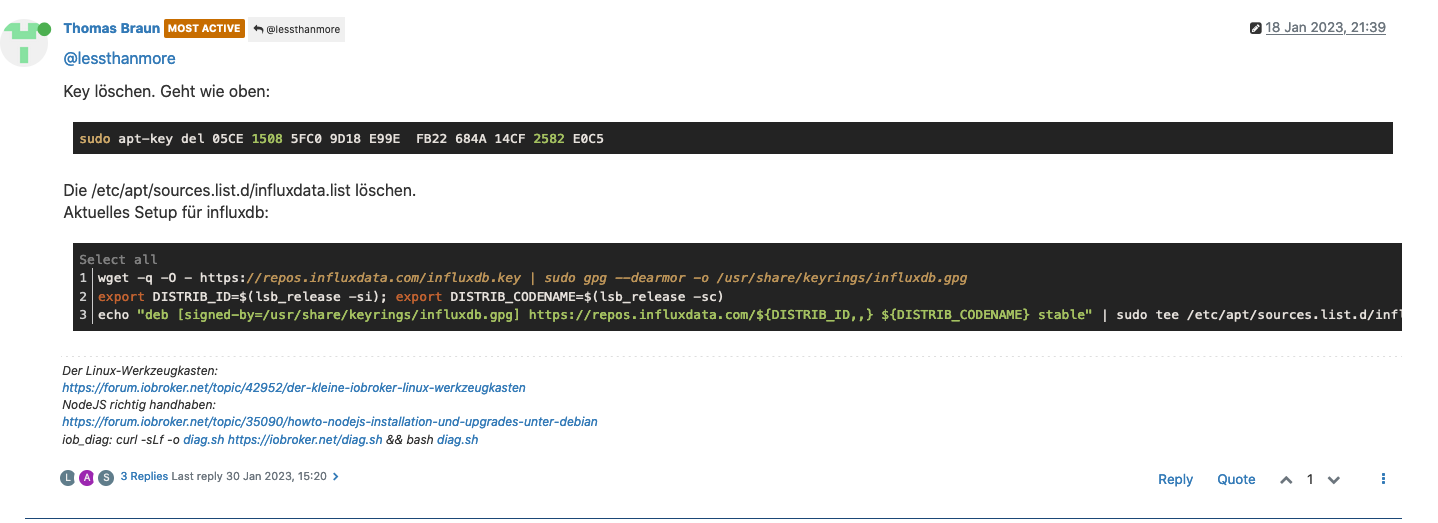
            Bildschirmfoto 2023-06-07 um 19.14.41.png

            jetzt sieht es so aus:

            pi@raspberrypi:~ $ uname -m && type -P nodejs node npm npx && nodejs -v && node -v && npm -v && npx -v && iob -v && whoami && groups && echo $XDG_SESSION_TYPE && pwd && sudo apt-get update &> /dev/null && sudo apt-get update && apt-cache policy nodejs
            armv7l
            /usr/bin/nodejs
            /usr/bin/node
            /usr/bin/npm
            /usr/bin/npx
            v18.16.0
            v18.16.0
            9.5.1
            9.5.1
            4.0.24
            pi
            pi adm dialout cdrom sudo audio video plugdev games users input netdev gpio i2c spi iobroker
            tty
            /home/pi
            pi@raspberrypi:~ $ 
            
            Thomas BraunT 1 Antwort Letzte Antwort
            0
            • K kg36304

              OK, ich habe da welche gesehen in dem Post:

              Bildschirmfoto 2023-06-07 um 19.14.41.png

              jetzt sieht es so aus:

              pi@raspberrypi:~ $ uname -m && type -P nodejs node npm npx && nodejs -v && node -v && npm -v && npx -v && iob -v && whoami && groups && echo $XDG_SESSION_TYPE && pwd && sudo apt-get update &> /dev/null && sudo apt-get update && apt-cache policy nodejs
              armv7l
              /usr/bin/nodejs
              /usr/bin/node
              /usr/bin/npm
              /usr/bin/npx
              v18.16.0
              v18.16.0
              9.5.1
              9.5.1
              4.0.24
              pi
              pi adm dialout cdrom sudo audio video plugdev games users input netdev gpio i2c spi iobroker
              tty
              /home/pi
              pi@raspberrypi:~ $ 
              
              Thomas BraunT Online
              Thomas BraunT Online
              Thomas Braun
              Most Active
              schrieb am zuletzt editiert von
              #44

              @kg36304

              sudo apt update
              

              Linux-Werkzeugkasten:
              https://forum.iobroker.net/topic/42952/der-kleine-iobroker-linux-werkzeugkasten
              NodeJS Fixer Skript:
              https://forum.iobroker.net/topic/68035/iob-node-fix-skript
              iob_diag: curl -sLf -o diag.sh https://iobroker.net/diag.sh && bash diag.sh

              1 Antwort Letzte Antwort
              0
              • K Offline
                K Offline
                kg36304
                schrieb am zuletzt editiert von
                #45

                @thomas-braun said in Tuya lief eigentlich recht gut aber jetzt Probleme.:

                sudo apt update

                Mhm wieder mit Fehlern

                pi@raspberrypi:~ $ sudo apt update
                OK:1 http://archive.raspberrypi.org/debian buster InRelease
                OK:2 http://raspbian.raspberrypi.org/raspbian buster InRelease                                                                                          
                OK:3 https://deb.nodesource.com/node_18.x buster InRelease                                                                                              
                Ign:4 https://repos.influxdata.com/raspbian buster InRelease                                                                                    
                Fehl:5 https://repos.influxdata.com/raspbian buster Release
                  404  Not Found [IP: 2600:9000:2057:3000:11:fe8d:7d40:93a1 443]
                Paketlisten werden gelesen... Fertig
                E: Das Depot »https://repos.influxdata.com/raspbian buster Release« enthält keine Release-Datei.
                N: Eine Aktualisierung von solch einem Depot kann nicht auf eine sichere Art durchgeführt werden, daher ist es standardmäßig deaktiviert.
                N: Weitere Details zur Erzeugung von Paketdepots sowie zu deren Benutzerkonfiguration finden Sie in der Handbuchseite apt-secure(8).
                pi@raspberrypi:~ $ 
                
                Thomas BraunT 1 Antwort Letzte Antwort
                0
                • K kg36304

                  @thomas-braun said in Tuya lief eigentlich recht gut aber jetzt Probleme.:

                  sudo apt update

                  Mhm wieder mit Fehlern

                  pi@raspberrypi:~ $ sudo apt update
                  OK:1 http://archive.raspberrypi.org/debian buster InRelease
                  OK:2 http://raspbian.raspberrypi.org/raspbian buster InRelease                                                                                          
                  OK:3 https://deb.nodesource.com/node_18.x buster InRelease                                                                                              
                  Ign:4 https://repos.influxdata.com/raspbian buster InRelease                                                                                    
                  Fehl:5 https://repos.influxdata.com/raspbian buster Release
                    404  Not Found [IP: 2600:9000:2057:3000:11:fe8d:7d40:93a1 443]
                  Paketlisten werden gelesen... Fertig
                  E: Das Depot »https://repos.influxdata.com/raspbian buster Release« enthält keine Release-Datei.
                  N: Eine Aktualisierung von solch einem Depot kann nicht auf eine sichere Art durchgeführt werden, daher ist es standardmäßig deaktiviert.
                  N: Weitere Details zur Erzeugung von Paketdepots sowie zu deren Benutzerkonfiguration finden Sie in der Handbuchseite apt-secure(8).
                  pi@raspberrypi:~ $ 
                  
                  Thomas BraunT Online
                  Thomas BraunT Online
                  Thomas Braun
                  Most Active
                  schrieb am zuletzt editiert von
                  #46

                  @kg36304

                  sudo rm /etc/apt/sources.list.d/infl*
                  wget -q https://repos.influxdata.com/influxdata-archive_compat.key
                  echo '393e8779c89ac8d958f81f942f9ad7fb82a25e133faddaf92e15b16e6ac9ce4c influxdata-archive_compat.key' | sha256sum -c && cat influxdata-archive_compat.key | gpg --dearmor | sudo tee /usr/share/keyrings/influxdata-archive_compat.gpg > /dev/null
                  echo 'deb [signed-by=/usr/share/keyrings/influxdata-archive_compat.gpg] https://repos.influxdata.com/debian stable main' | sudo tee /etc/apt/sources.list.d/influxdata.list
                  sudo apt update 
                  apt policy influx*
                  

                  Linux-Werkzeugkasten:
                  https://forum.iobroker.net/topic/42952/der-kleine-iobroker-linux-werkzeugkasten
                  NodeJS Fixer Skript:
                  https://forum.iobroker.net/topic/68035/iob-node-fix-skript
                  iob_diag: curl -sLf -o diag.sh https://iobroker.net/diag.sh && bash diag.sh

                  1 Antwort Letzte Antwort
                  0
                  • K Offline
                    K Offline
                    kg36304
                    schrieb am zuletzt editiert von
                    #47

                    @thomas-braun said in Tuya lief eigentlich recht gut aber jetzt Probleme.:

                    apt policy influx*

                    pi@raspberrypi:~ $ sudo rm /etc/apt/sources.list.d/infl*
                    pi@raspberrypi:~ $ wget -q https://repos.influxdata.com/influxdata-archive_compat.key
                    pi@raspberrypi:~ $ echo '393e8779c89ac8d958f81f942f9ad7fb82a25e133faddaf92e15b16e6ac9ce4c influxdata-archive_compat.key' | sha256sum -c && cat influxdata-archive_compat.key | gpg --dearmor | sudo tee /usr/share/keyrings/influxdata-archive_compat.gpg > /dev/null
                    influxdata-archive_compat.key: OK
                    pi@raspberrypi:~ $ echo 'deb [signed-by=/usr/share/keyrings/influxdata-archive_compat.gpg] https://repos.influxdata.com/debian stable main' | sudo tee /etc/apt/sources.list.d/influxdata.list
                    deb [signed-by=/usr/share/keyrings/influxdata-archive_compat.gpg] https://repos.influxdata.com/debian stable main
                    pi@raspberrypi:~ $ sudo apt update
                    OK:1 http://archive.raspberrypi.org/debian buster InRelease
                    OK:2 http://raspbian.raspberrypi.org/raspbian buster InRelease                                                                                     
                    Holen:3 https://repos.influxdata.com/debian stable InRelease [6.892 B]                                                                             
                    OK:4 https://deb.nodesource.com/node_18.x buster InRelease                                                                                      
                    Holen:5 https://repos.influxdata.com/debian stable/main armhf Packages [2.547 B]
                    Es wurden 9.439 B in 1 s geholt (8.481 B/s).
                    Paketlisten werden gelesen... Fertig
                    Abhängigkeitsbaum wird aufgebaut.       
                    Statusinformationen werden eingelesen.... Fertig
                    Alle Pakete sind aktuell.
                    pi@raspberrypi:~ $ apt policy influx*
                    N: Paket influxdata-archive_compat.key kann nicht gefunden werden.
                    N: Mittels des Musters »influxdata-archive_compat.key« konnte kein Paket gefunden werden.
                    N: Mittels regulärem Ausdruck »influxdata-archive_compat.key« konnte kein Paket gefunden werden.
                    pi@raspberrypi:~ $ 
                    
                    Thomas BraunT 1 Antwort Letzte Antwort
                    0
                    • K kg36304

                      @thomas-braun said in Tuya lief eigentlich recht gut aber jetzt Probleme.:

                      apt policy influx*

                      pi@raspberrypi:~ $ sudo rm /etc/apt/sources.list.d/infl*
                      pi@raspberrypi:~ $ wget -q https://repos.influxdata.com/influxdata-archive_compat.key
                      pi@raspberrypi:~ $ echo '393e8779c89ac8d958f81f942f9ad7fb82a25e133faddaf92e15b16e6ac9ce4c influxdata-archive_compat.key' | sha256sum -c && cat influxdata-archive_compat.key | gpg --dearmor | sudo tee /usr/share/keyrings/influxdata-archive_compat.gpg > /dev/null
                      influxdata-archive_compat.key: OK
                      pi@raspberrypi:~ $ echo 'deb [signed-by=/usr/share/keyrings/influxdata-archive_compat.gpg] https://repos.influxdata.com/debian stable main' | sudo tee /etc/apt/sources.list.d/influxdata.list
                      deb [signed-by=/usr/share/keyrings/influxdata-archive_compat.gpg] https://repos.influxdata.com/debian stable main
                      pi@raspberrypi:~ $ sudo apt update
                      OK:1 http://archive.raspberrypi.org/debian buster InRelease
                      OK:2 http://raspbian.raspberrypi.org/raspbian buster InRelease                                                                                     
                      Holen:3 https://repos.influxdata.com/debian stable InRelease [6.892 B]                                                                             
                      OK:4 https://deb.nodesource.com/node_18.x buster InRelease                                                                                      
                      Holen:5 https://repos.influxdata.com/debian stable/main armhf Packages [2.547 B]
                      Es wurden 9.439 B in 1 s geholt (8.481 B/s).
                      Paketlisten werden gelesen... Fertig
                      Abhängigkeitsbaum wird aufgebaut.       
                      Statusinformationen werden eingelesen.... Fertig
                      Alle Pakete sind aktuell.
                      pi@raspberrypi:~ $ apt policy influx*
                      N: Paket influxdata-archive_compat.key kann nicht gefunden werden.
                      N: Mittels des Musters »influxdata-archive_compat.key« konnte kein Paket gefunden werden.
                      N: Mittels regulärem Ausdruck »influxdata-archive_compat.key« konnte kein Paket gefunden werden.
                      pi@raspberrypi:~ $ 
                      
                      Thomas BraunT Online
                      Thomas BraunT Online
                      Thomas Braun
                      Most Active
                      schrieb am zuletzt editiert von
                      #48

                      @kg36304 sagte in Tuya lief eigentlich recht gut aber jetzt Probleme.:

                      rm influxdata-archive_compat.key
                      

                      dann sollte es alles passen.

                      Linux-Werkzeugkasten:
                      https://forum.iobroker.net/topic/42952/der-kleine-iobroker-linux-werkzeugkasten
                      NodeJS Fixer Skript:
                      https://forum.iobroker.net/topic/68035/iob-node-fix-skript
                      iob_diag: curl -sLf -o diag.sh https://iobroker.net/diag.sh && bash diag.sh

                      1 Antwort Letzte Antwort
                      0
                      • K Offline
                        K Offline
                        kg36304
                        schrieb am zuletzt editiert von
                        #49

                        @thomas-braun said in Tuya lief eigentlich recht gut aber jetzt Probleme.:

                        rm influxdata-archive_compat.key

                        pi@raspberrypi:~ $ uname -m && type -P nodejs node npm npx && nodejs -v && node -v && npm -v && npx -v && iob -v && whoami && groups && echo $XDG_SESSION_TYPE && pwd && sudo apt-get update &> /dev/null && sudo apt-get update && apt-cache policy nodejs
                        armv7l
                        /usr/bin/nodejs
                        /usr/bin/node
                        /usr/bin/npm
                        /usr/bin/npx
                        v18.16.0
                        v18.16.0
                        9.5.1
                        9.5.1
                        4.0.24
                        pi
                        pi adm dialout cdrom sudo audio video plugdev games users input netdev gpio i2c spi iobroker
                        tty
                        /home/pi
                        OK:1 http://archive.raspberrypi.org/debian buster InRelease
                        OK:2 http://raspbian.raspberrypi.org/raspbian buster InRelease                                                                                          
                        OK:3 https://repos.influxdata.com/debian stable InRelease                                                                                               
                        OK:4 https://deb.nodesource.com/node_18.x buster InRelease                                 
                        Paketlisten werden gelesen... Fertig                               
                        nodejs:
                          Installiert:           18.16.0-deb-1nodesource1
                          Installationskandidat: 18.16.0-deb-1nodesource1
                          Versionstabelle:
                         *** 18.16.0-deb-1nodesource1 500
                                500 https://deb.nodesource.com/node_18.x buster/main armhf Packages
                                100 /var/lib/dpkg/status
                             10.24.0~dfsg-1~deb10u3 500
                                500 http://raspbian.raspberrypi.org/raspbian buster/main armhf Packages
                        pi@raspberrypi:~ $ 


                        Sieht gut aus oder?

                        1 Antwort Letzte Antwort
                        0
                        • K Offline
                          K Offline
                          kg36304
                          schrieb am zuletzt editiert von
                          #50

                          Weiter gehts mit Bullseye, oder?

                          Thomas BraunT 1 Antwort Letzte Antwort
                          0
                          • K kg36304

                            Weiter gehts mit Bullseye, oder?

                            Thomas BraunT Online
                            Thomas BraunT Online
                            Thomas Braun
                            Most Active
                            schrieb am zuletzt editiert von
                            #51

                            @kg36304 sagte in Tuya lief eigentlich recht gut aber jetzt Probleme.:

                            Weiter gehts mit Bullseye, oder?

                            Ja, die Basis ist jetzt stabil.

                            Linux-Werkzeugkasten:
                            https://forum.iobroker.net/topic/42952/der-kleine-iobroker-linux-werkzeugkasten
                            NodeJS Fixer Skript:
                            https://forum.iobroker.net/topic/68035/iob-node-fix-skript
                            iob_diag: curl -sLf -o diag.sh https://iobroker.net/diag.sh && bash diag.sh

                            1 Antwort Letzte Antwort
                            0
                            • K Offline
                              K Offline
                              kg36304
                              schrieb am zuletzt editiert von
                              #52

                              Wow, das hätte ich ohne Dich nie geschafft. Vielen Dank Update auf Bullseye mache ich morgen nach der Anleitung von oben.

                              Sag mal, macht es Sinn das bei dem Slave auch zu tun?? Also Nodejs und Bullseye. Oder ist das nicht so wichtig??

                              DDDAAANNNKKKEEEE

                              LG und schönen Abend

                              Kai

                              Thomas BraunT 1 Antwort Letzte Antwort
                              0
                              • K kg36304

                                Wow, das hätte ich ohne Dich nie geschafft. Vielen Dank Update auf Bullseye mache ich morgen nach der Anleitung von oben.

                                Sag mal, macht es Sinn das bei dem Slave auch zu tun?? Also Nodejs und Bullseye. Oder ist das nicht so wichtig??

                                DDDAAANNNKKKEEEE

                                LG und schönen Abend

                                Kai

                                Thomas BraunT Online
                                Thomas BraunT Online
                                Thomas Braun
                                Most Active
                                schrieb am zuletzt editiert von
                                #53

                                @kg36304 sagte in Tuya lief eigentlich recht gut aber jetzt Probleme.:

                                Sag mal, macht es Sinn das bei dem Slave auch zu tun??

                                Natürlich. Buster ist wie bereits geschrieben ein totes Pferd. Zeit abzusteigen.

                                Linux-Werkzeugkasten:
                                https://forum.iobroker.net/topic/42952/der-kleine-iobroker-linux-werkzeugkasten
                                NodeJS Fixer Skript:
                                https://forum.iobroker.net/topic/68035/iob-node-fix-skript
                                iob_diag: curl -sLf -o diag.sh https://iobroker.net/diag.sh && bash diag.sh

                                K 1 Antwort Letzte Antwort
                                0
                                • Thomas BraunT Thomas Braun

                                  @kg36304 sagte in Tuya lief eigentlich recht gut aber jetzt Probleme.:

                                  Sag mal, macht es Sinn das bei dem Slave auch zu tun??

                                  Natürlich. Buster ist wie bereits geschrieben ein totes Pferd. Zeit abzusteigen.

                                  K Offline
                                  K Offline
                                  kg36304
                                  schrieb am zuletzt editiert von
                                  #54

                                  @thomas-braun

                                  ok, danke nochmal.
                                  morgen gehts weiter.

                                  1 Antwort Letzte Antwort
                                  0
                                  • K Offline
                                    K Offline
                                    kg36304
                                    schrieb am zuletzt editiert von
                                    #55

                                    Hallo, also Bullseye auf dem Master und Slave installiert.

                                    Es scheint aktuell zu laufen (nach dem reboot) mal schauen, ob es dauerhaft geht.

                                    Danke für den mega Support.

                                    Thomas BraunT 1 Antwort Letzte Antwort
                                    0
                                    • K kg36304

                                      Hallo, also Bullseye auf dem Master und Slave installiert.

                                      Es scheint aktuell zu laufen (nach dem reboot) mal schauen, ob es dauerhaft geht.

                                      Danke für den mega Support.

                                      Thomas BraunT Online
                                      Thomas BraunT Online
                                      Thomas Braun
                                      Most Active
                                      schrieb am zuletzt editiert von
                                      #56

                                      @kg36304

                                      Dann lass mal dein Werk sehen.

                                      iob diag
                                      

                                      für beide Kisten.

                                      Linux-Werkzeugkasten:
                                      https://forum.iobroker.net/topic/42952/der-kleine-iobroker-linux-werkzeugkasten
                                      NodeJS Fixer Skript:
                                      https://forum.iobroker.net/topic/68035/iob-node-fix-skript
                                      iob_diag: curl -sLf -o diag.sh https://iobroker.net/diag.sh && bash diag.sh

                                      1 Antwort Letzte Antwort
                                      0
                                      • K Offline
                                        K Offline
                                        kg36304
                                        schrieb am zuletzt editiert von
                                        #57

                                        Hier der Master.

                                        Skript v.2023-04-16
                                        
                                        *** BASE SYSTEM ***
                                        Model		: Raspberry Pi 4 Model B Rev 1.1
                                        Architecture    : armv7l
                                        Docker          : false
                                        Virtualization  : none
                                        Distributor ID:	Raspbian
                                        Description:	Raspbian GNU/Linux 11 (bullseye)
                                        Release:	11
                                        Codename:	bullseye
                                        
                                        PRETTY_NAME="Raspbian GNU/Linux 11 (bullseye)"
                                        NAME="Raspbian GNU/Linux"
                                        VERSION_ID="11"
                                        VERSION="11 (bullseye)"
                                        VERSION_CODENAME=bullseye
                                        ID=raspbian
                                        ID_LIKE=debian
                                        HOME_URL="http://www.raspbian.org/"
                                        SUPPORT_URL="http://www.raspbian.org/RaspbianForums"
                                        BUG_REPORT_URL="http://www.raspbian.org/RaspbianBugs"
                                        
                                        Systemuptime and Load:
                                         21:15:23 up 9 min,  1 user,  load average: 1.51, 1.56, 0.97
                                        CPU threads: 4
                                        
                                        Raspberry only:
                                        throttled=0x0
                                        Other values than 0x0 hint to temperature/voltage problems
                                        temp=68.1'C
                                        volt=0.8500V
                                        
                                        *** Time and Time Zones ***
                                                       Local time: Thu 2023-06-08 21:15:24 CEST
                                                   Universal time: Thu 2023-06-08 19:15:24 UTC
                                                         RTC time: n/a
                                                        Time zone: Europe/Berlin (CEST, +0200)
                                        System clock synchronized: yes
                                                      NTP service: active
                                                  RTC in local TZ: no
                                        
                                        *** User and Groups ***
                                        pi
                                        /home/pi
                                        pi adm dialout cdrom sudo audio video plugdev games users input netdev gpio i2c spi iobroker
                                        
                                        *** X-Server-Setup ***
                                        X-Server: 	false
                                        Desktop: 	
                                        Terminal: 	tty
                                        Boot Target: 	graphical.target
                                        
                                        *** MEMORY ***
                                                       total        used        free      shared  buff/cache   available
                                        Mem:            3.8G        1.8G        1.4G        0.0K        660M        1.9G
                                        Swap:            99M          0B         99M
                                        Total:          3.9G        1.8G        1.5G
                                        
                                                 3837 M total memory
                                                 1787 M used memory
                                                  190 M active memory
                                                 2148 M inactive memory
                                                 1389 M free memory
                                                   71 M buffer memory
                                                  588 M swap cache
                                                   99 M total swap
                                                    0 M used swap
                                                   99 M free swap
                                        
                                        Raspberry only:
                                        oom events: 0
                                        lifetime oom required: 0 Mbytes
                                        total time in oom handler: 0 ms
                                        max time spent in oom handler: 0 ms
                                        
                                        *** FILESYSTEM ***
                                        Filesystem     Type      Size  Used Avail Use% Mounted on
                                        /dev/root      ext4      459G  7.9G  432G   2% /
                                        devtmpfs       devtmpfs  1.8G     0  1.8G   0% /dev
                                        tmpfs          tmpfs     1.9G     0  1.9G   0% /dev/shm
                                        tmpfs          tmpfs     768M  692K  767M   1% /run
                                        tmpfs          tmpfs     5.0M  4.0K  5.0M   1% /run/lock
                                        /dev/sda1      vfat      253M   50M  203M  20% /boot
                                        tmpfs          tmpfs     384M     0  384M   0% /run/user/1000
                                        
                                        Messages concerning ext4 filesystem in dmesg:
                                        [Thu Jun  8 21:06:05 2023] Kernel command line: coherent_pool=1M 8250.nr_uarts=0 snd_bcm2835.enable_compat_alsa=0 snd_bcm2835.enable_hdmi=1  smsc95xx.macaddr=DC:A6:32:50:A2:AC vc_mem.mem_base=0x3eb00000 vc_mem.mem_size=0x3ff00000  console=ttyS0,115200 console=tty1 root=PARTUUID=6c586e13-02 rootfstype=ext4 elevator=deadline fsck.repair=yes rootwait
                                        [Thu Jun  8 21:06:07 2023] EXT4-fs (sda2): mounted filesystem with ordered data mode. Opts: (null)
                                        [Thu Jun  8 21:06:07 2023] VFS: Mounted root (ext4 filesystem) readonly on device 8:2.
                                        [Thu Jun  8 21:06:09 2023] EXT4-fs (sda2): re-mounted. Opts: (null)
                                        
                                        Show mounted filesystems (real ones only):
                                        TARGET  SOURCE    FSTYPE OPTIONS
                                        /       /dev/sda2 ext4   rw,noatime
                                        `-/boot /dev/sda1 vfat   rw,relatime,fmask=0022,dmask=0022,codepage=437,iocharset=ascii,shortname=mixed,flush,errors=remount-ro
                                        
                                        Files in neuralgic directories:
                                        
                                        /var:
                                        818M	/var/
                                        573M	/var/cache
                                        567M	/var/cache/apt
                                        503M	/var/cache/apt/archives
                                        106M	/var/lib
                                        
                                        Archived and active journals take up 32.0M in the file system.
                                        
                                        /opt/iobroker/backups:
                                        915M	/opt/iobroker/backups/
                                        
                                        /opt/iobroker/iobroker-data:
                                        780M	/opt/iobroker/iobroker-data/
                                        403M	/opt/iobroker/iobroker-data/files
                                        170M	/opt/iobroker/iobroker-data/backup-objects
                                        72M	/opt/iobroker/iobroker-data/files/telegram.admin
                                        69M	/opt/iobroker/iobroker-data/sonosCache
                                        
                                        The five largest files in iobroker-data are:
                                        65M	/opt/iobroker/iobroker-data/states.jsonl
                                        22M	/opt/iobroker/iobroker-data/objects.jsonl
                                        19M	/opt/iobroker/iobroker-data/files/iot.admin/static/js/main.904d455f.js.map
                                        15M	/opt/iobroker/iobroker-data/objects.json.migrated
                                        15M	/opt/iobroker/iobroker-data/objects.json.bak.migrated
                                        
                                        *** NodeJS-Installation ***
                                        
                                        /usr/bin/nodejs 	v18.16.0
                                        /usr/bin/node 		v18.16.0
                                        /usr/bin/npm 		9.5.1
                                        /usr/bin/npx 		9.5.1
                                        
                                        
                                        nodejs:
                                          Installed: 18.16.0-deb-1nodesource1
                                          Candidate: 18.16.0-deb-1nodesource1
                                          Version table:
                                         *** 18.16.0-deb-1nodesource1 500
                                                500 https://deb.nodesource.com/node_18.x bullseye/main armhf Packages
                                                100 /var/lib/dpkg/status
                                             12.22.12~dfsg-1~deb11u4 500
                                                500 http://raspbian.raspberrypi.org/raspbian bullseye/main armhf Packages
                                        
                                        Temp directories causing npm8 problem: 0
                                        No problems detected
                                        
                                        *** ioBroker-Installation ***
                                        
                                        ioBroker Status
                                        iobroker is running on this host.
                                        
                                        
                                        Objects type: jsonl
                                        States  type: jsonl
                                        
                                        MULTIHOSTSERVICE/enabled: false
                                        
                                        Core adapters versions
                                        js-controller: 	4.0.24
                                        admin: 		6.3.5
                                        javascript: 	6.1.4
                                        
                                        Adapters from github: 	2
                                        
                                        Adapter State
                                        + system.adapter.admin.0                  : admin                 : raspberrypi                              -  enabled, port: 8081, bind: 0.0.0.0, run as: admin
                                        + system.adapter.alexa2.0                 : alexa2                : raspberrypi                              -  enabled
                                        + system.adapter.backitup.0               : backitup              : raspberrypi                              -  enabled
                                        + system.adapter.broadlink2.0             : broadlink2            : raspberrypi                              -  enabled
                                          system.adapter.cloud.0                  : cloud                 : raspberrypi                              - disabled
                                          system.adapter.daswetter.0              : daswetter             : raspberrypi                              -  enabled
                                        + system.adapter.deconz.0                 : deconz                : raspberrypi                              -  enabled, port: 80
                                        + system.adapter.denon.0                  : denon                 : raspberrypi                              -  enabled
                                        + system.adapter.discovery.0              : discovery             : raspberrypi                              -  enabled
                                        + system.adapter.ds18b20.0                : ds18b20               : Slave                                    -  enabled
                                          system.adapter.dwd.0                    : dwd                   : raspberrypi                              -  enabled
                                          system.adapter.flot.0                   : flot                  : raspberrypi                              -  enabled
                                        + system.adapter.fritzbox.0               : fritzbox              : raspberrypi                              -  enabled
                                        + system.adapter.fritzdect.0              : fritzdect             : raspberrypi                              -  enabled
                                        + system.adapter.fullybrowser.0           : fullybrowser          : raspberrypi                              -  enabled
                                        + system.adapter.heizoel.0                : heizoel               : raspberrypi                              -  enabled
                                        + system.adapter.hm-rega.1                : hm-rega               : raspberrypi                              -  enabled
                                        + system.adapter.hm-rpc.2                 : hm-rpc                : raspberrypi                              -  enabled, port: 12001
                                        + system.adapter.hm-rpc.3                 : hm-rpc                : raspberrypi                              -  enabled, port: 0
                                        + system.adapter.hm-rpc.4                 : hm-rpc                : raspberrypi                              -  enabled, port: 0
                                          system.adapter.ical.0                   : ical                  : raspberrypi                              -  enabled
                                          system.adapter.icons-addictive-flavour-png.0: icons-addictive-flavour-png: raspberrypi                              -  enabled
                                          system.adapter.icons-mfd-png.0          : icons-mfd-png         : raspberrypi                              -  enabled
                                          system.adapter.icons-mfd-svg.0          : icons-mfd-svg         : raspberrypi                              -  enabled
                                        + system.adapter.influxdb.0               : influxdb              : raspberrypi                              -  enabled, port: 8086
                                        + system.adapter.info.0                   : info                  : raspberrypi                              -  enabled
                                        + system.adapter.iot.0                    : iot                   : raspberrypi                              -  enabled
                                        + system.adapter.javascript.0             : javascript            : raspberrypi                              -  enabled
                                        + system.adapter.kodi.0                   : kodi                  : raspberrypi                              -  enabled, port: 9090
                                        + system.adapter.kodi.1                   : kodi                  : Slave                                    -  enabled, port: 9090
                                        + system.adapter.meross.0                 : meross                : raspberrypi                              -  enabled
                                          system.adapter.mobile.0                 : mobile                : raspberrypi                              -  enabled
                                        + system.adapter.mqtt.0                   : mqtt                  : Slave                                    -  enabled, port: 1886, bind: 0.0.0.0
                                        + system.adapter.octoprint.0              : octoprint             : Slave                                    -  enabled
                                        + system.adapter.openligadb.0             : openligadb            : raspberrypi                              -  enabled
                                        + system.adapter.ping.0                   : ping                  : raspberrypi                              -  enabled
                                        + system.adapter.rpi2.0                   : rpi2                  : raspberrypi                              -  enabled
                                        + system.adapter.scenes.0                 : scenes                : raspberrypi                              -  enabled
                                        + system.adapter.shelly.0                 : shelly                : raspberrypi                              -  enabled, port: 1882, bind: 0.0.0.0
                                        + system.adapter.simple-api.0             : simple-api            : raspberrypi                              -  enabled, port: 8087, bind: 0.0.0.0, run as: admin
                                        + system.adapter.smartgarden.0            : smartgarden           : raspberrypi                              -  enabled
                                        + system.adapter.socketio.0               : socketio              : raspberrypi                              -  enabled, port: 8084, bind: 0.0.0.0, run as: admin
                                        + system.adapter.sonoff.0                 : sonoff                : Slave                                    -  enabled, port: 1884, bind: 0.0.0.0
                                        + system.adapter.sonos.0                  : sonos                 : raspberrypi                              -  enabled
                                        + system.adapter.sourceanalytix.0         : sourceanalytix        : raspberrypi                              -  enabled
                                        + system.adapter.spotify-premium.0        : spotify-premium       : raspberrypi                              -  enabled
                                        + system.adapter.tado.0                   : tado                  : raspberrypi                              -  enabled
                                        + system.adapter.tankerkoenig.0           : tankerkoenig          : raspberrypi                              -  enabled
                                        + system.adapter.telegram.0               : telegram              : raspberrypi                              -  enabled, port: 8443, bind: 0.0.0.0
                                        + system.adapter.tr-064.0                 : tr-064                : raspberrypi                              -  enabled
                                        + system.adapter.trashschedule.0          : trashschedule         : raspberrypi                              -  enabled
                                        + system.adapter.tuya.0                   : tuya                  : raspberrypi                              -  enabled
                                          system.adapter.vis-bars.0               : vis-bars              : raspberrypi                              -  enabled
                                          system.adapter.vis-canvas-gauges.0      : vis-canvas-gauges     : raspberrypi                              -  enabled
                                          system.adapter.vis-colorpicker.0        : vis-colorpicker       : raspberrypi                              -  enabled
                                          system.adapter.vis-fancyswitch.0        : vis-fancyswitch       : raspberrypi                              -  enabled
                                          system.adapter.vis-google-fonts.0       : vis-google-fonts      : raspberrypi                              -  enabled
                                          system.adapter.vis-hqwidgets.0          : vis-hqwidgets         : raspberrypi                              -  enabled
                                          system.adapter.vis-icontwo.0            : vis-icontwo           : raspberrypi                              -  enabled
                                        + system.adapter.vis-inventwo.0           : vis-inventwo          : raspberrypi                              -  enabled
                                          system.adapter.vis-jqui-mfd.0           : vis-jqui-mfd          : raspberrypi                              -  enabled
                                          system.adapter.vis-metro.0              : vis-metro             : raspberrypi                              -  enabled
                                          system.adapter.vis-rgraph.0             : vis-rgraph            : raspberrypi                              -  enabled
                                          system.adapter.vis-timeandweather.0     : vis-timeandweather    : raspberrypi                              -  enabled
                                          system.adapter.vis.0                    : vis                   : raspberrypi                              -  enabled
                                          system.adapter.weatherunderground.0     : weatherunderground    : raspberrypi                              -  enabled
                                        + system.adapter.web.0                    : web                   : raspberrypi                              -  enabled, port: 8082, bind: 0.0.0.0, run as: admin
                                        + system.adapter.wled.0                   : wled                  : raspberrypi                              -  enabled
                                        + system.adapter.worx.0                   : worx                  : raspberrypi                              -  enabled
                                        + system.adapter.yahka.0                  : yahka                 : raspberrypi                              -  enabled
                                        
                                        + instance is alive
                                        
                                        Enabled adapters with bindings
                                        + system.adapter.admin.0                  : admin                 : raspberrypi                              -  enabled, port: 8081, bind: 0.0.0.0, run as: admin
                                        + system.adapter.deconz.0                 : deconz                : raspberrypi                              -  enabled, port: 80
                                        + system.adapter.hm-rpc.2                 : hm-rpc                : raspberrypi                              -  enabled, port: 12001
                                        + system.adapter.hm-rpc.3                 : hm-rpc                : raspberrypi                              -  enabled, port: 0
                                        + system.adapter.hm-rpc.4                 : hm-rpc                : raspberrypi                              -  enabled, port: 0
                                        + system.adapter.influxdb.0               : influxdb              : raspberrypi                              -  enabled, port: 8086
                                        + system.adapter.kodi.0                   : kodi                  : raspberrypi                              -  enabled, port: 9090
                                        + system.adapter.kodi.1                   : kodi                  : Slave                                    -  enabled, port: 9090
                                        + system.adapter.mqtt.0                   : mqtt                  : Slave                                    -  enabled, port: 1886, bind: 0.0.0.0
                                        + system.adapter.shelly.0                 : shelly                : raspberrypi                              -  enabled, port: 1882, bind: 0.0.0.0
                                        + system.adapter.simple-api.0             : simple-api            : raspberrypi                              -  enabled, port: 8087, bind: 0.0.0.0, run as: admin
                                        + system.adapter.socketio.0               : socketio              : raspberrypi                              -  enabled, port: 8084, bind: 0.0.0.0, run as: admin
                                        + system.adapter.sonoff.0                 : sonoff                : Slave                                    -  enabled, port: 1884, bind: 0.0.0.0
                                        + system.adapter.telegram.0               : telegram              : raspberrypi                              -  enabled, port: 8443, bind: 0.0.0.0
                                        + system.adapter.web.0                    : web                   : raspberrypi                              -  enabled, port: 8082, bind: 0.0.0.0, run as: admin
                                        
                                        ioBroker-Repositories
                                        stable        : http://download.iobroker.net/sources-dist.json
                                        beta          : http://download.iobroker.net/sources-dist-latest.json
                                        
                                        Active repo(s): stable
                                        
                                        Installed ioBroker-Instances
                                        Used repository: stable
                                        Adapter    "admin"        : 6.3.5    , installed 6.3.5
                                        Adapter    "alexa2"       : 3.23.2   , installed 3.23.2
                                        Adapter    "backitup"     : 2.6.19   , installed 2.6.19
                                        Adapter    "broadlink2"   : 2.1.5    , installed 2.1.5
                                        Adapter    "cloud"        : 4.3.0    , installed 4.3.0
                                        Adapter    "daswetter"    : 3.1.8    , installed 3.1.8
                                        Adapter    "deconz"       : 1.3.21   , installed 1.3.21
                                        Adapter    "denon"        : 1.15.0   , installed 1.15.0
                                        Adapter    "discovery"    : 3.1.0    , installed 3.1.0
                                        Adapter    "ds18b20"      : 1.6.1    , installed 1.6.1
                                        Adapter    "dwd"          : 2.8.3    , installed 2.8.3
                                        Adapter    "flot"         : 1.11.0   , installed 1.11.0
                                        Adapter    "fritzbox"     : 0.2.1    , installed 0.2.1
                                        Adapter    "fritzdect"    : 2.2.6    , installed 2.2.6
                                        Adapter    "fullybrowser" : 2.1.2    , installed 2.1.2
                                        Adapter    "heizoel"      : 1.0.3    , installed 1.0.3
                                        Adapter    "history"      : 2.2.4    , installed 2.2.4
                                        Adapter    "hm-rega"      : 3.0.46   , installed 3.0.46
                                        Adapter    "hm-rpc"       : 1.15.16  , installed 1.15.16
                                        Adapter    "ical"         : 1.13.2   , installed 1.13.2
                                        Adapter    "icons-addictive-flavour-png": 0.1.0, installed 0.1.0
                                        Adapter    "icons-mfd-png": 1.1.0    , installed 1.1.0
                                        Adapter    "icons-mfd-svg": 1.1.0    , installed 1.1.0
                                        Adapter    "influxdb"     : 3.2.0    , installed 3.2.0
                                        Adapter    "info"         : 1.9.26   , installed 1.9.26
                                        Adapter    "iot"          : 1.14.2   , installed 1.14.2
                                        Adapter    "javascript"   : 6.1.4    , installed 6.1.4
                                        Controller "js-controller": 4.0.24   , installed 4.0.24
                                        Adapter    "kodi"         : 2.0.9    , installed 2.0.9
                                        Adapter    "meross"       : 1.14.0   , installed 1.14.0
                                        Adapter    "mobile"       : 1.0.1    , installed 1.0.1
                                        Adapter    "mqtt"         : 4.0.7    , installed 4.0.7
                                        Adapter    "octoprint"    : 4.0.0    , installed 4.0.0
                                        Adapter    "openligadb"   : 1.2.4    , installed 1.2.4
                                        Adapter    "ping"         : 1.5.3    , installed 1.5.3
                                        Adapter    "rpi2"         : 1.3.2    , installed 1.3.2
                                        Adapter    "samsung"      : 0.5.11   , installed 0.5.11
                                        Adapter    "scenes"       : 2.3.9    , installed 2.3.9
                                        Adapter    "shelly"       : 6.3.1    , installed 6.3.1
                                        Adapter    "simple-api"   : 2.7.2    , installed 2.7.2
                                        Adapter    "smartgarden"  : 2.0.0    , installed 2.0.0
                                        Adapter    "socketio"     : 4.2.0    , installed 4.2.0
                                        Adapter    "sonoff"       : 2.5.1    , installed 2.5.1
                                        Adapter    "sonos"        : 2.2.3    , installed 2.2.3
                                        Adapter    "spotify-premium": 1.2.1  , installed 1.2.1
                                        Adapter    "tado"         : 0.4.8    , installed 0.4.8
                                        Adapter    "tankerkoenig" : 3.3.7    , installed 3.3.7
                                        Adapter    "telegram"     : 1.15.2   , installed 1.15.2
                                        Adapter    "tr-064"       : 4.2.18   , installed 4.2.18
                                        Adapter    "trashschedule": 2.2.0    , installed 2.2.0
                                        Adapter    "tuya"         : 3.13.1   , installed 3.14.2
                                        Adapter    "vis"          : 1.4.16   , installed 1.4.16
                                        Adapter    "vis-bars"     : 0.1.4    , installed 0.1.4
                                        Adapter    "vis-canvas-gauges": 1.0.1, installed 1.0.1
                                        Adapter    "vis-colorpicker": 1.2.0  , installed 1.2.0
                                        Adapter    "vis-fancyswitch": 1.1.0  , installed 1.1.0
                                        Adapter    "vis-google-fonts": 1.0.4 , installed 1.0.4
                                        Adapter    "vis-hqwidgets": 1.3.0    , installed 1.3.0
                                        Adapter    "vis-icontwo"  : 0.93.0   , installed 0.93.0
                                        Adapter    "vis-inventwo" : 3.3.1    , installed 3.3.1
                                        Adapter    "vis-jqui-mfd" : 1.0.12   , installed 1.0.12
                                        Adapter    "vis-metro"    : 1.2.0    , installed 1.2.0
                                        Adapter    "vis-rgraph"   : 0.0.2    , installed 0.0.2
                                        Adapter    "vis-timeandweather": 1.2.2, installed 1.2.2
                                        Adapter    "weatherunderground": 3.4.2, installed 3.4.2
                                        Adapter    "web"          : 4.3.0    , installed 4.3.0
                                        Adapter    "wifilight"    : 1.1.4    , installed 1.1.4
                                        Adapter    "wled"         : 0.6.7    , installed 0.6.7
                                        Adapter    "worx"         : 2.1.3    , installed 2.1.3
                                        Adapter    "ws"           : 1.3.0    , installed 1.3.0
                                        Adapter    "yahka"        : 0.17.0   , installed 0.17.0
                                        
                                        Objects and States
                                        Please stand by - This may take a while
                                        Objects: 	24255
                                        States: 	21062
                                        
                                        *** OS-Repositories and Updates ***
                                        Hit:1 http://archive.raspberrypi.org/debian bullseye InRelease
                                        Hit:2 http://raspbian.raspberrypi.org/raspbian bullseye InRelease
                                        Hit:3 https://repos.influxdata.com/debian stable InRelease
                                        Hit:4 https://deb.nodesource.com/node_18.x bullseye InRelease
                                        Reading package lists...
                                        Pending Updates: 0
                                        
                                        *** Listening Ports ***
                                        Active Internet connections (only servers)
                                        Proto Recv-Q Send-Q Local Address           Foreign Address         State       User       Inode      PID/Program name    
                                        tcp        0      0 0.0.0.0:46321           0.0.0.0:*               LISTEN      1001       21236      1762/io.yahka.0     
                                        tcp        0      0 0.0.0.0:22              0.0.0.0:*               LISTEN      0          13414      494/sshd: /usr/sbin 
                                        tcp        0      0 127.0.0.1:8088          0.0.0.0:*               LISTEN      999        12701      368/influxd         
                                        tcp        0      0 192.168.62.93:2010      0.0.0.0:*               LISTEN      1001       14911      908/io.hm-rpc.3     
                                        tcp        0      0 192.168.62.93:8701      0.0.0.0:*               LISTEN      1001       13160      915/io.hm-rpc.4     
                                        tcp        0      0 127.0.0.1:33183         0.0.0.0:*               LISTEN      1001       21464      1762/io.yahka.0     
                                        tcp        0      0 192.168.62.93:12001     0.0.0.0:*               LISTEN      1001       14879      891/io.hm-rpc.2     
                                        tcp        0      0 0.0.0.0:9000            0.0.0.0:*               LISTEN      1001       13553      581/iobroker.js-con 
                                        tcp        0      0 0.0.0.0:9001            0.0.0.0:*               LISTEN      1001       13545      581/iobroker.js-con 
                                        tcp6       0      0 :::8081                 :::*                    LISTEN      1001       11230      799/io.admin.0      
                                        tcp6       0      0 :::8082                 :::*                    LISTEN      1001       18311      1617/io.web.0       
                                        tcp6       0      0 :::8084                 :::*                    LISTEN      1001       18658      1501/io.socketio.0  
                                        tcp6       0      0 :::8086                 :::*                    LISTEN      999        14481      368/influxd         
                                        tcp6       0      0 :::22                   :::*                    LISTEN      0          13416      494/sshd: /usr/sbin 
                                        tcp6       0      0 :::8087                 :::*                    LISTEN      1001       18047      1484/io.simple-api. 
                                        tcp6       0      0 :::3500                 :::*                    LISTEN      1001       16403      1040/io.sonos.0     
                                        udp        0      0 0.0.0.0:33732           0.0.0.0:*                           1001       14180      1234/io.broadlink2. 
                                        udp        0      0 0.0.0.0:5683            0.0.0.0:*                           1001       15289      1136/io.shelly.0    
                                        udp        0      0 0.0.0.0:55352           0.0.0.0:*                           1001       16066      1234/io.broadlink2. 
                                        udp        0      0 0.0.0.0:68              0.0.0.0:*                           0          14475      729/dhcpcd          
                                        udp        0      0 0.0.0.0:45684           0.0.0.0:*                           108        14357      345/avahi-daemon: r 
                                        udp        0      0 0.0.0.0:15001           0.0.0.0:*                           1001       17542      1234/io.broadlink2. 
                                        udp        0      0 0.0.0.0:5353            0.0.0.0:*                           1001       17271      1717/io.wled.0      
                                        udp        0      0 192.168.62.93:5353      0.0.0.0:*                           1001       16475      1102/io.tr-064.0    
                                        udp        0      0 0.0.0.0:5353            0.0.0.0:*                           108        14355      345/avahi-daemon: r 
                                        udp        0      0 0.0.0.0:1900            0.0.0.0:*                           1001       22657      1915/io.deconz.0    
                                        udp6       0      0 :::546                  :::*                                0          14490      729/dhcpcd          
                                        udp6       0      0 :::55941                :::*                                108        14358      345/avahi-daemon: r 
                                        udp6       0      0 :::5353                 :::*                                108        14356      345/avahi-daemon: r 
                                        udp6       0      0 :::1900                 :::*                                1001       22659      1915/io.deconz.0    
                                        udp6       0      0 :::1900                 :::*                                1001       22658      1915/io.deconz.0    
                                        
                                        *** Log File - Last 25 Lines ***
                                        
                                        2023-06-08 21:15:54.870  - debug: daswetter.0 (2773) insert NextHours2.Location_1.Day_5.Hour_8.wind_dir with E  
                                        2023-06-08 21:15:54.877  - debug: daswetter.0 (2773) insert NextHours2.Location_1.Day_5.Hour_8.wind_symbol with 11  
                                        2023-06-08 21:15:54.885  - debug: daswetter.0 (2773) insert NextHours2.Location_1.Day_5.Hour_8.wind_symbolB with 35  
                                        2023-06-08 21:15:54.892  - debug: daswetter.0 (2773) insert NextHours2.Location_1.Day_5.Hour_8.windIconURL with /adapter/daswetter/icons/viento-wind/Beaufort-White/35.png  
                                        2023-06-08 21:15:54.898  - debug: daswetter.0 (2773) insert NextHours2.Location_1.Day_5.Hour_8.wind_gusts with 26  
                                        2023-06-08 21:15:54.905  - debug: daswetter.0 (2773) insert NextHours2.Location_1.Day_5.Hour_8.rain with 0 mm 
                                        2023-06-08 21:15:54.912  - debug: daswetter.0 (2773) insert NextHours2.Location_1.Day_5.Hour_8.humidity with 37  
                                        2023-06-08 21:15:54.919  - debug: daswetter.0 (2773) insert NextHours2.Location_1.Day_5.Hour_8.pressure with 1017 mb 
                                        2023-06-08 21:15:54.932  - debug: daswetter.0 (2773) insert NextHours2.Location_1.Day_5.Hour_8.clouds with 0%  
                                        2023-06-08 21:15:54.939  - debug: daswetter.0 (2773) insert NextHours2.Location_1.Day_5.Hour_8.snowline with 3400 m 
                                        2023-06-08 21:15:54.947  - debug: daswetter.0 (2773) insert NextHours2.Location_1.Day_5.Hour_8.uv_index with 0  
                                        2023-06-08 21:15:54.955  - debug: daswetter.0 (2773) insert NextHours2.Location_1.Day_5.Hour_8.windchill with 18  
                                        2023-06-08 21:15:54.963  - debug: daswetter.0 (2773) insert NextHours2.Location_1.Day_5.sunshineDuration with 18  
                                        2023-06-08 21:15:54.979  - debug: daswetter.0 (2773) exit, all done
                                        2023-06-08 21:15:54.980  - debug: daswetter.0 (2773) timer killed
                                        2023-06-08 21:15:54.981  - debug: daswetter.0 (2773) Plugin sentry destroyed
                                        2023-06-08 21:15:54.981  - info: daswetter.0 (2773) Terminated (ADAPTER_REQUESTED_TERMINATION): All data handled, adapter stopped until next scheduled moment
                                        2023-06-08 21:15:55.623  - info: daswetter.0 (2773) cleaned everything up...
                                        2023-06-08 21:15:55.652  - info: host.raspberrypi instance system.adapter.daswetter.0 terminated with code 11 (ADAPTER_REQUESTED_TERMINATION)
                                        2023-06-08 21:16:00.080  - info: host.raspberrypi instance system.adapter.dwd.0 started with pid 3049
                                        2023-06-08 21:16:04.646  - info: dwd.0 (3049) starting. Version 2.8.3 in /opt/iobroker/node_modules/iobroker.dwd, node: v18.16.0, js-controller: 4.0.24
                                        2023-06-08 21:16:05.698  - info: dwd.0 (3049) Terminated (ADAPTER_REQUESTED_TERMINATION): Without reason
                                        2023-06-08 21:16:06.298  - info: host.raspberrypi instance system.adapter.dwd.0 terminated with code 11 (ADAPTER_REQUESTED_TERMINATION)
                                        2023-06-08 21:16:41.003  - info: meross.0 (1147) Can not get Data for Device 2102034230510490841348e1e94a67d1: Error: Device has no data connection available
                                        2023-06-08 21:16:41.003  - warn: meross.0 (1147) Can not get Data for Device 2102034230510490841348e1e94a67d1: undefined
                                        
                                        ======================= SUMMARY =======================
                                        		     v.2023-04-16
                                        
                                        
                                        Operatingsystem: 	Raspbian GNU/Linux 11 (bullseye)
                                        Kernel: 		5.10.103-v7l+
                                        Installation: 		Native
                                        Timezone: 		Europe/Berlin (CEST, +0200)
                                        User-ID: 		1000
                                        X-Server: 		false
                                        Boot Target: 		graphical.target
                                        
                                        Pending OS-Updates: 	0
                                        Pending iob updates: 	0
                                        
                                        Nodejs-Installation: 	/usr/bin/nodejs 	v18.16.0
                                        			/usr/bin/node 		v18.16.0
                                        			/usr/bin/npm 		9.5.1
                                        			/usr/bin/npx 		9.5.1
                                        
                                        Recommended versions are nodejs 18.x.y and npm 9.x.y
                                        Your nodejs installation is correct
                                        
                                        MEMORY: 
                                                       total        used        free      shared  buff/cache   available
                                        Mem:            3.8G        1.8G        1.3G        0.0K        768M        1.9G
                                        Swap:            99M          0B         99M
                                        Total:          3.9G        1.8G        1.4G
                                        
                                        Active iob-Instances: 	49
                                        Active repo(s): stable
                                        
                                        ioBroker Core: 		js-controller 		4.0.24
                                        			admin 			6.3.5
                                        
                                        ioBroker Status: 	iobroker is running on this host.
                                        
                                        
                                        Objects type: jsonl
                                        States  type: jsonl
                                        
                                        Status admin and web instance:
                                        + system.adapter.admin.0                  : admin                 : raspberrypi                              -  enabled, port: 8081, bind: 0.0.0.0, run as: admin
                                        + system.adapter.web.0                    : web                   : raspberrypi                              -  enabled, port: 8082, bind: 0.0.0.0, run as: admin
                                        
                                        Objects: 		24255
                                        States: 		21062
                                        
                                        Size of iob-Database:
                                        
                                        22M	/opt/iobroker/iobroker-data/objects.jsonl
                                        15M	/opt/iobroker/iobroker-data/objects.json.migrated
                                        15M	/opt/iobroker/iobroker-data/objects.json.bak.migrated
                                        7.9M	/opt/iobroker/iobroker-data/objects.json.broken
                                        44K	/opt/iobroker/iobroker-data/objects.json.old
                                        9.2M	/opt/iobroker/iobroker-data/states.jsonl
                                        5.1M	/opt/iobroker/iobroker-data/states.json.migrated
                                        5.1M	/opt/iobroker/iobroker-data/states.json.bak.migrated
                                        4.1M	/opt/iobroker/iobroker-data/states.json.old
                                        0	/opt/iobroker/iobroker-data/states.json.broken


                                        =================== END OF SUMMARY ====================
                                        

                                        Und der Slave

                                        Skript v.2023-04-16
                                        
                                        *** BASE SYSTEM ***
                                        Model		: Raspberry Pi 3 Model B Rev 1.2
                                        Architecture    : armv7l
                                        Docker          : false
                                        Virtualization  : none
                                        Distributor ID:	Raspbian
                                        Description:	Raspbian GNU/Linux 11 (bullseye)
                                        Release:	11
                                        Codename:	bullseye
                                        
                                        PRETTY_NAME="Raspbian GNU/Linux 11 (bullseye)"
                                        NAME="Raspbian GNU/Linux"
                                        VERSION_ID="11"
                                        VERSION="11 (bullseye)"
                                        VERSION_CODENAME=bullseye
                                        ID=raspbian
                                        ID_LIKE=debian
                                        HOME_URL="http://www.raspbian.org/"
                                        SUPPORT_URL="http://www.raspbian.org/RaspbianForums"
                                        BUG_REPORT_URL="http://www.raspbian.org/RaspbianBugs"
                                        
                                        Systemuptime and Load:
                                         20:19:52 up 39 min,  1 user,  load average: 0.00, 0.04, 0.07
                                        CPU threads: 4
                                        
                                        Raspberry only:
                                        throttled=0x0
                                        Other values than 0x0 hint to temperature/voltage problems
                                        temp=47.2'C
                                        volt=1.2688V
                                        
                                        *** Time and Time Zones ***
                                                       Local time: Thu 2023-06-08 20:19:52 BST
                                                   Universal time: Thu 2023-06-08 19:19:52 UTC
                                                         RTC time: n/a
                                                        Time zone: Europe/London (BST, +0100)
                                        System clock synchronized: yes
                                                      NTP service: active
                                                  RTC in local TZ: no
                                        
                                        *** User and Groups ***
                                        pi
                                        /home/pi
                                        pi adm dialout cdrom sudo audio video plugdev games users input netdev gpio i2c spi iobroker
                                        
                                        *** X-Server-Setup ***
                                        X-Server: 	false
                                        Desktop: 	
                                        Terminal: 	tty
                                        Boot Target: 	graphical.target
                                        
                                        *** MEMORY ***
                                                       total        used        free      shared  buff/cache   available
                                        Mem:            923M        215M        396M        0.0K        311M        655M
                                        Swap:            99M          0B         99M
                                        Total:          1.0G        215M        496M
                                        
                                                  923 M total memory
                                                  215 M used memory
                                                  183 M active memory
                                                  294 M inactive memory
                                                  396 M free memory
                                                   35 M buffer memory
                                                  276 M swap cache
                                                   99 M total swap
                                                    0 M used swap
                                                   99 M free swap
                                        
                                        Raspberry only:
                                        oom events: 0
                                        lifetime oom required: 0 Mbytes
                                        total time in oom handler: 0 ms
                                        max time spent in oom handler: 0 ms
                                        
                                        *** FILESYSTEM ***
                                        Filesystem     Type      Size  Used Avail Use% Mounted on
                                        /dev/root      ext4       29G  4.3G   24G  16% /
                                        devtmpfs       devtmpfs  430M     0  430M   0% /dev
                                        tmpfs          tmpfs     462M     0  462M   0% /dev/shm
                                        tmpfs          tmpfs     185M  580K  185M   1% /run
                                        tmpfs          tmpfs     5.0M  4.0K  5.0M   1% /run/lock
                                        /dev/mmcblk0p1 vfat      253M   50M  203M  20% /boot
                                        tmpfs          tmpfs      93M     0   93M   0% /run/user/1000
                                        
                                        Messages concerning ext4 filesystem in dmesg:
                                        [Thu Jun  8 19:39:52 2023] Kernel command line: coherent_pool=1M 8250.nr_uarts=0 snd_bcm2835.enable_compat_alsa=0 snd_bcm2835.enable_hdmi=1 bcm2708_fb.fbwidth=656 bcm2708_fb.fbheight=416 bcm2708_fb.fbswap=1 vc_mem.mem_base=0x3ec00000 vc_mem.mem_size=0x40000000  console=ttyS0,115200 console=tty1 root=PARTUUID=56cd6262-02 rootfstype=ext4 elevator=deadline fsck.repair=yes rootwait
                                        [Thu Jun  8 19:39:55 2023] EXT4-fs (mmcblk0p2): mounted filesystem with ordered data mode. Opts: (null)
                                        [Thu Jun  8 19:39:55 2023] VFS: Mounted root (ext4 filesystem) readonly on device 179:2.
                                        [Thu Jun  8 19:39:58 2023] EXT4-fs (mmcblk0p2): re-mounted. Opts: (null)
                                        
                                        Show mounted filesystems (real ones only):
                                        TARGET  SOURCE         FSTYPE OPTIONS
                                        /       /dev/mmcblk0p2 ext4   rw,noatime
                                        `-/boot /dev/mmcblk0p1 vfat   rw,relatime,fmask=0022,dmask=0022,codepage=437,iocharset=ascii,shortname=mixed,flush,errors=remount-ro
                                        
                                        Files in neuralgic directories:
                                        
                                        /var:
                                        740M	/var/
                                        492M	/var/cache
                                        487M	/var/cache/apt
                                        423M	/var/cache/apt/archives
                                        95M	/var/lib
                                        
                                        Archived and active journals take up 48.0M in the file system.
                                        
                                        /opt/iobroker/backups:
                                        203M	/opt/iobroker/backups/
                                        
                                        /opt/iobroker/iobroker-data:
                                        6.2M	/opt/iobroker/iobroker-data/
                                        3.3M	/opt/iobroker/iobroker-data/files
                                        2.8M	/opt/iobroker/iobroker-data/files/info.admin
                                        2.4M	/opt/iobroker/iobroker-data/files/info.admin/lib
                                        1.1M	/opt/iobroker/iobroker-data/files/info.admin/lib/fonts
                                        
                                        The five largest files in iobroker-data are:
                                        1.2M	/opt/iobroker/iobroker-data/objects.json.bak
                                        1.2M	/opt/iobroker/iobroker-data/objects.json
                                        440K	/opt/iobroker/iobroker-data/files/info.admin/lib/fonts/fontawesome-webfont.svg
                                        264K	/opt/iobroker/iobroker-data/files/info.admin/lib/js/simplemde.min.js
                                        244K	/opt/iobroker/iobroker-data/files/info.admin/words.js
                                        
                                        *** NodeJS-Installation ***
                                        
                                        /usr/bin/nodejs 	v18.16.0
                                        /usr/bin/node 		v18.16.0
                                        /usr/bin/npm 		9.5.1
                                        /usr/bin/npx 		9.5.1
                                        
                                        
                                        nodejs:
                                          Installed: 18.16.0-deb-1nodesource1
                                          Candidate: 18.16.0-deb-1nodesource1
                                          Version table:
                                         *** 18.16.0-deb-1nodesource1 500
                                                500 https://deb.nodesource.com/node_18.x bullseye/main armhf Packages
                                                100 /var/lib/dpkg/status
                                             12.22.12~dfsg-1~deb11u4 500
                                                500 http://raspbian.raspberrypi.org/raspbian bullseye/main armhf Packages
                                        
                                        Temp directories causing npm8 problem: 0
                                        No problems detected
                                        
                                        *** ioBroker-Installation ***
                                        
                                        ioBroker Status
                                        iobroker is running on this host.
                                        
                                        At least one iobroker host is running.
                                        
                                        Objects type: jsonl
                                        States  type: jsonl
                                        
                                        MULTIHOSTSERVICE/enabled: false
                                        
                                        Core adapters versions
                                        js-controller: 	4.0.24
                                        admin: 		6.3.5
                                        javascript: 	6.1.4
                                        
                                        Adapters from github: 	0
                                        
                                        Adapter State
                                        + system.adapter.admin.0                  : admin                 : raspberrypi                              -  enabled, port: 8081, bind: 0.0.0.0, run as: admin
                                        + system.adapter.alexa2.0                 : alexa2                : raspberrypi                              -  enabled
                                        + system.adapter.backitup.0               : backitup              : raspberrypi                              -  enabled
                                        + system.adapter.broadlink2.0             : broadlink2            : raspberrypi                              -  enabled
                                          system.adapter.cloud.0                  : cloud                 : raspberrypi                              - disabled
                                          system.adapter.daswetter.0              : daswetter             : raspberrypi                              -  enabled
                                        + system.adapter.deconz.0                 : deconz                : raspberrypi                              -  enabled, port: 80
                                        + system.adapter.denon.0                  : denon                 : raspberrypi                              -  enabled
                                        + system.adapter.discovery.0              : discovery             : raspberrypi                              -  enabled
                                        + system.adapter.ds18b20.0                : ds18b20               : Slave                                    -  enabled
                                          system.adapter.dwd.0                    : dwd                   : raspberrypi                              -  enabled
                                          system.adapter.flot.0                   : flot                  : raspberrypi                              -  enabled
                                        + system.adapter.fritzbox.0               : fritzbox              : raspberrypi                              -  enabled
                                        + system.adapter.fritzdect.0              : fritzdect             : raspberrypi                              -  enabled
                                        + system.adapter.fullybrowser.0           : fullybrowser          : raspberrypi                              -  enabled
                                        + system.adapter.heizoel.0                : heizoel               : raspberrypi                              -  enabled
                                        + system.adapter.hm-rega.1                : hm-rega               : raspberrypi                              -  enabled
                                        + system.adapter.hm-rpc.2                 : hm-rpc                : raspberrypi                              -  enabled, port: 12001
                                        + system.adapter.hm-rpc.3                 : hm-rpc                : raspberrypi                              -  enabled, port: 0
                                        + system.adapter.hm-rpc.4                 : hm-rpc                : raspberrypi                              -  enabled, port: 0
                                          system.adapter.ical.0                   : ical                  : raspberrypi                              -  enabled
                                          system.adapter.icons-addictive-flavour-png.0: icons-addictive-flavour-png: raspberrypi                              -  enabled
                                          system.adapter.icons-mfd-png.0          : icons-mfd-png         : raspberrypi                              -  enabled
                                          system.adapter.icons-mfd-svg.0          : icons-mfd-svg         : raspberrypi                              -  enabled
                                        + system.adapter.influxdb.0               : influxdb              : raspberrypi                              -  enabled, port: 8086
                                        + system.adapter.info.0                   : info                  : raspberrypi                              -  enabled
                                        + system.adapter.iot.0                    : iot                   : raspberrypi                              -  enabled
                                        + system.adapter.javascript.0             : javascript            : raspberrypi                              -  enabled
                                        + system.adapter.kodi.0                   : kodi                  : raspberrypi                              -  enabled, port: 9090
                                        + system.adapter.kodi.1                   : kodi                  : Slave                                    -  enabled, port: 9090
                                        + system.adapter.meross.0                 : meross                : raspberrypi                              -  enabled
                                          system.adapter.mobile.0                 : mobile                : raspberrypi                              -  enabled
                                        + system.adapter.mqtt.0                   : mqtt                  : Slave                                    -  enabled, port: 1886, bind: 0.0.0.0
                                        + system.adapter.octoprint.0              : octoprint             : Slave                                    -  enabled
                                        + system.adapter.openligadb.0             : openligadb            : raspberrypi                              -  enabled
                                        + system.adapter.ping.0                   : ping                  : raspberrypi                              -  enabled
                                        + system.adapter.rpi2.0                   : rpi2                  : raspberrypi                              -  enabled
                                        + system.adapter.scenes.0                 : scenes                : raspberrypi                              -  enabled
                                        + system.adapter.shelly.0                 : shelly                : raspberrypi                              -  enabled, port: 1882, bind: 0.0.0.0
                                        + system.adapter.simple-api.0             : simple-api            : raspberrypi                              -  enabled, port: 8087, bind: 0.0.0.0, run as: admin
                                        + system.adapter.smartgarden.0            : smartgarden           : raspberrypi                              -  enabled
                                        + system.adapter.socketio.0               : socketio              : raspberrypi                              -  enabled, port: 8084, bind: 0.0.0.0, run as: admin
                                        + system.adapter.sonoff.0                 : sonoff                : Slave                                    -  enabled, port: 1884, bind: 0.0.0.0
                                        + system.adapter.sonos.0                  : sonos                 : raspberrypi                              -  enabled
                                        + system.adapter.sourceanalytix.0         : sourceanalytix        : raspberrypi                              -  enabled
                                        + system.adapter.spotify-premium.0        : spotify-premium       : raspberrypi                              -  enabled
                                        + system.adapter.tado.0                   : tado                  : raspberrypi                              -  enabled
                                        + system.adapter.tankerkoenig.0           : tankerkoenig          : raspberrypi                              -  enabled
                                        + system.adapter.telegram.0               : telegram              : raspberrypi                              -  enabled, port: 8443, bind: 0.0.0.0
                                        + system.adapter.tr-064.0                 : tr-064                : raspberrypi                              -  enabled
                                        + system.adapter.trashschedule.0          : trashschedule         : raspberrypi                              -  enabled
                                        + system.adapter.tuya.0                   : tuya                  : raspberrypi                              -  enabled
                                          system.adapter.vis-bars.0               : vis-bars              : raspberrypi                              -  enabled
                                          system.adapter.vis-canvas-gauges.0      : vis-canvas-gauges     : raspberrypi                              -  enabled
                                          system.adapter.vis-colorpicker.0        : vis-colorpicker       : raspberrypi                              -  enabled
                                          system.adapter.vis-fancyswitch.0        : vis-fancyswitch       : raspberrypi                              -  enabled
                                          system.adapter.vis-google-fonts.0       : vis-google-fonts      : raspberrypi                              -  enabled
                                          system.adapter.vis-hqwidgets.0          : vis-hqwidgets         : raspberrypi                              -  enabled
                                          system.adapter.vis-icontwo.0            : vis-icontwo           : raspberrypi                              -  enabled
                                        + system.adapter.vis-inventwo.0           : vis-inventwo          : raspberrypi                              -  enabled
                                          system.adapter.vis-jqui-mfd.0           : vis-jqui-mfd          : raspberrypi                              -  enabled
                                          system.adapter.vis-metro.0              : vis-metro             : raspberrypi                              -  enabled
                                          system.adapter.vis-rgraph.0             : vis-rgraph            : raspberrypi                              -  enabled
                                          system.adapter.vis-timeandweather.0     : vis-timeandweather    : raspberrypi                              -  enabled
                                          system.adapter.vis.0                    : vis                   : raspberrypi                              -  enabled
                                          system.adapter.weatherunderground.0     : weatherunderground    : raspberrypi                              -  enabled
                                        + system.adapter.web.0                    : web                   : raspberrypi                              -  enabled, port: 8082, bind: 0.0.0.0, run as: admin
                                        + system.adapter.wled.0                   : wled                  : raspberrypi                              -  enabled
                                        + system.adapter.worx.0                   : worx                  : raspberrypi                              -  enabled
                                        + system.adapter.yahka.0                  : yahka                 : raspberrypi                              -  enabled
                                        
                                        + instance is alive
                                        
                                        Enabled adapters with bindings
                                        + system.adapter.admin.0                  : admin                 : raspberrypi                              -  enabled, port: 8081, bind: 0.0.0.0, run as: admin
                                        + system.adapter.deconz.0                 : deconz                : raspberrypi                              -  enabled, port: 80
                                        + system.adapter.hm-rpc.2                 : hm-rpc                : raspberrypi                              -  enabled, port: 12001
                                        + system.adapter.hm-rpc.3                 : hm-rpc                : raspberrypi                              -  enabled, port: 0
                                        + system.adapter.hm-rpc.4                 : hm-rpc                : raspberrypi                              -  enabled, port: 0
                                        + system.adapter.influxdb.0               : influxdb              : raspberrypi                              -  enabled, port: 8086
                                        + system.adapter.kodi.0                   : kodi                  : raspberrypi                              -  enabled, port: 9090
                                        + system.adapter.kodi.1                   : kodi                  : Slave                                    -  enabled, port: 9090
                                        + system.adapter.mqtt.0                   : mqtt                  : Slave                                    -  enabled, port: 1886, bind: 0.0.0.0
                                        + system.adapter.shelly.0                 : shelly                : raspberrypi                              -  enabled, port: 1882, bind: 0.0.0.0
                                        + system.adapter.simple-api.0             : simple-api            : raspberrypi                              -  enabled, port: 8087, bind: 0.0.0.0, run as: admin
                                        + system.adapter.socketio.0               : socketio              : raspberrypi                              -  enabled, port: 8084, bind: 0.0.0.0, run as: admin
                                        + system.adapter.sonoff.0                 : sonoff                : Slave                                    -  enabled, port: 1884, bind: 0.0.0.0
                                        + system.adapter.telegram.0               : telegram              : raspberrypi                              -  enabled, port: 8443, bind: 0.0.0.0
                                        + system.adapter.web.0                    : web                   : raspberrypi                              -  enabled, port: 8082, bind: 0.0.0.0, run as: admin
                                        
                                        ioBroker-Repositories
                                        stable        : http://download.iobroker.net/sources-dist.json
                                        beta          : http://download.iobroker.net/sources-dist-latest.json
                                        
                                        Active repo(s): stable
                                        
                                        Installed ioBroker-Instances
                                        Used repository: stable
                                        Adapter    "admin"        : 6.3.5    , installed 6.3.5
                                        Adapter    "discovery"    : 3.1.0    , installed 3.1.0
                                        Adapter    "ds18b20"      : 1.6.1    , installed 1.6.1
                                        Adapter    "info"         : 1.9.26   , installed 1.9.19 [Updatable]
                                        Adapter    "javascript"   : 6.1.4    , installed 6.1.4
                                        Controller "js-controller": 4.0.24   , installed 4.0.24
                                        Adapter    "kodi"         : 2.0.9    , installed 2.0.8  [Updatable]
                                        Adapter    "mqtt"         : 4.0.7    , installed 2.4.0  [Updatable]
                                        Adapter    "octoprint"    : 4.0.0    , installed 4.0.0
                                        Adapter    "philips-tv"   : 0.5.3    , installed 0.5.2  [Updatable]
                                        Adapter    "samsung"      : 0.5.11   , installed 0.5.11
                                        Adapter    "sonoff"       : 2.5.1    , installed 2.5.1
                                        Adapter    "tuya"         : 3.13.1   , installed 3.13.1
                                        
                                        Objects and States
                                        Please stand by - This may take a while
                                        Objects: 	24255
                                        States: 	21062
                                        
                                        *** OS-Repositories and Updates ***
                                        Hit:1 http://archive.raspberrypi.org/debian bullseye InRelease
                                        Hit:2 http://raspbian.raspberrypi.org/raspbian bullseye InRelease
                                        Hit:3 https://deb.nodesource.com/node_18.x bullseye InRelease
                                        Reading package lists...
                                        Pending Updates: 0
                                        
                                        *** Listening Ports ***
                                        Active Internet connections (only servers)
                                        Proto Recv-Q Send-Q Local Address           Foreign Address         State       User       Inode      PID/Program name    
                                        tcp        0      0 0.0.0.0:22              0.0.0.0:*               LISTEN      0          11596      479/sshd: /usr/sbin 
                                        tcp        0      0 0.0.0.0:1884            0.0.0.0:*               LISTEN      1001       13495      687/io.sonoff.0     
                                        tcp        0      0 0.0.0.0:1886            0.0.0.0:*               LISTEN      1001       11059      676/io.mqtt.0       
                                        tcp        0      0 0.0.0.0:1887            0.0.0.0:*               LISTEN      1001       11060      676/io.mqtt.0       
                                        tcp6       0      0 :::22                   :::*                    LISTEN      0          11598      479/sshd: /usr/sbin 
                                        udp        0      0 0.0.0.0:68              0.0.0.0:*                           0          8078       665/dhcpcd          
                                        udp        0      0 0.0.0.0:5353            0.0.0.0:*                           108        10699      356/avahi-daemon: r 
                                        udp        0      0 0.0.0.0:40980           0.0.0.0:*                           108        10701      356/avahi-daemon: r 
                                        udp6       0      0 :::51334                :::*                                108        10702      356/avahi-daemon: r 
                                        udp6       0      0 :::5353                 :::*                                108        10700      356/avahi-daemon: r 
                                        udp6       0      0 :::546                  :::*                                0          8094       665/dhcpcd          
                                        
                                        *** Log File - Last 25 Lines ***
                                        
                                        2023-06-08 20:06:13.339  - error: kodi.1 (811) States database error: connect ETIMEDOUT
                                        2023-06-08 20:06:19.262  - error: octoprint.0 (822) Objects database error: connect ECONNREFUSED 192.168.62.93:9001
                                        2023-06-08 20:06:19.266  - error: kodi.1 (811) Objects database error: connect ECONNREFUSED 192.168.62.93:9001
                                        2023-06-08 20:06:19.275  - error: ds18b20.0 (792) Objects database error: connect ECONNREFUSED 192.168.62.93:9001
                                        2023-06-08 20:06:19.289  - error: sonoff.0 (687) Objects database error: connect ECONNREFUSED 192.168.62.93:9001
                                        2023-06-08 20:06:19.339  - error: host.Slave Objects database error: connect ECONNREFUSED 192.168.62.93:9001
                                        2023-06-08 20:06:19.344  - error: mqtt.0 (676) Objects database error: connect ECONNREFUSED 192.168.62.93:9001
                                        2023-06-08 20:06:19.347  - error: sonoff.0 (687) States database error: connect ECONNREFUSED 192.168.62.93:9000
                                        2023-06-08 20:06:19.416  - error: host.Slave States database error: connect ECONNREFUSED 192.168.62.93:9000
                                        2023-06-08 20:06:19.416  - error: ds18b20.0 (792) States database error: connect ECONNREFUSED 192.168.62.93:9000
                                        2023-06-08 20:06:19.419  - error: mqtt.0 (676) States database error: connect ECONNREFUSED 192.168.62.93:9000
                                        2023-06-08 20:06:19.417  - error: kodi.1 (811) States database error: connect ECONNREFUSED 192.168.62.93:9000
                                        2023-06-08 20:06:19.420  - error: octoprint.0 (822) States database error: connect ECONNREFUSED 192.168.62.93:9000
                                        2023-06-08 20:06:24.276  - info: kodi.1 (811) Objects database successfully reconnected
                                        2023-06-08 20:06:24.279  - info: octoprint.0 (822) Objects database successfully reconnected
                                        2023-06-08 20:06:24.286  - info: ds18b20.0 (792) Objects database successfully reconnected
                                        2023-06-08 20:06:24.300  - info: sonoff.0 (687) Objects database successfully reconnected
                                        2023-06-08 20:06:24.347  - info: host.Slave Objects database successfully reconnected
                                        2023-06-08 20:06:24.355  - info: mqtt.0 (676) Objects database successfully reconnected
                                        2023-06-08 20:06:24.355  - info: sonoff.0 (687) Objects database successfully reconnected
                                        2023-06-08 20:06:24.422  - info: host.Slave Objects database successfully reconnected
                                        2023-06-08 20:06:24.423  - info: ds18b20.0 (792) Objects database successfully reconnected
                                        2023-06-08 20:06:24.431  - info: mqtt.0 (676) Objects database successfully reconnected
                                        2023-06-08 20:06:24.429  - info: octoprint.0 (822) Objects database successfully reconnected
                                        2023-06-08 20:06:24.434  - info: kodi.1 (811) Objects database successfully reconnected
                                        
                                        
                                        ======================= SUMMARY =======================
                                        		     v.2023-04-16
                                        
                                        
                                        Operatingsystem: 	Raspbian GNU/Linux 11 (bullseye)
                                        Kernel: 		5.10.103-v7+
                                        Installation: 		Native
                                        Timezone: 		Europe/London (BST, +0100)
                                        User-ID: 		1000
                                        X-Server: 		false
                                        Boot Target: 		graphical.target
                                        
                                        Pending OS-Updates: 	0
                                        Pending iob updates: 	4
                                        
                                        Nodejs-Installation: 	/usr/bin/nodejs 	v18.16.0
                                        			/usr/bin/node 		v18.16.0
                                        			/usr/bin/npm 		9.5.1
                                        			/usr/bin/npx 		9.5.1
                                        
                                        Recommended versions are nodejs 18.x.y and npm 9.x.y
                                        Your nodejs installation is correct
                                        
                                        MEMORY: 
                                                       total        used        free      shared  buff/cache   available
                                        Mem:            923M        216M        344M        0.0K        362M        648M
                                        Swap:            99M          0B         99M
                                        Total:          1.0G        216M        444M
                                        
                                        Active iob-Instances: 	49
                                        Active repo(s): stable
                                        
                                        ioBroker Core: 		js-controller 		4.0.24
                                        			admin 			6.3.5
                                        
                                        ioBroker Status: 	iobroker is running on this host.
                                        
                                        At least one iobroker host is running.
                                        
                                        Objects type: jsonl
                                        States  type: jsonl
                                        
                                        Status admin and web instance:
                                        + system.adapter.admin.0                  : admin                 : raspberrypi                              -  enabled, port: 8081, bind: 0.0.0.0, run as: admin
                                        + system.adapter.web.0                    : web                   : raspberrypi                              -  enabled, port: 8082, bind: 0.0.0.0, run as: admin
                                        
                                        Objects: 		24255
                                        States: 		21062
                                        
                                        Size of iob-Database:
                                        
                                        1.2M	/opt/iobroker/iobroker-data/objects.json.bak
                                        1.2M	/opt/iobroker/iobroker-data/objects.json
                                        180K	/opt/iobroker/iobroker-data/states.json.bak
                                        180K	/opt/iobroker/iobroker-data/states.json


                                        =================== END OF SUMMARY ====================
                                        
                                        Thomas BraunT 1 Antwort Letzte Antwort
                                        0
                                        • K Offline
                                          K Offline
                                          kg36304
                                          schrieb am zuletzt editiert von
                                          #58

                                          So, das Tuya Problem sieht wie folgt aus, wenn ich über die Hand App steuer geht es und der Status wird auch in der Vis angezeigt. wenn ich über die Vis schalten möchte geht nichts.

                                          1 Antwort Letzte Antwort
                                          0

                                          Hey! Du scheinst an dieser Unterhaltung interessiert zu sein, hast aber noch kein Konto.

                                          Hast du es satt, bei jedem Besuch durch die gleichen Beiträge zu scrollen? Wenn du dich für ein Konto anmeldest, kommst du immer genau dorthin zurück, wo du zuvor warst, und kannst dich über neue Antworten benachrichtigen lassen (entweder per E-Mail oder Push-Benachrichtigung). Du kannst auch Lesezeichen speichern und Beiträge positiv bewerten, um anderen Community-Mitgliedern deine Wertschätzung zu zeigen.

                                          Mit deinem Input könnte dieser Beitrag noch besser werden 💗

                                          Registrieren Anmelden
                                          Antworten
                                          • In einem neuen Thema antworten
                                          Anmelden zum Antworten
                                          • Älteste zuerst
                                          • Neuste zuerst
                                          • Meiste Stimmen


                                          Support us

                                          ioBroker
                                          Community Adapters
                                          Donate
                                          FAQ Cloud / IOT
                                          HowTo: Node.js-Update
                                          HowTo: Backup/Restore
                                          Downloads
                                          BLOG

                                          527

                                          Online

                                          32.8k

                                          Benutzer

                                          82.7k

                                          Themen

                                          1.3m

                                          Beiträge
                                          Community
                                          Impressum | Datenschutz-Bestimmungen | Nutzungsbedingungen | Einwilligungseinstellungen
                                          ioBroker Community 2014-2025
                                          logo
                                          • Anmelden

                                          • Du hast noch kein Konto? Registrieren

                                          • Anmelden oder registrieren, um zu suchen
                                          • Erster Beitrag
                                            Letzter Beitrag
                                          0
                                          • Home
                                          • Aktuell
                                          • Tags
                                          • Ungelesen 0
                                          • Kategorien
                                          • Unreplied
                                          • Beliebt
                                          • GitHub
                                          • Docu
                                          • Hilfe
