



Skip to content
  • Home
  • Recent
  • Tags
  • 0 Unread 0
  • Categories
  • Unreplied
  • Popular
  • GitHub
  • Docu
  • Hilfe
Skins
  • Light
  • Brite
  • Cerulean
  • Cosmo
  • Flatly
  • Journal
  • Litera
  • Lumen
  • Lux
  • Materia
  • Minty
  • Morph
  • Pulse
  • Sandstone
  • Simplex
  • Sketchy
  • Spacelab
  • United
  • Yeti
  • Zephyr
  • Dark
  • Cyborg
  • Darkly
  • Quartz
  • Slate
  • Solar
  • Superhero
  • Vapor

  • Default (No Skin)
  • No Skin
Collapse
ioBroker Logo

Community Forum

donate donate
  1. ioBroker Community Home
  2. Deutsch
  3. ioBroker Allgemein
  4. Probleme nach einem Restore

NEWS

  • Monatsrückblick Januar/Februar 2026 ist online!
    BluefoxB
    Bluefox
    16
    1
    313

  • Jahresrückblick 2025 – unser neuer Blogbeitrag ist online! ✨
    BluefoxB
    Bluefox
    17
    1
    4.7k

  • Neuer Blogbeitrag: Monatsrückblick - Dezember 2025 🎄
    BluefoxB
    Bluefox
    13
    1
    1.3k

Probleme nach einem Restore

Scheduled Pinned Locked Moved ioBroker Allgemein
95 Posts 5 Posters 4.6k Views 4 Watching
  • Oldest to Newest
  • Newest to Oldest
  • Most Votes
Reply
  • Reply as topic
Log in to reply
This topic has been deleted. Only users with topic management privileges can see it.
  • Berges01B Berges01

    @thomas-braun said in Probleme nach einem Restore:

    iobroker start

    upload [2] admin.admin /opt/iobroker/node_modules/iobroker.admin/admin/i18n/en/translations.json i18n/en/translations.json application/json
    upload [1] admin.admin /opt/iobroker/node_modules/iobroker.admin/admin/i18n/de/translations.json i18n/de/translations.json application/json
    upload [0] admin.admin /opt/iobroker/node_modules/iobroker.admin/admin/admin.png admin.png image/png
    berges01@Strommix-Smart:~$ iobroker start
    berges01@Strommix-Smart:~$ iobroker status
    iobroker is running on this host.
    
    
    Objects type: file
    States  type: file
    berges01@Strommix-Smart:~$
    
    
    Thomas BraunT Online
    Thomas BraunT Online
    Thomas Braun
    Most Active
    wrote on last edited by
    #10

    @berges01

    iobroker list adapters 
    iobroker list instances
    

    Linux-Werkzeugkasten:
    https://forum.iobroker.net/topic/42952/der-kleine-iobroker-linux-werkzeugkasten
    NodeJS Fixer Skript:
    https://forum.iobroker.net/topic/68035/iob-node-fix-skript
    iob_diag: curl -sLf -o diag.sh https://iobroker.net/diag.sh && bash diag.sh

    Berges01B 1 Reply Last reply
    0
    • Thomas BraunT Thomas Braun

      @berges01

      iobroker list adapters 
      iobroker list instances
      
      Berges01B Offline
      Berges01B Offline
      Berges01
      wrote on last edited by
      #11

      @thomas-braun said in Probleme nach einem Restore:

      iobroker list instances

      berges01@Strommix-Smart:~$ iobroker list adapters
      system.adapter.admin                   : admin          - v5.1.25
      system.adapter.alexa2                  : alexa2         - v3.11.2
      system.adapter.alias-manager           : alias-manager  - v1.2.4
      system.adapter.backitup                : backitup       - v2.2.2
      system.adapter.cloud                   : cloud          - v4.1.0
      system.adapter.devices                 : devices        - v1.0.9
      system.adapter.discovery               : discovery      - v2.7.3
      system.adapter.info                    : info           - v1.9.8
      system.adapter.iot                     : iot            - v1.8.24
      system.adapter.javascript              : javascript     - v5.2.13
      system.adapter.netatmo                 : netatmo        - v1.4.4
      system.adapter.ping                    : ping           - v1.5.0
      system.adapter.shuttercontrol          : shuttercontrol - v1.1.5
      system.adapter.socketio                : socketio       - v3.1.4
      system.adapter.tr-064                  : tr-064         - v4.2.14
      system.adapter.vis                     : vis            - v1.4.5
      system.adapter.web                     : web            - v3.4.9
      system.adapter.whatsapp-cmb            : whatsapp-cmb   - v0.1.6
      system.adapter.zwave2                  : zwave2         - v2.4.2-beta.1
      berges01@Strommix-Smart:~$ iobroker list instances
        system.adapter.admin.0                  : admin                 : Strommix-Smart                           -  enabled, port: 8081, bind: 192.168.2.50, run as: admin
        system.adapter.alexa2.0                 : alexa2                : Strommix-Smart                           - disabled
        system.adapter.backitup.0               : backitup              : Strommix-Smart                           -  enabled
        system.adapter.cloud.0                  : cloud                 : Strommix-Smart                           - disabled
        system.adapter.devices.0                : devices               : Strommix-Smart                           - disabled
        system.adapter.info.0                   : info                  : Strommix-Smart                           - disabled
        system.adapter.iot.0                    : iot                   : Strommix-Smart                           - disabled
        system.adapter.javascript.0             : javascript            : Strommix-Smart                           - disabled
        system.adapter.netatmo.0                : netatmo               : Strommix-Smart                           - disabled
        system.adapter.ping.0                   : ping                  : Strommix-Smart                           - disabled
        system.adapter.socketio.0               : socketio              : Strommix-Smart                           - disabled, port: 8084, bind: 0.0.0.0, run as: admin
        system.adapter.tr-064.0                 : tr-064                : Strommix-Smart                           - disabled
        system.adapter.vis.0                    : vis                   : Strommix-Smart                           - disabled
        system.adapter.web.0                    : web                   : Strommix-Smart                           - disabled, port: 8082, bind: 0.0.0.0, run as: admin
        system.adapter.whatsapp-cmb.0           : whatsapp-cmb          : Strommix-Smart                           - disabled
        system.adapter.zwave2.0                 : zwave2                : Strommix-Smart                           - disabled
      
      + instance is alive
      berges01@Strommix-Smart:~$


      F.B.

      Thomas BraunT 1 Reply Last reply
      0
      • Berges01B Berges01

        @thomas-braun said in Probleme nach einem Restore:

        iobroker list instances

        berges01@Strommix-Smart:~$ iobroker list adapters
        system.adapter.admin                   : admin          - v5.1.25
        system.adapter.alexa2                  : alexa2         - v3.11.2
        system.adapter.alias-manager           : alias-manager  - v1.2.4
        system.adapter.backitup                : backitup       - v2.2.2
        system.adapter.cloud                   : cloud          - v4.1.0
        system.adapter.devices                 : devices        - v1.0.9
        system.adapter.discovery               : discovery      - v2.7.3
        system.adapter.info                    : info           - v1.9.8
        system.adapter.iot                     : iot            - v1.8.24
        system.adapter.javascript              : javascript     - v5.2.13
        system.adapter.netatmo                 : netatmo        - v1.4.4
        system.adapter.ping                    : ping           - v1.5.0
        system.adapter.shuttercontrol          : shuttercontrol - v1.1.5
        system.adapter.socketio                : socketio       - v3.1.4
        system.adapter.tr-064                  : tr-064         - v4.2.14
        system.adapter.vis                     : vis            - v1.4.5
        system.adapter.web                     : web            - v3.4.9
        system.adapter.whatsapp-cmb            : whatsapp-cmb   - v0.1.6
        system.adapter.zwave2                  : zwave2         - v2.4.2-beta.1
        berges01@Strommix-Smart:~$ iobroker list instances
          system.adapter.admin.0                  : admin                 : Strommix-Smart                           -  enabled, port: 8081, bind: 192.168.2.50, run as: admin
          system.adapter.alexa2.0                 : alexa2                : Strommix-Smart                           - disabled
          system.adapter.backitup.0               : backitup              : Strommix-Smart                           -  enabled
          system.adapter.cloud.0                  : cloud                 : Strommix-Smart                           - disabled
          system.adapter.devices.0                : devices               : Strommix-Smart                           - disabled
          system.adapter.info.0                   : info                  : Strommix-Smart                           - disabled
          system.adapter.iot.0                    : iot                   : Strommix-Smart                           - disabled
          system.adapter.javascript.0             : javascript            : Strommix-Smart                           - disabled
          system.adapter.netatmo.0                : netatmo               : Strommix-Smart                           - disabled
          system.adapter.ping.0                   : ping                  : Strommix-Smart                           - disabled
          system.adapter.socketio.0               : socketio              : Strommix-Smart                           - disabled, port: 8084, bind: 0.0.0.0, run as: admin
          system.adapter.tr-064.0                 : tr-064                : Strommix-Smart                           - disabled
          system.adapter.vis.0                    : vis                   : Strommix-Smart                           - disabled
          system.adapter.web.0                    : web                   : Strommix-Smart                           - disabled, port: 8082, bind: 0.0.0.0, run as: admin
          system.adapter.whatsapp-cmb.0           : whatsapp-cmb          : Strommix-Smart                           - disabled
          system.adapter.zwave2.0                 : zwave2                : Strommix-Smart                           - disabled
        
        + instance is alive
        berges01@Strommix-Smart:~$
        
        
        Thomas BraunT Online
        Thomas BraunT Online
        Thomas Braun
        Most Active
        wrote on last edited by Thomas Braun
        #12

        @berges01

        iobroker start admin
        

        Linux-Werkzeugkasten:
        https://forum.iobroker.net/topic/42952/der-kleine-iobroker-linux-werkzeugkasten
        NodeJS Fixer Skript:
        https://forum.iobroker.net/topic/68035/iob-node-fix-skript
        iob_diag: curl -sLf -o diag.sh https://iobroker.net/diag.sh && bash diag.sh

        Berges01B 1 Reply Last reply
        0
        • Thomas BraunT Thomas Braun

          @berges01

          iobroker start admin
          
          Berges01B Offline
          Berges01B Offline
          Berges01
          wrote on last edited by
          #13

          @thomas-braun said in Probleme nach einem Restore:

          ioboker start admin

          
          + instance is alive
          berges01@Strommix-Smart:~$ ^C
          berges01@Strommix-Smart:~$ ioboker start admin
          -bash: ioboker: Kommando nicht gefunden.
          berges01@Strommix-Smart:~$


          F.B.

          Thomas BraunT 1 Reply Last reply
          0
          • Berges01B Berges01

            @thomas-braun said in Probleme nach einem Restore:

            ioboker start admin

            
            + instance is alive
            berges01@Strommix-Smart:~$ ^C
            berges01@Strommix-Smart:~$ ioboker start admin
            -bash: ioboker: Kommando nicht gefunden.
            berges01@Strommix-Smart:~$
            
            
            Thomas BraunT Online
            Thomas BraunT Online
            Thomas Braun
            Most Active
            wrote on last edited by
            #14

            @berges01

            Typo...

            Muss natürlich

            iobroker start admin
            

            lauten.

            Linux-Werkzeugkasten:
            https://forum.iobroker.net/topic/42952/der-kleine-iobroker-linux-werkzeugkasten
            NodeJS Fixer Skript:
            https://forum.iobroker.net/topic/68035/iob-node-fix-skript
            iob_diag: curl -sLf -o diag.sh https://iobroker.net/diag.sh && bash diag.sh

            Berges01B 1 Reply Last reply
            0
            • Thomas BraunT Thomas Braun

              @berges01

              Typo...

              Muss natürlich

              iobroker start admin
              

              lauten.

              Berges01B Offline
              Berges01B Offline
              Berges01
              wrote on last edited by
              #15

              @thomas-braun said in Probleme nach einem Restore:

              iobroker start admin

              
              berges01@Strommix-Smart:~$ iobroker start admin
              berges01@Strommix-Smart:~$ iobroker status
              iobroker is running on this host.
              
              
              Objects type: file
              States  type: file
              berges01@Strommix-Smart:~$


              F.B.

              Thomas BraunT 1 Reply Last reply
              0
              • Berges01B Berges01

                @thomas-braun said in Probleme nach einem Restore:

                iobroker start admin

                
                berges01@Strommix-Smart:~$ iobroker start admin
                berges01@Strommix-Smart:~$ iobroker status
                iobroker is running on this host.
                
                
                Objects type: file
                States  type: file
                berges01@Strommix-Smart:~$
                
                
                Thomas BraunT Online
                Thomas BraunT Online
                Thomas Braun
                Most Active
                wrote on last edited by
                #16

                @berges01
                Sollte jetzt laufen.

                iobroker list instances
                

                Linux-Werkzeugkasten:
                https://forum.iobroker.net/topic/42952/der-kleine-iobroker-linux-werkzeugkasten
                NodeJS Fixer Skript:
                https://forum.iobroker.net/topic/68035/iob-node-fix-skript
                iob_diag: curl -sLf -o diag.sh https://iobroker.net/diag.sh && bash diag.sh

                Berges01B 1 Reply Last reply
                0
                • Thomas BraunT Thomas Braun

                  @berges01
                  Sollte jetzt laufen.

                  iobroker list instances
                  
                  Berges01B Offline
                  Berges01B Offline
                  Berges01
                  wrote on last edited by Berges01
                  #17

                  @thomas-braun said in Probleme nach einem Restore:

                  iobroker list instances

                  
                  berges01@Strommix-Smart:~$ iobroker list instances
                    system.adapter.admin.0                  : admin                 : Strommix-Smart                           -  enabled, port: 8081, bind: 192.168.2.50, run as: admin
                    system.adapter.alexa2.0                 : alexa2                : Strommix-Smart                           - disabled
                    system.adapter.backitup.0               : backitup              : Strommix-Smart                           -  enabled
                    system.adapter.cloud.0                  : cloud                 : Strommix-Smart                           - disabled
                    system.adapter.devices.0                : devices               : Strommix-Smart                           - disabled
                    system.adapter.info.0                   : info                  : Strommix-Smart                           - disabled
                    system.adapter.iot.0                    : iot                   : Strommix-Smart                           - disabled
                    system.adapter.javascript.0             : javascript            : Strommix-Smart                           - disabled
                    system.adapter.netatmo.0                : netatmo               : Strommix-Smart                           - disabled
                    system.adapter.ping.0                   : ping                  : Strommix-Smart                           - disabled
                    system.adapter.socketio.0               : socketio              : Strommix-Smart                           - disabled, port: 8084, bind: 0.0.0.0, run as: admin
                    system.adapter.tr-064.0                 : tr-064                : Strommix-Smart                           - disabled
                    system.adapter.vis.0                    : vis                   : Strommix-Smart                           - disabled
                    system.adapter.web.0                    : web                   : Strommix-Smart                           - disabled, port: 8082, bind: 0.0.0.0, run as: admin
                    system.adapter.whatsapp-cmb.0           : whatsapp-cmb          : Strommix-Smart                           - disabled
                    system.adapter.zwave2.0                 : zwave2                : Strommix-Smart                           - disabled
                  
                  + instance is alive
                  berges01@Strommix-Smart:~$


                  Noch keinen Webzugriff möglich !?
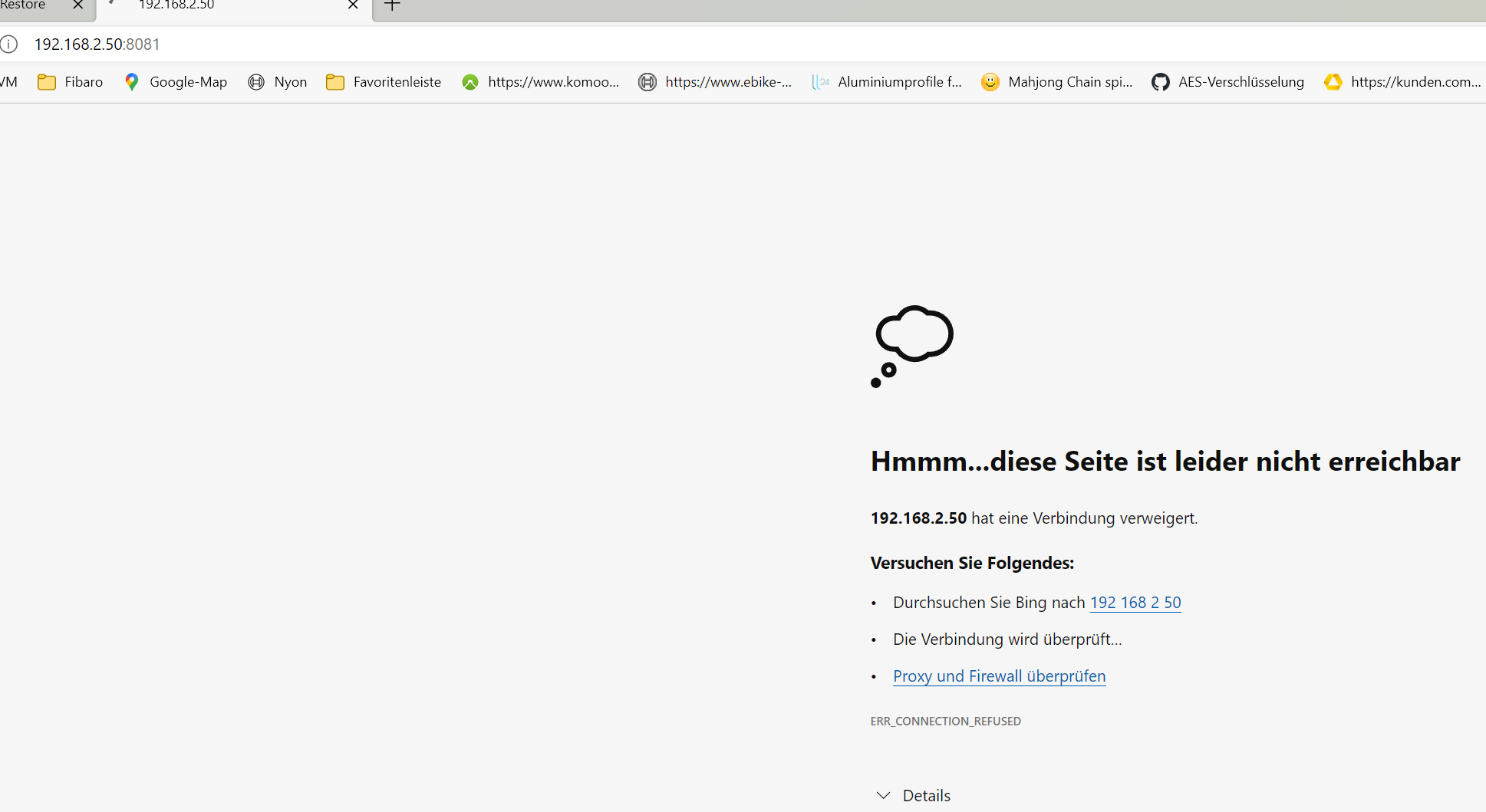
                  a8217c5b-516e-4327-ae75-8cf15adb8eef-image.png

                  F.B.

                  Thomas BraunT 1 Reply Last reply
                  0
                  • Berges01B Berges01

                    @thomas-braun said in Probleme nach einem Restore:

                    iobroker list instances

                    
                    berges01@Strommix-Smart:~$ iobroker list instances
                      system.adapter.admin.0                  : admin                 : Strommix-Smart                           -  enabled, port: 8081, bind: 192.168.2.50, run as: admin
                      system.adapter.alexa2.0                 : alexa2                : Strommix-Smart                           - disabled
                      system.adapter.backitup.0               : backitup              : Strommix-Smart                           -  enabled
                      system.adapter.cloud.0                  : cloud                 : Strommix-Smart                           - disabled
                      system.adapter.devices.0                : devices               : Strommix-Smart                           - disabled
                      system.adapter.info.0                   : info                  : Strommix-Smart                           - disabled
                      system.adapter.iot.0                    : iot                   : Strommix-Smart                           - disabled
                      system.adapter.javascript.0             : javascript            : Strommix-Smart                           - disabled
                      system.adapter.netatmo.0                : netatmo               : Strommix-Smart                           - disabled
                      system.adapter.ping.0                   : ping                  : Strommix-Smart                           - disabled
                      system.adapter.socketio.0               : socketio              : Strommix-Smart                           - disabled, port: 8084, bind: 0.0.0.0, run as: admin
                      system.adapter.tr-064.0                 : tr-064                : Strommix-Smart                           - disabled
                      system.adapter.vis.0                    : vis                   : Strommix-Smart                           - disabled
                      system.adapter.web.0                    : web                   : Strommix-Smart                           - disabled, port: 8082, bind: 0.0.0.0, run as: admin
                      system.adapter.whatsapp-cmb.0           : whatsapp-cmb          : Strommix-Smart                           - disabled
                      system.adapter.zwave2.0                 : zwave2                : Strommix-Smart                           - disabled
                    
                    + instance is alive
                    berges01@Strommix-Smart:~$


                    Noch keinen Webzugriff möglich !?
                    a8217c5b-516e-4327-ae75-8cf15adb8eef-image.png

                    Thomas BraunT Online
                    Thomas BraunT Online
                    Thomas Braun
                    Most Active
                    wrote on last edited by
                    #18

                    @berges01 sagte in Probleme nach einem Restore:

                    bind: 192.168.2.50

                    Warum hast du das an die IP gebunden? Das ist doch der iobroker selber, oder nicht?

                    Linux-Werkzeugkasten:
                    https://forum.iobroker.net/topic/42952/der-kleine-iobroker-linux-werkzeugkasten
                    NodeJS Fixer Skript:
                    https://forum.iobroker.net/topic/68035/iob-node-fix-skript
                    iob_diag: curl -sLf -o diag.sh https://iobroker.net/diag.sh && bash diag.sh

                    Berges01B 1 Reply Last reply
                    0
                    • Thomas BraunT Thomas Braun

                      @berges01 sagte in Probleme nach einem Restore:

                      bind: 192.168.2.50

                      Warum hast du das an die IP gebunden? Das ist doch der iobroker selber, oder nicht?

                      Berges01B Offline
                      Berges01B Offline
                      Berges01
                      wrote on last edited by
                      #19

                      @thomas-braun

                      Ist das nicht das Selbe ?
                      IP ist einfacher zu merken.

                      F.B.

                      Thomas BraunT 1 Reply Last reply
                      0
                      • Berges01B Berges01

                        @thomas-braun

                        Ist das nicht das Selbe ?
                        IP ist einfacher zu merken.

                        Thomas BraunT Online
                        Thomas BraunT Online
                        Thomas Braun
                        Most Active
                        wrote on last edited by Thomas Braun
                        #20

                        @berges01
                        Aber du greifst doch da bestimmt von einer anderen IP drauf zu?

                        Bei mir sieht das so aus:

                        echad@chet:~ $ iobroker list instances
                        + system.adapter.admin.0                  : admin                 : chet                                     -  enabled, port: 8081, bind: 0.0.0.0, run as: admin
                        

                        Linux-Werkzeugkasten:
                        https://forum.iobroker.net/topic/42952/der-kleine-iobroker-linux-werkzeugkasten
                        NodeJS Fixer Skript:
                        https://forum.iobroker.net/topic/68035/iob-node-fix-skript
                        iob_diag: curl -sLf -o diag.sh https://iobroker.net/diag.sh && bash diag.sh

                        Berges01B 1 Reply Last reply
                        0
                        • Thomas BraunT Thomas Braun

                          @berges01
                          Aber du greifst doch da bestimmt von einer anderen IP drauf zu?

                          Bei mir sieht das so aus:

                          echad@chet:~ $ iobroker list instances
                          + system.adapter.admin.0                  : admin                 : chet                                     -  enabled, port: 8081, bind: 0.0.0.0, run as: admin
                          
                          Berges01B Offline
                          Berges01B Offline
                          Berges01
                          wrote on last edited by
                          #21

                          @thomas-braun
                          Ja zwar in gleichen Adressraum aber von der 192.168.2.23

                          F.B.

                          Thomas BraunT 1 Reply Last reply
                          0
                          • Berges01B Berges01

                            @thomas-braun
                            Ja zwar in gleichen Adressraum aber von der 192.168.2.23

                            Thomas BraunT Online
                            Thomas BraunT Online
                            Thomas Braun
                            Most Active
                            wrote on last edited by
                            #22

                            @berges01 Dann muss der bind auf 192.168.2.23 gehen (oder 0.0.0.0)

                            Linux-Werkzeugkasten:
                            https://forum.iobroker.net/topic/42952/der-kleine-iobroker-linux-werkzeugkasten
                            NodeJS Fixer Skript:
                            https://forum.iobroker.net/topic/68035/iob-node-fix-skript
                            iob_diag: curl -sLf -o diag.sh https://iobroker.net/diag.sh && bash diag.sh

                            Berges01B 1 Reply Last reply
                            0
                            • Thomas BraunT Thomas Braun

                              @berges01 Dann muss der bind auf 192.168.2.23 gehen (oder 0.0.0.0)

                              Berges01B Offline
                              Berges01B Offline
                              Berges01
                              wrote on last edited by
                              #23

                              @thomas-braun

                              Das meinst du !
                              Keine Ahnung !
                              Der ioBroker ist auf dem Rechner 192.168.2.59.
                              Zugriff mache ich per Web von unterschiedlichen IP´s aus dem gleichen Adressraum per Brouser.
                              Normalerweise rufe ich den so auf : 192.168.2.50:8081

                              F.B.

                              Thomas BraunT 1 Reply Last reply
                              0
                              • Berges01B Berges01

                                @thomas-braun

                                Das meinst du !
                                Keine Ahnung !
                                Der ioBroker ist auf dem Rechner 192.168.2.59.
                                Zugriff mache ich per Web von unterschiedlichen IP´s aus dem gleichen Adressraum per Brouser.
                                Normalerweise rufe ich den so auf : 192.168.2.50:8081

                                Thomas BraunT Online
                                Thomas BraunT Online
                                Thomas Braun
                                Most Active
                                wrote on last edited by
                                #24

                                @berges01 sagte in Probleme nach einem Restore:

                                Das meinst du !
                                Keine Ahnung !

                                Dann mach es doch selber, wenn du mehr Ahnung hast.

                                Linux-Werkzeugkasten:
                                https://forum.iobroker.net/topic/42952/der-kleine-iobroker-linux-werkzeugkasten
                                NodeJS Fixer Skript:
                                https://forum.iobroker.net/topic/68035/iob-node-fix-skript
                                iob_diag: curl -sLf -o diag.sh https://iobroker.net/diag.sh && bash diag.sh

                                Berges01B 1 Reply Last reply
                                0
                                • Thomas BraunT Thomas Braun

                                  @berges01 sagte in Probleme nach einem Restore:

                                  Das meinst du !
                                  Keine Ahnung !

                                  Dann mach es doch selber, wenn du mehr Ahnung hast.

                                  Berges01B Offline
                                  Berges01B Offline
                                  Berges01
                                  wrote on last edited by Berges01
                                  #25

                                  @thomas-braun
                                  Nein Nein falsch verstanden ich wollte dir nur mein Vorgehen erklären und nicht Klugsch. !!!
                                  SORRY wenn das so rüber gekommen ist !!!!
                                  Ich bin kein IT Profi das bist eher du !!!!
                                  Wenn das FALSCH ist bitte ich um eine Richtigstellung !
                                  Ich weis mir nicht mehr zu helfen !!

                                  Keine Ahnung! meinte ich mich selber !!!!!

                                  F.B.

                                  Thomas BraunT 1 Reply Last reply
                                  0
                                  • Berges01B Berges01

                                    @thomas-braun
                                    Nein Nein falsch verstanden ich wollte dir nur mein Vorgehen erklären und nicht Klugsch. !!!
                                    SORRY wenn das so rüber gekommen ist !!!!
                                    Ich bin kein IT Profi das bist eher du !!!!
                                    Wenn das FALSCH ist bitte ich um eine Richtigstellung !
                                    Ich weis mir nicht mehr zu helfen !!

                                    Keine Ahnung! meinte ich mich selber !!!!!

                                    Thomas BraunT Online
                                    Thomas BraunT Online
                                    Thomas Braun
                                    Most Active
                                    wrote on last edited by
                                    #26

                                    @berges01

                                    Der ioBroker ist auf dem Rechner 192.168.2.59.
                                    Normalerweise rufe ich den so auf : 192.168.2.50:8081

                                    Das kann nicht sein.
                                    Oder ist das ein Multihost-System?

                                    Linux-Werkzeugkasten:
                                    https://forum.iobroker.net/topic/42952/der-kleine-iobroker-linux-werkzeugkasten
                                    NodeJS Fixer Skript:
                                    https://forum.iobroker.net/topic/68035/iob-node-fix-skript
                                    iob_diag: curl -sLf -o diag.sh https://iobroker.net/diag.sh && bash diag.sh

                                    Berges01B 1 Reply Last reply
                                    0
                                    • Thomas BraunT Thomas Braun

                                      @berges01

                                      Der ioBroker ist auf dem Rechner 192.168.2.59.
                                      Normalerweise rufe ich den so auf : 192.168.2.50:8081

                                      Das kann nicht sein.
                                      Oder ist das ein Multihost-System?

                                      Berges01B Offline
                                      Berges01B Offline
                                      Berges01
                                      wrote on last edited by Berges01
                                      #27

                                      @thomas-braun

                                      Nein ich habe merer Rechner in einem Adressraum nebst NAS usw.
                                      Der ioBroker läuft auf einem einzelnen Rechner mit der Adresse 192.168.2.50.
                                      Der Router hat die 192.168.2.1.
                                      Auf dem .50 läuft Debian und ioBroker sonst nichts.
                                      Bis jetzt hat das immer so funktioniert, das ich von meinem Rechner 192.168.23 über den Brouser den ioBroker mit 192.168.2.50:8081 so aufgerufen habe.
                                      So hat das immer Prima gelaufen.
                                      Wenn das falsch ist, wie dann ?

                                      Wie das "bind: 192.168.2.50, run as: admin" darein gekommen ist weis ich nicht.
                                      Ob das immer so wahr ?

                                      F.B.

                                      Thomas BraunT 1 Reply Last reply
                                      0
                                      • Berges01B Berges01

                                        @thomas-braun

                                        Nein ich habe merer Rechner in einem Adressraum nebst NAS usw.
                                        Der ioBroker läuft auf einem einzelnen Rechner mit der Adresse 192.168.2.50.
                                        Der Router hat die 192.168.2.1.
                                        Auf dem .50 läuft Debian und ioBroker sonst nichts.
                                        Bis jetzt hat das immer so funktioniert, das ich von meinem Rechner 192.168.23 über den Brouser den ioBroker mit 192.168.2.50:8081 so aufgerufen habe.
                                        So hat das immer Prima gelaufen.
                                        Wenn das falsch ist, wie dann ?

                                        Wie das "bind: 192.168.2.50, run as: admin" darein gekommen ist weis ich nicht.
                                        Ob das immer so wahr ?

                                        Thomas BraunT Online
                                        Thomas BraunT Online
                                        Thomas Braun
                                        Most Active
                                        wrote on last edited by Thomas Braun
                                        #28

                                        @berges01 sagte in Probleme nach einem Restore:

                                        Ob das immer so wahr ?

                                        Nein, die Voreinstellung ist 0.0.0.0
                                        Irgendwie kann man das per Kommandozeile ändern, ich weiß den Befehl aber gerade nicht.

                                        Edit:

                                        cd /opt/iobroker
                                        iobroker set admin.0 --bind 0.0.0.0
                                        

                                        Linux-Werkzeugkasten:
                                        https://forum.iobroker.net/topic/42952/der-kleine-iobroker-linux-werkzeugkasten
                                        NodeJS Fixer Skript:
                                        https://forum.iobroker.net/topic/68035/iob-node-fix-skript
                                        iob_diag: curl -sLf -o diag.sh https://iobroker.net/diag.sh && bash diag.sh

                                        Berges01B 1 Reply Last reply
                                        0
                                        • Thomas BraunT Thomas Braun

                                          @berges01 sagte in Probleme nach einem Restore:

                                          Ob das immer so wahr ?

                                          Nein, die Voreinstellung ist 0.0.0.0
                                          Irgendwie kann man das per Kommandozeile ändern, ich weiß den Befehl aber gerade nicht.

                                          Edit:

                                          cd /opt/iobroker
                                          iobroker set admin.0 --bind 0.0.0.0
                                          
                                          Berges01B Offline
                                          Berges01B Offline
                                          Berges01
                                          wrote on last edited by
                                          #29

                                          @thomas-braun said in Probleme nach einem Restore:

                                          iobroker set admin.0 --bind 0.0.0.0

                                          berges01@Strommix-Smart:~$ ^C
                                          berges01@Strommix-Smart:~$ cd /opt/iobroker
                                          berges01@Strommix-Smart:/opt/iobroker$ iobroker set admin.0 --bind 0.0.0.0
                                          New bind for "admin.0" is: 0.0.0.0
                                          Instance settings for "admin.0" are changed.
                                          berges01@Strommix-Smart:/opt/iobroker$


                                          F.B.

                                          Thomas BraunT 1 Reply Last reply
                                          0
                                          Reply
                                          • Reply as topic
                                          Log in to reply
                                          • Oldest to Newest
                                          • Newest to Oldest
                                          • Most Votes


                                          Support us

                                          ioBroker
                                          Community Adapters
                                          Donate
                                          FAQ Cloud / IOT
                                          HowTo: Node.js-Update
                                          HowTo: Backup/Restore
                                          Downloads
                                          BLOG

                                          364

                                          Online

                                          32.7k

                                          Users

                                          82.5k

                                          Topics

                                          1.3m

                                          Posts
                                          Community
                                          Impressum | Datenschutz-Bestimmungen | Nutzungsbedingungen | Einwilligungseinstellungen
                                          ioBroker Community 2014-2025
                                          logo
                                          • Login

                                          • Don't have an account? Register

                                          • Login or register to search.
                                          • First post
                                            Last post
                                          0
                                          • Home
                                          • Recent
                                          • Tags
                                          • Unread 0
                                          • Categories
                                          • Unreplied
                                          • Popular
                                          • GitHub
                                          • Docu
                                          • Hilfe