
NEWS




[HowTo] ioBroker unter Docker auf Synology DiskStation

-
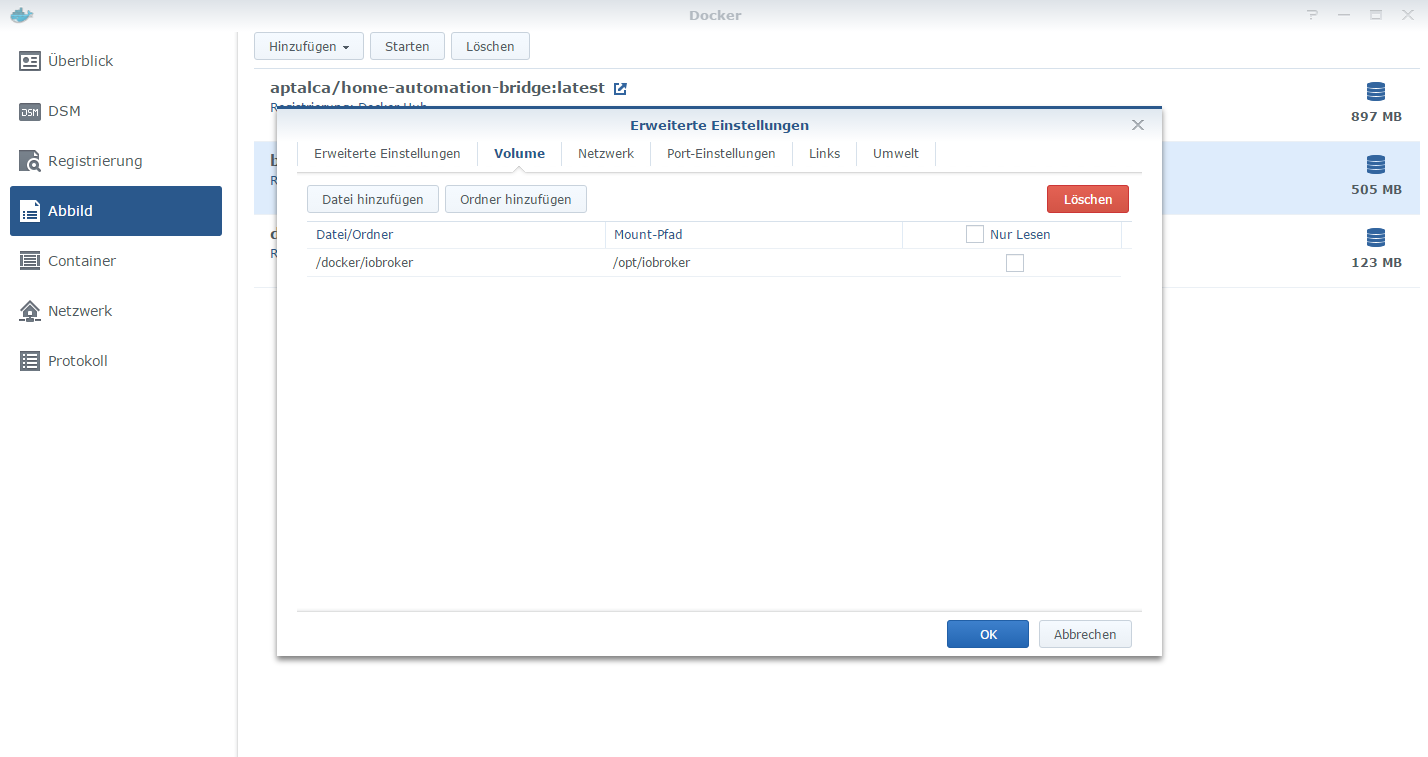
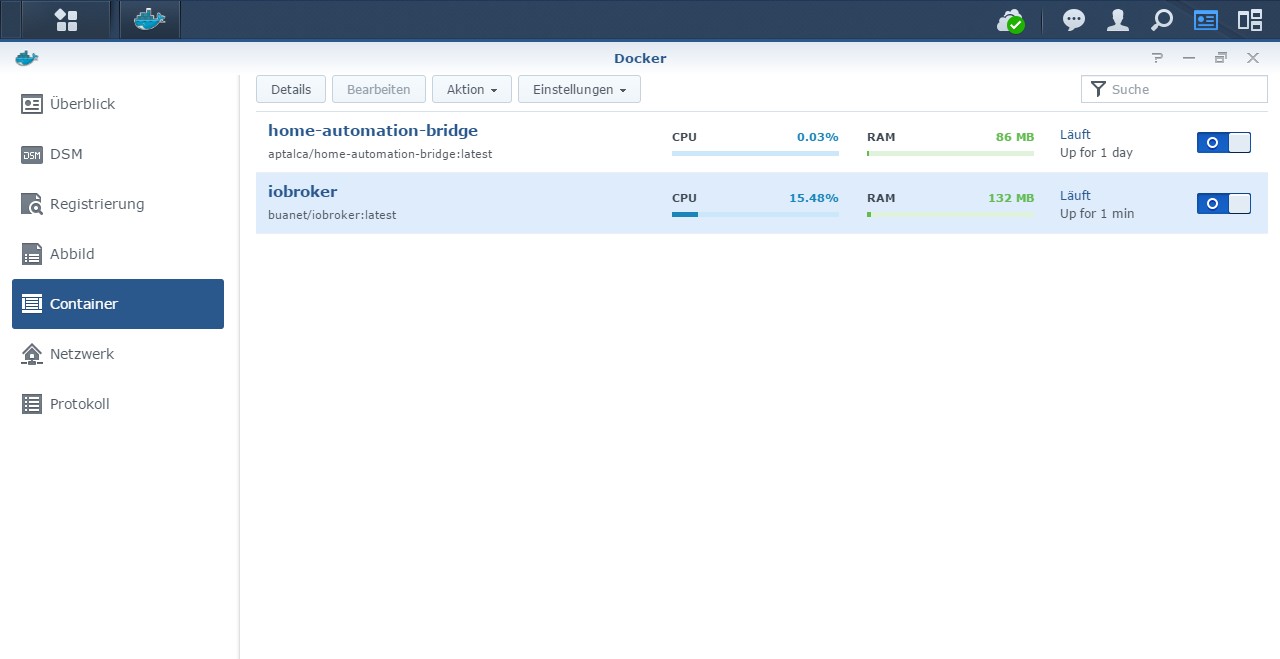
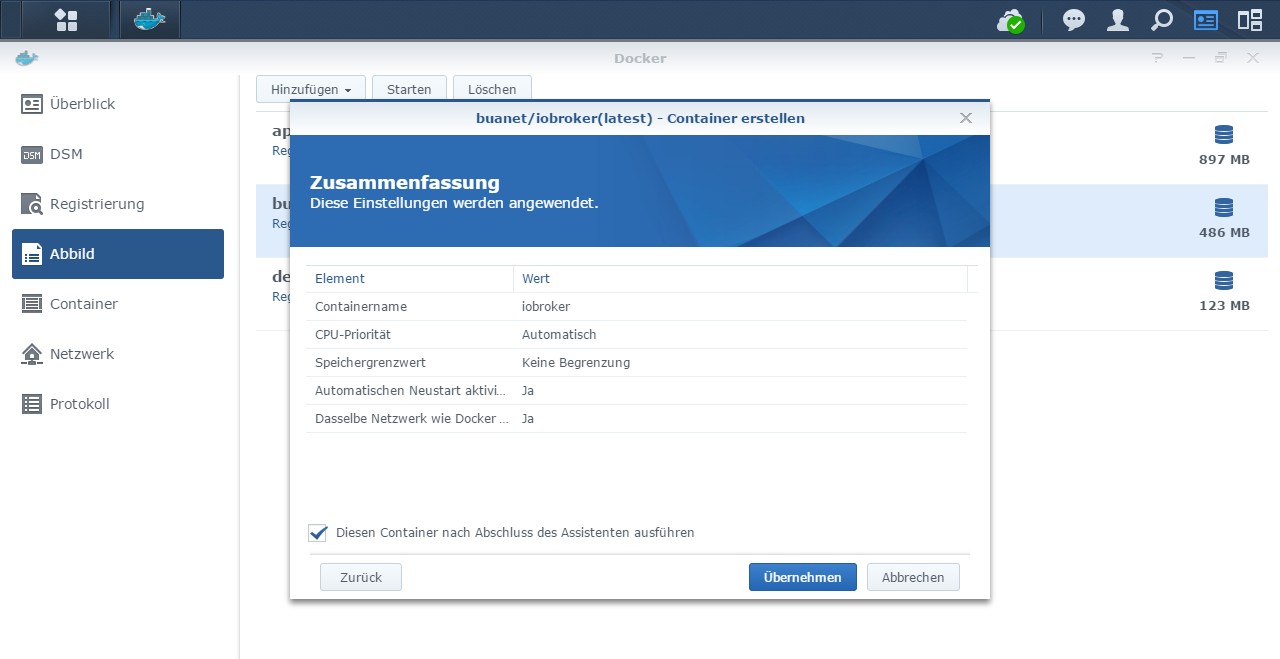
@chrizzel Wenn du alles so gemacht hast wie es im Tutorial beschrieben ist, dann liegt dein ioBroker in einem gemounteten Verzeichnis auf deinem Host (deiner DS). Das bedeutet, dass der Container nur eine austauschbare Hülle ist. Alle Konfigurationsdaten deines ioBrokers liegen ja nicht im Container sondern in dem eingebundenen Verzeichnis. Dementsprechend kannst du den Container jederzeit löschen und neu erstellen. Sofern du das Verzechens wieder einbindest bleibt die Konfiguration erhalten...
Löschen bedeutet also tatsächlich Löschen. Also Container weg und neu anlegen.
MfG,
André -
Moin. Über Nacht ist mein ioBroker plötzlich nicht mehr über die Weboberfläche erreichbar (Administration und VIS-Seiten). Raspi läuft aber, auch kann ich mich in den Container verbinden. Das einzige was davor gemacht wurde war ein Philips-hue-Adapter-Update.
Irgendwie scheint mein Admin-Adapter kaputt zu sein? Hatte das schonmal jemand?Log sagt folgendes:
------------------------------------------------------------ --------------- 2021-06-02 13:44:55 --------------- ------------------------------------------------------------ ------------------------------------------------------------ ----- Welcome to your ioBroker-container! ----- ----- Startupscript is now running. ----- ----- Please be patient! ----- ------------------------------------------------------------ ------------------------------------------------------------ ----- Debugging information ----- ----- ----- ----- System ----- ----- arch: armv7l ----- ----- ----- ----- Versions ----- ----- image: v4.2.0 ----- ----- node: v12.22.1 ----- ----- npm: 6.14.12 ----- ----- ----- ----- ENV ----- ----- PACKAGES: nano build-essential libcairo2-dev libpango1.0-dev libjpeg-dev libgif-dev librsvg2-dev ----- ----- SETGID: 1000 ----- ----- SETUID: 1000 ----- ----- USBDEVICES: /dev/ttyUSB0 /dev/ttyAMA0 ----- ------------------------------------------------------------ ------------------------------------------------------------ ----- Step 1 of 5: Preparing container ----- ------------------------------------------------------------ Installing additional packages is set by ENV. The following packages will be installed: nano build-essential libcairo2-dev libpango1.0-dev libjpeg-dev libgif-dev librsvg2-dev... Done. ------------------------------------------------------------ ----- Step 2 of 5: Detecting ioBroker installation ----- ------------------------------------------------------------ Existing installation of ioBroker detected in /opt/iobroker. ------------------------------------------------------------ ----- Step 3 of 5: Checking ioBroker installation ----- ------------------------------------------------------------ (Re)Setting folder permissions (This might take a while! Please be patient!)... Done. Fixing "sudo-bug" by replacing sudo in iobroker with gosu... Done. The object system.adapter.admin.0 was not found! /opt/scripts/iobroker_startup.sh: line 173: [: !=: unary operator expected ------------------------------------------------------------ ----- Step 4 of 5: Applying special settings ----- ------------------------------------------------------------ Some adapters have special requirements/ settings which can be activated by the use of environment variables. For more information take a look at readme.md on Github! Usb-device-support is activated by ENV. Setting permissions for /dev/ttyUSB0 /dev/ttyAMA0... Done. ------------------------------------------------------------ ----- Step 5 of 5: ioBroker startup ----- ------------------------------------------------------------ Starting ioBroker... doc.rows is not iterable TypeError: doc.rows is not iterable at Object.getInstancesOrderedByStartPrio (/opt/iobroker/node_modules/iobroker.js-controller/lib/tools.js:2782:27) object system.meta.uuid cannot be updated: Error: DB closed object system.user.admin created -
Moin. Über Nacht ist mein ioBroker plötzlich nicht mehr über die Weboberfläche erreichbar (Administration und VIS-Seiten). Raspi läuft aber, auch kann ich mich in den Container verbinden. Das einzige was davor gemacht wurde war ein Philips-hue-Adapter-Update.
Irgendwie scheint mein Admin-Adapter kaputt zu sein? Hatte das schonmal jemand?Log sagt folgendes:
------------------------------------------------------------ --------------- 2021-06-02 13:44:55 --------------- ------------------------------------------------------------ ------------------------------------------------------------ ----- Welcome to your ioBroker-container! ----- ----- Startupscript is now running. ----- ----- Please be patient! ----- ------------------------------------------------------------ ------------------------------------------------------------ ----- Debugging information ----- ----- ----- ----- System ----- ----- arch: armv7l ----- ----- ----- ----- Versions ----- ----- image: v4.2.0 ----- ----- node: v12.22.1 ----- ----- npm: 6.14.12 ----- ----- ----- ----- ENV ----- ----- PACKAGES: nano build-essential libcairo2-dev libpango1.0-dev libjpeg-dev libgif-dev librsvg2-dev ----- ----- SETGID: 1000 ----- ----- SETUID: 1000 ----- ----- USBDEVICES: /dev/ttyUSB0 /dev/ttyAMA0 ----- ------------------------------------------------------------ ------------------------------------------------------------ ----- Step 1 of 5: Preparing container ----- ------------------------------------------------------------ Installing additional packages is set by ENV. The following packages will be installed: nano build-essential libcairo2-dev libpango1.0-dev libjpeg-dev libgif-dev librsvg2-dev... Done. ------------------------------------------------------------ ----- Step 2 of 5: Detecting ioBroker installation ----- ------------------------------------------------------------ Existing installation of ioBroker detected in /opt/iobroker. ------------------------------------------------------------ ----- Step 3 of 5: Checking ioBroker installation ----- ------------------------------------------------------------ (Re)Setting folder permissions (This might take a while! Please be patient!)... Done. Fixing "sudo-bug" by replacing sudo in iobroker with gosu... Done. The object system.adapter.admin.0 was not found! /opt/scripts/iobroker_startup.sh: line 173: [: !=: unary operator expected ------------------------------------------------------------ ----- Step 4 of 5: Applying special settings ----- ------------------------------------------------------------ Some adapters have special requirements/ settings which can be activated by the use of environment variables. For more information take a look at readme.md on Github! Usb-device-support is activated by ENV. Setting permissions for /dev/ttyUSB0 /dev/ttyAMA0... Done. ------------------------------------------------------------ ----- Step 5 of 5: ioBroker startup ----- ------------------------------------------------------------ Starting ioBroker... doc.rows is not iterable TypeError: doc.rows is not iterable at Object.getInstancesOrderedByStartPrio (/opt/iobroker/node_modules/iobroker.js-controller/lib/tools.js:2782:27) object system.meta.uuid cannot be updated: Error: DB closed object system.user.admin created@stevie77 Es war vermutlich tatsächlich ein warum auch immer irgendwie misslungenes Update des Adapters Admin auf 5.1.6. Ich konnte ein komplettes Backup des Raspi von Sonntag einspielen und sah, dass ich wohl in den zwei Tagen auch Admin aktualisiert hatte. Wie zuvor lief der automatische Prozess gut durch und der Docker-Container startete auch danach wieder korrekt. Mal sehen, ob es stabil bleibt oder wieder nach zwei Tagen plötzlich hängt...
-
@stevie77 Es war vermutlich tatsächlich ein warum auch immer irgendwie misslungenes Update des Adapters Admin auf 5.1.6. Ich konnte ein komplettes Backup des Raspi von Sonntag einspielen und sah, dass ich wohl in den zwei Tagen auch Admin aktualisiert hatte. Wie zuvor lief der automatische Prozess gut durch und der Docker-Container startete auch danach wieder korrekt. Mal sehen, ob es stabil bleibt oder wieder nach zwei Tagen plötzlich hängt...
@stevie77 sagte in [HowTo] ioBroker unter Docker auf Synology DiskStation:
@stevie77 Es war vermutlich ......misslungenes Update des Adapters Admin auf 5.1.6. ............
Mal sehen, ob es stabil bleibt oder wieder nach zwei Tagen plötzlich hängt...Da du Beta Tester bist , kann es schon vorkommen das etwas nicht funktioniert , hat aber nichts mit diesem Thread zu tun .
-
Guten Morgen,
ich habe portainer installliert. Bei "üben habe ichVlans erstellt, die nicht mehr zu löschen sind.
Wie bekomme ich das trotzdem hin. Ich möchte sozusagen aufräumen.
mfg
Dirk@doerk32 sagte in [HowTo] ioBroker unter Docker auf Synology DiskStation:
ei "üben habe ichVlans erstellt, die nicht mehr zu löschen
Kann dir da nicht ganz helfen , da ich kein Vlan nutze .
Schau mal hier , vorletzter Beitrag vielleicht kommst du damit weiter :
https://www.synology-forum.de/threads/docker-portainer-netzwerk-laesst-sich-nicht-loeschen.108179/
-
@stevie77 sagte in [HowTo] ioBroker unter Docker auf Synology DiskStation:
@stevie77 Es war vermutlich ......misslungenes Update des Adapters Admin auf 5.1.6. ............
Mal sehen, ob es stabil bleibt oder wieder nach zwei Tagen plötzlich hängt...Da du Beta Tester bist , kann es schon vorkommen das etwas nicht funktioniert , hat aber nichts mit diesem Thread zu tun .
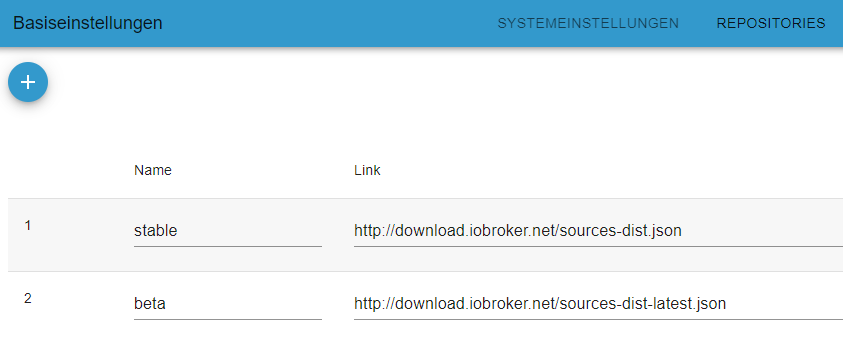
@glasfaser Upps, das war mir gar nicht bewusst. Danke für den Hinweis. Keine Ahnung, wie ich dazu komme (Gedächtnislücke?). Als Anfänger will ich mich eigentlich von Betas und deren Fehlern fern halten. Einfach den 2. Eintrag löschen, nehme ich an?
-
@glasfaser Upps, das war mir gar nicht bewusst. Danke für den Hinweis. Keine Ahnung, wie ich dazu komme (Gedächtnislücke?). Als Anfänger will ich mich eigentlich von Betas und deren Fehlern fern halten. Einfach den 2. Eintrag löschen, nehme ich an?
-
@stevie77 sagte in [HowTo] ioBroker unter Docker auf Synology DiskStation:
Einfach den 2. Eintrag löschen, nehme ich an?
Nix löschen !
Einfach in der Haupteinstellung : "Aktiver Verwahrungsort" auf stable stellen
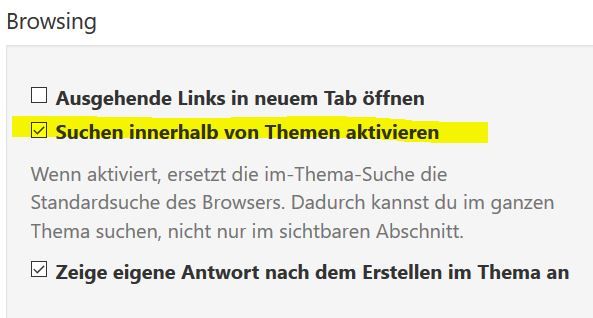
@glasfaser Okay, ich habe hier
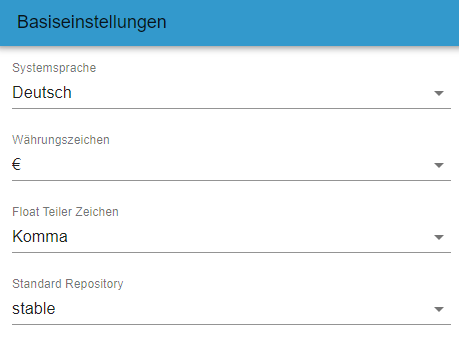 jetzt stable eingetragen und dann Speichern und schließen geklickt. Jetzt hängt der Dialog seit 5 min ohne dass die Buttons aktiv wären. Werden da im Hintergrund alle Adapter nochmals umkopiert/heruntergeladen oder ist mir ioBroker abgeschmiert? Naja, warte ich wohl mal bis heute Abend bevor ich den Container neu starte...
 -
@glasfaser Okay, ich habe hier
jetzt stable eingetragen und dann Speichern und schließen geklickt. Jetzt hängt der Dialog seit 5 min ohne dass die Buttons aktiv wären. Werden da im Hintergrund alle Adapter nochmals umkopiert/heruntergeladen oder ist mir ioBroker abgeschmiert? Naja, warte ich wohl mal bis heute Abend bevor ich den Container neu starte...@stevie77 sagte in [HowTo] ioBroker unter Docker auf Synology DiskStation:
umkopiert/heruntergeladen oder ist mir ioBroker abgeschmiert?
Da dürfte nicht´s abschmieren , es werden nur im Hintergrund die Adapter dann erneut geprüft ( Version) , da du ja den Verwahrungsort geändert hast .
EDIT:
Nutzt du die neue Admin 5 WebUI -
@stevie77 sagte in [HowTo] ioBroker unter Docker auf Synology DiskStation:
umkopiert/heruntergeladen oder ist mir ioBroker abgeschmiert?
Da dürfte nicht´s abschmieren , es werden nur im Hintergrund die Adapter dann erneut geprüft ( Version) , da du ja den Verwahrungsort geändert hast .
EDIT:
Nutzt du die neue Admin 5 WebUI@glasfaser Ich hab erst jetzt gemerkt, dass alles mit 5.x von Admin nicht stable ist. Dass die GUI einfriert hat dann sicher damit zu tun, das hatte ich jetzt mehrmals, trat aber immer auf wenn ich Admin aktualisierte. Dachte nur, dass das normal sei, weil Admin halt die GUI erzeugt oder so. Jetzt bin ich wieder bei 4.2.1 und alles ist gut. Danke für die Hilfestellung. Und nun offtopic Ende. :-)
PS: Ja, die GUI nutzte ich wohl, die ist aber ziemlich blöd und unübersichtlich. -
Hallo zusammen,
bei mir läuft iobroker seit 1,5 Jahren unter Unraid im Docker ohne Probleme.
Nun habe ich vorgestern gesehen das meine Visualisierung nicht mehr angezeigt wird und habe dann den Docker neu gestartet.
Leider läuft nun nichts mehr.
Hoffe das jemand helfen kann.Gruß
------------------------------------------------------------ --------------- 2021-06-04 03:18:05 --------------- ------------------------------------------------------------ ------------------------------------------------------------ ----- Welcome to your ioBroker-container! ----- ----- Startupscript is now running. ----- ----- Please be patient! ----- ------------------------------------------------------------ ------------------------------------------------------------ ----- Debugging information ----- ----- ----- ----- System ----- ----- arch: x86_64 ----- ----- ----- ----- Versions ----- ----- image: v5.1.0 ----- ----- node: v12.22.1 ----- ----- npm: 6.14.12 ----- ----- ----- ----- ENV ----- ----- SETGID: 1000 ----- ----- SETUID: 1000 ----- ------------------------------------------------------------ ------------------------------------------------------------ ----- Step 1 of 5: Preparing container ----- ------------------------------------------------------------ Nothing to do here. ------------------------------------------------------------ ----- Step 2 of 5: Detecting ioBroker installation ----- ------------------------------------------------------------ Existing installation of ioBroker detected in /opt/iobroker. ------------------------------------------------------------ ----- Step 3 of 5: Checking ioBroker installation ----- ------------------------------------------------------------ (Re)Setting folder permissions (This might take a while! Please be patient!)... Done. Fixing "sudo-bug" by replacing sudo in iobroker with gosu... Done. Done. Fixing "sudo-bug" by replacing sudo in iobroker with gosu... Done. The object system.adapter.admin.0 was not found! /opt/scripts/iobroker_startup.sh: Zeile 197: [: !=: Einstelliger (unärer) Operator erwartet. ------------------------------------------------------------ ----- Step 4 of 5: Applying special settings ----- ------------------------------------------------------------ Some adapters have special requirements/ settings which can be activated by the use of environment variables. For more information take a look at readme.md on Github! ------------------------------------------------------------ ----- Step 5 of 5: ioBroker startup ----- ------------------------------------------------------------ Starting ioBroker... /opt/scripts/iobroker_startup.sh: Zeile 197: [: !=: Einstelliger (unärer) Operator erwartet. ------------------------------------------------------------ ----- Step 4 of 5: Applying special settings ----- ------------------------------------------------------------ Some adapters have special requirements/ settings which can be activated by the use of environment variables. For more information take a look at readme.md on Github! ------------------------------------------------------------ ----- Step 5 of 5: ioBroker startup ----- ------------------------------------------------------------ Starting ioBroker... -
Hallo zusammen,
bei mir läuft iobroker seit 1,5 Jahren unter Unraid im Docker ohne Probleme.
Nun habe ich vorgestern gesehen das meine Visualisierung nicht mehr angezeigt wird und habe dann den Docker neu gestartet.
Leider läuft nun nichts mehr.
Hoffe das jemand helfen kann.Gruß
------------------------------------------------------------ --------------- 2021-06-04 03:18:05 --------------- ------------------------------------------------------------ ------------------------------------------------------------ ----- Welcome to your ioBroker-container! ----- ----- Startupscript is now running. ----- ----- Please be patient! ----- ------------------------------------------------------------ ------------------------------------------------------------ ----- Debugging information ----- ----- ----- ----- System ----- ----- arch: x86_64 ----- ----- ----- ----- Versions ----- ----- image: v5.1.0 ----- ----- node: v12.22.1 ----- ----- npm: 6.14.12 ----- ----- ----- ----- ENV ----- ----- SETGID: 1000 ----- ----- SETUID: 1000 ----- ------------------------------------------------------------ ------------------------------------------------------------ ----- Step 1 of 5: Preparing container ----- ------------------------------------------------------------ Nothing to do here. ------------------------------------------------------------ ----- Step 2 of 5: Detecting ioBroker installation ----- ------------------------------------------------------------ Existing installation of ioBroker detected in /opt/iobroker. ------------------------------------------------------------ ----- Step 3 of 5: Checking ioBroker installation ----- ------------------------------------------------------------ (Re)Setting folder permissions (This might take a while! Please be patient!)... Done. Fixing "sudo-bug" by replacing sudo in iobroker with gosu... Done. Done. Fixing "sudo-bug" by replacing sudo in iobroker with gosu... Done. The object system.adapter.admin.0 was not found! /opt/scripts/iobroker_startup.sh: Zeile 197: [: !=: Einstelliger (unärer) Operator erwartet. ------------------------------------------------------------ ----- Step 4 of 5: Applying special settings ----- ------------------------------------------------------------ Some adapters have special requirements/ settings which can be activated by the use of environment variables. For more information take a look at readme.md on Github! ------------------------------------------------------------ ----- Step 5 of 5: ioBroker startup ----- ------------------------------------------------------------ Starting ioBroker... /opt/scripts/iobroker_startup.sh: Zeile 197: [: !=: Einstelliger (unärer) Operator erwartet. ------------------------------------------------------------ ----- Step 4 of 5: Applying special settings ----- ------------------------------------------------------------ Some adapters have special requirements/ settings which can be activated by the use of environment variables. For more information take a look at readme.md on Github! ------------------------------------------------------------ ----- Step 5 of 5: ioBroker startup ----- ------------------------------------------------------------ Starting ioBroker... -
Hallo zusammen,
bei mir läuft iobroker seit 1,5 Jahren unter Unraid im Docker ohne Probleme.
Nun habe ich vorgestern gesehen das meine Visualisierung nicht mehr angezeigt wird und habe dann den Docker neu gestartet.
Leider läuft nun nichts mehr.
Hoffe das jemand helfen kann.Gruß
------------------------------------------------------------ --------------- 2021-06-04 03:18:05 --------------- ------------------------------------------------------------ ------------------------------------------------------------ ----- Welcome to your ioBroker-container! ----- ----- Startupscript is now running. ----- ----- Please be patient! ----- ------------------------------------------------------------ ------------------------------------------------------------ ----- Debugging information ----- ----- ----- ----- System ----- ----- arch: x86_64 ----- ----- ----- ----- Versions ----- ----- image: v5.1.0 ----- ----- node: v12.22.1 ----- ----- npm: 6.14.12 ----- ----- ----- ----- ENV ----- ----- SETGID: 1000 ----- ----- SETUID: 1000 ----- ------------------------------------------------------------ ------------------------------------------------------------ ----- Step 1 of 5: Preparing container ----- ------------------------------------------------------------ Nothing to do here. ------------------------------------------------------------ ----- Step 2 of 5: Detecting ioBroker installation ----- ------------------------------------------------------------ Existing installation of ioBroker detected in /opt/iobroker. ------------------------------------------------------------ ----- Step 3 of 5: Checking ioBroker installation ----- ------------------------------------------------------------ (Re)Setting folder permissions (This might take a while! Please be patient!)... Done. Fixing "sudo-bug" by replacing sudo in iobroker with gosu... Done. Done. Fixing "sudo-bug" by replacing sudo in iobroker with gosu... Done. The object system.adapter.admin.0 was not found! /opt/scripts/iobroker_startup.sh: Zeile 197: [: !=: Einstelliger (unärer) Operator erwartet. ------------------------------------------------------------ ----- Step 4 of 5: Applying special settings ----- ------------------------------------------------------------ Some adapters have special requirements/ settings which can be activated by the use of environment variables. For more information take a look at readme.md on Github! ------------------------------------------------------------ ----- Step 5 of 5: ioBroker startup ----- ------------------------------------------------------------ Starting ioBroker... /opt/scripts/iobroker_startup.sh: Zeile 197: [: !=: Einstelliger (unärer) Operator erwartet. ------------------------------------------------------------ ----- Step 4 of 5: Applying special settings ----- ------------------------------------------------------------ Some adapters have special requirements/ settings which can be activated by the use of environment variables. For more information take a look at readme.md on Github! ------------------------------------------------------------ ----- Step 5 of 5: ioBroker startup ----- ------------------------------------------------------------ Starting ioBroker...@kayfun sagte in [HowTo] ioBroker unter Docker auf Synology DiskStation:
The object system.adapter.admin.0 was not found!
Kann es sein, dass du - wie ich - Admin 5.x installiert hast, absichtlich oder versehentlich? Admin 5 ist beta. Genau den Fehler hatte ich auch vor wenigen Tagen nach nem Update des Admin-Adapters, siehe Postings etwas weiter unten.
Ich ging dann wieder auf Admin 4.2.1 zurück (in der ioBroker-Konsole). Das Dumme daran ist, dass dann die Instanzenseite leer bleibt (bekannter Fehler). Deswegen bin ich heute Nacht wieder auf die neueste Beta, und das hat dann funktioniert. -
# iobroker update
 Cannot read system.config: null (OK when migrating or restoring)
 Cannot find view "system" for search "host"
Error: Object "system.config" not found
^C
# iobroker version
3.2.16
# iobroker repo list
 Cannot read system.config: null (OK when migrating or restoring)
 Cannot find view "system" for search "host"
Cannot get list: undefined
#
Mit dem Admin 5.x muss ich mal schauen. Ich steh auf Kriegsfuß mit konsolen.
-
# iobroker update
 Cannot read system.config: null (OK when migrating or restoring)
 Cannot find view "system" for search "host"
Error: Object "system.config" not found
^C
# iobroker version
3.2.16
# iobroker repo list
 Cannot read system.config: null (OK when migrating or restoring)
 Cannot find view "system" for search "host"
Cannot get list: undefined
#
Mit dem Admin 5.x muss ich mal schauen. Ich steh auf Kriegsfuß mit konsolen.
-
@kayfun sagte in [HowTo] ioBroker unter Docker auf Synology DiskStation:
iobroker update
Cannot read system.config: null (OK when migrating or restoring)
Cannot find view "system" for search "host"
Nimm mal dieses howto
https://forum.iobroker.net/topic/43325/mini-howto-cannot-find-view-system-for-search-host
-
# ls -la /opt/iobroker/iobroker-data/backup-objects/
insgesamt 49408
drwxrwxrwx 1 iobroker iobroker    4096 Jun  4 03:19 .
drwxrwxrwx 1 iobroker iobroker     204 Jun  4 04:54 ..
-rw-r--r-- 1 iobroker iobroker 2180058 Mai 31 05:15 2021-05-31_05-15_objects.json.gz
-rw-r--r-- 1 iobroker iobroker 2179991 Mai 31 07:15 2021-05-31_07-15_objects.json.gz
-rw-r--r-- 1 iobroker iobroker 2179989 Mai 31 09:30 2021-05-31_09-30_objects.json.gz
-rw-r--r-- 1 iobroker iobroker 2179982 Mai 31 11:30 2021-05-31_11-30_objects.json.gz
-rw-r--r-- 1 iobroker iobroker 2180066 Mai 31 13:30 2021-05-31_13-30_objects.json.gz
-rw-r--r-- 1 iobroker iobroker 2180072 Mai 31 15:45 2021-05-31_15-45_objects.json.gz
-rw-r--r-- 1 iobroker iobroker 2180049 Mai 31 17:45 2021-05-31_17-45_objects.json.gz
-rw-r--r-- 1 iobroker iobroker  194287 Mai 31 19:09 2021-05-31_19-09_states.json.gz
-rw-r--r-- 1 iobroker iobroker 2180115 Mai 31 19:45 2021-05-31_19-45_objects.json.gz
-rw-r--r-- 1 iobroker iobroker  194394 Mai 31 21:10 2021-05-31_21-10_states.json.gz
-rw-r--r-- 1 iobroker iobroker 2180105 Mai 31 22:00 2021-05-31_22-00_objects.json.gz
-rw-r--r-- 1 iobroker iobroker  194186 Mai 31 23:10 2021-05-31_23-10_states.json.gz
-rw-r--r-- 1 iobroker iobroker 2180135 Jun  1 00:00 2021-06-01_00-00_objects.json.gz
-rw-r--r-- 1 iobroker iobroker  194312 Jun  1 01:10 2021-06-01_01-10_states.json.gz
-rw-r--r-- 1 iobroker iobroker 2180119 Jun  1 02:00 2021-06-01_02-00_objects.json.gz
-rw-r--r-- 1 iobroker iobroker  194857 Jun  1 03:11 2021-06-01_03-11_states.json.gz
-rw-r--r-- 1 iobroker iobroker 2180116 Jun  1 04:00 2021-06-01_04-00_objects.json.gz
-rw-r--r-- 1 iobroker iobroker  194720 Jun  1 05:11 2021-06-01_05-11_states.json.gz
-rw-r--r-- 1 iobroker iobroker 2180129 Jun  1 06:06 2021-06-01_06-06_objects.json.gz
-rw-r--r-- 1 iobroker iobroker  194964 Jun  1 07:12 2021-06-01_07-12_states.json.gz
-rw-r--r-- 1 iobroker iobroker 2180130 Jun  1 08:15 2021-06-01_08-15_objects.json.gz
-rw-r--r-- 1 iobroker iobroker  194800 Jun  1 09:12 2021-06-01_09-12_states.json.gz
-rw-r--r-- 1 iobroker iobroker 2180112 Jun  1 09:35 2021-06-01_09-35_objects.json.gz
-rw-r--r-- 1 iobroker iobroker  193835 Jun  1 09:35 2021-06-01_09-35_states.json.gz
-rw-r--r-- 1 iobroker iobroker  194005 Jun  1 09:36 2021-06-01_09-36_states.json.gz
-rw-r--r-- 1 iobroker iobroker  194855 Jun  1 11:36 2021-06-01_11-36_states.json.gz
-rw-r--r-- 1 iobroker iobroker 2180123 Jun  1 11:40 2021-06-01_11-40_objects.json.gz
-rw-r--r-- 1 iobroker iobroker  194771 Jun  1 13:36 2021-06-01_13-36_states.json.gz
-rw-r--r-- 1 iobroker iobroker 2180152 Jun  1 13:45 2021-06-01_13-45_objects.json.gz
-rw-r--r-- 1 iobroker iobroker  194787 Jun  1 15:37 2021-06-01_15-37_states.json.gz
-rw-r--r-- 1 iobroker iobroker 2180122 Jun  1 15:51 2021-06-01_15-51_objects.json.gz
-rw-r--r-- 1 iobroker iobroker  193988 Jun  1 15:51 2021-06-01_15-51_states.json.gz
-rw-r--r-- 1 iobroker iobroker 2180199 Jun  1 16:13 2021-06-01_16-12_objects.json.gz
-rw-r--r-- 1 iobroker iobroker  193870 Jun  1 16:12 2021-06-01_16-12_states.json.gz
-rw-r--r-- 1 iobroker iobroker  193992 Jun  1 16:13 2021-06-01_16-13_states.json.gz
-rw-r--r-- 1 iobroker iobroker 2180190 Jun  1 16:25 2021-06-01_16-25_objects.json.gz
-rw-r--r-- 1 iobroker iobroker  193670 Jun  1 16:25 2021-06-01_16-25_states.json.gz
-rw-r--r-- 1 iobroker iobroker 2180216 Jun  1 16:33 2021-06-01_16-33_objects.json.gz
-rw-r--r-- 1 iobroker iobroker  193596 Jun  1 16:33 2021-06-01_16-33_states.json.gz
-rw-r--r-- 1 iobroker iobroker  193735 Jun  1 16:34 2021-06-01_16-34_states.json.gz
-rw-r--r-- 1 iobroker iobroker    4304 Jun  2 01:25 2021-06-02_01-25_objects.json.gz
-rw-r--r-- 1 iobroker iobroker  193684 Jun  2 01:25 2021-06-02_01-25_states.json.gz
-rw-r--r-- 1 iobroker iobroker  193665 Jun  2 01:26 2021-06-02_01-26_states.json.gz
-rw-r--r-- 1 iobroker iobroker    4305 Jun  2 01:33 2021-06-02_01-33_objects.json.gz
-rw-r--r-- 1 iobroker iobroker  193642 Jun  2 01:33 2021-06-02_01-33_states.json.gz
-rw-r--r-- 1 iobroker iobroker    4292 Jun  4 03:18 2021-06-04_03-18_objects.json.gz
-rw-r--r-- 1 iobroker iobroker  193647 Jun  4 03:18 2021-06-04_03-18_states.json.gz
-rw-r--r-- 1 iobroker iobroker  193659 Jun  4 03:19 2021-06-04_03-19_states.json.gz
#
Hm, wären diese das dann?
-rw-r--r-- 1 iobroker iobroker 4304 Jun 2 01:25 2021-06-02_01-25_objects.json.gz -rw-r--r-- 1 iobroker iobroker 4305 Jun 2 01:33 2021-06-02_01-33_objects.json.gz -rw-r--r-- 1 iobroker iobroker 4292 Jun 4 03:18 2021-06-04_03-18_objects.json.gz -
# ls -la /opt/iobroker/iobroker-data/backup-objects/
insgesamt 49408
drwxrwxrwx 1 iobroker iobroker    4096 Jun  4 03:19 .
drwxrwxrwx 1 iobroker iobroker     204 Jun  4 04:54 ..
-rw-r--r-- 1 iobroker iobroker 2180058 Mai 31 05:15 2021-05-31_05-15_objects.json.gz
-rw-r--r-- 1 iobroker iobroker 2179991 Mai 31 07:15 2021-05-31_07-15_objects.json.gz
-rw-r--r-- 1 iobroker iobroker 2179989 Mai 31 09:30 2021-05-31_09-30_objects.json.gz
-rw-r--r-- 1 iobroker iobroker 2179982 Mai 31 11:30 2021-05-31_11-30_objects.json.gz
-rw-r--r-- 1 iobroker iobroker 2180066 Mai 31 13:30 2021-05-31_13-30_objects.json.gz
-rw-r--r-- 1 iobroker iobroker 2180072 Mai 31 15:45 2021-05-31_15-45_objects.json.gz
-rw-r--r-- 1 iobroker iobroker 2180049 Mai 31 17:45 2021-05-31_17-45_objects.json.gz
-rw-r--r-- 1 iobroker iobroker  194287 Mai 31 19:09 2021-05-31_19-09_states.json.gz
-rw-r--r-- 1 iobroker iobroker 2180115 Mai 31 19:45 2021-05-31_19-45_objects.json.gz
-rw-r--r-- 1 iobroker iobroker  194394 Mai 31 21:10 2021-05-31_21-10_states.json.gz
-rw-r--r-- 1 iobroker iobroker 2180105 Mai 31 22:00 2021-05-31_22-00_objects.json.gz
-rw-r--r-- 1 iobroker iobroker  194186 Mai 31 23:10 2021-05-31_23-10_states.json.gz
-rw-r--r-- 1 iobroker iobroker 2180135 Jun  1 00:00 2021-06-01_00-00_objects.json.gz
-rw-r--r-- 1 iobroker iobroker  194312 Jun  1 01:10 2021-06-01_01-10_states.json.gz
-rw-r--r-- 1 iobroker iobroker 2180119 Jun  1 02:00 2021-06-01_02-00_objects.json.gz
-rw-r--r-- 1 iobroker iobroker  194857 Jun  1 03:11 2021-06-01_03-11_states.json.gz
-rw-r--r-- 1 iobroker iobroker 2180116 Jun  1 04:00 2021-06-01_04-00_objects.json.gz
-rw-r--r-- 1 iobroker iobroker  194720 Jun  1 05:11 2021-06-01_05-11_states.json.gz
-rw-r--r-- 1 iobroker iobroker 2180129 Jun  1 06:06 2021-06-01_06-06_objects.json.gz
-rw-r--r-- 1 iobroker iobroker  194964 Jun  1 07:12 2021-06-01_07-12_states.json.gz
-rw-r--r-- 1 iobroker iobroker 2180130 Jun  1 08:15 2021-06-01_08-15_objects.json.gz
-rw-r--r-- 1 iobroker iobroker  194800 Jun  1 09:12 2021-06-01_09-12_states.json.gz
-rw-r--r-- 1 iobroker iobroker 2180112 Jun  1 09:35 2021-06-01_09-35_objects.json.gz
-rw-r--r-- 1 iobroker iobroker  193835 Jun  1 09:35 2021-06-01_09-35_states.json.gz
-rw-r--r-- 1 iobroker iobroker  194005 Jun  1 09:36 2021-06-01_09-36_states.json.gz
-rw-r--r-- 1 iobroker iobroker  194855 Jun  1 11:36 2021-06-01_11-36_states.json.gz
-rw-r--r-- 1 iobroker iobroker 2180123 Jun  1 11:40 2021-06-01_11-40_objects.json.gz
-rw-r--r-- 1 iobroker iobroker  194771 Jun  1 13:36 2021-06-01_13-36_states.json.gz
-rw-r--r-- 1 iobroker iobroker 2180152 Jun  1 13:45 2021-06-01_13-45_objects.json.gz
-rw-r--r-- 1 iobroker iobroker  194787 Jun  1 15:37 2021-06-01_15-37_states.json.gz
-rw-r--r-- 1 iobroker iobroker 2180122 Jun  1 15:51 2021-06-01_15-51_objects.json.gz
-rw-r--r-- 1 iobroker iobroker  193988 Jun  1 15:51 2021-06-01_15-51_states.json.gz
-rw-r--r-- 1 iobroker iobroker 2180199 Jun  1 16:13 2021-06-01_16-12_objects.json.gz
-rw-r--r-- 1 iobroker iobroker  193870 Jun  1 16:12 2021-06-01_16-12_states.json.gz
-rw-r--r-- 1 iobroker iobroker  193992 Jun  1 16:13 2021-06-01_16-13_states.json.gz
-rw-r--r-- 1 iobroker iobroker 2180190 Jun  1 16:25 2021-06-01_16-25_objects.json.gz
-rw-r--r-- 1 iobroker iobroker  193670 Jun  1 16:25 2021-06-01_16-25_states.json.gz
-rw-r--r-- 1 iobroker iobroker 2180216 Jun  1 16:33 2021-06-01_16-33_objects.json.gz
-rw-r--r-- 1 iobroker iobroker  193596 Jun  1 16:33 2021-06-01_16-33_states.json.gz
-rw-r--r-- 1 iobroker iobroker  193735 Jun  1 16:34 2021-06-01_16-34_states.json.gz
-rw-r--r-- 1 iobroker iobroker    4304 Jun  2 01:25 2021-06-02_01-25_objects.json.gz
-rw-r--r-- 1 iobroker iobroker  193684 Jun  2 01:25 2021-06-02_01-25_states.json.gz
-rw-r--r-- 1 iobroker iobroker  193665 Jun  2 01:26 2021-06-02_01-26_states.json.gz
-rw-r--r-- 1 iobroker iobroker    4305 Jun  2 01:33 2021-06-02_01-33_objects.json.gz
-rw-r--r-- 1 iobroker iobroker  193642 Jun  2 01:33 2021-06-02_01-33_states.json.gz
-rw-r--r-- 1 iobroker iobroker    4292 Jun  4 03:18 2021-06-04_03-18_objects.json.gz
-rw-r--r-- 1 iobroker iobroker  193647 Jun  4 03:18 2021-06-04_03-18_states.json.gz
-rw-r--r-- 1 iobroker iobroker  193659 Jun  4 03:19 2021-06-04_03-19_states.json.gz
#
Hm, wären diese das dann?
-rw-r--r-- 1 iobroker iobroker 4304 Jun 2 01:25 2021-06-02_01-25_objects.json.gz -rw-r--r-- 1 iobroker iobroker 4305 Jun 2 01:33 2021-06-02_01-33_objects.json.gz -rw-r--r-- 1 iobroker iobroker 4292 Jun 4 03:18 2021-06-04_03-18_objects.json.gz@kayfun sagte in [HowTo] ioBroker unter Docker auf Synology DiskStation:
Hm, wären diese das dann?
Thomas-Braun hat es doch im HowTo erklärt !?
Ich ... kann dir nicht sagen seit wann es bei dir abgeschmiert ist .
Vielleicht ist es beim 1. Juni Ok
-rw-r--r-- 1 iobroker iobroker 4305 Jun 2 01:33 2021-06-02_01-33_objects.json.gz -rw-r--r-- 1 iobroker iobroker 193642 Jun 2 01:33 2021-06-02_01-33_states.json.gz -
# ls -la /opt/iobroker/iobroker-data/backup-objects/
insgesamt 49408
drwxrwxrwx 1 iobroker iobroker    4096 Jun  4 03:19 .
drwxrwxrwx 1 iobroker iobroker     204 Jun  4 04:54 ..
-rw-r--r-- 1 iobroker iobroker 2180058 Mai 31 05:15 2021-05-31_05-15_objects.json.gz
-rw-r--r-- 1 iobroker iobroker 2179991 Mai 31 07:15 2021-05-31_07-15_objects.json.gz
-rw-r--r-- 1 iobroker iobroker 2179989 Mai 31 09:30 2021-05-31_09-30_objects.json.gz
-rw-r--r-- 1 iobroker iobroker 2179982 Mai 31 11:30 2021-05-31_11-30_objects.json.gz
-rw-r--r-- 1 iobroker iobroker 2180066 Mai 31 13:30 2021-05-31_13-30_objects.json.gz
-rw-r--r-- 1 iobroker iobroker 2180072 Mai 31 15:45 2021-05-31_15-45_objects.json.gz
-rw-r--r-- 1 iobroker iobroker 2180049 Mai 31 17:45 2021-05-31_17-45_objects.json.gz
-rw-r--r-- 1 iobroker iobroker  194287 Mai 31 19:09 2021-05-31_19-09_states.json.gz
-rw-r--r-- 1 iobroker iobroker 2180115 Mai 31 19:45 2021-05-31_19-45_objects.json.gz
-rw-r--r-- 1 iobroker iobroker  194394 Mai 31 21:10 2021-05-31_21-10_states.json.gz
-rw-r--r-- 1 iobroker iobroker 2180105 Mai 31 22:00 2021-05-31_22-00_objects.json.gz
-rw-r--r-- 1 iobroker iobroker  194186 Mai 31 23:10 2021-05-31_23-10_states.json.gz
-rw-r--r-- 1 iobroker iobroker 2180135 Jun  1 00:00 2021-06-01_00-00_objects.json.gz
-rw-r--r-- 1 iobroker iobroker  194312 Jun  1 01:10 2021-06-01_01-10_states.json.gz
-rw-r--r-- 1 iobroker iobroker 2180119 Jun  1 02:00 2021-06-01_02-00_objects.json.gz
-rw-r--r-- 1 iobroker iobroker  194857 Jun  1 03:11 2021-06-01_03-11_states.json.gz
-rw-r--r-- 1 iobroker iobroker 2180116 Jun  1 04:00 2021-06-01_04-00_objects.json.gz
-rw-r--r-- 1 iobroker iobroker  194720 Jun  1 05:11 2021-06-01_05-11_states.json.gz
-rw-r--r-- 1 iobroker iobroker 2180129 Jun  1 06:06 2021-06-01_06-06_objects.json.gz
-rw-r--r-- 1 iobroker iobroker  194964 Jun  1 07:12 2021-06-01_07-12_states.json.gz
-rw-r--r-- 1 iobroker iobroker 2180130 Jun  1 08:15 2021-06-01_08-15_objects.json.gz
-rw-r--r-- 1 iobroker iobroker  194800 Jun  1 09:12 2021-06-01_09-12_states.json.gz
-rw-r--r-- 1 iobroker iobroker 2180112 Jun  1 09:35 2021-06-01_09-35_objects.json.gz
-rw-r--r-- 1 iobroker iobroker  193835 Jun  1 09:35 2021-06-01_09-35_states.json.gz
-rw-r--r-- 1 iobroker iobroker  194005 Jun  1 09:36 2021-06-01_09-36_states.json.gz
-rw-r--r-- 1 iobroker iobroker  194855 Jun  1 11:36 2021-06-01_11-36_states.json.gz
-rw-r--r-- 1 iobroker iobroker 2180123 Jun  1 11:40 2021-06-01_11-40_objects.json.gz
-rw-r--r-- 1 iobroker iobroker  194771 Jun  1 13:36 2021-06-01_13-36_states.json.gz
-rw-r--r-- 1 iobroker iobroker 2180152 Jun  1 13:45 2021-06-01_13-45_objects.json.gz
-rw-r--r-- 1 iobroker iobroker  194787 Jun  1 15:37 2021-06-01_15-37_states.json.gz
-rw-r--r-- 1 iobroker iobroker 2180122 Jun  1 15:51 2021-06-01_15-51_objects.json.gz
-rw-r--r-- 1 iobroker iobroker  193988 Jun  1 15:51 2021-06-01_15-51_states.json.gz
-rw-r--r-- 1 iobroker iobroker 2180199 Jun  1 16:13 2021-06-01_16-12_objects.json.gz
-rw-r--r-- 1 iobroker iobroker  193870 Jun  1 16:12 2021-06-01_16-12_states.json.gz
-rw-r--r-- 1 iobroker iobroker  193992 Jun  1 16:13 2021-06-01_16-13_states.json.gz
-rw-r--r-- 1 iobroker iobroker 2180190 Jun  1 16:25 2021-06-01_16-25_objects.json.gz
-rw-r--r-- 1 iobroker iobroker  193670 Jun  1 16:25 2021-06-01_16-25_states.json.gz
-rw-r--r-- 1 iobroker iobroker 2180216 Jun  1 16:33 2021-06-01_16-33_objects.json.gz
-rw-r--r-- 1 iobroker iobroker  193596 Jun  1 16:33 2021-06-01_16-33_states.json.gz
-rw-r--r-- 1 iobroker iobroker  193735 Jun  1 16:34 2021-06-01_16-34_states.json.gz
-rw-r--r-- 1 iobroker iobroker    4304 Jun  2 01:25 2021-06-02_01-25_objects.json.gz
-rw-r--r-- 1 iobroker iobroker  193684 Jun  2 01:25 2021-06-02_01-25_states.json.gz
-rw-r--r-- 1 iobroker iobroker  193665 Jun  2 01:26 2021-06-02_01-26_states.json.gz
-rw-r--r-- 1 iobroker iobroker    4305 Jun  2 01:33 2021-06-02_01-33_objects.json.gz
-rw-r--r-- 1 iobroker iobroker  193642 Jun  2 01:33 2021-06-02_01-33_states.json.gz
-rw-r--r-- 1 iobroker iobroker    4292 Jun  4 03:18 2021-06-04_03-18_objects.json.gz
-rw-r--r-- 1 iobroker iobroker  193647 Jun  4 03:18 2021-06-04_03-18_states.json.gz
-rw-r--r-- 1 iobroker iobroker  193659 Jun  4 03:19 2021-06-04_03-19_states.json.gz
#
Hm, wären diese das dann?
-rw-r--r-- 1 iobroker iobroker 4304 Jun 2 01:25 2021-06-02_01-25_objects.json.gz -rw-r--r-- 1 iobroker iobroker 4305 Jun 2 01:33 2021-06-02_01-33_objects.json.gz -rw-r--r-- 1 iobroker iobroker 4292 Jun 4 03:18 2021-06-04_03-18_objects.json.gz@kayfun sagte in [HowTo] ioBroker unter Docker auf Synology DiskStation:
-rw-r--r-- 1 iobroker iobroker 2180216 Jun  1 16:33 2021-06-01_16-33_objects.json.gz
-rw-r--r-- 1 iobroker iobroker  193596 Jun  1 16:33 2021-06-01_16-33_states.json.gz
Ich würde ja behaupten das waren die letzten vollständigen Versionen.
Wobei die states.json besser aussehen. Reicht vielleicht nur die objects.json wieder reinzuholen.



601
Online32.6k
Users82.2k
Topics1.3m
Posts