Skip to content
  • Home
  • Recent
  • Tags
  • 0 Unread 0
  • Categories
  • Unreplied
  • Popular
  • GitHub
  • Docu
  • Hilfe
Skins
  • Light
  • Brite
  • Cerulean
  • Cosmo
  • Flatly
  • Journal
  • Litera
  • Lumen
  • Lux
  • Materia
  • Minty
  • Morph
  • Pulse
  • Sandstone
  • Simplex
  • Sketchy
  • Spacelab
  • United
  • Yeti
  • Zephyr
  • Dark
  • Cyborg
  • Darkly
  • Quartz
  • Slate
  • Solar
  • Superhero
  • Vapor

  • Default (No Skin)
  • No Skin
Collapse
ioBroker Logo

Community Forum

donate donate
  1. ioBroker Community Home
  2. Deutsch
  3. ioBroker Allgemein
  4. [Problem] Dream btw. Enigma2 Adapter
NEWS

  • Jahresrückblick 2025 – unser neuer Blogbeitrag ist online! ✨
    BluefoxB
    Bluefox
    17
    1
    3.4k

  • Neuer Blogbeitrag: Monatsrückblick - Dezember 2025 🎄
    BluefoxB
    Bluefox
    13
    1
    1.1k

  • Weihnachtsangebot 2025! 🎄
    BluefoxB
    Bluefox
    25
    1
    2.5k

[Problem] Dream btw. Enigma2 Adapter
Scheduled Pinned Locked Moved ioBroker Allgemein
739 Posts 82 Posters 218.3k Views 15 Watching
  • Oldest to Newest
  • Newest to Oldest
  • Most Votes
Reply
  • Reply as topic
Log in to reply
This topic has been deleted. Only users with topic management privileges can see it.
  • P Offline
    P Offline
    pix
    wrote on last edited by
    #4

    Hallo Darek,

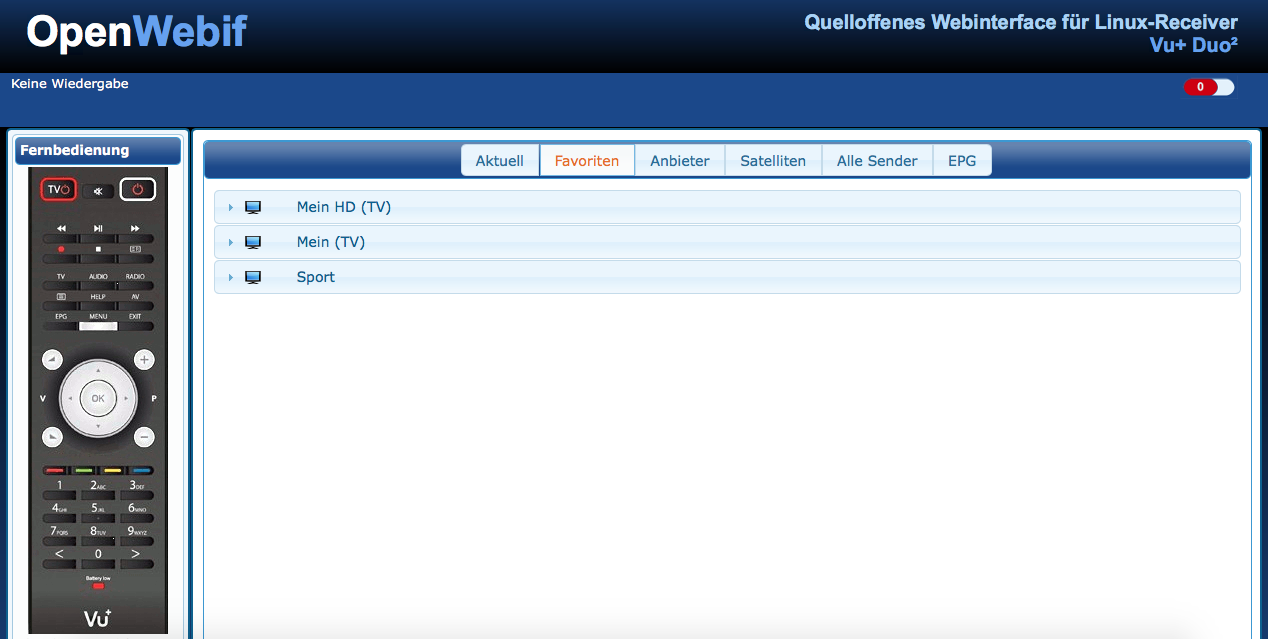
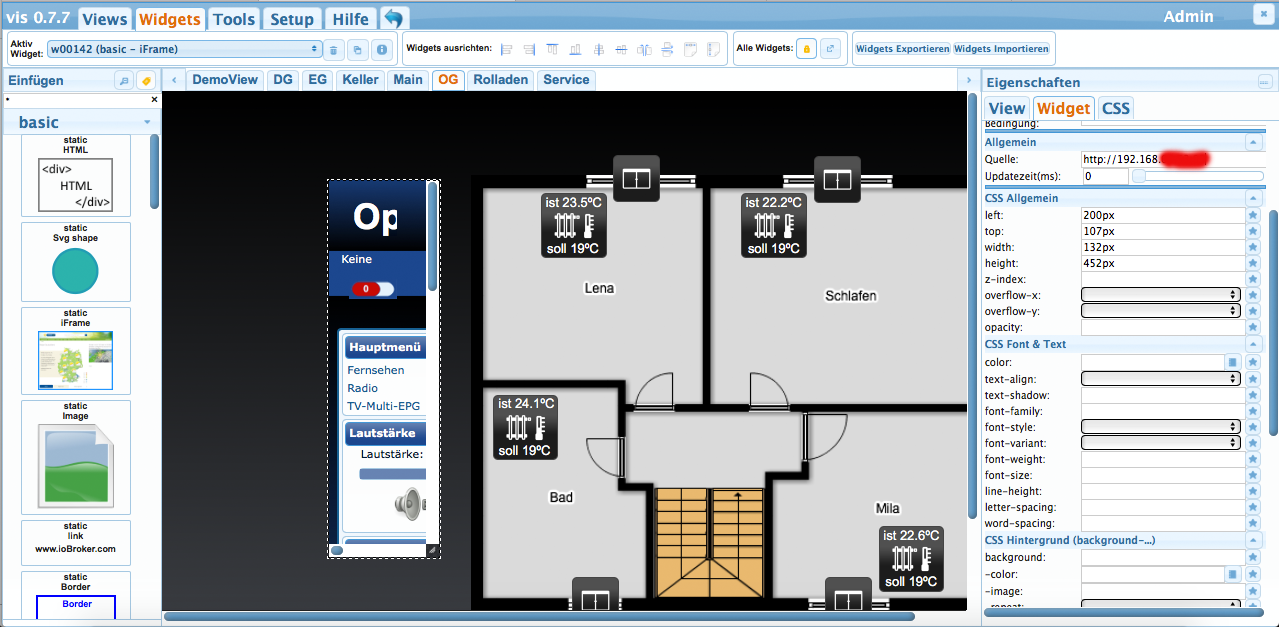
    du könntest versuchen, die Seite auf einem eignen Webserver zu parsen und eine neue CSS-Datei zu verlinken. In dieser Datei blendest du alles aus, was nicht Fernbedienung ist. Ich habe das früher mal mit der Seite meines ÖPNV Anbieters gemacht. Aber die war nicht interaktiv und hat einfach nur Abfahrtszeiten angezeigt.

    Gruß,

    Pix

    ioBroker auf Ubuntu in Proxmox (früher Mac mini (bis OS X 10.12.6 Sierra), VIS via iOS; angeschlossen: Homematic CCU2, Homepilot 1, ConBee II, einige Wemos, Sonos, Unifi CK+Protect, Homekit, Homebridge; KEIN blockly! Github-Profil

    1 Reply Last reply
    0
    • C Offline
      C Offline
      Cobra68
      wrote on last edited by
      #5

      Hallo Pix,

      das scheint ziemlich aufwendig zu sein,

      dachte man könnte im Widget eine Einstellung

      bzw. Skript schreiben. Habe über diesen weg

      erst einmal auch eine IP Kamera angeschlossen,

      da es leider momentan keinen Adapter gibt.

      Gruß

      Darek
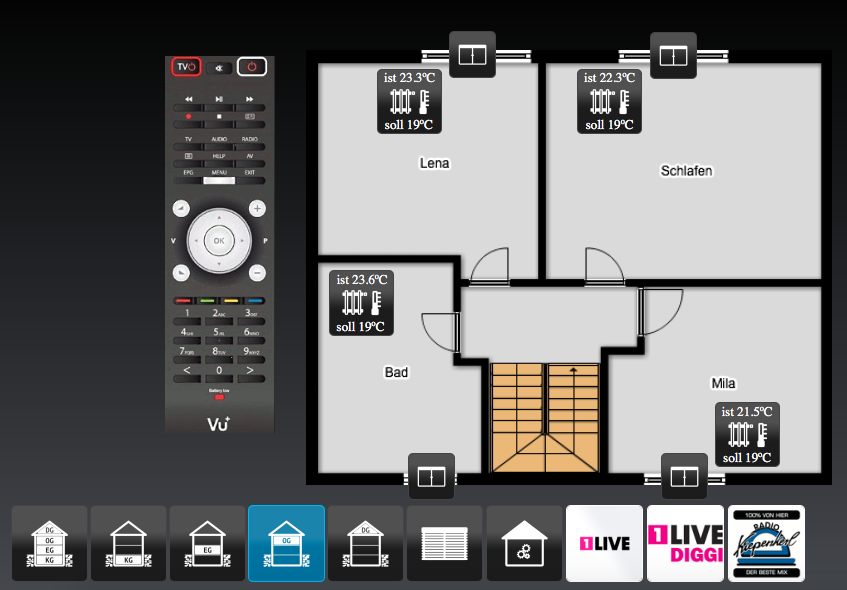
      861_eg_view.png

      1 Reply Last reply
      0
      • A Offline
        A Offline
        akamia
        wrote on last edited by
        #6

        Hallo Marco,

        kannst Du die Portierung für Enigma2 zur Verfügung stellen? Ich hätte Interesse am testen.

        Gruß Helle

        NUC6i3 / ProxMox / HM/FHEM/WifiLight/HUE/Tradfri/KM200/InfluxDB/RFlink/Plex/Smartmeter
        piVCCU, Arduinos, X4000, Z2000, Solo4K, SAMSUNG C & H, NAS OMV4/Win10Pro (JRMC/JRemote), 4x4 HDMImatrix, ...

        1 Reply Last reply
        0
        • B Offline
          B Offline
          BasGo
          wrote on last edited by
          #7

          @vader722:

          Moin,

          ich habe in der Zwischenzeit den CCU.IO Adapter von BasGo auf ioBroker portiert. `

          Hi Marco,

          finde ich auf jeden Fall super, damit hat du Das geschafft, wozu ich seit ca. 9 Monaten aus beruflichen Gründen nicht komme: erstens die "Einarbeitung" in die Adapter-Entwicklung bei ioBroker und zweitens die Portierung des bestehenden Adapters.

          Wenn ich dich irgendwie unterstützen kann, dann lass es mich wissen … helfen und/oder anpassen geht deutlich einfacher und schneller von der Hand als komplett neu zu schreiben ;)

          VG

          Bastian

          1 Reply Last reply
          0
          • N Offline
            N Offline
            Netman
            wrote on last edited by
            #8

            @vader722:

            Moin,

            ich habe in der Zwischenzeit den CCU.IO Adapter von BasGo auf ioBroker portiert.

            Gruss Marco `

            Ich hätte auch Interesse an einem Enigma 2 Adapter.

            1 Reply Last reply
            0
            • V Offline
              V Offline
              vader722
              wrote on last edited by
              #9

              Hallo zusammen,

              ich hatte die Antworten garnicht gesehen ;)

              Klar kann ich meine Portierung zur Verfügung stellen. Ich hatte gesehen, dass ich nur PowerOn/Off implementiert hatte, für den Rest war ich zu faul da ich mehr nicht benötige :lol:

              Der Rest ist glaube ich nur noch ein bisschen Fleissarbeit :roll:

              Hier der Link zum Repository:

              https://github.com/vader722/ioBroker.vuplus

              Bei mir läuft der Adapter jedenfalls seit 3 Monaten und tut sein Dienst.

              Gruss Marco

              1 Reply Last reply
              0
              • M Offline
                M Offline
                mschlumpf2003
                wrote on last edited by
                #10

                Hallo Marco,

                wie kann man deinen Adapter installieren?

                Installieren per cmd bringt folgende Fehler:

                root@raspberrypi3:~# npm install https://github.com/vader722/ioBroker.vuplus

                npm http GET https://github.com/vader722/ioBroker.vuplus

                npm http 200 https://github.com/vader722/ioBroker.vuplus

                npm ERR! not a package /root/tmp/npm-14382-3YxXaopc/1450784485647-0.921370188239 9619/tmp.tgz

                npm ERR! Error: ENOENT, open '/root/tmp/npm-14382-3YxXaopc/1450784485647-0.92137 01882399619/package/package.json'

                npm ERR! If you need help, you may report this log at:

                npm ERR! <http://github.com/isaacs/npm/issues>

                npm ERR! or email it to:

                npm ERR! npm-@googlegroups.com

                npm ERR! System Linux 4.1.15-v7+

                npm ERR! command "/usr/local/bin/node" "/usr/local/bin/npm" "install" "https://github.com/vader722/ioBroker.vuplus"

                npm ERR! cwd /root

                npm ERR! node -v v0.10.22

                npm ERR! npm -v 1.3.14

                npm ERR! path /root/tmp/npm-14382-3YxXaopc/1450784485647-0.9213701882399619/package/package.json

                npm ERR! code ENOENT

                npm ERR! errno 34

                npm ERR!

                npm ERR! Additional logging details can be found in:

                npm ERR! /root/npm-debug.log

                npm ERR! not ok code 0

                root@raspberrypi3:~# npm install https://github.com/vader722/ioBroker.vuplus -install

                npm http GET https://github.com/vader722/ioBroker.vuplus

                npm http 200 https://github.com/vader722/ioBroker.vuplus

                npm ERR! not a package /root/tmp/npm-14418-evq25lLy/1450784587567-0.40759523515589535/tmp.tgz

                npm ERR! Error: ENOENT, open '/root/tmp/npm-14418-evq25lLy/1450784587567-0.40759523515589535/package/package.json'

                npm ERR! If you need help, you may report this log at:

                npm ERR! <http://github.com/isaacs/npm/issues>

                npm ERR! or email it to:

                npm ERR! npm-@googlegroups.com

                npm ERR! System Linux 4.1.15-v7+

                npm ERR! command "/usr/local/bin/node" "/usr/local/bin/npm" "install" "https://github.com/vader722/ioBroker.vuplus" "-install"

                npm ERR! cwd /root

                npm ERR! node -v v0.10.22

                npm ERR! npm -v 1.3.14

                npm ERR! path /root/tmp/npm-14418-evq25lLy/1450784587567-0.40759523515589535/package/package.json

                npm ERR! code ENOENT

                npm ERR! errno 34

                npm ERR!

                npm ERR! Additional logging details can be found in:

                npm ERR! /root/npm-debug.log

                npm ERR! not ok code 0

                Gruß Michael

                1 Reply Last reply
                0
                • A Offline
                  A Offline
                  akamia
                  wrote on last edited by
                  #11

                  Hallo Michael,

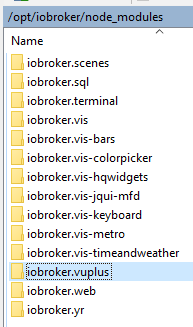
                  habe auch Fehler über NPM erhalten. Habe dann die ZIP-Datei manuell heruntergeladen, entpackt und von "ioBroker.vuplus-master" nach "iobroker.vuplus" umbenannt, nach /opt/iobroker/node_modules verschoben und dann ein "iobroker upload vuplus" ausgeführt.

                  Gruß Helle

                  NUC6i3 / ProxMox / HM/FHEM/WifiLight/HUE/Tradfri/KM200/InfluxDB/RFlink/Plex/Smartmeter
                  piVCCU, Arduinos, X4000, Z2000, Solo4K, SAMSUNG C & H, NAS OMV4/Win10Pro (JRMC/JRemote), 4x4 HDMImatrix, ...

                  1 Reply Last reply
                  0
                  • M Offline
                    M Offline
                    mschlumpf2003
                    wrote on last edited by
                    #12

                    Hallo akamia,

                    danke hat auf anhieb geklappt.

                    Jetzt hab ich die Frage in den Objekte -> vuplus.0 ->VuPlus gibt es eine ID mit dem Namen COMMAND.

                    Was kann man mit dem machen?

                    Gruß Michael

                    1 Reply Last reply
                    0
                    • A Offline
                      A Offline
                      akamia
                      wrote on last edited by
                      #13

                      Object-ID: vuplus.0.VuPlus.COMMAND

                      Wert: z.B. 407 oder NEXT

                      Das Senden funktioniert bei mir noch nicht richtig - unter CCU.IO schon. Das Empfangen, z.B. der frei verfügbaren Festplattenkapazität, sehr gut.

                      Fernbedienungscode Beschreibung Alias-Kommando

                      116 Taste "Power" STANDBY_TOGGLE

                      412 Taste "previous" PREV

                      407 Taste "next" NEXT

                      115 Taste "volume up" VOLUME_UP

                      114 Taste "volume down" VOLUME_DOWN

                      402 Taste "bouquet up" BOUQUET_UP

                      403 Taste "bouquet down" BOUQUET_DOWN

                      113 Taste "mute" MUTE_TOOGLE

                      174 Taste "lame" EXIT

                      358 Taste "info" INFO

                      139 Taste "menu" MENU

                      103 Taste "up" UP

                      108 Taste "down" DOWN

                      105 Taste "left" LEFT oder CH_DOWN

                      106 Taste "right" RIGHT oder CH_UP

                      352 Taste "OK" OK

                      2 Taste "1"

                      3 Taste "2"

                      4 Taste "3"

                      5 Taste "4"

                      6 Taste "5"

                      7 Taste "6"

                      8 Taste "7"

                      9 Taste "8"

                      10 Taste "1"

                      11 Taste "0"

                      392 Taste "audio"

                      393 Taste "video"

                      398 Taste "red"

                      399 Taste "green"

                      400 Taste "yellow"

                      401 Taste "blue"

                      377 Taste "tv"

                      385 Taste "radio"

                      388 Taste "text"

                      138 Taste "help"

                      NUC6i3 / ProxMox / HM/FHEM/WifiLight/HUE/Tradfri/KM200/InfluxDB/RFlink/Plex/Smartmeter
                      piVCCU, Arduinos, X4000, Z2000, Solo4K, SAMSUNG C & H, NAS OMV4/Win10Pro (JRMC/JRemote), 4x4 HDMImatrix, ...

                      1 Reply Last reply
                      0
                      • S Offline
                        S Offline
                        stephan61
                        wrote on last edited by
                        #14

                        Hallo habe vuplus nach /opt/iobroker/node_modules kopiert

                        bei iobroker upload vuplus

                        kommt folgende Fehlermeldung
                        516_vuplus.png

                        Gruss Stephan

                        1 Reply Last reply
                        0
                        • A Offline
                          A Offline
                          akamia
                          wrote on last edited by
                          #15

                          Hallo Stephan,

                          liegen die Dateien wirklich im Verzeichnis /opt/iobroker/node_modules/iobroker.vuplus?

                          ![](<br/>
                          iobroker.vuplus<br/>)
                          154_vuplus.png

                          NUC6i3 / ProxMox / HM/FHEM/WifiLight/HUE/Tradfri/KM200/InfluxDB/RFlink/Plex/Smartmeter
                          piVCCU, Arduinos, X4000, Z2000, Solo4K, SAMSUNG C & H, NAS OMV4/Win10Pro (JRMC/JRemote), 4x4 HDMImatrix, ...

                          1 Reply Last reply
                          0
                          • S Offline
                            S Offline
                            stephan61
                            wrote on last edited by
                            #16

                            Hallo akamia

                            die Daten liegen im richtigen Ordner

                            werden bei iobroker adapter wird vuplus auch angezeigt

                            wenn ich hinten auf das + zeichen gehe zum Installieren kommt fehlermeldung

                            host.raspberrypi Unknown packetName vuplus

                            iobroker 2016-02-24 20:24:30 info add vuplus

                            Gruß Stephan

                            1 Reply Last reply
                            0
                            • M Offline
                              M Offline
                              mrMuppet
                              wrote on last edited by
                              #17

                              Hallo,

                              ich habe auch großes Interesse an einem solchen Adapter. Bin gerade erst frisch zum Broker (von ccu.io) umgestiegen und muss mich noch etwas einarbeiten, bevor ich mich daran versuche…. trotzdem schon mal vielen Dank für euren Einsatz!

                              ioBroker auf NUC (Celeron mit Ubuntu-Server)

                              Homematic, HMIP, Hue, Unifi, Plex, Nest, Roborock, Google Assistant

                              1 Reply Last reply
                              0
                              • V Offline
                                V Offline
                                vore
                                wrote on last edited by
                                #18

                                Hallo!

                                Ich habe auch Interesse daran. Bin vor kurzem auf eine VU+ umgestiegen.

                                Ich habe mir das Projekt mal runtergeladen und werde mir mal den Code ansehen.

                                Mal sehen was da noch geht :-)

                                Gruß

                                Vore

                                1 Reply Last reply
                                0
                                • S Offline
                                  S Offline
                                  smuxus
                                  wrote on last edited by
                                  #19

                                  Hi,

                                  scheinbar gibt es hier noch keine Neuerungen oder? Hätte auch sehr viel Interesse an so einem Adapter. Man könnte z.B. die Timer im VIS darstellen usw.

                                  EDIT: Timerliste ginge wohl schon über http request: https://dream.reichholf.net/wiki/Enigma … face#Timer

                                  Leider bin ich unfähig einen solchen Adapter selbst zu implementieren ;). Aber ich würde sehr gerne beim Testen helfen (vu duo2, vu zero, dm8000).

                                  VG

                                  1 Reply Last reply
                                  0
                                  • lobomauL Offline
                                    lobomauL Offline
                                    lobomau
                                    wrote on last edited by
                                    #20

                                    @vader722:

                                    Hallo zusammen,

                                    ich hatte die Antworten garnicht gesehen ;)

                                    Klar kann ich meine Portierung zur Verfügung stellen. Ich hatte gesehen, dass ich nur PowerOn/Off implementiert hatte, für den Rest war ich zu faul da ich mehr nicht benötige :lol:

                                    Der Rest ist glaube ich nur noch ein bisschen Fleissarbeit :roll:

                                    Hier der Link zum Repository:

                                    https://github.com/vader722/ioBroker.vuplus

                                    Bei mir läuft der Adapter jedenfalls seit 3 Monaten und tut sein Dienst.

                                    Gruss Marco `
                                    was muss ich downloaden zum installieren? Von zip-datei ist die Rede gewesen!? Link ist ja schon etwas älter…

                                    Host: NUC8i3 mit Proxmox:

                                    • ioBroker CT Debian 13, npm 10.9.4, nodejs 22.21.0
                                    • Slave: Pi4
                                    1 Reply Last reply
                                    0
                                    • D Offline
                                      D Offline
                                      DIckeBerta
                                      wrote on last edited by
                                      #21

                                      Moin moin,

                                      ich habe den Adapter installiert.

                                      Wenn ich den Standby Befehl über das Command unter dem Reiter Zustände sende, geht die Box auch in den Standby und wacht auch wieder auf (Befehl:

                                      STANDBY_TOGGLE). Wenn ich das allerdings über das Script laufen lasse, funktioniert das nicht.

                                      Habt Ihr einen Tipp für mich?

                                      Anbei mein Script, ganz simpel gehalten.

                                      // Gigablue Script

                                      on ({id: "hm-rpc.0.BidCoS-RF.21.PRESS_SHORT"/HM-RCV-50 BidCoS-RF:21.PRESS_SHORT/}, function(obj) {

                                      setState("vuplus.0.VuPlus.COMMAND"/VuPlus.COMMAND/,"STANDBY_TOGGLE");

                                      });

                                      Gruß

                                      Dennis

                                      1 Reply Last reply
                                      0
                                      • lobomauL Offline
                                        lobomauL Offline
                                        lobomau
                                        wrote on last edited by
                                        #22

                                        @lobomau:

                                        @vader722:

                                        Hallo zusammen,

                                        ich hatte die Antworten garnicht gesehen ;)

                                        Klar kann ich meine Portierung zur Verfügung stellen. Ich hatte gesehen, dass ich nur PowerOn/Off implementiert hatte, für den Rest war ich zu faul da ich mehr nicht benötige :lol:

                                        Der Rest ist glaube ich nur noch ein bisschen Fleissarbeit :roll:

                                        Hier der Link zum Repository:

                                        https://github.com/vader722/ioBroker.vuplus

                                        Bei mir läuft der Adapter jedenfalls seit 3 Monaten und tut sein Dienst.

                                        Gruss Marco was muss ich downloaden zum installieren? Von zip-datei ist die Rede gewesen!? Link ist ja schon etwas älter…
                                        Wo kann man iobroker.vuplus downloaden?
                                        1146_screenshot_2016-12-22-23-47-12.png

                                        Host: NUC8i3 mit Proxmox:

                                        • ioBroker CT Debian 13, npm 10.9.4, nodejs 22.21.0
                                        • Slave: Pi4
                                        1 Reply Last reply
                                        0
                                        • K Offline
                                          K Offline
                                          knopers1
                                          wrote on last edited by
                                          #23

                                          :D
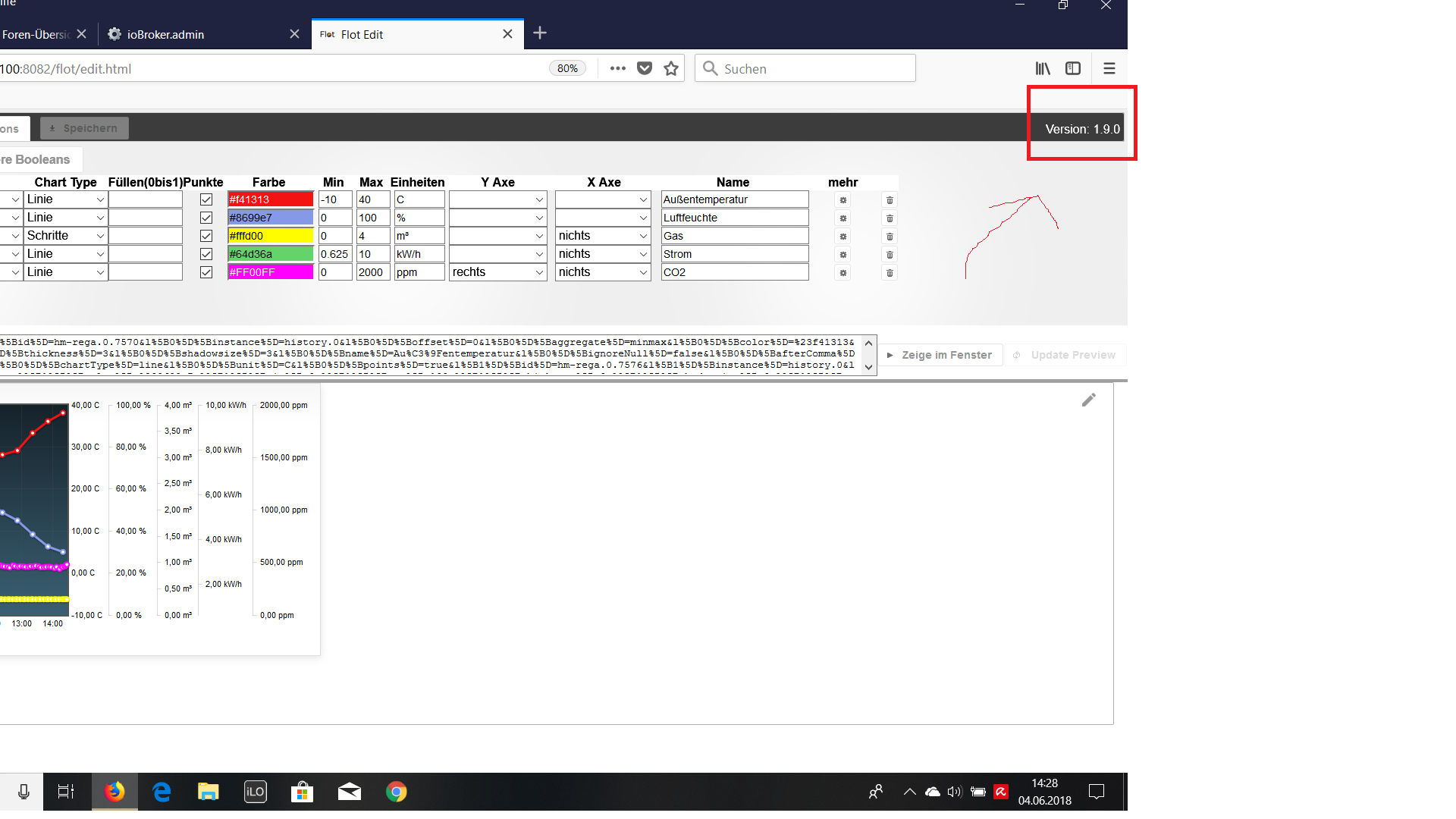
                                          1526_unbenannt.png

                                          HP Microserver Gen8, RPI-4, IoBroker,

                                          1 Reply Last reply
                                          0
                                          Reply
                                          • Reply as topic
                                          Log in to reply
                                          • Oldest to Newest
                                          • Newest to Oldest
                                          • Most Votes


                                          Support us

                                          ioBroker
                                          Community Adapters
                                          Donate
                                          FAQ Cloud / IOT
                                          HowTo: Node.js-Update
                                          HowTo: Backup/Restore
                                          Downloads
                                          BLOG

                                          289

                                          Online

                                          32.7k

                                          Users

                                          82.4k

                                          Topics

                                          1.3m

                                          Posts
                                          Community
                                          Impressum | Datenschutz-Bestimmungen | Nutzungsbedingungen | Einwilligungseinstellungen
                                          ioBroker Community 2014-2025
                                          logo
                                          • Login

                                          • Don't have an account? Register

                                          • Login or register to search.
                                          • First post
                                            Last post
                                          0
                                          • Home
                                          • Recent
                                          • Tags
                                          • Unread 0
                                          • Categories
                                          • Unreplied
                                          • Popular
                                          • GitHub
                                          • Docu
                                          • Hilfe