




Adapter Installation und Update nicht möglich
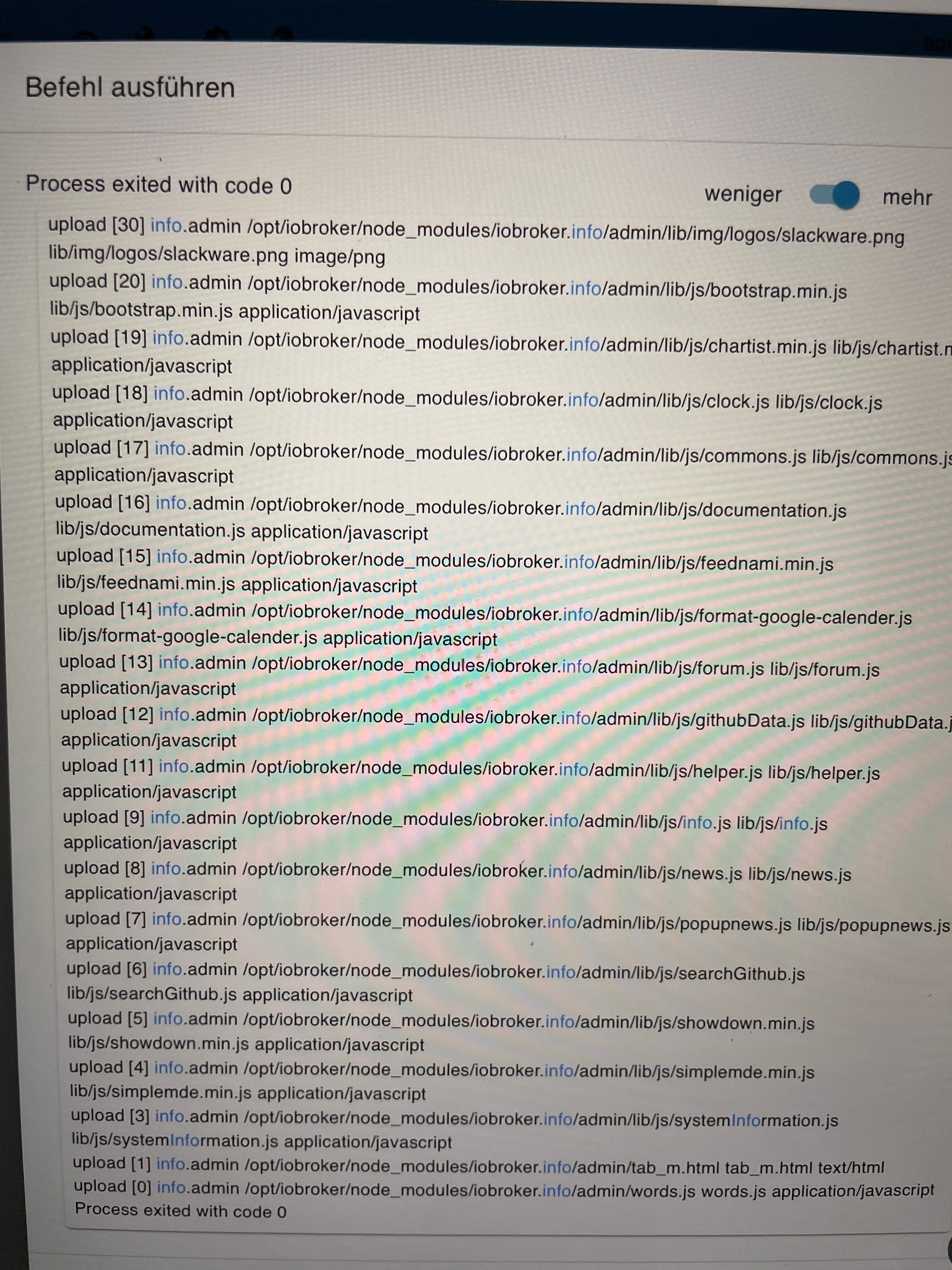
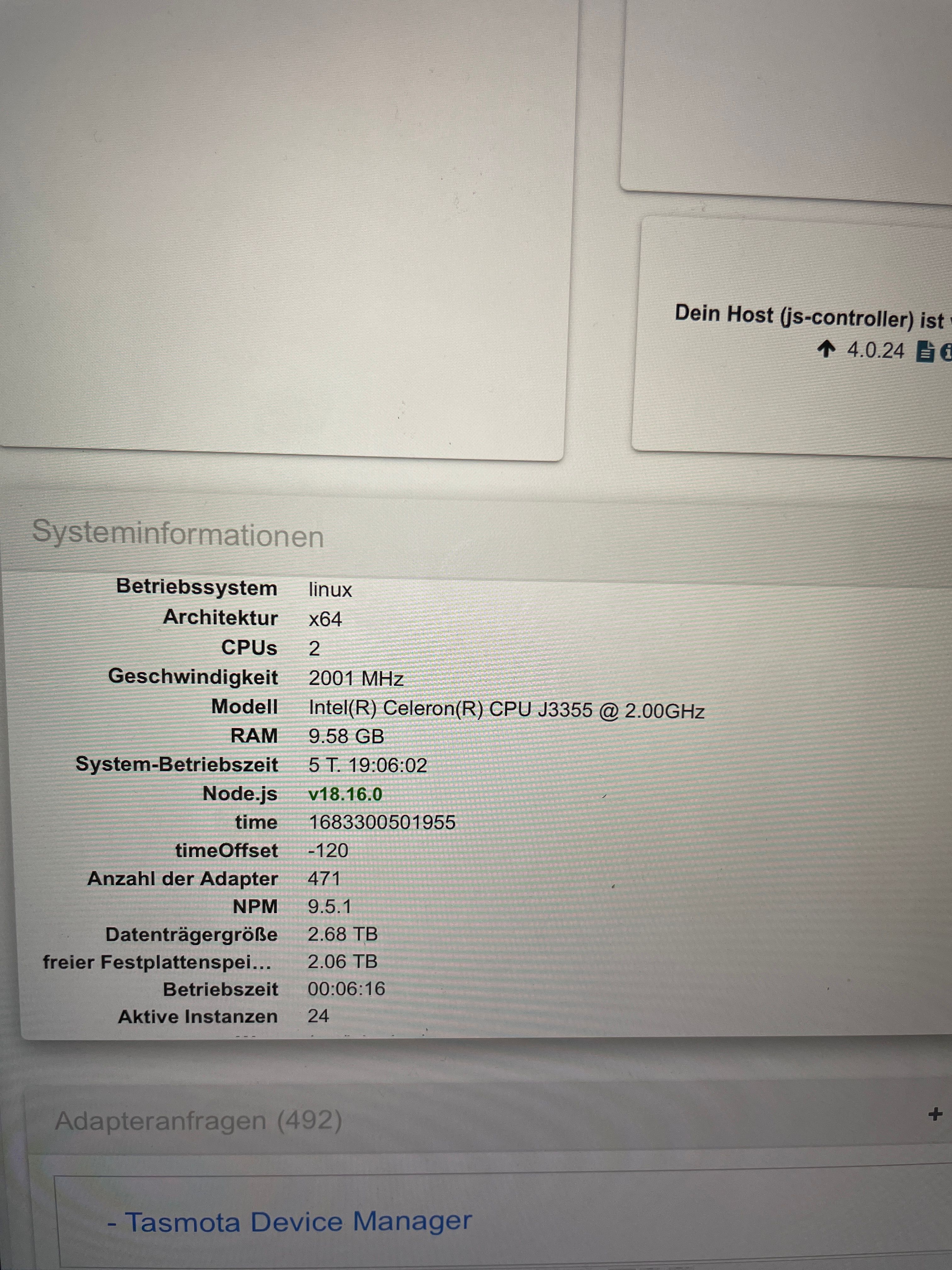
-
@glasfaser hab hier die Imageliste aus dem Portainer, denke das waren die Updatezeitpunkte (Zeilen werden durch vorhandene Spalten getrennt, iPad….
sha256:1109371a61a3c9c7dc7e184d29425c... Unused sha256:b6ccf386df5716b26267dedb745db7... Unused • sha256:03clac99bc14fd4add5d5a3889eefc... Unused sha256:9ffa046a0dcfa2bf97a8b39648ccf4... Unused sha256:a0a94d3ce3c281b4df5f91afc2c292... Unused • sha256:5e370064d36f8d61d92a1f6fd41352... unused • sha256:08bd77dc6e94d6a69d202cbde2b7c8... Unused sha256: ac3945bc8b91416a603838394eaf78... Unused • sha256:909fe75ef56fb982a08fb92ab9597f... Unuseo • sha256:87003206842a1c1389423369c021e... Unused © Settings Tags If buanet/iobroker:<none> buanet/iobroker:<none> buanet/iobroker:<none> buanet/iobroker:<none> [branet /iobroker.<none> buanet/iobroker-<none> buanet/iobroker:<none> buanet/iobroker:<none> buanet/obroker-<none> buanet/iobroker:<none> Size Created 1.2 GB 2022-07-05 20:54:39 1.2 GB 2022-06-21 18:57:44 1.2 CB 2022-02-26 00:48:34 1.3 GB 2021-12-17 04:51:29 1.3 GB 2021-10-01 05:48:50 1.5 GB 2021-07-08 09:09:39 1.5 GB 2021-06-10 09:09:15 1.5 GB 2021-04-10 13:26:05 1.3 GB 2021-02-15 13:23:31 1.1 GB 2020-11-16 13:29:53@svenh75 sagte in Adapter Installation und Update nicht möglich:
@glasfaser hab hier die Imageliste aus dem Portainer, denke das waren die Updatezeitpunkte (Zeilen werden durch vorhandene Spalten getrennt, iPad….
Kann damit nichts anfangen !
Es ging darum , bevor du von z.B . Image Version 7... auf 8.. wechselt , alles auf den neuesten Stand hast und nicht einfach ein Image wechsel machst !
Was ich in letzter Zeit festgestellt hatte (etwa knappes Jahr) war, das Updates und Adapterinstallationen sehr lange gedauert haben
Ich kann nur vermuten , das du noch NPM 6 zuvor hatest und da die Probleme hattest , aber das ist hier nur alles Raten .
Deshalb brauchen wir die Ausgabe von
iob diagwas du überhaupt erstmal hast , dann sehen wir weiter .
Mache alles in Ruhe , so bringt das hier nichts .
-
@svenh75 sagte in Adapter Installation und Update nicht möglich:
@glasfaser hab hier die Imageliste aus dem Portainer, denke das waren die Updatezeitpunkte (Zeilen werden durch vorhandene Spalten getrennt, iPad….
Kann damit nichts anfangen !
Es ging darum , bevor du von z.B . Image Version 7... auf 8.. wechselt , alles auf den neuesten Stand hast und nicht einfach ein Image wechsel machst !
Was ich in letzter Zeit festgestellt hatte (etwa knappes Jahr) war, das Updates und Adapterinstallationen sehr lange gedauert haben
Ich kann nur vermuten , das du noch NPM 6 zuvor hatest und da die Probleme hattest , aber das ist hier nur alles Raten .
Deshalb brauchen wir die Ausgabe von
iob diagwas du überhaupt erstmal hast , dann sehen wir weiter .
Mache alles in Ruhe , so bringt das hier nichts .
@glasfaser Hallo, so jetzt die Ausgabe, hoffe hab keinen Fehler drin, hab es quasi abgetippt 🙈.
Mir ist noch aufgefallen, dass Adapter aufgeführt werden, die ich in der Vergangenheit eigentlich gelöscht habe (Bei Instanzen auch nicht vorhanden). Diese Adapter (cloud, fritzbox, ham, harmony, hmip, material, mielecloudservice, mobile, panasonic-viera, ping, ring, sayit, simple-api, socketio, sony-bravia, statistics, unifi und ws tauchten in der Vergangenheit auch bei den Updates mit auf, die scheinen nicht komplett gelöscht zu sein.Dankeschön fürs drüberschauen….
== Start marking the full check here Skript v. 2023-04-16 *** BASE SYSTEM ** Architecture : x86 64 Docker: v8.0.1 Virtualization: Unknown (buanet/Synology?) Distributor ID: Debian Description: Debian GNU/Linux 11 (bullseye) Release: 11 Codename: bullseye PRETTY NAME-"Debian GNU/Linux 11 (bullseye)" NAME= "Debian GNU/Linux" VERSION ID="11" VERSION="11 (bullseye)" VERSION CODENAME=bullseye ID=debian HOME URL-"https://www.debian.org/" SUPPORT URI="https://www.debian.org/support" BUG_REPORT_URL "https://bugs.debian.org/" Systemuptime and Load: 15:49:56 up 6 days, 17:26, 0users, load average: 0.44, 0.77, 0.82 CPU threads: 2 Time and Time Zones Sat May 6 13:49:56 UTC 2023 Sat May 6 15:49:56 CEST 2023 CEST +0200 Etc/UTC *** User and Groups *** root / root root *** X-Server-Setup *** X-Server: false Desktop: Terminal: *** MEMORY*** total used free shared buff/cache available Mem: 9.8G 896M 4.1G 187M 4.9G 8.4G Swap: 7.9G 100M 7.8G Total: 17G 997M 11G 9806 M total memory 896 M used memory 1186 M active memory 3839 M inactive memory 3839 M inactive memory 4058 M free memory 323 M buffer memory 4527 M swap cache 7931 M total swap 100 M used swap 7831 M free swap ***** Filesystem***** Filesystem Туре Size Used Avail Uses Mounted on none aufs 2.7T 640G 2.IT 24% / tmpfs tmpfs 64M 0 64M 0% /dev tmpfs tmpfs 4.8G 0 4.8G 0% /sys/fs/cgroup shm tmpfs 64M 0 64M 0% /dev/shm /dev/vg1000/lv ext4 2.7T 640G 2.1T 24% /opt/iobroker tmpfs tmpfs 4.8G 0 4.8G 0% /proc/acpi tmpfs tmpfs 4.8G 0 4.8G 0% /proc/scsi tmpfs tmpfs 4.8G 0 4.8G 0% /sys/firmware Messages concerning ext4 filesystem in dmesg: Show mounted filesystems (real ones only): TARGET SOURCE FSTYPE OPTIONS / none aufs rw,relatime,si=95e1d5c35c5b0b4,dio,dirpermi |-/opt/iobroker /dev/vg1000/1v(/docker/iobroker_data] ext4 rw, nodev, relatime, synoacI, jqfmt=vfsvo,usrjquota=aquot a.user, grpjquota aquota. group |-/etc/resolv.conf/dev/vg1000/1v(/@docker/containers 2b5b8f5f660a80f650879e2ce266a48fc92b18c8e1 d174145e5ea6c23c5aecb8/resolv.conf) ext4 rw, nodev, relatime,synoacl, jgfmt=vfsvO,usrjquota=aquot a.user, grpjquota aquota.group -/etc/hosts /dev/vg1000/1v(/@docker/containers/2b5b8f5f660a80f650879e2ce266a48fc92b18c8e1 a174145e5ea6c23c5aecb8 /hosts] ext4 rw, nodev, relatime,synoacl, jgfmt=vfsv0,usrjquota=aquot a.user, grpjquota=aquota.group -/etc/hosts /dev/vg1000/1v(/@docker/containers/2b5b8f5f660a80f650879e2ce266a48fc92b18c8e1 d174145e5ea6c23c5aecb8/hosts] ext4 a. user, grpjquota=aquota. group rw, nodev, relatime, synoac1, jqfmt=vfsvO, usrjquota=aquot Files in neuralgic directories: /var: 33M /var/ 31M /var/lib 18M /var/lib/apt/lists 18M /var/lib/apt 13M /var/lib/dpkg /opt/iobroker/backups: 69M /opt/iobroker/backups/ /opt/iobroker/backups/ 4.0K /opt/iobroker/backups/ /opt/iobroker/backups/redistmp /opt/iobroker/iobroker-data: 755M /opt/iobroker / iobroker-data/ /opt/iobroker/iobroker-358M 358M /opt/iobroker / iobroker-data/ /opt/iobroker/iobroker-data 189M /opt/iobroker/iobroker-data/sonosCache 147M /opt/iobroker/iobroker-data/backup-objects 72M /opt/iobroker/iobroker-data/backup-objects /opt/iobroker /iobroker-data/files/telegram.admin The five largest files in jobroker-data are: 27M /opt/iobroker/iobroker-data/files/material/static/js 2.73100ba6.chunk.js.map 19M /opt/iobroker/iobroker-data/files/iot.admin/static/js/main.904d455f.js.map 15M /opt/iobroker/jobroker-data/files/telegram.admin/rules/static/js/vendors-node_modules_jo broker_adapter-react-v5_assets_devices_parseNames_d_ts-node_modules_jo-109£06.44fe4a3f.chunk.js. 14M /opt/iobroker/iobroker-data/objects.jsonl 14M /opt/iobroker/iobroker-data/objects.json.migrated NodeJS-Installation **: /usr/bin/nodejs v18.16.0 usr/bin/ node v18.16.0 usr/bin/npm 9.5.1 /usr/bin/npx 9.5.1 nodejs: Installed: 18.16.0-deb-inodesourcel Candidate: 18.16.0-deb-1nodesourcel Version table: ** 18.16.0-deb-Inodesourcel 500 500 https://deb.nodesource.com/node_18.x bullseye/main amd64 Packages 100 /var/lib/dpkg/status 12.22.12-dfsg-1-deb11u4 500 500 http://deb.debian.org/debian-security bullseye- security/main and64 Packages 12.22.12-dfsg-1-deb11u3 500 500 http: //deb.debian.org/debian-security bullseye- security/main amd64 Packages 12.22.12~dfsg-1~deb11u3 500 500 http://deb.debian.org/debian bullseye/main amd64 Packages Temp directories causing npm8 problem: 0 No problems detected *** loBroker-Installation*** ioBroker Status iobroker is not running on this host. Objects type: jsonl States type: jsonl MULTIHOSTSERVICE/enabled: false Core adapters versions js-controller: 4.0..23 admin: 6.3.5 javascript: 6.1.4 mpm ERR! code ELSPROBLEMS npm ERR! extraneous: @types/caseless@0.12.2 /opt/iobroker node_modules/@types/caseless npm ERR! extraneous: @types/request@2.48.8 /opt/iobroker/ node_ modules/@types/request npm ERR! extraneous:@types/tough-cookie@4.0.2_/opt/jobroker/ node_modules/@types/tough-cookie npm ERR! extraneous: coffeescript@1.12.7 /opt/jobroker/ node_modules/coffeescript npm ERR! invalid: jobroker.gardena@2.5.2 /opt/iobroker/node modules/iobroker.gardena npm ERR! invalid: iobroker.harmony@1.2.2/opt/iobroker/node modules/iobroker.harmony npm ERR! extraneous: is-nan@1.3.2 /opt/lobroker/node modules / is-nan npm ERR! exoraneouss: jsonata@1.8.6 /opt/iobroker/node modules/jsonata npm ERR! extraneous: node-inspect@2.0.0 /opt/lobroker/ node_modules/node-inspect npm ERR! extraneous: picocolors@1.0.0 /opt/iobroker/node_ modules/picocolors npm ERR! extraneous: suncalc2@1.8.1 /opt/iobroker/node modules/suncalc2 npm ERR! extrancous: typescript@4.7.4 Topt/lobroker/node modules/typescript npm ERR! extraneous: virtual-tsc@0.6.2 /opt/iobroker/node modules/virtual-tsc npm ERR! extraneous: wake_on_lan@1.0.0 /opt/iobroker/ node_modules/wake_on_lan npm ERR! A complete log of this run can be found in: npm ERR! /root/.npm/_logs/2023-05-06T13_50_38_663Z- debug-0.log Adapters from github: 2 Adapter State system.adapter.admin.2 : admin : Iobroker - enabled, port: 8081, bind: 192.168.0.126, run as: admin system.adapter.alexa2.0 : alexa2 : Iobroker - enable system.adapter.backitup.0 : backitup : Iobroker - enabled system.adapter.discovery.o : discovery : Iobroker - enabled system.adapter.email.o : email : Iobroker - enabled system.adapter.history.o : history : Iobroker - disabled system.adapter.hm-rega.o : hm-rega : Iobroker - enabled system.adapter.hm-rpc.o :hm-rpc : Iobroker - enabled, port: 0 system.adapter.hm-rpc.1 :hm-rpc : Iobroker - enabled, port: 0 system.adapter.hue.o : hue : Iobroker - enabled, port: 80 system.adapter.info.0 : info : Iobroker - enabled system.adapter.iot.o :iot : Iobroker - enabled system.adapter.javascript.0 : javascript : Iobroker - enabled system.adapter.modbus. 0 : modbus : Iobroker - disabled system.adapter.netatmo.0 : netatmo : Iobroker - enabled system.adapter.nuki-extended.0 :nuki-extended : Iobroker - enabled system.adapter.nuki.o : nuki: Iobroker - disabled system.adapter.panasonic-comfort-cloud.0: panasonic-comfort-cloud: Iobroker - disabled system.adapter.pushover. 0 : pushover : Iobroker - enabled system.adapter.scenes.0 : scenes : Iobroker - enabled system.adapter.shelly.0 : shelly : Iobroker - enabled, port: 1882, bind: 0.0.0.0 system.adapter.shelly.1 : shelly :Iobroker - enabled, port: 1882, bind: 0.0.0.0 system.adapter.smartgarden.0 : smartgarden : Iobroker - disabled system.adapter.sonos.0 : sonos : Iobroker - enabled system.adapter.tado.0 : tado : Iobroker - enabled system.adapter.telegram.0 : telegram : Iobroker - enabled, port: 8443, bind: 0.0.0.0 system.adapter.terminal.0 : terminal : Iobroker - disabled, port: 8088, bind: 0.0.0.0, run as: admin system.adapter.text2command. 0 : text2command : Iobroker - enabled system.adapter.tr-064.0 : tr-064 : Iobroker - disabled system.adapter.vis.0 : vis : Iobroker - disabled system.adapter.web.o : web : Iobroker - enabled, port: 8082, bind: 192.168.0.126, run as: admin system.adapter.yahka.o : yahka : Iobroker - enabled + instance is alive Enabled adapters with bindings system.adapter.admin.2 : admin : Iobroker - enabled, port: 8081, bind: 192.168.0.126, run as: admin system.adapter.hm-rpc.0 :hm-rpc : Iobroker - enabled, port: 0 system.adapter.hm-rpc.1 :hm-rpc : Iobroker - enabled, port: 0 system.adapter.hue.o : hue : Iobroker - enabled, port: 80 system.adapter.shelly.0 : shelly : Iobroker - enabled, port: 1882, bind: 0.0.0.0 system.adapter.shelly.1 : shelly :Iobroker - enabled, port: 1882, bind: 0.0.0.0 system.adapter.telegram.0 : telegram : Iobroker - enabled, port: 8443, bind: 0.0.0.0 system.adapter.web.o : web : Iobroker - enabled, port: 8082, bind: 192.168.0.126, run as: admin loBroker-Repositories Stable (default): http://download.iobroker.net/sources-dist.json Beta (latest) : http://download.iobroker.net/sources-dist-latest.json Active repo (s): Stable (default) Installed ioBroker-Instances Used repository: Stable (default) Adapter "admin" : 6.3.5 , installed 6.3.5 Adapter "alexa2" : 3.23.2 , installed 3.23.2 Adapter "backitup" : 2.6.19 , installed 2.6.16 [Updatable] Adapter "cloud" : 4.3.0 , installed 4.3.0 Adapter "discovery" : 3.1.0 , installed 3.1.0 Adapter "email" : 1.1.4 , installed 1.1.4 Adapter "fritzbox" : 0.2.1 , installed 0.2.1 Adapter "ham" : 5.3.1 , installed 5.3.1 Adapter "harmony" : 1.2.2 , installed 1.2.2 Adapter "history" : 2.2.4 , installed 2.2.4 Adapter "hm-rega" : 3.0.46 , installed 3.0.46 Adapter "hm-rpc" : 1.15.16 , installed 1.15.16 Adapter "hmip" : 1.20.0 , installed 1.20.0 Adapter "hue" : 3.7.1 , installed 3.7.1 Adapter "info" : 1.9.26 , installed 1.9.19 [Updatable] Adapter "iot" : 1.14.2 , installed 1.14.2 Adapter "javascript" : 6.1.4 , installed 6.1.4 Controller "js-controller : 4.0.24 , installed 4.0.23 [Updatable] Adapter "material" : 1.1.2 , installed 1.1.2 Adapter "mielecloudservice" : 6.4.0 , installed 6.4.0 Adapter "mobile" : 1.0.1 , installed 1.0.1 Adapter "modbus" : 5.0.11 , installed 5.0.11 Adapter "netatmo" : 2.0.5 , installed 2.0.5 Adapter "nuki" : 1.6.0 , installed 1.6.0 Adapter "nuki-extended" : 2.3.1 , installed 2.6.5 Adapter "panasonic-comfort-cloud" : 2.1.0, installed 2.1.0 Adapter "panasonic-viera : 2.0.0 , installed 2.0.0 Adapter "ping" : 1.5.3 , installed 1.5.3 Adapter "pushover" : 3.0.3 , installed 3.0.3 Adapter "ring" : 3.2.2 , installed 3.2.2 Adapter "sayit" : 1.12.3 , installed 1.12.3 Adapter "scenes" : 2.3.9 , installed 2.3.9 Adapter "shelly" : 6.3.1 , installed 6.3.1 Adapter "simple-api" : 2.7.2 , installed 2.7.2 Adapter "smartgarden" : 2.0.0 , installed 2.0.0 Adapter " socketio" : 4.2.0 , installed 4.2.0 Adapter "sonos“ : 2.2.3 , installed 2.2.3 Adapter "sony-bravia" : 1.0.9 , installed 1.0.9 Adapter "statistics“ : 2.3.0 , installed 2.3.0 Adapter "tado" : 0.4.5 , installed 0.4.5 Adapter "telegram" : 1.15.2. , installed 1.15.2 Adapter "terminal" : 1.0.0 , installed 1.0.0 Adapter "text2command“ : 2.3.0 , installed 2.3..0 Adapter "tr-064" : 4.2.18 , installed 4.2.18 Adapter "unifi" : 0.5.10 , installed 0.5.10 Adapter "vis" : 1.4.16 , installed 1.4.16 Adapter "web" : 4.3.0 , installed 4.3.0 Adapter "ws" : 1.3.0 , installed 1.3.0 Adapter "yahka" : 0.17.0 , installed 0.17.0 Objects and States Please stand by - This may take a while Objects: 9362 States: 8072 *** OS-Repositories and Updates *** Hit: 1 http://deb.debian.orq/debian bullseye InRelease Hit:2 http: //deb.debian.org/debian-security bullseye-security InRelease Hit:3 http: //deb.debian.org/debian bullseye-updates InRelease Hit:4 https://deb.nodesource.com/node_18. bullseye InRelease Reading package lists. Pending Updates: 0 *** Listening Ports *** Active Internet connections (only servers) Proto Recv-QSend-QLocal Address ForeignAddress. State User PID/Program name Inode tcp 0 0 127.0.0.11:43704. 0.0.0.0:* LISTEN 0 65293 979 - udp 0 0 127.0.0.11:57061 0.0.0.0:* 0 65293 978 - *** Log File - Last 25 Lines *** iobroker.2020-02-20.10g ——————-Mark until here for C&P————— job diag has finished. Press any key for a summary ————————SUMMARY—————————— v.2023-04-16 Operatingsystem: Debian GNU/Linux 11 (bullseye) Kernel: 4.4.180+ Installation: Docker Timezone: Etc/UTC User-ID: 0 X-Server: false Pending OS-Updates: 0 Pending iob updates: 3 Nodejs-Installation: /usr/bin/nodejs v18.16.0 /usr/bin/node v18.16.0 /usr/bin/npm 9.5.1 /usr/bin/npx 9.5.1 Recommended versions are nodejs 18.x.y and npm 9.x.y Your nodeis installation is correct MEMORY: total used free shared buff/cache available Mem: 9.8G 894M 4.0G 187M 4.9G 8.4G Swap: 7.9G 100M 7.8G Total: 17G 995M 11G Active job-Instances: 1 Active repo(s): Stable (default) ioBroker Core: js-controller 4.0.23 adimin 6.3.5 ioBroker Status: lobroker is not running on this host. Objects type: json1 States type: jsonl Status admin and web instance: system.adapter.admin.2 : admin : Iobroker - enabled, port: 8081, bind: 192.168.0.126, run as: admin system.adapter.web.0 : web : Iobroker - enabled, port: 8082, bind: 192.168.0.126, run as: admin Objects: 9362 States: 8072 Size of iob-Database: 19M /opt/iobroker/iobroker-data/objects.json1 14M /opt/iobroker/iobroker-data/objects.json.migrated 14M /opt/iobroker/iobroker-data/objects.json.bak.migrated 6.4M /opt/iobroker/iobroker-data/states.json.migrated 6.4M /opt/iobroker/lobroker-data/states.json.bak.migrated 5.4M /opt/iobroker/iobroker-data/states.json1 ———————END OF SUMMARY——————————— root@Iobroker:/opt/iobroker -
@svenh75 sagte in Adapter Installation und Update nicht möglich:
Docker: v8.0.1
Habe ich schonmal oben geschrieben :
ich versteh nicht , wie man auf das Image 8 geht ohne das System vorher auf Stand zu bringen .
Denn die Version :
js-controller: 4.0..23
ist ... Stein alt da gab es noch nicht 8 also hattest du vorher 7 .
https://docs.buanet.de/iobroker-docker-image/docs/#upgrades
Upgrades

When bringing your ioBroker to an new major version of the ioBroker Docker Image (e.g. from v7.x.x to v8.x.x) you are going to perform an upgrade. While updates should normally have no impact to the function of your ioBroker, upgrades might include some "breaking changes" and the need of performing some additional steps.
So if you are planning to upgrade your Docker Container to a new major version make sure you checked the release notes
of the latest release first.
Warum ist bei dir der 6.Mai im Log
Time and Time Zones

Sat May 6 13:49:56 UTC 2023

Sat May 6 15:49:56 CEST 2023

CEST +0200
Wofür 3 x Admin .
system.adapter.admin.2
So nochmal , was geht nicht :
Zeige mal die Ausgabe von :
iobroker upgrade info --debug -
@svenh75 sagte in Adapter Installation und Update nicht möglich:
Docker: v8.0.1
Habe ich schonmal oben geschrieben :
ich versteh nicht , wie man auf das Image 8 geht ohne das System vorher auf Stand zu bringen .
Denn die Version :
js-controller: 4.0..23
ist ... Stein alt da gab es noch nicht 8 also hattest du vorher 7 .
https://docs.buanet.de/iobroker-docker-image/docs/#upgrades
Upgrades

When bringing your ioBroker to an new major version of the ioBroker Docker Image (e.g. from v7.x.x to v8.x.x) you are going to perform an upgrade. While updates should normally have no impact to the function of your ioBroker, upgrades might include some "breaking changes" and the need of performing some additional steps.
So if you are planning to upgrade your Docker Container to a new major version make sure you checked the release notes
of the latest release first.
Warum ist bei dir der 6.Mai im Log
Time and Time Zones

Sat May 6 13:49:56 UTC 2023

Sat May 6 15:49:56 CEST 2023

CEST +0200
Wofür 3 x Admin .
system.adapter.admin.2
So nochmal , was geht nicht :
Zeige mal die Ausgabe von :
iobroker upgrade info --debug@glasfaser Hallo, die Reihnfolge merke ich mir jetzt, versprochen, immer erst js.Controller bevor ich in Portainer den iobroker Docker aktualisiere, richtig?
Die Ausgabe war vom 6.Mai, hab ich abfotografiert um es hier einzustellen, bin ja noch unterwegs …..
Den Admin Adapter hatte ich vor langer Zeit mal zusätzlich installiert, ging damals glaube irgendetwas mit der anderen Instanz nicht.
Ausgabe iobroker upgrade Info —debug:
root@Iobroker:/opt/iobroker# iobroker upgrade info
--debug
This upgrade of "info" will at least introduce the following changes:
999333:::93:::95:5595:5395:5535:::393:::933:3533:3533:3335333353333559:
1.9.26:
Corrected widget
-> 1.9.25:
Updated dependencies
-> 1.9.24:
downgrade axios package
-> 1.9.23:
Packages were updated
-> 1.9.22:
Corrected widget
-> 1.9.21:
Fix Adapter Title
-> 1.9.20:
Design Fix
Fix Adapter Title
Update dependencies
Would you like to upgrade info from 01.9.19 to 01.9.26 now
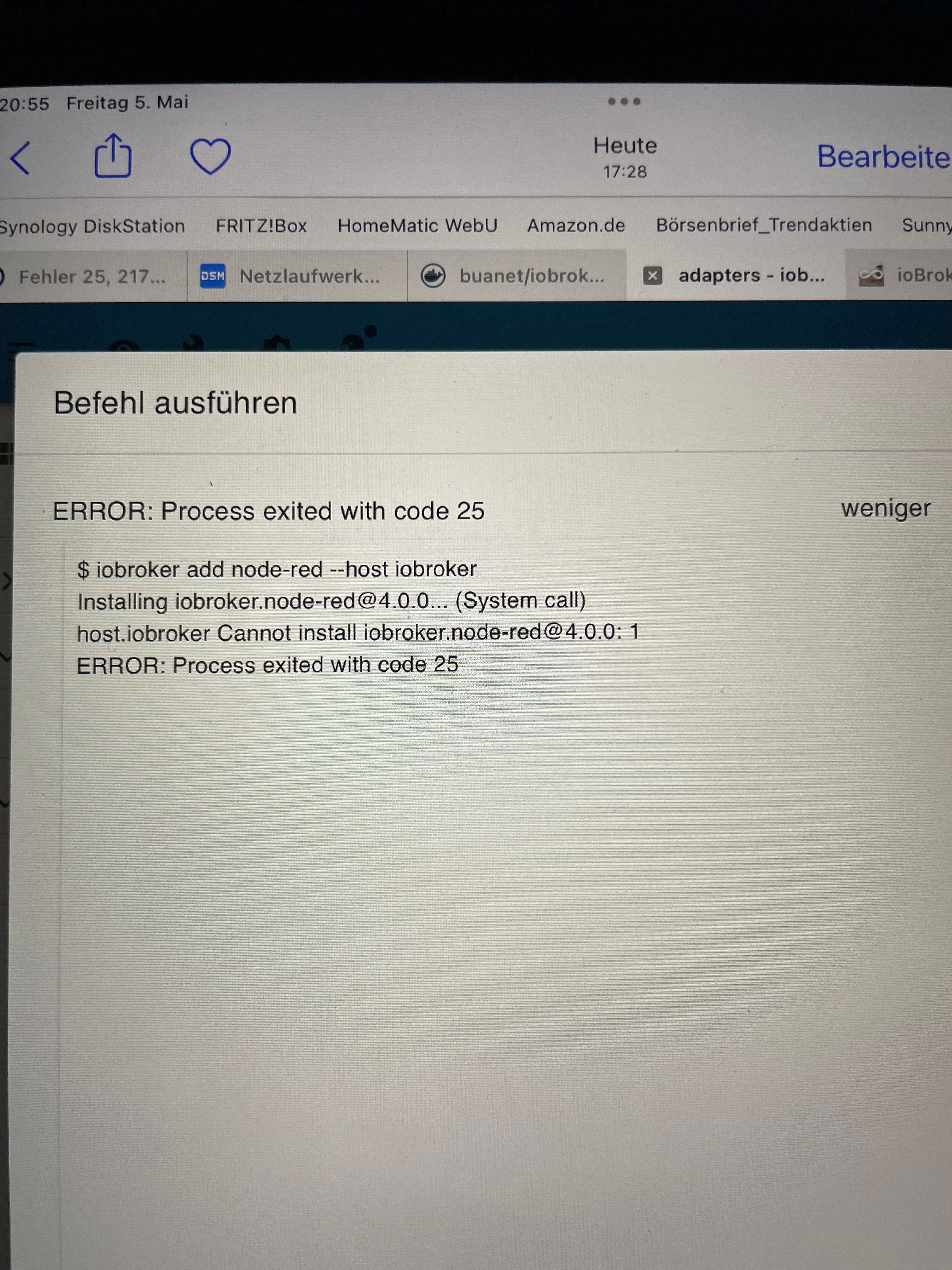
Es lässt sich kein Adapter mehr updaten oder neu installieren. iobroker startet auch nicht mehr selbstständig bei Stromausfall.
Hier noch mal die Ausgabe vom fixer:
root@Iobroker: /opt/iobroker# iob start
Starting iobroker controller daemon... lobroker controller daemon started.
PID: 4138
root@Iobroker: /opt/iobroker# pkill iob root@Iobroker:/opt/iobroker# iob fix library: loaded
Library version=2022-12-09
Welcome to the loBroker installation fixer!
Script version: 2023-04-02
ーーーーーーーーーーーーーーーーーーーーーーーーーーーーーー
Installing prerequisites (1/5)
Get: 1
http://deb.debian.org/debian bullseye InRelease (116 kB]
Get: 2 http: //deb.debian.org/debian-security bullseye-security InRelease [48,4 k
B1
Get:3 http: //deb.debian.org/debian bullseye-updates InRelease [44,1 kB]
Get:4 https: //deb.nodesource.com/node 18.× bullseye InRelease [4.586 B]
Get: 5 http: //deb.debian.org/debian builseye/main amd64 Packages [8.183 kBj
Get: 6
https://deb.nodesource.com/node_18. bullseye/main amd64 Packages [776 B]
Get: 7 http: //deb.debian.org/debian-security bullseye-security/main amd64 Packag es [239 kB]
Get: 8 http: / /deb.debian.org/debian bullseye-updates/main amd64 Packages [14,6 k
B]
Fetched 8.650 kB in 3s (2.861 kB/s)
Reading package lists..
Done
Installed gcc-c++
Failed to set capabilities on file
*/usr/bin/node' (Operation not supported)
The value of the capability argument is not permitted for a file.
Or the file i
s
not
a regular
(non-symlink) file
Docker detected!
If you have any adapters that
need the CAP_ NET_ ADMIN capability,
you need
to
start the docker container with
the option
--cap-add=NET_ADMIN
and
manually
add
that
capability to node
ーーーーーーーーーーーーーーーーーーーーーーーーーーーーーーーーーーーーーーーーーーーーーーーーーーーーーーーーーー
Checking loBroker user and directory permissions (2/5)
Created /etc/sudoers.d/iobroker
Fixing directory permissions...
This
system
does
not
support
setting default permissions.
DO
not use npm to manually install adapters
unless you know what you are doing!
ーーーーーーーーーーーーーーーーーーーーーーーーーーーーーーーーーーーーーーーーーーーーーーーーーーーーー
Check and cleanup npm temporary directories (3/5)
Done
Database maintenance (4/5)

Check and cleanup pm temporary directories (3/5)
Done
Database maintenance (4/5)
Checking for uncompressed JSONL databases.
Compressing /opt/iobroker/iobroker-data/states.json1
Compressing /opt/iobroker/iobroker-data/objects.jsonl
Compressed 2 JSONL files.
Done
This might take a while
Checking autostart (5/5)
Unsupported init system, cannot enable autostart!
Your installation was fixed successfully
Run iobroker start to start ioBroker again!
root@Iobroker: /opt/ iobroker#
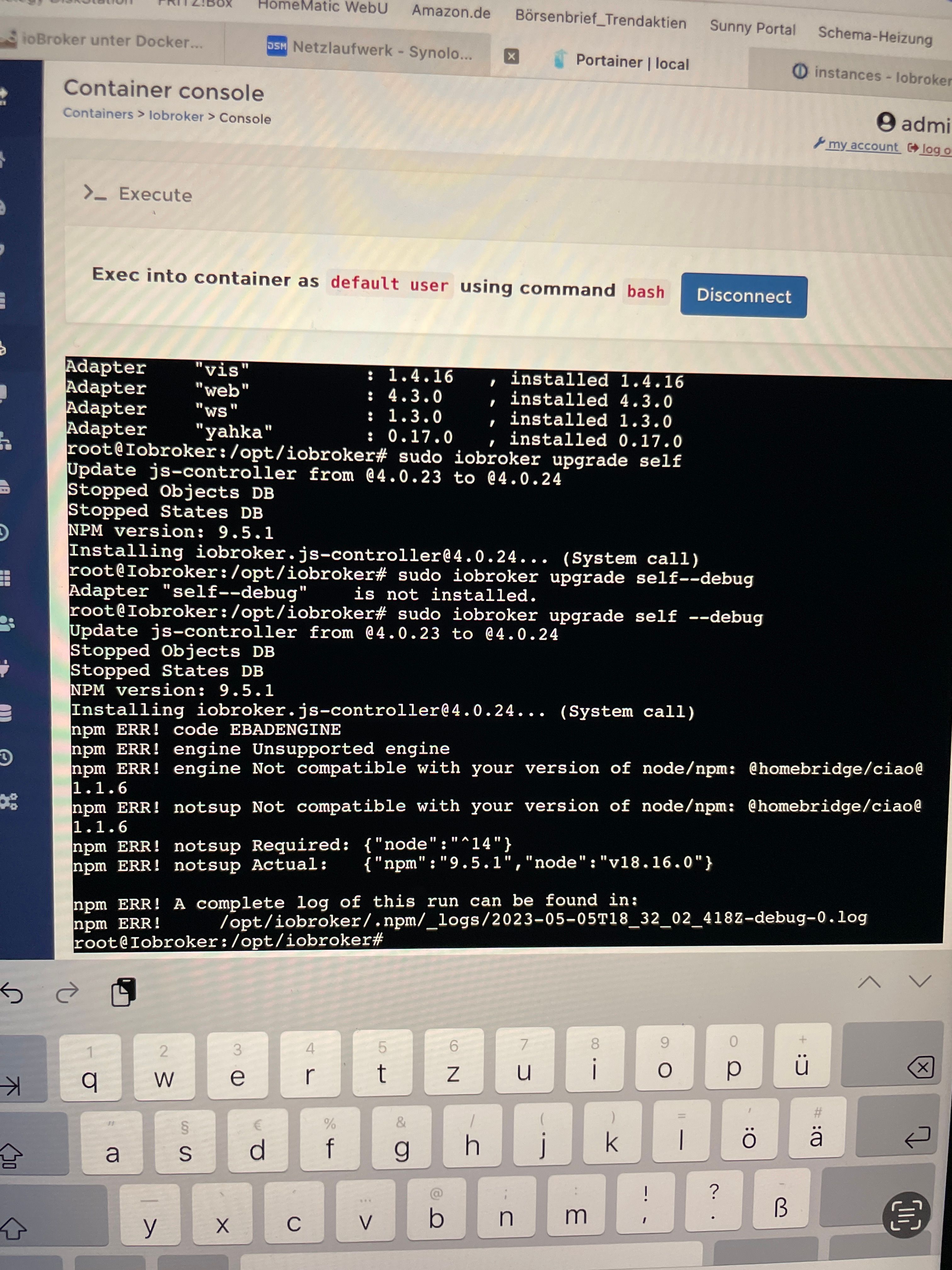
Der Versuch js.Controller Update:
root@Iobroker: /opt/ iobroker# sudo iobroker upgrade self Update js-controller from @4.0.23 to 04.0.24 Stopped Objects DB Stopped States DB PM version: 9.5.1 Installing jobroker.js-controller@4.0.24... (System call) root@Iobroker:/opt/iobroker# sudo iobroker upgrade self--debug Adapter "self--debug" is not installed. root@Iobroker:/opt/iobroker# Update js-controller sudo iobroker upgrade self from @4.0.23 to 04.0.24 --debug Stopped Objects DB Stopped States DB PM version: 9.5.1 Installing jobroker.js-controller@4.0.24... (System call) npm ERR! code EBADENGINE nom ERR! engine Unsupported engine rpm ERR! engine Not compatible with your version of node/pm: @homebridge/ciao@ 1.1.6 hpm ERR! notsup Not compatible with your version of node/pm: @homebridge/ciao@ 1.1.6 ppm ERR! notsup Required: npm ERR! notsup Actual: { "node" :"^14"3 { "npm" "9.5.1", "node": "v18.16.0"} ppm ERR! A complete log of this run can be found in: mpm ERR! /opt/iobroker/.npm/_logs/2023-05-0518_32_02_4182-debug-0.log root@Iobroker:/opt/iobroker# -
@glasfaser Hallo, die Reihnfolge merke ich mir jetzt, versprochen, immer erst js.Controller bevor ich in Portainer den iobroker Docker aktualisiere, richtig?
Die Ausgabe war vom 6.Mai, hab ich abfotografiert um es hier einzustellen, bin ja noch unterwegs …..
Den Admin Adapter hatte ich vor langer Zeit mal zusätzlich installiert, ging damals glaube irgendetwas mit der anderen Instanz nicht.
Ausgabe iobroker upgrade Info —debug:
root@Iobroker:/opt/iobroker# iobroker upgrade info
--debug
This upgrade of "info" will at least introduce the following changes:
999333:::93:::95:5595:5395:5535:::393:::933:3533:3533:3335333353333559:
1.9.26:
Corrected widget
-> 1.9.25:
Updated dependencies
-> 1.9.24:
downgrade axios package
-> 1.9.23:
Packages were updated
-> 1.9.22:
Corrected widget
-> 1.9.21:
Fix Adapter Title
-> 1.9.20:
Design Fix
Fix Adapter Title
Update dependencies
Would you like to upgrade info from 01.9.19 to 01.9.26 now
Es lässt sich kein Adapter mehr updaten oder neu installieren. iobroker startet auch nicht mehr selbstständig bei Stromausfall.
Hier noch mal die Ausgabe vom fixer:
root@Iobroker: /opt/iobroker# iob start
Starting iobroker controller daemon... lobroker controller daemon started.
PID: 4138
root@Iobroker: /opt/iobroker# pkill iob root@Iobroker:/opt/iobroker# iob fix library: loaded
Library version=2022-12-09
Welcome to the loBroker installation fixer!
Script version: 2023-04-02
ーーーーーーーーーーーーーーーーーーーーーーーーーーーーーー
Installing prerequisites (1/5)
Get: 1
http://deb.debian.org/debian bullseye InRelease (116 kB]
Get: 2 http: //deb.debian.org/debian-security bullseye-security InRelease [48,4 k
B1
Get:3 http: //deb.debian.org/debian bullseye-updates InRelease [44,1 kB]
Get:4 https: //deb.nodesource.com/node 18.× bullseye InRelease [4.586 B]
Get: 5 http: //deb.debian.org/debian builseye/main amd64 Packages [8.183 kBj
Get: 6
https://deb.nodesource.com/node_18. bullseye/main amd64 Packages [776 B]
Get: 7 http: //deb.debian.org/debian-security bullseye-security/main amd64 Packag es [239 kB]
Get: 8 http: / /deb.debian.org/debian bullseye-updates/main amd64 Packages [14,6 k
B]
Fetched 8.650 kB in 3s (2.861 kB/s)
Reading package lists..
Done
Installed gcc-c++
Failed to set capabilities on file
*/usr/bin/node' (Operation not supported)
The value of the capability argument is not permitted for a file.
Or the file i
s
not
a regular
(non-symlink) file
Docker detected!
If you have any adapters that
need the CAP_ NET_ ADMIN capability,
you need
to
start the docker container with
the option
--cap-add=NET_ADMIN
and
manually
add
that
capability to node
ーーーーーーーーーーーーーーーーーーーーーーーーーーーーーーーーーーーーーーーーーーーーーーーーーーーーーーーーーー
Checking loBroker user and directory permissions (2/5)
Created /etc/sudoers.d/iobroker
Fixing directory permissions...
This
system
does
not
support
setting default permissions.
DO
not use npm to manually install adapters
unless you know what you are doing!
ーーーーーーーーーーーーーーーーーーーーーーーーーーーーーーーーーーーーーーーーーーーーーーーーーーーーー
Check and cleanup npm temporary directories (3/5)
Done
Database maintenance (4/5)

Check and cleanup pm temporary directories (3/5)
Done
Database maintenance (4/5)
Checking for uncompressed JSONL databases.
Compressing /opt/iobroker/iobroker-data/states.json1
Compressing /opt/iobroker/iobroker-data/objects.jsonl
Compressed 2 JSONL files.
Done
This might take a while
Checking autostart (5/5)
Unsupported init system, cannot enable autostart!
Your installation was fixed successfully
Run iobroker start to start ioBroker again!
root@Iobroker: /opt/ iobroker#
Der Versuch js.Controller Update:
root@Iobroker: /opt/ iobroker# sudo iobroker upgrade self Update js-controller from @4.0.23 to 04.0.24 Stopped Objects DB Stopped States DB PM version: 9.5.1 Installing jobroker.js-controller@4.0.24... (System call) root@Iobroker:/opt/iobroker# sudo iobroker upgrade self--debug Adapter "self--debug" is not installed. root@Iobroker:/opt/iobroker# Update js-controller sudo iobroker upgrade self from @4.0.23 to 04.0.24 --debug Stopped Objects DB Stopped States DB PM version: 9.5.1 Installing jobroker.js-controller@4.0.24... (System call) npm ERR! code EBADENGINE nom ERR! engine Unsupported engine rpm ERR! engine Not compatible with your version of node/pm: @homebridge/ciao@ 1.1.6 hpm ERR! notsup Not compatible with your version of node/pm: @homebridge/ciao@ 1.1.6 ppm ERR! notsup Required: npm ERR! notsup Actual: { "node" :"^14"3 { "npm" "9.5.1", "node": "v18.16.0"} ppm ERR! A complete log of this run can be found in: mpm ERR! /opt/iobroker/.npm/_logs/2023-05-0518_32_02_4182-debug-0.log root@Iobroker:/opt/iobroker#@svenh75 sagte in Adapter Installation und Update nicht möglich:
Ausgabe iobroker upgrade Info —debug:
Would you like to upgrade info from 01.9.19 to 01.9.26 now
und wo ist der Rest von diesem >Log
Der Versuch js.Controller Update:
root@Iobroker: /opt/ iobroker# sudo iobroker upgrade self
ist das gerade Aktuell ... zu sudo habe ich dir schon etwas geschrieben !!
-
@glasfaser Hallo, die Reihnfolge merke ich mir jetzt, versprochen, immer erst js.Controller bevor ich in Portainer den iobroker Docker aktualisiere, richtig?
Die Ausgabe war vom 6.Mai, hab ich abfotografiert um es hier einzustellen, bin ja noch unterwegs …..
Den Admin Adapter hatte ich vor langer Zeit mal zusätzlich installiert, ging damals glaube irgendetwas mit der anderen Instanz nicht.
Ausgabe iobroker upgrade Info —debug:
root@Iobroker:/opt/iobroker# iobroker upgrade info
--debug
This upgrade of "info" will at least introduce the following changes:
999333:::93:::95:5595:5395:5535:::393:::933:3533:3533:3335333353333559:
1.9.26:
Corrected widget
-> 1.9.25:
Updated dependencies
-> 1.9.24:
downgrade axios package
-> 1.9.23:
Packages were updated
-> 1.9.22:
Corrected widget
-> 1.9.21:
Fix Adapter Title
-> 1.9.20:
Design Fix
Fix Adapter Title
Update dependencies
Would you like to upgrade info from 01.9.19 to 01.9.26 now
Es lässt sich kein Adapter mehr updaten oder neu installieren. iobroker startet auch nicht mehr selbstständig bei Stromausfall.
Hier noch mal die Ausgabe vom fixer:
root@Iobroker: /opt/iobroker# iob start
Starting iobroker controller daemon... lobroker controller daemon started.
PID: 4138
root@Iobroker: /opt/iobroker# pkill iob root@Iobroker:/opt/iobroker# iob fix library: loaded
Library version=2022-12-09
Welcome to the loBroker installation fixer!
Script version: 2023-04-02
ーーーーーーーーーーーーーーーーーーーーーーーーーーーーーー
Installing prerequisites (1/5)
Get: 1
http://deb.debian.org/debian bullseye InRelease (116 kB]
Get: 2 http: //deb.debian.org/debian-security bullseye-security InRelease [48,4 k
B1
Get:3 http: //deb.debian.org/debian bullseye-updates InRelease [44,1 kB]
Get:4 https: //deb.nodesource.com/node 18.× bullseye InRelease [4.586 B]
Get: 5 http: //deb.debian.org/debian builseye/main amd64 Packages [8.183 kBj
Get: 6
https://deb.nodesource.com/node_18. bullseye/main amd64 Packages [776 B]
Get: 7 http: //deb.debian.org/debian-security bullseye-security/main amd64 Packag es [239 kB]
Get: 8 http: / /deb.debian.org/debian bullseye-updates/main amd64 Packages [14,6 k
B]
Fetched 8.650 kB in 3s (2.861 kB/s)
Reading package lists..
Done
Installed gcc-c++
Failed to set capabilities on file
*/usr/bin/node' (Operation not supported)
The value of the capability argument is not permitted for a file.
Or the file i
s
not
a regular
(non-symlink) file
Docker detected!
If you have any adapters that
need the CAP_ NET_ ADMIN capability,
you need
to
start the docker container with
the option
--cap-add=NET_ADMIN
and
manually
add
that
capability to node
ーーーーーーーーーーーーーーーーーーーーーーーーーーーーーーーーーーーーーーーーーーーーーーーーーーーーーーーーーー
Checking loBroker user and directory permissions (2/5)
Created /etc/sudoers.d/iobroker
Fixing directory permissions...
This
system
does
not
support
setting default permissions.
DO
not use npm to manually install adapters
unless you know what you are doing!
ーーーーーーーーーーーーーーーーーーーーーーーーーーーーーーーーーーーーーーーーーーーーーーーーーーーーー
Check and cleanup npm temporary directories (3/5)
Done
Database maintenance (4/5)

Check and cleanup pm temporary directories (3/5)
Done
Database maintenance (4/5)
Checking for uncompressed JSONL databases.
Compressing /opt/iobroker/iobroker-data/states.json1
Compressing /opt/iobroker/iobroker-data/objects.jsonl
Compressed 2 JSONL files.
Done
This might take a while
Checking autostart (5/5)
Unsupported init system, cannot enable autostart!
Your installation was fixed successfully
Run iobroker start to start ioBroker again!
root@Iobroker: /opt/ iobroker#
Der Versuch js.Controller Update:
root@Iobroker: /opt/ iobroker# sudo iobroker upgrade self Update js-controller from @4.0.23 to 04.0.24 Stopped Objects DB Stopped States DB PM version: 9.5.1 Installing jobroker.js-controller@4.0.24... (System call) root@Iobroker:/opt/iobroker# sudo iobroker upgrade self--debug Adapter "self--debug" is not installed. root@Iobroker:/opt/iobroker# Update js-controller sudo iobroker upgrade self from @4.0.23 to 04.0.24 --debug Stopped Objects DB Stopped States DB PM version: 9.5.1 Installing jobroker.js-controller@4.0.24... (System call) npm ERR! code EBADENGINE nom ERR! engine Unsupported engine rpm ERR! engine Not compatible with your version of node/pm: @homebridge/ciao@ 1.1.6 hpm ERR! notsup Not compatible with your version of node/pm: @homebridge/ciao@ 1.1.6 ppm ERR! notsup Required: npm ERR! notsup Actual: { "node" :"^14"3 { "npm" "9.5.1", "node": "v18.16.0"} ppm ERR! A complete log of this run can be found in: mpm ERR! /opt/iobroker/.npm/_logs/2023-05-0518_32_02_4182-debug-0.log root@Iobroker:/opt/iobroker# -
@svenh75 sagte in Adapter Installation und Update nicht möglich:
Ausgabe iobroker upgrade Info —debug:
Would you like to upgrade info from 01.9.19 to 01.9.26 now
und wo ist der Rest von diesem >Log
Der Versuch js.Controller Update:
root@Iobroker: /opt/ iobroker# sudo iobroker upgrade self
ist das gerade Aktuell ... zu sudo habe ich dir schon etwas geschrieben !!
@glasfaser Nein, sudo würde ich jetzt weglassen, ist noch von vor ein paar Tagen.
Hatte nicht bestätigt……… ioBroker upgrade info……
Muss ich ioBroker vorab stoppen um die Ausgabe zu erhalten?Bin umgezogen, da ist das ab und zu mal passiert…… muss in Portainer und den ioBroker Docker starten……
-
@glasfaser Nein, sudo würde ich jetzt weglassen, ist noch von vor ein paar Tagen.
Hatte nicht bestätigt……… ioBroker upgrade info……
Muss ich ioBroker vorab stoppen um die Ausgabe zu erhalten?Bin umgezogen, da ist das ab und zu mal passiert…… muss in Portainer und den ioBroker Docker starten……
@svenh75 sagte in Adapter Installation und Update nicht möglich:
Nein, sudo würde ich jetzt weglassen, ist noch von vor ein paar Tagen.
Bitte nichts altes Posten das verwirrt nur !!!!!!!
Hatte nicht bestätigt………
Was hast du nicht bestätigt !?
Muss ich ioBroker vorab stoppen um die Ausgabe zu erhalten?
Nein du brauchst nicht stoppen , einfach in der Konsole das eingeben
iobroker upgrade info --debugund
-
@glasfaser Nein, sudo würde ich jetzt weglassen, ist noch von vor ein paar Tagen.
Hatte nicht bestätigt……… ioBroker upgrade info……
Muss ich ioBroker vorab stoppen um die Ausgabe zu erhalten?Bin umgezogen, da ist das ab und zu mal passiert…… muss in Portainer und den ioBroker Docker starten……
@svenh75 sagte in Adapter Installation und Update nicht möglich:
Bin umgezogen, da ist das ab und zu mal passiert…
Lege dir ein USV zu .... wenn das so weiter geht ... ist noch mehr Schrott !
… muss in Portainer und den ioBroker Docker starten……
@glasfaser sagte in Adapter Installation und Update nicht möglich:
Was heißt startet nicht mehr ... was machst du dann !?.... also ist der Container aus ... oder startest du über die Konsole den Admin oder ...
Bitte genaue Angabe ...
bis jetzt bin ich kein Stück weiter bei dir .. nur immer neu Sachen kommen dazu
die eigentlich im Startbeitrag geöhren ! -
@svenh75 sagte in Adapter Installation und Update nicht möglich:
Bin umgezogen, da ist das ab und zu mal passiert…
Lege dir ein USV zu .... wenn das so weiter geht ... ist noch mehr Schrott !
… muss in Portainer und den ioBroker Docker starten……
@glasfaser sagte in Adapter Installation und Update nicht möglich:
Was heißt startet nicht mehr ... was machst du dann !?.... also ist der Container aus ... oder startest du über die Konsole den Admin oder ...
Bitte genaue Angabe ...
bis jetzt bin ich kein Stück weiter bei dir .. nur immer neu Sachen kommen dazu
die eigentlich im Startbeitrag geöhren !@glasfaser Hoffentlich verwirre ich dich nicht ganz 🙈, gebe mir Mühe….
Zum Neustart: ich muss nur den Iobroker Container im Portainer starten, über die Console muss ich nichts machen…..
Nach Eingabe von „iobroker upgrade …. debug“ erscheint doch dann:
Would you like to upgrade info from 01.9.19 to 01.9.26 nowhier meinte ich das bestätigen mit „y“
Für den Info Adapter hatte ich das vorhin schon mal gemacht und dieser scheint sich über den Weg aktualisiert zu haben:
root@Iobroker:/opt/iobroker# jobroker upgrade info --debug
Adapter
"info"
is up to date.
Ich habe das jetzt mit dem backitup noch mal gemacht:
root@Iobroker:/opt/iobroker# jobroker upgrade backitup --debug
This upgrade of "backitup" will introduce the following Chargers:

-> 2.6.19:
small fix for js-controller 5
-> 2.6.18:
dependencies updated small Sentry fixes
Error notifications optimized

2.6.17:
Fix delete InfluDB tmp dir small Sentry fixes

Would you like to upgrade backitup from 02.6.16 to 02.6.19 now? [ (y)es, (n)o]: y
Update backitup from 02.6.16 to 02.6.19
host. Iobroker Adapter
NPM version: 9.5.1
"system.adapter.backitup.O" is stopped.
Installing jobroker.backitup@2.6.19... (System call)

npm WARN deprecated gram@1.0.1: pm is holding this package for security reasons. As it's a core N ode module, we will not transfer it over to other users. You may safely remove the package from you r dependencies.
mpm WARN deprecated crypto@1.0.1: This package is no longer supported. It's now a built-in Node mod ule. If you've depended on crypto, you should switch to the one that's built-in. mpm WARN deprecated @types/b1@5.1.0: This is a stub types definition. b1 provides its own type defi nitions, so you do not need this installed.
pm WARN deprecated node-xmpp-tis-connect@1.0.l: this package is deprecated please use https://gith
ub.com/xmppjs/xmpp. js
mpm WARN deprecated request-promise-native@1.0.9: request-promise-native has been deprecated becaus e it extends the now deprecated request package, see https: //github.com/request/request/issues/3142 pm WARN deprecated har-validator@5.1.5:
this library is no longer supported
pm WARN deprecated request-promise@4.2.6: request-promise has been deprecated because it extends he now deprecated request package, see https: //github.com/request/request/issues/3142 pm WARN deprecated node-xmpp-core@5.0.9: this package is deprecated please use https://github.com/ xmppjs/xmpp. js
pm WARN deprecated json3@3.3.2: Please use the native JSON object instead of JSON 3 hpm WARN deprecated querystring@0.2.1: The querystring API is considered Legacy. new code should us le the URLSearchParams API instead.
mpm WARN deprecated node-xmpp-stanza@1.1.1: use @xmpp/xmI package <https://www.npmjs.com/package/ex
mpp/xm1>
npm WARN deprecated node-inspect@2.0.0: This module is part of Node. js core and does not need to be installed separately. It is now unmaintained.
mpm WARN deprecated debug@4.1.1: Debug versions >=3.2.0 <3.2.7 ||
Dos regression when used in a Node.js environment.
>=4 <4.3.1 have a low-severity Re
It is recommended you upgrade to 3.2.7 or 4.3.1.
(https://github.com/visionmedia/debug/issues/797)
mpm WARN deprecated debug@4.1.1: Debug versions >=3.2.0 <3.2.7 ||
>=4 <4.3.1 have a low-severity Re

Dos regression when used in a Node.js environment. It is recommended you upgrade to 3.2.7 or 4.3.1.
(https://github.com/visionmedia/debug/issues/797) mpm WARN deprecated debug@4.1.1: Debug versions >=3.2.0 <3.2.7 11
>=4 <4.3.1 have a low-severity Re
Dos regression when used in a Node.js environment. It is recommended you upgrade to 3.2.7 or 4.3.1.
(https://github.com/visionmedia/debug/issues/797)
mpm WARN deprecated querystring@0.2.0: The querystring API is considered Legacy. new code should us le the URLSearchParams API instead.
hpm WARN deprecated querystring@0.2.0: The querystring API is considered Legacy. new code should us le the URLSearchParams API instead.
hpm WARN deprecated uuid@3.4.0: Please upgrade to version 7 or higher. h.random() in certain circumstances, which is known to be problematic.
older versions may use Mat
See https:/ /v8.dev/blog/mat
h-random for details.
mpm WARN deprecated request@2.88.2: request has been deprecated, see https://github.com/request/reg uest/issues/3142
mpm WARN deprecated node-xmpp-client@3.2.0: this package is deprecated please use https: //www.npmjs .com/package/@xmpp/client
Auch der Adapter hat sich jetzt aktualisiert 😳
-
@svenh75 sagte in Adapter Installation und Update nicht möglich:
nstallieren (Fehler 25) und updaten.
die Suche hat mich leider nicht weitergebracht.
Bitte keine Screenshots !
Das kann man so nicht lesen !hier zu deinem ... Fehler
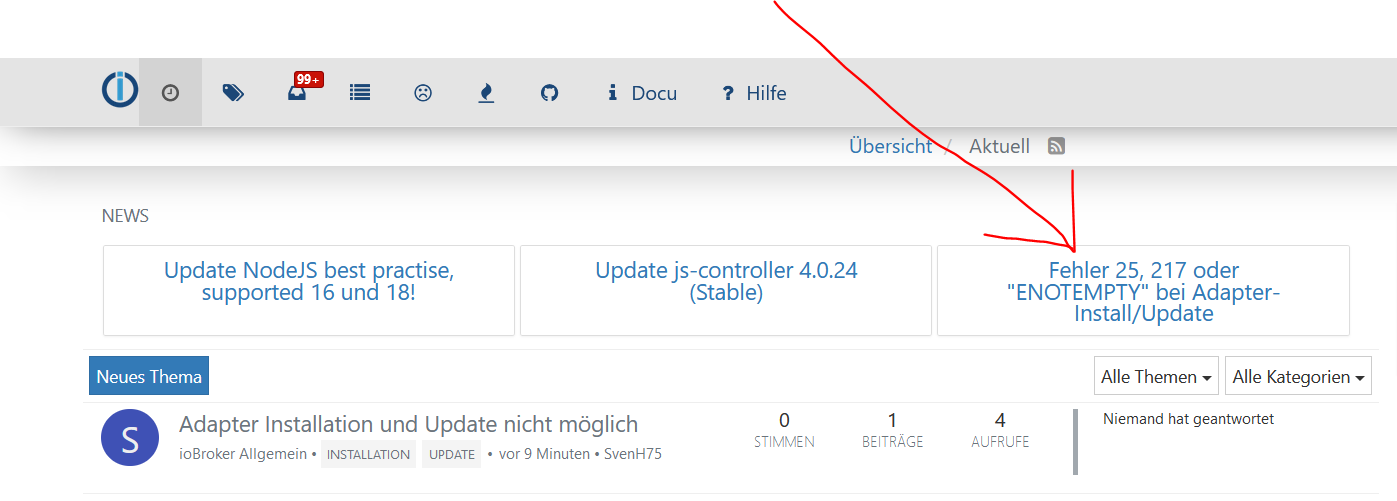
ich habe dieses dir mittgeteilt
@glasfaser sagte in Adapter Installation und Update nicht möglich:
@svenh75 sagte in Adapter Installation und Update nicht möglich:
nstallieren (Fehler 25) und updaten.
die Suche hat mich leider nicht weitergebracht.
Bitte keine Screenshots !
Das kann man so nicht lesen !hier zu deinem ... Fehler
du hast danach geantwortet :
@svenh75 sagte in Adapter Installation und Update nicht möglich:
@glasfaser okay, sorry, das hat leider nicht funktioniert oder ich hab etwas falsch gemacht…..
Was hat nicht funktioniert ...
Nach diesem Befehl in dem angegeben Thread passsiert nur etwas im Hintergrund ,
es erfolgt keine Ausgabe dazu .ich denke mal dieses ist dann durchgelaufen ,
denn du schreibst jetzt :
@svenh75 sagte in Adapter Installation und Update nicht möglich:
Für den Info Adapter hatte ich das vorhin schon mal gemacht und dieser scheint sich über den Weg aktualisiert zu haben:
ich habe das jetzt mit dem backitup noch mal gemacht:
Auch der Adapter hat sich jetzt aktualisiert 😳
dann war alles schon damit erledigt ... mit meiner Antwort / Angabe am Anfang !
-
@glasfaser Hoffentlich verwirre ich dich nicht ganz 🙈, gebe mir Mühe….
Zum Neustart: ich muss nur den Iobroker Container im Portainer starten, über die Console muss ich nichts machen…..
Nach Eingabe von „iobroker upgrade …. debug“ erscheint doch dann:
Would you like to upgrade info from 01.9.19 to 01.9.26 nowhier meinte ich das bestätigen mit „y“
Für den Info Adapter hatte ich das vorhin schon mal gemacht und dieser scheint sich über den Weg aktualisiert zu haben:
root@Iobroker:/opt/iobroker# jobroker upgrade info --debug
Adapter
"info"
is up to date.
Ich habe das jetzt mit dem backitup noch mal gemacht:
root@Iobroker:/opt/iobroker# jobroker upgrade backitup --debug
This upgrade of "backitup" will introduce the following Chargers:

-> 2.6.19:
small fix for js-controller 5
-> 2.6.18:
dependencies updated small Sentry fixes
Error notifications optimized

2.6.17:
Fix delete InfluDB tmp dir small Sentry fixes

Would you like to upgrade backitup from 02.6.16 to 02.6.19 now? [ (y)es, (n)o]: y
Update backitup from 02.6.16 to 02.6.19
host. Iobroker Adapter
NPM version: 9.5.1
"system.adapter.backitup.O" is stopped.
Installing jobroker.backitup@2.6.19... (System call)

npm WARN deprecated gram@1.0.1: pm is holding this package for security reasons. As it's a core N ode module, we will not transfer it over to other users. You may safely remove the package from you r dependencies.
mpm WARN deprecated crypto@1.0.1: This package is no longer supported. It's now a built-in Node mod ule. If you've depended on crypto, you should switch to the one that's built-in. mpm WARN deprecated @types/b1@5.1.0: This is a stub types definition. b1 provides its own type defi nitions, so you do not need this installed.
pm WARN deprecated node-xmpp-tis-connect@1.0.l: this package is deprecated please use https://gith
ub.com/xmppjs/xmpp. js
mpm WARN deprecated request-promise-native@1.0.9: request-promise-native has been deprecated becaus e it extends the now deprecated request package, see https: //github.com/request/request/issues/3142 pm WARN deprecated har-validator@5.1.5:
this library is no longer supported
pm WARN deprecated request-promise@4.2.6: request-promise has been deprecated because it extends he now deprecated request package, see https: //github.com/request/request/issues/3142 pm WARN deprecated node-xmpp-core@5.0.9: this package is deprecated please use https://github.com/ xmppjs/xmpp. js
pm WARN deprecated json3@3.3.2: Please use the native JSON object instead of JSON 3 hpm WARN deprecated querystring@0.2.1: The querystring API is considered Legacy. new code should us le the URLSearchParams API instead.
mpm WARN deprecated node-xmpp-stanza@1.1.1: use @xmpp/xmI package <https://www.npmjs.com/package/ex
mpp/xm1>
npm WARN deprecated node-inspect@2.0.0: This module is part of Node. js core and does not need to be installed separately. It is now unmaintained.
mpm WARN deprecated debug@4.1.1: Debug versions >=3.2.0 <3.2.7 ||
Dos regression when used in a Node.js environment.
>=4 <4.3.1 have a low-severity Re
It is recommended you upgrade to 3.2.7 or 4.3.1.
(https://github.com/visionmedia/debug/issues/797)
mpm WARN deprecated debug@4.1.1: Debug versions >=3.2.0 <3.2.7 ||
>=4 <4.3.1 have a low-severity Re

Dos regression when used in a Node.js environment. It is recommended you upgrade to 3.2.7 or 4.3.1.
(https://github.com/visionmedia/debug/issues/797) mpm WARN deprecated debug@4.1.1: Debug versions >=3.2.0 <3.2.7 11
>=4 <4.3.1 have a low-severity Re
Dos regression when used in a Node.js environment. It is recommended you upgrade to 3.2.7 or 4.3.1.
(https://github.com/visionmedia/debug/issues/797)
mpm WARN deprecated querystring@0.2.0: The querystring API is considered Legacy. new code should us le the URLSearchParams API instead.
hpm WARN deprecated querystring@0.2.0: The querystring API is considered Legacy. new code should us le the URLSearchParams API instead.
hpm WARN deprecated uuid@3.4.0: Please upgrade to version 7 or higher. h.random() in certain circumstances, which is known to be problematic.
older versions may use Mat
See https:/ /v8.dev/blog/mat
h-random for details.
mpm WARN deprecated request@2.88.2: request has been deprecated, see https://github.com/request/reg uest/issues/3142
mpm WARN deprecated node-xmpp-client@3.2.0: this package is deprecated please use https: //www.npmjs .com/package/@xmpp/client
Auch der Adapter hat sich jetzt aktualisiert 😳
@svenh75 sagte in Adapter Installation und Update nicht möglich:
hier meinte ich das bestätigen mit „y“
Für den Info Adapter hatte ich das vorhin schon mal gemacht und dieser scheint sich über den Weg aktualisiert zu haben:Das --debug hat kein Einfluss auf etwas ... es zeigt nur wie der Name sagt " debug" eine aufgeschlüsselte Ausgabe vom upgrade , damit kann mehr sehen was passiert / nicht passiert !
-
@svenh75 sagte in Adapter Installation und Update nicht möglich:
hier meinte ich das bestätigen mit „y“
Für den Info Adapter hatte ich das vorhin schon mal gemacht und dieser scheint sich über den Weg aktualisiert zu haben:Das --debug hat kein Einfluss auf etwas ... es zeigt nur wie der Name sagt " debug" eine aufgeschlüsselte Ausgabe vom upgrade , damit kann mehr sehen was passiert / nicht passiert !
@glasfaser ja mit dem „—debug“ wusste ich…..
Soll ich jetzt nochmal versuchen die js.controller zu aktualisieren?
Habe jetzt über die Konsole mit „iobroker del“ versucht die Adapter die noch nicht richtig gelöscht sind (hatte ich bei den Instanzen bisher immer gelöscht) zu löschen. Dabei passiert verschiedenes, vielleicht hilft dir das auch was zu sehen:
› _ Execute
Exec into container as default user using command bash
Disconnect
A new version is available
aportainer.io 2.11.0
root@Iobroker:/opt/iobroker# iobroker del fritzbox node:internal/modules/cjs/loader: 1078
throw err;
Error: Cannot find module ' /opt/iobroker/node modules/iobroker.js-controller/iobroker.js
at Module.
resolveFilename (node:internal/modules/cjs/loader: 1075:15)
at Module. load (node:internal/modules/cjs/loader: 920:27)
at Function.executeUserEntryPoint [as runMain] (node:internal/modules/run main: 81:12)
at node:internal/main/run main module: 23:47 {
code: 'MODULE_NOT_FOUND requireStack

Node.js v18.16.0
root@Iobroker:/opt/ iobroker# iobroker del ham --debug
Delete adapter
"ham"
host. Iobroker object ham deleted host. Iobroker object ham.admin deleted
Error deleting adapter ham from disk: host.Iobroker: Cannot uninstall jobroker.ham: 217
You might have to delete it yourself!

root@Iobroker:/opt/iobroker#
root@Iobroker:/opt/ iobroker# iobroker del ping --debug
Delete adapter
"ping"
host. Iobroker Counted 1 meta of ping host.Iobroker Counted 1 adapter for ping host. Iobroker Counted 1 states of system.adapter.ping host. Iobroker Counted 1 states (system.adapter.ping.*) from states host. Iobroker file ping.admin deleted host.Iobroker object ping deleted host. Iobroker object ping.admin deleted host.Iobroker Deleting 3 object(s). host. Iobroker Deleting 1 state(s).
Weis nur nicht ob das wichtig ist?
Jetzt erst einmal den js..?
-
@glasfaser ja mit dem „—debug“ wusste ich…..
Soll ich jetzt nochmal versuchen die js.controller zu aktualisieren?
Habe jetzt über die Konsole mit „iobroker del“ versucht die Adapter die noch nicht richtig gelöscht sind (hatte ich bei den Instanzen bisher immer gelöscht) zu löschen. Dabei passiert verschiedenes, vielleicht hilft dir das auch was zu sehen:
› _ Execute
Exec into container as default user using command bash
Disconnect
A new version is available
aportainer.io 2.11.0
root@Iobroker:/opt/iobroker# iobroker del fritzbox node:internal/modules/cjs/loader: 1078
throw err;
Error: Cannot find module ' /opt/iobroker/node modules/iobroker.js-controller/iobroker.js
at Module.
resolveFilename (node:internal/modules/cjs/loader: 1075:15)
at Module. load (node:internal/modules/cjs/loader: 920:27)
at Function.executeUserEntryPoint [as runMain] (node:internal/modules/run main: 81:12)
at node:internal/main/run main module: 23:47 {
code: 'MODULE_NOT_FOUND requireStack

Node.js v18.16.0
root@Iobroker:/opt/ iobroker# iobroker del ham --debug
Delete adapter
"ham"
host. Iobroker object ham deleted host. Iobroker object ham.admin deleted
Error deleting adapter ham from disk: host.Iobroker: Cannot uninstall jobroker.ham: 217
You might have to delete it yourself!

root@Iobroker:/opt/iobroker#
root@Iobroker:/opt/ iobroker# iobroker del ping --debug
Delete adapter
"ping"
host. Iobroker Counted 1 meta of ping host.Iobroker Counted 1 adapter for ping host. Iobroker Counted 1 states of system.adapter.ping host. Iobroker Counted 1 states (system.adapter.ping.*) from states host. Iobroker file ping.admin deleted host.Iobroker object ping deleted host. Iobroker object ping.admin deleted host.Iobroker Deleting 3 object(s). host. Iobroker Deleting 1 state(s).
Weis nur nicht ob das wichtig ist?
Jetzt erst einmal den js..?
-
@svenh75 sagte in Adapter Installation und Update nicht möglich:
Jetzt erst einmal den js..?
Ja versuch mal ...
Ausgabe hier Posten
@glasfaser mache ich sofort. Hatte jetzt erst dem Miele Adapter über den iobroker versucht zu aktualisieren
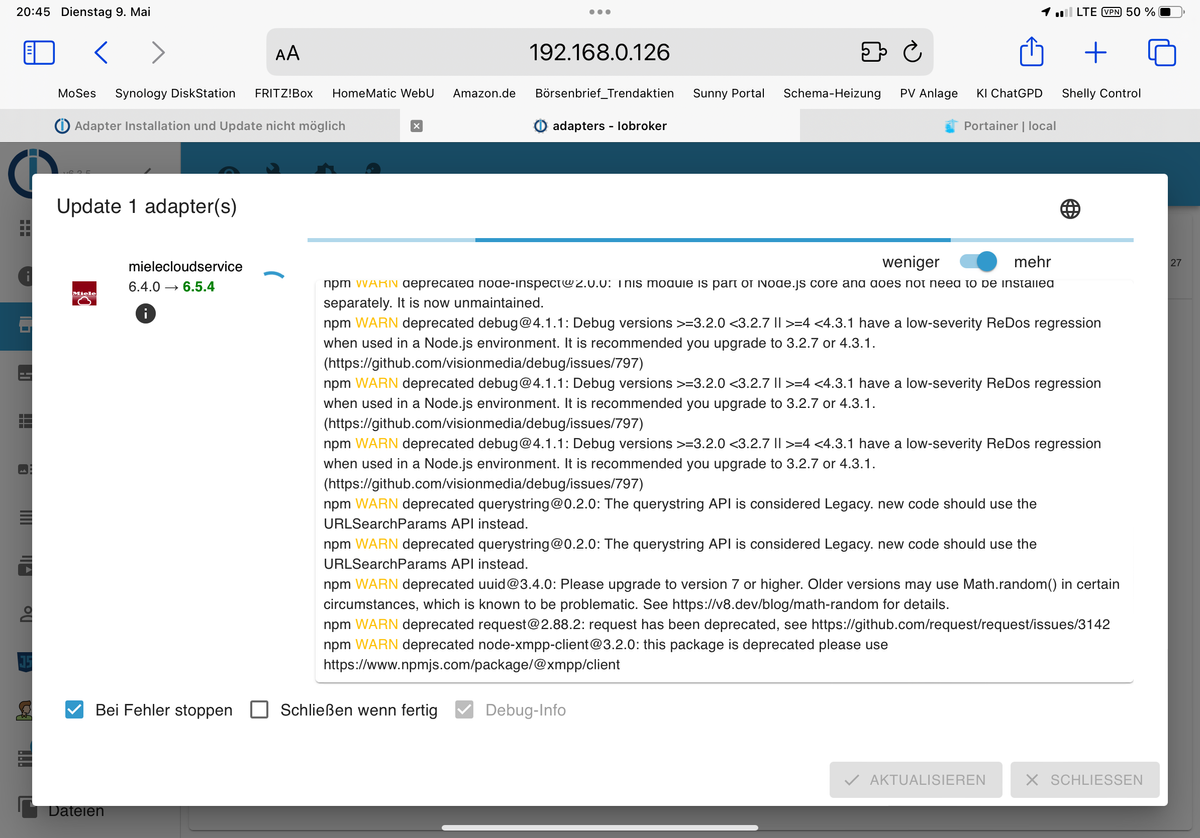
Da kommt folgende Ausgabe:
$ iobroker upgrade mielecloudservice@6.5.4 --debug
Update mielecloudservice from @6.4.0 to @6.5.4
Installing iobroker.mielecloudservice@6.5.4... (System call)
npm WARN deprecated crypto@1.0.1: This package is no longer supported. It's now a built-in Node module. If you've depended on crypto, you should switch to the one that's built-in.
npm WARN deprecated @types/bl@5.1.0: This is a stub types definition. bl provides its own type definitions, so you do not need this installed.
npm WARN deprecated node-xmpp-tls-connect@1.0.1: this package is deprecated please use https://github.com/xmppjs/xmpp.js
npm WARN deprecated request-promise-native@1.0.9: request-promise-native has been deprecated because it extends the now deprecated request package, see https://github.com/request/request/issues/3142
npm WARN deprecated har-validator@5.1.5: this library is no longer supported
npm WARN deprecated request-promise@4.2.6: request-promise has been deprecated because it extends the now deprecated request package, see https://github.com/request/request/issues/3142
npm WARN deprecated node-xmpp-core@5.0.9: this package is deprecated please use https://github.com/xmppjs/xmpp.js
npm WARN deprecated json3@3.3.2: Please use the native JSON object instead of JSON 3
npm WARN deprecated node-xmpp-stanza@1.1.1: use @xmpp/xml package <https://www.npmjs.com/package/@xmpp/xml>
npm WARN deprecated node-inspect@2.0.0: This module is part of Node.js core and does not need to be installed separately. It is now unmaintained.
npm WARN deprecated debug@4.1.1: Debug versions >=3.2.0 <3.2.7 || >=4 <4.3.1 have a low-severity ReDos regression when used in a Node.js environment. It is recommended you upgrade to 3.2.7 or 4.3.1. (https://github.com/visionmedia/debug/issues/797)
npm WARN deprecated debug@4.1.1: Debug versions >=3.2.0 <3.2.7 || >=4 <4.3.1 have a low-severity ReDos regression when used in a Node.js environment. It is recommended you upgrade to 3.2.7 or 4.3.1. (https://github.com/visionmedia/debug/issues/797)
npm WARN deprecated debug@4.1.1: Debug versions >=3.2.0 <3.2.7 || >=4 <4.3.1 have a low-severity ReDos regression when used in a Node.js environment. It is recommended you upgrade to 3.2.7 or 4.3.1. (https://github.com/visionmedia/debug/issues/797)
npm WARN deprecated querystring@0.2.0: The querystring API is considered Legacy. new code should use the URLSearchParams API instead.
npm WARN deprecated querystring@0.2.0: The querystring API is considered Legacy. new code should use the URLSearchParams API instead.
npm WARN deprecated uuid@3.4.0: Please upgrade to version 7 or higher. Older versions may use Math.random() in certain circumstances, which is known to be problematic. See https://v8.dev/blog/math-random for details.
npm WARN deprecated request@2.88.2: request has been deprecated, see https://github.com/request/request/issues/3142
npm WARN deprecated node-xmpp-client@3.2.0: this package is deprecated please use https://www.npmjs.com/package/@xmpp/client
Steht schon 5 Min. so da……
-
@svenh75 sagte in Adapter Installation und Update nicht möglich:
Jetzt erst einmal den js..?
Ja versuch mal ...
Ausgabe hier Posten
@glasfaser jetzt doch fertig, Schein geklappt zu haben
https://www.npmjs.com/package/@xmpp/client 139 packages are looking for funding run `npm fund` for details upload [0] mielecloudservice.admin /opt/iobroker/node_modules/iobroker.mielecloudservice/admin/words.js words.js application/javascript Process exited with code 0 -
@glasfaser mache ich sofort. Hatte jetzt erst dem Miele Adapter über den iobroker versucht zu aktualisieren
Da kommt folgende Ausgabe:
$ iobroker upgrade mielecloudservice@6.5.4 --debug
Update mielecloudservice from @6.4.0 to @6.5.4
Installing iobroker.mielecloudservice@6.5.4... (System call)
npm WARN deprecated crypto@1.0.1: This package is no longer supported. It's now a built-in Node module. If you've depended on crypto, you should switch to the one that's built-in.
npm WARN deprecated @types/bl@5.1.0: This is a stub types definition. bl provides its own type definitions, so you do not need this installed.
npm WARN deprecated node-xmpp-tls-connect@1.0.1: this package is deprecated please use https://github.com/xmppjs/xmpp.js
npm WARN deprecated request-promise-native@1.0.9: request-promise-native has been deprecated because it extends the now deprecated request package, see https://github.com/request/request/issues/3142
npm WARN deprecated har-validator@5.1.5: this library is no longer supported
npm WARN deprecated request-promise@4.2.6: request-promise has been deprecated because it extends the now deprecated request package, see https://github.com/request/request/issues/3142
npm WARN deprecated node-xmpp-core@5.0.9: this package is deprecated please use https://github.com/xmppjs/xmpp.js
npm WARN deprecated json3@3.3.2: Please use the native JSON object instead of JSON 3
npm WARN deprecated node-xmpp-stanza@1.1.1: use @xmpp/xml package <https://www.npmjs.com/package/@xmpp/xml>
npm WARN deprecated node-inspect@2.0.0: This module is part of Node.js core and does not need to be installed separately. It is now unmaintained.
npm WARN deprecated debug@4.1.1: Debug versions >=3.2.0 <3.2.7 || >=4 <4.3.1 have a low-severity ReDos regression when used in a Node.js environment. It is recommended you upgrade to 3.2.7 or 4.3.1. (https://github.com/visionmedia/debug/issues/797)
npm WARN deprecated debug@4.1.1: Debug versions >=3.2.0 <3.2.7 || >=4 <4.3.1 have a low-severity ReDos regression when used in a Node.js environment. It is recommended you upgrade to 3.2.7 or 4.3.1. (https://github.com/visionmedia/debug/issues/797)
npm WARN deprecated debug@4.1.1: Debug versions >=3.2.0 <3.2.7 || >=4 <4.3.1 have a low-severity ReDos regression when used in a Node.js environment. It is recommended you upgrade to 3.2.7 or 4.3.1. (https://github.com/visionmedia/debug/issues/797)
npm WARN deprecated querystring@0.2.0: The querystring API is considered Legacy. new code should use the URLSearchParams API instead.
npm WARN deprecated querystring@0.2.0: The querystring API is considered Legacy. new code should use the URLSearchParams API instead.
npm WARN deprecated uuid@3.4.0: Please upgrade to version 7 or higher. Older versions may use Math.random() in certain circumstances, which is known to be problematic. See https://v8.dev/blog/math-random for details.
npm WARN deprecated request@2.88.2: request has been deprecated, see https://github.com/request/request/issues/3142
npm WARN deprecated node-xmpp-client@3.2.0: this package is deprecated please use https://www.npmjs.com/package/@xmpp/client
Steht schon 5 Min. so da……
-
@svenh75 sagte in Adapter Installation und Update nicht möglich:
Jetzt erst einmal den js..?
Ja versuch mal ...
Ausgabe hier Posten
@glasfaser Mist…..
root@Iobroker: /opt / iobroker# pkill iob root@Iobroker: /opt/iobroker# iobroker update Server Cannot start inMem-objects on port 9001: Failed to lock DB file "/opt/iobroker/iobroker-data /objects. jsonI"! root@Iobroker: /opt / iobroker# -
@glasfaser Mist…..
root@Iobroker: /opt / iobroker# pkill iob root@Iobroker: /opt/iobroker# iobroker update Server Cannot start inMem-objects on port 9001: Failed to lock DB file "/opt/iobroker/iobroker-data /objects. jsonI"! root@Iobroker: /opt / iobroker#Was machst du da , habe ich alles nicht geschrieben !??
pkill iob gibt es nicht
so
pkill -u iobrokerlese doch bitte :
https://docs.buanet.de/iobroker-docker-image/docs/#updates-upgrades
den Link habe ich schon oben dir gegeben !!!!
-
Was machst du da , habe ich alles nicht geschrieben !??
pkill iob gibt es nicht
so
pkill -u iobrokerlese doch bitte :
https://docs.buanet.de/iobroker-docker-image/docs/#updates-upgrades
den Link habe ich schon oben dir gegeben !!!!
@glasfaser Sorry, hab die alten Aufzeichnungen schon gelöscht…..
Nach dem Befehl „iobroker upgrade“ wenn die Installation durchgelaufen ist, hab ich noch folgendes:
node node_modules/iobroker.js-/controllercontroller.js >/opt/scripts/docker_iobroker_log.txt 2>&1 &Ist das noch notwendig einzugeben bzw. aktuell?

Hey! Du scheinst an dieser Unterhaltung interessiert zu sein, hast aber noch kein Konto.
Hast du es satt, bei jedem Besuch durch die gleichen Beiträge zu scrollen? Wenn du dich für ein Konto anmeldest, kommst du immer genau dorthin zurück, wo du zuvor warst, und kannst dich über neue Antworten benachrichtigen lassen (entweder per E-Mail oder Push-Benachrichtigung). Du kannst auch Lesezeichen speichern und Beiträge positiv bewerten, um anderen Community-Mitgliedern deine Wertschätzung zu zeigen.
Mit deinem Input könnte dieser Beitrag noch besser werden 💗
Registrieren Anmelden413
Online33.0k
Benutzer83.5k
Themen1.3m
Beiträge