



Skip to content
  • Home
  • Aktuell
  • Tags
  • 0 Ungelesen 0
  • Kategorien
  • Unreplied
  • Beliebt
  • GitHub
  • Docu
  • Hilfe
Skins
  • Light
  • Brite
  • Cerulean
  • Cosmo
  • Flatly
  • Journal
  • Litera
  • Lumen
  • Lux
  • Materia
  • Minty
  • Morph
  • Pulse
  • Sandstone
  • Simplex
  • Sketchy
  • Spacelab
  • United
  • Yeti
  • Zephyr
  • Dark
  • Cyborg
  • Darkly
  • Quartz
  • Slate
  • Solar
  • Superhero
  • Vapor

  • Standard: (Kein Skin)
  • Kein Skin
Einklappen
ioBroker Logo

Community Forum

donate donate
  1. ioBroker Community Home
  2. Deutsch
  3. Einsteigerfragen
  4. IoBroker ist nicht mehr über Browser erreichbar

NEWS

  • Neuer Blogbeitrag: Monatsrückblick - Dezember 2025 🎄
    BluefoxB
    Bluefox
    11
    1
    542

  • Weihnachtsangebot 2025! 🎄
    BluefoxB
    Bluefox
    24
    1
    1.7k

  • UPDATE 31.10.: Amazon Alexa - ioBroker Skill läuft aus ?
    apollon77A
    apollon77
    48
    3
    9.6k

IoBroker ist nicht mehr über Browser erreichbar

Geplant Angeheftet Gesperrt Verschoben Einsteigerfragen
73 Beiträge 3 Kommentatoren 5.4k Aufrufe 2 Watching
  • Älteste zuerst
  • Neuste zuerst
  • Meiste Stimmen
Antworten
  • In einem neuen Thema antworten
Anmelden zum Antworten
Dieses Thema wurde gelöscht. Nur Nutzer mit entsprechenden Rechten können es sehen.
  • B Bastel2021

    @thomas-braun
    du schreibst dort ja von einem sauberen "npm tree"
    der sieht bei mir aber nicht sauber aus!

    pi@raspberrypi:~ $ cd /opt/iobroker
    pi@raspberrypi:/opt/iobroker $ npm ls | grep -E 'github|ERR'
    npm ERR! missing: iobroker.js-controller@4.0.21, required by iobroker.inst@3.0.0
    npm ERR! extraneous: iobroker.js-controller@4.0.21 /opt/iobroker/node_modules/iobroker.js-controller
    │ │ │ ├── github-from-package@0.0.0
    pi@raspberrypi:/opt/iobroker $

    70317f7d-2d87-409f-b74b-557982684b8e-grafik.png

    kann ich damit dann weitermachen?

    Thomas BraunT Online
    Thomas BraunT Online
    Thomas Braun
    Most Active
    schrieb am zuletzt editiert von
    #14

    @bastel2021

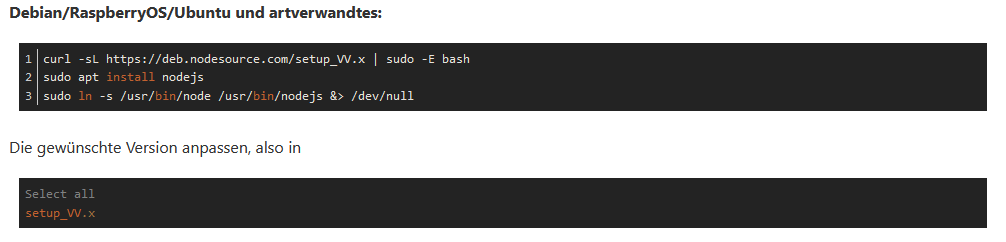
    Ja. Oder direkt in die /etc/apt/sources.list.d/nodesource.list die 16 eintragen.

    Linux-Werkzeugkasten:
    https://forum.iobroker.net/topic/42952/der-kleine-iobroker-linux-werkzeugkasten
    NodeJS Fixer Skript:
    https://forum.iobroker.net/topic/68035/iob-node-fix-skript
    iob_diag: curl -sLf -o diag.sh https://iobroker.net/diag.sh && bash diag.sh

    B 1 Antwort Letzte Antwort
    0
    • Thomas BraunT Thomas Braun

      @bastel2021

      Ja. Oder direkt in die /etc/apt/sources.list.d/nodesource.list die 16 eintragen.

      B Offline
      B Offline
      Bastel2021
      schrieb am zuletzt editiert von
      #15

      @thomas-braun
      okay das hat glaube ich geklappt!
      Und jetzt?

      Thomas BraunT 1 Antwort Letzte Antwort
      0
      • B Bastel2021

        @thomas-braun
        okay das hat glaube ich geklappt!
        Und jetzt?

        Thomas BraunT Online
        Thomas BraunT Online
        Thomas Braun
        Most Active
        schrieb am zuletzt editiert von Thomas Braun
        #16

        @bastel2021

        Nicht glauben, prüfen.

        
        uname -m && type -P nodejs node npm npx && nodejs -v && node -v && npm -v && npx -v && whoami && groups && echo $XDG_SESSION_TYPE && pwd && sudo apt-get update &> /dev/null && sudo apt-get update && apt-cache policy nodejs
        

        Linux-Werkzeugkasten:
        https://forum.iobroker.net/topic/42952/der-kleine-iobroker-linux-werkzeugkasten
        NodeJS Fixer Skript:
        https://forum.iobroker.net/topic/68035/iob-node-fix-skript
        iob_diag: curl -sLf -o diag.sh https://iobroker.net/diag.sh && bash diag.sh

        1 Antwort Letzte Antwort
        0
        • B Offline
          B Offline
          Bastel2021
          schrieb am zuletzt editiert von
          #17

          das wird ausgegeben


          pi@raspberrypi:~ $ uname -m && type -P nodejs node npm npx && nodejs -v && node -v && npm -v && npx -v && whoami && groups && echo $XDG_SESSION_TYPE && pwd && sudo apt-get update &> /dev/null && sudo apt-get update && apt-cache policy nodejs
          armv7l
          /usr/bin/nodejs
          /usr/bin/node
          /usr/bin/npm
          /usr/bin/npx
          v16.19.0
          v16.19.0
          8.19.3
          8.19.3
          pi
          pi adm dialout cdrom sudo audio video plugdev games users input render netdev lpadmin gpio i2c spi iobroker
          tty
          /home/pi
          OK:1 http://archive.raspberrypi.org/debian bullseye InRelease
          OK:2 http://raspbian.raspberrypi.org/raspbian bullseye InRelease
          OK:3 https://deb.nodesource.com/node_16.x bullseye InRelease
          OK:4 https://phoscon.de/apt/deconz bullseye InRelease
          Paketlisten werden gelesen… Fertig
          nodejs:
          Installiert: 16.19.0-deb-1nodesource1
          Installationskandidat: 16.19.0-deb-1nodesource1
          Versionstabelle:
          *** 16.19.0-deb-1nodesource1 500
          500 https://deb.nodesource.com/node_16.x bullseye/main armhf Packages
          100 /var/lib/dpkg/status
          12.22.12~dfsg-1~deb11u1 500
          500 http://raspbian.raspberrypi.org/raspbian bullseye/main armhf Packages
          pi@raspberrypi:~ $

          Thomas BraunT 1 Antwort Letzte Antwort
          0
          • B Bastel2021

            das wird ausgegeben


            pi@raspberrypi:~ $ uname -m && type -P nodejs node npm npx && nodejs -v && node -v && npm -v && npx -v && whoami && groups && echo $XDG_SESSION_TYPE && pwd && sudo apt-get update &> /dev/null && sudo apt-get update && apt-cache policy nodejs
            armv7l
            /usr/bin/nodejs
            /usr/bin/node
            /usr/bin/npm
            /usr/bin/npx
            v16.19.0
            v16.19.0
            8.19.3
            8.19.3
            pi
            pi adm dialout cdrom sudo audio video plugdev games users input render netdev lpadmin gpio i2c spi iobroker
            tty
            /home/pi
            OK:1 http://archive.raspberrypi.org/debian bullseye InRelease
            OK:2 http://raspbian.raspberrypi.org/raspbian bullseye InRelease
            OK:3 https://deb.nodesource.com/node_16.x bullseye InRelease
            OK:4 https://phoscon.de/apt/deconz bullseye InRelease
            Paketlisten werden gelesen… Fertig
            nodejs:
            Installiert: 16.19.0-deb-1nodesource1
            Installationskandidat: 16.19.0-deb-1nodesource1
            Versionstabelle:
            *** 16.19.0-deb-1nodesource1 500
            500 https://deb.nodesource.com/node_16.x bullseye/main armhf Packages
            100 /var/lib/dpkg/status
            12.22.12~dfsg-1~deb11u1 500
            500 http://raspbian.raspberrypi.org/raspbian bullseye/main armhf Packages
            pi@raspberrypi:~ $

            Thomas BraunT Online
            Thomas BraunT Online
            Thomas Braun
            Most Active
            schrieb am zuletzt editiert von
            #18

            @bastel2021

            sudo -H -u iobroker npm cache clear
            cd /opt/iobroker
            sudo -H -u iobroker npm install iobroker.js-controller
            

            Linux-Werkzeugkasten:
            https://forum.iobroker.net/topic/42952/der-kleine-iobroker-linux-werkzeugkasten
            NodeJS Fixer Skript:
            https://forum.iobroker.net/topic/68035/iob-node-fix-skript
            iob_diag: curl -sLf -o diag.sh https://iobroker.net/diag.sh && bash diag.sh

            1 Antwort Letzte Antwort
            0
            • B Offline
              B Offline
              Bastel2021
              schrieb am zuletzt editiert von
              #19

              ich glaube das sieht nicht so gut aus


              pi@raspberrypi:~ $ sudo -H -u iobroker npm cache clear

              cd /opt/iobroker

              sudo -H -u iobroker npm install iobroker.js-controller
              npm ERR! As of npm@5, the npm cache self-heals from corruption issues
              npm ERR! by treating integrity mismatches as cache misses. As a result,
              npm ERR! data extracted from the cache is guaranteed to be valid. If you
              npm ERR! want to make sure everything is consistent, use npm cache verify
              npm ERR! instead. Deleting the cache can only make npm go slower, and is
              npm ERR! not likely to correct any problems you may be encountering!
              npm ERR!
              npm ERR! On the other hand, if you're debugging an issue with the installer,
              npm ERR! or race conditions that depend on the timing of writing to an empty
              npm ERR! cache, you can use npm install --cache /tmp/empty-cache to use a
              npm ERR! temporary cache instead of nuking the actual one.
              npm ERR!
              npm ERR! If you're sure you want to delete the entire cache, rerun this command
              npm ERR! with --force.

              npm ERR! A complete log of this run can be found in:
              npm ERR! /home/iobroker/.npm/_logs/2023-01-15T15_51_24_403Z-debug-0.log
              npm WARN old lockfile
              npm WARN old lockfile The package-lock.json file was created with an old version of npm,
              npm WARN old lockfile so supplemental metadata must be fetched from the registry.
              npm WARN old lockfile
              npm WARN old lockfile This is a one-time fix-up, please be patient...
              npm WARN old lockfile
              npm ERR! code 22
              npm ERR! path /opt/iobroker/node_modules/iobroker.js-controller
              npm ERR! command failed
              npm ERR! command sh -c -- node iobroker.js setup first
              npm ERR! No connection to databases possible ...

              npm ERR! A complete log of this run can be found in:
              npm ERR! /home/iobroker/.npm/_logs/2023-01-15T15_51_26_424Z-debug-0.log
              pi@raspberrypi:/opt/iobroker $

              Thomas BraunT 1 Antwort Letzte Antwort
              0
              • B Bastel2021

                ich glaube das sieht nicht so gut aus


                pi@raspberrypi:~ $ sudo -H -u iobroker npm cache clear

                cd /opt/iobroker

                sudo -H -u iobroker npm install iobroker.js-controller
                npm ERR! As of npm@5, the npm cache self-heals from corruption issues
                npm ERR! by treating integrity mismatches as cache misses. As a result,
                npm ERR! data extracted from the cache is guaranteed to be valid. If you
                npm ERR! want to make sure everything is consistent, use npm cache verify
                npm ERR! instead. Deleting the cache can only make npm go slower, and is
                npm ERR! not likely to correct any problems you may be encountering!
                npm ERR!
                npm ERR! On the other hand, if you're debugging an issue with the installer,
                npm ERR! or race conditions that depend on the timing of writing to an empty
                npm ERR! cache, you can use npm install --cache /tmp/empty-cache to use a
                npm ERR! temporary cache instead of nuking the actual one.
                npm ERR!
                npm ERR! If you're sure you want to delete the entire cache, rerun this command
                npm ERR! with --force.

                npm ERR! A complete log of this run can be found in:
                npm ERR! /home/iobroker/.npm/_logs/2023-01-15T15_51_24_403Z-debug-0.log
                npm WARN old lockfile
                npm WARN old lockfile The package-lock.json file was created with an old version of npm,
                npm WARN old lockfile so supplemental metadata must be fetched from the registry.
                npm WARN old lockfile
                npm WARN old lockfile This is a one-time fix-up, please be patient...
                npm WARN old lockfile
                npm ERR! code 22
                npm ERR! path /opt/iobroker/node_modules/iobroker.js-controller
                npm ERR! command failed
                npm ERR! command sh -c -- node iobroker.js setup first
                npm ERR! No connection to databases possible ...

                npm ERR! A complete log of this run can be found in:
                npm ERR! /home/iobroker/.npm/_logs/2023-01-15T15_51_26_424Z-debug-0.log
                pi@raspberrypi:/opt/iobroker $

                Thomas BraunT Online
                Thomas BraunT Online
                Thomas Braun
                Most Active
                schrieb am zuletzt editiert von
                #20

                @bastel2021

                Sorry, muss

                sudo -H -u iobroker npm cache clear --force
                

                lauten.

                Linux-Werkzeugkasten:
                https://forum.iobroker.net/topic/42952/der-kleine-iobroker-linux-werkzeugkasten
                NodeJS Fixer Skript:
                https://forum.iobroker.net/topic/68035/iob-node-fix-skript
                iob_diag: curl -sLf -o diag.sh https://iobroker.net/diag.sh && bash diag.sh

                B 1 Antwort Letzte Antwort
                0
                • Thomas BraunT Thomas Braun

                  @bastel2021

                  Sorry, muss

                  sudo -H -u iobroker npm cache clear --force
                  

                  lauten.

                  B Offline
                  B Offline
                  Bastel2021
                  schrieb am zuletzt editiert von
                  #21

                  @thomas-braun


                  pi@raspberrypi:/opt/iobroker $ sudo -H -u iobroker npm cache clear --forcecd /opt/iobroker

                  sudo -H -u iobroker npm install iobroker.js-controller
                  npm WARN Not Found: /opt/iobroker
                  npm WARN old lockfile
                  npm WARN old lockfile The package-lock.json file was created with an old version of npm,
                  npm WARN old lockfile so supplemental metadata must be fetched from the registry.
                  npm WARN old lockfile
                  npm WARN old lockfile This is a one-time fix-up, please be patient...
                  npm WARN old lockfile
                  npm ERR! code 22
                  npm ERR! path /opt/iobroker/node_modules/iobroker.js-controller
                  npm ERR! command failed
                  npm ERR! command sh -c -- node iobroker.js setup first
                  npm ERR! No connection to databases possible ...

                  npm ERR! A complete log of this run can be found in:
                  npm ERR! /home/iobroker/.npm/_logs/2023-01-15T15_59_37_585Z-debug-0.log
                  pi@raspberrypi:/opt/iobroker $

                  Thomas BraunT 1 Antwort Letzte Antwort
                  0
                  • B Bastel2021

                    @thomas-braun


                    pi@raspberrypi:/opt/iobroker $ sudo -H -u iobroker npm cache clear --forcecd /opt/iobroker

                    sudo -H -u iobroker npm install iobroker.js-controller
                    npm WARN Not Found: /opt/iobroker
                    npm WARN old lockfile
                    npm WARN old lockfile The package-lock.json file was created with an old version of npm,
                    npm WARN old lockfile so supplemental metadata must be fetched from the registry.
                    npm WARN old lockfile
                    npm WARN old lockfile This is a one-time fix-up, please be patient...
                    npm WARN old lockfile
                    npm ERR! code 22
                    npm ERR! path /opt/iobroker/node_modules/iobroker.js-controller
                    npm ERR! command failed
                    npm ERR! command sh -c -- node iobroker.js setup first
                    npm ERR! No connection to databases possible ...

                    npm ERR! A complete log of this run can be found in:
                    npm ERR! /home/iobroker/.npm/_logs/2023-01-15T15_59_37_585Z-debug-0.log
                    pi@raspberrypi:/opt/iobroker $

                    Thomas BraunT Online
                    Thomas BraunT Online
                    Thomas Braun
                    Most Active
                    schrieb am zuletzt editiert von
                    #22

                    @bastel2021

                    iobroker fix
                    

                    Linux-Werkzeugkasten:
                    https://forum.iobroker.net/topic/42952/der-kleine-iobroker-linux-werkzeugkasten
                    NodeJS Fixer Skript:
                    https://forum.iobroker.net/topic/68035/iob-node-fix-skript
                    iob_diag: curl -sLf -o diag.sh https://iobroker.net/diag.sh && bash diag.sh

                    B 1 Antwort Letzte Antwort
                    0
                    • B Offline
                      B Offline
                      Bastel2021
                      schrieb am zuletzt editiert von
                      #23

                      @thomas-braun sagte in IoBroker ist nicht mehr über Browser erreichbar:

                      iobroker fix

                      1 Antwort Letzte Antwort
                      0
                      • Thomas BraunT Thomas Braun

                        @bastel2021

                        iobroker fix
                        
                        B Offline
                        B Offline
                        Bastel2021
                        schrieb am zuletzt editiert von
                        #24

                        @thomas-braun


                        pi@raspberrypi:~ $ iobroker fix
                        library: loaded
                        Library version=2022-12-09
                        ioBroker is not installed in /opt/iobroker! Cannot fix anything...
                        pi@raspberrypi:~ $

                        Thomas BraunT 1 Antwort Letzte Antwort
                        0
                        • B Bastel2021

                          @thomas-braun


                          pi@raspberrypi:~ $ iobroker fix
                          library: loaded
                          Library version=2022-12-09
                          ioBroker is not installed in /opt/iobroker! Cannot fix anything...
                          pi@raspberrypi:~ $

                          Thomas BraunT Online
                          Thomas BraunT Online
                          Thomas Braun
                          Most Active
                          schrieb am zuletzt editiert von Thomas Braun
                          #25

                          @bastel2021

                          Bitte statt der Spoiler lieber CodeTags verwenden. Danke.

                          Linux-Werkzeugkasten:
                          https://forum.iobroker.net/topic/42952/der-kleine-iobroker-linux-werkzeugkasten
                          NodeJS Fixer Skript:
                          https://forum.iobroker.net/topic/68035/iob-node-fix-skript
                          iob_diag: curl -sLf -o diag.sh https://iobroker.net/diag.sh && bash diag.sh

                          B 1 Antwort Letzte Antwort
                          0
                          • Thomas BraunT Thomas Braun

                            @bastel2021

                            Bitte statt der Spoiler lieber CodeTags verwenden. Danke.

                            B Offline
                            B Offline
                            Bastel2021
                            schrieb am zuletzt editiert von
                            #26

                            @thomas-braun

                            pi@raspberrypi:~ $ iobroker fix
                            library: loaded
                            Library version=2022-12-09
                            ioBroker is not installed in /opt/iobroker! Cannot fix anything...
                            pi@raspberrypi:~ $
                            
                            Thomas BraunT 1 Antwort Letzte Antwort
                            0
                            • B Bastel2021

                              @thomas-braun

                              pi@raspberrypi:~ $ iobroker fix
                              library: loaded
                              Library version=2022-12-09
                              ioBroker is not installed in /opt/iobroker! Cannot fix anything...
                              pi@raspberrypi:~ $
                              
                              Thomas BraunT Online
                              Thomas BraunT Online
                              Thomas Braun
                              Most Active
                              schrieb am zuletzt editiert von
                              #27

                              @bastel2021

                              cd /opt/iobroker
                              sudo -H -u iobroker npm install iobroker.js-controller
                              

                              Linux-Werkzeugkasten:
                              https://forum.iobroker.net/topic/42952/der-kleine-iobroker-linux-werkzeugkasten
                              NodeJS Fixer Skript:
                              https://forum.iobroker.net/topic/68035/iob-node-fix-skript
                              iob_diag: curl -sLf -o diag.sh https://iobroker.net/diag.sh && bash diag.sh

                              B 1 Antwort Letzte Antwort
                              0
                              • Thomas BraunT Thomas Braun

                                @bastel2021

                                cd /opt/iobroker
                                sudo -H -u iobroker npm install iobroker.js-controller
                                
                                B Offline
                                B Offline
                                Bastel2021
                                schrieb am zuletzt editiert von
                                #28

                                @thomas-braun

                                pi@raspberrypi:/opt/iobroker $ sudo -H -u iobroker npm install iobroker.js-controller
                                npm WARN old lockfile
                                npm WARN old lockfile The package-lock.json file was created with an old version of npm,
                                npm WARN old lockfile so supplemental metadata must be fetched from the registry.
                                npm WARN old lockfile
                                npm WARN old lockfile This is a one-time fix-up, please be patient...
                                npm WARN old lockfile
                                npm ERR! code 22
                                npm ERR! path /opt/iobroker/node_modules/iobroker.js-controller
                                npm ERR! command failed
                                npm ERR! command sh -c -- node iobroker.js setup first
                                npm ERR! No connection to databases possible ...
                                
                                npm ERR! A complete log of this run can be found in:
                                npm ERR!     /home/iobroker/.npm/_logs/2023-01-15T16_15_40_711Z-debug-0.log
                                pi@raspberrypi:/opt/iobroker $
                                
                                
                                Thomas BraunT 1 Antwort Letzte Antwort
                                0
                                • B Bastel2021

                                  @thomas-braun

                                  pi@raspberrypi:/opt/iobroker $ sudo -H -u iobroker npm install iobroker.js-controller
                                  npm WARN old lockfile
                                  npm WARN old lockfile The package-lock.json file was created with an old version of npm,
                                  npm WARN old lockfile so supplemental metadata must be fetched from the registry.
                                  npm WARN old lockfile
                                  npm WARN old lockfile This is a one-time fix-up, please be patient...
                                  npm WARN old lockfile
                                  npm ERR! code 22
                                  npm ERR! path /opt/iobroker/node_modules/iobroker.js-controller
                                  npm ERR! command failed
                                  npm ERR! command sh -c -- node iobroker.js setup first
                                  npm ERR! No connection to databases possible ...
                                  
                                  npm ERR! A complete log of this run can be found in:
                                  npm ERR!     /home/iobroker/.npm/_logs/2023-01-15T16_15_40_711Z-debug-0.log
                                  pi@raspberrypi:/opt/iobroker $
                                  
                                  
                                  Thomas BraunT Online
                                  Thomas BraunT Online
                                  Thomas Braun
                                  Most Active
                                  schrieb am zuletzt editiert von
                                  #29

                                  @bastel2021 sagte in IoBroker ist nicht mehr über Browser erreichbar:

                                  sudo -H -u iobroker npm install iobroker.js-controller --debug
                                  

                                  Linux-Werkzeugkasten:
                                  https://forum.iobroker.net/topic/42952/der-kleine-iobroker-linux-werkzeugkasten
                                  NodeJS Fixer Skript:
                                  https://forum.iobroker.net/topic/68035/iob-node-fix-skript
                                  iob_diag: curl -sLf -o diag.sh https://iobroker.net/diag.sh && bash diag.sh

                                  B 1 Antwort Letzte Antwort
                                  0
                                  • Thomas BraunT Thomas Braun

                                    @bastel2021 sagte in IoBroker ist nicht mehr über Browser erreichbar:

                                    sudo -H -u iobroker npm install iobroker.js-controller --debug
                                    
                                    B Offline
                                    B Offline
                                    Bastel2021
                                    schrieb am zuletzt editiert von
                                    #30

                                    @thomas-braun

                                    pi@raspberrypi:/opt/iobroker $ sudo -H -u iobroker npm install iobroker.js-controller --debug
                                    npm WARN old lockfile
                                    npm WARN old lockfile The package-lock.json file was created with an old version of npm,
                                    npm WARN old lockfile so supplemental metadata must be fetched from the registry.
                                    npm WARN old lockfile
                                    npm WARN old lockfile This is a one-time fix-up, please be patient...
                                    npm WARN old lockfile
                                    npm ERR! code 22
                                    npm ERR! path /opt/iobroker/node_modules/iobroker.js-controller
                                    npm ERR! command failed
                                    npm ERR! command sh -c -- node iobroker.js setup first
                                    npm ERR! No connection to databases possible ...
                                    
                                    npm ERR! A complete log of this run can be found in:
                                    npm ERR!     /home/iobroker/.npm/_logs/2023-01-15T16_20_29_487Z-debug-0.log
                                    pi@raspberrypi:/opt/iobroker $
                                    
                                    
                                    Thomas BraunT 1 Antwort Letzte Antwort
                                    0
                                    • B Bastel2021

                                      @thomas-braun

                                      pi@raspberrypi:/opt/iobroker $ sudo -H -u iobroker npm install iobroker.js-controller --debug
                                      npm WARN old lockfile
                                      npm WARN old lockfile The package-lock.json file was created with an old version of npm,
                                      npm WARN old lockfile so supplemental metadata must be fetched from the registry.
                                      npm WARN old lockfile
                                      npm WARN old lockfile This is a one-time fix-up, please be patient...
                                      npm WARN old lockfile
                                      npm ERR! code 22
                                      npm ERR! path /opt/iobroker/node_modules/iobroker.js-controller
                                      npm ERR! command failed
                                      npm ERR! command sh -c -- node iobroker.js setup first
                                      npm ERR! No connection to databases possible ...
                                      
                                      npm ERR! A complete log of this run can be found in:
                                      npm ERR!     /home/iobroker/.npm/_logs/2023-01-15T16_20_29_487Z-debug-0.log
                                      pi@raspberrypi:/opt/iobroker $
                                      
                                      
                                      Thomas BraunT Online
                                      Thomas BraunT Online
                                      Thomas Braun
                                      Most Active
                                      schrieb am zuletzt editiert von
                                      #31

                                      @bastel2021

                                      ls -lAh /opt/iobroker/iobroker-data/
                                      

                                      Linux-Werkzeugkasten:
                                      https://forum.iobroker.net/topic/42952/der-kleine-iobroker-linux-werkzeugkasten
                                      NodeJS Fixer Skript:
                                      https://forum.iobroker.net/topic/68035/iob-node-fix-skript
                                      iob_diag: curl -sLf -o diag.sh https://iobroker.net/diag.sh && bash diag.sh

                                      B 1 Antwort Letzte Antwort
                                      0
                                      • Thomas BraunT Thomas Braun

                                        @bastel2021

                                        ls -lAh /opt/iobroker/iobroker-data/
                                        
                                        B Offline
                                        B Offline
                                        Bastel2021
                                        schrieb am zuletzt editiert von
                                        #32

                                        @thomas-braun

                                        pi@raspberrypi:/opt/iobroker $ ls -lAh /opt/iobroker/iobroker-data/
                                        insgesamt 650M
                                        drwxrwxr-x+  2 iobroker iobroker 4,0K 22. Mär 2022  backitup
                                        drwxrwxr-x+  2 iobroker iobroker 4,0K 15. Jan 12:35 backup-objects
                                        drwxrwxr-x+ 17 iobroker iobroker 4,0K 14. Jan 17:26 files
                                        -rw-rwxr--+  1 iobroker iobroker 7,4K 22. Mär 2022  iobroker.json
                                        drwxrwxr-x+  4 iobroker iobroker 4,0K  1. Jan 14:32 node-red
                                        -rw-rw-r--+  1 iobroker iobroker    3 25. Mär 2022  notifications.json
                                        -rw-rwxr--+  1 iobroker iobroker 648M 15. Jan 14:12 objects.jsonl
                                        -rw-rw-r--+  1 iobroker iobroker 1,7M 15. Jan 15:01 states.jsonl
                                        drwxrwxr-x+  2 iobroker iobroker 4,0K 15. Jan 14:12 zigbee_0
                                        pi@raspberrypi:/opt/iobroker $
                                        
                                        
                                        Thomas BraunT 1 Antwort Letzte Antwort
                                        0
                                        • B Bastel2021

                                          @thomas-braun

                                          pi@raspberrypi:/opt/iobroker $ ls -lAh /opt/iobroker/iobroker-data/
                                          insgesamt 650M
                                          drwxrwxr-x+  2 iobroker iobroker 4,0K 22. Mär 2022  backitup
                                          drwxrwxr-x+  2 iobroker iobroker 4,0K 15. Jan 12:35 backup-objects
                                          drwxrwxr-x+ 17 iobroker iobroker 4,0K 14. Jan 17:26 files
                                          -rw-rwxr--+  1 iobroker iobroker 7,4K 22. Mär 2022  iobroker.json
                                          drwxrwxr-x+  4 iobroker iobroker 4,0K  1. Jan 14:32 node-red
                                          -rw-rw-r--+  1 iobroker iobroker    3 25. Mär 2022  notifications.json
                                          -rw-rwxr--+  1 iobroker iobroker 648M 15. Jan 14:12 objects.jsonl
                                          -rw-rw-r--+  1 iobroker iobroker 1,7M 15. Jan 15:01 states.jsonl
                                          drwxrwxr-x+  2 iobroker iobroker 4,0K 15. Jan 14:12 zigbee_0
                                          pi@raspberrypi:/opt/iobroker $
                                          
                                          
                                          Thomas BraunT Online
                                          Thomas BraunT Online
                                          Thomas Braun
                                          Most Active
                                          schrieb am zuletzt editiert von
                                          #33

                                          @bastel2021 sagte in IoBroker ist nicht mehr über Browser erreichbar:

                                          648M 15. Jan 14:12 objects.jsonl

                                          Die könnte etwas fett sein.

                                          iob fix
                                          

                                          Linux-Werkzeugkasten:
                                          https://forum.iobroker.net/topic/42952/der-kleine-iobroker-linux-werkzeugkasten
                                          NodeJS Fixer Skript:
                                          https://forum.iobroker.net/topic/68035/iob-node-fix-skript
                                          iob_diag: curl -sLf -o diag.sh https://iobroker.net/diag.sh && bash diag.sh

                                          B 1 Antwort Letzte Antwort
                                          0
                                          Antworten
                                          • In einem neuen Thema antworten
                                          Anmelden zum Antworten
                                          • Älteste zuerst
                                          • Neuste zuerst
                                          • Meiste Stimmen


                                          Support us

                                          ioBroker
                                          Community Adapters
                                          Donate

                                          703

                                          Online

                                          32.5k

                                          Benutzer

                                          81.8k

                                          Themen

                                          1.3m

                                          Beiträge
                                          Community
                                          Impressum | Datenschutz-Bestimmungen | Nutzungsbedingungen | Einwilligungseinstellungen
                                          ioBroker Community 2014-2025
                                          logo
                                          • Anmelden

                                          • Du hast noch kein Konto? Registrieren

                                          • Anmelden oder registrieren, um zu suchen
                                          • Erster Beitrag
                                            Letzter Beitrag
                                          0
                                          • Home
                                          • Aktuell
                                          • Tags
                                          • Ungelesen 0
                                          • Kategorien
                                          • Unreplied
                                          • Beliebt
                                          • GitHub
                                          • Docu
                                          • Hilfe