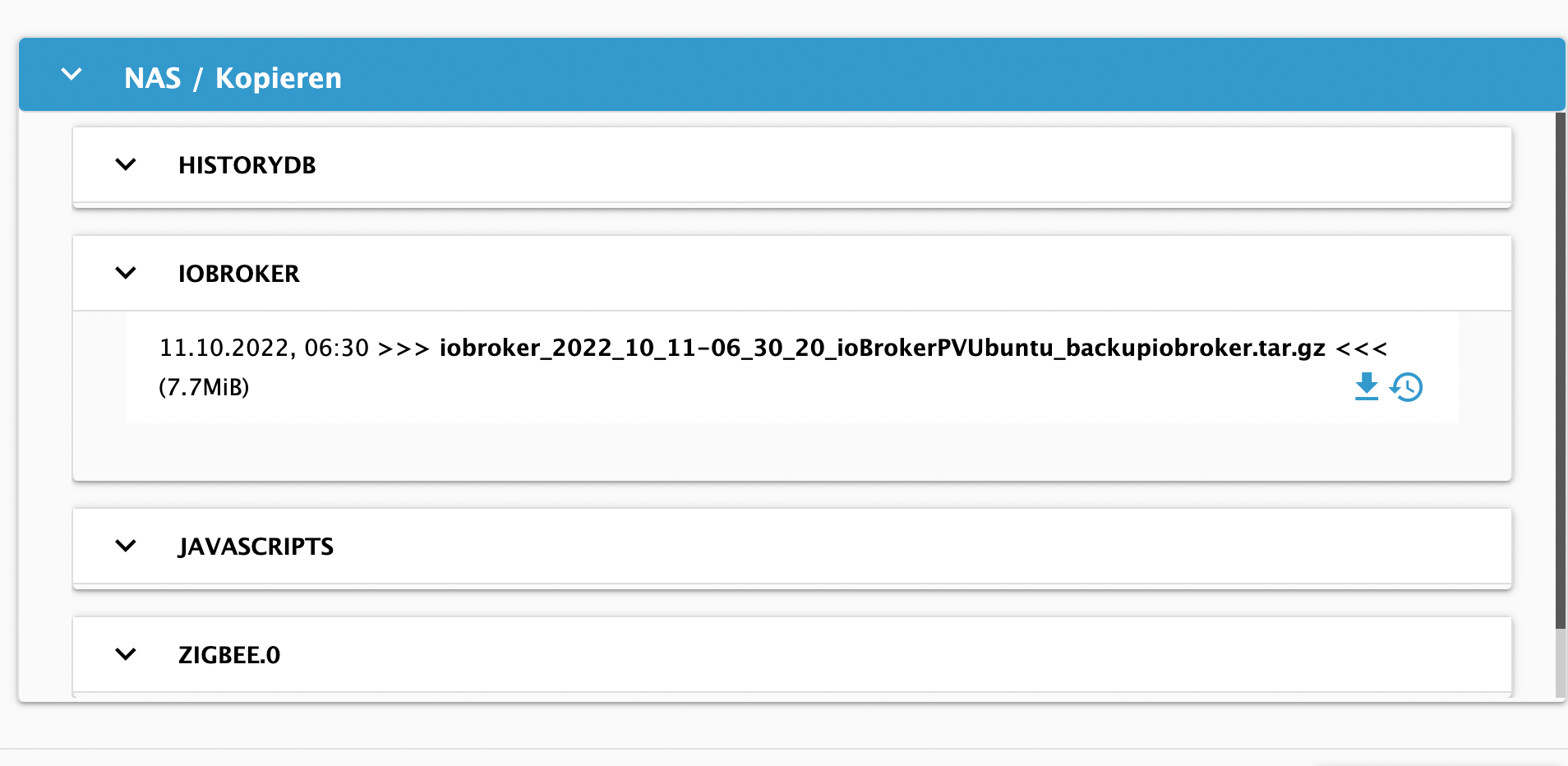
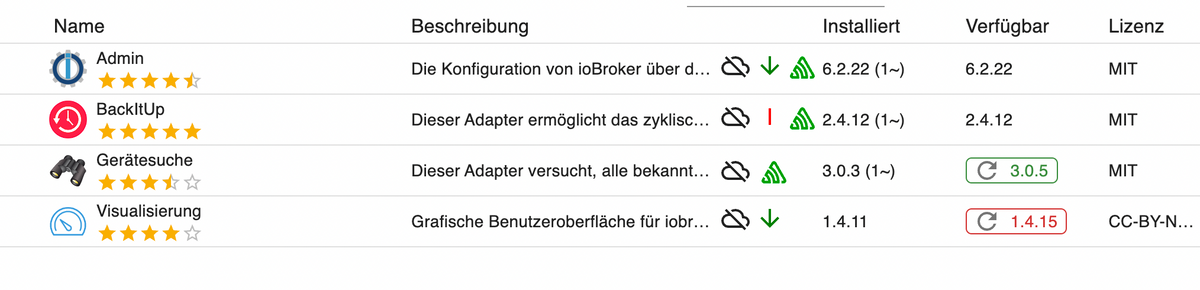
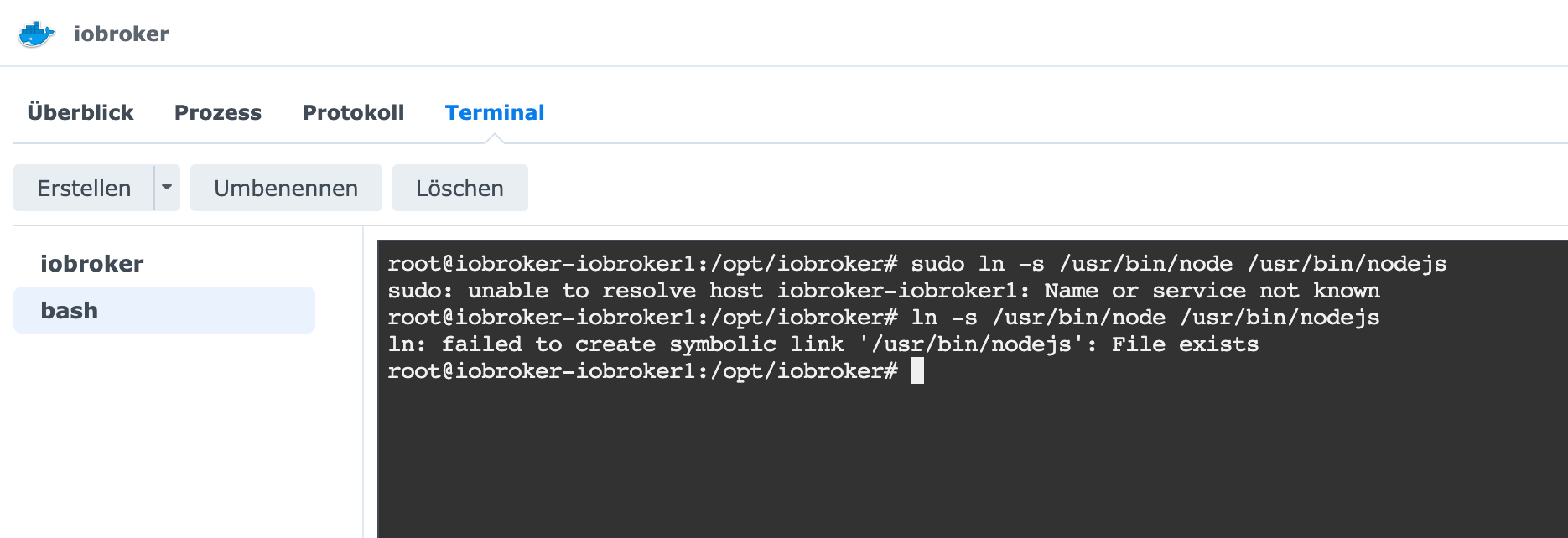
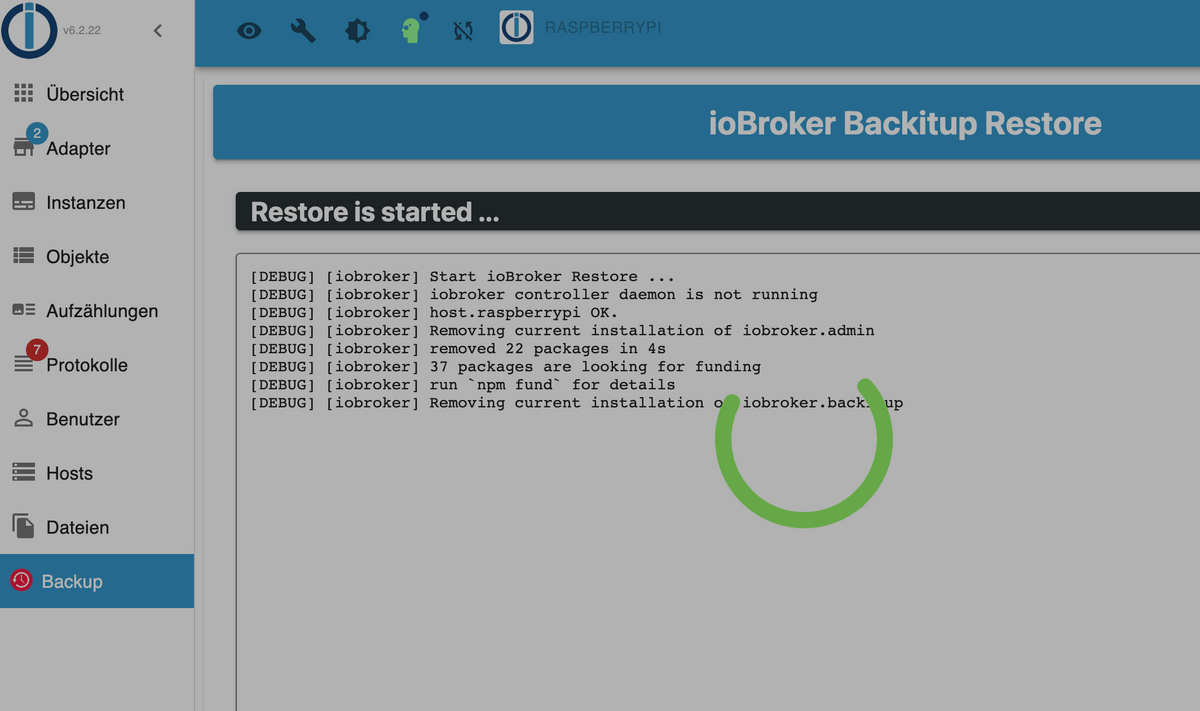
@humidor und jetzt bitte erstmal KEINE Updates machen sondern den Backitup-Adapter installieren, konfigurieren, das gewünschte Backup draufspülen und nach Start vom Backup erstmal für ne Stunde absolut nichts machen, weder an der Konsole noch im Browser.
Dann klappt das auch
@humidor und jetzt bitte erstmal KEINE Updates machen sondern den Backitup-Adapter installieren, konfigurieren, das gewünschte Backup draufspülen und nach Start vom Backup erstmal für ne Stunde absolut nichts machen, weder an der Konsole noch im Browser.
Dann klappt das auch
@djmarc75 OK, ich hole jetzt das Backup, dann bin ich für Stunden weg, mal sehen was los ist, wenn ich zurück bin :)
das das Backup von einem Docker iobroker ist, ist irrelevant oder?
@djmarc75 OK, ich hole jetzt das Backup, dann bin ich für Stunden weg, mal sehen was los ist, wenn ich zurück bin :)
das das Backup von einem Docker iobroker ist, ist irrelevant oder?
@djmarc75 OK, ich hole jetzt das Backup, dann bin ich für Stunden weg, mal sehen was los ist, wenn ich zurück bin :)
das das Backup von einem Docker iobroker ist, ist irrelevant oder?
@humidor ok, ich will jetzt nicht sagen dass das aktuell ist aber dem schenken wir jetzt erstmal keine Aufmerksamkeit.
Kann man später korrigieren wenn das neue System läuft.
Backup auf dem Raspberry starten und dann "Finger weg"
@humidor ok, ich will jetzt nicht sagen dass das aktuell ist aber dem schenken wir jetzt erstmal keine Aufmerksamkeit.
Kann man später korrigieren wenn das neue System läuft.
Backup auf dem Raspberry starten und dann "Finger weg"
@thomas-braun so, bin wieder da (nur kurz)
iobroker läuft noch, schaut aber noch nicht so gut aus
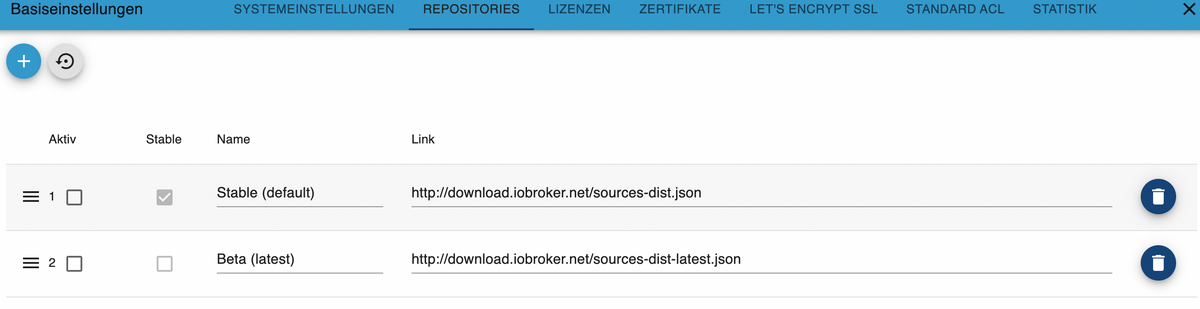
er hat die aktive Stable Variante deaktiviert, diese werde ich dann mal wieder aktivieren.
das kann auch damit zusammen hängen, dass im Backup die Beta aktiv sind
2022-10-12 07:30:25.820 - info: host.raspberrypi iobroker.js-controller version 4.0.23 js-controller starting
2022-10-12 07:30:25.828 - info: host.raspberrypi Copyright (c) 2014-2022 bluefox, 2014 hobbyquaker
2022-10-12 07:30:25.829 - info: host.raspberrypi hostname: raspberrypi, node: v16.17.1
2022-10-12 07:30:25.831 - info: host.raspberrypi ip addresses: 192.168.0.92 fe80::e082:9e21:c57f:d9dc 192.168.0.93 fe80::347f:b2c:baa2:692e
2022-10-12 07:30:26.329 - info: host.raspberrypi connected to Objects and States
2022-10-12 07:30:26.360 - info: host.raspberrypi Node.js version has changed from unknown to 16.17.1
2022-10-12 07:30:26.412 - info: host.raspberrypi Successfully updated capabilities "cap_net_admin, cap_net_bind_service, cap_net_raw" for /usr/bin/node
2022-10-12 07:30:26.432 - info: host.raspberrypi added notifications configuration of host
2022-10-12 07:30:26.764 - info: host.raspberrypi 3 instances found
2022-10-12 07:30:26.774 - info: host.raspberrypi starting 3 instances
2022-10-12 07:30:26.846 - info: host.raspberrypi instance system.adapter.admin.0 started with pid 7036
2022-10-12 07:30:28.890 - info: admin.0 (7036) starting. Version 6.2.22 in /opt/iobroker/node_modules/iobroker.admin, node: v16.17.1, js-controller: 4.0.23
2022-10-12 07:30:28.945 - info: admin.0 (7036) requesting all states
2022-10-12 07:30:28.947 - info: admin.0 (7036) requesting all objects
2022-10-12 07:30:29.059 - info: admin.0 (7036) received all objects
2022-10-12 07:30:29.327 - info: admin.0 (7036) http server listening on port 8081
2022-10-12 07:30:29.328 - info: admin.0 (7036) Use link "http://localhost:8081" to configure.
2022-10-12 07:30:29.337 - info: admin.0 (7036) socket.io server listening on port 8081
2022-10-12 07:30:29.399 - warn: admin.0 (7036) Repository cannot be read: Active repo - stable
2022-10-12 07:30:29.400 - warn: admin.0 (7036) Active repository "stable" cannot be read
2022-10-12 07:30:30.802 - info: host.raspberrypi instance system.adapter.discovery.0 started with pid 7063
2022-10-12 07:30:32.462 - info: discovery.0 (7063) starting. Version 3.0.3 in /opt/iobroker/node_modules/iobroker.discovery, node: v16.17.1, js-controller: 4.0.23
2022-10-12 07:30:34.801 - info: host.raspberrypi instance system.adapter.backitup.0 started with pid 7078
2022-10-12 07:30:36.668 - info: backitup.0 (7078) starting. Version 2.4.12 in /opt/iobroker/node_modules/iobroker.backitup, node: v16.17.1, js-controller: 4.0.23
2022-10-12 07:30:36.750 - info: backitup.0 (7078) [iobroker] backup was activated at 02:40 every 1 day(s)
2022-10-12 07:34:35.154 - info: admin.0 (7036) ==> Connected system.user.admin from ::ffff:192.168.0.139
2022-10-12 07:34:35.527 - info: host.raspberrypi Updating repository "stable" under "http://download.iobroker.net/sources-dist.json"
2022-10-12 07:36:10.244 - info: vis.0 (7191) starting. Version 1.4.11 in /opt/iobroker/node_modules/iobroker.vis, node: v16.17.1, js-controller: 4.0.23
2022-10-12 07:36:10.314 - info: vis.0 (7191) Changes in index.html detected => update cache.manifest
2022-10-12 07:36:10.324 - error: vis.0 (7191) No license found for vis. Please get one on https://iobroker.net !
2022-10-12 07:36:10.340 - info: vis.0 (7191) config.js changed. Upload.
2022-10-12 07:36:10.384 - info: vis.0 (7191) Changes in index.html detected => update cache.manifest
2022-10-12 07:36:10.395 - info: vis.0 (7191) Upload vis anew, while changes detected...
2022-10-12 07:36:13.948 - info: vis.0 (7191) Uploaded. 0
2022-10-12 07:36:14.462 - info: vis.0 (7191) Terminated (NO_ERROR): Without reason
2022-10-12 07:36:30.614 - info: host.raspberrypi received SIGTERM
2022-10-12 07:36:30.629 - info: backitup.0 (7078) cleaned everything up...
2022-10-12 07:36:30.624 - info: host.raspberrypi stopInstance system.adapter.admin.0 (force=false, process=true)
2022-10-12 07:36:30.625 - info: host.raspberrypi stopInstance system.adapter.discovery.0 (force=false, process=true)
2022-10-12 07:36:30.626 - info: host.raspberrypi stopInstance system.adapter.backitup.0 (force=false, process=true)
2022-10-12 07:36:30.628 - info: admin.0 (7036) terminating http server on port 8081
2022-10-12 07:36:30.675 - info: admin.0 (7036) Got terminate signal TERMINATE_YOURSELF
2022-10-12 07:36:30.678 - info: discovery.0 (7063) Got terminate signal TERMINATE_YOURSELF
2022-10-12 07:36:30.679 - info: backitup.0 (7078) Got terminate signal TERMINATE_YOURSELF
2022-10-12 07:36:30.688 - info: admin.0 (7036) Terminated (START_IMMEDIATELY_AFTER_STOP): Without reason
2022-10-12 07:36:30.690 - info: host.raspberrypi stopInstance system.adapter.admin.0 send kill signal
2022-10-12 07:36:30.690 - info: discovery.0 (7063) Terminated (START_IMMEDIATELY_AFTER_STOP): Without reason
2022-10-12 07:36:30.696 - info: host.raspberrypi stopInstance system.adapter.discovery.0 send kill signal
2022-10-12 07:36:30.696 - info: backitup.0 (7078) Terminated (START_IMMEDIATELY_AFTER_STOP): Without reason
2022-10-12 07:36:30.697 - info: host.raspberrypi stopInstance system.adapter.backitup.0 send kill signal
2022-10-12 07:36:31.270 - info: host.raspberrypi instance system.adapter.discovery.0 terminated with code 156 (START_IMMEDIATELY_AFTER_STOP)
2022-10-12 07:36:31.318 - info: host.raspberrypi instance system.adapter.admin.0 terminated with code 156 (START_IMMEDIATELY_AFTER_STOP)
2022-10-12 07:36:31.356 - info: host.raspberrypi instance system.adapter.backitup.0 terminated with code 156 (START_IMMEDIATELY_AFTER_STOP)
2022-10-12 07:36:31.357 - info: host.raspberrypi All instances are stopped.
2022-10-12 07:36:31.462 - info: host.raspberrypi terminated
2022-10-12 07:36:39.163 - info: host.raspberrypi iobroker.js-controller version 4.0.23 js-controller starting
2022-10-12 07:36:39.170 - info: host.raspberrypi Copyright (c) 2014-2022 bluefox, 2014 hobbyquaker
2022-10-12 07:36:39.172 - info: host.raspberrypi hostname: raspberrypi, node: v16.17.1
2022-10-12 07:36:39.173 - info: host.raspberrypi ip addresses:
2022-10-12 07:36:39.888 - info: host.raspberrypi connected to Objects and States
2022-10-12 07:36:39.916 - info: host.raspberrypi added notifications configuration of host
2022-10-12 07:36:40.442 - info: host.raspberrypi Delete state "system.host.raspberrypi.versions.nodeCurrent"
2022-10-12 07:36:40.451 - info: host.raspberrypi 3 instances found
2022-10-12 07:36:40.461 - info: host.raspberrypi starting 3 instances
2022-10-12 07:36:40.527 - info: host.raspberrypi instance system.adapter.admin.0 started with pid 572
2022-10-12 07:36:40.547 - info: host.raspberrypi Delete state "system.host.raspberrypi.versions.nodeNewest"
2022-10-12 07:36:40.610 - info: host.raspberrypi Delete state "system.host.raspberrypi.versions.nodeNewestNext"
2022-10-12 07:36:40.625 - info: host.raspberrypi Delete state "system.host.raspberrypi.versions.npmCurrent"
2022-10-12 07:36:40.639 - info: host.raspberrypi Delete state "system.host.raspberrypi.versions.npmNewest"
2022-10-12 07:36:40.654 - info: host.raspberrypi Delete state "system.host.raspberrypi.versions.npmNewestNext"
2022-10-12 07:36:40.668 - info: host.raspberrypi Some obsolete host states deleted.
2022-10-12 07:36:43.077 - info: admin.0 (572) starting. Version 6.2.22 in /opt/iobroker/node_modules/iobroker.admin, node: v16.17.1, js-controller: 4.0.23
2022-10-12 07:36:43.132 - info: admin.0 (572) requesting all states
2022-10-12 07:36:43.133 - info: admin.0 (572) requesting all objects
2022-10-12 07:36:43.213 - warn: admin.0 (572) Cannot check node.js versions: Error: getaddrinfo EAI_AGAIN nodejs.org
2022-10-12 07:36:43.231 - warn: admin.0 (572) Cannot update news: getaddrinfo EAI_AGAIN iobroker.live
2022-10-12 07:36:43.590 - info: admin.0 (572) received all objects
2022-10-12 07:36:44.030 - info: admin.0 (572) http server listening on port 8081
2022-10-12 07:36:44.032 - info: admin.0 (572) Use link "http://localhost:8081" to configure.
2022-10-12 07:36:44.044 - info: admin.0 (572) socket.io server listening on port 8081
2022-10-12 07:36:44.110 - warn: admin.0 (572) Cannot update rating: getaddrinfo EAI_AGAIN rating.iobroker.net
2022-10-12 07:36:44.491 - info: host.raspberrypi instance system.adapter.discovery.0 started with pid 627
2022-10-12 07:36:59.365 - info: discovery.0 (627) starting. Version 3.0.3 in /opt/iobroker/node_modules/iobroker.discovery, node: v16.17.1, js-controller: 4.0.23
2022-10-12 07:37:01.549 - info: host.raspberrypi instance system.adapter.backitup.0 started with pid 702
2022-10-12 07:37:01.648 - info: admin.0 (572) ==> Connected system.user.admin from ::ffff:192.168.0.139
2022-10-12 07:37:03.417 - info: backitup.0 (702) starting. Version 2.4.12 in /opt/iobroker/node_modules/iobroker.backitup, node: v16.17.1, js-controller: 4.0.23
2022-10-12 07:37:03.494 - info: backitup.0 (702) [iobroker] backup was activated at 02:40 every 1 day(s)
2022-10-12 07:47:30.795 - info: admin.0 (572) ==> Connected system.user.admin from ::ffff:192.168.0.139
2022-10-12 07:47:58.110 - info: host.raspberrypi stopInstance system.adapter.backitup.0 (force=false, process=true)
2022-10-12 07:47:58.120 - info: backitup.0 (702) Got terminate signal TERMINATE_YOURSELF
2022-10-12 07:47:58.123 - info: backitup.0 (702) cleaned everything up...
2022-10-12 07:47:58.124 - info: backitup.0 (702) terminating
2022-10-12 07:47:58.126 - info: backitup.0 (702) Terminated (ADAPTER_REQUESTED_TERMINATION): Without reason
2022-10-12 07:47:58.163 - info: host.raspberrypi stopInstance system.adapter.backitup.0 send kill signal
2022-10-12 07:47:58.544 - info: admin.0 (572) <== Disconnect system.user.admin from ::ffff:192.168.0.139
2022-10-12 07:47:58.688 - info: host.raspberrypi instance system.adapter.backitup.0 terminated with code 11 (ADAPTER_REQUESTED_TERMINATION)
2022-10-12 07:48:01.190 - info: host.raspberrypi instance system.adapter.backitup.0 started with pid 798
2022-10-12 07:48:03.026 - info: backitup.0 (798) starting. Version 2.4.12 in /opt/iobroker/node_modules/iobroker.backitup, node: v16.17.1, js-controller: 4.0.23
2022-10-12 07:48:03.122 - info: backitup.0 (798) [iobroker] backup was activated at 02:40 every 1 day(s)
2022-10-12 07:49:52.026 - info: admin.0 (572) ==> Connected system.user.admin from ::ffff:192.168.0.139
2022-10-12 08:17:08.116 - info: host.raspberrypi iobroker.js-controller version 4.0.23 js-controller starting
2022-10-12 08:17:08.123 - info: host.raspberrypi Copyright (c) 2014-2022 bluefox, 2014 hobbyquaker
2022-10-12 08:17:08.124 - info: host.raspberrypi hostname: raspberrypi, node: v16.17.1
2022-10-12 08:17:08.126 - info: host.raspberrypi ip addresses:
2022-10-12 08:17:08.859 - info: host.raspberrypi connected to Objects and States
2022-10-12 08:17:08.888 - info: host.raspberrypi added notifications configuration of host
2022-10-12 08:17:09.402 - info: host.raspberrypi 3 instances found
2022-10-12 08:17:09.411 - info: host.raspberrypi starting 3 instances
2022-10-12 08:17:09.506 - info: host.raspberrypi instance system.adapter.admin.0 started with pid 576
2022-10-12 08:17:11.431 - error: admin.0 (576) admin.0 already running
2022-10-12 08:17:11.436 - warn: admin.0 (576) Terminated (ADAPTER_ALREADY_RUNNING): Without reason
2022-10-12 08:17:12.009 - error: host.raspberrypi instance system.adapter.admin.0 terminated with code 7 (ADAPTER_ALREADY_RUNNING)
2022-10-12 08:17:12.011 - info: host.raspberrypi Restart adapter system.adapter.admin.0 because enabled
2022-10-12 08:17:13.447 - info: host.raspberrypi instance system.adapter.discovery.0 started with pid 628
2022-10-12 08:17:14.754 - error: discovery.0 (628) discovery.0 already running
2022-10-12 08:17:14.759 - warn: discovery.0 (628) Terminated (ADAPTER_ALREADY_RUNNING): Without reason
2022-10-12 08:17:15.309 - error: host.raspberrypi instance system.adapter.discovery.0 terminated with code 7 (ADAPTER_ALREADY_RUNNING)
2022-10-12 08:17:15.310 - info: host.raspberrypi Restart adapter system.adapter.discovery.0 because enabled
2022-10-12 13:28:32.113 - info: host.raspberrypi instance system.adapter.backitup.0 started with pid 763
2022-10-12 13:28:33.501 - error: backitup.0 (763) backitup.0 already running
2022-10-12 13:28:33.506 - warn: backitup.0 (763) Terminated (ADAPTER_ALREADY_RUNNING): Without reason
2022-10-12 13:28:34.050 - error: host.raspberrypi instance system.adapter.backitup.0 terminated with code 7 (ADAPTER_ALREADY_RUNNING)
2022-10-12 13:28:34.051 - info: host.raspberrypi Restart adapter system.adapter.backitup.0 because enabled
2022-10-12 13:28:56.694 - info: host.raspberrypi instance system.adapter.admin.0 started with pid 776
2022-10-12 13:28:58.723 - info: admin.0 (776) starting. Version 6.2.22 in /opt/iobroker/node_modules/iobroker.admin, node: v16.17.1, js-controller: 4.0.23
2022-10-12 13:28:58.783 - info: admin.0 (776) requesting all states
2022-10-12 13:28:58.784 - info: admin.0 (776) requesting all objects
2022-10-12 13:28:59.270 - info: admin.0 (776) received all objects
2022-10-12 13:28:59.815 - info: admin.0 (776) http server listening on port 8081
2022-10-12 13:28:59.817 - info: admin.0 (776) Use link "http://localhost:8081" to configure.
2022-10-12 13:28:59.827 - info: admin.0 (776) socket.io server listening on port 8081
2022-10-12 13:28:59.993 - info: host.raspberrypi instance system.adapter.discovery.0 started with pid 801
2022-10-12 13:29:01.918 - info: discovery.0 (801) starting. Version 3.0.3 in /opt/iobroker/node_modules/iobroker.discovery, node: v16.17.1, js-controller: 4.0.23
2022-10-12 13:29:04.078 - info: host.raspberrypi instance system.adapter.backitup.0 started with pid 820
2022-10-12 13:29:05.897 - info: backitup.0 (820) starting. Version 2.4.12 in /opt/iobroker/node_modules/iobroker.backitup, node: v16.17.1, js-controller: 4.0.23
2022-10-12 13:29:05.970 - info: backitup.0 (820) [iobroker] backup was activated at 02:40 every 1 day(s)
2022-10-12 13:56:43.336 - info: admin.0 (776) ==> Connected system.user.admin from ::ffff:192.168.0.193
2022-10-12 13:57:01.801 - info: admin.0 (776) ==> Connected system.user.admin from ::ffff:192.168.0.193
2022-10-12 13:57:03.411 - info: admin.0 (776) <== Disconnect system.user.admin from ::ffff:192.168.0.193
2022-10-12 14:03:10.222 - info: admin.0 (776) ==> Connected system.user.admin from ::ffff:192.168.0.193
2022-10-12 14:16:27.204 - info: host.raspberrypi received SIGTERM
2022-10-12 14:16:27.209 - info: admin.0 (776) terminating http server on port 8081
2022-10-12 14:16:27.206 - info: backitup.0 (820) cleaned everything up...
2022-10-12 14:16:27.209 - info: host.raspberrypi stopInstance system.adapter.admin.0 (force=false, process=true)
2022-10-12 14:16:27.210 - info: host.raspberrypi stopInstance system.adapter.discovery.0 (force=false, process=true)
2022-10-12 14:16:27.210 - info: host.raspberrypi stopInstance system.adapter.backitup.0 (force=false, process=true)
2022-10-12 14:16:27.229 - info: backitup.0 (820) Got terminate signal TERMINATE_YOURSELF
2022-10-12 14:16:27.231 - info: admin.0 (776) Got terminate signal TERMINATE_YOURSELF
2022-10-12 14:16:27.234 - info: host.raspberrypi stopInstance system.adapter.admin.0 send kill signal
2022-10-12 14:16:27.236 - info: admin.0 (776) Terminated (START_IMMEDIATELY_AFTER_STOP): Without reason
2022-10-12 14:16:27.236 - info: host.raspberrypi stopInstance system.adapter.discovery.0 send kill signal
2022-10-12 14:16:27.229 - info: discovery.0 (801) Got terminate signal TERMINATE_YOURSELF
2022-10-12 14:16:27.237 - info: host.raspberrypi stopInstance system.adapter.backitup.0 send kill signal
2022-10-12 14:16:27.242 - info: discovery.0 (801) Terminated (START_IMMEDIATELY_AFTER_STOP): Without reason
2022-10-12 14:16:27.278 - info: backitup.0 (820) Terminated (START_IMMEDIATELY_AFTER_STOP): Without reason
2022-10-12 14:16:27.808 - info: host.raspberrypi instance system.adapter.admin.0 terminated with code 156 (START_IMMEDIATELY_AFTER_STOP)
2022-10-12 14:16:27.842 - info: host.raspberrypi instance system.adapter.discovery.0 terminated with code 156 (START_IMMEDIATELY_AFTER_STOP)
2022-10-12 14:16:27.850 - info: host.raspberrypi instance system.adapter.backitup.0 terminated with code 156 (START_IMMEDIATELY_AFTER_STOP)
2022-10-12 14:16:27.851 - info: host.raspberrypi All instances are stopped.
2022-10-12 14:16:28.050 - info: host.raspberrypi terminated
2022-10-12 14:18:27.924 - info: host.raspberrypi iobroker.js-controller version 4.0.23 js-controller starting
2022-10-12 14:18:27.931 - info: host.raspberrypi Copyright (c) 2014-2022 bluefox, 2014 hobbyquaker
2022-10-12 14:18:27.932 - info: host.raspberrypi hostname: raspberrypi, node: v16.17.1
2022-10-12 14:18:27.934 - info: host.raspberrypi ip addresses: 192.168.0.92 fe80::e082:9e21:c57f:d9dc 192.168.0.93 fe80::347f:b2c:baa2:692e
2022-10-12 14:18:29.882 - info: host.raspberrypi connected to Objects and States
2022-10-12 14:18:29.951 - info: host.raspberrypi Node.js version has changed from 14.20.0 to 16.17.1
2022-10-12 14:18:30.006 - info: host.raspberrypi Successfully updated capabilities "cap_net_admin, cap_net_bind_service, cap_net_raw" for /usr/bin/node
2022-10-12 14:18:30.032 - info: host.raspberrypi added notifications configuration of host
2022-10-12 14:18:30.822 - info: host.raspberrypi Delete host system.host.raspberrypi
2022-10-12 14:18:31.020 - info: host.raspberrypi 55 instances found
2022-10-12 14:18:31.087 - warn: host.raspberrypi startInstance cannot find adapter "alias-manager@1.2.6". Try to install it... 1 attempt
2022-10-12 14:18:31.088 - info: host.raspberrypi iobroker install alias-manager@1.2.6 using installedFrom
2022-10-12 14:18:31.207 - info: host.raspberrypi starting 2 instances
2022-10-12 14:18:31.489 - info: host.raspberrypi instance system.adapter.admin.0 started with pid 2029
2022-10-12 14:18:33.977 - error: host.raspberrypi iobroker npm-install: ERROR: No repositories defined. Please define one repository as active: "iob repo set <Stable (default) | Beta (latest)>
2022-10-12 14:18:35.050 - info: host.raspberrypi iobroker npm-install: exit 0
2022-10-12 14:18:36.327 - warn: host.raspberrypi startInstance cannot find adapter "icons-icons8@0.0.1". Try to install it... 1 attempt
2022-10-12 14:18:36.329 - info: host.raspberrypi iobroker install icons-icons8@0.0.1 using installedFrom
2022-10-12 14:18:36.674 - info: host.raspberrypi instance system.adapter.backitup.0 started with pid 2059
2022-10-12 14:18:37.703 - warn: admin.0 (2029) No repository source configured. Possible values: Stable (default), Beta (latest). Active repo(s): ""
2022-10-12 14:18:40.897 - error: host.raspberrypi iobroker npm-install: ERROR: No repositories defined. Please define one repository as active: "iob repo set <Stable (default) | Beta (latest)>
2022-10-12 14:18:41.947 - info: host.raspberrypi iobroker npm-install: exit 0
2022-10-12 14:18:42.948 - warn: host.raspberrypi startInstance cannot find adapter "icons-mfd-png@1.1.0". Try to install it... 1 attempt
2022-10-12 14:18:42.949 - info: host.raspberrypi iobroker install icons-mfd-png@1.1.0 using installedFrom
2022-10-12 14:18:45.342 - error: host.raspberrypi iobroker npm-install: ERROR: No repositories defined. Please define one repository as active: "iob repo set <Stable (default) | Beta (latest)>
2022-10-12 14:18:46.376 - info: host.raspberrypi iobroker npm-install: exit 0
2022-10-12 14:18:47.377 - warn: host.raspberrypi startInstance cannot find adapter "icons-open-icon-library-png@0.1.2". Try to install it... 1 attempt
2022-10-12 14:18:47.378 - info: host.raspberrypi iobroker install icons-open-icon-library-png@0.1.2 using installedFrom
2022-10-12 14:18:49.941 - error: host.raspberrypi iobroker npm-install: ERROR: No repositories defined. Please define one repository as active: "iob repo set <Stable (default) | Beta (latest)>
2022-10-12 14:18:50.973 - info: host.raspberrypi iobroker npm-install: exit 0
2022-10-12 14:18:51.974 - warn: host.raspberrypi startInstance cannot find adapter "icons-ultimate-png@1.0.1". Try to install it... 1 attempt
2022-10-12 14:18:51.974 - info: host.raspberrypi iobroker install icons-ultimate-png@1.0.1 using installedFrom
2022-10-12 14:18:54.461 - error: host.raspberrypi iobroker npm-install: ERROR: No repositories defined. Please define one repository as active: "iob repo set <Stable (default) | Beta (latest)>
2022-10-12 14:18:55.494 - info: host.raspberrypi iobroker npm-install: exit 0
2022-10-12 14:18:56.495 - warn: host.raspberrypi startInstance cannot find adapter "vis-icontwo@0.90.0". Try to install it... 1 attempt
2022-10-12 14:18:56.495 - info: host.raspberrypi iobroker install vis-icontwo@0.90.0 using installedFrom
2022-10-12 14:18:58.945 - error: host.raspberrypi iobroker npm-install: ERROR: No repositories defined. Please define one repository as active: "iob repo set <Stable (default) | Beta (latest)>
2022-10-12 14:18:59.995 - info: host.raspberrypi iobroker npm-install: exit 0
2022-10-12 14:19:00.996 - warn: host.raspberrypi startInstance cannot find adapter "history@2.2.4". Try to install it... 1 attempt
2022-10-12 14:19:00.998 - info: host.raspberrypi iobroker install history@2.2.4 using installedFrom
2022-10-12 14:19:03.546 - error: host.raspberrypi iobroker npm-install: ERROR: No repositories defined. Please define one repository as active: "iob repo set <Stable (default) | Beta (latest)>
2022-10-12 14:19:04.579 - info: host.raspberrypi iobroker npm-install: exit 0
2022-10-12 14:19:05.580 - warn: host.raspberrypi startInstance cannot find adapter "influxdb@3.2.0". Try to install it... 1 attempt
2022-10-12 14:19:05.581 - info: host.raspberrypi iobroker install influxdb@3.2.0 using installedFrom
2022-10-12 14:19:07.973 - error: host.raspberrypi iobroker npm-install: ERROR: No repositories defined. Please define one repository as active: "iob repo set <Stable (default) | Beta (latest)>
2022-10-12 14:19:09.011 - info: host.raspberrypi iobroker npm-install: exit 0
2022-10-12 14:19:10.012 - warn: host.raspberrypi startInstance cannot find adapter "javascript@6.0.3". Try to install it... 1 attempt
2022-10-12 14:19:10.013 - info: host.raspberrypi iobroker install javascript@6.0.3 using installedFrom
2022-10-12 14:19:12.434 - error: host.raspberrypi iobroker npm-install: ERROR: No repositories defined. Please define one repository as active: "iob repo set <Stable (default) | Beta (latest)>
2022-10-12 14:19:13.509 - info: host.raspberrypi iobroker npm-install: exit 0
2022-10-12 14:19:14.511 - warn: host.raspberrypi startInstance cannot find adapter "telegram@1.14.1". Try to install it... 1 attempt
2022-10-12 14:19:14.512 - info: host.raspberrypi iobroker install telegram@1.14.1 using installedFrom
2022-10-12 14:19:17.003 - error: host.raspberrypi iobroker npm-install: ERROR: No repositories defined. Please define one repository as active: "iob repo set <Stable (default) | Beta (latest)>
2022-10-12 14:19:18.035 - info: host.raspberrypi iobroker npm-install: exit 0
2022-10-12 14:19:19.036 - warn: host.raspberrypi startInstance cannot find adapter "hue@3.7.1". Try to install it... 1 attempt
2022-10-12 14:19:19.036 - info: host.raspberrypi iobroker install hue@3.7.1 using installedFrom
2022-10-12 14:19:21.553 - error: host.raspberrypi iobroker npm-install: ERROR: No repositories defined. Please define one repository as active: "iob repo set <Stable (default) | Beta (latest)>
2022-10-12 14:19:22.603 - info: host.raspberrypi iobroker npm-install: exit 0
2022-10-12 14:19:23.604 - warn: host.raspberrypi startInstance cannot find adapter "modbus@5.0.8". Try to install it... 1 attempt
2022-10-12 14:19:23.605 - info: host.raspberrypi iobroker install modbus@5.0.8 using installedFrom
2022-10-12 14:19:26.055 - error: host.raspberrypi iobroker npm-install: ERROR: No repositories defined. Please define one repository as active: "iob repo set <Stable (default) | Beta (latest)>
2022-10-12 14:19:27.087 - info: host.raspberrypi iobroker npm-install: exit 0
2022-10-12 14:19:28.088 - warn: host.raspberrypi startInstance cannot find adapter "modbus@5.0.8". Try to install it... 1 attempt
2022-10-12 14:19:28.089 - info: host.raspberrypi iobroker install modbus@5.0.8 using installedFrom
2022-10-12 14:19:30.615 - error: host.raspberrypi iobroker npm-install: ERROR: No repositories defined. Please define one repository as active: "iob repo set <Stable (default) | Beta (latest)>
2022-10-12 14:19:31.649 - info: host.raspberrypi iobroker npm-install: exit 0
2022-10-12 14:19:32.650 - warn: host.raspberrypi startInstance cannot find adapter "modbus@5.0.8". Try to install it... 1 attempt
2022-10-12 14:19:32.651 - info: host.raspberrypi iobroker install modbus@5.0.8 using installedFrom
2022-10-12 14:19:35.056 - error: host.raspberrypi iobroker npm-install: ERROR: No repositories defined. Please define one repository as active: "iob repo set <Stable (default) | Beta (latest)>
2022-10-12 14:19:36.110 - info: host.raspberrypi iobroker npm-install: exit 0
2022-10-12 14:19:37.110 - warn: host.raspberrypi startInstance cannot find adapter "mqtt@4.0.7". Try to install it... 1 attempt
2022-10-12 14:19:37.110 - info: host.raspberrypi iobroker install mqtt@4.0.7 using installedFrom
2022-10-12 14:19:39.544 - error: host.raspberrypi iobroker npm-install: ERROR: No repositories defined. Please define one repository as active: "iob repo set <Stable (default) | Beta (latest)>
2022-10-12 14:19:40.602 - info: host.raspberrypi iobroker npm-install: exit 0
2022-10-12 14:19:41.603 - warn: host.raspberrypi startInstance cannot find adapter "owntracks@1.0.4". Try to install it... 1 attempt
2022-10-12 14:19:41.605 - info: host.raspberrypi iobroker install owntracks@1.0.4 using installedFrom
2022-10-12 14:19:44.080 - error: host.raspberrypi iobroker npm-install: ERROR: No repositories defined. Please define one repository as active: "iob repo set <Stable (default) | Beta (latest)>
2022-10-12 14:19:45.130 - info: host.raspberrypi iobroker npm-install: exit 0
2022-10-12 14:19:46.131 - warn: host.raspberrypi startInstance cannot find adapter "places@1.1.2". Try to install it... 1 attempt
2022-10-12 14:19:46.132 - info: host.raspberrypi iobroker install places@1.1.2 using installedFrom
2022-10-12 14:19:48.567 - error: host.raspberrypi iobroker npm-install: ERROR: No repositories defined. Please define one repository as active: "iob repo set <Stable (default) | Beta (latest)>
2022-10-12 14:19:49.605 - info: host.raspberrypi iobroker npm-install: exit 0
2022-10-12 14:19:50.606 - warn: host.raspberrypi startInstance cannot find adapter "s7@1.3.14". Try to install it... 1 attempt
2022-10-12 14:19:50.607 - info: host.raspberrypi iobroker install s7@1.3.14 using installedFrom
2022-10-12 14:19:53.078 - error: host.raspberrypi iobroker npm-install: ERROR: No repositories defined. Please define one repository as active: "iob repo set <Stable (default) | Beta (latest)>
2022-10-12 14:19:54.127 - info: host.raspberrypi iobroker npm-install: exit 0
2022-10-12 14:19:55.128 - warn: host.raspberrypi startInstance cannot find adapter "shelly@6.2.0". Try to install it... 1 attempt
2022-10-12 14:19:55.128 - info: host.raspberrypi iobroker install shelly@6.2.0 using installedFrom
2022-10-12 14:19:57.557 - error: host.raspberrypi iobroker npm-install: ERROR: No repositories defined. Please define one repository as active: "iob repo set <Stable (default) | Beta (latest)>
2022-10-12 14:19:58.604 - info: host.raspberrypi iobroker npm-install: exit 0
2022-10-12 14:19:59.605 - warn: host.raspberrypi startInstance cannot find adapter "sonoff@2.5.1". Try to install it... 1 attempt
2022-10-12 14:19:59.606 - info: host.raspberrypi iobroker install sonoff@2.5.1 using installedFrom
2022-10-12 14:20:02.057 - error: host.raspberrypi iobroker npm-install: ERROR: No repositories defined. Please define one repository as active: "iob repo set <Stable (default) | Beta (latest)>
2022-10-12 14:20:03.106 - info: host.raspberrypi iobroker npm-install: exit 0
2022-10-12 14:20:04.107 - warn: host.raspberrypi startInstance cannot find adapter "synology@2.1.9". Try to install it... 1 attempt
2022-10-12 14:20:04.107 - info: host.raspberrypi iobroker install synology@2.1.9 using installedFrom
2022-10-12 14:20:06.582 - error: host.raspberrypi iobroker npm-install: ERROR: No repositories defined. Please define one repository as active: "iob repo set <Stable (default) | Beta (latest)>
2022-10-12 14:20:07.651 - info: host.raspberrypi iobroker npm-install: exit 0
2022-10-12 14:20:08.652 - warn: host.raspberrypi startInstance cannot find adapter "zigbee@1.7.6". Try to install it... 1 attempt
2022-10-12 14:20:08.653 - info: host.raspberrypi iobroker install zigbee@1.7.6 using installedFrom
2022-10-12 14:20:11.079 - error: host.raspberrypi iobroker npm-install: ERROR: No repositories defined. Please define one repository as active: "iob repo set <Stable (default) | Beta (latest)>
2022-10-12 14:20:12.126 - info: host.raspberrypi iobroker npm-install: exit 0
2022-10-12 14:20:13.127 - warn: host.raspberrypi startInstance cannot find adapter "discovery@3.0.5". Try to install it... 1 attempt
2022-10-12 14:20:13.128 - info: host.raspberrypi iobroker install discovery@3.0.5 using installedFrom
2022-10-12 14:20:15.579 - error: host.raspberrypi iobroker npm-install: ERROR: No repositories defined. Please define one repository as active: "iob repo set <Stable (default) | Beta (latest)>
2022-10-12 14:20:16.628 - info: host.raspberrypi iobroker npm-install: exit 0
2022-10-12 14:20:17.629 - warn: host.raspberrypi startInstance cannot find adapter "alias-manager". Try to install it... 2 attempt
2022-10-12 14:20:17.630 - info: host.raspberrypi iobroker install alias-manager using installedVersion
2022-10-12 14:20:20.113 - error: host.raspberrypi iobroker npm-install: ERROR: No repositories defined. Please define one repository as active: "iob repo set <Stable (default) | Beta (latest)>
2022-10-12 14:20:21.161 - info: host.raspberrypi iobroker npm-install: exit 0
2022-10-12 14:20:22.162 - warn: host.raspberrypi startInstance cannot find adapter "cloud@4.2.2". Try to install it... 1 attempt
2022-10-12 14:20:22.163 - info: host.raspberrypi iobroker install cloud@4.2.2 using installedFrom
2022-10-12 14:20:24.556 - error: host.raspberrypi iobroker npm-install: ERROR: No repositories defined. Please define one repository as active: "iob repo set <Stable (default) | Beta (latest)>
2022-10-12 14:20:25.608 - info: host.raspberrypi iobroker npm-install: exit 0
2022-10-12 14:20:26.609 - warn: host.raspberrypi startInstance cannot find adapter "daswetter@3.1.4". Try to install it... 1 attempt
2022-10-12 14:20:26.609 - info: host.raspberrypi iobroker install daswetter@3.1.4 using installedFrom
2022-10-12 14:20:29.016 - error: host.raspberrypi iobroker npm-install: ERROR: No repositories defined. Please define one repository as active: "iob repo set <Stable (default) | Beta (latest)>
2022-10-12 14:20:30.081 - info: host.raspberrypi iobroker npm-install: exit 0
2022-10-12 14:20:31.082 - warn: host.raspberrypi startInstance cannot find adapter "denon@1.13.4". Try to install it... 1 attempt
2022-10-12 14:20:31.083 - info: host.raspberrypi iobroker install denon@1.13.4 using installedFrom
2022-10-12 14:20:33.577 - error: host.raspberrypi iobroker npm-install: ERROR: No repositories defined. Please define one repository as active: "iob repo set <Stable (default) | Beta (latest)>
2022-10-12 14:20:34.626 - info: host.raspberrypi iobroker npm-install: exit 0
2022-10-12 14:20:35.627 - warn: host.raspberrypi startInstance cannot find adapter "echarts@1.0.12". Try to install it... 1 attempt
2022-10-12 14:20:35.628 - info: host.raspberrypi iobroker install echarts@1.0.12 using installedFrom
2022-10-12 14:20:38.105 - error: host.raspberrypi iobroker npm-install: ERROR: No repositories defined. Please define one repository as active: "iob repo set <Stable (default) | Beta (latest)>
2022-10-12 14:20:39.155 - info: host.raspberrypi iobroker npm-install: exit 0
2022-10-12 14:20:40.155 - warn: host.raspberrypi startInstance cannot find adapter "fritzdect@2.2.6". Try to install it... 1 attempt
2022-10-12 14:20:40.156 - info: host.raspberrypi iobroker install fritzdect@2.2.6 using installedFrom
2022-10-12 14:20:42.629 - error: host.raspberrypi iobroker npm-install: ERROR: No repositories defined. Please define one repository as active: "iob repo set <Stable (default) | Beta (latest)>
2022-10-12 14:20:43.675 - info: host.raspberrypi iobroker npm-install: exit 0
2022-10-12 14:20:44.676 - warn: host.raspberrypi startInstance cannot find adapter "fronius@1.1.3". Try to install it... 1 attempt
2022-10-12 14:20:44.676 - info: host.raspberrypi iobroker install fronius@1.1.3 using installedFrom
2022-10-12 14:20:47.103 - error: host.raspberrypi iobroker npm-install: ERROR: No repositories defined. Please define one repository as active: "iob repo set <Stable (default) | Beta (latest)>
2022-10-12 14:20:48.153 - info: host.raspberrypi iobroker npm-install: exit 0
2022-10-12 14:20:49.154 - warn: host.raspberrypi startInstance cannot find adapter "fuelpricemonitor@0.3.0". Try to install it... 1 attempt
2022-10-12 14:20:49.155 - info: host.raspberrypi iobroker install fuelpricemonitor@0.3.0 using installedFrom
2022-10-12 14:20:51.609 - error: host.raspberrypi iobroker npm-install: ERROR: No repositories defined. Please define one repository as active: "iob repo set <Stable (default) | Beta (latest)>
2022-10-12 14:20:52.656 - info: host.raspberrypi iobroker npm-install: exit 0
2022-10-12 14:20:53.657 - warn: host.raspberrypi startInstance cannot find adapter "go-e@1.0.25". Try to install it... 1 attempt
2022-10-12 14:20:53.657 - info: host.raspberrypi iobroker install go-e@1.0.25 using installedFrom
2022-10-12 14:20:56.113 - error: host.raspberrypi iobroker npm-install: ERROR: No repositories defined. Please define one repository as active: "iob repo set <Stable (default) | Beta (latest)>
2022-10-12 14:20:57.168 - info: host.raspberrypi iobroker npm-install: exit 0
2022-10-12 14:20:58.170 - warn: host.raspberrypi startInstance cannot find adapter "habpanel@0.5.0". Try to install it... 1 attempt
2022-10-12 14:20:58.171 - info: host.raspberrypi iobroker install habpanel@0.5.0 using installedFrom
2022-10-12 14:21:00.710 - error: host.raspberrypi iobroker npm-install: ERROR: No repositories defined. Please define one repository as active: "iob repo set <Stable (default) | Beta (latest)>
2022-10-12 14:21:01.743 - info: host.raspberrypi iobroker npm-install: exit 0
2022-10-12 14:21:02.744 - warn: host.raspberrypi startInstance cannot find adapter "harmony@1.2.2". Try to install it... 1 attempt
2022-10-12 14:21:02.744 - info: host.raspberrypi iobroker install harmony@1.2.2 using installedFrom
2022-10-12 14:21:05.197 - error: host.raspberrypi iobroker npm-install: ERROR: No repositories defined. Please define one repository as active: "iob repo set <Stable (default) | Beta (latest)>
2022-10-12 14:21:06.244 - info: host.raspberrypi iobroker npm-install: exit 0
2022-10-12 14:21:07.245 - warn: host.raspberrypi startInstance cannot find adapter "hs100@2.1.2". Try to install it... 1 attempt
2022-10-12 14:21:07.246 - info: host.raspberrypi iobroker install hs100@2.1.2 using installedFrom
2022-10-12 14:21:09.699 - error: host.raspberrypi iobroker npm-install: ERROR: No repositories defined. Please define one repository as active: "iob repo set <Stable (default) | Beta (latest)>
2022-10-12 14:21:10.754 - info: host.raspberrypi iobroker npm-install: exit 0
2022-10-12 14:21:11.755 - warn: host.raspberrypi startInstance cannot find adapter "hue-extended@2.0.0". Try to install it... 1 attempt
2022-10-12 14:21:11.755 - info: host.raspberrypi iobroker install hue-extended@2.0.0 using installedFrom
2022-10-12 14:21:14.152 - error: host.raspberrypi iobroker npm-install: ERROR: No repositories defined. Please define one repository as active: "iob repo set <Stable (default) | Beta (latest)>
2022-10-12 14:21:15.199 - info: host.raspberrypi iobroker npm-install: exit 0
2022-10-12 14:21:16.200 - warn: host.raspberrypi startInstance cannot find adapter "icons-icons8". Try to install it... 2 attempt
2022-10-12 14:21:16.201 - info: host.raspberrypi iobroker install icons-icons8 using installedVersion
2022-10-12 14:21:18.613 - error: host.raspberrypi iobroker npm-install: ERROR: No repositories defined. Please define one repository as active: "iob repo set <Stable (default) | Beta (latest)>
2022-10-12 14:21:19.668 - info: host.raspberrypi iobroker npm-install: exit 0
2022-10-12 14:21:20.668 - warn: host.raspberrypi startInstance cannot find adapter "icons-mfd-png". Try to install it... 2 attempt
2022-10-12 14:21:20.669 - info: host.raspberrypi iobroker install icons-mfd-png using installedVersion
2022-10-12 14:21:23.078 - error: host.raspberrypi iobroker npm-install: ERROR: No repositories defined. Please define one repository as active: "iob repo set <Stable (default) | Beta (latest)>
2022-10-12 14:21:24.145 - info: host.raspberrypi iobroker npm-install: exit 0
2022-10-12 14:21:25.147 - warn: host.raspberrypi startInstance cannot find adapter "icons-open-icon-library-png". Try to install it... 2 attempt
2022-10-12 14:21:25.148 - info: host.raspberrypi iobroker install icons-open-icon-library-png using installedVersion
2022-10-12 14:21:27.578 - error: host.raspberrypi iobroker npm-install: ERROR: No repositories defined. Please define one repository as active: "iob repo set <Stable (default) | Beta (latest)>
2022-10-12 14:21:28.614 - info: host.raspberrypi iobroker npm-install: exit 0
2022-10-12 14:21:29.615 - warn: host.raspberrypi startInstance cannot find adapter "icons-ultimate-png". Try to install it... 2 attempt
2022-10-12 14:21:29.616 - info: host.raspberrypi iobroker install icons-ultimate-png using installedVersion
2022-10-12 14:21:32.054 - error: host.raspberrypi iobroker npm-install: ERROR: No repositories defined. Please define one repository as active: "iob repo set <Stable (default) | Beta (latest)>
2022-10-12 14:21:33.103 - info: host.raspberrypi iobroker npm-install: exit 0
2022-10-12 14:21:34.104 - warn: host.raspberrypi startInstance cannot find adapter "info@1.9.21". Try to install it... 1 attempt
2022-10-12 14:21:34.105 - info: host.raspberrypi iobroker install info@1.9.21 using installedFrom
2022-10-12 14:21:36.590 - error: host.raspberrypi iobroker npm-install: ERROR: No repositories defined. Please define one repository as active: "iob repo set <Stable (default) | Beta (latest)>
2022-10-12 14:21:37.625 - info: host.raspberrypi iobroker npm-install: exit 0
2022-10-12 14:21:38.626 - warn: host.raspberrypi startInstance cannot find adapter "iot@1.12.2". Try to install it... 1 attempt
2022-10-12 14:21:38.627 - info: host.raspberrypi iobroker install iot@1.12.2 using installedFrom
2022-10-12 14:21:41.047 - error: host.raspberrypi iobroker npm-install: ERROR: No repositories defined. Please define one repository as active: "iob repo set <Stable (default) | Beta (latest)>
2022-10-12 14:21:42.080 - info: host.raspberrypi iobroker npm-install: exit 0
2022-10-12 14:21:43.080 - warn: host.raspberrypi startInstance cannot find adapter "kecontact@1.4.1". Try to install it... 1 attempt
2022-10-12 14:21:43.081 - info: host.raspberrypi iobroker install kecontact@1.4.1 using installedFrom
2022-10-12 14:21:45.465 - error: host.raspberrypi iobroker npm-install: ERROR: No repositories defined. Please define one repository as active: "iob repo set <Stable (default) | Beta (latest)>
2022-10-12 14:21:46.532 - info: host.raspberrypi iobroker npm-install: exit 0
2022-10-12 14:21:47.534 - warn: host.raspberrypi startInstance cannot find adapter "life360@0.2.18". Try to install it... 1 attempt
2022-10-12 14:21:47.535 - info: host.raspberrypi iobroker url MiGoller/ioBroker.life360#56ba15fa07202fdfa5c99420deaa03829e1a8178 life360 using installedFrom
2022-10-12 14:21:49.381 - info: host.raspberrypi iobroker npm-install: install MiGoller/ioBroker.life360#56ba15fa07202fdfa5c99420deaa03829e1a8178
2022-10-12 14:21:50.426 - info: host.raspberrypi iobroker npm-install: NPM version: 8.15.0
2022-10-12 14:21:50.428 - info: host.raspberrypi iobroker npm-install: Installing MiGoller/ioBroker.life360#56ba15fa07202fdfa5c99420deaa03829e1a8178... (System call)
2022-10-12 14:21:57.993 - info: host.raspberrypi iobroker npm-install:
2022-10-12 14:21:57.994 - info: host.raspberrypi iobroker npm-install: added 7 packages in 7s26 packages are looking for funding run npm fund for details
2022-10-12 14:21:58.062 - info: host.raspberrypi iobroker npm-install: upload [7] life360.admin /opt/iobroker/node_modules/iobroker.life360/admin/admin.d.ts admin.d.ts video/mp2t
2022-10-12 14:21:58.198 - info: host.raspberrypi iobroker npm-install: upload [6] life360.admin /opt/iobroker/node_modules/iobroker.life360/admin/index_m.html index_m.html text/html
2022-10-12 14:21:58.207 - info: host.raspberrypi iobroker npm-install: upload [5] life360.admin /opt/iobroker/node_modules/iobroker.life360/admin/ioBroker.life360.settings.integration.png image/png
2022-10-12 14:21:58.210 - info: host.raspberrypi iobroker npm-install: upload [4] life360.admin /opt/iobroker/node_modules/iobroker.life360/admin/ioBroker.life360.settings.life360.png image/png
2022-10-12 14:21:58.213 - info: host.raspberrypi iobroker npm-install: upload [3] life360.admin /opt/iobroker/node_modules/iobroker.life360/admin/ioBroker.life360.settings.myplaces.png image/png
2022-10-12 14:21:58.217 - info: host.raspberrypi iobroker npm-install: upload [2] life360.admin /opt/iobroker/node_modules/iobroker.life360/admin/life360.png life360.png image/png
2022-10-12 14:21:58.227 - info: host.raspberrypi iobroker npm-install: upload [1] life360.admin /opt/iobroker/node_modules/iobroker.life360/admin/style.css style.css text/css
2022-10-12 14:21:58.236 - info: host.raspberrypi iobroker npm-install: upload [0] life360.admin /opt/iobroker/node_modules/iobroker.life360/admin/words.js words.js application/javascript
2022-10-12 14:21:59.366 - info: host.raspberrypi iobroker npm-install: exit 0
2022-10-12 14:22:00.367 - warn: host.raspberrypi startInstance cannot find adapter "linktap@0.2.1". Try to install it... 1 attempt
2022-10-12 14:22:00.367 - info: host.raspberrypi iobroker install linktap@0.2.1 using installedFrom
2022-10-12 14:22:02.798 - error: host.raspberrypi iobroker npm-install: ERROR: No repositories defined. Please define one repository as active: "iob repo set <Stable (default) | Beta (latest)>
2022-10-12 14:22:03.263 - warn: admin.0 (2029) No repository source configured. Possible values: Stable (default), Beta (latest). Active repo(s): ""
2022-10-12 14:22:03.872 - info: host.raspberrypi iobroker npm-install: exit 0
2022-10-12 14:22:04.873 - warn: host.raspberrypi startInstance cannot find adapter "logparser@1.1.0". Try to install it... 1 attempt
2022-10-12 14:22:04.874 - info: host.raspberrypi iobroker install logparser@1.1.0 using installedFrom
2022-10-12 14:22:07.344 - error: host.raspberrypi iobroker npm-install: ERROR: No repositories defined. Please define one repository as active: "iob repo set <Stable (default) | Beta (latest)>
2022-10-12 14:22:08.390 - info: host.raspberrypi iobroker npm-install: exit 0
2022-10-12 14:22:09.391 - warn: host.raspberrypi startInstance cannot find adapter "psa@0.0.11". Try to install it... 1 attempt
2022-10-12 14:22:09.392 - info: host.raspberrypi iobroker install psa@0.0.11 using installedFrom
2022-10-12 14:22:11.816 - error: host.raspberrypi iobroker npm-install: ERROR: No repositories defined. Please define one repository as active: "iob repo set <Stable (default) | Beta (latest)>
2022-10-12 14:22:12.862 - info: host.raspberrypi iobroker npm-install: exit 0
2022-10-12 14:22:13.863 - warn: host.raspberrypi startInstance cannot find adapter "renault@0.0.14". Try to install it... 1 attempt
2022-10-12 14:22:13.864 - info: host.raspberrypi iobroker install renault@0.0.14 using installedFrom
2022-10-12 14:22:16.297 - error: host.raspberrypi iobroker npm-install: ERROR: No repositories defined. Please define one repository as active: "iob repo set <Stable (default) | Beta (latest)>
2022-10-12 14:22:17.344 - info: host.raspberrypi iobroker npm-install: exit 0
2022-10-12 14:22:18.345 - warn: host.raspberrypi startInstance cannot find adapter "time-switch@2.2.2". Try to install it... 1 attempt
2022-10-12 14:22:18.345 - info: host.raspberrypi iobroker install time-switch@2.2.2 using installedFrom
2022-10-12 14:22:20.780 - error: host.raspberrypi iobroker npm-install: ERROR: No repositories defined. Please define one repository as active: "iob repo set <Stable (default) | Beta (latest)>
2022-10-12 14:22:21.813 - info: host.raspberrypi iobroker npm-install: exit 0
2022-10-12 14:22:22.814 - warn: host.raspberrypi startInstance cannot find adapter "virtualpowermeter@1.4.6". Try to install it... 1 attempt
2022-10-12 14:22:22.815 - info: host.raspberrypi iobroker install virtualpowermeter@1.4.6 using installedFrom
2022-10-12 14:22:25.246 - error: host.raspberrypi iobroker npm-install: ERROR: No repositories defined. Please define one repository as active: "iob repo set <Stable (default) | Beta (latest)>
2022-10-12 14:22:26.305 - info: host.raspberrypi iobroker npm-install: exit 0
2022-10-12 14:22:27.306 - warn: host.raspberrypi startInstance cannot find adapter "vis-icontwo". Try to install it... 2 attempt
2022-10-12 14:22:27.308 - info: host.raspberrypi iobroker install vis-icontwo using installedVersion
2022-10-12 14:22:29.745 - error: host.raspberrypi iobroker npm-install: ERROR: No repositories defined. Please define one repository as active: "iob repo set <Stable (default) | Beta (latest)>
2022-10-12 14:22:30.792 - info: host.raspberrypi iobroker npm-install: exit 0
2022-10-12 14:22:31.793 - warn: host.raspberrypi startInstance cannot find adapter "vis-inventwo@3.3.3". Try to install it... 1 attempt
2022-10-12 14:22:31.794 - info: host.raspberrypi iobroker install vis-inventwo@3.3.3 using installedFrom
2022-10-12 14:22:34.244 - error: host.raspberrypi iobroker npm-install: ERROR: No repositories defined. Please define one repository as active: "iob repo set <Stable (default) | Beta (latest)>
2022-10-12 14:22:35.292 - info: host.raspberrypi iobroker npm-install: exit 0
2022-10-12 14:22:36.293 - warn: host.raspberrypi startInstance cannot find adapter "vis-jqui-mfd@1.0.12". Try to install it... 1 attempt
2022-10-12 14:22:36.294 - info: host.raspberrypi iobroker install vis-jqui-mfd@1.0.12 using installedFrom
2022-10-12 14:22:38.682 - error: host.raspberrypi iobroker npm-install: ERROR: No repositories defined. Please define one repository as active: "iob repo set <Stable (default) | Beta (latest)>
2022-10-12 14:22:39.730 - info: host.raspberrypi iobroker npm-install: exit 0
2022-10-12 14:22:40.731 - warn: host.raspberrypi startInstance cannot find adapter "vis-justgage@1.0.2". Try to install it... 1 attempt
2022-10-12 14:22:40.732 - info: host.raspberrypi iobroker install vis-justgage@1.0.2 using installedFrom
2022-10-12 14:22:43.212 - error: host.raspberrypi iobroker npm-install: ERROR: No repositories defined. Please define one repository as active: "iob repo set <Stable (default) | Beta (latest)>
2022-10-12 14:22:44.259 - info: host.raspberrypi iobroker npm-install: exit 0
2022-10-12 14:22:45.260 - warn: host.raspberrypi startInstance cannot find adapter "vis-map@1.0.4". Try to install it... 1 attempt
2022-10-12 14:22:45.260 - info: host.raspberrypi iobroker install vis-map@1.0.4 using installedFrom
2022-10-12 14:22:47.674 - error: host.raspberrypi iobroker npm-install: ERROR: No repositories defined. Please define one repository as active: "iob repo set <Stable (default) | Beta (latest)>
2022-10-12 14:22:48.729 - info: host.raspberrypi iobroker npm-install: exit 0
2022-10-12 14:22:49.730 - warn: host.raspberrypi startInstance cannot find adapter "vis-materialdesign@0.5.9". Try to install it... 1 attempt
2022-10-12 14:22:49.730 - info: host.raspberrypi iobroker install vis-materialdesign@0.5.9 using installedFrom
2022-10-12 14:22:52.208 - error: host.raspberrypi iobroker npm-install: ERROR: No repositories defined. Please define one repository as active: "iob repo set <Stable (default) | Beta (latest)>
2022-10-12 14:22:53.240 - info: host.raspberrypi iobroker npm-install: exit 0
2022-10-12 14:22:54.241 - warn: host.raspberrypi startInstance cannot find adapter "vis@1.4.15". Try to install it... 1 attempt
2022-10-12 14:22:54.241 - info: host.raspberrypi iobroker install vis@1.4.15 using installedFrom
2022-10-12 14:22:56.725 - error: host.raspberrypi iobroker npm-install: ERROR: No repositories defined. Please define one repository as active: "iob repo set <Stable (default) | Beta (latest)>
2022-10-12 14:22:57.759 - info: host.raspberrypi iobroker npm-install: exit 0
2022-10-12 14:22:58.760 - warn: host.raspberrypi startInstance cannot find adapter "web@5.2.5". Try to install it... 1 attempt
2022-10-12 14:22:58.760 - info: host.raspberrypi iobroker install web@5.2.5 using installedFrom
2022-10-12 14:23:01.230 - error: host.raspberrypi iobroker npm-install: ERROR: No repositories defined. Please define one repository as active: "iob repo set <Stable (default) | Beta (latest)>
2022-10-12 14:23:02.263 - info: host.raspberrypi iobroker npm-install: exit 0
2022-10-12 14:23:03.264 - warn: host.raspberrypi startInstance cannot find adapter "yahka@0.14.0". Try to install it... 1 attempt
2022-10-12 14:23:03.264 - info: host.raspberrypi iobroker url jensweigele/ioBroker.yahka#02a659e5d0dd2db1bd7e55dcef6b4bff142f1552 yahka using installedFrom
2022-10-12 14:23:05.049 - info: host.raspberrypi iobroker npm-install: install jensweigele/ioBroker.yahka#02a659e5d0dd2db1bd7e55dcef6b4bff142f1552
2022-10-12 14:23:06.124 - info: host.raspberrypi iobroker npm-install: NPM version: 8.15.0
2022-10-12 14:23:06.126 - info: host.raspberrypi iobroker npm-install: Installing jensweigele/ioBroker.yahka#02a659e5d0dd2db1bd7e55dcef6b4bff142f1552... (System call)
2022-10-12 14:23:31.051 - info: host.raspberrypi iobroker npm-install:
2022-10-12 14:23:31.053 - info: host.raspberrypi iobroker npm-install: added 71 packages in 24s
2022-10-12 14:23:31.054 - info: host.raspberrypi iobroker npm-install:
2022-10-12 14:23:31.054 - info: host.raspberrypi iobroker npm-install: 65 packages are looking for funding
2022-10-12 14:23:31.055 - info: host.raspberrypi iobroker npm-install: run npm fund for details
2022-10-12 14:23:31.131 - info: host.raspberrypi iobroker npm-install: upload [19] yahka.admin /opt/iobroker/node_modules/iobroker.yahka/admin/css/yahka.admin.css css/yahka.admin.css text/css
2022-10-12 14:23:31.264 - info: host.raspberrypi iobroker npm-install: upload [18] yahka.admin /opt/iobroker/node_modules/iobroker.yahka/admin/ext/metroui/css/metro-colors.min.css ext/metroui/css/metro-colors.min.css text/css
2022-10-12 14:23:31.274 - info: host.raspberrypi iobroker npm-install: upload [17] yahka.admin /opt/iobroker/node_modules/iobroker.yahka/admin/ext/metroui/css/metro-icons.min.css ext/metroui/css/metro-icons.min.css text/css
2022-10-12 14:23:31.283 - info: host.raspberrypi iobroker npm-install: upload [16] yahka.admin /opt/iobroker/node_modules/iobroker.yahka/admin/ext/metroui/css/metro-responsive.min.css ext/metroui/css/metro-responsive.min.css text/css
2022-10-12 14:23:31.292 - info: host.raspberrypi iobroker npm-install: upload [15] yahka.admin /opt/iobroker/node_modules/iobroker.yahka/admin/ext/metroui/css/metro-rtl.min.css ext/metroui/css/metro-rtl.min.css text/css
2022-10-12 14:23:31.301 - info: host.raspberrypi iobroker npm-install: upload [14] yahka.admin /opt/iobroker/node_modules/iobroker.yahka/admin/ext/metroui/css/metro-schemes.min.css ext/metroui/css/metro-schemes.min.css text/css
2022-10-12 14:23:31.310 - info: host.raspberrypi iobroker npm-install: upload [13] yahka.admin /opt/iobroker/node_modules/iobroker.yahka/admin/ext/metroui/css/metro.min.css ext/metroui/css/metro.min.css text/css
2022-10-12 14:23:31.326 - info: host.raspberrypi iobroker npm-install: upload [12] yahka.admin /opt/iobroker/node_modules/iobroker.yahka/admin/ext/metroui/fonts/metro.eot ext/metroui/fonts/metro.eot application/vnd.ms-fontobject
2022-10-12 14:23:31.338 - info: host.raspberrypi iobroker npm-install: upload [11] yahka.admin /opt/iobroker/node_modules/iobroker.yahka/admin/ext/metroui/fonts/metro.svg ext/metroui/fonts/metro.svg image/svg+xml
2022-10-12 14:23:31.361 - info: host.raspberrypi iobroker npm-install: upload [10] yahka.admin /opt/iobroker/node_modules/iobroker.yahka/admin/ext/metroui/fonts/metro.ttf ext/metroui/fonts/metro.ttf font/ttf
2022-10-12 14:23:31.373 - info: host.raspberrypi iobroker npm-install: upload [9] yahka.admin /opt/iobroker/node_modules/iobroker.yahka/admin/ext/metroui/fonts/metro.woff ext/metroui/fonts/metro.woff font/woff
2022-10-12 14:23:31.383 - info: host.raspberrypi iobroker npm-install: upload [8] yahka.admin /opt/iobroker/node_modules/iobroker.yahka/admin/ext/metroui/fonts/selection.json ext/metroui/fonts/selection.json application/json
2022-10-12 14:23:31.414 - info: host.raspberrypi iobroker npm-install: upload [7] yahka.admin /opt/iobroker/node_modules/iobroker.yahka/admin/ext/metroui/js/metro.min.js ext/metroui/js/metro.min.js application/javascript
2022-10-12 14:23:31.426 - info: host.raspberrypi iobroker npm-install: upload [6] yahka.admin /opt/iobroker/node_modules/iobroker.yahka/admin/home_icon_large.png home_icon_large.png image/png
2022-10-12 14:23:31.460 - info: host.raspberrypi iobroker npm-install: upload [5] yahka.admin /opt/iobroker/node_modules/iobroker.yahka/admin/index.html index.html text/html
2022-10-12 14:23:31.469 - info: host.raspberrypi iobroker npm-install: upload [4] yahka.admin /opt/iobroker/node_modules/iobroker.yahka/admin/index_m.html index_m.html text/html
2022-10-12 14:23:31.477 - info: host.raspberrypi iobroker npm-install: upload [3] yahka.admin /opt/iobroker/node_modules/iobroker.yahka/admin/words.js words.js application/javascript
2022-10-12 14:23:31.485 - info: host.raspberrypi iobroker npm-install: upload [2] yahka.admin /opt/iobroker/node_modules/iobroker.yahka/admin/yahka.admin.js yahka.admin.js application/javascript
2022-10-12 14:23:31.981 - info: host.raspberrypi iobroker npm-install: upload [1] yahka.admin /opt/iobroker/node_modules/iobroker.yahka/admin/yahka.admin.js.map yahka.admin.js.map application/json
2022-10-12 14:23:32.431 - info: host.raspberrypi iobroker npm-install: upload [0] yahka.admin /opt/iobroker/node_modules/iobroker.yahka/admin/yahka.png yahka.png image/png
2022-10-12 14:23:33.629 - info: host.raspberrypi iobroker npm-install: exit 0
2022-10-12 14:23:37.462 - warn: admin.0 (2029) No repository source configured. Possible values: Stable (default), Beta (latest). Active repo(s): ""
@thomas-braun so, bin wieder da (nur kurz)
iobroker läuft noch, schaut aber noch nicht so gut aus
er hat die aktive Stable Variante deaktiviert, diese werde ich dann mal wieder aktivieren.
das kann auch damit zusammen hängen, dass im Backup die Beta aktiv sind
2022-10-12 07:30:25.820 - info: host.raspberrypi iobroker.js-controller version 4.0.23 js-controller starting
2022-10-12 07:30:25.828 - info: host.raspberrypi Copyright (c) 2014-2022 bluefox, 2014 hobbyquaker
2022-10-12 07:30:25.829 - info: host.raspberrypi hostname: raspberrypi, node: v16.17.1
2022-10-12 07:30:25.831 - info: host.raspberrypi ip addresses: 192.168.0.92 fe80::e082:9e21:c57f:d9dc 192.168.0.93 fe80::347f:b2c:baa2:692e
2022-10-12 07:30:26.329 - info: host.raspberrypi connected to Objects and States
2022-10-12 07:30:26.360 - info: host.raspberrypi Node.js version has changed from unknown to 16.17.1
2022-10-12 07:30:26.412 - info: host.raspberrypi Successfully updated capabilities "cap_net_admin, cap_net_bind_service, cap_net_raw" for /usr/bin/node
2022-10-12 07:30:26.432 - info: host.raspberrypi added notifications configuration of host
2022-10-12 07:30:26.764 - info: host.raspberrypi 3 instances found
2022-10-12 07:30:26.774 - info: host.raspberrypi starting 3 instances
2022-10-12 07:30:26.846 - info: host.raspberrypi instance system.adapter.admin.0 started with pid 7036
2022-10-12 07:30:28.890 - info: admin.0 (7036) starting. Version 6.2.22 in /opt/iobroker/node_modules/iobroker.admin, node: v16.17.1, js-controller: 4.0.23
2022-10-12 07:30:28.945 - info: admin.0 (7036) requesting all states
2022-10-12 07:30:28.947 - info: admin.0 (7036) requesting all objects
2022-10-12 07:30:29.059 - info: admin.0 (7036) received all objects
2022-10-12 07:30:29.327 - info: admin.0 (7036) http server listening on port 8081
2022-10-12 07:30:29.328 - info: admin.0 (7036) Use link "http://localhost:8081" to configure.
2022-10-12 07:30:29.337 - info: admin.0 (7036) socket.io server listening on port 8081
2022-10-12 07:30:29.399 - warn: admin.0 (7036) Repository cannot be read: Active repo - stable
2022-10-12 07:30:29.400 - warn: admin.0 (7036) Active repository "stable" cannot be read
2022-10-12 07:30:30.802 - info: host.raspberrypi instance system.adapter.discovery.0 started with pid 7063
2022-10-12 07:30:32.462 - info: discovery.0 (7063) starting. Version 3.0.3 in /opt/iobroker/node_modules/iobroker.discovery, node: v16.17.1, js-controller: 4.0.23
2022-10-12 07:30:34.801 - info: host.raspberrypi instance system.adapter.backitup.0 started with pid 7078
2022-10-12 07:30:36.668 - info: backitup.0 (7078) starting. Version 2.4.12 in /opt/iobroker/node_modules/iobroker.backitup, node: v16.17.1, js-controller: 4.0.23
2022-10-12 07:30:36.750 - info: backitup.0 (7078) [iobroker] backup was activated at 02:40 every 1 day(s)
2022-10-12 07:34:35.154 - info: admin.0 (7036) ==> Connected system.user.admin from ::ffff:192.168.0.139
2022-10-12 07:34:35.527 - info: host.raspberrypi Updating repository "stable" under "http://download.iobroker.net/sources-dist.json"
2022-10-12 07:36:10.244 - info: vis.0 (7191) starting. Version 1.4.11 in /opt/iobroker/node_modules/iobroker.vis, node: v16.17.1, js-controller: 4.0.23
2022-10-12 07:36:10.314 - info: vis.0 (7191) Changes in index.html detected => update cache.manifest
2022-10-12 07:36:10.324 - error: vis.0 (7191) No license found for vis. Please get one on https://iobroker.net !
2022-10-12 07:36:10.340 - info: vis.0 (7191) config.js changed. Upload.
2022-10-12 07:36:10.384 - info: vis.0 (7191) Changes in index.html detected => update cache.manifest
2022-10-12 07:36:10.395 - info: vis.0 (7191) Upload vis anew, while changes detected...
2022-10-12 07:36:13.948 - info: vis.0 (7191) Uploaded. 0
2022-10-12 07:36:14.462 - info: vis.0 (7191) Terminated (NO_ERROR): Without reason
2022-10-12 07:36:30.614 - info: host.raspberrypi received SIGTERM
2022-10-12 07:36:30.629 - info: backitup.0 (7078) cleaned everything up...
2022-10-12 07:36:30.624 - info: host.raspberrypi stopInstance system.adapter.admin.0 (force=false, process=true)
2022-10-12 07:36:30.625 - info: host.raspberrypi stopInstance system.adapter.discovery.0 (force=false, process=true)
2022-10-12 07:36:30.626 - info: host.raspberrypi stopInstance system.adapter.backitup.0 (force=false, process=true)
2022-10-12 07:36:30.628 - info: admin.0 (7036) terminating http server on port 8081
2022-10-12 07:36:30.675 - info: admin.0 (7036) Got terminate signal TERMINATE_YOURSELF
2022-10-12 07:36:30.678 - info: discovery.0 (7063) Got terminate signal TERMINATE_YOURSELF
2022-10-12 07:36:30.679 - info: backitup.0 (7078) Got terminate signal TERMINATE_YOURSELF
2022-10-12 07:36:30.688 - info: admin.0 (7036) Terminated (START_IMMEDIATELY_AFTER_STOP): Without reason
2022-10-12 07:36:30.690 - info: host.raspberrypi stopInstance system.adapter.admin.0 send kill signal
2022-10-12 07:36:30.690 - info: discovery.0 (7063) Terminated (START_IMMEDIATELY_AFTER_STOP): Without reason
2022-10-12 07:36:30.696 - info: host.raspberrypi stopInstance system.adapter.discovery.0 send kill signal
2022-10-12 07:36:30.696 - info: backitup.0 (7078) Terminated (START_IMMEDIATELY_AFTER_STOP): Without reason
2022-10-12 07:36:30.697 - info: host.raspberrypi stopInstance system.adapter.backitup.0 send kill signal
2022-10-12 07:36:31.270 - info: host.raspberrypi instance system.adapter.discovery.0 terminated with code 156 (START_IMMEDIATELY_AFTER_STOP)
2022-10-12 07:36:31.318 - info: host.raspberrypi instance system.adapter.admin.0 terminated with code 156 (START_IMMEDIATELY_AFTER_STOP)
2022-10-12 07:36:31.356 - info: host.raspberrypi instance system.adapter.backitup.0 terminated with code 156 (START_IMMEDIATELY_AFTER_STOP)
2022-10-12 07:36:31.357 - info: host.raspberrypi All instances are stopped.
2022-10-12 07:36:31.462 - info: host.raspberrypi terminated
2022-10-12 07:36:39.163 - info: host.raspberrypi iobroker.js-controller version 4.0.23 js-controller starting
2022-10-12 07:36:39.170 - info: host.raspberrypi Copyright (c) 2014-2022 bluefox, 2014 hobbyquaker
2022-10-12 07:36:39.172 - info: host.raspberrypi hostname: raspberrypi, node: v16.17.1
2022-10-12 07:36:39.173 - info: host.raspberrypi ip addresses:
2022-10-12 07:36:39.888 - info: host.raspberrypi connected to Objects and States
2022-10-12 07:36:39.916 - info: host.raspberrypi added notifications configuration of host
2022-10-12 07:36:40.442 - info: host.raspberrypi Delete state "system.host.raspberrypi.versions.nodeCurrent"
2022-10-12 07:36:40.451 - info: host.raspberrypi 3 instances found
2022-10-12 07:36:40.461 - info: host.raspberrypi starting 3 instances
2022-10-12 07:36:40.527 - info: host.raspberrypi instance system.adapter.admin.0 started with pid 572
2022-10-12 07:36:40.547 - info: host.raspberrypi Delete state "system.host.raspberrypi.versions.nodeNewest"
2022-10-12 07:36:40.610 - info: host.raspberrypi Delete state "system.host.raspberrypi.versions.nodeNewestNext"
2022-10-12 07:36:40.625 - info: host.raspberrypi Delete state "system.host.raspberrypi.versions.npmCurrent"
2022-10-12 07:36:40.639 - info: host.raspberrypi Delete state "system.host.raspberrypi.versions.npmNewest"
2022-10-12 07:36:40.654 - info: host.raspberrypi Delete state "system.host.raspberrypi.versions.npmNewestNext"
2022-10-12 07:36:40.668 - info: host.raspberrypi Some obsolete host states deleted.
2022-10-12 07:36:43.077 - info: admin.0 (572) starting. Version 6.2.22 in /opt/iobroker/node_modules/iobroker.admin, node: v16.17.1, js-controller: 4.0.23
2022-10-12 07:36:43.132 - info: admin.0 (572) requesting all states
2022-10-12 07:36:43.133 - info: admin.0 (572) requesting all objects
2022-10-12 07:36:43.213 - warn: admin.0 (572) Cannot check node.js versions: Error: getaddrinfo EAI_AGAIN nodejs.org
2022-10-12 07:36:43.231 - warn: admin.0 (572) Cannot update news: getaddrinfo EAI_AGAIN iobroker.live
2022-10-12 07:36:43.590 - info: admin.0 (572) received all objects
2022-10-12 07:36:44.030 - info: admin.0 (572) http server listening on port 8081
2022-10-12 07:36:44.032 - info: admin.0 (572) Use link "http://localhost:8081" to configure.
2022-10-12 07:36:44.044 - info: admin.0 (572) socket.io server listening on port 8081
2022-10-12 07:36:44.110 - warn: admin.0 (572) Cannot update rating: getaddrinfo EAI_AGAIN rating.iobroker.net
2022-10-12 07:36:44.491 - info: host.raspberrypi instance system.adapter.discovery.0 started with pid 627
2022-10-12 07:36:59.365 - info: discovery.0 (627) starting. Version 3.0.3 in /opt/iobroker/node_modules/iobroker.discovery, node: v16.17.1, js-controller: 4.0.23
2022-10-12 07:37:01.549 - info: host.raspberrypi instance system.adapter.backitup.0 started with pid 702
2022-10-12 07:37:01.648 - info: admin.0 (572) ==> Connected system.user.admin from ::ffff:192.168.0.139
2022-10-12 07:37:03.417 - info: backitup.0 (702) starting. Version 2.4.12 in /opt/iobroker/node_modules/iobroker.backitup, node: v16.17.1, js-controller: 4.0.23
2022-10-12 07:37:03.494 - info: backitup.0 (702) [iobroker] backup was activated at 02:40 every 1 day(s)
2022-10-12 07:47:30.795 - info: admin.0 (572) ==> Connected system.user.admin from ::ffff:192.168.0.139
2022-10-12 07:47:58.110 - info: host.raspberrypi stopInstance system.adapter.backitup.0 (force=false, process=true)
2022-10-12 07:47:58.120 - info: backitup.0 (702) Got terminate signal TERMINATE_YOURSELF
2022-10-12 07:47:58.123 - info: backitup.0 (702) cleaned everything up...
2022-10-12 07:47:58.124 - info: backitup.0 (702) terminating
2022-10-12 07:47:58.126 - info: backitup.0 (702) Terminated (ADAPTER_REQUESTED_TERMINATION): Without reason
2022-10-12 07:47:58.163 - info: host.raspberrypi stopInstance system.adapter.backitup.0 send kill signal
2022-10-12 07:47:58.544 - info: admin.0 (572) <== Disconnect system.user.admin from ::ffff:192.168.0.139
2022-10-12 07:47:58.688 - info: host.raspberrypi instance system.adapter.backitup.0 terminated with code 11 (ADAPTER_REQUESTED_TERMINATION)
2022-10-12 07:48:01.190 - info: host.raspberrypi instance system.adapter.backitup.0 started with pid 798
2022-10-12 07:48:03.026 - info: backitup.0 (798) starting. Version 2.4.12 in /opt/iobroker/node_modules/iobroker.backitup, node: v16.17.1, js-controller: 4.0.23
2022-10-12 07:48:03.122 - info: backitup.0 (798) [iobroker] backup was activated at 02:40 every 1 day(s)
2022-10-12 07:49:52.026 - info: admin.0 (572) ==> Connected system.user.admin from ::ffff:192.168.0.139
2022-10-12 08:17:08.116 - info: host.raspberrypi iobroker.js-controller version 4.0.23 js-controller starting
2022-10-12 08:17:08.123 - info: host.raspberrypi Copyright (c) 2014-2022 bluefox, 2014 hobbyquaker
2022-10-12 08:17:08.124 - info: host.raspberrypi hostname: raspberrypi, node: v16.17.1
2022-10-12 08:17:08.126 - info: host.raspberrypi ip addresses:
2022-10-12 08:17:08.859 - info: host.raspberrypi connected to Objects and States
2022-10-12 08:17:08.888 - info: host.raspberrypi added notifications configuration of host
2022-10-12 08:17:09.402 - info: host.raspberrypi 3 instances found
2022-10-12 08:17:09.411 - info: host.raspberrypi starting 3 instances
2022-10-12 08:17:09.506 - info: host.raspberrypi instance system.adapter.admin.0 started with pid 576
2022-10-12 08:17:11.431 - error: admin.0 (576) admin.0 already running
2022-10-12 08:17:11.436 - warn: admin.0 (576) Terminated (ADAPTER_ALREADY_RUNNING): Without reason
2022-10-12 08:17:12.009 - error: host.raspberrypi instance system.adapter.admin.0 terminated with code 7 (ADAPTER_ALREADY_RUNNING)
2022-10-12 08:17:12.011 - info: host.raspberrypi Restart adapter system.adapter.admin.0 because enabled
2022-10-12 08:17:13.447 - info: host.raspberrypi instance system.adapter.discovery.0 started with pid 628
2022-10-12 08:17:14.754 - error: discovery.0 (628) discovery.0 already running
2022-10-12 08:17:14.759 - warn: discovery.0 (628) Terminated (ADAPTER_ALREADY_RUNNING): Without reason
2022-10-12 08:17:15.309 - error: host.raspberrypi instance system.adapter.discovery.0 terminated with code 7 (ADAPTER_ALREADY_RUNNING)
2022-10-12 08:17:15.310 - info: host.raspberrypi Restart adapter system.adapter.discovery.0 because enabled
2022-10-12 13:28:32.113 - info: host.raspberrypi instance system.adapter.backitup.0 started with pid 763
2022-10-12 13:28:33.501 - error: backitup.0 (763) backitup.0 already running
2022-10-12 13:28:33.506 - warn: backitup.0 (763) Terminated (ADAPTER_ALREADY_RUNNING): Without reason
2022-10-12 13:28:34.050 - error: host.raspberrypi instance system.adapter.backitup.0 terminated with code 7 (ADAPTER_ALREADY_RUNNING)
2022-10-12 13:28:34.051 - info: host.raspberrypi Restart adapter system.adapter.backitup.0 because enabled
2022-10-12 13:28:56.694 - info: host.raspberrypi instance system.adapter.admin.0 started with pid 776
2022-10-12 13:28:58.723 - info: admin.0 (776) starting. Version 6.2.22 in /opt/iobroker/node_modules/iobroker.admin, node: v16.17.1, js-controller: 4.0.23
2022-10-12 13:28:58.783 - info: admin.0 (776) requesting all states
2022-10-12 13:28:58.784 - info: admin.0 (776) requesting all objects
2022-10-12 13:28:59.270 - info: admin.0 (776) received all objects
2022-10-12 13:28:59.815 - info: admin.0 (776) http server listening on port 8081
2022-10-12 13:28:59.817 - info: admin.0 (776) Use link "http://localhost:8081" to configure.
2022-10-12 13:28:59.827 - info: admin.0 (776) socket.io server listening on port 8081
2022-10-12 13:28:59.993 - info: host.raspberrypi instance system.adapter.discovery.0 started with pid 801
2022-10-12 13:29:01.918 - info: discovery.0 (801) starting. Version 3.0.3 in /opt/iobroker/node_modules/iobroker.discovery, node: v16.17.1, js-controller: 4.0.23
2022-10-12 13:29:04.078 - info: host.raspberrypi instance system.adapter.backitup.0 started with pid 820
2022-10-12 13:29:05.897 - info: backitup.0 (820) starting. Version 2.4.12 in /opt/iobroker/node_modules/iobroker.backitup, node: v16.17.1, js-controller: 4.0.23
2022-10-12 13:29:05.970 - info: backitup.0 (820) [iobroker] backup was activated at 02:40 every 1 day(s)
2022-10-12 13:56:43.336 - info: admin.0 (776) ==> Connected system.user.admin from ::ffff:192.168.0.193
2022-10-12 13:57:01.801 - info: admin.0 (776) ==> Connected system.user.admin from ::ffff:192.168.0.193
2022-10-12 13:57:03.411 - info: admin.0 (776) <== Disconnect system.user.admin from ::ffff:192.168.0.193
2022-10-12 14:03:10.222 - info: admin.0 (776) ==> Connected system.user.admin from ::ffff:192.168.0.193
2022-10-12 14:16:27.204 - info: host.raspberrypi received SIGTERM
2022-10-12 14:16:27.209 - info: admin.0 (776) terminating http server on port 8081
2022-10-12 14:16:27.206 - info: backitup.0 (820) cleaned everything up...
2022-10-12 14:16:27.209 - info: host.raspberrypi stopInstance system.adapter.admin.0 (force=false, process=true)
2022-10-12 14:16:27.210 - info: host.raspberrypi stopInstance system.adapter.discovery.0 (force=false, process=true)
2022-10-12 14:16:27.210 - info: host.raspberrypi stopInstance system.adapter.backitup.0 (force=false, process=true)
2022-10-12 14:16:27.229 - info: backitup.0 (820) Got terminate signal TERMINATE_YOURSELF
2022-10-12 14:16:27.231 - info: admin.0 (776) Got terminate signal TERMINATE_YOURSELF
2022-10-12 14:16:27.234 - info: host.raspberrypi stopInstance system.adapter.admin.0 send kill signal
2022-10-12 14:16:27.236 - info: admin.0 (776) Terminated (START_IMMEDIATELY_AFTER_STOP): Without reason
2022-10-12 14:16:27.236 - info: host.raspberrypi stopInstance system.adapter.discovery.0 send kill signal
2022-10-12 14:16:27.229 - info: discovery.0 (801) Got terminate signal TERMINATE_YOURSELF
2022-10-12 14:16:27.237 - info: host.raspberrypi stopInstance system.adapter.backitup.0 send kill signal
2022-10-12 14:16:27.242 - info: discovery.0 (801) Terminated (START_IMMEDIATELY_AFTER_STOP): Without reason
2022-10-12 14:16:27.278 - info: backitup.0 (820) Terminated (START_IMMEDIATELY_AFTER_STOP): Without reason
2022-10-12 14:16:27.808 - info: host.raspberrypi instance system.adapter.admin.0 terminated with code 156 (START_IMMEDIATELY_AFTER_STOP)
2022-10-12 14:16:27.842 - info: host.raspberrypi instance system.adapter.discovery.0 terminated with code 156 (START_IMMEDIATELY_AFTER_STOP)
2022-10-12 14:16:27.850 - info: host.raspberrypi instance system.adapter.backitup.0 terminated with code 156 (START_IMMEDIATELY_AFTER_STOP)
2022-10-12 14:16:27.851 - info: host.raspberrypi All instances are stopped.
2022-10-12 14:16:28.050 - info: host.raspberrypi terminated
2022-10-12 14:18:27.924 - info: host.raspberrypi iobroker.js-controller version 4.0.23 js-controller starting
2022-10-12 14:18:27.931 - info: host.raspberrypi Copyright (c) 2014-2022 bluefox, 2014 hobbyquaker
2022-10-12 14:18:27.932 - info: host.raspberrypi hostname: raspberrypi, node: v16.17.1
2022-10-12 14:18:27.934 - info: host.raspberrypi ip addresses: 192.168.0.92 fe80::e082:9e21:c57f:d9dc 192.168.0.93 fe80::347f:b2c:baa2:692e
2022-10-12 14:18:29.882 - info: host.raspberrypi connected to Objects and States
2022-10-12 14:18:29.951 - info: host.raspberrypi Node.js version has changed from 14.20.0 to 16.17.1
2022-10-12 14:18:30.006 - info: host.raspberrypi Successfully updated capabilities "cap_net_admin, cap_net_bind_service, cap_net_raw" for /usr/bin/node
2022-10-12 14:18:30.032 - info: host.raspberrypi added notifications configuration of host
2022-10-12 14:18:30.822 - info: host.raspberrypi Delete host system.host.raspberrypi
2022-10-12 14:18:31.020 - info: host.raspberrypi 55 instances found
2022-10-12 14:18:31.087 - warn: host.raspberrypi startInstance cannot find adapter "alias-manager@1.2.6". Try to install it... 1 attempt
2022-10-12 14:18:31.088 - info: host.raspberrypi iobroker install alias-manager@1.2.6 using installedFrom
2022-10-12 14:18:31.207 - info: host.raspberrypi starting 2 instances
2022-10-12 14:18:31.489 - info: host.raspberrypi instance system.adapter.admin.0 started with pid 2029
2022-10-12 14:18:33.977 - error: host.raspberrypi iobroker npm-install: ERROR: No repositories defined. Please define one repository as active: "iob repo set <Stable (default) | Beta (latest)>
2022-10-12 14:18:35.050 - info: host.raspberrypi iobroker npm-install: exit 0
2022-10-12 14:18:36.327 - warn: host.raspberrypi startInstance cannot find adapter "icons-icons8@0.0.1". Try to install it... 1 attempt
2022-10-12 14:18:36.329 - info: host.raspberrypi iobroker install icons-icons8@0.0.1 using installedFrom
2022-10-12 14:18:36.674 - info: host.raspberrypi instance system.adapter.backitup.0 started with pid 2059
2022-10-12 14:18:37.703 - warn: admin.0 (2029) No repository source configured. Possible values: Stable (default), Beta (latest). Active repo(s): ""
2022-10-12 14:18:40.897 - error: host.raspberrypi iobroker npm-install: ERROR: No repositories defined. Please define one repository as active: "iob repo set <Stable (default) | Beta (latest)>
2022-10-12 14:18:41.947 - info: host.raspberrypi iobroker npm-install: exit 0
2022-10-12 14:18:42.948 - warn: host.raspberrypi startInstance cannot find adapter "icons-mfd-png@1.1.0". Try to install it... 1 attempt
2022-10-12 14:18:42.949 - info: host.raspberrypi iobroker install icons-mfd-png@1.1.0 using installedFrom
2022-10-12 14:18:45.342 - error: host.raspberrypi iobroker npm-install: ERROR: No repositories defined. Please define one repository as active: "iob repo set <Stable (default) | Beta (latest)>
2022-10-12 14:18:46.376 - info: host.raspberrypi iobroker npm-install: exit 0
2022-10-12 14:18:47.377 - warn: host.raspberrypi startInstance cannot find adapter "icons-open-icon-library-png@0.1.2". Try to install it... 1 attempt
2022-10-12 14:18:47.378 - info: host.raspberrypi iobroker install icons-open-icon-library-png@0.1.2 using installedFrom
2022-10-12 14:18:49.941 - error: host.raspberrypi iobroker npm-install: ERROR: No repositories defined. Please define one repository as active: "iob repo set <Stable (default) | Beta (latest)>
2022-10-12 14:18:50.973 - info: host.raspberrypi iobroker npm-install: exit 0
2022-10-12 14:18:51.974 - warn: host.raspberrypi startInstance cannot find adapter "icons-ultimate-png@1.0.1". Try to install it... 1 attempt
2022-10-12 14:18:51.974 - info: host.raspberrypi iobroker install icons-ultimate-png@1.0.1 using installedFrom
2022-10-12 14:18:54.461 - error: host.raspberrypi iobroker npm-install: ERROR: No repositories defined. Please define one repository as active: "iob repo set <Stable (default) | Beta (latest)>
2022-10-12 14:18:55.494 - info: host.raspberrypi iobroker npm-install: exit 0
2022-10-12 14:18:56.495 - warn: host.raspberrypi startInstance cannot find adapter "vis-icontwo@0.90.0". Try to install it... 1 attempt
2022-10-12 14:18:56.495 - info: host.raspberrypi iobroker install vis-icontwo@0.90.0 using installedFrom
2022-10-12 14:18:58.945 - error: host.raspberrypi iobroker npm-install: ERROR: No repositories defined. Please define one repository as active: "iob repo set <Stable (default) | Beta (latest)>
2022-10-12 14:18:59.995 - info: host.raspberrypi iobroker npm-install: exit 0
2022-10-12 14:19:00.996 - warn: host.raspberrypi startInstance cannot find adapter "history@2.2.4". Try to install it... 1 attempt
2022-10-12 14:19:00.998 - info: host.raspberrypi iobroker install history@2.2.4 using installedFrom
2022-10-12 14:19:03.546 - error: host.raspberrypi iobroker npm-install: ERROR: No repositories defined. Please define one repository as active: "iob repo set <Stable (default) | Beta (latest)>
2022-10-12 14:19:04.579 - info: host.raspberrypi iobroker npm-install: exit 0
2022-10-12 14:19:05.580 - warn: host.raspberrypi startInstance cannot find adapter "influxdb@3.2.0". Try to install it... 1 attempt
2022-10-12 14:19:05.581 - info: host.raspberrypi iobroker install influxdb@3.2.0 using installedFrom
2022-10-12 14:19:07.973 - error: host.raspberrypi iobroker npm-install: ERROR: No repositories defined. Please define one repository as active: "iob repo set <Stable (default) | Beta (latest)>
2022-10-12 14:19:09.011 - info: host.raspberrypi iobroker npm-install: exit 0
2022-10-12 14:19:10.012 - warn: host.raspberrypi startInstance cannot find adapter "javascript@6.0.3". Try to install it... 1 attempt
2022-10-12 14:19:10.013 - info: host.raspberrypi iobroker install javascript@6.0.3 using installedFrom
2022-10-12 14:19:12.434 - error: host.raspberrypi iobroker npm-install: ERROR: No repositories defined. Please define one repository as active: "iob repo set <Stable (default) | Beta (latest)>
2022-10-12 14:19:13.509 - info: host.raspberrypi iobroker npm-install: exit 0
2022-10-12 14:19:14.511 - warn: host.raspberrypi startInstance cannot find adapter "telegram@1.14.1". Try to install it... 1 attempt
2022-10-12 14:19:14.512 - info: host.raspberrypi iobroker install telegram@1.14.1 using installedFrom
2022-10-12 14:19:17.003 - error: host.raspberrypi iobroker npm-install: ERROR: No repositories defined. Please define one repository as active: "iob repo set <Stable (default) | Beta (latest)>
2022-10-12 14:19:18.035 - info: host.raspberrypi iobroker npm-install: exit 0
2022-10-12 14:19:19.036 - warn: host.raspberrypi startInstance cannot find adapter "hue@3.7.1". Try to install it... 1 attempt
2022-10-12 14:19:19.036 - info: host.raspberrypi iobroker install hue@3.7.1 using installedFrom
2022-10-12 14:19:21.553 - error: host.raspberrypi iobroker npm-install: ERROR: No repositories defined. Please define one repository as active: "iob repo set <Stable (default) | Beta (latest)>
2022-10-12 14:19:22.603 - info: host.raspberrypi iobroker npm-install: exit 0
2022-10-12 14:19:23.604 - warn: host.raspberrypi startInstance cannot find adapter "modbus@5.0.8". Try to install it... 1 attempt
2022-10-12 14:19:23.605 - info: host.raspberrypi iobroker install modbus@5.0.8 using installedFrom
2022-10-12 14:19:26.055 - error: host.raspberrypi iobroker npm-install: ERROR: No repositories defined. Please define one repository as active: "iob repo set <Stable (default) | Beta (latest)>
2022-10-12 14:19:27.087 - info: host.raspberrypi iobroker npm-install: exit 0
2022-10-12 14:19:28.088 - warn: host.raspberrypi startInstance cannot find adapter "modbus@5.0.8". Try to install it... 1 attempt
2022-10-12 14:19:28.089 - info: host.raspberrypi iobroker install modbus@5.0.8 using installedFrom
2022-10-12 14:19:30.615 - error: host.raspberrypi iobroker npm-install: ERROR: No repositories defined. Please define one repository as active: "iob repo set <Stable (default) | Beta (latest)>
2022-10-12 14:19:31.649 - info: host.raspberrypi iobroker npm-install: exit 0
2022-10-12 14:19:32.650 - warn: host.raspberrypi startInstance cannot find adapter "modbus@5.0.8". Try to install it... 1 attempt
2022-10-12 14:19:32.651 - info: host.raspberrypi iobroker install modbus@5.0.8 using installedFrom
2022-10-12 14:19:35.056 - error: host.raspberrypi iobroker npm-install: ERROR: No repositories defined. Please define one repository as active: "iob repo set <Stable (default) | Beta (latest)>
2022-10-12 14:19:36.110 - info: host.raspberrypi iobroker npm-install: exit 0
2022-10-12 14:19:37.110 - warn: host.raspberrypi startInstance cannot find adapter "mqtt@4.0.7". Try to install it... 1 attempt
2022-10-12 14:19:37.110 - info: host.raspberrypi iobroker install mqtt@4.0.7 using installedFrom
2022-10-12 14:19:39.544 - error: host.raspberrypi iobroker npm-install: ERROR: No repositories defined. Please define one repository as active: "iob repo set <Stable (default) | Beta (latest)>
2022-10-12 14:19:40.602 - info: host.raspberrypi iobroker npm-install: exit 0
2022-10-12 14:19:41.603 - warn: host.raspberrypi startInstance cannot find adapter "owntracks@1.0.4". Try to install it... 1 attempt
2022-10-12 14:19:41.605 - info: host.raspberrypi iobroker install owntracks@1.0.4 using installedFrom
2022-10-12 14:19:44.080 - error: host.raspberrypi iobroker npm-install: ERROR: No repositories defined. Please define one repository as active: "iob repo set <Stable (default) | Beta (latest)>
2022-10-12 14:19:45.130 - info: host.raspberrypi iobroker npm-install: exit 0
2022-10-12 14:19:46.131 - warn: host.raspberrypi startInstance cannot find adapter "places@1.1.2". Try to install it... 1 attempt
2022-10-12 14:19:46.132 - info: host.raspberrypi iobroker install places@1.1.2 using installedFrom
2022-10-12 14:19:48.567 - error: host.raspberrypi iobroker npm-install: ERROR: No repositories defined. Please define one repository as active: "iob repo set <Stable (default) | Beta (latest)>
2022-10-12 14:19:49.605 - info: host.raspberrypi iobroker npm-install: exit 0
2022-10-12 14:19:50.606 - warn: host.raspberrypi startInstance cannot find adapter "s7@1.3.14". Try to install it... 1 attempt
2022-10-12 14:19:50.607 - info: host.raspberrypi iobroker install s7@1.3.14 using installedFrom
2022-10-12 14:19:53.078 - error: host.raspberrypi iobroker npm-install: ERROR: No repositories defined. Please define one repository as active: "iob repo set <Stable (default) | Beta (latest)>
2022-10-12 14:19:54.127 - info: host.raspberrypi iobroker npm-install: exit 0
2022-10-12 14:19:55.128 - warn: host.raspberrypi startInstance cannot find adapter "shelly@6.2.0". Try to install it... 1 attempt
2022-10-12 14:19:55.128 - info: host.raspberrypi iobroker install shelly@6.2.0 using installedFrom
2022-10-12 14:19:57.557 - error: host.raspberrypi iobroker npm-install: ERROR: No repositories defined. Please define one repository as active: "iob repo set <Stable (default) | Beta (latest)>
2022-10-12 14:19:58.604 - info: host.raspberrypi iobroker npm-install: exit 0
2022-10-12 14:19:59.605 - warn: host.raspberrypi startInstance cannot find adapter "sonoff@2.5.1". Try to install it... 1 attempt
2022-10-12 14:19:59.606 - info: host.raspberrypi iobroker install sonoff@2.5.1 using installedFrom
2022-10-12 14:20:02.057 - error: host.raspberrypi iobroker npm-install: ERROR: No repositories defined. Please define one repository as active: "iob repo set <Stable (default) | Beta (latest)>
2022-10-12 14:20:03.106 - info: host.raspberrypi iobroker npm-install: exit 0
2022-10-12 14:20:04.107 - warn: host.raspberrypi startInstance cannot find adapter "synology@2.1.9". Try to install it... 1 attempt
2022-10-12 14:20:04.107 - info: host.raspberrypi iobroker install synology@2.1.9 using installedFrom
2022-10-12 14:20:06.582 - error: host.raspberrypi iobroker npm-install: ERROR: No repositories defined. Please define one repository as active: "iob repo set <Stable (default) | Beta (latest)>
2022-10-12 14:20:07.651 - info: host.raspberrypi iobroker npm-install: exit 0
2022-10-12 14:20:08.652 - warn: host.raspberrypi startInstance cannot find adapter "zigbee@1.7.6". Try to install it... 1 attempt
2022-10-12 14:20:08.653 - info: host.raspberrypi iobroker install zigbee@1.7.6 using installedFrom
2022-10-12 14:20:11.079 - error: host.raspberrypi iobroker npm-install: ERROR: No repositories defined. Please define one repository as active: "iob repo set <Stable (default) | Beta (latest)>
2022-10-12 14:20:12.126 - info: host.raspberrypi iobroker npm-install: exit 0
2022-10-12 14:20:13.127 - warn: host.raspberrypi startInstance cannot find adapter "discovery@3.0.5". Try to install it... 1 attempt
2022-10-12 14:20:13.128 - info: host.raspberrypi iobroker install discovery@3.0.5 using installedFrom
2022-10-12 14:20:15.579 - error: host.raspberrypi iobroker npm-install: ERROR: No repositories defined. Please define one repository as active: "iob repo set <Stable (default) | Beta (latest)>
2022-10-12 14:20:16.628 - info: host.raspberrypi iobroker npm-install: exit 0
2022-10-12 14:20:17.629 - warn: host.raspberrypi startInstance cannot find adapter "alias-manager". Try to install it... 2 attempt
2022-10-12 14:20:17.630 - info: host.raspberrypi iobroker install alias-manager using installedVersion
2022-10-12 14:20:20.113 - error: host.raspberrypi iobroker npm-install: ERROR: No repositories defined. Please define one repository as active: "iob repo set <Stable (default) | Beta (latest)>
2022-10-12 14:20:21.161 - info: host.raspberrypi iobroker npm-install: exit 0
2022-10-12 14:20:22.162 - warn: host.raspberrypi startInstance cannot find adapter "cloud@4.2.2". Try to install it... 1 attempt
2022-10-12 14:20:22.163 - info: host.raspberrypi iobroker install cloud@4.2.2 using installedFrom
2022-10-12 14:20:24.556 - error: host.raspberrypi iobroker npm-install: ERROR: No repositories defined. Please define one repository as active: "iob repo set <Stable (default) | Beta (latest)>
2022-10-12 14:20:25.608 - info: host.raspberrypi iobroker npm-install: exit 0
2022-10-12 14:20:26.609 - warn: host.raspberrypi startInstance cannot find adapter "daswetter@3.1.4". Try to install it... 1 attempt
2022-10-12 14:20:26.609 - info: host.raspberrypi iobroker install daswetter@3.1.4 using installedFrom
2022-10-12 14:20:29.016 - error: host.raspberrypi iobroker npm-install: ERROR: No repositories defined. Please define one repository as active: "iob repo set <Stable (default) | Beta (latest)>
2022-10-12 14:20:30.081 - info: host.raspberrypi iobroker npm-install: exit 0
2022-10-12 14:20:31.082 - warn: host.raspberrypi startInstance cannot find adapter "denon@1.13.4". Try to install it... 1 attempt
2022-10-12 14:20:31.083 - info: host.raspberrypi iobroker install denon@1.13.4 using installedFrom
2022-10-12 14:20:33.577 - error: host.raspberrypi iobroker npm-install: ERROR: No repositories defined. Please define one repository as active: "iob repo set <Stable (default) | Beta (latest)>
2022-10-12 14:20:34.626 - info: host.raspberrypi iobroker npm-install: exit 0
2022-10-12 14:20:35.627 - warn: host.raspberrypi startInstance cannot find adapter "echarts@1.0.12". Try to install it... 1 attempt
2022-10-12 14:20:35.628 - info: host.raspberrypi iobroker install echarts@1.0.12 using installedFrom
2022-10-12 14:20:38.105 - error: host.raspberrypi iobroker npm-install: ERROR: No repositories defined. Please define one repository as active: "iob repo set <Stable (default) | Beta (latest)>
2022-10-12 14:20:39.155 - info: host.raspberrypi iobroker npm-install: exit 0
2022-10-12 14:20:40.155 - warn: host.raspberrypi startInstance cannot find adapter "fritzdect@2.2.6". Try to install it... 1 attempt
2022-10-12 14:20:40.156 - info: host.raspberrypi iobroker install fritzdect@2.2.6 using installedFrom
2022-10-12 14:20:42.629 - error: host.raspberrypi iobroker npm-install: ERROR: No repositories defined. Please define one repository as active: "iob repo set <Stable (default) | Beta (latest)>
2022-10-12 14:20:43.675 - info: host.raspberrypi iobroker npm-install: exit 0
2022-10-12 14:20:44.676 - warn: host.raspberrypi startInstance cannot find adapter "fronius@1.1.3". Try to install it... 1 attempt
2022-10-12 14:20:44.676 - info: host.raspberrypi iobroker install fronius@1.1.3 using installedFrom
2022-10-12 14:20:47.103 - error: host.raspberrypi iobroker npm-install: ERROR: No repositories defined. Please define one repository as active: "iob repo set <Stable (default) | Beta (latest)>
2022-10-12 14:20:48.153 - info: host.raspberrypi iobroker npm-install: exit 0
2022-10-12 14:20:49.154 - warn: host.raspberrypi startInstance cannot find adapter "fuelpricemonitor@0.3.0". Try to install it... 1 attempt
2022-10-12 14:20:49.155 - info: host.raspberrypi iobroker install fuelpricemonitor@0.3.0 using installedFrom
2022-10-12 14:20:51.609 - error: host.raspberrypi iobroker npm-install: ERROR: No repositories defined. Please define one repository as active: "iob repo set <Stable (default) | Beta (latest)>
2022-10-12 14:20:52.656 - info: host.raspberrypi iobroker npm-install: exit 0
2022-10-12 14:20:53.657 - warn: host.raspberrypi startInstance cannot find adapter "go-e@1.0.25". Try to install it... 1 attempt
2022-10-12 14:20:53.657 - info: host.raspberrypi iobroker install go-e@1.0.25 using installedFrom
2022-10-12 14:20:56.113 - error: host.raspberrypi iobroker npm-install: ERROR: No repositories defined. Please define one repository as active: "iob repo set <Stable (default) | Beta (latest)>
2022-10-12 14:20:57.168 - info: host.raspberrypi iobroker npm-install: exit 0
2022-10-12 14:20:58.170 - warn: host.raspberrypi startInstance cannot find adapter "habpanel@0.5.0". Try to install it... 1 attempt
2022-10-12 14:20:58.171 - info: host.raspberrypi iobroker install habpanel@0.5.0 using installedFrom
2022-10-12 14:21:00.710 - error: host.raspberrypi iobroker npm-install: ERROR: No repositories defined. Please define one repository as active: "iob repo set <Stable (default) | Beta (latest)>
2022-10-12 14:21:01.743 - info: host.raspberrypi iobroker npm-install: exit 0
2022-10-12 14:21:02.744 - warn: host.raspberrypi startInstance cannot find adapter "harmony@1.2.2". Try to install it... 1 attempt
2022-10-12 14:21:02.744 - info: host.raspberrypi iobroker install harmony@1.2.2 using installedFrom
2022-10-12 14:21:05.197 - error: host.raspberrypi iobroker npm-install: ERROR: No repositories defined. Please define one repository as active: "iob repo set <Stable (default) | Beta (latest)>
2022-10-12 14:21:06.244 - info: host.raspberrypi iobroker npm-install: exit 0
2022-10-12 14:21:07.245 - warn: host.raspberrypi startInstance cannot find adapter "hs100@2.1.2". Try to install it... 1 attempt
2022-10-12 14:21:07.246 - info: host.raspberrypi iobroker install hs100@2.1.2 using installedFrom
2022-10-12 14:21:09.699 - error: host.raspberrypi iobroker npm-install: ERROR: No repositories defined. Please define one repository as active: "iob repo set <Stable (default) | Beta (latest)>
2022-10-12 14:21:10.754 - info: host.raspberrypi iobroker npm-install: exit 0
2022-10-12 14:21:11.755 - warn: host.raspberrypi startInstance cannot find adapter "hue-extended@2.0.0". Try to install it... 1 attempt
2022-10-12 14:21:11.755 - info: host.raspberrypi iobroker install hue-extended@2.0.0 using installedFrom
2022-10-12 14:21:14.152 - error: host.raspberrypi iobroker npm-install: ERROR: No repositories defined. Please define one repository as active: "iob repo set <Stable (default) | Beta (latest)>
2022-10-12 14:21:15.199 - info: host.raspberrypi iobroker npm-install: exit 0
2022-10-12 14:21:16.200 - warn: host.raspberrypi startInstance cannot find adapter "icons-icons8". Try to install it... 2 attempt
2022-10-12 14:21:16.201 - info: host.raspberrypi iobroker install icons-icons8 using installedVersion
2022-10-12 14:21:18.613 - error: host.raspberrypi iobroker npm-install: ERROR: No repositories defined. Please define one repository as active: "iob repo set <Stable (default) | Beta (latest)>
2022-10-12 14:21:19.668 - info: host.raspberrypi iobroker npm-install: exit 0
2022-10-12 14:21:20.668 - warn: host.raspberrypi startInstance cannot find adapter "icons-mfd-png". Try to install it... 2 attempt
2022-10-12 14:21:20.669 - info: host.raspberrypi iobroker install icons-mfd-png using installedVersion
2022-10-12 14:21:23.078 - error: host.raspberrypi iobroker npm-install: ERROR: No repositories defined. Please define one repository as active: "iob repo set <Stable (default) | Beta (latest)>
2022-10-12 14:21:24.145 - info: host.raspberrypi iobroker npm-install: exit 0
2022-10-12 14:21:25.147 - warn: host.raspberrypi startInstance cannot find adapter "icons-open-icon-library-png". Try to install it... 2 attempt
2022-10-12 14:21:25.148 - info: host.raspberrypi iobroker install icons-open-icon-library-png using installedVersion
2022-10-12 14:21:27.578 - error: host.raspberrypi iobroker npm-install: ERROR: No repositories defined. Please define one repository as active: "iob repo set <Stable (default) | Beta (latest)>
2022-10-12 14:21:28.614 - info: host.raspberrypi iobroker npm-install: exit 0
2022-10-12 14:21:29.615 - warn: host.raspberrypi startInstance cannot find adapter "icons-ultimate-png". Try to install it... 2 attempt
2022-10-12 14:21:29.616 - info: host.raspberrypi iobroker install icons-ultimate-png using installedVersion
2022-10-12 14:21:32.054 - error: host.raspberrypi iobroker npm-install: ERROR: No repositories defined. Please define one repository as active: "iob repo set <Stable (default) | Beta (latest)>
2022-10-12 14:21:33.103 - info: host.raspberrypi iobroker npm-install: exit 0
2022-10-12 14:21:34.104 - warn: host.raspberrypi startInstance cannot find adapter "info@1.9.21". Try to install it... 1 attempt
2022-10-12 14:21:34.105 - info: host.raspberrypi iobroker install info@1.9.21 using installedFrom
2022-10-12 14:21:36.590 - error: host.raspberrypi iobroker npm-install: ERROR: No repositories defined. Please define one repository as active: "iob repo set <Stable (default) | Beta (latest)>
2022-10-12 14:21:37.625 - info: host.raspberrypi iobroker npm-install: exit 0
2022-10-12 14:21:38.626 - warn: host.raspberrypi startInstance cannot find adapter "iot@1.12.2". Try to install it... 1 attempt
2022-10-12 14:21:38.627 - info: host.raspberrypi iobroker install iot@1.12.2 using installedFrom
2022-10-12 14:21:41.047 - error: host.raspberrypi iobroker npm-install: ERROR: No repositories defined. Please define one repository as active: "iob repo set <Stable (default) | Beta (latest)>
2022-10-12 14:21:42.080 - info: host.raspberrypi iobroker npm-install: exit 0
2022-10-12 14:21:43.080 - warn: host.raspberrypi startInstance cannot find adapter "kecontact@1.4.1". Try to install it... 1 attempt
2022-10-12 14:21:43.081 - info: host.raspberrypi iobroker install kecontact@1.4.1 using installedFrom
2022-10-12 14:21:45.465 - error: host.raspberrypi iobroker npm-install: ERROR: No repositories defined. Please define one repository as active: "iob repo set <Stable (default) | Beta (latest)>
2022-10-12 14:21:46.532 - info: host.raspberrypi iobroker npm-install: exit 0
2022-10-12 14:21:47.534 - warn: host.raspberrypi startInstance cannot find adapter "life360@0.2.18". Try to install it... 1 attempt
2022-10-12 14:21:47.535 - info: host.raspberrypi iobroker url MiGoller/ioBroker.life360#56ba15fa07202fdfa5c99420deaa03829e1a8178 life360 using installedFrom
2022-10-12 14:21:49.381 - info: host.raspberrypi iobroker npm-install: install MiGoller/ioBroker.life360#56ba15fa07202fdfa5c99420deaa03829e1a8178
2022-10-12 14:21:50.426 - info: host.raspberrypi iobroker npm-install: NPM version: 8.15.0
2022-10-12 14:21:50.428 - info: host.raspberrypi iobroker npm-install: Installing MiGoller/ioBroker.life360#56ba15fa07202fdfa5c99420deaa03829e1a8178... (System call)
2022-10-12 14:21:57.993 - info: host.raspberrypi iobroker npm-install:
2022-10-12 14:21:57.994 - info: host.raspberrypi iobroker npm-install: added 7 packages in 7s26 packages are looking for funding run npm fund for details
2022-10-12 14:21:58.062 - info: host.raspberrypi iobroker npm-install: upload [7] life360.admin /opt/iobroker/node_modules/iobroker.life360/admin/admin.d.ts admin.d.ts video/mp2t
2022-10-12 14:21:58.198 - info: host.raspberrypi iobroker npm-install: upload [6] life360.admin /opt/iobroker/node_modules/iobroker.life360/admin/index_m.html index_m.html text/html
2022-10-12 14:21:58.207 - info: host.raspberrypi iobroker npm-install: upload [5] life360.admin /opt/iobroker/node_modules/iobroker.life360/admin/ioBroker.life360.settings.integration.png image/png
2022-10-12 14:21:58.210 - info: host.raspberrypi iobroker npm-install: upload [4] life360.admin /opt/iobroker/node_modules/iobroker.life360/admin/ioBroker.life360.settings.life360.png image/png
2022-10-12 14:21:58.213 - info: host.raspberrypi iobroker npm-install: upload [3] life360.admin /opt/iobroker/node_modules/iobroker.life360/admin/ioBroker.life360.settings.myplaces.png image/png
2022-10-12 14:21:58.217 - info: host.raspberrypi iobroker npm-install: upload [2] life360.admin /opt/iobroker/node_modules/iobroker.life360/admin/life360.png life360.png image/png
2022-10-12 14:21:58.227 - info: host.raspberrypi iobroker npm-install: upload [1] life360.admin /opt/iobroker/node_modules/iobroker.life360/admin/style.css style.css text/css
2022-10-12 14:21:58.236 - info: host.raspberrypi iobroker npm-install: upload [0] life360.admin /opt/iobroker/node_modules/iobroker.life360/admin/words.js words.js application/javascript
2022-10-12 14:21:59.366 - info: host.raspberrypi iobroker npm-install: exit 0
2022-10-12 14:22:00.367 - warn: host.raspberrypi startInstance cannot find adapter "linktap@0.2.1". Try to install it... 1 attempt
2022-10-12 14:22:00.367 - info: host.raspberrypi iobroker install linktap@0.2.1 using installedFrom
2022-10-12 14:22:02.798 - error: host.raspberrypi iobroker npm-install: ERROR: No repositories defined. Please define one repository as active: "iob repo set <Stable (default) | Beta (latest)>
2022-10-12 14:22:03.263 - warn: admin.0 (2029) No repository source configured. Possible values: Stable (default), Beta (latest). Active repo(s): ""
2022-10-12 14:22:03.872 - info: host.raspberrypi iobroker npm-install: exit 0
2022-10-12 14:22:04.873 - warn: host.raspberrypi startInstance cannot find adapter "logparser@1.1.0". Try to install it... 1 attempt
2022-10-12 14:22:04.874 - info: host.raspberrypi iobroker install logparser@1.1.0 using installedFrom
2022-10-12 14:22:07.344 - error: host.raspberrypi iobroker npm-install: ERROR: No repositories defined. Please define one repository as active: "iob repo set <Stable (default) | Beta (latest)>
2022-10-12 14:22:08.390 - info: host.raspberrypi iobroker npm-install: exit 0
2022-10-12 14:22:09.391 - warn: host.raspberrypi startInstance cannot find adapter "psa@0.0.11". Try to install it... 1 attempt
2022-10-12 14:22:09.392 - info: host.raspberrypi iobroker install psa@0.0.11 using installedFrom
2022-10-12 14:22:11.816 - error: host.raspberrypi iobroker npm-install: ERROR: No repositories defined. Please define one repository as active: "iob repo set <Stable (default) | Beta (latest)>
2022-10-12 14:22:12.862 - info: host.raspberrypi iobroker npm-install: exit 0
2022-10-12 14:22:13.863 - warn: host.raspberrypi startInstance cannot find adapter "renault@0.0.14". Try to install it... 1 attempt
2022-10-12 14:22:13.864 - info: host.raspberrypi iobroker install renault@0.0.14 using installedFrom
2022-10-12 14:22:16.297 - error: host.raspberrypi iobroker npm-install: ERROR: No repositories defined. Please define one repository as active: "iob repo set <Stable (default) | Beta (latest)>
2022-10-12 14:22:17.344 - info: host.raspberrypi iobroker npm-install: exit 0
2022-10-12 14:22:18.345 - warn: host.raspberrypi startInstance cannot find adapter "time-switch@2.2.2". Try to install it... 1 attempt
2022-10-12 14:22:18.345 - info: host.raspberrypi iobroker install time-switch@2.2.2 using installedFrom
2022-10-12 14:22:20.780 - error: host.raspberrypi iobroker npm-install: ERROR: No repositories defined. Please define one repository as active: "iob repo set <Stable (default) | Beta (latest)>
2022-10-12 14:22:21.813 - info: host.raspberrypi iobroker npm-install: exit 0
2022-10-12 14:22:22.814 - warn: host.raspberrypi startInstance cannot find adapter "virtualpowermeter@1.4.6". Try to install it... 1 attempt
2022-10-12 14:22:22.815 - info: host.raspberrypi iobroker install virtualpowermeter@1.4.6 using installedFrom
2022-10-12 14:22:25.246 - error: host.raspberrypi iobroker npm-install: ERROR: No repositories defined. Please define one repository as active: "iob repo set <Stable (default) | Beta (latest)>
2022-10-12 14:22:26.305 - info: host.raspberrypi iobroker npm-install: exit 0
2022-10-12 14:22:27.306 - warn: host.raspberrypi startInstance cannot find adapter "vis-icontwo". Try to install it... 2 attempt
2022-10-12 14:22:27.308 - info: host.raspberrypi iobroker install vis-icontwo using installedVersion
2022-10-12 14:22:29.745 - error: host.raspberrypi iobroker npm-install: ERROR: No repositories defined. Please define one repository as active: "iob repo set <Stable (default) | Beta (latest)>
2022-10-12 14:22:30.792 - info: host.raspberrypi iobroker npm-install: exit 0
2022-10-12 14:22:31.793 - warn: host.raspberrypi startInstance cannot find adapter "vis-inventwo@3.3.3". Try to install it... 1 attempt
2022-10-12 14:22:31.794 - info: host.raspberrypi iobroker install vis-inventwo@3.3.3 using installedFrom
2022-10-12 14:22:34.244 - error: host.raspberrypi iobroker npm-install: ERROR: No repositories defined. Please define one repository as active: "iob repo set <Stable (default) | Beta (latest)>
2022-10-12 14:22:35.292 - info: host.raspberrypi iobroker npm-install: exit 0
2022-10-12 14:22:36.293 - warn: host.raspberrypi startInstance cannot find adapter "vis-jqui-mfd@1.0.12". Try to install it... 1 attempt
2022-10-12 14:22:36.294 - info: host.raspberrypi iobroker install vis-jqui-mfd@1.0.12 using installedFrom
2022-10-12 14:22:38.682 - error: host.raspberrypi iobroker npm-install: ERROR: No repositories defined. Please define one repository as active: "iob repo set <Stable (default) | Beta (latest)>
2022-10-12 14:22:39.730 - info: host.raspberrypi iobroker npm-install: exit 0
2022-10-12 14:22:40.731 - warn: host.raspberrypi startInstance cannot find adapter "vis-justgage@1.0.2". Try to install it... 1 attempt
2022-10-12 14:22:40.732 - info: host.raspberrypi iobroker install vis-justgage@1.0.2 using installedFrom
2022-10-12 14:22:43.212 - error: host.raspberrypi iobroker npm-install: ERROR: No repositories defined. Please define one repository as active: "iob repo set <Stable (default) | Beta (latest)>
2022-10-12 14:22:44.259 - info: host.raspberrypi iobroker npm-install: exit 0
2022-10-12 14:22:45.260 - warn: host.raspberrypi startInstance cannot find adapter "vis-map@1.0.4". Try to install it... 1 attempt
2022-10-12 14:22:45.260 - info: host.raspberrypi iobroker install vis-map@1.0.4 using installedFrom
2022-10-12 14:22:47.674 - error: host.raspberrypi iobroker npm-install: ERROR: No repositories defined. Please define one repository as active: "iob repo set <Stable (default) | Beta (latest)>
2022-10-12 14:22:48.729 - info: host.raspberrypi iobroker npm-install: exit 0
2022-10-12 14:22:49.730 - warn: host.raspberrypi startInstance cannot find adapter "vis-materialdesign@0.5.9". Try to install it... 1 attempt
2022-10-12 14:22:49.730 - info: host.raspberrypi iobroker install vis-materialdesign@0.5.9 using installedFrom
2022-10-12 14:22:52.208 - error: host.raspberrypi iobroker npm-install: ERROR: No repositories defined. Please define one repository as active: "iob repo set <Stable (default) | Beta (latest)>
2022-10-12 14:22:53.240 - info: host.raspberrypi iobroker npm-install: exit 0
2022-10-12 14:22:54.241 - warn: host.raspberrypi startInstance cannot find adapter "vis@1.4.15". Try to install it... 1 attempt
2022-10-12 14:22:54.241 - info: host.raspberrypi iobroker install vis@1.4.15 using installedFrom
2022-10-12 14:22:56.725 - error: host.raspberrypi iobroker npm-install: ERROR: No repositories defined. Please define one repository as active: "iob repo set <Stable (default) | Beta (latest)>
2022-10-12 14:22:57.759 - info: host.raspberrypi iobroker npm-install: exit 0
2022-10-12 14:22:58.760 - warn: host.raspberrypi startInstance cannot find adapter "web@5.2.5". Try to install it... 1 attempt
2022-10-12 14:22:58.760 - info: host.raspberrypi iobroker install web@5.2.5 using installedFrom
2022-10-12 14:23:01.230 - error: host.raspberrypi iobroker npm-install: ERROR: No repositories defined. Please define one repository as active: "iob repo set <Stable (default) | Beta (latest)>
2022-10-12 14:23:02.263 - info: host.raspberrypi iobroker npm-install: exit 0
2022-10-12 14:23:03.264 - warn: host.raspberrypi startInstance cannot find adapter "yahka@0.14.0". Try to install it... 1 attempt
2022-10-12 14:23:03.264 - info: host.raspberrypi iobroker url jensweigele/ioBroker.yahka#02a659e5d0dd2db1bd7e55dcef6b4bff142f1552 yahka using installedFrom
2022-10-12 14:23:05.049 - info: host.raspberrypi iobroker npm-install: install jensweigele/ioBroker.yahka#02a659e5d0dd2db1bd7e55dcef6b4bff142f1552
2022-10-12 14:23:06.124 - info: host.raspberrypi iobroker npm-install: NPM version: 8.15.0
2022-10-12 14:23:06.126 - info: host.raspberrypi iobroker npm-install: Installing jensweigele/ioBroker.yahka#02a659e5d0dd2db1bd7e55dcef6b4bff142f1552... (System call)
2022-10-12 14:23:31.051 - info: host.raspberrypi iobroker npm-install:
2022-10-12 14:23:31.053 - info: host.raspberrypi iobroker npm-install: added 71 packages in 24s
2022-10-12 14:23:31.054 - info: host.raspberrypi iobroker npm-install:
2022-10-12 14:23:31.054 - info: host.raspberrypi iobroker npm-install: 65 packages are looking for funding
2022-10-12 14:23:31.055 - info: host.raspberrypi iobroker npm-install: run npm fund for details
2022-10-12 14:23:31.131 - info: host.raspberrypi iobroker npm-install: upload [19] yahka.admin /opt/iobroker/node_modules/iobroker.yahka/admin/css/yahka.admin.css css/yahka.admin.css text/css
2022-10-12 14:23:31.264 - info: host.raspberrypi iobroker npm-install: upload [18] yahka.admin /opt/iobroker/node_modules/iobroker.yahka/admin/ext/metroui/css/metro-colors.min.css ext/metroui/css/metro-colors.min.css text/css
2022-10-12 14:23:31.274 - info: host.raspberrypi iobroker npm-install: upload [17] yahka.admin /opt/iobroker/node_modules/iobroker.yahka/admin/ext/metroui/css/metro-icons.min.css ext/metroui/css/metro-icons.min.css text/css
2022-10-12 14:23:31.283 - info: host.raspberrypi iobroker npm-install: upload [16] yahka.admin /opt/iobroker/node_modules/iobroker.yahka/admin/ext/metroui/css/metro-responsive.min.css ext/metroui/css/metro-responsive.min.css text/css
2022-10-12 14:23:31.292 - info: host.raspberrypi iobroker npm-install: upload [15] yahka.admin /opt/iobroker/node_modules/iobroker.yahka/admin/ext/metroui/css/metro-rtl.min.css ext/metroui/css/metro-rtl.min.css text/css
2022-10-12 14:23:31.301 - info: host.raspberrypi iobroker npm-install: upload [14] yahka.admin /opt/iobroker/node_modules/iobroker.yahka/admin/ext/metroui/css/metro-schemes.min.css ext/metroui/css/metro-schemes.min.css text/css
2022-10-12 14:23:31.310 - info: host.raspberrypi iobroker npm-install: upload [13] yahka.admin /opt/iobroker/node_modules/iobroker.yahka/admin/ext/metroui/css/metro.min.css ext/metroui/css/metro.min.css text/css
2022-10-12 14:23:31.326 - info: host.raspberrypi iobroker npm-install: upload [12] yahka.admin /opt/iobroker/node_modules/iobroker.yahka/admin/ext/metroui/fonts/metro.eot ext/metroui/fonts/metro.eot application/vnd.ms-fontobject
2022-10-12 14:23:31.338 - info: host.raspberrypi iobroker npm-install: upload [11] yahka.admin /opt/iobroker/node_modules/iobroker.yahka/admin/ext/metroui/fonts/metro.svg ext/metroui/fonts/metro.svg image/svg+xml
2022-10-12 14:23:31.361 - info: host.raspberrypi iobroker npm-install: upload [10] yahka.admin /opt/iobroker/node_modules/iobroker.yahka/admin/ext/metroui/fonts/metro.ttf ext/metroui/fonts/metro.ttf font/ttf
2022-10-12 14:23:31.373 - info: host.raspberrypi iobroker npm-install: upload [9] yahka.admin /opt/iobroker/node_modules/iobroker.yahka/admin/ext/metroui/fonts/metro.woff ext/metroui/fonts/metro.woff font/woff
2022-10-12 14:23:31.383 - info: host.raspberrypi iobroker npm-install: upload [8] yahka.admin /opt/iobroker/node_modules/iobroker.yahka/admin/ext/metroui/fonts/selection.json ext/metroui/fonts/selection.json application/json
2022-10-12 14:23:31.414 - info: host.raspberrypi iobroker npm-install: upload [7] yahka.admin /opt/iobroker/node_modules/iobroker.yahka/admin/ext/metroui/js/metro.min.js ext/metroui/js/metro.min.js application/javascript
2022-10-12 14:23:31.426 - info: host.raspberrypi iobroker npm-install: upload [6] yahka.admin /opt/iobroker/node_modules/iobroker.yahka/admin/home_icon_large.png home_icon_large.png image/png
2022-10-12 14:23:31.460 - info: host.raspberrypi iobroker npm-install: upload [5] yahka.admin /opt/iobroker/node_modules/iobroker.yahka/admin/index.html index.html text/html
2022-10-12 14:23:31.469 - info: host.raspberrypi iobroker npm-install: upload [4] yahka.admin /opt/iobroker/node_modules/iobroker.yahka/admin/index_m.html index_m.html text/html
2022-10-12 14:23:31.477 - info: host.raspberrypi iobroker npm-install: upload [3] yahka.admin /opt/iobroker/node_modules/iobroker.yahka/admin/words.js words.js application/javascript
2022-10-12 14:23:31.485 - info: host.raspberrypi iobroker npm-install: upload [2] yahka.admin /opt/iobroker/node_modules/iobroker.yahka/admin/yahka.admin.js yahka.admin.js application/javascript
2022-10-12 14:23:31.981 - info: host.raspberrypi iobroker npm-install: upload [1] yahka.admin /opt/iobroker/node_modules/iobroker.yahka/admin/yahka.admin.js.map yahka.admin.js.map application/json
2022-10-12 14:23:32.431 - info: host.raspberrypi iobroker npm-install: upload [0] yahka.admin /opt/iobroker/node_modules/iobroker.yahka/admin/yahka.png yahka.png image/png
2022-10-12 14:23:33.629 - info: host.raspberrypi iobroker npm-install: exit 0
2022-10-12 14:23:37.462 - warn: admin.0 (2029) No repository source configured. Possible values: Stable (default), Beta (latest). Active repo(s): ""
Hey! Du scheinst an dieser Unterhaltung interessiert zu sein, hast aber noch kein Konto.
Hast du es satt, bei jedem Besuch durch die gleichen Beiträge zu scrollen? Wenn du dich für ein Konto anmeldest, kommst du immer genau dorthin zurück, wo du zuvor warst, und kannst dich über neue Antworten benachrichtigen lassen (entweder per E-Mail oder Push-Benachrichtigung). Du kannst auch Lesezeichen speichern und Beiträge positiv bewerten, um anderen Community-Mitgliedern deine Wertschätzung zu zeigen.
Mit deinem Input könnte dieser Beitrag noch besser werden 💗